


AI can take a big share of IT asset tickets, but only the ticket half: answering "which laptop do I have?" from the asset record, collecting the details a laptop or licence request needs, and chasing equipment back from leavers. The asset record stays the source of truth, and wiping a device, removing licences or buying hardware stays with a person. Get the record right first; the AI is only as current as the inventory it reads.
That record is more often stale than people think. Microsoft Intune, the most common Windows device manager, refreshes hardware inventory every seven days, and Microsoft's own leaver automation removes licences and disables accounts but has no built-in task for getting the laptop back. Those gaps land on the helpdesk, which is exactly where an AI teammate helps.
If your IT desk runs on Zendesk or Jira Service Management, eesel works as an AI helpdesk teammate that answers asset questions, looks records up live through your asset tool's API, and holds every change for IT's approval. Cactus Club Cafe runs its internal tech desk this way, with 790 drafts for the team in a month and 1,650 runbook lookups.
Can AI help with IT asset management?
Yes, but not in the way most vendor pages imply. IT asset management (ITAM) is two jobs that get blurred together. One is keeping the record: what you own, who has it, what state it's in, when the warranty ends. The other is the stream of helpdesk tickets that record generates: "my laptop is dying, can I get a new one?", "I need a Visio licence", "Priya leaves Friday, what does she have?".
I build features and AI agents at eesel, so I spend a lot of time looking at what an AI can reliably do inside a ticket. The honest answer for asset work: AI is very good at the ticket job and should stay read-only on the record job. It reads the asset record, explains it in plain language, fills in the request form from a messy Slack message, and routes it. It shouldn't be the thing that decides a device is retired.
Here's how I'd sort what arrives on an IT helpdesk:
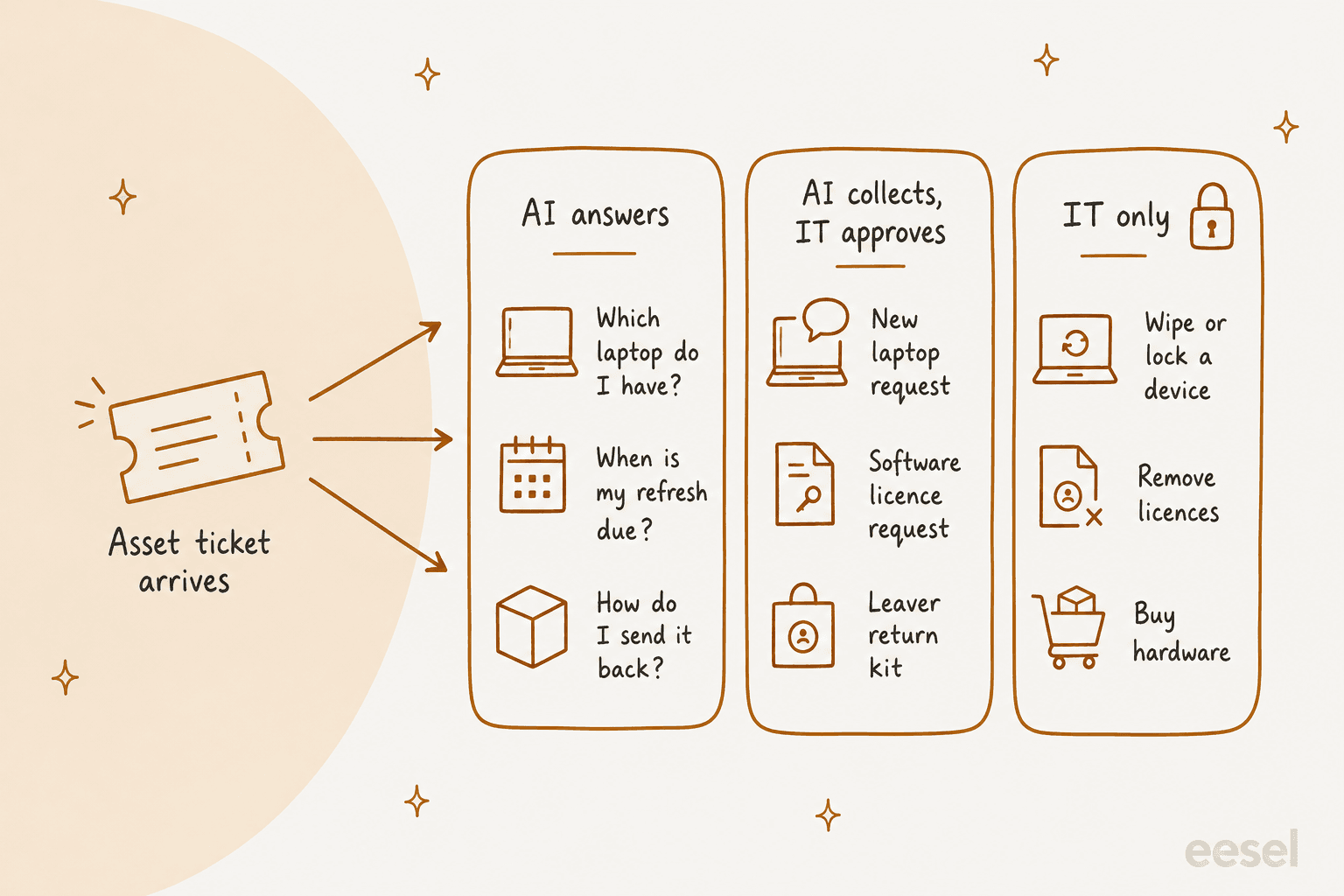
- AI answers. "Which laptop do I have?", "when is my refresh due?", "how do I send my old one back?". One right answer, and it's in the asset record or the IT policy.
- AI collects, IT approves. A new laptop request, a software licence request, a leaver's return kit. The AI gathers the details and checks the policy; a person approves before anything is ordered, assigned or shipped.
- IT only. Wiping or locking a device, removing licences, buying hardware. These are irreversible or cost money, so the AI's job is to prepare the ticket and get out of the way.
Sysadmins who've watched AI service desks go wrong land in the same place:
"LLMs certainly have a place in the support queue, but not as a replacement technician. In my opinion the work of LLMs and chatbots should be more about information gathering, and establishing all the basics so that the human technician is only being a technician."

The vendors draw the same line: Zendesk's own example has its AI agent check "eligibility and device inventory" for a laptop refresh while the asset rules sit underneath. The difference between a setup that works and one that embarrasses you is how good the record underneath is.
Which IT asset tickets can AI handle?
Most of them, at least partly. The table below is how I'd split the common ticket types between the AI and your team. The third column matters most: it's the record the AI has to read to give a true answer.
| Ticket | What the AI does | What a person does | Record it reads |
|---|---|---|---|
| "Which laptop do I have?" | Looks up the device by user, answers with model and serial | Nothing | Asset register or device manager |
| "When is my refresh due?" | Reads purchase date and refresh policy, answers | Nothing | Asset register + IT policy |
| New laptop request | Collects role, start date, location, spec; checks stock | Approves, assigns, ships | Asset register (stock), HR record |
| Software licence request | Checks if they already have it, if it's in the standard bundle, collects manager approval | Assigns the licence | Licence list, identity directory |
| Broken or lost device | Gathers details, opens a repair or replacement ticket, flags lost devices urgently | Locks or wipes if needed | Device manager |
| Leaver equipment return | Lists what the leaver holds, sends return steps, chases | Locks access on the last day, checks the device in | Asset register, HR leaver date |
If you want to go deeper on two of these, there's a separate guide on hardware requests, and another on the identity side of IT offboarding. This post is the umbrella: the record, the tools, and the setup.
Why does the asset record matter more than the AI?
Because an AI that answers "you have a Dell Latitude 5450" from a stale record is worse than no answer at all. The employee trusts it, ships the wrong box back, and now you have two tickets.
The standards bodies have been saying the same thing for years. CIS Control 1 asks for "an accurate, detailed, and up-to-date inventory" that records the "enterprise asset owner" and gets reviewed "bi-annually, or more frequently". NIST's ITAM practice guide points out that a physical asset list can tell you where a computer is but can't answer "What operating systems are our laptops running?". And the people doing the work agree: in Flexera's 2026 State of ITAM survey of 512 ITAM professionals, 78% said accurate inventory is their top priority, ahead of everything else.
A helpdesk practitioner on Reddit put the practical version of this well:
"Avoid complex ITAM suites unless you actually have a dedicated asset manager to run them. Without strict physical SOPs at your supply desk, even the most expensive software will eventually just show incorrect inventory counts."
In practice, "the record" is usually three or four systems, and the AI has to know which one wins for which question:
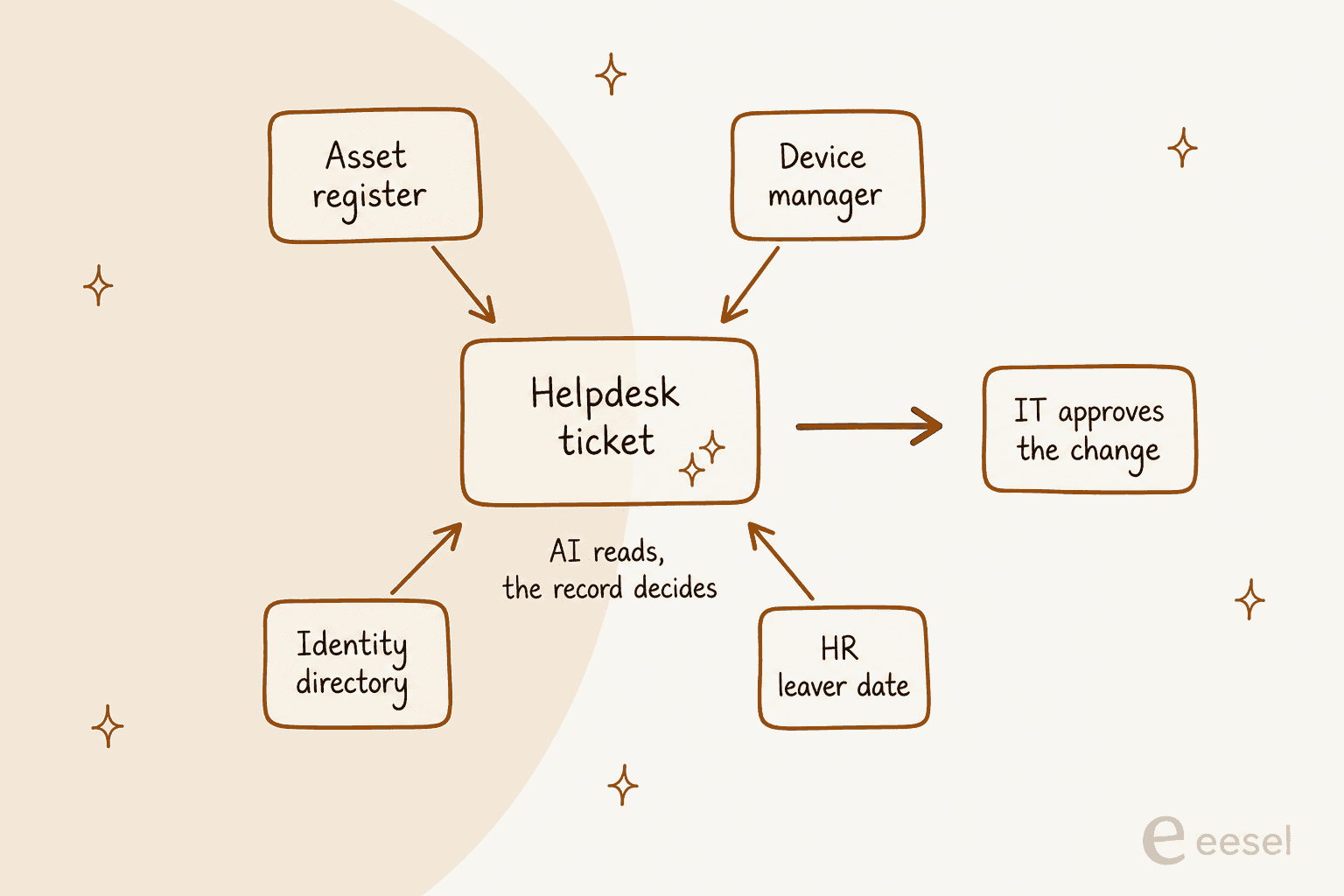
- Asset register. Your helpdesk's asset module (Zendesk ITAM, Freshservice, JSM Assets, ServiceNow HAM) or, honestly, a spreadsheet. Wins for ownership, purchase date, warranty and status.
- Device manager. Intune or Jamf. Wins for "is this device checking in, and who's signed in". Each Intune device has one primary user or none, and its inventory refreshes every seven days.
- Identity directory. Entra ID or Okta. Wins for licences and accounts.
- HR system. Wins for start dates and leaver dates. Nothing else should be guessing those.
The rule I'd write into the AI's instructions: a live lookup beats the knowledge base, and if a lookup can't confirm it, the AI says so. eesel customer Swiftreg wrote nearly that exact rule for its order desk ("Live facts win"), and it's the right rule for asset data too.
How does AI handle laptop and licence requests?
These are the two request types with the most back-and-forth, which is why they're where AI saves the most time. The AI's value isn't deciding who gets a laptop; it's getting the ticket to "ready to approve" in one pass instead of four.
Laptop requests
A good laptop request flow, with AI doing the legwork, looks like this:
- The employee or manager asks in Slack, Teams or the portal: "Need a laptop for our new analyst starting the 14th."
- The AI pulls the start date and role from the request or the HR record, and asks only for what's missing (location, any special software).
- It checks the standard spec for that role in your IT policy and whether stock exists in the asset register.
- It opens a fully filled ticket and routes it for approval. No device is assigned until a person says so.
- Once IT assigns the device, the AI tells the requester what's coming and when.
Zendesk's ITAM puts this right in the ticket: agents "See ownership, model, warranty, and service history directly inside every ticket". The AI's job is to make sure that ticket arrives complete.
Licence requests
Licence requests are where companies quietly leak money. Zylo's 2026 SaaS Management Index puts average SaaS spend at $55.7M a year across 305 apps, and 78% of IT leaders reported unexpected charges. Flexera found that among the most mature ITAM teams, reclaiming unused software rose from 59% to 79% in a year.
An AI can help on both ends. On the way in, it checks whether the person already has the app, whether it's in the standard bundle, and whether a cheaper licence already covers what they asked for, then collects manager approval. On the way out, it can flag seats nobody has used in a while.
What it shouldn't do is pull a licence on its own because a usage report said 90 days idle. Someone on parental leave, a quarterly finance tool, a contract that bills the seat anyway: the context lives with people. Let the AI draft the reclaim list; let IT press the button.
The bigger leak is usually upstream of the AI entirely. One sysadmin described it in a thread on cancelling seats:
"We do yearly subscriptions so we see what we have by the end of the year then anything extra we remove. We have a struggle with HR that they dont let us know when people leave so that we end up pay extra."
How do you get equipment back when people leave?
This is the ticket type I'd automate first, because it's where assets actually go missing and where the existing tools stop short.
Microsoft's Entra lifecycle workflows are good at the identity half of a leaver: disable the account, remove from groups, remove all licence assignments, revoke tokens, email the manager. They need Entra ID Governance at $7.00 per user per month. But none of the built-in tasks covers the physical device. Getting the laptop back falls to the helpdesk, and that's where it falls apart.
Ask any IT team with remote staff and you'll hear some version of this:
"We ship out equipment to these users and we have a real epidemic of users not returning equipment when resigning or being let go HR usually reaches out with shipping labels once the employee is offboarded but believes it's on IT support to continue to reach out to these ex-employees to get their equipment returned."
The chasing is repetitive, polite and time-boxed, which is exactly the kind of work an AI does well. The decision to remote-wipe an unreturned laptop is not.
Here's the leaver flow I'd set up, with the AI doing the chasing and IT doing the locking:
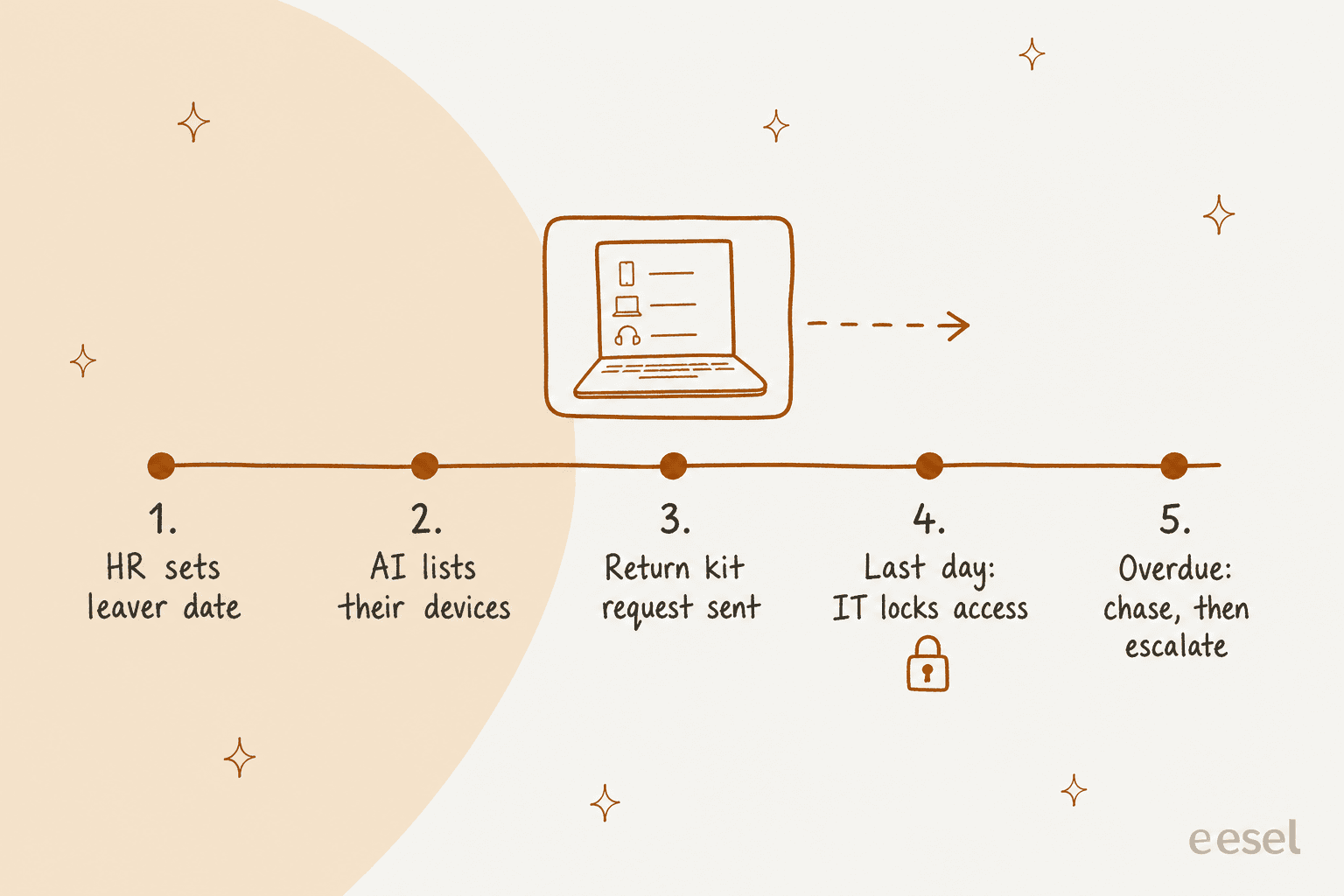
- HR sets the leaver date. This is the trigger. With eesel, your HR system or a webhook from Zapier or Make can wake the agent with the leaver's details.
- The AI lists what they hold. Laptop, monitor, phone, security key, from the asset register, with serials.
- It sends return steps. A return kit request for remote staff, a drop-off note for office staff, and a ticket for IT with the full list.
- On the last day, IT locks access. Account disable and device lock are IT's call, in Entra and Intune. The AI just reminds.
- Overdue items get chased, then escalated. A polite nudge, then the manager, then whoever owns the policy on unreturned equipment.
The Canadian Centre for Cyber Security puts the end of that chain plainly: at retirement, assets with sensitive data "will need to be sanitized prior to their disposal, by wiping all data". That wipe is a person's job, not the AI's.
Which tools do you need for AI IT asset management?
You need two layers: a place where the asset record lives, and an AI that works the tickets against it. Most helpdesks now sell the first layer themselves, which changes the build-vs-buy maths a lot compared with even a year ago.
Here's how the main options compare, all from each vendor's own pricing pages on November 1, 2026:
| Tool | What it is | Price | Assets included | Can its AI read assets? |
|---|---|---|---|---|
| Zendesk ITAM | Asset module in Zendesk Suite | Suite Growth $59/agent/mo (annual) | 500, then $100/mo per 500 | Yes, AI agents check inventory via action flows |
| Freshservice ITAM | ITSM with full ITAM add-on | Starter $19, Growth $49, Pro $99/agent/mo | Asset Units from $125/mo per 500 | Yes, Copilot ($29/agent/mo) links assets to incidents |
| JSM Assets | Asset database in Jira Service Management | Standard $21.50, Premium $55.28/agent/mo | 5,000 (Standard), 50,000 (Premium), then $0.02/object | Yes, Rovo reads Assets; writing is "coming soon" |
| ServiceNow HAM | Enterprise hardware asset management | Quote only | Quote only | Yes, per ServiceNow's product pages |
| Microsoft Intune | Device manager (Windows, Mac, mobile) | Plan 1 $8/user/mo, or in Business Premium $22 | Every enrolled device | Not a helpdesk AI; data source via Graph API |
| Jamf | Apple device manager | Jamf for Mac $12.50/device/mo (25-device min) | Every enrolled Apple device | Not a helpdesk AI; data source via API |
| eesel | AI helpdesk teammate on top | From $299/mo for 500 tickets or chats | Uses your record | Yes, live via your asset tool's API |
For a concrete buyer, say a five-person IT team supporting 300 laptops: Zendesk Suite Growth is $295 a month and the 500 included assets cover the fleet; Jira Service Management Standard is $107.50 a month with room for 5,000 objects; Freshservice Growth is $245 a month in agent seats before Asset Units. The device manager is a separate line either way.
Zendesk ITAM
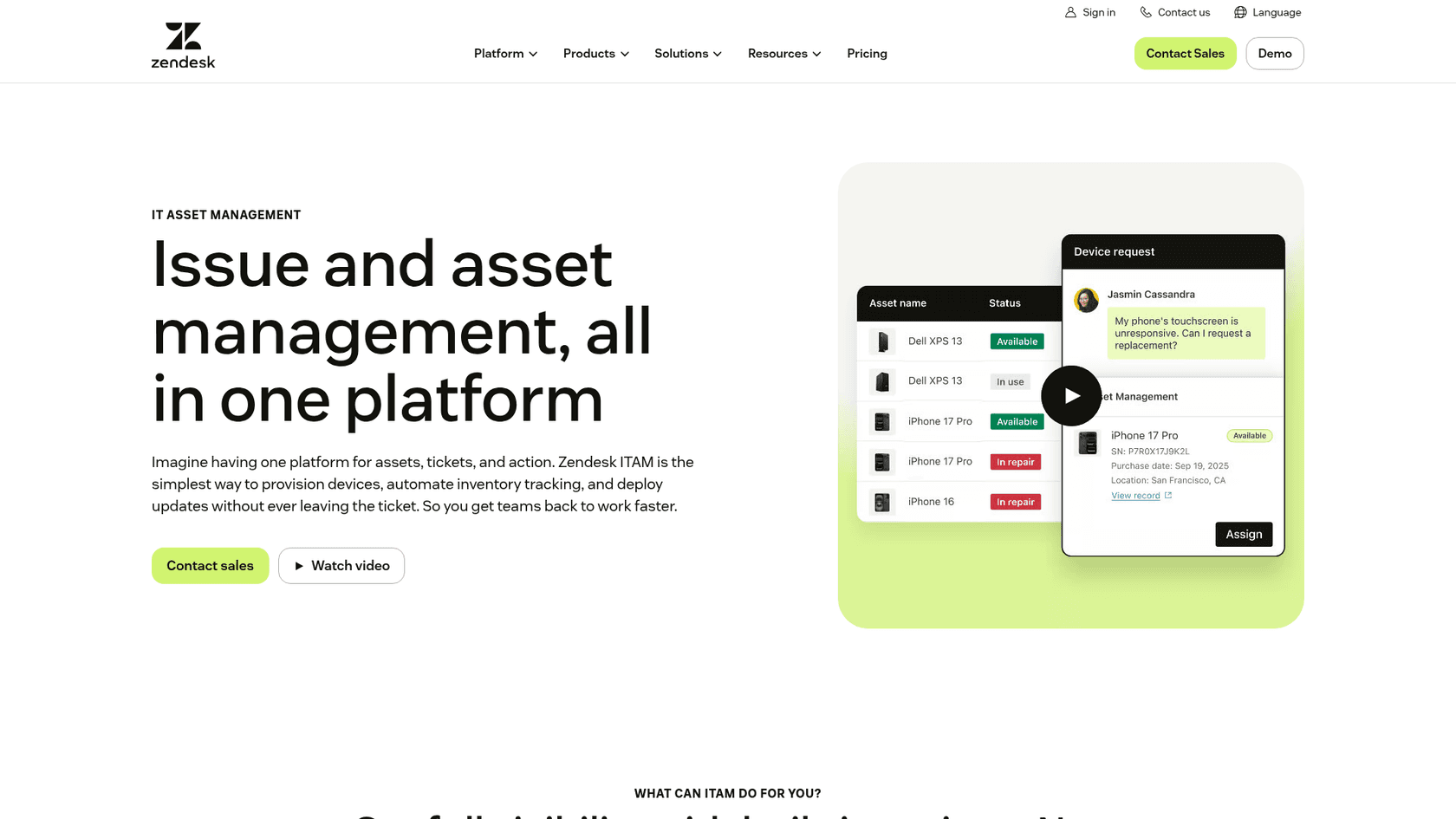
Zendesk added IT asset management to Suite Growth and above around November 2025. It starts you with four asset types (Hardware, Mobile, Desktop, Laptop), syncs device state from Jamf and Intune, and lets permitted agents lock, restart, unassign or erase a device from the ticket. It's hardware-first: Zendesk says software asset management "is coming soon". Limits are generous at 1 million assets. If your IT desk is already on Zendesk, see the Employee Service pricing breakdown before you buy asset packs.
Freshservice ITAM
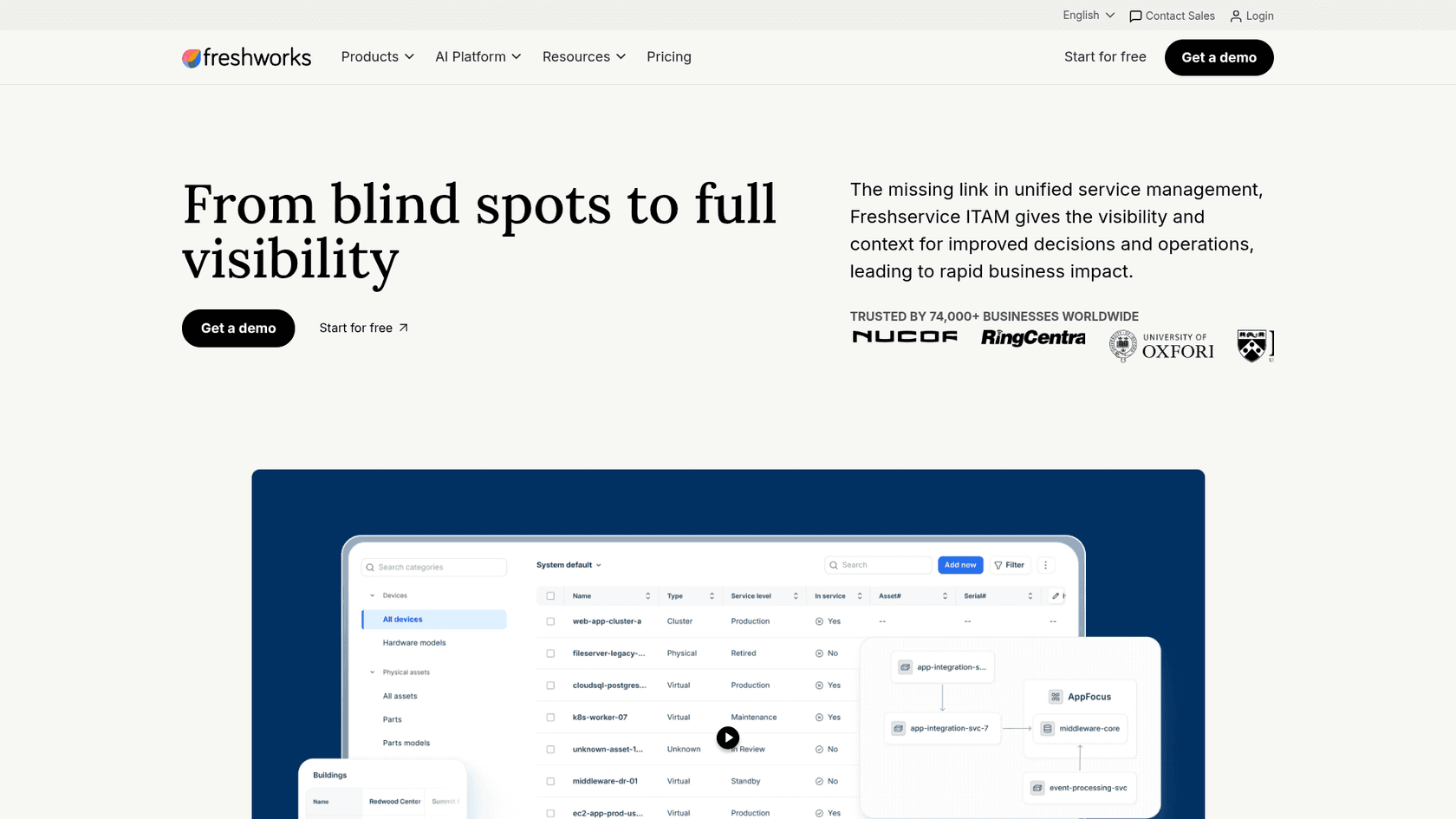
Freshservice has the deepest ITAM of the mid-market helpdesks: discovery, CMDB, contracts, software asset management and SaaS discovery. Asset tracking is metered in Asset Units, where a laptop is 1 unit and a server 4. Freddy AI Copilot "surfaces related past incidents linked to similar assets", and the Freddy AI Agent handles software requests. If you're comparing, the Freshservice pricing breakdown covers the seats, and there's a separate one for Freddy AI pricing.
Jira Service Management Assets
Assets is now included from the Standard plan up, with hardware asset management on Premium and Enterprise. Atlassian's Rovo can surface hardware insights like "warranties about to expire, low stock, or hardware that no longer appears to be in use" on Premium and up, and Atlassian says write access for Rovo is still coming. For an IT team already in Jira, it's the cheapest way to get a real asset database next to the queue. The Jira Service Management pricing guide has the plan detail.
ServiceNow HAM
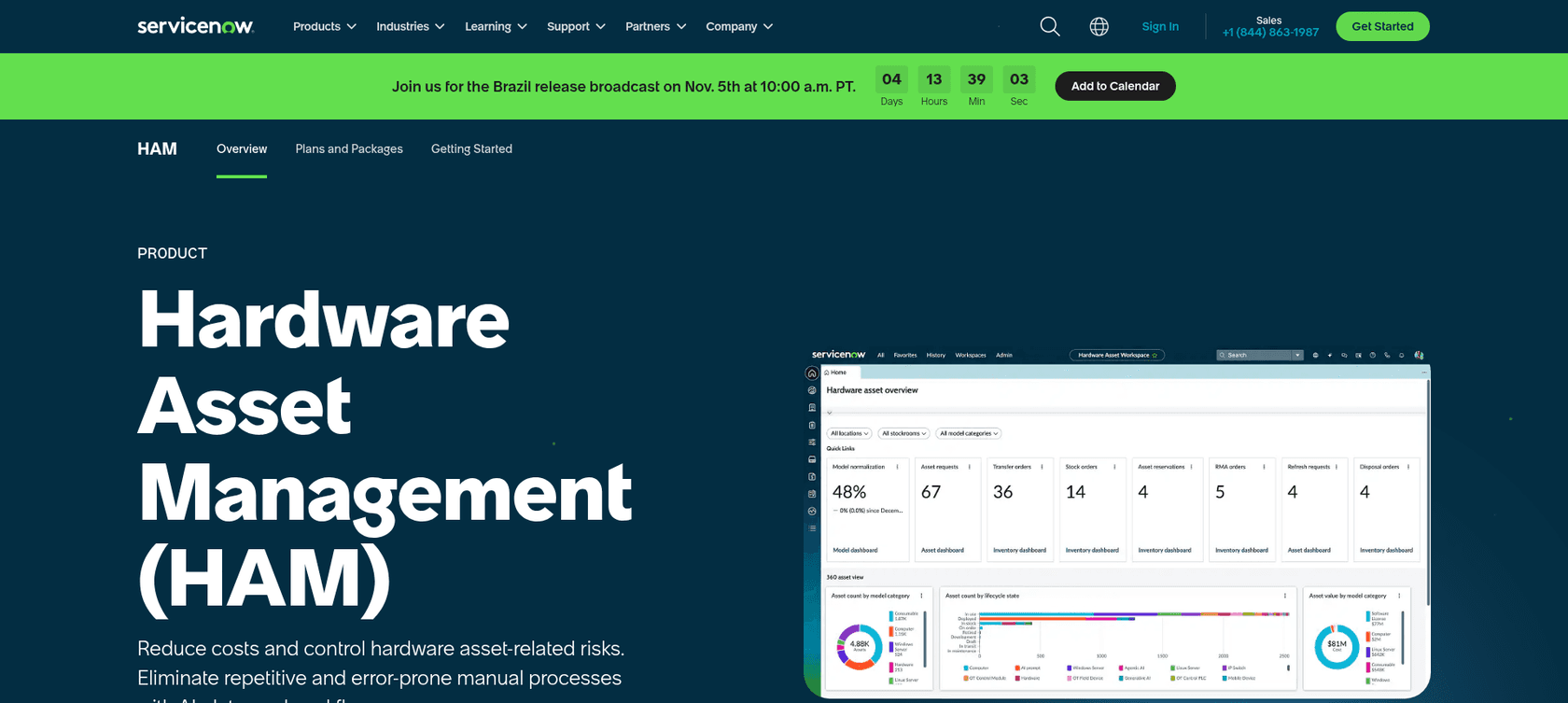
ServiceNow Hardware Asset Management treats the CMDB as "a single source of truth for hardware assets" and uses AI agents to "normalize hardware to keep the CMDB clean" and speed up request fulfillment. It's built for large estates, and pricing is quote only. If you're weighing it, start with ServiceNow pricing and the Freshservice vs ServiceNow comparison.
Where eesel fits
eesel isn't an asset database, and I wouldn't pretend otherwise. It's the AI teammate that works the asset tickets against whichever record you keep. It plugs into Zendesk and Jira Service Management natively and answers employees in Slack, with Microsoft Teams available on request. For Freshservice, ServiceNow, Intune or a tool like Snipe-IT there's no built-in connector; you reach them through their API with Network Access, which lets the agent call any REST API you allow, with the credentials attached by eesel "so the AI never sees them".
How do you set up AI for IT asset management?
Here's the order I'd do it in. The AI part is the quick bit; the record is the slow bit.
- Pull the last three months of asset tickets. Export from your IT ticketing system and sort them into the three lanes. Most teams find a handful of request types make up most of the volume.
- Pick one asset record and clean it. Reconcile the device manager with the register: every device with an owner, a status and a purchase date. If it lives in a spreadsheet, that's fine to start, but note that a sheet connected as knowledge is only as current as its last re-sync.
- Write down the rules the AI will follow. Standard laptop per role, refresh cycle, which licences are in the standard bundle, who approves what, the leaver checklist. Put them in one internal knowledge base. Wherever it lives, Confluence included, the AI should read one version of the truth.
- Connect the record read-only first. In eesel, a linked MCP server's read-only actions "run on their own, and the rest ask a person first" by default, which is exactly the split you want: "which laptop does Priya have" runs, "reassign Priya's laptop" waits.
- Set every write to Needs approval. eesel's actions and approvals let you mark each action Auto, Needs approval or Disabled. Approval cards land in the Slack thread, so IT approves without leaving chat.
- Test on past tickets before going live. Run the agent against the tickets from step 1 and compare with what your team actually answered. There's a guide on sizing that test in AI support simulation testing.
- Turn on the leaver trigger last. Once lookups are trustworthy, wire the HR leaver event so returns start themselves.
Step 2 is where most of the payoff hides. A G2 reviewer describing their move off spreadsheets:
"Consolidating all assets into one platform compared to the process as before while having multiple spreadsheets and not being updated frequently and no live. By having Snipe IT it helps a lot to solve the problem."

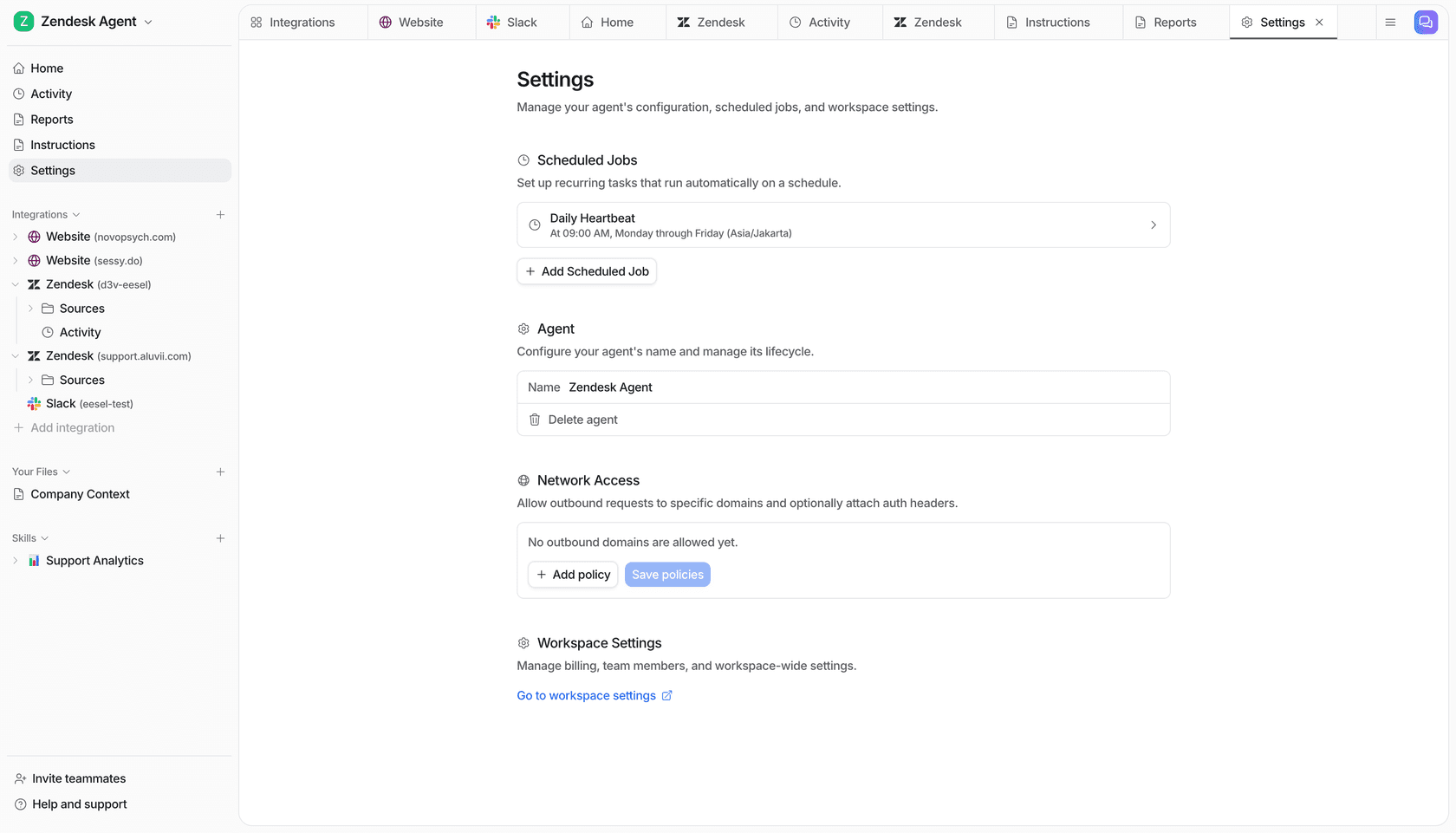
If you'd rather script it, the eesel CLI does the same setup from a terminal. "Every command prints JSON, so an AI coding agent (Claude Code, Cursor, Codex) can run your whole setup for you." For asset work, the useful bits are eesel integrations api check to test the connection to your asset tool's API, eesel files upload ./assets.csv if you export a nightly register, --dry-run to see the exact call a write would make before it runs, and eesel approvals to approve held changes without opening the dashboard.
What should AI never do with your IT assets?
AI should never be the one to wipe a device, remove licences, deprovision a user or spend money. Everything else is negotiable.
Microsoft already treats these as privileged. Wiping or retiring a device through the Graph API needs a separate permission, DeviceManagementManagedDevices.PrivilegedOperations.All, and in the Intune console only admin roles like Help Desk Operator can wipe, up to 500 wipes a day per tenant. My rule: if Microsoft makes a human request a special permission for it, your AI shouldn't hold that permission at all.
The short list I'd keep behind a person:
- Wipe, retire, lock or erase a device. Even Zendesk, which offers an Erase device action flow from the ticket, limits it to permitted agents.
- Remove or reassign licences. Draft the list, never execute it.
- Order or buy hardware. The AI fills the form; a budget owner approves.
- Mark a device lost or stolen. That changes what security does next.
- Tell someone they owe money for unreturned equipment. That's an HR conversation with a policy behind it.
Cactus Club Cafe's internal tech desk agent follows the same posture: it "never closes a ticket or changes tags, status, priority, group or assignee unless a document says to", and a later rule made it "take no action on a ticket if it cannot read its instructions". That's the right default for anything touching an asset record.
eesel for IT asset tickets

If your IT team spends its week answering "which laptop do I have?" and chasing leavers for chargers, eesel takes that queue as an AI helpdesk teammate. It works your Zendesk desk, Jira Service Management queue or Slack channel, reads your asset tool live through its API, and holds every change to the record for IT's approval.
InDebted's IT team, 5 to 10 people supporting hundreds of employees, put it to work on their Jira desk:
"We use it to be the first responder to our Helpdesk tickets in Jira. It essentially acts just like an agent would."
Jason Loyola, Head of IT, InDebted
It resolves 15% of their tickets without a person so far, with 55% as the goal. Pricing is one fixed monthly price, from $299 for 500 tickets or chats on the pricing page, with no seat fee, so the whole company can ask it about their laptop. Try eesel free with 100 credits, and run it against last month's asset tickets before anyone sees a reply.