What Orchid actually is
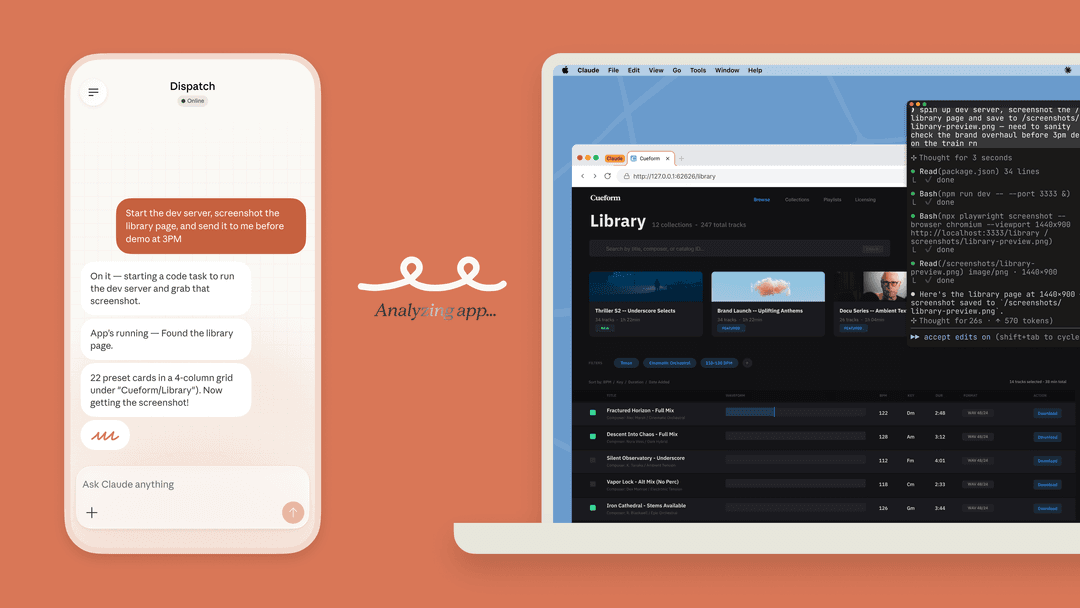
Orchid is "a personal assistant that helps you stay organized, find information, and get things done. All through messages," per Orchid's homepage. The way it works is simple: you text a phone number, it texts you back, and there is no app to download at all.
The company behind it is Zero Email, Inc., a Delaware corporation, per the privacy policy. That name gives a small clue about where it came from, since the team went through Y Combinator's Spring 2025 batch building Zero, an open-source AI email client, then pivoted into messages.
The founders are Nizar Abi Zaher and CTO Adam Wazzan, and the YC listing shows a team of 3 in San Francisco. Orchid says the product has been public since March 2026.
You can still see the email-client past in it. YC's one-line description is the most honest summary I found: "A personal EA in your iMessage... It texts you your day each morning, drafts your replies, and books your meetings. You approve, it handles the rest." Honestly that is a narrower product than the "second brain" from the ads, and also a more useful one.
It sits in the same category as Instinct: assistants that do the action inside your accounts, rather than just describe what you could do. Meta Muse belongs here too, and so does Grok Bot.
If the category is new to you, this explainer on the AI personal assistant covers the basics well, and this piece on AI agents vs AI chatbots explains where the two differ.
Setting it up: one text, one Google login
The setup part is short. Per Orchid's iMessage setup guide, you text the number, Orchid replies with a link to connect Gmail and Google Calendar through Google sign-in, and after that you tell it which senders matter, when to send the morning rundown, and what it should never touch.
There is also a web app at app.orchid.ai where you connect accounts and change the settings. It greets you as "a 24/7 executive assistant that lives in iMessage" and offers phone, email or Google sign-in:
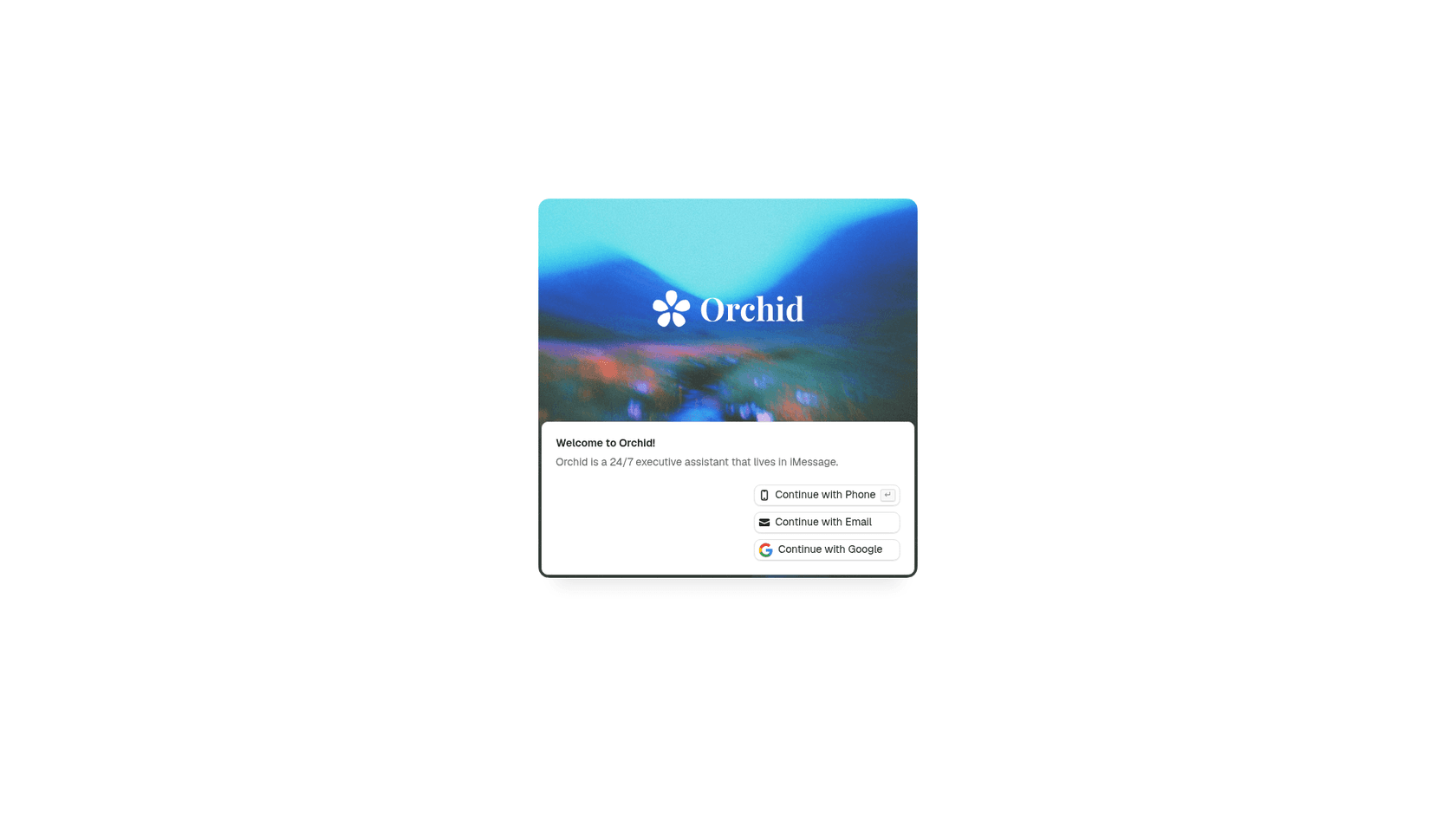
One small thing worth knowing: after you create an account, Orchid asks you to connect at least one external account, per the privacy policy. Without one it is not much use, so a "just chat with it first" mode does not exist. Another small thing: the text number is different depending on which page you look at. The homepage and contact page list +1 (415) 299-9916, while the setup guide still shows an older number. Use the one on the contact page.
What it really connects to
As someone who builds integrations, this is the part of the review I care about the most, because the marketing and the docs are telling two different stories.
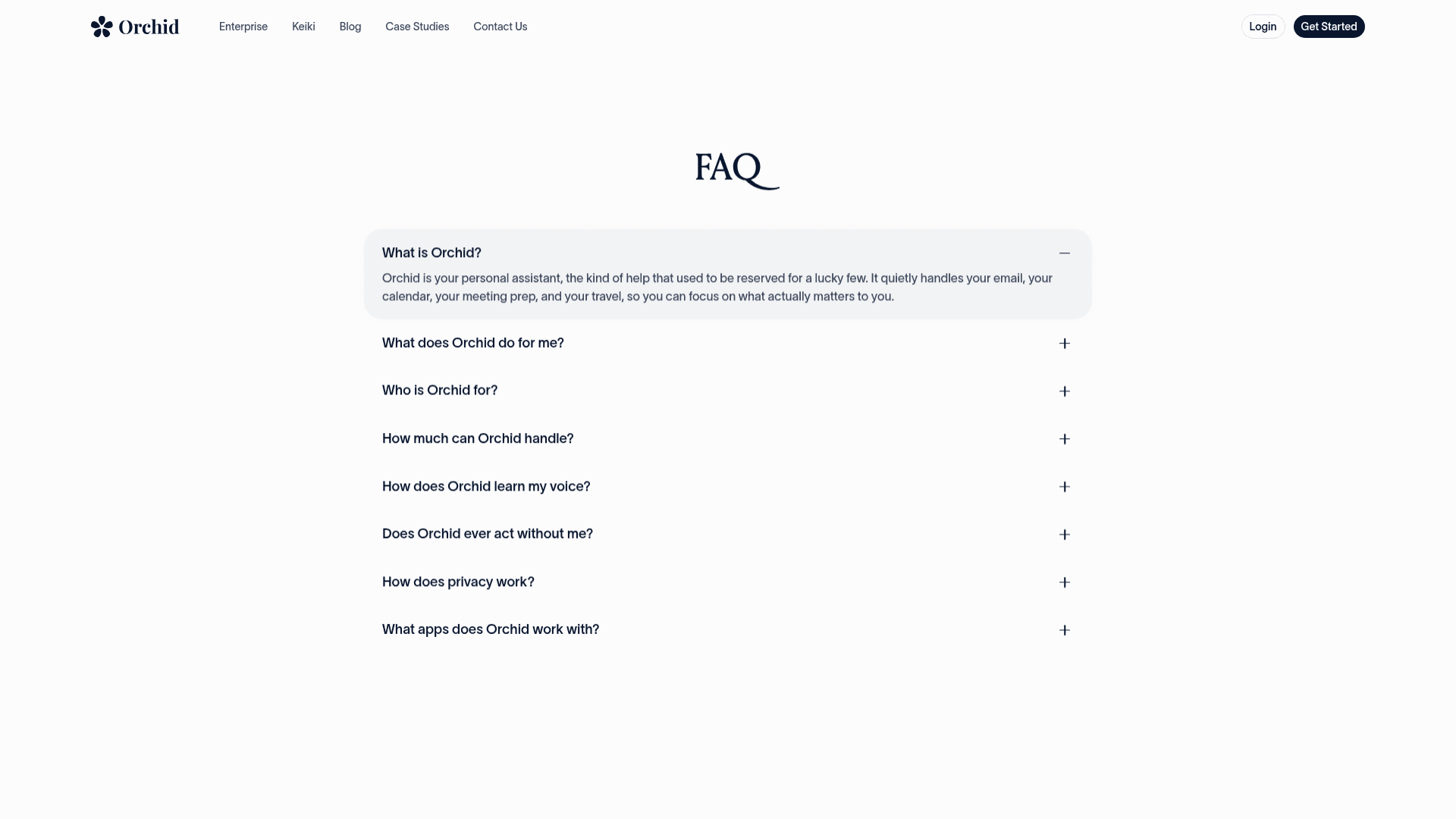
The homepage says "A hundred tools, one assistant" next to logos for Gmail, Google Calendar, Slack, Notion, Figma, Dropbox, and HubSpot. Orchid's FAQ is more precise on this: "Today, Orchid works with Gmail and Google Calendar." It lists Outlook, Slack, Notion, and Linear as "on the way."
When I piece the sources together, this is where each tool actually stands right now:
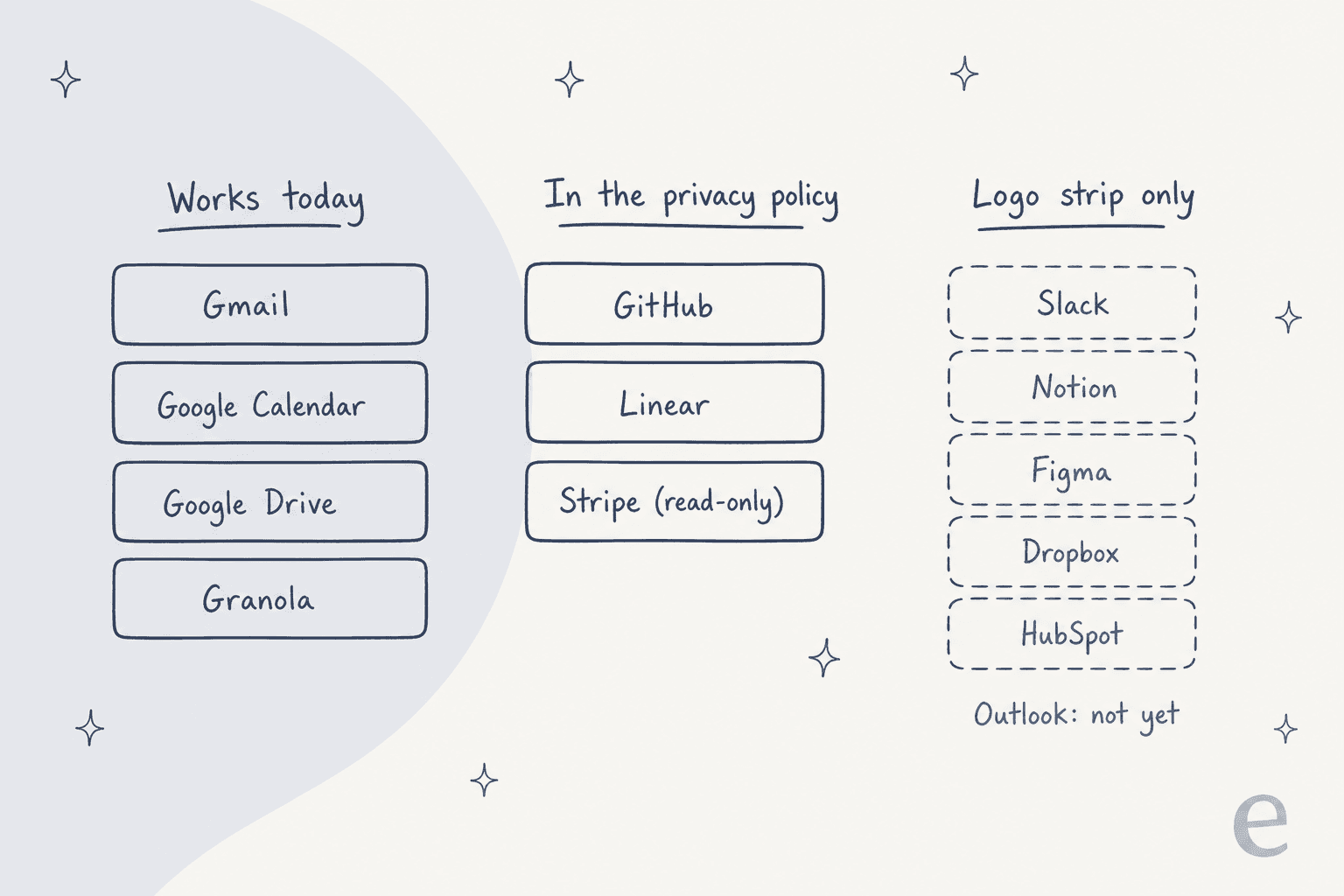
- Working today: Gmail and Google Calendar (FAQ), plus Google Drive and Granola in the site footer. The Granola integration pulls meeting notes, action items, and decisions into Orchid for prep and follow-ups.
- Covered in the privacy policy: GitHub, Linear, and Stripe, with Stripe read-only unless you enable write actions. Tools outside Google connect through Composio, which the policy names as its "OAuth broker."
- Logo only: Slack, Notion, Figma, Dropbox, and HubSpot appear on the homepage but not in the FAQ's list of working apps.
In practice the rule is simple. If your life runs on Google Workspace, Orchid fits. If your inbox sits in Outlook, it does not work for you yet, and you are better served with one of the AI email assistants that support it. For people who lean on Slack or Notion, treat those as roadmap and not as product. The Notion-heavy crowd has their own Notion AI connectors anyway.
How much it does without asking
This is the design choice I like the most. Orchid's default is that nothing leaves the text thread without your approval. Per its safety page, drafts stay drafts and calendar holds wait for your OK. You are able to widen that, for example by letting it confirm meetings with people you name.
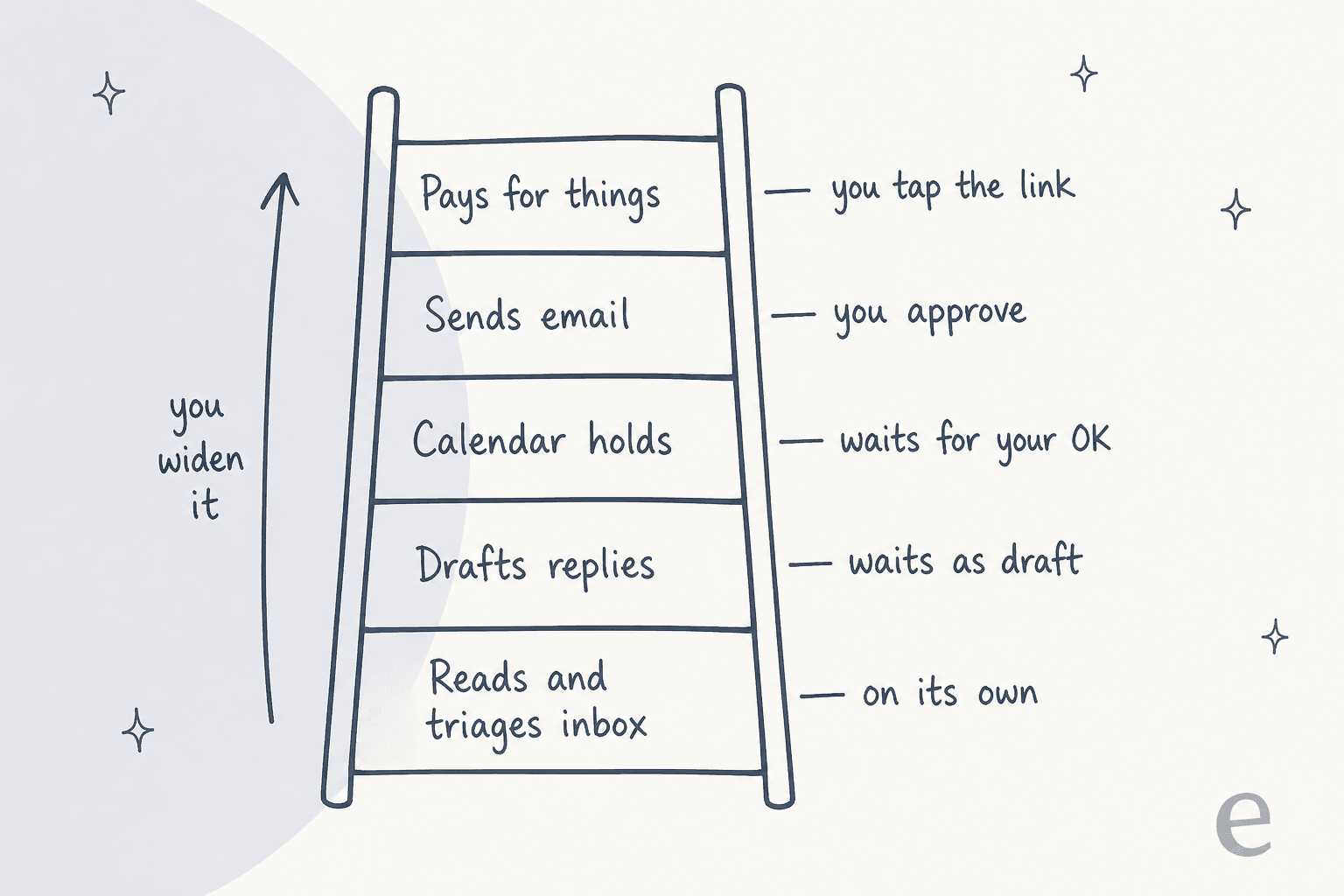
The FAQ backs this up as well: "Replies stay as drafts until you hit send." It learns your voice "by reading what you have already written," which in practice means your sent mail. Even payments follow the same pattern. The homepage demo has Orchid find a villa and flights, then hand you an Expedia pay link to tap yourself. The terms have no clause at all about the agent buying things for you. Compare that with Instinct's terms, which appoint the agent to act for you.
Under the hood, the privacy policy says Orchid asks for "minimum Gmail scopes required to perform the actions you've enabled" and follows Google's Limited Use policy. For Gmail, the policy lists those actions as read, organize, draft, and send. So the guardrail is a product setting, not a technical wall: Orchid has permission to send, it just chooses not to until you say so. That is normal for this category, and it is also why the "you widen it" arrow deserves some caution.
This draft-first model is the same one I see support teams pick when they roll out AI: start as a copilot that drafts, then let it act alone once it has earned trust. The difference is that a support team can measure that trust before it goes live, more on that below.
The features worth using
Outside of email and calendar, Orchid has a short list of features, and each of them solves a real annoyance:
| Feature | What it does | Source |
|---|---|---|
| Morning digest | Separates what needs a decision from what is already handled | Orchid vs Poke |
| Meeting prep | Checks your inbox, calendar, and the web, then texts you a brief before each meeting | Orchid on X |
| Habits | Recurring jobs set up by asking: news digest, rain alerts, flight check-in, meds reminders | orchid.ai |
| Conditional reminders | "chase the landlord friday if he hasn't replied" | Setup guide |
| Memory | Remembers people, birthdays, places, and preferences you tell it | orchid.ai |
| Voice notes | Hold the mic, Orchid transcribes and acts or asks a question | Voice notes |
| Carousels | 4 to 6 full-screen cards for itineraries, comparisons, meeting briefs | Carousels |
Meeting prep is the one I would turn on first, since it is the most "real EA" feature in the set and it plays to the one thing Orchid can reliably see, which is your inbox and calendar. If you would rather have that inside your work chat, Slack ships its own AI daily recaps, and Gmail has native follow-up nudges. Where Orchid has the edge is pulling both into one text thread.
The homepage counters give some sense of the scale: 540,365 emails processed and 2,225,272 actions logged when I checked on October 6, 2026. These are Orchid's own numbers, but at least they are live on the page and not a one-off press claim.
That launch ad
It is not possible to review Orchid without talking about the launch film it posted on July 28, 2026. In it, a man forgets his anniversary, and Orchid books dinner and arranges flowers. The internet did not love it, to put it mildly.
"Discounting everything else, what an amazing example they chose to showcase their product with. Forgetting your own anniversary. Advertised to adult babies uninterested in the world they live in"
That post picked up 18,332 likes, and the same person's follow-up was the sharpest product critique in the whole pile-on:
"Also like. If it was a good app it would've reminded him the week before?"
It is a fair point, and a useful one for anybody who is evaluating it. The value of a proactive assistant is the nudge a week early, not the rescue on the day. Orchid's own pitch says it catches "the starred email, the deadline, your mom's birthday" before you worry, so that is the claim worth testing in your first week. Set three real deadlines and then see if it warns you.
On Hacker News, one commenter put the positioning problem plainly: it is "strange to me to position your product as enabling its users to care less about people." My read is that the ad sold the wrong product. The useful thing here is a tidy inbox and a prepped calendar, not outsourcing your relationships.
What users actually say
An honest caveat first: Orchid has no G2, Capterra, or Trustpilot listing yet, and most public posts are about the ad, not the product. The hands-on voices that do exist are a mixed bag.
Executive assistants, the people Orchid is loosely modelled on, were skeptical in an r/ExecutiveAssistants thread:
"I think these are tools that EAs will use but they are too cumbersome to be a complete replacement. Learning to navigate, identify hallucinations (which will always be the case), etc etc with these AI platforms is what will transform the role."

A Reddit user who tested a batch of these assistants gave Orchid a measured write-up, calling it "More executive-assistant-like than chatbot-like" and noting the "Approval-before-sending flow makes sense for work," per a roundup in r/AskVibecoders. The cons listed: "Mostly focused on work coordination" and "Not as broad as a daily personal assistant." That lines up with what I found in the docs.
The other theme that keeps coming up is privacy. A 53-upvote post raised the structural point:
"Structural weak points include the absence of local-only operation, reliance on continuous cloud connectivity, and the commercial incentive to retain behavioral data even when the company states it does not train models on it."
There is also one limit that applies to the whole category. A Reddit poster who asked 8 texting assistants, including Orchid and Poke, to text a friend for them says every one refused, citing US carrier registration rules for business texting, per a thread in r/AI_Agents. The poster sells phone numbers for agents, so read it keeping that in mind, but the takeaway still holds: Orchid talks to you, not on your behalf to other people by text.
The fine print
This is the place where Orchid's marketing and its legal pages drift apart, and it is worth spending five minutes on it before you connect a work inbox.
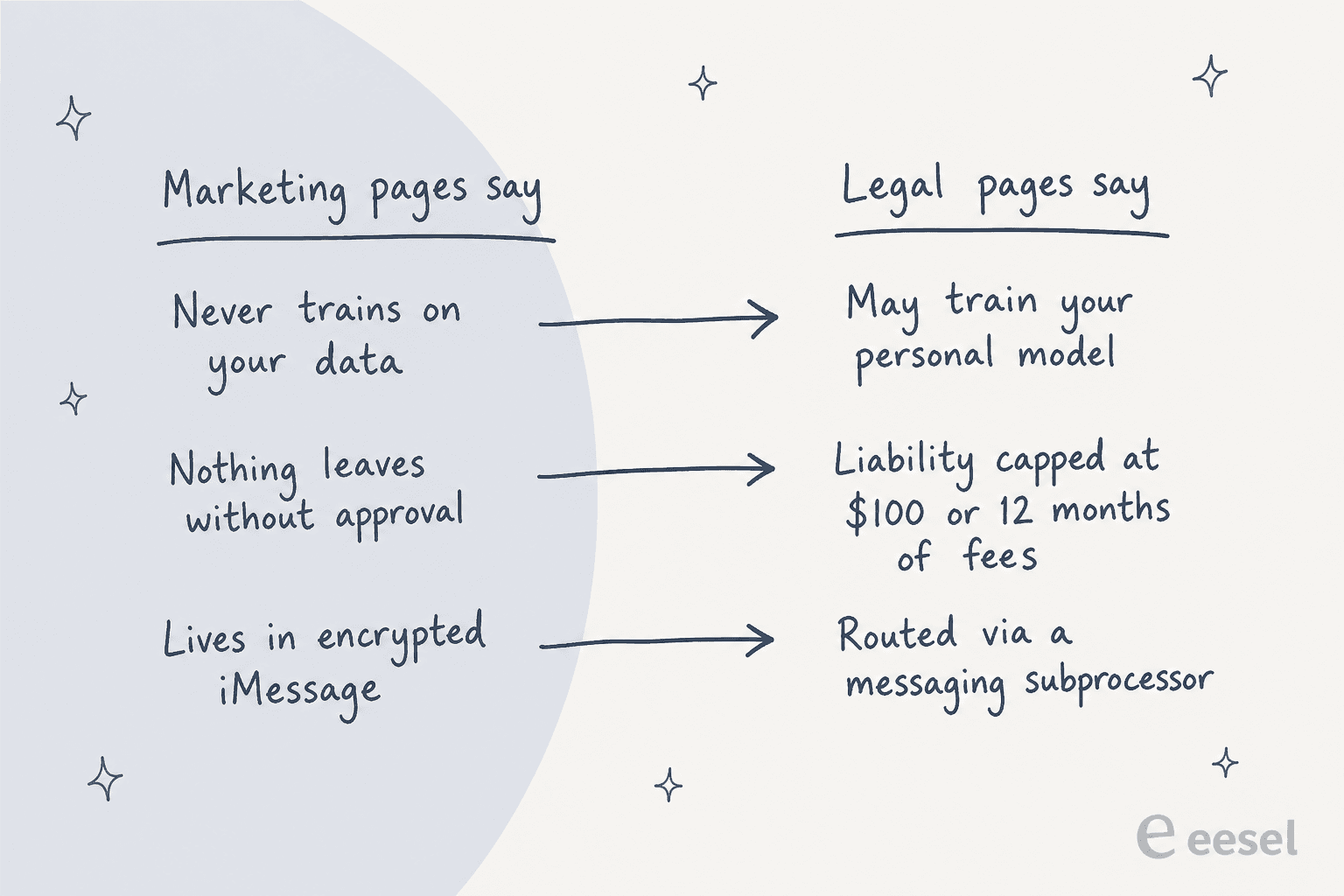
Training. The FAQ says Orchid will never use your data "to train any model," and the safety page answers "No. Never." The privacy policy, updated September 14, 2026, is narrower: "We don't train shared models on your data" but "We may train your personal model on your data. Only yours." That is a reasonable design, since a per-user model is how it learns your voice, but it is not "never," and the legal page is the one that binds. The same policy says model providers are "contractually prohibited from training on your data."
Who sees it. The policy lists the subprocessors in full: Google Vertex AI, OpenAI, and Anthropic for inference, routed through OpenRouter, plus Convex for the database, Composio for non-Google logins, Linq for SMS and iMessage, Stripe, Resend, PostHog, and Sentry. The safety page leans on iMessage's end-to-end encryption, which covers the hop on Apple's network. After a message reaches Orchid through Linq, though, it sits on Orchid's servers the same as any other cloud service.
Liability. The terms cap Orchid's total liability at the greater of fees paid in the prior 12 months or $100, and the cap explicitly covers "Actions taken by the AI agent on your behalf." On top of that you agree you are "responsible for reviewing and approving actions," and you indemnify Orchid for actions you approved. Disputes go to binding arbitration under American Arbitration Association rules with a class-action waiver, and I could not find any opt-out window.
Retention. If you delete your account, tokens are revoked within 72 hours and data leaves production within 30 days, with backups kept up to 30 more days. For active accounts, no retention period is stated at all.
Compliance. Orchid makes no SOC 2, ISO 27001, or HIPAA claim for itself. That is common for a young consumer product, but it does matter if you were planning to point it at a work inbox that has client data in it. One viewer on X asked exactly that under the Meeting Prep demo: "how do you do this while maintaining company confidential information?"
None of this is unusual for this category. Compared with Instinct's terms, which make training opt-out and let the agent enter agreements for you, Orchid's approval-first default is the more cautious setup. Just read the legal page and not the FAQ when you decide what to connect. This primer on AI agent data privacy has a good checklist for this.
Pricing
When you load Orchid's pricing page, it is an empty shell. The only public price is in a September 14 blog post whose short answer is: "no. Orchid is paid, from $29.99/mo, flat, with no free tier and no meter on your messages."

| Item | What you get | Source |
|---|---|---|
| Standard plan | From $29.99/month, flat, all features included | Pricing post |
| Free tier / trial | None; "Not a general one" | Pricing post |
| Refund | 30-day money-back guarantee; annual plans prorated within 60 days | Terms |
| Students | 3 months free, then 50% off a yearly plan | Students |
| YC founders | 3 months free | Pricing post |
| Notion Mail switchers | 1 month free | Notion migration |
| Price changes | 30 days' notice | Terms |
There are two things I like here. First, a flat fee with no message meter means you do not need to ration it, which matters for an assistant you are supposed to text all day. Second, the 30-day refund works as a free trial if you set a calendar reminder. The one gap is this: the "from" implies more than one plan, and the yearly price is not published, so you only see the full menu inside the app.
Is $29.99 a lot? Compared with a human assistant, it is nothing. Against Gmail's own built-in AI features that you may already pay for in Workspace, it is a real line item. The real question is whether the morning digest and meeting prep save you more than about 30 minutes a month. If you take more than a handful of meetings a week, I think they will. For comparison, Instinct has no public price and Meta Muse has a free allowance.
Orchid vs Poke vs Instinct
Orchid published its own Orchid vs Poke comparison, and its framing is fair: both live in your texts, "The difference is the job." Orchid is built as an executive assistant, while Poke centers on channels and custom automations.
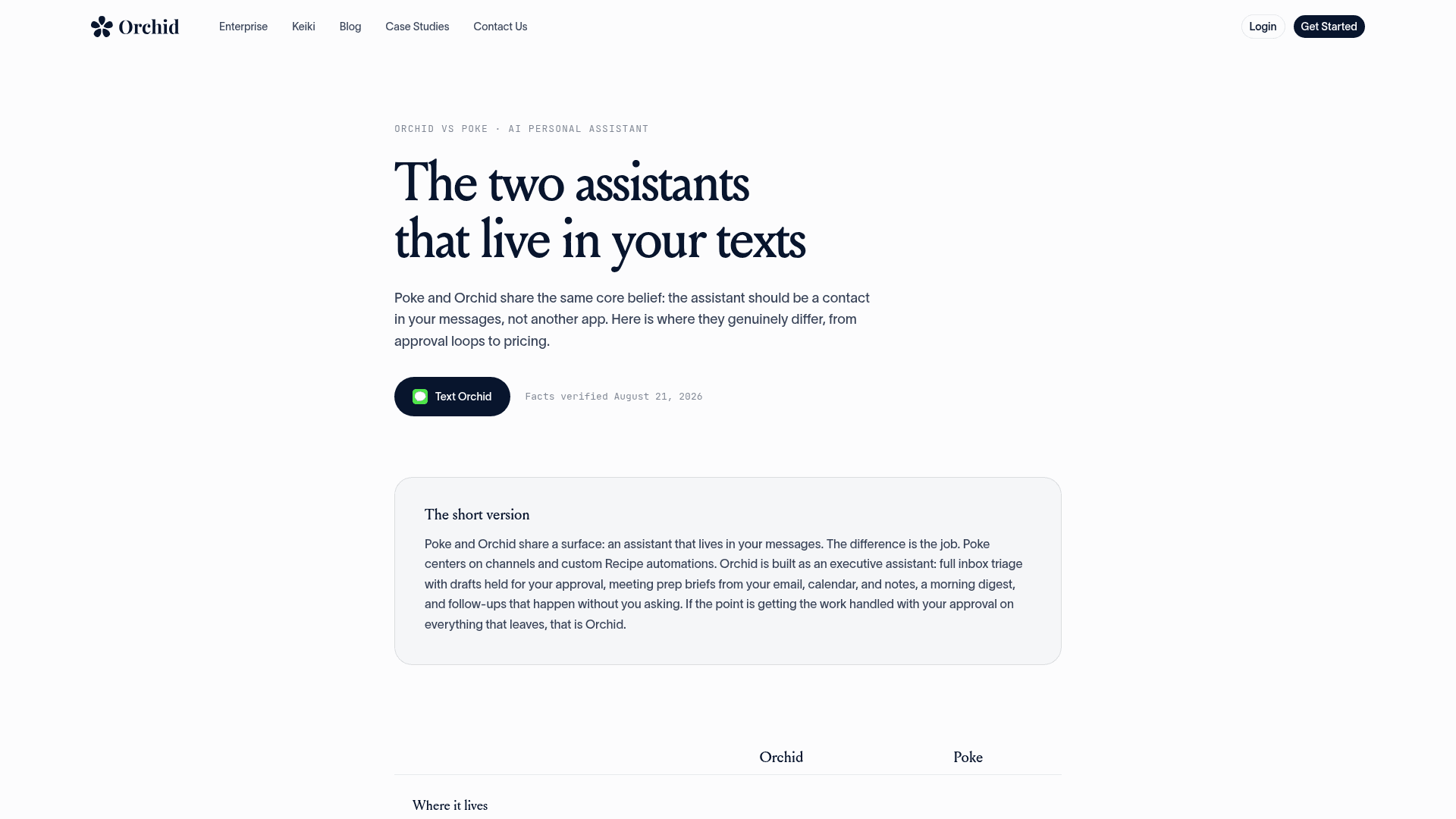
This is how I would split up the three most-discussed texting assistants:
| Orchid | Instinct | Poke | |
|---|---|---|---|
| Best at | Email, calendar, meeting prep | Errands, purchases, calls | Custom automations across channels |
| Channels | iMessage, SMS | iMessage, WhatsApp, calls | iMessage, WhatsApp, Telegram (per Orchid's page) |
| Default autonomy | Drafts and holds wait for approval | Acts as your agent | See Poke's site |
| Public price | From $29.99/month | None | See Poke's site |
| Access | Open sign-up | Invite-only | See Poke's site |
| Deep dive | This review | Instinct AI review | Instinct alternatives roundup |
If you want a broader set of options, my best AI assistants roundup goes wider, as does the guide to AI scheduling assistants, and Lindy is the pick if you would rather build your own workflows than text one assistant.
Who should use it
| If you are... | My call |
|---|---|
| A founder or investor living in Gmail and Google Calendar | Try it for 30 days. This is exactly who it is built for |
| On Outlook or Microsoft 365 | Wait. Outlook is not supported yet |
| After an errand runner that books and buys | Look at Instinct instead |
| Handling client data under a compliance regime | Hold off until Orchid publishes a SOC 2 or similar |
| Looking for AI to answer your customers | Wrong tool. You want a helpdesk agent, see below |
Keiki, and where Orchid stops
Orchid's team has a second product, Keiki, and if you run a business it is the more interesting one of the two. Keiki packages the infrastructure Orchid spent "almost a year" building, per its launch post, into a platform for customer-facing agents across iMessage, WhatsApp, Telegram, Slack, Teams, and email.
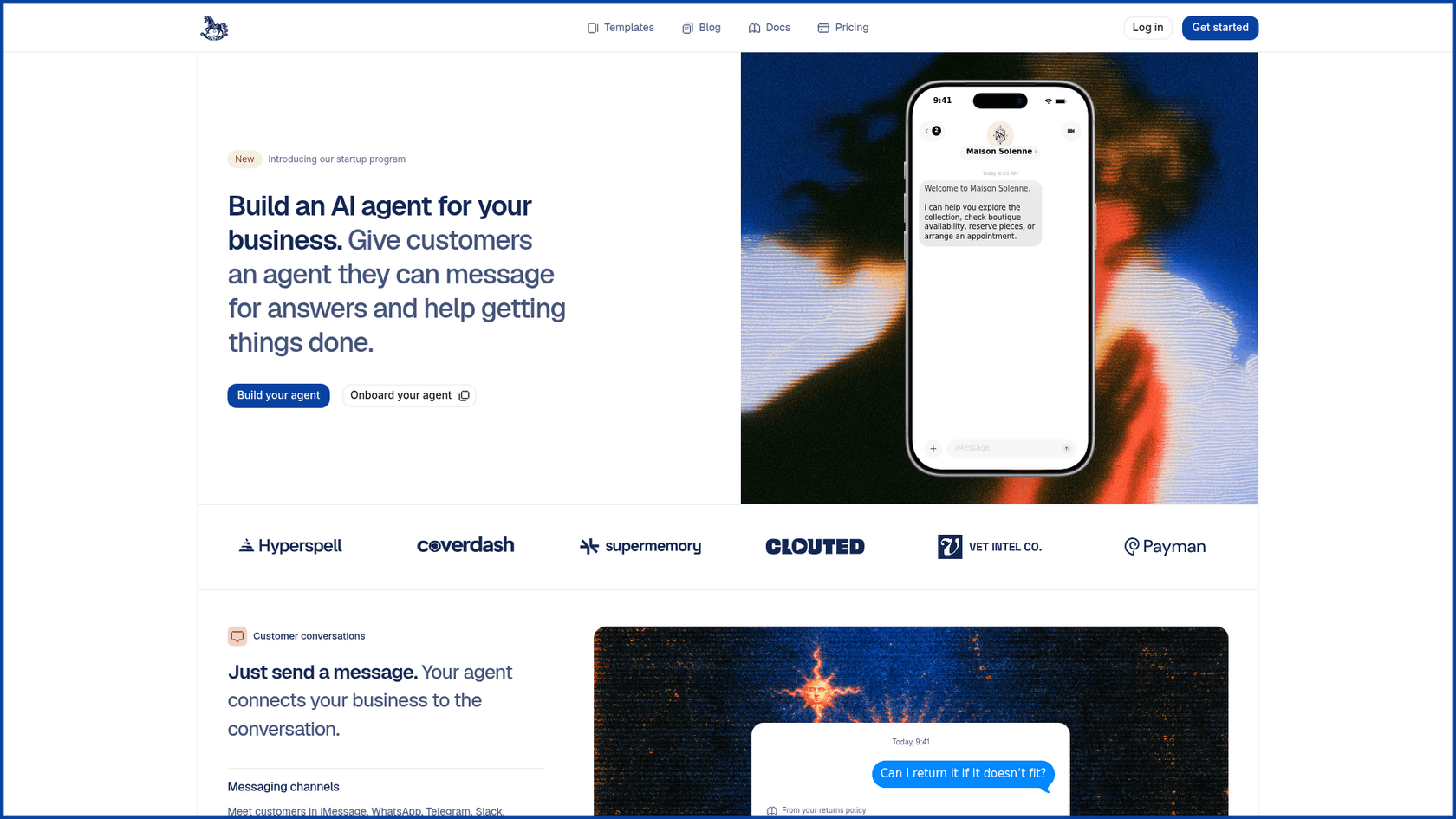
Keiki is usage-priced, with the pricing calculator estimating 5,000 messages a month at $23.63, plus $0.005 per tool use and $300 per month for a dedicated iMessage line. It is a builder, where you define the agent and pick the model, then wire up the tools yourself.
That is where I would draw the line. Orchid is one generalist assistant for one person's inbox, while Keiki is a kit for building your own customer agent. Neither is a ready-made teammate that already knows how to work a support queue, which is a different job with a different standard: one confident wrong answer lands on a customer, not on you.
Try eesel
If Orchid has you thinking about AI that drafts in your voice, the place at work where it pays off fastest is the support queue. eesel is an AI teammate platform where you hire ready-to-work teammates for a defined job, and the AI helpdesk teammate is the one for support. It joins the helpdesk you already use, learns from your knowledge base and past tickets, and answers only from knowledge you approved, handing the rest to your team.
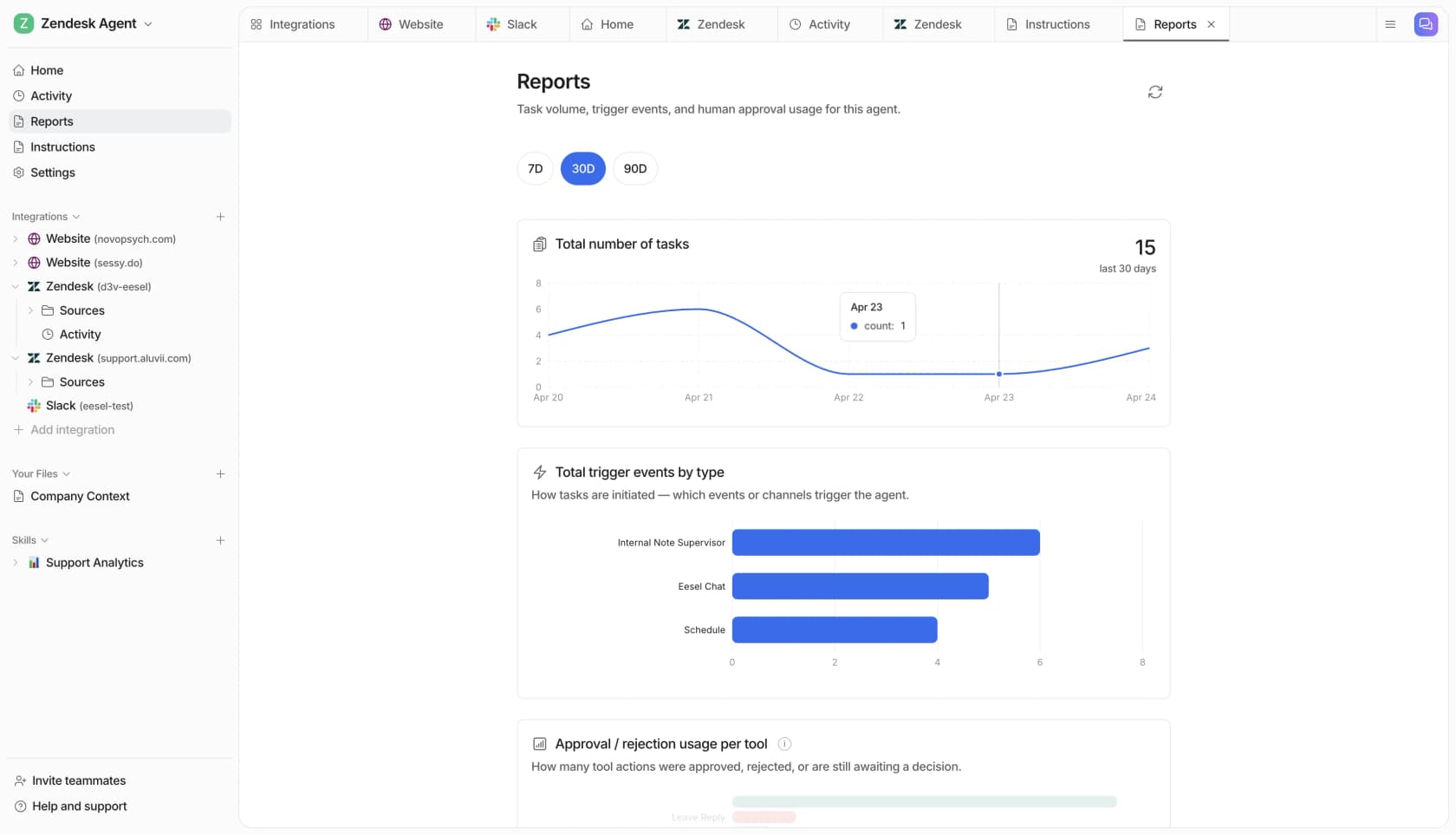
Remember the 12% as-is draft rate from the top. The fix for that is not trusting the AI more on day one, it is measuring it first. eesel lets you simulate the teammate on hundreds of your past tickets and read its resolution rate before a customer sees a reply, and the reports log every tool action that was approved or rejected. The pricing is public too: a free plan with 100 credits, then monthly plans from $299 for 500 credits, on the pricing page.
Keep Orchid for your own inbox. For your customer support queue, it is worth a look: try eesel free and test it on your own ticket history first.
My verdict
Orchid is a better product than its launch ad suggests. Underneath the "second brain" marketing is a focused executive assistant for Gmail and Google Calendar, with a sensible approval-first default, a flat price, and a 30-day refund that makes it cheap to test. Meeting prep and the morning digest are the features that earn the $29.99.
What holds me back is the gap between the different pages. The homepage implies a hundred tools when the FAQ confirms two, the marketing says "never" trains while the policy keeps a personal-model exception, and there is no compliance certification yet. None of those are dealbreakers for a personal inbox. They are reasons to read the legal pages yourself and to keep a client inbox out of it for now.
If you live in Google Workspace, connect your personal Gmail and calendar, keep the default approvals, and give it the month. If it warns you about a deadline a week early, it has earned its place. If you are on Outlook, wait until the integration ships.
Frequently Asked Questions
What is Orchid AI?
How much does Orchid AI cost?
Is Orchid AI safe to use?
What apps does Orchid AI work with?
Does Orchid AI send emails without asking?
How does Orchid AI compare to Instinct and Poke?
Can Orchid AI handle customer support for my business?


Article by
Rama Adi
Rama is a software engineer at eesel AI with two years of experience writing about B2B SaaS, AI tools, and customer support technology. Based in Bali, Indonesia, he brings a developer's perspective to product comparisons — cutting through marketing copy to what the integrations and APIs actually do.