What Grok Bot actually is
On 11 August 2026, xAI announced Grok Bot with a line that does a lot of work: "AI teammates you can give real work to." The framing is deliberate. This is not a chat window with tools bolted on, and the company is not selling it as a smarter model. It is selling persistent, named workers.
The mechanics, in xAI's words, are three things. Bots "have their own computer". They "sign into the tools you already use and work across apps, inboxes, and more". And they "finish jobs end to end, and only come back when something needs your approval". You message one like a colleague, it remembers how you like things done, and it keeps going after you close your laptop.
There is one claim in the launch post worth pulling out, because it is the strategic bet rather than a feature. xAI says Bots work across apps and websites "including platforms with no clean API or MCP". That is the pitch in a sentence. Every AI workflow automation tool built on integrations is limited to the software that offers one. A thing that clicks buttons is not.
It also puts Grok Bot in a specific category rather than a general one. This is not a chatbot with a knowledge base, and the AI agent vs chatbot distinction actually matters here: a chatbot answers, an agent acts. If you want the landscape, I keep a running list of autonomous AI agents and a broader AI agent examples rundown that covers where this class of tool has actually stuck.
One correction on the corporate story, because it is being repeated wrongly. SpaceX acquired xAI in February 2026, and the launch post refers to the combined "SpaceXAI" team. But Cursor was not acquired alongside it. Cursor's own post describes a partnership with SpaceX on model training, dated April 2026, and Cursor's terms still name Anysphere, Inc. as a standalone company. The two things get blended together constantly. The partnership is deep enough to explain why, since Grok Bot ships from Cursor's servers and bills on Cursor's plans, but "SpaceXAI bought Cursor" is not something the primary sources support.
How Grok Bot actually works
This is the part that decides whether it fits your job, so it is worth going slowly.
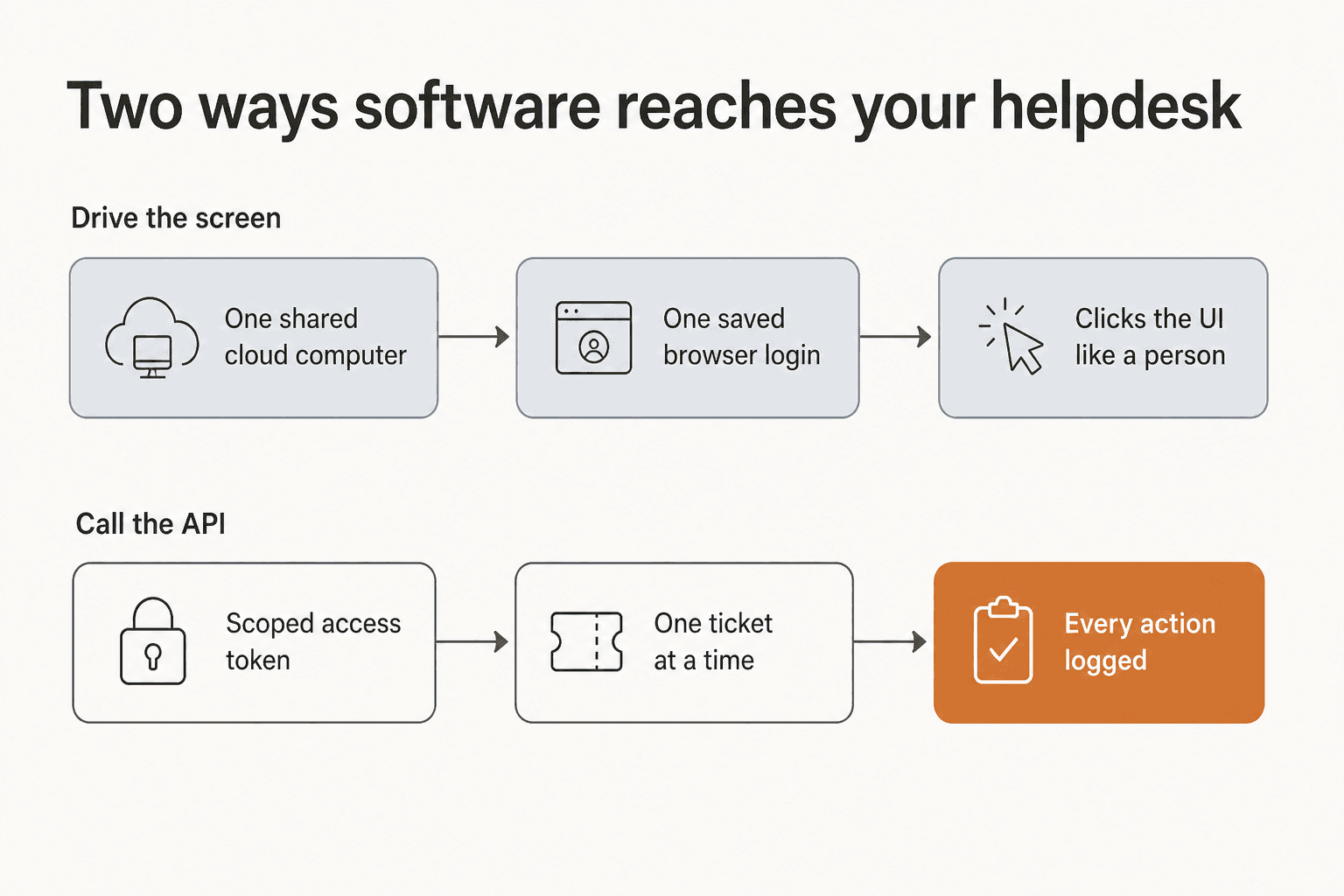
Every Grok Bot user gets what the docs call an Agent Computer: a persistent managed Linux virtual machine, one per member, where the Bot runs as a non-root user with a workspace directory. Wes Bos, who had tested the underlying infrastructure before, read it accurately from the outside:
"Grok Bot seems to be using the Cursor VMs, which I I tested a few months ago — they work really well and are pretty powerful.
It's a remote computer in the cloud, seemingly always on, comes with Chrome and a terminal. Pretty permissive"
When a Bot hits a login screen, it does not have your password, and that is by design. It asks you to take over the computer. You open the Agent Computer view, enter the password, passkey, two-factor code or CAPTCHA yourself, then hand control back. Nothing about that is bad. It is arguably the most honest credential model in the category, because the agent never holds a secret.
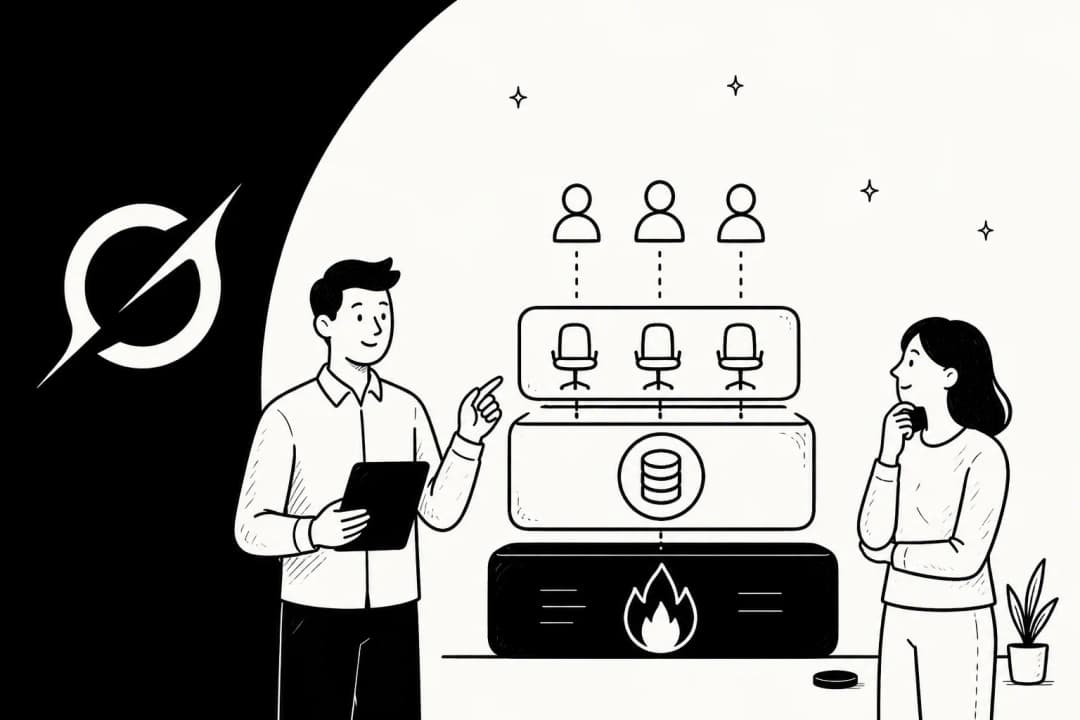
The consequence is the interesting bit. The Grok Bot documentation states that the browser session persists on your shared Grok Bot computer so that other Bots can use the same signed-in session. Shared is the operative word, and the security page is refreshingly blunt about it: all of your Bots share one cloud computer, and the files, browser sessions and command line credentials on that computer are available across your entire Bot roster. Bots get separate screens, which the docs describe as separate work surfaces rather than separate security boundaries. Then, in plain language, the docs tell you not to use separate Bots as a security boundary. Deleting a Bot does not remove its files or its sign-ins.
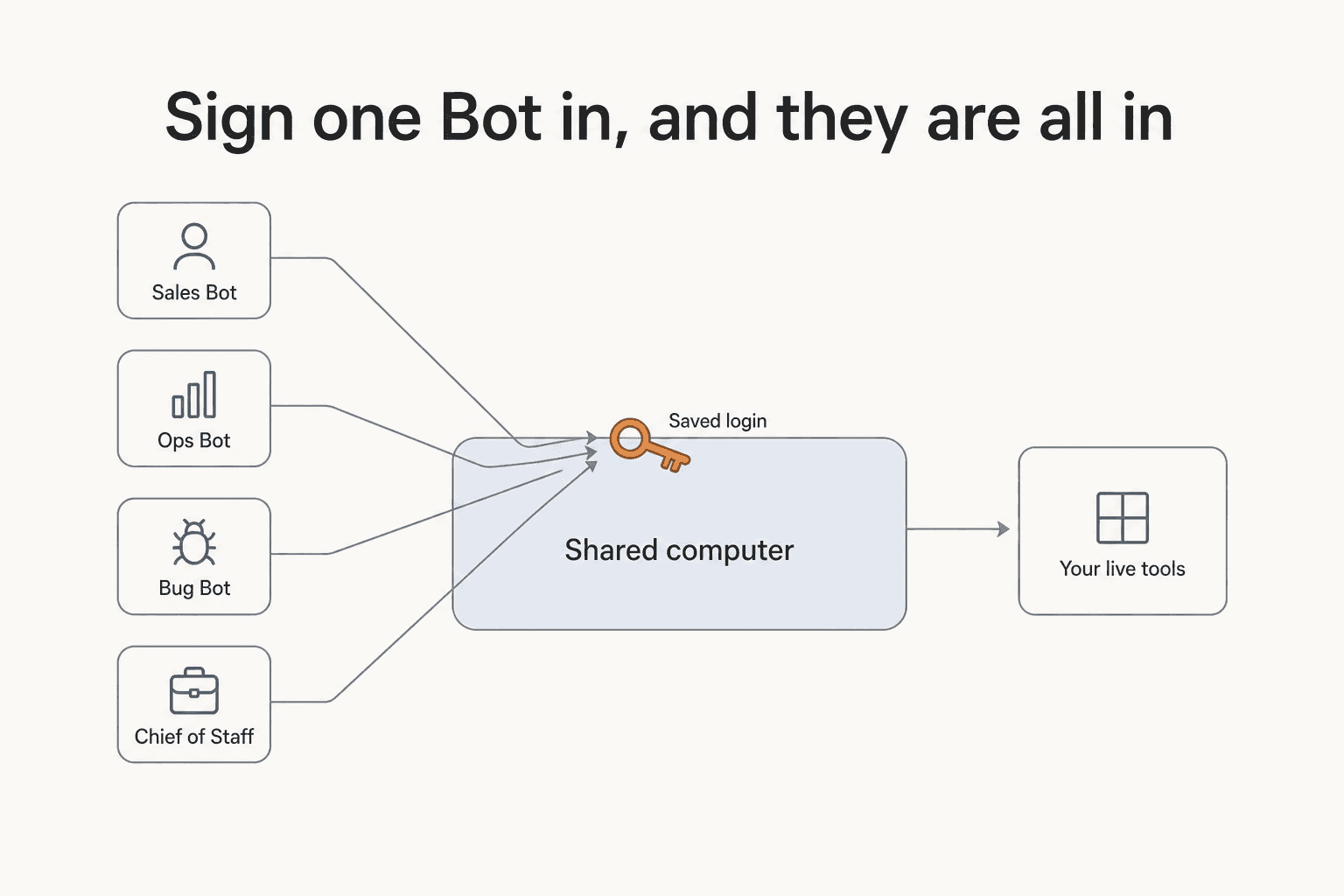
So the mental model is not "I gave my recruiting Bot access to my ATS." It is "I signed my computer into the ATS, and every Bot on that computer can now use it." For a solo operator running personal errands, that is fine and probably convenient. For a support team, that is one shared credential to a system full of customer data, and it deserves a real conversation before anyone clicks connect.
Shanaka Anslem Perera flagged this on launch day, and having read the same pages, his read holds up:
"I suggest that all of you carefully read the boundary in the company's own documentation before the marketing. All of your Bots share that one computer, its files, its browser sessions and its logins. The docs say to treat any login placed there as available to every Bot, that Bots get separate screens without separate security boundaries, and, in plain words, do not use separate Bots as a security boundary."
It is worth clearing up one thing the internet got wrong here, because the correction is more interesting than the outrage. The loudest critique on launch day was some version of "you are uploading every login to Elon's servers", and that is not what happens. You type the password yourself, into a screen you control, and the agent inherits a session rather than a secret. The sharper objection is the one a Hacker News commenter landed on, and it survives the correction:
"By hijacking a real person's credentials, that person becomes the accountability sink. Very neat. Very deliberate."

Whatever the Bot does in that session, the logs on the other end say you did it. In a support tool, that means every reply, macro and status change is attributed to a human agent's account, which is a real problem for anyone who later needs to work out what the AI actually sent.
Routines, and the "watch me once" promise
The headline learning feature is real but more hedged than the marketing suggests. You ask a Bot to follow along while you do a job once, and it saves the steps as a routine it can run later. The routines documentation puts firm edges on it: recording is browser-only, it happens from the cloud computer's own view, there is no microphone audio, and the capture is capped at ten minutes. The output is explicitly described as a draft that you then have to add decision rules, failure handling and approval boundaries to. The limits are 50 routines per Bot, with 20 run records kept per routine.
Elsewhere the account-level ceiling is 50 Bots and group chats combined, group chats run 2 to 6 Bots, and each Bot screen handles one computer-use task at a time. Multi-bot collaboration is shipped rather than aspirational, with async Bot-to-Bot messaging that wakes the receiving Bot. There is no manager Bot type, though. A "chief of staff" is just a role you write into a description field.
The approval model is advice, not enforcement
I want to be precise here because it is easy to overstate. Grok Bot does have approvals. What it does not have is a product-enforced list of actions that always stop.
The docs tell you to "Set a boundary in the request" and to tell the Bot which actions it can take and where it must stop. They then list categories you should prefer to fence off: sending messages, publishing, purchases and financial transfers, deleting or overwriting data, changing permissions, production changes, and accepting legal terms. That list is introduced as guidance about what you ought to fence off, not a statement that these stop by default. The example Bot in the docs encodes "Never change production settings" as free text in a description field.
There is a second layer called Auto Review, and xAI is careful about it: Auto Review is model-based and should complement, not replace, least privilege and explicit approval boundaries. Rules are stored per desktop, so you have to verify them separately on another installation.
Two lines from the same page are the ones I would write on a whiteboard before rolling this out anywhere near customers. First: an approval controls the proposed action, and it does not reverse work already completed. Second, from the troubleshooting page, a test run performs real work, and it can navigate websites, change files and call connected tools. There is no dry-run mode. Testing is doing.
Someone in r/AI_Agents put the gap more compactly than the docs do:
"'own computer' is the right direction, but the hard parts are identity, approvals, audit logs. without those it's not an employee, it's a browser with chaos privileges"

On compliance, the documentation makes no certification claim at all. No SOC 2, no ISO 27001, no GDPR statement, no HIPAA, no encryption spec, no retention period, no data residency, no named subprocessors. It defers: retention and account deletion follow the applicable Cursor terms, and readers are told to review Cursor's published security documentation rather than treat anything in the Grok Bot docs as a broader guarantee. An audit view of Bot actions is described in the future tense. If you are in a regulated vertical, that is not a dealbreaker so much as a "come back in six months".
What Grok Bot costs
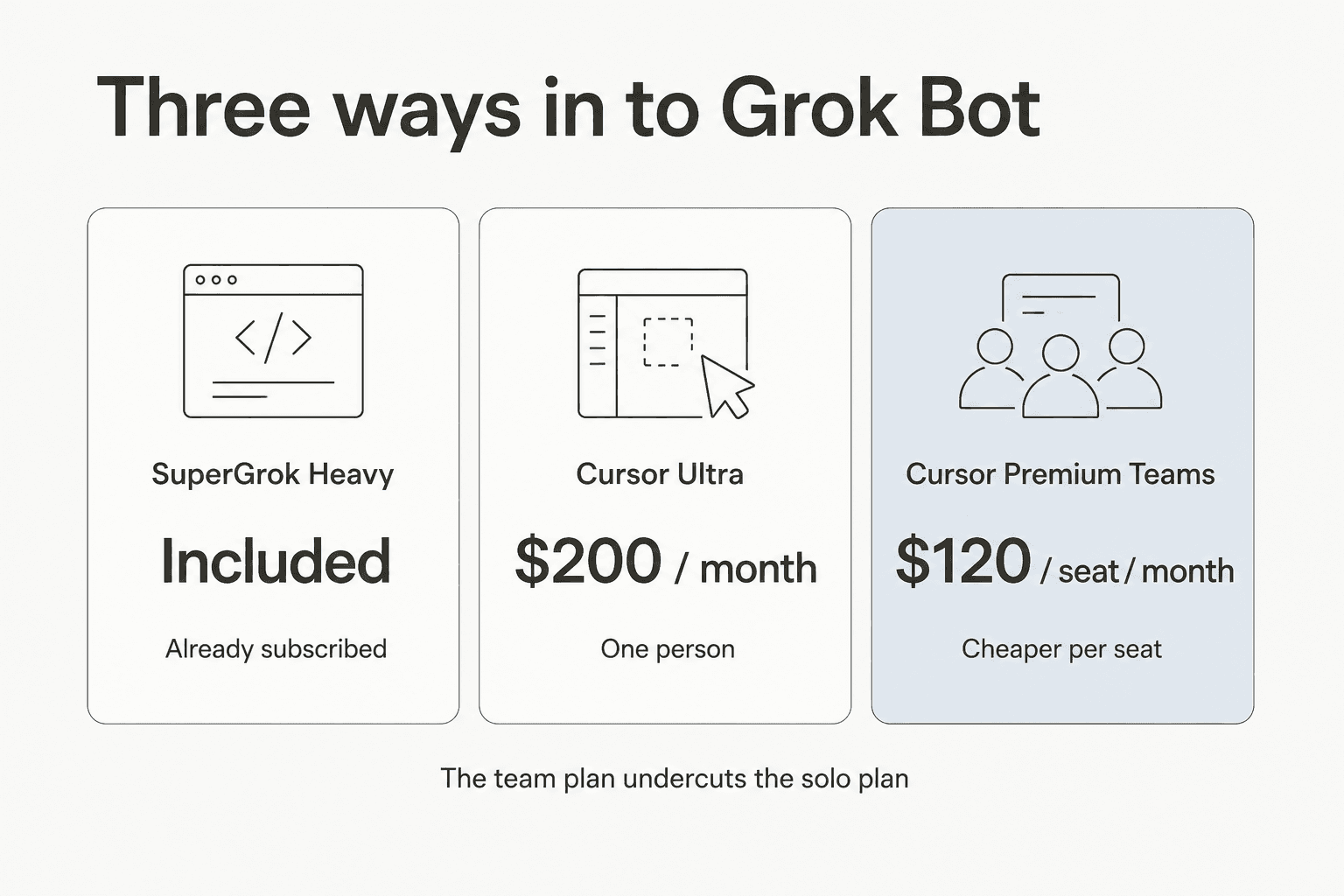
The pricing block on the product page is short and slightly disorienting, because neither plan is named after xAI.
| Cursor Ultra | Cursor Premium Teams | SuperGrok Heavy | |
|---|---|---|---|
| Price | $200 / month | $120 / seat / month | Included, no extra charge |
| Billing | Billed monthly | Billed monthly | Existing subscription |
| Own cloud computer | Yes | Yes | Yes |
| Signs into your tools | Yes | Yes | Yes |
| Routines on a schedule | Yes | Yes | Yes |
| Desktop and mobile | Yes | Yes | Yes |
| AI token limits | "Extended limits", no figure published | Same as Ultra | Not published |
| Central team billing | No | Yes | No |
| Team skills marketplace | No | Yes | No |
| Shared usage analytics | No | Yes | No |
| SAML/OIDC SSO | No | Yes | No |
| Published free tier | None | None | n/a |
| Compliance certifications | None claimed | None claimed | None claimed |
Two things jump out. The first is that the team plan is cheaper per seat than the solo plan, $120 against $200, while including everything in Ultra plus four admin features. That is backwards from almost every SaaS pricing page I have looked at, and if you are two or more people it makes the individual plan hard to justify.
The second is the quota vagueness. The only limit language anywhere on the page is "Extended limits on AI tokens", with no number attached. The docs add that the usage allowance is weekly and overage is billed off model and token cost, which means your actual monthly bill is not the number on the card. A user replying to a Cursor employee's launch post had already hit it the next morning, posting on X that the weekly limit needed raising.
For context on what a seat licence buys against the alternatives, it is worth reading the AI agent vs human cost breakdown, and xAI pricing for where this sits in the rest of the lineup. A seat prices access to a worker. Per-ticket pricing, which is how most AI customer service software is now sold, prices work actually done. Neither is wrong, but they behave very differently when your volume doubles.
The bundling claim, and what users found
The "it's included" message travelled fastest, and it is the clearest place to watch marketing meet reality. One widely shared post laid it out:
"Grok Bot is now included with BOTH Cursor Ultra and SuperGrok Heavy
So if you're already paying for either premium ecosystem, you can now add SpaceXAI's always-on AI coworkers without another separate Grok Bot subscription"
That post has 493 likes. The replies underneath it, from people on the plan in question, are less tidy:
"I am a heavy subscriber and it's not allowing me to use it"
"I have heavy and it's not authenticating"
This is day-one beta behaviour and it will probably be fixed by the time you read this. I include it because "included with your existing plan" is doing a lot of persuasive work right now, and on launch day it did not reliably resolve for the people it was aimed at.
The reaction under Cursor's own launch thread on Reddit followed the same shape. The top comments were not about how the product works, they were about not being able to get it. "When will other plans be available?" ran alongside a blunter one:
"Fine. I will cancel my subscription."
The eight jobs it ships with
The product page presents eight named Bot roles as a tab strip, which is the clearest statement of who xAI thinks this is for.
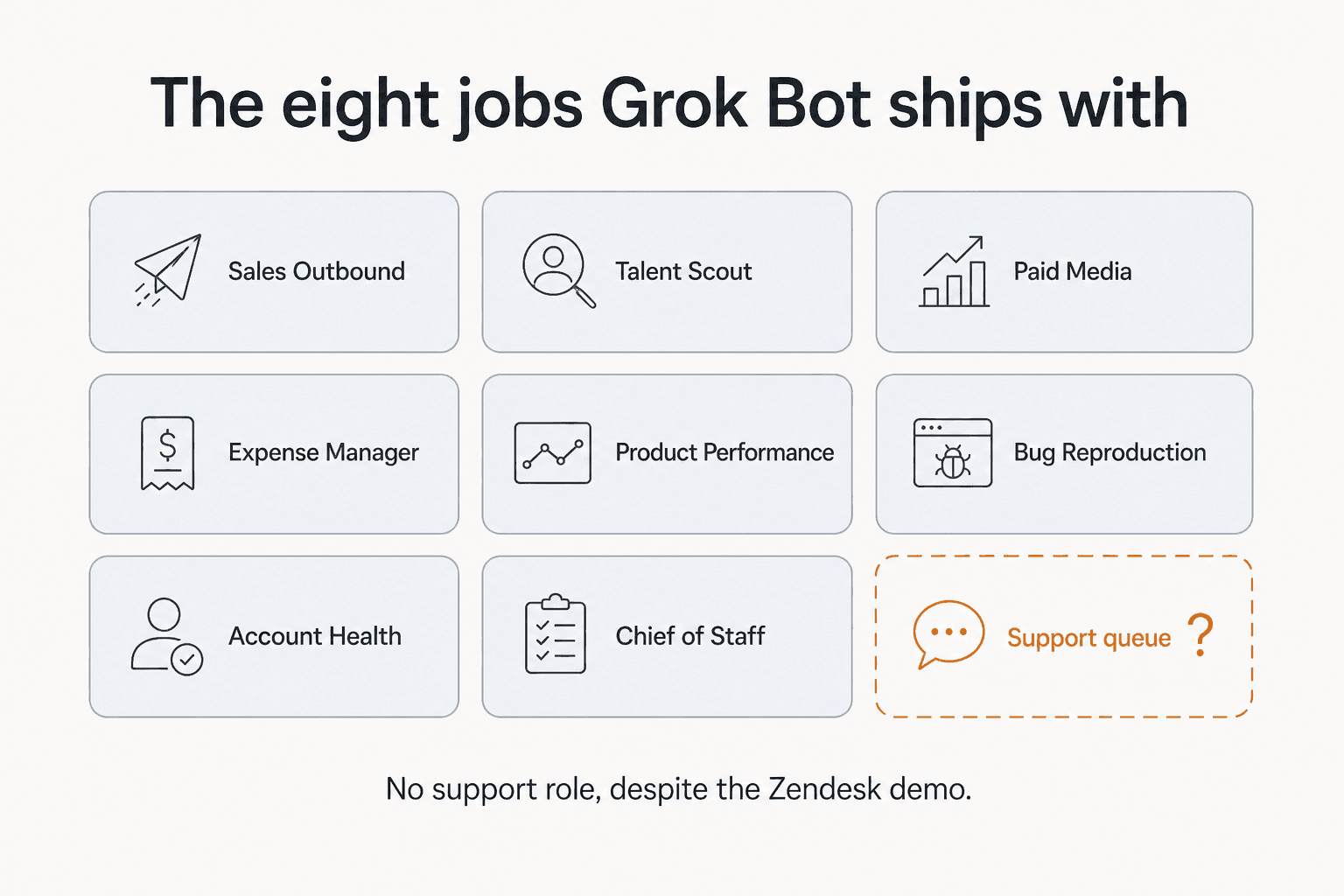
Sales Outbound, Talent Scout, Paid Media, Expense Manager, Product Performance, Bug Reproduction, Account Health, Chief of Staff. Read that list again and notice the shape of it. These are internal, low-blast-radius, mostly-drafting jobs. The Sales Outbound description is careful about it too: the Bot researches accounts overnight and "leaves a review list for you to approve". Nothing in the shipped role set puts a Bot in front of a customer unsupervised.
Which makes the example prompt on the same page a strange choice. In the section showing how a Bot signs into software, the demo text is "Sign in to Zendesk so I can work the support queue." There is no support Bot in the eight, and the only support-adjacent line in the entire launch post is "file support tickets", listed as a chore inside an outbound sales workflow. xAI is showing a helpdesk in the demo and shipping something else.
That gap is not a knock on the product so much as a signal about where it is aimed. The jobs that actually make up a support queue, ticket triage, routing, drafting and deflection, each have their own shape, and tools built for them look different. A helpdesk copilot that suggests a reply for an agent to approve is a different product from a Bot that logs in and starts working. If you are shopping the category, my roundup of AI helpdesk software is the better starting point.
What people are actually saying
A caveat before the quotes, because it matters. Most of the loudest launch-day praise came from people at Cursor or from pre-release testers. That does not make it dishonest, and several disclosed it themselves, but it is not independent reaction and I am not going to present it as such.
The most substantive hands-on account came from a tester with a couple of weeks on it:
"I set up a researcher bot and a writer bot, then made a Chief of Staff bot and asked it to get the other two working together on a project. I checked in fully expecting that to fall apart, because there was no way it just would work out of the box.
It worked out of the box."
The same post carries the complaint, which I think is the more useful half: "You don't choose a model for your Grok Bot. It's all done automatically on the backend." For general errands that is a feature. If you are trying to hold a support agent's behaviour stable across a quarter, an invisible router that can change under you is a real problem, and it is why teams shopping for an AI agent for customer service tend to weigh predictability over raw capability.
Lenny Rachitsky, who had early access and explicitly disclosed no financial ties, listed four things he uses it for. Number two was "Auto-replying to support emails (saves me hours!)", in a post with 3,715 likes. That is a named operator making the support-automation claim on launch day, and it is roughly how this product will get sold into support teams over the next few months.
The pushback is worth reading too, because the top replies on both major launch threads were versions of the same question. "How is this different than ChatGPT Work or Claude Cowork?" and, more bluntly, "why should i use it over chatgpt work? sell me this pen." The category is crowded, and if you are weighing it against Claude Cowork, the honest differentiator is the persistent shared computer rather than the intelligence. The same goes for Manus AI, which pioneered this shape a year earlier.
My favourite objection got almost no engagement and is the most technically correct thing anyone said:
"what happens when the bot hits an app with no api and a ui that changes every quarter?
that's the part that killed most rpa and i haven't seen anyone handle it cleanly yet"
That is the call center RPA lesson, restated. A vision model reading the screen is much more resilient than a recorded click path, so this is not the same brittleness as 2015-era RPA. But it is the same class of problem, and xAI's own troubleshooting page already documents websites blocking datacenter IP addresses and sessions dropping when the virtual machine is recreated.
Where this design wins, and where it does not
Let me give credit where it is due first, because the UI-driving approach solves something real.
If your work lives in software with no API, no integration and no MCP server, you have historically had two options: hire a person, or write brittle glue code. Grok Bot is a third one. An internal expense portal, a supplier extranet, a legacy CRM your ops team logs into twice a day, a vendor dashboard that has never had a developer look at it. For those, a Bot with Chrome and a login is a legitimately new capability, and I do not know of a cleaner way to get it. The eight shipped roles are well chosen for exactly that: internal, reversible, draft-first work where a mistake costs an hour, not a customer.
Where I would not point it is the live support queue, and the reasons are specific rather than vibes.
This is the reason Grok Bot exists. A legacy portal or vendor dashboard with no integration has never had a clean automation path. A Bot with Chrome and your login is a real answer, and the blast radius is usually an internal record you can fix.
Draft-first work is where the shipped roles live. Account research, briefs, pipeline hygiene, expense sorting. It works while you sleep and leaves you a review list, so a mistake costs you a read-through rather than a customer.
There is no dry run and no confidence gate. A test run performs real work, an approval does not reverse work already done, and the audit view is still listed as coming. Sending is the one action you cannot take back, so it wants a tool that can be tested on past tickets first.
No certification is claimed anywhere in the docs. No SOC 2, ISO 27001, GDPR or HIPAA statement, no published retention period, and every Bot shares one machine and one set of logins. Wait for the audit view and a compliance page.
The core mismatch is that a support queue needs constraints that a logged-in browser session has nowhere to put. This is the same argument I made about Claude customer service alternatives: the model is rarely the bottleneck, the layer around it is. I hear the same requirement from support leads constantly, and one CX lead at a supplements brand running about 7,000 tickets a month on Gorgias and Shopify put it better than I could:
"The AI will never be able to answer 100% of the questions, but if it tries and just answers 'sorry I don't know this,' I cannot go and check all my 7,000 tickets to see if the AI actually made a good answer. I need an AI who is only handling the tickets that it's confident to handle and all the other ones, leave them alone."
That is an intent confidence threshold, and it is not something you can express to an agent whose entire interface is "you are signed in to Zendesk, go". Neither is "keep the AI off refund requests", which is the other version of this I hear weekly, and which maps to AI ticket classification rather than a browser session.
The second mismatch is autonomy without a record. The most operationally precise thing anyone wrote about this launch came from a practitioner in r/AI_Agents, and it is not about draft quality at all:
"run enough autonomous agents and the failure that costs you isn't the draft quality, it's the sent email or CRM write the agent classified as routine and never surfaced for approval. how it decides what 'needs your approval' is the entire safety surface, and that's the part nobody's actually asking about."
I can confirm that is exactly how it goes. An IT manager at a restaurant chain we work with once sent us a message that has stuck with me: "Why did you email this report? I did not ask for that. DO not email these reports." That was an agent doing what it was configured to do, taking a real outbound action, and the human finding out afterwards. Multiply that by a support queue and every one of those actions is a customer-facing email. It is the whole reason human handoff gets so much design attention in support tooling and so little in general-purpose agents. Getting AI escalation right is most of the work.
The third is that support answers are only as good as their grounding. I learned this the hard way: our own bot once fabricated product claims to real customers because the knowledge base returned nothing relevant and the model filled the gap from training data. That failure is why we build hard fallbacks now, and it is why grounding matters more than model choice. A Bot typing into a reply box with an invisible model router behind it has no equivalent guardrail, and AI hallucinations in support do not announce themselves.
There is a fourth, quieter one: you cannot improve what you cannot measure. Without per-response records there is no AI resolution rate to track, no way to run Zendesk QA over what the agent sent, and no honest way to measure AI support ROI at the end of the quarter. The audit view being listed as "coming" is not a small gap for a support buyer, it is the reporting layer.
eesel for support teams that want the teammate feel
If the Grok Bot pitch appeals to you but the target is your helpdesk rather than your inbox, that is the gap eesel was built for. The difference is the connection: it plugs into Freshdesk, Gorgias, Confluence, Slack and the Zendesk integration through each tool's own surfaces rather than a shared browser login.
That sounds like a technical detail and it is really the whole thing. Connecting as an app is what makes per-ticket scoping, confidence-based routing and a per-response record expressible at all, because there is a ticket object to attach them to. It is also why an AI copilot for customer service can sit in draft mode for a fortnight and then be promoted one ticket type at a time, instead of being on or off.
The practical version: before anything touches a customer, you run a simulation against your own historical tickets and get a number. On one e-commerce inbox, that dry run came back at 93% triage accuracy and 100% spam detection, with a 7% factual error rate on drafts, and we knew all three figures before a single reply went out. That is what you trade the "just sign in and go" convenience for.

Pricing is per ticket rather than per seat, which is a different bet: a seat prices access to a worker, a ticket prices work actually done. Setup runs in minutes from the Zendesk marketplace and there is no sales call in the way. Try eesel free, and start it in draft mode if you want to watch it for a week first.
To be fair on both sides: eesel is not a general-purpose labour agent and will not sign into an arbitrary SaaS tool with no API and click around on your behalf. That is the thing Grok Bot does that we do not. If that is your actual problem, Grok Bot is the more interesting product and you should go read the docs.
So, is Grok Bot worth it?
If you are already paying for SuperGrok Heavy or Cursor Ultra, it costs you nothing to try and you should. The multi-bot coordination appears to actually work, the credential model is more honest than most, and the "watch me do it once" routine capture is a better onboarding story than any workflow builder I have used, even with the ten-minute cap and the draft-not-finished caveat.
If you are considering it as a new $200/month line item purely for support work, I would wait. Not because it is bad, but because it is an early beta with no published task-completion benchmark, no dry-run mode, no compliance page and an audit view that is still listed as coming. Those four things are not polish items for a customer-facing queue, they are the whole job. Point it at your internal tools, let it earn trust on work you can undo, and revisit the customer-facing question when the audit view actually ships.
And it is worth naming what this launch really is, which one commentator got exactly right: it is not a smarter model, it is a shorter distance between an agent demo and a payroll line. That is the interesting part, and it is why the best AI agents conversation is shifting from capability to control. Both Grok 4.5 and its successors are strong models. The question the next year answers is who gets to hold the login.
Frequently Asked Questions
What is Grok Bot?
How much does Grok Bot cost?
Can Grok Bot work my customer support queue?
Is Grok Bot secure enough for company data?
What are the best Grok Bot alternatives for support teams?



Article by
Alicia Kirana Utomo
Kira is a writer at eesel AI with a Computer Science background and over a year of hands-on experience evaluating AI-powered customer service tools. She focuses on breaking down how helpdesk platforms and AI agents actually work so that support teams can make better buying decisions.