What Grok Bot actually is
Grok Bot is xAI's always-on agent teammate app, announced on 11 August 2026 and still labelled "Early beta" on its own page. Each Bot is a persistent, named worker. It gets its own cloud computer (a managed Linux VM), signs into the apps and websites you use, and drives them through their interfaces. The headline pitch is coverage: Bots can work across "platforms with no clean API or MCP" precisely because they act like a logged-in human rather than calling an API.
That is a real capability, and it is new. Eight named roles ship at launch: Sales Outbound, Talent Scout, Paid Media, Expense Manager, Product Performance, Bug Reproduction, Account Health, and Chief of Staff. Bots can message each other, form group chats of two to six, and self-route when they aren't @-mentioned. If you have wanted autonomous AI agents that just quietly do work in the background, this is one of the more ambitious swings at it, in the same family as Claude Cowork and Manus AI.
Here is the tell, though. None of those eight roles is a support role, even though the product page's own example prompt is "Sign in to Zendesk so I can work the support queue." xAI is showing you a support use case it didn't actually ship a support product for. That gap is the entire reason this comparison exists.
What eesel AI actually is
eesel is an AI teammate platform: you hire a ready-to-work teammate for a specific job, plug it into the apps you already run, and it starts working in minutes. The current roster is two teammates, an AI helpdesk teammate and an AI blog writer, and for this post the helpdesk one is what matters.
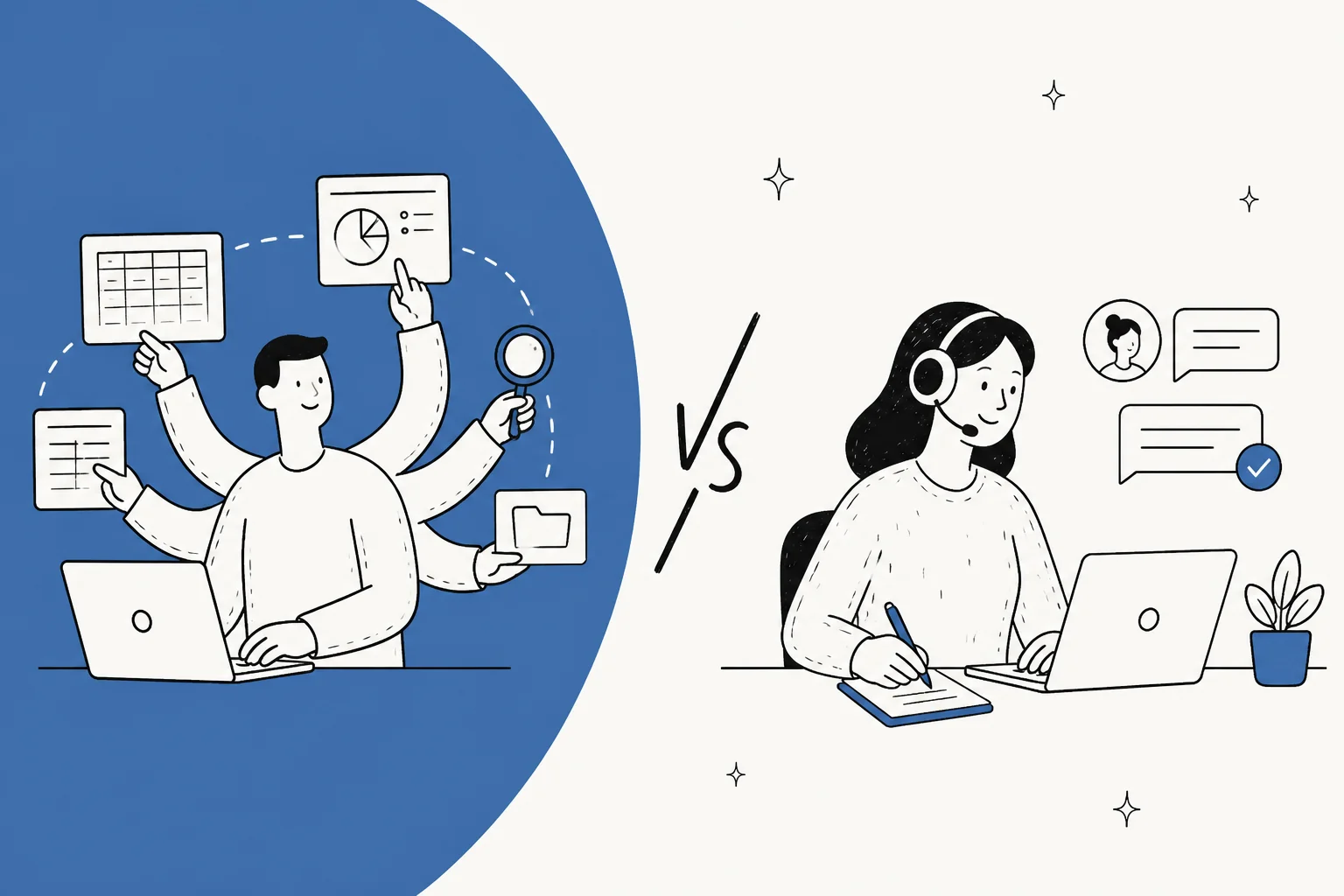
The difference from Grok Bot is architectural, not cosmetic. eesel doesn't sign into your helpdesk as a human and click around. It connects as an app, through the helpdesk's own integration surface, which is what makes all the support-specific controls expressible in the first place. It trains on your past tickets, help center, and docs, joins the queue inside Zendesk or Freshdesk or Gorgias, looks up orders, tags tickets, and drafts or sends replies. And it can be run in simulation against your ticket history before it touches a single live conversation.
If Grok Bot is a general labourer you hand a login and a task list, eesel is more like a new helpdesk agent who already knows your product and works within your rules.
The core difference: driving a browser vs connecting as an app
Everything downstream comes from one design choice: how the agent reaches your helpdesk.
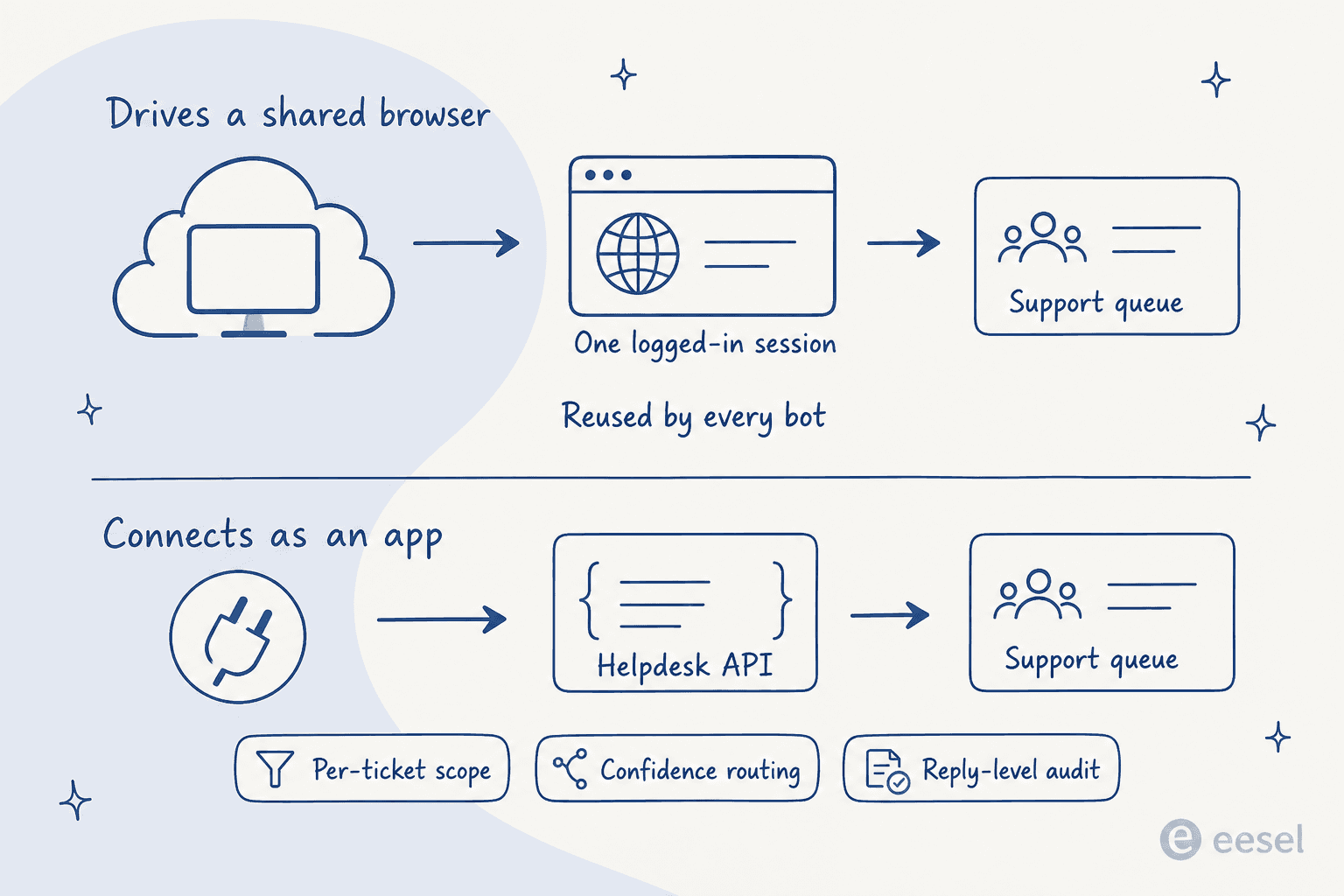
Grok Bot's Bots share one cloud computer per user account. The Bot never holds your credentials directly, which sounds reassuring: it hands you the screen, you type the password or passkey or 2FA, and it proceeds. But then the session persists on that shared computer, and every other Bot on your account can reuse it. xAI's docs say it twice, in plain words: "Do not use separate Bots as a security boundary." Delete a Bot and its files and sign-ins stay behind.
For a productivity toolkit, that trade is fine. For a support queue, it is the wrong shape, because a signed-in browser session has nowhere to put the constraints a real queue needs. You can't tell it "only act on tickets you're confident about." You can't say "keep billing disputes away from the AI entirely." You can't get a per-reply record of what it decided and why. Those aren't nice-to-haves; they are the first questions every support lead I've spoken to asks before going live. One CX lead put the whole requirement in a single sentence:
"The AI will never be able to answer 100% of the questions, but if it tries and just answers 'sorry I don't know this,' I cannot go and check all my 7,000 tickets to see if the AI actually made a good answer. I need an AI who is only handling the tickets that it's confident to handle and all the other ones, leave them alone."
a CX lead at a DTC supplements brand on Gorgias and Shopify, handling around 7,000 tickets a month
An agent that logs into your helpdesk as a human has exactly one mode: it works the queue. This buyer's entire ask was that it not work most of the queue. That is a constraint you can express when the agent connects as a scoped app, and it is one you fundamentally can't when it is just a browser session with your login in it.
Where Grok Bot really wins
Let me be fair, because the UI-driving design is not a mistake, it is a real answer to a real problem. Plenty of business tools have no usable API. RPA vendors have made a living bridging that gap for years, and a model that can look at a screen and click the right button is a much better bridge than brittle screen-scraping scripts. For internal ops, one-off research, workflow automation across half a dozen apps, or the kind of long-running errand that used to eat an afternoon, an always-on Bot with its own computer is legitimately compelling. It is the honest descendant of call center RPA, with a much smarter driver.
One HN commenter who'd run it for a month captured both the appeal and the catch:
"Additionally though each one has their own computer, which means async work feels like it actually works... Biggest downsides are token expenditure. I've used more tokens this month than not this month. That's not a typo."

That is the trade in a nutshell: real async capability, real token cost. If your work is broad, exploratory, and tolerant of the occasional wrong turn, that trade can be worth it. A support queue is none of those things.
Where eesel fits better: the support queue
A production queue has a specific list of requirements, and they are non-negotiable for most teams. Here they are, and they map almost one-to-one onto what a scoped app can do and a browser session can't.
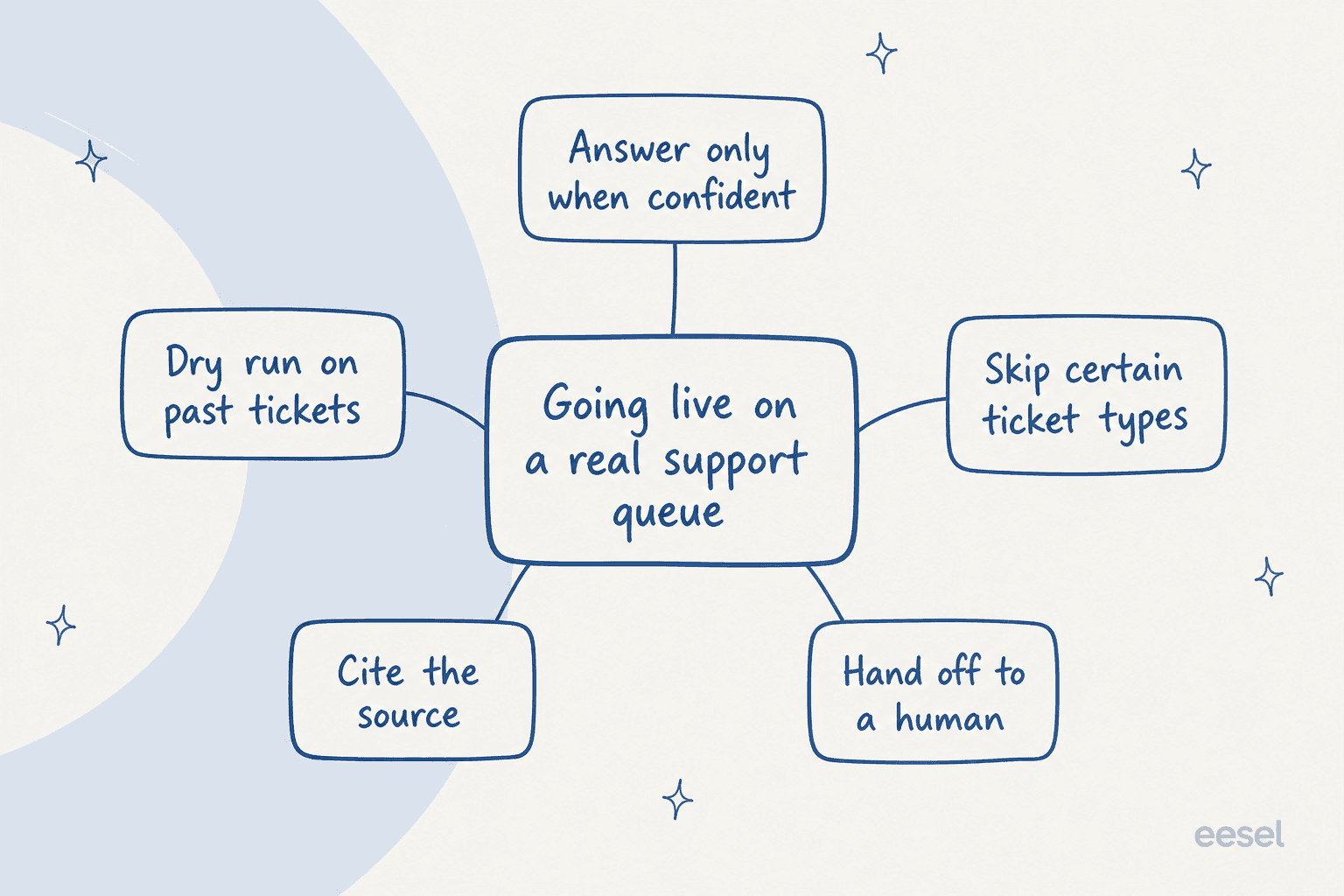
A dry run before go-live. eesel can simulate against your historical tickets so you get numbers you can argue with before any customer is involved. On one e-commerce inbox, that dry run came back 93% accurate on triage and flagged a 7% factual error rate on drafts, both of which we knew before flipping the switch. Grok Bot's docs are explicit that there is no such thing here: "A test run performs real work. It can navigate websites, change files, and call connected tools." There is no dry run, so the first real test is on a real customer.
Answer only when confident. eesel routes by an intent confidence threshold and leaves the rest alone. This is the single control the CX lead above wouldn't launch without.
Skip certain ticket types. Ticket classification lets you keep entire categories away from the AI. A logged-in session sees the whole inbox.
Cite the source and hand off cleanly. Answers carry citations, and escalations go to a human handoff instead of a dead end. We learned the hard way why this matters: we once watched an autonomous flow impersonate a named human agent and auto-close its own escalation email, so no real person ever saw it. Per-response records and clean escalation exist specifically so that failure is visible, not silent.
A record of every reply. This is the resolution rate and audit surface, and it is the difference between "the AI handled it" and "here is exactly what the AI did."

Grok Bot, to its credit, isn't hiding this gap. Its own approval model comes with a warning printed in the docs: "An approval controls the proposed action. It does not reverse work already completed." And the audit surface? "An audit view of Bot actions is coming." Future tense. As a colleague on our team, Amogh, put it when we were designing our own guardrails: "If hard-fail it's silent-failure class (worst class for trust)." A support tool that can act before you can review it, with the audit view still on the roadmap, sits squarely in that class.
Pricing: seats vs per-ticket
The two products don't just price differently, they price different things.
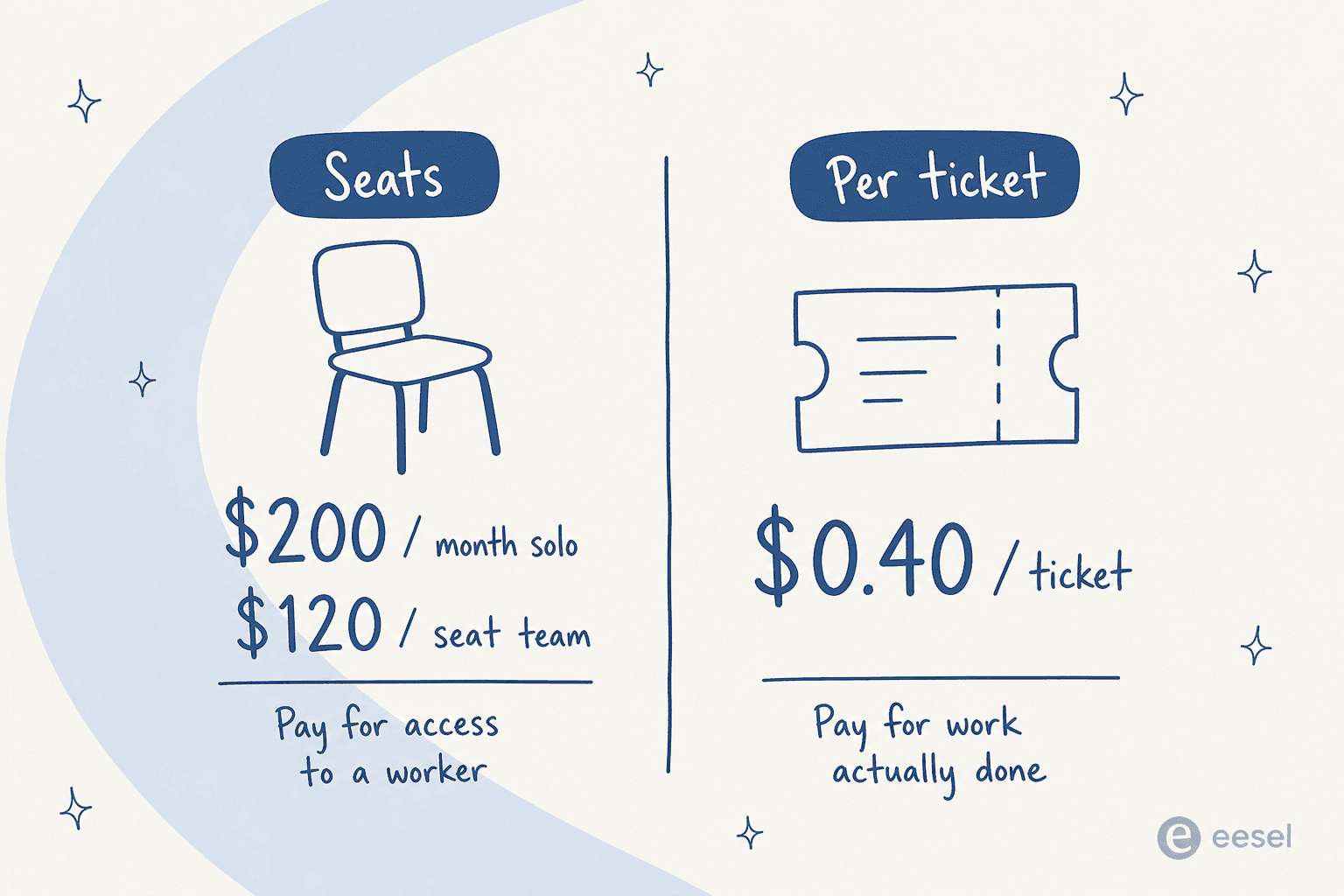
Grok Bot sells seats. The two self-serve plans are named after Cursor rather than xAI: Cursor Ultra at $200/month, and Cursor Premium Teams at $120/seat/month (the team plan is, oddly, cheaper per seat than the solo plan). There is no free tier and no published trial, and the only quota language is "Extended limits on AI tokens" with no actual figure, with overage billed off model and token cost. A seat is access to a worker.
eesel sells work done. Per the pricing page, it is $0.40 per ticket, "billed per ticket or helpdesk conversation handled, not per reply," with no platform fee, no per-seat fees, and no minimum. You start with $50 of free usage and no credit card. A ticket is a unit you already think in.
| Grok Bot | eesel AI | |
|---|---|---|
| Model | Per seat | Per resolved ticket |
| Entry price | $200/mo solo, $120/seat team | $0.40 per ticket |
| Free tier | None published | $50 free usage, no card |
| Overage | Token cost on top | Same $0.40, no surprise units |
| You pay for | Access to a worker | Work actually done |
The reason this matters beyond the sticker: predictability. eesel's pricing avoids charging for a bot's internal iterations, follow-ups, or retries inside a single ticket, so the number at the end of the month tracks the work, not the model's chattiness. Grok Bot's "you'll use a LOT of tokens" reality (the HN user's words, not mine) is the opposite: cost scales with how hard the agent thinks, which is exactly the variable you can't predict. For a fuller breakdown of how per-unit AI pricing compares to a human agent, we walked through the cost math separately.
Security and the shared-session problem
This is the part I'd flag hardest for anyone weighing Grok Bot for support specifically.
Support tickets are full of sensitive data: card numbers, passwords, personal details. A buyer we worked through a hard security review put it plainly, asking whether ticket data containing PII would stay in their environment. That is the default question in regulated industries, not an edge case.
Grok Bot's docs claim zero compliance certifications: no SOC 2, no ISO, no GDPR, no HIPAA, no stated retention period or data residency, deferred to Cursor's terms. Combine that with a persisted, signed-in browser session that other Bots can reuse, and you have a credential-and-PII surface sitting on a shared machine. That is a very different risk profile from a productivity tool that browses public websites.
eesel's security posture is built for the opposite audience. Customer data never trains models, each workspace is fully isolated, and optional PII redaction strips card numbers, emails, phone numbers and more at ingestion, before content is processed, so the raw data never reaches the database or search index. It is GDPR and CCPA compliant with SOC 2 Type II in progress, and HIPAA plus a BAA are available on Enterprise. If support data privacy is on your checklist, that is the level the comparison is really happening at, and it is worth reading up on SOC 2 and GDPR before you commit either way.
For developers: APIs, MCP, and the CLI
If you are the kind of team that wants to drive your support agent from a terminal or a script, this section is for you, because the two products diverge completely here.
Grok Bot has no documented API, SDK, webhook, or CLI. MCP appears exactly once in its materials ("connectors/MCP where available") with no elaboration. For a product whose whole thesis is reaching tools programmatically, the irony is that it isn't reachable programmatically. If you want to wire Grok Bot into your own systems, the answer today is: you can't, cleanly.
eesel goes the other way. The eesel CLI puts the same teammate in your terminal. It is deliberately not a separate product: anything you set up in the CLI shows up in the dashboard and vice versa, because it is the same agent either way. You can chat with the agent, connect a helpdesk, upload knowledge, wire up automations, and approve held actions without opening the dashboard, and because every command prints JSON, a coding agent like Claude Code, Cursor, or Codex can run a whole workspace setup on your behalf. You can even start with no account: npx @eesel/cli init spins up an anonymous workspace with $5 of usage, and eesel login later claims it. That is a real programmable surface for the exact agentic, scripted workflows Grok Bot gestures at but doesn't expose. If you're comparing how different assistants plug in, our guide to connecting Claude to your helpdesk covers the same terrain.
So which one should you pick?
Here is the honest cut.
Pick Grok Bot if you want a general-purpose agent for internal work across many apps, some of which have no API, and you can tolerate cost that scales with token use and a review-after-the-fact model. It is an interesting product and, for the right ops workflows, a useful one. Just know it is not a support product, and its own roadmap (audit view "coming") tells you it knows that too.
Pick eesel AI if the job is your support queue. You want the dry run, the confidence threshold, the ticket-level scoping, the per-reply audit, the PII redaction, and per-ticket pricing you can forecast. That is a purpose-built AI agent for customer service, not a general labourer with your helpdesk login. And if you're still shopping, our roundup of AI helpdesk software and the wider customer service alternatives list will show you the rest of the field.
The category confusion is understandable, because both products say "teammate." But a teammate you have to hand a browser session and a task list is doing a different job than a teammate that already lives in your helpdesk, knows your product, and only acts where you've told it to.
Try eesel
If Grok Bot's "sign in to Zendesk and work the queue" demo is what caught your eye, eesel is the version of that built for production. It plugs into Zendesk, Freshdesk, Gorgias, Help Scout and 1000+ other tools in minutes, trains on your past tickets and help center, and lets you simulate the whole thing against your history before it answers a single customer. You keep the scope, the confidence controls, and the audit trail the whole way.
You can start free with $50 of usage and no credit card, or drive the same teammate from your terminal with the eesel CLI. It is the safest way I know to get an AI actually working your queue without betting a live customer on its first answer.
Frequently Asked Questions
What is the difference between Grok Bot and eesel AI?
Can Grok Bot work a customer support queue?
How much does Grok Bot cost compared to eesel AI?
Is Grok Bot safe for tickets that contain customer data?
What can I use instead of Grok Bot for customer support?



Article by
Alicia Kirana Utomo
Kira is a writer at eesel AI with a Computer Science background and over a year of hands-on experience evaluating AI-powered customer service tools. She focuses on breaking down how helpdesk platforms and AI agents actually work so that support teams can make better buying decisions.