

What is Grok Voice 3.0?
Grok Voice 3.0 (model name grok-voice-3.0) is a speech-to-speech model for real-time voice agents, sold through xAI's API. xAI now signs its docs as SpaceXSI, so you will see both names around the launch.
"Speech-to-speech" is the part worth to slow down on. Older voice bots chain three systems together, speech-to-text, then a text model, then text-to-speech, and every handoff between them adds delay and also loses the tone. A speech-to-speech model does all three jobs in one pass, so it can hear that a caller is annoyed and answer before they start repeating themselves. If you want the longer version of that trade, my Grok Voice 2.0 explainer walks through it.
I build AI agents at eesel, so I read launches like this one from the plumbing up, meaning what goes in and what comes out, and where the knowledge actually lives. Read that way, Grok Voice 3.0 is a few things at once:
- A model you call over a WebSocket, at
wss://api.x.ai/v1/realtime, per the speech-to-speech docs. - An agent runtime, because it can search uploaded documents, call your own functions or reach an MCP server during the call.
- A production system already under load. xAI's launch post says it handles millions of conversations a day in Tesla cars, powers the voice mode of Grok Bot, and answers 20,000 Starlink support calls a day, roughly 70% with no human involved.
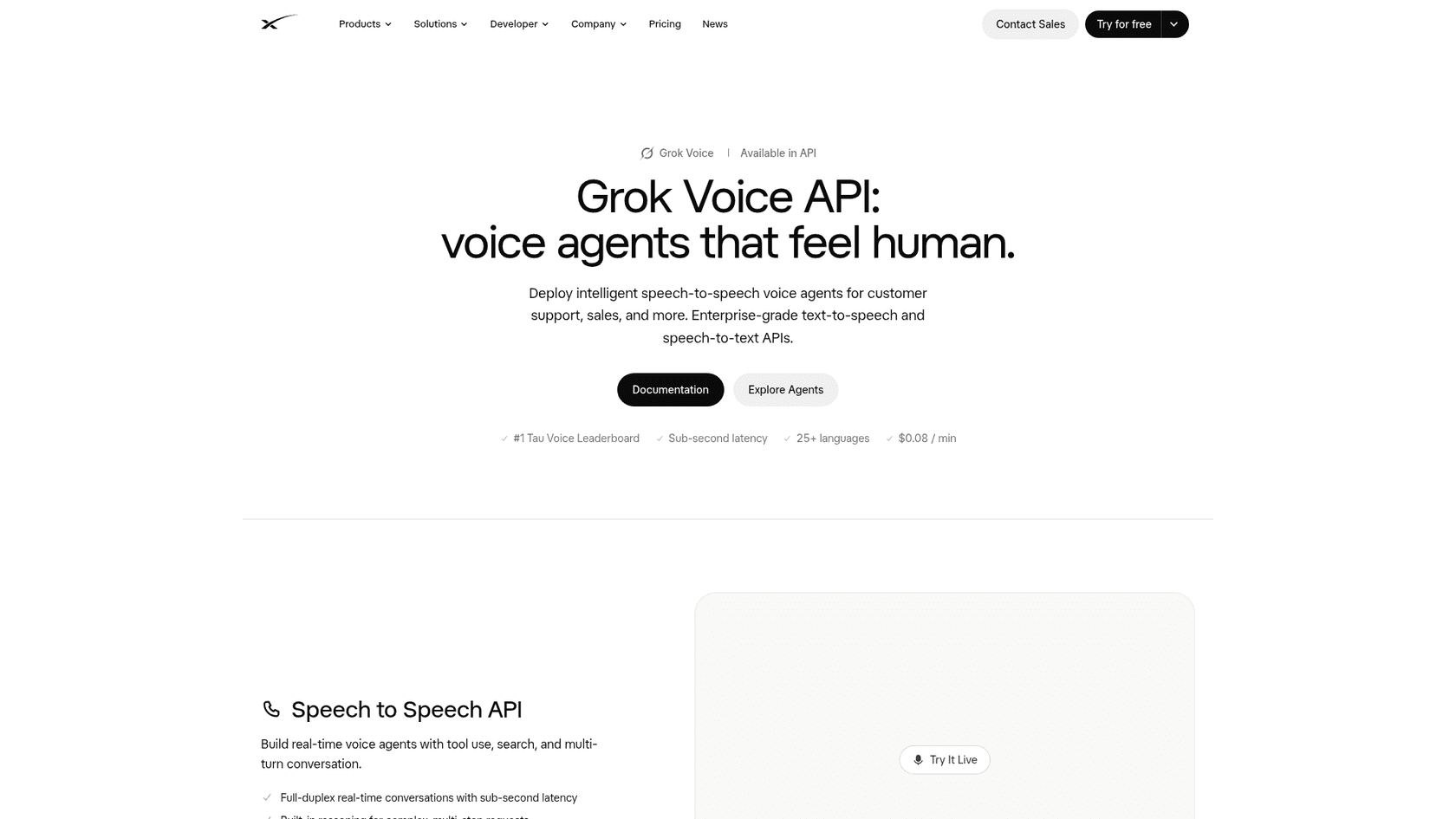
One small thing I noticed on the landing page, it claims "#1 Tau Voice Leaderboard," while Artificial Analysis's own τ-Voice run puts Grok Voice 3.0 at #2, behind GPT-Live-1 (Astra). They may be quoting different leaderboards. Still, if you put a rank in a business case, cite the Artificial Analysis table, which shows its method.
What changed from Grok Voice 2.0?
Short version: the model got much better at finishing support tasks and a little slower to start talking, while nothing about the API or the bill has moved. The release notes put it in one line: "The API is unchanged."
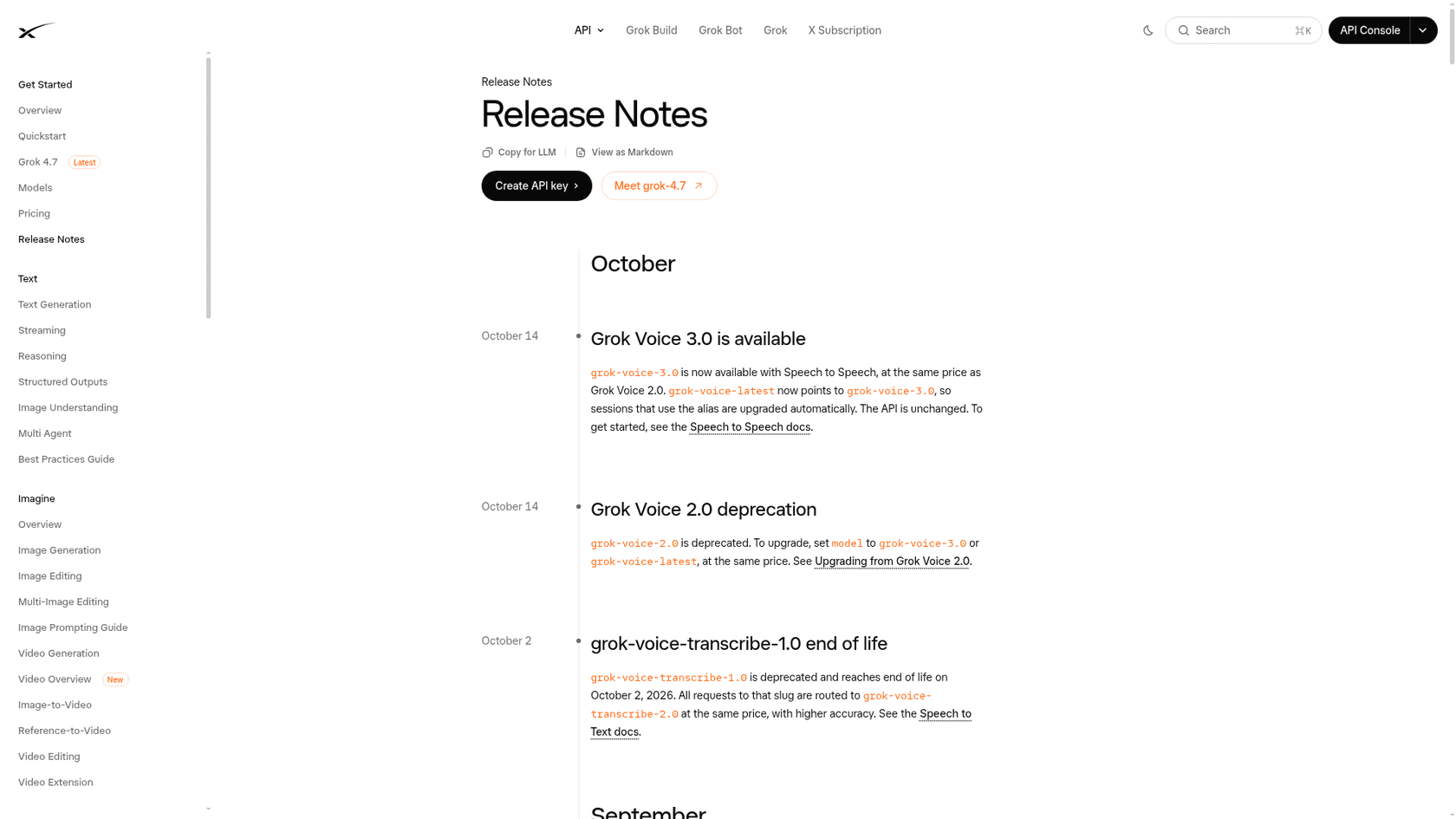
Here is the full before and after, with every benchmark number from Artificial Analysis and everything else from xAI's docs:
| Grok Voice 2.0 | Grok Voice 3.0 | What it means | |
|---|---|---|---|
| Speech-to-speech index | 81.3 | 86.9 (#1) | Best overall average on the board |
| τ-Voice (support tasks) | 56.5% | 71.6% (#2) | The real upgrade for support teams |
| Task success in live calls | 94.6% | 94.8% (#1) | Already strong, held steady |
| Human preference (Elo) | 1011 | 1070 (#3) | Callers like it more, two Gemini models still edge it |
| Conversation flow (Full Duplex Bench) | 95.1% | 97.0% | Smoother pauses and interruptions |
| Time to first audio | 0.70s | 0.81s | Slightly slower to start speaking |
| Price | $0.08/min | $0.08/min | Unchanged |
| Endpoint, events, session parameters | Same | Same | No code changes |
| Model status | Deprecated | Current, grok-voice-latest alias | Pinned 2.0 sessions should move |
The jump is easier to see when you put the whole line side by side. Grok Voice 1.0 scored 73.7 on the index under six months ago, and the support-task score barely moved between 1.0 and 2.0 before this release.
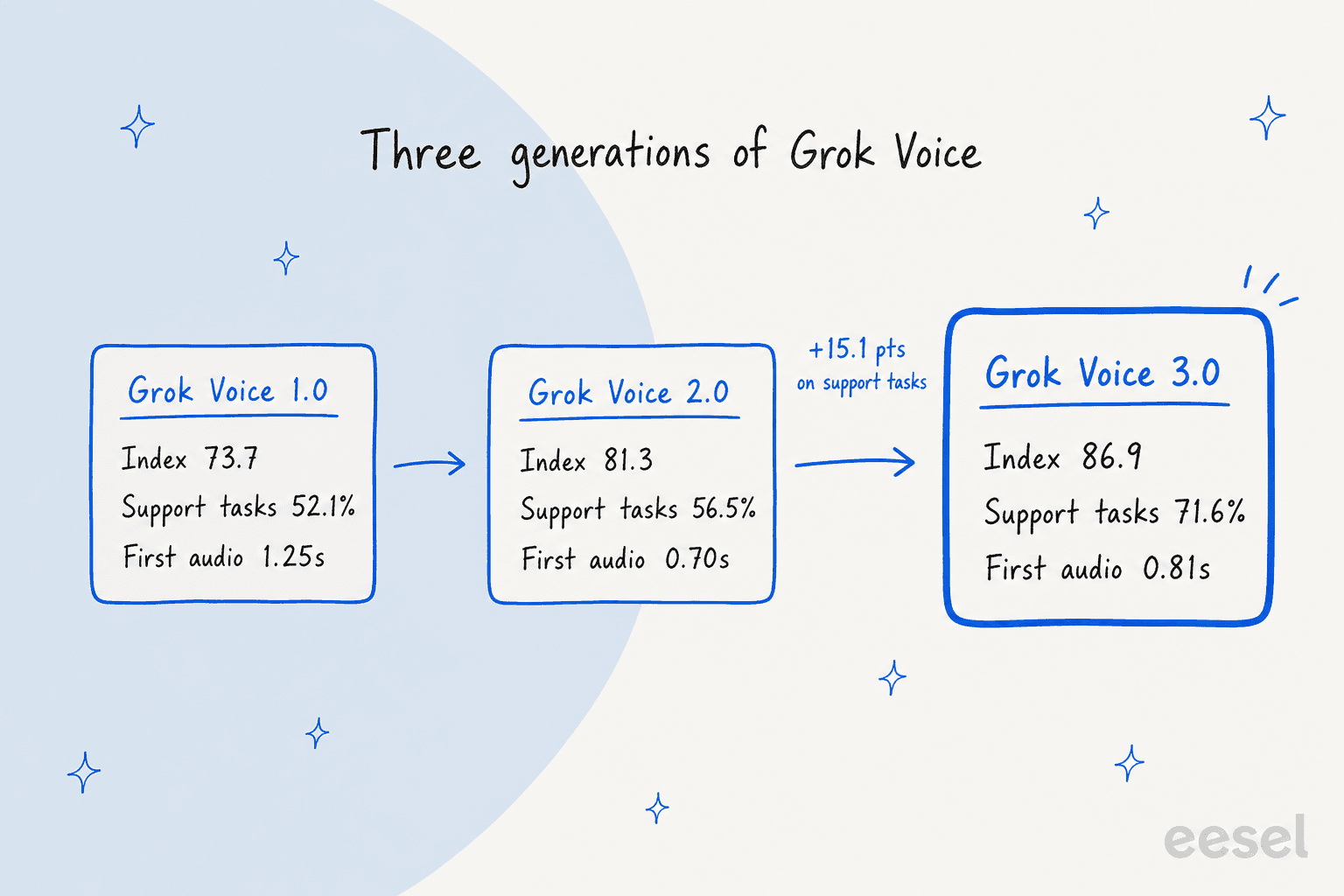
The interesting shift is that 2.0 was the speed release and 3.0 is the brains release. 2.0 cut first audio from 1.25s to 0.70s, then 3.0 gives back about a tenth of a second and spends it on getting the task right. For a support line I think that is the right trade to make.
The benchmarks, in plain words
Benchmark names makes launch posts hard to read, so here is what each one is measuring:
- τ-Voice puts the model on a simulated support call (airline, retail, telecom) with tools and a policy document. It only scores when the final account state is exactly right. This is the one support leads should care about.
- Task Success Rate comes from real people holding live calls with two hidden models in Artificial Analysis's arena, then judging whether the job got done.
- Arena Elo is the same arena, scored on which model people preferred talking to.
- Big Bench Audio tests reasoning on spoken questions. Grok Voice 3.0 scores 98.5%, so this one is close to saturated.
- Full Duplex Bench measures turn-taking: pauses, barge-in, not talking over the caller.
Artificial Analysis summed up the launch in its own thread:
"Grok Voice 3.0 debuts at #1 at 86.9, ahead of GPT-Live-1 (Astra, medium) at 83.2, Gemini 3.8 Live Extended Thinking (High) at 82.6 and GPT-Live-1 (Sol, low) at 80.1."
On outside benchmarks, xAI also points to EVA-Bench, ServiceNow's open benchmark of 200+ enterprise voice scenarios, where it reports Grok Voice 3.0 at the top accuracy score of 74%. And on cost, the launch post cites Artificial Analysis's measured cost per task of $0.025, against $0.030 for GPT-Live-1 (Astra) and $0.055 for GPT-Realtime-2.1.
How a Grok Voice 3.0 call actually works
This is the part most launch coverage skips, and honestly it is the part which decides if your agent is any good. Every conversation is one session. Your app (or a phone carrier) opens it, sends a session.update with the setup, then streams audio both ways until the call ends.
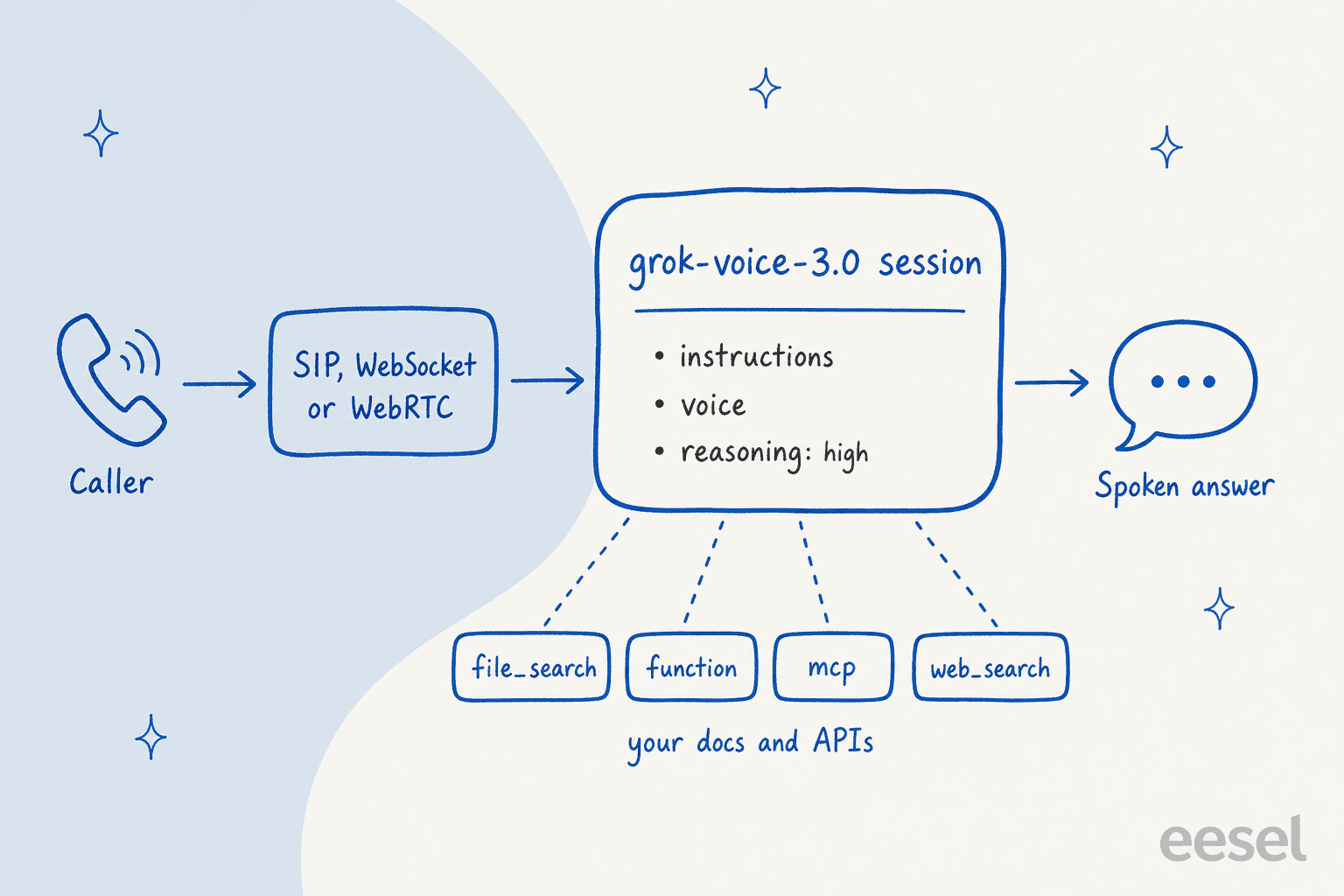
The session settings that matter most for a support agent, all from the session parameters table:
| Setting | What it controls | Support example |
|---|---|---|
instructions | The system prompt | Your tone, policies and escalation rules |
reasoning.effort | high (default) or none | Turn reasoning off for a simple "where is my order" line |
voice | A built-in voice like eve, or a cloned custom voice | Match your brand's sound |
tools | file_search, web_search, x_search, mcp, function | Look up an order, then issue the refund |
turn_detection.idle_timeout_ms | Re-engages a silent caller | "Are you still there?" after a set pause |
resumption.enabled | Replays earlier turns after a dropped connection | A mobile caller drops and reconnects mid-issue |
audio.input.transcription.keyterms | Up to 100 terms to bias transcription | Product names and SKU codes |
replace | Changes pronunciation in the audio only | Your brand name said properly, transcript untouched |
The tools are the place where the model stops being a talker and starts to be an agent. file_search reads document collections you upload, function calls your own code, and mcp connects to a remote MCP server. Anyone who has built on realtime tool calls knows the hard part is the silence while a function runs, and the docs have a whole section on avoiding audio overlap during tool calls, which tells me xAI has shipped this to real callers.
Phone calls go through your own carrier
For a phone line, Grok Voice 3.0 takes calls over SIP. The SIP guide is specific about how: you register a number you already own (origin: "byo_trunk"), point your carrier's SIP trunk at xAI, and receive a signed webhook for every incoming call. Provisioning SpaceXSI phone numbers through the API is not supported, so plan on a carrier account. The guide has setup steps for Twilio and Telnyx, and works with any SIP provider.
There is two phone details I liked. Keypresses (DTMF) are buffered and passed to the model as text, so "press 1 for billing" still works. And a refer call transfers the caller to another number and tells you synchronously whether the human side answered, which is exactly what a human handoff needs.
Languages
The docs list 20 language entries with native accents, and the model detects the caller's language without configuration. The landing page says 25+. Other languages work "with varying degrees of accuracy," per the supported languages list. If your callers speak something outside the list, run test calls before launch.
How to start using Grok Voice 3.0
There are three ways in and all of them run the same model, so the one you pick mostly comes down to whether you have developers.
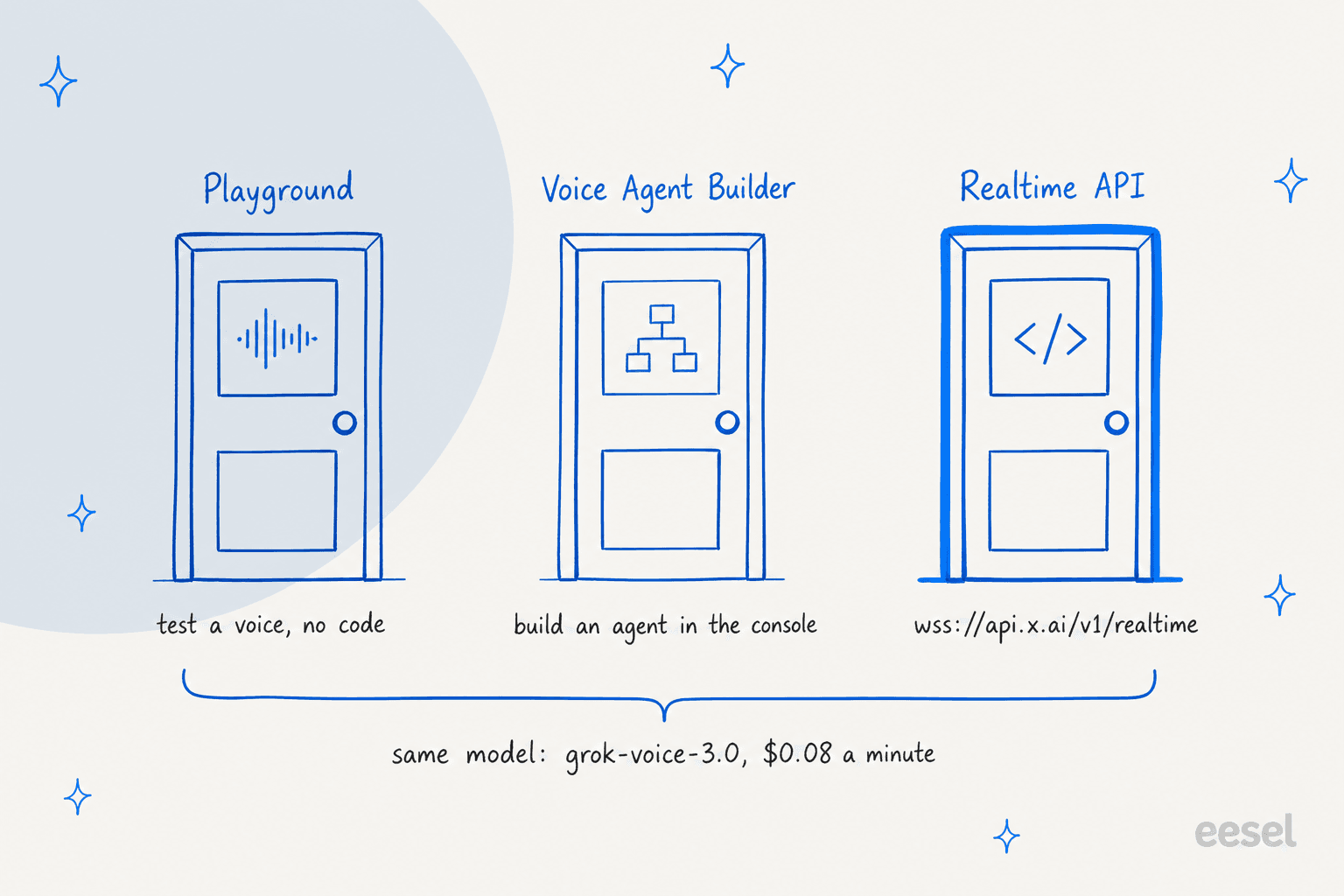
- Create an API key. In the xAI Console, create a key. Every route below needs an account.
- Hear it first in the Playground. The voice playground in the console lets you talk to the model before writing any code. Ten minutes here tells you more about the voices than any benchmark.
- No code? Use the Voice Agent Builder. It is xAI's console tool for configuring a voice agent with knowledge, tools and telephony, no code required. My Voice Agent Builder guide walks through it, and the builder review covers its limits.
- Developers: connect to the Realtime API. Open a WebSocket to
wss://api.x.ai/v1/realtime?model=grok-voice-3.0, sendsession.updatewith your instructions, voice and tools, then stream audio. For browsers and mobile apps, use ephemeral tokens instead of your API key. - Phone line: wire up SIP. Register your number, point your carrier trunk at xAI, and handle the incoming-call webhook, as covered above.
xAI also publishes tester apps on GitHub for a web agent over WebSocket, a WebRTC agent, an iOS app and a Twilio phone agent, linked from the speech-to-speech docs. Starting from the Twilio sample is the fastest way I know for getting a real phone number to talk with the model.
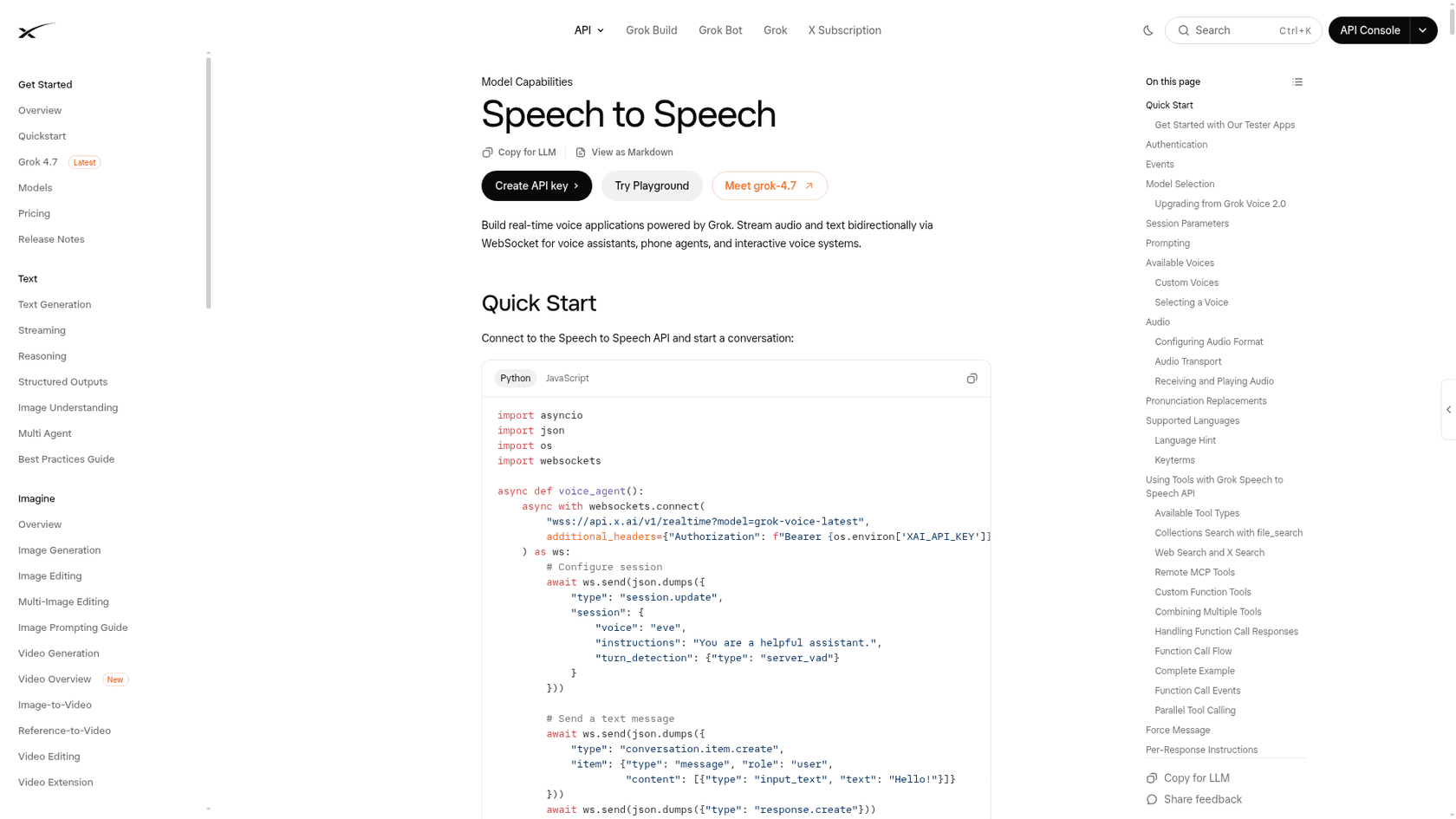
The minimum setup is short. This is the shape of the first message after the socket opens, trimmed from the docs' quick start:
{
  "type": "session.update",
  "session": {
    "voice": "eve",
    "instructions": "You are the support agent for Acme. Verify the caller before discussing an order.",
    "turn_detection": { "type": "server_vad" }
  }
}
Two pieces of the migration advice in xAI's docs are worth to read twice. First, "pin to a versioned model name in production," which I agree with: an alias that upgrades on its own is nice until a tuned prompt starts behaving differently. Second, if you are moving a prompt over from another model, xAI says to make it much shorter and strip out workaround instructions written for older models.
If your app already runs on the OpenAI Realtime API, the docs say most client libraries work after you change the base URL and API key. A few OpenAI events are named differently or not emitted, and the compatibility table lists them. My Realtime API vs WebRTC explainer covers the transport choice, which works the same way here.
Not sure what to change on your side? Pick what you run today:
What are you running today?
The alias moved on October 14 with no code change. This week: place 20 to 30 test calls through your real flows, especially ones with tool calls, and listen for timing changes. Then pin grok-voice-3.0 so the next model upgrade happens on your schedule. Cost: unchanged at $0.08 a minute.
Set model to grok-voice-3.0. Same endpoint, events and price. 2.0 is deprecated, so do not wait for a removal date. Before switching all traffic, run your regression calls and try a shorter system prompt, since xAI's migration notes say 3.0 needs less instruction.
Swap the base URL and key, keep your client, and check the events xAI does not emit. GPT-Live-1 (Astra) still leads τ-Voice at 74.5% vs 71.6%, while Grok answers in 0.81s vs 1.34s. Tool-heavy calls favor Astra slightly; latency-sensitive phone lines favor Grok.
The raw API is a developer tool. Try xAI's Voice Agent Builder in the console, or a voice platform that wraps models in call flows and dashboards. Either way, write down your top 20 call reasons and the answer to each first: that list is what the agent will actually need.
Native voice agents in your helpdesk keep tickets, transcripts and handoffs in one place. Grok Voice 3.0 becomes worth it when you need a custom phone agent that calls your own systems, and you have someone to build and maintain it.
What it costs, and the limits to plan for
Pricing is one line on the xAI pricing page, which makes forecasting easy:
| Item | Price |
|---|---|
Speech to speech, grok-voice-3.0 | $0.08 per minute ($4.80 per hour) |
| Text input sent into a voice session | $0.004 per input |
file_search (collections search) tool | $2.50 per 1,000 calls |
web_search tool | $5 per 1,000 calls |
| Speech to text (separate API) | $0.10 per hour REST, $0.20 per hour streaming |
| Text to speech (separate API) | $15.00 per 1M characters |
A support line taking 300 four-minute calls a day uses 36,000 minutes a month, which is $2,880 in voice time before any tool calls or carrier fees. For the full cost math, including a calculator, see my Grok Voice 3.0 review, and my cost per call comparison puts that number next to a salary.
The limit most teams hit first is concurrency, which is how many calls can run at the same time. The rate limits page caps speech-to-speech sessions by spend tier, based on cumulative API spend since January 1, 2026. Tiers unlock automatically and never downgrade.
| Tier | Lifetime API spend | Concurrent voice sessions |
|---|---|---|
| Tier 0 | $0 | 10 |
| Tier 1 | $50 | 20 |
| Tier 2 | $250 | 50 |
| Tier 3 | $1,000 | 100 |
| Tier 4 | $5,000 | 200 |
The catch for pilots: a brand-new account cannot load-test 50 simultaneous calls without first buying enough credits to reach Tier 2. Above Tier 4, you request an increase through the console.
Regions is the other thing to plan for. The Grok Voice 3.0 model page lists us-east-1, eu-west-1 and us-saltlake-2. When I covered the 2.0 pricing in August, the voice model ran in us-east-1 only, so EU teams now have a path to evaluate it.
Who Grok Voice 3.0 fits, and who it doesn't
The short answer to can AI answer support calls is now yes at the model layer. I would put it in front of three kinds of teams:
- Support teams building a phone agent that has to do things. Verify a customer, look up an order, issue a credit, book a slot. That is exactly what τ-Voice measures and where 3.0 improved most. The Starlink numbers show the ceiling when a single agent has deep tool access, the same lesson every AI call center agent rollout teaches.
- Teams already on Grok Voice 2.0. Same API, same price, and a 15.1-point gain on support tasks for the cost of a round of test calls.
- Latency-sensitive lines. Among models scoring above 65% on τ-Voice, it is the only one under one second to first audio. Every model near it on that benchmark takes over 1.3 seconds.
And three where I would look elsewhere first:
- No developers on the team. The model is an API. Start with the Builder, or a platform like Retell AI or Vapi that adds call flows and analytics. My roundup of the best AI voice agents compares the packaged options.
- Teams that live inside one helpdesk. Check native options like Zendesk voice AI agents or Freshcaller's voice agents before building a custom stack.
- Teams whose real problem is the answers. If your agents struggle because the policies live in five places, a better voice will read the wrong policy more fluently. That is the most common item on any list of chatbot problems.
If you are still deciding whether to automate phone support at all, my guide to voice agents for support is the better starting point than any single model.
For the rest of the field, see my best AI for voice support list or the wider xAI alternatives page.
The two questions people asked on launch day
Under the launch posts on X, the replies from people who used earlier versions were more practical than the cheering, and two of them came up again and again.
"Have they made it less verbose?"
xAI does not publish a verbosity metric. What its migration notes do say is that 3.0 needs a much shorter system prompt than earlier models. In my experience most rambling voice agents ramble because of a long prompt full of rules, so a shorter instructions plus a line like "answer in one or two sentences" is the first thing I would test.
"have they improved the ability to interrupt?"
This one has a number. Full Duplex Bench, which scores pauses and barge-in, went from 95.1% to 97.0%, per Artificial Analysis. On a phone line, turn on server_vad turn detection so callers can cut in naturally, which the docs list as a top production recommendation.
And one reply I enjoyed under Elon Musk's announcement, which every buyer should keep in mind while reading launch posts, including this one:
"I bet you say that to all the voice model providers."
Fair. Run your own calls, with real background noise, before you trust any benchmark.
Grok Voice 3.0 talks. eesel knows what to say.
A voice model gives your phone line a speaker that is fast and sounds natural. It does not know your return window, your plan limits, or which customers get the goodwill credit. That knowledge has to come from somewhere. Across eesel's demo calls, the request that comes up more than any other is to train the AI on the team's own past tickets, and I think that instinct is right for voice too.
That is what eesel does. It is an AI helpdesk teammate that joins Zendesk, Freshdesk or Gorgias, learns from your past tickets and help center, and works the email and chat queue that sits behind every phone line. Before it goes live, you can run it against your own past tickets and see how its answers compare with what your team actually sent.

For builders, there is a neat fit with Grok's mcp tool. Every eesel workspace is also an MCP server, and eesel mcp token in the eesel CLI prints what an MCP client needs to connect. The CLI drives the same agent you see in the dashboard, every command prints JSON, and coding agents like Claude Code, Cursor or Codex can run the setup for you. I have not run eesel behind a live Grok phone line, so treat that as a promising build, and keep an eye on the extra latency of a tool call mid-sentence.
Pricing is a fixed monthly credit plan, starting at $299 a month for 500 credits, with 100 free credits to try it and no card required. Try eesel on a slice of your queue, so whatever voice answers your phone has the right answers to give.
Frequently Asked Questions
What is Grok Voice 3.0?
When was Grok Voice 3.0 released?
grok-voice-latest alias moved to 3.0 and grok-voice-2.0 was marked deprecated.How much does Grok Voice 3.0 cost?
How do I access Grok Voice 3.0?
wss://api.x.ai/v1/realtime with model=grok-voice-3.0. If you want no code at all, the Voice Agent Builder in the console runs on the same model.Is grok-voice-latest the same as grok-voice-3.0?
grok-voice-latest as an alias for grok-voice-3.0, and it will move again when a newer model ships. For a production phone line, pin grok-voice-3.0 so upgrades happen when you choose, the same advice I gave for the 2.0 switch.