How Grok Bot scored, criterion by criterion
I scored ten things a product calling itself an always-on teammate has to prove. Every row is checkable against xAI's published docs, dated 11 August 2026. Filter it by what ships.
A browser, a terminal and a filesystem on a persistent Linux VM. xAI's stated preference is a connector where one exists, browser where one does not.
Background turns and scheduled routines execute on the cloud computer. Closing the app or the lid does not stop them.
Asynchronous Bot-to-Bot messages plus group chats of two to six Bots, with the handoff visible in the transcript.
Named Bots keep preferences, files and browser logins across turns instead of starting from a blank environment each time.
Teach a task records up to ten minutes of browser work and produces a draft skill you still have to add decision rules and failure handling to. Rollout is gradual, so the control may not appear.
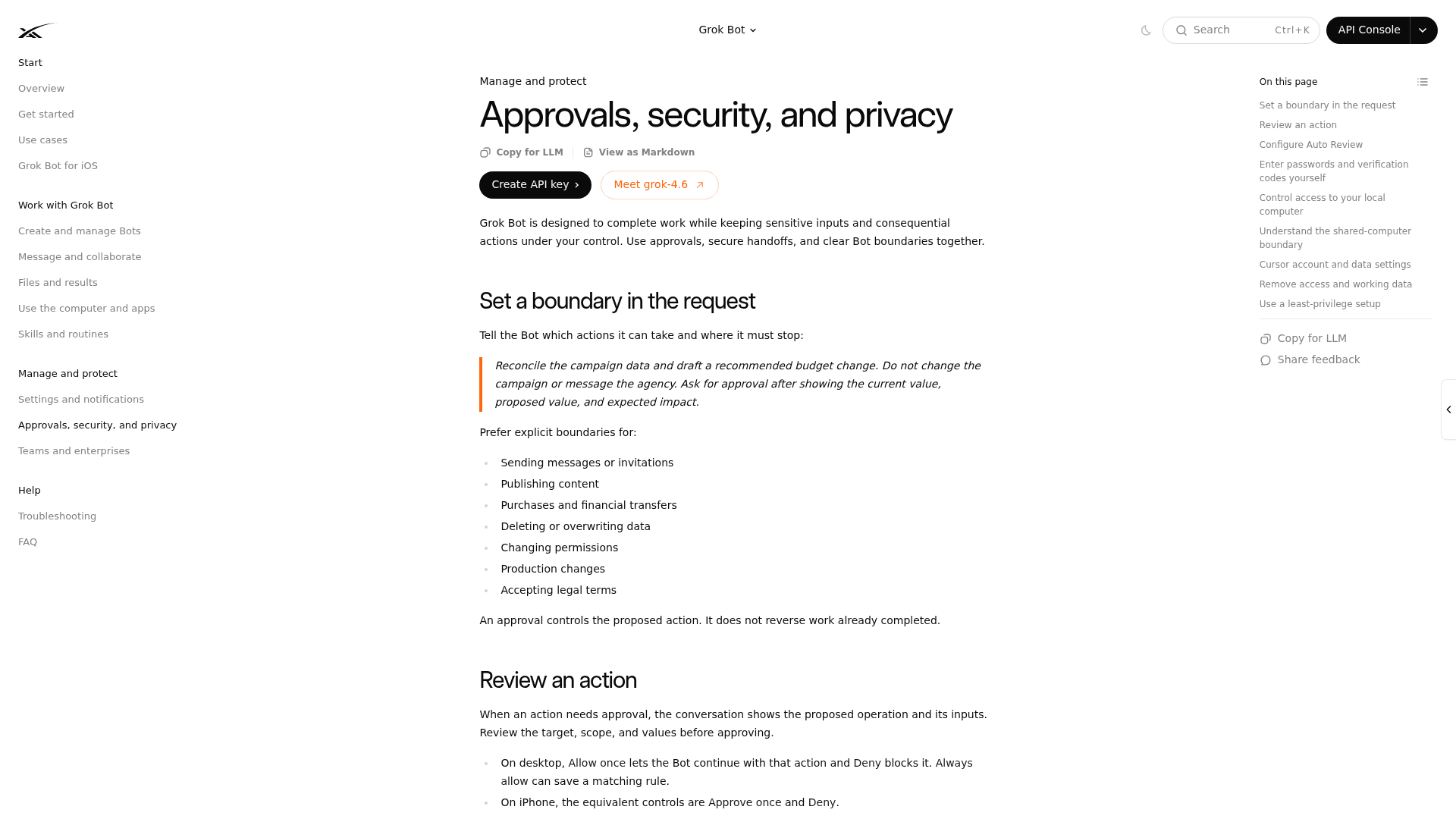
The primary mechanism is a boundary you write in prose. Auto Review is model-based, opt-in, and stored per desktop rather than synced across your machines.
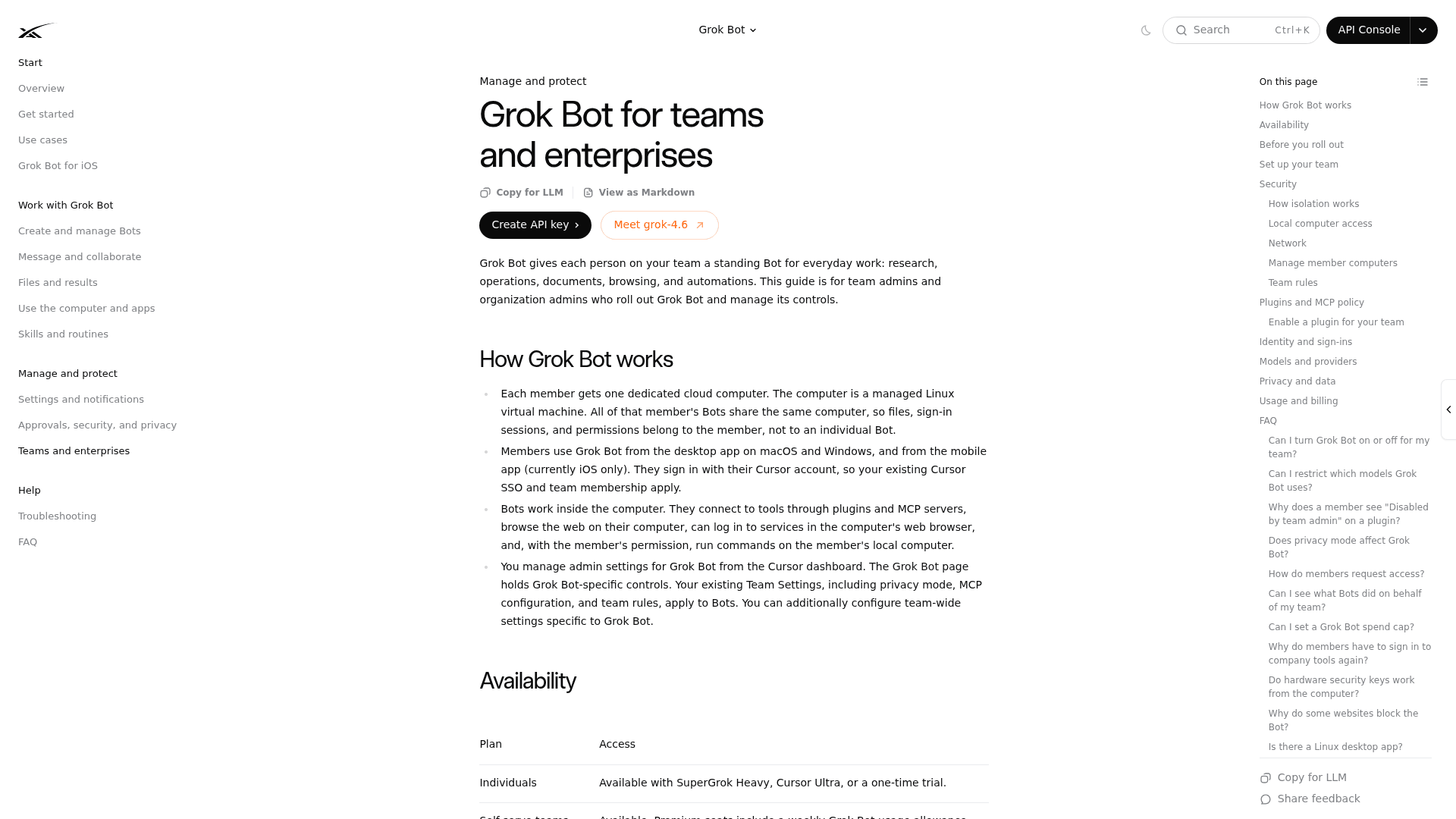
SSO, MCP policy and seat management are inherited from the Cursor dashboard. A team ceiling on local execution is listed as coming soon, and there is no Grok Bot spend cap yet.
There is no sandbox. The docs are explicit that a test run performs real work: it can navigate websites, change files and call connected tools.
"An audit view of Bot actions is coming," stated twice on the teams page. Today you get spend and usage on a dashboard, plus the chat transcript.
No SOC 2, ISO 27001, GDPR or HIPAA claim anywhere in the doc set. No retention period, no residency option, no encryption specification. All of it defers to Cursor's terms.
Four rows ship, three are partial, three are not there yet. That ratio is roughly what "Early beta" should mean, and to xAI's credit the label is on the product page rather than buried in a footnote.
What I could actually test, and what I couldn't
Worth being straight about this, because a lot of launch-week reviews are not.
Grok Bot went live on 11 August 2026 behind a hard paywall: SuperGrok Heavy, Cursor Ultra at $200/month, or Cursor Premium Teams at $120/seat/month. There is no free tier and no published trial. Every doc page in the set carries a "Last updated: August 11, 2026" footer, so the whole corpus is a launch-day snapshot with no revision history.
That means this review rests on three things: the complete published documentation, the marketing surface, and the first week of reports from people who paid. What it is not is a month of hands-on use, and anyone claiming that this week either had pre-release access or is guessing. The single most detailed hands-on account on Hacker News comes from a self-disclosed early-access tester, and I've labelled it as such below.
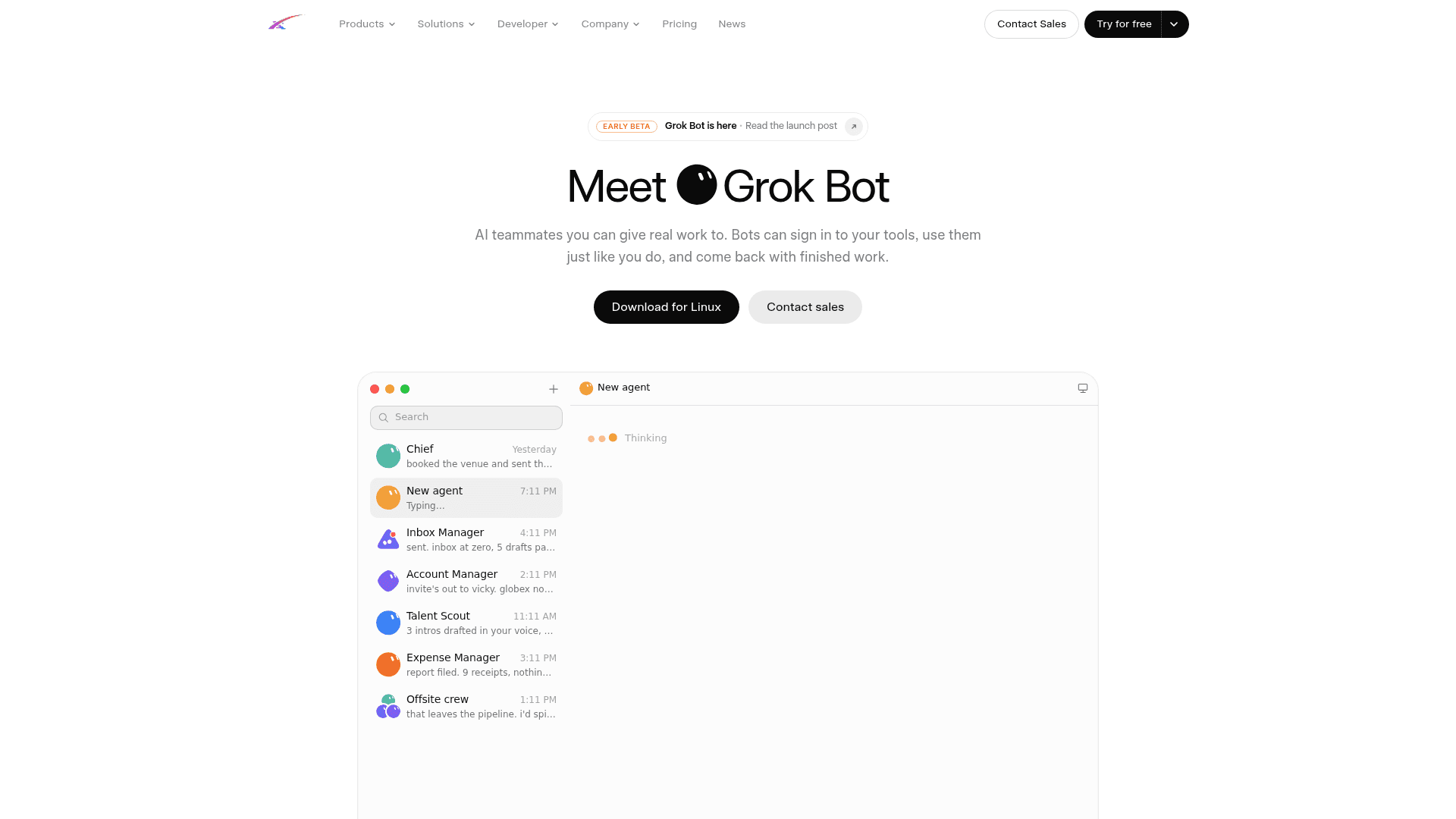
One small thing the screenshot gives away: the only download button on that page reads "Download for Linux," while the docs state that Linux desktop is not supported at launch. Supported platforms are macOS, Windows, and iPhone on iOS 18 or later. The cloud computer runs Linux; your desktop app cannot.
What Grok Bot gets right
The cloud computer is not a gimmick
Most autonomous AI agents either call APIs or spin up a fresh sandbox per task and tear it down. Grok Bot keeps one persistent managed Linux VM per user account, running the Bot as a non-root user, with a browser, a terminal, and a /workspace filesystem that survives normal updates. Work finishes inside the real tool rather than coming back as a chat draft.
That distinction is the whole product, and even a vendor engineer's own framing on Hacker News is unusually precise about it: other work-agent products spin up and tear down a new VM for each cloud agent, while this is an always-on box that stays logged in and lets Bots message each other. Take that as the company describing its own design, not third-party validation.
The practical payoff is real for anything the AI workflow automation world has always struggled with. A twenty-year-old supplier portal, a vendor dashboard with no export, an internal system nobody will build an integration for. This is the honest descendant of call center RPA, except the script writes itself and adapts when a button moves. It puts Grok Bot in the same family as Chrome auto-browse, just with a machine that never sleeps.
The teammate framing mostly holds
You create a Bot, give it a name, a title, and a description, and message it. Durable rules go in the description ("Never send external messages without approval"), task instructions go in the message. Skills are reusable method definitions, routines schedule them, and a Bot can own up to 50 routines with the 20 most recent run records kept per routine.
Group chats take two to six Bots and let them self-route, or you address one with @. Bot-to-Bot handoffs are asynchronous, and you can see them in the conversation. One person on Hacker News who had built the same thing by hand summed up the delta:
"I've already been doing something very similar to this with OpenClaw, where I set up multiple different Telegram bots each with different system prompts to tune their personalty & behavior. It's not trivial to do, and I never managed to get bot-to-bot communication working."

The setup cost really is close to zero. There's no workflow builder, no graph to draw, no prior Bot configuration. That's a meaningful advantage over the no-code agent builder category, where the build is the product.
Teach a task is more real than I expected
Ask a Bot to watch you do something once in the computer view, and it writes a skill from the recording. It's capped at ten minutes, browser-only, and doesn't capture microphone audio.
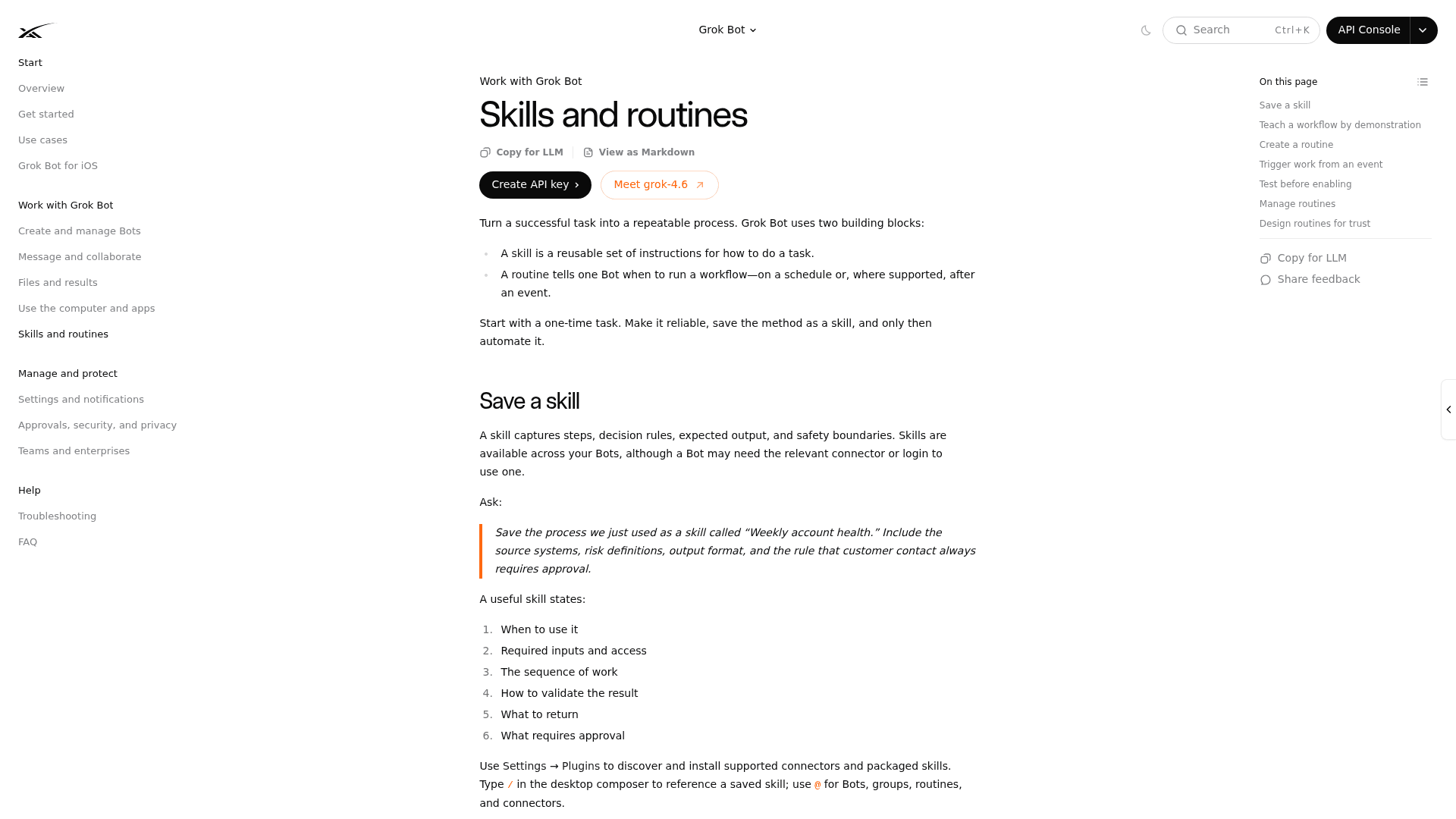
xAI is admirably honest about the output: the learned skill is a draft, and you have to add decision rules, failure handling, and approval boundaries that aren't obvious from one example. It's also gated behind a gradual rollout, so the control may simply not be there when you look. That's why I scored it partial rather than shipped.
Where the review turns: one computer, every login
This is the finding that reframes everything else, and it comes straight from xAI's own pages rather than from a critic.
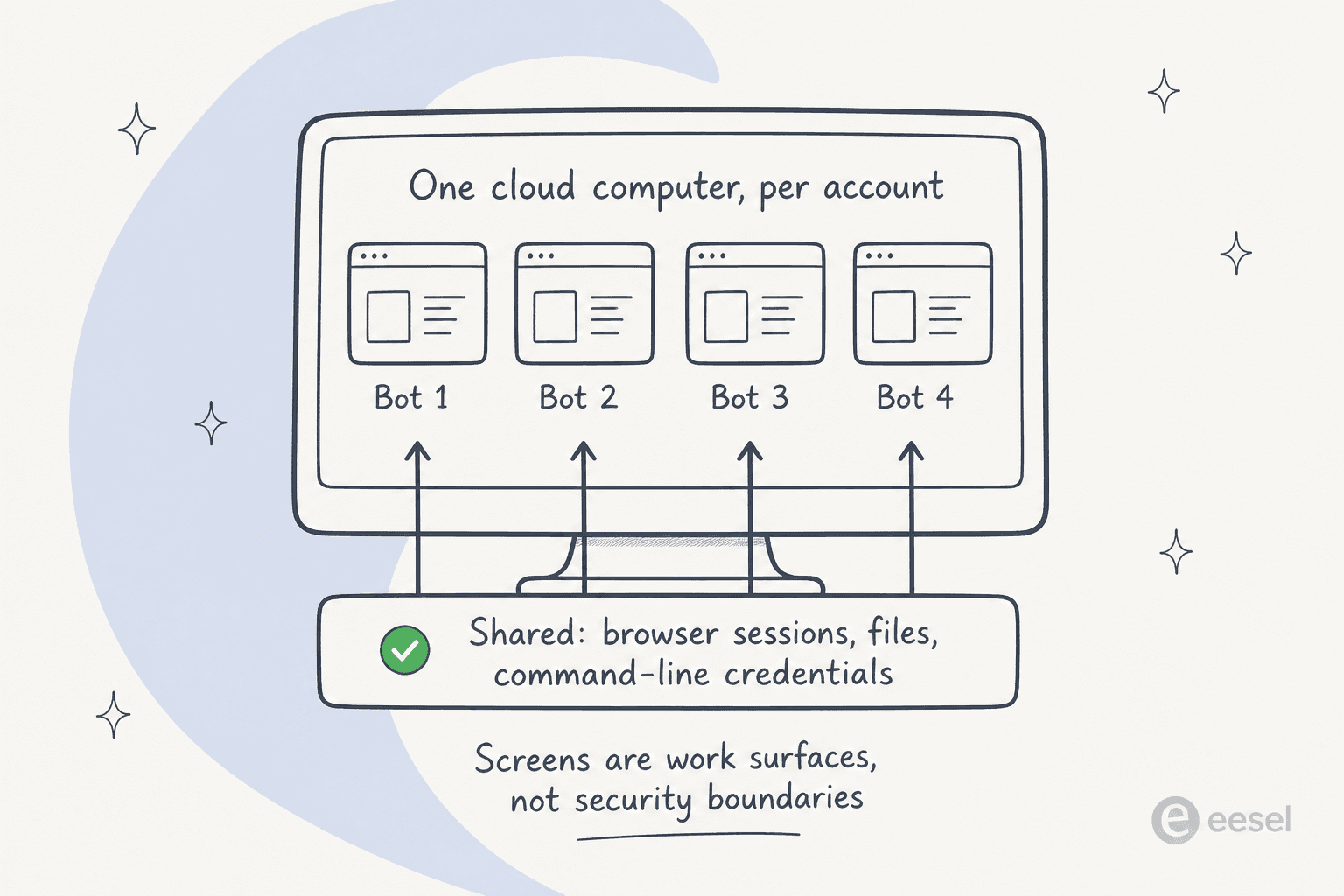
All of your Bots share one cloud computer. Files, browser sessions, and command-line credentials on that machine are available across your entire Bot roster. Each Bot gets its own screen, but the docs are careful to say those screens are separate work surfaces, not separate security boundaries. The instruction is one sentence long and it's the sharpest line in the doc set: do not use separate Bots as a security boundary.
Two consequences follow. First, when you sign into a tool for your Expense Manager Bot, your Talent Scout Bot inherits that session. Second, deleting a Bot does not remove shared computer files or browser sessions, so the teardown is a six-step manual routine that includes signing out of websites yourself.
One popular criticism is wrong and worth correcting. You do not hand your passwords to the model. For a password, passkey, 2FA code, CAPTCHA, or payment confirmation, the Bot pauses and hands you the screen; you type it, then give control back. The early-access tester on Hacker News described exactly that flow, and there's a narrow secure-secret primitive where the value is masked, kept out of the transcript, and never shown to the model.
The accurate objection is subtler, and someone on Hacker News named it better than any analyst has:
"By hijacking a real person's credentials, that person becomes the accountability sink. Very neat. Very deliberate."
That's the shape of it. The Bot acts as you, in your session, and the log on the far end says it was you. For anything touching helpdesk data privacy or a SOC 2 and GDPR review, that's the question your security team will open with.
Which brings up the compliance gap. Across four security-relevant doc pages there is no SOC 2, ISO 27001, GDPR, HIPAA, or FedRAMP claim, no retention period in days, no residency option, and no encryption specification of xAI's own. Everything defers to Cursor's published documentation. Storage is also mandatory, since Grok Bot requires data storage and does not support Legacy Privacy Mode. For a doc page literally titled "for teams and enterprises," that's the omission a procurement team will find first.
The three controls that aren't there
There is no dry run
This is the one that matters most to me, and it's stated by xAI rather than inferred. Test run exists, and the warning attached to it reads: a test run performs real work, it can navigate websites, change files, and call connected tools.
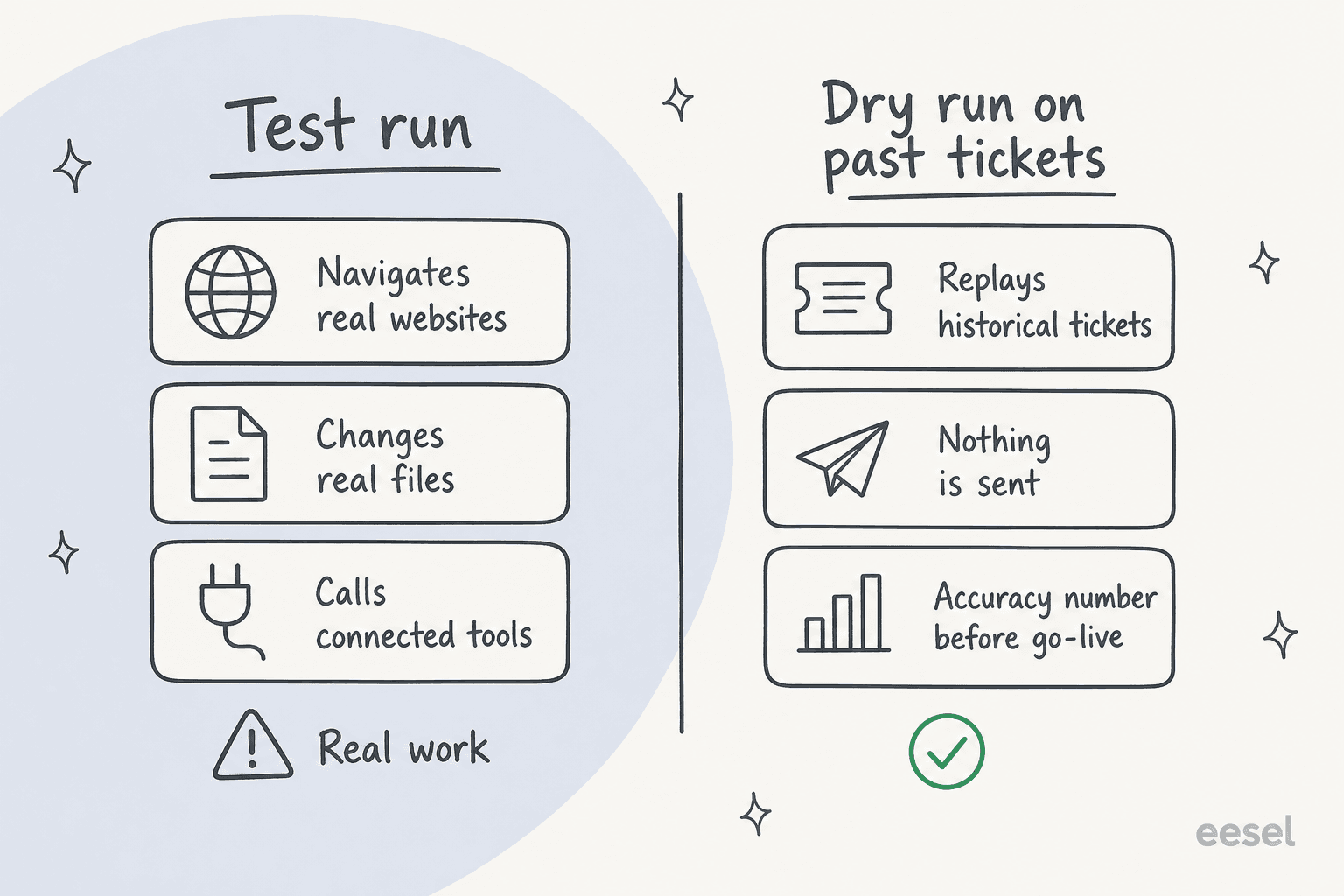
There's a second, quieter version of the same problem in the approvals docs: an approval controls the proposed action, it does not reverse work already completed. Sending "Stop now" doesn't undo anything either. So the safety model is entirely preventive, and prevention rests on boundaries you thought to write in advance.
Compare that with how a scoped agent goes live. You replay it over hundreds of real historical items, it produces answers nothing sends, and you read an accuracy number before you decide. That's what OpenAI evaluation best practices describe and it's the standard way to catch the failure mode that actually bites, which is a fluent, plausible, wrong answer rather than obvious gibberish. It's the same reason AI hallucinations in support get caught in rehearsal and not in production.
Approvals are prose, not policy
The docs' first instruction is to write the boundary yourself, in the request, as a sentence. xAI then lists categories it recommends you fence off, and the verb is "prefer," not "requires": sending messages, publishing, purchases and transfers, deleting data, changing permissions, production changes, accepting legal terms. Nothing on the page says the product stops on those by default.
Auto Review is the closer thing to enforcement, and it's conditional ("when Auto Review enforcement is available"), model-based, and stored per desktop rather than synced. xAI's own caveat is unusually blunt: it should complement, not replace, least privilege and explicit approval boundaries. An LLM is judging the LLM. Someone on r/AI_Agents put the operational version of this better than the docs do:
"run enough autonomous agents and the failure that costs you isn't the draft quality, it's the sent email or CRM write the agent classified as routine and never surfaced for approval. how it decides what 'needs your approval' is the entire safety surface, and that's the part nobody's actually asking about."

I've watched that exact failure in production, on a different product. An IT manager at a restaurant chain came back with one line after an agent mailed out a report nobody asked for: "Why did you email this report? I did not ask for that. DO not email these reports." It cost nothing that time. The version where the agent writes to a shared tracker instead of appending to it, which also happened, wiped a customer's history. Anything with write access to a shared doc deserves the same scrutiny you'd give a Google Docs AI integration.
The audit view is still coming
Stated twice on the teams page, in the future tense. Spend and usage appear on the Cursor dashboard today; a record of what a Bot actually did does not.
The chat transcript is the substitute, and it does show tool activity, computer use, created files, and approval requests inline. But it's organised per Bot conversation, it isn't queryable across a team, and routines only keep the 20 most recent run records. If you need agent QA evidence or a defensible AI resolution rate, that gap is a blocker rather than an inconvenience. One r/AI_Agents comment compressed all three of these into a single line:
"'own computer' is the right direction, but the hard parts are identity, approvals, audit logs. without those it's not an employee, it's a browser with chaos privileges"
What week-one users actually found
Almost nobody had run it long enough to judge reliability, so treat this as early signal rather than a verdict.
The strongest cost datapoint came from a pre-release tester who likes the product, which makes it more credible rather than less:
"Biggest downsides are token expenditure. I've used more tokens this month than not this month. That's not a typo - I've used less tokens in the last 5 years prior to this month than I have this month. Always on perpetual agents use a LOT of tokens."
That matters because usage allowances are weekly, overage bills off raw model and token cost, and there is no Grok Bot spend cap yet. I worked through the full meter stack in the Grok Bot pricing breakdown, and it's worth reading before you commit a team. A seat that bills per person plus an uncapped meter is a different shape from the per-ticket math in AI agent vs human cost.
Metering itself was visibly rough at launch. One person who bought Cursor Ultra specifically to test it reported that the dashboard showed no usage while the app showed 48%. Another hit a broken GitHub login on iOS and couldn't get in at all. Both are launch-week bugs rather than design flaws, but they're the reason "early beta" is the right label.
The most useful hands-on read came from r/singularity, and it's a fair characterisation of the fit:
"gave it a shot, seems useful for product owners that need more automation and less hands-on work. main difference is that everything is stored on their backend. presentation is clean, simple, no reasoning/thinking knobs."
The loudest thread on both platforms wasn't about quality at all. It was Cursor customers on lower plans discovering they were locked out, which is what the top of the launch thread mostly reads like.
So can you point it at a support queue?
You can, and xAI's own marketing page invites you to: one of its example prompts is about signing into Zendesk to work the support queue. It's worth noticing what happened next, though. None of the eight Bot roles the product ships with is a support role — the roster is Sales Outbound, Talent Scout, Paid Media, Expense Manager, Product Performance, Bug Reproduction, Account Health, and Chief of Staff.
I think that's the right call by xAI, and it lines up with what buyers tell me they need before they'll switch anything on. A CX lead at a DTC supplements brand running about 7,000 tickets a month on Gorgias and Shopify put the requirement plainly: the AI will never answer 100% of questions, but if it tries and answers "sorry I don't know," they can't go back and check 7,000 tickets to see whether it did a good job. What they needed was an AI that handles only the tickets it's confident about and leaves everything else alone.
A logged-in browser session has no place to express that. There's no ticket-level scope, no confidence threshold, no "keep refunds away from the AI" rule. Another support lead I spoke to wanted exactly that: "There are certain tickets I don't want to go through AI." A third only wanted the agent to act when explicitly @-mentioned, never on every incoming customer message.
Those are three different ways of asking for a scope smaller than "the whole tool," which is the only scope a shared browser login has. It's the same reason agentic customer service products are built around the helpdesk's own APIs rather than its UI, and why ticket triage exists as a separate control at all. Deciding which tickets an agent may touch is a different job from answering them.
If you want to try the general-agent approach on support anyway, the sane version is draft-only. Let it research and prepare, and keep every send behind a person, which is what an AI copilot for customer service does by design.
Then add the parts a browser session can't cover: a real human handoff path, and rules for when the agent gives up rather than guesses. At that point you've rebuilt, by hand, most of what a helpdesk copilot ships with.
An AI teammate for the queue, without the shared login
If you read this far because you want the teammate feeling on a support queue rather than a general labour agent, that's the gap eesel was built for. eesel connects to Zendesk, Freshdesk, Gorgias, Front and the rest as an app, not as a browser session that stays signed in, so scope is a real setting instead of a sentence you hoped the model would honour.
The part that matters most for this comparison is the rehearsal. You replay eesel over your own ticket history before it touches anything live, and you read an accuracy number and a projected resolution rate before you decide to switch it on. Confidence routing decides which tickets it handles and which go straight to a human, every answer cites the source it came from, and every action lands in an activity log you can query. Setup is minutes through your helpdesk's marketplace, and you train it on your knowledge base rather than hoping training data covers your refund policy.
It also doesn't pretend to be the other thing. eesel won't sign into an arbitrary SaaS tool with no API and click around on your behalf. If that's your actual problem, Grok Bot is a better answer than we are.

Try eesel free, or run a simulation on last month's tickets and see the number before you commit.
Grok Bot review scores, by who you are
| You are | Score | Why |
|---|---|---|
| Automating a tool with no API | 8/10 | This is the reason the product exists. A browser plus your login beats waiting for an integration nobody will build. |
| Doing draft-first knowledge work | 7/10 | Research, briefs, pipeline hygiene, expense sorting. Mistakes cost you a read-through, not a customer. |
| Running an engineering team | 7/10 | Async work across repos without juggling worktrees, and Cursor is already the account layer. Watch the token burn. |
| Working a support queue | 4/10 | No dry run, no confidence gate, no per-response record, and sending is the action you can't take back. |
| Buying for a regulated org | 3/10 | No certification claimed, no retention period published, no residency option, one shared machine per person. |
| On a lower Cursor plan | n/a | You can't buy it yet. That's most of the launch thread. |
Is Grok Bot worth it?
Yes, if your bottleneck is a tool nobody has integrated and your work is draft-first. The architecture is a real answer to a real problem, the setup cost is close to zero, and I'd rather see a vendor ship this labelled "Early beta" than dress it up as enterprise-ready. On that axis it beats most of what's in the best AI agents field right now, and the model underneath it is the same Grok 4.5 lineage that has been quietly winning people over.
No, if the job involves sending something to a customer. Not because the model is bad, but because the three controls that make an agent safe to point at a queue are the exact three that aren't shipped: rehearsal, scope, and a record. Two of those xAI has told you are coming, which is the honest version of "not yet" and worth re-checking in a quarter.
If you're weighing the category rather than the product, Claude Cowork is the closest analogue with the same tradeoffs. Manus AI shares the cloud-computer shape, as does MaxClaw.
Lindy AI sells the same teammate framing without asking for a browser session.
For anything support-shaped, start from AI helpdesk software instead. And if you're tempted to glue a general agent together yourself, run the build vs buy numbers first.
Frequently Asked Questions
Is Grok Bot worth it in 2026?
How much does Grok Bot cost?
Is Grok Bot safe to give access to my accounts?
Can Grok Bot work customer support tickets?
What is the difference between Grok Bot and Claude Cowork?
Does Grok Bot have an audit log?
What platforms does Grok Bot support?
What are the best Grok Bot alternatives?



Article by
Rama Adi Nugraha
Rama is a software engineer at eesel AI with two years of experience writing about B2B SaaS, AI tools, and customer support technology. Based in Bali, Indonesia, he brings a developer's perspective to product comparisons — cutting through marketing copy to what the integrations and APIs actually do.