Two starting points for no-code AI agents
The search term covers both tools for designing workflows and teammates you configure for a particular job. That distinction helps set expectations, but it is not a strict division between vendors.
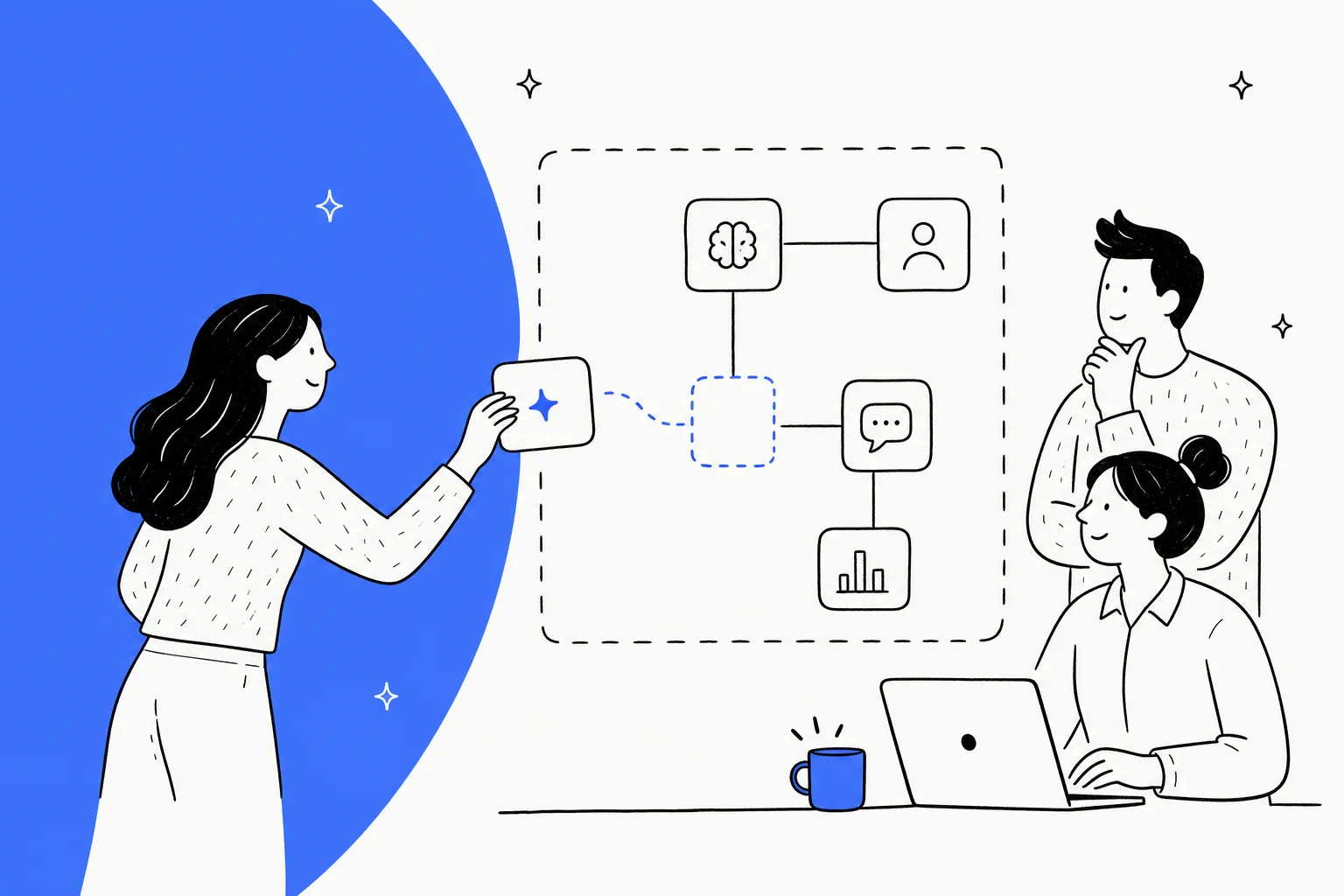
Visual builders let you configure workflow steps and tools, but many also provide templates, generated flows, or ready-made agents. Check how much of your intended task the starting template already covers.
Ready-made support teammates provide another starting point. With eesel, confirm knowledge readiness and configure triggers and actions after connecting supported sources. These approaches overlap: builders offer templates, and ready-made teammates still need your policy and permissions.
Neither approach wins every use case. Compare the workflow you need, the supported integrations, and the effort required to maintain it. A visual builder may suit a custom process; a ready-made support teammate may cover the job with less configuration.
"No-code" is not "no-work"
I would separate building the initial demo from operating it on real requests. A working flow is a starting point, not evidence that the agent will handle missing information or policy exceptions correctly.
The rollout also needs approved knowledge sources, clear action permissions, and escalation rules. Test what happens when the answer is missing, a customer asks for an exception, or a connected tool fails.
A response can sound confident while misreading the policy. An agent can also describe an action without completing it. Review answer quality and action delivery separately. A private rehearsal checks the former; verifying the destination record checks the latter.
What I looked for
Before the list, here is the rubric I used, so you can weight it for your own situation:
- Time to first working agent. How fast can a non-engineer get something real running, not just a demo?
- Billing unit and cost at scale. Per conversation, per credit, per run, or per ticket? This is where monthly bills quietly balloon.
- Support-readiness. Does it connect to a helpdesk and learn from past tickets like a dedicated support chatbot, or is that a build-it-yourself project with a no-code integration builder?
- Control and escalation. Can you decide exactly when the AI acts and when it hands off to a human?
- Testing before deploy. Can you see how it behaves before it touches a customer?
- Governance. RBAC, SSO, audit logs, and the compliance certs a bigger company will ask about.
The best no-code AI agent builders at a glance
These are published pricing starting points, including usage-based and custom-quote options. Read the billing unit carefully before comparing totals.
| Tool | Best for | Starting paid price | Billing unit | Free tier | Support-native | Standout | G2 rating |
|---|---|---|---|---|---|---|---|
| eesel AI | Configuring a support teammate | From $299/mo (500 credits) | Credits (1 per ticket or chat) | Free plan (100 credits) | Yes | Dashboard and CLI inspection and testing | Check current reviews |
| Botpress | Visual agent building and support workflows | Plus $150/mo billed annually | Conversations + AI usage allowances | 100 conversations | Desk and Studio options | Autonomous nodes + visual canvas | 4.5 / 5 on vendor page |
| Voiceflow | Conversation and voice design | Request current business pricing | Usage-based | Trial advertised | Configurable | Chat and voice workflows | Check current reviews |
| Copilot Studio | Microsoft 365 and connected workflows | Usage-based or pre-purchase | Copilot Credits | Check trial terms | Via connectors | Microsoft 365 + Power Platform | Check current reviews |
| Lindy | Cross-app team work | $29.99/user/mo | Shared credits from seats | New Slack joiners: 7 days | Support use cases offered | Slack-native teammate and approvals | Check current reviews |
| Stack AI | Enterprise deployment requirements | Custom (quote) | Per run | 500 runs/mo | Configurable | On-prem/VPC options | Check current reviews |
| Relevance AI | Multi-agent workflows | Pro $19/mo annually; $29 monthly | Actions + Vendor Credits | 200 Actions/mo; one-time Vendor Credits | Configurable | Teams of agents and tools | Check current reviews |
| Zendesk AI agents | Teams already on Zendesk | Suite Team $55/agent/mo billed annually | Agent seats + automated resolutions | Not listed; 5 resolutions/agent/mo included | Yes | Natural-language procedures inside the helpdesk | Check current reviews |
| Ada | Enterprise omnichannel support | Custom (quote via demo) | Not published | Not listed | Yes | Playbooks and coaching across channels | Check current reviews |
| Dify | Open-source and self-hosted workflows | See current pricing page | Per workspace + message credits | Sandbox (200 message credits); free Community Edition | Configurable | Visual workflows you can self-host | Check current reviews |
Now the detail, item by item. I have kept the same shape for each: what it is, the best-for line, pricing, pros and cons, and my verdict.
1. eesel AI
Best for: teams evaluating a support teammate they can configure through the dashboard or CLI.
Disclosure: I write for eesel. Its support teammate provides documented helpdesk integrations and plain-language setup. Confirm which sources your integration supplies and whether they are ready, then configure triggers and allowed actions. Connecting an account alone is not a completed rollout.

The onboarding screen separates preparing knowledge from putting the teammate to work. It does not demonstrate a completed support action.
The setup should make its assumptions visible: which knowledge is available, which actions are allowed, and which events start work. The CLI walkthrough below provides a concrete way to inspect those settings and test a policy answer. A simulated answer is not proof that a real ticket was resolved.
You also customize behavior in plain language rather than by dragging nodes. If the agent is handling refunds wrong, you tell it so in a sentence.

This Zendesk-agent example shows an instruction update. Test the resulting behavior separately before relying on it.
Pricing: a fixed monthly price sized to volume, from $299/month for 500 credits, with a free plan of 100 credits. One credit covers a ticket or chat, however long. Questions asked in the eesel dashboard are mostly free. Check the pricing documentation for current terms and include testing in your estimate. Credits are used regardless of outcome.
Pros:
- A ready-made support teammate with documented helpdesk integrations
- Dashboard and CLI access to the same workspace
- Plain-language instructions and configurable action permissions
- JSON output for scripts and coding-agent setup reviews
Cons:
- The support workflow evaluated here still depends on supported connections and allowed actions
- A task requiring custom workflow design should be compared with a visual builder
My take: evaluate eesel when you want to configure a support teammate rather than design an application. Confirm that its connections and actions cover your task, then review answers before granting more autonomy.
Use eesel CLI without writing application code
No-code does not have to mean doing every setup step in a visual editor. The eesel CLI lets a person, script, or coding agent operate the same eesel teammate and workspace as the dashboard. Claude Code, Cursor, or Codex can help perform the setup while you decide which data and actions to authorize.
The distinction matters: you are not asking a coding agent to build and host a replacement support system. You are asking it to configure an existing teammate. The CLI returns JSON so the coding agent can inspect the result of each command instead of guessing whether a dashboard click worked.
Before setup, decide whether this is a new workspace or an existing one. For an existing account, log in, run whoami and agents, and confirm the intended workspace and teammate. Inspect that teammate's connections, permissions, and automations before changing it. Initialization can reuse an existing teammate; it is not an isolated test environment.
For a new website-support pilot, after confirming the destination, the documented starting point is:
npx @eesel/cli init chat-bubble --site https://your-site.com
Replace the example URL with a site you are authorized to use. This requires Node.js 18.17 or newer. It selects or creates a teammate, connects the chat bubble, starts reading the site, and returns an embed snippet. It does not itself install that snippet on your website.
Without a stored login, this creates a temporary anonymous workspace. Run npx @eesel/cli login afterward to claim it. If you already have an eesel workspace, log in and check whoami before setup so you know which workspace you are changing.
A bounded instruction for your coding agent could be:
Help me prepare an eesel chat bubble for this website. Confirm the intended workspace and explain the planned changes first. After I approve the setup, show me the returned embed snippet and the knowledge status. Do not publish the snippet, connect private accounts, or enable customer-facing actions without my approval.
The setup is only the beginning. Inspect the selected teammate before testing:
npx @eesel/cli agents
npx @eesel/cli status --agent PILOT_AGENT_ID
npx @eesel/cli integrations --agent PILOT_AGENT_ID
npx @eesel/cli instructions --agent PILOT_AGENT_ID
npx @eesel/cli automations --agent PILOT_AGENT_ID
Replace PILOT_AGENT_ID with the intended teammate. Selecting an agent does not isolate it from its real permissions or existing automations. Check that the website content is available, and supply an approved policy document if the public site does not explain the policy you want to test.
For example, rehearse a fictional return request for an opened product. Ask for a draft answer grounded in the approved returns policy, then follow up with a claim that a salesperson promised an exception. Disable write actions before the rehearsal. Check that the teammate distinguishes the published policy from the unverified promise and does not claim a refund was issued.
CLI chats are billed work; listing configuration is free. A follow-up chat continues the current conversation, while new --name starts a fresh one. The CLI's --dry-run previews a server call, not the quality of an answer.
Only after reviewing the answers should you approve publishing the embed through your site's normal process. Test the actual widget separately: a good terminal response does not prove the snippet was installed, the right agent is connected, or the handover works. You have avoided writing an application, but you still own the policy and publication decisions.
2. Botpress
Best for: teams that want a flexible visual canvas and are willing to invest time to reach production.
Botpress pairs a visual Studio with developer tools for extending an agent. Consider it when you want to design conversation steps and connect actions within a workflow. Whether it can complete your support task depends on the tools and permissions you configure.
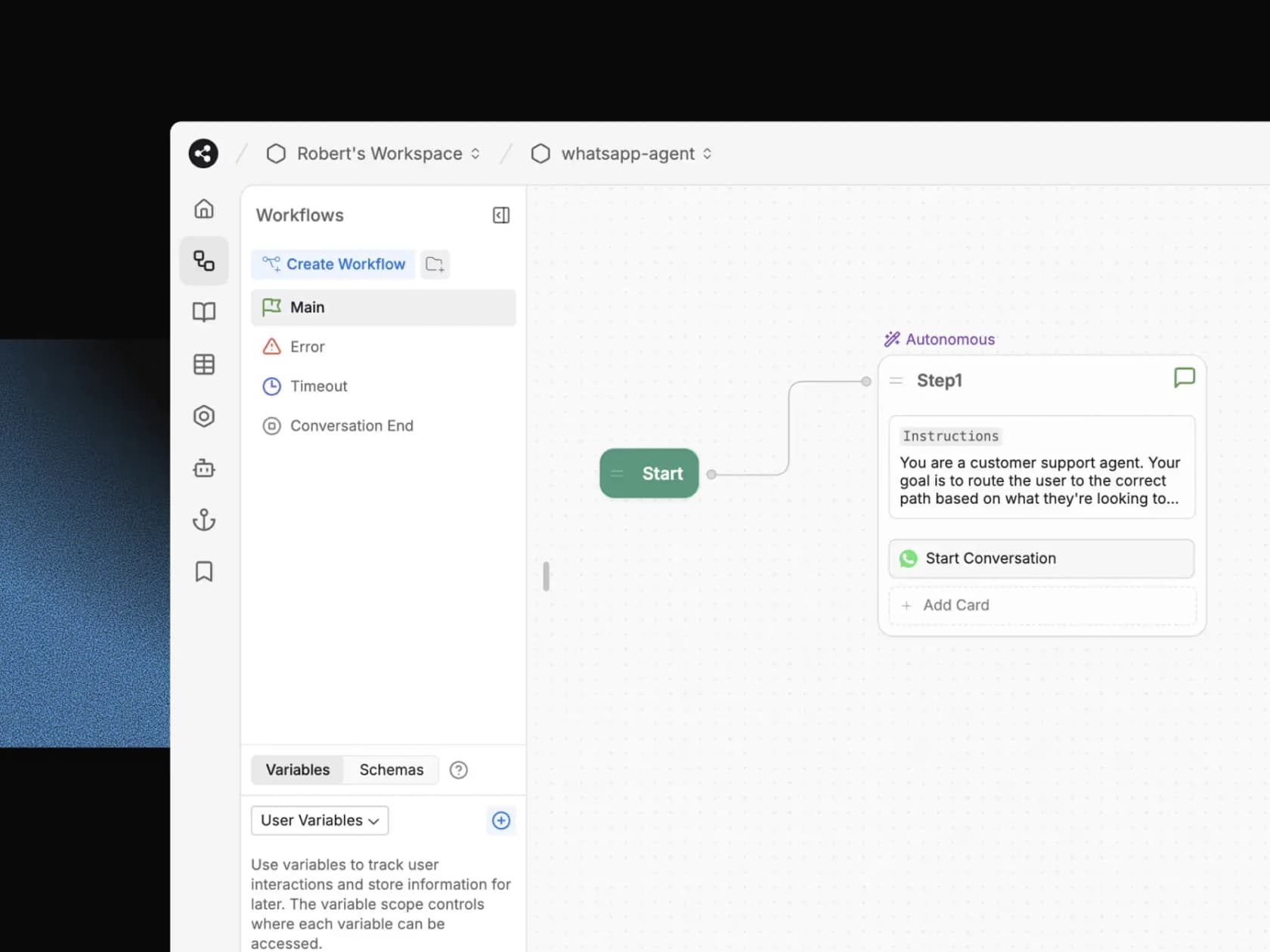
The standout is the autonomous node, an LLM-driven node that generates conversation and decides the next action, which you can mix with deterministic nodes when you need guardrails. It is powerful. It also reflects the camp's tradeoff: that power is yours to wire up.
For evaluation, build one workflow with an explicit action boundary: answer a policy question, ask for missing information, and hand over when an exception needs approval. Inspect which parts require configuration beyond the starting template.
Pricing: the current Botpress page shows Plus at $150/month billed annually with 250 monthly conversations and Team at $750/month billed annually with 1,500. Additional 100-conversation packs cost $65 and $50 respectively. AI usage has its own included allowance and automatic credit top-ups, so the headline does not mean unlimited model usage. Plus includes three seats; Team includes unlimited seats. Check both usage meters before enabling a production workflow.
Pros:
- Visual builder with configurable workflows
- Autonomous nodes for flexible, agentic behavior
- Conversation and AI usage allowances shown separately
Cons:
- Custom workflows require configuration and maintenance
- Conversation charges and AI usage need separate estimates
Verdict: consider Botpress for a workflow you want to design explicitly. Compare the template coverage and maintenance effort with a configured support teammate before choosing.
3. Voiceflow
Best for: conversation designers building agents across chat and voice.
Voiceflow combines visual workflows with goal-based playbooks for chat and voice agents. It is worth evaluating when conversation design is a central part of the job, particularly when the same service needs more than a text interface.
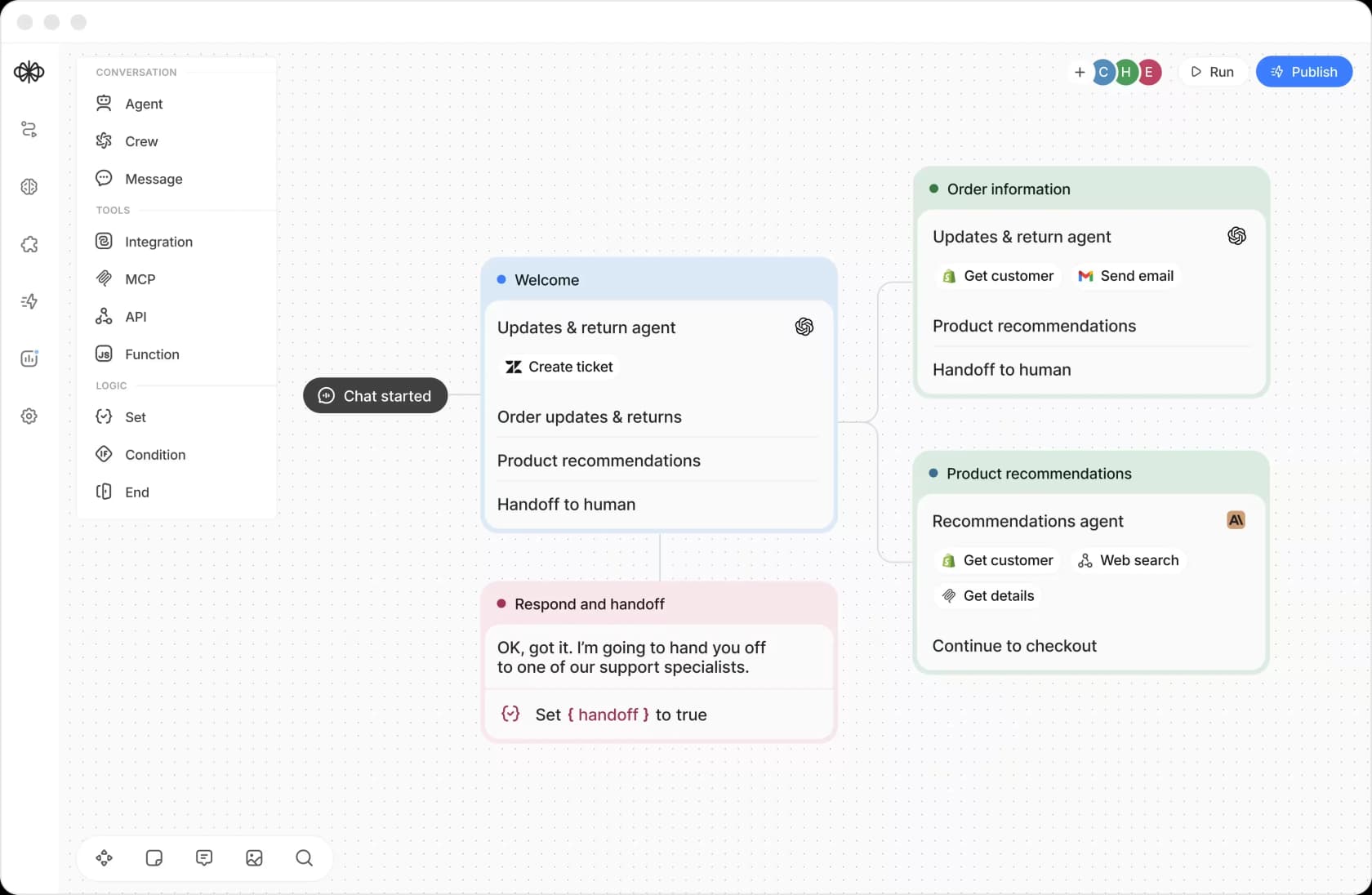
The example canvas includes order information, connected tools, and a handoff step. It illustrates a configured flow, not a verified run.
Test a conversation that crosses workflow steps: a customer asks about a return, provides incomplete order details, then requests a human. Check that context survives the handover and that a failed connected action is not described as successful.
For a team rollout, request the current editor access, usage allowances, and overage terms. A historical seat limit or model-token complaint does not establish the cost of a new account today.
Pricing: the current Voiceflow pricing page advertises a free trial and usage-based billing for agencies, while businesses are directed to request pricing. It does not substantiate the old Pro and Business amounts in earlier comparisons. Confirm a quote for your team and channels.
Pros:
- Visual builder for chat and voice
- Model-agnostic, bring your own LLM
- Real dev to staging to production pipeline
Cons:
- Current business pricing requires an inquiry
- Complex conversations still need workflow design and testing
Verdict: consider Voiceflow when you need to design chat and voice interactions. For a narrower support task, compare the required configuration with the other options rather than assuming a visual builder is unnecessary.
4. Microsoft Copilot Studio
Best for: organizations already standardized on Microsoft 365 and the Power Platform.
If your company runs on Teams, SharePoint, and Power Automate, Microsoft Copilot Studio is the path of least resistance. It is Microsoft's low-code agent builder (the successor to Power Virtual Agents), and you describe an agent in natural language, ground it on your business data, and publish it across the Microsoft channels your teams already use.
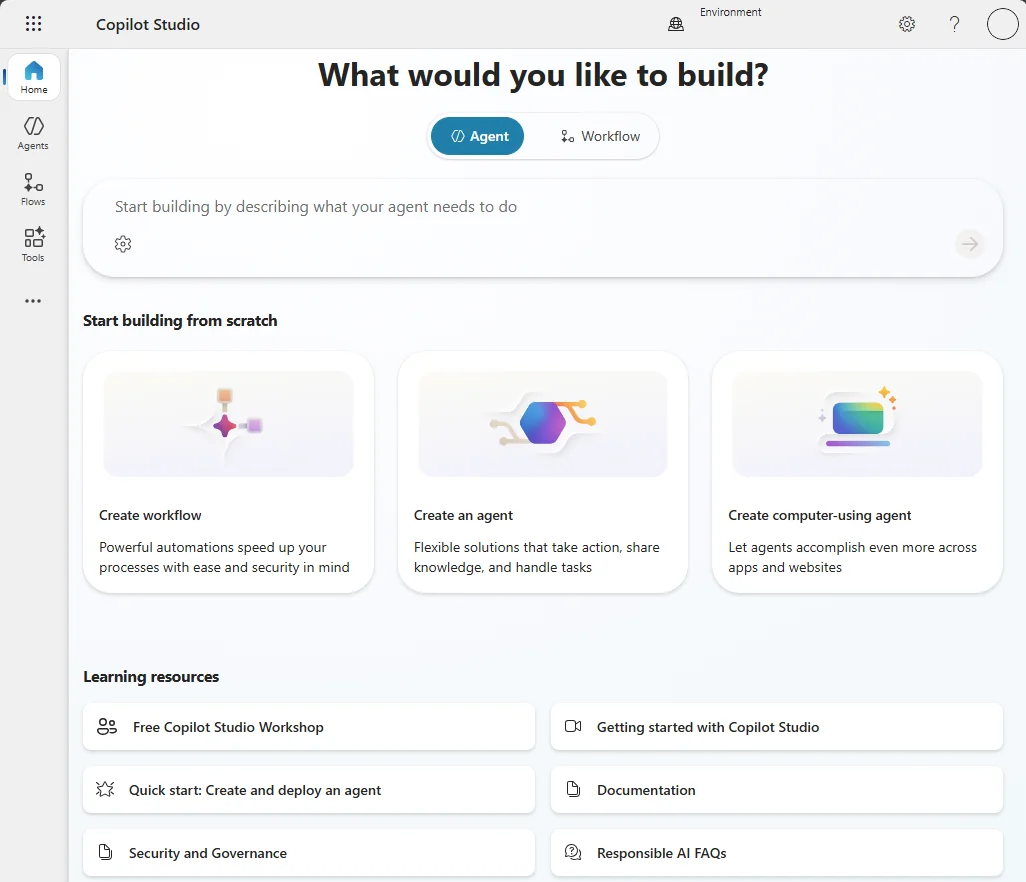
The gravity here is the ecosystem: 1,400+ connectors, tenant-graph grounding over Microsoft Graph, and native publishing into Microsoft 365. Microsoft claims 90% of the Fortune 500 use it. For a Microsoft shop, that integration depth is hard to beat.
For non-Microsoft systems, check the specific connector's supported actions, authentication, and licensing. A large connector catalog does not prove that the exact operation you need is available on your plan.
Pricing: Microsoft's current product page presents pre-purchase Copilot Credit Commit Units and pay-as-you-go, both requiring an Azure subscription for agent use. Microsoft 365 Copilot is separately listed at $30/user/month paid yearly for qualifying customers, with internal-agent capabilities. Confirm the license and usage terms for your exact channel; do not assume that license covers every external or autonomous workload.
Pros:
- Microsoft 365 and Power Platform integration
- 1,400+ connectors plus MCP support
- Strong governance via Purview and the admin center
Cons:
- Credit rates are complex and climb at scale
- Connector availability does not guarantee every required action
- Learning curve for advanced logic
Verdict: start your evaluation here if Microsoft 365 is central to the workflow. For a mixed stack, compare the actual connectors and licensing with the alternatives rather than ruling it out by ecosystem alone.
5. Lindy
Best for: teams evaluating a conversational teammate for cross-app work.
Lindy now presents a Slack-native teammate with scheduled routines, shared workspace context, and approvals. Its published use cases include support-queue triage. Evaluate the current teammate workflow rather than assuming its older personal-assistant positioning defines every use case.
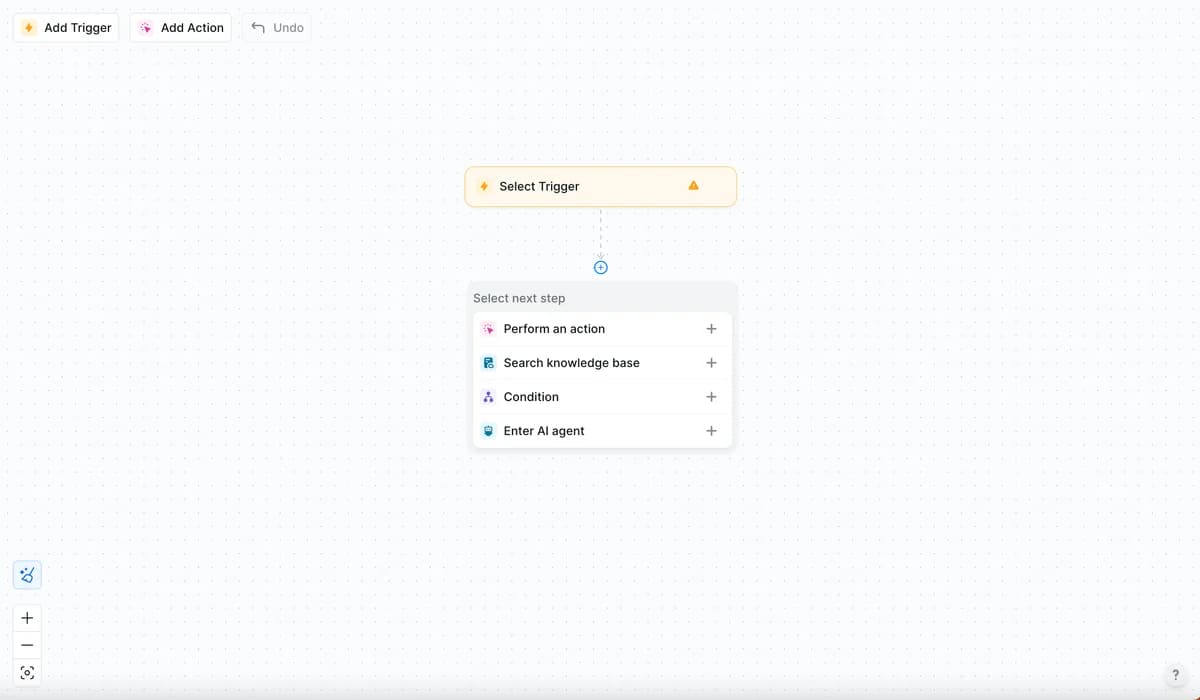
This earlier Lindy builder interface illustrates trigger-and-step configuration. It is not a screenshot of the current Slack-native teammate described above.
Its current pricing page says external-impact actions wait for approval. Review how those approvals fit the task you want to delegate, especially when a request would update a ticket or contact a customer.
Pricing: Plus is $29.99 per user per month with 3,000 credits, Pro $99.99 with 15,000, and Max $199.99 with 35,000. Seats contribute to a shared pool. The page specifies a seven-day trial for new teammates joining through Slack; direct signups are billed immediately. Confirm that distinction before signing up.
Pros:
- Conversational setup for cross-app tasks
- Shared team context and scheduled routines
- Approvals for actions with external impact
Cons:
- Seats and workload both affect the plan you need
- Trial eligibility depends on how a new teammate joins
Verdict: consider it for cross-app team tasks, including support use cases. Test the actual ticket workflow and approval process rather than ruling it out based on its older positioning.
6. Stack AI
Best for: regulated enterprises that need on-prem deployment and heavy governance.
Stack AI (now branded StackAI, one word) is the enterprise-first option, aimed squarely at IT and enterprise-architecture teams. Its tagline, "Where IT teams bring secure AI to work", tells you the audience. You orchestrate agents on a drag-and-drop canvas, chaining LLM calls, RAG over internal knowledge, and 100+ integrations, then deploy as a chatbot, form, batch job, or API.
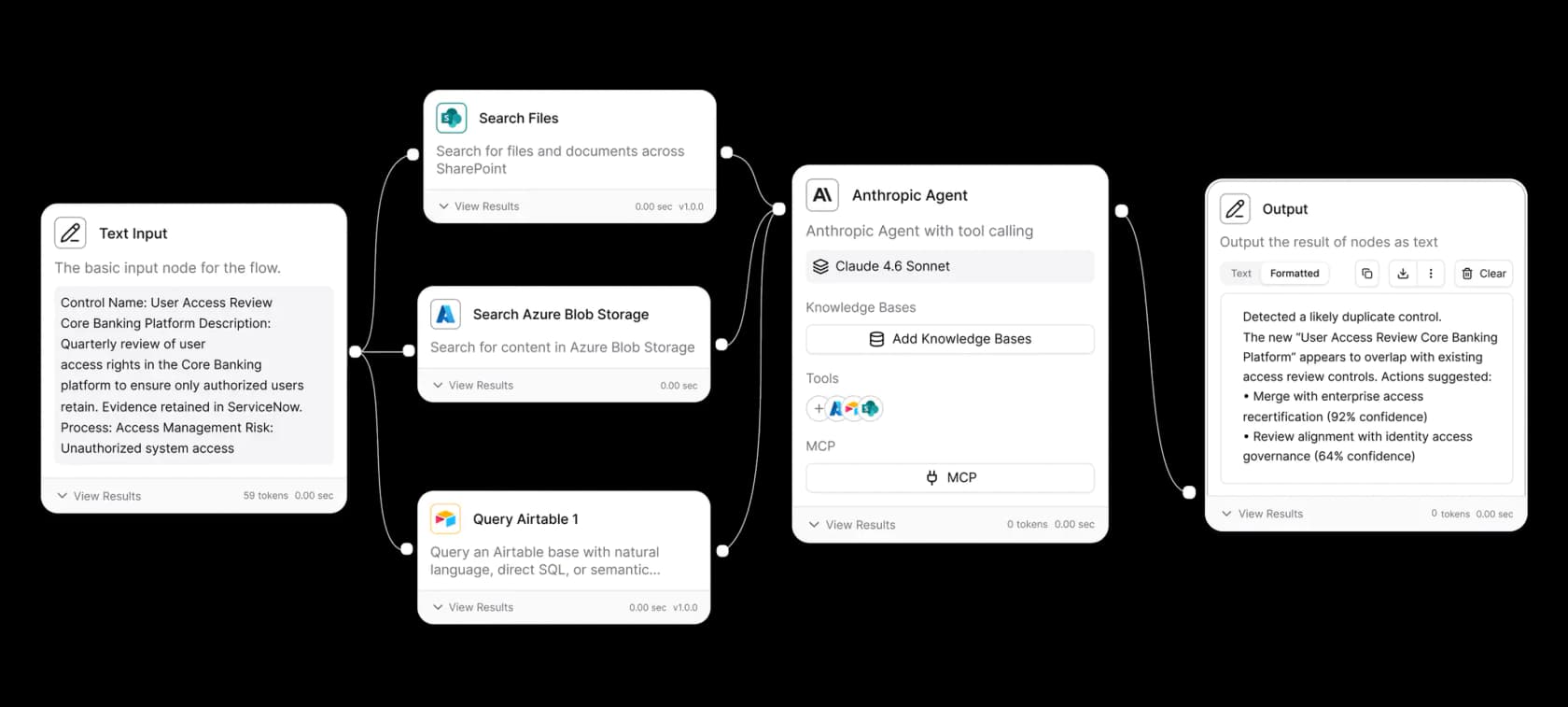
The Enterprise plan lists on-prem and VPC deployment, access control, SSO, and SOC 2, HIPAA, and GDPR compliance. Ask which reports, agreements, and deployment arrangements apply to your use case. These are vendor-listed capabilities, not a compliance assessment of your proposed workflow.
In a pilot, inspect the retrieved documents and the workflow's output separately. A confidence score displayed in a workflow is not independent evidence that the answer is correct or that the deployment meets your compliance requirements.
Pricing: the StackAI pricing page lists Free with 500 runs/month, two projects, and one seat, alongside custom Enterprise. Enterprise capacity, infrastructure, and support require a quote. Confirm the deployment and compliance terms in that quote rather than treating a website badge as approval for your particular data.
Pros:
- Enterprise access controls and SSO
- On-prem and VPC deployment options
- Visual workflow configuration
Cons:
- No self-serve tier between Free and Enterprise
- Enterprise capacity and infrastructure require a quote
- Retrieval accuracy and workflow outputs still need testing
Verdict: consider it when deployment location and enterprise controls are central requirements. A smaller team should compare the quoted capacity and implementation effort with its actual workload.
7. Relevance AI
Best for: ops teams building multi-agent "workforces" across sales, CS, and marketing.
Relevance AI has the most distinctive angle: rather than one agent, you build teams of specialized agents, an "AI workforce", that hand work to each other. Its standout feature, "Invent", lets you describe an agent in plain language and have the platform generate the prompt and suggest the tools to wire in.
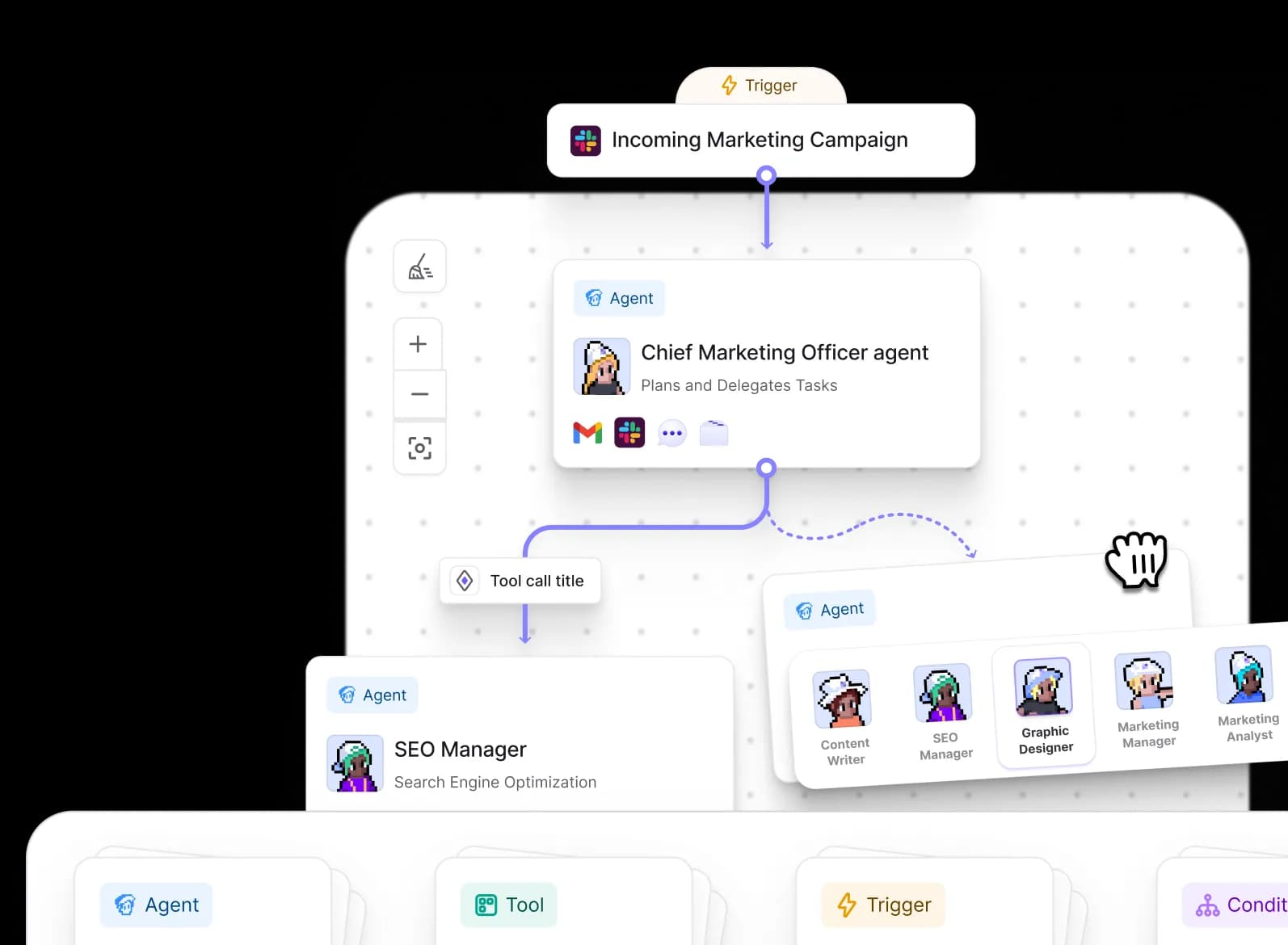
This illustrated marketing workflow shows a manager agent delegating work. It is a product example, not evidence of a measured outcome.
Relevance lists customer support alongside sales, operations, and other use cases. Its breadth does not establish that your helpdesk workflow is ready out of the box: check the required triggers, tools, and plan. Enterprise governance features include SSO, role-based access, and audit logs on its current pricing page.
Pricing: the official pricing documentation lists Pro at $19/month billed annually or $29 monthly, and Team at $234/month billed annually or $349 monthly. Actions and Vendor Credits are separate: the Free plan includes 200 monthly Actions and a one-time Vendor Credit grant. The public marketing page emphasizes custom Enterprise pricing. Use the documented plan and your account terms, not the older Team/Business credit table.
Pros:
- Genuine multi-agent teams with handoffs
- "Invent" makes agent creation fast
- Transparent, no-markup model pricing
Cons:
- Verify the plan required for your triggers and governance
- Actions and Vendor Credits require separate usage estimates
Verdict: consider it for coordinated work across multiple agents. For support, test the specific connection and handover rather than assuming its broad positioning either guarantees or rules out a fit.
8. Zendesk AI agents
Best for: teams whose support already runs on Zendesk.
Zendesk AI agents are built into the Zendesk Suite rather than sold as a separate builder. Zendesk says you describe workflows in natural language and the agent generates procedures from them, then works through multi-intent requests and asks clarifying questions. When a request needs escalation, it routes the issue to a human team with the conversation context.
The Zendesk pricing page lists AI agents for messaging, email, and voice, an AI agent builder that works from natural-language procedure descriptions, and an integration builder for reading and writing data in external systems. Voice requires Zendesk voice, and QA scoring of AI agent conversations requires the QA add-on.
For evaluation, write one procedure for a return request, connect the order lookup through the integration builder, and check which outcomes count as automated resolutions on your account.
Pricing: the pricing page lists Suite Team at $55 per agent per month paid yearly ($69 monthly) and Suite Professional at $115 ($149 monthly). AI agent usage is billed per automated resolution, meaning a request the AI agent resolved without escalation to a human. Suite Team includes 5 automated resolutions per agent per month and Suite Professional includes 10. Extra resolutions are listed at $1.50 committed or $2.00 pay-as-you-go.
Pros:
- AI agents included in every Suite and Support plan
- Procedures written in natural language
- Escalation to human teams inside the same helpdesk
Cons:
- Seat pricing and automated resolutions need separate estimates
- Best suited to teams already running Zendesk
Verdict: start here if Zendesk is already your helpdesk. Estimate resolution volume beyond the included allowance before comparing totals with the other options.
9. Ada
Best for: enterprise support teams automating across many channels and languages.
Ada is an AI customer service platform aimed at enterprise CX teams. You manage one AI agent in one place and deploy it across voice, email, chat, Messenger, WhatsApp, SMS, Instagram, in-app, and custom channels. Its Playbooks are structured workflows that let the agent follow multi-step SOPs using real-time data, and Coaching applies feedback on past conversations to future ones.
The platform page shows playbooks run against test variables and a hand-off step for passing a conversation to a person. Ada also offers open APIs and SDKs for connecting enterprise systems.
For evaluation, ask for the custom demo to be built on one of your own multi-step cases, such as changing an existing order, and check how a handoff to a human carries the context.
Pricing: the Ada pricing page is a demo request form. It asks for your expected contact volume and does not publish plan prices, so expect a custom quote.
Pros:
- One agent across voice, email, chat, and messaging channels
- Playbooks for multi-step SOPs
- Coaching that carries feedback into future conversations
Cons:
- No published pricing; a quote requires a demo
- Positioned for enterprise volumes
Verdict: consider Ada when you need one agent across many channels and languages at enterprise volume. Compare the quote and rollout plan on your own cases with the self-serve options.
10. Dify
Best for: teams that want deep customization without traditional coding, including self-hosting.
Dify is a visual builder for agentic workflows, with an open-source Community Edition you can self-deploy with Docker. Its workflow canvas has nodes for LLM calls, knowledge retrieval, question classification, if/else branching, tools, code, and human input. A chatflow runs each user message through the flow with conversation memory, which suits guided Q&A and structured support.
You can test a single node or the whole flow with sample input and inspect intermediate values before real users reach the app. Failing nodes can route to recovery branches, and published versions can be restored.
For evaluation, build a support chatflow that retrieves from your help docs, classifies the question, and sends refund requests to a human input node. Check how much of that is configuration and how much needs a code node.
Pricing: the Dify pricing page lists a free Sandbox with 200 message credits, one member, and five apps. Professional (5,000 message credits per month, 3 members, 50 apps) and Team (10,000 message credits per month, 50 members, 200 apps) are billed per workspace; check the page for the current amounts. Message credits cover hosted models, and you can switch to your own API key when they run out. The Community Edition is free for open-source, individual, and non-commercial projects, and Enterprise is a custom quote.
Pros:
- Open-source edition you can self-host
- Visual nodes for retrieval, branching, tools, and human input
- Node-level testing and restorable published versions
Cons:
- Helpdesk channels and actions are yours to connect and maintain
- SSO is listed as an Enterprise feature
Verdict: consider Dify when you want full control over the workflow and where it runs. For a support rollout, compare the build and maintenance effort with a ready-made teammate.
So which no-code AI agent builder should you pick?
Start with the task and the controls it requires. A support workflow can be configured in a general builder or handled by a ready-made teammate; compare how much each option leaves you to design and maintain.
Shortlist Botpress for visual workflows, Voiceflow for chat and voice design, Copilot Studio for Microsoft-centered work, Stack AI for enterprise deployment requirements, Relevance AI for coordinated agents, Lindy for cross-app team tasks, Zendesk AI agents if you already run Zendesk, Ada for enterprise omnichannel support, and Dify for self-hosted workflows. The roundup of no-code chatbot tools covers more options if these do not match your requirements.
For customer support, compare a configured workflow with a ready-made teammate against the same test cases. Check the supported helpdesk actions, knowledge readiness, and approval process. eesel CLI gives you a way to inspect those decisions and delegate setup to a coding agent, but it does not remove the need to test or authorize publication.
Use the picker below to shortcut to a starting point:
Try eesel AI
For support, evaluate an eesel teammate against your actual knowledge and permission requirements. Confirm source readiness and configure triggers and actions before expecting it to handle incoming requests. Custom workflow builders remain worth considering when their flexibility addresses a requirement you have.
Use eesel CLI to inspect the teammate's knowledge and permissions, rehearse a policy exception, and review the result before publishing a chat bubble or enabling helpdesk actions. The terminal and dashboard operate the same teammate; neither removes your responsibility to approve the rollout. Try eesel with one defined support task and expand after checking the result.
Frequently Asked Questions
What is a no-code AI agent builder?
Which is the best no-code AI agent builder for customer support?
Are no-code AI agent builders actually free?
Do I need any technical skills to use a no-code agent builder?
How much does a no-code AI agent builder cost per month?
What is the difference between an AI agent and a rule-based chatbot?
Why use eesel CLI in a no-code workflow?


Article by
Kurnia Kharisma
Kurnia is a software engineer and writer at eesel AI with two years of SEO experience, writing about AI tools, helpdesk software, and customer support. He pairs a developer's understanding of how these products are built with search-driven research into what actually ranks and resonates with the people searching for them.