


What Reve 2.1 actually is
Reve is an AI image generation and editing product from Reve AI, a small Palo Alto lab. The current headline model, Reve 2.1, shipped on 9 July 2026, a little over a month after Reve 2.0. The company markets it under the tagline "images you can touch," and the homepage sums up the product split neatly: "Reve 2.1 images are the code. Reve.com is the editor."
That is the part worth slowing down on. I build AI features for a living, and the thing that caught my eye here is not the aesthetics (they are good) but the architecture. Most of my day is spent making AI output that a human can actually inspect and trust before it does anything real, and Reve is chasing the same idea in a domain where almost nobody bothers: image generation.
Here is the short version of how the model got here.
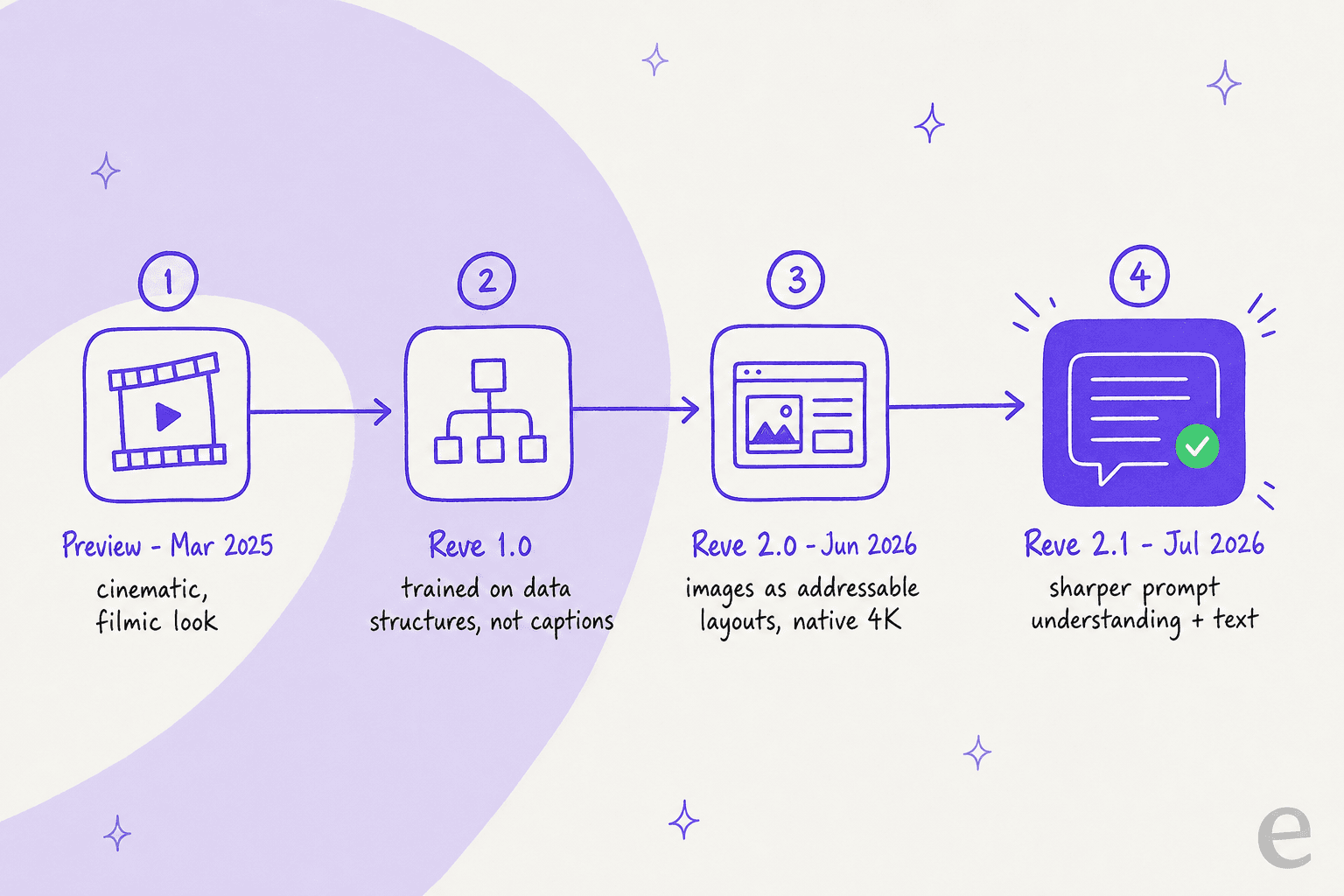
Reve first showed up in March 2025 with a preview model (widely nicknamed "Halfmoon") that shot to #1 on the Artificial Analysis Image Arena, beating out Midjourney v6.1 and Google Imagen 3. Reve 1.0 followed, trained "not on captions, but on detailed data structures." Then Reve 2.0 in June re-architected everything around layouts and native 4K. Reve 2.1 is the refinement of that foundation, with sharper prompt understanding and stronger text rendering.
The bet under the hood: images as code
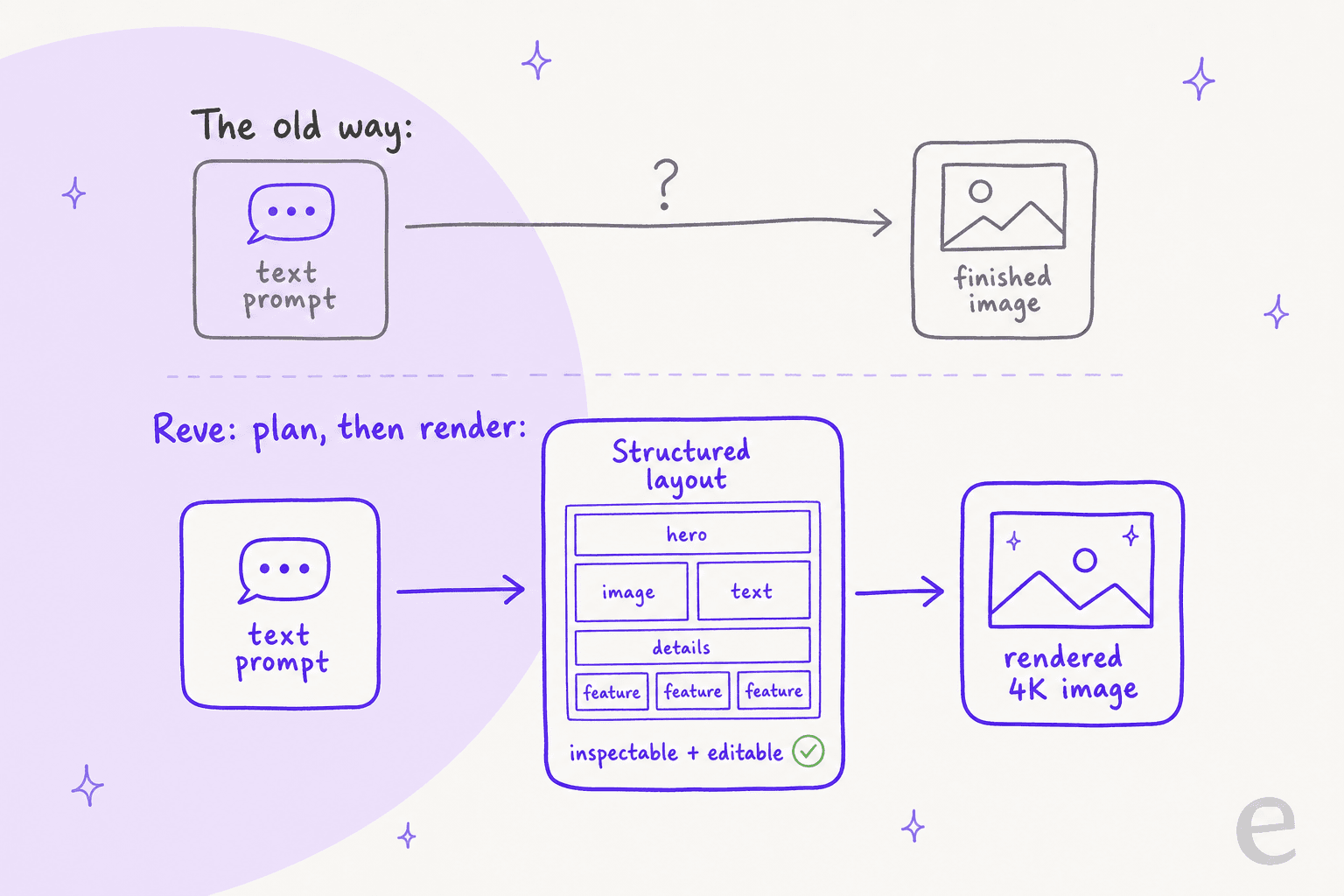
Most image models are, in Reve's words, still in a "fireworks phase": you pack material into a tube, light it, and hope something pretty comes out. You type a prompt, the model goes straight to pixels, and if the hands are wrong or the sign says "RSETAURANT," your only real move is to re-roll and pray.
Reve 2.1 splits that into two steps. It plans the image first as a structured, addressable layout, where every element has a position, a size, and a local description, and only then renders it. The plan is inspectable and editable, by you or by an agent.
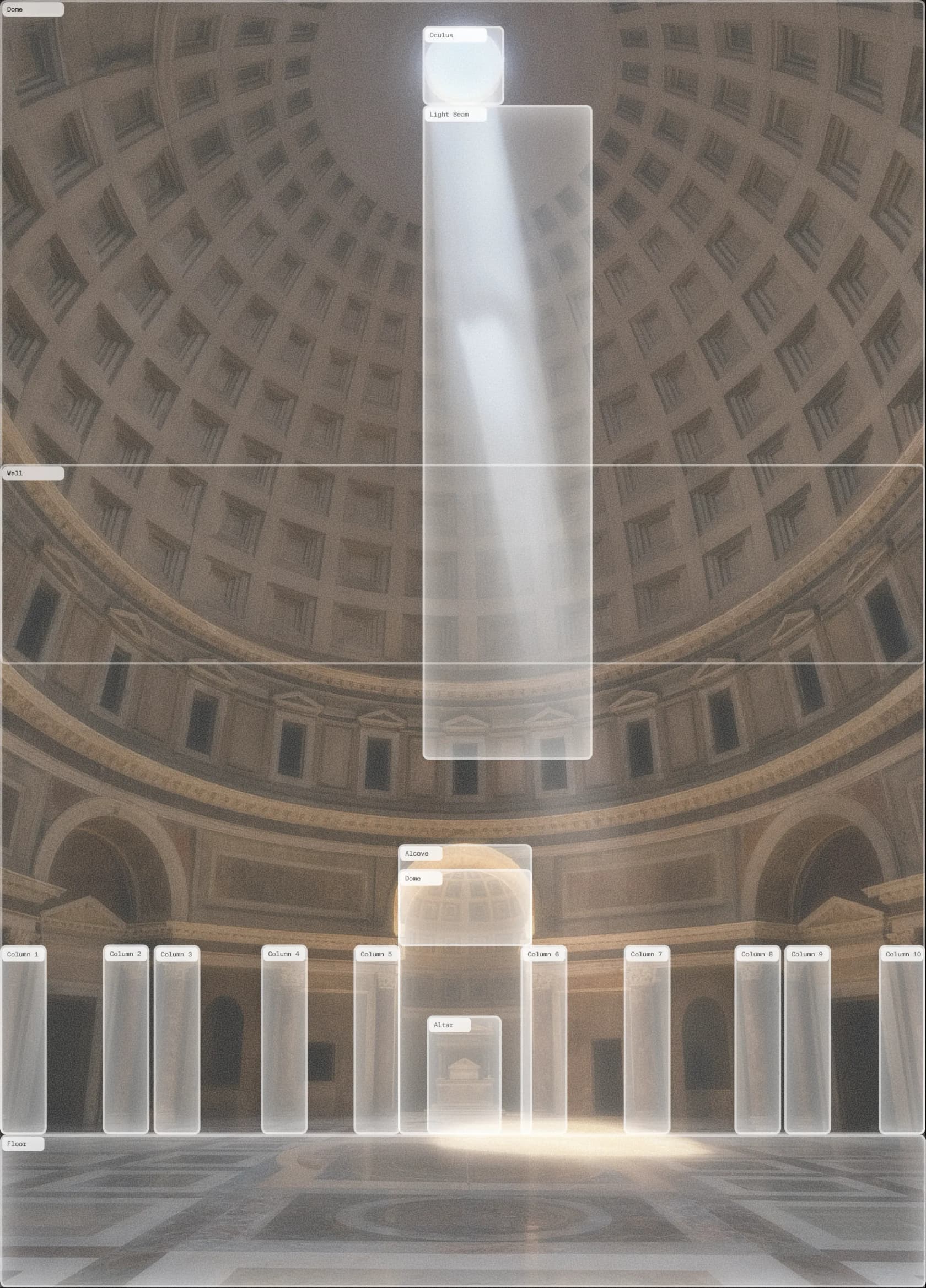
You can see this most clearly in Reve's own demo of a scene broken into labelled parts, right down to the individual columns of a building. That labelled skeleton is the intermediate representation the model reasons over before it draws a single pixel.
The company's analogy is that generating an image straight from text is "like generating entire applications without first generating a codebase." Under the hood, Reve blends two model families: diffusion (beautiful but hard to steer) and an autoregressive, LLM-style planner (steerable but slower). The claim is that you get the best of both.
I am usually allergic to this kind of framing, because "AI you can trust" is the most over-promised phrase in the industry. But the mechanism here is real and it is the same principle I lean on when building support automation: a black box that only gives you a final answer is hard to trust, while a system that shows its plan first is one you can actually correct. It is the difference between hoping and checking.
What is new in Reve 2.1
Reve frames 2.1 as "a real jump in visual intelligence and reasoning" on top of the 2.0 architecture. The three headline gains, per the launch, are better prompt understanding, more world knowledge, and stronger foreign-text rendering, with the biggest improvements showing up in marketing materials, abstract patterns, and people.
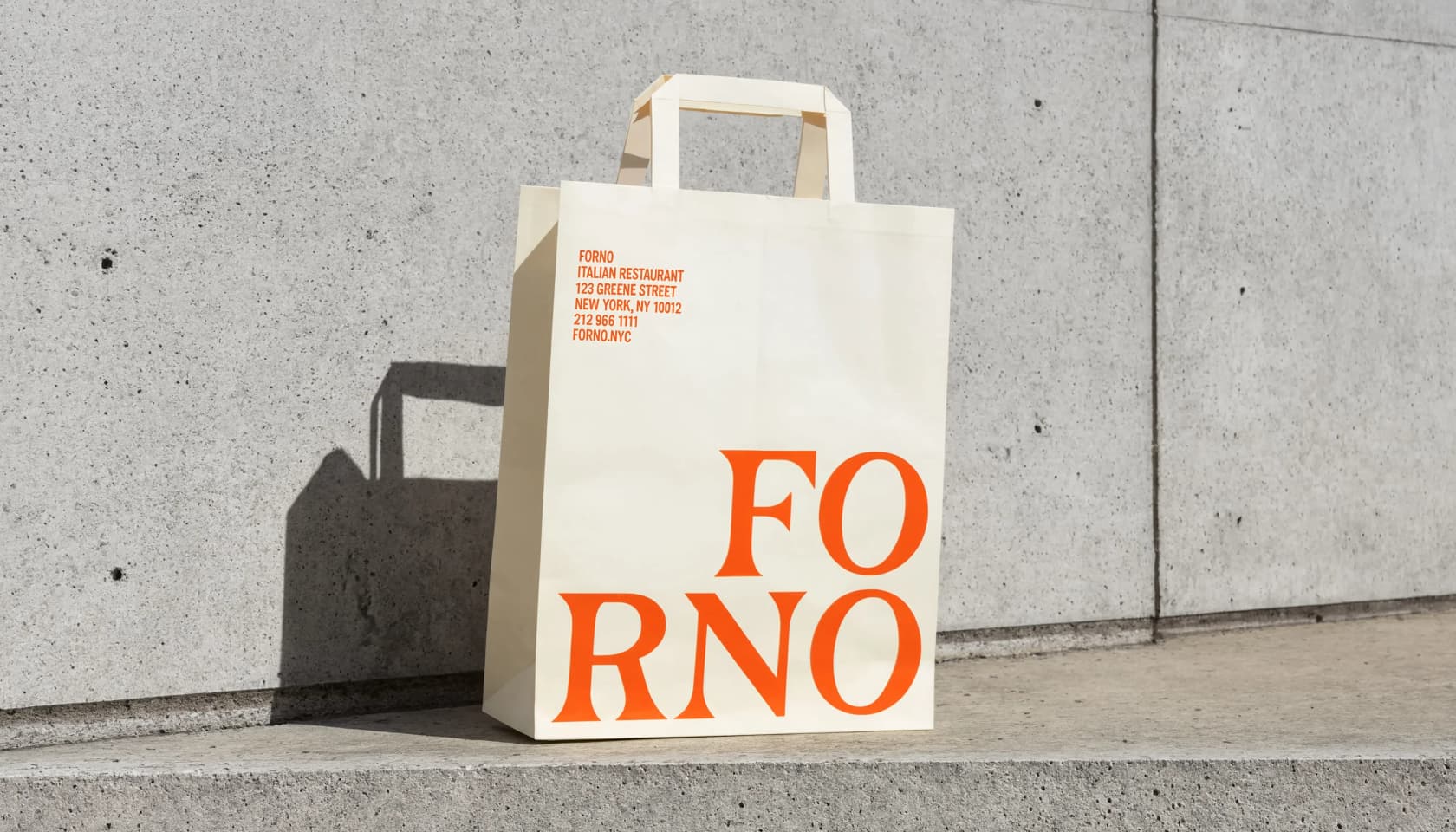
Text is the one to watch. Rendering legible words inside an image has been the great embarrassment of image models for years, and it is where Reve genuinely stands out. Posters, packaging, ad mockups, and logos come out with typography that mostly holds together instead of dissolving into gibberish.
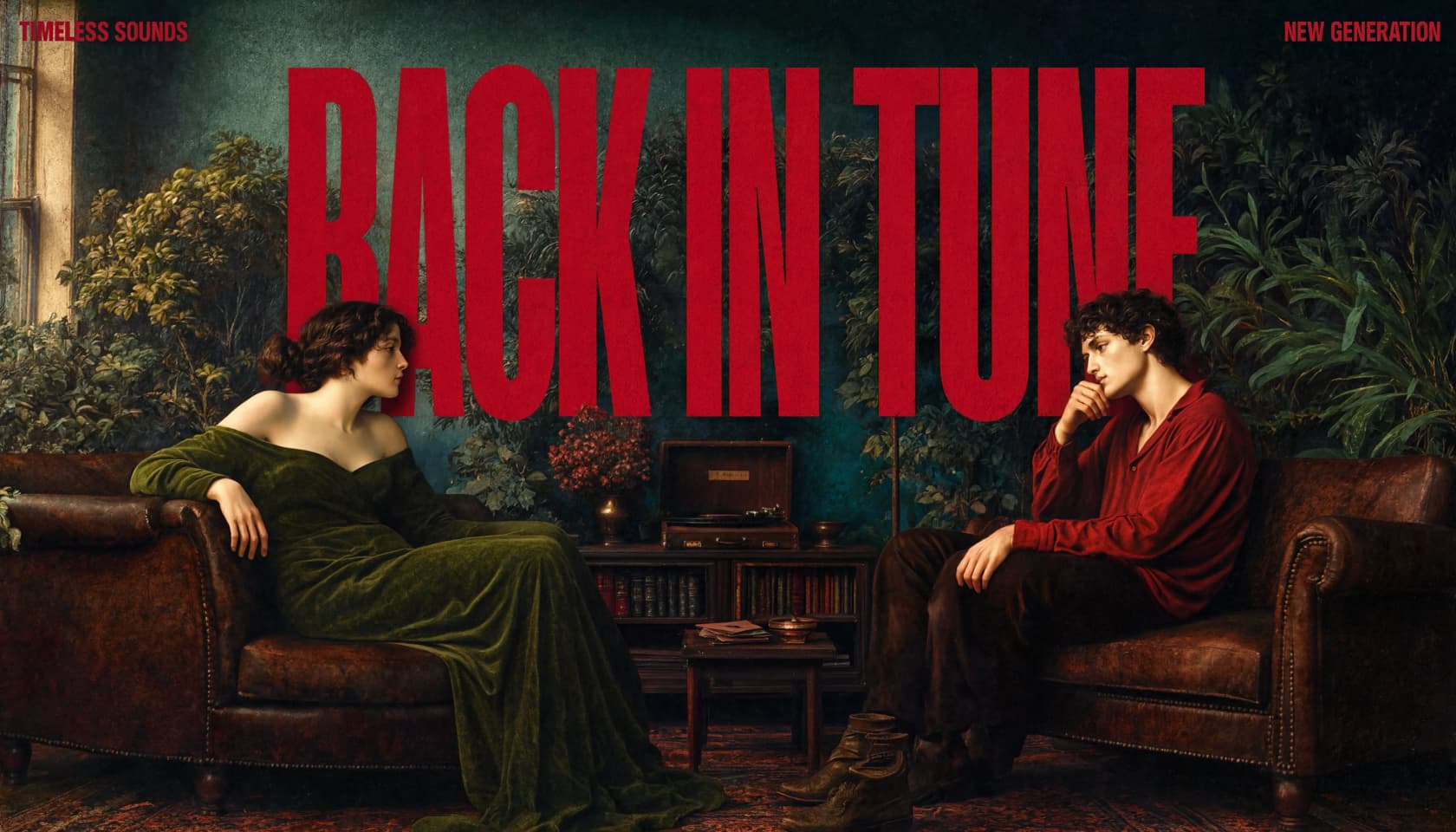
Because layout and text are planned before rendering, small-format branding text (addresses, phone numbers, product names) survives too, which is exactly the stuff that usually falls apart.
Designers on X picked up on this immediately. As one put it after the release:
"Haven't tested yet but the improved text rendering and prompt understanding sound like game-changers for complex designs."
How good is it, really?
Benchmarks in image generation are messy, so it is worth being precise. On Arena.ai's Text-to-Image Arena (the human-preference leaderboard formerly known as LMArena), Reve 2.1 landed at #2 overall with an Elo of 1306, a +36 jump over Reve 2.0 in a single month and +28 ahead of the next-best model. It ranks top-3 across six categories, including photorealism, art, and text rendering.
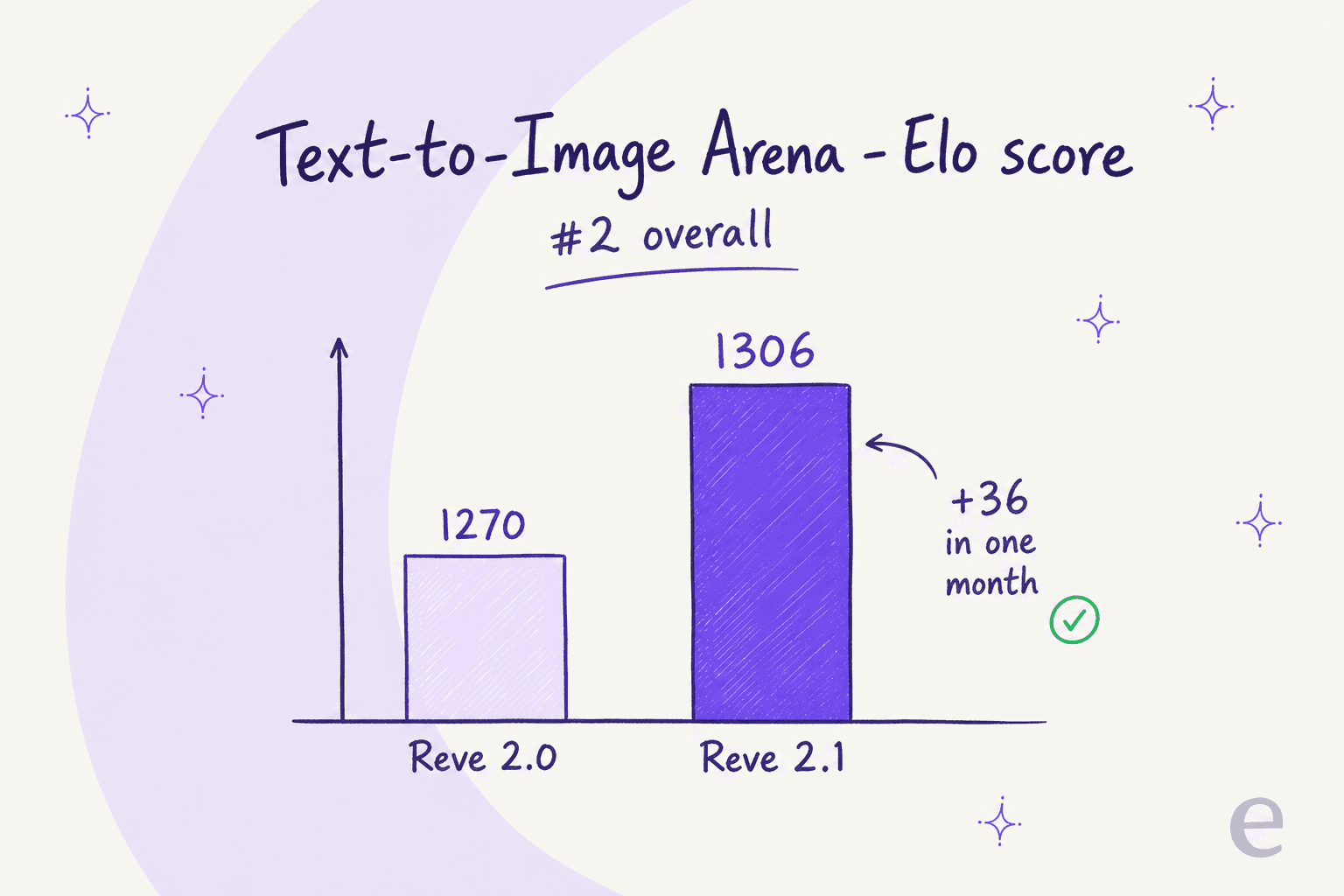
Two caveats keep this honest. First, #2 means there is a #1: OpenAI's GPT Image 2 still sits above it. Second, leaderboards disagree. As of this writing the Artificial Analysis board had not yet ranked 2.1 and still showed Reve 2.0 at #2 behind GPT Image 2 at 1338. So "world's #2" is Arena.ai's verdict specifically, not a universal fact. What is not in dispute is that Reve is firmly in the top tier, which Reve says it reached training on "10x fewer GPUs" than the bigger labs.
The product photography holds up to the ranking, for what it is worth.

Editing is the part people actually get excited about
Here is where the "images as code" idea stops being a slogan. Because the image is a structured layout, you can select and re-prompt individual elements after generation, rather than regenerating the whole thing and losing everything you liked. Reve's editor exposes those elements directly.

Change the background from a studio backdrop to a grassy field, keep the product and the logo exactly where they were, and only that region re-renders.

This is the feature that drew the strongest organic reaction to the previous version, and it carries straight into 2.1:
"Reve 2.0 is incredible at image editing. It automatically detects layers in images you generate, and then you can specifically prompt to make changes."
Reve also claims the layout approach means iterative edits do not degrade the image the way repeated diffusion passes usually do, since generating from a locked layout avoids the artifact buildup you get from re-editing a raster over and over.
What Reve 2.1 costs
Reve has two pricing surfaces: consumer subscription plans for the app, and usage-based credit pricing for the API. Both run on a credit unit the app calls "energy," and the consumer tiers are quoted as multiples of the Free baseline rather than absolute numbers.
| Plan | Monthly cost | Creative energy | Video | Standout feature |
|---|---|---|---|---|
| Free | $0 | Basic energy, refreshed daily | One-time signup allowance | Generate and edit images, brainstorm in chat |
| Lite | $7.99 + tax | 5x Free | Same as Free | 5x more storage; opt out of model training |
| Pro | $19.99 + tax | 100x Free | 250 video energy/month | Video generation, plus PDF and audio as context |
For developers, the API is pay-as-you-go: a $10 minimum buys 7,500 credits, and a v2 image generation or edit costs 150 credits (about $0.20). Cheaper legacy "fast" endpoints run as low as ~$0.007 per image. One thing worth flagging on the Free tier: accounts are opted into model training by default, and only paid plans can opt out.
At $19.99 for the top consumer tier, Reve undercuts a lot of the competition, and getting video generation at that price is genuinely aggressive.
What people are saying, good and bad
The praise is consistent: prompt adherence, text rendering, and 4K output are the things users single out across every version. The complaints are narrow and, tellingly, not about quality. The top reply on the official launch was a request to loosen the content policy:
"make it allow nsfw for paid users on text to image"
And a practical gripe that will matter if you are generating at scale:
"Nice 👍 I hope the file size has been optimized. It was much larger than expected for a generated image."
So the honest limits are: a locked-down content policy that even paying users cannot loosen, heavy output files (a real cost if you generate in bulk), and a young, proprietary product where the model is well ahead of the surrounding tooling. Reve is also premium-only, which stands in contrast to open-weights alternatives that shipped around the same window. None of these are dealbreakers for most commercial work, but they are the things to know before you commit a workflow to it.
Where I would actually use it
If your work is marketing visuals, posters, packaging, ad mockups, anything with text in it, Reve 2.1 is one of the strongest picks available right now, and the editing model is a real productivity unlock. If you need uncensored generation or open weights, look elsewhere. And if you are comparing it to Midjourney purely on painterly vibe, Midjourney still has an edge on that specific axis, while Reve wins on prompt obedience and typography.
The deeper reason I find Reve worth watching has nothing to do with images. It is the pattern. The move that makes Reve good is making the AI's plan visible and editable instead of hiding it in a black box. That is not an image-generation trick, it is just good AI design, and it is exactly how I think about the support automation we build.
Try eesel
Reve is for pictures. If the AI problem you are actually trying to solve is written work (support replies, help-center articles, blog drafts) that is where eesel AI lives, and it is built on the same principle that makes Reve good: never make you trust a black box.
Our AI blog writer drafts long-form, researched content (this post's workflow included), and our AI helpdesk agent handles support tickets. The reason teams trust it is the same "plan you can inspect" idea: before an agent ever replies to a real customer, you can simulate it on thousands of past tickets to see exactly what it would have said, find the gaps, and fix them. It is the antidote to AI that hallucinates, and it is why customers like Gridwise saw 73% of tier-1 requests resolved in the first month.

Pricing is one fixed monthly price on the Teammate plan, from $299/month for 500 credits (1 credit per ticket or chat), with no per-seat fees, and you can try eesel free with 100 credits and no credit card. It plugs into your help desk in a few minutes and already knows your docs.