


Reve 2.1 pricing at a glance
Reve 2.1 launched on 9 July 2026 and landed at #2 on the Text-to-Image Arena with an Elo of 1306, so the pricing question is really "is a top-three image model worth this much?" The answer starts with how Reve splits its pricing into two completely separate surfaces: a consumer subscription for the app, and a pay-as-you-go API for developers.
Both run on the same currency, a credit Reve calls "energy." Here are the three consumer plans, straight from Reve's subscription plans help article:
| Plan | Monthly cost | Creative energy | Video | Storage | Model training |
|---|---|---|---|---|---|
| Free | $0 | Basic energy, refreshed daily | One-time allowance on signup | Basic | Opt-in by default |
| Lite | $7.99 + tax | 5x Free | Same as Free | 5x Free | Opt-out available |
| Pro | $19.99 + tax | 100x Free | 250 video energy/mo (+100/day) | 100x Free | Opt-out available |
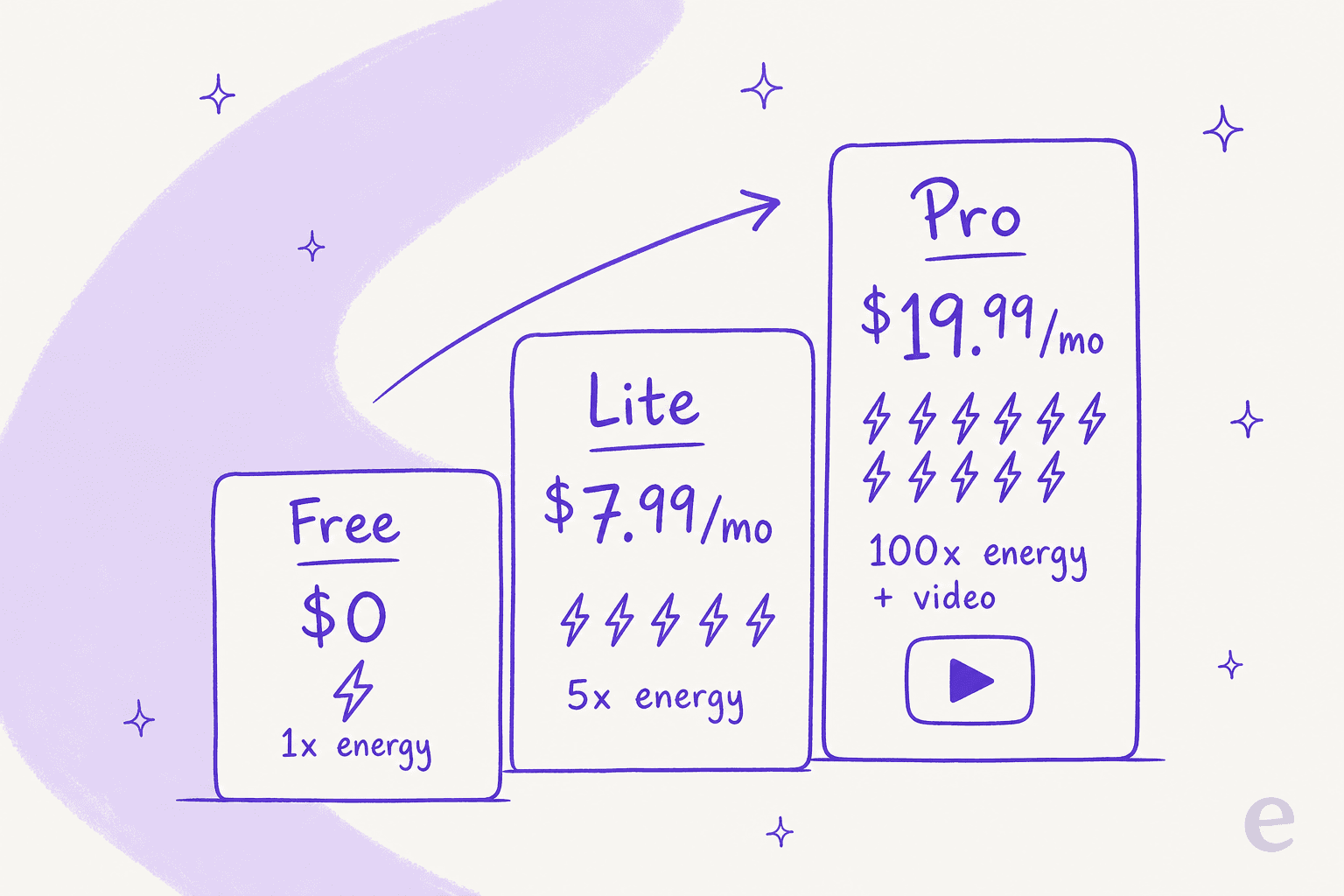
One honest limitation up front: Reve does not publish an absolute number for "basic creative energy" on Free, so Lite and Pro are only ever described as 5x and 100x of a baseline you can't see until you sign up. That is the one part of the pricing I'd call less than transparent, and it means the worked examples below matter more than the sticker price.
What you actually get on each plan
The prices are simple. What separates the plans is energy, video, and one privacy setting most people miss.
Free is a real tier, not a trial. You get basic creative energy that refreshes daily plus a one-time allowance when you sign up, which is enough to test whether the model's prompt adherence and text rendering live up to the benchmarks. The trade-off is the setting hiding in the corner: Free accounts are opted into model training by default, and you cannot opt out without paying. If your prompts or reference images are commercially sensitive, that alone is the argument for Lite.
Lite at $7.99 is the "I use this regularly" plan. Five times the energy, five times the storage, and, importantly, the ability to opt out of having your images train future models. For a solo designer or marketer generating a steady trickle of assets, this is the plan that clears the training concern for the price of a coffee or two.
Pro at $19.99 is where video shows up. You get 100x the Free energy, 250 video energy per month (with your standard energy also usable for video, up to 100 a day), and the ability to upload PDFs and audio as context for a generation. If you are producing video or running Reve as a daily workhorse, the jump from Lite is steep on paper but cheap in absolute terms, getting video generation at a $19.99 ceiling is aggressive next to most of the field.
Reve API pricing: paying per image
The consumer plans are one thing. If you are a developer wiring Reve into an app, you are on the API, and the pricing model is completely different: pure usage-based credits, no subscription.
The entry point is a $10 minimum purchase, which buys 7,500 credits, working out to roughly $1.33 per 1,000 credits. There is a daily ceiling too, up to $1,000 of credits per day (Reve states this as "750,000 credits or 150,000 images"), with higher limits available through sales@reve.com. Everything you do then draws down credits at a per-operation rate:
| Operation | What it does | Credits | Approx. cost |
|---|---|---|---|
| v2 Create | Prompt → image + layout | 150 | ~$0.20 |
| v2 Edit | Image + prompt → edited image | 150 | ~$0.20 |
| v2 Analyze | Image → layout | 80 | ~$0.11 |
| v2 Render | Layout → image | 80 | ~$0.11 |
| Legacy Create | Prompt → image | 18 | ~$0.024 |
| Legacy Edit | Image + instruction → image | 30 | ~$0.04 |
| Edit Fast | Image + instruction → image | 5 | ~$0.007 |
| Remix Fast | 1-6 images + prompt → image | 5 | ~$0.007 |
The gap between the top and bottom of that table is the whole story of API cost, and it is bigger than most people expect.
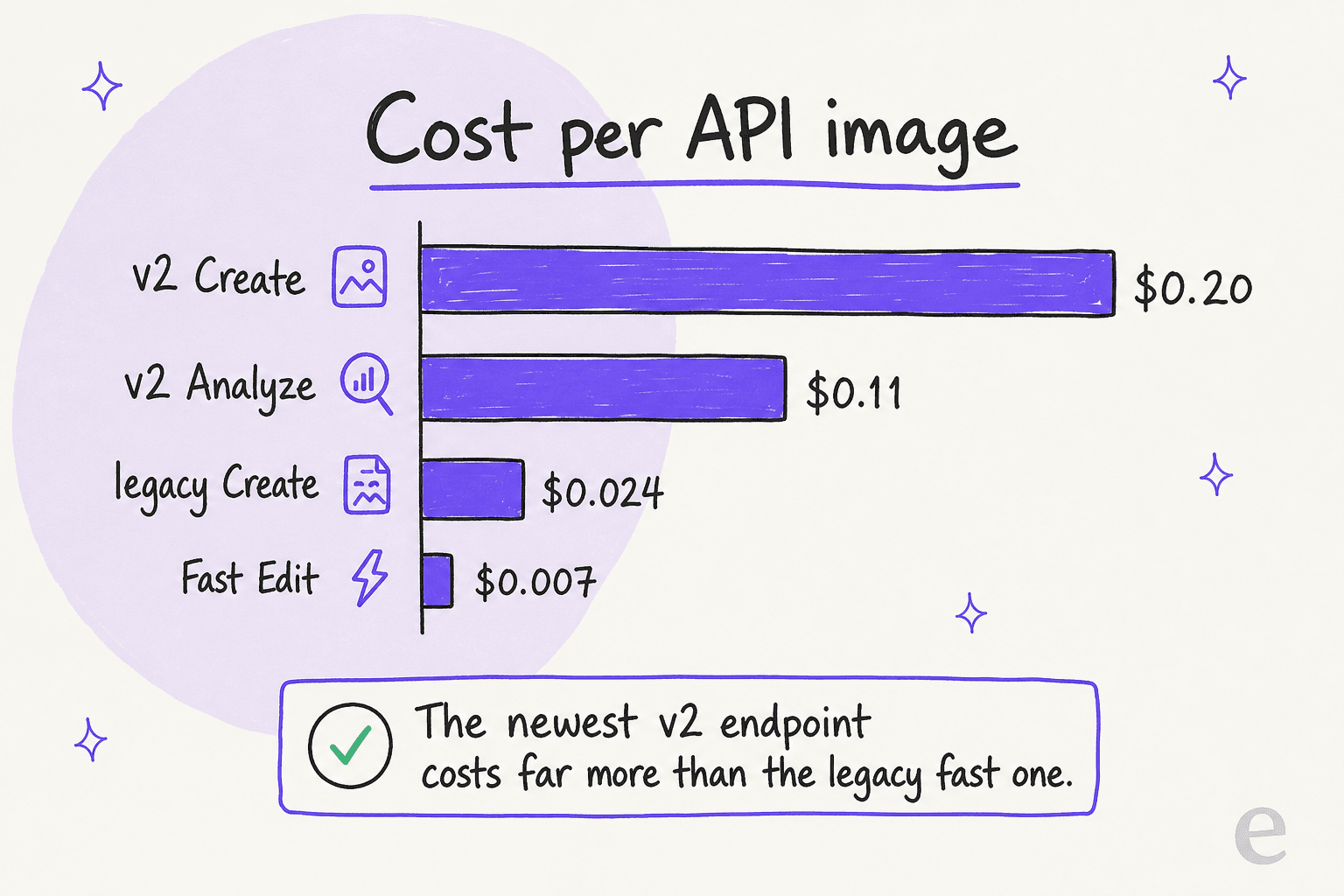
The newer v2 endpoints, the layout-native ones that power the Reve 2.x models, are the premium option at 150 credits ($0.20) per Create or Edit. The v1 "Fast" variants are nearly 30x cheaper at 5 credits ($0.007), but they skip the structured-layout planning that makes Reve 2.1 special. So your effective per-image cost isn't a single number, it depends entirely on which endpoint you call, and whether the layout intelligence is worth 30x the price for your use case.
Here is a quick calculator so you can plug in your own volume rather than doing the credit maths in your head:
What a real month actually costs
Sticker prices lie a little, so here is what three real users end up paying.
The hobbyist generating a handful of images a week never leaves Free, or moves to Lite at $7.99 the moment they want to opt out of model training. Total: $0 to $7.99/month. For this person, Reve is one of the cheapest serious models to run.
The working designer producing dozens of assets a day, iterating on layouts, occasionally making a short video, lives on Pro at $19.99. The 100x energy is generous enough that most designers never hit a wall, and video is included. Total: a flat $19.99/month.
The developer embedding Reve in a product is on the API, and this is where costs scale with usage. At 1,000 v2 images a month you are looking at ~$200; at 1,000 Fast images, ~$7. The endpoint choice is a bigger lever on your bill than anything else, which is exactly what the calculator above is for. Total: entirely volume-dependent, from a few dollars to the $1,000/day ceiling.
The pattern is clear: Reve is very cheap for individuals and metered-but-fair for developers. The only people who pay a lot are the ones generating at real scale through the premium v2 endpoints, and they are getting the layout intelligence that no subscription tier exposes programmatically.
Which plan should you pick
If you strip away the details, the decision comes down to one question: what are you actually doing with it?
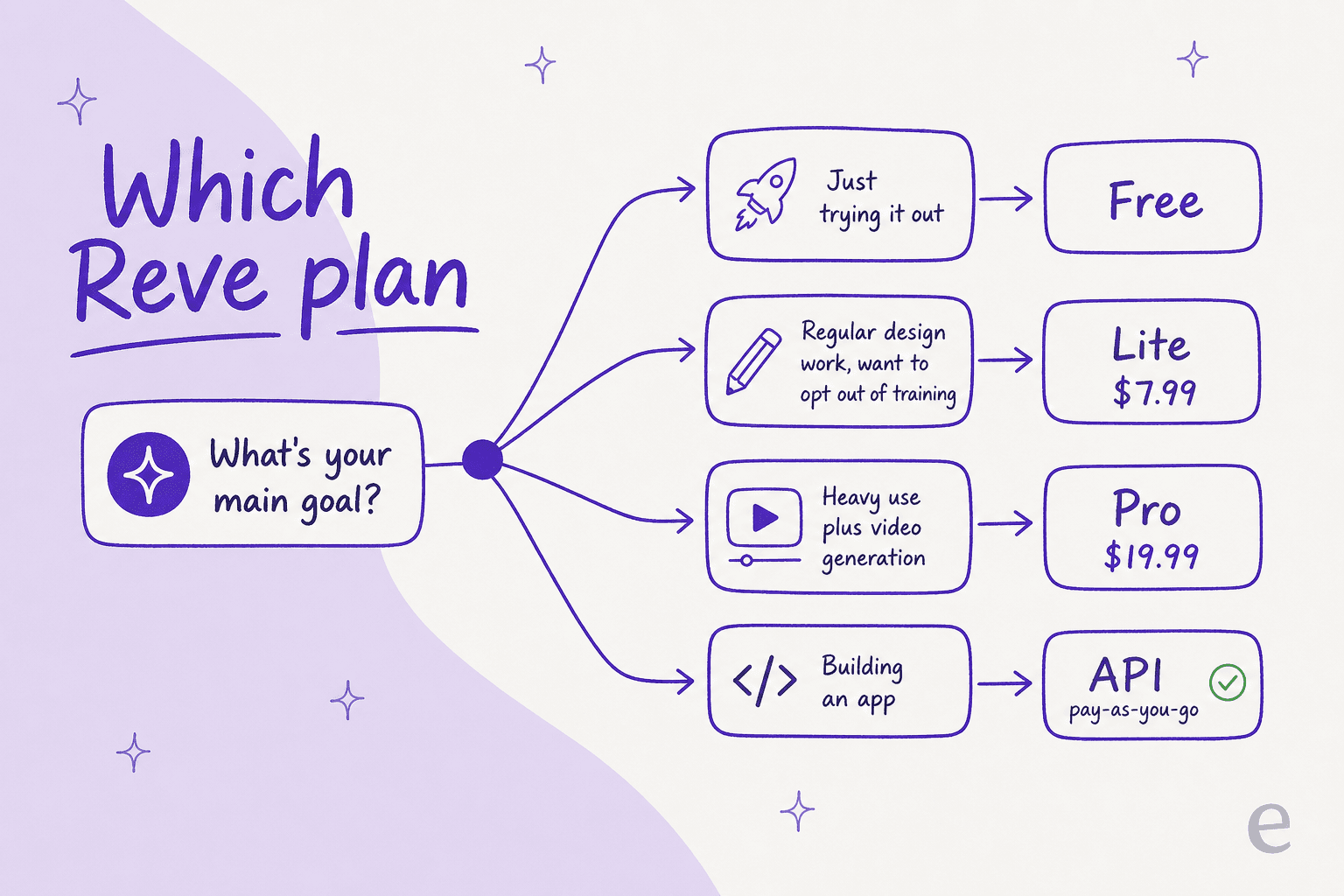
- Just trying it out? Free. Test the prompt adherence and text rendering, then decide.
- Regular design work, and you care about privacy? Lite at $7.99. The training opt-out alone justifies the upgrade.
- Heavy daily use, or you need video? Pro at $19.99. It is the only tier with video generation, and the energy is effectively uncapped for most workflows.
- Building an app? The API. Pick your endpoints deliberately, Fast for volume, v2 when the layout planning earns its ~$0.20.
How Reve 2.1's price compares
Reve's pricing looks sharp in context. Its $19.99 Pro ceiling sits below where several rivals put their mid-tier plans, and getting video at that price is unusual. If you are cross-shopping, it is worth putting Reve's numbers next to Midjourney pricing, Ideogram pricing, and Nano Banana Pro pricing to see where each lands for your volume. On the model quality side, our GPT Image 2 vs Midjourney vs DALL-E 3 comparison covers the field Reve is competing against, and Reve currently ranks #2 overall on the arena, just behind GPT Image 2.
The honest caveat: image-model leaderboards trade blows every few weeks, and a price that looks great today can be matched by a competitor's next release. Reve's durable advantage is the layout-first architecture and 4K output, not the price tag, so buy it for what it does well rather than because it is a few dollars cheaper.
What people are saying about the value
Sentiment on Reve is mostly about capability rather than cost, which is usually a good sign for a paid tool, people aren't complaining about the bill. The strongest reactions are to the editing model:
"Reve 2.0 is incredible at image editing. It automatically detects layers in images you generate, and then you can specifically prompt to make changes. A fun workflow is to use your new images for a video prompt as start/end frames."
And on what the 2.1 update sharpened, which is what you're paying for:
"Haven't tested yet but the improved text rendering and prompt understanding sound like game-changers for complex designs."
The complaints that do surface are narrow and none of them are about price: a locked-down content policy (no NSFW even for paying users) and oversized output files. Worth knowing before you pay, but neither dents the value case.
Try eesel for AI content workflows
If the reason you're pricing out Reve 2.1 is to power a content pipeline, thumbnails, in-article illustrations, or social assets to go with your posts, it's worth remembering the model is only half the job. Reve makes the image; it won't research the topic, write the article, or make sure the visual actually matches the paragraph next to it.
That's the half eesel's AI blog writer is built to close: it researches a topic from primary sources, writes in your brand voice, and generates the visuals in the same run, rather than leaving you to bolt an image API onto a separate AI content writer. Like Reve, it skips seat fees: the blog writer is $4 per blog post, so you pay for what you generate.

It's free to try, and worth pairing with a strong image model like Reve 2.1 if the images were never actually your bottleneck.