

What NotebookLM Video Overviews actually are
If you have not opened NotebookLM in a while, the quick version: it is Google's source-grounded research assistant. You upload your own documents (PDFs, Google Docs, websites, YouTube links, audio) and it answers questions using only those sources, with citations pointing back to the exact passage. It is not a general chatbot that riffs on the open web.
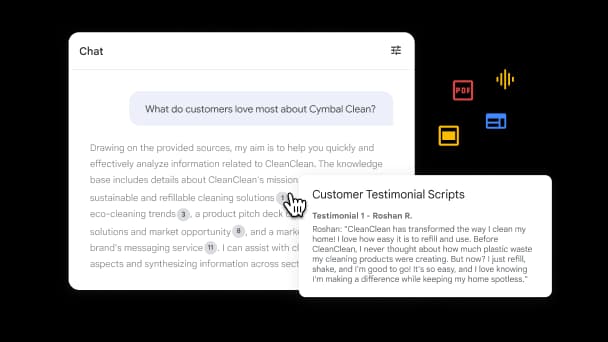
That grounding is the part people underrate. When you ask NotebookLM something, the answer arrives with numbered citations you can click to verify, so you always know which of your files a claim came from. It is the same trust mechanic that makes a good knowledge base chatbot useful instead of scary.
Video Overviews take that grounded material and, instead of writing it back to you, turn it into a narrated video. Per Google's help docs, a Video Overview distills your sources into "clear, digestible content" as a visual walkthrough. The original version was a narrated slide deck. Then Google added a fully animated Cinematic format, and now the short-form vertical one: Short.
The Short format: 60 seconds, vertical, one idea
Here is what makes Short different from everything NotebookLM shipped before it.
- It is fixed at ~60 seconds. Not a slider, not "up to a minute." One minute is the format.
- It is vertical (9:16). Portrait, phone-first, the shape of a Reel or a Short, versus the 16:9 landscape of the other formats.
- It covers one concept. Where Explainer walks the whole notebook, Short grabs the single most important idea and makes one punchy clip out of it. Google frames it as "narrative explanations and educational animations," per 9to5Google's report on the June 30 rollout.
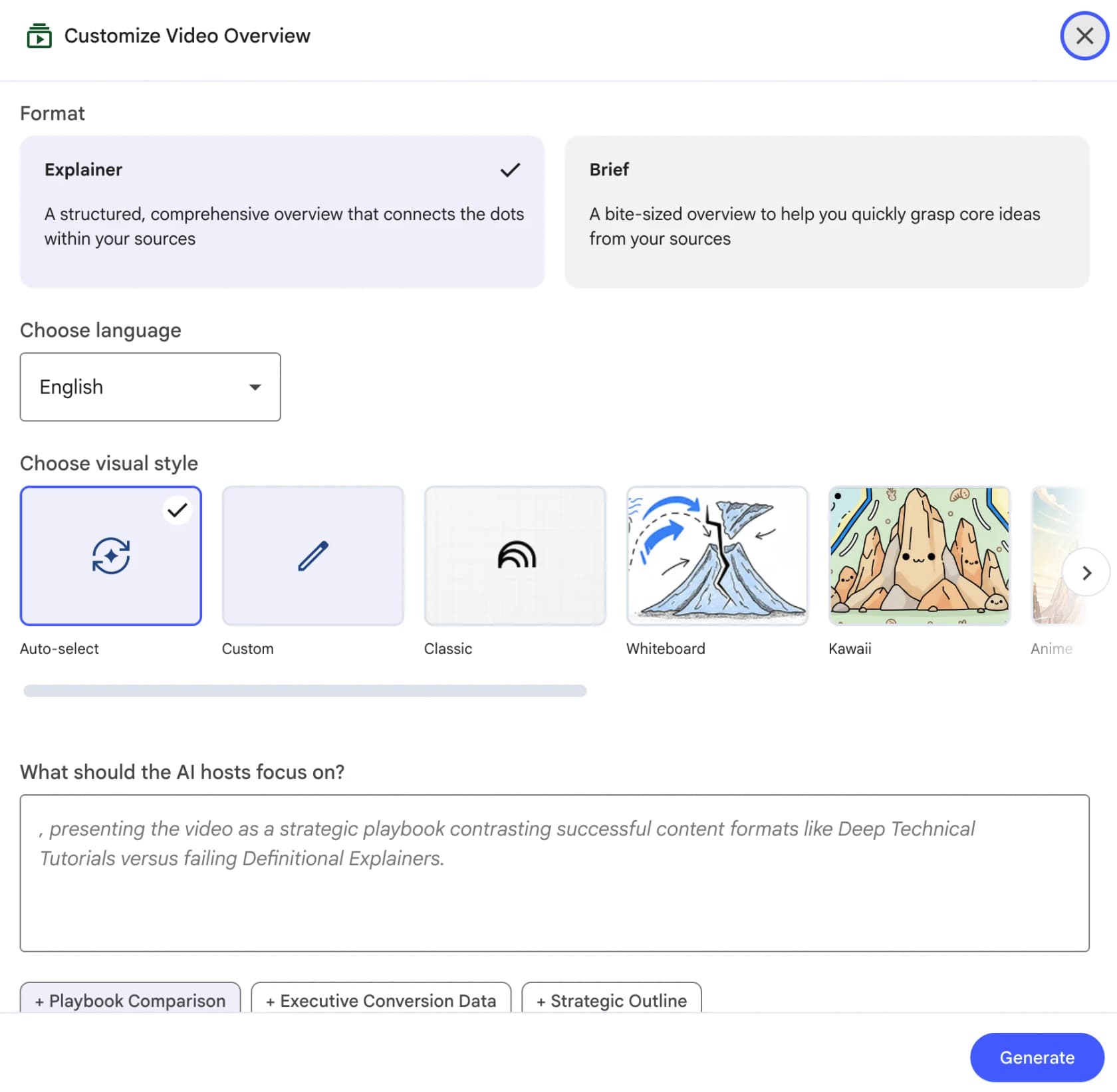
One naming note, because it trips people up: earlier builds of NotebookLM labeled the short option "Brief," which is why you will still see that word floating around. The current help center lists three formats, and the short-form one is now called Short. Same idea, cleaner name.
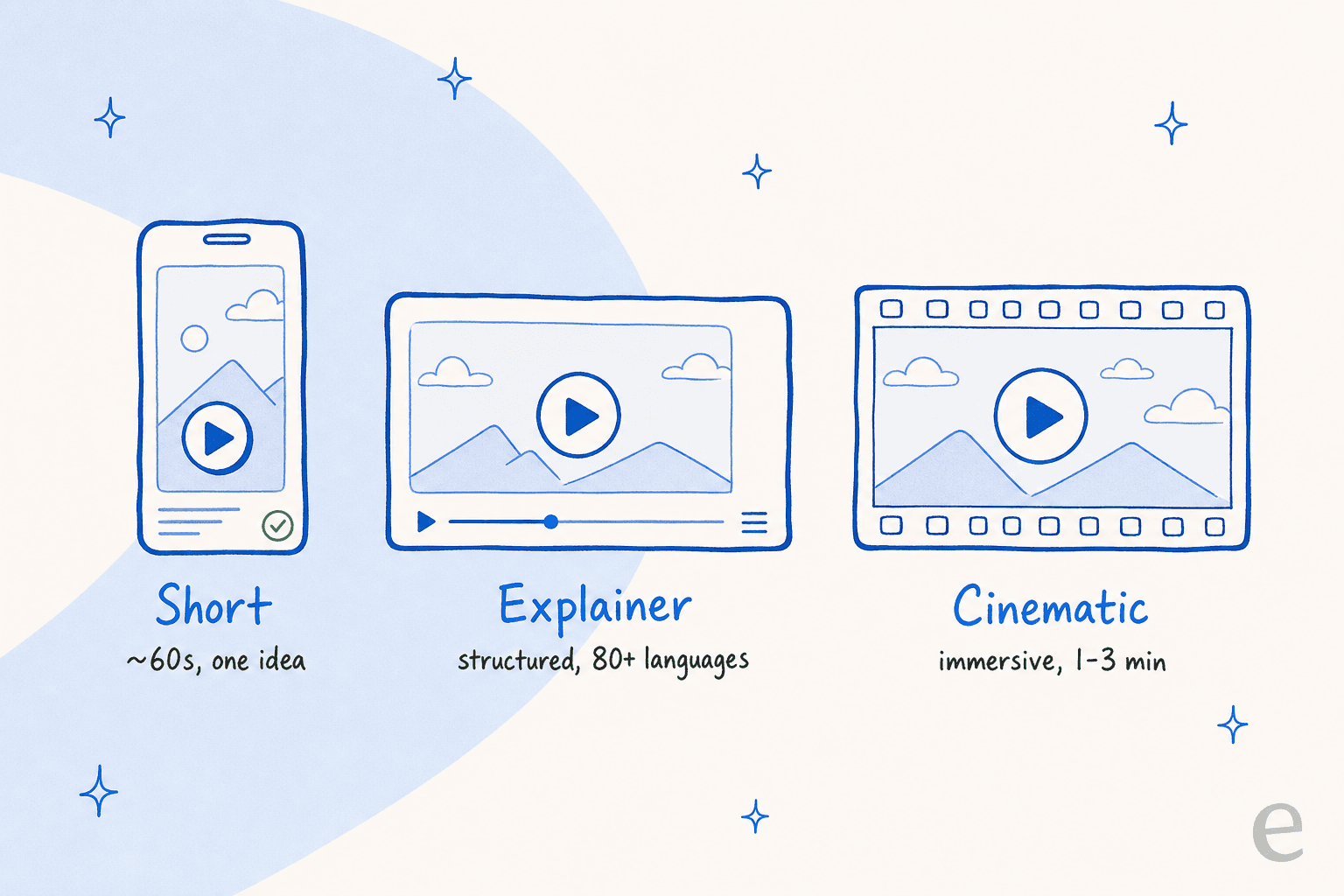
The use case Google is chasing is obvious once you see the shape: quick revision on your phone, a bite-sized takeaway you can share, "learning on the go." Digital Trends summed up the pitch as turning doomscrolling into something useful, which is honestly the whole product thesis in one line.
How a Short Video Overview gets made
This is the part I find genuinely clever, because the interesting decision is a cost one. A 60-second vertical video needs a lot of generated images, and generating images is expensive and slow. Google's answer was to render Short overviews with Nano Banana 2 Lite, officially Gemini 3.1 Flash-Lite Image, its fastest and most cost-efficient image model (roughly four-second image generation, per 9to5Google). That speed-and-cost profile is exactly what makes churning out a minute of visuals viable at consumer scale.
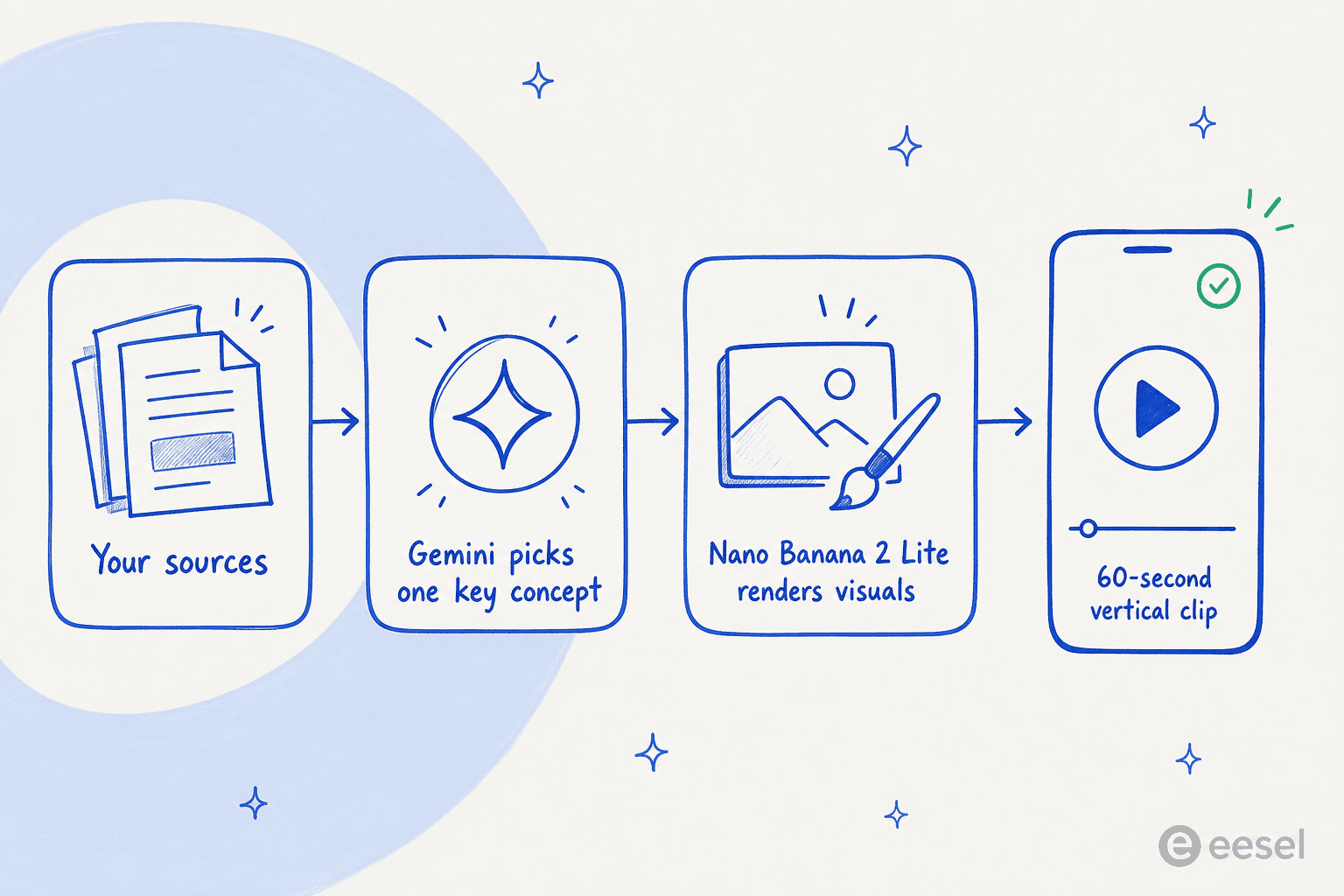
The flow, end to end: NotebookLM reads the sources in your notebook, Gemini narrows the whole thing down to one core concept, Nano Banana 2 Lite renders the frames, and you get a narrated vertical clip. Crucially, none of the imagery or narration comes from outside your notebook. The model is not free-associating from the web, it is visualizing what your documents already say.
Contrast that with the Cinematic format, which launched in March 2026 and uses the heavier Gemini 3, Nano Banana Pro and Veo 3 stack. Google describes Gemini there as "a creative director, making hundreds of structural and stylistic decisions." That is a lot more compute per video, which is why Cinematic is capped at around two per day on Pro and gated behind paid tiers, while Short is cheap enough to hand to everyone.
Explainer and Cinematic: the other two formats
Short only makes sense next to its two siblings, so quickly:
- Explainer is the default, and the workhorse. A structured, comprehensive narrated overview that "connects the dots" across your sources, in 16:9 landscape. It supports 80+ languages and a genuinely fun set of visual styles: Classic, Whiteboard, Watercolor, Retro Print, Heritage, Paper-craft, Kawaii and Anime, or you can type a custom style.
- Cinematic is the show-off. Fully animated, immersive, roughly one to three minutes, built to feel produced rather than narrated-over-slides. It is English-only and 18+, same as Short.
So the trio splits cleanly by intent: Short for a fast phone-sized hit, Explainer for the full picture in any language, Cinematic when you want it to look good in front of an audience.
How to make one
The mechanics are the same regardless of format. You need edit access to a notebook, then:
- Open (or create) a notebook and upload your sources.
- In the Studio panel, pick Video Overview.
- Before you hit generate, optionally customize: Format (Short, Explainer or Cinematic), Language, Visual Style, and a steering prompt telling the AI hosts what to focus on.
- Hit Generate. It renders in the background, so you can go make other artifacts or leave. Google warns generation can sometimes take more than 30 minutes.
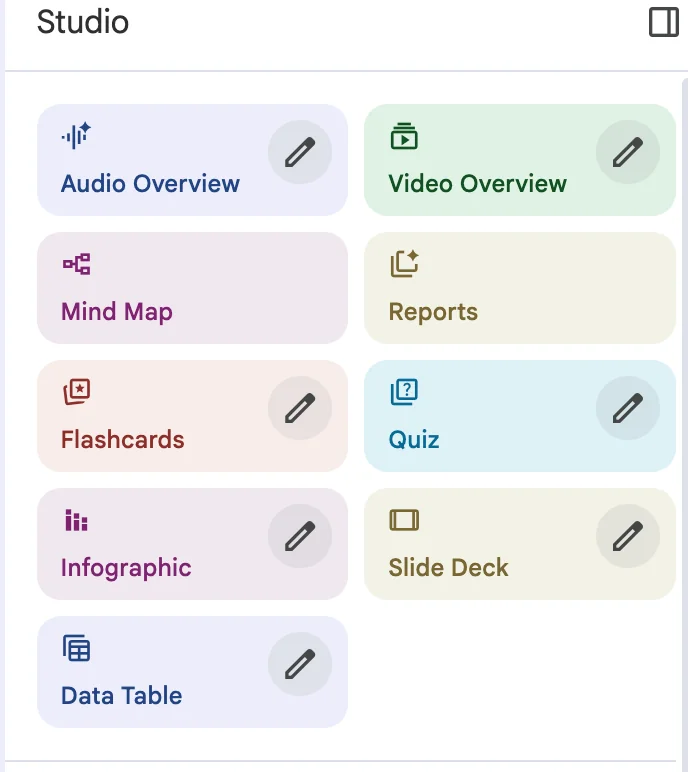
Video Overview is just one tile in that Studio panel. The same notebook can spit out an audio deep dive, a mind map, flashcards, a quiz, an infographic or a slide deck, all grounded in the same sources. Short video is the newest way to slice the same underlying material.
What people actually think
The community reaction has been positive but genuinely split, which is more interesting than uniform praise. The strongest take I saw came from product writer Peter Yang, who found the video generator makes better visuals than NotebookLM's own dedicated slide and infographic tools:
"The video overview feature of @NotebookLM makes significantly better slides and images than the actual slide deck or infographic feature. I have to resort to basically taking screenshots from video overviews."
The short-form pitch landed, too. The "educational doomscrolling" framing keeps getting repeated back approvingly:
"Doom scrolling but educational is honestly the pitch that gets me lol"
It is not all glowing. A recurring critique is that the plainer format still reads like a flat narrated slideshow that wants a little more polish:
"I think watching these summaries on YouTube will be more entertaining; it just needs a soft melody and it would be amazing."
And the single most-requested fix is short and blunt:
"Need more languages"
Which is fair. English-only is the biggest asterisk on Short right now.
Which format should you pick
If you are staring at the format toggle unsure which one to reach for, this is roughly how I decide.
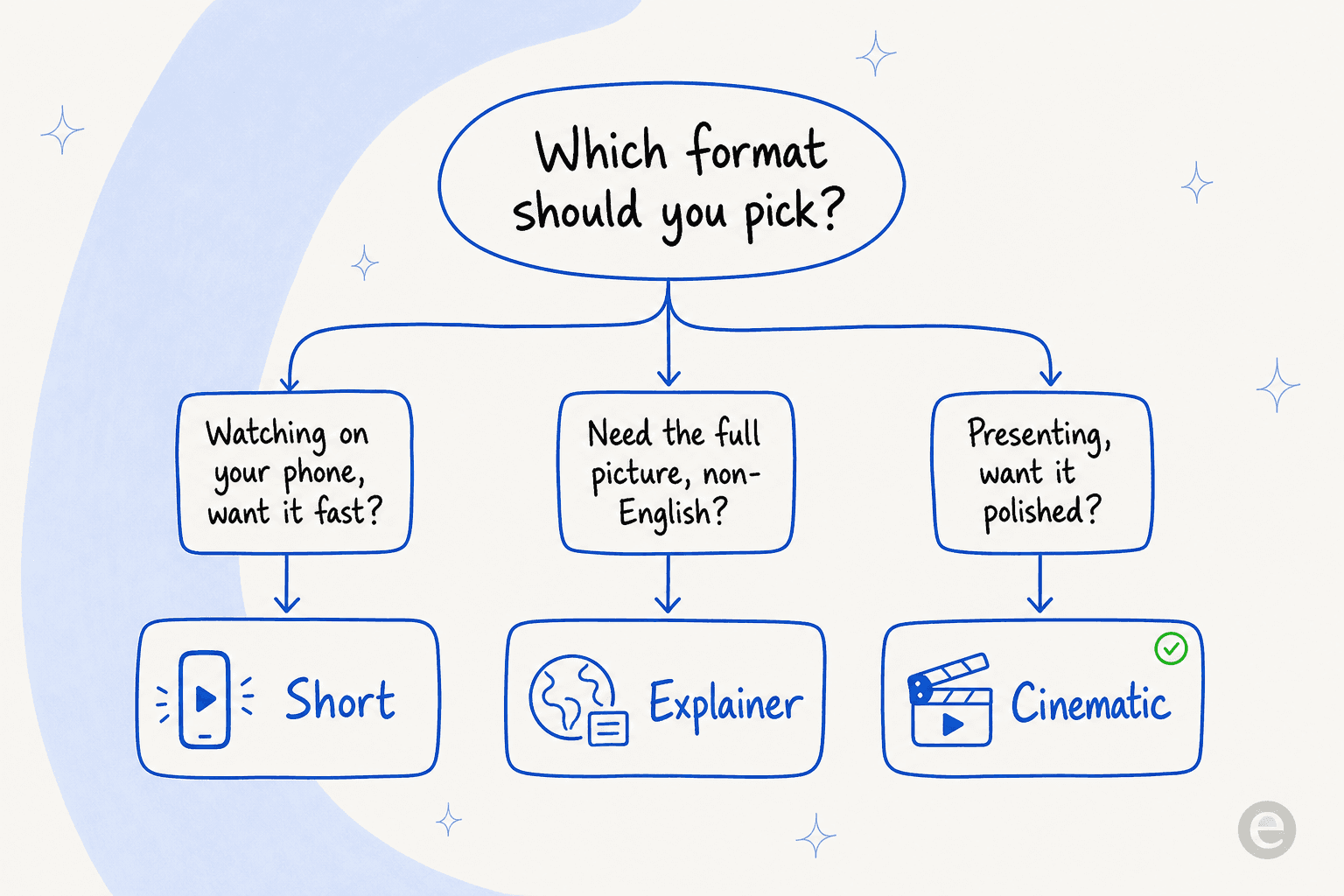
Reach for Short when you want a single idea fast and you will watch it on your phone. Reach for Explainer when you need the whole notebook summarized, or you need a language other than English. Reach for Cinematic when the video has to impress someone, and you have a paid plan to burn a daily generation on.
The catch: limits and gotchas
Before you plan a content workflow around this, the real constraints:
- English-only and 18+ for Short and Cinematic. Explainer is your multilingual option.
- Free tier is 3 Video Overviews a day. Plus is 6, Pro is 20, Ultra is 100-200. Cinematic is separately capped (about 2/day on Pro).
- Short arrived on paid tiers first. Google said it "intends to expand the feature to standard, non-paying users," and 9to5Google reported the free rollout landing in the following weeks.
- No API. You cannot wire NotebookLM into an automated pipeline or your own app. Everything happens inside the NotebookLM interface, by hand.
- Generation is slow. A "background task that can take 30+ minutes" is fine for a study aid, less fine if you expected instant output.
None of these are dealbreakers for the intended job (learning from your own material). They are dealbreakers if you were imagining an automated, multilingual video factory. That gap, between "impressive demo" and "something you can actually build a workflow on," is the one I think about constantly.
Try eesel
NotebookLM nails one thing that matters a lot: it only answers from your sources, with citations, and refuses to wander off into the open web. That grounding is exactly the principle eesel is built on, just pointed at a different job.
I help build eesel's AI, and the constraint we obsess over is the same one: an AI teammate should learn only from your real material (your help docs, your past tickets, your wikis) and never invent an answer it cannot back. eesel's AI Blog Writer does research, cites every claim, and drafts full articles in your voice, and its support agents resolve tickets grounded in your knowledge base, the way Gridwise saw 73% of tier-1 requests resolved in month one. If NotebookLM showed you how good grounded AI feels for reading, eesel is what grounded AI looks like when it does the work. It is free to try, no credit card.
