What is Gemini 3.5 Live Translate?
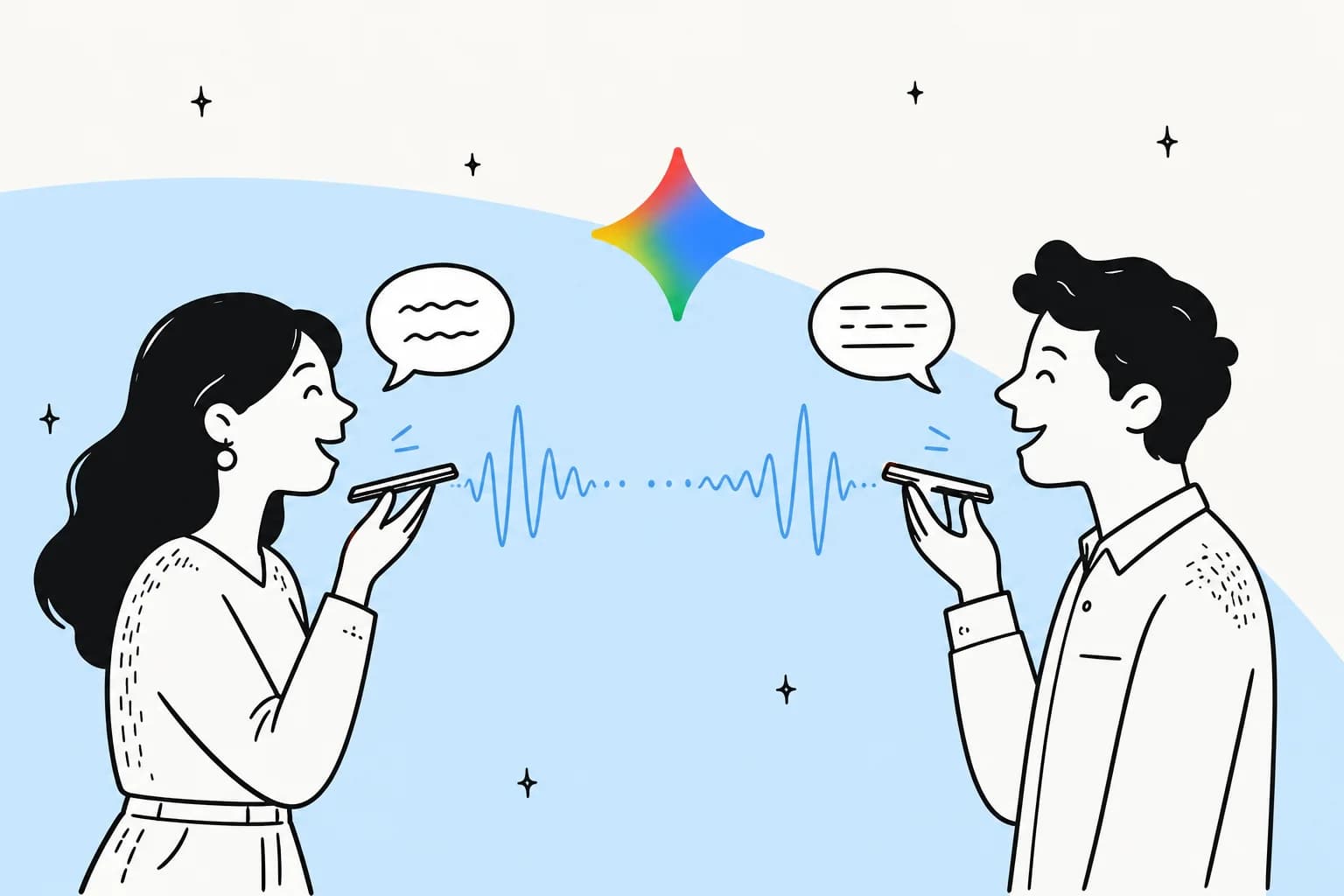
Gemini 3.5 Live Translate is a speech-to-speech translation model from Google. You speak in one language, and it speaks back in another, in near real time, without you tapping a button between turns. Google describes it as "our latest audio model, delivering near real-time speech-to-speech translation in over 70 languages".
The part that makes people sit up is how natural it sounds. The model "generates smooth, natural-sounding translated speech that preserves the speakers' intonation, pacing and pitch", so the translated voice still rises and falls like the original speaker instead of flattening into a robot read-out. It also detects the language on its own, so you don't have to tell it whether the person across the table is speaking Spanish or Tagalog.
One naming note worth getting straight, because it trips people up: the "Live translate" feature in the Google Translate app actually launched back in August 2025, with a headphone-based beta following in December 2025. What changed in June 2026 is the engine underneath: Google swapped in the new 3.5 Live Translate model. And despite the "3.5" badge, DeepMind's model card says the model is based on Gemini 3 Pro, a dedicated audio model with a 128K-token audio context window, not the smaller Flash tier.
How Gemini 3.5 Live Translate works
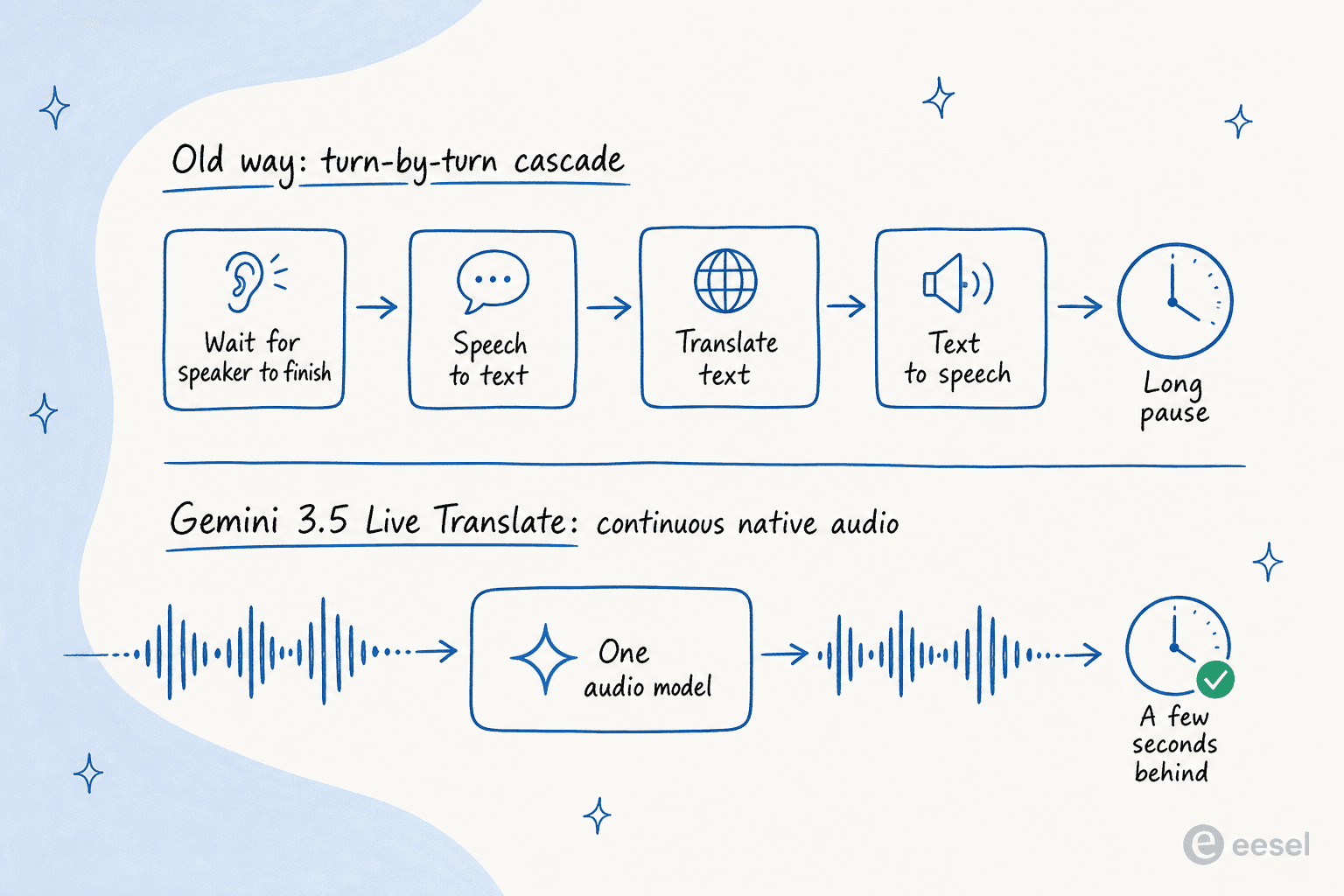
Most translation apps you've used run a relay race: they convert your speech to text, translate the text, then read the text back out in another voice. That works, but it's why older tools feel stop-start, you have to finish talking, then wait through three handoffs before anything comes out.
Gemini 3.5 Live Translate skips the relay. It uses native audio, meaning a single model takes the raw sound in and produces translated sound out. Because it never throws the audio away to convert it into text first, it can hold on to the acoustic detail, the tone, the pacing, the pitch, that a text pipeline would discard. Transcripts are an optional add-on, not the mechanism.
The second trick is that it translates continuously instead of turn by turn. Rather than waiting for a full sentence, it "generates speech continuously, balancing the trade-off between waiting for context to improve quality and translating immediately to stay in sync with the speaker". That's the difference between a conversation and a walkie-talkie.
Under the hood for developers, it runs over the Live API, a stateful WebSocket connection that streams audio both ways. You enable translation by sending a translationConfig with a target language code, then pipe in audio as 16 kHz mono PCM in 100 ms chunks. Audio-only sessions are capped at 15 minutes unless you extend them, and every clip of generated audio carries an imperceptible SynthID watermark so it can be identified as AI-made later. This is the same family of low-latency voice tech behind the broader Gemini assistant, just tuned purely for translation with no tools or chit-chat attached.
Where you can actually use it
Google is shipping 3.5 Live Translate on three separate tracks, and which one matters to you depends entirely on whether you're a traveller, a team, or a builder.
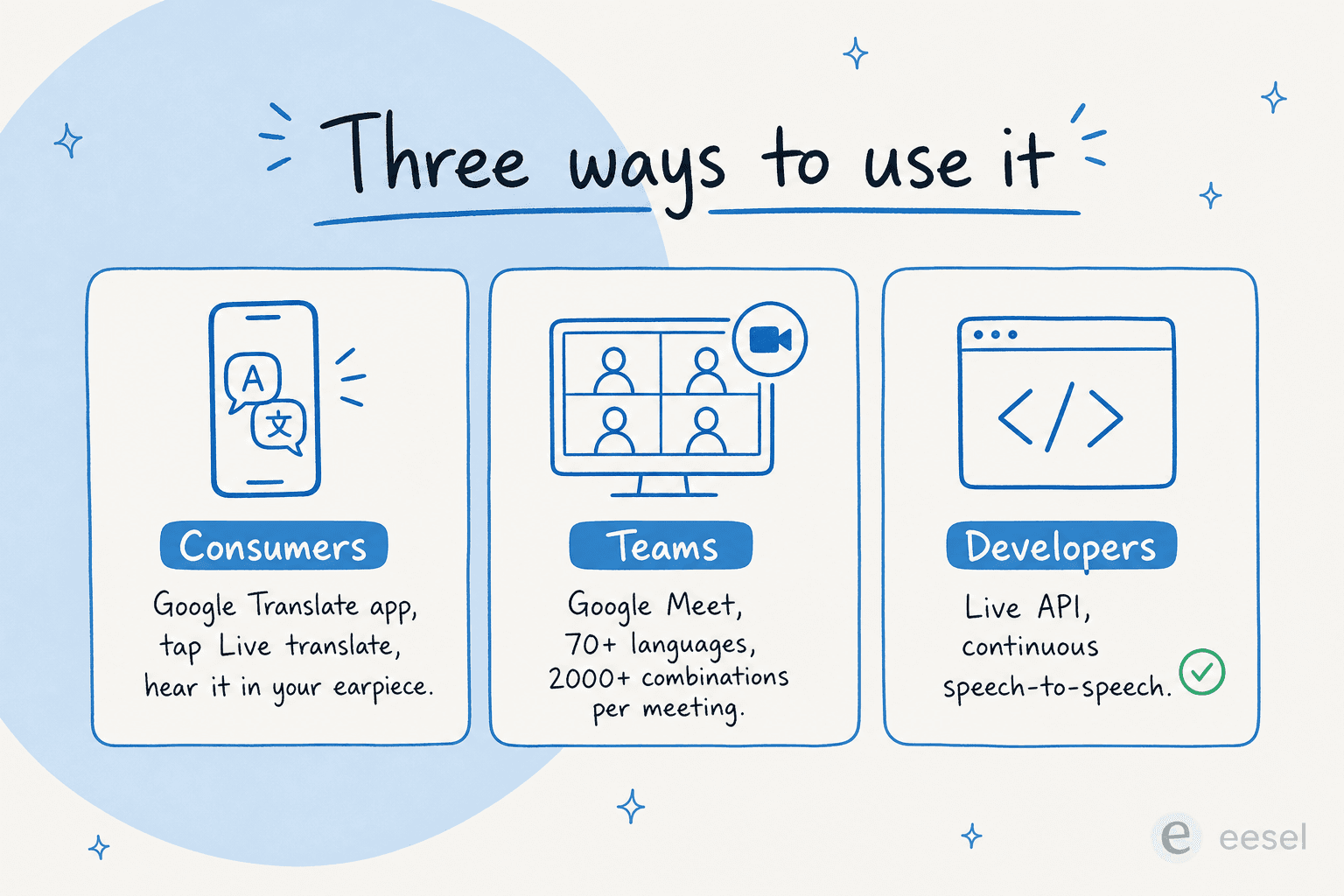
- Consumers get it inside the Google Translate app on Android and iOS. You open the app, tap Live translate, pick your two languages, and start talking. On Android there's also a new listening mode that streams the translation straight to your phone's earpiece, so you hold it to your ear like a normal call.
- Teams get it in Google Meet, where it's a big jump. Meet's speech translation goes "from the previous limit of just five languages" to 70+, enabling over 2,000 language combinations in one meeting. It's in private preview for business Workspace customers first.
- Developers get the Gemini Live API and Google AI Studio in public preview, under the model ID
gemini-3.5-live-translate-preview. Real-time media plumbing is usually handled by partners like LiveKit, Pipecat, and Agora.
The scale signals behind these are real, too. Google says Grab is testing the model for driver-to-traveller communication across users making over 10 million voice calls a month, which tells you where this is headed: embedded inside other companies' apps, not just a standalone translator.
Gemini 3.5 Live Translate at a glance
| Dimension | Detail |
|---|---|
| Model | gemini-3.5-live-translate-preview, based on Gemini 3 Pro |
| What it does | Speech-to-speech, audio in / audio out |
| Languages | 70+ with auto-detection |
| Latency | A few seconds behind the speaker |
| Style | Preserves intonation, pacing, pitch |
| Where | Google Translate app, Google Meet, Live API |
| Availability | Consumer rollout; developer + Meet previews |
| Watermark | SynthID on all audio |
What it's actually like to use
This is where the marketing and the reality start to diverge, and it's worth being honest about both, because the gap is the whole story.
On the good side, when it works, it feels different from older translation tools. One enthusiast summed up the appeal after the launch:
Real time speech to speech translation. Over 70 languages. No waiting. No awkward pauses. No robotic stop and start conversations. Just speak naturally and hear the translation almost instantly.
But the same threads are full of people hitting walls. The most consistent complaint is turn-taking: because the model translates continuously, it sometimes doesn't know when you've stopped. A developer who builds real-time interpretation tooling put it bluntly:
first the understanding of what is spoken is not very good [...] Second it doesn't have and end sentence tag so you can talk and never hear the end because it doesn't know you finished speaking only after you start speaking again or finish the session. It could be a good AI but needs more work and refining from Google.
There's also a social-friction ceiling that's easy to overlook in a demo. A tech reviewer testing it in real conversations noted on LinkedIn that it works best when everyone in the room is using the same tool:
Live AI translation sounds perfect until you're actually in a conversation with other people [...] I think it's a bit hard to use in a social scenario unless all participants are using it [...] Multi-person conversations still feel like they're at the edge of progress.
How good is it, really?
Two things are true at once. Google's broader translation upgrades post state-of-the-art text quality on the WMT25 benchmark, and the natural-voice output is a clear step up. But live voice translation across the industry still makes mistakes that text translation wouldn't, and some of them are bad.
A telling example came from someone testing live voice translation in the same Google ecosystem (Google Meet), who A/B'd it against the plain Translate app on a simple travel sentence:
The voices sounded authentic but I was shocked at how inaccurate some of the translations were. Far worse than what even Google Translate is capable of. For example: English speaker: "Are you going to take care of the hotel reservations and flights?" Live translation: "Vas a cuidar de los pescadores y peleas?" ("Are you going to take care of the fishermen and fights?")
Google's own docs are refreshingly upfront about the rough edges, too. Voice replication "can be inconsistent", with voices shifting after long pauses or getting stuck during rapid multi-speaker exchanges, and language detection "struggles with heavy accents, similar languages (e.g., Spanish vs. Portuguese), or rapid language switches". So the honest read: brilliant for casual, forgiving conversations, risky for anything where a wrong word costs you. That distinction matters a lot once you start thinking about it for work.
Live voice translation vs multilingual customer support
Here's the reframe most coverage skips. Gemini 3.5 Live Translate is built for spoken, live conversations, two people talking, a meeting, a phone call. That's a real and useful problem to solve. But it's not the shape of most customer support.
Support is mostly written and asynchronous: tickets, emails, chat messages, help-center questions, often arriving overnight while your team sleeps. A live voice translator doesn't help with a German email sitting in your Zendesk queue, and you'd never want unsupervised, occasionally-wrong voice output speaking on your brand's behalf to a paying customer. The skills barely overlap.
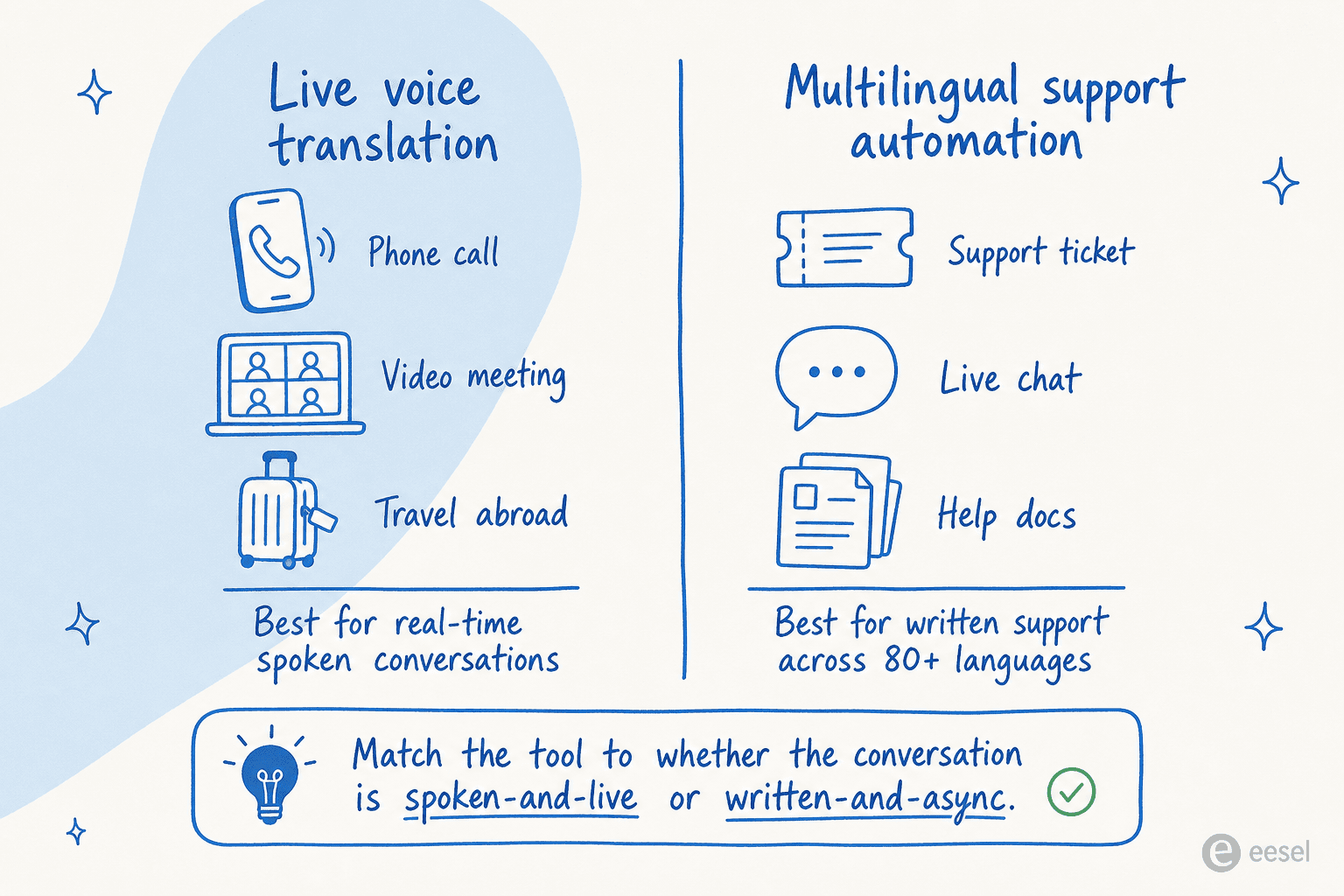
If multilingual support is your actual goal, the better category is an AI agent for customer service that reads your help docs and past tickets, drafts replies, and resolves the easy stuff, in whatever language the customer wrote in. That's a conversational AI problem with a human in the loop, not a real-time audio one. It's also where the cost math tends to favour tier-1 deflection over hiring multilingual agents, and where an AI knowledge base chatbot earns its keep. If you're weighing the broader category, our guide to AI for customer service and the rundown of AI customer service software are good next stops.
Try eesel
Gemini 3.5 Live Translate is the right tool when the conversation is happening out loud, live, in the moment. When the conversation is your support inbox, eesel is built for that instead: an AI helpdesk agent that learns from your past tickets and help docs, drafts and resolves support across 80+ languages out of the box, and plugs straight into the helpdesk you already run.
The difference is oversight and scale on written work. One eesel customer, Smava, runs a fully automated agent handling over 100,000 German-language support tickets a month, the kind of always-on, multilingual volume a live voice translator was never meant to touch. You stay in control of what it can answer, and you can ramp autonomy up gradually.

If your "translation" problem is really a multilingual support problem, try eesel and see how much of your queue it can handle before a human ever steps in.
Frequently Asked Questions
What is Gemini 3.5 Live Translate?
Is Gemini 3.5 Live Translate free to use?
How many languages does Gemini 3.5 Live Translate support?
How accurate is Gemini 3.5 Live Translate?
Can I use Gemini 3.5 Live Translate for customer support?


Article by
Riellvriany Indriawan
Riell is a designer and writer at eesel AI with about two years of experience researching CX platforms, AI chatbots, and helpdesk software. She combines her design background with a sharp eye for how these tools actually look and feel in practice — making her comparisons unusually visual and user-focused.