


What "AI for email support" actually means
Email is the hardest channel to automate well, and that is exactly why it is the one worth getting right. A chat widget gets a one-line question. An email is three paragraphs, a forwarded receipt, and a question buried in the middle. Good AI for email support has to read the whole thread, pull the customer's order or account context, draft a reply that sounds like your team, and know when it is out of its depth.
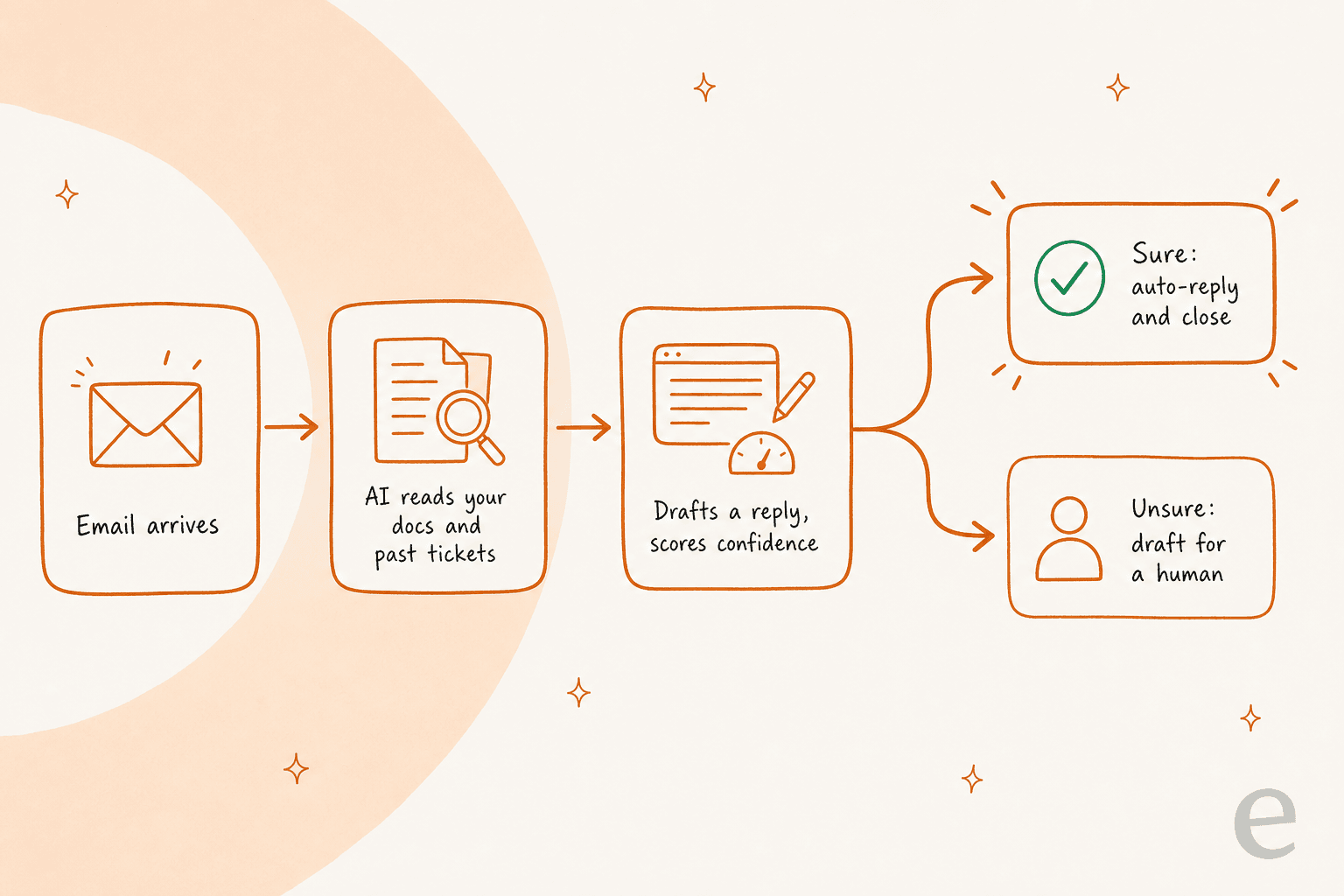
The dangerous part is that last step. I have watched a confident-sounding bot quietly give wrong answers, which is why every rollout I trust now gets simulated against historical tickets first. One support lead I spoke with put the whole problem in a single line:
"The AI will never be able to answer 100% of the questions. I need an AI who is only handling the tickets that it's confident to handle, and all the other ones, leave them alone."
a DTC supplements CX lead, eesel customer call
That is the bar. So as you read the list, judge each tool on three things: how well it learns from your content, whether you can control what it is allowed to auto-send, and how it charges (because that is where the real surprises live).
The one thing nobody warns you about: how they charge
Most of these tools bill in one of three ways, and the difference is worth real money.
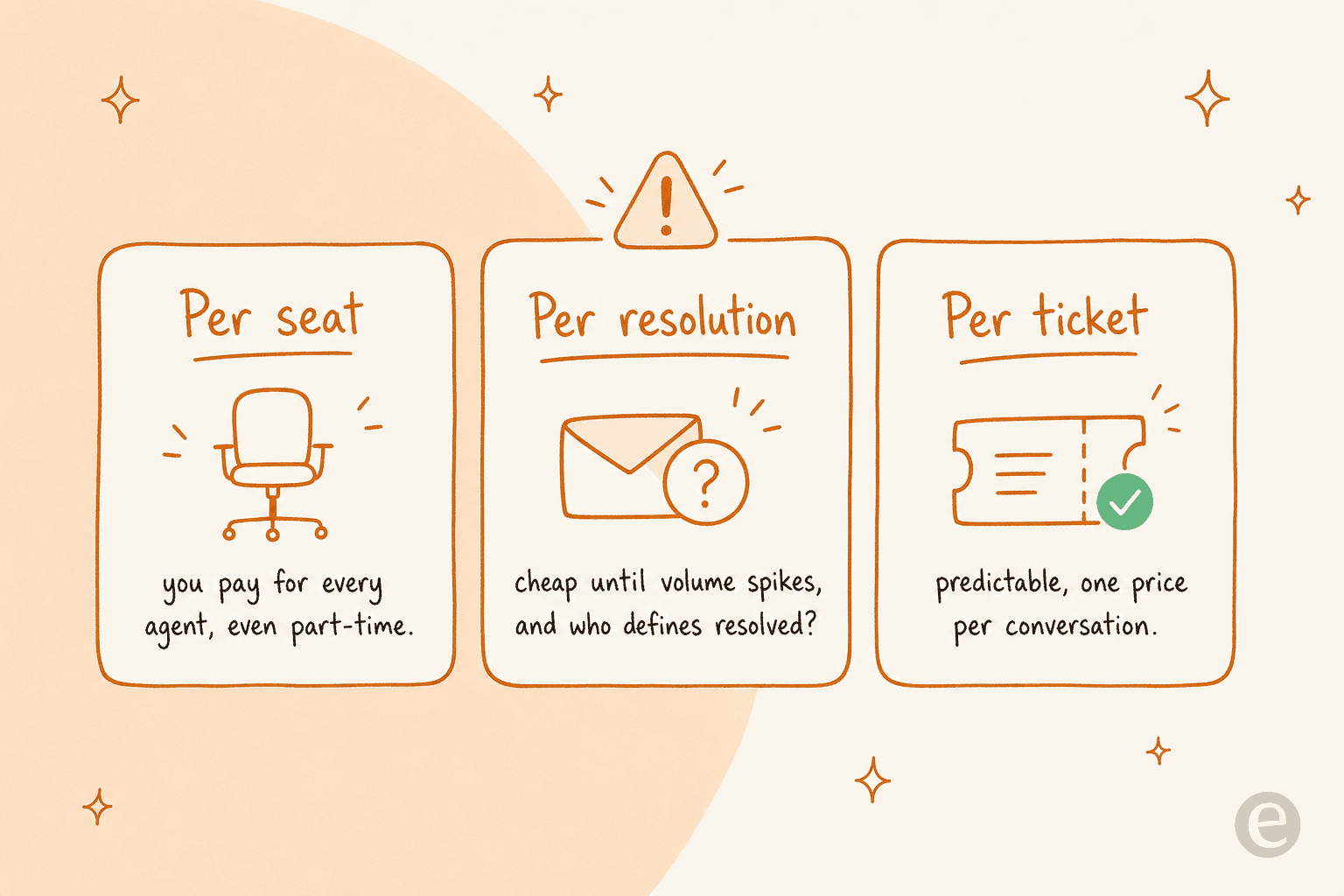
"Per resolution" pricing is the one to watch. It sounds fair ("you only pay when the AI actually solves something"), but who decides what counts as solved? On Zendesk's automated-resolution model, real users have flagged exactly this:
"The subjective part in the resolutions: who knows if the bot is just leaving the customer hanging and marking it as a resolution... they got agitated and abandoned the chat and it was considered a resolution."
u/Willing_Estimate6107, r/Zendesk

Per-seat pricing (Zendesk, Freshdesk, HubSpot, Front) punishes you for growing the team. Credit-based pricing (eesel) is the most predictable: one fixed monthly price, with 1 credit per conversation handled no matter how many replies it takes. Keep this in mind for every price below.
The 7 best AI tools for email support in 2026, compared
| Tool | Best for | Works on your existing helpdesk? | AI billing unit | AI price | Base platform price |
|---|---|---|---|---|---|
| eesel AI | Layering AI onto any helpdesk | Yes (Zendesk, Freshdesk, Front, Help Scout, Gorgias, HubSpot) | Monthly credits (1 per ticket) | From $299/mo (500 credits) | None (no per-seat fee) |
| Zendesk AI | Big teams already on Zendesk | No (Zendesk only) | Per automated resolution | $1.50 committed, $2.00 pay-as-you-go | $19-115+ / agent/mo |
| Freshdesk (Freddy) | Budget all-in-one helpdesk | No (Freshdesk only) | Per session (72h) | $49 / 100 sessions | $19-89 / agent/mo |
| Help Scout | Small, email-first teams | No (Help Scout only) | Per resolution | $0.75 / resolution | $25-75 / user/mo |
| Gorgias | Shopify / ecommerce brands | No (Gorgias only) | Per automated interaction | $0.85 to $1.00 / interaction | From $10-750+ / mo (by volume) |
| HubSpot (Breeze) | Teams already on HubSpot CRM | No (HubSpot only) | Per resolution | ~$0.45 / resolution | $0-150 / seat/mo |
| Front | Collaborative shared-inbox teams | No (Front only) | Per conversation | From $0.05 / conversation | $25-105 / seat/mo |
A quick worked example, because sticker prices lie. Say you handle 2,000 support emails a month and want to automate the ~65% that are repetitive. With eesel, 2,000 tickets fit the 2,500-credit plan at $999/month, flat, no seats. With Gorgias, ~1,300 automated interactions at about $0.90 each is roughly $1,170/month in AI charges alone, before your helpdesk base fee. Same volume, and the Gorgias meter still adds up on top of the base plan. Model your own numbers before you sign anything, or use the estimator below.
1. eesel AI: best for layering AI onto the helpdesk you already have

I will be upfront that this is the tool I work on, so read the rest of the list to keep me honest. But there is a real reason eesel AI goes first: it is the only pick here that does not ask you to change tools. It joins your existing helpdesk as an AI agent, reads your past tickets, help center and macros, and starts drafting or sending replies "exactly like a human agent would."
How its email support works. eesel connects to your helpdesk in under 30 minutes, imports your solved tickets and docs with no manual training, then lets you configure it in plain language ("handle order-status emails, draft everything about refunds, escalate anything mentioning legal"). Before it touches a customer, you run it in simulation mode against your own past tickets to see the coverage and fix gaps. Then you go live on the tickets it is confident on and keep the rest as human drafts. It supports 80+ languages out of the box.
Pricing. One fixed monthly price by volume, from $299/month for 500 credits (1 credit per full conversation, not per reply), with no per-seat fees. There is a free plan with 100 credits and no credit card, two months free if you pay a year upfront, and add-ons for SSO and MFA, data residency and priority support.
Pros: works on top of your current stack, predictable monthly pricing, simulation before go-live, learns from real solved tickets not just help-center articles. Cons: it is an AI layer, not a full helpdesk, so you need an existing inbox or helpdesk (or its own chat) to run it on; the heaviest compliance features such as SSO and data residency are paid add-ons.
One customer result that shows what "good" looks like here: Gridwise saw eesel resolve 73% of tier-1 requests in the first month, with results showing up inside the 7-day trial.
"In the first month, eesel is resolving 73% of our tier 1 requests... results quickly during our 7-day trial."
Kim Simpson, Gridwise (permissioned customer testimonial)
Our take: if you already run a helpdesk and want AI on your email without a migration, this is the one I would reach for. Teams committed to a single platform's ecosystem may prefer that platform's native AI, which is exactly the next few entries.
2. Zendesk AI: best for large teams already living in Zendesk
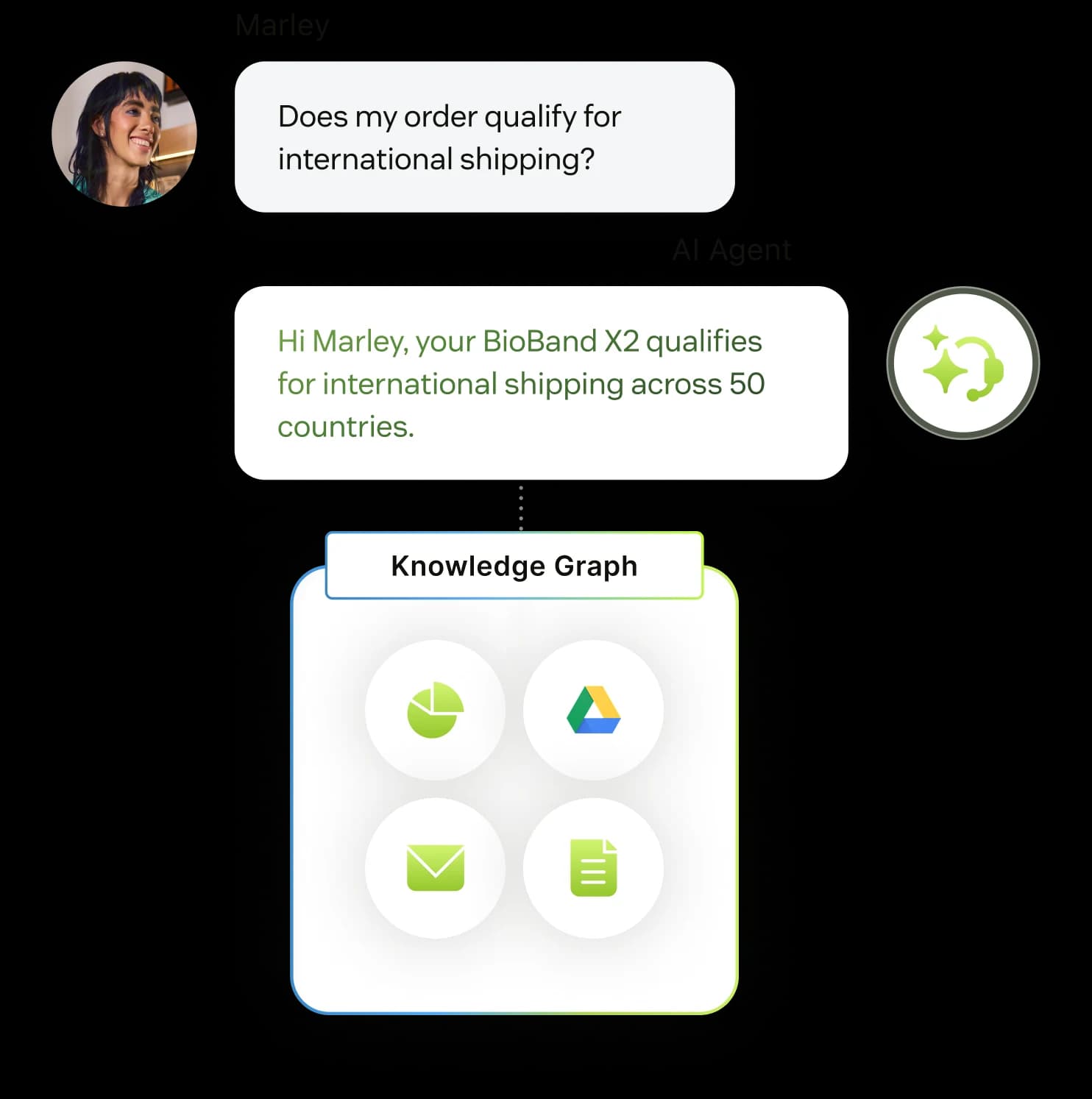
Zendesk is the incumbent, and its AI has grown up: AI agents that resolve tickets end to end, a Copilot that drafts for human agents, intelligent triage, and a knowledge graph that pulls answers from your help center plus sources like Confluence and Google Drive. If your team already runs Zendesk, turning this on is the least disruptive path.
How its email support works. AI agents handle repetitive tickets across email and messaging, Copilot suggests replies inside the agent workspace, and its resolution-learning loop improves over time. It is powerful, but the power comes with Zendesk's famous configuration overhead.
Pricing. Base plans run Support Team $19, Suite Team $55, Suite Professional $115 per agent/month (billed annually), with Enterprise sales-only. Copilot is a $50/agent/month add-on. AI agents are billed per automated resolution, at $1.50 each committed or $2.00 pay-as-you-go beyond the included amount.
Pros: deepest feature set, huge integration ecosystem, mature AI. Cons: locked to Zendesk, expensive at scale, and the per-resolution model draws steady complaints:
"From what I can see in regards to this new 'Automated Resolution' pricing model, we'll be paying about $1.50 to $1.20 per resolution... If you have 500 AR per week, the bill blows out to be $650, where there wasn't a charge before."
u/caledragonpunch, r/Zendesk
Our take: the safe default for teams already invested in Zendesk who want AI without leaving. If you are cost-sensitive or not already on Zendesk, a credit-based layer on top will often be cheaper. It is worth reading how it stacks up against Salesforce Service Cloud too if you are shopping enterprise.
3. Freshdesk (Freddy AI): best budget-friendly all-in-one

Freshdesk is Zendesk's more affordable rival, and its Freddy AI suite splits into a customer-facing AI Agent (including an Email AI Agent), a Copilot that assists human agents, and Insights for leaders. For a small team that wants ticketing and AI in one bill, it is a sensible starting point.
How its email support works. The Email AI Agent replies to incoming emails and deflects the repetitive ones; Copilot drafts and summarizes inside the agent view. Freddy's session model is unusual for email: a "session" is a 72-hour window from the customer's first email, and every AI reply in that window counts as one session.
Pricing. Base Freshdesk is Free (up to 2 agents, 6 months), Growth $19, Pro $55, Enterprise $89 per agent/month. Freddy AI Agent gives you 500 free sessions once per account on Growth, Pro and Enterprise, then $49 per 100 sessions; Freddy Copilot is a $29/agent add-on.
Pros: genuinely affordable entry point, clean UI, all-in-one. Cons: Freddy's best pieces are gated to higher plans and add-ons, and users report the AI struggles beyond simple tickets:
"Auto-replies sounded great in theory, but once real tickets came in, it started giving confident but wrong answers. CSAT dipped quick. What worked better for us was using it as an agent assist: draft replies, summaries, tagging, not full auto mode."
u/[deleted], r/AiAutomations
Our take: a strong budget all-in-one if you want the helpdesk and the AI from one vendor. Just note that "cheap base plan + per-session AI + Copilot add-on" can add up, and Freddy's autonomy is best kept on the easy stuff.
4. Help Scout: best for small, email-first teams
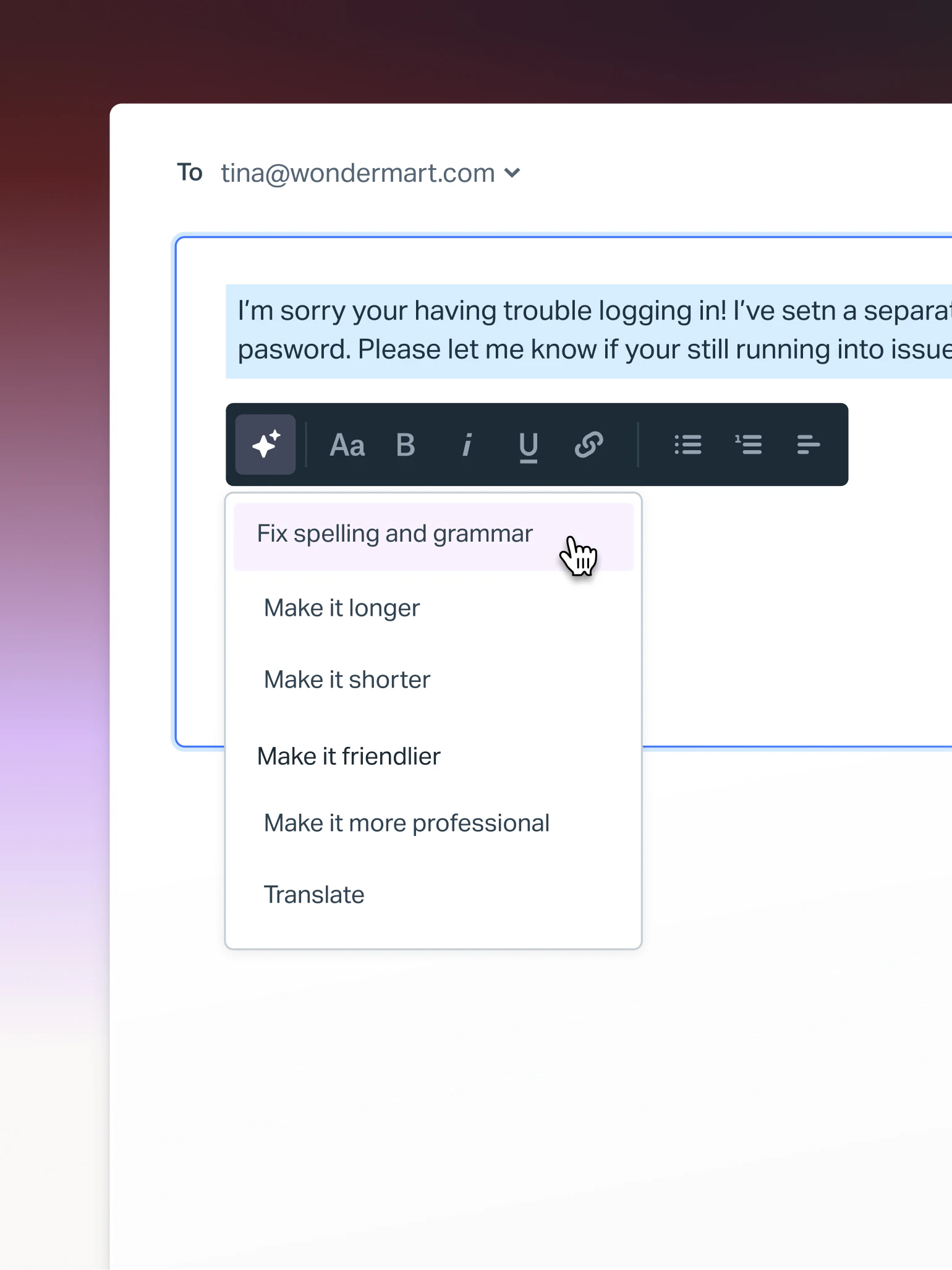
Help Scout has always been the friendly, email-first shared inbox, and it is a lovely tool for a small team that lives in email. Its AI splits into agent-side helpers (AI Assist to rewrite and translate, AI Drafts, AI Summarize) and a customer-facing AI Answers chatbot.
How its email support works. AI Assist and AI Drafts speed up human agents in the inbox; AI Answers deflects questions using your knowledge base before they reach a person. It is deliberately simple, which is both the appeal and the ceiling.
Pricing. Per user/month: Standard $25, Plus $45, Pro $75 (annual), plus a free tier for 5 users. AI Answers is $0.75 per resolution on every paid plan, with a 3-month free trial; the useful AI Drafts and AI Summarize are gated to Plus and up.
Pros: clean, fast to learn, fair per-resolution AI pricing with spend caps. Cons: lighter on advanced features, and Help Scout badly shook customer trust by flip-flopping its pricing model in 2025:
"HelpScout changed back to user-based pricing. Guess too many people cancelled, including me... Helpscout lost all trust with this flip-flopping on pricing."
u/manu_8487, r/SaaS
Our take: great for a small email-first team that wants tidy AI helpers and a chatbot without complexity. If you outgrow it or want deeper automation, an AI layer on top of Help Scout gets you there without leaving the inbox you like.
5. Gorgias: best for Shopify and ecommerce email support
Gorgias is built for ecommerce, and it shows. Its AI Agent pulls live Shopify order data into the ticket and can actually do things: issue refunds, edit orders, manage subscriptions, answer "where is my order" from real tracking data. For a Shopify brand, that action-taking is the whole point.
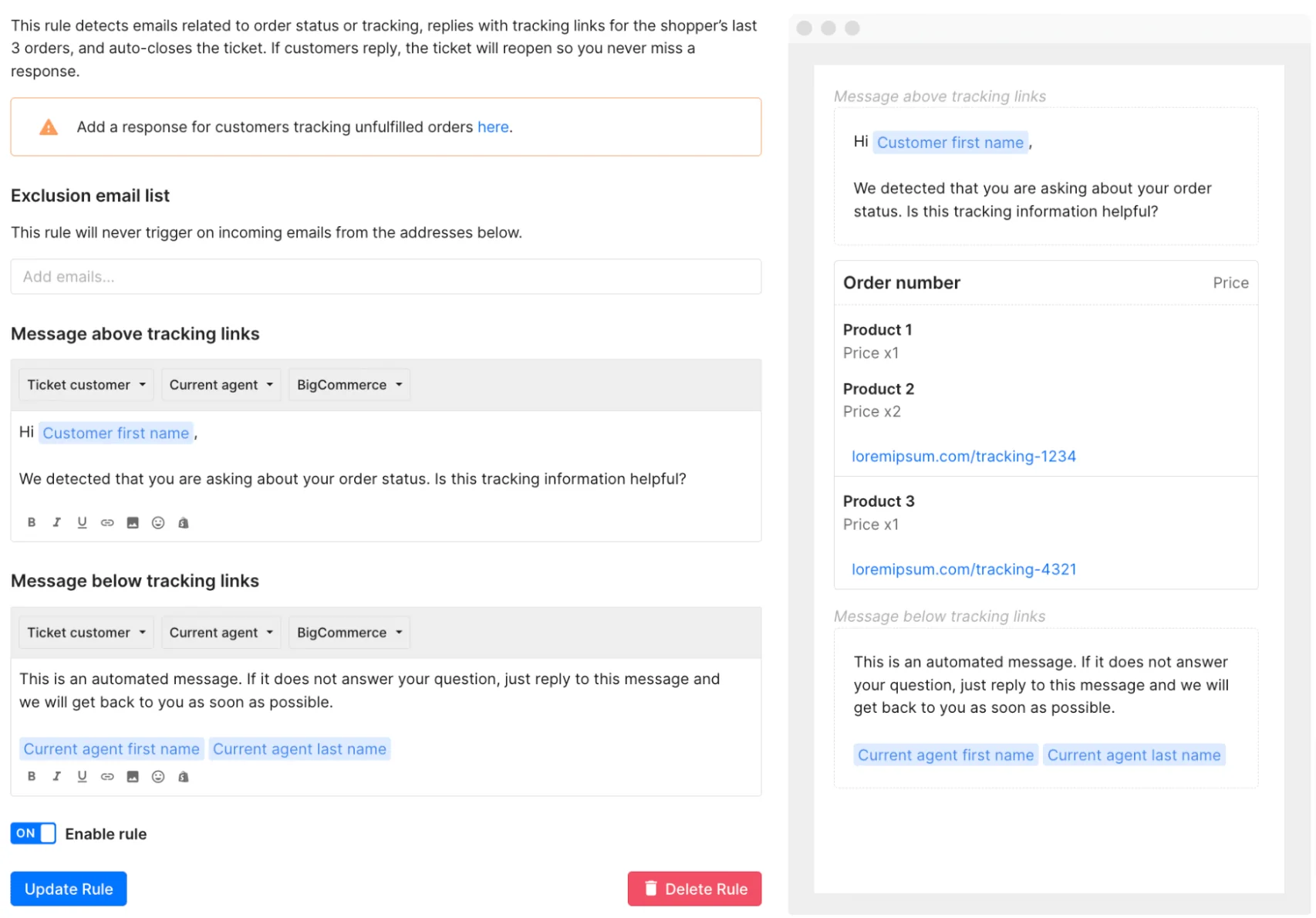
How its email support works. The AI Agent runs across email, chat, social and SMS with no human in the loop, handling pre- and post-purchase questions and taking store actions. Email rules can auto-detect order-status questions and reply with tracking links, then auto-close.
Pricing. Billed by monthly ticket volume, never per seat: combined plan cards run roughly Starter $40, Basic $90, Pro $550, Advanced $1,430 per month (annual is cheaper), each bundling some AI interactions. The AI Agent is billed per automated interaction, at $0.85 to $1.00 depending on the plan.
Pros: unbeatable Shopify depth, real order actions, omnichannel. Cons: priced for volume, so it gets expensive fast for small teams, and it is a poor fit outside ecommerce.
"If a meaningful chunk is WISMO, address changes, cancels, refunds, exchanges, Gorgias usually feels worth it because the agent can do the work inside the ticket with Shopify context right there."
u/cavalry18, r/CRM
Our take: if you are a Shopify brand and a big chunk of your email is order-related, Gorgias earns its price. If you are not in ecommerce, skip it. And if you love Gorgias but want cheaper, more predictable AI on top, eesel layers onto Gorgias too.
6. HubSpot Service Hub (Breeze): best for teams already on HubSpot CRM
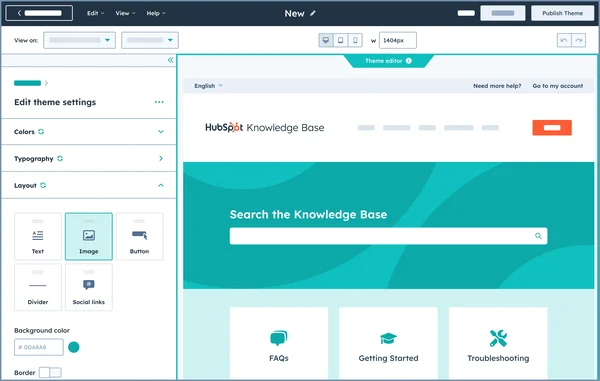
HubSpot Service Hub is the customer-service arm of the HubSpot platform, and its AI, Breeze, includes a Customer Agent that resolves email and ticket questions autonomously plus in-inbox copilot features. Its superpower is context: every ticket sits on the full CRM record, so the AI sees deal stage and marketing history alongside the question.
How its email support works. The Breeze Customer Agent resolves conversations without a human handoff, while the copilot drafts replies, summarizes tickets and reads sentiment inside the help desk workspace. The catch: the help desk workspace and Breeze Customer Agent are Professional-plan-and-up features.
Pricing. Per seat/month: Free (2 users), Starter $7-20, Professional $90, Enterprise $150, plus a one-time onboarding fee ($1,500 Pro, $3,500 Enterprise). Breeze bills usage through HubSpot Credits: 50 credits per resolved conversation, about $0.45 per resolution.
Pros: unbeatable if your support, sales and marketing already live in HubSpot; the unified CRM context is genuinely useful. Cons: the real product starts at $90/seat plus onboarding, and the value is weakest for teams not otherwise on HubSpot.
Our take: a clear yes for existing HubSpot shops, where the CRM context offsets the per-seat cost. For everyone else, you are paying for a CRM you may not use just to get the AI.
7. Front: best for collaborative, shared-inbox teams
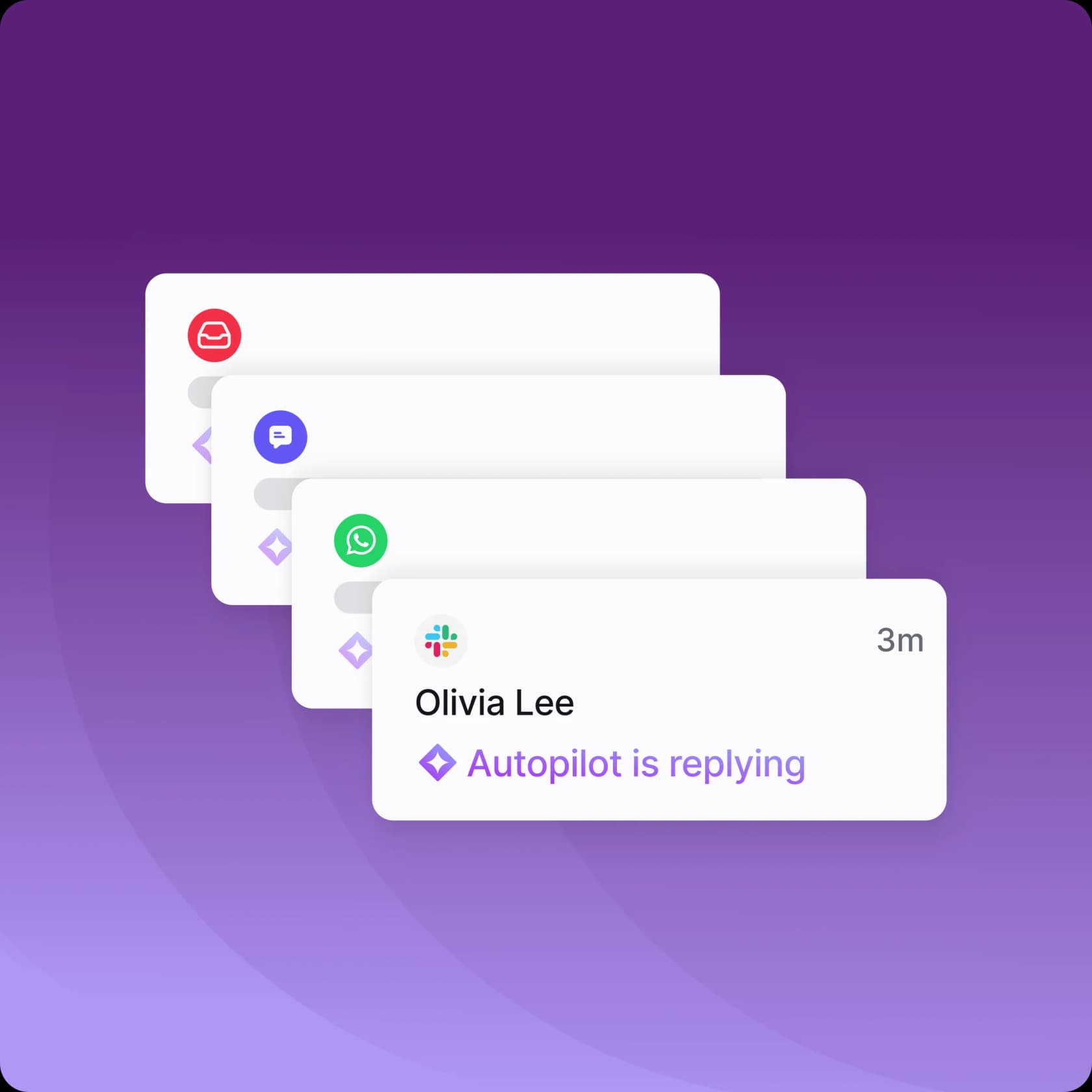
Front blends a shared inbox with helpdesk features, and teams love how it feels like working from email rather than a rigid ticket system. Its AI ranges from lightweight helpers (Compose, Summarize, Translate) up to Autopilot, an autonomous agent that resolves conversations across channels.
How its email support works. Compose, Translate and Summarize are included on every plan (with daily caps); the heavier AI, Autopilot, Copilot, Smart QA, is sold as add-ons and bundled on Enterprise. Autopilot handles email, chat, WhatsApp and more end to end.
Pricing. Per seat/month: Starter $25, Professional $65, Enterprise $105 (annual). Autopilot is an add-on on any plan, billed by outcome: $0.05 per triage, $0.39 per handoff, $0.89 per full resolution; Copilot is $20/seat, Smart QA $20, Smart CSAT $10, all bundled on Enterprise.
Pros: the nicest collaborative inbox experience, strong for teams that reply as a group; Autopilot's outcome-based pricing means you pay $0.89 only when it fully resolves a conversation. Cons: the good AI is add-on-heavy below Enterprise, and Starter is single-channel only. It is worth comparing against Front vs Hiver if collaboration is your priority.
Our take: the pick for collaborative, email-heavy ops teams that want a shared inbox first and AI second. Layer a dedicated AI agent on top if you want automation to be the main event rather than an add-on.
So which one actually fits you?
Here is how I would map the seven, because "best" only means something once you know where you sit.
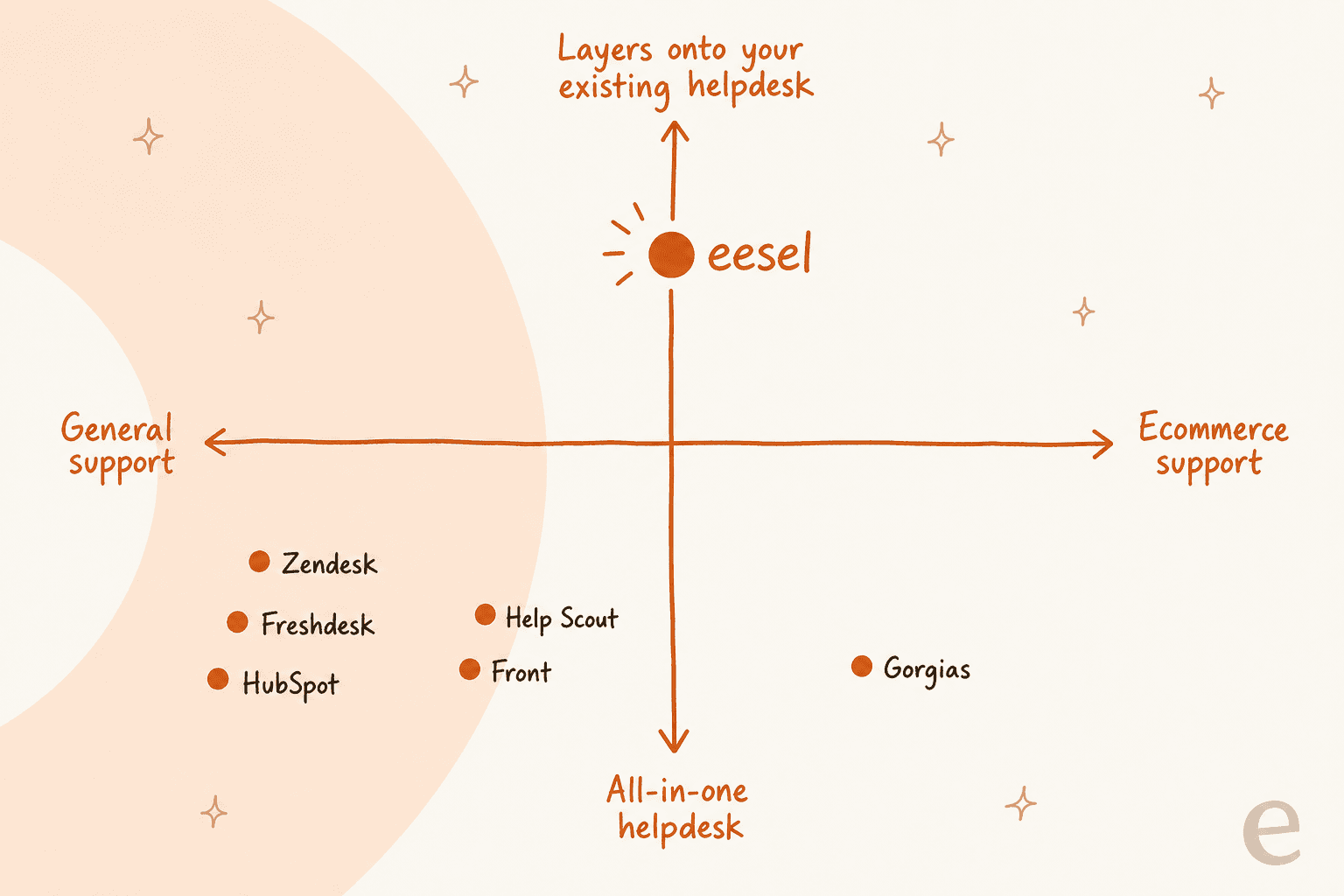
- You already run a helpdesk and just want AI on your email: eesel AI. No migration, fixed monthly pricing.
- You are a big team already standardized on Zendesk, Freshdesk or HubSpot: turn on their native AI. Convenient, if you can stomach per-resolution or per-seat costs.
- You are a small, email-first team: Help Scout or Front for the inbox, plus a layer if you want real automation.
- You are a Shopify or ecommerce brand: Gorgias, for the order actions.
The through-line: match the billing model to your volume, insist on training the AI on your own solved tickets, and never let it auto-send anything it is not confident about.
Try eesel for email support

If your email support already runs on Zendesk, Freshdesk, Front, Help Scout, Gorgias or HubSpot, eesel AI is the fastest way to add real automation without ripping any of it out. It connects in under 30 minutes, trains on your past tickets and help docs, and lets you simulate the resolution rate on your own history before a single customer sees it. Pricing is a fixed monthly plan from $299/month, no per-seat fees, and you can try it free with 100 credits and no credit card. It is the same AI helpdesk agent approach that got Gridwise to 73% tier-1 resolution in month one.