8 best Orchid AI alternatives for your inbox and calendar in 2026

Kurnia Kharisma

Katelin Teen
Last edited October 6, 2026

Why people look for Orchid alternatives
Orchid deserves credit first. It is an iMessage executive assistant for Gmail and Google Calendar, and by default replies stay as drafts until you send them, per its FAQ. The morning digest and meeting prep are useful, and the price is flat with no message meter. I covered all of it in my Orchid AI review, and if the whole category is new to you, start with this AI personal assistant explainer.
The reasons people leave are specific, and most come straight from Orchid's own pages:
- No Outlook. Orchid's FAQ confirms Gmail and Google Calendar, and Outlook is not supported yet. If your work mail lives in Microsoft 365, that ends the trial before it starts, and you need one of the tools in my AI for Outlook guide.
- No free tier. Orchid is "paid, from $29.99/mo, flat, with no free tier," per its pricing post. The 30-day refund helps, but you still put a card down.
- Narrow integrations. The homepage shows logos like Slack and Notion, but the FAQ only confirms Google's apps plus Granola. Orchid even courts Notion Mail switchers with a free month.
- Fine print. The privacy policy says "We may train your personal model on your data," and Orchid makes no SOC 2 claim. That matters if your inbox holds client data.
- The ad. The July launch film about a forgotten anniversary drew a big backlash, and some people simply want a different company.
None of these is a dealbreaker for everyone. The point is that each one points you to a different alternative, which is why the table below matters more than the ranking.
How I picked these alternatives
I started from the tools named next to Orchid in an a16z market map and a Reddit roundup of texting assistants. Then I added the inbox-native tools that Orchid's typical user would weigh against it. Every tool had to clear four bars:
- It drafts or manages email for one person, not just chats.
- It works with Gmail at minimum, ideally Outlook too.
- It publishes enough about pricing and data handling to judge it.
- It is available today, not on a waitlist only.
Instinct breaks rule 4, since it is still invite-only, but it is the texting assistant most often compared with Orchid, so I kept it at the end. I left out general chatbots like ChatGPT agents, and personal agents like Meta Muse and Grok Bot, because the job here is your inbox and calendar, not open-ended chat.
If that line feels blurry, this piece on AI agents vs chatbots explains the difference.
The first split is where the assistant lives. The second is how much it does before you say yes:
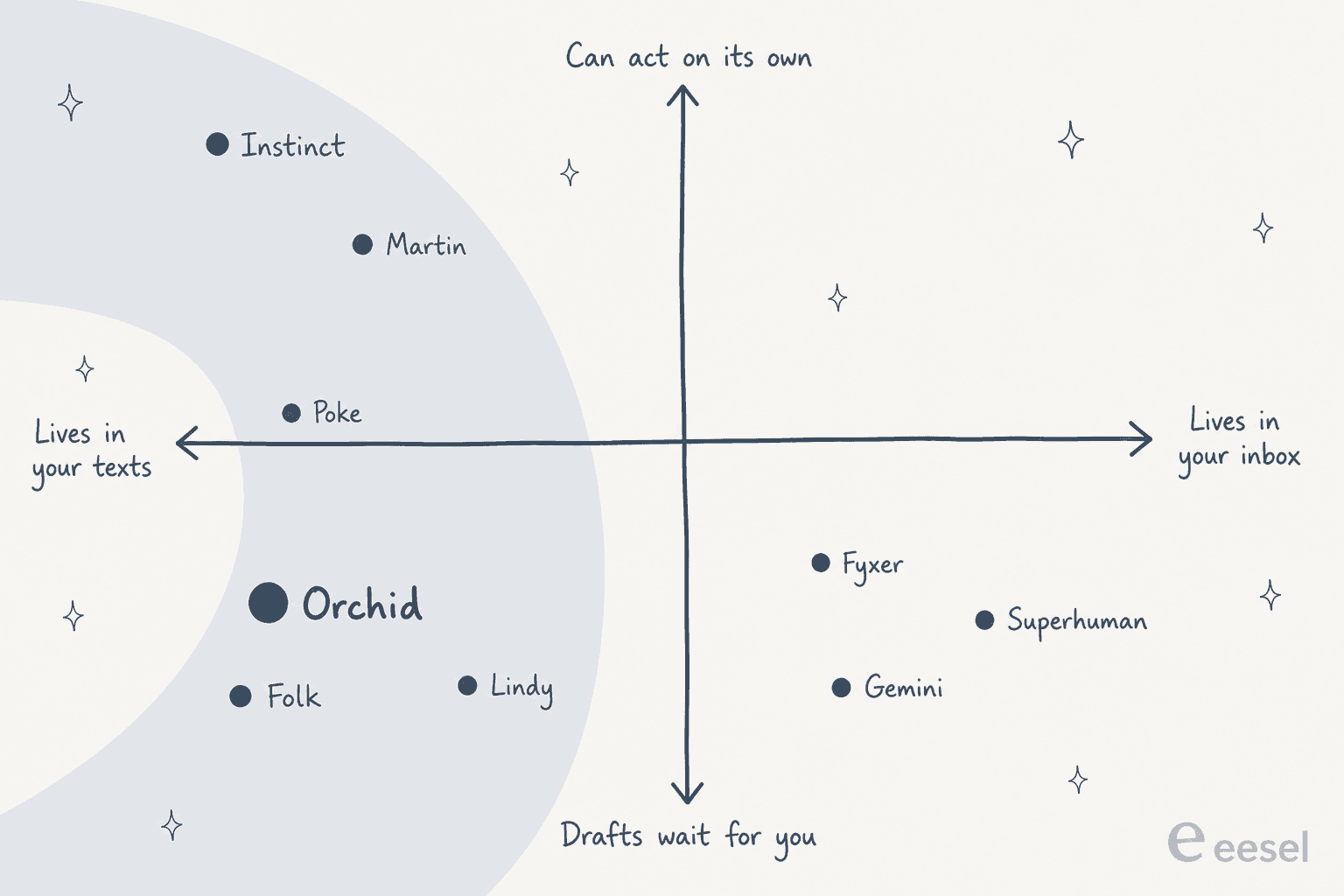
Orchid sits bottom left. If you like that corner and only want Outlook or a lower price, stay near it. If texting was never the point, look right.
Orchid AI alternatives at a glance
| Tool | Best for | Channels | Email providers | Drafts wait for approval | Free plan | Cheapest paid | Trains on your data | SOC 2 |
|---|---|---|---|---|---|---|---|---|
| Orchid (baseline) | Gmail founders | iMessage, SMS | Gmail | Yes, by default | No | $29.99/mo | May train a personal model | Not stated |
| Lindy | Closest match + Outlook | iMessage, SMS, Slack, web | Gmail, Outlook | Yes | $50 credits, 7 days | $29.99/mo (3,000 credits) | Never | Yes, Type II |
| Poke | Broad automations | iMessage, WhatsApp, Telegram | Gmail, Outlook | Not stated | Yes, permanent | $19/mo | Yes, unless Maximum Privacy | Not stated |
| Folk | Lowest price | iMessage, Telegram, WhatsApp | Gmail, Outlook | Yes | Yes, permanent | $9.99/mo or $99.99/yr | Never | Not stated |
| Fyxer | Never sends for you | Gmail, Outlook, web, Slack, Teams | Gmail, Outlook | Never sends | Yes, no drafts | $49/mo or $37 annual | Not third-party models | Yes, Type II |
| Superhuman | Heavy email users | Desktop + mobile apps, Slack | Gmail, Outlook | Drafts sit in inbox | Go only | $15/mo (Go Pro) | AI providers barred | Not stated |
| Gemini in Gmail | Already pay for Google | Gmail panel, Gemini app | Gmail only | Confirms first | App only | $4.99/mo | Not for Workspace data | Not stated here |
| Martin | Calls and texting others | Call, SMS, WhatsApp, email, Slack | Gmail, Outlook | Not stated | No, 7-day trial | $35/mo or $21 annual | Not stated | Not yet (2024) |
| Instinct | Errands and purchases | iMessage, WhatsApp, calls | Gmail | Acts as your agent | Invite-only | No public price | On by default, opt-out | Not stated |
Prices are from each vendor's pricing page on October 6, 2026, and monthly billing unless noted. The chart below shows the cheapest paid plan that drafts email replies for you:
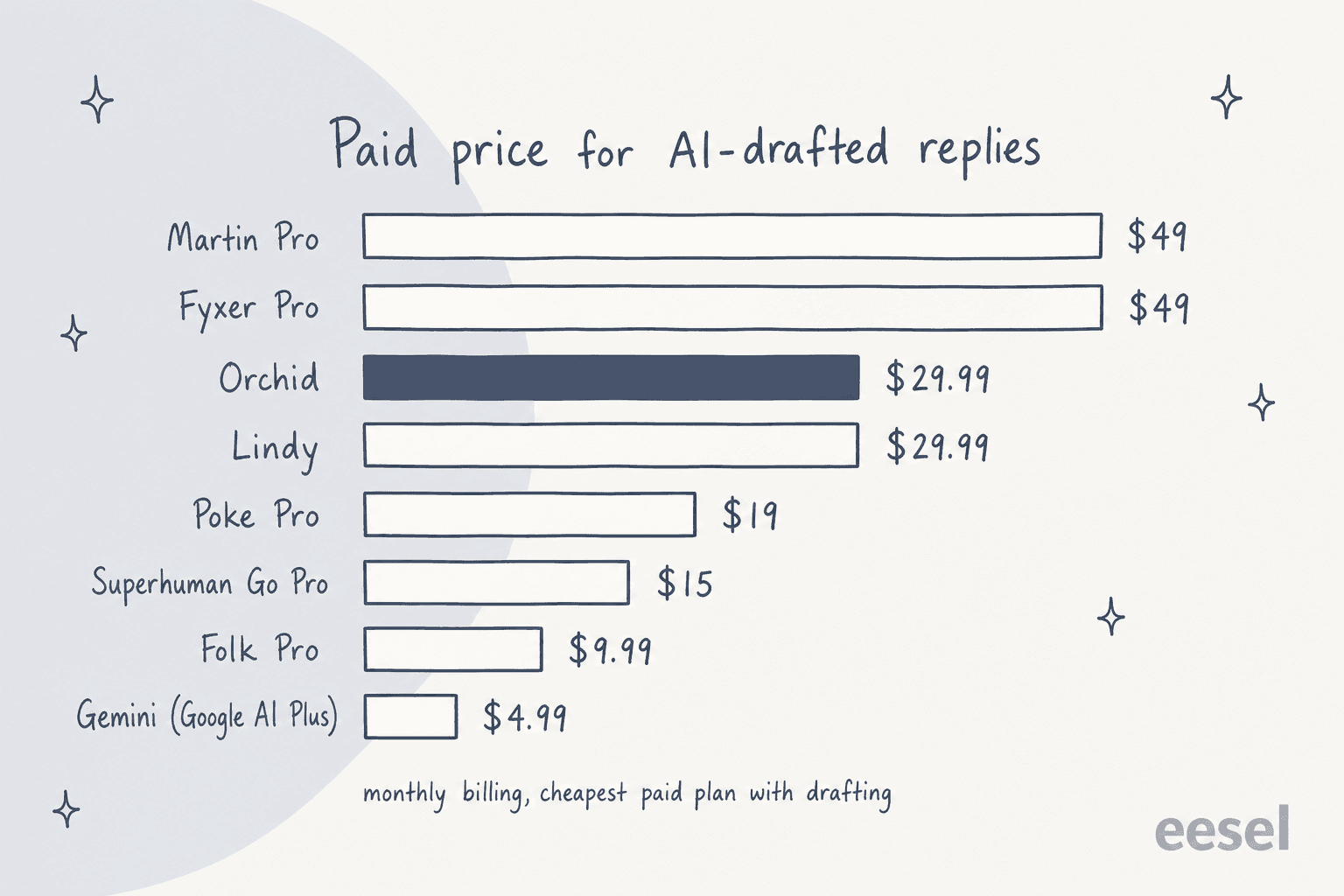
Two things jump out. Orchid sits in the middle on price, not at the top. And the cheapest options are not the weakest: Folk's free plan and Poke's free plan both connect your email and calendar.
Which Orchid alternative fits you?
Pick the reason you are leaving Orchid and the widget shows where I would go.
Why are you leaving Orchid?
Pick the one that matters most.
Choose an option above to see my pick.
1. Lindy
Best for: the closest match to Orchid, with Outlook support and SOC 2.
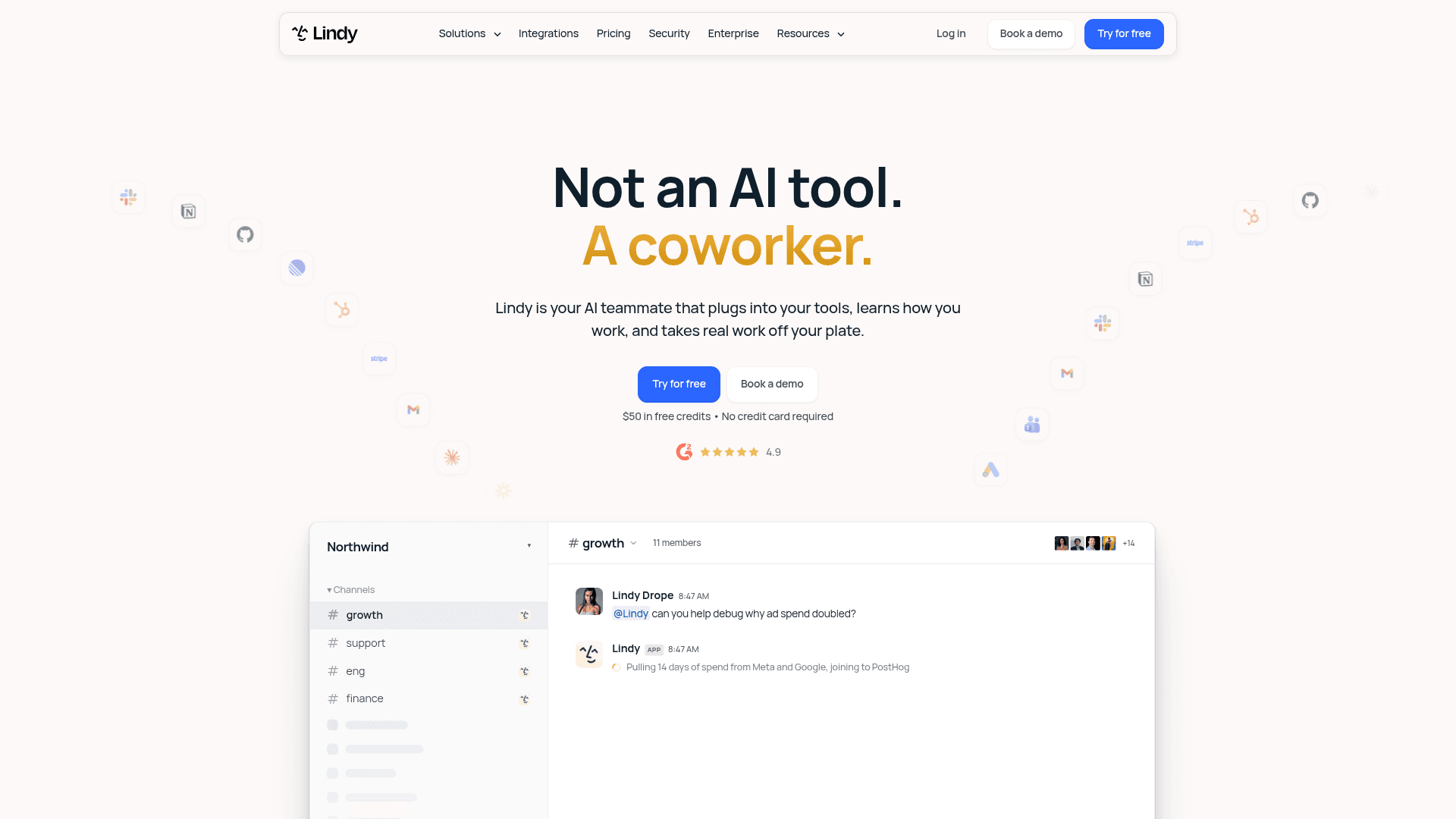
Lindy started as a no-code agent builder and has turned into "your AI teammate that plugs into your tools," per its homepage. For an Orchid user, the part that matters is the personal assistant you text. The iMessage and SMS docs say "No app to install," and the first text arrives already aware of your email and calendar.
Features
- Inbox triage. Lindy reads every incoming email, labels it and archives or keeps it based on your instructions, per the triage docs.
- Drafts in your style. "Every draft lands in your drafts folder for you to review, edit, and send," per the drafting docs. It also drafts follow-up bumps.
- Over text. You can schedule meetings, get a meeting brief, search your inbox and set a 7am daily briefing, which covers most of what people want from AI scheduling assistants.
- Approvals. "Anything with outside impact waits for approval," per the pricing FAQ, while read-only lookups run freely.
- Team side. A shared Lindy lives in Slack, and the pricing page lists 1,500+ integrations plus MCP.
Pros
- Gmail and Outlook, with 2 to 5 inboxes depending on plan.
- Approval-first defaults, the same safety model Orchid users chose it for.
- SOC 2 Type II, GDPR and HIPAA listed in the docs, and "never used to train models."
Cons
- Credits, not a flat fee. A reply draft costs between 2 and 250 credits, so heavy days add up.
- Credits do not roll over, and Lindy pauses credit-using actions when you run out.
- Reviews are split on cost, as one Trustpilot reviewer found out:
"I managed to kill my months credits (3000) in one day!"

Pricing
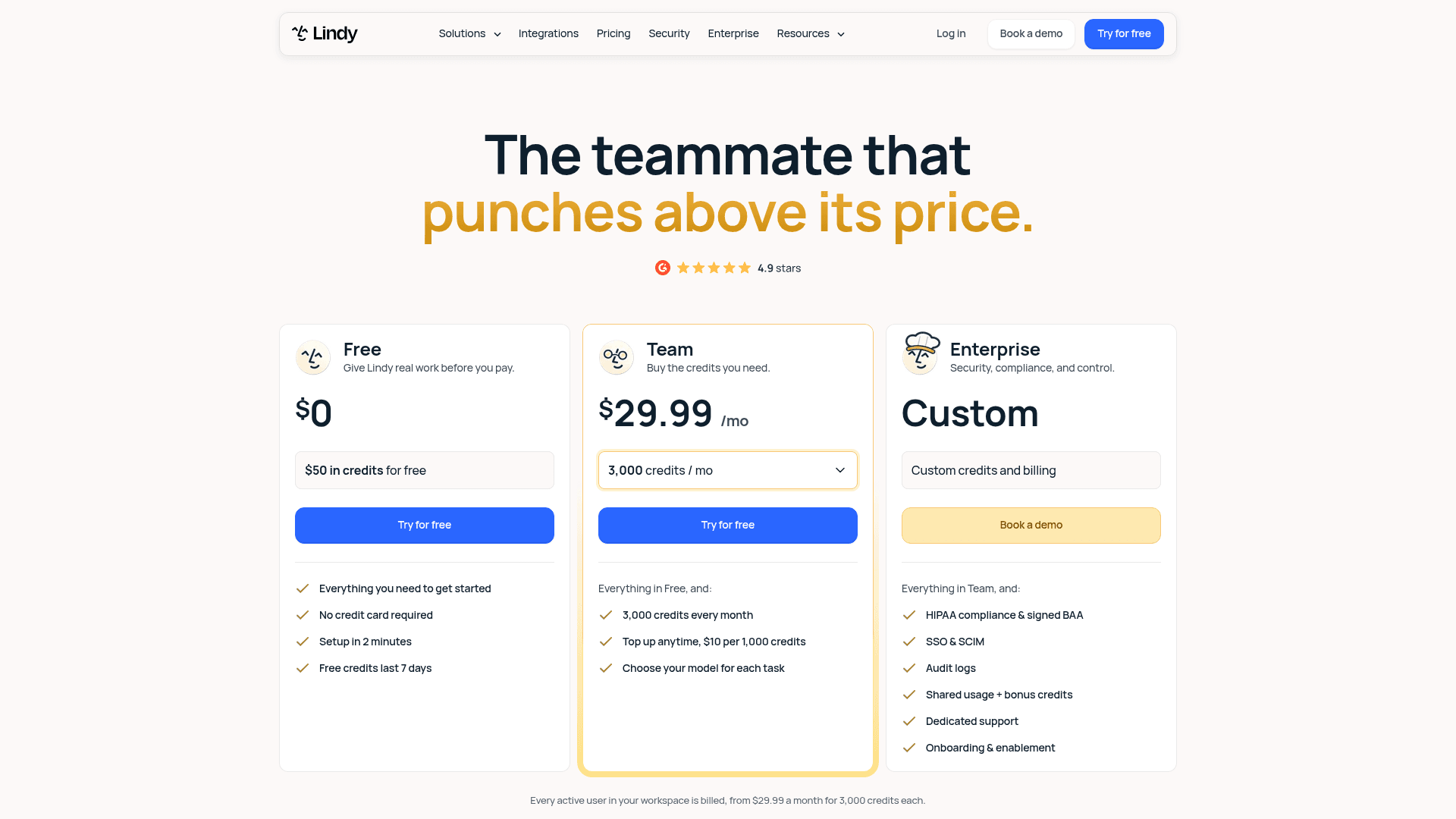
| Plan | Price | What you get |
|---|---|---|
| Free | $0 | $50 in credits, no card, credits last 7 days |
| Team | From $29.99/mo per active user | 3,000 credits a month, top-ups at $10 per 1,000, model choice |
| Team (higher tiers) | $49.99 for 5,000 credits, $99.99 for 15,000 | Same features, more credits |
| Enterprise | Custom | HIPAA with BAA, SSO and SCIM, audit logs |
Prices from Lindy's pricing page. Its own homepage still mentions "Pro and Max" plans, so expect the naming to keep moving. My Lindy alternatives roundup tracks the changes, and Lindy vs Tasklet compares it with a close rival.
My take: Lindy is the pick if you liked Orchid's approval model but need Outlook or a compliance answer for your employer. Skip it if you hate watching a credit meter. The deciding factor is volume: a light inbox fits easily in 3,000 credits, but a heavy one may not.
2. Poke
Best for: people who want one texting assistant across email, calendar and their other apps.
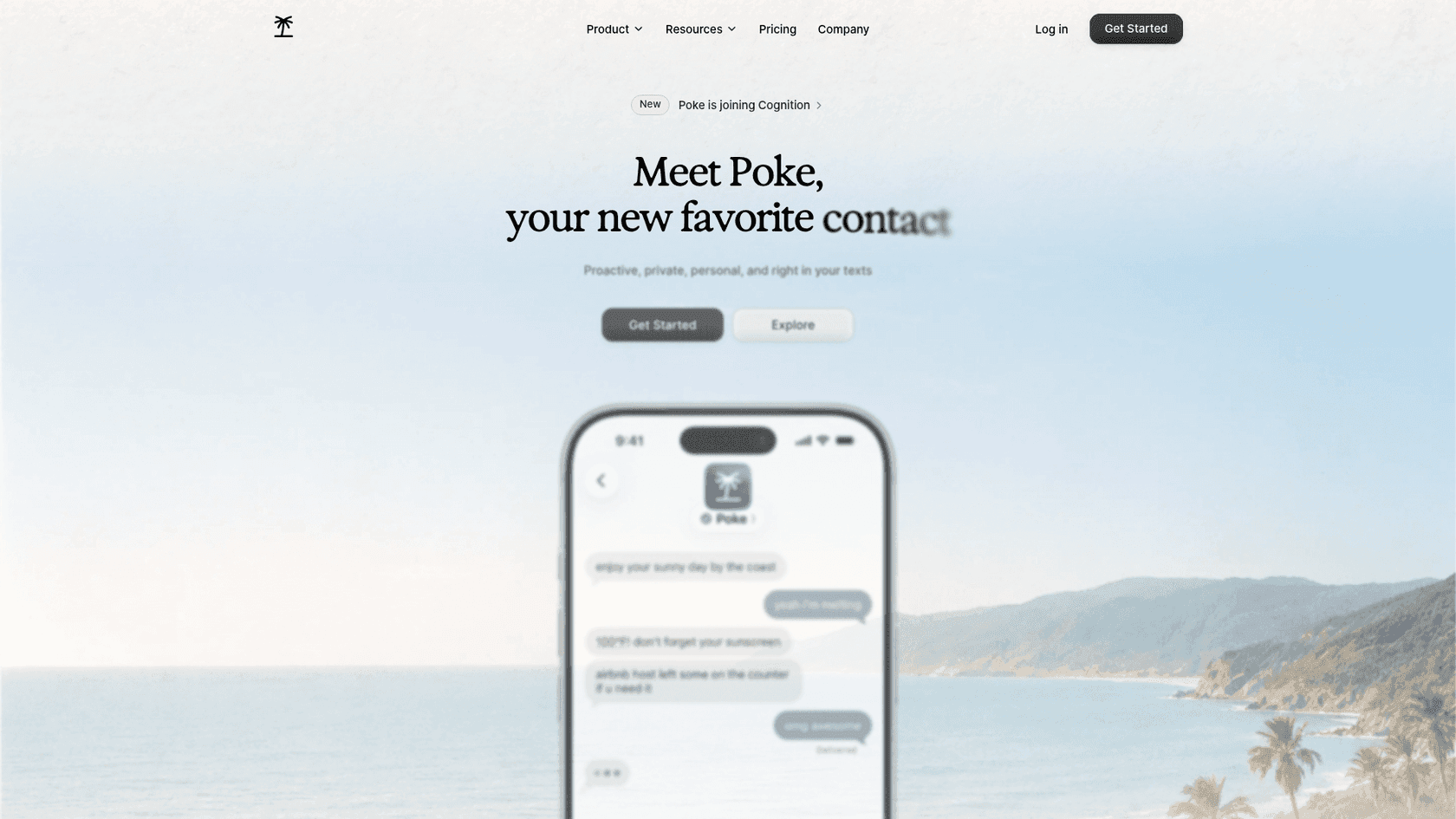
Poke is "Proactive, private, personal, and right in your texts." It is the assistant Orchid compares itself to on its own Orchid vs Poke page, and it is about to change hands: Cognition announced it is acquiring Poke's maker, saying users "can continue using the product just as before." Cognition also reports 100M+ messages in three months.
Features
- Channels. iMessage, WhatsApp and Telegram, plus voice messages.
- Email and calendar. The FAQ promises "full support for Gmail and Outlook inboxes, calendars, and contact sync." iCloud and Yahoo Mail are not planned.
- Gmail recipe. Its Gmail recipe can "Search, draft, and send emails with label management and inbox organization."
- Integrations. Docs list Notion, Linear, Todoist, Asana, GitHub and more, plus custom ones through MCP.
- Poke Human. On Ultra, real-world tasks like reservations and calls can go to a human operator.
Pros
- A permanent free plan that still connects email and calendar.
- Outlook support, which Orchid lacks.
- The broadest set of non-email integrations on this list.
Cons
- Poke's pages do not state an approval-before-send default. Orchid's comparison page claims it is "Not included," so check settings before connecting a real inbox.
- The privacy notice says data is used "to train our artificial intelligence models" unless you pick Maximum Privacy.
- No SOC 2 claim on the pages I read.
Early users mostly praised the onboarding, which used to include haggling over price with an AI "bouncer":
"Just had the most surreal onboarding experience from Poke by @interaction ... this thing is extremely impressive. Feels like the actual AI assistant I have been waiting years for."
Pricing
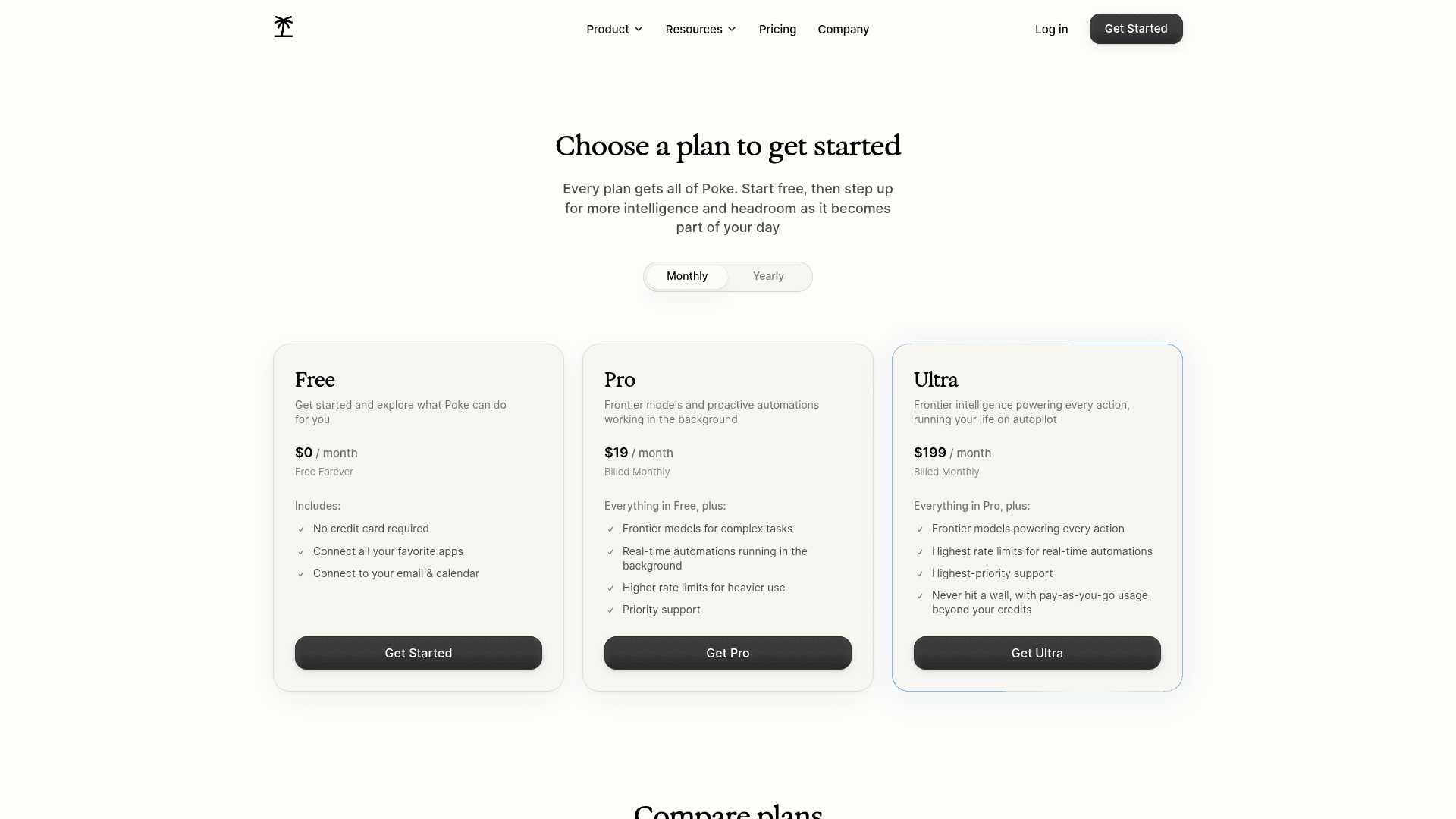
| Plan | Price | What you get |
|---|---|---|
| Free | $0, no card | Connect all apps, email and calendar; switches to a lighter mode after the allowance |
| Pro | $19/mo | Frontier models, real-time background automations, higher limits |
| Ultra | $199/mo | Frontier models on every action, Poke Human, pay-as-you-go beyond credits |
Prices from Poke's pricing page, where "Every plan gets all of Poke." The usage docs explain the lighter mode: it never stops replying, it just gets less capable until your allowance resets.
My take: Poke is the pick if Orchid felt too narrow and you want one assistant for email, tasks and dev tools. Skip it if you need a documented approval step before anything sends. The deciding factor is whether you will turn on Maximum Privacy.
3. Folk
Best for: the lowest price, or a free plan that still handles email.
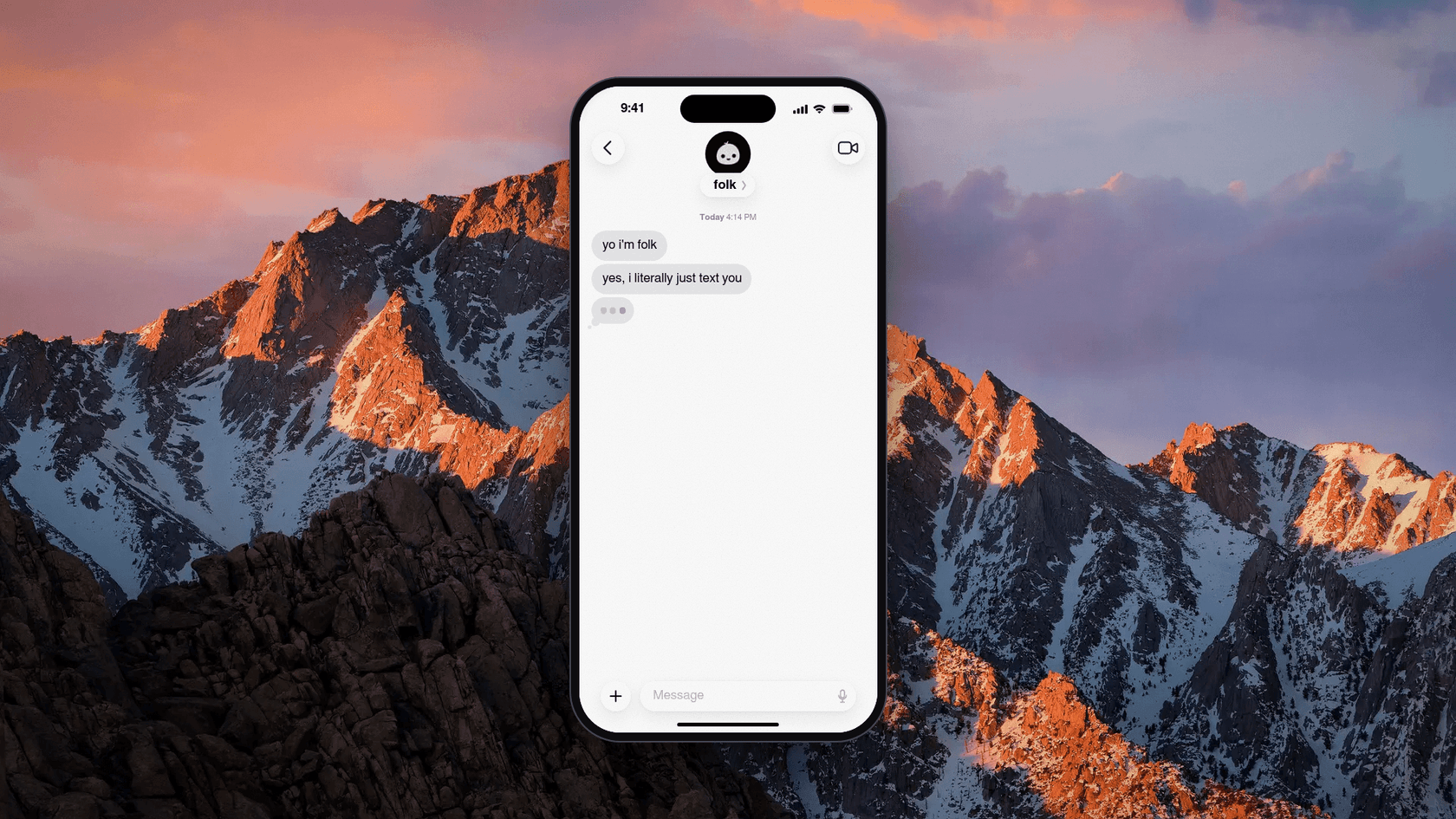
Folk is "just a contact in the messages app you already use," built by Nozomio, a San Francisco lab that raised a $6.2M seed led by CRV. The founder is Arlan Rakhmetzhanov. One naming warning: getfolk.app now redirects to folk.com, and folk.app is a different company that sells a sales CRM. Reviews you find for "folk" on G2 are about the CRM.
Features
- Email. It connects "Gmail and Outlook via one-click OAuth," surfaces the emails that matter, "drafts replies in your voice, and follows up on threads that go quiet," per its email page.
- Approval. "You approve; folk sends." The FAQ answer to "Does folk send emails without my permission?" is "No."
- Read-only mode. The privacy policy lets you connect Google read-only, so it "can see but never send, edit or delete."
- Memory and routines. A morning briefing, background watchers, and phone calls with folk.
- Own computer. Each user gets "their own private cloud computer," isolated from others.
Pros
- The free plan has "unlimited chatting," every feature and "no message cap."
- Pro costs about a third of Orchid.
- A clear "we never use your data to train AI models" stance.
Cons
- It leans consumer: habits, gym check-ins and wake-up calls sit next to email. Meeting prep is not a named feature.
- Outlook Calendar is not stated, only Google Calendar.
- Very little independent user feedback yet. The launch replies were mostly people comparing it to other agents:
"What are the things that can be achieved by folk but cannot be done by OpenClaw or Hermes? If there are a few useful things, I will consider to switch"
Pricing
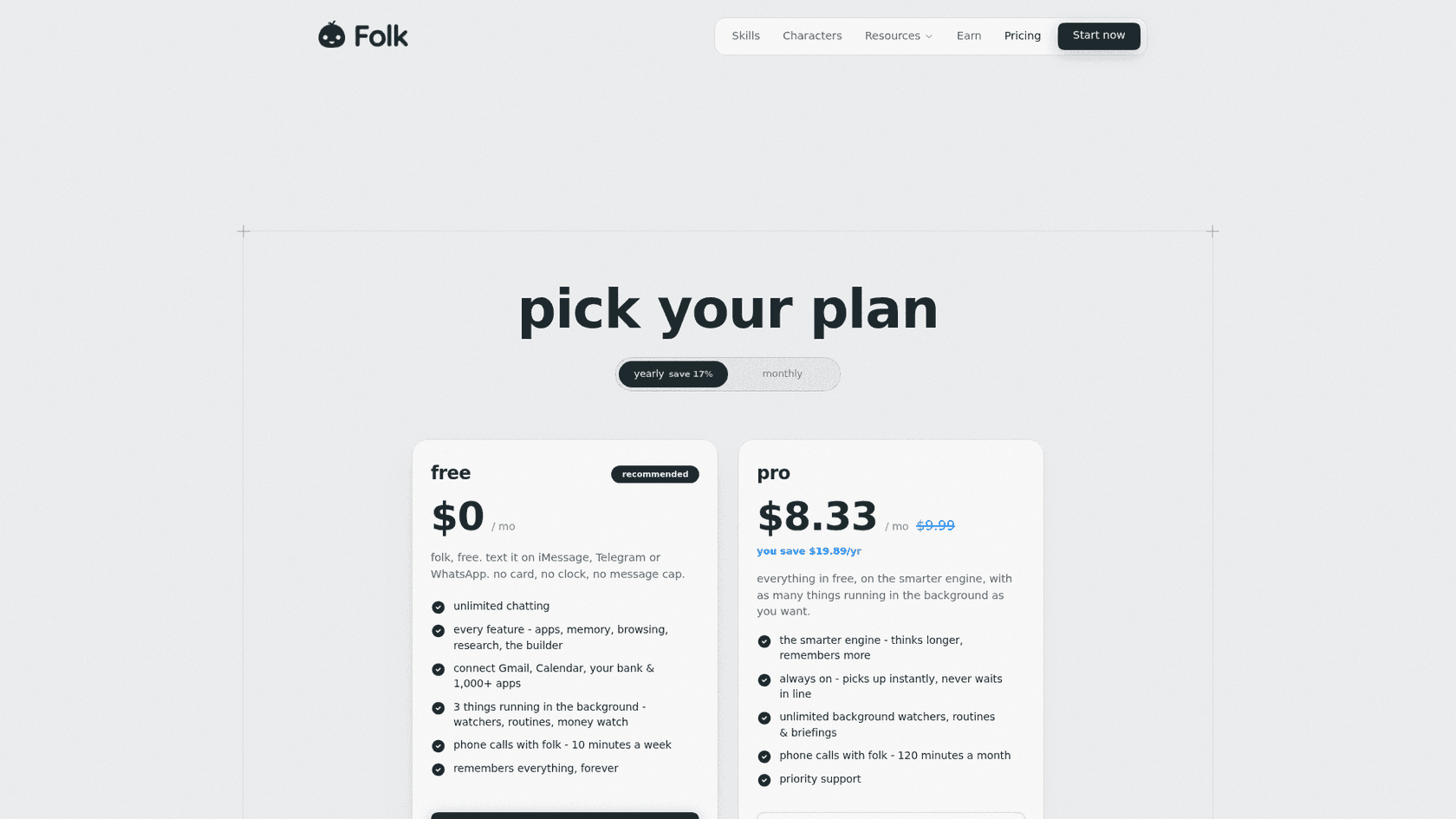
| Plan | Price | What you get |
|---|---|---|
| Free | $0, no card | Unlimited chat, every feature, 3 background tasks, 10 minutes of calls a week |
| Pro | $9.99/mo, or $99.99/yr ($8.33/mo) | Smarter engine, unlimited watchers and briefings, 120 call minutes a month |
| Max | $99.99/mo on the US App Store | "Higher usage capacity," listed in the terms only |
Prices from Folk's pricing page.
My take: Folk is the pick if Orchid's $29.99 was the problem and you mostly want a tidy inbox plus reminders. Skip it if you need executive-style meeting prep. The deciding factor is whether you want an assistant or an accountability buddy that also does email.
4. Fyxer
Best for: people who want AI help in their inbox but never want it to send.
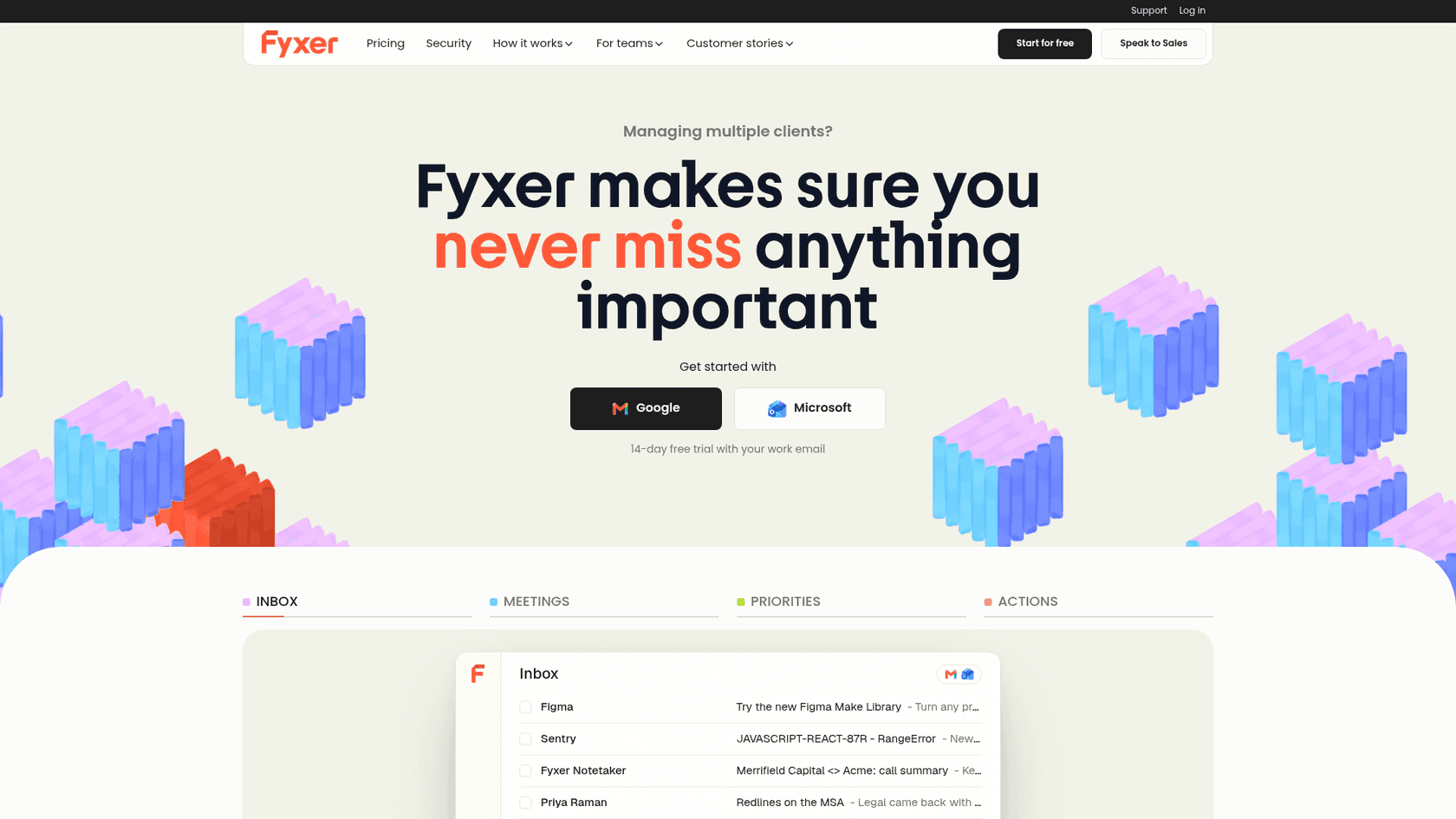
Fyxer works inside Gmail or Outlook rather than over text. It was built by the team behind an executive assistant agency, per its Trustpilot profile, and that shows: the product is about sorting, drafting and meeting notes, the bread and butter of a human EA. My Fyxer AI reviews piece goes deeper.
Features
- Inbox sorting. It labels every email into folders like "To Respond," "FYI" and "Marketing."
- Drafts in your tone. Replies are drafted on Pro and up, not on the free plan.
- Meeting notes. It records Zoom, Google Meet and Teams calls, and the bot asks participants first. If notes are the main draw, compare it with a dedicated meeting notes app.
- Never sends. "Fyxer will never send an email on your behalf," per its security page.
- MCP. On Team and up, your context is available inside Claude and ChatGPT.
Pros
- Gmail and Outlook, with Google and Outlook calendars.
- The strongest compliance list here: SOC 2 Type II, ISO 27001, HIPAA and GDPR.
- A Trustpilot rating of 4.0 from 743 reviews, the deepest review base on this list.
Cons
- No texting interface at all, which is the whole point of Orchid for some people.
- The free plan does not draft replies or sort your inbox.
- Pro credits drop from unlimited to 3,000 a month after the first 3 months.
"I love the note taking for meetings. It has been much harder than expected to adjust to the email process."
Pricing
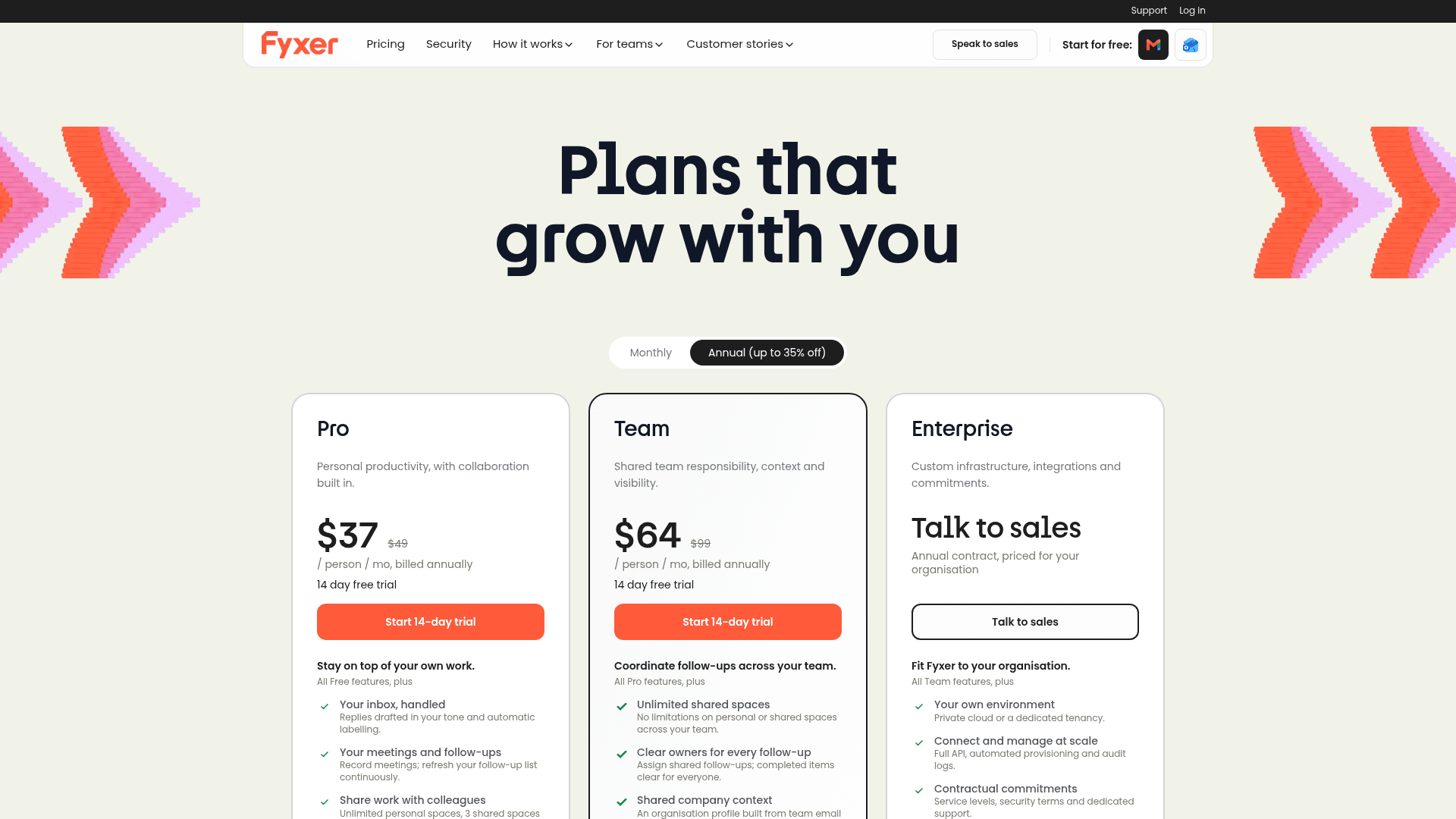
| Plan | Annual | Monthly | What you get |
|---|---|---|---|
| Free | $0 | $0 | 400 credits a month, weekly email briefing, no drafts or sorting |
| Pro | $37/user | $49/user | Drafts, sorting, notes; unlimited credits for 3 months, then 3,000 a month |
| Team | $64/user | $99/user | Shared spaces, several inboxes, 6,000 pooled credits per member |
| Enterprise | Custom | Custom | SSO, SCIM, audit log, regional data, 50-user minimum |
Prices from Fyxer's pricing page. Sorting costs 0.2 credits per email and recording costs 1 credit a minute, so 3,000 credits goes a long way for most people. I broke down the math in my Fyxer AI pricing guide.
If Fyxer is close but not quite right, my Fyxer alternatives list covers similar inbox tools.
My take: Fyxer is the pick if Orchid's appeal was "nothing leaves without me" and you do not care about texting. Skip it if you want to manage your day from iMessage. The deciding factor is whether you live in your inbox or in your messages.
5. Superhuman Mail
Best for: heavy email users who want a faster inbox with AI built in.
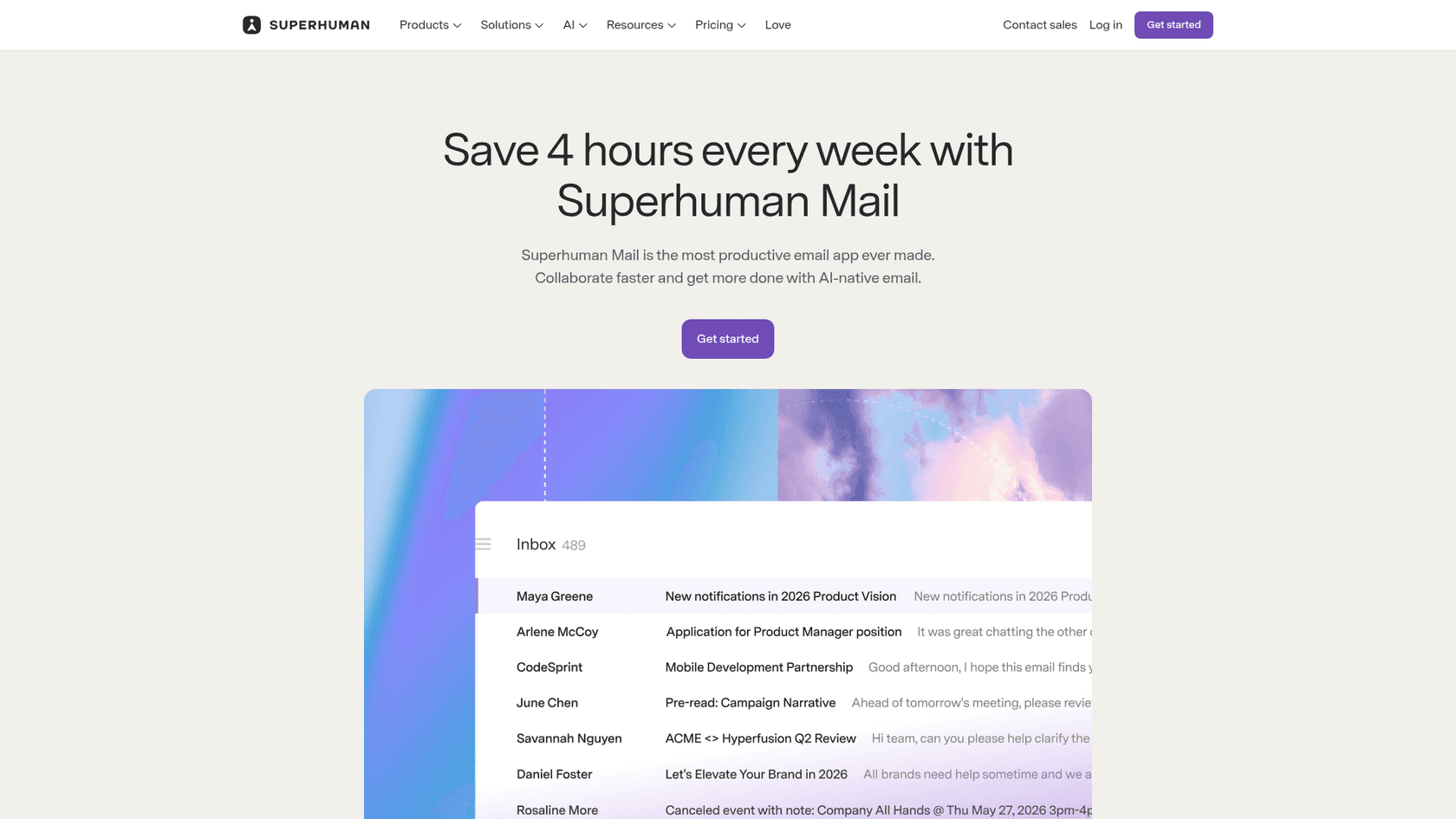
Superhuman Mail is an email app for Gmail and Outlook. The company behind it used to be Grammarly and now operates as Superhuman Platform Inc., per its privacy policy. Its suite also includes Superhuman Go, an agent with an Email Assistant that sorts your inbox and drafts replies.
Features
- Auto Drafts. Drafts follow-ups and replies "written in your voice and tailored to each thread," per the help center. Drafts sync to Gmail or Outlook.
- Scheduling drafts. When someone asks to meet, it drafts a reply with times and a booking link.
- Auto Labels and Split Inbox. Marketing, cold pitches and social updates get sorted away.
- Ask AI. Searches your inbox, calendar and the web in plain language.
- Mail MCP. On Business, Claude and ChatGPT can search, draft and send through your inbox.
Pros
- The most polished email client here, with apps for Mac, Windows, iOS and Android.
- AI providers are "contractually" barred from training on your data, per the Mail AI page.
- A G2 rating of 4.7 from 1,313 reviews.
Cons
- Auto Drafts and Ask AI need the Business plan, not Starter.
- No texting interface.
- One G2 reviewer found auto-respond reads only part of the thread:
"The AI auto-respond feature also needs work. Drafting and rewriting emails with AI works well, but auto-respond only seems to look at the most recent message in a thread rather than the full context of the conversation."

Pricing
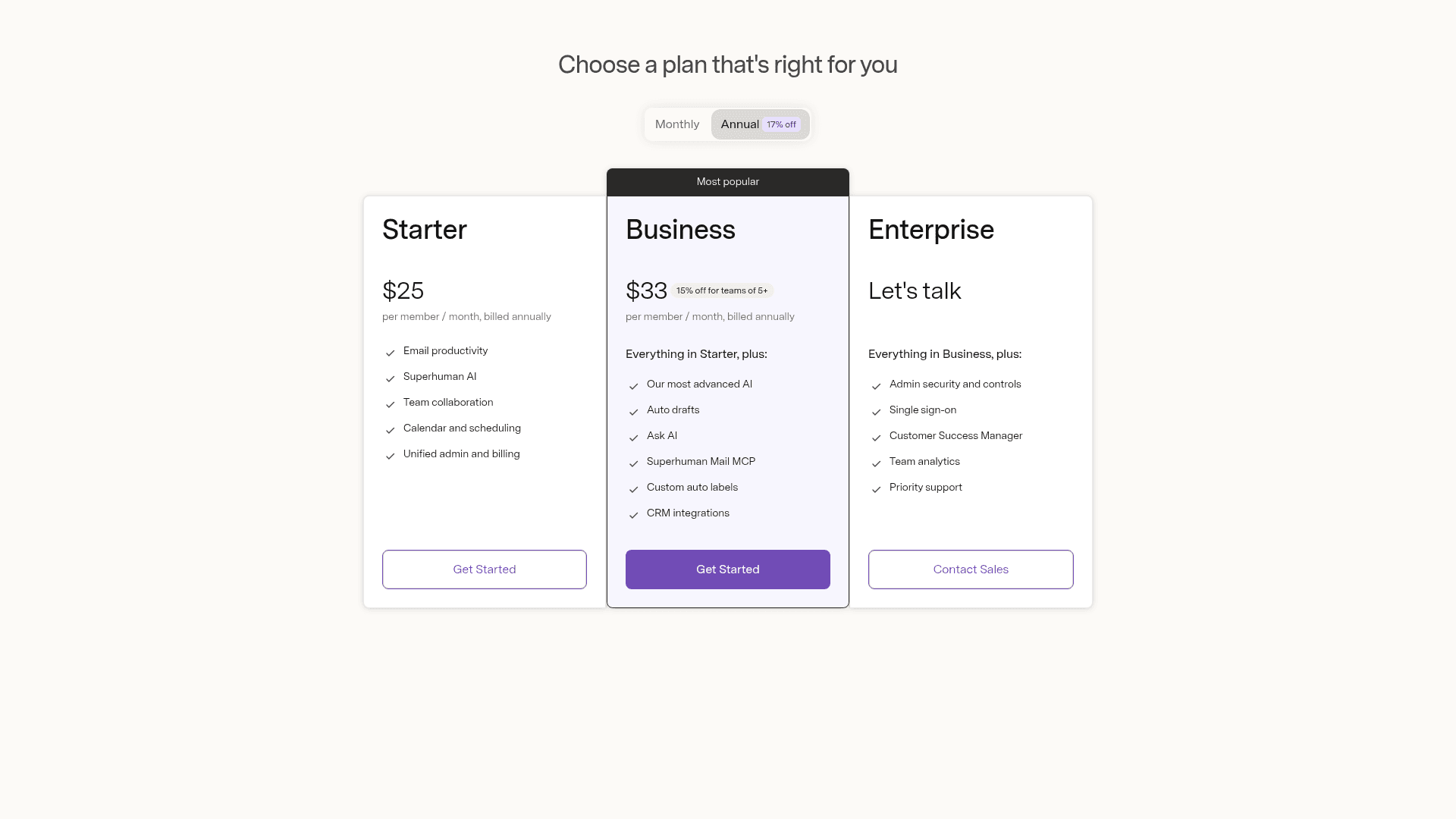
| Plan | Price | What you get |
|---|---|---|
| Go Free | $0 | Grammarly basics and chat; no Email Assistant, no Mail |
| Go Pro | $12/mo annual, $15/mo monthly | Email Assistant drafts and clears clutter in Gmail or Outlook; no Mail app |
| Mail Starter | $25/member/mo annual | Mail app, Superhuman AI, calendar and scheduling |
| Mail Business | $33/member/mo annual | Auto Drafts, Ask AI, Mail MCP, custom Auto Labels, CRM integrations |
| Enterprise | Custom | SSO, advanced security, success manager |
Prices from Superhuman's pricing page and the Go plans page. The older help center lists Mail at $30 and $40 on monthly billing.
My take: Superhuman is the pick if email is most of your job and you want speed plus drafts in one place. Skip it if you wanted something to text. The deciding factor is whether $33 a month for the Business features beats Orchid's $29.99 for a texting assistant.
6. Gemini in Gmail
Best for: people who already pay for Google and want AI where they already work.
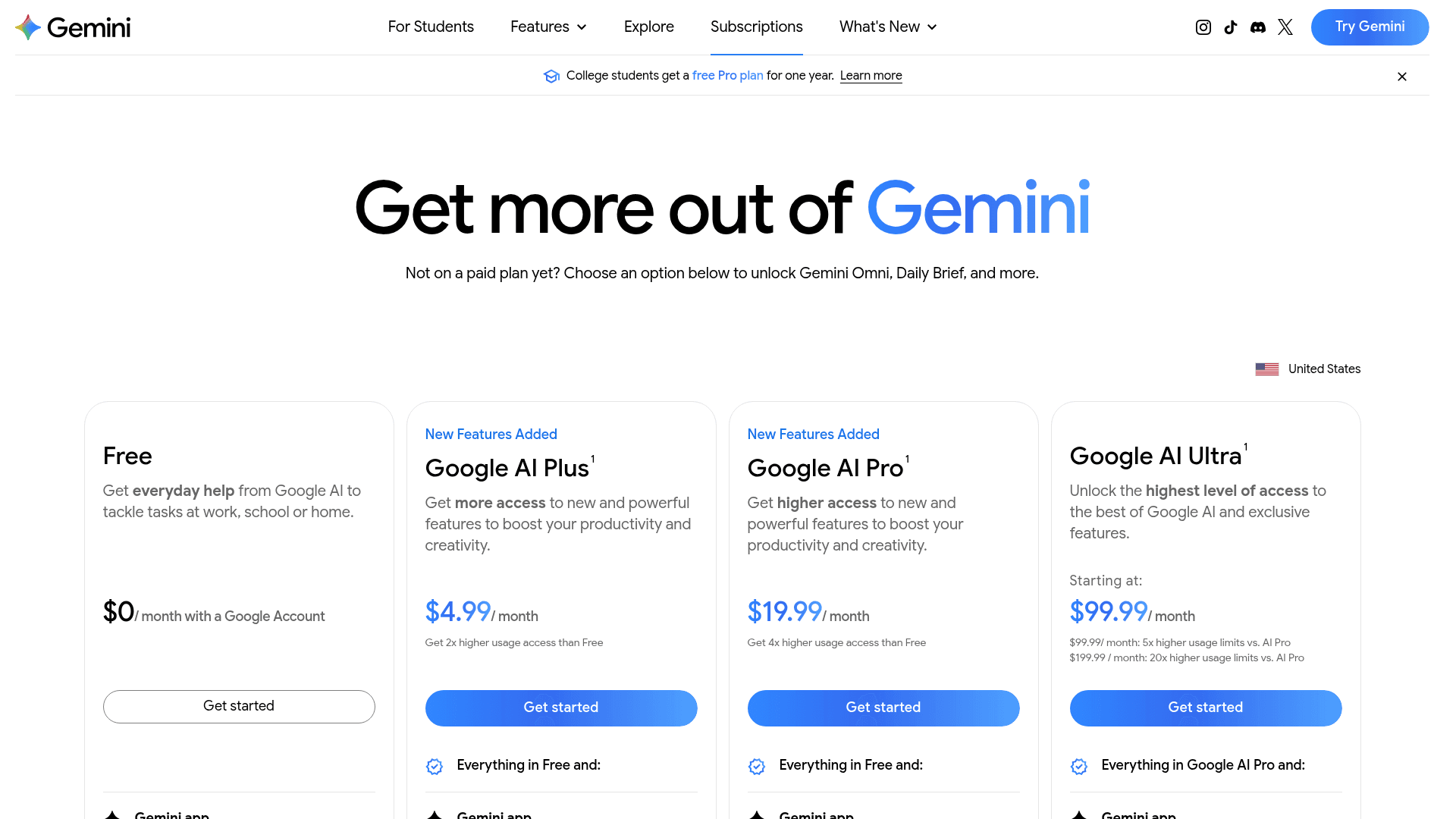
Orchid is built on Gmail and Google Calendar, which makes Google's own assistant the obvious comparison. The Ask Gemini panel in Gmail summarizes threads, drafts emails, searches your inbox, proposes meeting times and creates events. I wrote up the individual pieces, like Help me write and thread summaries, in separate guides.
Features
- Inbox actions. Archive, delete, label and star, but "never ... until you explicitly confirm," with a 60-second undo.
- Daily Brief. A morning rundown drawn "primarily from your Gmail, Calendar, and Gemini chats," per the Daily Brief help page.
- Scheduled actions. Up to 10 recurring prompts, like a daily digest of your calendar and email, on top of Gmail's built-in follow-up nudges.
- Gemini Spark. A background agent on Pro and Ultra that "can work in the background across Gmail, Docs, Sheets, and Calendar," and asks before sending, per the Spark page.
Pros
- The cheapest paid entry here at $4.99 a month.
- Google says Gemini in Gmail "doesn't use your content to train or improve Gemini," per its data page.
- No new vendor to vet if your company already runs on Workspace, as my Gemini for Workspace guide explains.
Cons
- Gmail and Google Calendar only, so it does not solve the Outlook problem.
- No texting interface: it lives in a side panel and the Gemini app.
- Daily Brief is US-only, English-only and personal accounts only, and Spark is experimental and unavailable in the EEA, Switzerland and the UK.
Pricing
| Plan | Price | Gemini for email |
|---|---|---|
| Free | $0 | Gemini app; the Gmail side panel needs a paid plan |
| Google AI Plus | $4.99/mo | Gemini in Gmail, Daily Brief |
| Google AI Pro | $19.99/mo | Gemini in Gmail and Docs, Daily Brief, Spark |
| Google AI Ultra | From $99.99/mo | Highest limits, first access to Spark |
| Workspace Business Starter | $7/user/mo annual | Gemini in Gmail, "Limited" in other apps |
| Workspace Business Standard | $14/user/mo annual | Gemini across Gmail, Docs, Meet and more |
Prices from Google AI plans and Workspace pricing. My Gemini Workspace pricing guide covers the business tiers in more depth.
My take: Gemini is the pick if you are on Google already and want most of Orchid's inbox help for about a sixth of the price. Skip it if texting your assistant was the draw. The deciding factor is whether you will open a side panel or would rather send a text.
7. Martin
Best for: people who want an assistant they can call, and that texts other people for them.
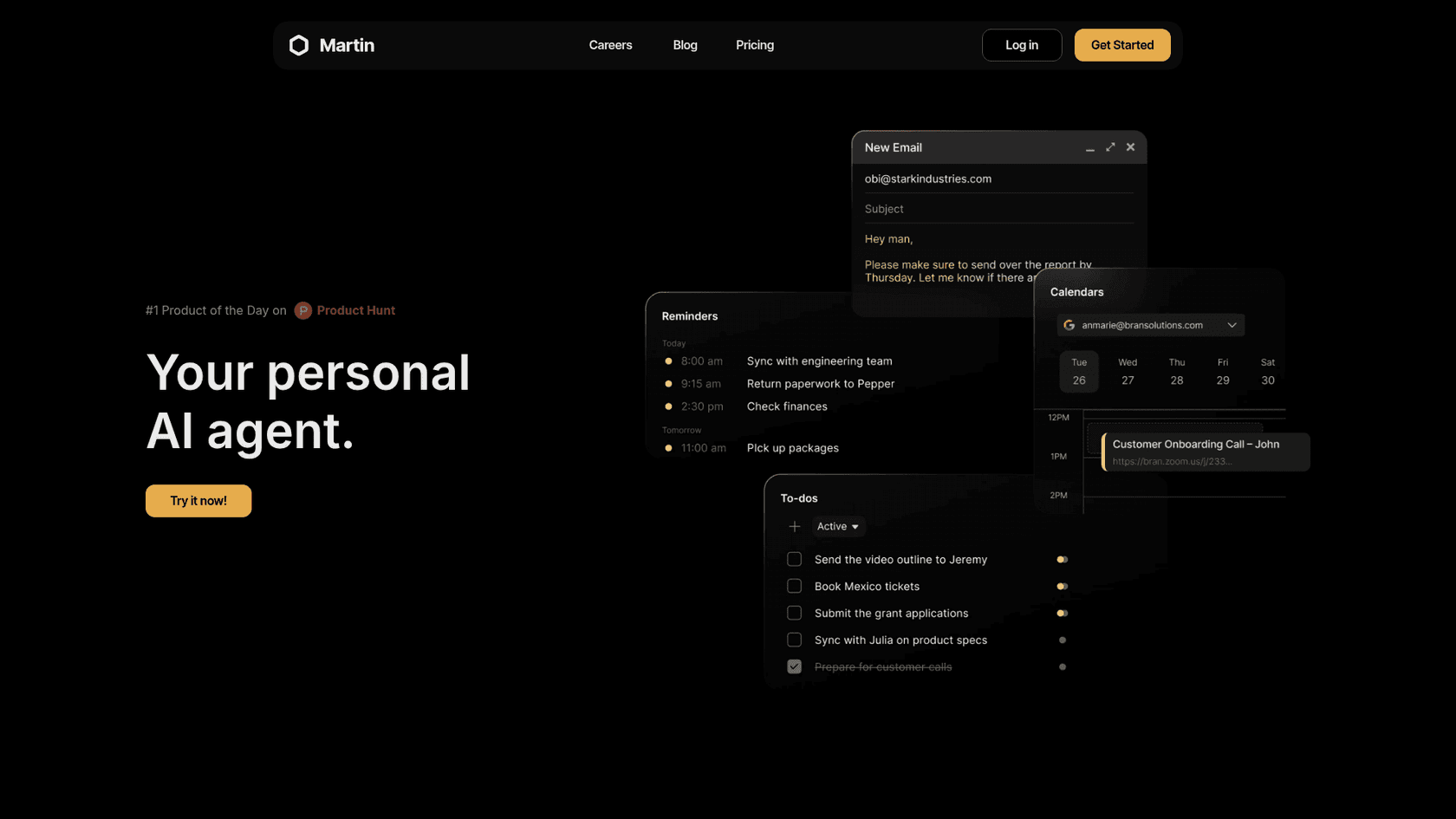
Martin is a YC S23 assistant that its founders pitched as "a better Siri with an LLM brain and deeper integrations with everyday apps," per their Launch HN post. It is reachable by phone call, SMS, WhatsApp, email and Slack, per the docs.
Features
- Inbox. Up to 5 Gmail and 5 Outlook accounts, and it can "read, draft, and reply to emails on your behalf," per the inbox docs.
- Calendar. Google, Apple and Outlook calendars, up to 5 of each. This is the widest calendar support on the list.
- Cc to Schedule. Cc Martin's address, say "find a time for us," and it emails times on the thread.
- Proactive drafts and triage. Auto-labelling and per-topic drafts, on Pro only.
- Briefings. A daily email digest and a morning calendar briefing call.
Pros
- Apple Calendar support, which none of the other texting assistants state.
- You can call it, not only text it.
- Texts and calls your contacts from its own number, which Orchid does not do.
Cons
- No privacy policy or terms page on the site when I checked; both returned "Page Not Found."
- The docs do not state an approve-before-send default for proactive drafts.
- No SOC 2 as of the founders' 2024 post. A commenter on that thread put the worry plainly:
"I want this, but very concerned about the security and privacy - you're talking about getting my most personal of personals (email, calendar, messages, phone calls)."

Pricing
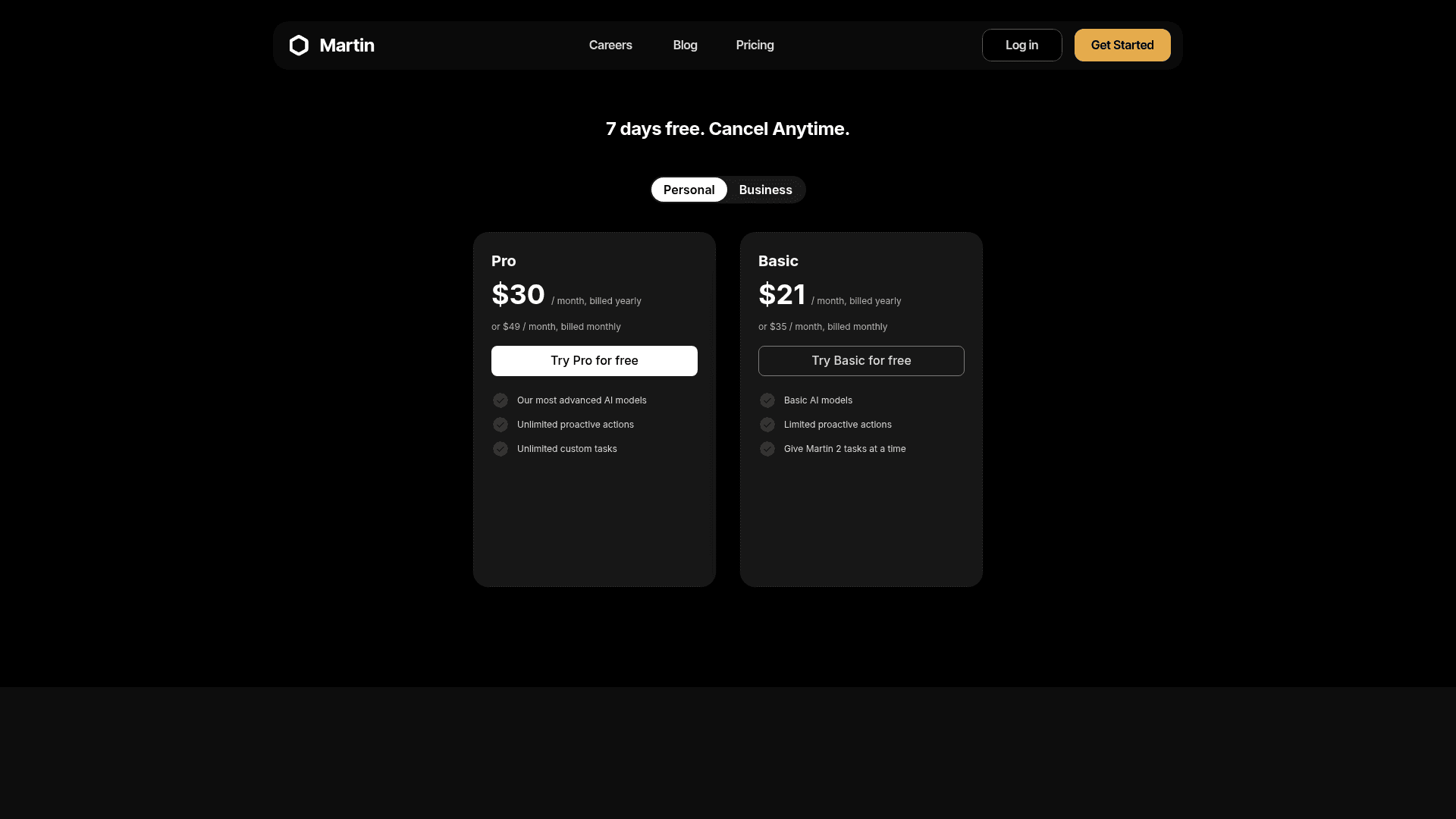
| Plan | Yearly | Monthly | What you get |
|---|---|---|---|
| Basic | $21/mo | $35/mo | Basic models, limited proactive actions, 2 tasks at a time |
| Pro | $30/mo | $49/mo | Advanced models, unlimited proactive actions, email triage and drafts |
Prices from Martin's pricing page, with a 7-day free trial and no free plan.
My take: Martin is the pick if you want the widest calendar support and an assistant you can phone. Skip it if you need written privacy terms before connecting five inboxes. The deciding factor is trust: until the legal pages are back, I would keep work mail out.
8. Instinct
Best for: errands, bookings and purchases, if you can get an invite.
Instinct is the other texting assistant everyone names next to Orchid, but it does a different job. Orchid manages your inbox and calendar. Instinct runs errands: it checks you into flights, orders groceries and books appointments, working on its own computer with your accounts.
Features
- Channels. iMessage, WhatsApp and phone calls.
- Email. It reads your connected Gmail, and since September 8 it also sends from its own address on mail.instinct.com, as I covered in Instinct for email.
- Payments. Purchases go through one-time cards from Stripe Link.
- Proactive. It texts you first when something needs doing.
Pros
- The most proactive assistant here, by most accounts.
- Handles real-world tasks that the email-first tools do not touch.
- No published price, so there is no subscription to weigh yet.
"Instinct is the first AI product I've used that is truly proactively helpful. It's already checking me into flights, reminding me about reservations I forgot to cancel, etc"
Cons
- Invite-only, so you may not be able to switch today.
- Its terms appoint it "as your agent," with agreements "binding on you," and training is on by default with an opt-out.
- Personal use only per its terms, so work email is out.
Pricing
| Plan | Price | What you get |
|---|---|---|
| Beta | No published price | Invite-only access |
My Instinct AI pricing post explains how it may make money and what you trade instead.
My take: Instinct is the pick if you want an assistant that does things in the world, not one that tidies your inbox. Skip it for anything work-related. The deciding factor is how much autonomy you are comfortable giving, which my Instinct AI review goes through in detail.
The fine print: who trains AI on your email?
This is the column people skip, and it is the one I would read first. An email assistant reads everything, including password resets, contracts and medical notes. Here is what each vendor's own pages say:
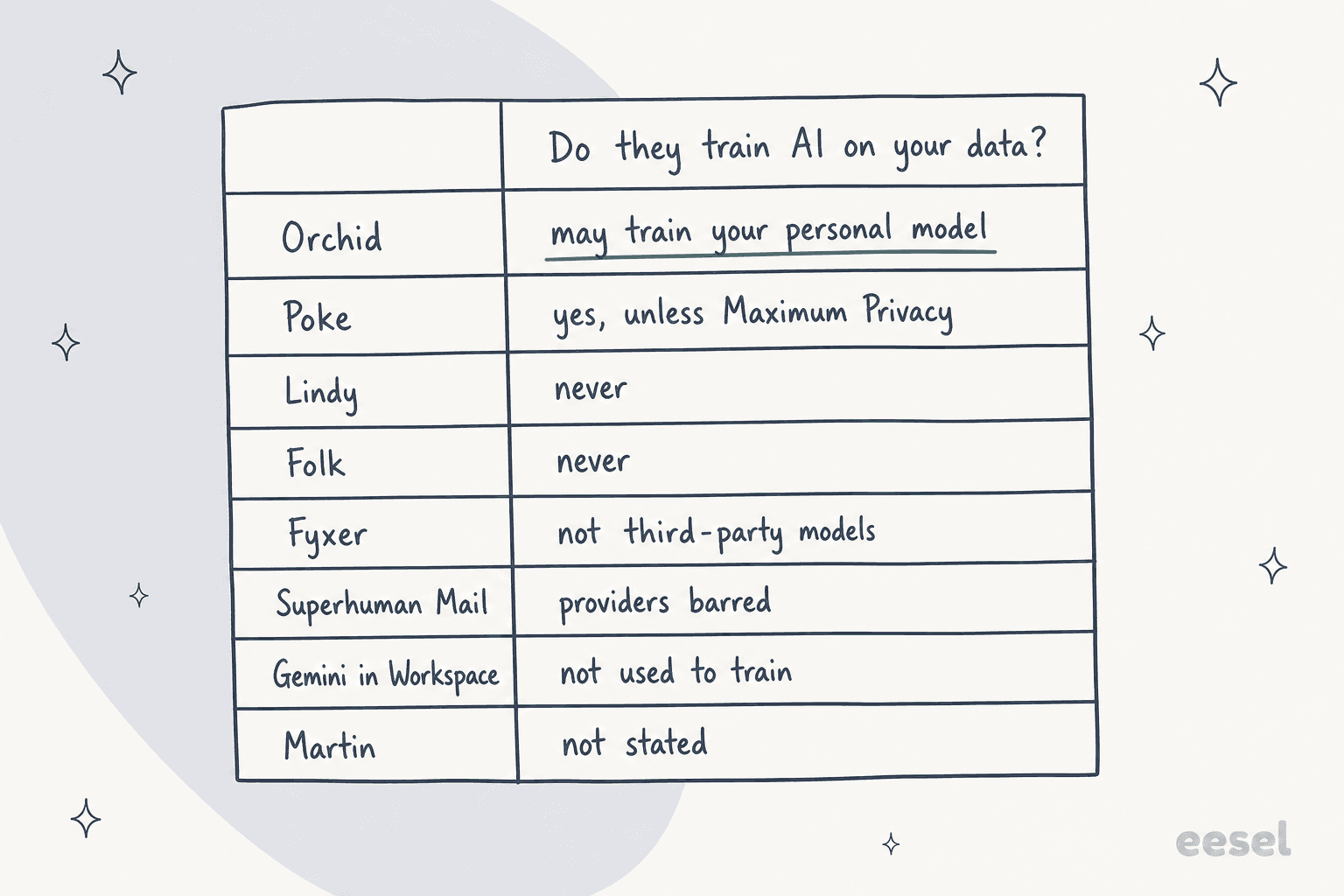
A few notes that do not fit in a chart:
- Orchid's is narrower than it sounds. Training a personal model is how it learns your voice, and the policy says "Only yours." It is still not the "never" on its marketing pages.
- Poke's is a setting. If you choose Poke, turn on Maximum Privacy on day one.
- "Not third-party" is not "never." Fyxer says your data is never used to train third-party models like OpenAI's. Its own-model policy is not stated.
- Compliance is rare. Only Lindy and Fyxer publish SOC 2 Type II on the pages I read.
If you want a checklist for any AI tool that touches customer or company data, this primer on AI data privacy is a good start, and my guide to AI inbox triage covers the safe rollout order.
When the inbox is not really yours
There is one case where none of these tools fit well. Sometimes the inbox you are drowning in is not your personal mail at all. It is a shared inbox: support@, hello@, the one customers write to. Point a personal assistant at it and it only half works.
It half works because personal assistants are built for one person's judgement. They draft in your voice and wait for you. A support inbox needs answers from approved knowledge, consistent across everyone on the team, with escalation when the AI is not sure. That is the same lesson from the trial I mentioned up top: agents rewrote AI drafts mostly for tone and length, and the fix was training on the team's own sent replies, not a smarter general model.
The common adoption pattern from eesel's sales calls is also worth stealing for any of the tools above: start with AI drafting replies for people, then move to full automation once trust is earned. Lindy, Folk, Fyxer and Orchid all default to the first step. That is the right default.
For a broader look at assistants that work as part of a team rather than for one person, see my guides to AI teammates and the best AI teammates.
For personal tools beyond this list, I keep roundups of the best AI email assistants, the best AI assistants overall, and the best AI apps for Gmail.
Try eesel
Every tool on this list is a personal assistant. eesel is a different hire: an AI teammate platform where you bring on ready-to-work teammates for specific jobs, today an AI helpdesk teammate and an AI blog writer.
For email, the helpdesk teammate works straight from a shared inbox. Per eesel's integration docs, it "responds to support emails directly from your inbox" and drafts, sends and follows up. It learns from your help center and your team's past replies, so drafts start in your team's voice instead of a generic one.
The part I would point an Orchid user to is the testing. Before eesel replies to a single customer, you can run it against your historical tickets and see what it would have said. Start in draft mode, check the answers, and only switch on sending when you trust it. If your support@ inbox is what keeps you up, try eesel on it for free.
Frequently Asked Questions
What is the best Orchid AI alternative?
Is there a free alternative to Orchid AI?
Which Orchid AI alternatives work with Outlook?
How much do Orchid AI alternatives cost?
Which Orchid alternative never sends email on its own?
Do Orchid AI alternatives train AI on my email?
Can an Orchid alternative answer customer emails for my business?


Article by
Kurnia Kharisma
Kurnia is a software engineer and writer at eesel AI with two years of SEO experience, writing about AI tools, helpdesk software, and customer support. He pairs a developer's understanding of how these products are built with search-driven research into what actually ranks and resonates with the people searching for them.