8 Martin AI alternatives, sorted by why you're leaving (2026)

Kurnia Kharisma

Katelin Teen
Last edited October 8, 2026

Why do people leave Martin?
Martin is a YC S23 "personal AI agent" you can call, text, email or message on Slack. It connects up to 5 Gmail and 5 Outlook accounts, plus Google, Apple and Outlook calendars, and I covered it in full in my Martin AI review. It is a capable assistant. The reasons people go looking elsewhere are specific, and almost all of them come from Martin's own pricing page and docs:
- The autopilot costs extra. Email Triage, Proactive Drafts, Cc to Schedule, the daily digest and Wake Up Calls are marked Pro only in the docs. Basic at $21 a month (yearly) is a command-driven assistant with 2 tasks at a time. There is no free plan, just a 7-day trial.
- No paperwork. The privacy, terms and FAQ addresses returned "Page Not Found" when I checked, and I found no SOC 2 report. In 2024 the CEO wrote on Hacker News that Martin had not been through SOC 2 yet but was "planning on soon."
- No documented approval step. The docs index says Proactive Drafts can "draft emails for you and send them on your behalf," and I found no "ask me before sending" setting. My write-up of Martin for email walks through that gap.
- Its own app and number. Martin works over phone, SMS, WhatsApp, email and Slack, plus an iOS app. iMessage is not named in the docs, and an Android app was not out as of the founders' November 2024 post.
- One person, one inbox. Martin is built around your mail and your calendar. If the mail piling up is customers writing to support@, that is a different job.
The first commenter on Martin's launch thread summed up the trust question:
"I want this, but very concerned about the security and privacy - you're talking about getting my most personal of personals (email, calendar, messages, phone calls)."

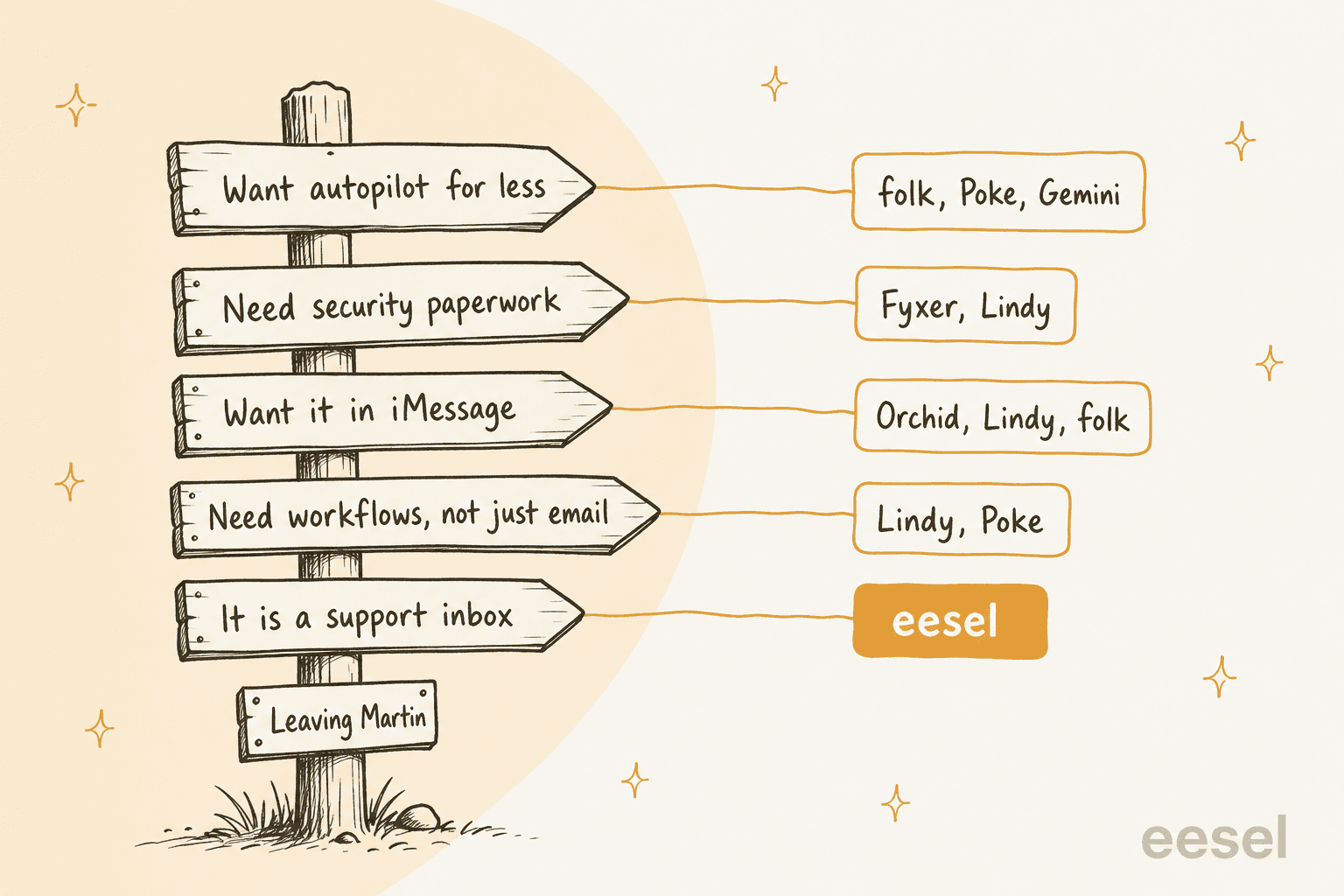
Each reason points to a different tool, which is why I organized the list around them:
What does Martin still do better?
Fair is fair. Before you switch, check that you are not giving up the thing you liked. Martin has three strengths that most alternatives on this list do not match:
- The widest calendar support. Up to 5 Google, 5 Apple (iCloud) and 5 Outlook calendars, per the calendar docs. None of the other texting assistants here state Apple Calendar.
- It talks to other people. Martin texts and calls your contacts from its own number, and you can phone it. Cc to Schedule handles the back and forth of booking a meeting on an email thread.
- Every channel at once. Phone, SMS, WhatsApp, email and Slack reach the same assistant, which makes it useful as a to-do list you can reach from anywhere.
That last point is what its happiest users mention:
"I use Martin to manage my todo list while i'm coding (on an hourly basis)... It's very nice to have a cloud-based agent that can access my todo whichever device/app i'm on - slack, text, whats-app!"
If calendar juggling across Apple and Outlook is the core of your day, stay on Martin, or compare it with dedicated AI scheduling assistants first.
How I picked these alternatives
Every tool had to clear four bars:
- It drafts, sorts or manages email, not only chats.
- It works with Gmail at minimum.
- It publishes a price and a data policy I could read.
- You can sign up today, without an invite.
That last bar ruled out Instinct, which is still invite-only. I also skipped general chatbots, because the job here is acting inside your accounts, and this explainer on AI agents vs chatbots covers that line.
If you want the same field cut a different way, my Orchid AI alternatives list sorts by texting vs inbox, and the folk alternatives list sorts by work-readiness.
I checked prices on each vendor's own pricing page between October 6 and 8, 2026.
Martin AI alternatives at a glance
| Tool | Best if you're leaving because | Cheapest paid | Free tier | Background autopilot | Sends without approval? | Channels | Email and calendars | Security certs stated | Mobile | Trains on your data |
|---|---|---|---|---|---|---|---|---|---|---|
| Martin (baseline) | n/a | $21/mo yearly, $35 monthly | No, 7-day trial | Pro only ($30 yearly) | No approval setting documented | Call, SMS, WhatsApp, email, Slack | 5 Gmail + 5 Outlook; Google, Apple, Outlook calendars | None found | iOS app | Not stated |
| folk | Autopilot for less | $9.99/mo or $99.99/yr | Yes, 3 background tasks | Free (3 tasks), Pro unlimited | No, "You approve; folk sends" | iMessage, Telegram, WhatsApp | Gmail, Outlook; Google Calendar | None found | In your messaging app | Never |
| Poke | Free plan plus apps | $19/mo | Yes, permanent | Pro | Not stated | iMessage, WhatsApp, Telegram | Gmail, Outlook, calendars | None found | In your messaging app | Yes, unless Maximum Privacy |
| Gemini in Gmail | Already pay for Google | $4.99/mo | App only | Daily Brief (Plus), Spark (Pro) | Confirms first | Gmail side panel, Gemini app | Gmail, Google Calendar | Not checked here | Gmail and Gemini apps | Not for Workspace data |
| Fyxer | Security paperwork | $37/mo annual, $49 monthly | Yes, no drafts | Pro | Never sends | Inside Gmail and Outlook, Slack, Teams | Gmail, Outlook; Google and Outlook calendars | SOC 2 Type II, ISO 27001, HIPAA | Your mail apps | Not third-party models |
| Superhuman Mail | Want a real mail app | $25/mo annual (Starter) | Go Free, no Email Assistant | Business ($33 annual) | Drafts wait in your inbox | Mac, Windows, iOS, Android | Gmail, Outlook, calendar | None found | iOS and Android | AI providers barred |
| Orchid | Want it in iMessage | $29.99/mo flat | No, 30-day refund | Included | No, drafts until you send | iMessage, SMS | Gmail, Google Calendar | None found | Messages app | May train a personal model |
| Lindy | Need real workflows | $29.99/user/mo | $50 credits, 7 days | Team | No, outside impact waits | iMessage, SMS, Slack, web | Gmail, Outlook | SOC 2 Type II, HIPAA on Enterprise | iMessage, SMS | Never |
| eesel | It is a support inbox | $299/mo (500 credits) | 100 credits | Teammate plans | Your choice: draft or auto | Helpdesk, shared inbox, Slack, chat | Shared support inboxes and helpdesks | SOC 2 Type II underway | Web dashboard | Never on customer data |
The column that surprised me most is the fifth one. Martin charges a premium for the background work, but the background work is not rare:
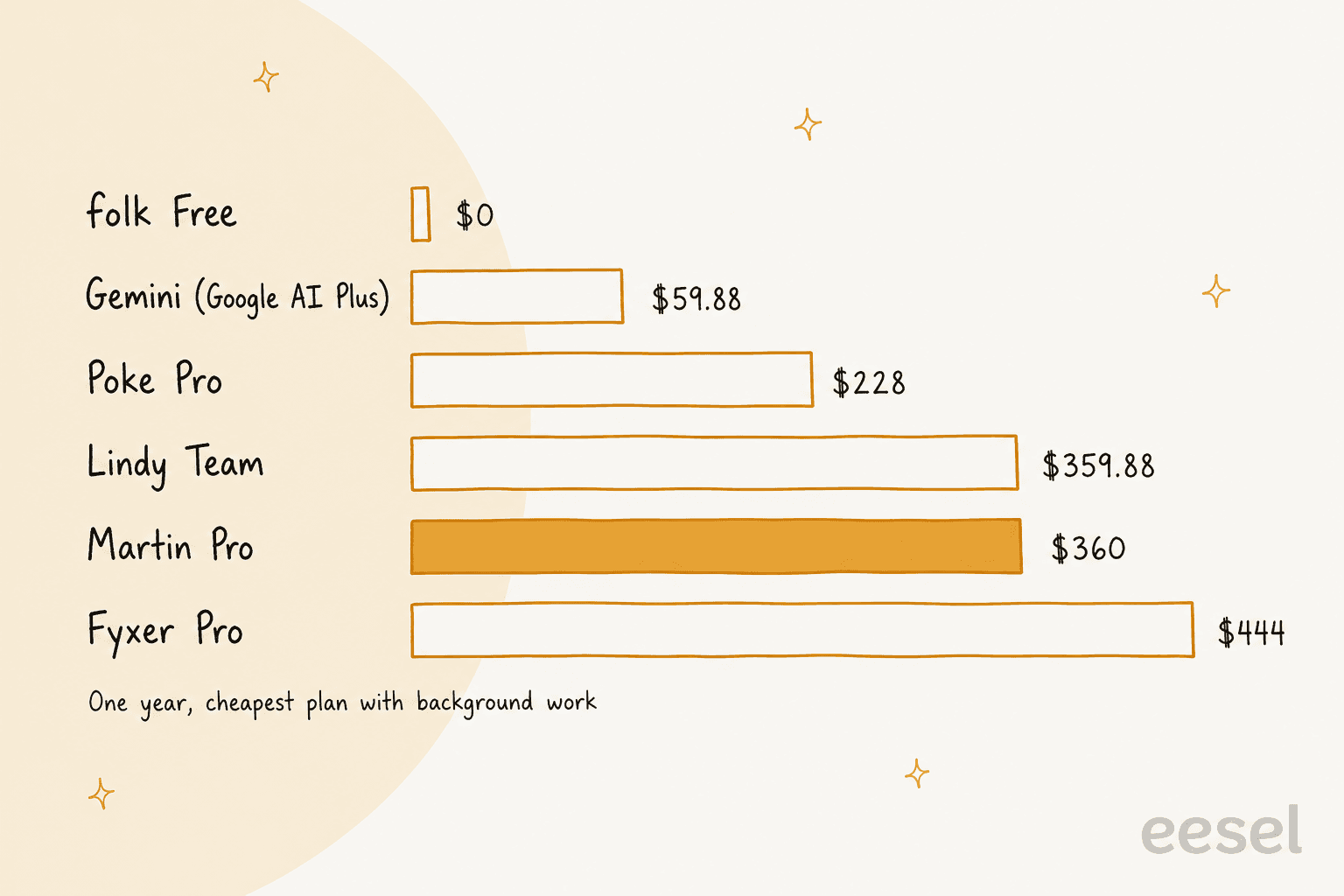
Martin Pro sits in the middle of the pack at $360 a year on yearly billing, or $588 if you pay monthly. folk's free plan runs 3 background tasks at no cost, and Poke Pro runs background automations for $228 a year. The chart is not like for like on features: Fyxer's price buys the compliance list, Lindy's buys workflows, and Gemini's Daily Brief is US-only for now. But "pay $30 a month to unlock the autopilot" is not the only way to get one.
Which Martin alternative fits you?
Pick the reason you are leaving Martin and the widget shows where I would go.
Why are you leaving Martin?
Pick the reason that matters most.
Choose an option above to see my pick.
1. folk
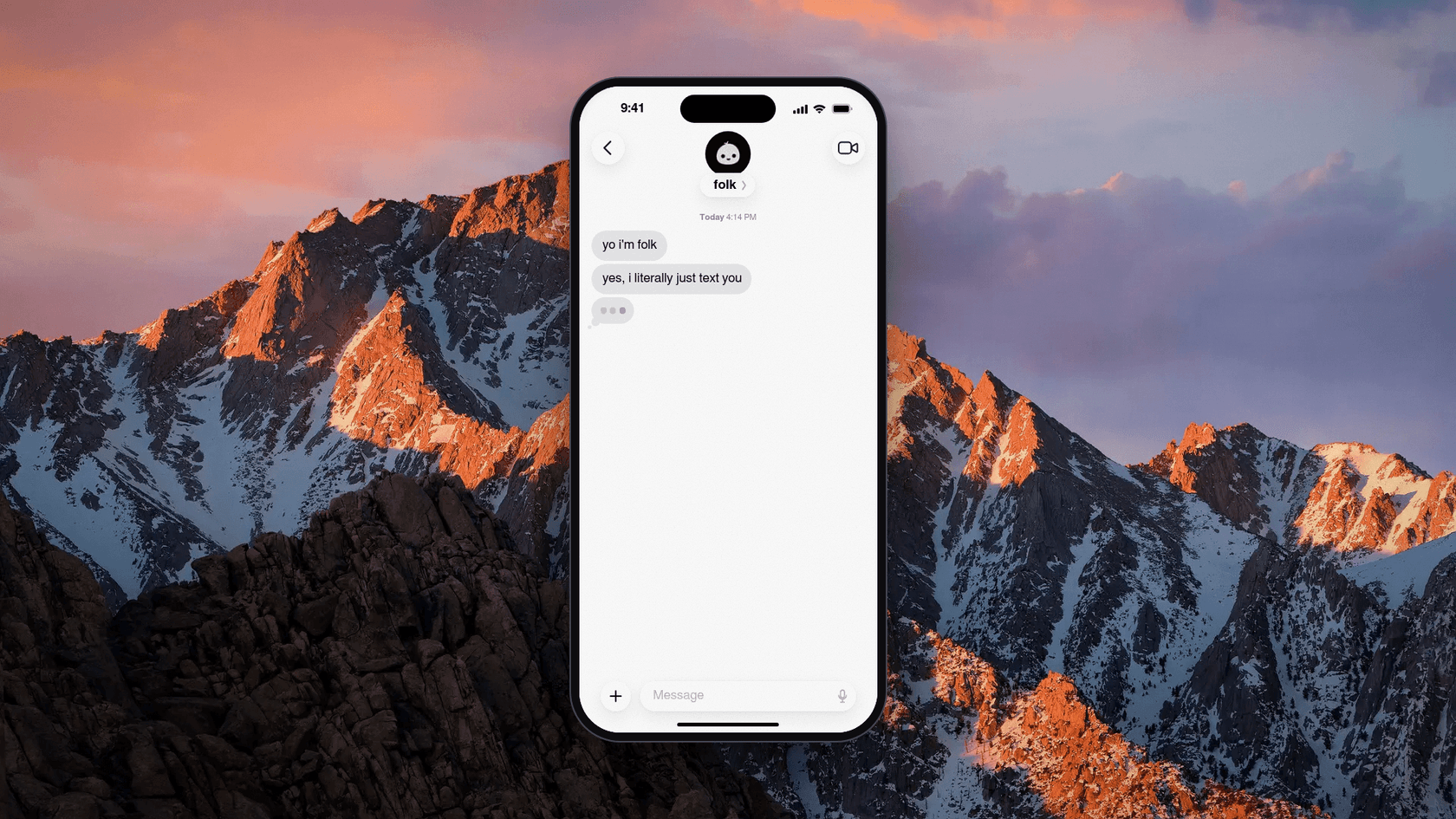
folk is "just a contact in the messages app you already use," built by Nozomio, a San Francisco lab. It is the cheapest way on this list to get an assistant that works in the background. I reviewed it in depth in my folk AI assistant review.
Why switch from Martin
Martin locks its background tasks behind Pro. folk's free plan includes "3 things running in the background," such as watchers, routines and money watch, per its pricing page. Pro removes the cap for $9.99 a month.
Features
- Email. It connects Gmail and Outlook through OAuth, surfaces the mail that matters, drafts replies in your voice and follows up on quiet threads, per its email page.
- Approval. "You approve; folk sends," and the FAQ answers "No" to whether it sends without permission.
- Read-only mode. You can connect Google read-only, so it "can see but never send, edit or delete."
- Routines. Morning briefings, background watchers and phone calls with folk.
Pros
- A free plan with unlimited chatting and every feature.
- Pro costs about a third of Martin Pro.
- A clear statement that it never uses your data to train AI models.
Cons
- It leans consumer: habits, gym check-ins and wake-up calls sit next to email.
- Google Calendar is stated, Outlook Calendar is not.
- Little independent feedback yet. Early replies were mostly comparisons:
"What are the things that can be achieved by folk but cannot be done by OpenClaw or Hermes? If there are a few useful things, I will consider to switch"
Pricing
| Plan | Price | What you get |
|---|---|---|
| Free | $0, no card | Unlimited chat, every feature, 3 background tasks, 10 call minutes a week |
| Pro | $9.99/mo, or $99.99/yr | Smarter engine, unlimited watchers and briefings, 120 call minutes a month |
My folk pricing breakdown covers the call-minute limits.
My take
folk is the pick if Martin's Pro price was the problem and you mostly want reminders plus a tidy inbox. Skip it if you need Apple or Outlook calendars, which Martin handles better. The deciding factor is whether you want a work assistant or a life assistant that also does email.
2. Poke
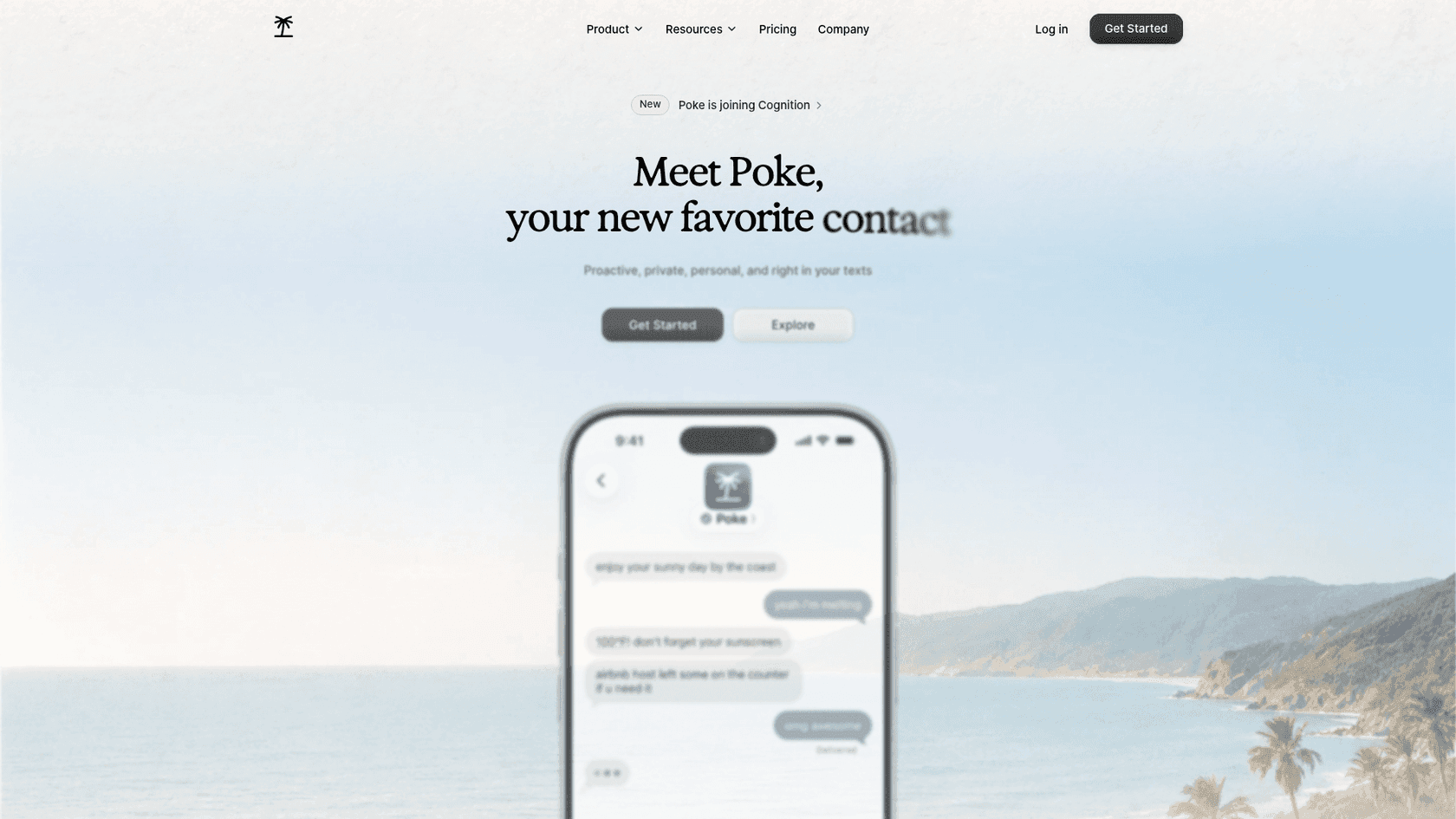
Poke calls itself "Proactive, private, personal, and right in your texts." It is about to change hands: Cognition announced it is acquiring Poke's maker and said users "can continue using the product just as before."
Why switch from Martin
Poke has a permanent free plan, and its Pro plan runs "real-time automations running in the background" for $19 a month, per Poke's pricing page. It also reaches further than Martin into the apps you use for work.
Features
- Channels. iMessage, WhatsApp and Telegram, plus voice messages.
- Email and calendar. The FAQ promises "full support for Gmail and Outlook inboxes, calendars, and contact sync."
- Recipes. Its Gmail recipe can "Search, draft, and send emails with label management and inbox organization."
- Integrations. Notion, Linear, Todoist, Asana, GitHub and more, plus custom ones through MCP.
Pros
- A free plan that still connects email and calendar.
- Outlook support, like Martin.
- The broadest non-email integration list among the texting assistants.
Cons
- Its pages do not state an approval-before-send default either.
- The privacy notice says data is used to train its models unless you choose Maximum Privacy.
- The Cognition deal means the roadmap may shift.
"Just had the most surreal onboarding experience from Poke by @interaction ... this thing is extremely impressive. Feels like the actual AI assistant I have been waiting years for."
Pricing
| Plan | Price | What you get |
|---|---|---|
| Free | $0, no card | Connect all apps, email and calendar |
| Pro | $19/mo | Frontier models, real-time background automations |
| Ultra | $199/mo | Frontier models on every action, pay-as-you-go beyond credits |
My take
Poke is the pick if you want a free texting assistant that also touches your work tools. Skip it if a documented approval step is non-negotiable. The deciding factor is whether you will turn on Maximum Privacy on day one.
3. Gemini in Gmail
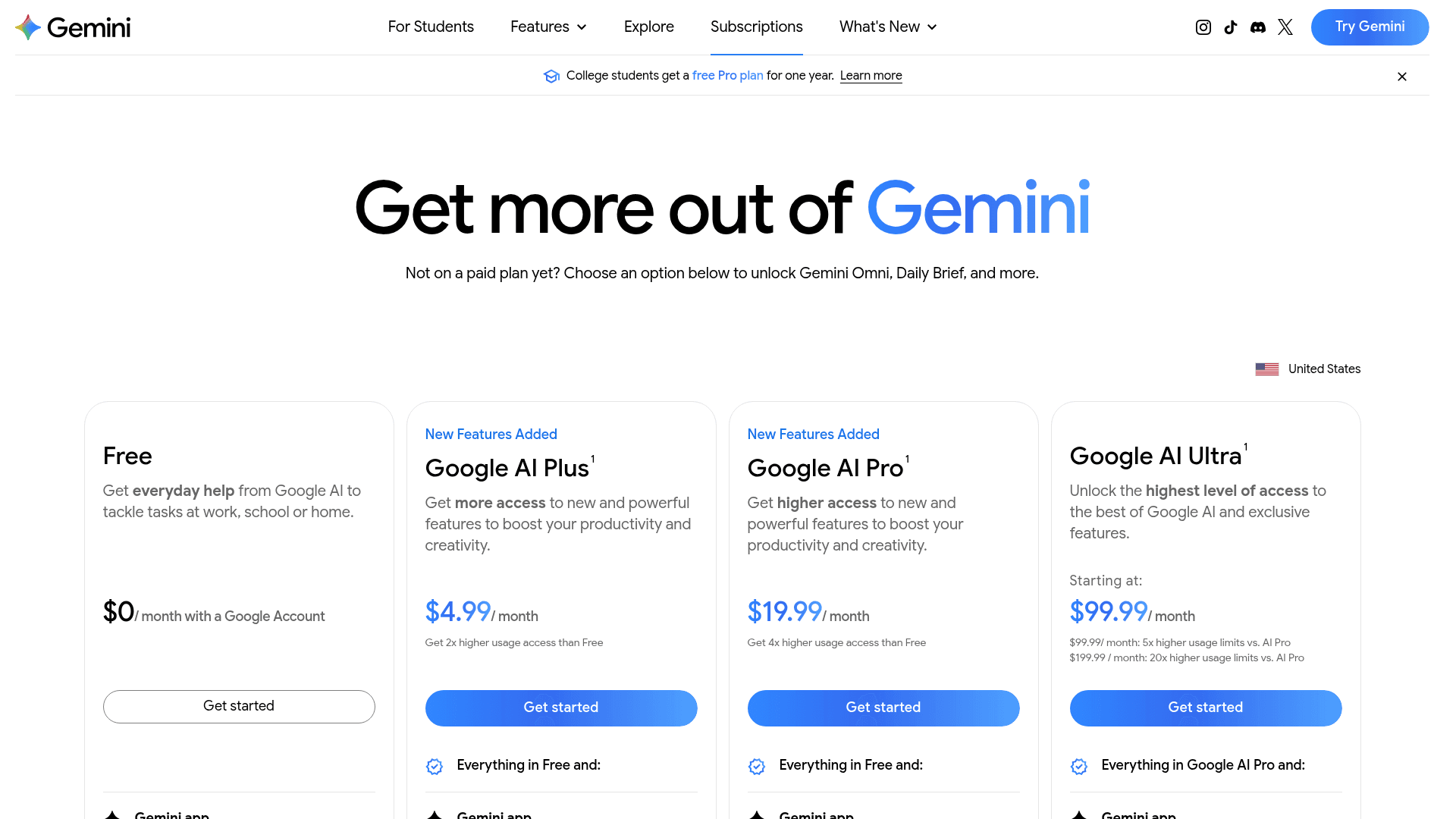
If your Martin account was mostly pointed at Gmail and Google Calendar, Google's own assistant covers a lot of the same ground. The Ask Gemini panel summarizes threads, drafts email, searches your inbox and proposes meeting times. My Gemini for Workspace guide covers the company side.
Why switch from Martin
It is the cheapest paid background option here. Google AI Plus at $4.99 a month adds the Daily Brief, a morning rundown drawn from your Gmail and Calendar, per the Daily Brief help page. Gemini Spark, a background agent on Pro and Ultra, works across Gmail, Docs and Calendar and asks before sending.
Features
- Drafting and summaries. Help me write and thread summaries inside Gmail.
- Inbox actions. Archive, label and star, but never until you confirm, with a 60-second undo.
- Scheduled actions. Up to 10 recurring prompts, such as a daily digest of email and calendar.
Pros
- $4.99 a month is about a sixth of Martin Pro.
- Google says Gemini in Gmail "doesn't use your content to train or improve Gemini," per its data page.
- No new vendor to vet if your company already runs on Workspace.
Cons
- Gmail and Google Calendar only, so Outlook users are out.
- No texting or phone interface.
- Daily Brief is US-only and English-only for personal accounts, and Spark is unavailable in the EEA, Switzerland and the UK.
Pricing
| Plan | Price | Gemini for email |
|---|---|---|
| Google AI Plus | $4.99/mo | Gemini in Gmail, Daily Brief |
| Google AI Pro | $19.99/mo | Adds Spark |
| Workspace Business Starter | $7/user/mo annual | Gemini in Gmail |
My Gemini Workspace pricing guide covers the business tiers.
My take
Gemini is the pick if you live in Google and want most of Martin's inbox help at a fraction of the price. Skip it if you liked calling or texting your assistant. The deciding factor is whether a side panel feels like an assistant to you.
4. Fyxer
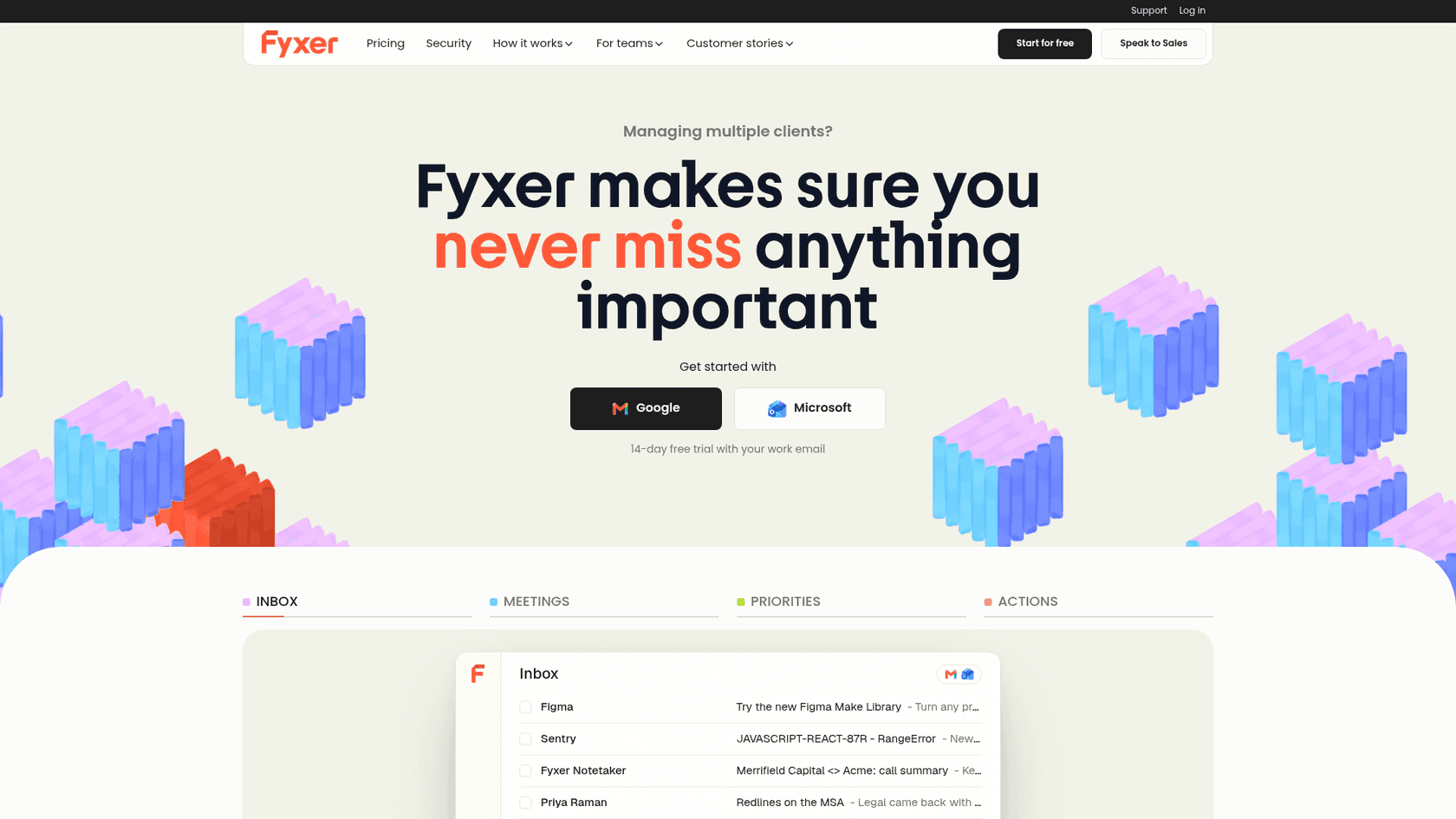
Fyxer works inside Gmail or Outlook rather than over text. It sorts your inbox, drafts replies in your tone and takes meeting notes. My Fyxer AI reviews piece collects what users say.
Why switch from Martin
This is the answer to the paperwork problem. Fyxer's security page lists SOC 2 Type II, ISO 27001, HIPAA and GDPR, and says "Fyxer will never send an email on your behalf." If your security team asked for Martin's privacy policy and got a 404, Fyxer gives them a PDF to read.
Features
- Inbox sorting. Labels like "To Respond," "FYI" and "Marketing."
- Drafts in your tone. On Pro and up, waiting in your drafts folder.
- Meeting notes. Records Zoom, Google Meet and Teams calls. Compare it with a meeting notes app if notes are the main draw.
- MCP. On Team and up, your context is available inside Claude and ChatGPT.
Pros
- The strongest compliance list on this page.
- Gmail and Outlook, with Google and Outlook calendars.
- Nothing ever leaves your outbox without you.
Cons
- No texting or phone interface at all.
- The free plan does not draft replies or sort your inbox.
- Pro credits drop from unlimited to 3,000 a month after the first 3 months.
Pricing
| Plan | Annual | Monthly | What you get |
|---|---|---|---|
| Free | $0 | $0 | 400 credits a month, weekly briefing, no drafts |
| Pro | $37/user | $49/user | Drafts, sorting, notes |
| Team | $64/user | $99/user | Shared spaces, several inboxes, pooled credits |
Prices from Fyxer's pricing page. My Fyxer AI pricing guide does the credit math.
My take
Fyxer is the pick if you need a vendor your security team will sign off on, and you are fine with drafts you send yourself. Skip it if you want to text or call your assistant. If it is close but not right, my Fyxer alternatives list has similar tools.
5. Superhuman Mail
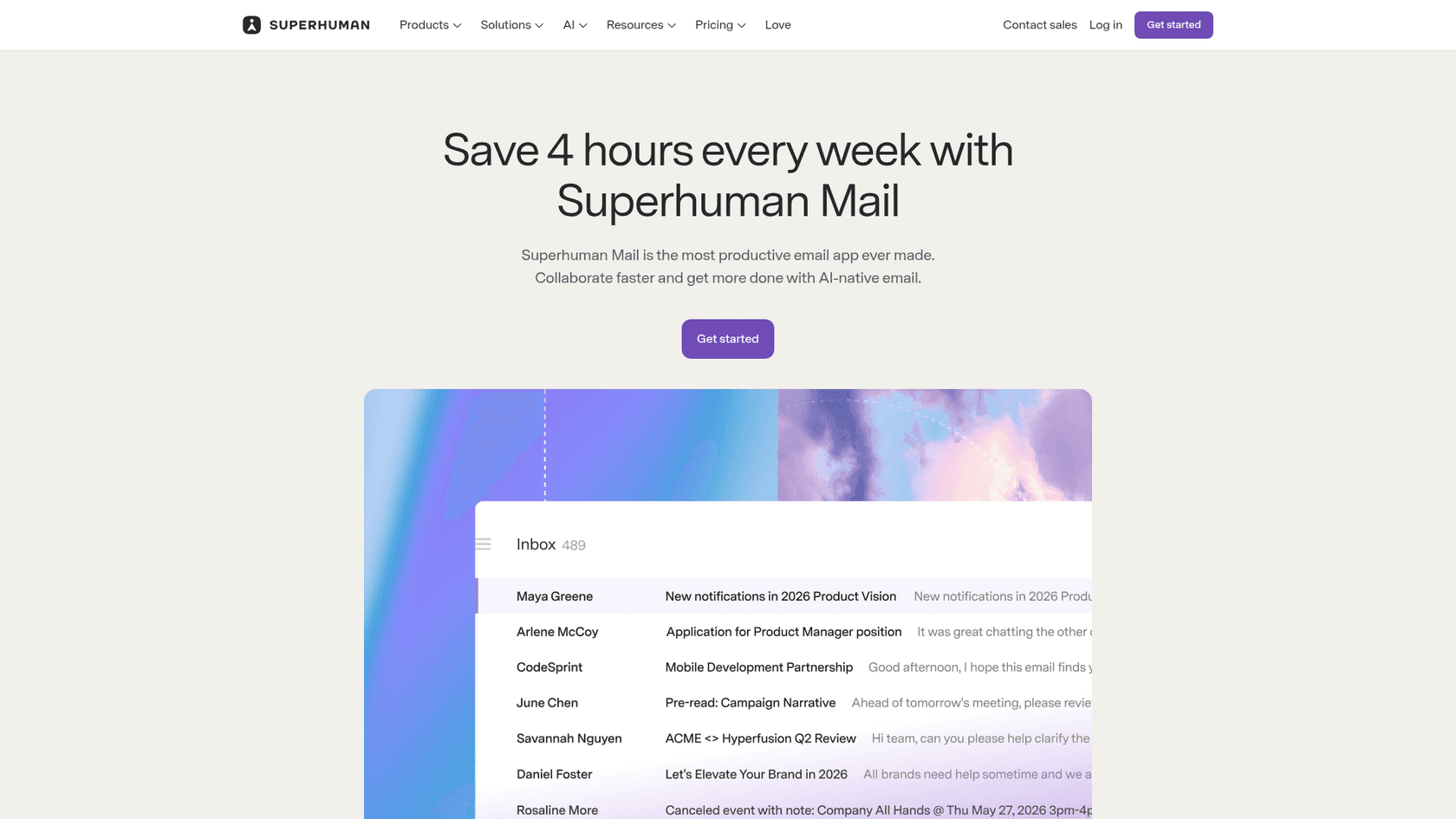
Superhuman Mail is a fast email client for Gmail and Outlook, from the company that used to be Grammarly. It suits people who left Martin because they would rather the AI live inside a real mail app than in a separate assistant with its own number.
Why switch from Martin
Martin drafts mail somewhere you have to go and check. Superhuman's Auto Drafts write follow-ups and replies "written in your voice and tailored to each thread," per its help center, and they sit in the inbox you already have open all day. Its AI providers are contractually barred from training on your data, per the Mail AI page.
Features
- Auto Drafts. Replies and follow-ups that sync to Gmail or Outlook.
- Scheduling drafts. When someone asks to meet, it drafts a reply with times and a booking link.
- Auto Labels and Split Inbox. Marketing and cold pitches get sorted away.
- Ask AI. Plain-language search across inbox, calendar and the web.
Pros
- Apps for Mac, Windows, iOS and Android, so Android users are covered.
- Works with Outlook as well as Gmail. My guide to AI for Outlook lists other options.
- A G2 rating of 4.7 from 1,313 reviews.
Cons
- Auto Drafts and Ask AI need the Business plan, not Starter.
- No texting interface, no phone calls.
- No audit report on the pages I read.
Pricing
| Plan | Price | What you get |
|---|---|---|
| Go Pro | $12/mo annual | Email Assistant in Gmail or Outlook, no Mail app |
| Mail Starter | $25/member/mo annual | Mail app, AI, calendar |
| Mail Business | $33/member/mo annual | Auto Drafts, Ask AI, Mail MCP |
Prices from Superhuman's pricing page.
My take
Superhuman is the pick if email is most of your job and you want the AI where you already work. Skip it if Martin's appeal was texting it from anywhere. For lighter Gmail add-ons, my best AI apps for Gmail list is a cheaper place to start.
6. Orchid
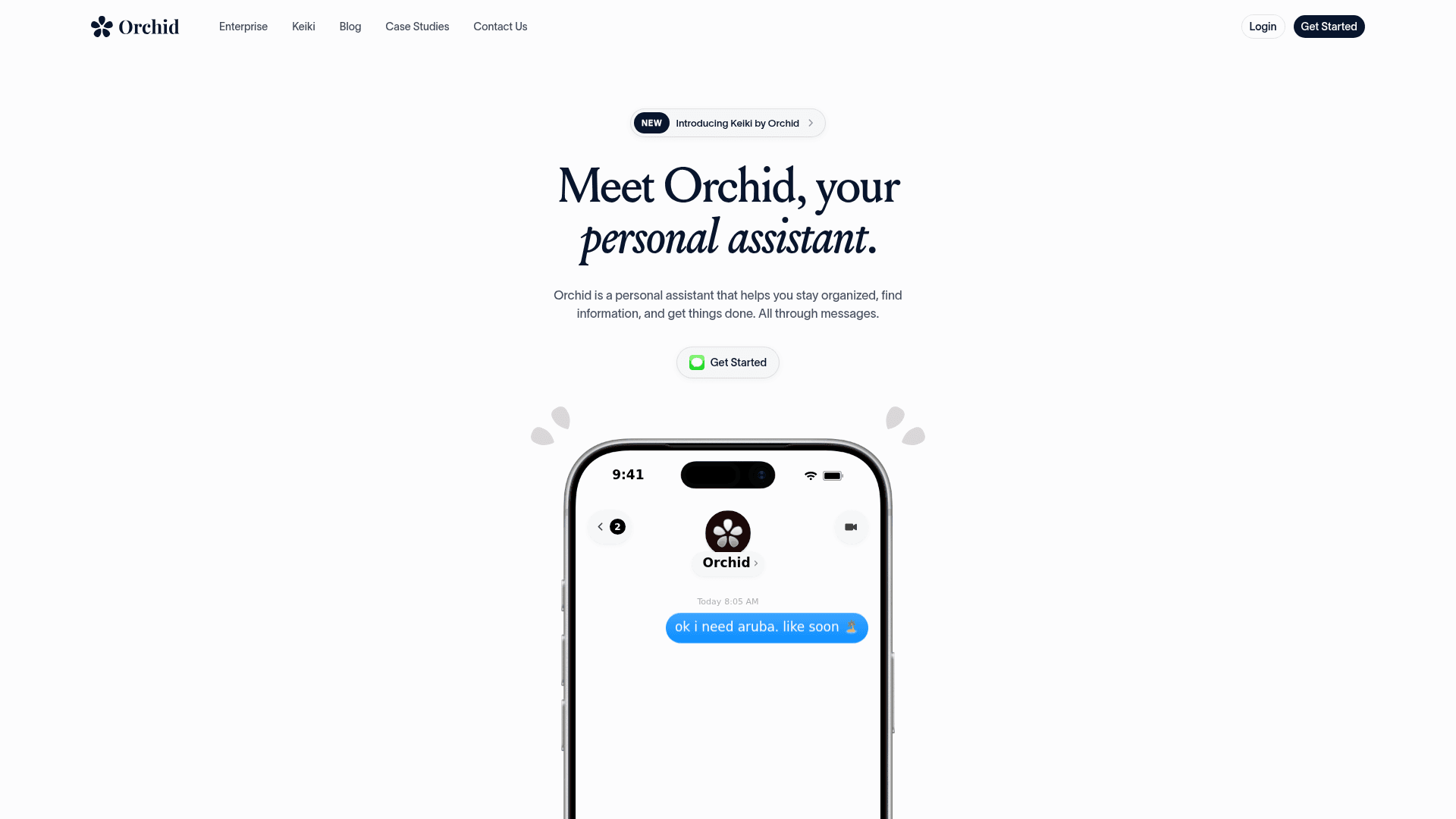
Orchid is an iMessage and SMS executive assistant for Gmail and Google Calendar. It triages email, drafts replies, preps meetings and sends a morning digest. My Orchid AI review covers it in detail.
Why switch from Martin
Martin lives in its own app and number. Orchid lives in iMessage, the app you already check, and its FAQ says replies stay as drafts until you send them. That is the approval step Martin's docs never mention, and the morning digest is included at one flat price instead of behind a Pro tier.
Features
- Inbox triage and drafts. Over iMessage, with drafts waiting for you.
- Meeting prep. Briefs before calls, drawn from your mail and calendar.
- Morning digest. A daily rundown, with no message meter on the plan.
Pros
- The approval-first default many Martin users wanted.
- One flat price with no usage meter.
- A 30-day money-back guarantee.
Cons
- Gmail and Google Calendar only, with no Outlook yet.
- No free tier.
- Its privacy policy says it may train a personal model on your data, "Only yours." Its launch film also drew criticism:
"Orchid's off-putting launch video... It's strange to me to position your product as enabling its users to care less about people and be more alienated from their loved ones."
Pricing
| Plan | Price | What you get |
|---|---|---|
| Orchid | $29.99/mo flat | Triage, drafts, meeting prep, morning digest |
Per Orchid's pricing explainer.
My take
Orchid is the pick if you are on Gmail, want your assistant in iMessage, and want nothing sent without you. Skip it if any of your inboxes is Outlook. The deciding factor is Gmail: if you are all-in on Google, it is the most polished texting option here.
7. Lindy
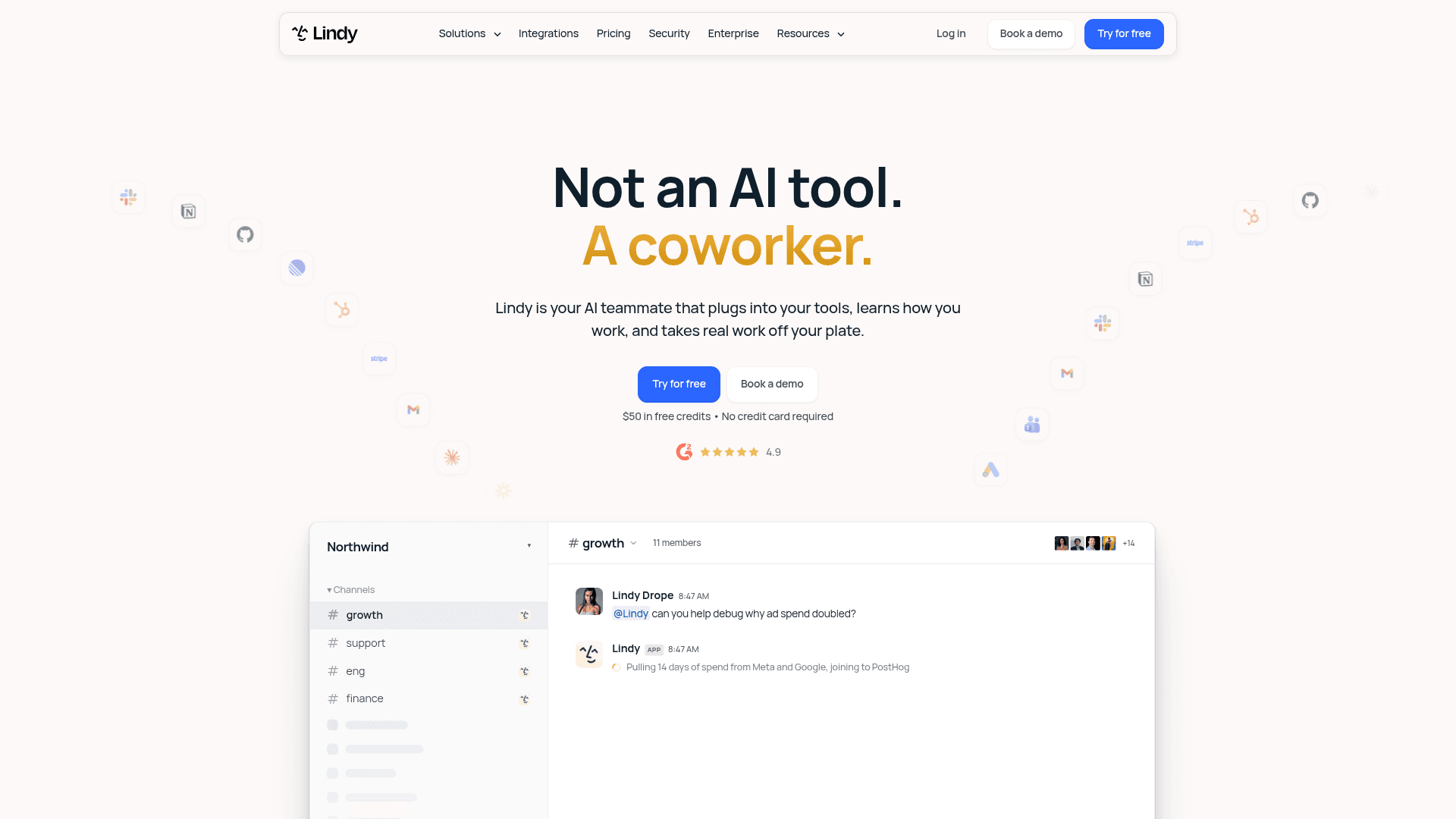
Lindy started as a no-code agent builder and now calls itself "your AI teammate that plugs into your tools," per its homepage. It is the one tool here that covers three of the five reasons at once: iMessage, security paperwork and real workflows.
Why switch from Martin
Martin is an assistant for inbox, calendar, to-dos and Slack. Lindy goes further: the pricing page lists 1,500+ integrations plus MCP, and you can build multi-step agents for jobs well beyond email. It still texts you over iMessage and SMS, and the docs list SOC 2 Type II, GDPR and HIPAA, with data "never used to train models."
Features
- Inbox triage. Labels and archives incoming email based on your instructions, per the triage docs.
- Drafts. "Every draft lands in your drafts folder for you to review, edit, and send."
- Approvals. "Anything with outside impact waits for approval," per the pricing FAQ.
- Agents. Custom workflows across your apps, which is what puts it on lists of the best AI agents.
Pros
- Gmail and Outlook, with 2 to 5 inboxes depending on plan.
- Approval-first defaults.
- The only texting assistant here with SOC 2 Type II stated.
Cons
- Credits, not a flat fee: a reply draft costs between 2 and 250 credits.
- Credits do not roll over, and actions pause when you run out.
- Cost is the most common complaint:
"I managed to kill my months credits (3000) in one day!"

Pricing
| Plan | Price | What you get |
|---|---|---|
| Free | $0 | $50 in credits, lasting 7 days |
| Team | From $29.99/mo per active user | 3,000 credits a month, top-ups at $10 per 1,000 |
| Enterprise | Custom | HIPAA with BAA, SSO and SCIM, audit logs |
My Lindy alternatives roundup tracks its plan changes, and Lindy vs Tasklet compares it with a close rival.
My take
Lindy is the pick if you outgrew Martin's inbox-and-calendar scope and want agents that run whole workflows. Skip it if you hate watching a credit meter. The deciding factor is volume: a light inbox fits in 3,000 credits, a heavy one may not.
8. eesel

I work at eesel, so I will be plain about fit. eesel is not a personal assistant. It has no iMessage channel, it will not call you with your schedule, and it does not manage your own calendar. It is an AI teammate platform where you hire ready-to-work teammates for specific jobs, today an AI helpdesk teammate and an AI blog writer. My explainer on AI teammates covers the idea.
Why switch from Martin
Only if the inbox you were pointing Martin at is a shared support inbox. Martin answers for one person. A support inbox needs the same answer from approved knowledge whoever is on shift, and an approval step before anything reaches a customer. eesel's AI helpdesk teammate joins the queue you already work, in a shared Gmail inbox or a helpdesk like Zendesk, Freshdesk or Gorgias, and drafts or sends replies from your help center and past tickets.
Features
- Learns from your past tickets. The most consistent request I see in eesel's sales calls is training the AI on the team's own past replies, and that is built in.
- Draft mode first. Start with drafts your agents approve, then switch on sending once you trust it. Approved, Rejected and Pending views show every decision.
- Tested before it goes live. You can run it against historical tickets and read what it would have said.
- CLI and MCP. The eesel CLI runs the same teammate from a terminal:
eesel approvals listshows pending replies,eesel activityshows what it did, and every command prints JSON with a--dry-runoption, so scripts or coding agents like Claude Code can operate it. Each workspace is also an MCP server.
Pros
- A ticket or chat is 1 credit however long it runs, with unlimited seats and agents.
- No training on customer data, with EU or US data residency.
- Built for a team inbox, which no personal assistant here is.
Cons
- Not a personal assistant, so it does not replace Martin for your own mail.
- At $299 a month it costs far more than any tool above.
- SOC 2 Type II is underway, not yet issued.
Pricing
| Plan | Price | What you get |
|---|---|---|
| Free | $0 | 100 credits, every feature and integration |
| Teammate | $299/mo for 500 credits, up to $1,749 for 5,000 | Fixed monthly credit plans, overage at $0.80 per credit if you turn it on |
Prices from eesel's pricing page, checked October 7, 2026. If a shared inbox or ticketing system is still an open question for you, start there.
My take
eesel is the pick only when the inbox belongs to customers. For your own mail, every other tool above is a better and cheaper fit. If you are comparing tools for the team side, my guide to email help desk software goes deeper.
Who sends email without asking?
This is the column I would read before any price. An assistant that sends in your name with no approval step can damage a client relationship in one reply. Here is what each vendor's own pages say:
- Never sends: Fyxer.
- Waits for you by default: folk ("You approve; folk sends"), Orchid (drafts until you send), Lindy (outside impact waits for approval), Gemini (confirms first), Superhuman (drafts sit in your inbox).
- Your choice per workflow: eesel, which starts in draft mode with an approvals view.
- Not documented: Martin and Poke.
"Not documented" does not mean either one sends recklessly. Martin's founders wrote in their Show HN post that the biggest piece of feedback was "I don't trust AI to take actions like sending texts/emails on my behalf if it's not 100% reliable," and that the failure rate is "a lot lower than before." That is an honest answer. It is still a log, not an approval step, so if you stay on Martin, start with draft-only topics and read every draft for a week.
Which one would I pick?
If you only read one line: folk to get the autopilot for less, Fyxer for security paperwork, Orchid for iMessage on Gmail, Lindy for real workflows, and eesel when the inbox belongs to customers. Gemini and Superhuman are the picks when you would rather the AI live inside Gmail or your mail app.
Whatever you choose, connect a secondary inbox first and run it for a week. Count the drafts you would have sent unedited, and check the vendor's data page against your own policy. For more options, my roundups of AI email assistants and the best AI teammates cover the wider field, and this guide to AI email triage shows the same draft-first habit applied to a whole inbox.
Try eesel for your support inbox
If your search for a Martin alternative started because customer questions are piling up in a shared address, a personal assistant will only ever half fit. eesel's AI helpdesk teammate works that inbox for the team: it answers from your help center and past replies, holds drafts for approval until you trust it, and can be tested on your old tickets before it sends anything. My AI customer support guide covers the setup.
The free plan gives you 100 credits with every feature, enough to read real drafts on real tickets before you pay.
Frequently Asked Questions
What is the best Martin AI alternative?
Is there a free alternative to Martin AI?
Which Martin AI alternatives work on iMessage?
How much do Martin AI alternatives cost?
Which Martin alternatives have SOC 2 or a published privacy policy?
Which Martin AI alternative never sends email on its own?
Can a Martin AI alternative answer customer emails for my team?


Article by
Kurnia Kharisma
Kurnia is a software engineer and writer at eesel AI with two years of SEO experience, writing about AI tools, helpdesk software, and customer support. He pairs a developer's understanding of how these products are built with search-driven research into what actually ranks and resonates with the people searching for them.