What can Martin do for a client follow-up?
Martin is a personal AI assistant you reach by phone, SMS, WhatsApp, email or Slack, per its introduction docs. It doesn't have a feature called "follow-ups." Instead, a client follow-up is spread across six features. I split the job into the steps a freelancer or founder actually goes through, then matched each one to what Martin's docs say it does:
| Follow-up step | Martin feature | Plan | What the docs say |
|---|---|---|---|
| Catch the client's ask | Email Triage with "Add to-do" | Pro | Labels matching mail, then can add a to-do or text you |
| Have a reply ready | Proactive Drafts | Pro | Drafts replies per topic you describe |
| Remember to do it | Reminders | All plans | Pings you at a set time by app, SMS, call, email or Slack |
| Keep a list of who you owe | To-dos | All plans (morning text is Pro) | Add, edit, check off from any channel; Todoist import |
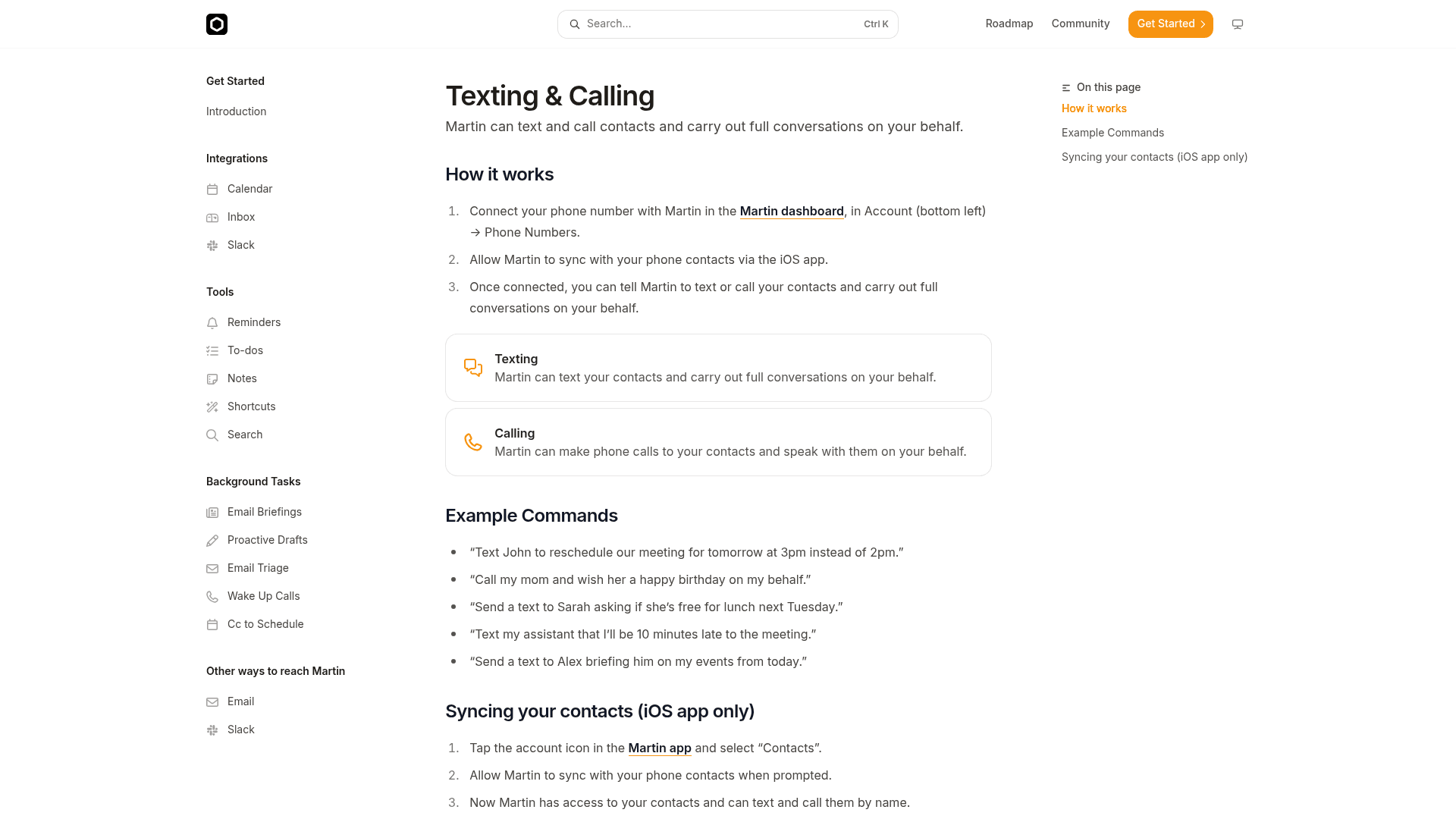
| Chase the client yourself, through Martin | Texting & Calling | Not marked Pro-only | Texts or calls contacts and holds the conversation |
| Book the next call | Cc to Schedule | Pro | Proposes times on the thread, adds the event when confirmed |
| Notice the client went quiet | Not documented | n/a | No "if no reply" trigger in the docs |
That last row is the one to plan around. Every other step either waits for you to give a time or reacts to mail coming in. The next three sections cover how to set each part up so the gap stops mattering.
How do you catch client asks before they sink?
This is the part most people mean when they say "I need help with follow-ups." A client emails on Tuesday asking for a revised quote, it scrolls below the fold by Wednesday, and you remember on Sunday.
Martin's answer is Email Triage, which is Pro-only. You write a label and a plain-English description, and Martin labels mail that matches (in Outlook it files it in a folder). The part that matters for follow-ups is "Additional Steps": for each label you can pick tools Martin should use next. Martin's own example in the triage docs is close to a client follow-up already: a "New Customer" label for "emails from new customers who want to sign up for my marketing agency," with the step "Add 'reply to the sender's name' to my to-do list labeled 'Customer'."
Here's how I'd set it up for client work:
- Connect Gmail or Outlook from the inbox card in the Martin dashboard. You can link up to 5 of each, per the inbox docs.
- Open Settings, scroll to Email Triage, click "Add instruction."
- Label: "Client asks." Description: "Emails from existing clients asking for something: a quote, a change, a file, a call."
- Additional Steps: "Add to-do." Instruction: "Add 'reply to [sender] about [request]' to my Clients to-do list."
- Add a second label, "Hot lead," with the "Text me" step and the instruction "Text me a one-line summary and who sent it."
Then pair it with Proactive Drafts for the replies you write over and over. Martin's docs give a "Meeting Request" topic whose instruction is to tell the sender you'd love to chat this week and ask what time works best. A "Quote request" topic that asks for scope and budget is the obvious client version.
One thing to know before you switch drafts on. Martin's docs index describes Proactive Drafts as able to "proactively draft emails for you and send them on your behalf," and I found no approve-before-send setting documented. For client mail, I'd start drafts on one low-stakes topic and check what lands in your sent folder for a week. My Martin email management guide walks through the full triage and drafts setup screen by screen.
How do you set reminders that actually reach you?
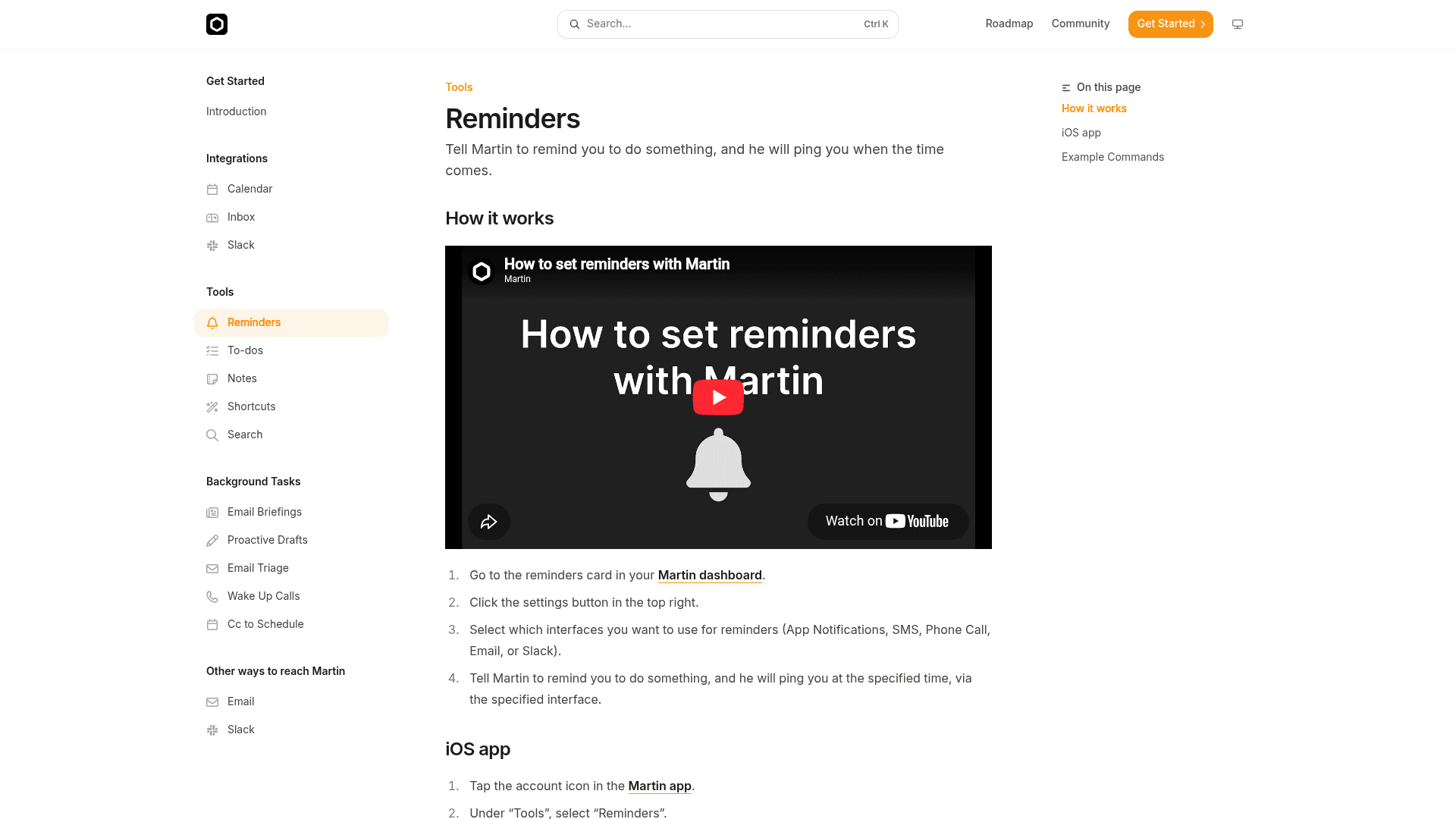
This is where Martin is stronger than most assistants I've looked at. A reminder is only as good as the channel it lands on, and Martin lets you pick from five: app notifications, SMS, phone call, email or Slack. You choose them on the reminders card in the dashboard, per the reminders docs, and reminders work on every plan.
The phone call option is the underrated one for client work. A push notification is easy to swipe away. A ringing phone at 4:45pm is not. Martin's docs include the example "Call me 10 minutes after my meeting with Todd to debrief," which is exactly the moment client promises get made and forgotten. A debrief call right after the meeting turns "I'll send that over" into a note or a to-do while you still remember the details.
Here are reminder commands I'd use for client follow-ups. They follow the same pattern as the docs examples:
- "Text me Thursday at 10am to check if Dana replied to the proposal."
- "Call me 10 minutes after my call with Northwind to debrief."
- "Email me on the first of every month to send invoices to my retainer clients."
- "Remind me on Slack Friday at 3pm to send Lee the revised timeline."
Notice what the first one does. Because Martin documents no way to notice silence, you add the check yourself, at the moment you send. The reminder fires on Thursday whether Dana replied or not, and you spend ten seconds checking.
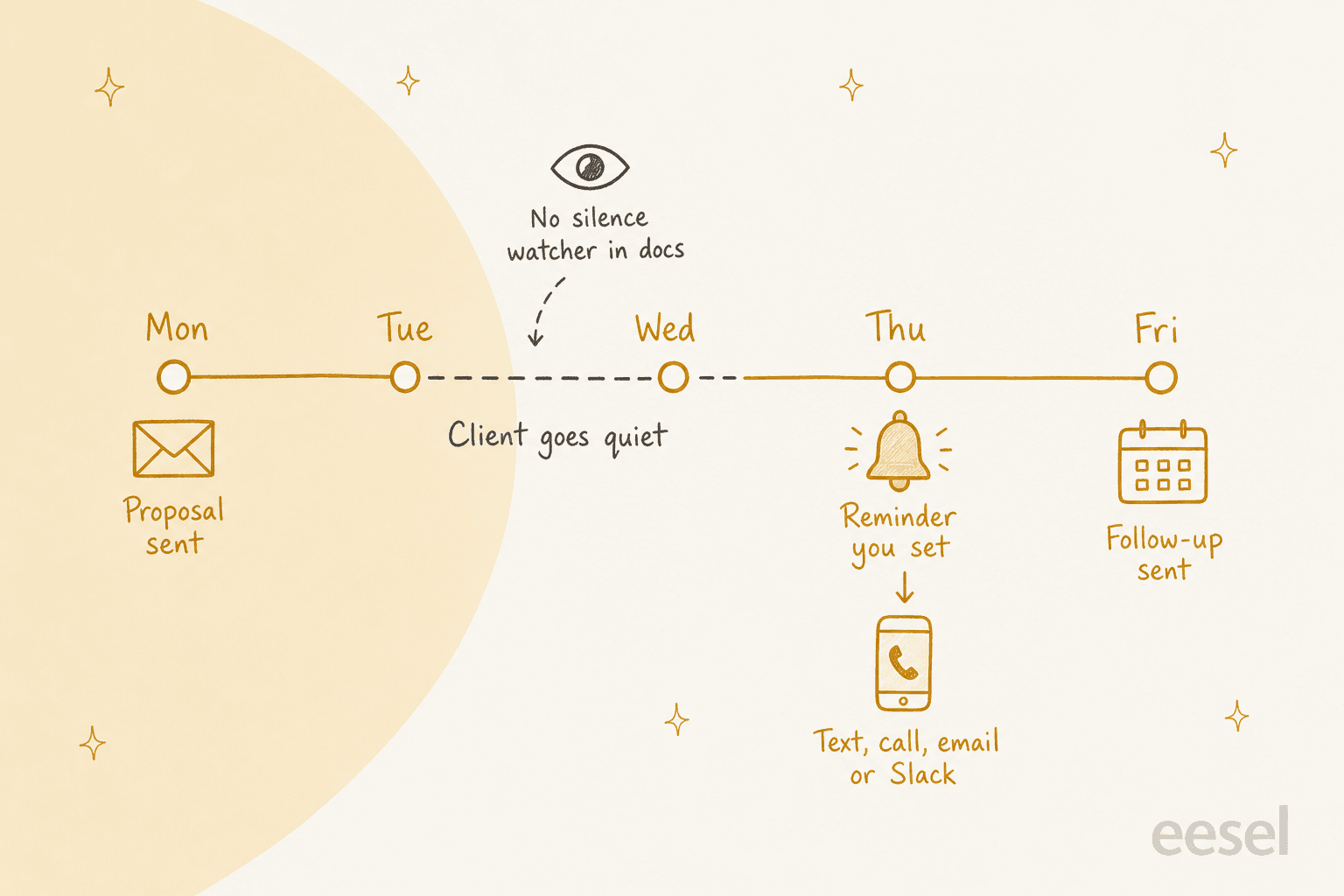
If that sounds like a step backwards, it's worth knowing what does watch for silence. Gmail's nudges bump unanswered threads back up your inbox for free, and Orchid lets you set conditional reminders like "chase Dana Friday if she hasn't replied" (my Orchid follow-ups guide covers how that works). Martin is the better pick when the problem is that you ignore reminders, not that you forget to set them.
Keep a running list of who you owe
Reminders cover single moments. For a list, use Martin's to-dos. You can add, edit and check off items from any channel, import an existing list from Todoist, and keep separate lists. One of the docs' own examples is "Add 'Eric' and 'Andrew' to my customer list," which is a client follow-up list by another name.
On Pro, you can also have Martin text you your to-do list every morning. That's the closest thing Martin has to a follow-up sweep: everything triage added overnight shows up on your phone before your first call. Martin's founder described the same habit on Hacker News in 2024: you dump tasks by voice, text or forwarded email, and Martin sets them as reminders and "bring[s] them up in future syncs to check on progress."
Should you let Martin text or call your clients?
Martin can do the chasing itself. With Texting & Calling, you connect your phone number in the dashboard, sync contacts through the iOS app, and then tell Martin to text or call people "and carry out full conversations on your behalf." The docs' examples include "Text John to reschedule our meeting for tomorrow at 3pm instead of 2pm."
A few details matter for client work, and most come from the founder's answers on the 2024 launch thread, so check them in the trial:
- Martin texts from its own phone number, not yours, per the launch post.
- The founder said Martin always opens its texts with "[name of owner]'s Martin here," so the client knows it's an assistant (Hacker News).
- When a contact texts back, Martin replies to them automatically, and you can track the replies in the app (Hacker News).
- Contact syncing is iOS-app only, per the docs.
The disclosure line is a good default. Commenters on the launch thread were clear about why it matters:
"Please make some sort of pledge or guarantee that your company will never impersonate a human and that it will always identify itself as a machine when communicating with others."

Another commenter asked the question I'd ask before handing over a client relationship: "Will I always be notified before new texts / calls / actions are taken on my behalf?" (toddmorey, Hacker News). I didn't find a written answer to that in the current docs.
There's also a cautionary story from the same thread. One tester asked Martin by email to set up a meeting with another person, and Martin confirmed it was done, but no message reached the other address and no calendar was connected (0x62, Hacker News). That was in 2024, before the current plans and integrations, so it isn't a verdict on today's product. It is a reason to check the other side of the conversation the first few times Martin follows up for you.
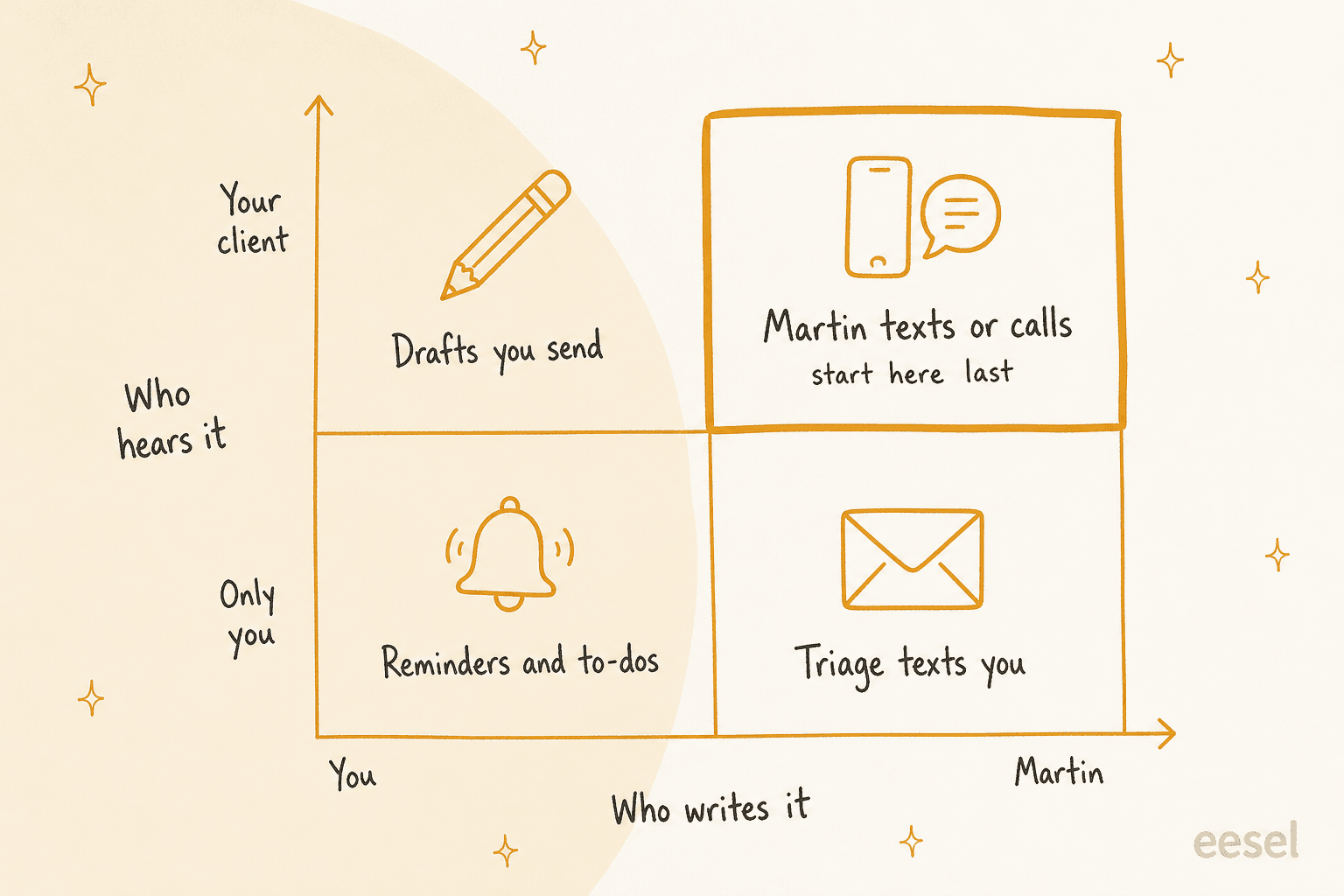
My rule of thumb: work from the bottom-left of that grid outwards. Reminders and to-dos only ever reach you, so a mistake costs nothing. Martin texting a client is the top-right corner, where a mistake lands in someone else's phone. I'd keep that for clients who already know you use an assistant, and for low-stakes messages like rescheduling. If you're curious how other tools handle this, my guide to AI phone calls covers the voice side.
Which follow-up should Martin handle?
Pick the follow-up you're trying to fix. Each answer names the Martin feature, the plan, and the catch.
My follow-up problem is...
Tap one. Based on Martin's docs, checked October 2026.
Use: Email Triage with an "Add to-do" step, plus Proactive Drafts for the reply.
Plan: Pro ($30/mo yearly, $49 monthly).
Catch: no approve-before-send setting is documented for drafts, so start with one low-stakes topic.
Use: a dated reminder, set when you send. "Text me Thursday at 10am to check if Dana replied."
Plan: any plan.
Catch: Martin's docs describe no trigger for "no reply," so the reminder fires either way. If you want silence detection, look at Orchid or Gmail nudges.
Use: a call reminder right after the meeting. "Call me 10 minutes after my call with Northwind to debrief," then have Martin save notes and to-dos.
Plan: any plan.
Catch: the debrief is you talking to Martin. The docs don't describe it joining the client call itself.
Use: Cc to Schedule. Cc martin@trymartin.com and write "find a time for us."
Plan: Pro.
Catch: Martin replies on the thread itself, so the client sees an assistant in the conversation.
Use: Texting & Calling. Sync contacts in the iOS app, then "Text Sam that the files are in the shared folder."
Plan: not marked Pro-only in the docs.
Catch: it texts from Martin's own number and replies to the client automatically. Keep it for clients who know you use an assistant.
Use: not Martin. A personal assistant on one person's phone is the wrong shape for a shared queue.
Instead: an AI helpdesk teammate that answers from your past tickets and help center, with a hand-off to your team.
Catch: you'll want to test it on old tickets before it replies to anyone.
What does Martin cost for client follow-ups?
I checked Martin's pricing page on October 8, 2026. There's a 7-day free trial and no free plan. The page has Personal and Business tabs; these are the Personal plans:
| Plan | Billed yearly | Billed monthly | What the page lists | Follow-up features (from the docs) |
|---|---|---|---|---|
| Basic | $21/mo | $35/mo | Basic AI models, limited proactive actions, "Give Martin 2 tasks at a time" | Reminders, to-dos, notes, shortcuts, texting and calling on command |
| Pro | $30/mo | $49/mo | "Our most advanced AI models," unlimited proactive actions, unlimited custom tasks | Everything in Basic, plus Email Triage, Proactive Drafts, morning to-do text, Cc to Schedule, daily email digest |
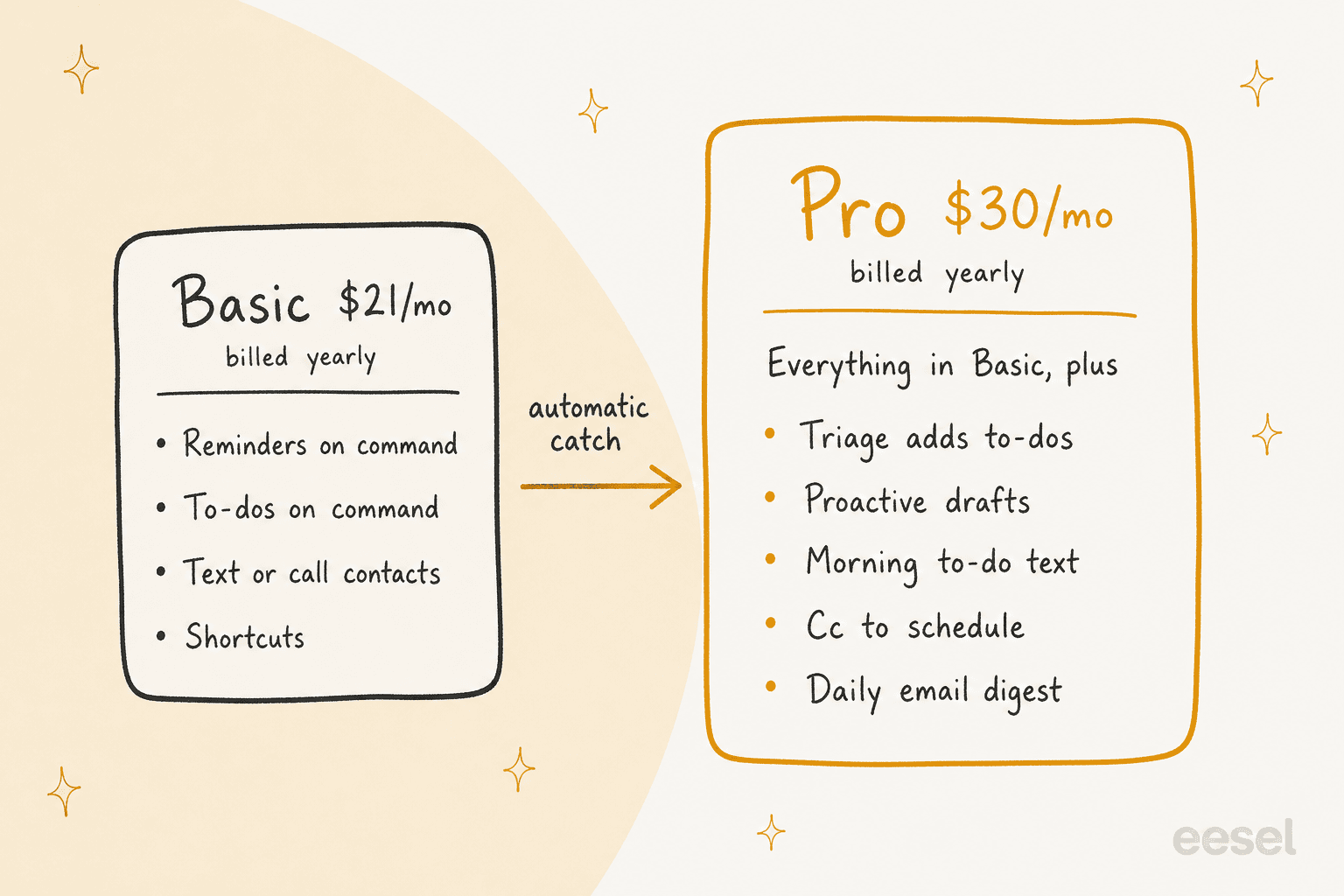
The split is clean once you see it. Basic does follow-ups when you remember to ask. Pro does the catching for you. If your follow-ups slip because you never write them down, Basic and a reminder habit gets you most of the way for $252 a year. If they slip because client mail buries them, the triage-to-to-do loop is the feature you're paying for, and that's Pro at $360 a year on yearly billing ($588 monthly).
One Basic limit to watch: "Give Martin 2 tasks at a time." The page doesn't define a task, so if you plan to queue up a Monday batch of client reminders, test that in the trial.
What should you keep out of Martin's hands?
Martin covers a lot, but some follow-up jobs don't fit it today. These are the gaps I found, stated as narrowly as the docs allow:
- No silence detection. No documented "if they haven't replied" trigger. You set the date.
- No CRM. The integrations are Gmail, Outlook, calendars, Slack, phone contacts and a Todoist import. Deals, stages and logged activity live elsewhere.
- No documented approval step for Proactive Drafts or texts sent to contacts.
- Thin policy pages. When I checked, Martin's privacy, terms and FAQ addresses returned "Page Not Found," which matters when you're connecting client mail. My Martin review has the detail, and my data privacy checklist lists the questions to ask any vendor.
- One person's assistant. There's nothing in the docs about sharing follow-ups with a teammate. If two people chase the same clients, you need a shared inbox instead.
Put together, these make Martin a personal follow-up tool rather than a team one. For a solo consultant on Gmail or Outlook who keeps forgetting the second email, the reminder-on-a-phone-call habit alone is worth the trial.
How does Martin compare to other follow-up assistants?
Client follow-ups are a crowded lane. Here's how Martin sits next to the tools I've covered for the same job, with monthly prices checked in early October 2026:
| Tool | How it handles follow-ups | Watches for silence? | Inboxes | CRM | Monthly price |
|---|---|---|---|---|---|
| Martin | Dated reminders on 5 channels, triage to to-dos, texts or calls clients | Not documented | Gmail, Outlook | None | $49 (Pro) |
| Orchid | Conditional "chase if no reply" reminders, drafts held for your send | Yes | Gmail | None live | $29.99 |
| Town | Routines such as Client Call Follow-Up and Stalled Deal Re-Engagement | Yes, via routines | Gmail, Outlook | HubSpot | $59 (Pro) |
| folk | "Follows up on threads that go quiet," drafts in your voice | Yes | Gmail, Outlook | None | $9.99 (Pro) |
| Gmail nudges | Bumps unanswered threads to the top of your inbox | Yes | Gmail | None | Free |
My read: Martin is the one I'd pick for a person whose follow-ups die in the gap between knowing and doing. The phone-call reminder and the "text the client for me" option are things none of the others in this table lead with. If your problem is volume, Town's routines and HubSpot logging fit better (see my Town follow-ups guide). If your problem is noticing silence, Orchid or folk do it natively.
For the full field, my Martin AI alternatives roundup covers eight options, and the best AI email assistants list covers tools that work inside the inbox, like Fyxer.
If you're still deciding whether a texting assistant is right at all, start with my explainer on the AI personal assistant category.
When client follow-ups are really a support queue
Here's the line I'd draw before buying any personal assistant for follow-ups. If the person waiting on you is a client you manage one-to-one, that's a personal follow-up, and Martin can help. If the people waiting are customers writing into a shared inbox, those are support tickets. A reminder on one person's phone doesn't fix that. The first answer has to go out fast, from the right knowledge, whoever is on shift.
That's the job eesel's AI helpdesk teammate does. eesel is a platform of AI teammates you hire for specific jobs, and the helpdesk teammate joins your existing queue, learns from your past tickets and help center, and drafts or sends replies on the threads your team hasn't reached. If you run a helpdesk, the same idea works as an automatic nudge on stuck tickets, like these Gorgias no-reply follow-ups or Zendesk pending reminders.
The step I'd never skip is the one that bit us in that churn review: proof before trust. eesel lets you simulate the teammate against your historical tickets to see what it would have said before it sends anything. My guide to AI for email support explains how that differs from a personal inbox assistant, and can AI answer customer emails covers what to expect in the first month.
Try eesel
If the follow-ups slipping through are customer emails rather than your own client promises, eesel's helpdesk teammate picks up that queue and answers from what your team already knows. It works inside Gmail as well as helpdesks like Zendesk, Freshdesk and HubSpot, so the customer gets a real answer, not a "just checking in." Plans are on the pricing page.
Try eesel on your own support inbox.
Frequently Asked Questions
Can Martin AI do client follow-ups for me?
Does Martin AI remind me if a client hasn't replied?
Can Martin AI text or call my clients?
Which Martin AI plan do I need for client follow-ups?
Does Martin AI connect to a CRM for follow-ups?
Is Martin AI good for customer support follow-ups?
What are alternatives to Martin AI for client follow-ups?


Article by
Riellvriany Indriawan
Riell is a designer and writer at eesel AI with about two years of experience researching CX platforms, AI chatbots, and helpdesk software. She combines her design background with a sharp eye for how these tools actually look and feel in practice — making her comparisons unusually visual and user-focused.