Saner.AI pricing at a glance
Saner.AI is an AI personal assistant for notes, email and to-dos, and the ADHD-first pitch sits right there in the H1. Three tiers. No Business plan, no Enterprise plan, and nothing that is quote-gated. The whole commercial model you can read in about ninety seconds, which is more than what I can say about most AI productivity tools.
One thing to know before you go into the table. The pricing page loads with the billing toggle already flipped to yearly, so the $8 and $16 that you see on the first landing are the annual-commit prices. Month to month, you pay something else.
| Plan | Billed monthly | Billed yearly | Yearly total | Card description |
|---|---|---|---|---|
| Free | $0 | $0 | $0 | "For everyone", no credit card required |
| Starter | $12/mo | $8/mo | $96 | "The basic plan for newbies" |
| Standard | $20/mo | $16/mo | $192 | "Most popular plan for professionals" |
Those yearly totals are my own arithmetic. Saner.AI never prints an annual figure anywhere, the card only ever renders a per-month number, which is a small thing but it makes the budgeting slightly more annoying than it has to be. If you are cross-shopping, my breakdown of Notion pricing covers the other tool that most people have open in the next tab.
Here is a detail I enjoyed to find, and it works in Saner's favour. The toggle advertises "-20%", but Starter actually drops from $12 to $8, which is 33% off, not 20%. Standard is the tier that matches its label, going $20 down to $16. So on Starter, paying monthly, the annual switch is a third better than what the page claims. This is the opposite of the usual pricing-page problem, and I would rather flag it than to let a reader assume both tiers behave the same.
Work out what a year actually costs
Sticker prices are per person, so the number that gets interesting is what happens once you multiply. Plug in your own situation.
The thing worth to play with is the people slider. One person on Standard yearly comes to $132 in year one after the discount code, a rounding error against almost any other line in a software budget. Six people is $792, and what you have is six disconnected assistants.
That second number is the one to sit with for a minute. Still not a lot of money in absolute terms, only it buys six copies of a single-player tool instead of one thing the group shares, and that is a different purchase from what most AI tools for business are selling. Same distinction that separates a personal AI assistant from an AI agent doing the work on behalf of a group.
What each plan actually buys you
Six things change between the tiers. Everything else is identical, the free tier included.
| Limit | Free | Starter | Standard |
|---|---|---|---|
| AI messages | 30 per month | 30 per day | Unlimited* |
| AI requests | 30 per month | 30 per day | 100 per day |
| Notes | 100 | 1,000 | Unlimited |
| PDF upload | 1MB per file | 5MB per file | 10MB per file |
| Storage | 100MB | 5GB | 100GB |
| Reasoning Mode | Preview access | Limited access | Extended access |
| Support | Community | Team† | Founders |
| Google Drive, Email, Slack, Calendar sync | Yes | Yes | Yes |
| External AI access | Yes | Yes | Yes |
| Task system | Yes | Yes | Yes |
| OCR | Yes | Yes | Yes |
| Multilingual | Yes | Yes | Yes |
| Chrome extension | Yes | Yes | Yes |
| Mobile app | Yes | Yes | Yes |
† A small inconsistency that is good to know: the Starter plan help article says "Community support", while the pricing card says "Team support" for the exact same tier. If support response time is part of your decision, better to ask before you buy than to assume the better of the two.
That bottom block is the interesting half of it. Every connector, the mobile app, OCR, the extension and external model access are all on the free tier. Nothing about the platform itself is paywalled. What you buy is only ever quota.
I like that, and it is rarer than how it sounds. The reflex in this category is to hold the Slack connector back for a paid tier, so that the free plan cannot quite do the job. Compare it with how Notion AI handles the same decision, and Saner's version starts to look unusually relaxed.
The asterisk on "unlimited" belongs to Saner, it is not mine. The footnote reads: "Usage must be reasonable and comply with our policies." The pricing FAQ then spells out what that excludes, which is programmatic data extraction and credential sharing, plus the reselling of access. Fair enough, and refreshingly specific if you compare it to the usual silence.
One caveat on this word "unlimited", since it covers only one of the two meters. Standard gives you unlimited AI messages but still caps AI requests at 100 a day. The Standard plan doc states both the halves plainly: "Unlimited chat with AI" and "100 AI requests per day". So background work stays metered even at the top of the ladder, whatever you pay: auto-tagging, the similar-note lookups, image descriptions.
What the connectors actually do
The six connectors, per the connectors overview, are Google Drive, Gmail, Google Calendar, Slack, Outlook Calendar and Outlook Mail. But the published mechanics matter more than the count does.
Everything syncs on one same clock. From the sync logic doc: "Sync interval, Saner.AI syncs data every 30 minutes", and it pulls the items created or updated since the last cycle, then removes whatever got deleted at the source. There is also a documented ceiling of 1,000 items for each sync cycle, so a throughput cap, not a lifetime one.
Two scope limits you should check against your own setup before paying. Google Drive supports Google Docs only, the doc stating it "does not support Google Sheets, Microsoft Word, or other file types", and the Slack connector carries still a Beta label. If your working knowledge lives inside spreadsheets, that is a real gap, and this is the sort of thing which decides if a tool fits at all, before the price even enters the conversation. Anyone weighing this against a full Google Drive AI subscription should price that difference in.
Three meters, and the plan only covers two
This is the part which I would want someone to tell me before I paid.
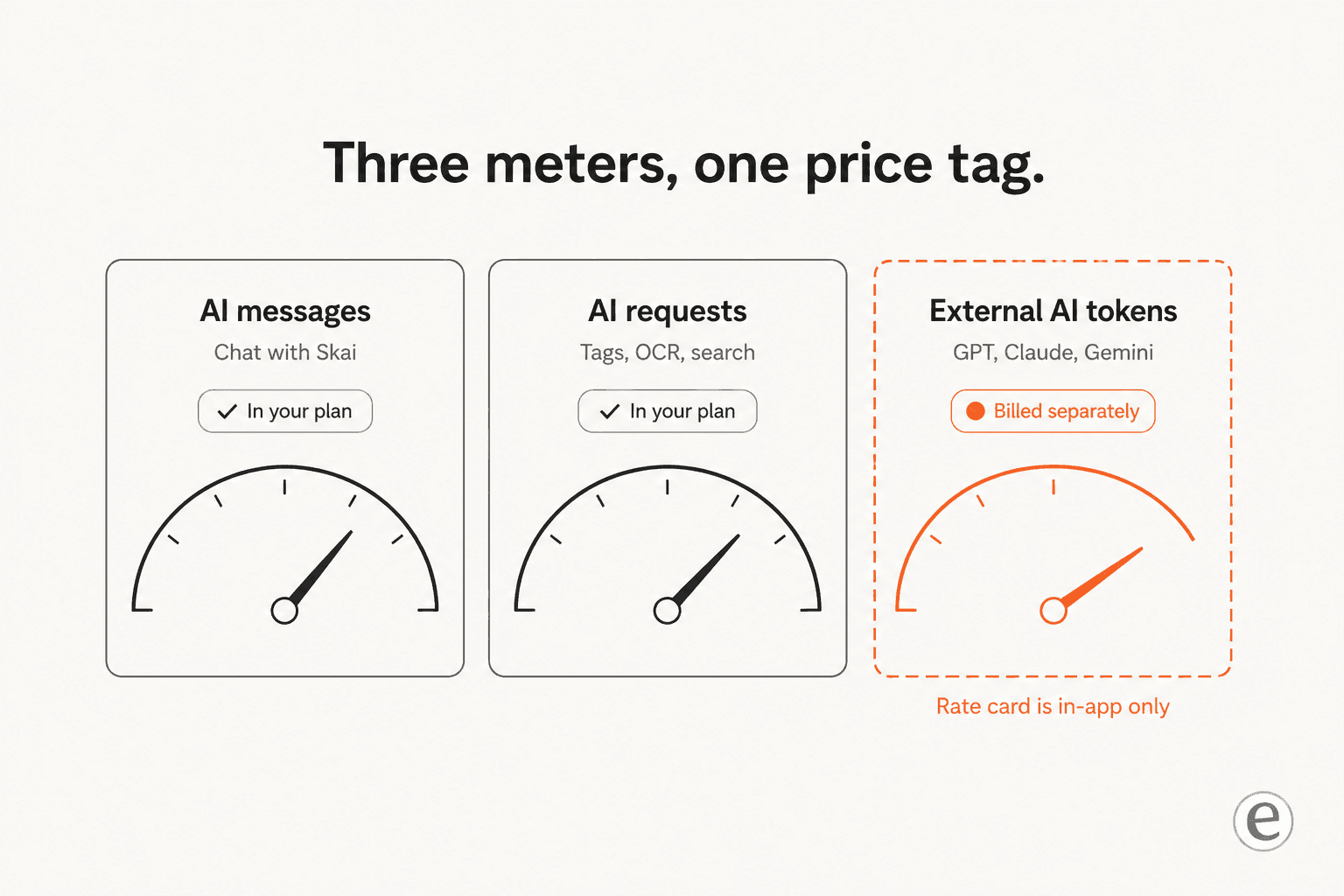
Saner splits its own AI away from everyone else's. From the pricing FAQ, word for word: "Personal AIs are customized AI models by Saner.AI for users, such as Skai and Online Search. External AIs are AI models created by other companies or organizations, such as GPT, Claude, or Gemini."
Your quota governs only the first group. The second one is a separate bill entirely. Also from the FAQ: "If you wish to utilize external AI models, you can (1) pay for them separately under a 'pay as you go' model or (2) use your own API Key."
There is a real upside buried inside that. External AI messages do not eat into your allowance at all. Saner's own words: "if you purchase the Standard package with 100 chat messages and only chat with External AI models, your message balance will remain at 100." So on Starter, to route the heavy work through your own Claude key is a legitimate way of stretching an $8 plan very far.
The catch here is the visibility. External AI is metered per token, and that rate card is only published inside the app under Settings. No public figure exists to check before you sign up, so the one meter that can scale without any ceiling is also the one you cannot budget for from the outside.
The mechanics themselves are documented, at the least. The external AI credit billing doc describes a prepaid credit wallet, with a top-up button and a billing history, then a usage view that shows "interaction time, input cost, output cost, and total credits spent". Input and output tokens get billed separately. Saner also gives a conversion which is useful for people that do not think in tokens: "1,000,000 tokens ≈ 750,000 words". Across the docs six provider families are named, covering OpenAI, Anthropic, Gemini, Grok, DeepSeek and open source models, and you switch them per chat from the model selector.
My advice here is a simple one: bring your own API key and skip the pay-as-you-go wallet entirely. The same doc supports this explicitly, and if you are already paying for an OpenAI or Anthropic key, then you get a rate card that you can actually read, plus billing you already reconcile. And no second prepaid balance to forget about. Saner even publishes its own tip for saving tokens, start a fresh conversation when the past context is not needed, because every message re-sends the whole history.
Free is metered by the month, paid is metered by the day
Almost nobody reads the plan cards close enough for catching this, and it changes the maths completely.
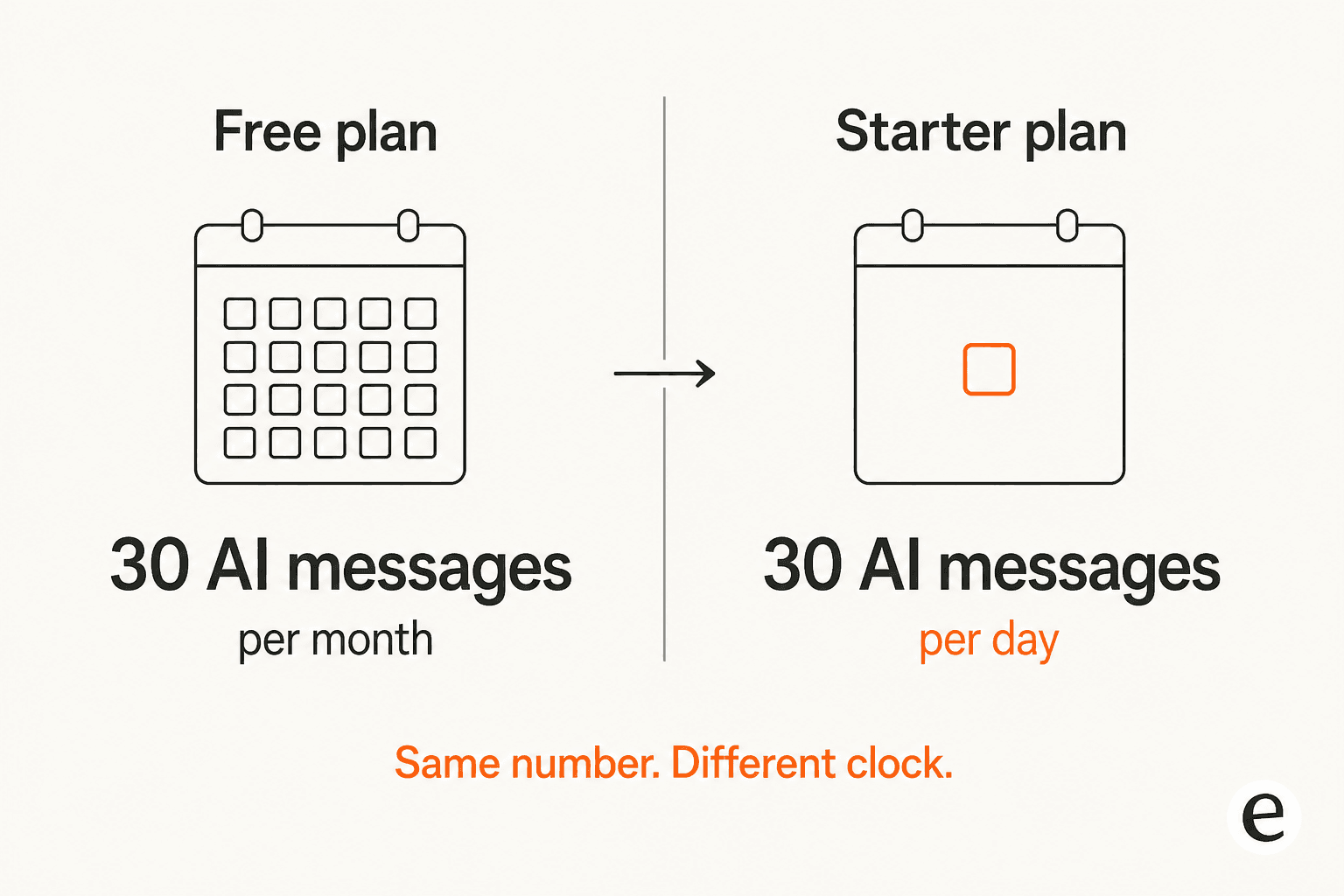
Free gives you 30 AI messages per month. Starter gives 30 AI messages per day. Identical number. The window, not identical.
That is roughly a thirtyfold jump in headroom for $8, which makes Starter the sharpest-value step on the whole ladder. It reframes the free tier too. 30 messages in a month works out to one message a day, so a demo more than a trial. If you are evaluating Saner.AI seriously as your daily AI assistant, the free plan will not tell you much of anything, and I would simply take the Starter month at $12 instead of drawing conclusions from a quota which runs out in one afternoon.
The advice generalises. Almost every tool in the AI writing and note-taking category gates the evaluation now behind a quota and not behind a clock, so the honest move is to buy one month on purpose, instead of stretching a free tier which was never sized for a real test.
Standard's step is a smaller one in kind. Messages become unlimited, requests move from 30/day to 100/day, notes go uncapped. If you are a heavy note-taker who is migrating a decade of Obsidian content, the thing that pushes you up is the 1,000-note cap on Starter, and not the message count. Anyone still shortlisting at this stage should read the Notion alternatives roundup first, before committing to a year.
The two meters are not the same meter
Being precise here matters, because the plan cards put them next to each other like they are interchangeable. From the FAQ: AI messages "include Skai, Online and AI-Search queries (not including Reasoning mode)", while AI requests "include similar search queries, image description generation, AI tag generation, and other AI-generated requests."
So the messages are things you type. Requests are what the product does in the background while you are not looking, and on Starter both of them share the same 30/day budget. Dump a folder of PDFs in, let it auto-tag and OCR everything, and the requests meter is the one you hit first.
Reasoning Mode is a pricing axis with no published definition
This is the gap which I would most want closed, and I did look hard for it.
Reasoning Mode shows up on all three plan cards, as Preview, Limited and Extended access. It is one of only six things which differ between the tiers, so it does real work inside the pricing ladder. And nowhere on the pricing page or in the help center does Saner say what Preview, Limited and Extended actually mean. No run count. No daily cap, no time window, and no model difference either. The per-plan help articles just repeat the same three words back at you.
The one hard fact published about it is a billing exclusion, taken from the pricing FAQ: AI messages "include Skai, Online and AI-Search queries (not including Reasoning mode)". That is the logic of it. Reasoning Mode is not rationed by the message counter, so an access level rations it instead, and this access level nobody has defined.
Also, do not confuse it with the Deep Thinking and Fast toggle sitting in the composer, which the Ask AI doc describes as a speed switch. The docs never connect these two, so I would not assume they are one feature wearing different names. If Reasoning Mode is your reason for paying Standard over Starter, that is the first question to email contact@saner.ai about.
The discounts nobody advertises
Two of them, and neither one sits on the pricing cards.
The Student Aid Program is a Tally form, linked out from one single FAQ line. The discounts get stated exactly: $24 off yearly Starter and $60 off yearly Standard. Which takes Starter down to $72 for the year, Standard to $132, so $6.00 and $11.00 a month respectively.
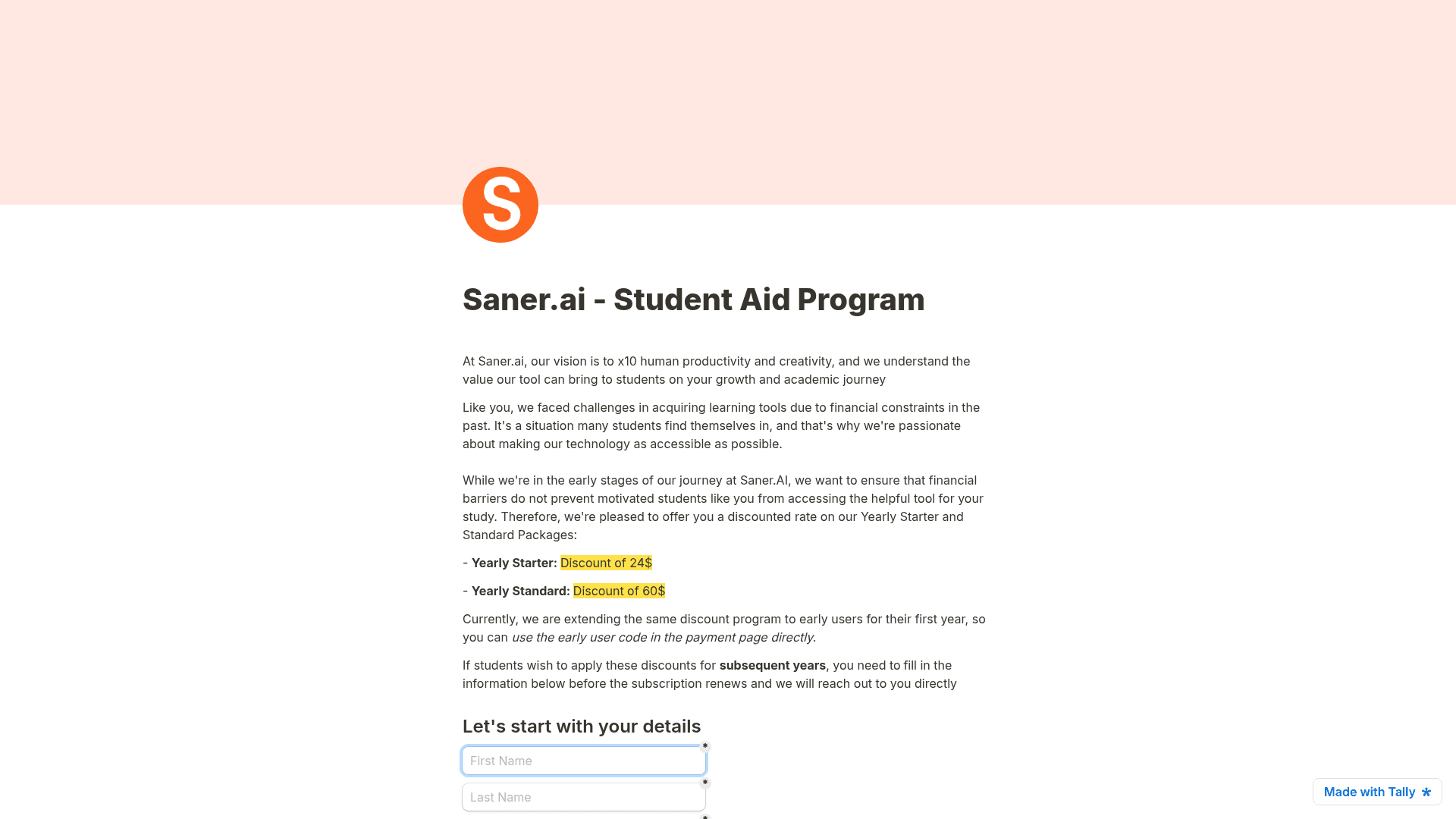
The more interesting line sits on the same form: "Currently, we are extending the same discount program to early users for their first year, so you can use the early user code in the payment page directly." So the student discount is effectively an everyone discount right now, applied with a code at checkout, no form required. Students need the form only if they want it continuing past the first year.
I would not lean on it lasting though. The plan data on the pricing page carries discountMonthly and discountYearly fields, wired up to render an "Early user discount" badge, and every one of them reads $0 at the moment. So the machinery is built and switched off, which usually means a temporary promotion. If you were planning to buy anyway, then buying now is the cheaper version of the same decision.
For the scale of it, that first-year Standard price of $132 undercuts a single year of ChatGPT Plus by a comfortable margin, and Saner is doing a narrower job. Whether that counts as good value depends entirely on if the narrow job happens to be the one you have. Same question goes for Perplexity Pro, and for every other subscription already sitting on your card.
What Saner.AI does not publish
I would rather to list the gaps than to guess at them, because a pricing post which fills the silence with plausible numbers is worse than one admitting the silence.
- No Reasoning Mode definition, as covered above. That is the biggest one.
- No trial length in days. There is a Trial Plan for the new users, giving 100 notes and 50 AI messages, also 5 PDF uploads, after which "your account automatically transitions to the Free Plan". A duration is never stated.
- No annual totals. On the card only the per-month figures render.
- No external AI rate card. It is in-app only, as covered above.
- No connected-account caps. Nothing anywhere says how many mailboxes or calendars you are able to attach.
- No uptime SLA and no refund policy. Downgrades take the effect at the end of the billing cycle, and that is the whole extent of what gets stated.
Security deserves a line of its own, because what is there is clear and what is missing is clear too. The security and privacy article commits to AES-256-GCM encryption in transit and at rest, and also to a policy I would like to see stated this plainly more often, that "we do not train on, share, or sell your data". Same commitment is worth checking on any tool that you point at an internal knowledge base. What is absent is any certification. No SOC 2 and no ISO 27001, no HIPAA, no explicit GDPR statement, no named hosting region anywhere. For a personal notes tool at $8, that is entirely normal. For anything that touches regulated data, or a procurement review, the absence of a certification page is itself the answer, and I would take it as one instead of opening a ticket to ask.
The billing mechanics, at least, are clean. Card payments only, auto-renewal on by default, prorated upgrades, downgrades at the cycle end, invoices emailed automatically, and the cancellation described as "Super easy. No hidden costs or obstacles." Cancelling itself runs through Settings, Subscription plan, Manage subscription.
What people actually say about paying for it
Best to start with the numbers, since they do not agree with each other at all. Saner.AI holds 4.8 from 17 reviews on Product Hunt, 3.0 from 13 ratings on the App Store, and 1.9 from 72 reviews on Google Play. Three very different verdicts, one same product.
It also carries zero reviews on G2, which for a tool sitting on 10,000-plus Play Store downloads tells you the thing gets bought by individuals on personal cards, and never evaluated by a procurement team.
Read them in the order and the shape becomes clear. The Product Hunt reviews cluster around the 2024 launch, and they come from a curated audience. The Google Play reviews are recent ones, from general users, mostly about bugs and not about the price. Both of them are real. Neither on its own is the picture.
On the pricing question specifically, the complaint which recurs has nothing to do with $8 being too much. It is that the daily meter runs out while you are still learning the tool. One user on the paid Starter tier described this loop precisely:
"What ends happening is that you spend so many exchanges trying to instruct it correctly on things that it apparently can't do that you use up all of your interactions for the day and then you are SOL until you get more."

The same person raised something that I could not find any answer to, anywhere in Saner's docs, and in a daily-metered plan this is a real gap:
"It doesn't tell you exactly what time or date you get a refresh of interactions, for instance I am writing this at 4:30 pm and haven't been able to chat or get a suggested task list all day despite being on a paid tier. Not so useful."
Nowhere does Saner publish what time the daily counters reset. On a plan whose whole value proposition is 30 a day and not 30 a month, this is the one number you need for planning around, and it is exactly the number which is missing.
The other pattern is people buying before they know. This is the shape of churn which I would expect from a product carrying a 30-message-a-month free tier, because one month of free usage is not enough to find out:
"Yeah it sort of rendered it a bit pointless for me. Unfortunately only realised after I paid for a month."
For the balance, and because for anyone deciding it is the more useful signal: people who like it are liking it for the thing it was built for, and they get specific about what that thing is.
"Saner.ai is the most capable adhd app for me at this point, after trying dozens of them. Because it can break down tasks, give me a step by step plan and reschedule everything with just an ask"
And then a paying reviewer whose complaint was that he wanted to give Saner more money, which is the healthiest kind of a limit report:
"I also don't mind paying for it, so I would be happy if the capacity per file was increased. If I try to place e-books as knowledge and have Skai search for them, 10MB is not enough, so I have to go through the trouble of splitting the books up for saner.ai."
One flag on the billing side, stated together with its caveat. Saner's FAQ describes the cancelling as "Super easy. No hidden costs or obstacles." An App Store reviewer reports it otherwise:
"You can't unsubscribe or delete your account in the app—only by emailing them. I requested to cancel my trial a week ago and got no response. Still not canceled."
That review is against version 1.1.0 and the current builds are on 1.12.x, so it may well be describing a flow which got fixed since then. Still I would check that the cancel path exists inside your app before the trial converts. Five seconds of work, and the cheapest insurance in this whole post.
One more thing which the research turned up by its absence. Across Reddit, Product Hunt, both app stores and Hacker News, I could not find a single user discussing the external AI token charges. Everybody argues about the message cap. Nobody talks about the meter that has no published ceiling, and that is roughly the inverse of where the attention should be sitting.
The thing that catches teams out
Everything above is assuming one person. Read the terms, and that assumption turns out load-bearing.
To be precise here, because the distinction matters: person-to-person sharing does exist. The shared notes doc documents a "Shared with Me" sidebar, and both folders and notes can be shared with view, comment or edit permissions. So two colleagues sitting on two accounts are able to pass work between them.
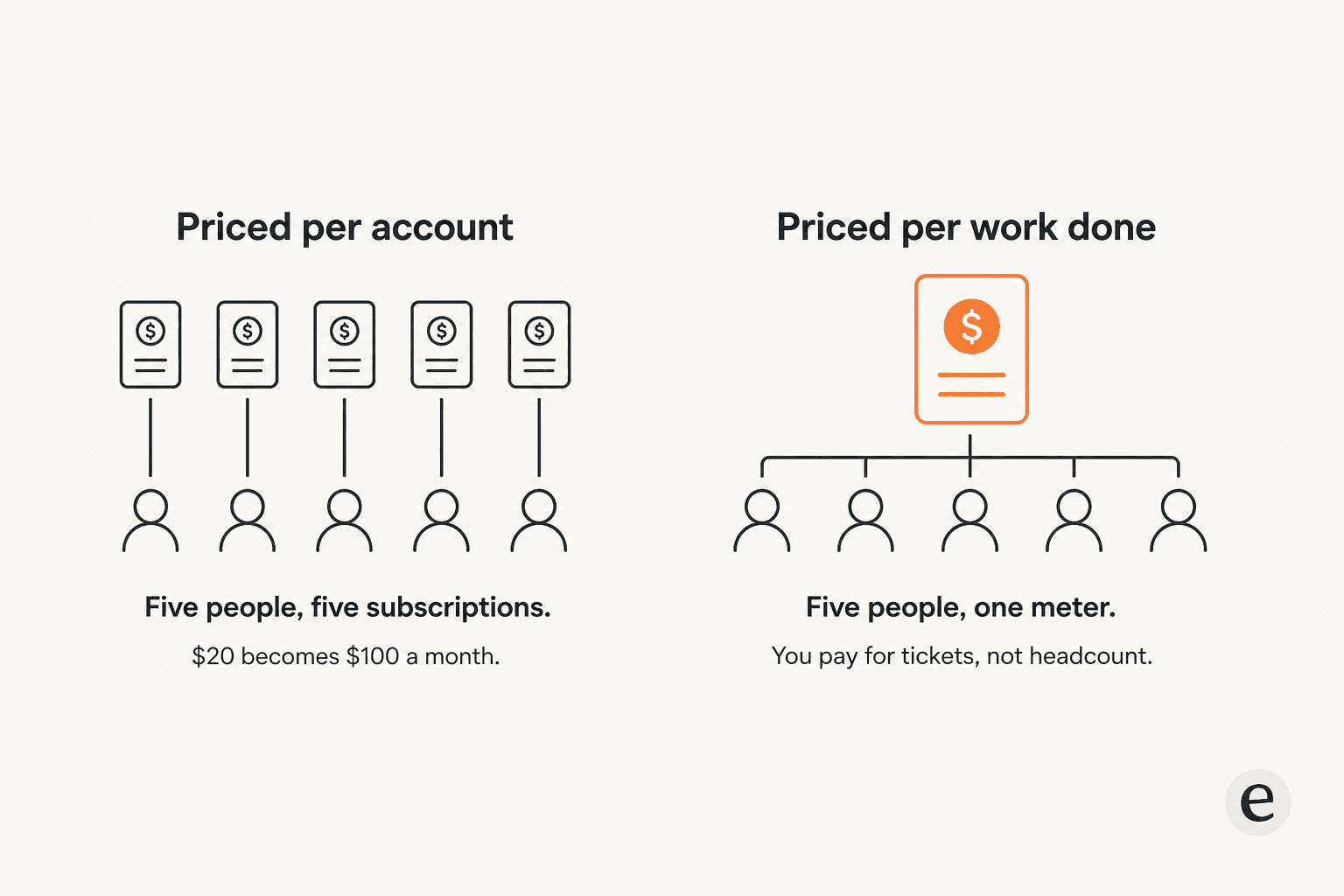
What does not exist is the layer sitting above that. No team tier, no seat pricing, no shared workspace, no admin console, no roles and no SSO. And the terms in the pricing FAQ explicitly prohibit "Sharing your account credentials or making your account available to anyone else", so to consolidate everyone onto one Standard login is not a workaround, it is a violation. A five-person team means five subscriptions, and five knowledge stores which overlap only where somebody remembered to share a note.
For the product that Saner is actually selling, this is a coherent choice, and I do not think of it as a flaw. The pitch in the H1 is "AI Personal Assistant for ADHDers." The whole design is about one person's inbox and one person's notes, one person's next thing, and the docs say so directly, describing Skai as "tightly connected to your personal workspace". Bolting an org chart onto that would compromise the exact thing which makes it good.
It does mean though that the search which lands people here splits into two jobs, ones that look similar and then price completely differently. If you want help with your stuff, Saner.AI at $8 is an easy yes. If you want AI answering questions that arrive from other people, into a queue which several colleagues work, per-account pricing stops to make sense the moment a second person needs in.
The second job is a different product category, with a different cost model underneath it. Usually it looks like an AI teammate sitting behind a shared inbox, priced by the volume and not by the headcount, which is the same reason ticketing systems meter the work rather than the people. The economics of that swap I laid out in my piece on AI versus human agent cost.
I have watched this exact mismatch play out from the other side. Working on AI which sits on live support queues, the moment when a rollout goes sideways is almost never the model being wrong. It is the pricing unit not matching the work. One team I spoke to, a US swimwear brand running on Gorgias, ran twelve test chats that all went fine, then opened the billing page and filed two cancellation requests immediately. The product had proved itself already. The unit had not.
This is why I would rather that a reader leaves this post knowing which meter they are actually buying, more than knowing Starter is $8.
Try eesel
If you landed here searching for Saner.AI pricing because you want an AI that handles your own notes and your email, stop the reading and go take the $8 plan. It is well priced for that, and eesel is not the tool for it. Same answer also if what you actually need is an AI email assistant for one single inbox.
If you got here because somebody asked you to find AI for a shared inbox, or a help center, or a support queue, then the shape you want is a different one. eesel is an AI teammate that plugs into the helpdesk you already run, reads your existing help center together with the past tickets, and starts to draft. It is billed at $0.40 per ticket handled, with no per-seat charge, no platform fee and no monthly minimum, so to add your sixth teammate costs nothing extra, which is precisely the line where per-account pricing stops working.
It connects to Zendesk, Freshdesk, Front and Gorgias among the others, and it runs inside Slack and Microsoft Teams for the internal questions. If you are still costing up the helpdesk underneath it, my Freshdesk pricing breakdown is the companion read.

The part which I would actually flag as the differentiator: you can simulate against past tickets before it ever replies to any customer. It runs over your historical volume and reports coverage per theme, then tells you where the docs have holes. I have seen too many confident-sounding bots answer wrongly in production to ever recommend a rollout which skips that step.
You get $50 of usage free, everything unlocked, and no credit card needed. Try eesel.
Two honest limits before you click on that. SOC 2 Type II is underway and not yet certified, and HIPAA plus a BAA sit gated behind the $1,000/month Enterprise plan. If either one is a hard requirement this month, better to ask before you build a plan around it.
Frequently Asked Questions
How much does Saner.AI cost?
Is Saner.AI free, and what are the limits on the free plan?
What is the difference between AI messages and AI requests in Saner.AI pricing?
Does the Saner.AI subscription include GPT, Claude, or Gemini?


Article by
Kurnia Kharisma
Kurnia is a software engineer and writer at eesel AI with two years of SEO experience, writing about AI tools, helpdesk software, and customer support. He pairs a developer's understanding of how these products are built with search-driven research into what actually ranks and resonates with the people searching for them.