

What is Fireflies.ai?
Fireflies is an AI assistant for meetings. You invite its bot, fred@fireflies.ai, to a call (or let it auto-join from your calendar), and it records, transcribes and summarizes the conversation. The homepage claims it is used across 1 million+ companies and pitches 95% transcription accuracy with speaker recognition and auto language detection.
I build AI agents at eesel, so I read tools like this from the mechanism up: what triggers the bot, what gets stored, and which actions cost money. For this review I went through the pricing page, the AI credits and storage docs in the Fireflies help center, and 22 user reviews and comments from Capterra, Trustpilot, Reddit and Hacker News. I did not run it on eesel's calls for months, so the hands-on claims below stay with what the docs and screenshots show.
There's also a personal reason this category matters to me. eesel records its own demo calls with a meeting notetaker (not Fireflies, as it happens), and the team reviews those recordings every week to work out what blocks buyers. So I know what a good transcript is worth, and I also know where its usefulness stops.
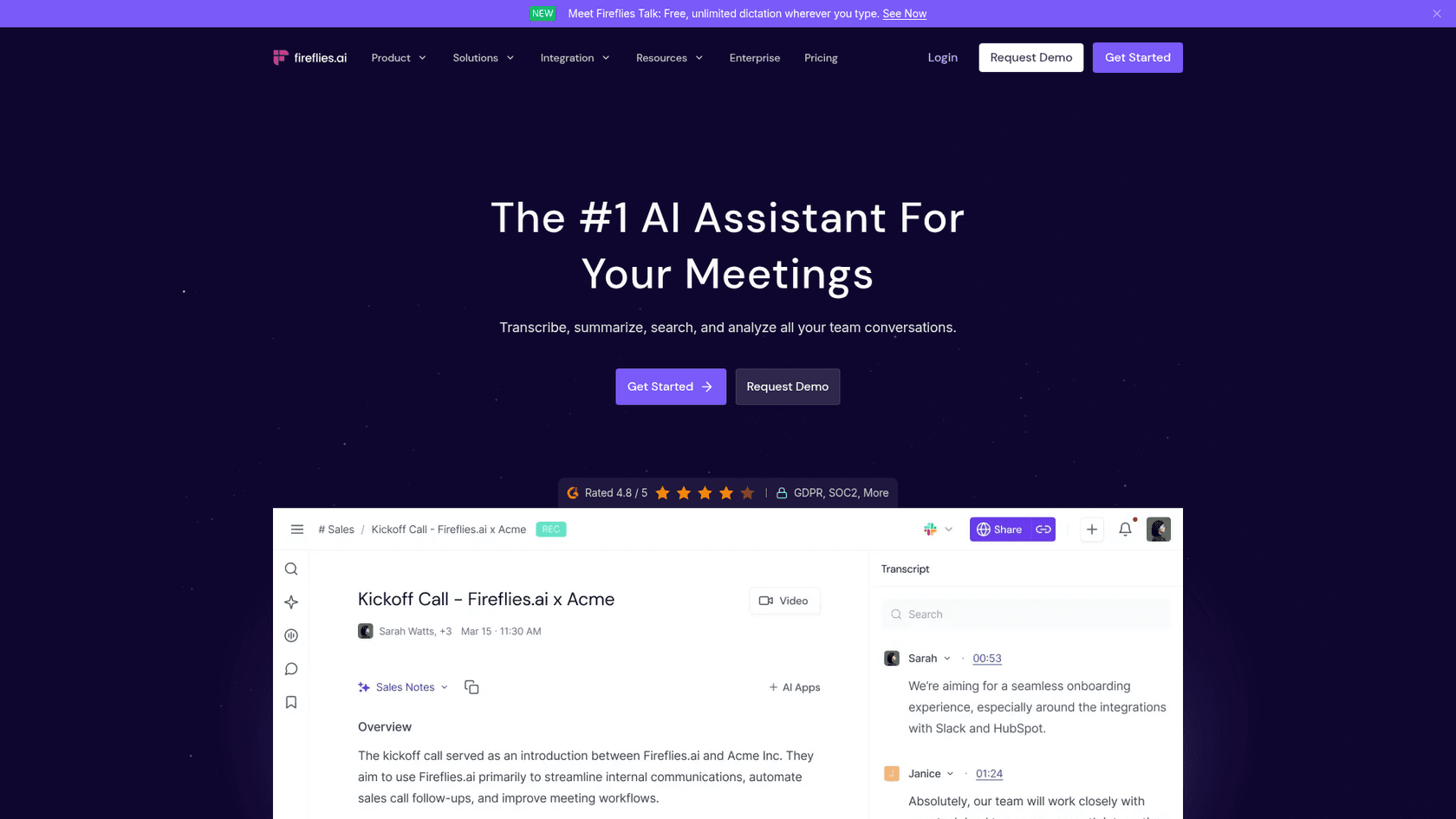
Its closest rival is Otter.ai, and my Read AI review covers another. Fireflies has more conversation analytics than most notetakers and fewer than a dedicated revenue tool like Gong.
Fireflies.ai review at a glance
Here's the scorecard. Each score is my read of the vendor's docs plus what reviewers report, weighted equally.
| Area | Score | Why |
|---|---|---|
| Transcription and capture | 4.5 / 5 | 100+ languages, bot, Chrome extension, desktop and mobile capture, file uploads |
| Summaries, AskFred and AI Skills | 4.0 / 5 | Useful summaries and search; deeper AI runs on metered credits |
| Pricing clarity | 3.0 / 5 | Seats are clear, but credits are pooled, dynamic per query, and auto-upgrade by default |
| Privacy and admin controls | 3.5 / 5 | SOC 2 Type II, GDPR, HIPAA; the strongest controls are Enterprise-only, and auto-join defaults draw complaints |
| Integrations | 4.0 / 5 | 100+ apps across CRM, ATS, dialers, storage, plus API and an MCP server |
| Overall | 3.8 / 5 | Strong notetaker; watch the credit meter and bot settings |
How Fireflies captures meetings
Capture is where Fireflies is strongest, because it gives you five ways in and they cover nearly every place a conversation happens.
- Notetaker bot. Invite
fred@fireflies.aior let it auto-join calendar meetings on Zoom, Google Meet, Microsoft Teams and 10+ other platforms. - Chrome extension. Records Google Meet without a bot in the participant list.
- Desktop and mobile apps. For calls outside a browser and in-person conversations, where a recorder like Plaud is the hardware alternative.
- Dialers and API. Aircall, RingCentral and other dialers, plus an API for audio files.
- File uploads. MP3, MP4, WAV and M4A files.
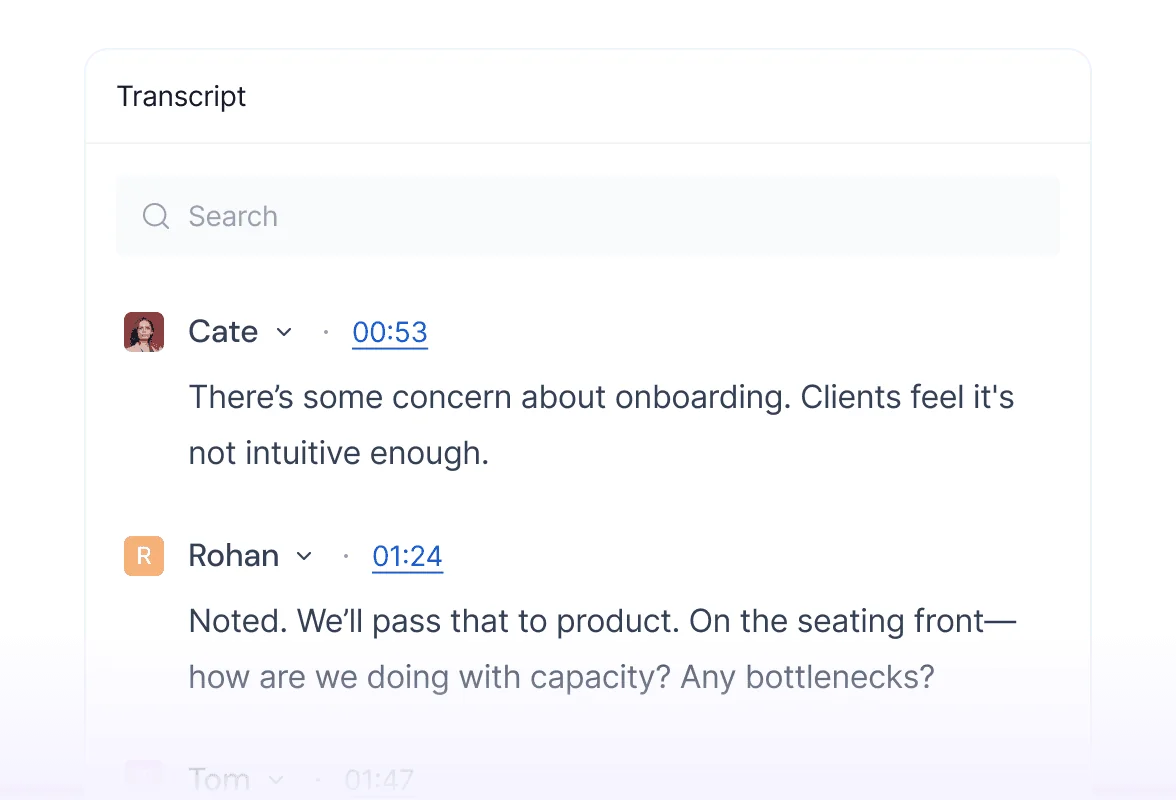
There are limits worth knowing. Per the pricing table, a single recording caps at 2 hours on Free and Pro, 3 hours on Business and 4 hours on Enterprise. Uploads, API, Zapier, cloud-storage imports and dialer calls share a monthly rate limit of 3,000 minutes per source for individuals, with overage at $0.01 per minute. Live bot meetings, the Chrome extension and mobile recordings are not rate-limited.
Users mostly like the accuracy, with a clear caveat about messy audio:
"The reliability of the transcription is what won me over. [...] Transcription accuracy dips with heavy crosstalk, strong accents, or a lot of industry-specific jargon and proper nouns, so I still have to review and clean up names and technical terms before anything client-facing goes out."

Speaker attribution is the weak spot in big calls. One Trustpilot reviewer said a 6-person Teams meeting came back "inaccurate in terms of who said what and actions were incorrectly attributed." If your calls are crowded, plan to check the who-said-what before sharing notes outside the team.
Summaries, AskFred and search
After a call, Fireflies writes an overview, bullet notes and action items, and you can expand any bullet for more context. Templates in summaries are free; only custom summary sections use AI credits. Reviewers who live on these summaries tend to love them.
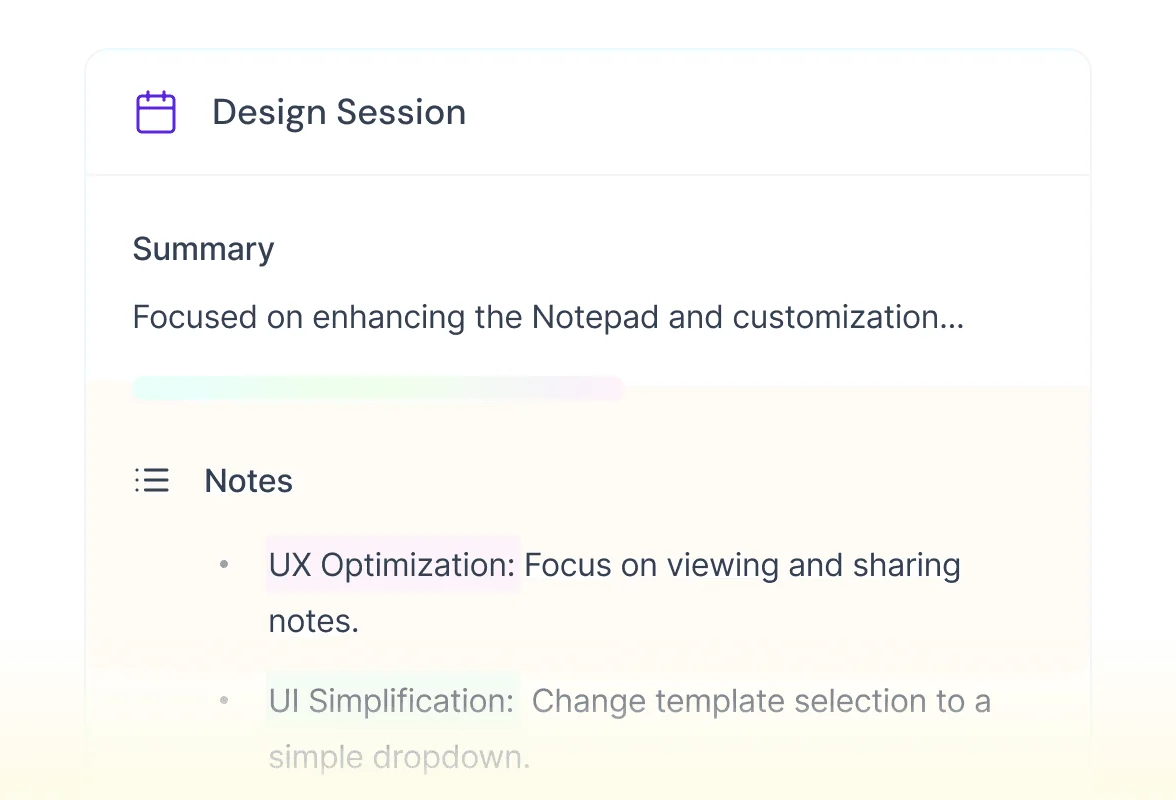
"Once a meeting has been transcribed and summarised, I can extract action items, prepare follow-up correspondence, draft reports, identify key issues and generally move matters forward much more efficiently."
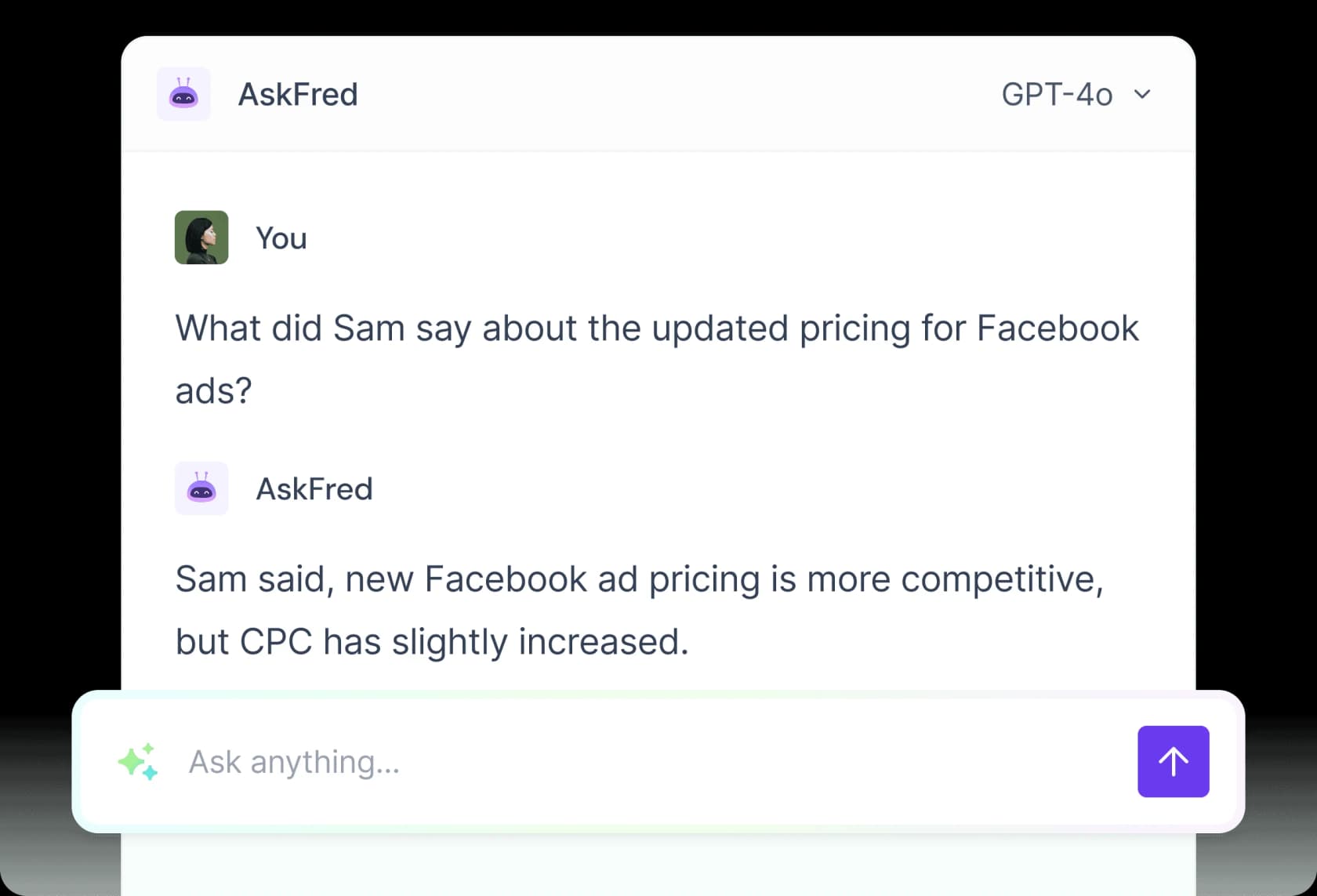
AskFred is the chat assistant on top of your meetings. Ask what Sam said about ad pricing and it answers from the transcript. On the Free plan it is limited, and when used inside Live Assist during a call it draws AI credits.
Meeting search is the quiet hero. It finds a phrase across months of calls, down to the sentence and timestamp. That is the feature I'd actually miss, because it turns a pile of recordings into something closer to a knowledge base.
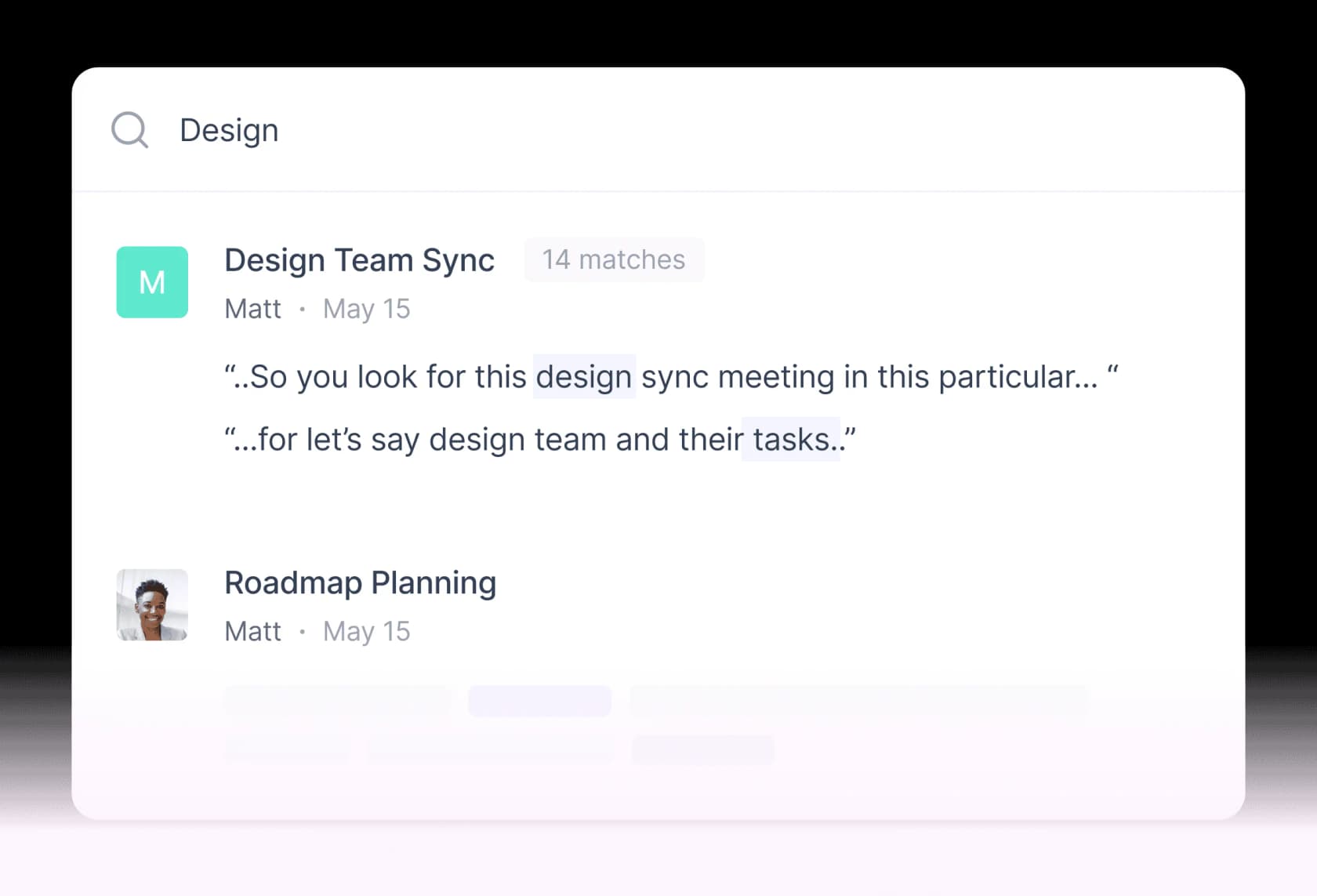
Not every reviewer has the same experience. One Trustpilot user wrote that "the search doesn't work properly" and that the assistant "can get stuck for minutes," so treat search quality as something to test in your trial, not a given.
Conversation intelligence, Live Assist and AI Skills
On Business and up, Fireflies adds conversation intelligence: speaker talk-time, sentiment, question detection and topic trackers that count how often a term like "pricing" or "timeline" comes up across calls. Team analytics for admins also start at Business.
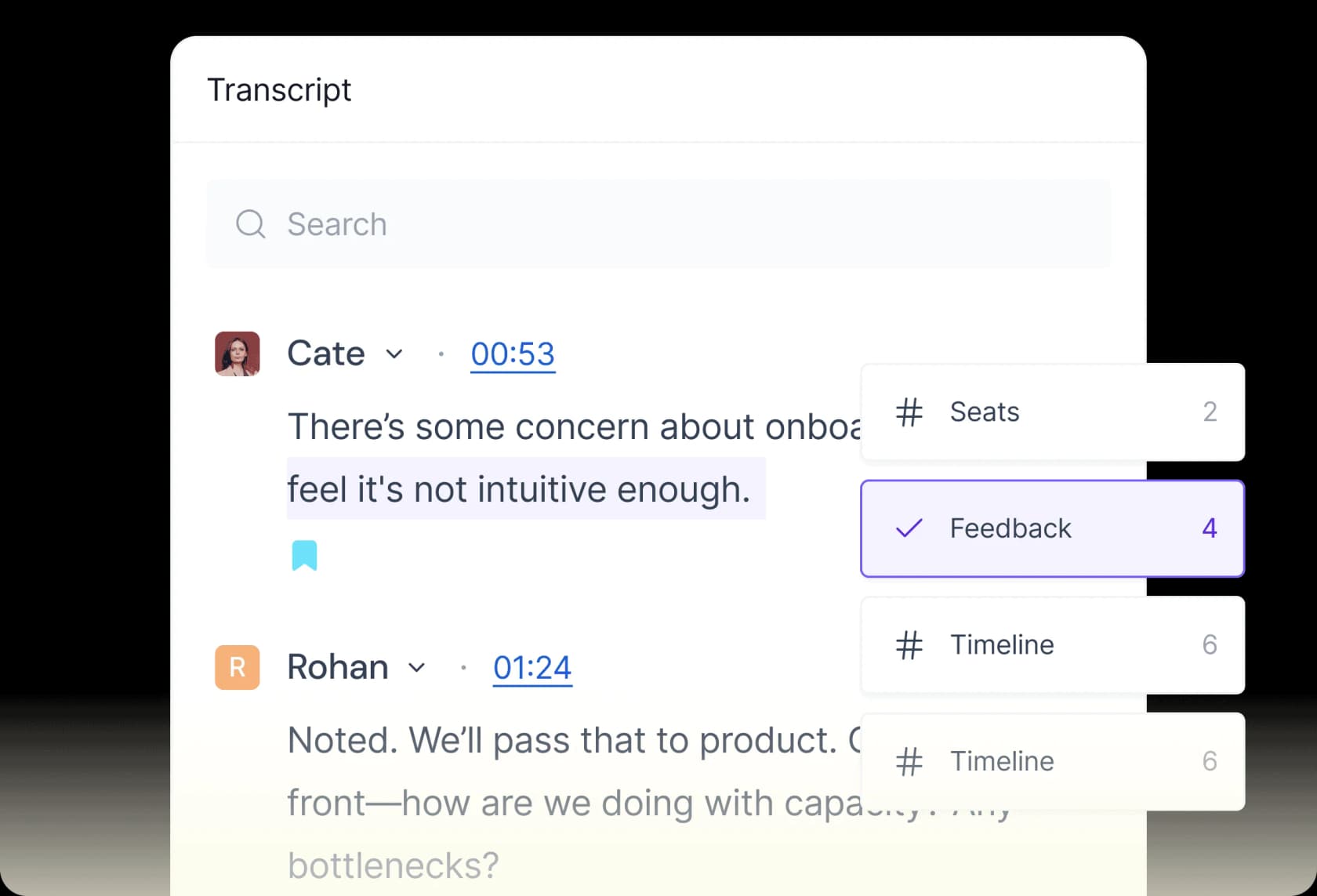
The newer layer is where Fireflies is pushing hardest in 2026:
- Live Assist gives real-time suggestions, sales coaching and mid-call answers across the browser, desktop, Chrome extension and mobile.
- 200+ AI Skills generate follow-up emails, scorecards and structured notes from templates like BANT and MEDDIC.
- Voice Agents run AI voice conversations, a different job from the support voice agents that answer inbound calls.
- An MCP server pipes meeting context into Claude, ChatGPT and other AI tools. Separately, two Capterra reviewers praised how the API connects to Claude Code.
Here's the mechanism detail that matters: nearly all of this newer layer runs on AI credits, and the credit cost per request is dynamic. Fireflies' docs say credits are "charged per query," so a complex request costs more than a simple one. That makes these features hard to budget before you've used them for a month.
Fireflies.ai pricing in 2026
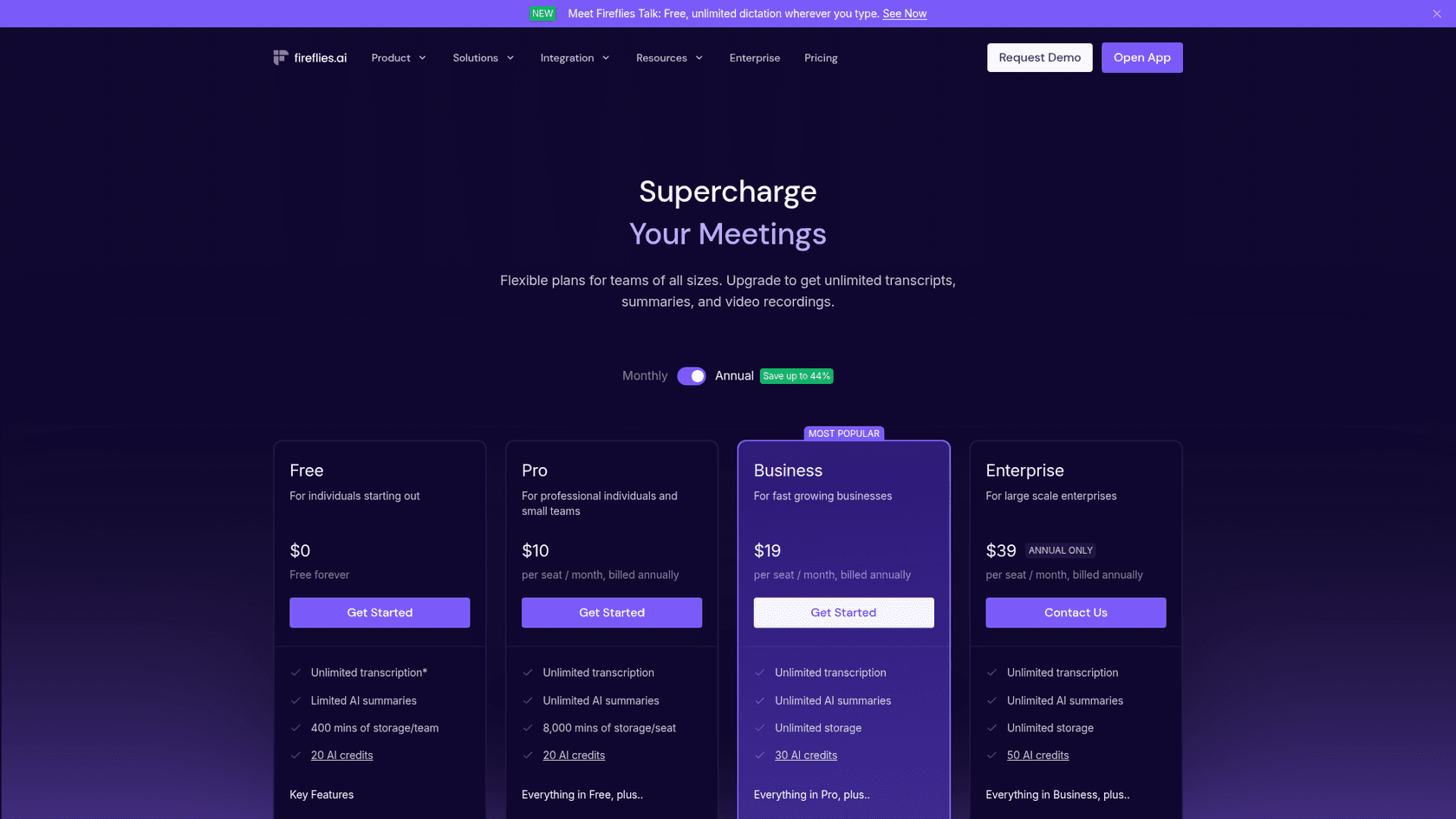
Here's the full plan grid from the Fireflies pricing page, checked on October 19, 2026.
| Free | Pro | Business | Enterprise | |
|---|---|---|---|---|
| Price (annual billing) | $0 | $10 / seat / mo | $19 / seat / mo | $39 / seat / mo (annual only) |
| Price (monthly billing) | $0 | $18 / seat / mo | $29 / seat / mo | Not offered |
| Transcription | Unlimited with Auto-join (see below) | Unlimited | Unlimited | Unlimited |
| AI summaries | Limited | Unlimited | Unlimited | Unlimited |
| Storage | 400 mins | 8,000 mins / seat | Unlimited | Unlimited |
| Starter AI credits (team pool) | 20 | 20 | 30 | 50 |
| Recording limit per meeting | 2 hours | 2 hours | 3 hours | 4 hours |
| Video capture | No | 720p | 720p | 1080p |
| API rate limit | 30/min, 500/day | 60/min, 5,000/day | 60/min per paid seat, pooled up to 1,200/min | 60/min per paid seat, pooled up to 2,400/min |
| Notable extras | Meeting search, AskFred (limited), 3 public channels | Downloads, AI Skills, Voice Agents, unlimited integrations | Conversation intelligence, team analytics, multi-language mode, user groups | SSO + SCIM, rules engine, audit logs, HIPAA, private storage, custom retention |
The annual discount is real: Pro drops from $18 to $10, which is the "save up to 44%" badge on the toggle. Enterprise has no monthly option.
How AI credits actually work
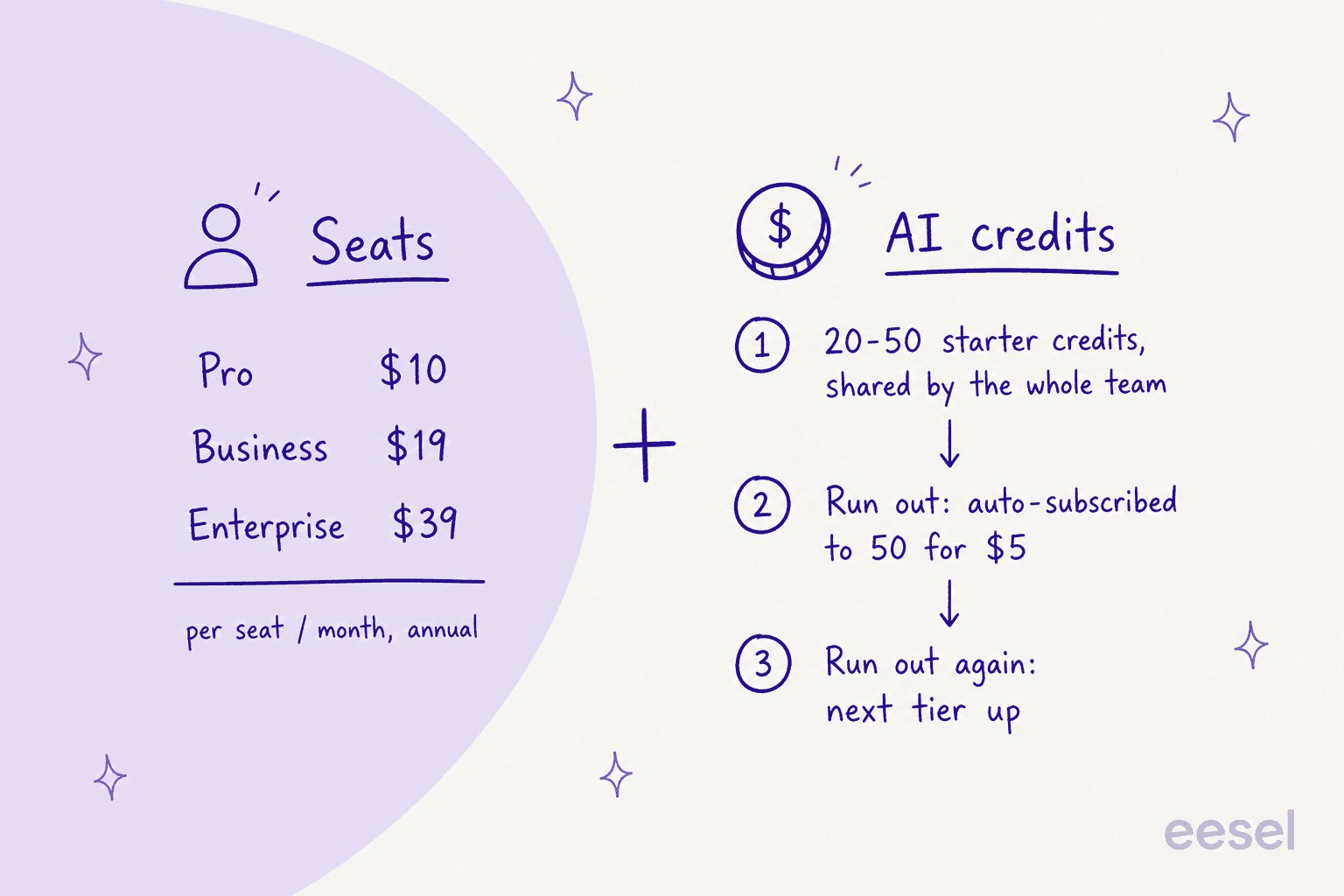
This is the section to read twice. Fireflies' AI credits guide says transcription, notes and recap emails are covered by your plan, and credits only pay for the advanced AI layer: AI Skills, soundbites, custom summary sections, Voice Agents, Sales Assist, the Slack assistant, CRM autofill and AskFred inside Live Assist.
Four details from the docs change the math:
- Credits are pooled per team, not per seat. The 20, 30 or 50 starter credits are one-time, shared by everyone, and "do not increase with added teammates."
- Two features spend credits by default. The Personal Assistant's Daily Digest and Meeting Prep are enabled by default and consume AI credits until an admin turns them off.
- Running out triggers a subscription. On a paid plan, when your starter credits run out, Fireflies auto-subscribes you to 50 credits for $5 a month. If you're already subscribed, it upgrades you to the next tier. You can pause this in settings.
- Purchased credits don't roll over. Unused credits from a pack do not carry over to the next billing cycle, monthly or annual.
The credit packs, from the same guide:
| Credits per month | Monthly price | Annual price |
|---|---|---|
| 50 | $5 | $4 / mo |
| 200 | $20 | $16 / mo |
| 1,000 | $90 | $72 / mo |
| 2,500 | $200 | $160 / mo |
| 5,000 | $375 | $300 / mo |
| 7,500 | $450 | $360 / mo |
| 10,000 | $600 | $480 / mo |
Users notice. One Capterra reviewer who rates Fireflies highly overall still wrote that "Credits are burned quickly." None of this is hidden, to be fair to Fireflies, but it is spread across a pricing page and two help articles.
To make the shared pool concrete, pick a team size below. Prices use annual billing.
What does the shared AI credit pool look like for your team?
Seat costs and starter credits per person by team size, plus what a credit pack adds per seat. Figures from fireflies.ai/pricing and the Fireflies AI credits guide, October 2026, annual billing.
| Plan | Seats / mo | Starter credits each |
|---|---|---|
| Pro | $10 | 20 |
| Business | $19 | 30 |
| Enterprise | $39 | 50 |
| Plan | Seats / mo | Starter credits each |
|---|---|---|
| Pro | $50 | 4 |
| Business | $95 | 6 |
| Enterprise | $195 | 10 |
| Plan | Seats / mo | Starter credits each |
|---|---|---|
| Pro | $100 | 2 |
| Business | $190 | 3 |
| Enterprise | $390 | 5 |
| Plan | Seats / mo | Starter credits each |
|---|---|---|
| Pro | $250 | 0.8 |
| Business | $475 | 1.2 |
| Enterprise | $975 | 2 |
The Free plan trade-off
The Free plan changed for new accounts. Per Fireflies' unlimited transcription guide, anyone who signed up on or after September 1, 2026 gets unlimited transcripts only with Auto-join on. Turn Auto-join off and you're limited to 3 meeting transcriptions. The "only when I invite fred@fireflies.ai" option doesn't count.
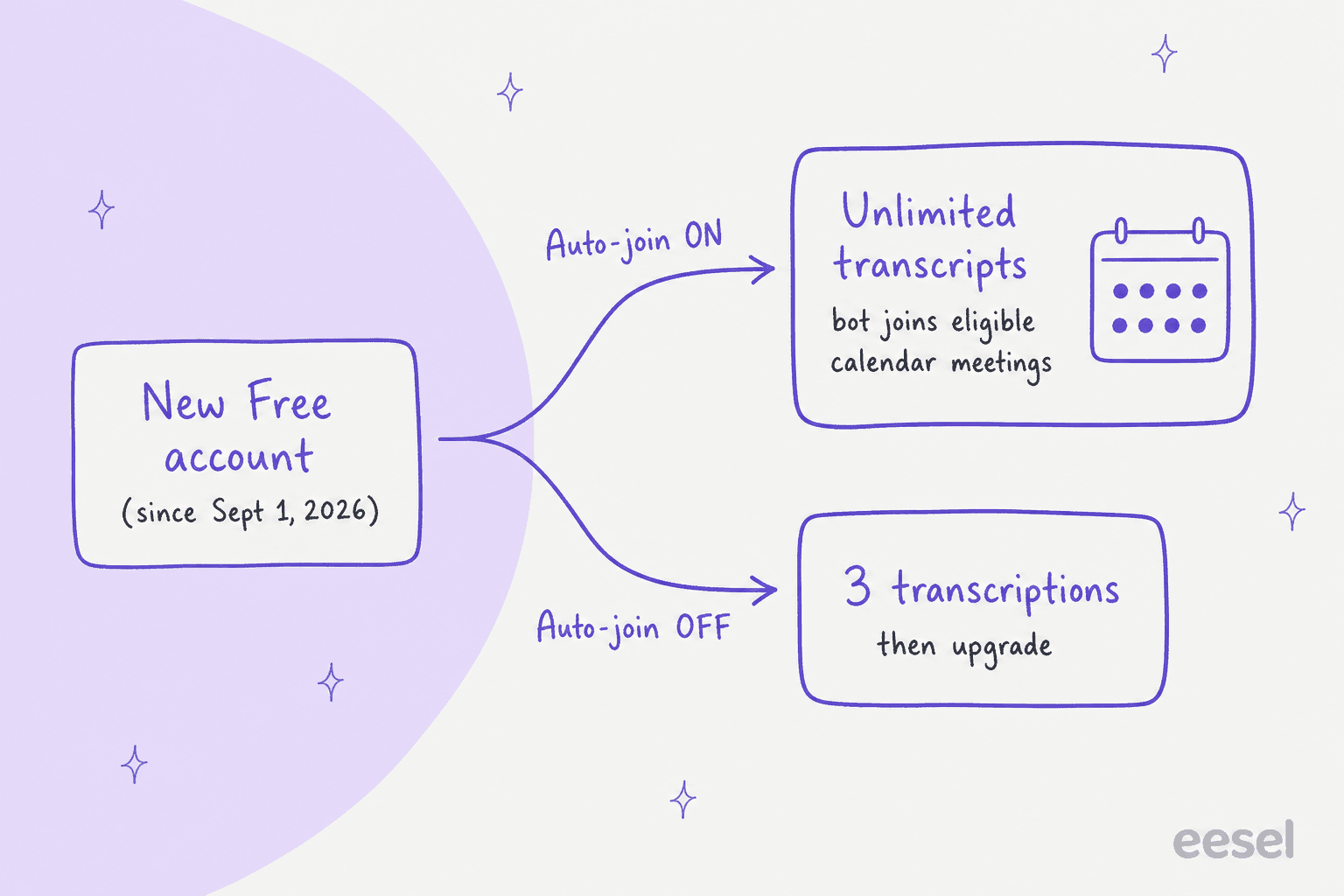
So the free price is paid in bot presence: free and unlimited means the notetaker joins your eligible meetings automatically. That's fine for internal standups. It's a bigger decision for client calls, board meetings or anything in a two-party-consent state, which brings me to the most common complaint.
Privacy and the auto-join problem
On paper, Fireflies' security page is solid: SOC 2 Type II, GDPR, HIPAA, 256-bit AES encryption at rest, and a promise not to train AI models on your meetings. The HIPAA BAA, private storage, custom data retention and the rules engine are Enterprise features. If that matters to you, read my HIPAA-compliant AI guide before signing.
The friction in reviews isn't encryption. It's the bot showing up where people didn't expect it. A Capterra reviewer who liked Fireflies overall still flagged "aggressive default settings (e.g., auto-joining meetings)." A Trustpilot user said the Mac app kept trying to join "every call I make on my Mac in google Meet, Zoom and Whatsapp" even with auto-join off. And this Reddit thread is the scenario that worries admins:
"Just hosted a Zoom meeting which it was stated no audio or video recording. Meeting, private by invitation only. I'm in a California, two party state for audio/video. I was shocked, meeting ended, received an email from Fireflies with a link to an audio recording AI transcript."

A reply in the same thread makes the fair counterpoint: the subscriber who enabled the tool is responsible for its settings. Both things are true. Fireflies gives admins the controls, but the defaults lean toward capturing more, and the Free plan now rewards that. If you roll it out to a team, set the Auto-join filter (all meetings, only meetings I own, or only meetings with teammates) on day one.
What users say about Fireflies.ai
Across the 22 reviews and comments I pulled, the split is consistent with the star ratings: most people are happy with the core notetaker, and the complaints cluster in four places.
| What users praise | What users complain about |
|---|---|
| Transcript accuracy on clear audio | Who-said-what errors in calls with 6+ people |
| Time saved on follow-ups and minutes | AI credits running out fast |
| Works across meeting platforms and tech stacks | Bot auto-joining when people didn't expect it |
| API access that works with Claude Code | Support that leans on an AI bot and canned replies |
Reliability is the one complaint I'd weigh most heavily, because notes you trust are notes you stop taking yourself:
"Within a short period of time, Fireflies failed to record six important meetings. meetings lasted approximately 90 minutes, but only around two minutes were recorded. [...] I am not writing this review to attack Fireflies. I am writing it to warn other users who rely on Fireflies as the only record of their meetings."

Fireflies replied that the capture issue was fixed and safeguards were added. Still, the lesson applies to every notetaker: for a meeting that really matters, keep a second record.
On the positive side, this Hacker News comment from a seed-stage founder sums up why most teams stay:
"I use fireflies for sales calls (and all calls) currently - just to have a searchable transcript of the call. I would replace Fireflies if I thought I would get enough of a benefit by doing so, but I currently don't"

On support, Capterra's customer service sub-score is 4.5, which is good. Several Trustpilot reviewers describe a different experience, including one who wrote that Fireflies "hides behind a fairly useless AI support bot." Experiences clearly vary by account and issue.
Integrations and developer access
The integrations directory lists 100+ apps across calendaring, CRM (HubSpot and Salesforce), applicant tracking (Greenhouse, Lever, Ashby, Workable), dialers (Aircall, RingCentral, Zoom Phone), storage (Dropbox, S3, Snowflake), and collaboration tools like Slack. CRM autofill for HubSpot and Salesforce uses AI credits.
Two gaps to know. One Capterra reviewer on Pipedrive wanted "a deeper native connection," and helpdesks are not one of the directory's categories at all. That second point is a design choice, not a flaw: Fireflies is built to move meeting knowledge into the tools where sales, recruiting and ops teams work.
For developers, the API is available on every plan (with the rate limits in the pricing table), and the Fireflies MCP server lets Claude, ChatGPT or Devin query your meetings. If you're wiring support tools into AI clients the same way, my MCP for customer support guide covers that side.
Who Fireflies.ai is for (and who should skip it)
Pick Fireflies if:
- Your work happens on video calls and you want searchable transcripts plus decent summaries without changing tools.
- You run sales, recruiting or client services and want notes pushed into a CRM or ATS automatically.
- You want broad capture: bot, Chrome extension, desktop, mobile, dialers and uploads.
Skip it, or go in with eyes open, if:
- Your calls are often large and messy, and accurate speaker attribution is critical.
- You need predictable AI spend. The credit pool, dynamic per-query pricing and auto-upgrade make that harder.
- You handle sensitive client meetings and aren't ready to manage Auto-join settings carefully.
- What you really need is AI that does customer-facing work rather than documenting it.
If you're still choosing between notetakers, start with my list of Otter alternatives. For cost comparisons, I've broken down Read AI pricing plan by plan, and Sembly gets the same treatment in my Sembly pricing guide.
If your team already pays for Notion AI meeting notes, check whether that covers enough before adding another seat. The same goes for the meeting summaries in Zoom AI.
Where Fireflies stops and an AI teammate starts
Here's the reframe I'd offer anyone evaluating Fireflies as "our AI tool." A notetaker documents conversations your team is already having. It doesn't take any of those conversations off your team's plate. The calls still happen, the follow-ups still need writing, and the customer emails sitting in the helpdesk are untouched.
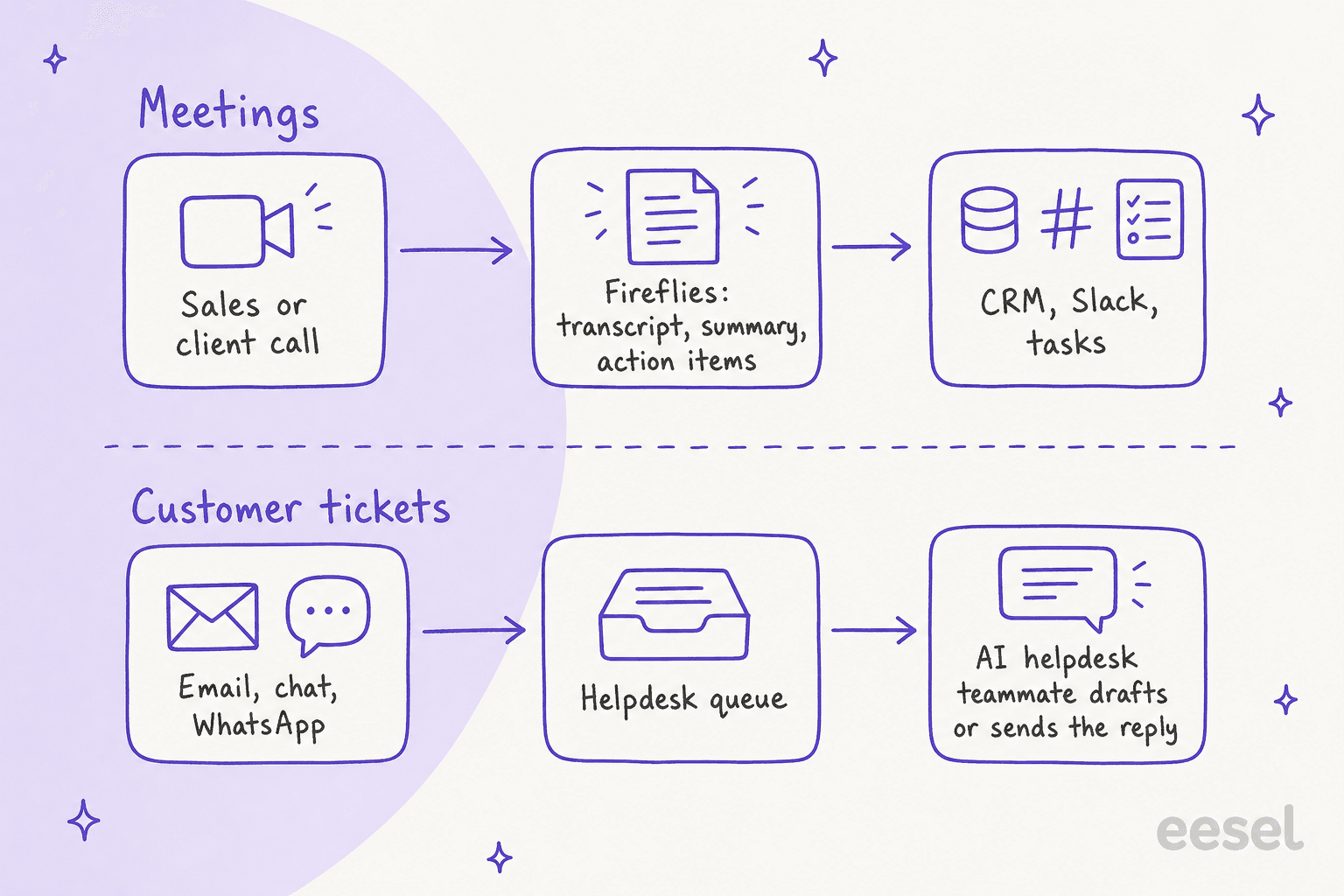
That's the gap eesel is built for. eesel is a platform of ready-to-work AI teammates, and the current roster is two:
- The AI helpdesk teammate works inside your existing helpdesk. It learns from your help center, macros and past tickets, then drafts or sends replies to customer email and chat, and hands off to a person when it should. SE Ranking runs one agent per product on Zendesk and handled 4,650 conversations in a month, including 2,100 live chats answered first by eesel. SamCart runs one agent on Freshdesk tickets and another on its website chat, answering from about 280 help center articles.
- The AI blog writer researches and drafts long-form, sourced posts with screenshots and internal links, for teams whose bottleneck is content rather than tickets.
Meetings and tickets do connect at one point. On eesel's sales calls, knowledge stuck in recordings comes up often. One DTC supplements brand had its support knowledge spread across SOP tools and untranscribed video. Another team was losing two senior agents and wanted their know-how captured before they left. A transcript is a good first step, but that knowledge only helps customers once it's in the place where tickets get answered.
The other difference is the bill. eesel's pricing is a fixed monthly batch: a ticket or a chat is 1 credit, however long, starting at $299 a month for 500 credits, with unlimited agents and seats and a free trial of 100 credits, no card needed. No per-query meter, and no auto-upgrade unless you opt into overage. Before anything goes live, you can test it on your past tickets, which is the step I'd never skip (my AI agent testing plan walks through it).
If you're the kind of team that liked Fireflies' MCP server, eesel works the same way from a terminal. The eesel CLI operates the same teammate you see in the dashboard: eesel activity lists what the agent has done, eesel approvals shows actions waiting on a human, and eesel mcp token connects your workspace to Claude Code or Cursor. Every command prints JSON, so a coding agent can run your setup for you.
For a broader view, my best AI teammates roundup and AI helpdesk software list compare the options, and my guide to choosing an AI agent covers the questions to ask.
Final verdict on Fireflies.ai
Fireflies.ai earns its reputation. The capture options are the broadest in the category, transcription is accurate on clean audio, and meeting search is useful enough that people forget it's there until they need it. For a team that lives on calls, Pro at $10 a seat (annual) is easy to justify.
My 3.8 out of 5 comes from three things: speaker attribution in large calls, a credit system that's pooled, dynamic per query and auto-upgrading, and default auto-join behavior that puts the onus on admins. None of those are dealbreakers. They're settings to configure and costs to plan for in week one, not in month three.
And if the question behind your search is "where can AI take real work off my team," it's worth separating the two jobs. Fireflies is great at remembering conversations. For the customer conversations in your helpdesk, you want a teammate that answers them.
Try eesel for the conversations Fireflies doesn't touch
Fireflies keeps the record of your calls. eesel's AI helpdesk teammate takes on the customer emails and chats that never reach a call: it plugs into Zendesk, Freshdesk, Gorgias or your website chat, learns from your past tickets and help center, and you can test it on past tickets before it answers anyone. It's what SE Ranking uses across three products. Billing is simple: one credit per ticket or chat. Try eesel with 100 free credits, no card needed.