Sembly AI alternatives in 2026: 9 picks, priced properly

Kurnia Kharisma

Katelin Teen
Last edited August 20, 2026
Why people are looking for Sembly alternatives
Most of my time goes on how search intent maps onto what a product actually does. And the Sembly searches changed shape this year, for one very specific reason: Sembly restructured its plans on 1 March 2026.
The free Personal plan is gone. What sits in its place is a trial, capped at one hour of capture plus one automation and four months of history, and Sembly's own plan-change notice is blunt about it, you "will not have access to any of the legacy plans" afterwards. Legacy Professional, Team and Team Plus subscribers got auto-migrated, they still get bug fixes but no new features, and the whole thing runs out by December 2026. Moving across voluntarily is one-way, too. The notice says you "won't be able to switch back to a legacy plan".
Credit where it is due here, Sembly published all of this clearly, which is rarer in this category than it should be. Three of the changes are doing the work in those searches.
Paid Basic lost video entirely. Not reduced. Absent. Basic gets no video capture and no video history, and then also no Advanced Search, no Sentiment, no Key Items, no Analytics, no Custom Vocabulary, no MCP access, no custom automations. All of that starts at Pro.
The manager view costs three seats. Auto-Sharing Groups sit on MAX only, and MAX carries a three-seat minimum with it. Which means the cheapest configuration where a team lead can see their team's notes is $90 a month, not the $30 printed on the card.
The agentic pitch is a consumable. Sembly's homepage H1 reads "Turn conversations into client-ready deliverables", and its FAQ insists it is "an agentic meeting intelligence platform, not just an AI notetaker". Then the pricing table meters those same deliverables at 5 AI Artifacts and 5 AI Insights per user on Pro, 40 each on MAX.
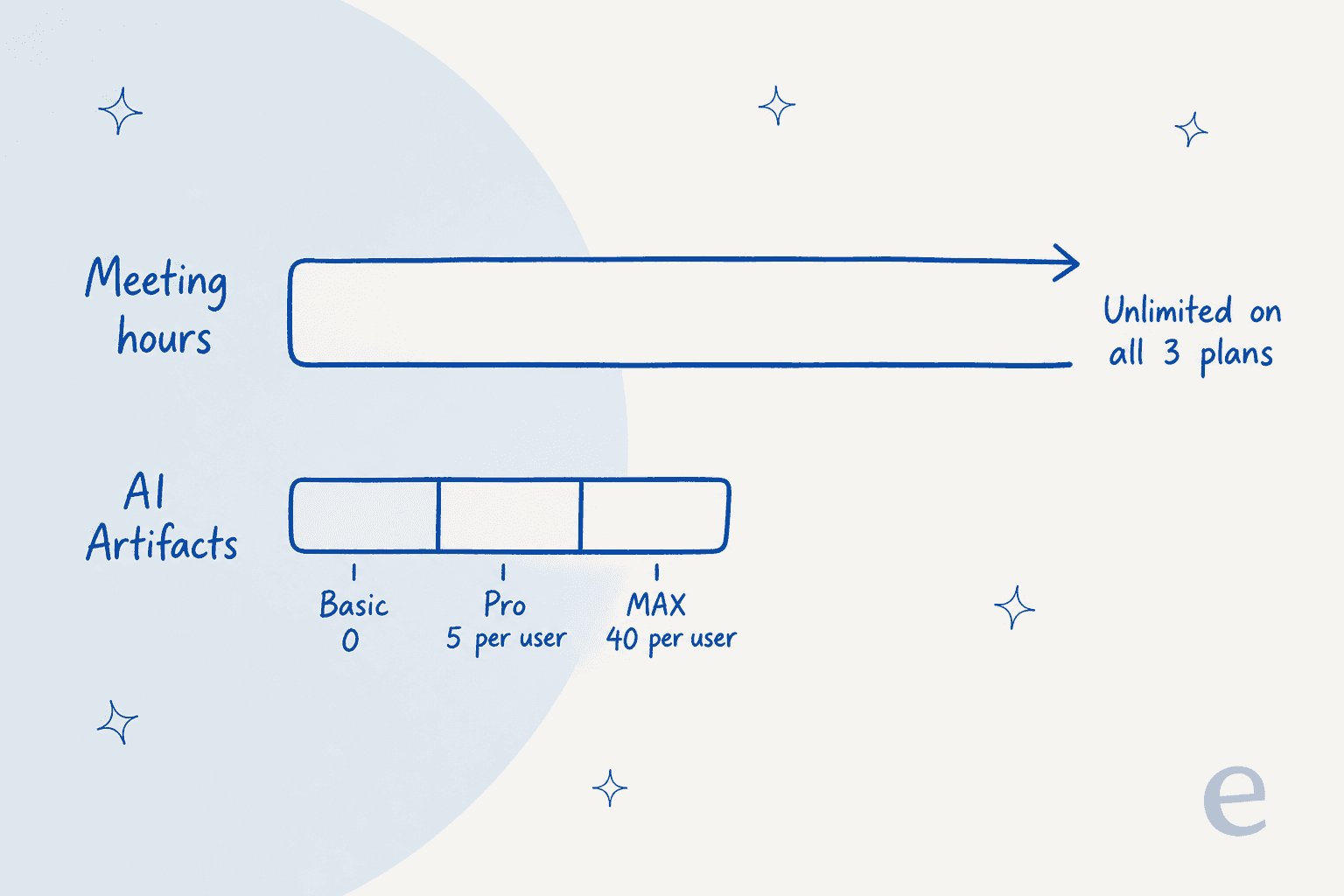
That inversion is the single most useful thing to hold in your head before you shop anything here. Recording is a commodity now. The generated output is the actual product, and it gets rationed. Same shift which happened to AI assistants more broadly, where the model got cheap and the useful work did not.
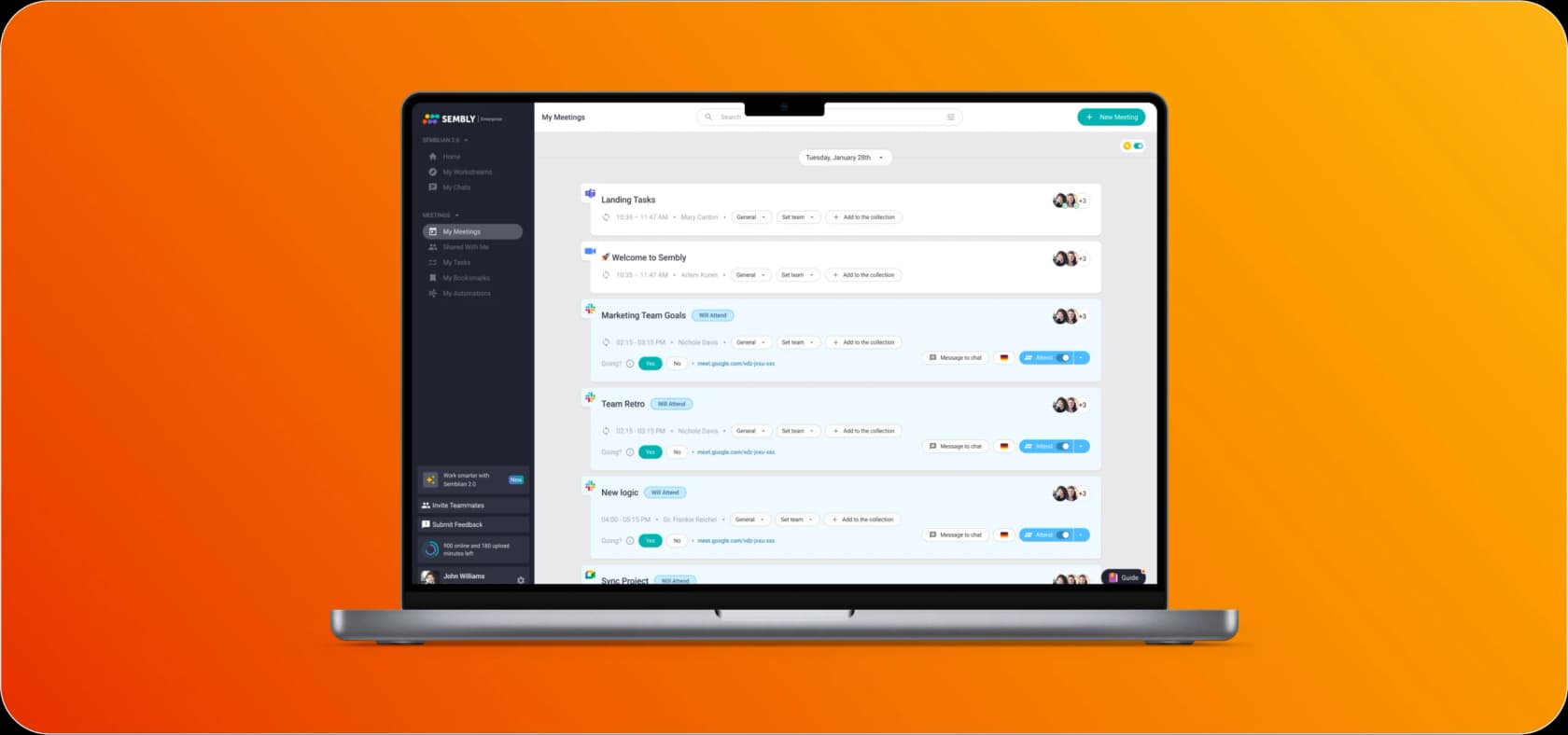
One detail worth to catch in that shot. The sidebar still carries Semblian 2.0, which is the assistant brand Sembly has since removed from its marketing site entirely. Today those same capabilities go by AI Chat, AI Artifacts, AI Insights and Sembly Agent. So if you land on a comparison post that still talks about Semblian, it was written against an older version of the site.
What users actually say
Sembly rates well. It holds 4.6 out of 5 from 46 reviews on G2, with 82% of those being five stars. Keep an eye on the denominator though, because Fireflies has 752 G2 reviews and Fathom has roughly 7,000. Which makes Sembly a strong score sitting on a thin sample.
The praise lands consistently on the chat rather than on the transcript itself.
"I love the AI Chat. You can process the meeting notes by giving the AI Chat prompts. It was actually much faster and better than a human. Hate to say it. :-)"

The recurring complaint is about the bot not showing up, and it turns up at every star rating, including in the four- and five-star ones.
"Sometimes, it doesn't work, and then I don't have any notes for that meeting when I was relying on Sembly to have them."
The second theme is subtler, and it matters more if you lean on task extraction. A mid-market reviewer who has Sembly join three to nine meetings a day notes that it "will attribute a dialog to the wrong speaker. This causes tasks to be incorrectly assigned." Fixable in the transcript editor, sure, but it does mean the task list wants a human pass over it before anybody acts. Same reliability bar which any AI support agent has to clear before you let it act unsupervised.
On support the picture is split, rather than bad. One Trustpilot reviewer got a missing feature shipped within weeks after messaging the founder on LinkedIn. Another 1-star review is about a refund refusal over a CRM automation that did not work, though Sembly replied publicly and issued the refund in full.
The part most comparisons skip: what happens after the meeting ends
Sembly's custom automations are worth reading closely, because the verbs give the whole thing away. Every one of them points outbound. Export, push, send, deliver to your endpoint. Step five of the setup guide just reads "Sembly will automatically send meeting data to endpoint."
Its Zapier listing carries three triggers and zero actions. There is no REST API on the pricing table either. The only programmatic surface Sembly gates is MCP access, starting at Pro, and MCP is a way for a model to read your meetings. It is not a way for some other system to write into them.
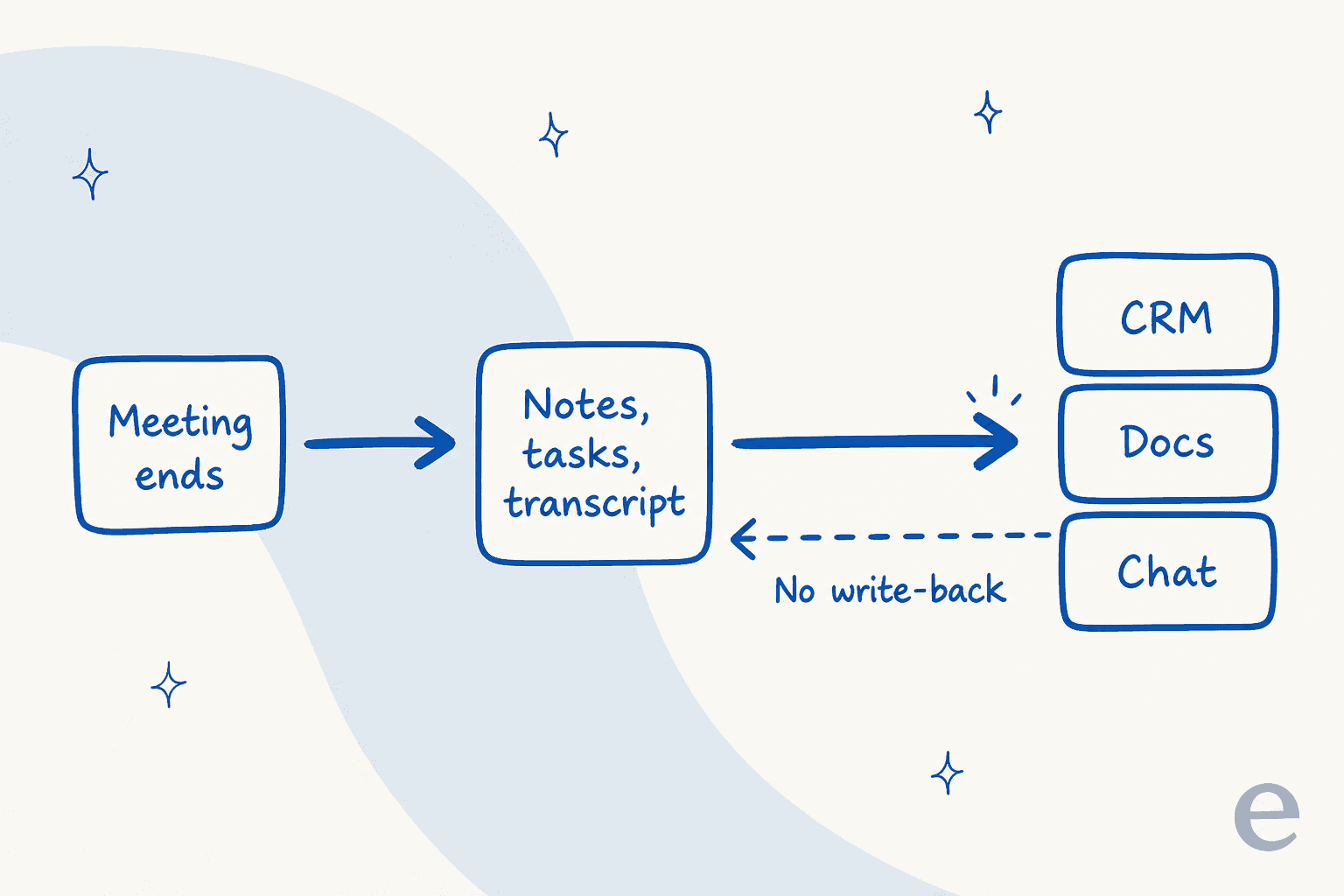
I counted roughly 35 native destinations across six categories on Sembly's automations hub, and CRM is the second largest of them at ten. But there is no helpdesk or ticketing destination at all. No Zendesk, no Freshdesk, no Front, nothing for Jira Service Management. For a tool positioned at professional services that is a defensible call. For anyone whose meeting outcomes turn into customer-facing work it is a real gap, and getting a decision from a call into Zendesk stays a copy-paste job.
To be fair this is not a Sembly-specific criticism. Almost every tool in the category is a one-way pipe. What matters is that you know which side of that pipe your actual problem sits on, before paying for a seat. A Confluence chatbot reading the notes afterwards is a different purchase from the tool which wrote them.
The 9 best Sembly AI alternatives in 2026
How I picked. Every tool here records meetings, publishes a price you can actually read without a sales call on at least one paid tier, and has some distinct reason to exist rather than being a Sembly reskin. I read each vendor's own pricing page and comparison matrix on 20 August 2026, and the numbers come off those pages, not off review-site summaries. Where a vendor contradicts itself I say so, and I cite the commercial surface.
| Tool | Best for | Cheapest paid tier (annual) | Same tier billed monthly | Free tier | Published AI allowance | Records without a bot | SSO available on | Seat floor or cap | Languages | SOC 2 |
|---|---|---|---|---|---|---|---|---|---|---|
| Granola | Staying present in the call | $14 | $14 (no annual rate published) | Yes, 30-day history | Not published | Yes, always | Enterprise, $35 | None published | Not published | Answer is behind an accordion |
| Fathom | The most generous free tier | $15 (Team) | $19 | Yes, uncapped recording | "Limited use", no number | Yes, beta, Mac only | Enterprise, quote | 2-seat minimum | Not published | Yes |
| Fireflies | Published limits and integrations | $19 (Business) | $29 | Yes, 400 min per team | 20 / 30 / 50 AI credits | Yes, all tiers | Enterprise, $39 | None | Not published | Yes, all tiers |
| Otter | Cheapest per seat | $19.99 (Business) | $30 | Yes, 300 min per user | 20 / 50 / 200 chat queries | Yes, desktop and Chrome | Enterprise, 100-seat minimum | 5 members on Pro | Not claimed on site | Not claimed on site |
| Circleback | Follow-up automations | $25 (Team) | $30 | No, trial only | Not published | Not stated | Enterprise, quote | None | 100+ | Not published |
| tl;dv | Sales coaching on a budget | €29 (Business) | €39 | Yes, 40 recordings a week | 10 meetings, 5 AI queries on free | Not stated | Enterprise, quote | None | 30+ | Not published |
| Notta | Multilingual work | $16.67 (Business) | $27.99 | Yes, 120 min a month | 1,000 credits on every tier | Yes, mobile and desktop | Enterprise, 51-seat minimum | 51 seats on Enterprise | 58 | Yes |
| Avoma | Revenue intelligence in one bill | $19 (Startup) | $29 | No | Not metered, sold as add-ons | Yes, native | Enterprise, $39 | 10 seats on Enterprise | 70+ | Yes |
| Sembly | Professional-services deliverables | $20 (Pro) | $29 | No, trial only | 5 / 40 AI Artifacts | No, joins as participant | MAX, $30 with 3-seat floor | 3 on MAX, 40 cap on Pro | 40+ to 48, disputed | Yes, since 2022 |
| eesel AI | Resolving the work the meeting created | From $299 (500 credits) | Same | 100 free credits | No seat meter | Not a recorder | SSO add-on, from $199/mo | None | 80+ | Yes |
What you will actually pay
The sticker price is not the number. Seat floors move it, so do tier caps, and so does the monthly-versus-annual default, and four of these vendors default their pricing page to the annual rate. Which means the first figure you see is not the one you pay monthly.
Put your real headcount in, see what shifts.
Two patterns fall out of that table once you start moving the slider. Small teams end up paying wildly different amounts for near-identical capture. And then the moment you tick the SSO box, most of the field just stops publishing anything at all.
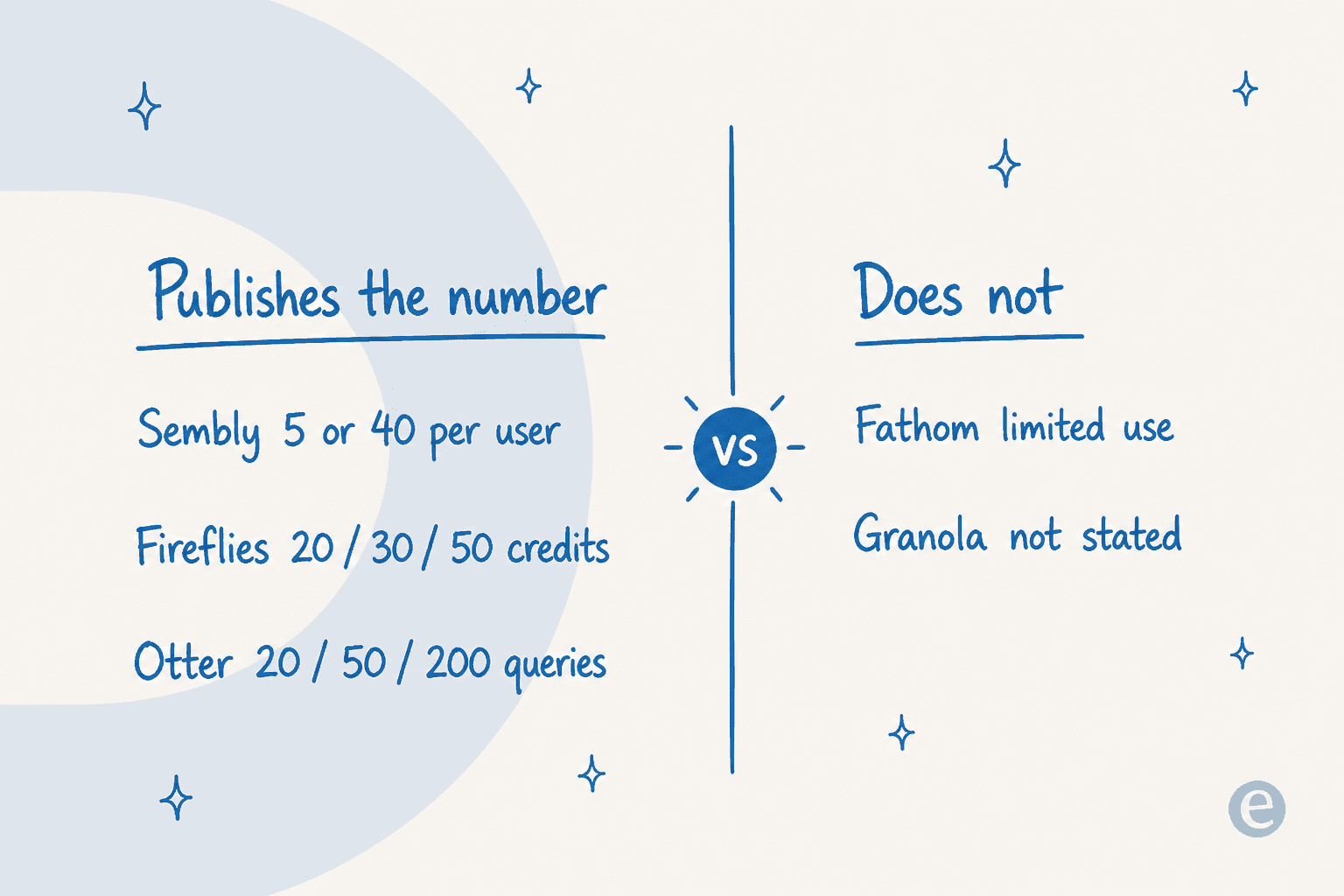
That gap is the thing I would weight heaviest of all. Sembly tells you the number, Fireflies and Otter do too. Fathom marks Ask Fathom and its advanced summary templates as "Limited use", with no figure published anywhere, no tooltip, not even a footnote. Granola publishes no AI allowance at all. A vendor that names the limit is a vendor you can budget against.
1. Granola
Best for: anyone who wants notes without a bot appearing in the participant list.
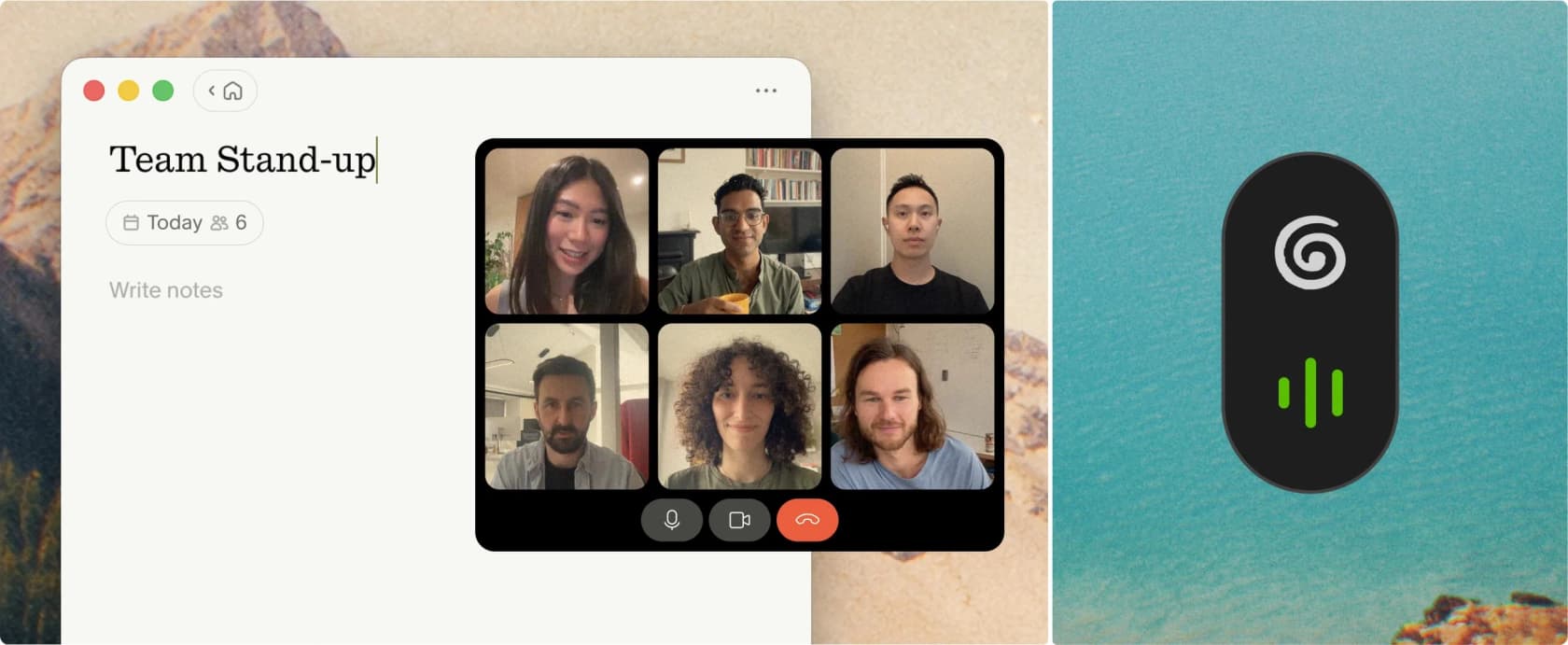
What it does well. Granola's whole design decision is in one line on its homepage: it "uses your computer audio, so doesn't invite a bot". No third participant, no awkward "Sembly AI has joined the call" moment in a client meeting, and it works on any call your machine can hear, including in-person conversations. The model is your own rough notes plus AI enhancement rather than a transcript dump, which is a meaningfully different artefact if you already type during calls, and closer to how a good AI copilot works than a recorder.
It is also available on macOS, Windows, iOS and Android, which closes the gap that used to be the standard objection to it. Worth noting the notes stay yours to search rather than becoming a searchable team assistant by default.
Where it stops. Granola publishes very little. There is no language count, no user count, no funding figure, and the SOC 2, HIPAA and SSO answers sit inside collapsed accordions rather than on the page. The a16z and Menlo logos on the site are the employers of people giving testimonials, not disclosed investors. Every pricing CTA still says "Download for Mac". And crucially there is no annual rate published at all, so unlike every other tool here you cannot buy a discount by committing.
| Plan | Per user per month | The catch |
|---|---|---|
| Basic | $0 | Notes are unlimited, but anything older than 30 days is hidden until you upgrade |
| Business | $14 | No annual discount published |
| Enterprise | $35 | A published price, which is rare |
My take: the best per-seat value in the roundup, and the right pick if the bot is the specific thing you dislike about Sembly. Skip it though if procurement wants a compliance answer written on a page instead of hidden in an accordion.
2. Fathom
Best for: teams that want a free tier that does not ration recording.
What it does well. Fathom's free plan is the most generous capture tier in the category and it is not close. Unlimited recordings, unlimited transcription, unlimited downloads and clips, automated summaries, personal playlists, Slack and Claude and ChatGPT integrations, and both the public API and MCP, all at $0. If you only need raw text out, note that a straight audio transcription API costs less again. Fireflies charges for the API only in the sense that it includes it everywhere too, but Fathom giving away MCP on a free tier is unusual. The homepage claims use at 300,000+ companies, and bot-free capture is now available as a Mac beta.
Where it stops. The intelligence is where Fathom goes quiet. AI action items and AI follow-up emails are absent from free entirely. The advanced summary library, the 15-plus templates including BANT and Sandler, plus Ask Fathom within a call, account-wide Ask Fathom, and Zapier and Make are all marked "Limited use" with no number published anywhere on the page. CRM sync is capped at three users per domain through both Premium and Team. And the Business card promises "including custom summaries" while the comparison matrix marks custom summaries as Enterprise-only, a contradiction on the same page with an asterisk that is never explained.
The homepage security strip reads "SOC 2 Type II | GDPR | HIPAA Compliant | SSO / SCIM", but the signed BAA, SSO and Okta SCIM provisioning are all Enterprise-tier only.
| Plan | Annual, per seat | Monthly, per seat | Notes |
|---|---|---|---|
| Free | $0 | $0 | Uncapped recording, "limited use" AI |
| Premium | $16 | $20 | Individual tier |
| Team | $15 | $19 | 2-seat minimum |
| Business | $25 | $34 | 2-seat minimum |
| Enterprise | Talk to sales | Talk to sales | No floor published |
My take: the strongest free tier here, and the one I would hand to somebody who just wants a searchable record of their calls. If AI action items are the reason you are leaving Sembly, note they are the exact thing Fathom's free plan does not have.
3. Fireflies
Best for: teams that want every limit written down before they commit.
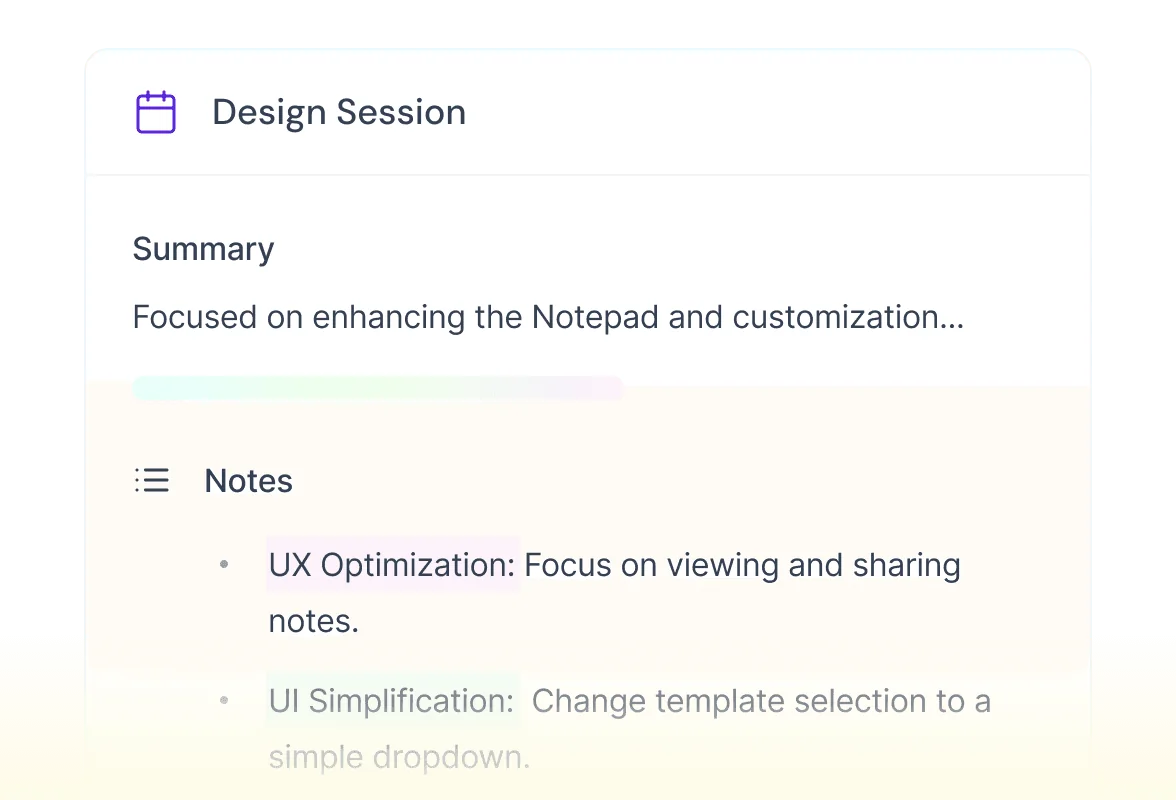
What it does well. Fireflies is the most transparent rate card in the category. Every tier publishes its storage, its AI credit count, its recording length cap and its video resolution as a number. API access, SOC 2 Type II and GDPR are on every plan including Free, which no other vendor here matches. It records both ways, via a joining bot or botless capture through the Chrome extension and the desktop and mobile apps, on every tier. And Enterprise has a published price, $39 a seat, which spares you a discovery call just to learn the order of magnitude.
Where it stops. AI credits are a real second meter, not a formality: 20 on Free and Pro, 30 on Business, 50 on Enterprise, and AI Skills, the Personal Assistant and Voice Agents all draw them down. Storage is the other squeeze, at 400 minutes per team on Free and 8,000 minutes per seat on Pro before Business makes it unlimited. Multi-language Mode does not appear until Business, and there is nothing here resembling the PII redaction controls a regulated team would ask for. HIPAA is Enterprise-only, there is no custom vocabulary anywhere, and no ISO 27001 is published. Enterprise is also annual-only, with no monthly option at all.
Worth flagging for anyone comparing feature tables: Fireflies' own comparison table renders Business twice for mobile layout, and the flattened text implies Business gets 1080p video when 1080p is Enterprise-only.
| Plan | Annual, per seat | Monthly, per seat | Storage | AI credits |
|---|---|---|---|---|
| Free | $0 | $0 | 400 min per team | 20 |
| Pro | $10 | $18 | 8,000 min per seat | 20 |
| Business | $19 | $29 | Unlimited | 30 |
| Enterprise | $39 | Annual only | Unlimited | 50 |
My take: my default recommendation for a team that is replacing Sembly. Closest like-for-like swap, cheaper at every tier, and the only vendor here whose Enterprise price you can read on a Tuesday afternoon without having to talk to anyone.
4. Otter.ai
Best for: the cheapest per-seat entry, if you can live inside the minute pool.
What it does well. At $8.33 per seat annually, Otter Pro is the cheapest paid seat in this roundup by a wide margin, and Business gives unlimited in-app recording minutes. It has pushed hard into agents this year, with a Meeting Agent and a Sales Notetaker, and it records both with a joining bot and botless through the Mac and Windows desktop apps or Chrome. If your requirement is "a searchable transcript of everything, cheaply", Otter is hard to beat. I have covered its plan mechanics in more depth in the Otter pricing breakdown and in an Otter review.
Where it stops. The free tier is tightly bounded in a way that catches people: 300 transcription minutes a month as a shared pool with no rollover, 30 minutes maximum per conversation, three lifetime file imports, and only your 25 most recent conversations kept. AI Chat is metered at 20 queries a month on Basic, 50 on Pro and 200 on Business. Pro caps a workspace at five members, so a sixth colleague forces you to Business. CRM sync on Business is limited to five users. No overage rate is published anywhere, and neither is SOC 2, ISO 27001 or GDPR on the pricing or homepage. SSO and SCIM both require a 100-user minimum licence, and HIPAA is an unpriced Enterprise add-on.
| Plan | Annual, per seat | Monthly, per seat | Transcription minutes | AI Chat queries |
|---|---|---|---|---|
| Basic | $0 | $0 | 300 per user per month | 20 |
| Pro | $8.33 | $16.99 | 1,200 per user per month | 50 |
| Business | $19.99 | $30 | Unlimited in-app | 200 |
| Enterprise | Quote | Quote | Unlimited | Not published |
My take: the value pick for transcript volume, and the wrong pick the moment a security review is involved. If you already know SSO is coming, that 100-seat licence floor turns Otter into the most expensive option on this page rather than the cheapest. See also my roundup of Otter alternatives if that is where you land.
5. Circleback
Best for: teams whose actual complaint is that the follow-up never happens.
What it does well. Circleback leads on transcription quality and automations, supports over 100 languages, identifies each speaker by name, and offers free viewer seats at $0 for people who need to read notes but never run their own meetings. There are real discounts too: 30% for non-profits, 50% for education, and a referral payout. It is Y Combinator-backed. The site even carries a small "Ask ChatGPT / Ask Claude / Ask Perplexity" widget preloaded with a question about itself, which is a sharper read of how people research software in 2026 than most vendors have managed.
Where it stops. The headline "State-of-the-art transcription accuracy" is a marketing claim, not a benchmark. There is no word error rate, no dataset, no methodology and no third-party evaluation anywhere on the page; the supporting evidence is a wall of roughly 17 embedded X testimonials. That is not dishonest, it is just unfalsifiable, and Sembly's "high transcription accuracy" claim is in exactly the same position. There is no free tier, only a trial, and the trial length is never published, appearing in the site's own copy as an unfilled {days} placeholder. No funding amount is published either, and Enterprise has no price at all.
| Plan | Annual, per seat | Monthly, per seat | Notes |
|---|---|---|---|
| Individual | $20.83 | $25 | Yearly is the default toggle |
| Team | $25 | $30 | The only tier with a visible "most popular" badge |
| Enterprise | Not published | Not published | "Let's chat" |
My take: worth a trial if automations are the reason you are switching, since that is where Circleback puts its effort. And treat the accuracy claim the same way you would treat Sembly's, meaning test it on your own accents and your own jargon while the trial runs.
6. tl;dv
Best for: small sales teams that want call coaching without an Avoma bill.
What it does well. The H1 is "The AI Notetaker built for Team Collaboration", and the sales-coaching material sits behind that rather than in front of it, which is a fairer description than the revenue-intelligence framing tl;dv used to lead with. The free plan is unusually usable for a category where free normally means crippled: unlimited recordings and transcripts, 40 web recordings a week, and 3 hours per recording.
Where it stops. Read the free tier's small print carefully. "Unlimited storage" resolves to up to three months of retention with archiving after two days, downloads are not included so free users cannot export anything, and there are no simultaneous meetings. AI notes cover up to 10 meetings and Ask AI up to 5 queries, though the card claims 10, a contradiction on the page itself. Language coverage is 30 or more, the lowest here. And the important one: Pro does not get unlimited multi-meeting AI, staying at the same 5 queries as free, so a team that wants cross-meeting search has to buy Business. All SSO, SCIM and admin controls are Enterprise-only, and no add-ons are published.
One practical note: tldv.io/pricing/ is a hard 404. The live page is at tldv.io/app/pricing/. And while the cards render a dollar sign, the page's own structured data declares every price in euros, so do not budget in USD without checking at checkout.
| Plan | Annual, per seat | Monthly, per seat | Notes |
|---|---|---|---|
| Free | 0 | 0 | No downloads, 2-day archiving |
| Pro | 18 | 29 | Multi-meeting AI still capped at 5 queries |
| Business | 29 | 39 | Where cross-meeting AI actually unlocks |
| Enterprise | Custom | Custom | All SSO and admin controls live here |
My take: good free tier, honest positioning, and then a Pro tier I would skip over. If multi-meeting AI is what you need, budget for Business, or just buy Fireflies Business instead at $19 annually.
7. Notta
Best for: teams working across languages.
What it does well. Notta publishes 58 languages for transcription and translation, a 98%+ accuracy guarantee, and 10 million-plus users. If your meetings really do run bilingual, this is the most credible language story on this page, and Sembly's own count is the least settled. Notta is SOC 2 certified and has real mobile apps.
Where it stops. Notta has the most interesting pricing quirk in the whole roundup, and it is the clearest illustration of this post's argument. Every plan, Enterprise included, ships the same 1,000 Notta Brain credits a month. Generating a PowerPoint costs 300 credits per file. So the included AI allowance is three decks a month whether you are on the $0 tier or the 51-seat Enterprise contract, and the only way past it is a separate $93.59-a-year Notta Brain add-on for 8,000 credits.
The translation differentiator is also not in the seat price. Bilingual translation beyond four uses a month is a $9-a-month add-on annually, or $15 monthly, which takes a Business seat from $16.67 to $31.67, a 90% increase. The free tier's minutes are contradicted on Notta's own site: the pricing page and comparison table both say 120 transcription minutes a month while the homepage, closing bar and FAQ all say 200. Budget against 120, since that is the commercial surface. There is no API row anywhere, SAML SSO and full data access control are Enterprise-only, and upgrading Pro to Business requires cancelling and re-subscribing.
| Plan | Annual, per seat | Monthly, per seat | Transcription minutes | Notta Brain credits |
|---|---|---|---|---|
| Free | $0 | $0 | 120 a month | 1,000 |
| Pro | $8.17 | $13.49 | Higher, per plan page | 1,000 |
| Business | $16.67 | $27.99 | Higher, per plan page | 1,000 |
| Enterprise | Quote | Quote | Per contract | 1,000 |
My take: buy it for the language coverage, but with your eyes open on the credit ceiling. And price the translation add-on into the comparison from the start, rather than discovering it in month two.
8. Avoma
Best for: teams that want coaching, forecasting and notes on one invoice.
What it does well. Avoma is the only tool here that goes past the meeting into the pipeline: AI scorecards, auto call scoring, coaching recommendations, deal risk alerts, an AI Deal Health Score, roll-up forecasting, win-loss analysis and two-way CRM field updates. Two-way is worth pausing on, because it is the one product on this page that writes back into another system rather than just pushing at it, the way a Salesforce agent would. Viewer and collaborator seats are free and unlimited, recording works both with a bot and natively, and it is SOC 2 certified.
Where it stops. The pricing architecture is the thing to understand before you get attached. Avoma sells three product families, and none of the conversation-intelligence features are reachable at any base tier, Enterprise included. Scorecards, coaching, the Real-time Answer Assistant, custom trackers and global "Ask Avoma" all sit in a $29-per-seat annual add-on. Revenue intelligence is another $29. The scheduler is another $19. Bundle discounts are 10% for two add-ons and 15% for all three, on the add-on fees only. Enterprise is annual-only with a 10 recorder-seat minimum, so a $390-a-month floor.
Avoma's page also has some housekeeping problems worth knowing about if you are comparing tables: the Organization card leaks a stale "$24" beside its real $29, the plan card and the comparison table disagree on whether global "Ask Avoma" is included on Enterprise, a second "Compare our plans" block is unfinished Lorem Ipsum with a plan that does not exist, and the competitor-cost tab shows identical dummy figures for all six rivals. GDPR is never claimed, only "Mutually Signed DPAs" on Enterprise, and HIPAA is Enterprise-only and spelled "HIPPA" in Avoma's own table.
| Family | Annual, per seat | Monthly, per seat | Notes |
|---|---|---|---|
| Startup (Essentials) | $19 | $29 | Max 25 recorder seats |
| Organization | $29 | $39 | Max 100 seats |
| Enterprise | $39 | Annual only | 10-seat minimum, $390 floor |
| Conversation Intelligence | $29 add-on | $35 add-on | All coaching and scorecards live here |
| Revenue Intelligence | $29 add-on | $35 add-on | Includes two-way CRM writes |
My take: the right answer if you were going to buy Gong-class coaching separately anyway, since one bill beats two of them. The wrong answer if all you wanted was better notes, because a stacked Avoma seat runs $77 annually against Fireflies Business at $19.
9. eesel AI
Best for: when the meeting is not the problem, and the queue it generates is.

Straight up: eesel does not record meetings. It has no bot, no transcript, no summary templates. If you need a notetaker, buy one of the eight above and stop reading here.
I am including it because of a pattern I keep seeing in the searches around this keyword, and it is a pattern I have plenty of first-hand evidence for. People do not go looking for Sembly alternatives because their transcripts are bad. They go looking because the notes exist and the work still lands on a person anyway. The meeting settled a policy, the summary went into Notion, and then the same question arrives in the support inbox nine more times that week, because nobody reads Notion. Extracting action items is not the same thing as closing them. One of the customers I know best on this is a support team at a meeting-productivity SaaS, and their line puts the whole argument into one sentence:
"Our agents can instantly draft replies to customers. We don't have to look through all our documentation on Notion, Google Docs or our help center anymore because eesel AI does it for us."
What it does. eesel connects to the places your knowledge already lives: Notion, Google Docs, Confluence, Slack and every ticket your team has already closed.
From there it drafts and resolves inside the helpdesk you already run, and it reads Jira issues too. That is the write-back step which no notetaker on this page does. eesel supports 80+ languages across 100+ integrations, and because I have spent years now putting AI agents onto live support queues, the first thing it does is replay your real ticket history, so you get to see what it would have said before it says anything at all to a customer. Simulation came first for a reason. I have watched confident-sounding bots hand out wrong answers.
Where it stops. No meeting capture, no call recording, and no coaching scorecards. Pricing is one fixed monthly price instead of per seat, from $299 a month for 500 credits, where a credit is one handled ticket or chat, so you size the plan to your ticket volume rather than your headcount. SSO and MFA are add-ons from $199 a month, and HIPAA is available on request.
| What you pay for | Rate |
|---|---|
| Free plan | 100 credits, no card |
| Dashboard questions and lookups | Mostly free |
| 500 credits a month | $299 |
| 1,000 credits a month | $499 |
| 2,500 credits a month | $999 |
| 5,000 credits a month | $1,899 |
| Blog post draft | $4 each |
| Pay a year upfront | Two months free |
| SSO and MFA add-on | From $199 a month |
My take: not a Sembly replacement, and not pretending to be one. But if you read the section on Sembly's one-way automations and thought "that is exactly my problem", then the fix is not a better notetaker.
How I would actually choose
Three questions, and in this order.
Does anyone mind the bot? If yes then Granola is the answer, and it happens to be the cheapest paid seat here too. Sembly joins as a visible participant and introduces itself, which is fine internally, occasionally awkward with a client. Botless capture is standard now across the better AI teammates, it is not a premium feature any more.
What is your monthly AI output, honestly? Count the documents and the summaries and the cross-meeting questions you actually generate over a month. Under five per person and Sembly Pro fits, as does almost everything else on the list. At thirty you are shopping for MAX with its three-seat floor, or Fireflies Business at $19 with 30 credits, or Fathom's unpublished "limited use" plus a leap of faith.
Will a security review touch this? Here is where the prices stop being comparable at all. Fireflies publishes $39 a seat. Sembly publishes $30, with a three-seat floor on it. Everybody else says "quote", and Otter's 100-user licence minimum means its cheapest-seat advantage inverts completely.
And then a fourth question, which is not really about notetakers at all. Is the meeting the bottleneck, or is it everything the meeting creates? If your team keeps re-answering settled questions, or is drowning in ticket triage, or maintaining an internal wiki that nobody reads, a better transcript will not touch any of it.
Those are retrieval and action problems. They need a real AI knowledge base rather than a better meeting notes app.
The tell is a simple one. If your internal wiki is already correct and people still ask anyway, then the writing was never the problem.
Try eesel
If you got here because meeting notes keep turning themselves into support tickets, that is the gap eesel closes. It reads the docs your meetings already produce, including your Notion meeting notes, Google Docs, Confluence and your help center, plus every ticket your team has already answered. Then it drafts or resolves inside Zendesk, Freshdesk, HubSpot or Front.
The part I would actually push you to try first is the simulation. Replay it over your last quarter of real tickets and read what it would have sent, before a single customer sees anything.
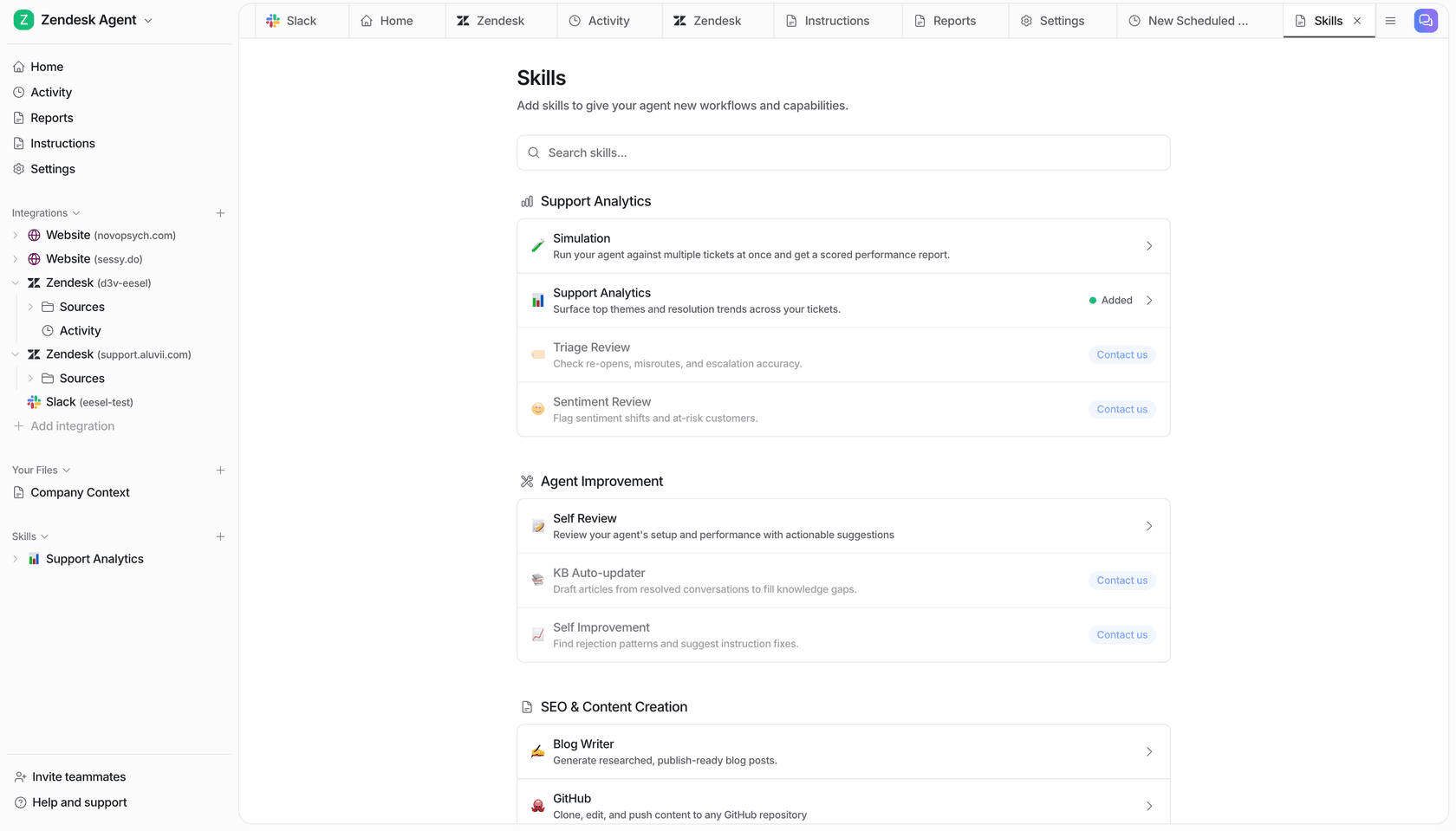
It is one monthly price from $299 for 500 credits (one credit per ticket or chat), no seat fee, and no tier you have to unlock before the testing works. You get 100 free credits to find out whether it holds up on your own history. Try eesel.
Frequently Asked Questions
What are the best Sembly AI alternatives in 2026?
Why did Sembly AI pricing change in 2026?
How much does Sembly AI cost per user?
Is there a free Sembly AI alternative?
Which Sembly AI alternative is best for a team that needs SSO?
Do these tools replace an AI helpdesk?
How many languages does Sembly AI support?
Can Sembly AI write back to my CRM or helpdesk?


Article by
Kurnia Kharisma
Kurnia is a software engineer and writer at eesel AI with two years of SEO experience, writing about AI tools, helpdesk software, and customer support. He pairs a developer's understanding of how these products are built with search-driven research into what actually ranks and resonates with the people searching for them.