
Obsidian is an incredible tool for anyone serious about personal knowledge management. It's powerful, flexible, and gives you total control by keeping all your notes right on your own device. But while the main app is famously free, its entire ecosystem isn't. If you've ever tried to get your notes from your laptop to your phone and back, you've probably bumped into the question of Obsidian pricing.
Let's be honest: figuring out the costs for its add-on services like Sync and Publish can feel a bit like cracking a code. It's not a simple tiered plan, which leaves a lot of people scratching their heads about what they're actually paying for.
This guide clears that up. I'll walk through the complete Obsidian pricing structure as it stands in 2026, explain what each service does, and help you figure out if it's worth opening your wallet, or if your team might be better off with a different kind of tool entirely.
What is Obsidian anyway? A prelude to the pricing model
Before we get into the numbers, let's quickly touch on what makes Obsidian so different from cloud-based apps like Notion or Evernote. At its core, Obsidian is a surprisingly simple app that works with a folder of plain text Markdown files sitting right on your computer. This isn't just a minor detail; it's the whole point. You own your data, full stop.
This local-first foundation is what makes its best features possible:
-
Your notes live with you: Everything is stored on your device. That means your notes are private, secure, and always accessible, even if your internet goes out.
-
Connecting the dots: You can link notes to each other, creating what many call a "second brain" that maps to how you actually think. This helps you build a web of your ideas that you can explore and get lost in (in a good way).
-
The graph view: This is the feature that gets all the attention. It creates a visual map of how all your notes are connected, helping you spot patterns and ideas you might have otherwise missed.
-
Make it your own: There's a massive community building plugins and themes that let you customize Obsidian to do almost anything, including layering AI on top. You can turn it from a simple note-taker into a project manager, a daily journal, or a full-on research hub.
Because of all this, Obsidian is really built for one person. It's a fantastic tool for writers, researchers, students, and anyone who wants to build a personal knowledge base that's truly their own. If you want the wider context, my Obsidian overview digs into the whole app.
A complete breakdown of Obsidian pricing
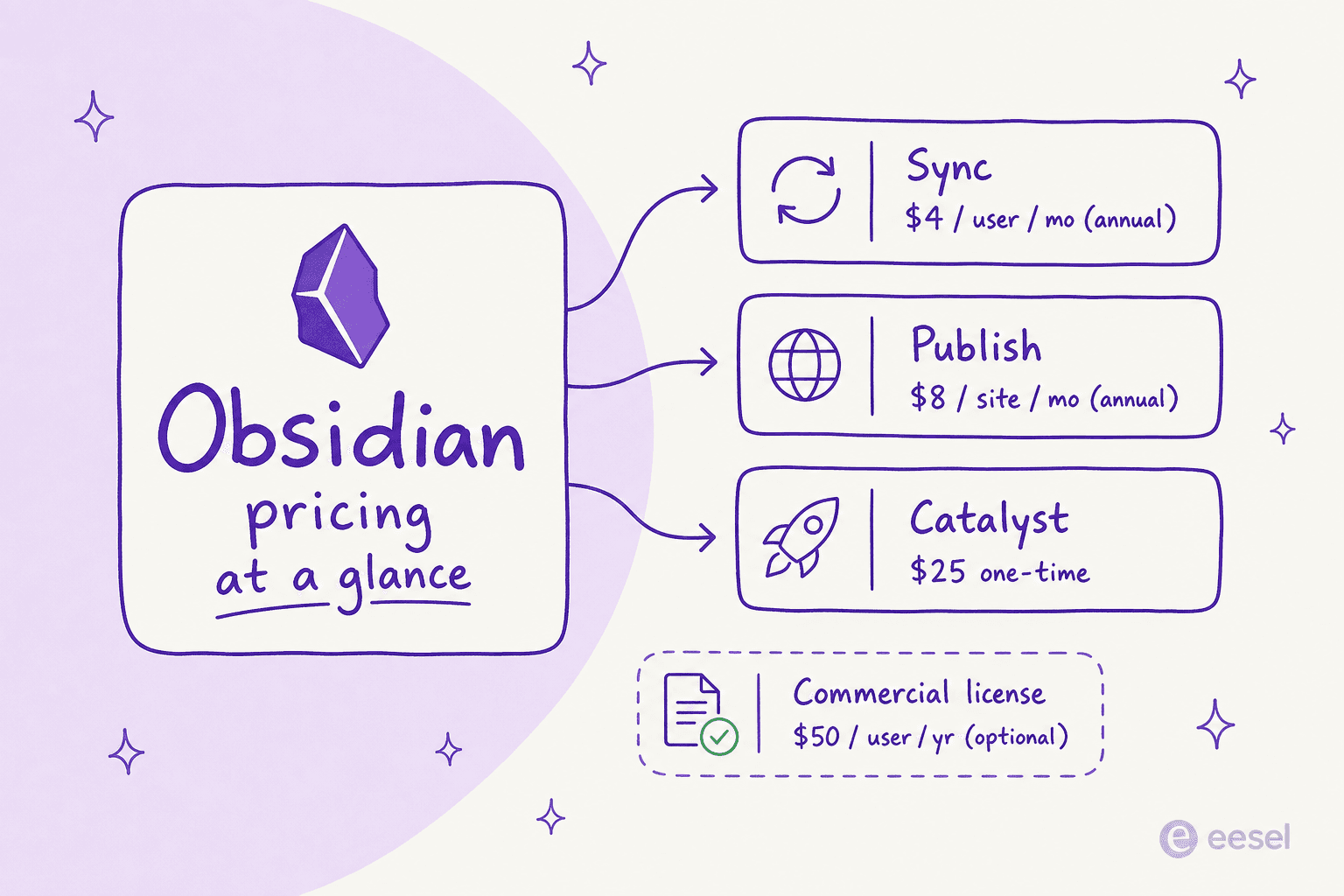
Obsidian's pricing is best described as "freemium," but probably not in the way you're used to. The core app, with all its powerful features, is completely free. The costs only show up for optional services that add extra convenience on top of that free experience.
The core app is 100% free
Let's get this out of the way first: the main Obsidian application costs nothing to download and use. And no, this isn't a free trial or a watered-down version. You get all the core features, the entire library of community plugins, and unlimited "vaults" (folders for your notes).
A while back, you needed a paid commercial license to use it for work. That rule is gone: you can now use Obsidian for your job without paying a dime. Obsidian does still sell an optional $50/user/year commercial license for organizations that want to support its small team, but it's voluntary, not a gate. That's a friendlier stance than most Notion pricing or Confluence pricing tiers, which charge per seat from day one.
Paid add-on 1: Obsidian Sync
This is the first place you'll see a price tag. Obsidian Sync is the official, built-in service that keeps your notes updated across all your devices. It's a popular choice because it just works, and it comes with end-to-end encryption, which means your notes are completely private, not even the Obsidian team can see them.
Sure, you could try to rig something up yourself with iCloud or Dropbox to sync your files, but those methods can be clumsy and don't offer the same level of security.
Here's the important 2026 update: Obsidian retired the old "Standard" and "Plus" Sync tiers. There's now a single Sync plan.
| Obsidian Sync (single plan) | Details |
|---|---|
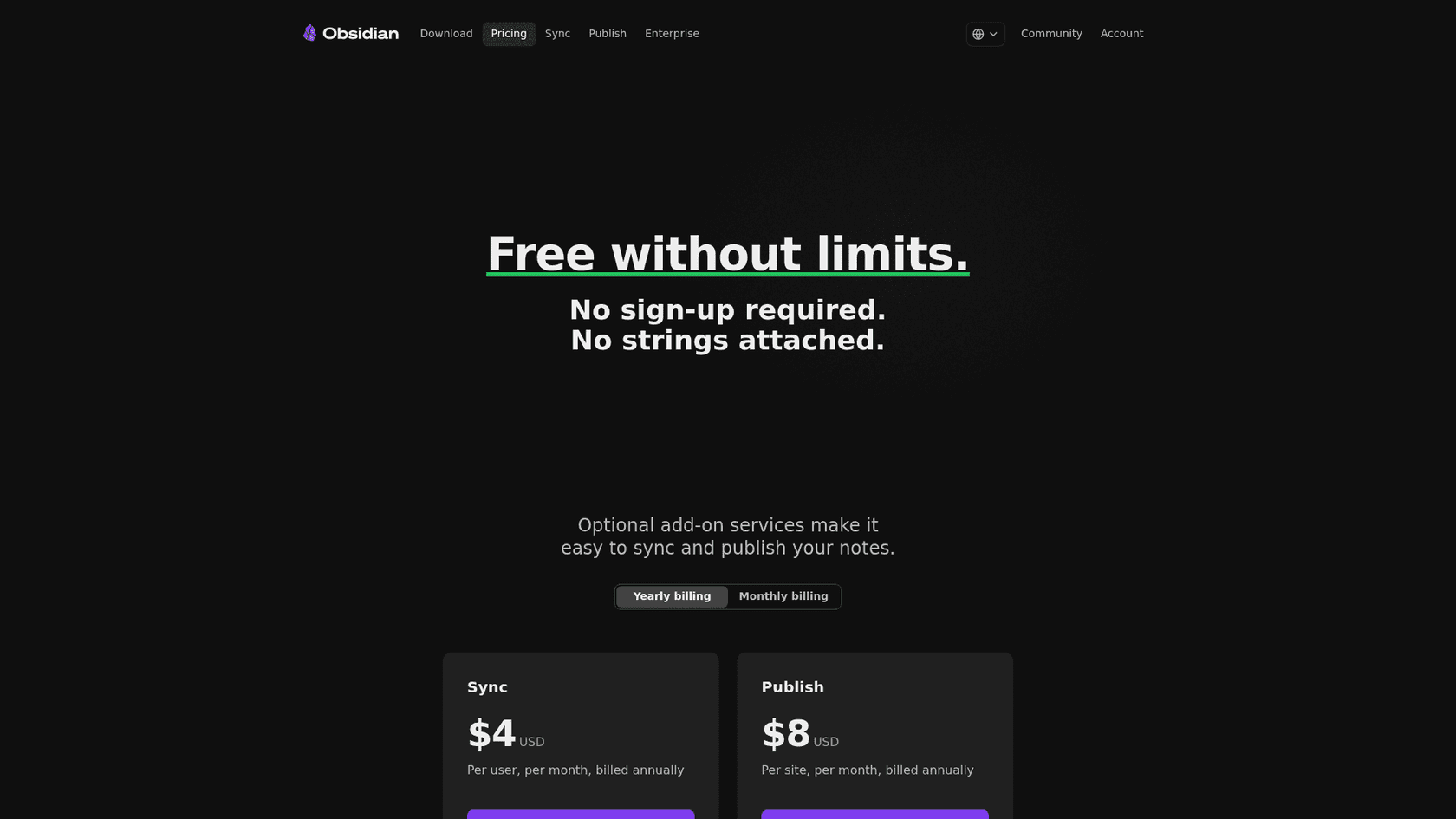
| Price (billed annually) | $4 / user / month |
| Price (billed monthly) | $5 / user / month |
| Sync across devices | Yes |
| End-to-end encryption | Yes (AES-256) |
| Version history | Yes |
| Collaborate on shared vaults | Yes |
| Support | Priority |
| Education / nonprofit discount | 40% off |
You can always find the latest on the Obsidian Sync pricing page. Students, faculty, and nonprofit staff get a 40% discount on both Sync and Publish.
Paid add-on 2: Obsidian Publish
If you want to share some of your notes with the world, Obsidian Publish is the tool for the job. It lets you pick and choose notes from your vault and turn them into a public website, a personal wiki, or a "digital garden." It's a dead-simple way to get your ideas online without messing around with web hosting.
It comes with some nice touches, like support for custom domains, a navigable graph view for your visitors, full text search, and a customizable theme.
The pricing here is straightforward:
-
$8 per site, per month (billed annually)
-
$10 per site, per month (billed monthly)
That puts Publish in a different league from a team documentation platform, much closer to a personal site builder than to the Confluence alternatives businesses usually shortlist.
Optional support: The Catalyst license
Last but not least is the Catalyst license. Think of this less as a feature and more as a tip jar. It's for dedicated users who want to financially support the independent developers behind Obsidian. It's a one-time payment that starts at $25.
As a thank you, you get a few perks like early access to beta versions of the app, community badges, and a VIP channel on Discord. But to be clear, this license does not get you Sync or Publish. It's purely a way to say thanks and help the project stay independent.
Are the paid add-ons worth it?
So, should you shell out the cash? The honest answer is: it really depends on what you need. To make it concrete, here's the decision I'd walk through.
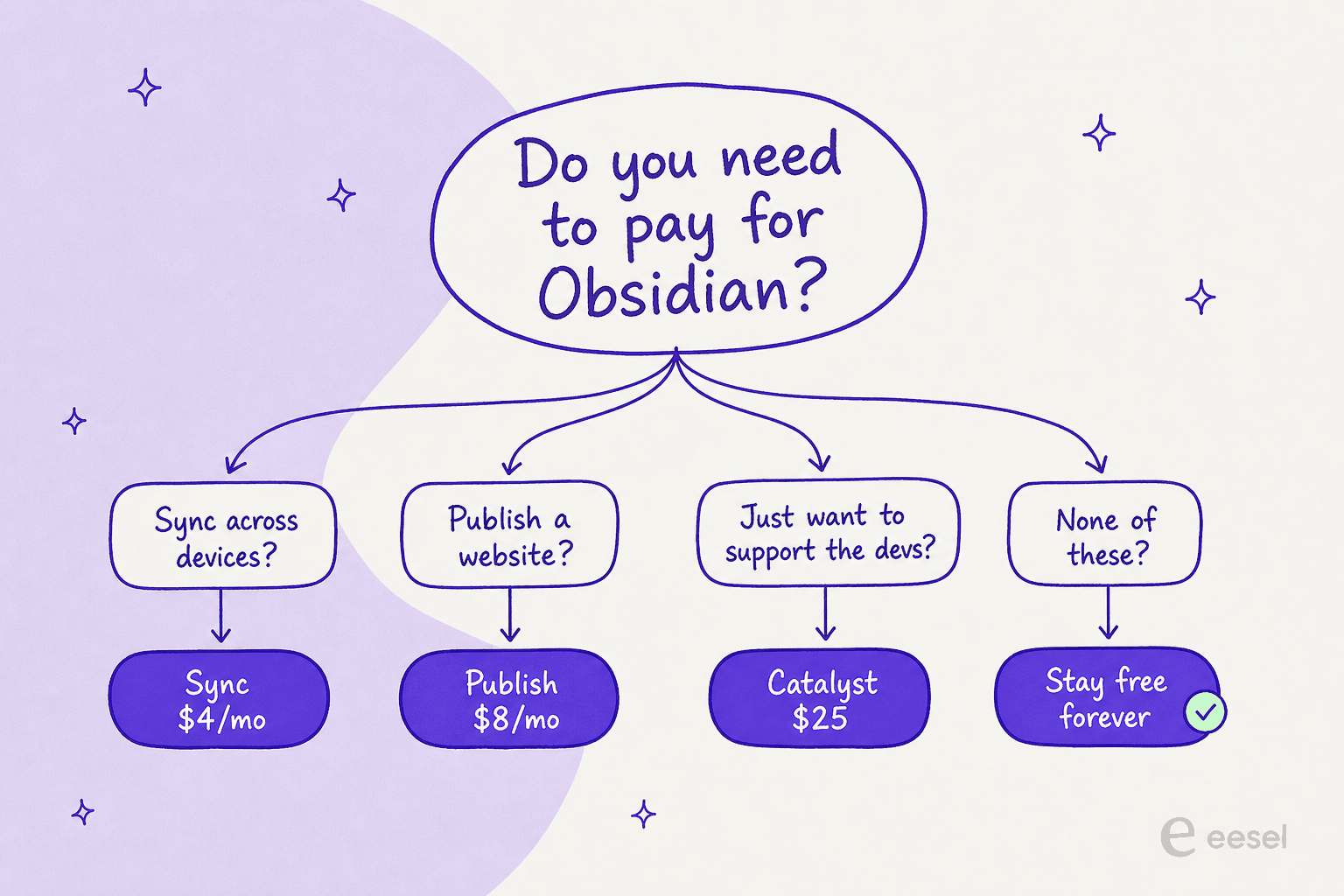
The paid services solve very specific problems. Obsidian Sync is a good deal if you're constantly switching between devices, especially if you're mixing operating systems (a Windows desktop, an iPad, an Android phone). If you value secure, encrypted syncing with zero setup, $4 a month is probably worth the peace of mind.
Obsidian Publish is for a different kind of person altogether: the creator, researcher, or writer who wants to share their web of knowledge. If you've been carefully cultivating a digital garden and want a low-effort way to put it online, Publish is one of the easiest ways to do it.
That said, plenty of people in the community feel the services are a bit expensive for what you get, particularly if you're just one person. Tech-savvy users find free workarounds, like syncing their vault with iCloud Drive or setting up Syncthing. In the end, it comes down to what you value more: built-in convenience and security, or a little DIY elbow grease.
These services are overpriced and are definitely not justified at that cost.

Where the pricing model falls short for teams
Obsidian is a masterpiece for managing your own knowledge. But the moment you try to use it as a collaborative tool for a team or a business, you start to see the cracks in its single-player design. I've spent the last few years putting AI on top of real companies' knowledge, and this is exactly where personal note tools hit a wall.
Collaboration is a headache
At its core, Obsidian was built for one person. You can technically share a vault with a coworker using Obsidian Sync, but it's not built for working on the same thing at the same time. There's no Google Docs-style live editing, which makes it a non-starter for teams trying to write documentation, take meeting notes, or plan projects together. This is the same gap you hit with Evernote vs Obsidian and, to a degree, Confluence vs Notion once a team scales. It's also why so many teams end up comparing Confluence, Guru, and Slite instead.
Knowledge just sits there
This is the biggest hurdle for businesses. Obsidian is brilliant for storing and organizing information. It helps you build a beautiful, interconnected library of everything you know. You can search it, explore it, and find what you need.
But in a business, knowledge needs to do more than just sit on a shelf. It needs to be active. The information in your company wiki or help center should be out there helping your employees and customers solve problems. In Obsidian, that knowledge stays passive until someone goes digging for it.
I hear this constantly. One support lead at a public-sector IT services firm told me they were losing two senior agents that year and wanted to capture their tribal knowledge in AI before it walked out the door, that's not a problem a vault of Markdown files solves. The knowledge being written down was never the issue; it was getting it to answer questions on its own.
The alternative: An AI platform that puts your knowledge to work
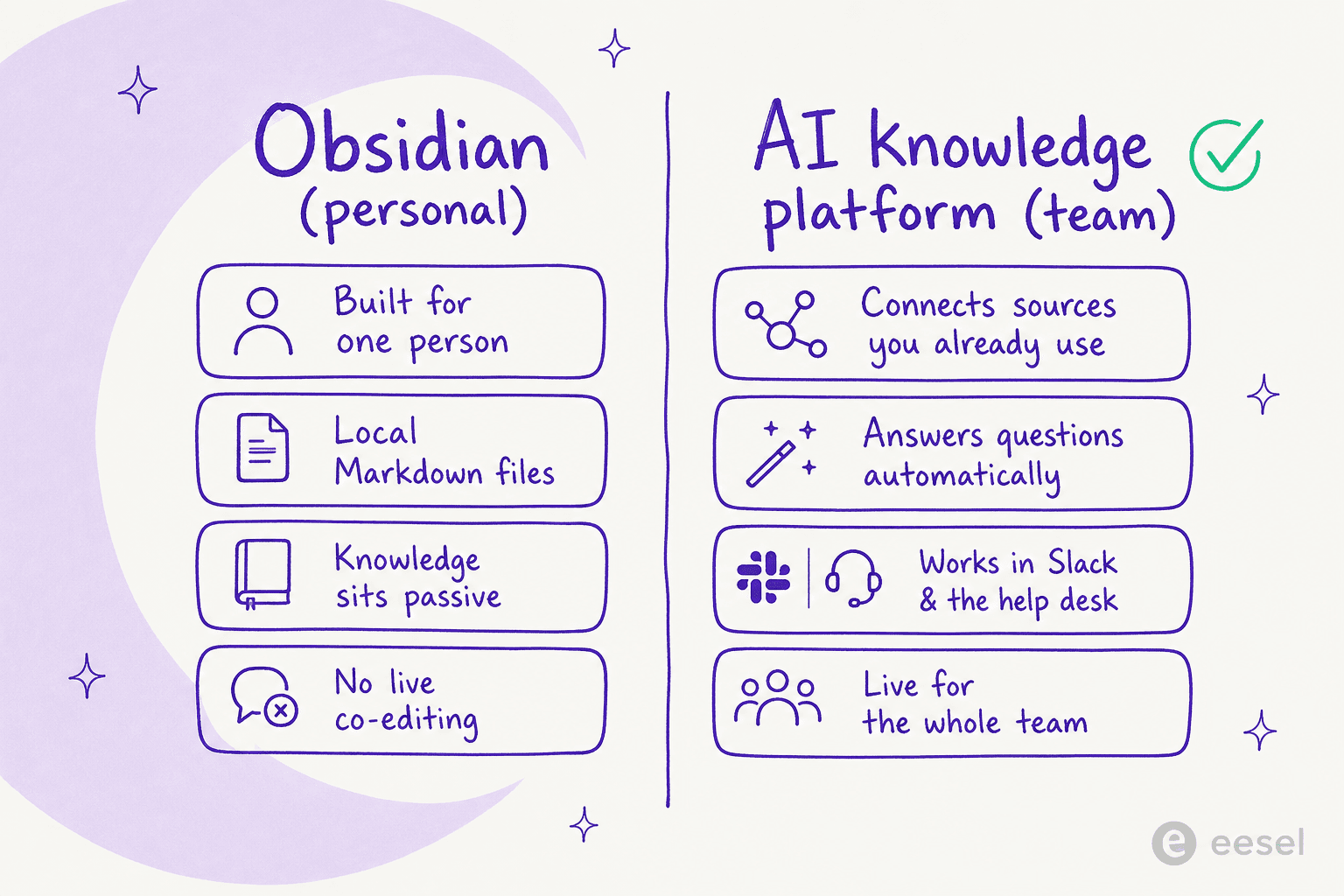
What if, instead of shoehorning a personal tool into a team setting, you used a platform designed to make your business knowledge useful? Imagine connecting an AI to all the places your team already keeps its information, without moving a single file.
This is exactly what eesel AI is for. It plugs directly into the knowledge sources you already use, whether that's Confluence, Google Docs, your help desk, or Slack.
The two approaches couldn't be more different:
-
Obsidian asks you to build a new knowledge base from scratch inside its system.
-
eesel AI works with the scattered knowledge you already have, instantly.
More importantly, eesel AI makes that knowledge do things. It can:
-
Power an AI Agent that resolves customer support tickets on its own using your documentation.
-
Provide an AI Copilot that helps your support team draft replies in seconds.
-
Run an AI internal chat so employees can ask questions in Slack or Teams and get instant answers pulled from your internal wikis.

eesel AI is a self-serve platform you can get running in minutes with one-click integrations, and it simulates against your historical tickets before going live so you can see how it'll behave. It's a world away from the manual setup and plugin tinkering needed to get advanced functions out of a personal tool like Obsidian.
Want your team's knowledge to actually answer questions instead of sitting in a vault? eesel AI connects the docs and help desk you already use and starts resolving tickets and internal questions in minutes, no migration, no new wiki to maintain. Try eesel for free.

Obsidian pricing: The right tool for the right job
Obsidian is an exceptional, privacy-focused tool for personal knowledge management. Its pricing model is fair: a powerful core app for free, and paid add-ons that solve real problems for people who need them. For building your own "second brain," you'll have a hard time finding anything better, though it's worth scanning the Obsidian alternatives before you commit.
But for teams that need to work together, share information, and automate workflows, Obsidian's limitations quickly become a dealbreaker. It just wasn't built for that world, and neither were most Evernote alternatives aimed at individuals.
If you want to go beyond storing information and start actively using your company's knowledge to automate support and empower your team, explore what you can build with eesel AI.
Frequently asked questions
Is the main Obsidian app completely free, or does Obsidian pricing apply to its core features?
The core Obsidian application, with all its features and community plugins, is 100% free to download and use in 2026. This includes creating unlimited "vaults" for your notes. Obsidian pricing only applies to optional add-ons, similar to how some Obsidian alternatives structure their free tiers.
What services are covered by the paid Obsidian pricing plans?
Paid Obsidian pricing applies to optional add-on services: Obsidian Sync, which keeps your notes updated across devices with end-to-end encryption, and Obsidian Publish, which turns your notes into public websites. There's also an optional commercial license. For team knowledge, an internal knowledge base tool usually fits better.
How does Obsidian pricing for the Sync service compare between monthly and annual billing?
For Obsidian Sync, annual billing is cheaper: $4/user/month billed annually versus $5/user/month billed monthly. There's now a single Sync plan rather than the old Standard and Plus tiers. It's a simpler model than most Notion pricing plans.
Can I use Obsidian for my business without worrying about Obsidian pricing for a commercial license?
Yes. A paid commercial license is no longer required for business use, though Obsidian still sells an optional $50/user/year commercial license to support development. For comparison, Confluence pricing charges per user from the start.
What are the main benefits included in the Obsidian pricing for Obsidian Publish?
Obsidian Publish turns selected notes into a public website or digital garden. Benefits include custom domain support, a navigable graph view for visitors, full text search, and a customizable theme. It's a personal publishing tool, not a team wiki like Confluence alternatives offer.
Why might Obsidian pricing not be suitable for team collaboration?
Obsidian's core design is for individual use, and its pricing model doesn't support built-in team collaboration like real-time co-editing. That makes it less ideal for businesses needing shared internal search or an AI layer over their docs.


Article by
Kurnia Kharisma
Kurnia is a software engineer and writer at eesel AI with two years of SEO experience, writing about AI tools, helpdesk software, and customer support. He pairs a developer's understanding of how these products are built with search-driven research into what actually ranks and resonates with the people searching for them.