So, can AI actually reply to customer emails on its own?
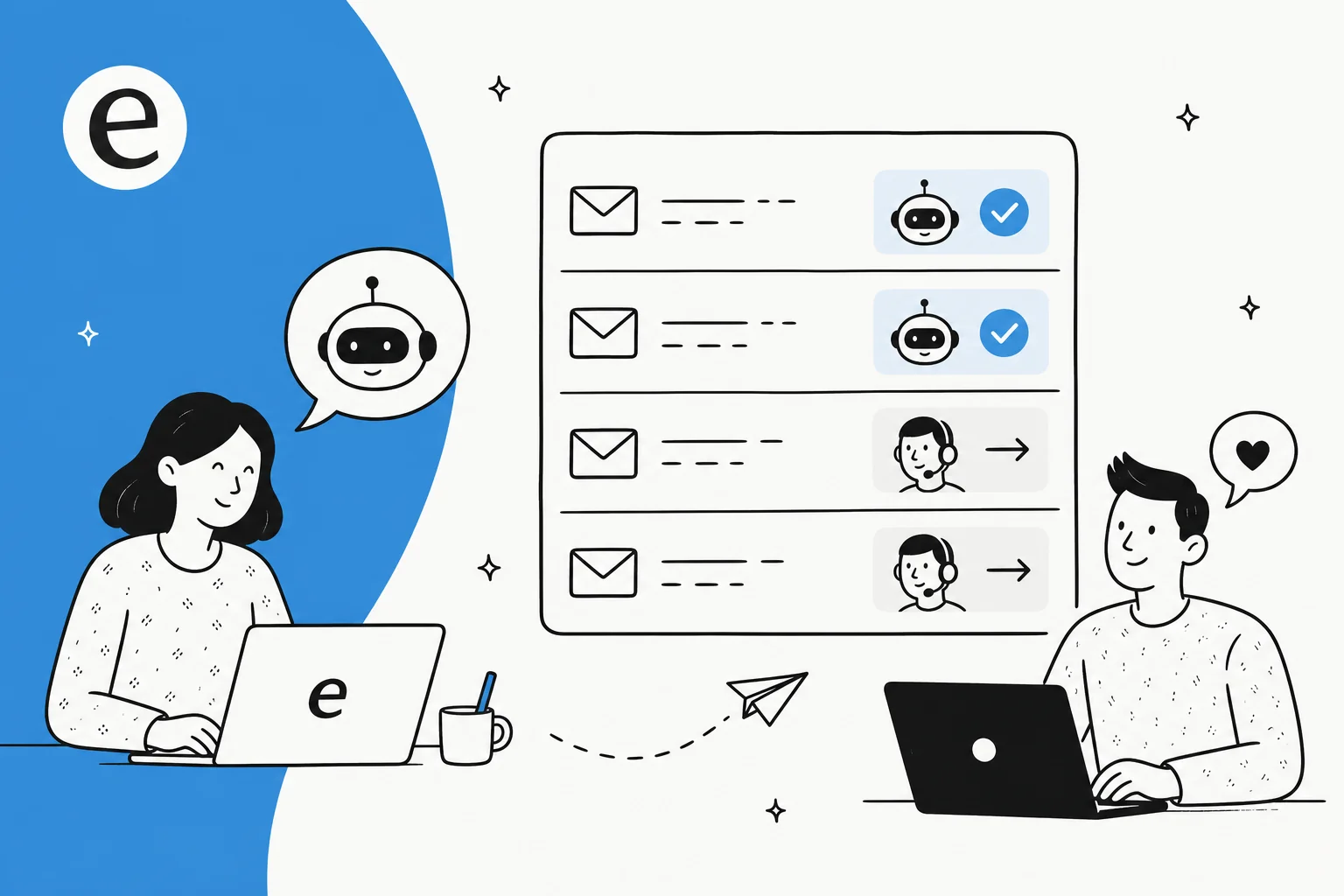
Short version: yes. I work the support queue, and the shift over the last couple of years has been real. I've spent that time watching eesel's AI agents run on live support queues across thousands of real tickets, and the technology crossed the line from "neat autocomplete" to "this just closed the ticket" a while ago. On the right kind of email, an AI helpdesk agent reads the message, finds the answer in your own content, writes a reply that sounds like your team, and sends it, no human in the loop.
The proof is in the volume teams are running. One eesel customer, Gridwise, saw this within a week:
"In the first month, eesel is resolving 73% of our tier 1 requests... we started seeing results quickly during our 7-day trial."
Kim Simpson, Gridwise (eesel AI helpdesk agent)
At the larger end, one German loan-comparison portal runs a fully automated agent handling over 100,000 German-language tickets a month through webhooks, so the human team only ever touches the complex cases. So the question isn't really can it. It's should it, on this specific email, right now. That's the part most "AI for support" pitches skip, and it's the part I care about most, because I'm the one who has to clean up when it goes wrong.
How AI actually answers a customer email
Before deciding what to automate, it helps to see what's happening under the hood, because the mechanism is exactly what makes some emails safe and others dangerous.
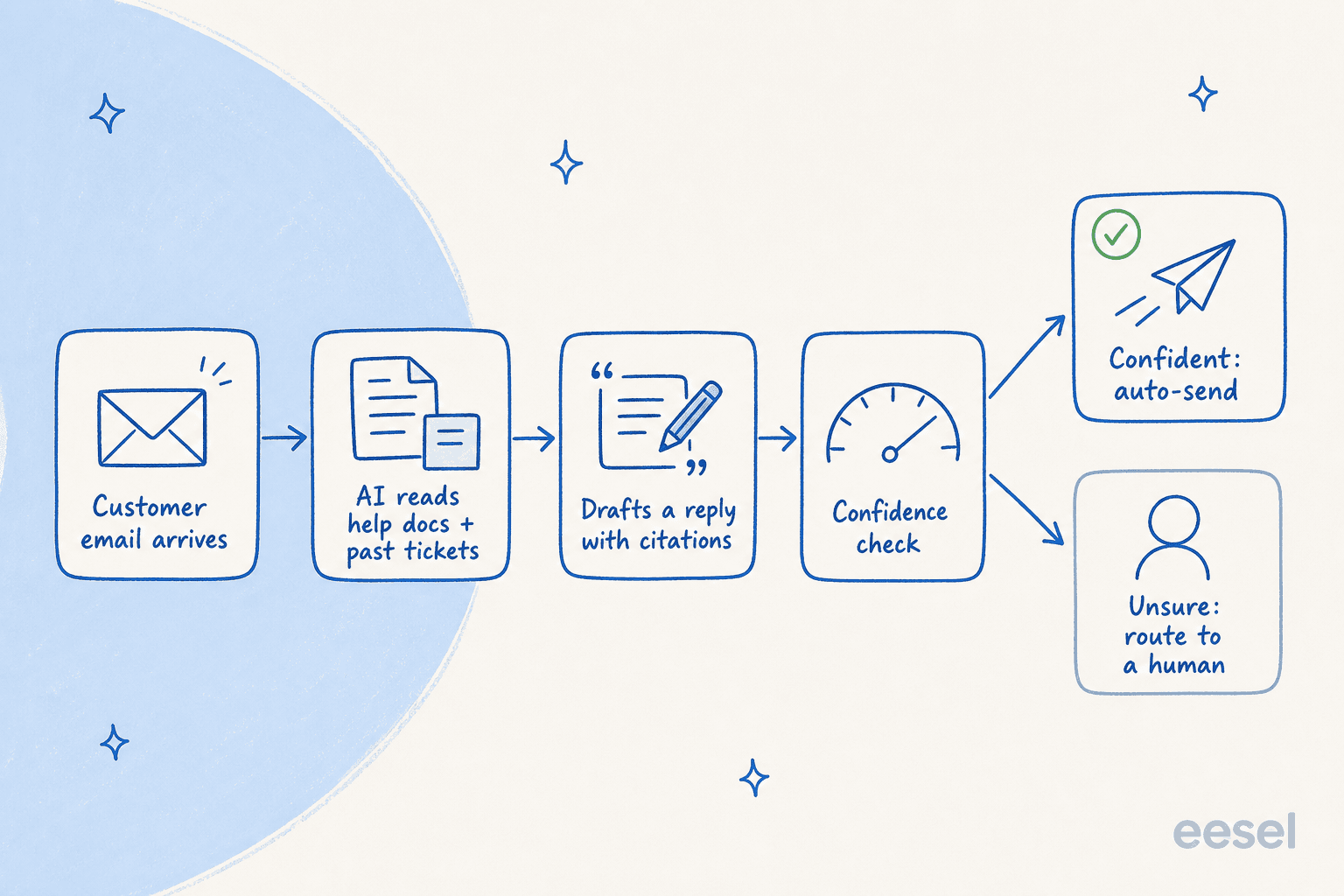
A modern AI support agent doesn't "know" your business out of the box. It works in four steps:
- It reads your knowledge. On setup, it ingests your help center, internal docs, macros, and crucially your past tickets, so years of "how we actually answer this" becomes knowledge on day one. Past-ticket training is the single most-requested capability I hear about, because it's what makes the AI sound like your team instead of a generic bot.
- It retrieves, then writes. When an email lands, the AI doesn't free-associate an answer. It uses retrieval-augmented generation to pull the relevant docs and tickets first, then drafts a reply grounded in that content, ideally with citations back to the source.
- It scores its own confidence. This is the step that separates a safe deployment from a reckless one. The AI estimates how well the retrieved knowledge actually covers the question.
- It sends or escalates. High confidence on a routine topic, it sends. Low confidence, or a topic you've flagged as off-limits, it leaves the email for a human (or drops a draft into the queue for an agent to approve).
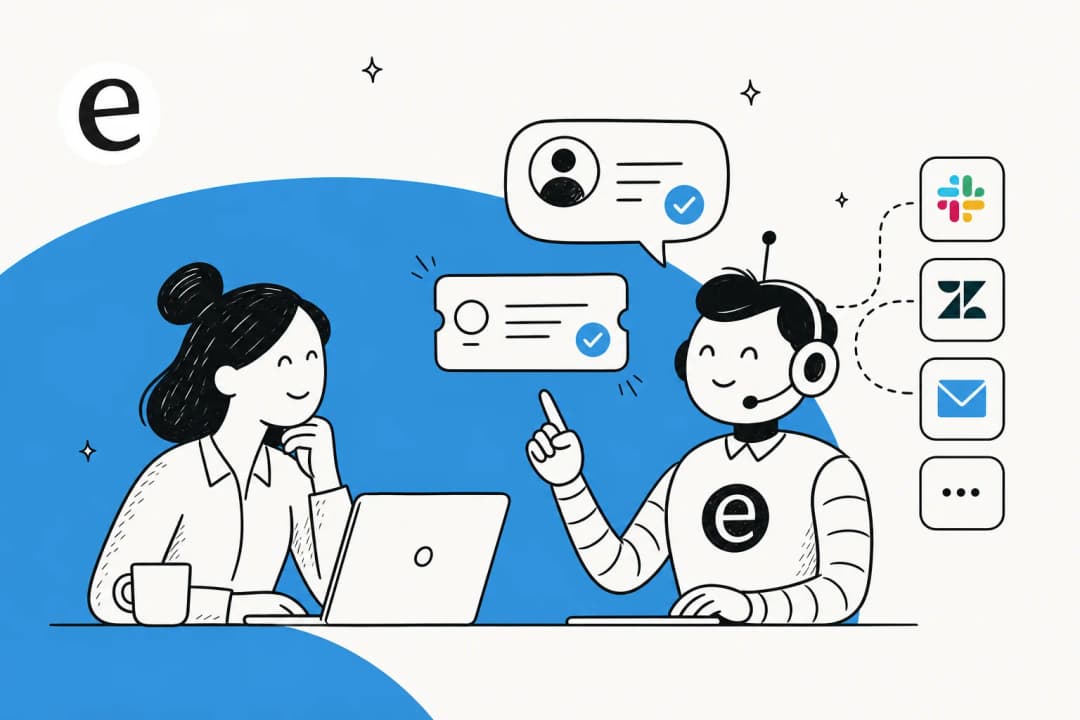
This connects to wherever your email already lives. eesel works directly with Gmail, and with helpdesks like Zendesk, Freshdesk, Gorgias, and Front, so it reads and answers email in the inbox you're already using.
What's safe to automate, and what should reach a human
Here's the boundary I'd defend. The deciding factors aren't "easy vs hard," they're how confident the AI is and how much it costs you to get the answer wrong.
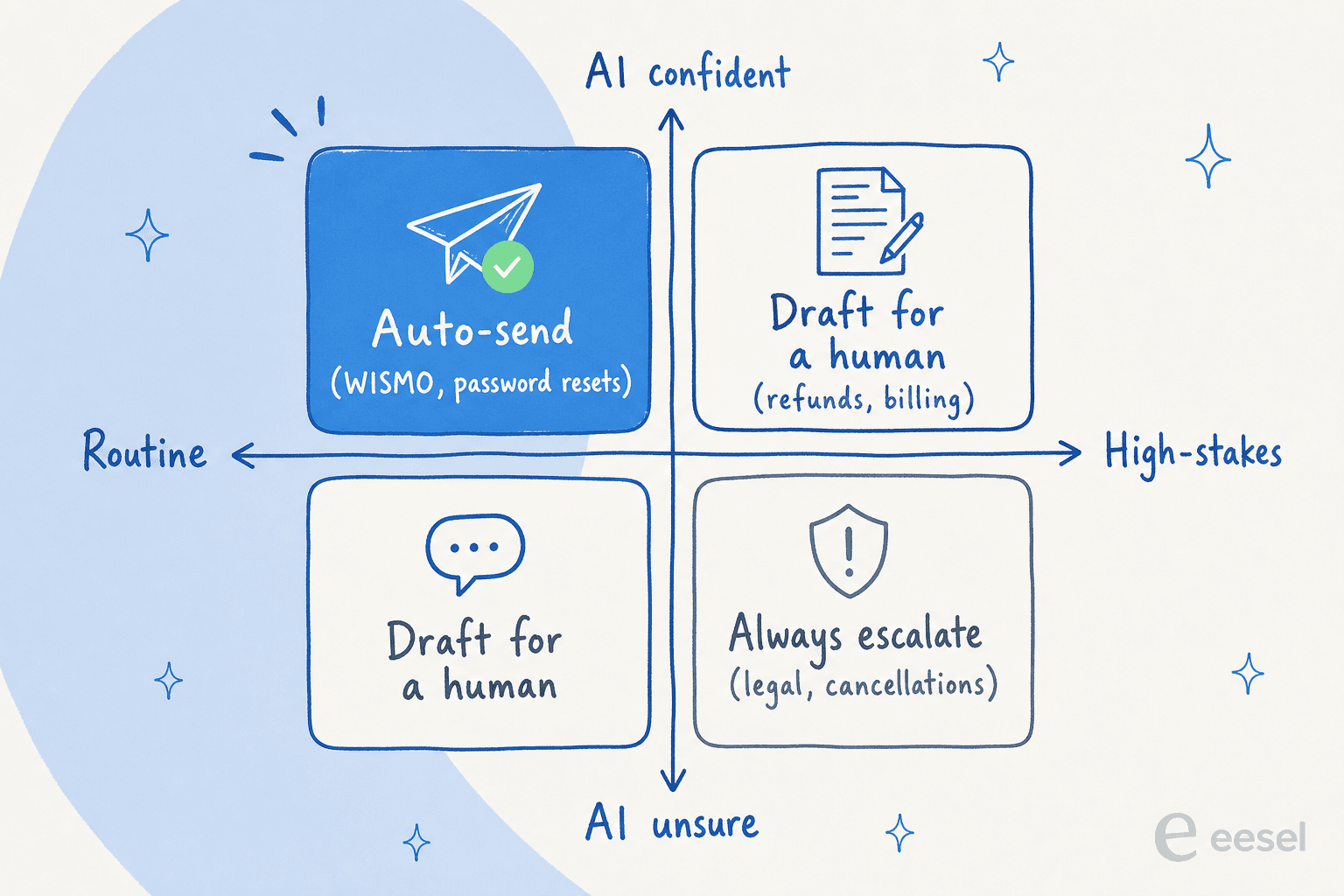
Safe to auto-send are the high-volume, well-documented, low-stakes emails where the answer is the same every time and a small mistake is cheap to fix: order status and "where is my order" questions, password and login resets, return and refund policy questions, shipping timelines, basic product how-tos. This is the tier-1 layer that eats most of a support team's day, and it's exactly where ticket deflection pays off.
Send to a human anything high-stakes or ambiguous: account cancellations, billing disputes, anything legal or compliance-related, an angry customer who needs de-escalation, or an edge case the AI hasn't seen before. A co-founder at a legal-tech company on eesel put the stakes plainly: in their world there's "a fine line between being helpful and overstepping into legal advice," which is why they set hard guardrails on what the AI is even allowed to source from.
The cleanest articulation of this I've heard came from a CX lead at a DTC supplements brand running around 7,000 tickets a month. He didn't want an AI that tries to answer everything and shrugs "sorry I don't know" on the hard ones, because then he'd have to check all 7,000 tickets to catch the bad answers. He wanted an AI that handles only "the tickets that it's confident to handle and all the other ones, leave them alone." That's the whole philosophy in one sentence. A support manager at a bus-tracking service framed the same goal from the other side: build something that handles a solid majority of tickets "and know when to pull a real person in." Escalation isn't the automation failing. A clean handoff is the feature.
This is also why the AI-vs-human debate is the wrong frame. It's not a replacement, it's a split: the AI takes the repetitive layer so the humans get the work that actually needs a human.
The real risk isn't tone, it's confidently wrong answers
If you've heard horror stories about support AI, they almost always trace back to one failure: the AI answering when it should have stayed quiet. This is the part I'd lose sleep over, not whether the writing sounds robotic.
Here's how it goes wrong. When the knowledge base has no relevant match and there's no hard fallback, a poorly-configured agent will fill the gap from its general training data instead of admitting it doesn't know. I've seen the real-world version of this: one customer's bot, asked a question it had no document for, answered with "Oxygen" pulled straight from the periodic table. Another invented a product claim and sent it to a live customer. A vehicle-telematics team hit it too, their bot cheerfully confirmed "yes, we support your car model" for brands that weren't in their database, because a help doc loosely said they supported "all models."
None of these are the AI being dumb. They're the AI being configured to always reply. The guardrails that prevent it are concrete and worth insisting on:
- A hard fallback. If retrieval returns nothing relevant, the AI should escalate, not improvise. No answer beats a confident wrong one.
- Citations on every reply. When the AI links its sources, you (and the customer) can see where the answer came from. This was a non-negotiable for one hardware support team I've seen evaluate this, and it should be for you.
- A confidence threshold you control. This is the intent confidence setting that decides "send" vs "escalate." Tune it conservative to start.
- Topic exclusions. Some emails should never touch AI, full stop. One support lead I read about wanted certain ticket types kept away from the agent entirely, and that's a completely reasonable ask.
There's a quieter failure mode too: over-promising. An e-commerce support manager had to correct their agent for telling customers "we'll get you sorted" and guaranteeing delivery dates the company couldn't actually hit. Grounding and tone control both come from the same place, training the AI on your real past replies, which is why an AI chatbot answering correctly is mostly a knowledge-and-configuration problem, not a model problem.
The reassuring part is how good it gets when it is set up right. In one real-traffic trial on an e-commerce inbox, the agent hit 93% triage accuracy and caught 100% of spam with zero false positives. The accuracy is there. It's the boundary that has to be drawn by a human who understands the cost of a wrong answer.
How to set up automatic email replies without burning trust
The mistake is going from zero to full autopilot in one move. The teams who succeed treat it as a ladder, and they earn each rung. This "copilot first, full automation later" pattern is the one I see work again and again.
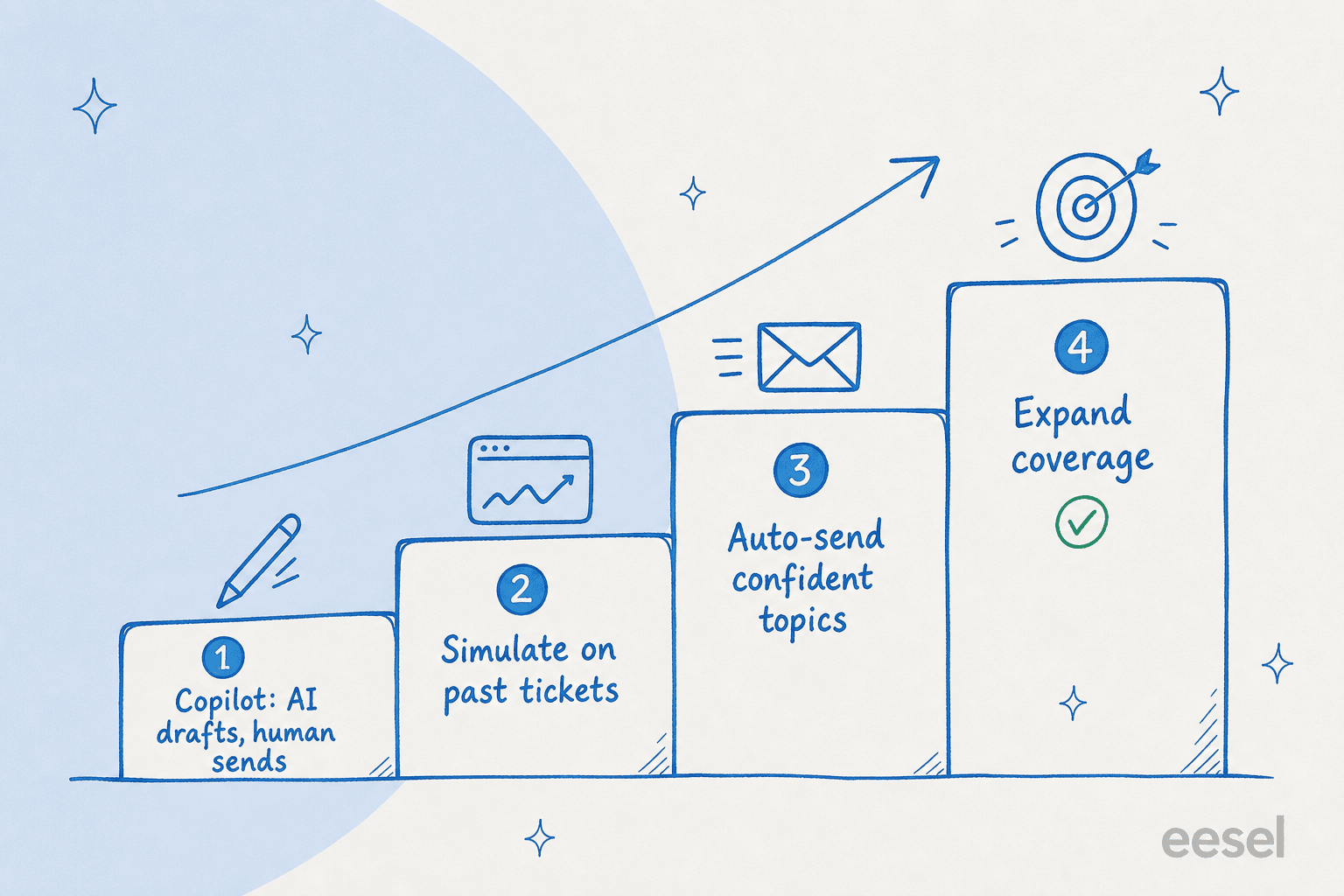
Step 1: Start in copilot mode. The AI drafts a reply, a human reviews and sends. You get the speed-up immediately, with zero risk of a bad reply reaching a customer. A helpdesk copilot is also the fastest way to see whether the drafts are actually good before you trust them on their own. One records-governance team runs exactly this, AI drafts on every case, trained on their past tickets, and it became the backbone of how they answer.

Step 2: Simulate against your real history. Before any email auto-sends, run the agent over your past tickets and see how it would have replied. This is the step most tools skip and the one I'd never skip, because I've learned the hard way that a confident-sounding bot can quietly give wrong answers. Simulating against historical tickets shows you coverage by topic, surfaces the gaps, and lets you fix them before a customer ever sees a reply.
Step 3: Auto-send a narrow set of confident topics. Turn on full automation for just the safe quadrant first, the WISMO and password-reset stuff. With usage-based pricing you can route only a slice of volume (say 200 of 1,000 monthly emails) and only pay for what the AI handles, so a cautious rollout doesn't cost you for tickets your humans still answer.
Step 4: Widen as trust builds. As the data proves out per topic, expand the set of emails the AI handles on its own. You're not flipping a switch, you're growing a boundary you can see and control. You configure all of this in plain language, telling the agent when to jump in, what tone to use, and what to never touch, no rules engine required.

Done this way, automating your support email stops being a leap of faith. Every rung is reversible, observable, and grounded in what the AI actually did on your real tickets.
Try eesel for automatic email replies
If you want AI replying to customer emails, eesel is built for exactly the careful version above. It plugs into Gmail and your existing helpdesk in minutes, learns from your past tickets and docs so it sounds like your team on day one, and lets you simulate against your ticket history before a single reply goes out. The thing that sets it apart for this use case is control: a confidence threshold and topic exclusions you set yourself, so the AI auto-sends the routine stuff and leaves the hard tickets for your people. Pricing is usage-based, no per-seat fee, so a gradual rollout costs you only for the emails it actually handles. You can start free and run it in copilot mode before you ever trust it to send.

Frequently Asked Questions
Can AI respond to customer emails automatically without a human checking first?
How does AI know what to write back to a customer?
Will the AI make things up or give wrong answers?
What kinds of customer emails should always go to a human?
How much can AI email automation actually save my team?
How do I start letting AI respond to emails without risking my customers?


Article by
Riellvriany Indriawan
Riell is a designer and writer at eesel AI with about two years of experience researching CX platforms, AI chatbots, and helpdesk software. She combines her design background with a sharp eye for how these tools actually look and feel in practice — making her comparisons unusually visual and user-focused.