

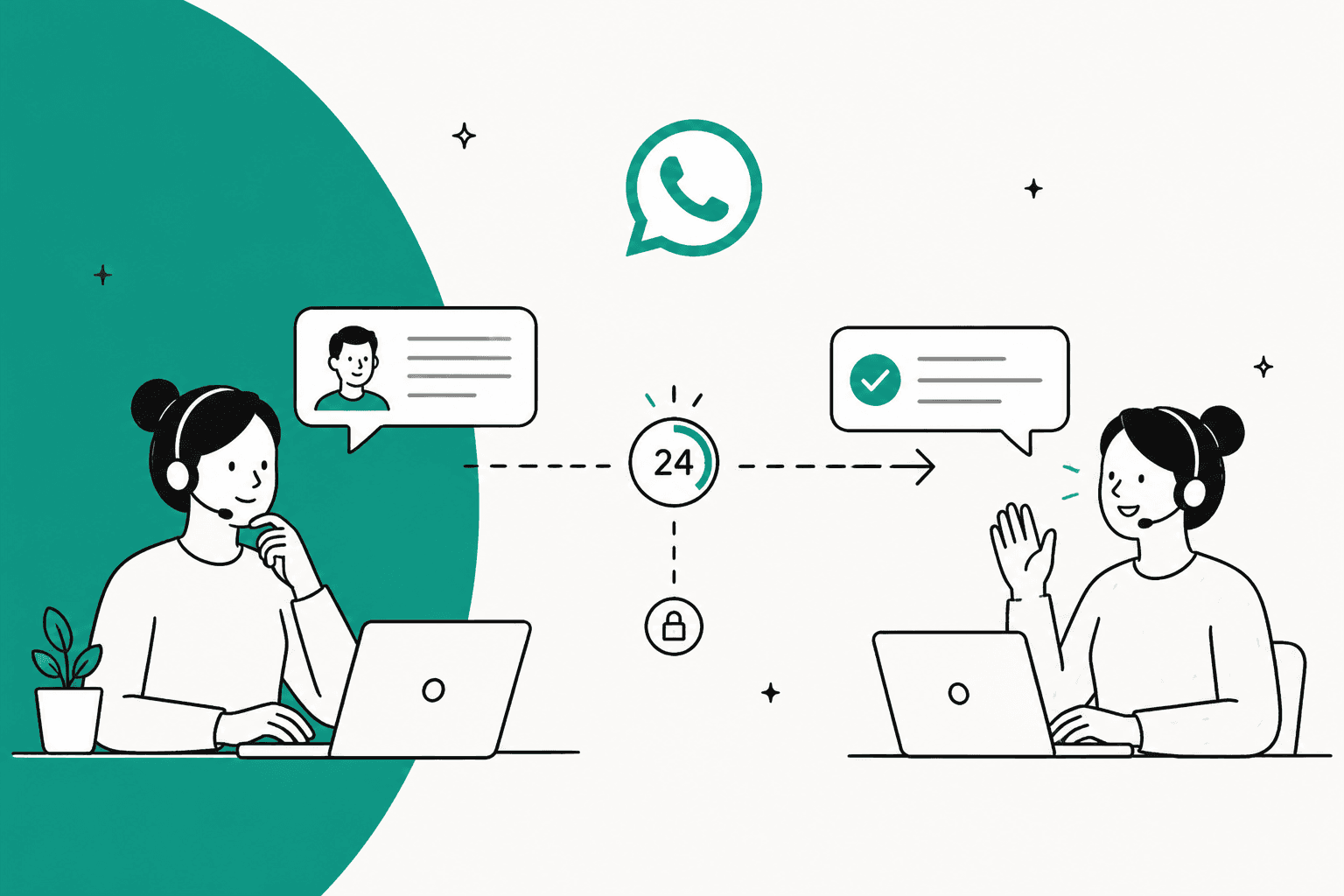
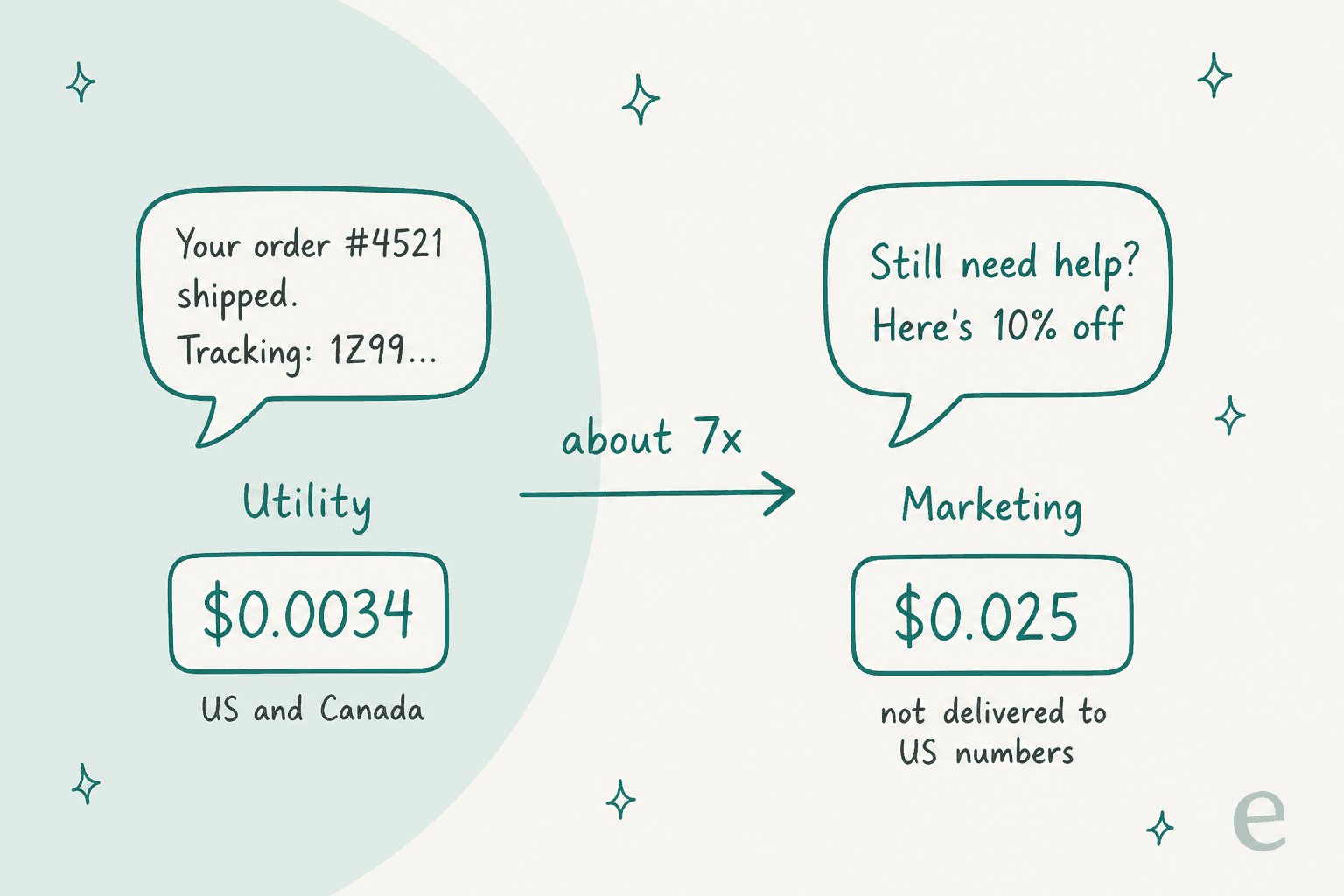
Once WhatsApp's 24-hour window closes, you can only reach the customer with a Meta-approved template, and their reply is what reopens the conversation. Write follow-ups as utility templates that name the customer's own order or request: $0.0034 in the US and Canada versus $0.025 for marketing, which Meta doesn't deliver to US numbers at all. Check your helpdesk too: Gorgias only sends marketing templates. eesel answers inside the window so fewer chats need a follow-up, and sends an approved template follow-up once a person signs off.
With the eesel CLI, an AI coding agent can load your saved replies and list held template sends for a person to approve.
What happens when the WhatsApp 24-hour window closes?
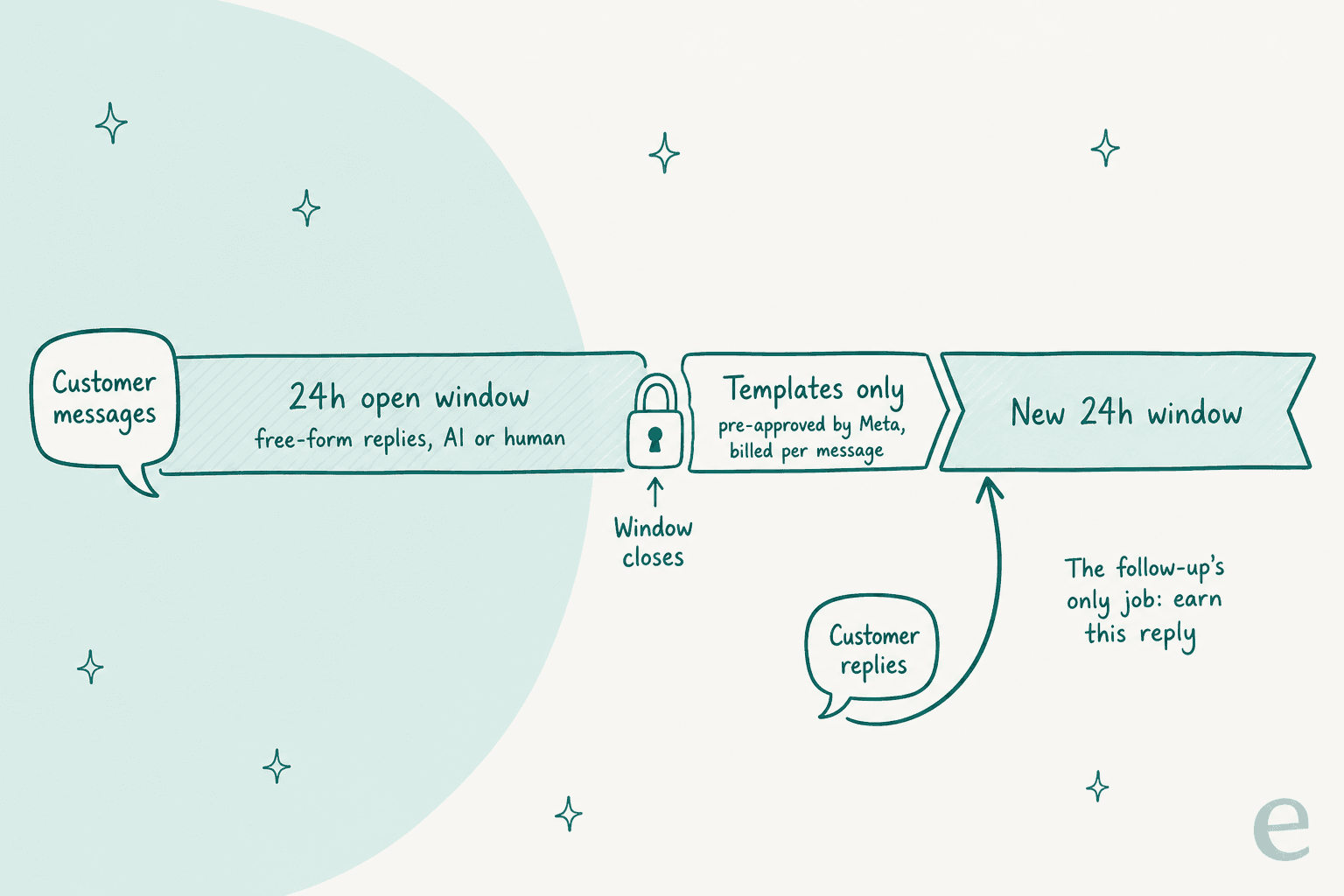
Every time a customer messages or calls your WhatsApp Business number, Meta starts a 24-hour timer it calls the customer service window. Another message from them resets it to 24 hours. While it's open, you (or your AI agent) can send any free-form reply. Once it closes, templates are "the only type of message" Meta will deliver, per its template fundamentals page.
I work eesel's support queue every day, and this rule is the one that catches teams moving to WhatsApp from email. Email has no clock. You can reply to a three-day-old email and nothing breaks. On WhatsApp, the same slow reply means the conversation is locked until you send a pre-approved message or the customer writes again.
Three details trip people up:
- The clock follows the customer, not your ticket. Zendesk notes the window starts when the message reaches WhatsApp, not when the ticket is created. If your helpdesk syncs late, you have less time than the ticket timestamp suggests.
- Templates need approval before you need them. Meta reviews each template, and WhatsApp Manager says review can take up to 24 hours. Zendesk's docs warn it can range from one minute to five business days. Writing a template on the day you need it is too late.
- The template's job is to get a reply. A template can't carry a back-and-forth. Once the customer answers it, you're back in a fresh 24-hour window and can talk normally.
That last point changes how you write follow-ups. The template doesn't need to solve the problem. It needs to give the customer a reason to tap reply.
"A customer messages on WhatsApp, the team gets busy, doesn't reply within 24 hours and now the window is closed."

The most useful reply in that thread put the blame somewhere other than Meta:
"Honestly I don’t think the 24-hour rule is the main issue most of the time. It’s usually just replies getting delayed internally until the window closes. We have seen this happen a lot when chats start piling up. Someone thinks another teammate replied, someone forgets to follow up, and the lead just quietly dies."
I agree with that. Most closed windows I see are an ownership problem before they're a template problem. Cape Coffee Beans runs eesel on its Zendesk queue partly for this reason: every morning it checks for pending tickets with no follow-up date set and tickets that have gone quiet, 160 scheduled checks in a month, and emails the list to the person who owns the queue. That's email and Zendesk, not WhatsApp, but it's the same failure: a conversation nobody is clearly holding.
Which template category should a support follow-up use?
Use utility whenever you can, and write the template so it qualifies. Meta sorts every template into marketing, utility or authentication, and the category sets both the price and whether the message gets delivered.
For a template to count as utility, Meta's categorization page says it must be triggered by a user action or request, and it must be specific to that user's order, account or transaction, or critical to them. It gives support teams two useful utility use cases:
- Feedback surveys about a specific order or interaction. Meta is blunt that "a general/generic survey or request for feedback will not be approved as utility".
- Continue a conversation on WhatsApp that started in another channel, but only when the customer asked to move it there.
And it lists what turns a template into marketing: anything with mixed content, like "an order update with a promo or a feedback survey with promotional content". The "retargeting" examples include a message most support teams would call service recovery: an apology for a late delivery that mentions a credit added to the account.
Here's how that plays out on templates a support team would write:
| Follow-up template | Likely category | Why |
|---|---|---|
| "Following up on order {{1}}. The replacement shipped today, tracking {{2}}." | Utility | Specific order, no promotion |
| "You asked us about {{1}} on WhatsApp. We have an update, reply here to continue." | Utility | Tied to the customer's own request |
| "You chatted with us about order {{1}}. How was your experience?" | Utility | Feedback on a specific interaction |
| "How did we do? Rate us 1 to 5." | Marketing | Generic survey, no order or interaction named |
| "Sorry for the delay on order {{1}}. Here's 10% off your next order." | Marketing | Mixed content, the discount makes it promotional |
Get this wrong and Meta fixes it for you. Since April 9, 2025, a template you submit as utility that Meta decides is marketing is approved as marketing. Repeat offenders face escalating penalties: a warning, then a cap on utility volume for at least 7 days, then every utility template on the account recategorized to marketing for 7 days (30 for repeat violations). The template examples in my customer service email templates post adapt well here, as long as you strip anything promotional.
How much does a WhatsApp follow-up cost in 2026?
Meta charges per delivered message, by category and by the country code of the person receiving it. Incoming customer messages are free. These are Meta's list rates in USD, effective October 1, 2026:
| Market | Marketing template | Utility template | Service reply (in window) | Marketing vs utility |
|---|---|---|---|---|
| US and Canada | $0.0250 (not delivered to US numbers) | $0.0034 | $0.0034 | 7.4x |
| United Kingdom | $0.0635 | $0.0220 | $0.0220 | 2.9x |
| Germany | $0.1365 | $0.0550 | $0.0550 | 2.5x |
| Netherlands | $0.1597 | $0.0500 | $0.0500 | 3.2x |
| Brazil | $0.0625 | $0.0068 | $0.0068 | 9.2x |
| Mexico | $0.0397 | $0.0085 | $0.0085 | 4.7x |
| India | $0.0118 | $0.0014 | $0.0014 | 8.4x |
| Indonesia | $0.0411 | $0.0250 | $0.0250 | 1.6x |
Source: Meta's rate card on the WhatsApp pricing page. Meta can only change rates on January 1, April 1, July 1 and October 1.
Two changes on October 1, 2026 matter for support teams. First, service replies inside the window are charged again, after 1,000 free per business phone number per month. They'd been free since November 2024. Second, utility templates sent inside an open window, which had been free since July 2025, are now charged too. The one free path left is the free entry point window: if a customer starts the chat from a Click to WhatsApp ad and you reply in time, everything you send is free for up to 7 days.
"free-text replies inside the service window are usually the majority of real conversation volume, way more than template-triggered messages."
Put real numbers on it and the follow-up fee is small. Here's a quick calculator using Meta's rates. Add the 20% if your helpdesk marks up Meta's fees.
At 400 follow-ups a month to UK customers, utility costs $8.80 and marketing $25.40. Neither will break a support budget. What costs you is the follow-up that never arrives. Meta's per-user marketing limits can block a marketing template to someone who's had too many that week (error 131049), and a marketing follow-up to a US number doesn't go out at all. So the category matters more for delivery than for cost. My WhatsApp Business API pricing breakdown covers the provider fees that sit on top.
What can each helpdesk send once the window closes?
This is where the plan meets your tools. Most helpdesks let an agent pick an approved template from the conversation, but they differ on which categories you can send, which plan you need, and who bills you for Meta's fees.
| Helpdesk | Send a template from the conversation | Categories you can send | Plan needed | Meta fees billed by | AI agent on WhatsApp |
|---|---|---|---|---|---|
| Zendesk | Yes, "Select a template" in the composer | Any approved template | All Suite plans, or Support with Social Messaging add-on | Meta, on your own WhatsApp account | Not documented for after-window sends |
| Freshdesk | Yes, from the Reply menu | Marketing, utility, authentication | Growth plan and up | Freshworks invoice, plus 20% | Freddy AI Agent can run on WhatsApp |
| Gorgias | Yes, template picker replaces the reply box | Marketing only | All Helpdesk plans | Gorgias, as helpdesk tickets | AI Agent replies within the window, Shopify stores only |
| Front | Yes, from the composer, rules and macros | Any approved template | WhatsApp add-on, Professional plan and up | Front invoice, Meta's cost plus 20% | Autopilot lists WhatsApp |
| Help Scout | Yes | Utility only, text-only, no variables | All paid plans | Not documented | Scout not listed for WhatsApp |
| HubSpot Service Hub | Yes, plus a beta to send anytime | Synced templates | Service Hub Professional or Enterprise | Not documented | Customer agent can work WhatsApp |
Each helpdesk name links to its own WhatsApp docs. If you're still choosing a tool, my WhatsApp customer service platform roundup compares them on more than follow-ups.
Zendesk warns you before the window closes
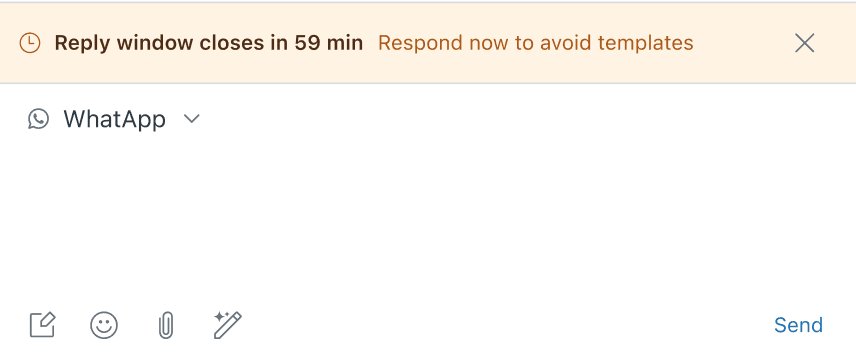
Zendesk has the most useful touch I found: with one hour left in an idle conversation, a timer banner appears above the reply box, and the countdown also shows in the All tickets view. It disappears when the customer replies.
After the window closes, the composer is blocked and shows "Reply window closed. Use a template to continue the conversation." Templates are created in Meta, then an admin switches them on under Admin Center for agents to use. My Zendesk WhatsApp guide walks through the setup.
Messaging someone who has never written to you first is a separate workflow that needs Suite Professional or Enterprise and an API key. Zendesk pricing breaks down those tiers.
Freshdesk disables the editor and offers email instead
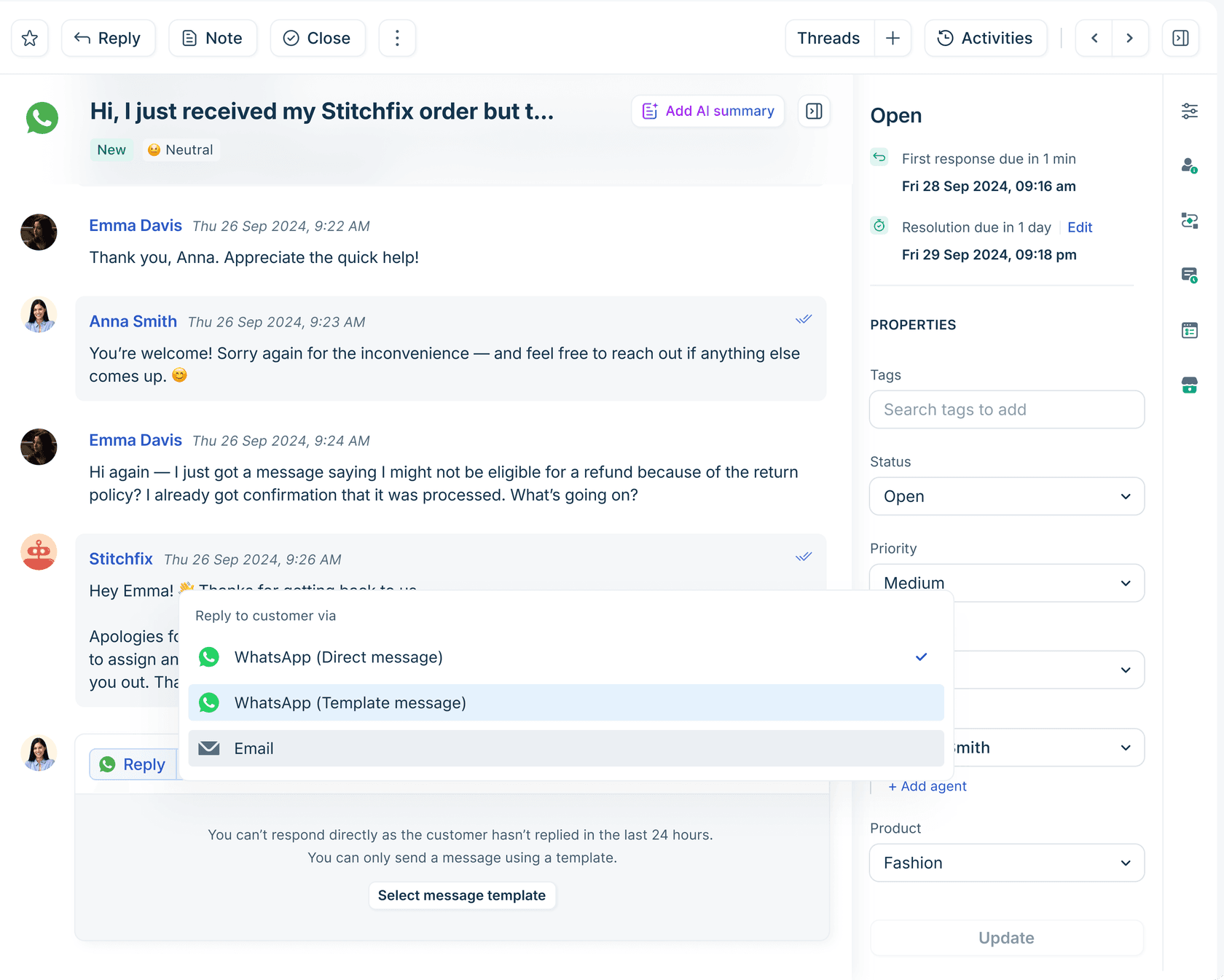
Freshdesk's reply editor tells the agent they can't respond directly, and the Reply menu offers a WhatsApp template or a switch to email. Template replies are available from the Growth plan, and Freshworks puts Meta's fees on its own invoice with a 20% markup.
See Freshdesk pricing for the plan costs, and the Freshdesk WhatsApp setup guide for connecting a number.
Gorgias only sends marketing templates
Gorgias's template docs say "Only Marketing templates can be sent from Gorgias", and point you to Meta Business Suite for other categories. Put that next to Meta's rule that marketing templates aren't delivered to US numbers, and a US store can't follow up with a US customer from inside Gorgias once the window closes.
Gorgias does keep the thread together: a customer reply within 3 days lands in the same ticket. If you sell mostly to US shoppers, plan follow-ups for email, or send utility templates from Meta's own tools. My Gorgias pricing guide covers the ticket fees, and Gorgias WhatsApp covers setup.
Help Scout and Front sit at opposite ends
Help Scout allows only utility templates for replies, and they must be text-only with no variables. That means the template can't name the order number. Write it around the customer's request instead ("We have an update on the question you sent us on WhatsApp, reply here to continue") and let Meta judge the category. Help Scout pricing lists which plans include it.
Front goes the other way: any approved template, sendable from rules and macros, and its Channel API auto-matches text to an approved template when you send outside the window. If you're on Front, Front pricing covers the add-on and AI for Front the agent side.
Can an AI agent follow up after 24 hours?
Not with a free-form message. Meta's rule applies to everything your number sends, whether a person or a bot wrote it, and its pricing page says service messages "can be powered by a 3rd-party AI solution or people". So an AI agent after hour 24 is in the same spot as your team: approved templates only.
In practice, the helpdesk AI agents I checked are built for the open window. Gorgias says its AI Agent replies within the 24-hour window. Front counts an Autopilot WhatsApp conversation as resolved if no teammate follows up within 24 hours. None of the docs I read describe an AI agent choosing and sending a template on its own after the window closes.
I think that's the right default, for two reasons. A template is a business-initiated message that Meta bills, rates on quality, and can pause for 3 to 6 hours or disable if customers report it. You want a person deciding when that goes out. And the AI's bigger contribution is upstream: an agent that answers in the first minute means far fewer windows close. A first reply that lands at 2am instead of 10am is a window you never have to reopen.
"Also, the 24-hour window closes down the conversation with the customer, which means we can’t follow up as we’d like, and we end up needing to work on Saturday."

That Saturday shift is exactly the gap an AI agent fills. It can't send free-form after the window, but it can make sure the customer got a real answer while the window was open. The WhatsApp auto-reply and automate WhatsApp support guides go deeper on setup, and Meta's AI policy changes explain why a support bot on your own number is still allowed.
How eesel handles the window
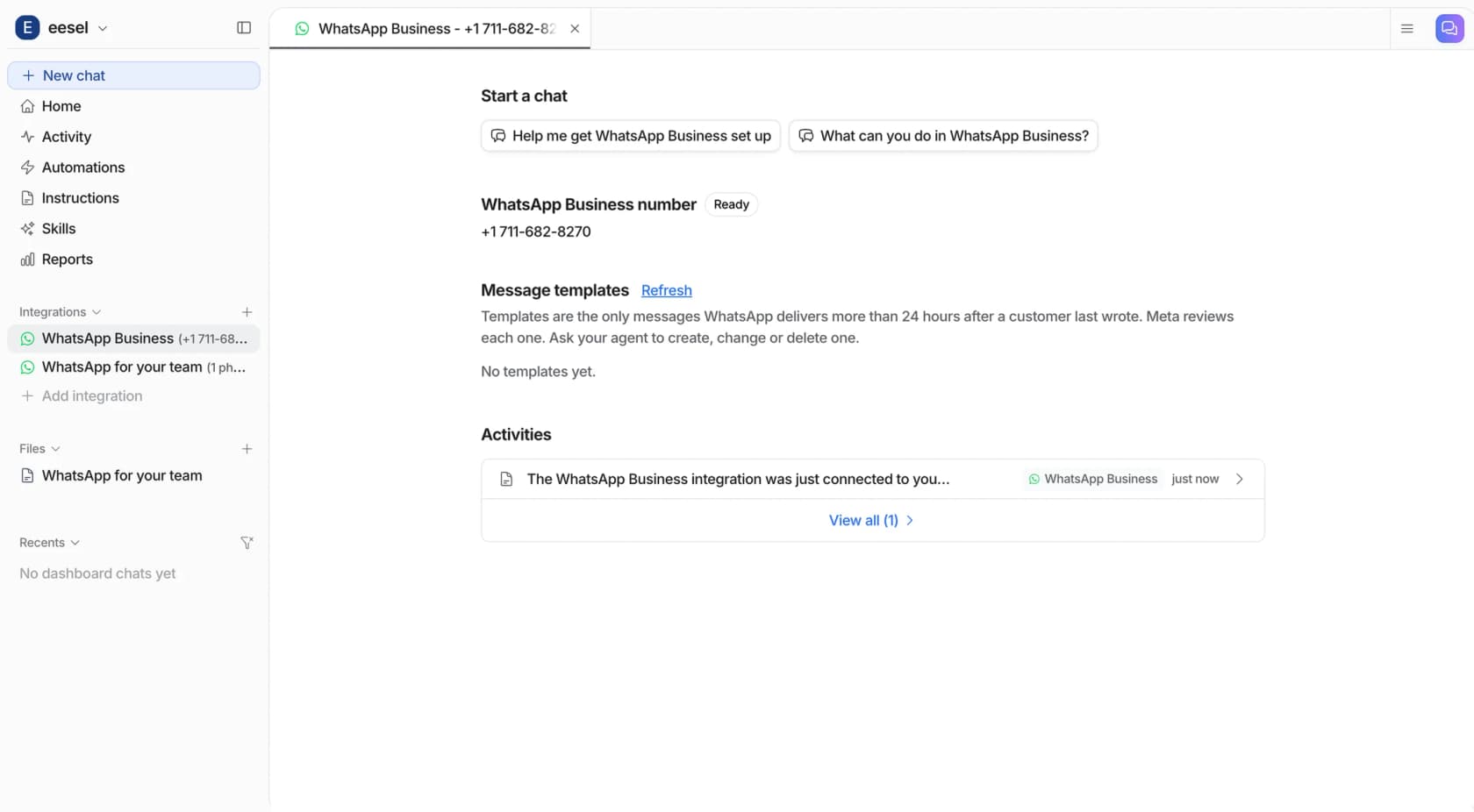
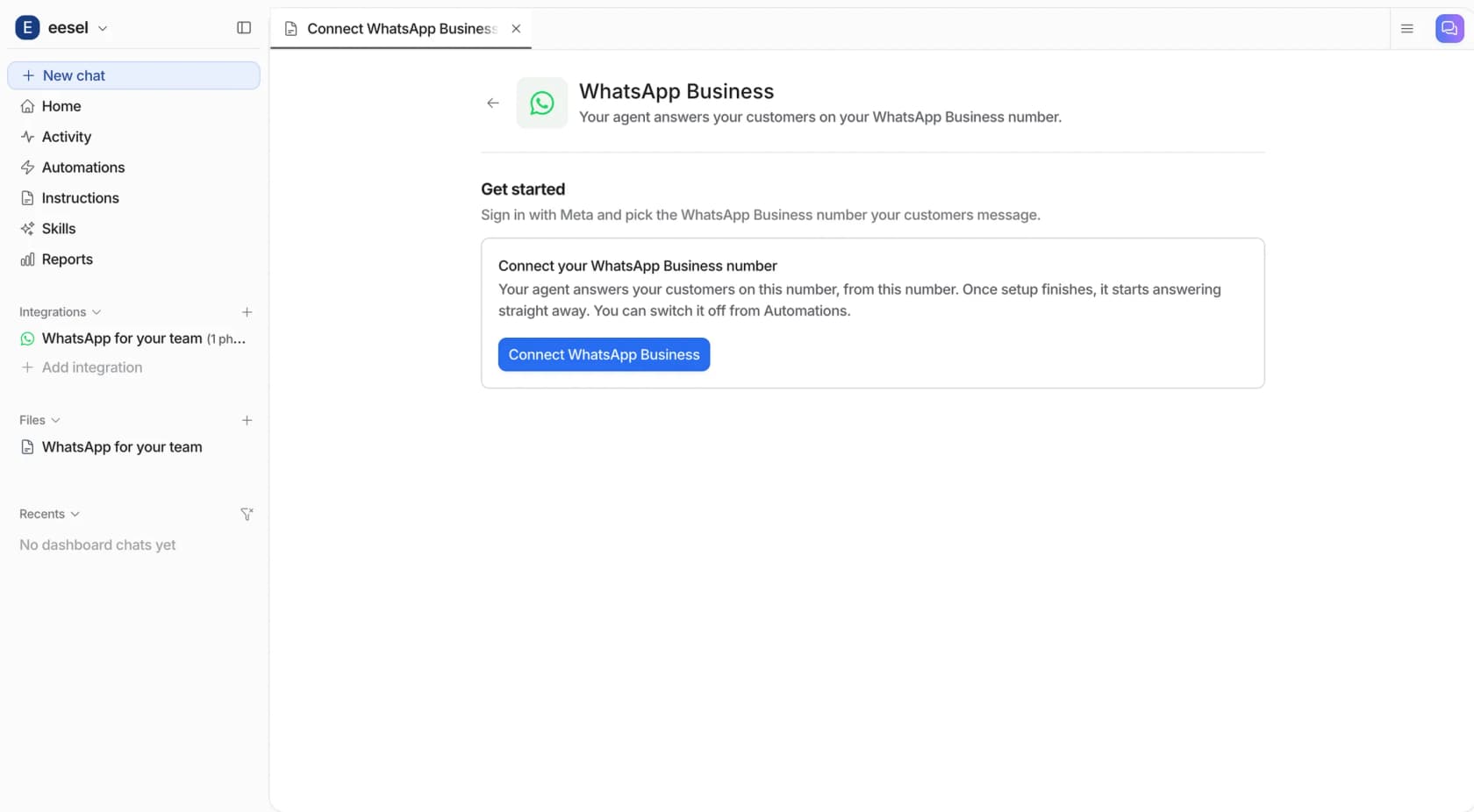
eesel's WhatsApp Business connection links your own number through Meta's sign-in, so there's no developer account or separate WhatsApp provider. The agent answers customers from your help center, website, past tickets and store, inside the window. It can also create, edit and list your WhatsApp templates and send an approved one, but only to a customer who has messaged your number before, and the send asks for a person's approval by default. Meta bills your business directly for templates through WhatsApp Manager.
Two limits worth knowing before you plan around it. There's no built-in handover to a person on WhatsApp yet, so your team can't reply to the customer from eesel; if your instructions say so, the agent can create a ticket in your helpdesk instead. And it reads text only, so it sees that someone sent a photo of a damaged parcel but not what's in it. If your WhatsApp chats already land in Zendesk, eesel's Zendesk automations can be scoped to the WhatsApp channel and work those tickets there.
A follow-up playbook for the closed window
Here's the routine I'd set up for a team running support on WhatsApp. None of it needs special software. It needs four approved templates and someone clearly owning each open conversation.
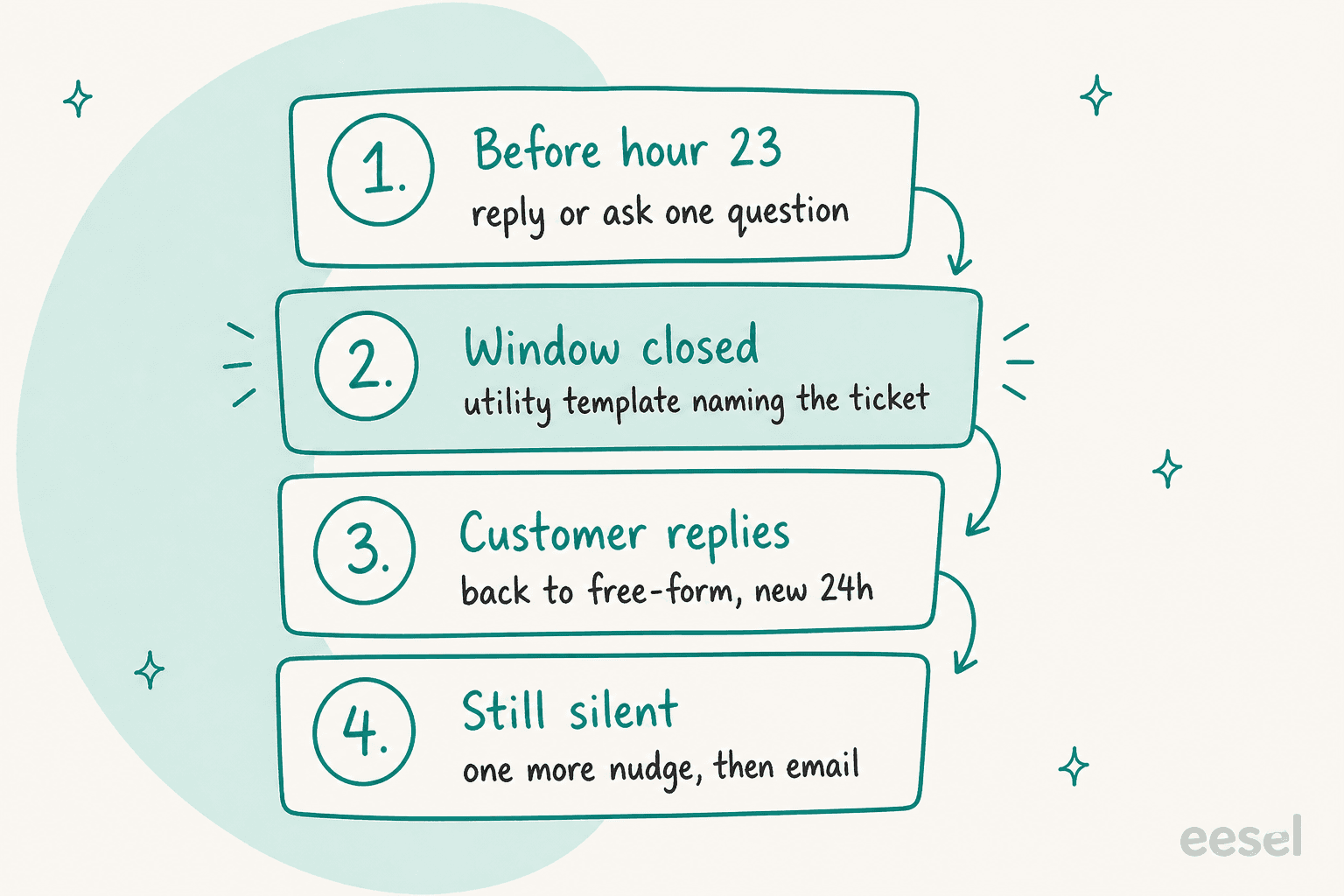
- Reply or ask one question before hour 23. If you're waiting on a warehouse or a refund check, send a short holding message while the window is open, and end it with a question the customer can answer ("Is the address on the order still right?"). Their answer resets the clock. An AI agent is good at this first touch.
- Pre-approve your follow-up templates now. Most teams need four: "we have an update on your request", "your order {{1}} has shipped / been refunded", "we need one detail to finish this", and a specific feedback request. Submit them as utility, keep promotions out, and supply each language you support, since Meta doesn't translate templates.
- When the window closes, send one utility template that names the ticket. The customer's reply brings you back to free-form for 24 hours. Treat that like a fresh first reply: answer fully, fast.
- If they stay silent, nudge once more, then switch channel. Repeated templates nobody reads drag down the template's quality rating, which leads to pauses. If you have their email, finish there. Freshdesk's Reply menu offers exactly that switch.
Two more habits help. Set a follow-up date on every WhatsApp ticket you leave pending, so it shows up in a view instead of in someone's memory, and match your SLA policies to the 24-hour clock rather than your email targets. And if the customer came from a Click to WhatsApp ad, use the free 7-day entry point window to resolve everything in one go.
One more thing from the frontline: when I look at closed-window tickets, the customer's last message is often a simple question, like an order status or a return label. Those are the ones an AI agent should have answered in seconds, which is the case for putting AI on WhatsApp support at all. The same pattern shows up on Instagram DMs and Messenger, where Meta's windows are similar.
Try eesel for WhatsApp follow-ups
If your WhatsApp queue keeps going quiet overnight, eesel works like a new teammate on your own WhatsApp Business number: it answers order and policy questions from your help center and store while the window is open, and submits follow-up templates to Meta, then sends approved ones once your team signs off. Question Beauty runs the same pattern on Messenger, email and chat in Gorgias, with 960 replies sent and 290 Shopify orders looked up in a month, while refunds and complaints still go to a person.
Plans start at $299 a month for 500 credits, and a conversation is one credit however long it runs (eesel pricing). Meta's message fees go on your own Meta account, not an eesel invoice. Try eesel free with 100 credits, test it against the questions your customers actually send, then connect your number.