


A WhatsApp customer service platform puts your business number on the official WhatsApp Business Platform and gives every agent their own login to one shared inbox, so you stop passing a single phone around. The real choice is where that inbox lives: in a WhatsApp-first tool like Wati ($119/month for 5 users) or respond.io ($159/month for 10), or as a channel inside the helpdesk you already use, like Zendesk or Freshdesk Omni.
For a 4-agent US team handling about 1,500 chats a month, I priced six platforms at roughly $130 to $300 a month on annual billing. Since October 1, 2026, Meta also charges for service replies after the first 1,000 per number each month, so every reply now has a price, and the platforms pass that fee on in three different ways.
If WhatsApp sits next to email in a helpdesk, the strongest setup I've seen is to keep one queue and put an AI teammate on the first reply. That's how Rúngne runs 2,100 tickets a month from email, chat and social in one Gorgias queue, with eesel acknowledging, tagging and drafting before a person opens anything.
What is a WhatsApp customer service platform?
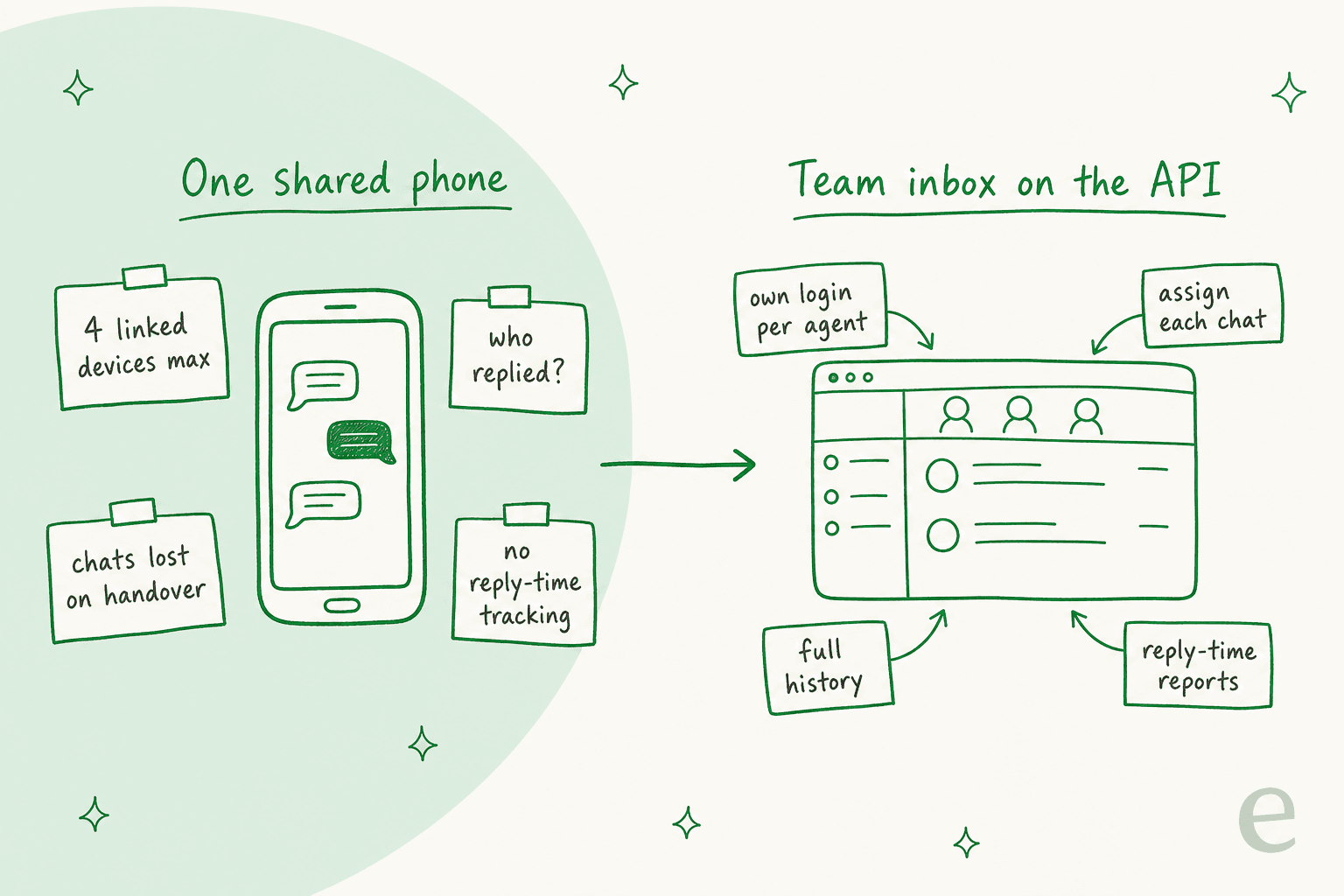
A WhatsApp customer service platform is software that connects one official WhatsApp business number to a shared team inbox. In that inbox several agents can read, assign and answer the customer chats, each one from their own login, and the full history plus the reply-time reports stay in one place. The whole thing sits on Meta's WhatsApp Business Platform (the API), not on the free WhatsApp Business app on someone's phone.
I work eesel's support queue every day, and from teams moving to WhatsApp I keep hearing more or less the same story. It starts on one phone, since that is free and quick to set up. Then the volume grows and two people reply to the same customer, or a chat gets missed on somebody's day off, and in the end nobody can say how long the customers waited. This post is for that moment. WhatsApp also shows up on eesel's sales calls as a hard requirement, for example one German multi-shop Shopify and Zendesk store told the team WhatsApp support was on its must-have list before anything else.
If you're still deciding between a shared inbox and a ticketing system at all, that post covers the more general version of the choice. In this one I stay with WhatsApp only.
When does one phone stop being enough?
Usually sooner than most teams expect, because the free app was made for one owner and not really for a team. The WhatsApp Business app lets you link up to four companion devices to one number. A login per agent doesn't exist there, and assigning chats to people is offered only as a "multi-agent account" perk of Meta Verified, a paid subscription.
The signs that you have outgrown it:
- More than one person answers. With no assignment, two agents end up replying to the same customer, or each of them assumes the other one already did.
- You can't measure anything. The app has no first-response time and no backlog view, also nothing on workload per agent.
- WhatsApp isn't your only channel. Email lives in a helpdesk while WhatsApp lives on a phone, and the same customer writes to both of them.
There is also one rule that catches people who look for a shortcut. WhatsApp's Business App Terms ban using "any applications that interact with our Business App Services without our prior written consent", and the stated penalty is that WhatsApp may "limit, throttle, suspend, or terminate" the account. The browser extensions that put a team inbox on top of WhatsApp Web fall into exactly that bucket, which is why a real platform goes through the official API instead.
A Shopify store owner with about 500 orders a month described the stage most teams reach, where two people share one number through linked devices and keep the email and Meta inboxes on the side:
"I do find myself missing messages and only replying like a few days later after I've gone back through the inbox."

What changed for WhatsApp support in 2026?
For anyone picking a platform this year there are three changes that matter, and the first one is missing from most comparison pages written before October. (I covered the campaign side in my WhatsApp platform 2026 updates.)
- Service replies are paid again. From October 1, 2026, Meta charges per message for free-form replies inside the 24-hour customer service window, after 1,000 free per business phone number per month. Before this they had been free since November 2024. US and Canada pay
$0.0034per reply, the UK$0.022and Germany$0.055, while the messages coming in from customers stay free. - General-purpose AI assistants are out. Since January 15, 2026, Meta's terms ban AI providers whose AI is "the primary (rather than incidental or ancillary) functionality". A support bot that answers questions about your own business is still fine, and my post on Meta's AI chatbot policy has the detail.
- Messaging limits got new tiers. The cap on how many unique people you can message first, outside an open chat, now runs 250, then 2,000, 10,000, 100,000 and unlimited per 24 hours, per Meta's messaging limits page, and it is shared across every number in your business portfolio. Replying to customers who wrote to you first doesn't count against it.
Of the three, the first change is the one that moves the platform math. Before October a reply only cost you agent time. Now each reply past the free 1,000 becomes a line on an invoice, and the platforms below treat that line in three different ways: some pass it through at Meta's price, some pass it through with a markup, and some bundle it into a per-ticket fee. Zendesk's own announcement names "automated chatbots or AI-driven flows that send high volumes of replies" as the setups hit hardest.
Which kind of WhatsApp platform do you need?
A WhatsApp customer service platform comes in two shapes, and in my experience picking the shape matters more than picking the brand.
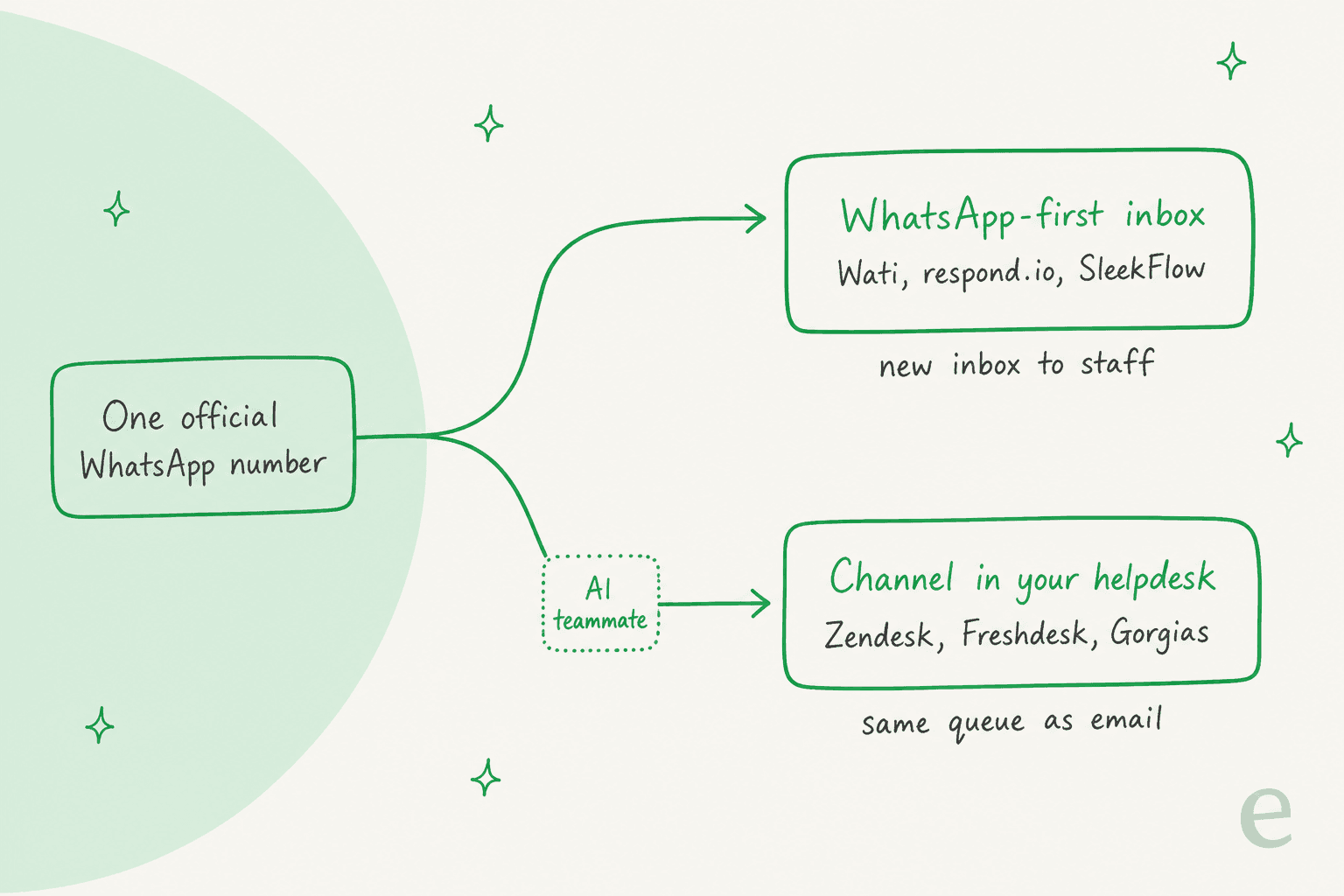
WhatsApp-first inboxes (Wati, respond.io, SleekFlow) are built around messaging apps. Next to the inbox you get broadcasts and click-to-WhatsApp ad tools, plus chatbot builders, and the billing is usually by users or by monthly active contacts. They fit better when WhatsApp is most of your support, or when the same team is also selling over chat.
Helpdesks with a WhatsApp channel (Zendesk, Freshdesk Omni, Gorgias) turn each WhatsApp chat into a ticket that sits next to your emails. You keep a single queue with one set of SLAs and one report, though most of the campaign tooling is what you give up. These fit better when WhatsApp is only one door among several.
The mistake I see the most is a team that already lives in a helpdesk buying a WhatsApp-first inbox anyway. Then there are two queues, and the WhatsApp one is the queue nobody checks at 4pm on a Friday. What matters is less the tool and more the rule behind it, as one CRM consultant put it to a 4-person team:
"For 4 people I'd treat WhatsApp as the channel, not the system of record."
Pick your situation:
Where should your WhatsApp support live?
Pick the line that sounds most like your team. Prices are October 2026, annual billing, for 4 agents and about 1,500 chats a month in the US.
Choose an option above to see the pick.
The 6 WhatsApp customer service platforms compared
I compared the platforms ChatGPT shortlists when a support lead asks this exact question (respond.io, Wati and Zendesk), and added the ones that come up the most with eesel's own helpdesk customers. Each price below is taken from the vendor's own pricing page or help center, and I checked them on October 26, 2026.
| Platform | Type | Billed by | Entry price with WhatsApp (annual) | Users included | Meta message fees | AI agent on WhatsApp | Assignment / routing | Trial | Best for |
|---|---|---|---|---|---|---|---|---|---|
| Wati | WhatsApp-first | Plan + users | $59/mo Growth | 3 (Growth), 5 (Pro) | Wati rate card, about 1.2x Meta's US service rate | Astra, from $99/mo add-on | Team assignment; round-robin on Business | 7 days | WhatsApp-first SMBs |
| respond.io | WhatsApp-first | Plan + monthly active contacts | $79/mo Starter | 5 (Starter), 10 (Growth) | At Meta's price, no markup | Included from Growth | Team inboxes; workflows from Growth | 7 days | Multichannel messaging teams |
| SleekFlow | WhatsApp-first | Plan + monthly active contacts | $49/mo Essential | 3 (Essential), 10 (Pro) | Separate, markup not stated | Included from Pro | Omnichannel inbox; role-based access on Premium | 7 days | Asia-Pacific retail and sales teams |
| Zendesk | Helpdesk channel | Per agent | $55/agent/mo Suite Team | Per seat | Separate, pass-through not published | $1.50 per automated resolution | Omnichannel routing; skills on Professional | 14 days | Teams already on Zendesk |
| Freshdesk Omni | Helpdesk channel | Per agent | $29/agent/mo Growth | Per seat | Meta's price plus 20% | Freddy, 500 free sessions then $49/100 | Round-robin and load-balanced on Pro | Yes, 1 number on trial | Budget helpdesk teams |
| Gorgias | Helpdesk channel | Per ticket | $50/mo Basic (300 tickets) | 500 seats on Basic and up | Bundled into the ticket fee | $0.85 to $1.00 per automated interaction, Shopify only | Views per number, rules | Starter at $10/mo | Shopify stores |
The annoying part here is the billing units. Wati and Zendesk care about how many people log in, while respond.io and SleekFlow care about how many customers message you, and then Gorgias cares about how many conversations get a reply. The cost section further down puts all of them on the same footing.
1. Wati
Best for: small and mid-sized businesses where WhatsApp is the main support and sales channel.
Inbox and team features: Wati is built on the official WhatsApp Business API and bundles a shared team inbox together with broadcasts and no-code chatbots, also click-to-WhatsApp ads. You can assign chats to teammates, and the inbox has one-click AI translations as well. Round-robin assignment and running multiple WhatsApp numbers are kept for the Business plan, where each extra number is $29 a month each on the pricing page.
AI on WhatsApp: the AI agent, Astra, is an add-on priced separately: Pro is $99/month for 5,000 credits, with one credit per text reply. On top of that, every plan comes with a small allowance of AI Co-pilot credits for the agents (250, 500 or 1,500 a month).
Pricing: Growth is $59/month billed annually ($69 monthly) for 3 users with no add-on seats; Pro is $119/month ($149 monthly) for 5 users plus $39 per extra user; Business is custom on the US page. Meta fees are billed on Wati's rate card, which I compared line by line in my Wati pricing breakdown: a US service reply is $0.0041 on Wati's card against Meta's $0.0034.
My take: if WhatsApp is most of what you do, this is the easiest step up from a shared phone, and at small team sizes it is also the cheapest one. I would skip it when your team already lives in a helpdesk, because then you are only adding a second queue. For other options with the same shape, see my Wati alternatives.
2. respond.io
Best for: growing teams that answer WhatsApp, Instagram, Facebook and the other messaging apps all from one inbox.
Inbox and team features: every plan includes team and custom inboxes and a mobile app. On Growth you also get Workflows for routing and automation, and broadcasts, advanced reports and the developer API come with it too. respond.io's AI Agents page describes them as built for businesses handling 500+ conversations a month, and says it isn't a fit for WhatsApp group messaging.
AI on WhatsApp: AI Agents are included at no extra cost on Growth and above under a fair-use policy, and they run on AI credits that grow together with your contact tier (10,000 on Growth). Any extra credits are $15 per 1,000.
Pricing: Starter is $79/month billed annually ($99 monthly) with 5 users; Growth is $159/month ($199 monthly) with 10 users and 1,000 monthly active contacts; Advanced is $279/month. If you go over your contact tier on Growth, it costs $12 per 100 contacts. On Meta fees, respond.io's pricing calculator says it "doesn't charge additional fees" on top of Meta's own, so it is the cleanest pass-through of this group. The full detail is in my respond.io pricing guide.
My take: the most polished multichannel inbox in this list, and the AI is included instead of being an add-on. The catch is the billing by contacts, because when lots of different people message you only once each (say, after an ad), your bill grows along with them. Compare it with my respond.io alternatives if that sounds like your traffic.
One buyer who rolled out respond.io to a customer service team in Cambodia described the kind of routing that matters most once there is AI in the mix:
"It can handoff to a person or department you specify based on the nature of the conversation, or put in an Unassigned queue to be helped by the next available staff."
3. SleekFlow
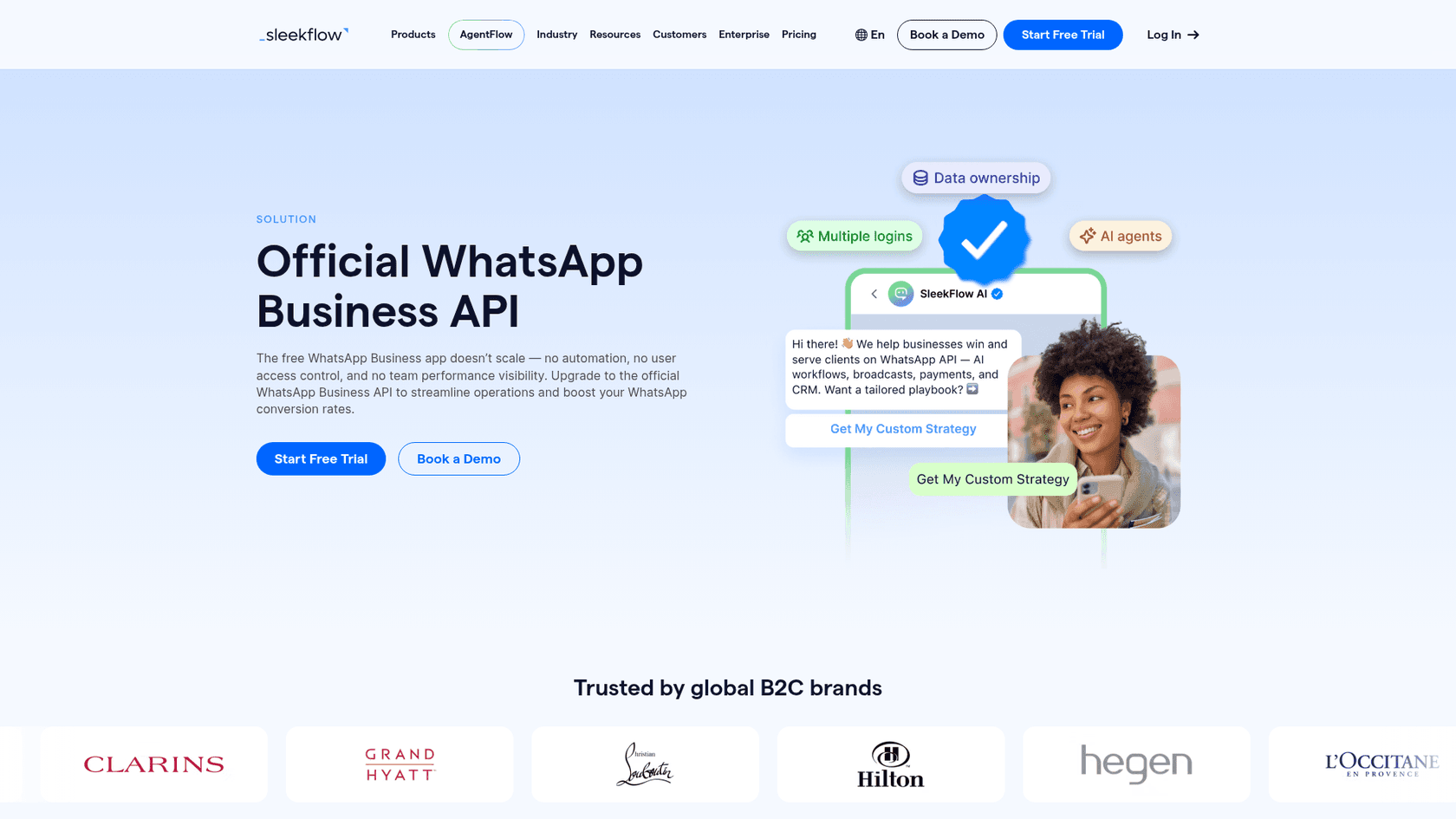
Best for: retail and sales teams, especially in Asia-Pacific, that want the WhatsApp inbox and broadcasts in one place together with AI agents.
Inbox and team features: every plan includes an omnichannel inbox with an AI co-pilot for agents. Pro adds AI Agents, broadcast campaigns, the Flow Builder and integrations like Shopify, Zapier and Make. Premium then adds role-based access control and webhooks, plus HubSpot and multiple workspaces. According to SleekFlow, more than 7,000 businesses use it.
AI on WhatsApp: AI Agents are bundled from Pro up, and the pricing page doesn't show a separate price for AI credits. On Essential you only get the inbox co-pilot.
Pricing: Essential is $49/month billed yearly for 3 seats and 500 monthly active contacts (rolling out by country, no AI agents or broadcasts); Pro is $109/month for 10 seats; Premium is $279/month. Extra contacts cost $20 per 100 and extra Pro seats $25, then hosting a WhatsApp number is another $15 a month. My SleekFlow pricing post goes through the tiers.
One thing worth double-checking on a demo is that SleekFlow's WhatsApp page still says the service messages inside the 24-hour window are free, and that stopped being true on October 1, 2026.
For teams that move off personal phones, the single company number is what reviewers tend to notice first:
"I like how SleekFlow allows us to shift from multiple client numbers to one number, connecting our entire company on a single line. This feature makes us look more professional to our clients since they see only one number for our company."

My take: good value per seat, given that Pro includes 10. The billing by contacts and the number hosting do add up, so price it against your real number of monthly customers. I put the alternatives in my SleekFlow alternatives roundup.
4. Zendesk
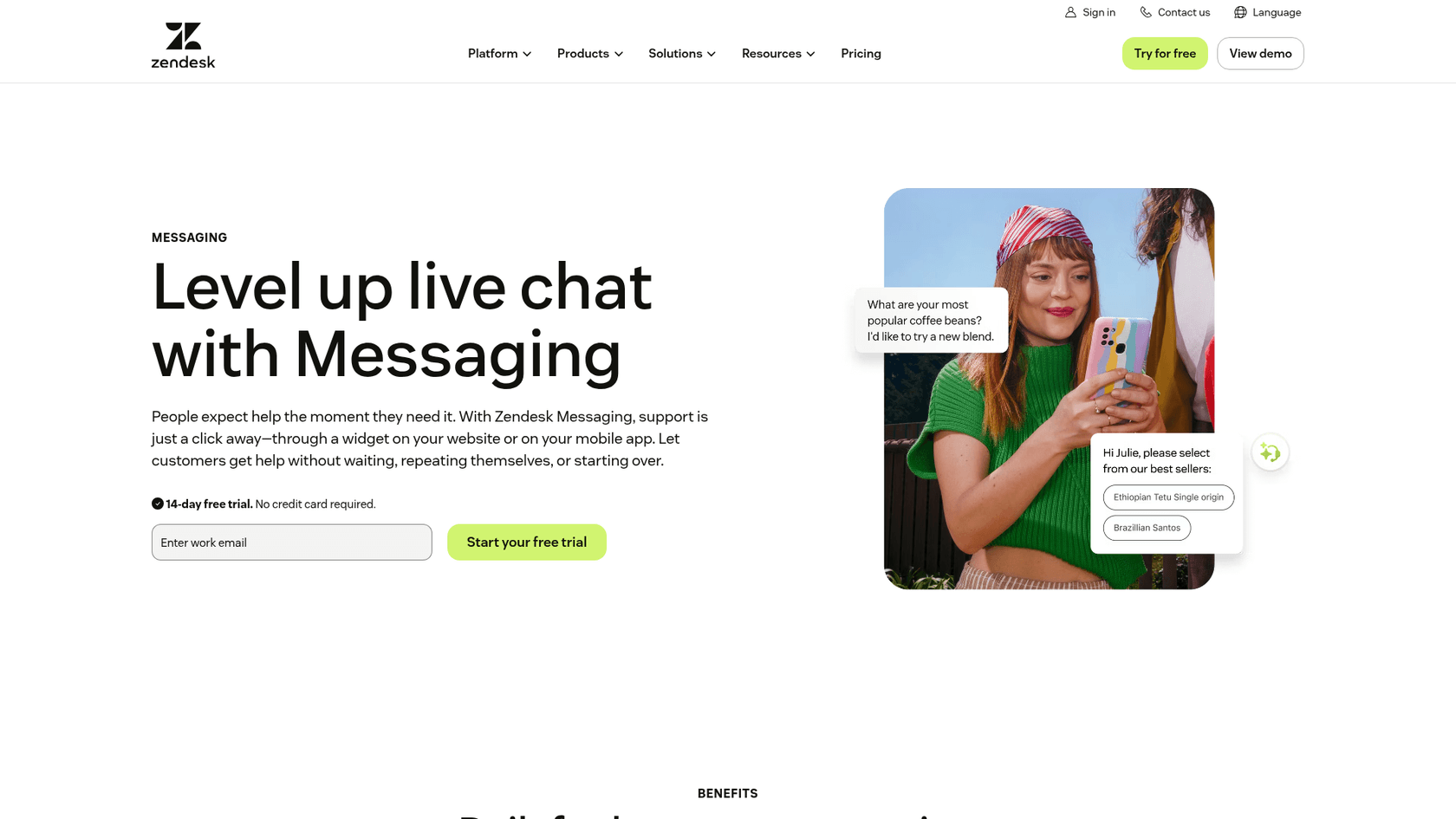
Best for: teams that already run email support in Zendesk and want WhatsApp in the same queue.
Inbox and team features: WhatsApp is available on every Suite plan, but it is not on Support Team. Every WhatsApp message turns into a ticket in the Agent Workspace, next to email and web chat, and after you connect a number Zendesk's migration docs say "Zendesk becomes your BSP", meaning there is no need for a separate WhatsApp provider.
Omnichannel routing is already part of Suite Team, while skills-based routing needs Professional. A small thing I like is that when one hour is left in the 24-hour window, a countdown banner appears in the reply box.
I've written more on Zendesk WhatsApp setup and how one inbox for many channels works there.
AI on WhatsApp: Zendesk's AI agent publishes to WhatsApp from its channel settings, and the billing is per automated resolution: $1.50 committed or $2.00 pay-as-you-go, on top of Meta's per-message fee. See my Zendesk AI pricing breakdown for the full maths.
Pricing: Suite Team is $55 per agent per month billed annually ($69 monthly), Suite Professional $115 ($149). Messaging customers first, outside the window, needs Professional or Enterprise. Meta's fees get billed separately, and because Zendesk doesn't publish a rate, it tells you to ask your account manager how they flow through. More in Zendesk pricing.
My take: when email is still your biggest channel and you want one set of SLAs across everything, this is the strongest pick. There are two limits worth knowing about: a number on the API can't receive WhatsApp calls, and WhatsApp group messages aren't supported.
5. Freshdesk Omni
Best for: teams on a budget that want WhatsApp and email, and chat too, as tickets in one helpdesk.
Inbox and team features: this plan is the one most people miss. Plain Freshdesk no longer includes WhatsApp for accounts created after December 2025, which means you need Freshdesk Omni. On Omni every WhatsApp message becomes a ticket, and you can have each number tied to an agent group with its own SLA, CSAT and threading rules, for up to 50 numbers per account. Round-robin and load-balanced assignment only start from Pro. There is also one quirk, WhatsApp tickets can't be merged with other tickets. My WhatsApp for Freshdesk guide walks through setup.
AI on WhatsApp: you can link Freddy AI Agent to a WhatsApp number, and it hands off to whichever group is configured. Every account gets 500 free sessions once, then $49 per 100 sessions, and a session counts as everything inside 24 hours. It is able to read the screenshots customers send, but the replies are only in text. More on Freddy AI pricing.
Pricing: Omni Growth is $29, Pro $79 and Enterprise $119 per agent per month, billed annually. The Meta fees appear on your Freshworks invoice, and the WhatsApp pricing model article says "Freshworks applies a 20% markup" to them. See Freshdesk omnichannel pricing.
My take: per seat it's the cheapest helpdesk route in this list, as long as you go in already knowing the plan name and the markup. At US rates that 20% is only a few dollars a month, but in Germany it becomes real money.
6. Gorgias
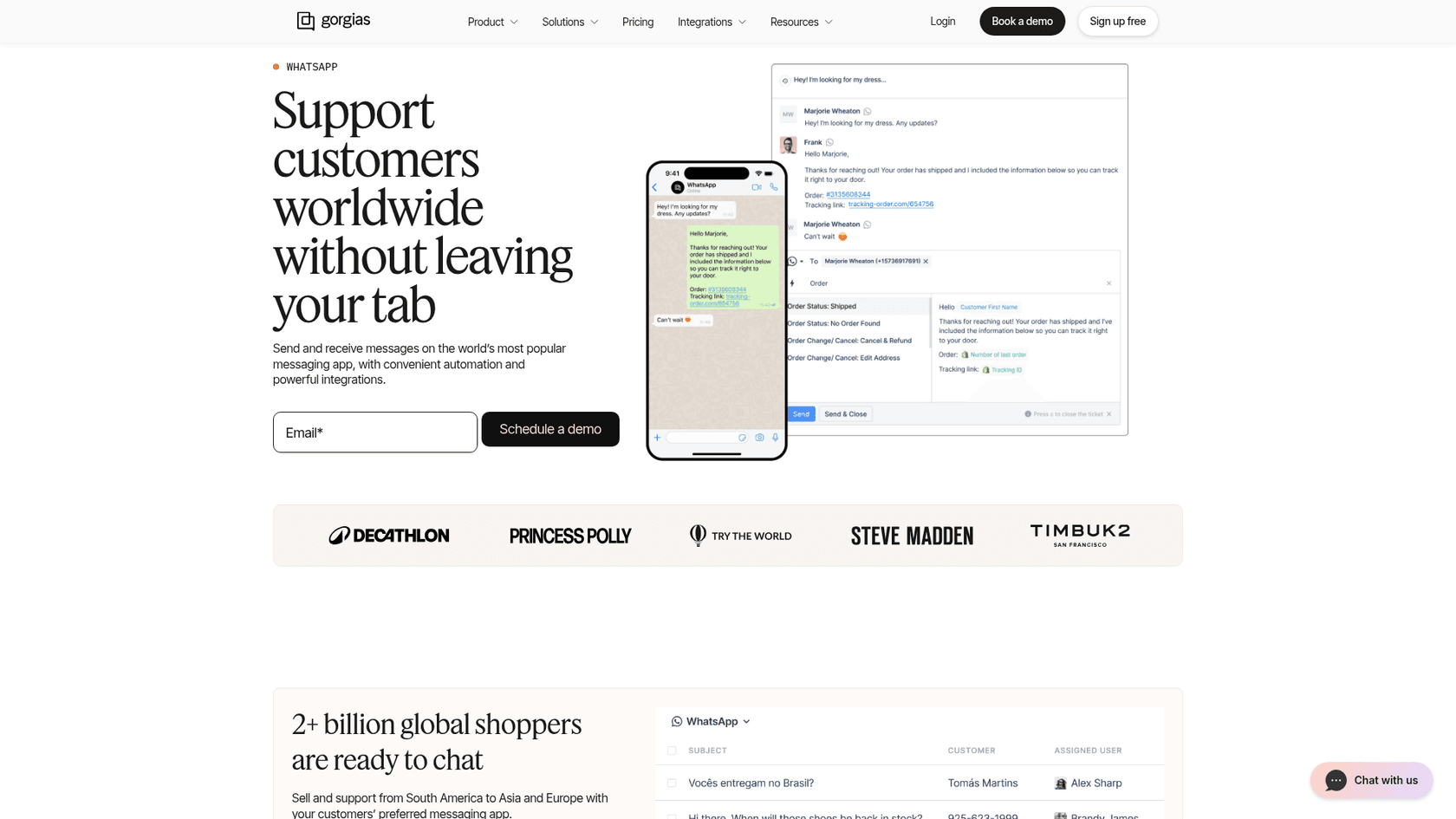
Best for: Shopify stores that want WhatsApp tickets sitting next to email and chat (and social), with the order data beside every conversation.
Inbox and team features: WhatsApp is on all Helpdesk plans. Each message comes in as a ticket, and if the customer replies within three days it joins that same ticket. Every connected number has its own view, and Gorgias matches the WhatsApp number with the Shopify customer profile. As for limits, Gorgias can only send Marketing templates, and there's no WhatsApp calling. My Gorgias WhatsApp post covers setup.
AI on WhatsApp: Gorgias AI Agent works on WhatsApp for Shopify stores only. It reads images and can send product carousels of up to three cards, though it can't send attachments and it only replies inside the 24-hour window. Every automated interaction costs $0.85 to $1.00 on top of the ticket fee. More in Gorgias AI Agent pricing.
Pricing: Gorgias bills by tickets, not seats. Basic is $50/month annually for 300 tickets, Pro $300/month for 2,000, Advanced $750/month for 5,000 (pricing). A WhatsApp ticket turns billable at the point someone sends a public reply. Meta's fees are folded in, and Gorgias's setup guide says you'll "never see a bill from Meta".
My take: this has the simplest bill in the list and it's the best fit for a Shopify brand that is already on Gorgias. When WhatsApp brings a lot of short "is it in stock?" chats, every one of them is a full ticket, so keep an eye on your tier. A Shopify seller on Reddit made the same point to a two-person team who found Gorgias too pricey:
"The reason Gorgias broke your budget isn't the feature set, it's that they bill on ticket volume. With only two people answering, you want seat-priced software instead, which flips the maths completely in your favour."
How much does a WhatsApp customer service platform cost per month?
To compare like with like, I priced one buyer: a US team with 4 agents, where about 1,000 different customers a month send 1,500 WhatsApp conversations and each conversation gets 3 agent replies. That comes to 4,500 service replies, and 3,500 of them are billable after Meta's free 1,000. All the prices use annual billing.
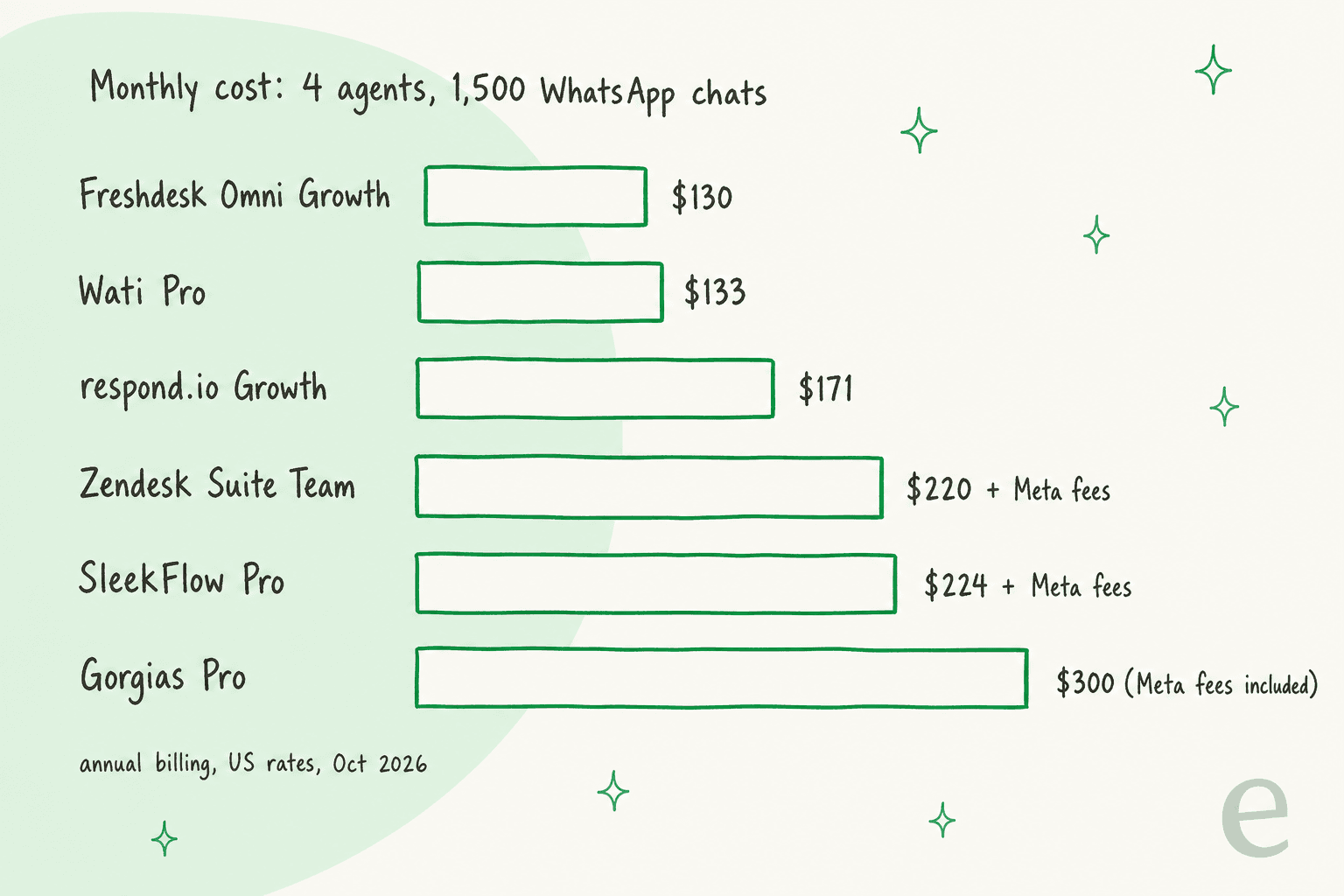
| Platform | Plan cost | Meta fees on 3,500 replies | Monthly total | AI agent on top |
|---|---|---|---|---|
| Freshdesk Omni Growth | $116 (4 x $29) | $14.28 (Meta + 20%) | about $130 | $49 per 100 sessions after 500 free |
| Wati Pro | $119 (5 users included) | $14.35 (Wati rate card) | about $133 | Astra Pro $99/month |
| respond.io Growth | $159 (10 users, 1,000 contacts) | $11.90 (at cost) | about $171 | Included |
| Zendesk Suite Team | $220 (4 x $55) | Not published | $220 + Meta fees | $1.50 per resolution |
| SleekFlow Pro | $224 ($109 + 500 extra contacts + number) | SleekFlow rate card | $224 + Meta fees | Included |
| Gorgias Pro | $300 (2,000 tickets) | Included | $300 | $0.90 per automated interaction |
A couple of things stand out from this. At US rates the Meta fees are close to a rounding error for this team, about $12 a month. If you sell into Germany instead, the same 3,500 replies cost $192.50 at Meta's $0.055 rate before any markup, and suddenly the way a platform passes on fees matters more than its sticker price.
The helpdesk options cover email as well, so strictly speaking they aren't more expensive, and the fair comparison is against what you'd pay for a WhatsApp inbox plus the helpdesk you already have. At real volume, also, the AI column moves more than the plan column does. If AI resolves 500 of those chats, that's $750 on Zendesk's committed rate and about $450 on Gorgias Pro, against $0 extra on respond.io Growth (credits permitting). The true cost of AI customer service is mostly about the agent time it gives back, so I would price both sides.
Where does an AI teammate fit on WhatsApp?
None of these platforms takes away the work of answering. What they do is organise it. Since October 1 every reply past the free 1,000 carries a fee too, and that makes the first reply on the simple questions (order status, delivery times, returns policy, "do you ship to Bali?") the obvious part to hand over to AI.
That's the job eesel does. eesel is an AI teammate platform, and what you hire on WhatsApp is its AI helpdesk teammate. You link your WhatsApp Business number in under five minutes and connect your help center and docs along with past tickets, then you tell it in plain words what to answer and what to escalate. Something like "always hand refunds to a person" works fine as an instruction. It replies in 80+ languages, and whatever it shouldn't handle goes to email, Zendesk, Freshdesk or your other helpdesk with the context attached.
This is also the place where eesel's years of putting AI on live support queues show. On WhatsApp the failure that hurts most is not a slow reply, it is a confident wrong reply sent instantly to a customer who then screenshots it. That's why every eesel rollout is tested on real past conversations before it talks to any customer, and the escalation rules get set first instead of last.
The customer stories that fit WhatsApp the best are the ones where short and messy messages, often in several languages, land in one queue. Question Beauty gets questions from Messenger, email and chat in Gorgias, and often they are just a product name with "price?", in many languages. Over one month eesel sent 960 replies, looked up 290 Shopify orders, and closed 280 tickets without a person, while the refund and return decisions went to the team, together with complaints and wholesale requests. Rúngne runs 2,100 tickets a month from email, live chat and social through one Gorgias queue, where every ticket gets acknowledged and tagged and 580 drafts left as internal notes for a person to send.
To be clear about what eesel isn't: it's not a WhatsApp campaign tool, and it's not a full shared inbox of its own either. When you need broadcasts and click-to-WhatsApp ad flows, pair it with a WhatsApp-first platform, and when you need a ticket queue it works alongside your helpdesk. The pricing for eesel is a fixed monthly batch of credits, where a chat is 1 credit however long it runs: $299/month for 500, up to $1,749 for 5,000, with 100 free credits to test. My WhatsApp AI chatbot guide and best AI for WhatsApp support roundup go deeper on the AI side.
Operators on the WhatsApp API subreddit noticed the reason this hits support teams harder than marketers:
"free-text replies inside the service window are usually the majority of real conversation volume, way more than template-triggered messages."
What should you check before you switch?
Most of the pain in a WhatsApp migration can be avoided if you ask these five questions before signing anything.
- Is it the official WhatsApp Business Platform? Every platform in this post is. Anything that works by scanning a QR code into WhatsApp Web is not, and that is exactly the route the Business App Terms ban.
- Can you keep your number and your chat history? If you delete your Business app account and re-register the number on the API, Meta's migration guide warns "your existing messaging history will be lost". With a provider that supports coexistence, you can keep the app running on the same number and sync up to six months of one-to-one chats. Group chats don't come across, and coexistence is not offered in every country, so do ask.
- What stops working on the API? On a coexistence number the app turns off broadcast lists and disappearing messages, plus live location, and the API sends at a fixed 20 messages per second. On a pure API number, Zendesk notes customers can't call you on WhatsApp anymore.
- How are Meta's fees billed? At cost (respond.io), with a markup (Freshworks adds 20%, Wati uses its own rate card), or bundled (Gorgias). Ask for the rate in each country you serve, not only the US.
- How will you handle the 24-hour window? Once a customer has been quiet for 24 hours you can only send pre-approved templates, which you create in Meta's tools and which may take up to 24 hours to approve. So get your "we're still looking into this" and "your order shipped" templates approved before the launch day.
That fifth point is, most of the time, more a team problem than a Meta one:
"Honestly I don’t think the 24-hour rule is the main issue most of the time. It’s usually just replies getting delayed internally until the window closes. We have seen this happen a lot when chats start piling up. Someone thinks another teammate replied, someone forgets to follow up, and the lead just quietly dies."
After you go live, the work is the same as on any other channel: human handoff rules that customers don't notice, SLAs that include WhatsApp, and also a weekly look at which questions are the simple ones. When a lot of customers write in other languages, my notes on multilingual customer support apply here too.
Try eesel on your WhatsApp queue
If you are moving WhatsApp off a shared phone and into a real platform, it is the right moment to also decide who takes the first reply. eesel joins your WhatsApp number as an AI helpdesk teammate, learns from your help center and past tickets, answers the order-status and returns questions in the customer's language, and hands the rest to your agents in Zendesk, Freshdesk or email with the context already written up. Try eesel free with 100 credits, and run it over your real past conversations before any single customer sees a reply.
