


There's no single best WhatsApp Business API provider, because every provider sends your messages through the same Meta Cloud API. What you're really choosing is the software on top and how Meta's fees reach your invoice. For a support team, that comes down to three routes: a helpdesk channel like Zendesk if you already work tickets, a WhatsApp-first inbox like respond.io or Wati if WhatsApp is your main channel, or a raw API like Twilio or 360dialog if developers will build the inbox.
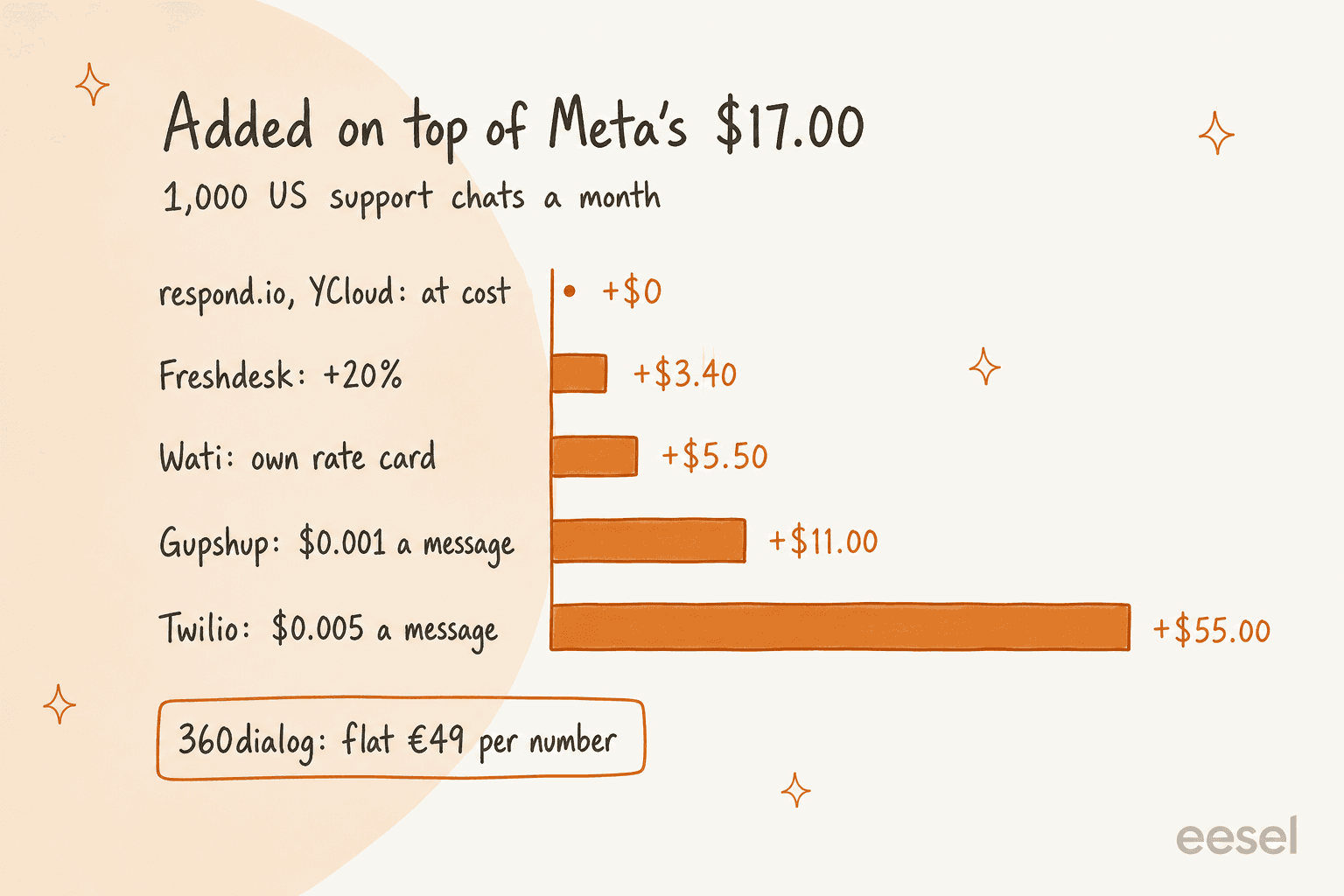
The provider layer moves the bill more than people expect. For 1,000 US support chats a month, Meta charges about $17.00. respond.io and YCloud pass that through at cost, Gupshup adds $11.00, and Twilio adds $55.00, because it charges $0.005 on every message you send and receive.
Whichever provider you pick, it only gets you the number. Someone still has to answer it. eesel is the AI teammate that answers WhatsApp from your help center and past tickets and hands the rest to your team inside the helpdesk they already use, billed per conversation instead of per reply.
What is a WhatsApp Business API provider?
A WhatsApp Business API provider is a company Meta approves to connect businesses to the WhatsApp Business Platform. Meta now calls them Solution Partners (the industry still says BSP, for Business Solution Provider) or Tech Providers. The difference between those two is about billing: a Solution Partner has a credit line with Meta and can invoice you for message fees, while a Tech Provider has none, so you add your own card and Meta bills you directly.
I build integrations for eesel, and the first thing I learned connecting support tools to WhatsApp is that the provider is mostly plumbing. They all end in the same Cloud API, with the same 24-hour customer service window, the same template rules and the same per-message rate card. One German multi-shop Shopify and Zendesk store we worked with, with 8,443 docs connected, put WhatsApp next to German chat localization on its list of must-haves. Their question was never "which BSP?" It was "how do WhatsApp chats get into Zendesk, and who answers them?"
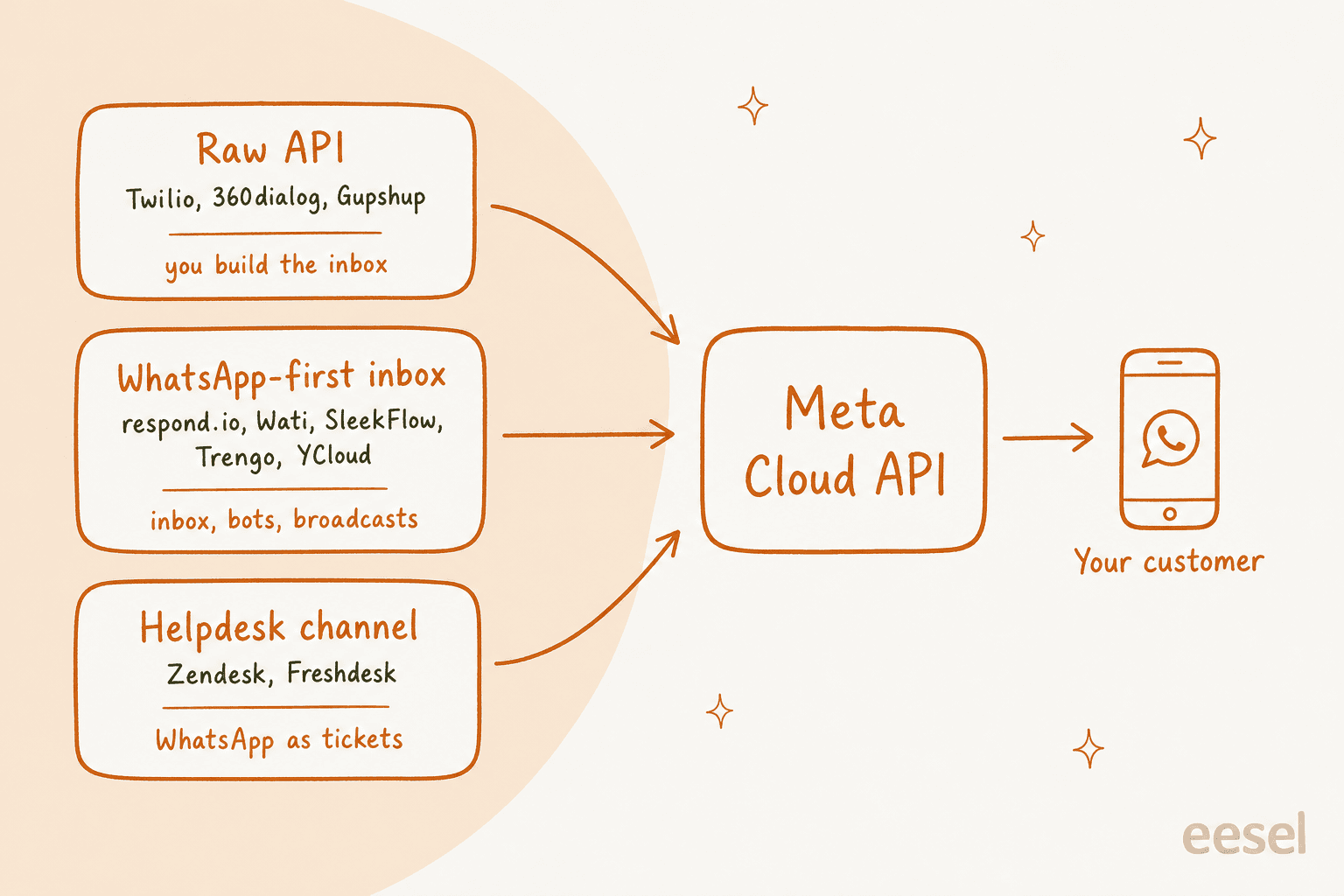
That's the reframe I'd keep in mind for the rest of this post. You aren't picking a better connection to WhatsApp. You're picking an inbox, a bot, a billing model and a migration path.
How do WhatsApp API providers differ?
They differ in what they put on top of the API. I sort them into three kinds, and most buying mistakes come from picking the wrong kind rather than the wrong vendor:
| Kind | Examples | What your agents get | Who it fits |
|---|---|---|---|
| Helpdesk channel | Zendesk, Freshdesk | WhatsApp chats arrive as tickets next to email | Teams that already run a helpdesk |
| WhatsApp-first inbox | respond.io, Wati, SleekFlow, Trengo, YCloud | A shared inbox, bots, broadcasts | Teams where WhatsApp is the main channel |
| Raw API | Twilio, 360dialog, Gupshup | An API and webhooks, no agent screen by default | Teams with developers or their own app |
The raw API route catches people out. When you wire a number into the Cloud API, the app inbox goes quiet, because your webhook now owns the messages. One operator who has run numbers both ways put it plainly:
"meta business suite inbox stops receiving messages the moment you wire the number into cloud api, it's either/or not both because the webhook takes over routing."

The same commenter's other point is worth hearing too: for many teams the real constraint isn't the provider at all. It's "the 24 hour customer service window plus template approval cycles" (Reddit). Every provider is bound by those, so no vendor can sell you a way around them.
If you're still weighing a helpdesk against a dedicated inbox, my shared inbox vs ticketing system breakdown goes deeper on that split.
How much does a WhatsApp API provider really cost?
The real cost is two layers: Meta's per-message fee plus whatever the provider charges. Meta's layer is the same everywhere. The provider layer is where the spread is.
On Meta's October 1, 2026 rate card, a US support reply costs $0.0034 and a US utility template (an order update, say) also costs $0.0034. The big change this year is that support replies are billable again: each number gets 1,000 free service messages a month, and Meta charges from the 1,001st. I cover the timeline in my post on the latest pricing changes.
To compare providers fairly I priced one buyer: a US team handling 1,000 support chats a month, five replies per chat, five customer messages per chat, and 1,000 order-update templates. That's 5,000 support replies (4,000 billed after the free tier) plus 1,000 utility messages, so Meta's own fee is 4,000 x $0.0034 + 1,000 x $0.0034 = $17.00.
Here's where each number comes from, checked on each vendor's page on October 27, 2026:
- At cost. respond.io says it "doesn't charge additional fees" on top of Meta's, and YCloud's pricing page promises "Zero Mark-up Charges on WhatsApp Messages".
- A small percentage. Freshworks adds a 20% markup to Meta's fee, so
$17.00becomes$20.40. - Its own rate card. Wati's October 2026 rate card lists a US service message at
$0.0041and a utility message at$0.0061, which comes to$22.50, assuming Meta's free 1,000 carries through. - A per-message fee. Gupshup's self-serve pricing adds
$0.001per message, and Twilio's WhatsApp pricing adds$0.005per message, "inbound or outbound". This buyer sends6,000and receives5,000, so that's$11.00on Gupshup and$55.00on Twilio. - Per number. 360dialog charges a flat €49 per number per month on its Regular plan, plus Meta's fees.
On US support traffic, Twilio's fee is bigger than Meta's: $55.00 on top of a $17.00 Meta bill. That flips in pricier markets, where a percentage markup on a large Meta bill can cost more than a flat per-message fee. The advice I'd repeat from the community is to be wary of anyone who won't show you Meta's rate separately:
"only use providers who allow you to directly connect to the cloud API and pay your own bills directly to Meta."
WhatsApp Business API providers compared
Every price below is the vendor's own number on October 27, 2026. The last column prices the same buyer as above, assuming five agents and about 1,000 customers a month, so you can compare one number across tools that bill per seat, per contact, per conversation and per message.
| Provider | Kind | Plans from | Agents included | Meta's fees | AI agent | Free plan or trial | One-buyer monthly cost |
|---|---|---|---|---|---|---|---|
| respond.io | WhatsApp-first inbox | $79/mo yearly | 5 on Starter | At cost | Growth and up | 7-day trial | $96.00 (Starter), $176.00 (Growth) |
| Zendesk | Helpdesk channel | $55/agent/mo yearly | Per seat | Separate, rate not published | Per automated resolution | 14-day trial | $275 + Meta's fees |
| Wati | WhatsApp-first inbox | $59/mo yearly | 3 on Growth, 5 on Pro | Own rate card | Pro and up | 7-day trial | $141.50 (Pro) |
| SleekFlow | WhatsApp-first inbox | $49/mo yearly | 3 on Essential, 10 on Pro | Own rate card + $15 number fee | Pro and up | Free trial | $224 + SleekFlow's message rates |
| Trengo | Omnichannel inbox | €299/mo yearly | 10 on Boost, 20 on Pro | Meta's charge per message | HelpMate | Demo first | €499 (Pro) + Meta's fees |
| YCloud | WhatsApp-first inbox | $0 | 1 free, 6 on Pro | At cost (wallet) | Generative AI credits | Free forever plan | $106.00 (Pro) |
| 360dialog | Raw API | €49/number/mo | No inbox on Regular | Plus Meta's fees | Messaging MCP on Premium | No | €49 + $17.00 |
| Twilio | Raw API | No plan fee | No inbox | Plus $0.005 per message | Build your own | Free to start | $72.00 |
| Gupshup | Raw API | No plan fee (self-serve) | No inbox listed | Plus $0.001 per message | Superagent (early access) | Self-serve | $28.00 |
Two things the table hides. The cheapest rows are raw APIs, and they don't include anything your agents can log into, so the real comparison for Twilio is $72.00 plus whatever inbox you build or buy (Twilio's own is Twilio Flex). And the helpdesk row looks expensive because you're paying for seats you'd likely buy anyway for email.
Not sure which kind you are? Pick the line that sounds most like your team:
1. respond.io
Best for: support teams that answer WhatsApp alongside Instagram, Messenger and email, and want Meta's fees passed through untouched.
respond.io is an omnichannel inbox with WhatsApp at its centre. Agents work from team and custom inboxes, and Growth adds workflows, broadcasts, a developer API and AI agents. The thing I like most for support is the billing: it charges for the platform and leaves Meta's message fees at Meta's price, so your WhatsApp line items match the rate card.
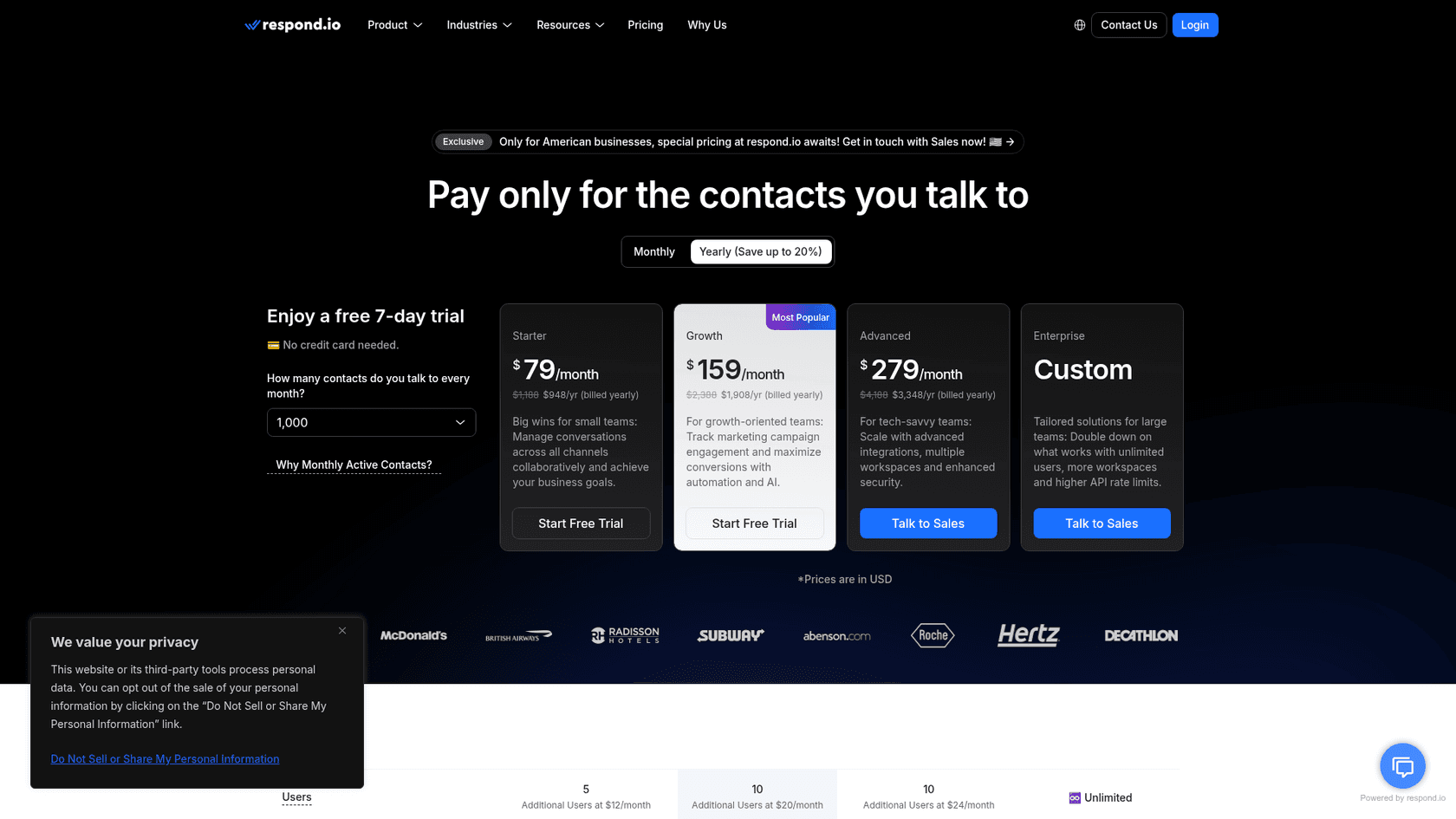
Pricing: On the pricing page, Starter is $79/month billed yearly with 5 users, Growth is $159/month with 10 users, and Advanced is $279/month with 10 users, plus extra users at $12, $20 and $24 a month. Prices scale with monthly active contacts, from a 1,000-contact tier. AI usage is "included at no extra cost" on Growth and up, under a fair use policy. WhatsApp fees aren't included and are billed at Meta's rate.
Pros:
- Meta's fees at cost, with no message markup
- AI agents included on Growth instead of metered per reply
- One inbox for WhatsApp and the other chat channels
Cons:
- Starter has no AI agents and no workflows, so most support teams land on Growth
- Pricing climbs with contacts, so a big customer base costs more even if few people write in
My take: If WhatsApp is one of several chat channels and you don't run a helpdesk for email, respond.io Growth is where I'd start. If your team lives in Zendesk or Freshdesk, skip it, because you'd be splitting customers across two tools. My respond.io alternatives post covers what else is in this tier.
2. Zendesk
Best for: teams that already answer email and chat in Zendesk and want WhatsApp as one more ticket channel.
Zendesk isn't a WhatsApp vendor you buy separately. When you add a number as a WhatsApp channel, Zendesk's docs say "Zendesk becomes your BSP". Chats land in the Agent Workspace as tickets, with your macros, triggers and routing, and each WhatsApp channel can be tied to a brand. You keep ownership of the WhatsApp Business Account in your own Meta Business Manager. Setup and its quirks are in my Zendesk WhatsApp guide.
Pricing: On the Zendesk pricing page, Suite Team is $55 per agent a month billed yearly and Suite Professional is $115. WhatsApp sits under social and business channels with the note "Additional fees apply". Zendesk's October announcement says "Meta's messaging fees and your Zendesk account fees are separate" and points customers to their account manager for how they flow through. It doesn't publish a markup. Zendesk's AI agents are billed per automated resolution, which I break down in Zendesk AI pricing.
Pros:
- WhatsApp becomes a ticket, so reporting and SLAs work like every other channel
- No second tool for agents to learn
- Multi-brand and multi-number support
Cons:
- Meta's fees flow through a commercial arrangement Zendesk doesn't publish
- Messaging customers first needs Suite Professional or Enterprise
- After a handoff, the Zendesk AI agent can't reply again until the ticket is closed (handoff docs), which I dig into in my Zendesk WhatsApp handoff post
My take: If you're on Zendesk already, this is the default and I wouldn't overthink it. Ask your account manager how Meta's fees appear on your invoice before October's support replies start adding up.
3. Wati
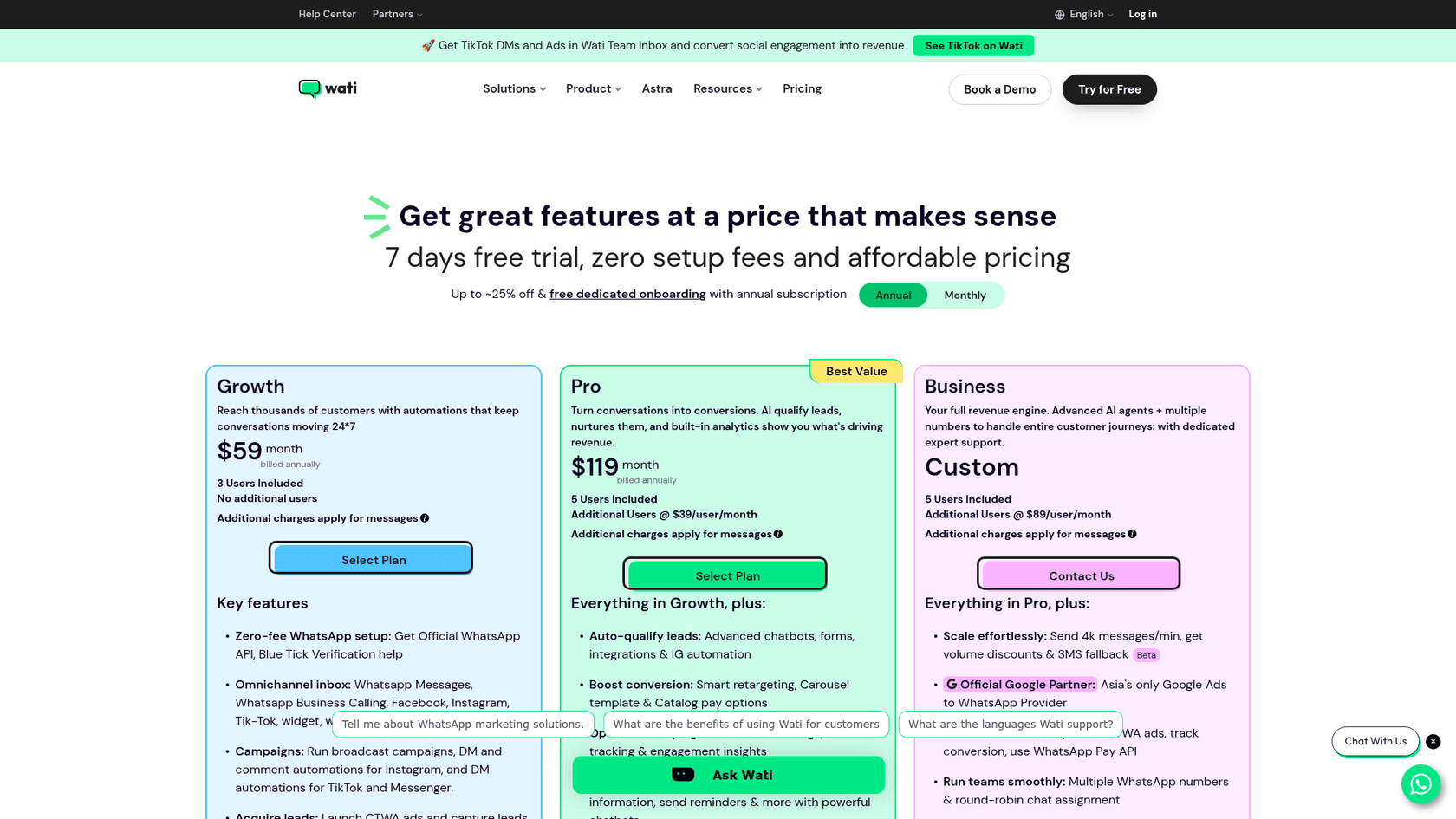
Best for: small teams where WhatsApp is the main support and sales channel and setup speed matters more than flexibility.
Wati is one of the best-known WhatsApp-first inboxes. Every plan includes the shared team inbox, campaigns, a chatbot builder and help getting the official API and verification. It also covers Instagram, Facebook and TikTok messages in the same inbox. Most of my notes on the plans are in my Wati pricing breakdown.
Pricing: On Wati's pricing page, Growth is $59/month billed yearly with 3 users and no extra seats, Pro is $119/month with 5 users and extra users at $39 each, and Business is custom with extra users at $89. Extra WhatsApp numbers are $29 a month each. Messages are charged on Wati's own rate card, which for US traffic sits above Meta's list price.
Pros:
- Fast to set up, with zero-fee API setup and verification help
- Good fit for WhatsApp-heavy teams that also run campaigns
- Clear seat counts per plan
Cons:
- Own rate card instead of Meta's price, so the message layer costs more
- Growth caps you at 3 users with no add-ons
- Its FAQ says you must delete the WhatsApp account on an existing number before onboarding it
Reviewers mostly like the product and push back on how features are tiered:
"they are constantly integrating new features, but almost all new features are only available for higher-value plans, and honestly, the cost is too high for the use we give it."

My take: Wati Pro is a sensible pick for a 3 to 5 person team that lives in WhatsApp. If you send thousands of templates a month, price your volume on its rate card first, because that's where it costs more than at-cost providers.
4. SleekFlow
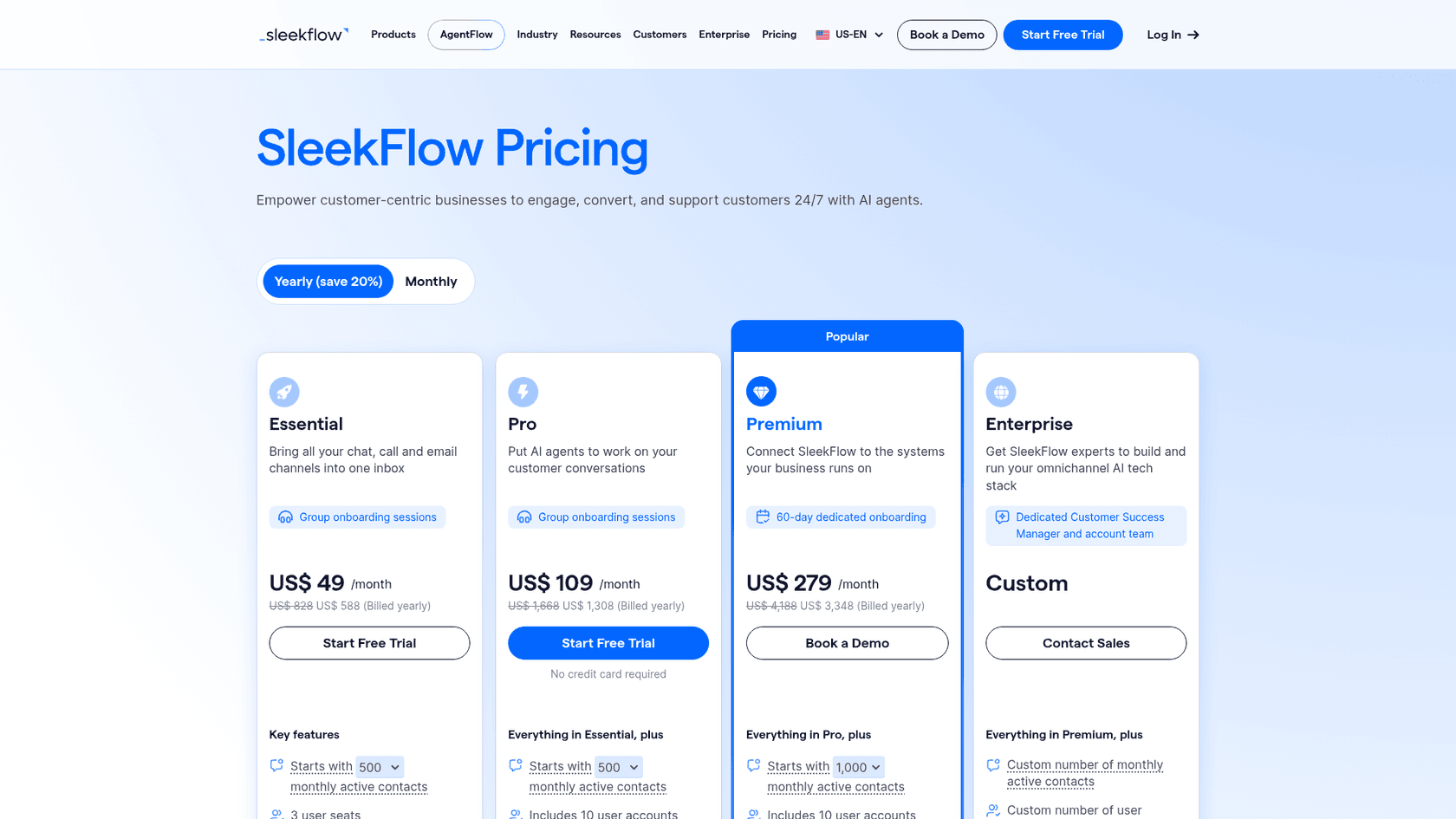
Best for: teams that want a WhatsApp-first inbox with AI agents and a lot of seats on one plan.
SleekFlow brings chat, call and email channels into one inbox, and puts AI agents on its Pro plan. It counts contacts as active only when they message you or you message them, including through WhatsApp coexistence, according to its pricing FAQ. Reviewers often mention moving a whole team onto one company number:
"I like how SleekFlow allows us to shift from multiple client numbers to one number, connecting our entire company on a single line."
Pricing: On SleekFlow's pricing page, Essential is US$49/month billed yearly with 3 seats and 500 monthly active contacts, Pro is US$109/month with 10 users and 500 contacts, and Premium is US$279/month with 1,000 contacts. Extra contacts are US$20 per 100. The WhatsApp number has a US$15 monthly hosting fee, and messages are charged on SleekFlow's own rate card. More detail is in my SleekFlow pricing post.
Pros:
- 10 users on Pro, more than most rivals at that price
- AI agents on Pro instead of an add-on
- Supports coexistence with the WhatsApp Business app
Cons:
- Contact-based pricing adds up quickly for support teams with many one-off customers
- Number hosting fee and own message rates on top of the plan
My take: Good value if you need a lot of seats and your contact count is modest. For a support team with a large customer base, the contact add-on can make it pricier than the headline suggests. My SleekFlow alternatives list has more options in this tier.
5. Trengo
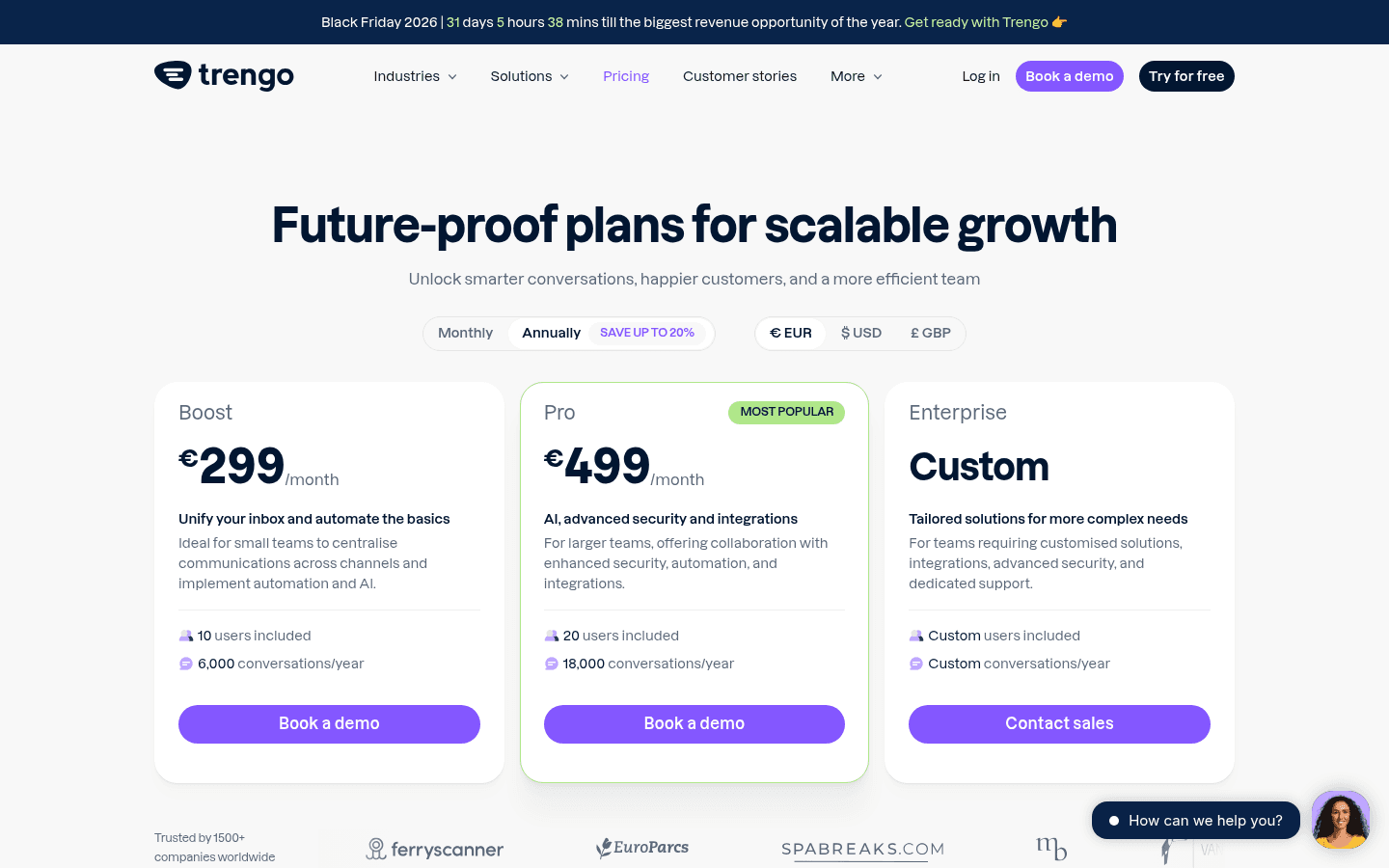
Best for: European support teams of 10 or more who want one inbox for email, WhatsApp, Instagram and Facebook, priced by conversations.
Trengo is an omnichannel inbox with the official WhatsApp Business API included, plus an AI agent called HelpMate and AI Journeys, which Trengo says are in beta. Conversations, not messages, are the billing unit: "any reply to an inbound or outbound message with a customer that occurs within a 7-day window" (Trengo pricing).
Pricing: Boost is €299/month billed yearly with 10 users and 6,000 conversations a year, or €349 monthly with 500 a month. Pro is €499/month yearly with 20 users and 18,000 conversations a year, or €599 monthly with 1,500 a month. On WhatsApp, Trengo notes the first 1,000 messages per number are free each month and "Meta applies a charge per message" beyond that. AI replies through HelpMate carry their own surcharge. More in my Trengo pricing post.
Pros:
- Conversations as the unit, which is easier to forecast than seats for big teams
- 10 to 20 users included
- Email and WhatsApp in one place
Cons:
- High entry price for a small team
- 1,000 chats a month pushes you past Boost's monthly allowance into Pro
- Demo first, no self-serve start
My take: Worth a look for mid-sized European teams replacing a shared mailbox and a WhatsApp phone at once. Smaller teams get more for less from Wati or YCloud. See my Trengo alternatives for the options.
6. YCloud
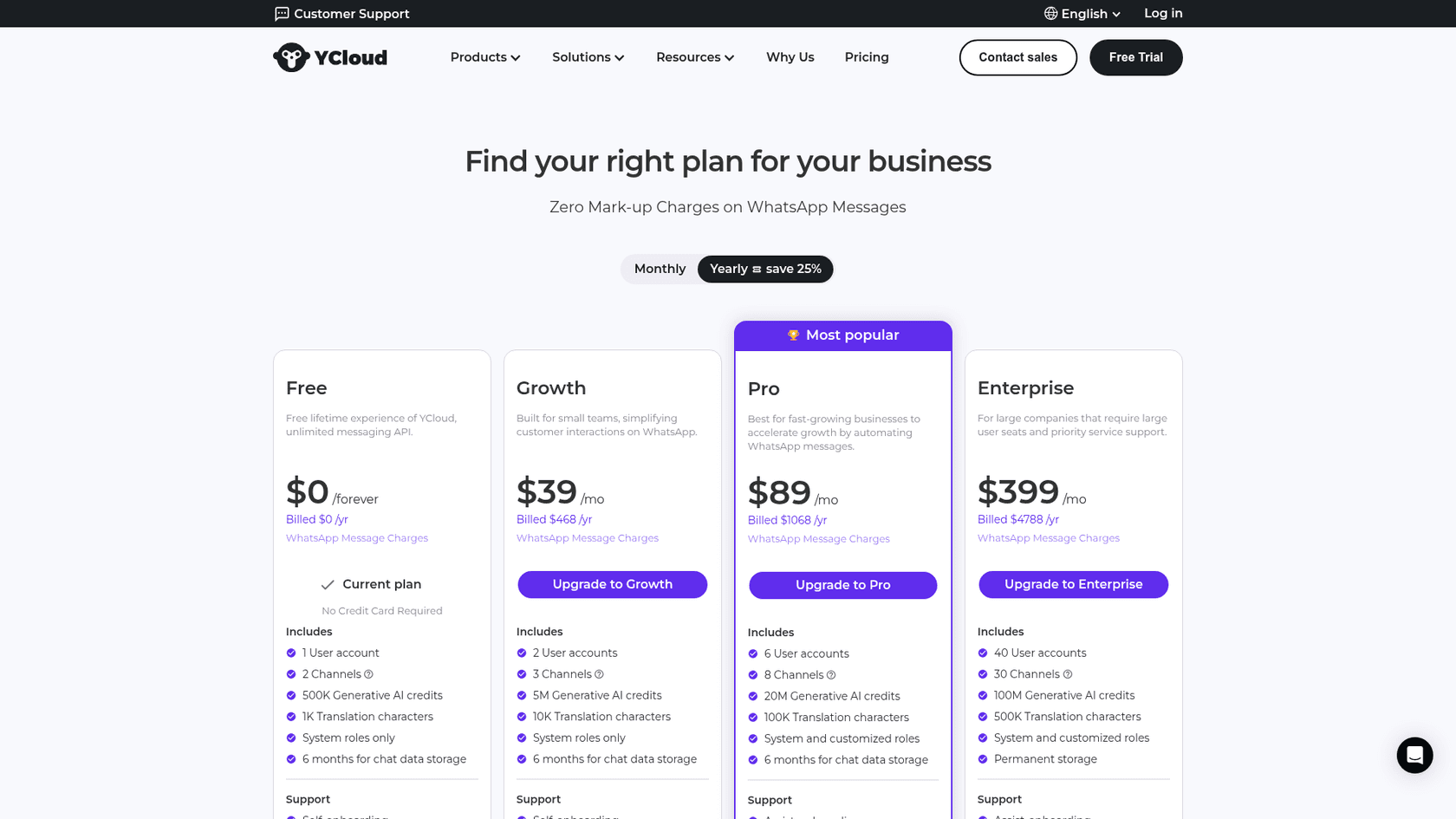
Best for: small teams that want a real inbox on a budget and Meta's rates with no markup.
YCloud is a WhatsApp-first platform with a shared team inbox, chatbot builder, templates, campaigns and contact management on every plan, including a free one. It's the provider that surprised me most in this list: the free plan includes unlimited messaging API access, and messages are deducted from a wallet "at the WhatsApp rate" (YCloud FAQ).
Pricing: On YCloud's pricing page, Free is $0 with 1 user and 2 channels, Growth is $39/month billed yearly with 2 users, Pro is $89/month with 6 users and a dedicated account manager, and Enterprise is $399/month with 40 users. WhatsApp fees aren't in the subscription; you top up a wallet and YCloud deducts Meta's rate.
Pros:
- Zero markup on Meta's fees
- Free plan good enough to test a real workflow
- 6 users on Pro for
$89
Cons:
- Support hours on lower plans are Monday to Friday, UTC+8
- Smaller ecosystem of helpdesk integrations than the bigger names
My take: The best value pick here for a small WhatsApp-first team. If you need deep links into a helpdesk, check the integration list before you commit.
7. 360dialog
Best for: teams with developers, or software you already run, that need a clean WhatsApp connection priced per number.
360dialog is a WhatsApp specialist that sells API access by the number. You bring the inbox, or plug the number into a tool from its marketplace. It's also one of the few providers with a clear support promise on its cheapest plan.
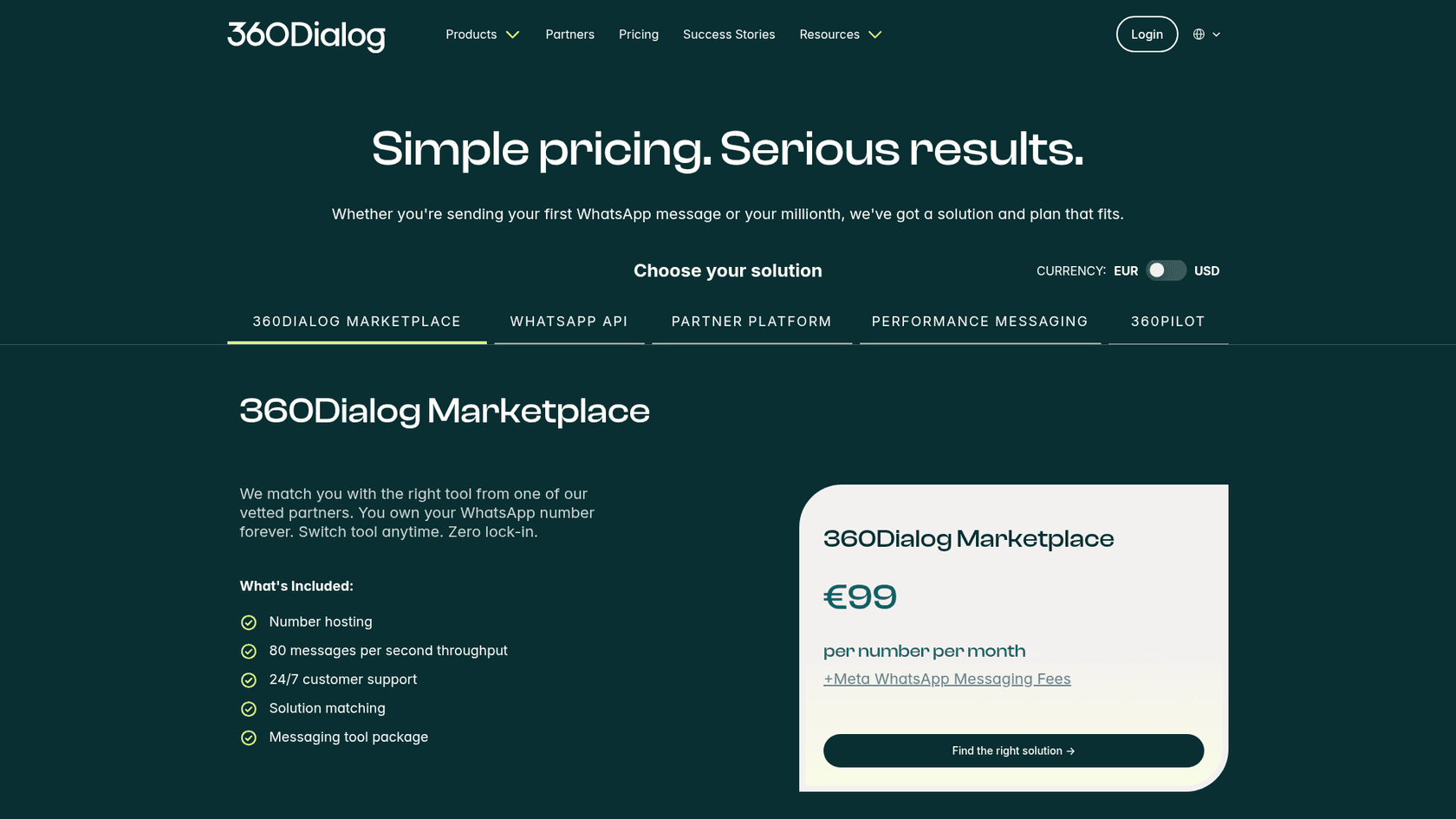
Pricing: On 360dialog's pricing page, the WhatsApp API Regular plan is €49 per number per month with 24/7 human support and a first response within 4 hours. Premium is €99 and adds inbox, sendout and automation add-ons, faster support and a Messaging MCP for connecting AI agents. Scale is €500 with up to 1,000 messages per second. Each is "+Meta WhatsApp Messaging Fees". The Marketplace option, where 360dialog matches you with a partner tool, is €99 per number.
Pros:
- Flat per-number fee, easy to forecast at high volume
- No per-message markup
- Strong support SLA for an API provider
Cons:
- Regular has no inbox, so someone has to build or buy one
- Per-number pricing adds up if you run many numbers
My take: If you have developers and steady volume, 360dialog is the cleanest raw API here. If you don't, Premium's inbox add-on is a stretch compared with a proper support inbox.
8. Twilio
Best for: product and engineering teams that already use Twilio for SMS or voice and want WhatsApp through the same API.
Twilio is a developer platform first. WhatsApp sits next to SMS, voice and email in one API, which is the main reason to choose it. There's no agent inbox in the WhatsApp product, so support teams usually pair it with Twilio Flex or their own tool, or build a bot on it (see my Twilio chatbot guide).
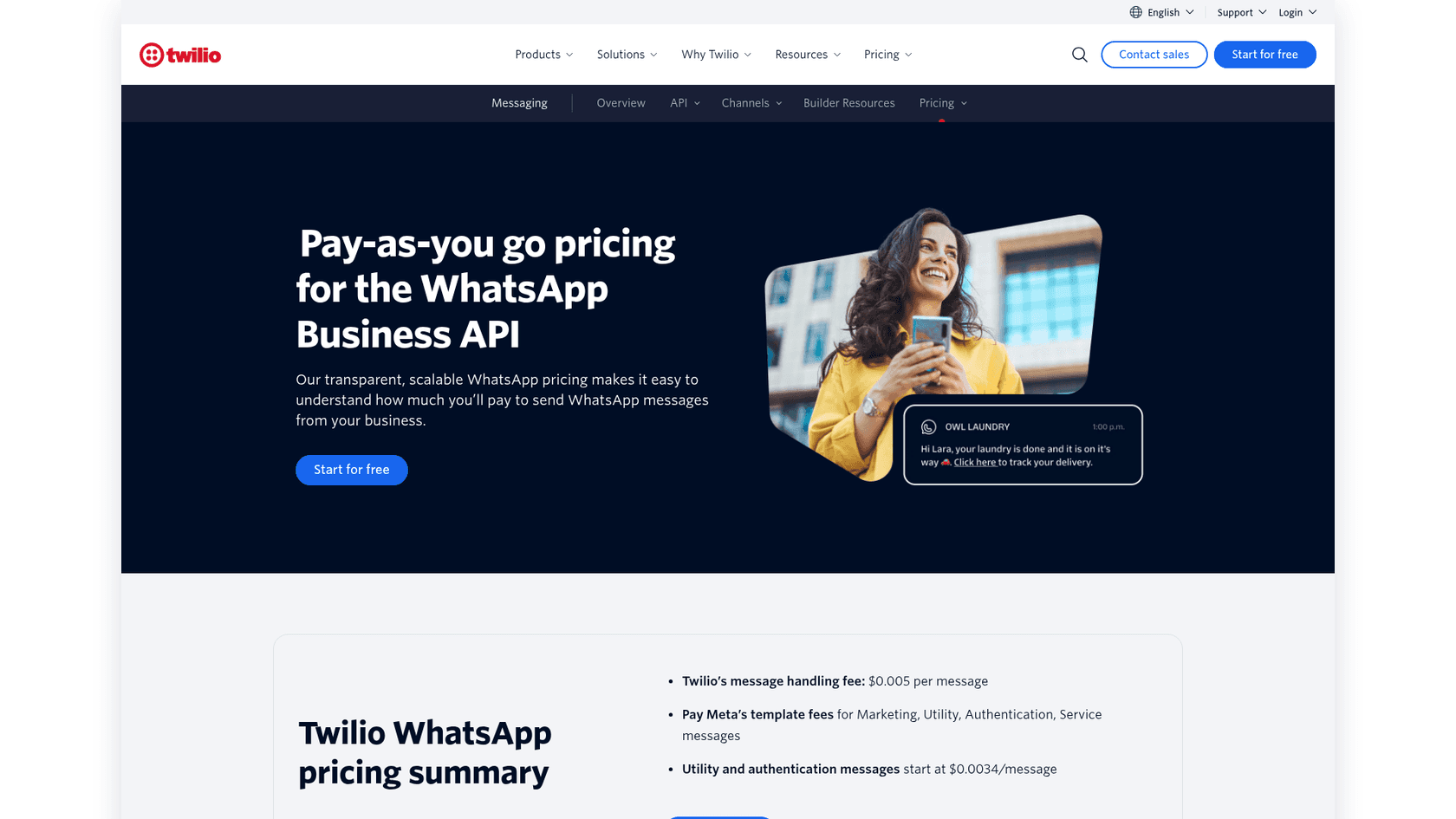
Pricing: On Twilio's WhatsApp pricing page, the message handling fee is $0.005 per message, "inbound or outbound", plus Meta's fees, which Twilio passes through. There's no monthly platform fee. Twilio's page notes its pricing is "current as of September 2026".
Pros:
- One API for WhatsApp, SMS and voice
- No monthly fee to get started
- Mature developer tooling
Cons:
- The per-message fee applies to messages customers send you too
- On US support traffic, Twilio's fee is bigger than Meta's
- No inbox for agents without extra software
My take: Pick Twilio if your engineers already live in it. For a support team choosing from scratch, the per-message fee on both directions makes it the priciest message layer in this list.
If your team picked a raw API because developers drive everything, the eesel CLI is worth knowing about. It runs the same eesel teammate from a terminal: eesel integrations connect lists what a workspace can connect, eesel chat tests answers, and eesel approvals clears actions waiting on a person. Every command prints JSON, so a coding agent like Claude Code, Cursor or Codex can run the setup for you.
9. Gupshup
Best for: high-volume senders that want a very low per-message fee and can build on an API.
Gupshup is a large conversational messaging platform. Its own site says it serves 50,000+ customers in 130+ countries and handles 120 Billion+ messages a year (Gupshup). Its enterprise side sells more, including an AI product called Superagent in early access, but the self-serve offer is API access.
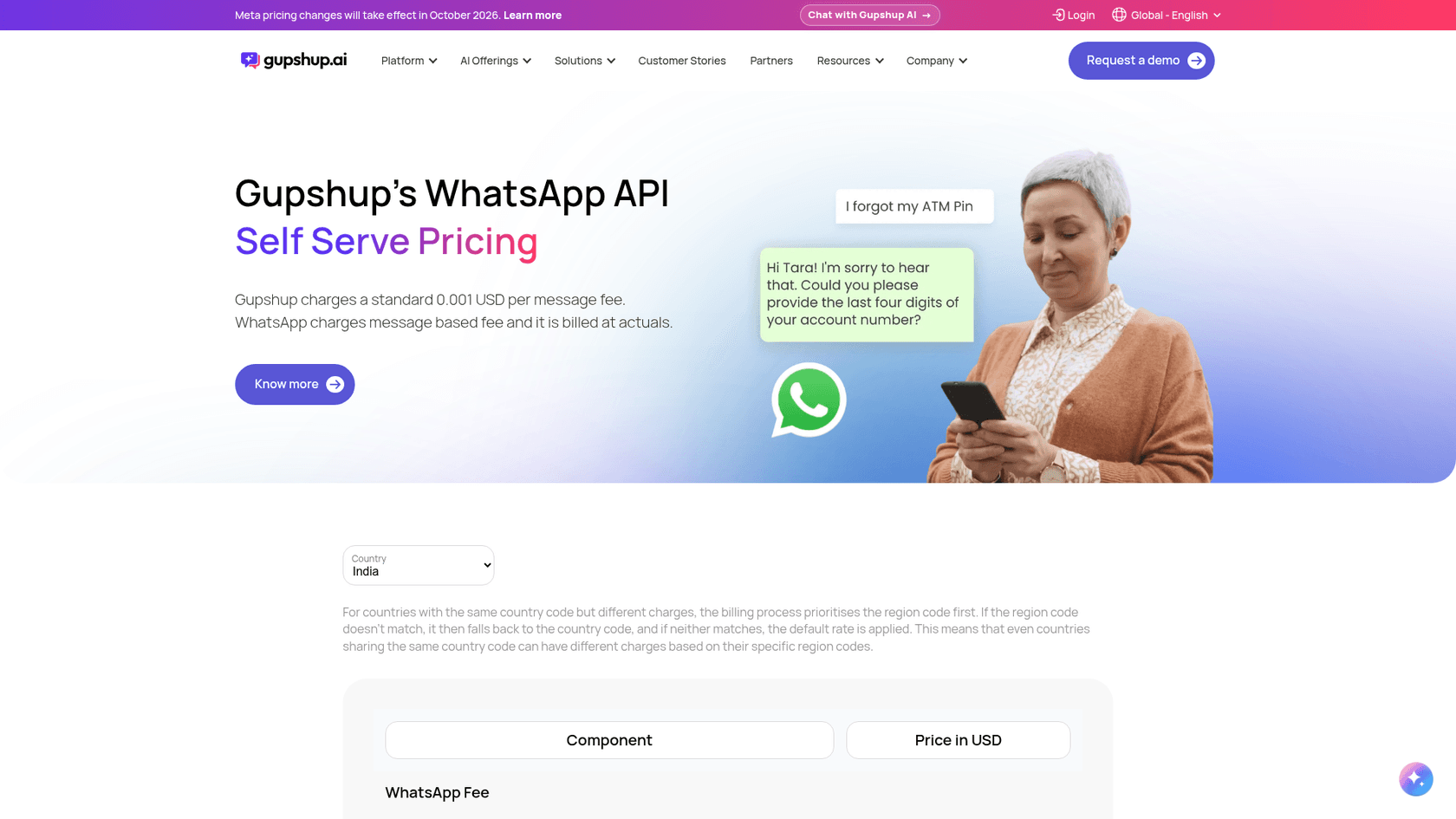
Pricing: On the self-serve pricing page, "Gupshup charges a standard 0.001 USD per message fee" on templates and on session messages in both directions, while "WhatsApp charges message based fee and it is billed at actuals". Media above 64KB is free. Enterprise pricing is quote-only.
Pros:
- One of the lowest per-message fees here
- Meta's fees at actuals
- Huge scale and coverage
Cons:
- Self-serve is an API, with no agent inbox on the pricing page
- Enterprise features and pricing are behind a sales call
My take: Think of it as a cheaper Twilio for WhatsApp-only traffic: on my US buyer it adds $11.00 where Twilio adds $55.00. Support teams still need an inbox on top.
What should you check before switching WhatsApp providers?
Five things, and the first two are where switches stall. Most of this comes from Meta's and Zendesk's own migration docs:
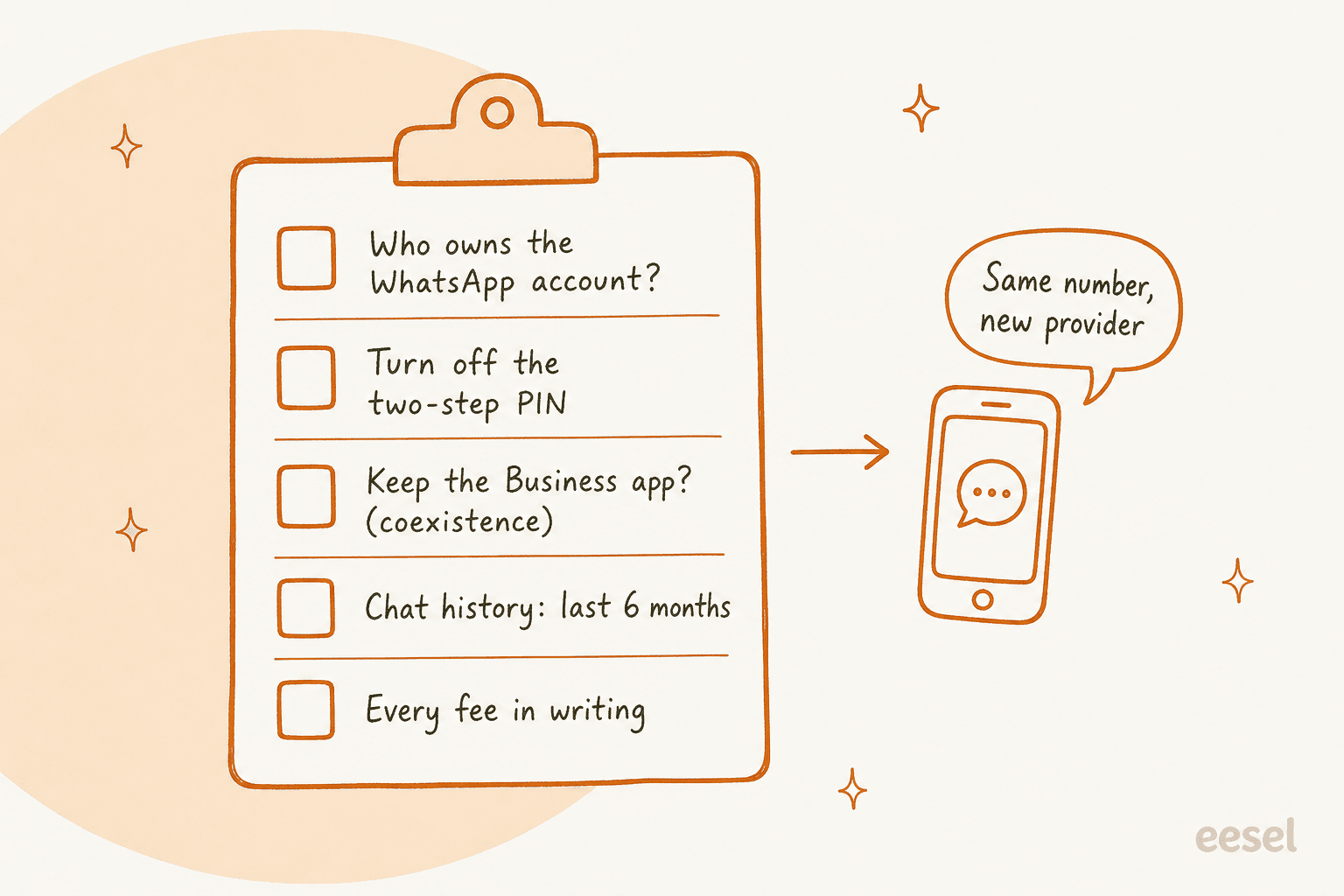
- Who owns the WhatsApp Business Account. You should own it in your own Meta Business Manager. Zendesk notes some older customers are on a "Zendesk-hosted WABA" they can't see in their own Business Manager, and have to move to a self-hosted one first (Zendesk migration docs).
- Two-step verification. Your current provider has to turn off the two-factor PIN before the number can move (Zendesk).
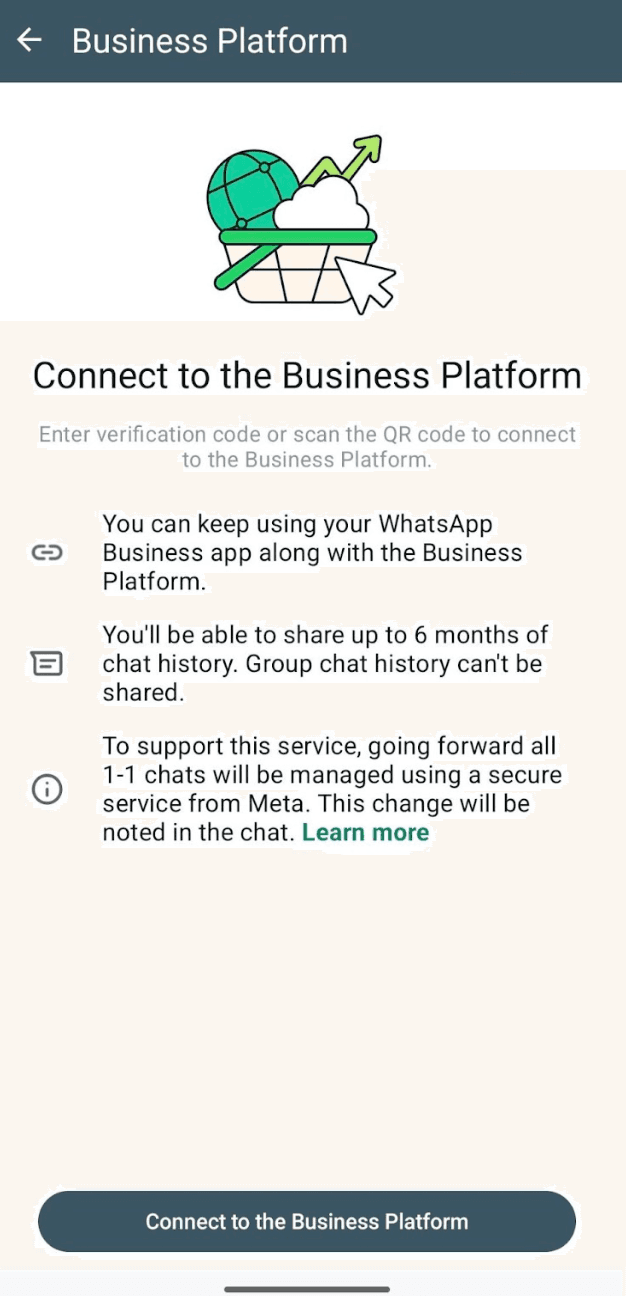
- Whether you keep the WhatsApp Business app. Meta's coexistence onboarding lets one number run in the app and the API at once, but only through a Solution Partner or Tech Provider that supports it. Numbers on both are fixed at
20messages per second, and group chats don't come across. Wati's own FAQ asks you to delete the WhatsApp account on the number first, so check this early. - Chat history. With coexistence, 1:1 chats from the last 6 months can sync. Media only comes across for files sent within 14 days of onboarding.
- Every fee in writing. Ask for the plan, seats, contacts, number fees, Meta's rate and any markup as separate lines. If a provider won't show Meta's fee on its own line, that's your answer.
Budget time for Meta's side too. Business verification is outside any provider's control, and operators regularly report it running long:
"It took me over 14 days to get verified. When they say it takes 10 business days max it's bs. It's always been like this, be patient"
Moving a number can also put it in front of Meta's spam checks if you change how you message. One Wati customer on Trustpilot described a number "permanently blocked" after connecting outside automation, while saying they can't prove the tool caused it (Trustpilot). Keep templates and send patterns the same for the first few weeks after a switch.
Where does AI fit on top of your WhatsApp provider?
Every provider here has some automation, from flow builders to AI agents, and that's fine for routing and FAQs. The question I'd ask is what the bot actually knows. A bot built from flows answers what you scripted. An AI teammate trained on your help center and your solved tickets answers what your agents would have said.
That's the job eesel does. It connects to your WhatsApp Business number in a few minutes, answers in 80+ languages from your help center, docs and helpdesk history, and hands anything it shouldn't answer to your team in Zendesk, Freshdesk or email. You can test it against real questions before any customer sees a reply, which matters more now that every reply past the free 1,000 has a price.

Two eesel customers on Zendesk show the pattern I'd copy for WhatsApp, even though neither runs it on WhatsApp today:
- Dokument 24, a Danish online legal documents service, had eesel prepare about
680Zendesk tickets in a month, leaving about670draft replies in Danish as internal notes for the team to send. When its knowledge doesn't cover a question, the note says so instead of guessing. - Nordbutiker, a Swedish e-bike and scooter retailer, runs a separate eesel bot for each of
4brands across4Nordic countries, each trained on that store's pages and its own solved Zendesk tickets.
That split, AI answering what the docs cover and people handling the rest inside the same helpdesk, works no matter which provider carries the messages. It's also why I'd look at the billing unit. eesel counts one credit per conversation, however many messages it takes, starting at $299/month for 500 credits on the pricing page. An AI priced per reply makes you pay twice for every extra message: once to the vendor, once to Meta.
For more on the AI side, my best AI for WhatsApp support roundup compares the agents themselves, and AI ticket deflection on WhatsApp covers how to measure what it saves. If you sell on Shopify, my Shopify WhatsApp integration guide covers order updates.
Try eesel on your WhatsApp queue
Your WhatsApp Business API provider gets messages to the right place. eesel answers them. It plugs into your WhatsApp number and the helpdesk your team already uses, learns from your help center and past tickets, and passes refunds, edge cases and angry customers to a person with the context attached.

Picked your provider and dreading the queue? Try eesel free with 100 credits and see how it answers your real WhatsApp questions before you switch it on.