Shopify WhatsApp integration: 4 ways to set it up in 2026

Rama Adi

Katelin Teen
Last edited October 26, 2026
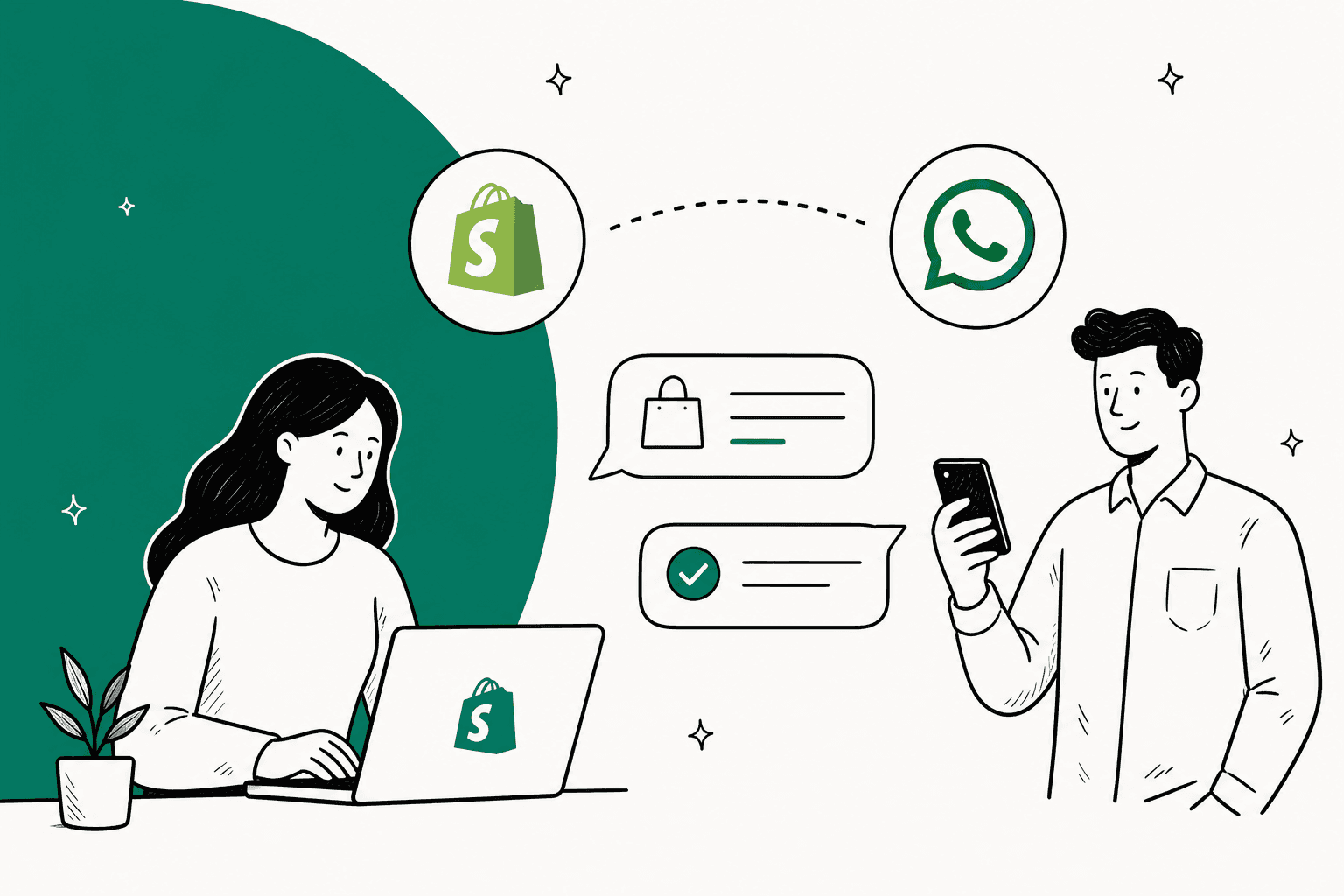
A Shopify WhatsApp integration comes in four levels: a free chat button that opens WhatsApp, Meta's free official app for one-way order updates, a shared inbox app (entry and AI plans run $41 to $159.99 a month across the apps I priced), or an AI agent that reads your Shopify orders and answers "where is my order?" by itself.
Most stores should start with a wa.me button plus a prefilled order message, then move to a shared inbox once two people answer from one phone. Since October 1, 2026, Meta bills service replies again after the first 1,000 a month per number, at $0.0034 each in the US and Canada.
If WhatsApp is mostly order questions, the useful upgrade is an agent with live order access. eesel is an AI helpdesk teammate that looks up the Shopify order, shares tracking, and hands refunds to a person. Question Beauty runs it on Gorgias and Shopify and had it check about 290 orders in a month before answering.
What are the ways to connect Shopify and WhatsApp?
There are four, and they solve different problems. I build integrations at eesel, so I spend most of my week on the exact seam this post is about: a question arrives on one channel and the answer lives in another system, usually Shopify. When a German multi-shop Shopify company on Zendesk came to eesel, WhatsApp sat on their wishlist right next to Shopify order automation. That pairing is pretty much the whole story, getting WhatsApp onto the store is the easy part, and getting answers out of Shopify and into WhatsApp is the part which takes the work.
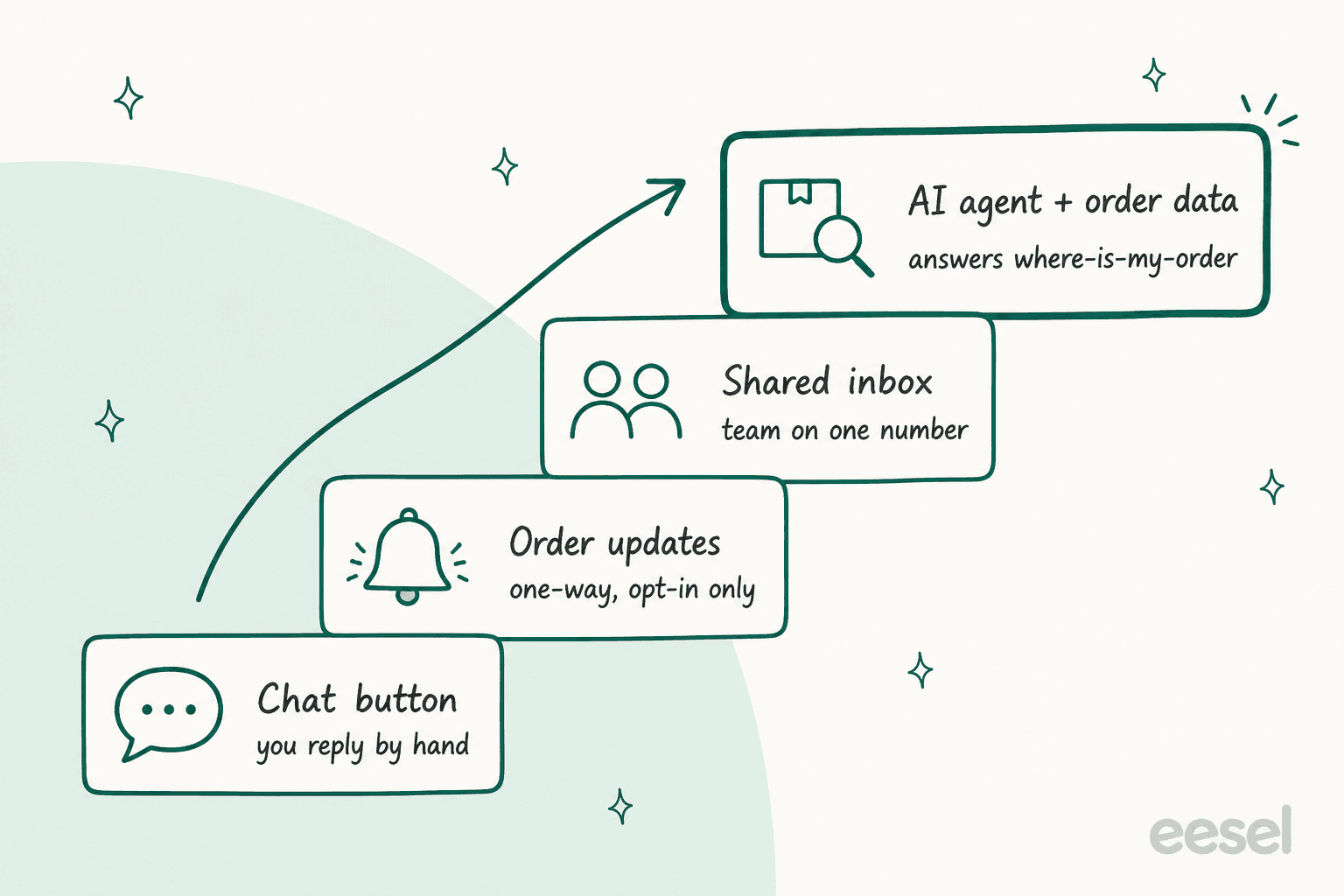
Here is how the four levels compares, before I go through each one of them.
| Setup | What the shopper gets | Who replies | Shopify order data in the chat? | Typical cost |
|---|---|---|---|---|
| Chat button or wa.me link | Opens WhatsApp with your number | You, from the WhatsApp Business app | No, they paste the order number | Free |
| Meta's official WhatsApp app | Order updates and cart reminders, if they opt in | Nobody, it's one-way | Yes, for the notifications | Free to install, Meta bills per message |
| Shared inbox app (Zoko, Wati, Interakt, Dondy, Kanal) | Two-way chat with your team | Your team, sometimes a bot | Usually a customer sidebar | About $41 to $159.99/month plus Meta fees |
| AI agent with order access | An answer with tracking, at 2am | The agent, with handoff to a person | Yes, looked up live | Per conversation, plus Meta fees |
Most setup guides stop at the third level, and the honest warning is the same everywhere: a chat button only opens a conversation, it doesn't look anything up. The fourth level fills that gap, so it gets the most space below. If you're new to bots on this channel, our WhatsApp AI chatbot guide covers the basics first.
How do you add a WhatsApp chat button to Shopify?
Use a wa.me link or a free chat-button app. Both take minutes and cost nothing.
The no-app way is a link. WhatsApp's click to chat format is https://wa.me/<number>, with the full international number and no zeros, brackets or dashes. Add ?text= and a URL-encoded message to prefill the chat. Put that link on a "Chat with us on WhatsApp" button in your theme editor, your contact page, or your order confirmation email.
The prefilled message is the part most stores skip, and honestly it's the part that saves most of the time. Something like this one:
https://wa.me/14155550123?text=Hi%2C%20I%20have%20a%20question%20about%20order%20%23
That opens WhatsApp with "Hi, I have a question about order #" already typed, so the shopper fills the number in before you even see the chat. It turns a "hello??" into a message you can actually answer.
If you want a floating button on every page, an app does it in a couple of clicks. Moose WhatsApp Chat Button is free and rated 5.0 from 210 reviews, and Dondy's free plan covers a button with prefilled messages and unlimited conversations. Most of these install as an app embed, so after installing you switch it on under Online Store, Themes, Customize, App embeds.
The limit shows up fast. The button sends shoppers to whatever phone is running your WhatsApp Business app, then someone have to open Shopify in another tab to answer each one. One store owner put the problem quite plainly on Reddit:
"Half our “where is my order” questions now come in on WhatsApp. Two people answer from the same number and sometimes both reply, sometimes nobody does."

A button is the right first step. It stop being enough at around the point that quote is describing.
What does Meta's official WhatsApp app for Shopify do?
It sends order updates and abandoned cart messages to shoppers who opt in. It doesn't give you an inbox or an agent to answer questions.
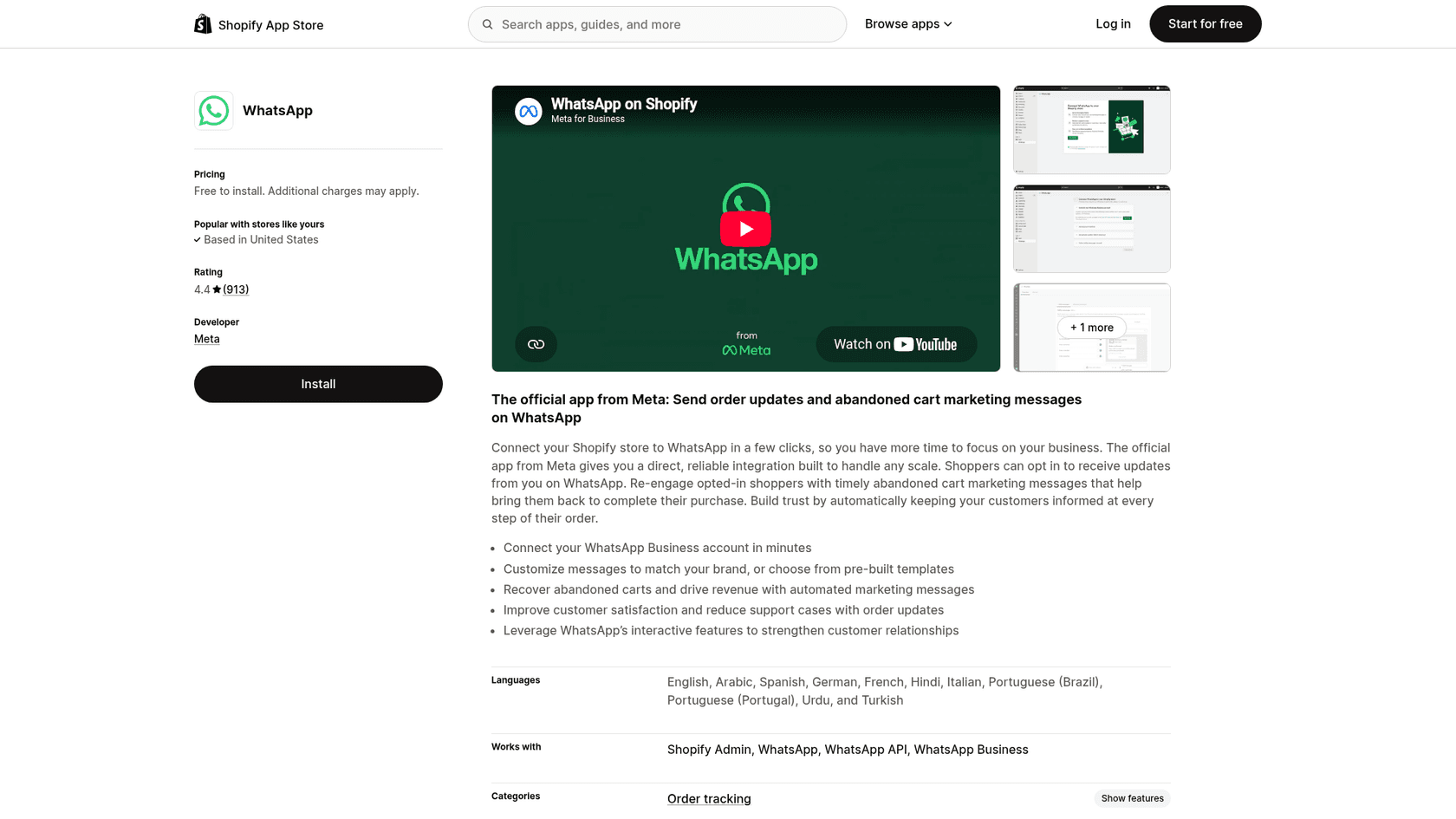
The WhatsApp app by Meta launched on July 11, 2025 and is rated 4.4 from 913 reviews. The listing describes it as a way to "send order updates and abandoned cart marketing messages on WhatsApp": you connect your WhatsApp Business account, pick or customize templates, and shoppers who opt in get confirmations and shipping updates. It's free to install, and the listing says "External charges may be billed by Meta separately from your Shopify invoice."
I like this app for what it is. It's made by Meta and it's free, also proactive shipping updates are the cheapest support ticket there is, because the question never gets asked in first place. Our guide on WISMO automation makes the same point for email.
What it isn't, is a support channel. Everything the listing describes goes outbound (notifications, cart recovery and the templates). When a shopper replies "but it says delivered and I don't have it", the app has nothing to say back. If you only want updates to your own staff rather than customers, that's a different job, covered in our post on WhatsApp order alerts to staff.
Can you use Shopify Messaging for WhatsApp?
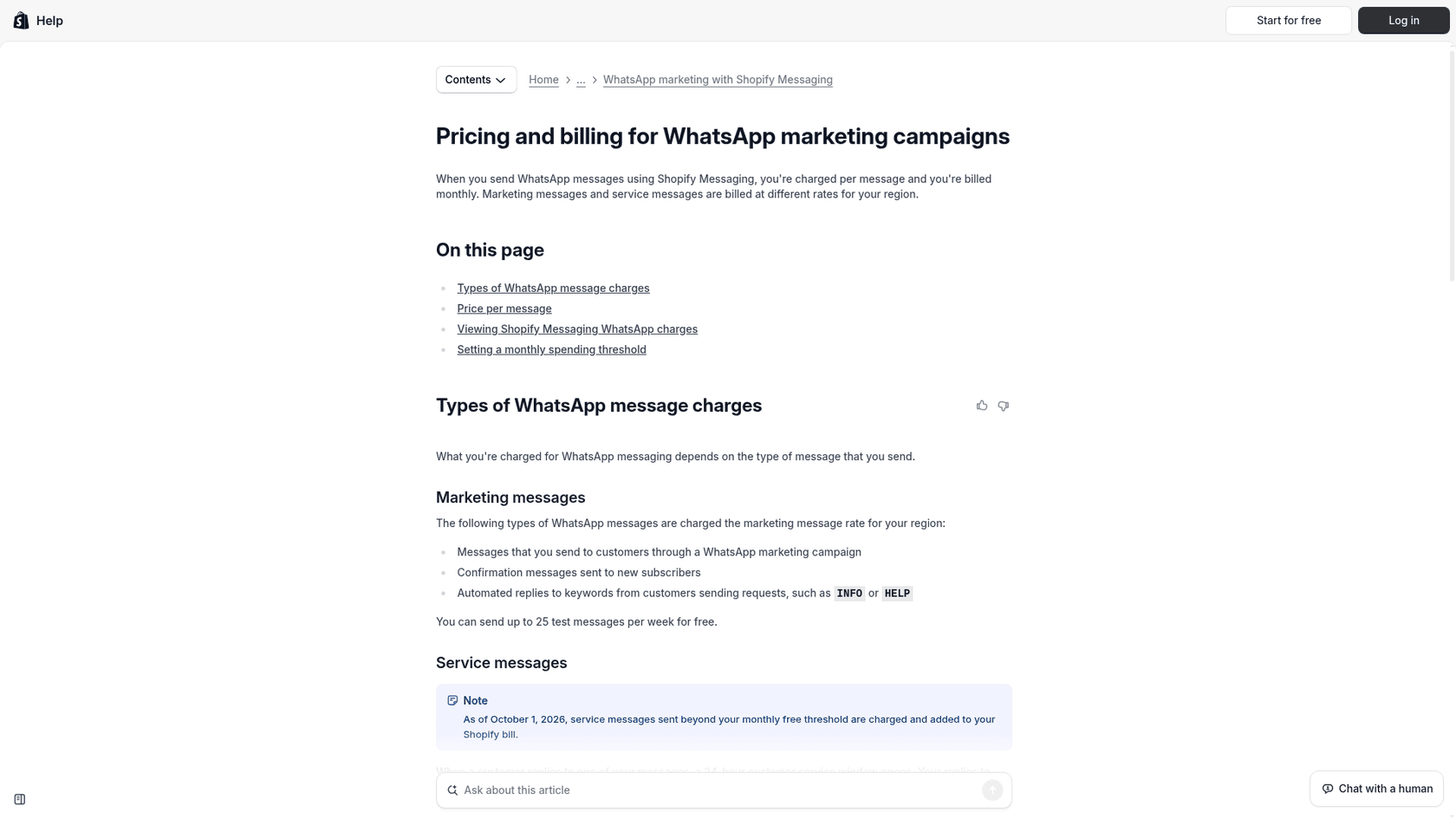
Yes, for marketing campaigns. Shopify Messaging sends WhatsApp campaigns next to email and SMS, and it has keyword replies. It's not built for order support.
Setup is straightforward and documented well. From the admin you go to Apps, Messaging, Settings, then Connect WhatsApp, and Meta's embedded signup walks you through a new or existing WhatsApp Business Account, per Shopify's setup guide. Two gotchas from that page: a number already connected to another provider has to be disconnected first, and an account with a payment method already on file can't be connected at all.
The bigger surprises are in the requirements page:
- WhatsApp marketing messages can't be sent to customers in the United States. A US store can still market to subscribers in other countries.
- New WhatsApp Business Accounts are capped at 2,000 messages a day until they move up Meta's tiers.
- Every marketing message carries a STOP-to-unsubscribe line you can't remove.
Then there is the price. Shopify publishes its own WhatsApp rate table, and its service-message rates match Meta's list rates exactly. Its marketing rates don't. They sit at roughly 1.7x to 2x Meta's list rate in every market I checked.
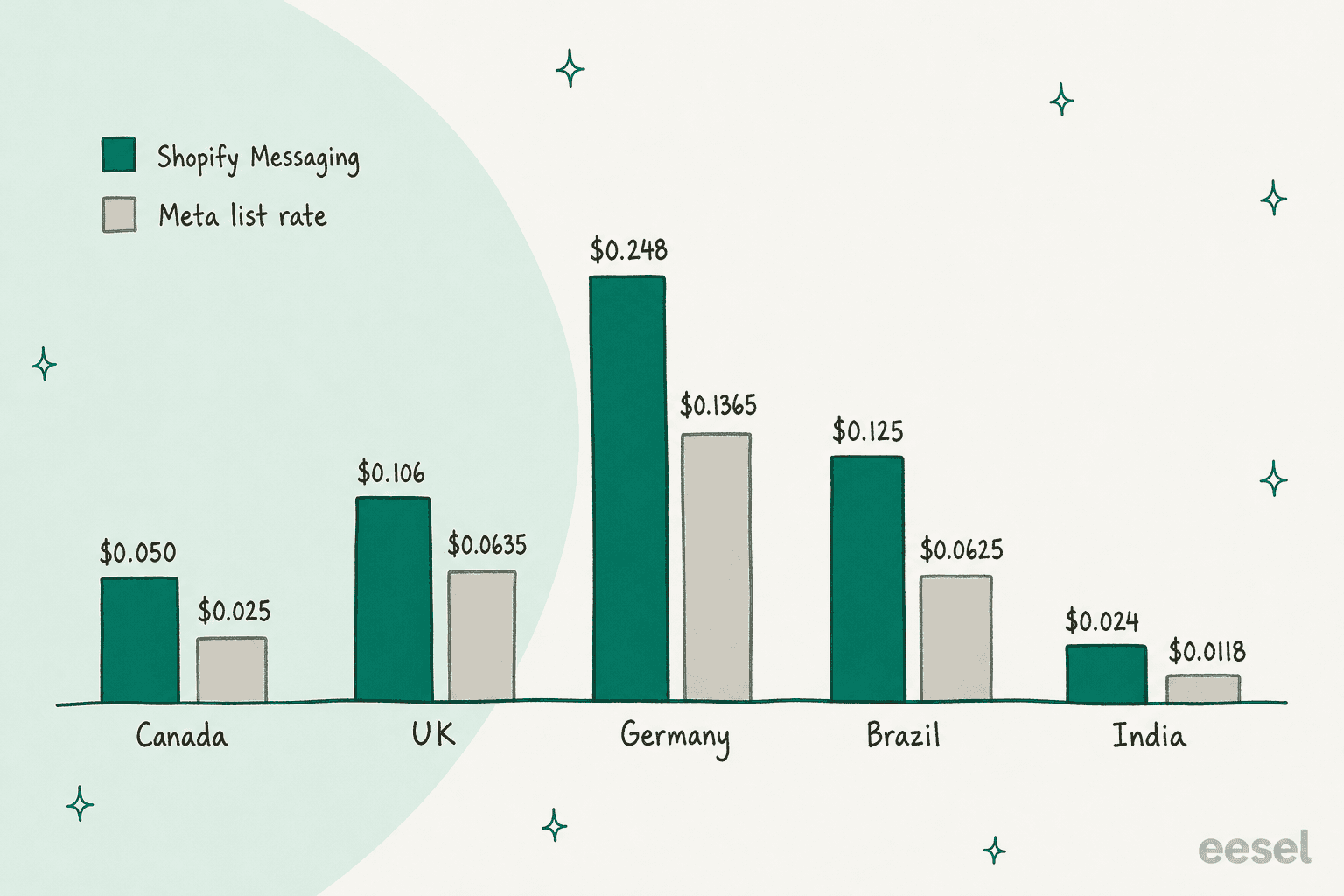
| Market | Shopify Messaging marketing | Meta list marketing | Service message (both) |
|---|---|---|---|
| Canada | $0.050 | $0.025 | $0.0034 |
| United Kingdom | $0.106 | $0.0635 | $0.022 |
| Germany | $0.248 | $0.1365 | $0.055 |
| Brazil | $0.125 | $0.0625 | $0.0068 |
| India | $0.024 | $0.0118 | $0.0014 |
That gap is the convenience fee for having one bill and one consent list, plus a campaign builder, and for a small list it can be worth it. Worth to watch one line on the same page though: automated keyword replies are billed at the marketing rate, not the service rate. If you planned to use "type ORDER for tracking" keyword replies as cheap support, each of those replies is priced as marketing.
And to clear up a common mix-up: Shopify Inbox doesn't do WhatsApp. Its App Store listing lists Shopify Admin and Online Store as what it works with. It's a storefront chat with an AI sales associate, which is useful, but it's a different channel. If storefront chat is what you're after, our Shopify AI chatbot guide covers that side.
Which Shopify WhatsApp apps give you a shared inbox?
The ones built on the WhatsApp Business Platform with a team inbox, which in practice means apps like Zoko, Wati, Interakt, Dondy and Kanal. This is the level that fixes the "two people, one phone" problem.
The fix isn't really the app, it's the ownership that it gives to you. The most useful reply on that Reddit thread was this one:
"Move off the plain WhatsApp app onto the WhatsApp Business Platform through any shared inbox tool. That gives you one number, multiple agents, and the important part: every chat gets assigned to one person."
The same commenter's next tip is the one I would underline, ask for the order number in your greeting so every chat start already linked to an order. Here's what the main apps cost, straight from their Shopify App Store listings on October 26, 2026. Meta's per-message fees come on top of every one.
| App | Entry plan | Plan with an AI agent | Shopify App Store rating | Notes from the listing |
|---|---|---|---|---|
| Zoko | Starter $49.99/mo + $0.015 per conversation | AI bots from $24.99/mo per bot, add-on | 4.9 (464) | Unlimited agents on Starter; Plus $79.99 drops the Zoko fee on the first 5K conversations |
| Wati | Growth $69/mo | Pro $149/mo; AI $30 per 1K credits | 3.7 (120) | Extra users $89/user/mo on Pro and Business |
| Interakt | Growth $41/mo | Premier $99/mo | 4.3 (300) | Conversation charges extra |
| Dondy | Free button; Power Automation $79.99/mo | Elite $159.99/mo | 4.9 (830) | Elite includes a 5-agent inbox |
| Kanal | Pro $89/mo (1 user) | Scale $149/mo | 5.0 (135) | Also iMessage, SMS and RCS |
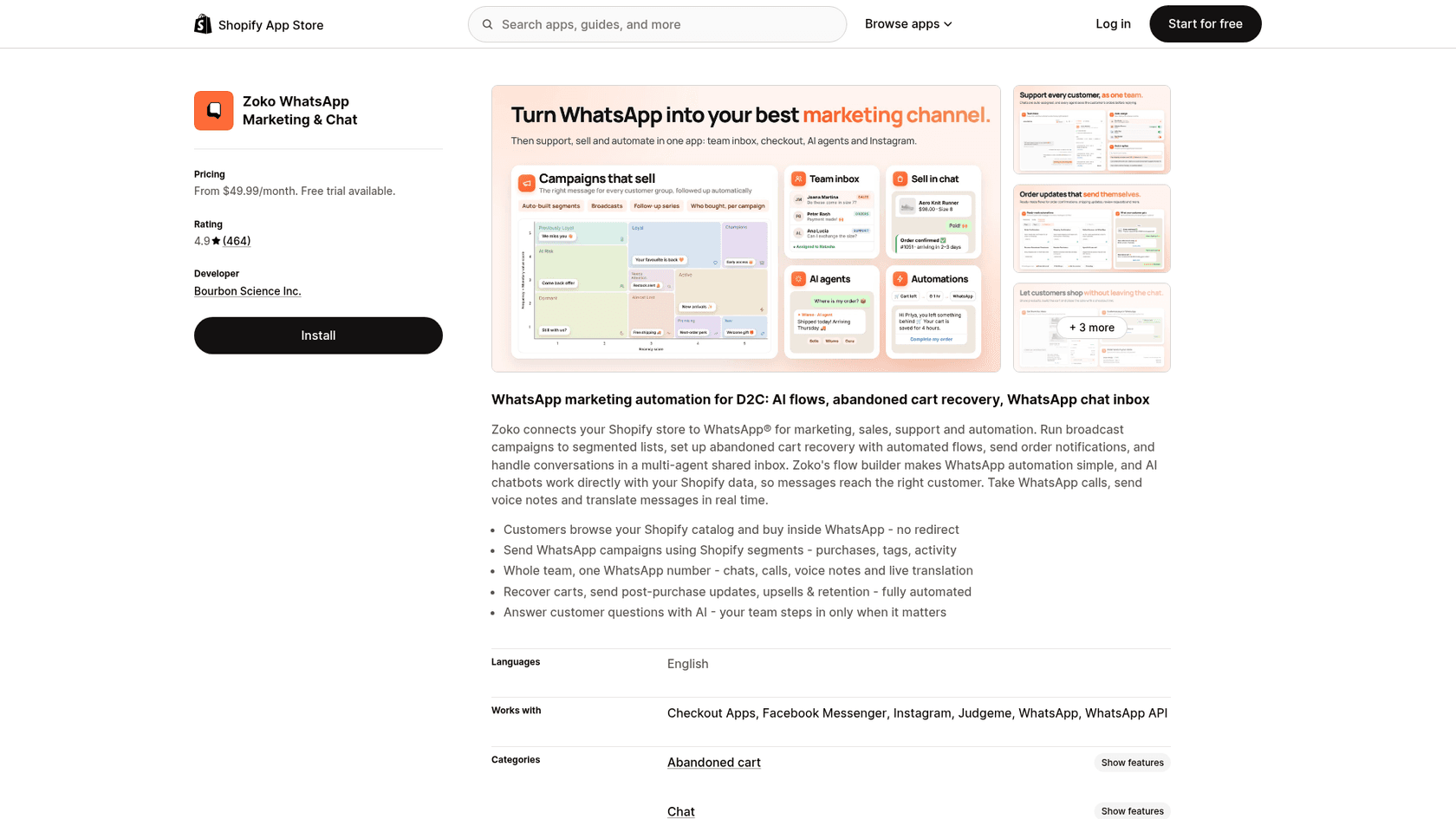
A few honest notes. These apps are marketing-first, the headline feature on almost every listing is abandoned cart recovery and broadcasts, and the support is the second job. That's fine if you want both, and it's why Zoko's pricing bundles campaigns and inbox together.
If you're shortlisting, start with the Zoko review. For Wati, the Wati pricing breakdown shows how its message markup works. A wider list of options sits in Zoko alternatives.
If your team already works in a helpdesk, there's a cleaner route than a separate inbox app: put WhatsApp into the helpdesk. Gorgias supports WhatsApp as a channel and turns each message into a ticket, and Zendesk does the same (see connecting Zendesk to WhatsApp). Freshdesk has a WhatsApp setup too. One queue for email and chat and WhatsApp beats a second inbox that nobody checks on a Sundays.
Gorgias is the usual pick for Shopify stores. Our Gorgias review covers how it works day to day, while the Gorgias pricing for Shopify post covers what it costs a Shopify store. Zendesk shops can read the Zendesk WhatsApp guide.
How do you get AI to answer Shopify order questions on WhatsApp?
Give it three things: live read access to Shopify orders, a way to confirm who it's talking to, and a clear point where it hands over to a person. Most WhatsApp bots have the first loosely, skip the second, and fake the third. Our post on AI WhatsApp support for ecommerce goes wider on the use cases; here I'll stick to orders.
That matches what shows up in community threads too. A commenter in r/WhatsappBusinessAPI described the usual failure:
"the built-in support bots handle faqs okay but fall apart on anything needing context or an action, like booking or looking up an order."
FAQ answers are the easy bit. The order lookup is where it gets real, and there is a catch people rarely think about until the privacy complaint lands: a WhatsApp number is not a verified customer. Anyone can type "where's order 1042?" from any phone. If the bot answers with the delivery address, you've leaked it.
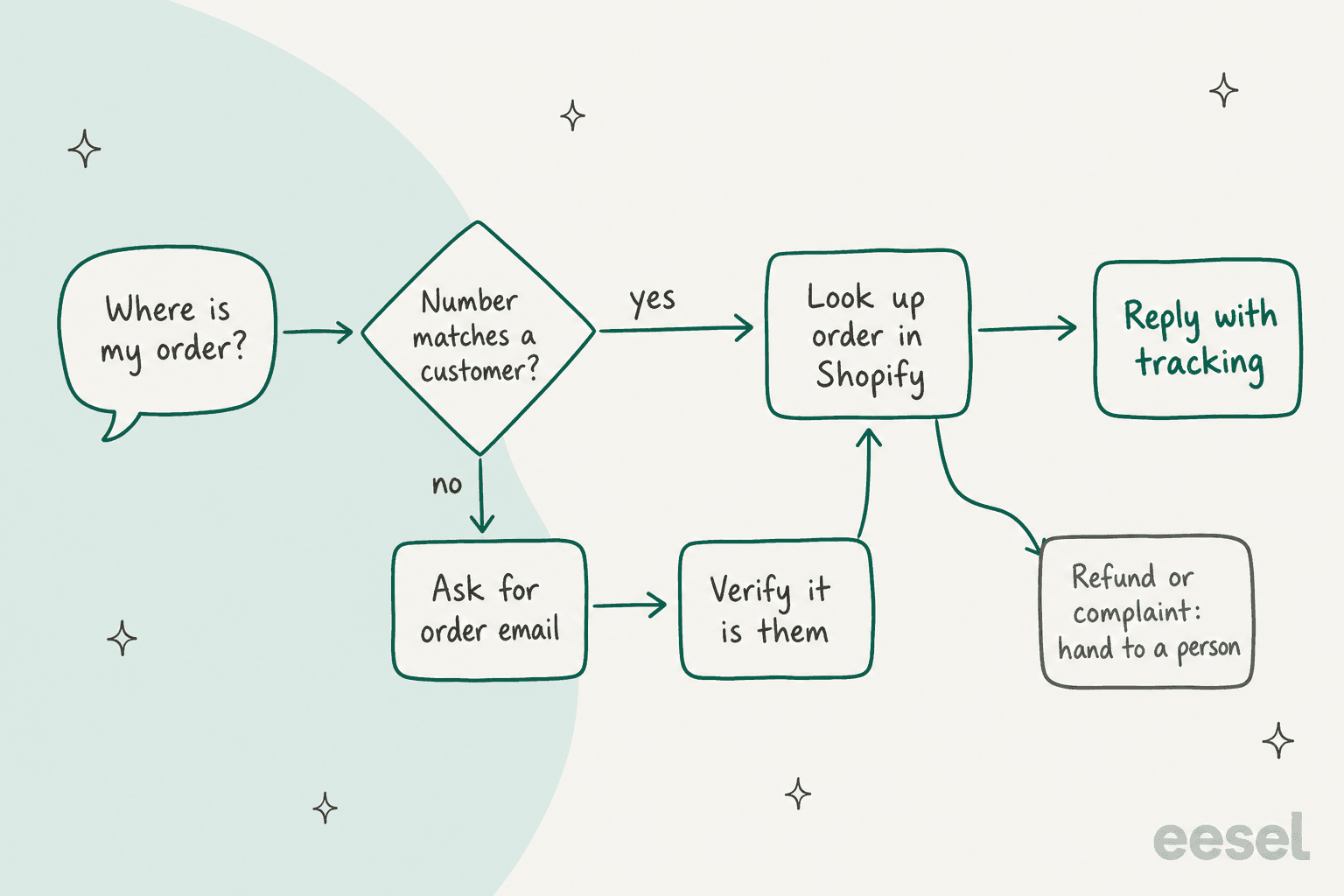
Gorgias handles this well, and the pattern is worth copying whatever tool you end up using. Per its WhatsApp AI Agent docs, if the shopper's number is already linked to a customer profile the agent proceeds, and otherwise it asks for the order email or phone and sends a 6-digit code that expires after 10 minutes. The same page notes its agent can read photos but not videos, voice notes or documents, and that those go to your team. Voice notes are very common on WhatsApp, so plan for that handoff early.
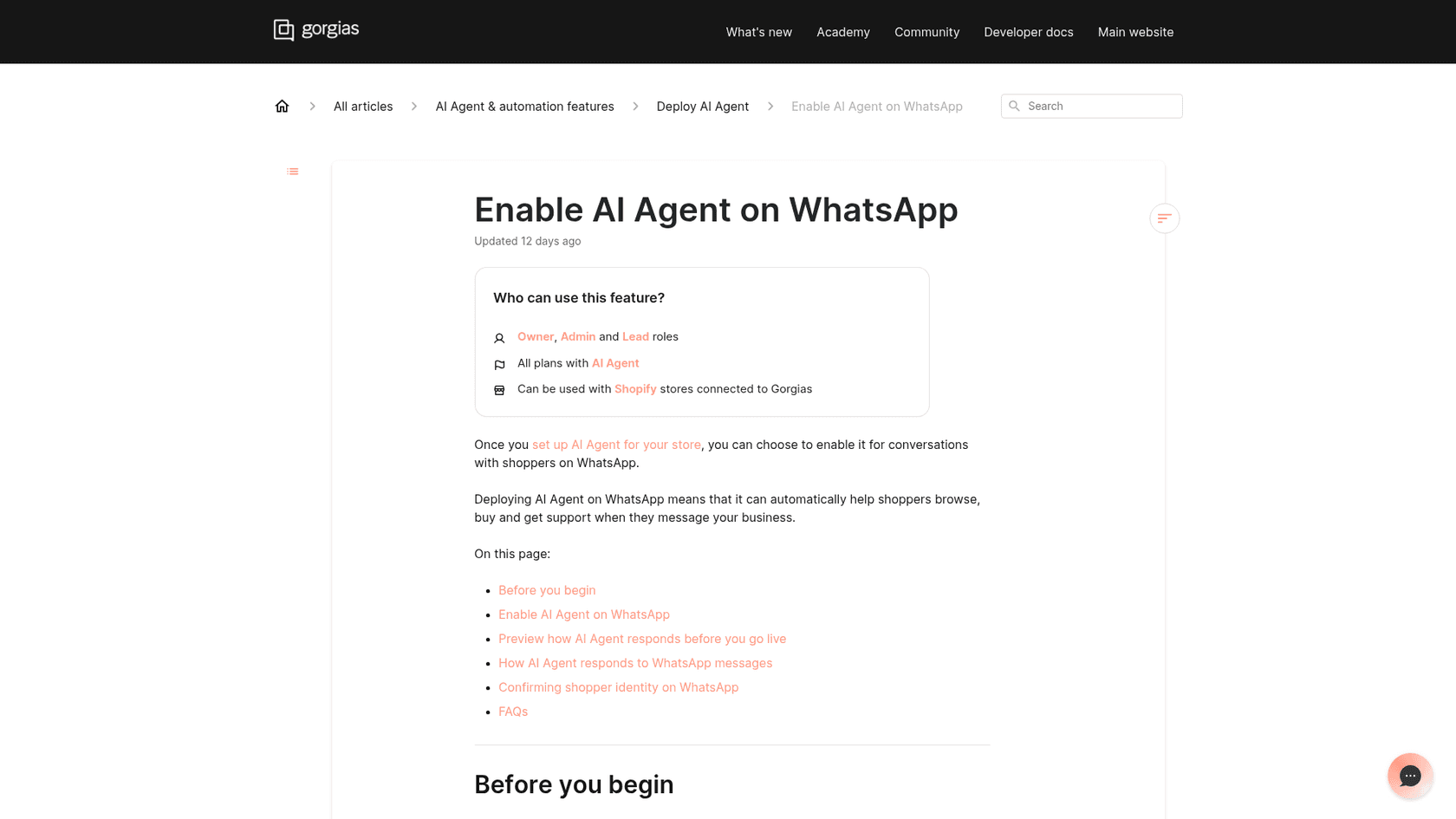
This is the level eesel works at, and I want to be precise in how, because it's easy to oversell it. There is two ways for wiring it in:
- Through your helpdesk. If WhatsApp already lands in Gorgias or Zendesk as tickets, eesel works those tickets with Shopify actions switched on: get order by ID, order history by email, fulfillment with tracking number and carrier, address changes and cancellations before fulfillment, returns. In Zendesk you can scope the agent to the WhatsApp channel only. This is the route I'd pick for order questions, because the eesel Shopify docs list a helpdesk ticket, a Slack mention or the chat bubble as what starts an agent run, and the helpdesk is where WhatsApp tickets already live.
- Directly on your WhatsApp Business number. eesel's WhatsApp integration answers incoming messages from your help center, policies, website and Shopify catalog in 80+ languages, and escalates to email, Zendesk or Freshdesk when a topic or confidence rule says so. Good for product, shipping-policy and returns-policy questions.
Write actions don't run unchecked either. eesel's docs say connecting Shopify only gives the access, the agent does nothing until you create an automation, and refunds or cancellations can wait on a person for approval.
What does that look like in a real store? Question Beauty runs eesel on Gorgias and Shopify across Messenger, email and website chat. Between August 8 and September 8, 2026 it handled about 990 Gorgias tickets, sent about 960 replies itself, and looked up about 290 Shopify orders before answering a delivery question. Refunds, complaints and wholesale requests go to a person with a note attached. Messenger isn't WhatsApp, but it's the closest thing to it, short messages in many languages and "price?" under a product video, at all hours.
ClutchLoop is the other one I'd point at. Its agent, Loopy, works Gorgias tickets and website chat for the phone-tether brand, replied directly in about seven in ten conversations, and ran 76 live product lookups in Shopify in a month so prices and stock never came from a stale page. The same idea applied to WhatsApp is what AI ticket deflection for WhatsApp walks through. If you'd rather keep a person on every send, STIL Classics uses eesel to look up the order and leave a draft as an internal note for the team to check.
For the general how-to, start with connecting Shopify order data to a chatbot. Handoff gets its own post in AI agent handoff, and Zendesk users can see the WhatsApp version in Zendesk WhatsApp handoff.
What does WhatsApp support cost on Shopify after October 2026?
Your app fee plus Meta's per-message fees, and the second part has just changed. Since October 1, 2026, service replies are billed again after the first 1,000 a month, per Meta's pricing page. They had been free since November 2024.
The rules that matter for a Shopify store:
- Meta charges per delivered message the business sends. Messages from customers are free.
- Free-form replies are only allowed inside the 24-hour customer service window that a customer message opens. After that you need an approved template.
- Order updates are utility templates. Utility templates sent inside an open window were free from July 2025 and are charged again from October 1, 2026. The rest of the year's changes are in WhatsApp platform 2026 updates.
- Replies to a chat that started from a Click to WhatsApp ad open a free entry point window of up to 7 days.
One small conflict worth knowing: Meta's page counts the 1,000 free service messages per business phone number, while Shopify's page counts them per WhatsApp Business Account across all connected platforms. If you run one number, it's the same thing.
| Market | Service reply | Utility (order update) | Marketing |
|---|---|---|---|
| US and Canada | $0.0034 | $0.0034 | $0.025 |
| United Kingdom | $0.022 | $0.022 | $0.0635 |
| Germany | $0.055 | $0.055 | $0.1365 |
| Netherlands | $0.050 | $0.050 | $0.1597 |
| Brazil | $0.0068 | $0.0068 | $0.0625 |
| Mexico | $0.0085 | $0.0085 | $0.0397 |
| India | $0.0014 | $0.0014 | $0.0118 |
| Indonesia | $0.025 | $0.025 | $0.0411 |
Meta list rates in USD per delivered message, effective October 1, 2026.
Because Meta bills per message and not per conversation, the number of replies in each chat matter more than people expect. A bot that answers in four bubbles cost four times of what one clear reply costs. Plug in your own numbers:
Pick a country and plug in your volumes to see Meta's monthly WhatsApp bill, and what an AI agent handling part of it would cost on eesel.
At US rates Meta's fees stays small: 800 chats at three replies plus 1,500 order updates comes to about $9.86 a month. In Germany the same volume is about $159.50. Either way the app or the agent is the bigger line, which is why picking the right level matter more than squeezing the message counts. Our deeper WhatsApp pricing guide covers the other categories.
One more rule from Meta that is worth knowing before you add the AI. Since January 15, 2026, Meta's terms bar general-purpose AI assistants whose main function is the AI itself, but they still allow a business using AI to support its own customers. Our post on Meta's AI policy change explains the line. A Shopify store answering its own order questions is on the allowed side.
What trips stores up when they connect WhatsApp to Shopify?
Five things come up again and again:
- Answering from a personal phone. Fine at 10 chats a week, a mess at 100. The WhatsApp Business Platform with a shared inbox or helpdesk is the fix, not adding more labels.
- No order number up front. A prefilled wa.me message or a greeting that asks for it saves a round trip on every single chat.
- Letting the 24-hour window lapse. If you reply on Monday to a Friday message, you're into templates. A first reply from an agent within minutes keeps the window open for the person who follows up, which is most of the case for automating WhatsApp support.
- Bots that answer order questions without checking identity. Match the number to a customer or verify by email before sharing anything about an order.
- Forgetting language. WhatsApp shoppers write in their own language. eesel's WhatsApp agent covers 80+ languages, and our multilingual support guide has the broader playbook.
If you're still deciding which tools to shortlist, our roundup of the best AI for WhatsApp support compares the WhatsApp-first options. For the Shopify side, see best Shopify chatbot apps or the wider list of AI for Shopify support.
eesel for Shopify WhatsApp support
If WhatsApp has turned into a queue of "where is my order?", that's exactly the job eesel's AI helpdesk teammate is built for. It joins the helpdesk you already run, such as Gorgias, picks up the WhatsApp tickets, checks the order and tracking in Shopify, replies in the shopper's language, and hands refunds and complaints to your team with notes attached. Question Beauty and ClutchLoop already run this same setup on Gorgias and Shopify for their Messenger, email and chat tickets. On Zendesk, the Zendesk integration works the same way.
Setup is a few chat messages in the dashboard, and the steps are in Shopify AI agent setup. Pricing is one conversation per credit, from $299 a month for 500, with 100 free credits to test it on your own tickets first. See the pricing page, or try eesel on your store.