Twilio is famous for a reason. It provides the communication APIs that businesses rely on to connect with customers through SMS, WhatsApp, and voice. It’s the digital plumbing that makes so much of modern customer engagement work. But here’s the catch: while Twilio provides the pipes, building an intelligent, conversational Twilio chatbot means you have to become the plumber, architect, and engineer all at once. You end up having to piece together separate AI models, databases, and custom code just to get a basic bot off the ground.
This article gives you a realistic look at what it takes to build a Twilio chatbot, explores the hidden complexities, and introduces a much more straightforward approach. For businesses that want the power of AI without signing up for a multi-month development project, there’s a better way.
What is a Twilio chatbot?
First, let's get one thing straight: a Twilio chatbot isn't a single, off-the-shelf product you can just buy and switch on. It’s a custom application that you build, which uses Twilio's APIs to talk to your users. Think of Twilio as the phone line, not the person on the other end of the call.
A few key Twilio products make this happen:
- Twilio Programmable Messaging: This is the core API for sending and receiving messages over channels like SMS and WhatsApp. It’s the bridge between your app and your customer's phone.
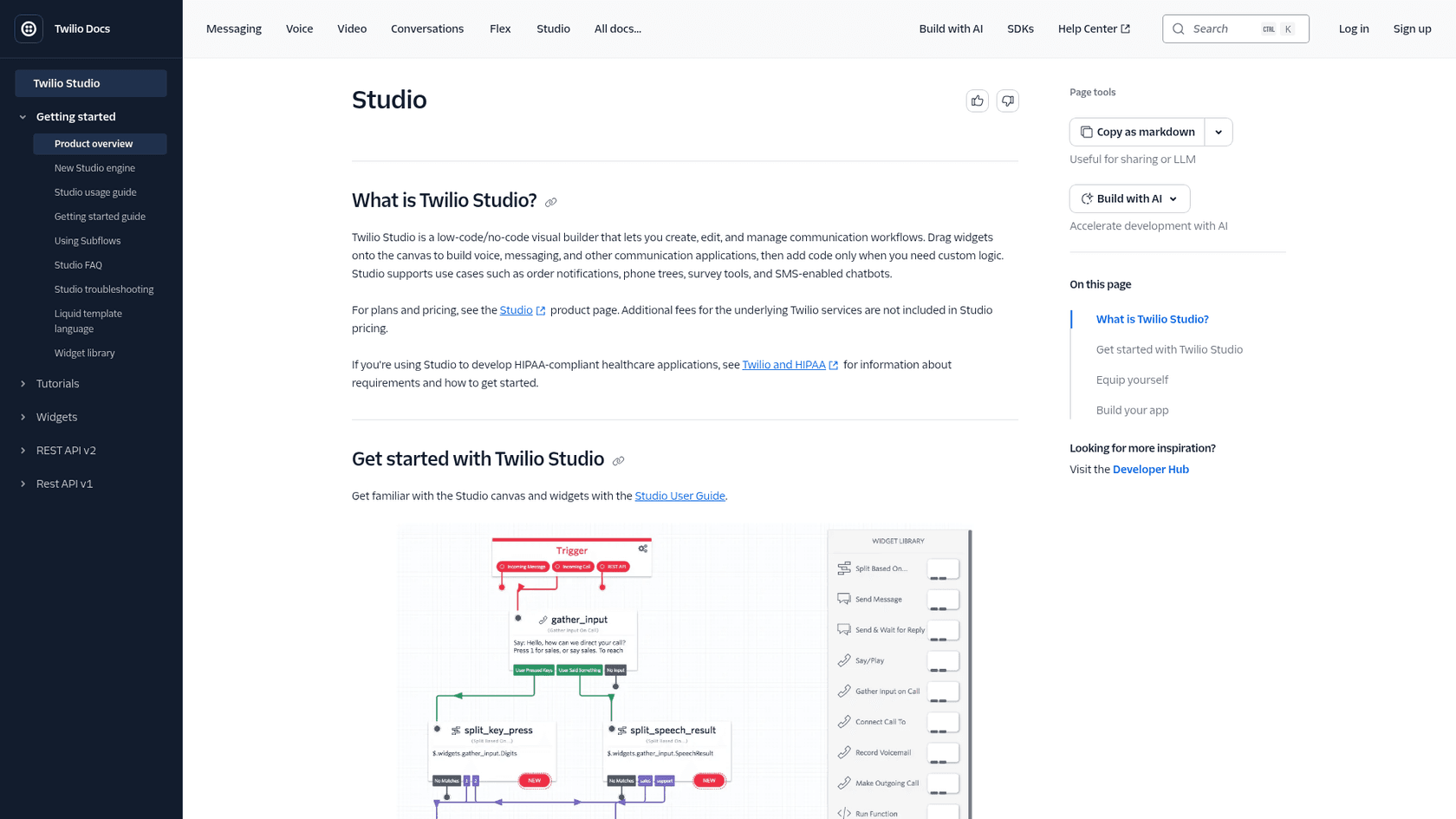
- Twilio Studio: A visual, low-code builder that’s great for creating simple, rule-based conversation flows. It works like a phone tree, guiding users through a fixed menu of options.
- Twilio Functions: A serverless environment where you can run the Node.js code that handles your chatbot’s logic. This is where the real work (and the complexity) lives.
The main takeaway is that Twilio is brilliant at handling the connection to your users. But the language model and the application logic of the chatbot? Those are on you to build and maintain, and the memory and knowledge layers below still need wiring to a model you choose.
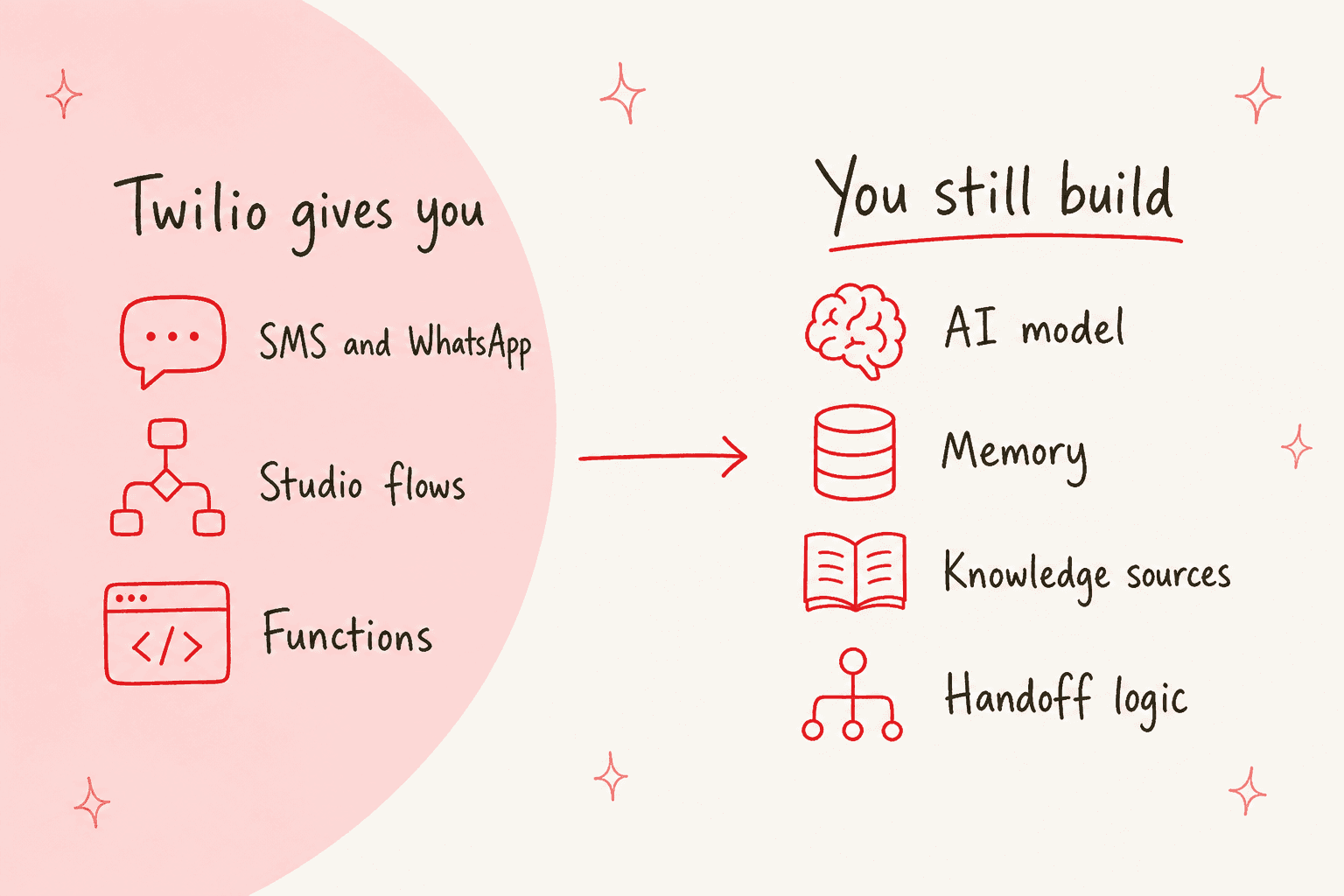
The core components of a DIY Twilio chatbot
Building a genuinely smart chatbot on Twilio feels a bit like assembling a custom PC. Twilio gives you the case and the power supply, but you still need to go out and source the motherboard, the CPU, and the memory yourself. Here’s a breakdown of the parts you’ll need to put together.
The communication layer: Twilio's core strength
This is where Twilio is king. It provides robust, scalable APIs that manage conversations across different channels without breaking a sweat. When a user sends a message to your Twilio number, Twilio’s servers catch it and send it to your application via a webhook. Your app then does its thing, figures out a response, and sends it back to the user through Twilio's API. It’s a reliable and powerful foundation to build on. For voice, Twilio now offers ConversationRelay, which handles speech recognition and text-to-speech and connects to your own app over a WebSocket. Its voice pricing page lists it at $0.07 per minute.
The "brain": Natural language processing (NLP)
To understand what a user is actually saying beyond simple keywords like "help" or "hours," you need a natural language processing (NLP) engine. This is the chatbot's brain, and it's almost always an external service you have to integrate.
Common choices include OpenAI's GPT models, Google's Dialogflow, or open-source libraries. And this is where your first real coding headache begins. It takes developer work to make the API calls, understand the responses, and securely manage API keys and costs. This is your first major piece of custom development.
The "memory": State management and knowledge sources
Let's be honest, a bot that can't remember the last thing you said is frustrating and pretty much useless for anything beyond a one-off question. To have a real conversation, your bot needs memory (state management) and access to information (knowledge sources).
This requires:
- A database: You'll need to set up and manage a database like PostgreSQL or Airtable to store the conversation history for every single user. This lets the bot understand context and handle follow-up questions.
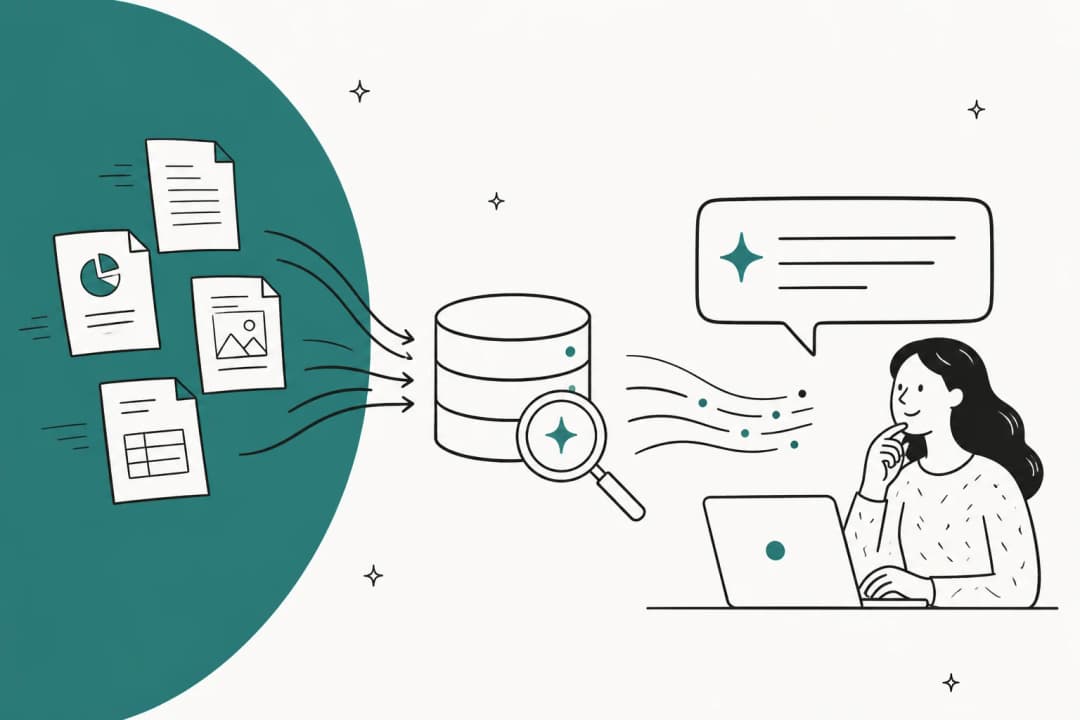
- A knowledge base: The bot needs access to your company's information to give accurate answers. This means building custom connectors to your help center, internal documents, or past support tickets.
This part is a huge hurdle for most teams. Without it, your bot has amnesia, treating every message as if it's talking to a stranger.
Twilio now sells part of this itself: Conversation Memory keeps customer profiles and Enterprise Knowledge indexes websites, files, and raw text. Both work with an LLM you bring, and Twilio's docs say neither is a HIPAA Eligible Service or PCI compliant.
Pro Tip: An integrated solution like eesel AI removes this complexity entirely. It connects to your knowledge sources like helpdesks, Confluence, and Google Docs with simple integrations. Even better, it automatically learns from your past tickets to understand your business context from day one, so you don't have to build a thing.
The "logic": The application server
Finally, you need a central nervous system to make all these different parts work together. This is usually a web application (built with Python/Flask or Node.js) or a set of Twilio Functions. This code is the glue that holds the entire system together. It receives the webhook from Twilio, calls the NLP API for the "brain," checks the database for "memory," fetches knowledge, and sends the final response back through Twilio. Every single piece of this logic needs to be written, deployed, and looked after by your team.
Common Twilio chatbot use cases and their complexity
You can build several types of chatbots with Twilio, but the development effort changes dramatically depending on what you want to do.
Simple, rule-based Twilio chatbot flows
- What it is: These are the most basic bots that guide users through a predefined menu. Think "Reply 1 for business hours, 2 for store location."
- How it's built: This is Twilio Studio's home turf. Its visual drag-and-drop interface is perfect for creating these linear, predictable flows without much code.
- Limitation: These bots are rigid. A reply that matches none of the branches you drew falls to a "no match" path, so every unexpected answer needs a path you planned for. That makes them a poor fit for open-ended conversation.
AI-powered Twilio chatbot for customer support
- What it is: Now we're getting into the deep end. This is a bot that can understand natural language questions, answer FAQs from a knowledge base, check order statuses in real-time, and create support tickets.
- How it's built: This requires the full DIY stack we just discussed: Twilio for the channel, an OpenAI integration for the brain, a custom connection to your e-commerce platform (like Shopify) for order lookups, and a ton of custom code to manage it all.
- Limitation: This isn't a weekend project; we're talking about a full-blown development cycle. While powerful, it demands a lot of ongoing developer time to build and keep running. The AI agent from eesel AI delivers this out-of-the-box, connecting to your helpdesk and other systems to automate entire support workflows.
Twilio chatbot human handoff and agent escalation
- What it is: A smart bot that tries to solve an issue on its own but knows when to pass the conversation to a live agent.
- How it's built: Your application logic needs rules for when to escalate. This requires a custom integration with your helpdesk platform (like Zendesk or Freshdesk) to create a new ticket and transfer the conversation history.
- Limitation: This sounds simple, but the logic can get messy, fast. You have to manage agent availability, queue priorities, and make sure no context is lost during the handoff. eesel AI’s workflow engine gives you full control over this process, letting you define exactly when and how to escalate to a human from a simple dashboard.
Key challenges of the DIY Twilio chatbot approach
Building a Twilio chatbot from scratch gives you ultimate flexibility, but it comes with some serious challenges that many businesses don't see coming.
High development overhead and maintenance
Here’s the thing they don’t tell you: a chatbot is never "done." It requires constant maintenance, bug fixes, and updates from skilled developers. Juggling multiple APIs from Twilio, OpenAI, your database, and your helpdesk creates a fragile system. A small change in one API can easily break the entire thing, leaving your customers with no one to talk to.
- The Alternative: eesel AI is a truly self-serve platform. You can go live in minutes, not months, without writing a single line of code. Our one-click integrations mean you just connect your tools and you’re ready to go.
Disconnected knowledge and manual training
Your bot is only as smart as the info you feed it. In a DIY setup, you have to manually build and maintain connectors to all your different knowledge sources. Want it to know what’s in your Google Docs? That’s a custom project. Need it to learn from your Confluence pages? Another project. On top of that, training the bot on your specific brand voice and common customer issues is a manual, time-consuming process of tweaking prompts.
- The Alternative: eesel AI unifies your knowledge instantly. It analyzes your historical support tickets to learn your brand voice and common solutions automatically. It connects to dozens of sources like Google Docs, Confluence, and Notion to make sure it always has the right answers.
No way to test your Twilio chatbot with confidence
With a custom-built bot, replaying thousands of your past customer conversations through it means writing your own test harness. Without one, you find out where it fails once real customers reach it, which puts your brand's reputation on the line.
- The Alternative: eesel AI’s powerful simulation mode is a lifesaver. Its simulation skill tests your agent against hundreds of your past tickets, or generated test cases, scores each answer, and suggests instruction changes. That lets you fine-tune the bot’s behavior before a single customer interacts with it.
Unpredictable, multi-layered Twilio chatbot costs
The final bill for a DIY bot can be a real shocker, and it goes far beyond Twilio's messaging fees. On Twilio's US SMS pricing page, outbound and inbound SMS are $0.0083 per segment on long codes, toll-free and short codes, before carrier fees. You also have to pay for:
- OpenAI API usage, which can spike during busy periods.
- Database and server hosting costs.
- The salaries of the developers needed for ongoing maintenance.
This makes budgeting a nightmare. Your costs are not only high but also hard to predict.
- The Alternative: eesel AI offers transparent and predictable pricing. Plans are fixed monthly batches of credits, where a ticket or chat handled counts as one credit, starting at $299 for 500 credits. A busy month won’t produce a surprise bill unless you opt into overage, which carries a cap you set.
The simpler alternative: An integrated AI platform
So, what's the alternative to spending months and a small fortune building this from the ground up? An integrated AI platform provides all the necessary components in one powerful, easy-to-use package. The difference is night and day.
| Feature | Building a DIY Twilio Chatbot | Using eesel AI |
|---|---|---|
| Setup Time | Weeks or months | Minutes |
| Technical Skill | Requires dedicated developers | No-code, self-serve dashboard |
| Knowledge Integration | Manual coding for each source | Dozens of one-click connectors |
| Testing | Manual, limited, and post-launch | Pre-launch simulation on historical data |
| Maintenance | High and continuous | Managed by eesel AI |
| Pricing Model | Complex (Twilio + AI + hosting + devs) | Predictable, all-inclusive subscription |
eesel AI is designed to be the intelligence layer that plugs directly into the tools you already use. It works with your communication channels and helpdesk, giving you a fully autonomous AI agent without forcing you to change your current workflow.
Final thoughts on building a Twilio chatbot
Look, Twilio is a fantastic platform for communication APIs. It gives you the building blocks to connect with your customers anywhere. But using those blocks to build an intelligent Twilio chatbot is a complex, expensive, and developer-heavy job. For most businesses, the DIY approach brings unnecessary risk, delays, and hidden costs that just aren't worth it.
Integrated AI platforms like eesel AI offer a much smarter path forward. They provide a powerful, self-serve solution that you can set up and launch in minutes, not months. You get all the benefits of a custom-trained AI agent that understands your business, without the massive headache of building and maintaining it yourself.
Ready to launch your Twilio chatbot?
Stop wrestling with APIs and custom code. With eesel AI, you can deploy a powerful AI agent that understands your business and resolves customer issues automatically.
Start your free trial or book a demo to see how easy it can be to automate your support.
Frequently asked questions
So, besides the Twilio fees, what's the real cost of maintaining a custom Twilio chatbot?
The total cost includes Twilio's fees plus unpredictable expenses for AI model APIs (like OpenAI), database hosting, and the ongoing salaries for developers to maintain and update the system. Integrated platforms often bundle these into a single, predictable subscription.
Do I need a team of developers to build and manage a Twilio chatbot?
Yes, building a smart chatbot from scratch requires developers to integrate the AI, manage databases, and write the core application logic. This is why no-code platforms are a popular alternative, as they handle all the technical complexity for you.
Can't I just use Twilio Studio to create a Twilio chatbot and avoid all this complexity?
Twilio Studio is excellent for simple, menu-based bots that follow a fixed script, like a phone tree. Answering open-ended questions in natural language means integrating an external AI service and writing custom logic around it, which is where Functions or your own server come in.
How does a custom Twilio chatbot actually learn from our company's help articles and documents?
In a DIY setup, your developers must build and maintain custom integrations to connect the bot to each knowledge source, like your helpdesk or Confluence. Platforms like eesel AI replace this manual work with one-click connectors that sync your knowledge automatically.
Realistically, how long would it take my team to launch a smart Twilio chatbot from scratch?
Building an AI-powered bot is a full development project that typically takes several months for development, integration, and testing. In contrast, an integrated AI platform can be configured and launched in a matter of minutes or hours.
What happens if a customer gets frustrated with our Twilio chatbot and needs to talk to a person?
Your chatbot's logic must include rules for "human handoff" or escalation. Building this yourself requires custom integration with your helpdesk software, whereas dedicated AI platforms provide easy-to-configure workflows to manage this process smoothly.


Article by
Rama Adi
Rama is a software engineer at eesel AI with two years of experience writing about B2B SaaS, AI tools, and customer support technology. Based in Bali, Indonesia, he brings a developer's perspective to product comparisons — cutting through marketing copy to what the integrations and APIs actually do.