

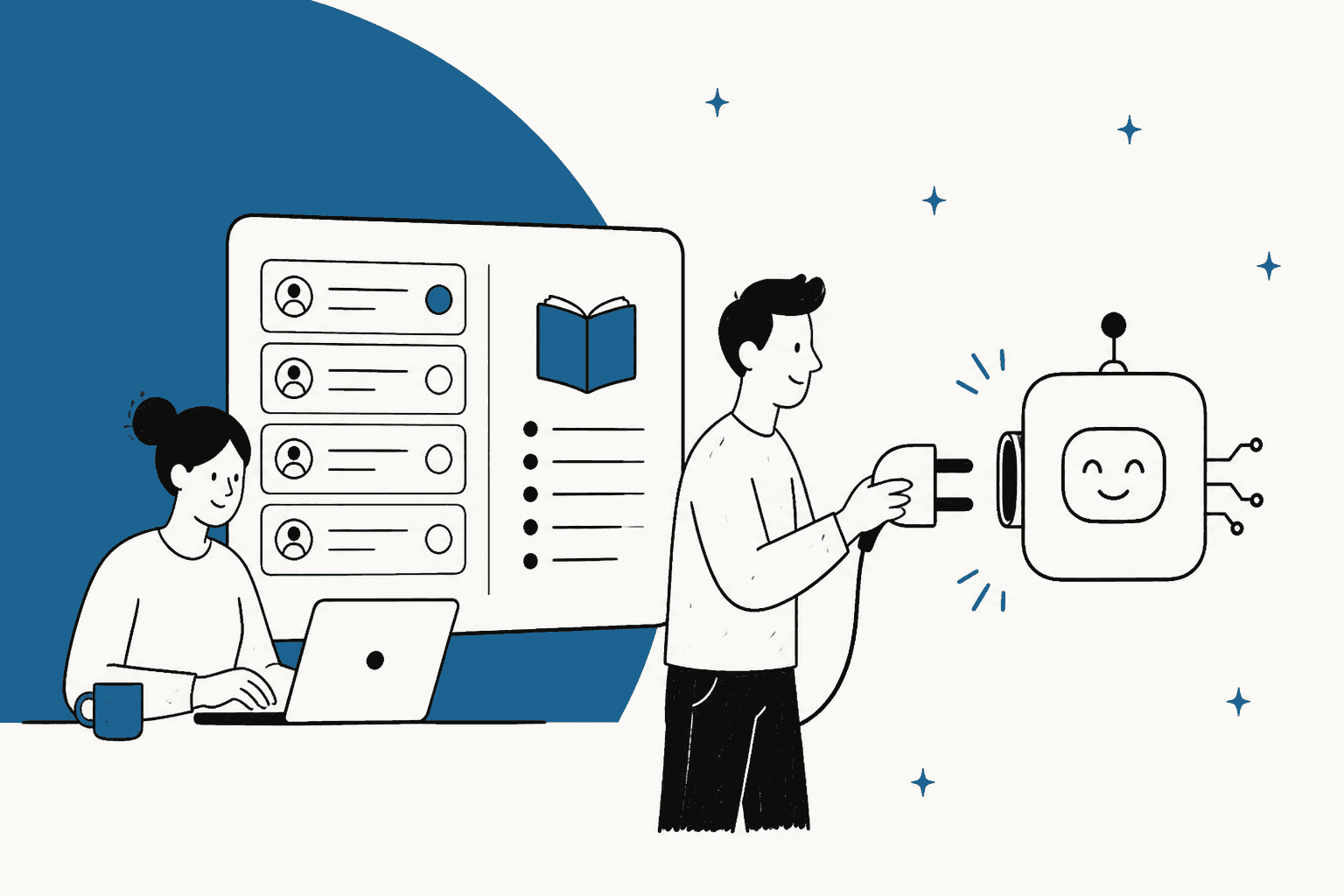
AI support vendor lock-in is rarely about the sticker price. It comes from where the AI lives and what it keeps when you leave. Your help center, macros and ticket history walk out with you. The AI's flows, its bot-only conversations and any prepaid volume usually stay behind: Zendesk's own help center says "AI agent tickets cannot be exported", and its unused monthly allowance doesn't carry over.
So before you sign, check five things: is the AI welded to your helpdesk, does unused volume expire, can you export its conversations and setup, does it train on your data, and how long you get to leave. eesel is built to pass that test: it writes into your existing helpdesk, bills monthly, and cancels with no fee.
What actually locks you in with an AI support vendor?
Five things, and only one of them is in the contract you're about to read.
I build helpdesk integrations at eesel, which means I spend my days in the Zendesk, Freshdesk and Gorgias APIs, working out what an AI can read and write and where the result ends up. The pattern that keeps showing up: the stuff your team made (articles, macros, replies on tickets) is easy to take with you. The stuff the AI vendor made (flows, procedures, bot-only transcripts, tuning) usually isn't. That's the lock-in, far more than any single clause.
"Your business gets built on top of it, if you use multiple parts of the ZD suite, it's integrated all over. [...] That's the trap. Enterprise software gets you locked in, and it ends up costing more to switch than to just keep it from a pricing perspective which is crazy yet reality."

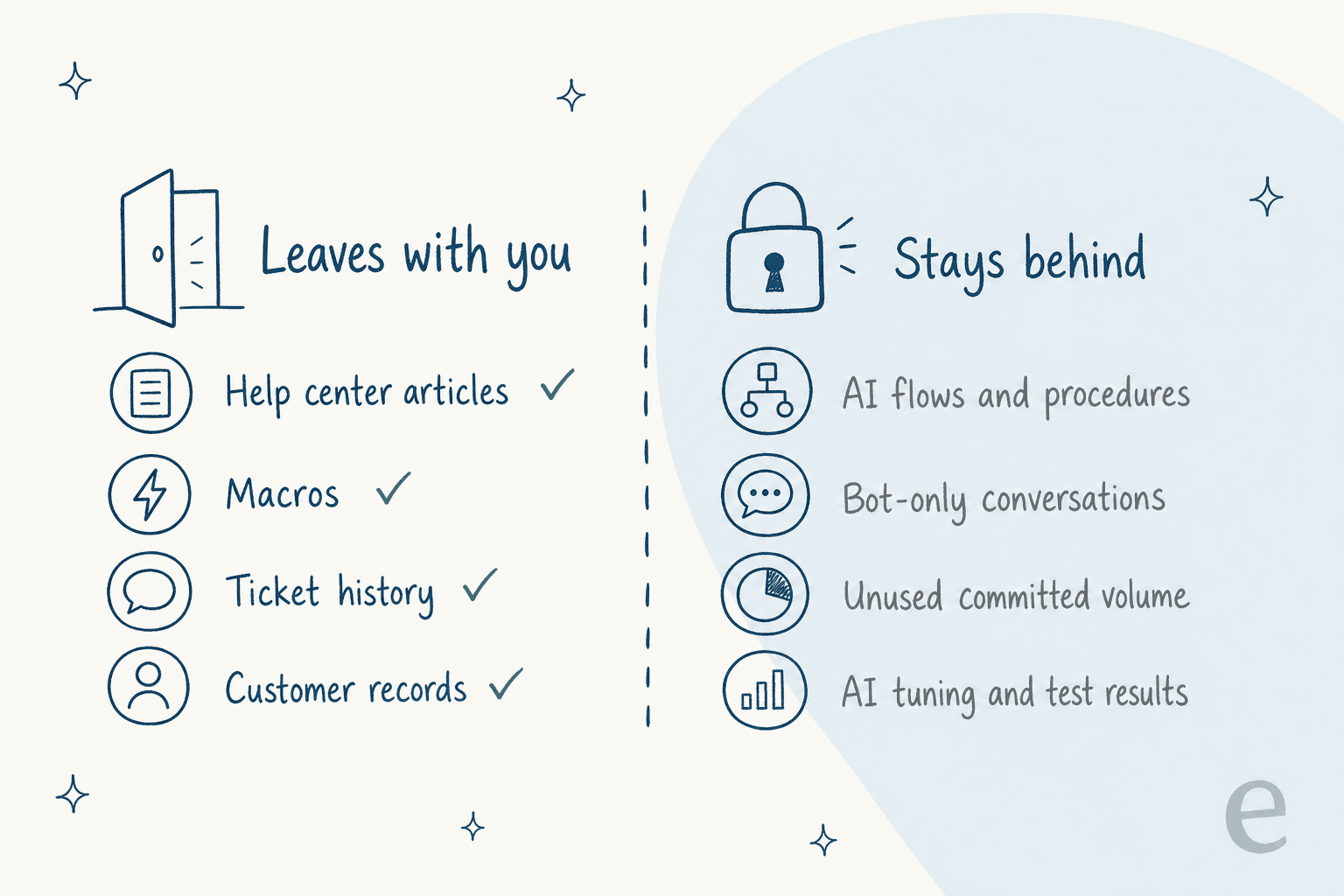
Here's the short list:
| Trap | What it looks like | Who it bites |
|---|---|---|
| AI bundled into the helpdesk | Leaving the helpdesk means leaving the AI, and the reverse | Teams that might change helpdesk in the next 2 years |
| Prepaid volume that expires | Committed resolutions or session packs that reset monthly or yearly | Anyone who over-buys before the AI proves itself |
| AI records you can't export | Bot-only conversations and flows that live only in the vendor's tool | Teams with audit, QA or compliance needs |
| Training on your data | A default licence to use your tickets for the vendor's models | Anyone handling regulated or sensitive data |
| Short exit windows | 14 to 45 days to get data out once the contract ends | Everyone, on the day they finally decide to leave |
The reason this matters now is that the lock-in usually starts with a good experience. One support team on Zendesk said this on a sales call with eesel:
"we have kicked the tires in zendesk AI solutions and found it largely inadequate and overpriced. So we're looking for other options."
That team was lucky, because they found out before committing. A B2B hardware support team on another eesel sales call wasn't: they were being forced off their AI tool because its vendor changed its business model, which had nothing to do with whether the AI worked. Lock-in isn't only about you wanting to leave. Sometimes the vendor leaves you.
If you're early in the process, the eesel AI support RFP template and how to choose an AI support agent guide cover the wider buying decision. This post is only about the exit.
Is the AI tied to your helpdesk?
This is the biggest lock-in question, and most buyers never ask it. There are two architectures, and they fail very differently.
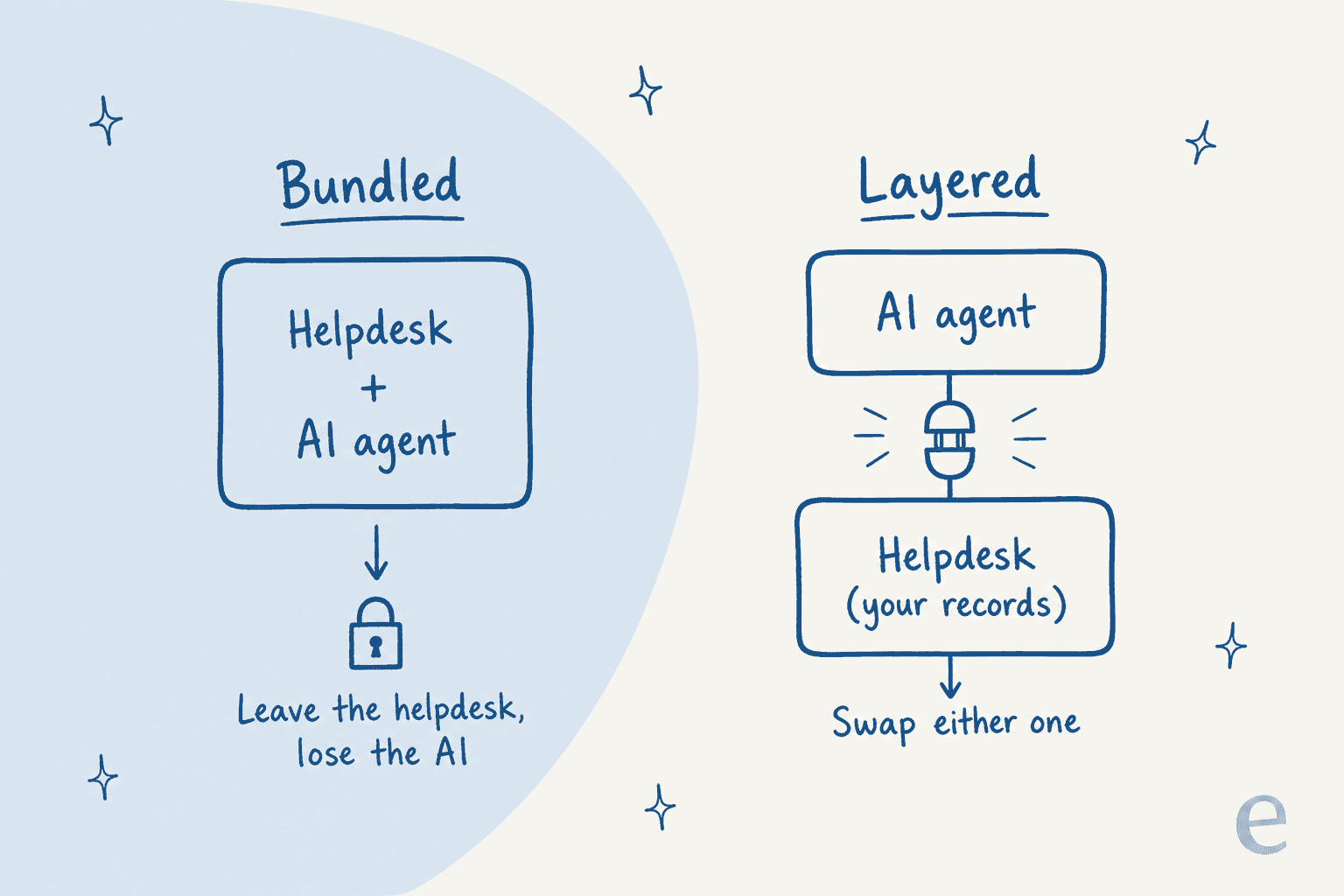
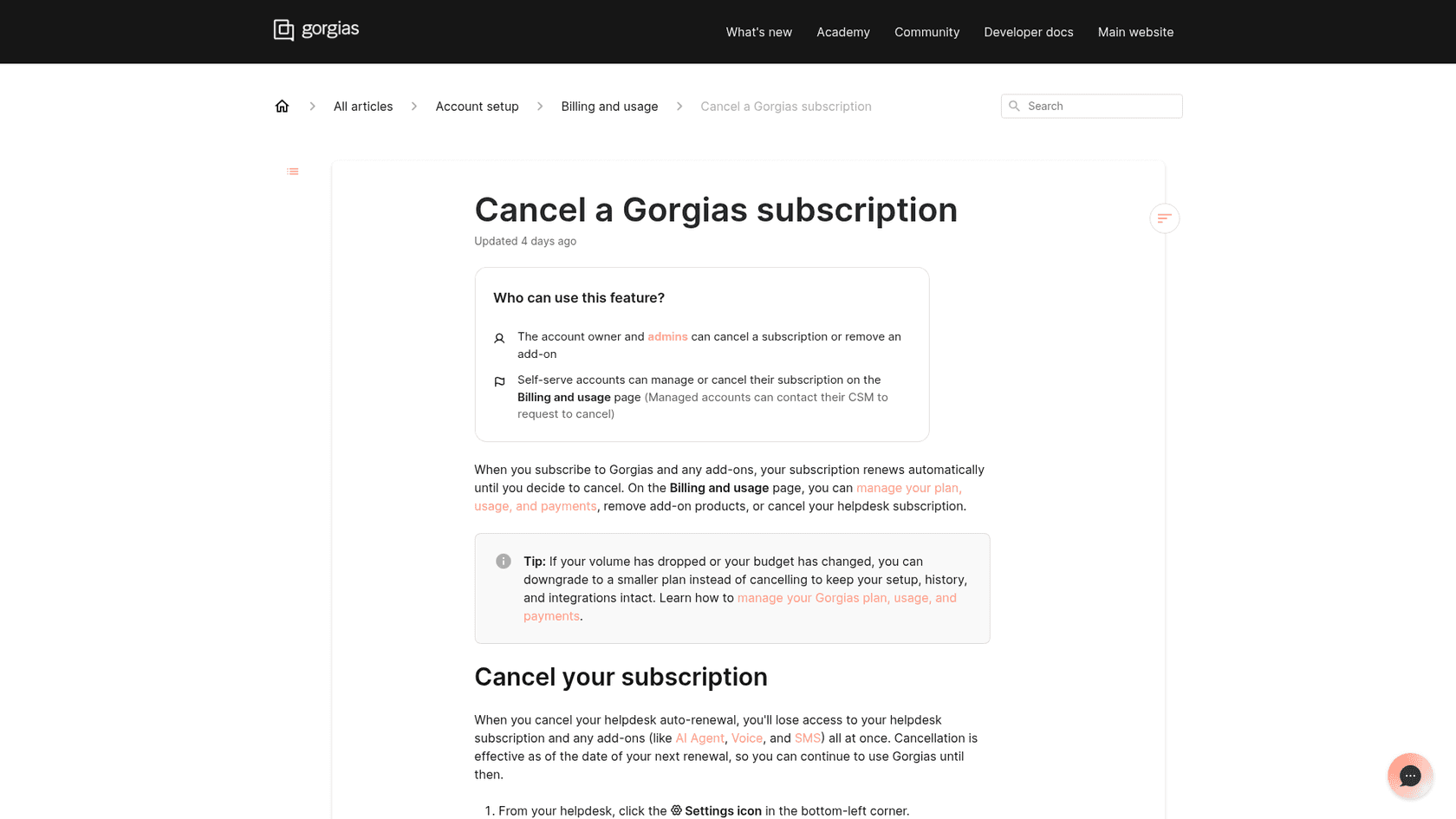
Bundled AI is the helpdesk vendor's own agent: Zendesk AI agents, Freddy AI Agent in Freshdesk, Gorgias AI Agent, Help Scout's AI, HubSpot's customer agent. These are good products, and the convenience is real: one bill, one login, no extra integration. The catch is that the AI and the helpdesk come as a pair. Gorgias says it plainly in its own help center: when you cancel your helpdesk subscription, you lose access to add-ons like AI Agent, Voice and SMS "all at once".
Bundling also means the helpdesk vendor's roadmap becomes your roadmap. Zendesk stopped development on AI agents Essential and its legacy bot builder on August 31, 2026, and removes them in December 2026. If you built flows there, you're rebuilding them on Zendesk's schedule, not yours.
It can work the other way too. One Freshdesk team that trialled eesel couldn't get its automation rules to run alongside their existing ones, hit Freshdesk's API rate limits, and kept being pointed to Freddy AI when they asked Freshdesk support. eesel lost that deal, and I'm not pretending otherwise. But it's a fair picture of how a helpdesk vendor's own limits can pull you toward its own AI.
Layered AI sits on top of the helpdesk instead of inside it. The helpdesk stays the record: tickets, replies, tags and notes all live there, and the AI reads from it and writes back into it. If the AI disappoints, you disconnect it and your queue is untouched. If you change helpdesks, you reconnect the AI to the new one. This is how eesel works with Zendesk, Freshdesk, Gorgias, Help Scout and HubSpot: it learns from your help center, macros and past tickets, then writes drafts, notes, tags and replies back onto your tickets.
The honest trade-off: layered AI is one more vendor and one more bill. If you're certain you'll stay on your helpdesk for years and its AI does the job, bundled is simpler. If either of those is uncertain, layered keeps both doors open.
What happens to the AI volume you prepaid?
It usually expires. Almost every vendor sells AI as a bundle of resolutions, sessions or credits, and almost none of them roll over. That's fine when you use it all. It's lock-in when you prepay for a year before you know the AI's real resolution rate.
| Vendor | What you pay for | Does unused volume expire? | Renewal and notice |
|---|---|---|---|
| Zendesk | Automated resolutions: $1.50 committed, $2.00 pay-as-you-go, paid from a dollar allowance | Yes: "Monthly allowances do not carry over if they aren't used" | Auto-renews at "then-current rates" unless you give 30 days' written notice |
| Freshdesk | Freddy AI Agent sessions, $49 per 100, first 500 included once | Yes: sessions expire with your payment cycle, so quarterly billing means quarterly expiry | Auto-renews with the same plan and add-ons; 30 days' notice |
| Gorgias | Automated interactions bundled into plans, $1.50 each past the limit | Not stated in Gorgias's docs | 30 days' notice to cancel, "regardless of whether the Subscription is monthly or annual" |
| Help Scout | $0.75 per resolution, billed monthly after the fact | Nothing prepaid, so nothing expires | Auto-renews; 30 days' notice; 30-day money-back on first payment |
| Salesforce Agentforce | Flex Credits at $500 per 100k or $2 per conversation | Yes: credits must be used by the order end date, "no rollover will be permitted" | Set in your order form |
Three contract details turn expiring volume into real lock-in:
- You can't shrink mid-term. Zendesk's Customer Agreement says you "cannot downgrade" your plan or seat count during a term, and cancelling early still means paying out the rest of it. Freshworks' terms make fees non-refundable "regardless of utilization". Gorgias's MSA also blocks downgrades mid-term.
- Overage is often on by default. Zendesk's default is "Allow overage", and overage is "billed monthly, regardless of your subscription terms". So you can under-use one month and still pay extra the next.
- Renewal can reprice you. Freshworks says it will adjust renewal fees for "delivered innovation, general cost inflation, and other relevant factors". Gorgias can raise renewal prices with 60 days' notice.
That last point bites hardest when the AI works well. One Zendesk admin with 90 Enterprise licences described exactly that:
"After just 30 days, we had already consumed more than 40% of the automated resolutions included in our plan for the entire year. Based on Zendesk's own estimate, that would have meant around €20k in additional annual costs. In the end, we actually had to move the highest-performing bots out of Zendesk because they were resolving too many enquiries."
And the no-shrinking rule changes how teams buy in the first place:
"the inability to reduce licenses is a big issue. We purposely don't expand our footprint with zendesk because of that. We have CS staff that rises and falls in her the year to support holiday etc.."
My rule here is simple: don't commit to a year of AI volume until you've seen a month of real numbers. Start pay-as-you-go or monthly, even if the per-unit rate is higher. On Zendesk that's the gap between $2.00 and $1.50 a resolution, which is a cheap price for not betting on a resolution rate you haven't measured yet. My Zendesk automated resolutions breakdown shows what actually counts as one.
Can you export the AI's conversations and setup?
Your tickets, almost always. The AI's own records, often not. This is the trap that only shows up on the day you leave.
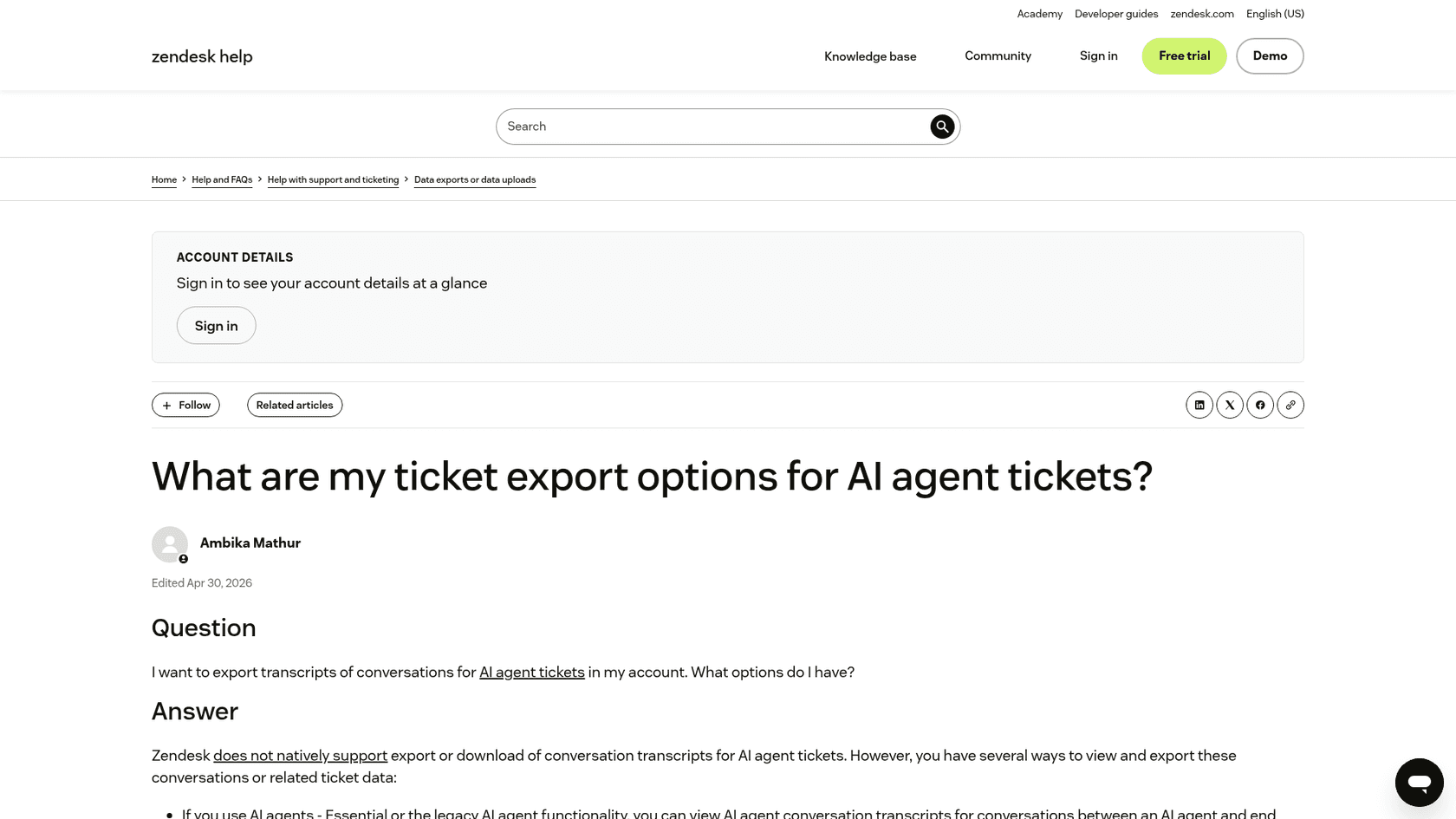
The split comes down to one question: does the AI write onto normal tickets, or does it keep its own conversations somewhere else? Here's what each vendor's public docs say:
| Helpdesk | Ticket export | AI-only conversations | AI setup (flows, rules, actions) |
|---|---|---|---|
| Zendesk | JSON, CSV or XML on Suite Growth and up; the account owner must ask Zendesk to switch exports on; Team plan is API only | Not in the account export. Zendesk suggests printing, an app or the Ticket Audits API; the former Advanced AI agents have a daily JSON Data Export API | Intents export to a spreadsheet; docs don't describe an export for procedures or dialogues |
| Freshdesk | Full account export as XML, admin only | AI Agent conversations are normal tickets, so they're in the export | Docs don't describe an export |
| Gorgias | CSV export on all plans, up to 1M tickets; message content only for the last 30 days | AI replies live on Gorgias tickets | Macros export as CSV; docs don't describe an export for Guidance or Actions |
| Help Scout | No full in-app export; the API is "currently the only means" | Through the Inbox API | Docs don't describe an export |
| HubSpot | CRM backup as CSVs, but "associations and activity data aren't included" | Conversations API, or copy and print | Docs don't describe an export |
"Docs don't describe an export" doesn't mean support won't help you on request. It means you can't count on it, so ask for it in writing.
The setup is the part people underestimate. A year in, an AI agent carries dozens of small decisions: which topics it answers, when it hands off, what it says about refunds, which actions it can run. If those live as clicks in a vendor's builder, you'll be rebuilding them from memory. If they live as plain-text instructions you wrote, you copy them across in an afternoon. smava, which runs eesel on 27,000 Zendesk tickets a month across two brands, put it well: every rule lives in the agents' instructions, "so changing what eesel may say is a text edit, not a project." Swiftreg goes further and keeps its instructions "as numbered releases", with lookup scripts its own team wrote.
That's the habit I'd copy whichever vendor you pick: keep a written copy of every instruction and rule outside the vendor's tool.
One Zendesk admin who's planning a move explained why keeping logic outside the helpdesk made it possible:
"offloading this logic to another platform means that you become less dependent on staying with ZD. We are currently looking into moving to a different ticket system and the fact that we don't have to spend hours and hours on migrating the trigger logic and can instead just copy the existing logic, switch out integrations and feed tickets into the new flow is an important factor making the switch feasible."
u/j9wxmwsujrmtxk8vcyte, r/Zendesk My vendor switching guide has the full inventory checklist, and switching helpdesks without losing ticket history covers the ticket side.
Does the vendor train on your data?
This one is quieter lock-in: once your tickets have trained a vendor's model, leaving doesn't take them back. The answers vary more than most buyers expect.
| Vendor | Default position (from their own pages) |
|---|---|
| Freshworks | Unless you opt out, you grant Freshworks a licence to use your data "for AI Training". Opt-out is by email, and removal can take up to 180 days |
| HubSpot | Some of HubSpot's own models train across customer accounts by default; opting out "will only apply moving forward" |
| Gorgias | Doesn't train OpenAI or third-party models, but "AI Agent does learn from interactions from other brands" |
| Zendesk | No generative content trained on your data; sanitized data is used for Zendesk's own cross-account machine learning models |
| Help Scout | No retraining of the base model; may use "limited samples" to tune small adapters that aren't shared across customers |
| eesel | Your data is used only for your own agent and "never used to train the underlying AI models" |
None of these is automatically a dealbreaker. Cross-account learning is part of why some bundled AI gets better quickly. But the HubSpot line is the one to remember: an opt-out rarely un-trains a model. Decide before you connect your ticket history, not after. The AI support security review and vendor security checklist go deeper on the paperwork.
How long do you get to leave?
Less time than you'd think. Once the contract ends, most vendors give you two to six weeks to get your data out, and some only on request.
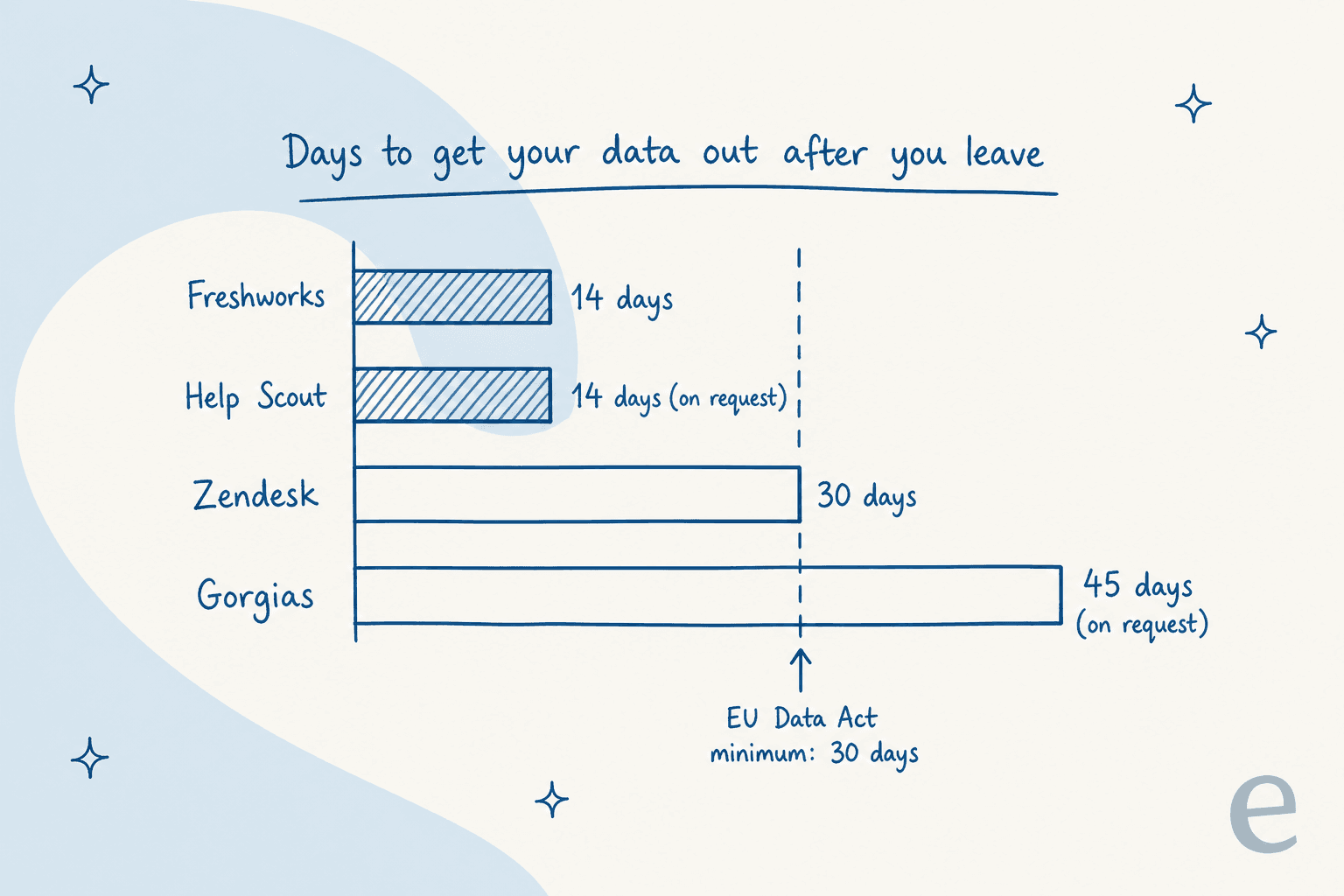
Those windows come from each vendor's own terms: Zendesk allows export "during and 30 days after" the term, Freshworks keeps data for 14 days after closure, Gorgias holds it for 45 days on request, and Help Scout can restore a cancelled account for 14 days.
If you're in the EU, the law now sets a floor. The EU Data Act, which covers SaaS and has applied since 12 September 2025, gives customers of software services:
- A notice period of at most
2 months(Article 25) - A transition period of up to
30 days, with the vendor's help, while the service keeps running - At least
30 daysto retrieve your data afterwards - A contract that lists "all exportable data"
- No switching charges at all from
12 January 2027(Article 29)
The catch for AI is in the definition. "Exportable data" covers what you put in and what your use generated, but not the vendor's own IP or trade secrets. So your conversations and ticket data are covered; the vendor's prompts and models probably aren't. The Commission has also proposed exemptions for smaller companies on older contracts, so check where your own contract lands.
The practical move: run a test export in your first month, not on your last day. If something's missing, you'll find out while you still have leverage.
What should you check before you sign?
Ten questions, two per trap. If a vendor can't answer one in writing, that's your answer.
If you want to go further, ask for an exit test inside the contract: one export of everything listed above, run during onboarding, with the vendor's help. It costs the vendor an hour and tells you more than any sales deck. For the rest of the evaluation, the AI support pilot scorecard and simulation testing guide cover how to measure the AI before you commit to anything.
What does a low lock-in setup look like?
It looks boring, which is the point. The helpdesk holds the records, the AI is a tenant, and the rules are text you can read.
A few real setups from eesel customers show the shape:
- Knowledge stays in the helpdesk. Norden-Frisia, a German ferry operator, uses its Zendesk help center as the AI's knowledge. When an article changes, the bots re-sync from Zendesk, so "a change to an article about roof racks or disability discounts reaches CaptAIn without retraining." They connected Zendesk, pulled in macros and three months of tickets during the trial week, and signed up within days.
- Volume flexes with the season. The same team plans for
10,000interactions a month in high season and scales back down from October to March, which only works on monthly terms. - One helpdesk, many brands, no extra lock. SE Ranking runs one agent per product across three Zendesk connections,
4,650conversations a month, and Nordbutiker runs one bot per brand and country, each learning from its own Zendesk brand's solved tickets. - Control is a list edit. At Rúngne, a Norwegian climbing apparel shop on Gorgias, moving a topic between AI answers and human drafts is "a list edit, not a project."
There's an honest flip side. Low lock-in means your customers can leave you too. One customer who left eesel said they'd switched to a cheaper tool and "probably would have stayed if support was faster and better." That stung, and it's fair. A vendor with no lock-in has to keep earning the renewal, which is exactly the incentive you want your AI vendor to have.
If eesel isn't right for you, the same rules apply to whoever you pick. The AI customer support software alternatives roundup and Zendesk alternatives list compare the options, and common AI rollout mistakes covers what goes wrong after you sign.
Try eesel without the lock-in
If you're about to sign a year of helpdesk AI to see whether it works, there's a cheaper way to find out. eesel joins your existing Zendesk, Freshdesk, Gorgias, Help Scout or HubSpot queue like a new teammate, learns from your help center, macros and past tickets, and writes every reply onto your own tickets, so your history never leaves your helpdesk.
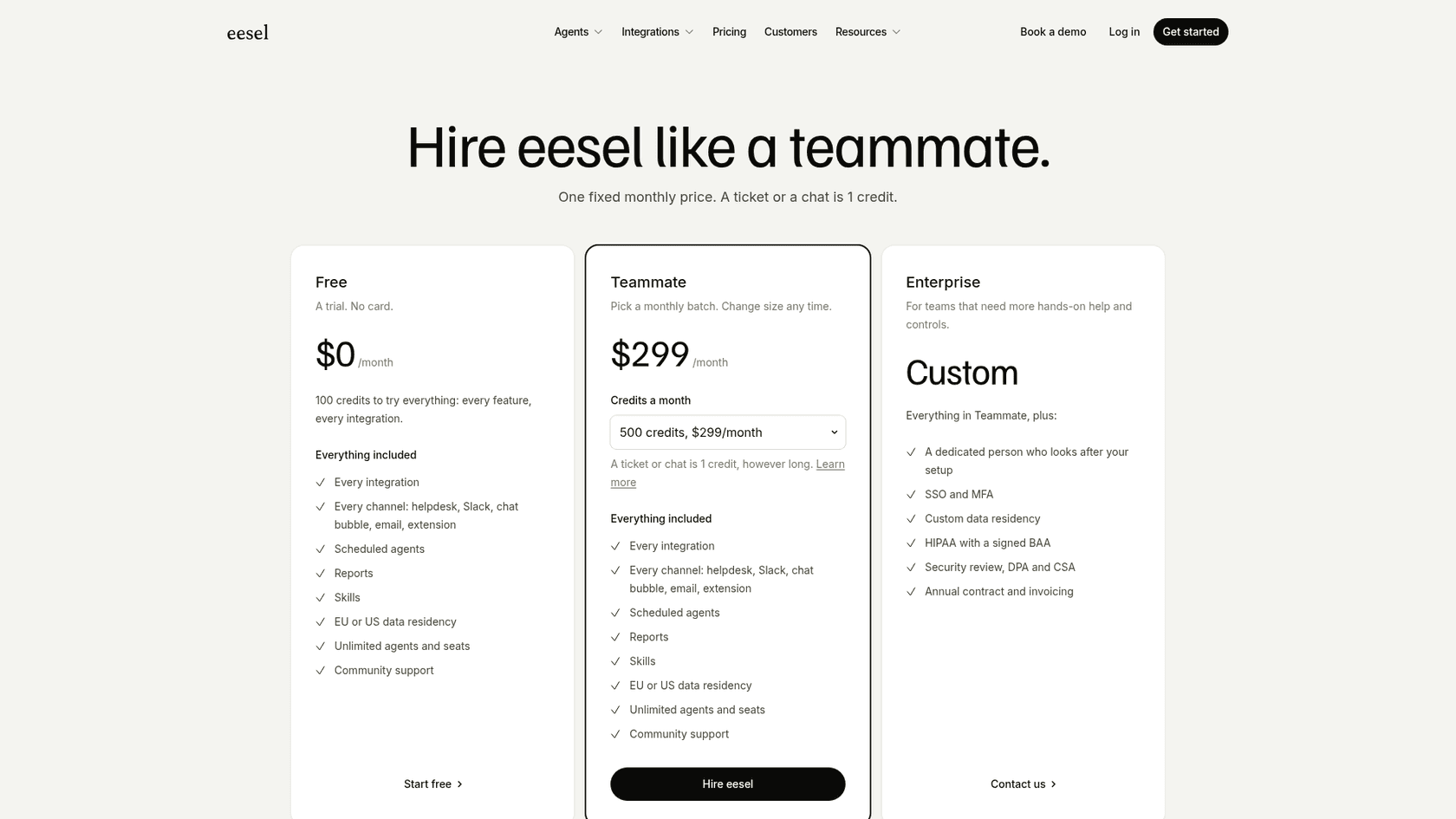
eesel pricing starts free with 100 credits and no card, then $299 a month for 500 credits, where one ticket or chat is one credit. Credits reset monthly like everyone else's, but the plan is monthly too: change size any time, and cancel through Stripe with "no lock in and no cancellation fees." The eesel CLI runs the same agent from a terminal and prints everything as JSON, so your setup is something you can script, read and keep a copy of. Try eesel on your own queue first and decide with real numbers.