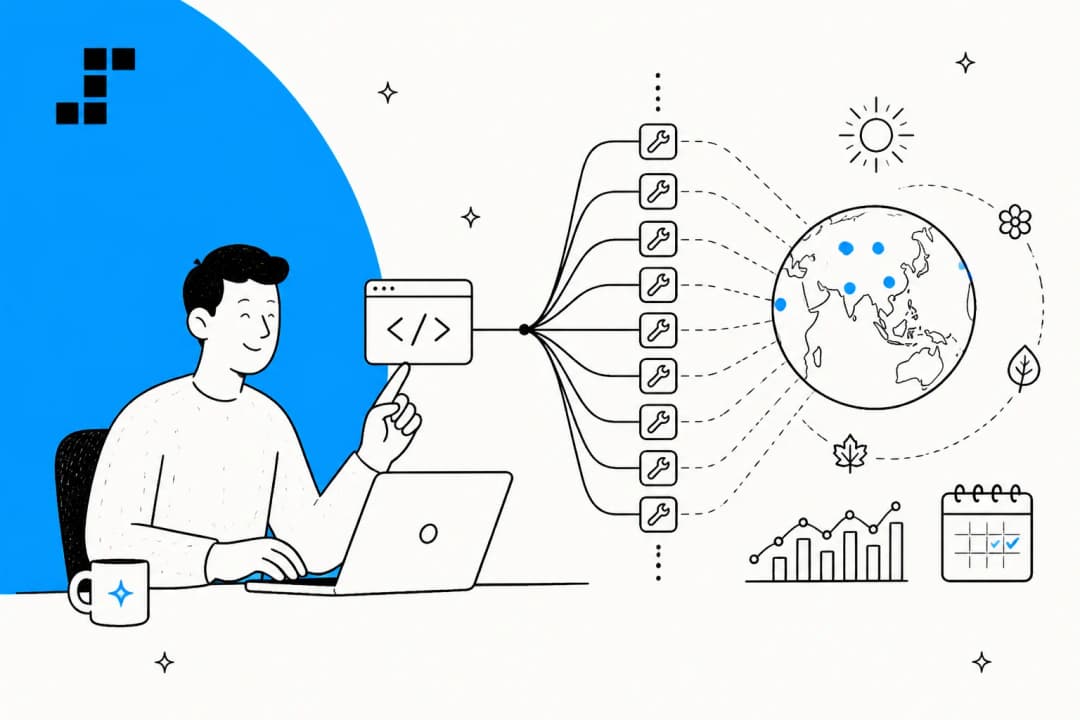
Lindy vs Tasklet at a glance
I build AI agents for a living, so let me be upfront about the lens here: I care less about which tool has more integration logos and more about what happens on the thirtieth day, when the credits are running low and someone on the team is trying to work out why the bill moved. That is where these two tools actually diverge.
Here is the shape of it before I go deep on each one.
| Dimension | Lindy | Tasklet |
|---|---|---|
| Positioning | Slack-native AI teammate you assemble | Horizontal cloud-agent automation ("agents that own the work") |
| Billing model | Per seat + shared credit pool | Org-level, no per-user fee, shared credit pool |
| Entry price | $29.99/user/mo (Plus, 3,000 credits) | $25/mo (Starter, 10,000 credits) |
| Free tier | 7-day trial only | None ("payment required to use") |
| Per-task cost visible? | Banded (Everyday / Deep / Big Build) | Not published |
| Credit rollover | No | No |
| Where agents run | Your connected tools + computer use | Isolated cloud sandboxes (2 vCPU / 14.8 GB) |
| Models | Model-agnostic, pick per task | Multi-model, "intelligence levels" Basic to Genius |
| Native security | HIPAA/BAA on Enterprise only | SOC 2 compliant, GDPR in progress |
| Built for support at volume? | No | No |
Two honest, capable products. They just point at different buyers. Lindy leans toward small teams who live in Slack and want an assistant sitting in their threads. Tasklet leans toward operators who want always-on cloud agents doing background work with no seat math. Let me show you what each actually is before I get to the money.
What Lindy actually is
Lindy calls itself "the AI teammate that will 3x your output." Underneath the teammate framing, it is a trigger-based, no-code agent builder: you pick a trigger, describe the job in plain English, and Lindy assembles the steps. You can @mention it in Slack, DM it over iMessage, or build custom agents (it calls them "Lindies") from a big library of templates.
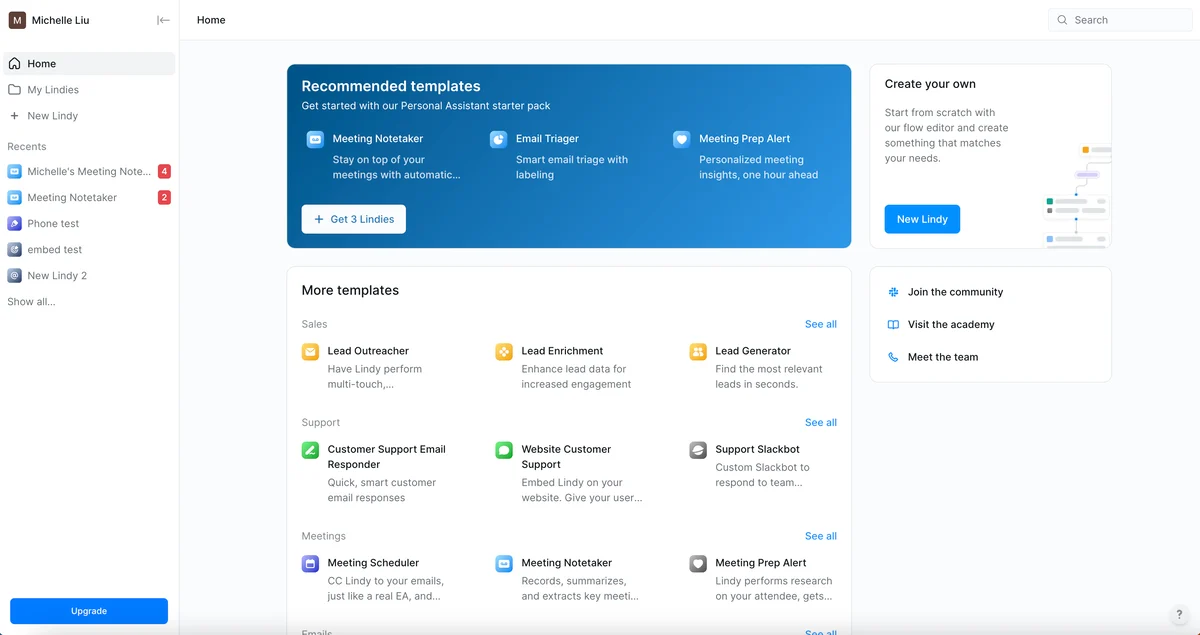
The pieces that make it distinct: it is model-agnostic, so you choose the model per task; it has 40+ built-in skills plus computer use and MCP support to connect almost anything; and it puts an approval gate on any outward action. Send an email, update a ticket, post to a channel, and Lindy waits for a human to sign off. Read-only lookups run without the gate. If you have ever worried about a rule-based chatbot going rogue, that approval step is a sensible bit of design.
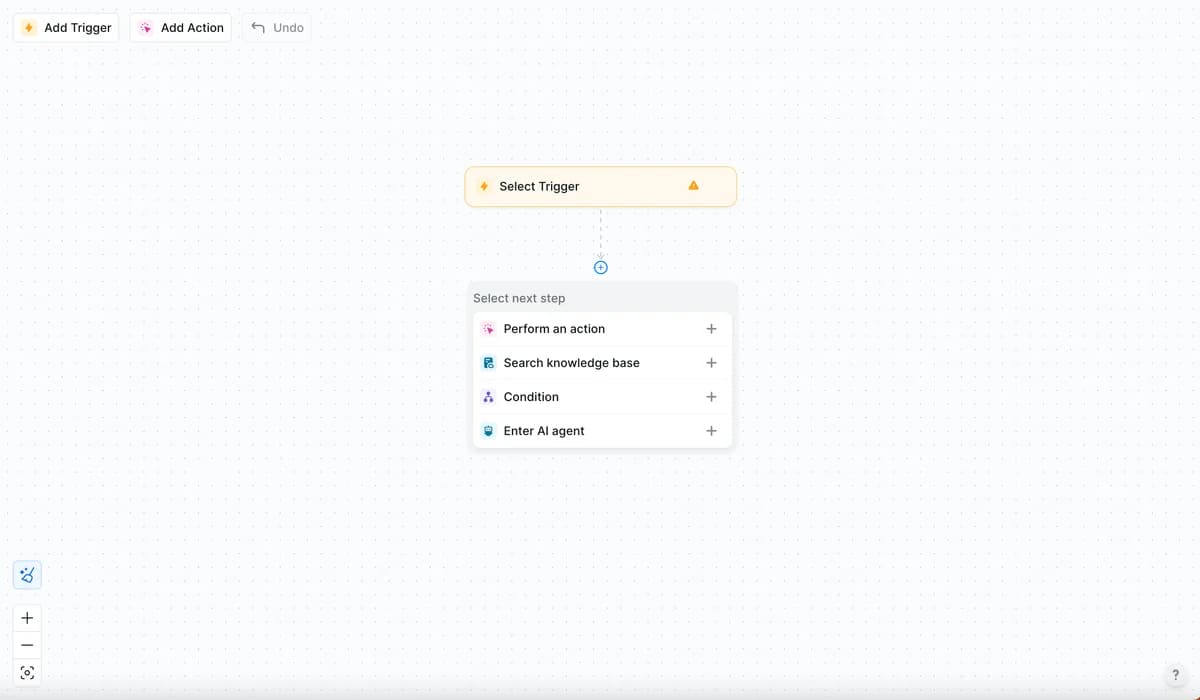
When you build from scratch, you land in a flow editor: choose a trigger, then chain actions, knowledge-base lookups, conditions, or a nested AI agent.
Reviewers back up the "easy to use" reputation. On G2, Lindy holds 4.9/5 across 171 reviews, and the top pro tags are Ease of Use, Automation, and Time-saving. It is legitimately pleasant to set up an agent, which matters if your team is non-technical and you want an AI personal assistant without wiring up a workflow graph by hand. The one place its own users push back is cost, which I will get to.
What Tasklet actually is
Tasklet comes at the same problem from a different angle. Its taglines are "agents that own the work" and "IFTTT for the agentic age," and the pitch is: type a task or a standing responsibility in plain English, and Tasklet builds an autonomous agent that runs it in the cloud, even when your laptop is closed. There is no visual flowchart to draw.
Mechanically, this is the interesting part. Every agent gets its own isolated cloud sandbox (2 vCPU, 14.8 GB free) where it can run code, process files, and drive a real browser to do things behind a login the way a person would. It fires on three trigger types: schedule, event (a new HubSpot contact, an inbound email), or webhook. It routes across Claude, GPT, and Gemini, and exposes "intelligence levels" (Basic, Advanced, Expert, Genius) so you trade cost for reasoning depth per task. It ships 15+ named integrations (Gmail, Slack, Salesforce, HubSpot, Asana, QuickBooks) plus auto-built connections to any HTTP API or MCP server.
It is worth knowing who is behind it, because it sets the bar: Tasklet is a Y Combinator company built by the creators of Firebase. That is a serious infrastructure pedigree, and it shows in the sandbox-per-agent design.
The obvious question came up the moment it launched. On the Show HN thread, one commenter asked the thing everyone is thinking:
"How is this different from Zapier?"

Tasklet's own founder answered it well: tools like Zapier make you define a flowchart in software, which is a lot of work to set up and brittle around edge cases, whereas Tasklet uses an agent for execution, so the model decides what to do at each step from text instructions, with no flowchart at all. That is a real architectural difference, and it is the same shift you see across most modern AI workflow automation. Whether it is worth leaving a mature engine like Zapier or IFTTT behind depends on how much you value that flexibility over predictable, inspectable steps.
Tasklet's homepage leans on one first-party customer story, a 51-year-old Houston manufacturer whose team automated its own busywork after a 40-day onboarding.

One fair note for a buyer: independent reviews are thin. There is no G2 or Capterra footprint yet, so most of what you can verify comes from Tasklet's own pages and a handful of launch-day comments. That is normal for a newer product, but it means you are trusting the docs more than the crowd.
The real difference: how each one bills you
Here is where the two tools really split. Both meter "work" in credits that do not roll over, but the structure around those credits is completely different, and it changes who each tool is affordable for.
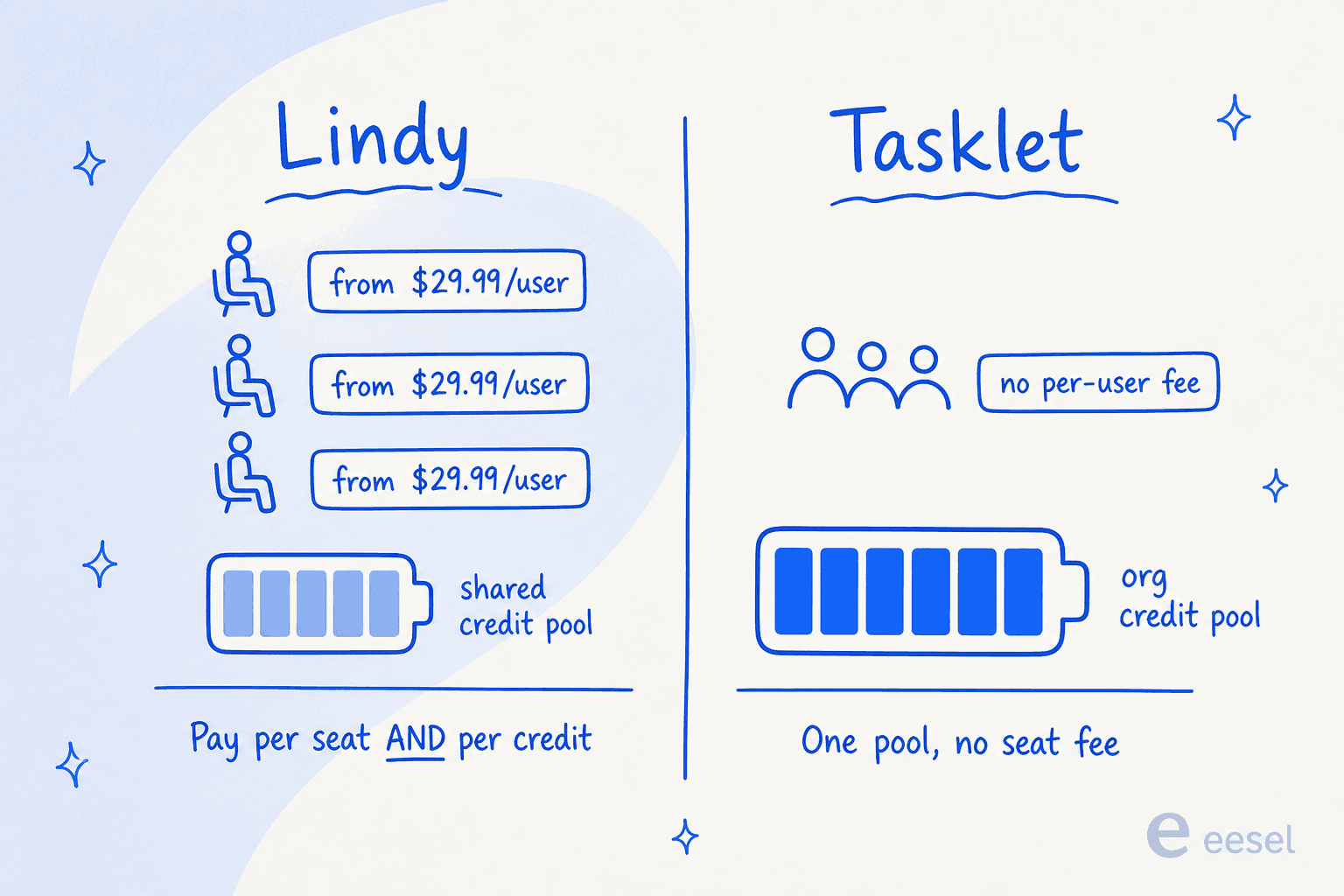
Lindy stacks two meters. You pay per seat, and each seat contributes a monthly credit allowance to one shared pool. Here is the full table.
| Lindy plan | Price | Credits (per user / mo) | Notes |
|---|---|---|---|
| Plus | $29.99/user/mo | 3,000 | Everyday usage |
| Pro | $99.99/user/mo | 15,000 | "5x more than Plus" |
| Max | $199.99/user/mo | 35,000 | Heaviest workloads |
| Enterprise | Custom | Shared usage + bonus credits | Adds HIPAA/BAA, audit logs, dedicated support |
The catch is the seat rule. Anyone who uses Lindy needs a paid seat, including a teammate who only @mentions it in a Slack thread (Slack joiners get a 7-day trial before the seat bills). Credits do not roll over, and there is no pay-as-you-go overage: when the pool runs dry, Lindy pauses credit-using actions until the next cycle or an admin upgrades. That "no surprise bill" behavior is a nice touch. The flip side is that a 3,000-credit Plus seat can vanish fast, because one "Big Build" job can burn 1,000 to 2,500 credits on its own.
Tasklet drops the seat meter entirely. You buy credits for the whole org, and unlimited seats draw from them.
| Tasklet plan | Price | Monthly credits | Daily bonus | Notes |
|---|---|---|---|---|
| Free | Gone | None | 300/day | Retired; payment now required |
| Starter | $25/mo | 10,000 | 600/day | Agent web browser, email support |
| Pro | $100/mo | 40,000 | 600/day | Same features, more headroom |
| Custom | from $250/mo | 100,000 (up to 4M) | 600/day | Adds live video support |
Every paid plan gets unlimited automation runs, the dedicated agent browser, and full-size uploads. Monthly credits reset and do not roll over, and the 600 daily bonus credits reset at midnight UTC without stacking. One-time top-ups exist (320 credits per $1, $25 minimum, valid a year, used last), and refunds are available within 14 days up to $250.
But look at that "per-task cost" gap, because it is the load-bearing thing here.
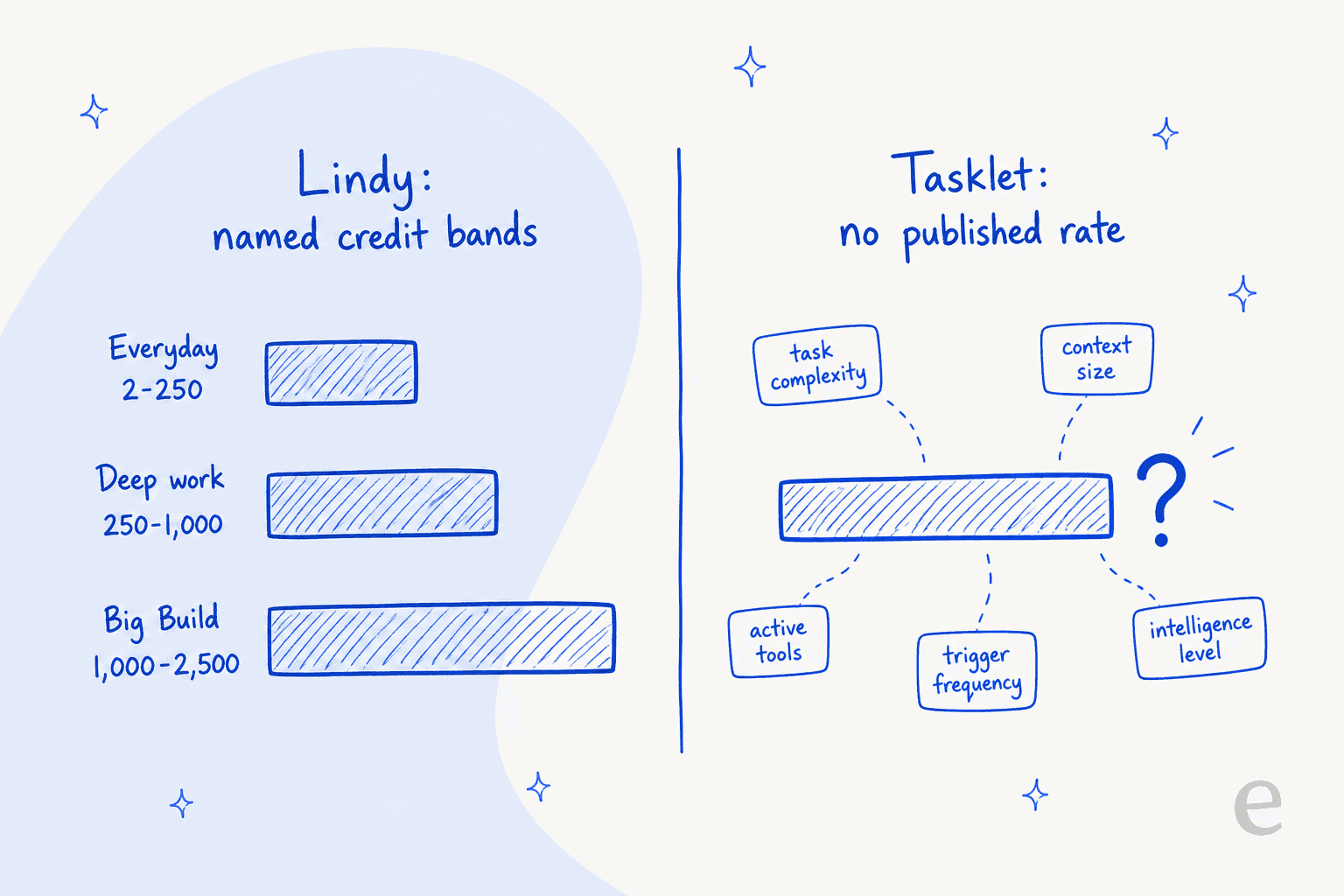
Lindy at least gives you bands: an "Everyday Ask" is 2 to 250 credits, "Deep work" is 250 to 1,000, and a "Big Build" is 1,000 to 2,500. It is opaque, but it is a range you can plan against. Tasklet publishes no per-credit dollar rate and no typical credits-per-task figure. Cost is described only qualitatively: it varies with task complexity, context size, active tools, trigger frequency, and the chosen intelligence level, and browser use plus higher intelligence burn fastest. That is honest as far as it goes, but it means you cannot model your real monthly cost until you have run the product for a while.
For what it is worth, this is exactly the friction I see land hardest with buyers. Lindy's own users say it plainly:
"For many Lindy AI will give them the ability to automate typical office tasks in a way which is at once not too complicated, but also practical."

That is the honest sweet spot for both tools: practical, not-too-complicated office automation. The trouble starts when people try to point one of them at a high-volume, revenue-adjacent workload like a support queue, where "I cannot predict the bill" stops being a nuisance and starts being a blocker. On G2, Lindy's two loudest con tags are literally "Expensive" (42 mentions) and "High Subscription Cost" (35). The tools are good. The pricing models just were not designed for volume.
Neither one is built for support at volume
This is the part I most want you to take away, and it comes from watching this exact thing go wrong. At eesel I have spent the last three-plus years putting AI agents on live support queues, and the scar tissue is specific: I have watched a confident-sounding bot hand a real customer a completely made-up answer, because the knowledge base had nothing relevant and the model filled the gap. One team's bot invented a subscription feature that did not exist. Another answered a product question with "Oxygen," straight off the periodic table. Those were real replies to real customers.
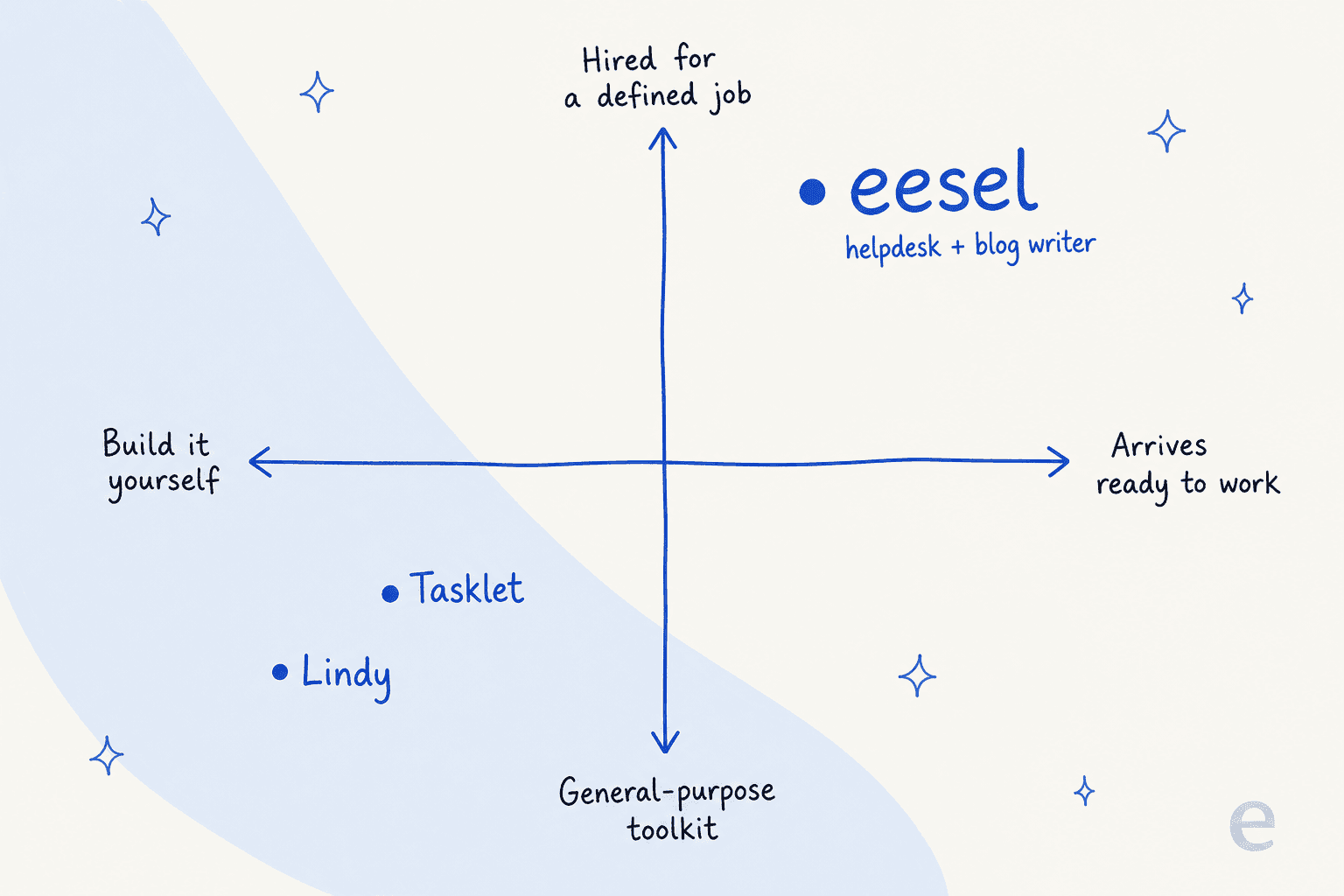
That is why the mechanism underneath a support agent matters more than the builder around it. A generalist tool like Lindy or Tasklet gives you a canvas and trusts you to get the guardrails right. That is fine for drafting a meeting summary. It is a different level of risk when the output goes to a paying customer who is already annoyed.
Concretely, here is what a support-first tool does that a horizontal builder does not:
- Simulate before go-live. Before any customer sees an answer, you run the agent over thousands of your real historical tickets and see exactly what it would have said, and what it would have resolved. In one recent rollout I looked at, on roughly 1,000 real tickets a month, the agent hit 93% triage accuracy and caught 100% of the spam before a single reply went out. Neither Lindy nor Tasklet offers a historical-ticket dry run.
- Price on the unit support actually counts. A helpdesk team measures work in tickets, not credits or seats. Flat per-ticket pricing means November's bill looks like March's, even during a spike.
- Handle escalation and confidence natively. Support buyers I talk to are firm on this: the AI should only answer what it is confident about and quietly leave the rest for a human. That is table stakes for AI for customer service, and it is not what a general workflow builder is optimized for.
None of that is a knock on Lindy or Tasklet. They are not pretending to be helpdesks. It is a knock on using the wrong category of tool for a support queue, which is an easy mistake to make when both of these can technically draft a support reply.
If you live in the terminal: the CLI, API, and MCP angle
One area where Tasklet is properly developer-friendly is programmatic control. Every agent, even on the free-era plans, ships with a sandboxed command-line environment, and Tasklet connects to any HTTP API or MCP server. If you want agents you can script and wire into internal systems rather than click together in a UI, that is a real strength, and it is closer to how AI agents are actually being deployed in engineering-heavy teams.
If that is the kind of access you want, it is worth knowing eesel exposes the same surface for its support teammate. There is a public eesel CLI (@eesel/cli) alongside an MCP server, webhooks, and Network Access. The point of it is that the same teammate you configure in the dashboard can also be driven from a terminal: a person can run it by hand, scripts can automate it in a pipeline, and coding agents like Claude Code, Codex, or Cursor can operate it directly. So you are not choosing between "the friendly dashboard agent" and "the programmable one." It is one agent with a human surface and an agent-friendly surface over the top, which matters if you want to fold support automation into the same workflow automation and CI you already run.
The difference from Tasklet is what sits underneath the CLI. With Tasklet you are scripting a generalist agent you still have to teach from scratch. With eesel you are scripting a teammate that already knows your help center, your past tickets, and your escalation rules, so the programmatic surface is operating something that arrived with job-specific context rather than a blank sandbox.
Which one should you pick?
Let me be concrete, because the honest answer depends entirely on the job.
Pick Lindy if you are a small team that lives in Slack and wants a pleasant, model-agnostic assistant for everyday office automation: meeting notes, inbox triage, research-and-report, quick internal builds. The approval gates are reassuring, setup is the easiest of the two, and if your active-user count is low, the per-seat model is fine. Just go in knowing that costs scale with headcount, and a couple of Big Builds can eat a Plus seat's monthly credits.
Pick Tasklet if you want always-on cloud agents doing background work with no seat math, you are comfortable trusting the docs over a review crowd, and you value the sandbox-per-agent architecture and the no-code, flowchart-free approach. The unpublished per-task rate is the thing to test hard during a trial: run your real workload and watch the burn before you commit a budget to it.
Pick neither, and reach for a purpose-built teammate, if the actual job is customer support at volume. That is not these tools' fight. A dedicated AI agent for customer service that simulates on your ticket history and bills per resolution will be safer and easier to forecast than any generalist builder you configure yourself, whether you are a small business or scaling internal support.
The category matters more than the feature list. Both Lindy and Tasklet are good at being flexible toolkits. If your reader-facing problem is support, flexibility is not the thing you are short of; a teammate that already knows the job is.
Try eesel for support that ships safely
If you got to a Lindy-vs-Tasklet comparison because you are trying to automate a support queue, here is the honest reframe: eesel is not a generalist agent you assemble. It is an AI teammate platform, and you hire ready-to-work teammates for defined jobs. The current roster is an AI helpdesk teammate and an AI blog writer, and each one arrives with the skills, integrations, and company context for its role instead of a blank canvas.
For support specifically, the helpdesk teammate plugs into your existing helpdesk, trains on your real past tickets and knowledge, and then does the one thing a generalist builder cannot: it runs a full simulation on thousands of your historical tickets before it answers a single live customer, so you see the resolution rate and the risky cases up front. Pricing is flat at $0.40 per ticket (blog writing is $4 per post), it is free until you cross $50/mo, and there are no seats to count and no minimum. November's bill looks like March's.

To be clear, eesel is not an integration inside Lindy or Tasklet, and it will not build you an arbitrary internal CRUD app. That is the trade: a narrower job, done with more context and less risk. If your job is support, that is the trade you want. You can try eesel free and simulate it on your own tickets before anything goes live.
Frequently Asked Questions
What is the main difference between Lindy and Tasklet AI?
Both are no-code AI agent builders, but they fork on billing. Lindy charges per seat (from $29.99/user/mo) plus a shared credit pool, and every active user needs a paid seat. Tasklet charges org-level credits with no per-user fee, but publishes no per-task rate. Neither is a purpose-built AI helpdesk.
How much does Lindy cost?
Lindy pricing runs Plus at $29.99/user/mo (3,000 credits), Pro at $99.99/user/mo (15,000), and Max at $199.99/user/mo (35,000), with a custom Enterprise tier. Credits do not roll over. Because it bills per seat, costs scale with headcount, which is a common note in reviews of AI agents for small business.
How much does Tasklet AI cost?
Tasklet pricing is Starter at $25/mo (10,000 credits), Pro at $100/mo (40,000), and Custom from $250/mo (100,000, scaling to 4M). There is no longer a free tier. It bills the whole org, not per seat, but the per-task credit burn is unpublished, so real cost is hard to model up front, unlike flat per-ticket pricing.
Is Lindy or Tasklet better for customer support?
Neither is built for support at volume. Both are horizontal builders with no historical-ticket simulation or per-ticket pricing. For a support queue, a dedicated AI agent for customer service like eesel fits better, since it trains on your past tickets and prices per resolution. See my take on AI for customer service.
Do I need a paid seat for everyone who uses Lindy?
Yes. Anyone who uses Lindy takes a paid seat, including someone who only @mentions it in a Slack thread (Slack joiners get a 7-day trial first). If you want a shared agent the whole team pokes without per-head billing, an org-level model like Tasklet or a per-ticket tool avoids that. Compare with building agents in Slack.
Is Tasklet just Zapier with AI?
It is the natural question, and one Tasklet's founders answer directly: instead of a fixed flowchart like Zapier or IFTTT, an agent decides each step from plain-English instructions. It is closer to AI workflow automation than a rules engine, which is the same shift behind most AI agents in 2026.
What is a good alternative to Lindy and Tasklet for support teams?
If the job is resolving tickets rather than assembling a generalist bot, eesel is the closer fit: it is an AI helpdesk teammate that plugs into your existing tools, simulates on your real ticket history before go-live, and charges a flat rate per ticket with no per-seat fee. Read my best AI helpdesk software roundup for context.


Article by
Alicia Kirana Utomo
Kira is a writer at eesel AI with a Computer Science background and over a year of hands-on experience evaluating AI-powered customer service tools. She focuses on breaking down how helpdesk platforms and AI agents actually work so that support teams can make better buying decisions.