Lindy vs Relevance AI: the quick comparison
Here is the whole thing on one screen before we get into the detail. If you want the wider field first, my best AI agents guide maps the category.
| Lindy | Relevance AI | |
|---|---|---|
| Core idea | One AI teammate for the whole team | A workforce of specialist agents you design |
| Best for | Slack-native everyday ops | Sales and GTM teams building custom agents |
| How you build | Describe one teammate in plain English | No-code canvas, plus MCP for developers |
| Billing unit | Per seat + shared credits | Actions + Vendor Credits (two meters) |
| Multi-agent | Limited, it is one teammate | Yes, "Workforces" is the whole point |
| Model choice | Model-agnostic, pick per task | Model-agnostic + eval-based routing, BYOK |
| Approvals | Built in on outward actions | Configurable per tool |
| Starting price | $29.99 / user / mo | $29 / mo (Pro) |
| Free option | 7-day trial | Free plan retired for new signups |
| Compliance | HIPAA / BAA on Enterprise | SOC 2 + GDPR from Pro |
I build integrations for a living, so I read every "connects to all your tools, no code needed" claim with a fair bit of suspicion. Both of these tools mostly earn it, but they earn it in very different shapes. Let me show you what I mean.
What Lindy actually is
Lindy calls itself "the AI teammate that will 3x your output." The mental model is a single assistant that connects to your tools, holds context about your company, and does multi-step work. You talk to it where you already work: @mention it in a Slack thread, DM it over iMessage, or open the app directly.
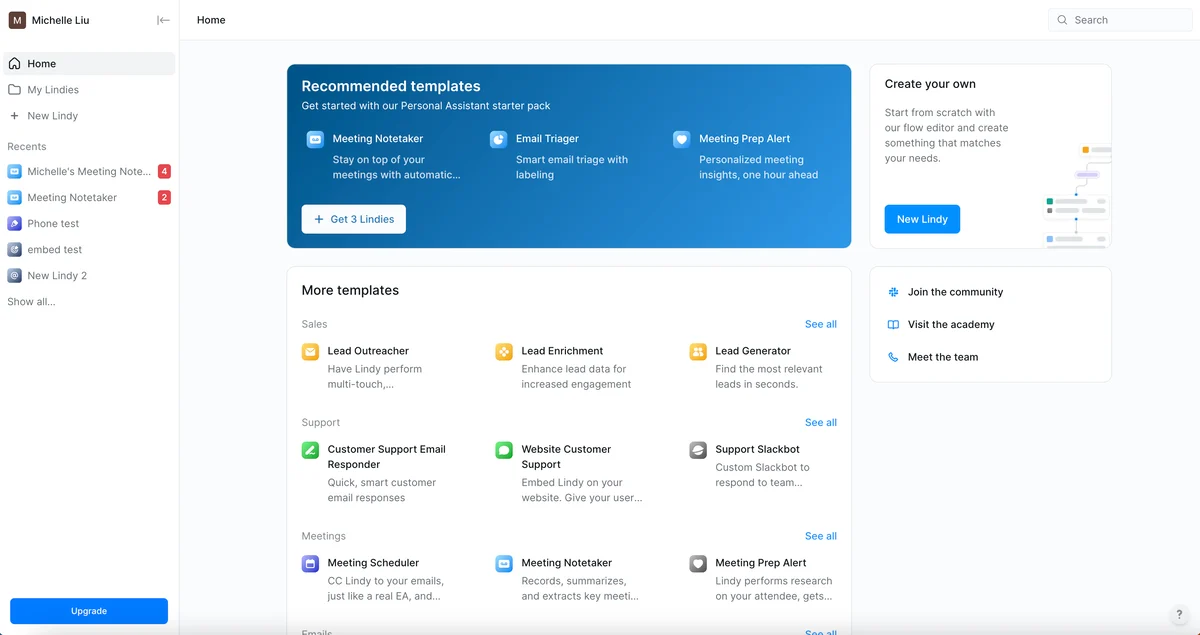
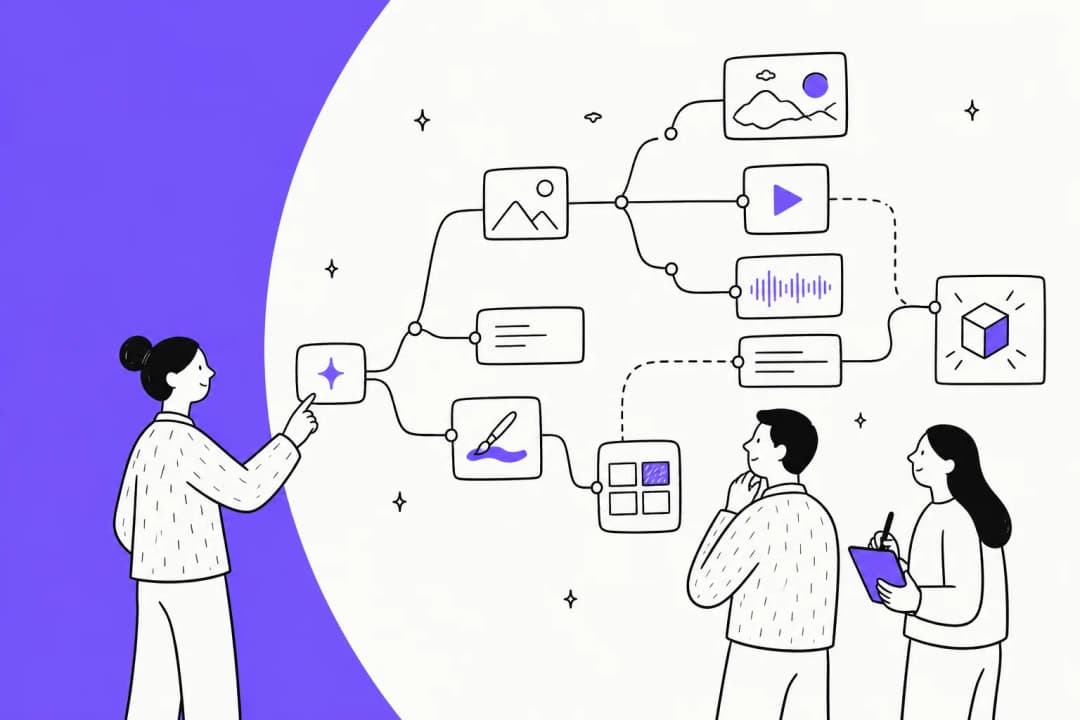
You build a "Lindy" by picking a trigger ("a new email in Gmail") and describing the job in natural language. No workflow graph to map, no code. The builder canvas is deliberately simple: pick a trigger, then chain actions like performing a task, searching a knowledge base, or handing off to another AI agent.
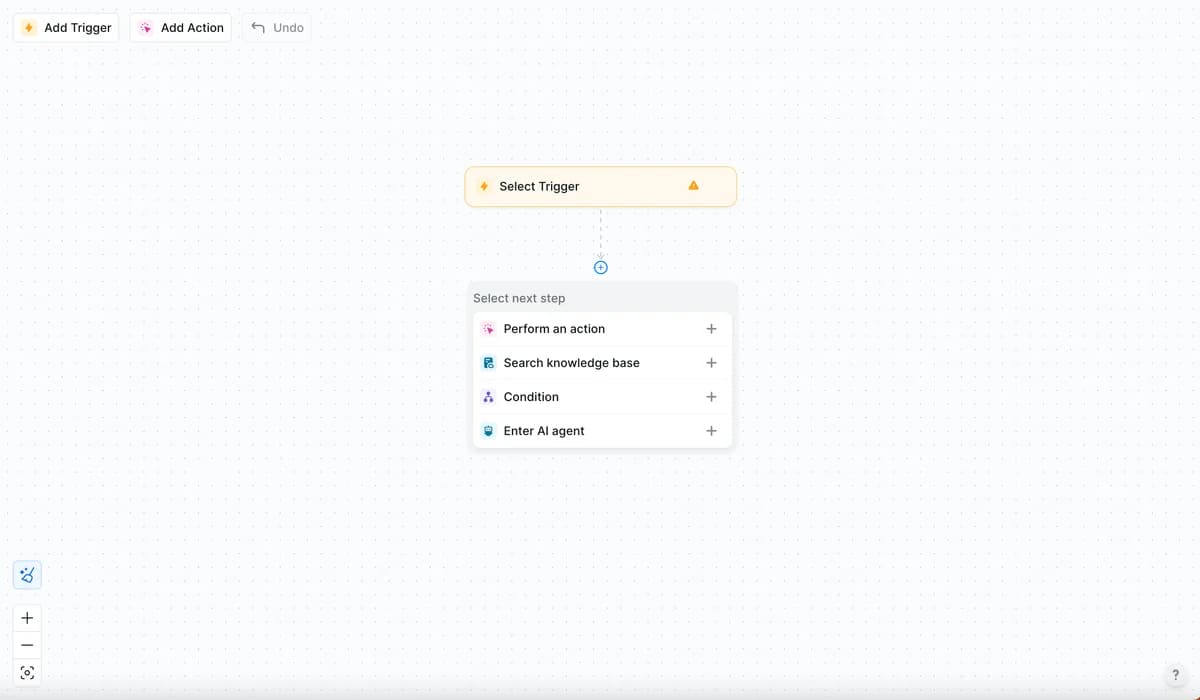
Out of the box it ships with 40+ built-in skills and hundreds of templates to clone, plus thousands of integrations and MCP support so it can reach almost anything. It is model-agnostic, meaning you pick which model runs a given task, and anything with outside impact (sending an email, updating a ticket, posting to a channel) waits for your approval first. Read-only lookups do not.
Where Lindy really shines is that it works where the team already is. The email triage, meeting notes, and scheduling use cases are all built on the same agent engine, and G2's own tag rollup puts Ease of Use as the single most-mentioned pro. If you want one clever generalist that starts helping on day one, this is the more approachable of the two, closer to an AI agent than a rule-based bot. My full Lindy AI review digs into the day-to-day feel.
What Relevance AI actually is
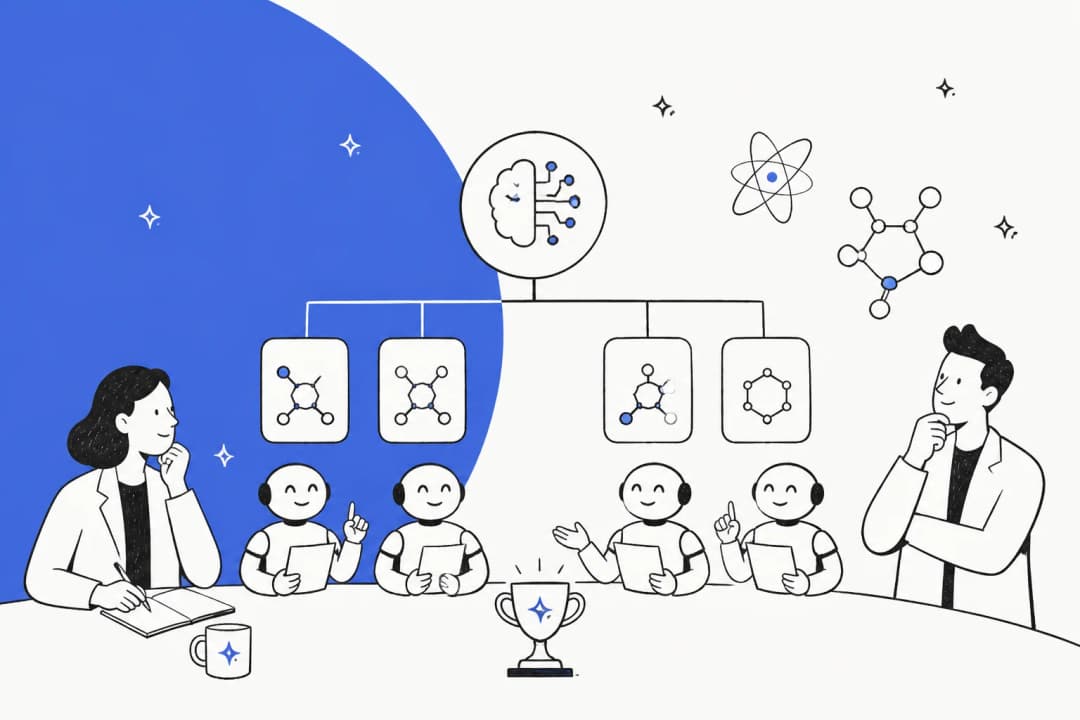
Relevance AI is a different animal. Instead of one teammate, you build what it brands an "AI Workforce": teams of narrow, single-task agents that each own one job and hand off to each other. The homepage pitch is "Specialist agents for every task," and the showcased roster is almost all sales-ops, a Lead Researcher, an Outbound Prospector, a Deal Reviewer, and so on. It is the closest thing here to a personal AI workforce.
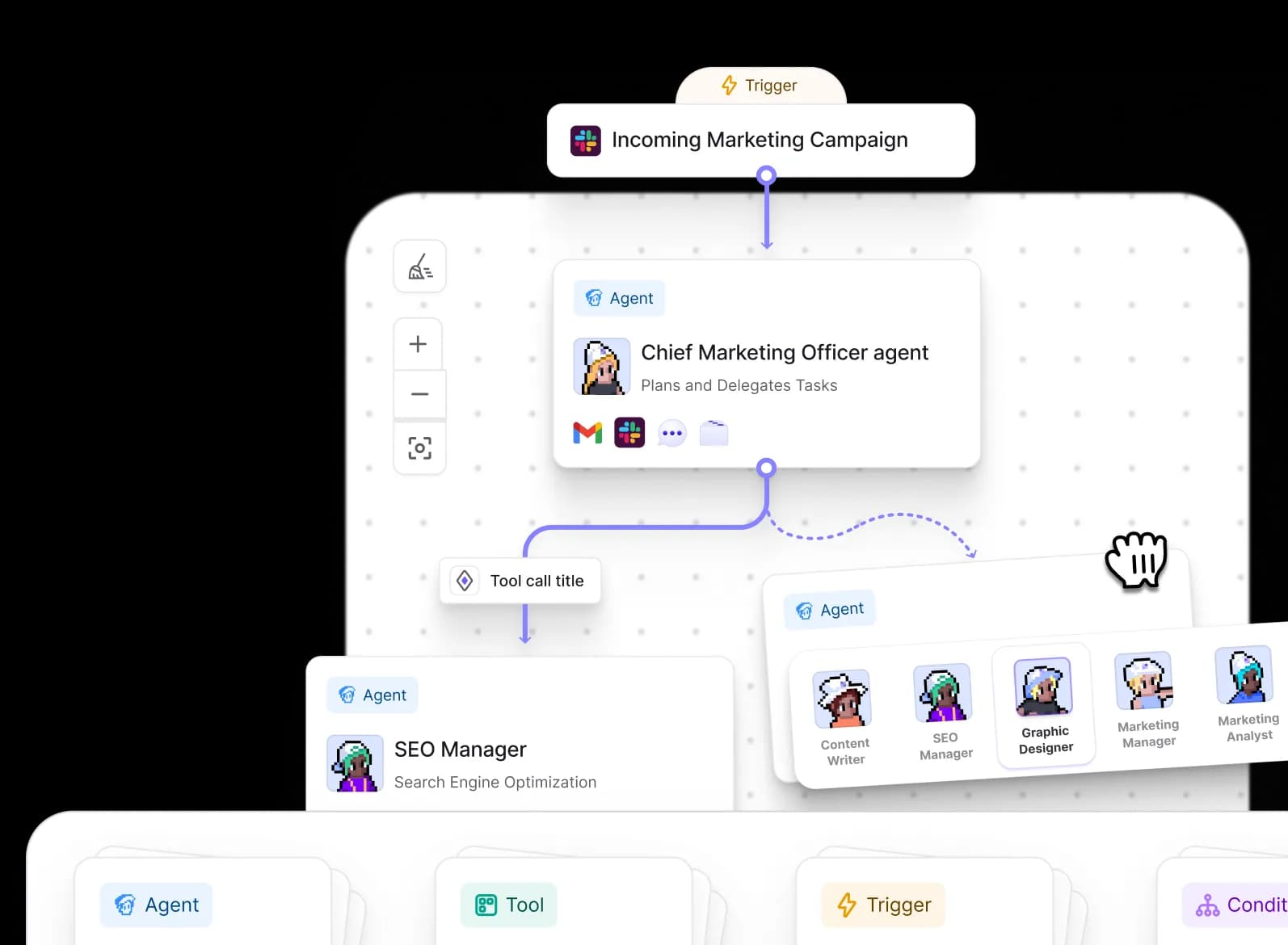
The building blocks are Agents (the workers), Tools/Actions (the discrete steps), and Workforces (the multi-agent teams). There are three ways to build: a plain-language "Invent" mode that suggests the tools to wire in, a drag-and-drop canvas, and a programmatic path through an MCP server for developers driving it from Claude Code or Codex. It connects to 2,000+ apps, with sales-native integrations like Gong, Apollo, Salesforce, and HubSpot front and center.
The part I like most as a builder is the eval-driven model routing. Relevance runs evals to auto-pick "the lowest-cost model that clears your bar," samples about 2% of live runs to chart pass rates, and flags drift. That is a thoughtful answer to a real problem, and it is more than Lindy's "pick a model" toggle. It is also model-agnostic with bring-your-own-key from Pro up, so you are not locked to one provider.
The tradeoff is that Relevance AI is a build-your-own tool. There is real power here if you want to design a chain of agents, but you are the one designing it. Teams expecting turnkey, role-ready agents out of the box face a steeper setup curve than a "hire a ready agent" product. My Relevance AI review covers the learning curve in more depth.
The real difference: one teammate vs a workforce
Strip away the feature lists and the split is simple. Lindy is one actor doing a whole job. Relevance AI is a relay of actors, a manager agent delegating to specialists that hand work down the line.
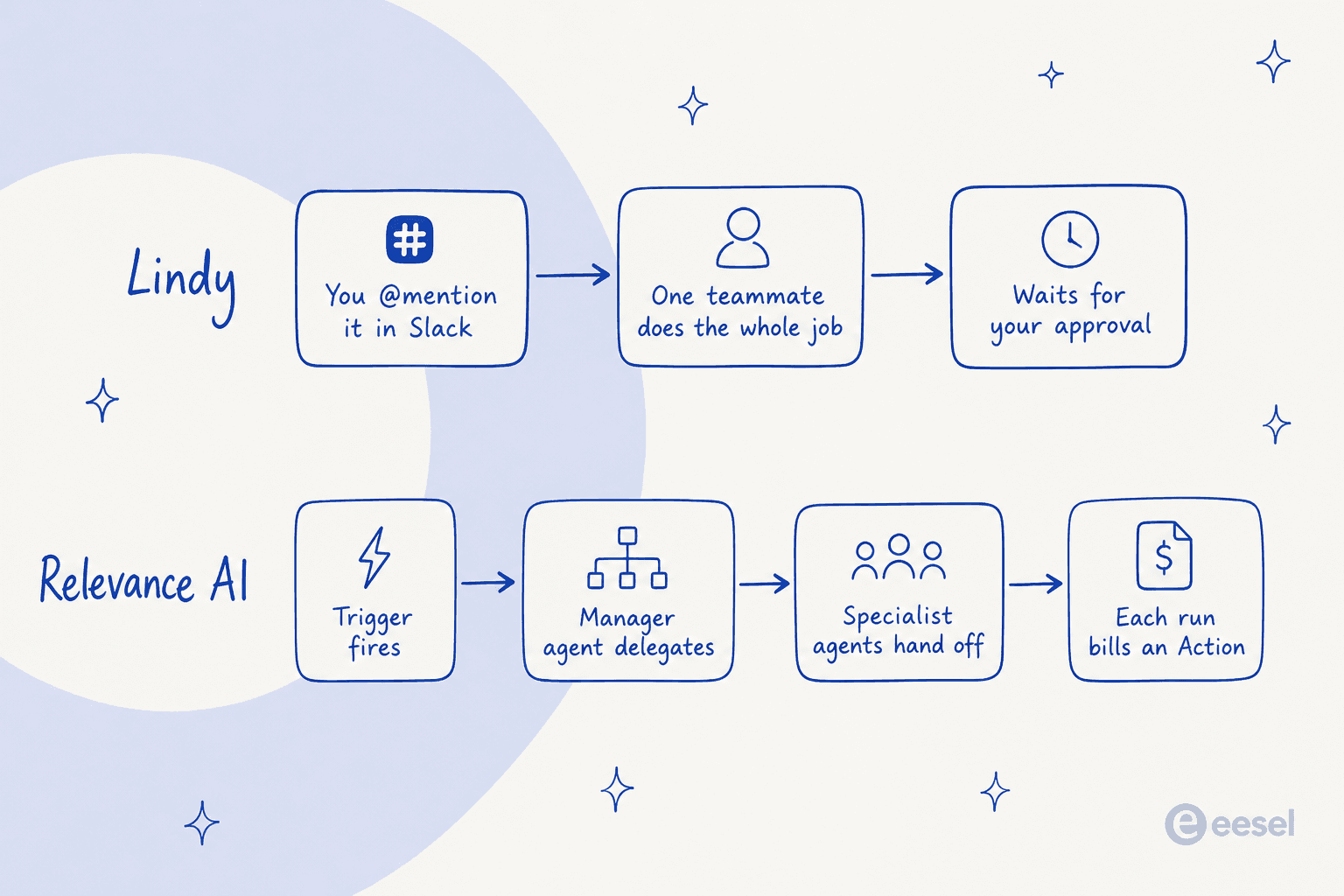
That difference explains both the appeal and the headaches. Lindy's single-teammate model is easy to reason about: you asked, it did the thing, it checked with you before doing anything risky. Relevance AI's workforce model can tackle bigger, more branching jobs, but every hand-off is another moving part to design, debug, and pay for. A recurring community complaint is that agents "run correctly but don't send emails" and similar integration hiccups that need debugging, exactly the kind of edge case a multi-agent chain surfaces more of.
If you plot them by how much you build versus how ready-made the agent is, and whether you get one generalist or a team of specialists, they land in opposite corners.
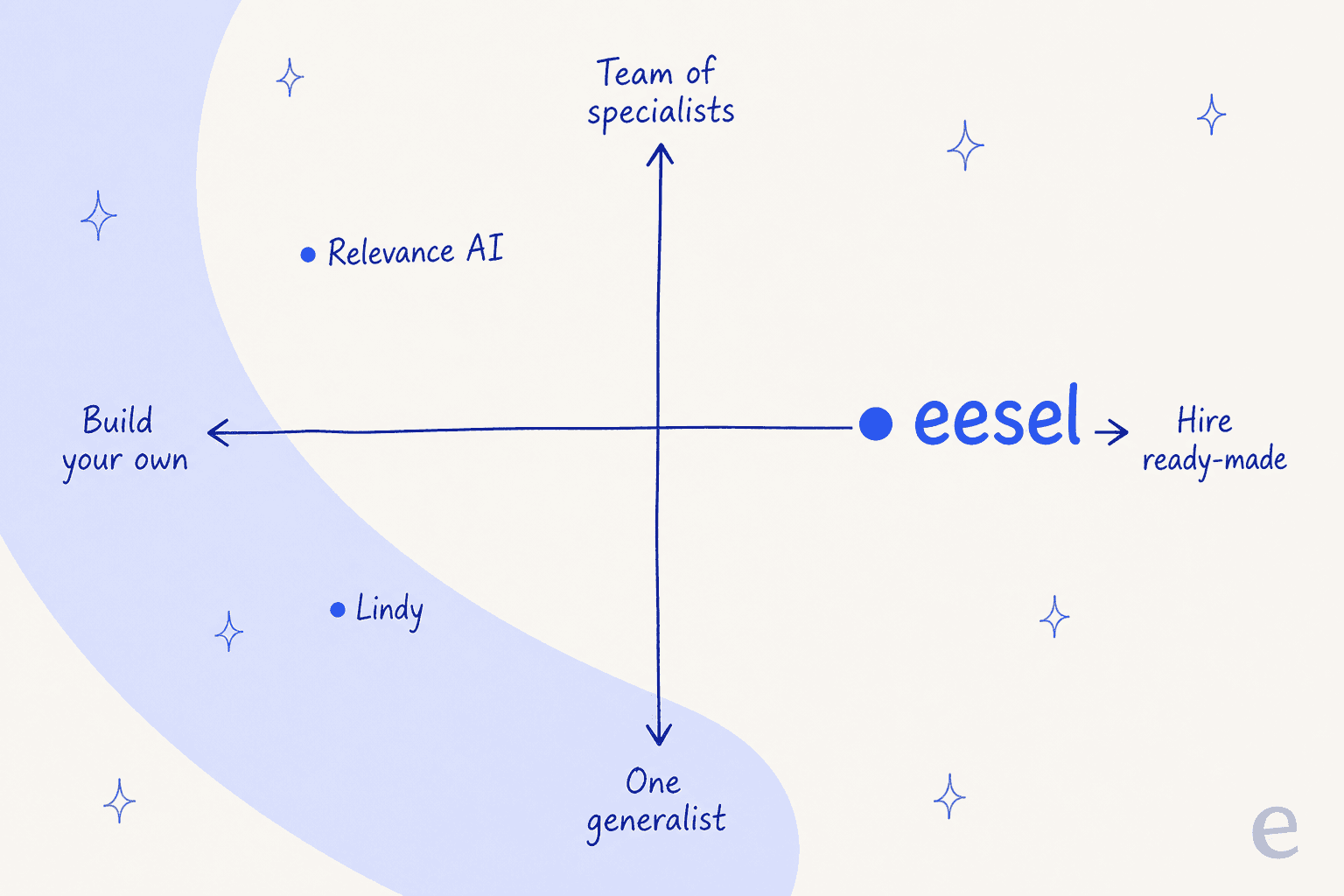
Both Lindy and Relevance AI sit on the "build-your-own" side. That is the shared assumption worth questioning: you still design the agent, you still own the outcome when it goes wrong. If the job is well-defined enough (support tickets, for instance), hiring a teammate that already knows the job can beat building one from parts.
Pricing: where the decision actually gets made
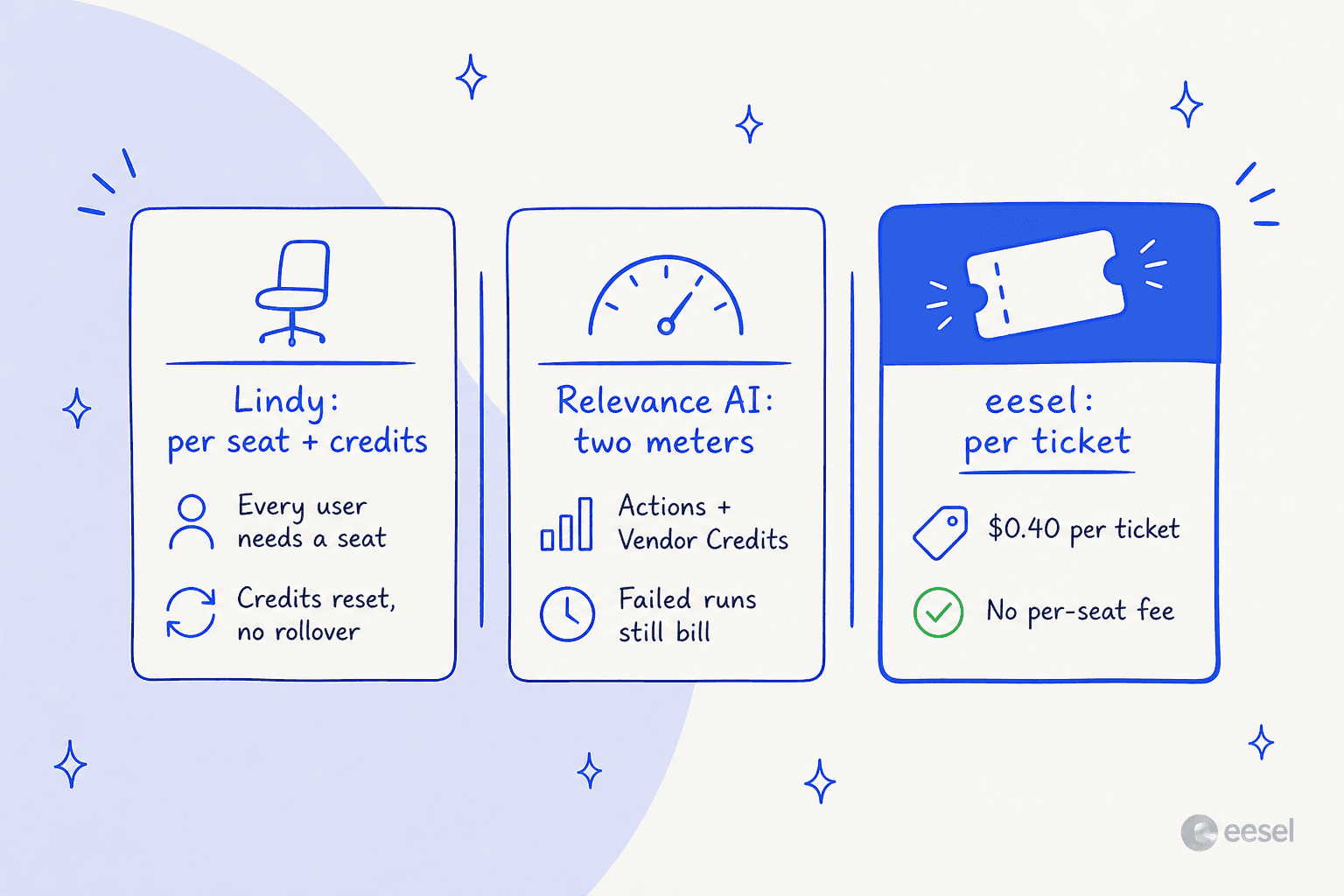
This is the section most comparison posts hand-wave, and it is the one that decides the purchase. The two tools price in completely different units, so a headline number tells you almost nothing.
Lindy pricing
Lindy is one workspace subscription, priced per user, where each seat adds a monthly credit allowance to a shared pool. There is a 7-day free trial.
| Plan | Price | Credits / user / mo | Notes |
|---|---|---|---|
| Plus | $29.99 / user / mo | 3,000 | Everyday usage |
| Pro | $99.99 / user / mo | 15,000 | 5x more than Plus |
| Max | $199.99 / user / mo | 35,000 | ~12x more than Plus |
| Enterprise | Custom | Shared usage + bonus | HIPAA & BAA, audit logs, dedicated support |
The unit is a credit, which Lindy bands as Everyday Asks (2 to 250 credits), Deep work (250 to 1,000), and Big Builds (1,000 to 2,500). The catch is what "a credit" buys is opaque, and a single Big Build can burn a whole Plus seat's monthly 3,000 credits in one or two jobs. Credits also do not roll over, and there is no pay-as-you-go overage, run the pool dry and Lindy pauses until the next cycle or an admin upgrades. And every active user needs a paid seat, including someone who just @mentions Lindy in a Slack thread.
Relevance AI pricing
Relevance AI splits usage into two meters: Actions (what your agents do) and Vendor Credits (the underlying model cost). The Free plan is now retired for new signups, so Pro is the entry point.
| Plan | Monthly | Annual (per mo) | Actions / mo | Vendor Credits / mo | Build users | End users |
|---|---|---|---|---|---|---|
| Pro | $29 | $19 | 2,500 | 10,000 | 2 | - |
| Team | $349 | $234 | 7,000 | 35,000 | 5 | 45 |
| Enterprise | Custom | Custom | Custom | Custom | Unlimited | Unlimited |
An Action is a single run of a tool, and here is the detail that bites: if the tool fails, it still counts as one Action. Overages are the real story. Pro's $29 buys 2,500 Actions (about $0.0116 each), but a top-up Action costs $80 per 1,000, roughly $0.08 each, or about 7x the in-plan rate, and the smallest top-up you can buy is $80. Vendor Credits are a straight dollar wrapper at $0.002 each with no markup, and they roll over indefinitely while you stay subscribed; plan Actions reset each renewal.
A quick worked example
Say a 5-person team wants agents running.
- Lindy: five Plus seats is $149.95/mo for a pooled 15,000 credits. Fine for everyday asks, but a couple of Big Builds a week and you are eyeing Pro seats at $99.99 each.
- Relevance AI: Pro at $29/mo covers two builders and 2,500 Actions. A busy GTM workflow with lots of tool calls can blow past that, and the next 1,000 Actions cost $80. Team is the realistic tier at $349/mo.
- eesel: if this were a support team routing 500 tickets a month to AI, that is $200/mo flat at $0.40 per ticket, with no per-seat fee and no charge for tickets your humans handle.
The pattern: Lindy's cost scales with headcount, Relevance AI's scales with how much your agents run (and how often they fail), and a per-resolution model scales with actual work done. Which one is cheapest depends entirely on your shape of usage.
What users actually say
The reviews line up with the split above. Lindy gets praised for being approachable and dinged for cost, G2's con tags are led by Expensive (42 mentions) and High Subscription Cost (35), by a wide margin over everything else.
"For many Lindy AI will give them the ability to automate typical office tasks in a way which is at once not too complicated, but also practical."

Relevance AI draws the opposite shape of feedback: reviewers love the ambition and the no-code building, but flag that the embedded tool set can be narrower than dedicated automation platforms.
"Pro : cool ambition and intuitive. Did manage to do nice things. Cons : limited tools already embedded. Sometimes Zappier or Make are more efficient :("
Neither of these is a knock, exactly. They are the honest edges of two tools trying to be flexible. A generalist teammate that does everything is easy to overspend on; a build-your-own workforce is only as good as the tools you can wire into it.
So which should you pick?
Here is how I would actually choose between them.
- Pick Lindy if you want one AI teammate for general office work, your team lives in Slack and email, and you value a fast, no-code start over deep customization. Just watch the credit meter and the per-seat math as you add people. My Lindy alternatives roundup is worth a look if cost is your main worry.
- Pick Relevance AI if you are a sales or GTM team that wants to design a chain of specialist agents, you have someone comfortable building and debugging them, and you can forecast a two-meter bill. The eval-based model routing is a real plus for cost-conscious builders.
- Pick neither if the job is customer support. Both are horizontal builders, so you would be assembling a support agent from parts, with no per-resolution pricing and no way to test it against your real tickets before it answers a customer.
That last case is more common than it sounds, and it is where a purpose-built tool wins.
Try eesel for customer support
If you landed here because you want an AI agent to handle support tickets, the honest answer is that a general agent builder is the wrong shape for the job. eesel is an AI teammate platform, and instead of handing you a blank canvas, you hire a teammate that already knows the role. The current roster is an AI helpdesk teammate and an AI blog writer, each arriving with the skills, integrations, and company context for its job.

The difference from both Lindy and Relevance AI comes down to three things we learned running AI on live support queues for years. First, the helpdesk teammate plugs into the helpdesk you already run (Zendesk, Freshdesk, Gorgias, Help Scout) and trains on your past tickets and docs, no rebuild. Second, you can simulate it against your historical tickets before it ever answers a real customer, so you see how it will perform instead of flipping a switch and hoping. Third, pricing is a flat $0.40 per ticket with no per-seat fees and no minimum, and you only pay for the tickets you actually route to AI.
And if you are the kind of builder who liked Relevance AI's MCP path, eesel meets you there too. The whole product runs from a real CLI (@eesel/cli), every workspace is an MCP server, and it supports webhooks and network access, so a person can drive it from a terminal, scripts can automate it, and coding agents like Claude Code can operate the same teammate. You can start free until you have used $50, no credit card needed.
Frequently Asked Questions
What is the difference between Lindy and Relevance AI?
Lindy is one AI teammate that lives in your tools (Slack, Gmail, iMessage) and takes on multi-step work for the whole team. Relevance AI is a platform for building a workforce of narrow, single-task agents that hand off to each other, aimed mostly at sales and go-to-market teams. One is a generalist assistant; the other is a factory for specialist agents.
Is Lindy or Relevance AI cheaper?
It depends on team size. Lindy charges per seat ($29.99 to $199.99 per user each month) with a shared credit pool, so cost scales with headcount. Relevance AI's Pro plan is $29/month for two builders on a two-meter model. For high-volume customer support specifically, a per-ticket tool like eesel at $0.40 per ticket is often the more predictable option. See my Relevance AI pricing breakdown for the full math.
Does Relevance AI still have a free plan?
No. As of the current docs pricing page, the Relevance AI Free plan is retired and closed to new signups; existing free organizations keep their access. New users start on the Pro plan at $29/month. Lindy offers a 7-day free trial instead of a permanent free tier.
Can Lindy or Relevance AI handle customer support tickets?
Both can be wired up to touch a helpdesk, but neither is a purpose-built AI agent for customer service. They are horizontal agent builders, so there is no native per-resolution pricing or historical-ticket simulation. For support specifically, a dedicated helpdesk teammate that plugs into Zendesk, Freshdesk, or Gorgias is usually a better fit.
What is the best Lindy or Relevance AI alternative for support teams?
If your main job is customer support, look at tools built for it rather than a general agent builder. eesel gives you a ready-to-work AI helpdesk teammate that trains on your past tickets and simulates a rollout before going live. You can also browse my roundup of Lindy AI alternatives for more options.


Article by
Rama Adi Nugraha
Rama is a software engineer at eesel AI with two years of experience writing about B2B SaaS, AI tools, and customer support technology. Based in Bali, Indonesia, he brings a developer's perspective to product comparisons — cutting through marketing copy to what the integrations and APIs actually do.