


Flowith pricing at a glance
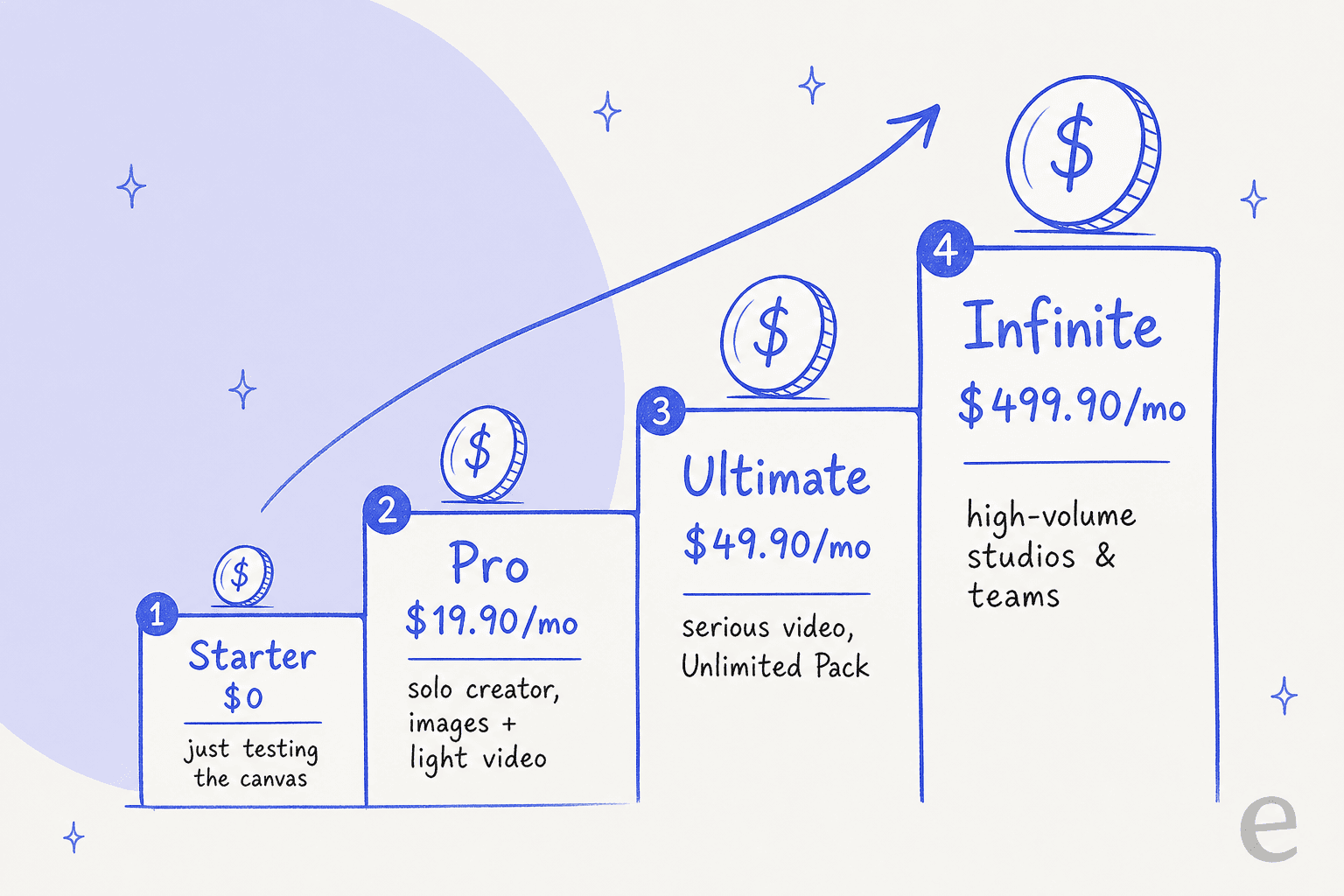
Here's the full table, captured from the live pricing page. I've put the effective monthly (billed yearly) next to the headline price so you can see the annual discount clearly.
| Plan | Monthly | Billed yearly | Credits | Model access | Concurrent tasks | Unlimited Pack |
|---|---|---|---|---|---|---|
| Starter | $0 | $0 | 300 (one-time) | Standard only | 5 | No (5 daily Nano Banana) |
| Pro | $19.90/mo | $17.91/mo (10% off) | 20,000/mo | 40+ models | 50 | No |
| Ultimate | $49.90/mo | $44.91/mo (10% off) | 50,000/mo | 40+ premium | 100 | Yes |
| Infinite | $499.90/mo | $399.92/mo (20% off) | 500,000/mo | 40+ models | Unlimited | Yes |
Billed annually, that works out to $214.92, $538.92, and $4,799.04 a year for Pro, Ultimate, and Infinite respectively. The free Starter tier never expires, but its 300 credits are a one-time grant, not a monthly refill.
One small thing that already tells you something about how carefully to read the fine print: the Pro plan card says 20,000 credits, but the "compare plans" table on the same page lists 22,000. It's a 2,000-credit discrepancy on the vendor's own page. Minor in isolation, but it's the kind of inconsistency that makes credit accounting a little harder to fully trust.
The billable unit: what a Flowith credit actually buys
This is the whole ballgame with Flowith pricing, so it's worth slowing down. The billable unit is the credit, and credits are shared across everything, text, image, and video all draw from the same pool.
The catch is that per-generation cost swings enormously depending on the model and the media type:
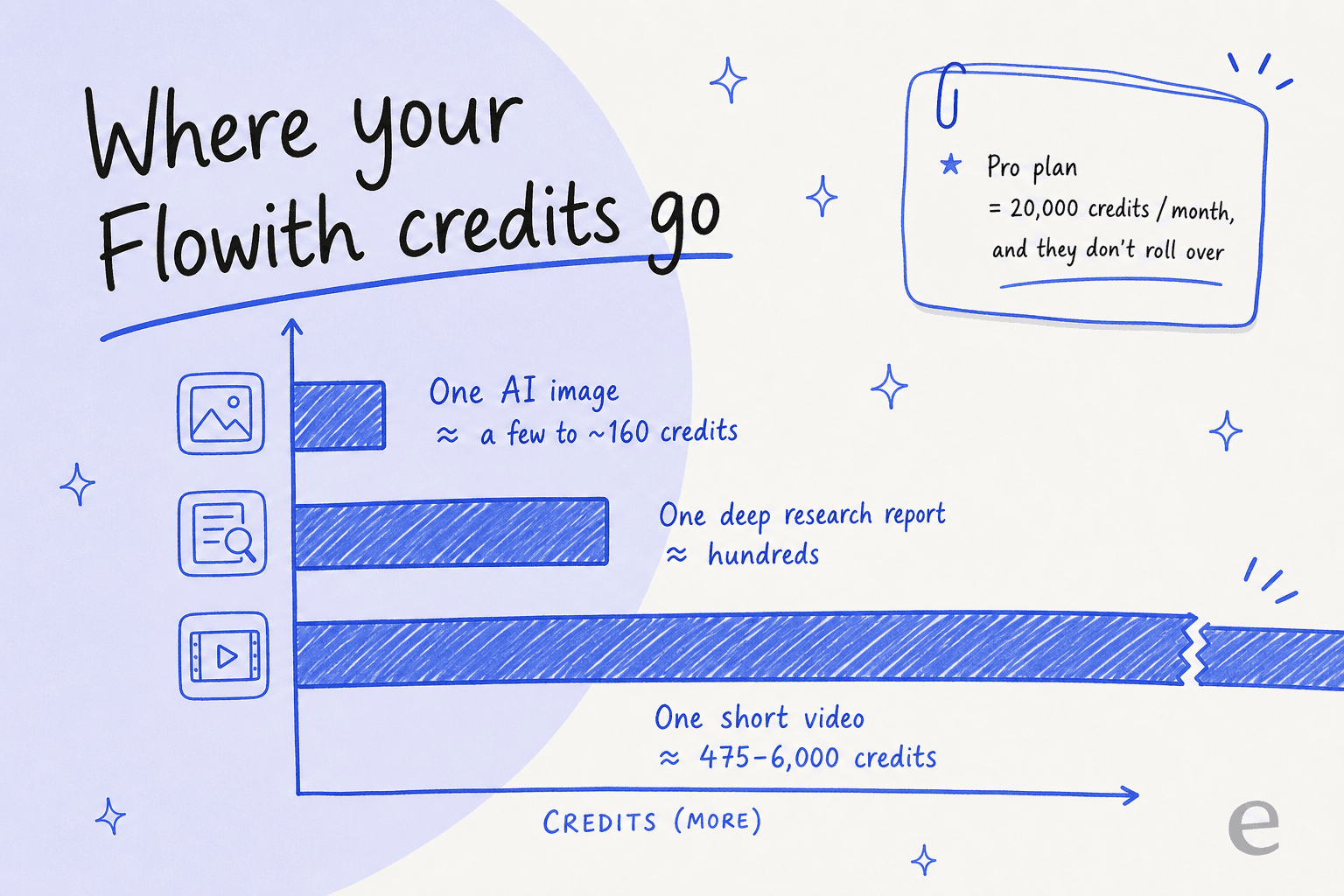
- An image costs anywhere from a few credits to (by some accounts) around 160 credits, depending on the model and resolution.
- A deep research report runs into the hundreds.
- A single short video can cost roughly 475 to 6,000 credits depending on length and quality.
Put those numbers against the plan pools and the picture changes fast. That 20,000-credit Pro allowance sounds enormous until you realise a handful of videos can eat a big chunk of it in an afternoon.
Two rules make or break the value here, and neither is stated loudly on the pricing page:
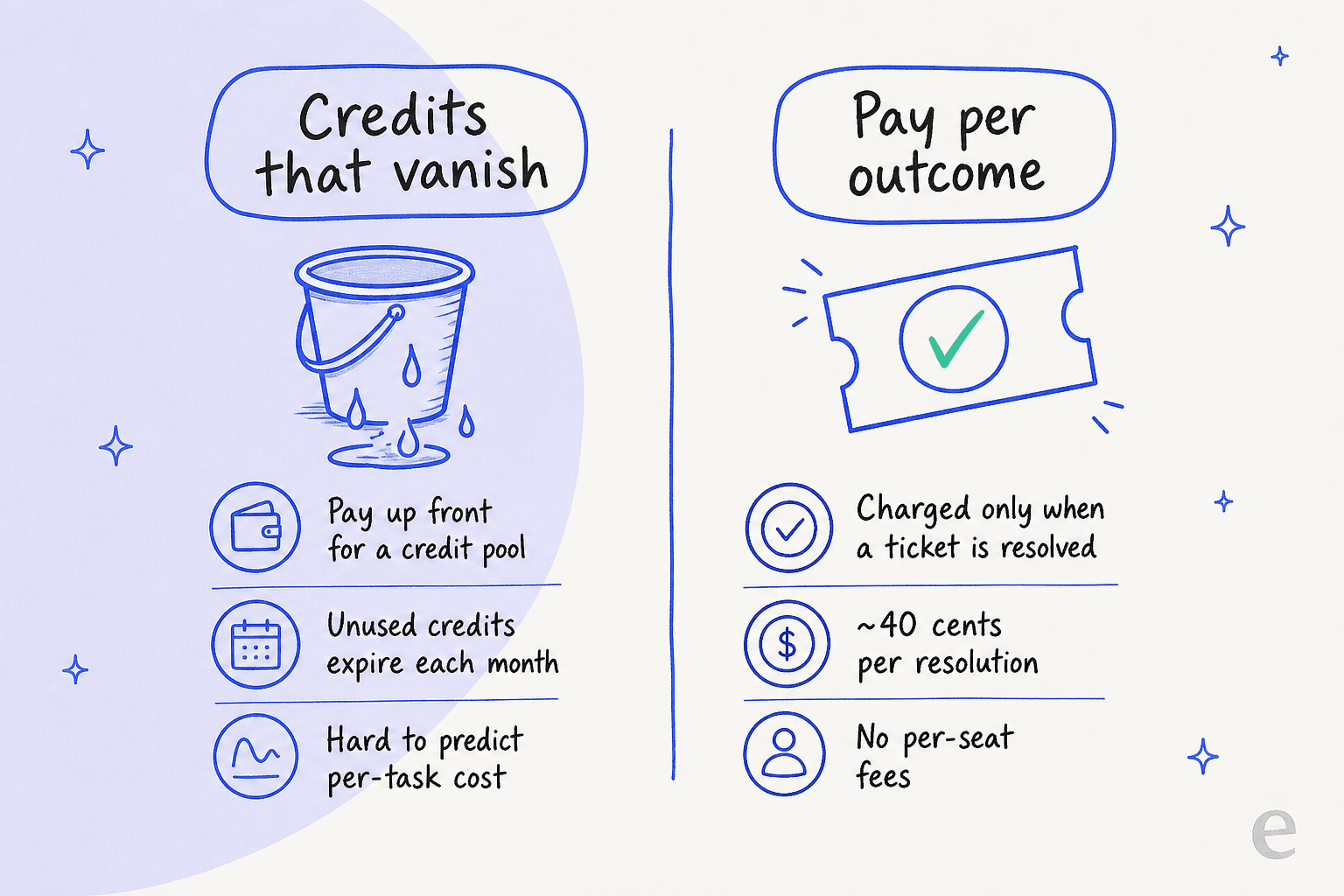
- Credits don't roll over. On paid plans, your pool refreshes each billing cycle and anything left over expires. You're renting monthly capacity, not buying a bank of credits. Flowith's own page doesn't spell this out; it's confirmed in Flowith's subscriptions and billing doc and repeatedly in user reports.
- Refunds are tight. Per Flowith's terms, subscription fees are non-refundable unless you contact them within 48 hours of payment and have consumed fewer than 200 paid credits. Miss either condition and there's no refund.
If you've only ever used per-seat SaaS or per-message tools, this credit model takes some getting used to. It's closest to how image and video generators bill, which makes sense given that generation is Flowith's headline use case.
Free gens and the Unlimited Pack (the two confusing add-ons)
Beyond the base credit pool, two extras appear on the plan cards and they trip people up.
"Free gens" are an approximate count of generations you get on specific paid third-party models on top of your base credits. The "+$X" you see (e.g. Pro's "+$4 ≈ 40 free gens") is basically the retail value of those bundled generations. Roughly:
- Pro - up to 40 free gens on OpenAI GPT Image 2, 25 on Gemini Nano Banana Pro, 5 on ByteDance Seedance 2.0.
- Ultimate - up to 250 free gens on Nano Banana Pro, 50 each on Seedance 2.0 Fast and Seedance 2.0.
- Infinite - up to 1,250 on Nano Banana Pro, 250 each on the Seedance models.
The Unlimited Pack (Unlimited Mode) is the bigger deal, and it's only on Ultimate and Infinite. It lets a designated set of top models run without consuming credits for a long entitlement window (365 days for most, 30 days for Kling video on Ultimate versus 365 on Infinite). On Starter and Pro it shows up only as an "Unlock Unlimited Pack" upsell, so if unlimited image generation is your goal, Ultimate is the real entry point, not Pro.
One important footnote so the word "unlimited" doesn't mislead you: Unlimited Mode means unlimited quantity, not unlimited speed. Those runs go through a lower-priority "Unlimited Channel Queue" that gets throttled under load and is still capped by your plan's max concurrency. It's a fair-use lane, not a firehose.
What you actually get on each tier
Beyond credits, the tiers gate a handful of real capabilities. The compare table lists output quotas that make the differences concrete:
| Feature | Starter | Pro | Ultimate | Infinite |
|---|---|---|---|---|
| Deep Research runs | 1 | 36 | 116 | 1,000 |
| Slides | 1 | 22 | 70 | 600 |
| Websites | 1 | 92 | 294 | 2,520 |
| Concurrent tasks | 5 | 50 | 100 | Unlimited |
| Processing speed | Standard | Standard | High speed | Max speed |
| Batch mode | No | Yes (x2/x4) | Yes (x2/x4) | Yes (x2/x4) |
| Commercial license | No | Yes | Yes | Yes |
| Top-up packs | No | No | Yes | Yes |
| Priority queue + founder access | No | No | No | Yes |
A couple of things worth pulling out:
- The commercial license starts at Pro. On the free Starter tier you can't legally use outputs commercially, which rules it out for any client or store work.
- Top-up packs are Ultimate-and-up only. If you blow through your credits on Pro, you can't just buy more, you have to upgrade the whole plan. (Flowith names the top-up feature but doesn't publish per-pack prices, so factor that uncertainty in.)
- Infinite's headline perks are human, not compute. Priority 1-on-1 onboarding, a dedicated Discord manager, direct founder/dev access, and "API access (coming soon)." At $499.90/mo, you're partly paying for a relationship.
Worked examples: what a real user actually pays
Sticker prices are abstract. Here's what three realistic users would land on.
The hobbyist / tyre-kicker. You want to try the branching canvas and make a few images. Start on Starter ($0). The 300 credits plus 5 daily Nano Banana rewards get you a real feel for it. You'll exhaust the one-time credits within a day or two of active use, and you can't use anything commercially, so treat it as a trial, not a home.
The solo creator / marketer. You're generating product shots, posters, and the occasional short video. Pro at ~$20/mo is your plan: 20,000 credits, 40+ models, commercial license, batch mode. The one scenario that breaks it is video at volume, a few longer clips can drain the pool, and you can't buy top-ups on Pro. The day video becomes routine, you're looking at Ultimate.
The heavy video / small studio. You're doing video daily and want the premium models to stop nibbling your credits. Ultimate at $49.90/mo is the real "using this seriously" tier, because the Unlimited Pack takes designated top models off the credit meter and you unlock top-up packs for overflow. Infinite ($499.90/mo) only makes sense for high-volume studios or teams that need max speed, unlimited concurrency, and founder access, it's overkill for an individual, and for a small team there are cheaper AI agents for small business worth weighing first.
If you're comparing this against other agents, credit-based pricing like Flowith's is hard to line up against per-seat or per-task tools. It's worth reading this next to Manus pricing and the wider best AI agents field before you commit, and our Flowith review and Flowith alternatives go deeper on where it wins and loses.
Is Flowith worth the money?
For the right job, yes. The branching canvas is a good idea, not marketing, and users back that up. The recurring praise is the multi-thread interface:
"I find it convenient to handle multiple images or conversations within a single interface. Unlike a traditional chat, it features a unique layout that allows for several branching threads, making it easier to manage different tasks at once."

The value question really comes down to that credit model, and it's where the loudest complaints live too. On the developer side, a named operator who liked the research quality still flagged a hard gap:
"It lacks a terminal and file access, making Manus AI a superior choice."

And on pricing transparency, a Trustpilot reviewer reported renewing under old pricing (roughly 1 credit per image) only to find image generation had jumped dramatically at renewal with no clear warning, then having a refund request rejected under that 48-hour / 200-credit rule. I couldn't independently verify the exact figures (the review surfaced via search, and Trustpilot's page is bot-walled), so treat it as one data point, not a pattern, but it lines up exactly with the "credits burn faster than you expect and refunds are tight" theme. My honest take: Flowith is worth it if you'll use the capacity every month, and poor value if you're the type to buy a plan and dip in occasionally, because the credits you don't use are simply gone.
Where a credit model is the wrong fit
Here's the part I care about most, because SEO and buying-intent research is my day job: a lot of people searching "Flowith pricing" aren't really shopping for a creative studio. They're evaluating whether an AI agent can take work off their plate, and some of them mean support work, answering customers, not making posters.
If that's you, the credit model isn't just expensive, it's the wrong shape. A creative canvas like Flowith optimises for "can it make anything," and it bills you for capacity whether or not it produces a good outcome. A support AI teammate optimises for the opposite: "can I trust it with this one job, every single time," and the fair way to bill that is per outcome, not per credit that vanishes at month-end. Those are different products even when they run on the same underlying models, which is the same line that separates a horizontal super-agent like Manus from a purpose-built one, and the same distinction we draw in AI agents vs AI chatbots. The general research-agent crowd, from Skywork to a customer-service agent, sits on either side of that line depending on how narrowly it's built.
Try eesel if you're pricing an agent for support
If you came here comparing agents for your business, here's the distinction that saves you a bad rollout: a creative super-agent like Flowith and a support agent are solving opposite problems, and they should be priced in opposite ways.
eesel AI is the narrow, reliable side of that map. Instead of a general agent told to try its best, it's a purpose-built helpdesk agent that learns from your past tickets, help docs, and macros on day one, then drafts and resolves tier-1 conversations inside Zendesk, Freshdesk, Gorgias, and 100+ other tools. Before it replies to a single live customer, simulation mode runs it against thousands of your historical tickets so you see exactly what it would have said, and only then flip it on. Gridwise saw eesel resolve 73% of tier-1 requests in its first month this way.

And on the exact thing this post is about, cost: where Flowith bills you in credits that expire each month and get drained unevenly by video and image models, eesel's pricing is one fixed monthly price from $299 for 500 credits, with 1 credit per ticket or chat and no per-seat fees, so you always know what a ticket costs you. You can try eesel free with 100 credits, no credit card, and simulate it on your own tickets before it talks to a single customer. Flowith is the tool I'd reach for to design the marketing site; eesel is the one I'd trust to answer the tickets it brings in.
Frequently Asked Questions
How much does Flowith cost?
Flowith pricing has four tiers: a free Starter plan (300 one-time credits), Pro at $19.90/mo, Ultimate at $49.90/mo, and Infinite at $499.90/mo. Annual billing shaves 10-20% off. Every plan is credit-based, so the sticker price only tells half the story.
Is Flowith free to use?
Yes. The Starter tier is permanently free with 300 one-time credits, standard models, and 5 daily Nano Banana image rewards. It's fine for kicking the tyres, but the credits run out fast on image and video work, so most active users move to Pro or higher.
Do Flowith credits roll over each month?
No. On paid plans, credits refresh at the start of each billing cycle and any unused balance expires. Only Starter's 300-credit grant is one-time rather than recurring, so heavy Flowith pricing tiers reward steady monthly use, not stockpiling.
Why do Flowith credits run out so fast?
Because generation cost varies wildly by model and media. An image can cost a handful of credits, while a single short video can run into the hundreds or thousands. That's why a 20,000-credit Pro pool can feel small once you start doing video at volume.
Is there a cheaper alternative to Flowith for customer support?
If your goal is resolving tickets rather than making images, a purpose-built AI helpdesk agent like eesel AI runs on one fixed monthly price from $299 for 500 credits (1 credit per ticket or chat) with no per-seat fees, which is easy to forecast because the credits map to tickets rather than to image or video generation.