What Grok Bot is
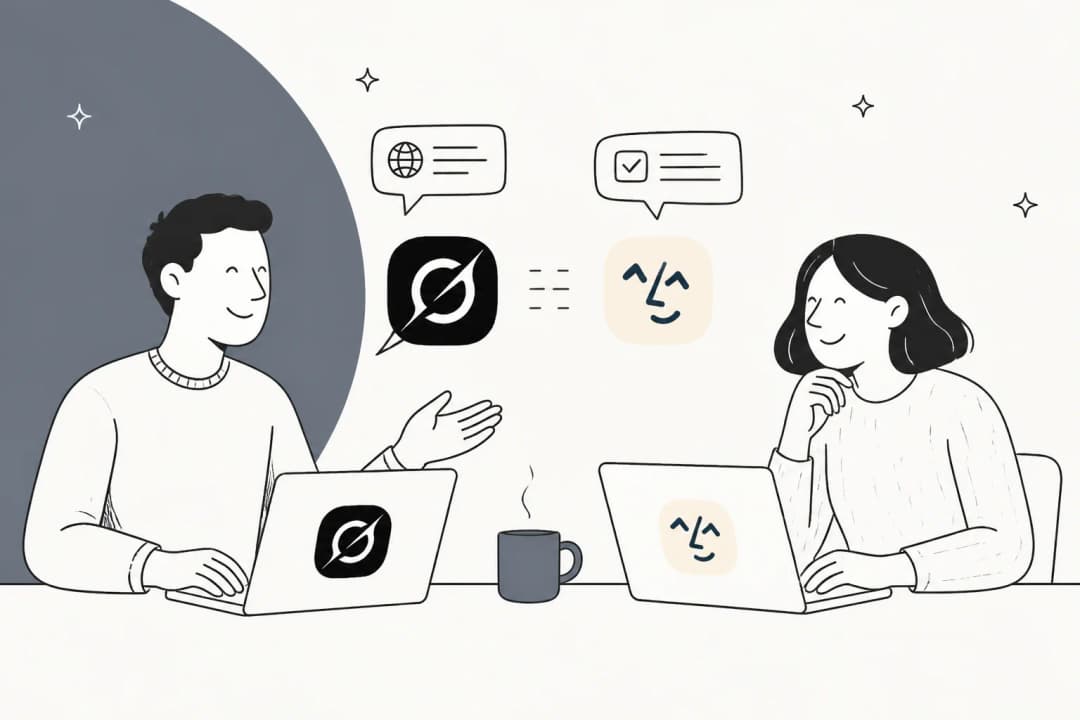
Grok Bot is xAI's AI teammate app, announced on 11 August 2026 and still labelled "Early beta" on its own page. Each Bot is a persistent, named worker: you give it a role, it gets a cloud computer, and it signs into the apps you already use and drives them through their interfaces the way a person would. xAI pitches the coverage as the point, saying Bots work across apps and websites "including platforms with no clean API or MCP".
Eight roles ship out of the box: Sales Outbound, Talent Scout, Paid Media, Expense Manager, Product Performance, Bug Reproduction, Account Health, and Chief of Staff. Multi-Bot is real, with async Bot-to-Bot messaging and group chats of two to six Bots. There's a "Teach a task" feature (xAI calls them routines) where a Bot watches you do a job once and saves the steps, capped at 10 minutes and browser-only, with the output flagged as a draft.
Worth knowing up front: none of the eight roles is a support role, even though the product page's own example prompt is "Sign in to Zendesk so I can work the support queue." And there's no documented Grok Bot API, SDK, webhook, or CLI. This is a product you drive through its own app, not one you wire into a pipeline. If you're weighing it as xAI's agent play, it sits alongside Grok 4.5 as the model doing the work and the Grok Voice agent builder on the voice side.
What Claude Cowork is
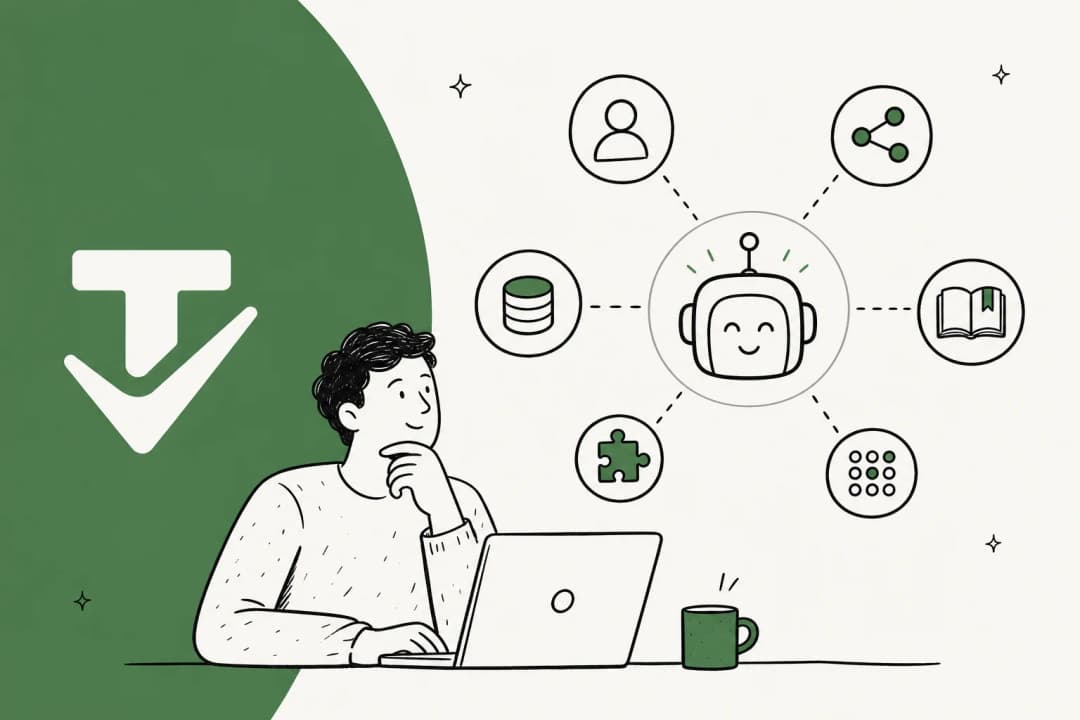
Claude Cowork is Anthropic's agentic knowledge-work product. It "brings Claude Code's agentic capabilities to knowledge work beyond coding," running multi-step tasks in the cloud (in beta) that you can steer from desktop, web, or mobile (get-started doc). Instead of one prompt at a time, you hand it a complex job and it executes, producing real deliverables like Excel workbooks with working formulas and formatted reports.
The piece that lines it up against Grok Bot is the built-in browser, launched 26 August 2026. It's a browser baked into the Claude desktop app: when a task needs a website, "a browser opens in the side panel next to your task," and Claude opens sites, reads pages, clicks, types, and fills forms while you watch. The framing Anthropic uses is nice and honest: "a lot of web tasks don't need your browser, just a browser, and now Claude has one." Nothing to install, and it doesn't touch your own tabs or logins unless you import cookies site by site.
That's the key difference from the older Claude in Chrome extension, which drives your signed-in Chrome on the page you already have open. Cowork can use either: the built-in browser when you want to hand off the web part and keep working, or the extension when the work is on a page in front of you.
One quirk to plan around: even though the Cowork session runs in the cloud, the built-in browser lives in the desktop app, so Claude Desktop has to stay open and online for it to run. You can keep steering from web or mobile, but the laptop can't fully sleep.
How both actually work
Strip away the branding and the mechanism is the same, and it's worth understanding because every trade-off below flows from it. These are autonomous AI agents that operate a computer the way you would: they get a screen and a browser, you sign in once, and then they click and type against real, logged-in sessions.
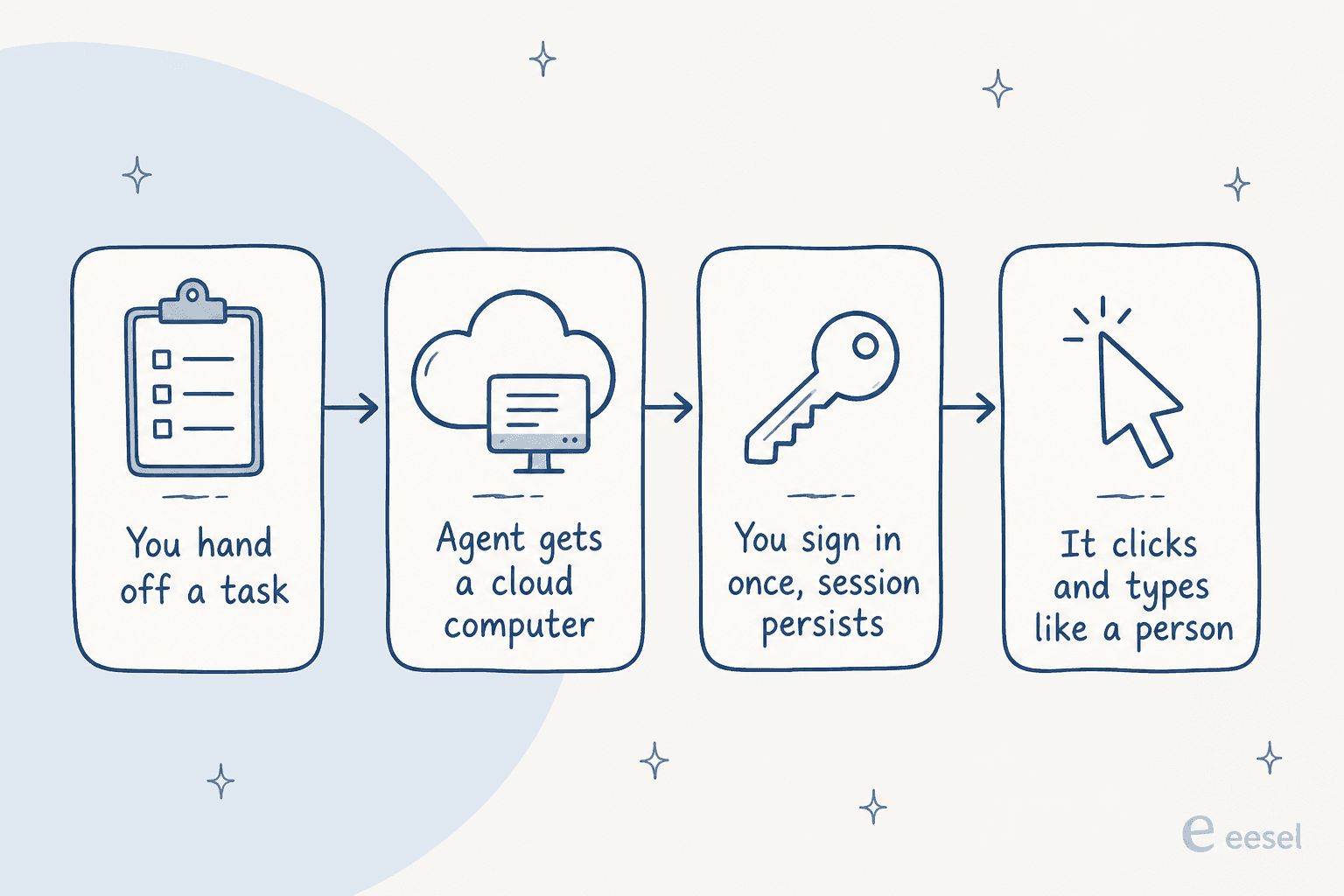
This is the descendant of RPA, just with a model deciding what to click instead of a brittle script. The upside is coverage: if a human can do it in a browser, the agent can attempt it, no API required. That's a real strength for workflow automation against tools that never shipped a clean integration, and it's where Grok Bot sits among the best AI agents for open-ended jobs.
The two products differ on how the session is held. Grok Bot's docs are explicit that "all of your Bots share one cloud computer," and "files, browser sessions, and command line credentials on that computer are available across your Bot roster." One pre-release tester on Hacker News described the login handoff plainly: "It'll ask you to take over its computer to log in. After you do you just tell the bot you're done logging in and it'll keep driving." Cowork instead runs its browser in an isolated session and keeps logins per-computer, with banking, email, and SSO sites unchecked by default when you import cookies.
Grok Bot vs Claude Cowork: the differences that matter
Here's the head-to-head on the dimensions a buyer actually weighs. I've kept it to what the vendors publish, not launch-week vibes.
| Dimension | Grok Bot (xAI) | Claude Cowork (Anthropic) |
|---|---|---|
| Launched | 11 Aug 2026, "Early beta" | 26 Aug 2026 (built-in browser) |
| How it uses the web | One shared cloud computer per account; drives logged-in sessions | Its own sandboxed browser in the desktop app, or your Chrome via extension |
| Session model | Sessions persist and are shared across all your Bots | Per-computer logins; SSO/banking/email off by default |
| Dry-run / test mode | None. "A test run performs real work" | Approval modes, but no simulation against your own history |
| Approvals | User-authored free text; Auto Review is model-based | Manual approve, auto approve with action screening, or skip all |
| Deletion safety | "An approval does not reverse work already completed" | Deletion protection: explicit "Allow" before any permanent delete |
| Audit trail | "An audit view of Bot actions is coming" | Compliance API + OpenTelemetry event streaming for Team/Enterprise |
| Multi-agent | Group chats of 2-6 Bots, async Bot-to-Bot | Single agent per session, cloud-parallel tasks |
| Compliance | No SOC 2 / ISO / GDPR / HIPAA claimed | Not for HIPAA orgs; enterprise controls and Compliance API |
| API / CLI | None documented | No public Cowork API; runs in-app |
| Platforms | macOS, Windows, iOS | macOS, Windows, Linux (beta) |
| Price | $200/mo solo, $120/seat/mo team | Bundled in Pro/Max/Team ($17-$100+/mo) |
The pattern is clear. Grok Bot is the more aggressive product: more autonomy, more Bots, more willingness to act, and correspondingly fewer brakes. Cowork is the more cautious one, trading some of that reach for deletion protection, isolation, and a real compliance story for teams. If your job is "do a lot, fast, and I'll keep half an eye on it," Grok Bot leans your way. If it's "do useful work but don't let it wreck anything," Cowork does.
Pricing compared
Two very different billing philosophies, which matters more than the sticker numbers.
Grok Bot has just two self-serve plans, both named after Cursor rather than xAI, with a Contact sales link above them (pricing):
| Plan | Price | Notes |
|---|---|---|
| Cursor Ultra (solo) | $200 / month | "Extended limits on AI tokens" (no number published) |
| Cursor Premium Teams | $120 / seat / month | Adds central billing, skills marketplace, shared analytics, SSO |
| SuperGrok Heavy | Included | No standalone Grok Bot price given |
There's no free tier, no published trial length, and no annual option. Oddly, the team plan is cheaper per seat than the solo plan. The only quota language is "extended limits on AI tokens," with overage billed on model and token cost, so real spend depends on how hard your Bots run.
Claude Cowork is bundled into Anthropic's existing plans (pricing):
| Plan | Price | Cowork + built-in browser? |
|---|---|---|
| Free | $0 | No |
| Pro | $17/mo annual ($20 monthly) | Yes |
| Max | From $100/mo (5x or 20x usage) | Yes |
| Team | $20/seat annual ($25 monthly); Premium seat $100 | Yes |
| Enterprise | $20/seat + usage at API rates | Yes, admin-managed |
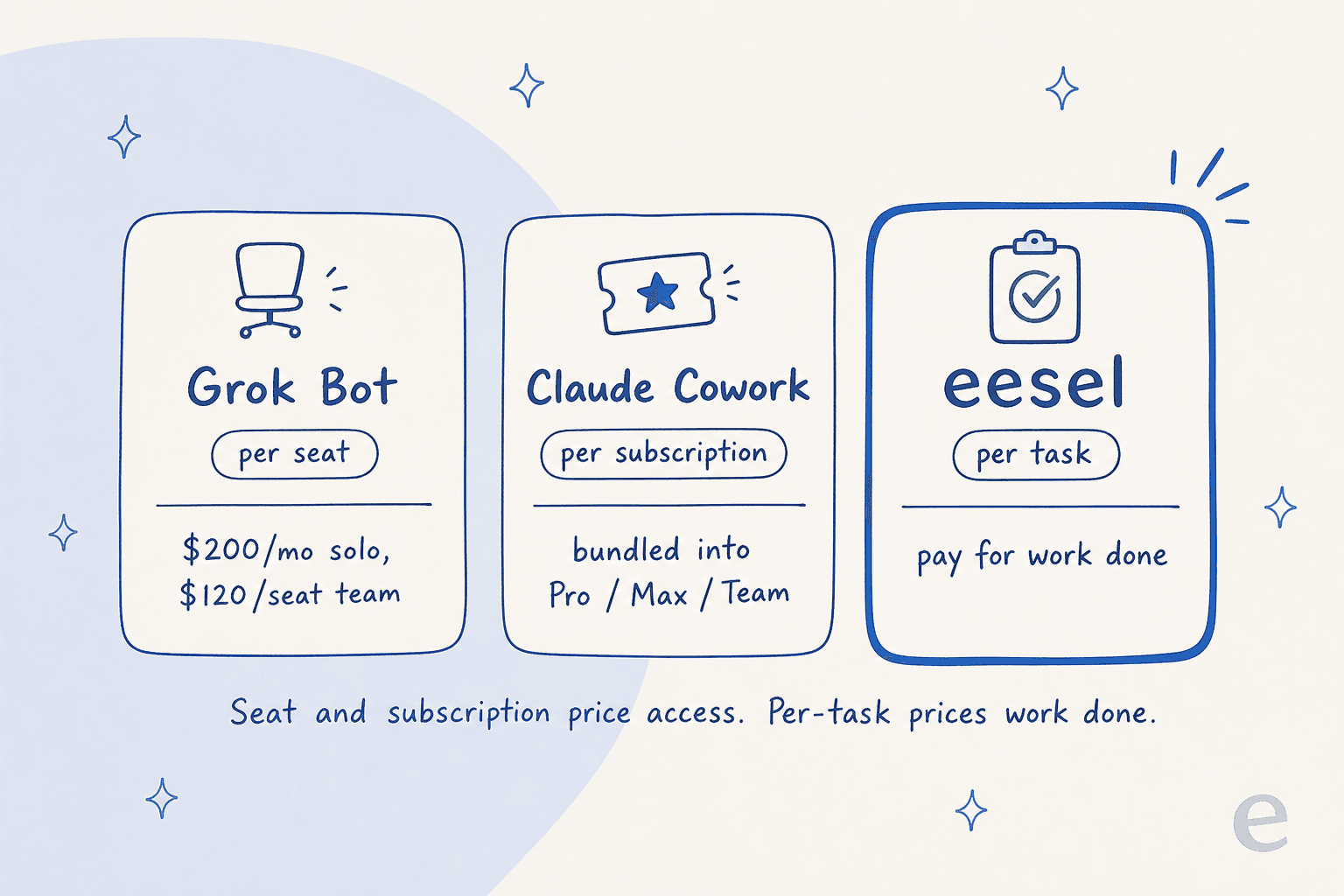
A worked example makes the gap real. A five-person team on Grok Bot's Premium Teams plan is $600/month before token overage. The same five people already paying for Claude Team get Cowork included at $100/month total. But notice what you're buying in both cases: a seat, or a subscription. You're paying for access to a worker, not for work completed. That's fine for open-ended knowledge work, where usage is spiky and hard to predict.
It's a worse fit when the work is meterable, like support tickets. That's why an AI agent's cost for a production queue is usually cleaner to reason about per unit of work. At eesel we price per ticket (roughly 40 cents), and we deliberately never charge for retries, internal steps, or follow-ups inside that unit, because predictability beats cleverness when finance is signing off.
Security and trust: the part you can't skip
This is where an agent that acts inside your real accounts stops being a neat demo and becomes a decision. Both products are honest about the risk, to their credit.
The sharpest critique of Grok Bot's design came from Hacker News, and it names the whole thing in two words:
"By hijacking a real person's credentials, that person becomes the accountability sink. Very neat. Very deliberate."

That's the shared-session model in a nutshell. Because the Bot acts inside a session you signed into, the logs attribute its actions to you, and xAI itself says twice: "do not use separate Bots as a security boundary." There's also no dry-run to catch a mistake first, since "a test run performs real work," and the audit view is still listed as coming.
Cowork's exposure is different but real. Its loudest launch reaction was a security write-up, and the top comment argued the hard part isn't fancy exploits, it's how easy the "skills" system makes it to slip in instructions:
"You could upload a plain Markdown file somewhere and tell people it has a skill that will teach Claude how to negotiate their mortgage rate and plenty of people would download and use it without ever opening and reading the file."
To its credit, Anthropic publishes its own prompt-injection numbers: on Sonnet 4, browser use had a 23.6% attack success rate, dropping to 11.2% with new mitigations. Those aren't small numbers, and it's why Anthropic "strongly advises against" using the browser for financial accounts, medical information, or other people's data, and keeps it away from HIPAA orgs. If your tickets contain card numbers and passwords, an agent holding a persisted, signed-in session to your helpdesk is a data-privacy surface, not just a productivity tool.
For all the security worry, the early enthusiasm is grounded in real work, not hype. As one Cowork user put it on Hacker News, "for many the value of using general purpose agents will outweigh the security concerns for now, until those catch up." That's the honest read for ad-hoc work you're watching.
Where each one fits, and where neither does
So which do you reach for? For general knowledge work you supervise, both are strong, and the choice is mostly about temperament. Pick Grok Bot if you want maximum reach and a roster of always-on Bots, and you're comfortable owning what they do inside your sessions. Pick Claude Cowork if you're already in Anthropic's ecosystem and want tighter brakes, deletion protection, and an admin-managed compliance story. If you specifically want either one pointed at a helpdesk, the more honest route is a Claude-to-helpdesk integration rather than a browser session logged in as you. Cowork's isolation and the fact that it doesn't touch your own browser make it the easier one to say yes to at a company.
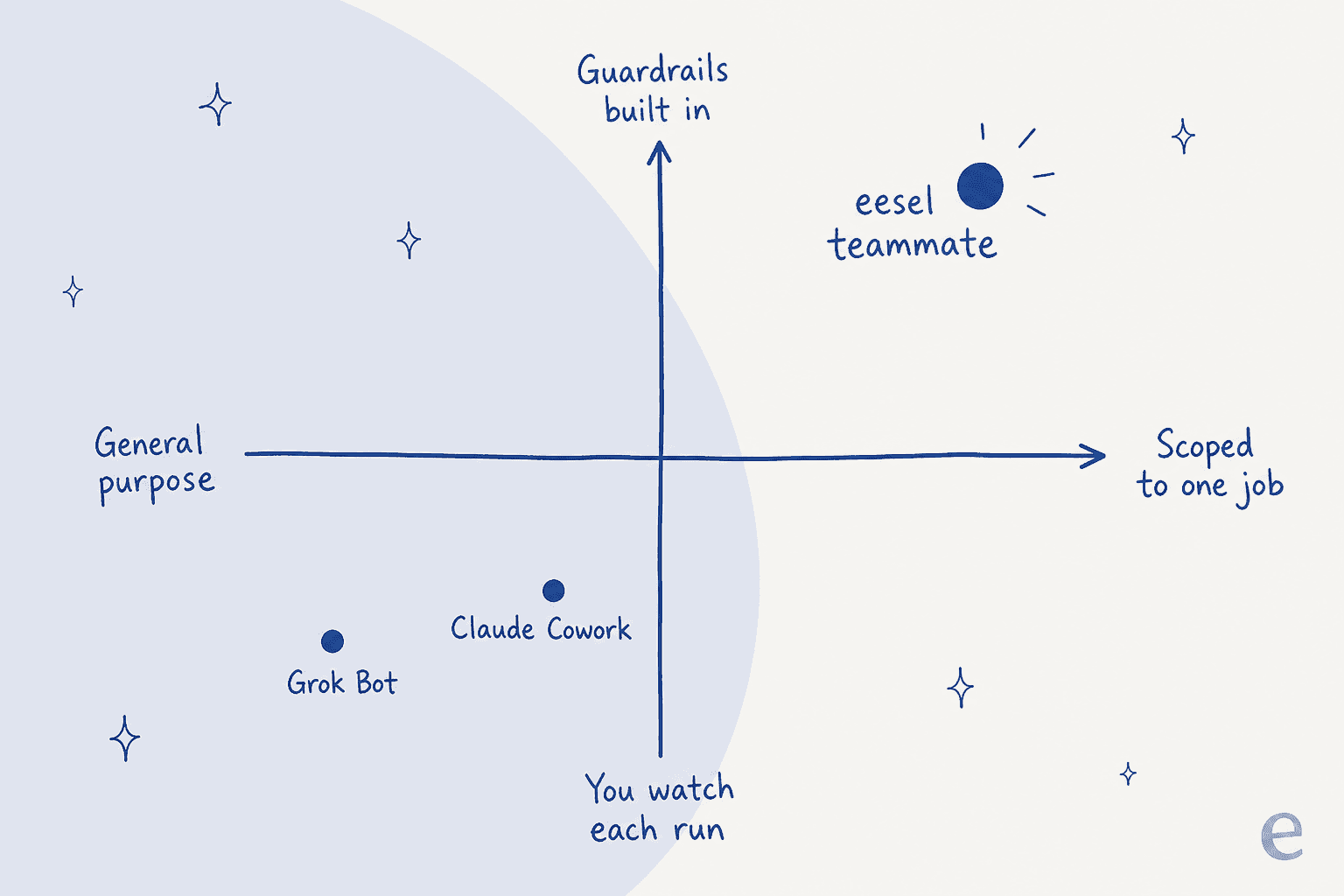
But there's a category where I'd steer you away from both, and I say this as someone who builds these agents for a living: a repeatable production job like customer support. A general-purpose agent that signs into Zendesk and "works the queue" can't express the things support leads refuse to go live without, like scoping by ticket type or measuring an AI resolution rate per response. One CX lead put the whole requirement in a sentence:
"The AI will never be able to answer 100% of the questions... I need an AI who is only handling the tickets that it's confident to handle and all the other ones, leave them alone."
CX lead at a DTC supplements brand (Gorgias + Shopify, ~7K tickets/month)
A logged-in browser session has nowhere to put "leave those tickets alone." It has one mode: it works the queue. And the failure isn't gibberish, it's a fluent, plausible, wrong answer. I've watched a confident-sounding bot fabricate a reply into a real customer's ticket because the knowledge base came back empty, which is exactly why every rollout we do now gets simulated against historical tickets first. On one e-commerce inbox, that dry run came back 93% accurate on triage and 7% factually wrong on drafts, and we knew both numbers before a single customer saw anything. Neither Grok Bot nor Cowork offers a dry run against your own history.
That's the real dividing line. General-purpose agents are labour you supervise; a purpose-built support agent is a worker you scope, test, and audit. It's the difference between a generalist and agentic customer service built for the queue, and it's worth reading up on build vs buy before you wire a general agent into support with glue code.
Try eesel for support and content
If the job you're actually trying to fill is support or content, eesel is built for that shape. eesel is an AI teammate platform, and you hire ready-to-work teammates for specific jobs: an AI helpdesk agent that joins your existing queue, and an AI blog writer that produces researched drafts. Each arrives with the skills, integrations, and company context for its role.

The difference from a general-purpose agent is the whole point. eesel connects through your helpdesk's own surfaces, so it plugs into Zendesk, Freshdesk, Gorgias, Confluence, and Slack as an integration, not a shared logged-in browser session you have to babysit.
That connection model is what makes the guardrails expressible. You get simulation on your past tickets before go-live, so you see a resolution rate before a customer does. You get confidence-based escalation, ticket-type exclusion, and citations on every answer. And when the agent should step back, it does a clean human handoff instead of improvising.
And if the terminal is your world, eesel isn't only a dashboard. The eesel CLI drives the same teammate and workspace from a script or a coding agent like Claude Code or Cursor, so you can connect sources, push instructions, run a simulation, and check activity without opening a browser at all. It's the agent-friendly way to operate the same worker, which is a very different thing from an agent that opens a browser and pretends to be you.
To be fair to the honest half of the argument: eesel won't sign into an arbitrary SaaS tool with no API and click around for you. That's exactly what Grok Bot and Cowork are for. But for a support queue or a content pipeline, a scoped teammate you can test and trust beats a general labour agent every time. You can try eesel free and simulate it on your own tickets before it ever touches a customer.
Frequently Asked Questions
What is the difference between Grok Bot and Claude Cowork?
How much does Grok Bot cost compared to Claude Cowork?
Is Grok Bot or Claude Cowork safe to use with sensitive data?
Can Grok Bot or Claude Cowork replace a customer support team?
What is a general-purpose AI agent and when should I use one?


Article by
Alicia Kirana Utomo
Kira is a writer at eesel AI with a Computer Science background and over a year of hands-on experience evaluating AI-powered customer service tools. She focuses on breaking down how helpdesk platforms and AI agents actually work so that support teams can make better buying decisions.