

What OpenClaw 2.0 actually is
If you have not met it before: OpenClaw is an open-source, self-hosted personal AI agent, not a SaaS product. You run a local "Gateway" on your own machine, point it at whichever LLM provider you supply keys for, and it reaches you through the chat apps you already use. It is MIT-licensed, developed by the non-profit OpenClaw Foundation, and it became the most-starred repo on GitHub in under five months. If you want the ground-up version first, our what is the Claw agent piece and the OpenClaw review cover the basics. The Y Combinator team described it as going "from a weekend project to the most-starred software repo on GitHub in under 5 months."
The 2.0 release landed with a very on-brand blog post from Hannes Rudolph, titled "OpenClaw 2.0, Accidentally". The first thing you notice on a fresh install is the rebuilt front door: the Control UI now opens straight into a conversation, the way ChatGPT or Claude does, instead of dropping you into a config screen.
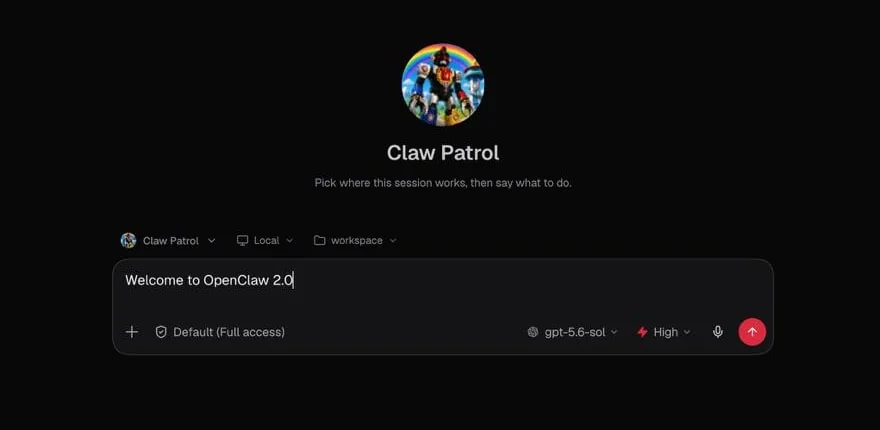
That "conversations at the centre" redesign is a small thing that changes the feel of the whole tool. The older experience assumed you were a tinkerer who would live in settings. 2.0 assumes you want to talk to your agent first and configure it later.
The one change that matters: multiplayer
Here is the sentence that used to define OpenClaw, straight from its own README: it was "designed for a single operator." No seats, no shared workspace, no handoff. Your agent was yours, on your machine, and that was the whole pitch.
2.0 breaks that assumption on purpose. Shared cloud sessions let you bring another person into a live piece of work, or hand a session off with its context intact. The demo image the project shipped, a shared workspace it nicknamed "The Daily Claw," shows exactly what changed: a sidebar of shared conversations and a list of teammates who are online right now.
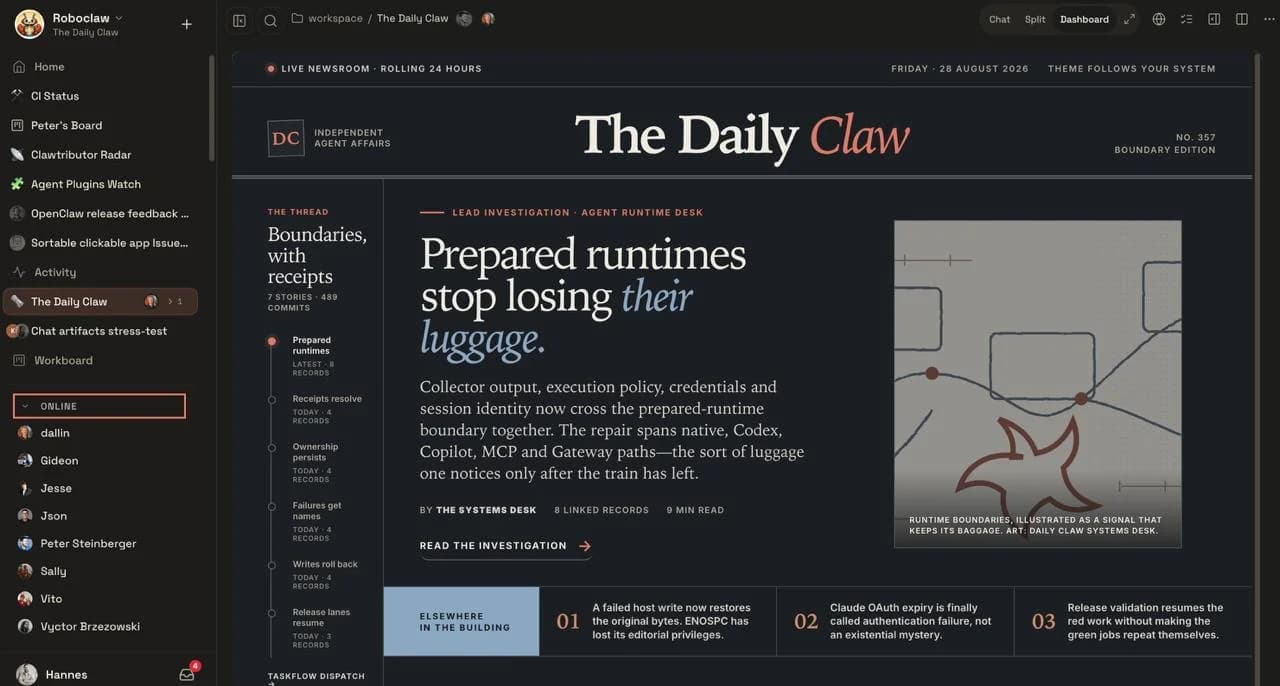
Why is this the headline and not, say, the new memory system? Because it is the one change that moves OpenClaw into a category it was never in. A viral single-player agent getting real collaboration is a bigger deal than any individual feature, and it is the thing that will decide whether small teams, not just solo power users, adopt it. Everything else in 2.0 is polish on an existing idea. This is a new idea.
I would flag one honest caveat, though: "multiplayer" here still runs on top of a Gateway that you host. It is a team experience layered onto self-hosted infrastructure, not a managed team product with an admin console and an audit-log tier. That difference matters a lot once more than a couple of people depend on it, and I will come back to it.
The scale of this release
It is worth pausing on how big 2.0 actually is, because the numbers are genuinely unusual for an open-source release. The blog post credits it to "933 contributors, including 569 first-time contributors" and "over 16,000 pull requests." The release notes go further: 16,977 pull requests, 698 direct commits, 987 contributors, roughly half of every PR ever merged into the project, all in a single release that took nearly seven weeks.
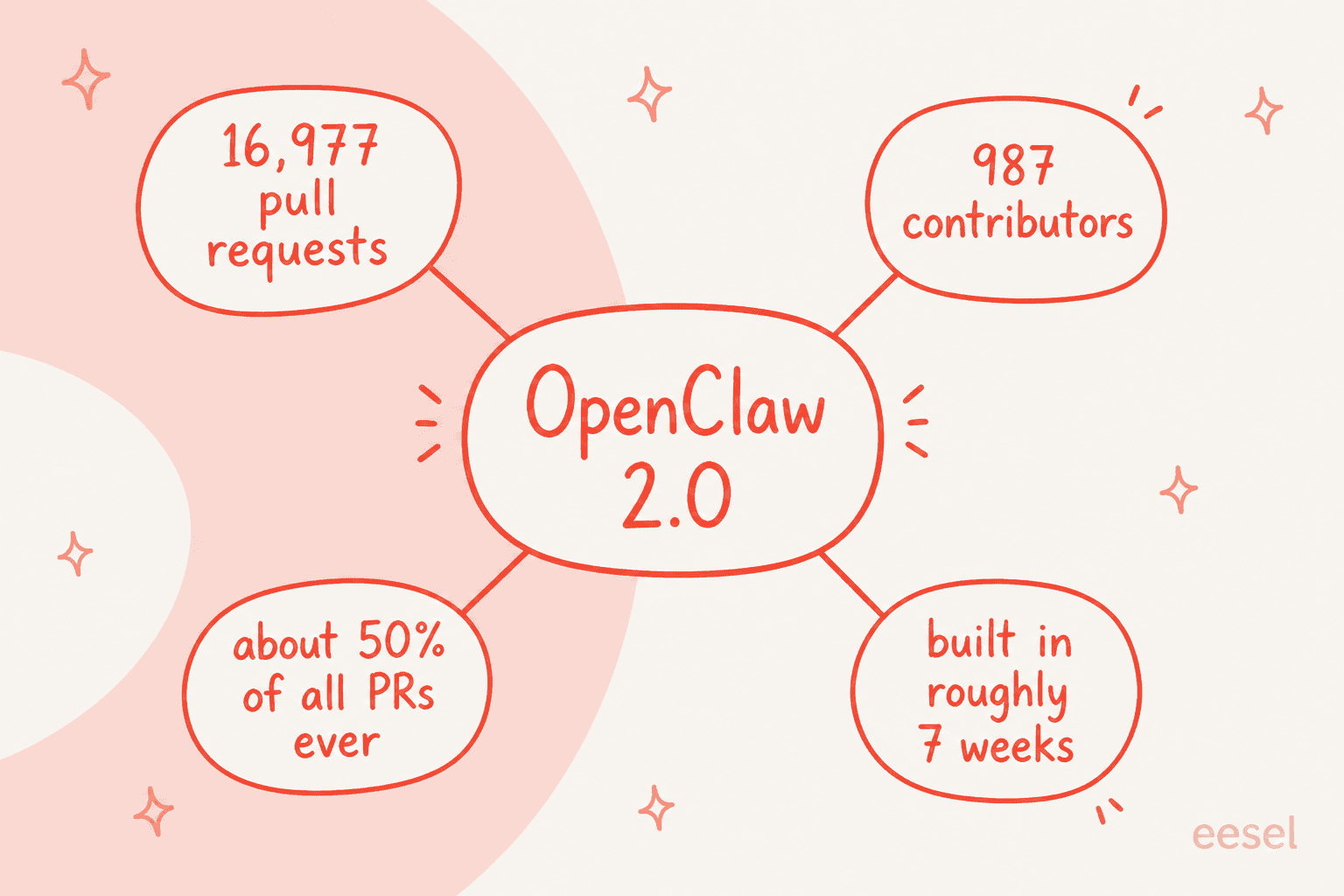
The project's normal cadence was fast already, 106 releases in 230 days, so calling this "by far the largest update in the history of OpenClaw" is not marketing. It is a factual statement about a codebase that a very large community poured seven weeks of work into at once. Whatever else you think of the tool, that contributor energy is real, and it is the strongest signal that the project is not slowing down.
What else landed in 2.0
Beyond multiplayer, 2.0 is a broad quality pass. Here is the shape of it.
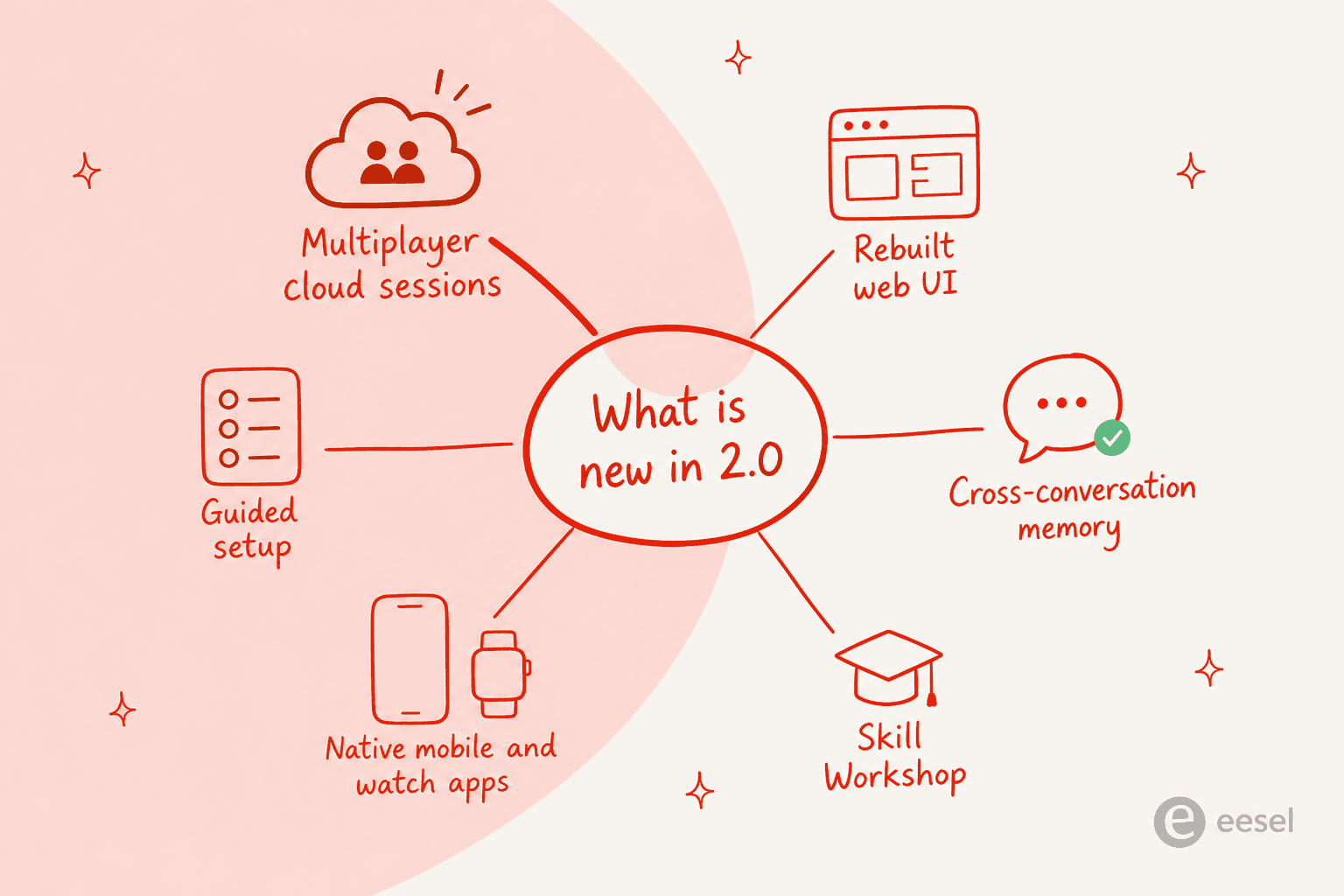
Setup got a lot friendlier. The guided onboarding now reuses your existing ChatGPT, Claude, or Codex sign-ins, your API keys, or local models via Ollama or LM Studio, and it verifies the model actually answers before saving. The Mac app moves itself into Applications, and openclaw is available in new shells without you editing rc files. It also blocks unauthenticated network Gateway installs by default, which is a sensible security default.
Memory is now first-class. 2.0 adds cross-conversation recall within a single agent's private conversations, with a built-in Memory system that owns search and recall. If you have used the tool for a while, this is the feature that makes it feel less like a stateless chatbot and more like something with continuity.
Skills got a workshop. The new Skill Workshop lets you create, validate, install, and review skills, and a self-learning loop turns durable corrections into proposed skill improvements. Plugins are now browse-install-enable from the Control UI, pulling from the ClawHub registry, and there is even a GitHub integration for the developer crowd.
Native apps everywhere. There are now iPhone, iPad, and Android apps with voice and attachments, a macOS Quick Chat from the menu bar, and even Wear OS and Apple Watch support. Fresh OpenAI setups default to GPT-5.6, and the local llama.cpp default is Gemma 4.
Cron became "Automations." The scheduler was renamed (the old openclaw cron still works as an alias), and run history now separates "ran" from "delivered" from "completed," which is a small but real improvement if you lean on scheduled jobs. If scheduling agents is your main use case, our writeups on the Claw agent's Telegram and WhatsApp integrations show the kind of always-on workflow this powers.
None of these are revolutionary on their own. Together, they are the difference between a project that felt like a hobby and one that feels like software.
So, is it worth it?
Short version: yes, with an asterisk that depends entirely on who you are.
If you already run OpenClaw, upgrade. The setup improvements alone save you real friction, and the memory and web UI changes make daily use noticeably nicer. There is a specific group I would especially nudge here: people who bounced off the tool during a rough patch of updates. One user, @Strong_Genetics, put it well even before 2.0:
"If you left Openclaw because of update stability its time to give it another try. The last 2 weeks have been the best experience I've had on openclaw so far."
If you are new and technical, this is the best possible moment to try it. It has never been easier to install, and there is a genuinely huge community building skills and answering questions. Start with our how to use the Claw agent walkthrough, and browse the wider field in our best AI agents guide if you want to compare options first.
If you are a non-technical team hoping this replaces a support tool or an internal assistant, slow down. That is where the asterisk lives, and it is the next section.
The catch: you are the one running it
Nothing about 2.0 changes the fundamental deal, and it is the most important thing to understand before you commit. OpenClaw is free, MIT-licensed software. That is not the same as free to operate.
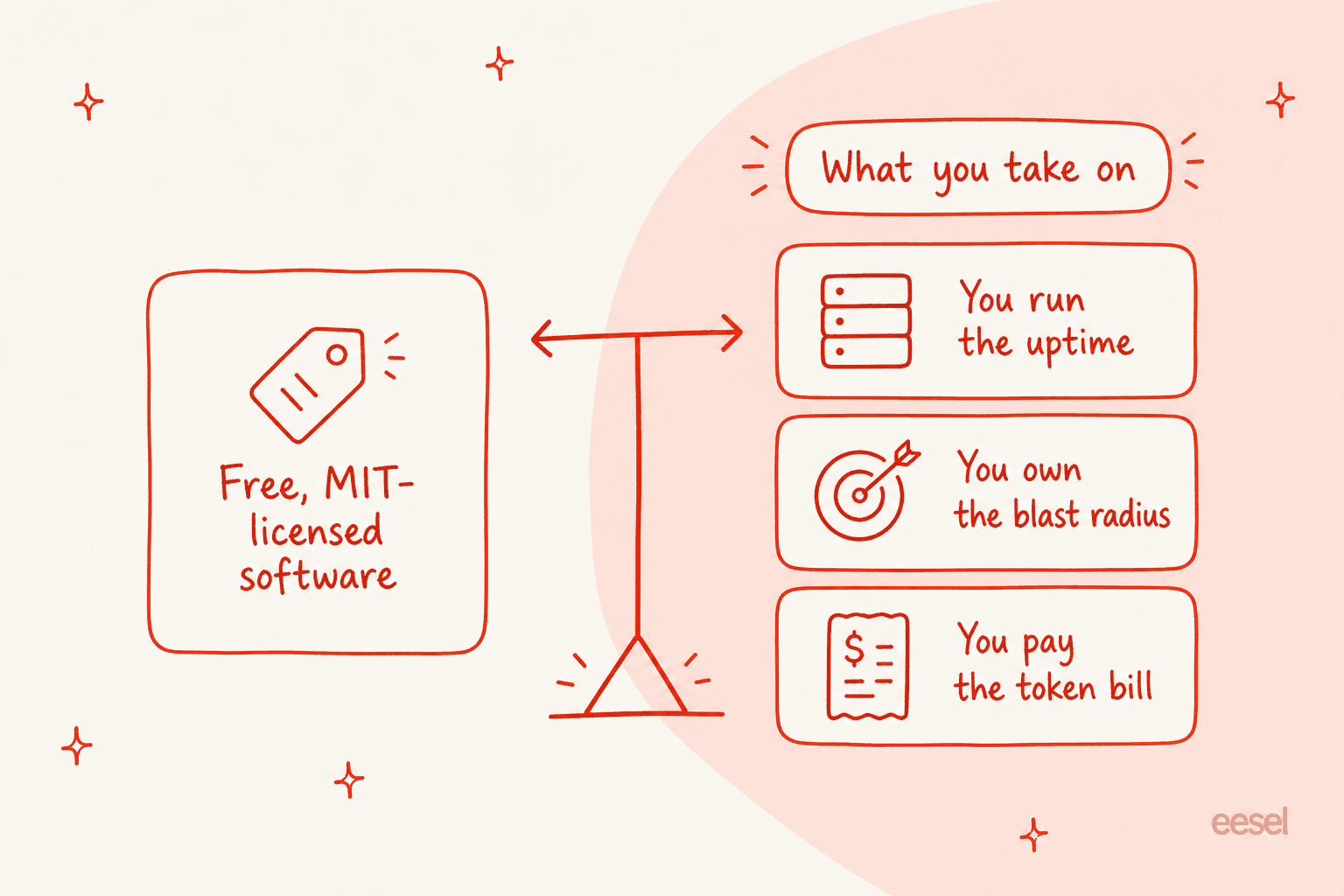
You run the uptime. The automation docs are blunt: "The Gateway must be running for schedules to fire." There is no vendor SLA, because there is no vendor. If your machine sleeps, your agent sleeps.
You own the blast radius. The README tells you to "treat inbound messages as untrusted input" and warns that "tools run on the host for the main session unless you configure sandboxing." This is not a knock on the project, it is being honest about what a powerful local agent is. The community has been debating it loudly. The top Hacker News thread on the subject is titled "OpenClaw is a security nightmare dressed up as a daydream", and one commenter framed the risk clearly:
"OpenClaw, for all the cool and flashy uses, is also basically an infinite generator for lethal trifecta problems because its whole pitch is combining your data with tools that can both read and write from the public internet."

You pay the token bill. The software costs nothing; the model calls do not. This is the real OpenClaw pricing story, and the community's own numbers are the honest headline here, including that eye-watering $1.3M-in-30-days datapoint from a heavy user. Yours will be far lower, but the point stands: your bill moved from a subscription to metered tokens you can't fully predict.
None of this makes 2.0 a bad release. It makes OpenClaw a specific kind of thing: infrastructure for people who want to own every layer. If that is you, this update is a gift. If it is not, keep reading.
What real users say
The community sentiment on OpenClaw is unusually split, and that split is useful. The enthusiasts are very enthusiastic. On daily usefulness, one Hacker News user described a genuinely handy workflow:
"Yes, I'm running it with a minimal set of plugins. When I'm driving or out I can ask Siri to send a iMessage to Clawdbot something like 'Can you find out if anything is playing at the local concert venue, and figure in how much 2 tickets would cost', and a few minutes later it will give me a few options."
The skeptics are honest about friction. Even a fan admitted the setup reality plainly:
"Honest answer: OpenClaw still requires some tinkering, but it's getting easier."
Both things are true at once, and 2.0 mostly moves the "getting easier" needle without erasing the "some tinkering" part. If you enjoy the tinkering, that is a feature. If you just want a result, it is a cost. For a fuller picture of the pattern of complaints and praise, the Claw agent alternatives writeup collects more of it.
OpenClaw is infrastructure. eesel is the employee
Here is the framing I keep coming back to, because I build on the other side of it. OpenClaw is infrastructure: a brilliant, flexible, open engine that you assemble, host, secure, and feed. That is genuinely the right choice for a certain kind of builder, and I would never talk someone out of it.
But a lot of people reaching for a "personal AI agent" don't actually want infrastructure. They want the outcome. They want an AI that shows up already knowing the job, plugged into their tools, doing defined work without them running a Gateway at 2am. That is what we build at eesel: ready-to-work AI teammates you hire for specific jobs, rather than a kit you assemble yourself. The current roster is an AI helpdesk teammate that joins your existing support queue, and an AI blog writer. Each arrives with the skills, integrations, and company context for its role.
The practical difference is everything the last two sections were about. You don't run the uptime, you don't own the blast radius, and there is no --dangerously-allow-all flag with your production data behind it. We simulate every support rollout against your historical tickets before it goes live, precisely because we have watched confident-sounding bots give wrong answers and learned not to trust a demo. If your reason for looking at OpenClaw was "I want AI doing real work," and not "I want to operate an agent platform," trying eesel free is the faster path to that outcome.
Both models are valid. Just be honest with yourself about which problem you are actually solving, because that, more than any feature in 2.0, is the decision that matters.
Frequently Asked Questions
What is OpenClaw 2.0?
v2026.8.1 of the open-source, self-hosted personal AI agent, announced on 30 August 2026. Its headline change is multiplayer: shared cloud sessions turn what was a single-operator tool into something a whole team can join. If you are new to the project, our explainer on the Claw agent is a gentler starting point.