

"Programmatic AI agent access" gets thrown around like it means one thing: a REST API. It doesn't. It is a spectrum of surfaces, and each one fits a different job.
- A REST API or SDK is for building a custom app on top of the agent.
- A CLI is for scripting setup and running the agent from CI.
- An MCP server is for letting an AI coding agent (Claude Code, Cursor) operate it.
- Webhooks are for letting outside systems wake the agent on an event.
- Network Access is the reverse: letting the agent call your own APIs.
The buyer question isn't "does it have an API?" It's "which of these surfaces do I actually need?" Most teams need two or three, not all six. For a support agent, eesel exposes the CLI, MCP, webhooks, and Network Access set, with one honest gap I'll name below: it does not ship a separately-versioned public REST product. If your automation lives in a script, a pipeline, or another service, that set covers it.
"Programmatic access" is a direction, not a single API
Here is the mistake I see most often. Someone asks "does your AI agent have an API?", gets a yes or a no, and stops there. But "programmatic access" bundles at least three different directions of control, and a yes/no answer flattens all of them.
I ship integrations at eesel, which means I spend my days on exactly this wiring, and the three directions are genuinely different problems:
- You drive the agent. You (or a CI job) tell it what to do: connect a helpdesk, set an instruction, ask it a question. This is what a CLI or an MCP connection is for.
- Something else wakes the agent. An external event (a new order, a PR comment, a monitoring alert) needs to hand work to the agent. This is what webhooks are for.
- The agent reaches out. Mid-task, the agent needs live data from a system you own. This is what Network Access is for.
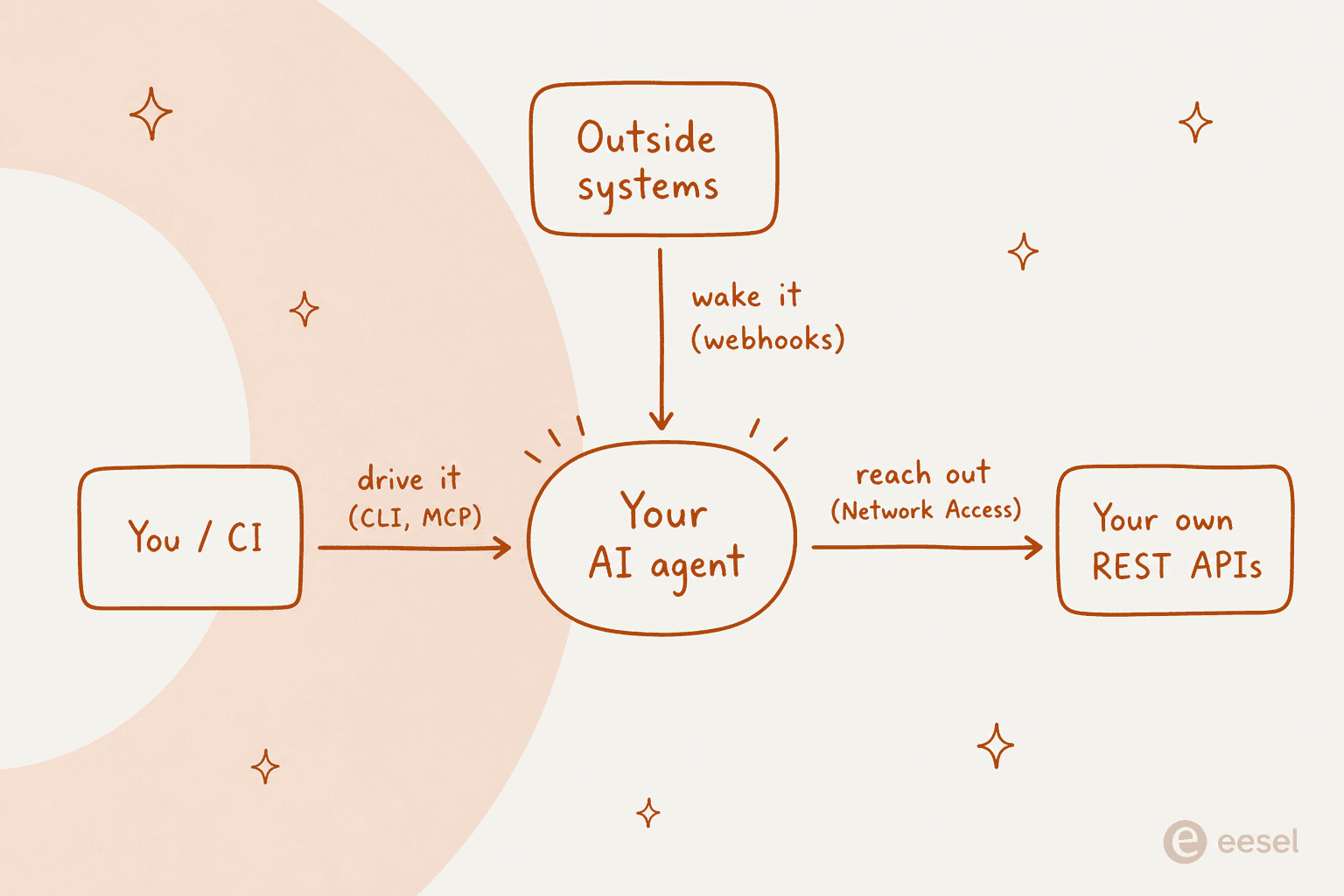
A single "REST API" question can't tell you whether a tool handles all three. So instead of asking whether an agent is programmable, ask which direction you need, then pick the surface built for it.
Developers already made this call
This isn't a niche opinion. The clearest framing I've seen came up on a Hacker News thread about computer-use agents being far more expensive than structured APIs, where the top comment argued the human screen is simply the wrong primitive for an agent:
"In an agentic world, the OS needs to be completely rethought. For example, every single app functionality should be exposable via an API while remaining human friendly."

The same crowd wants the agent itself to run headless, not tethered to a screen. On a thread about pushing events into a running agent session, one developer put the frustration plainly:
"At this point the limitation is even requiring a terminal in the first place. Claude Code daemon mode in background when?"
And the same thread landed on webhooks as the right shape for event-driven control, rather than a human babysitting a dashboard:
"There are a ton of use cases where you'd want to be able to build an integration that hooks back to your running agent session... Right now, I've had to resort to long-polling... But webhooks are clearly the right solution."
Read those three together and you get the whole spectrum: an API to expose the functions, a headless surface to drive them, and webhooks to react to events. Nobody in that discussion is asking for a prettier settings page.
The surfaces, and which job each one fits
Here is the map I keep in my head. Six surfaces, one job each. Most teams reach for two or three.
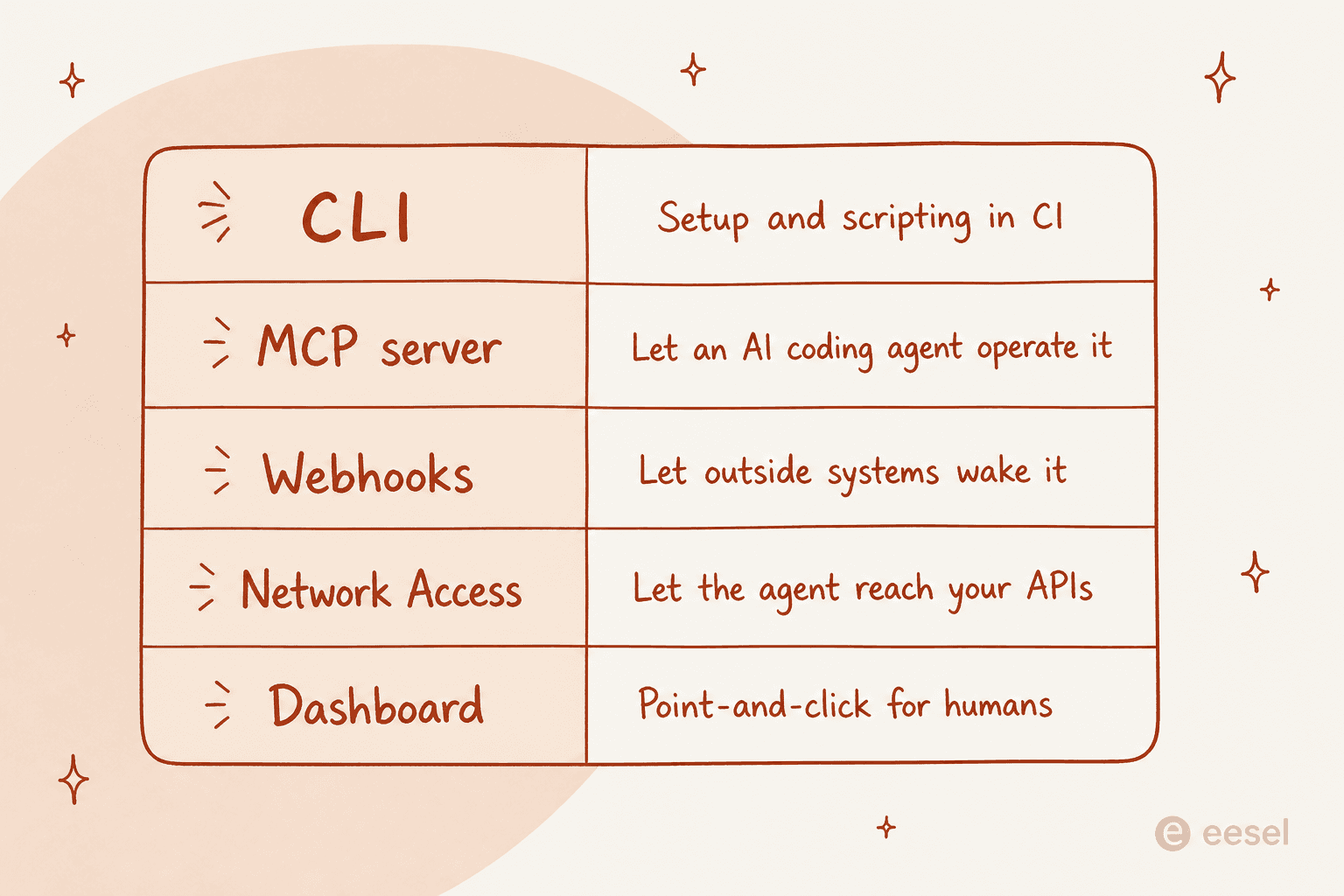
| Surface | Direction | Best for | Watch out for |
|---|---|---|---|
| REST API / SDK | You drive | A custom app or dashboard built on the agent | Not every vendor ships a versioned public one |
| CLI | You drive | Scripting setup, running the agent from CI | Needs headless auth to be pipeline-friendly |
| MCP server | You drive | Letting Claude Code or Cursor operate the agent | Tokens expire, treat them like passwords |
| Webhooks | Something wakes it | Event-driven triggers from outside systems | The URL is a secret, anyone with it can wake the agent |
| Network Access | The agent reaches out | Live lookups against your own REST APIs | Scope the allowlist tightly |
| Dashboard | Human | Point-and-click config and audit | Doesn't script, and that's fine |
REST API and SDKs
This is the surface everyone pictures first: a documented set of endpoints, a client library, and you build whatever you want on top. It's the right tool when you're constructing a product experience around the agent, something with its own UI or its own logic that needs fine-grained calls.
The honest caveat, which I'll expand on below, is that a full versioned REST product is the least common surface among AI agent vendors. Plenty of tools that say "API" mean a CLI, a webhook, or an MCP endpoint. For most support-automation jobs, you don't actually need to hand-roll a REST client, which is a relief once you stop assuming you do. If you want the deeper version of this argument, we wrote a whole piece on the customer support agent API question.
The CLI
A command-line tool is the surface I'd reach for most often, and it's underrated. A good agent CLI does everything the dashboard does (connect a helpdesk, edit instructions, approve held actions, read activity) but from a script, and it prints structured output so a pipeline can parse it.
The thing that makes a CLI genuinely useful for automation is headless authentication: environment-variable credentials so it runs in CI with no browser. Without that, a CLI is just a nicer local toy. We go deeper on this in our guide to the CLI for customer support and, more practically, on how to automate support from the command line.
MCP: let an AI operate the agent
The Model Context Protocol is the newest surface, and it answers a question the others don't: how does another AI drive your agent? When your workspace is an MCP server, tools like Claude Code and Cursor connect to it directly, so a coding agent can check activity, manage automations, and run setup without a human clicking anything.
If you're building agent-to-agent workflows, this is the surface that matters, and it's worth reading up on the AI agent MCP server pattern before you wire it in.
Webhooks: let events wake the agent
Everything above is you (or an AI) driving the agent. Webhooks flip the direction. You get a unique inbound URL, and any system that can send an HTTP POST can hand work to the agent: a new order from your store, a PR comment, an alert from your monitoring. The agent wakes with that payload and follows its instructions.
This is the piece the HN thread above was crying out for, and it's usually the difference between an agent that reacts to your business and one that only answers tickets. It's also the inbound half of connecting agents to your helpdesk.
Network access: let the agent reach your APIs
The last surface is the mirror image of webhooks. Mid-conversation, the agent needs live data, an order status, an inventory count, a customer record, from a system that has no native integration. Network Access lets you allowlist a domain and an auth header so the agent can make GET, POST, PATCH, and DELETE calls to it.
This is what turns a support agent from a knowledge-base parrot into something that can actually look things up and act. It's also where service-to-service agent patterns start to matter, because now your agent is a client of your other systems.
The honest bit: "API" doesn't always mean a REST product
Here's the part most vendor pages won't tell you. When a tool says "we have an API," it can mean any of the six things above, and the differences matter a lot for what you can actually build.
I'll be straight about eesel, because I'd rather you find this out from me than from a support ticket: eesel does not ship a separately-documented, versioned public REST API product. There's no marketed OpenAPI reference for CRUD-on-agents. What it does have is the rest of the spectrum, and for support automation that set turns out to cover the jobs teams actually bring:
- a real command-line tool,
@eesel/cli, that does everything the dashboard does; - an MCP server on every workspace;
- webhook automations for inbound events;
- Network Access for outbound calls to your own APIs.
If your job genuinely needs a fine-grained REST product to build a custom UI on, that's a real gap and you should weigh it. If your job is "script the setup, wire it into CI, let events trigger it, and let it call our order system," you were never going to need the REST product anyway. Naming that honestly is more useful than pretending every "API" is the same thing. We've spent years running AI on live support queues, and the lesson that stuck is that most automation lives in the CLI-plus-webhook corner, not in a bespoke REST client.
What this looks like in practice
Let me make it concrete, because the spectrum is easier to trust when you can see the commands. Everything below is one agent: the same one you'd otherwise set up in the dashboard.
Drive it from the terminal. The CLI installs from npm and, remarkably, runs with no account at all for a first pass:
npx @eesel/cli init chat-bubble --site https://your-site.com
Every command prints JSON, single results pretty-printed and lists one object per line, so a script can read the output. For a pipeline, you skip the browser login entirely and point the CLI at a workspace with EESEL_API_URL and EESEL_API_TOKEN. And before any write, --dry-run prints the exact server call without sending it, which is the flag that makes me trust it in CI.
Let an AI operate it. One command hands a coding agent everything it needs:
eesel mcp token
That prints the MCP URL, a 30-day workspace token, and a ready-to-paste claude mcp add line. After that, eesel's tools show up in Claude Code with an mcp__eesel__ prefix. Reads are open to anyone in the workspace; writes stay gated behind your role and the usual approvals.
Let an event wake it. A webhook automation gives you a URL, and any POST triggers a run:
curl -X POST https://your-webhook-url \
  -H 'Content-Type: application/json' \
  -H 'X-Eesel-Event-Id: evt-88213' \
  -d '{"customer": "Sam", "message": "Order arrived damaged"}'
The agent wakes with that payload and does whatever its instructions say. The X-Eesel-Event-Id header is optional metadata that makes eesel process each delivery exactly once, so a retry from your sender doesn't double-run the agent.
Let it reach your systems. Network Access is the one place credentials matter most, and it's built so they never touch the model:
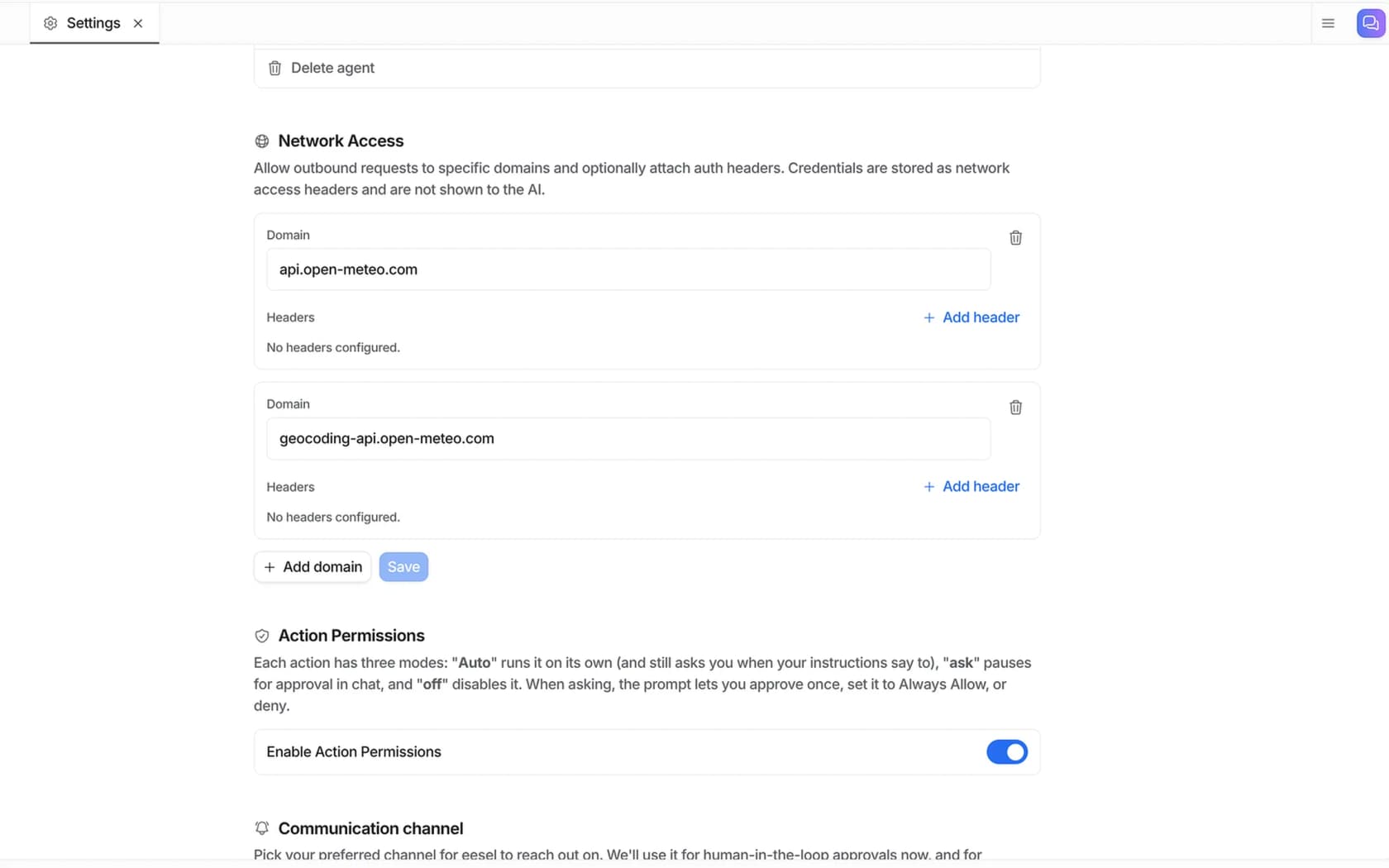
You allowlist a domain, add the auth header the API expects (Authorization: Bearer ..., or a custom X-API-Key), and the agent can call it. The key value is stored as a header and never shown to the AI, so a prompt injection can't leak it and you never paste a secret into a chat. That's the security property I'd insist on for any programmatic surface.
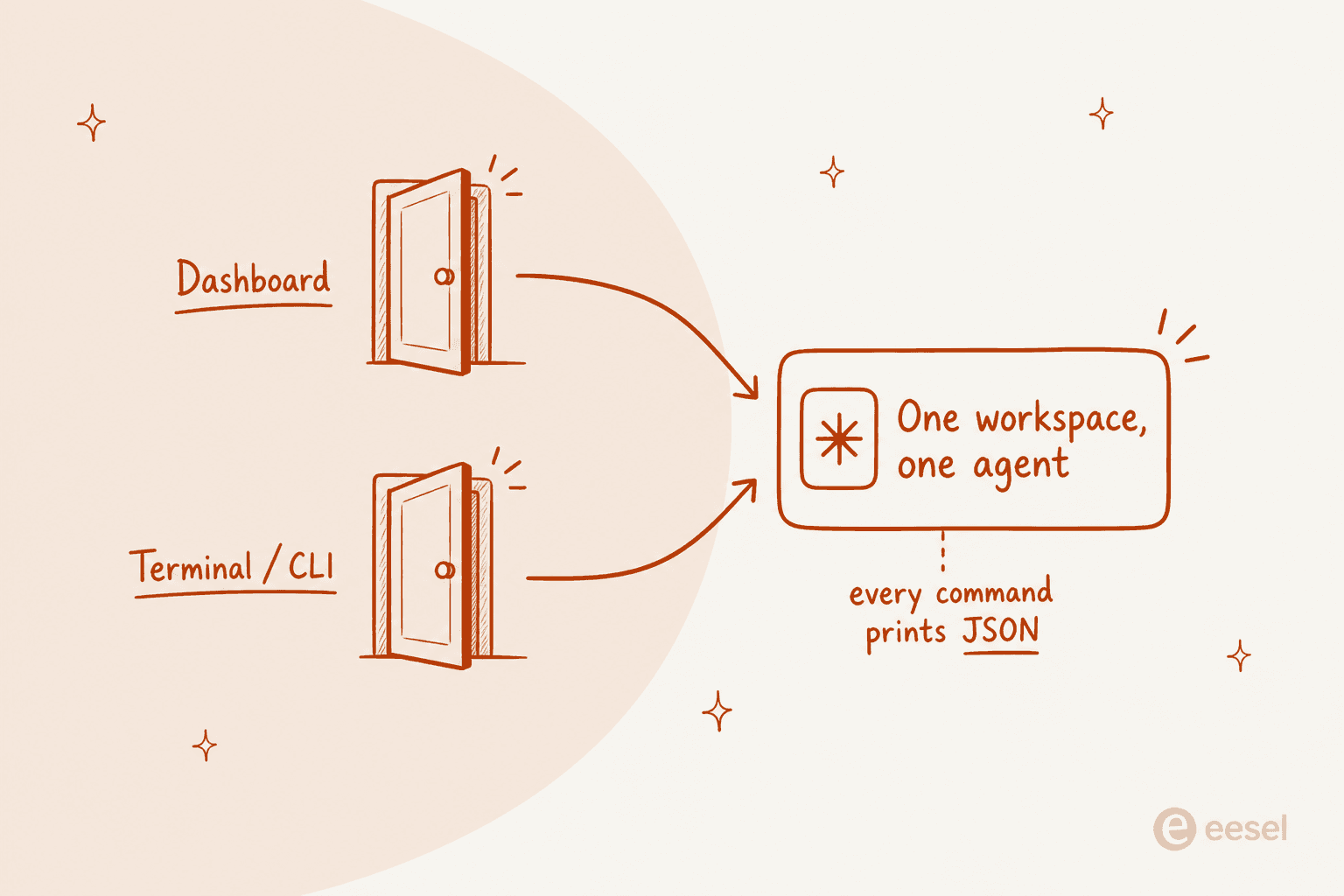
The reason all four of these work on the same agent is that there is no separate "API copy" to keep in sync. The dashboard and the terminal are two doors into one workspace.
How to actually choose
Skip the "does it have an API?" checkbox. Walk the three directions instead:
- Are you setting the agent up from code or CI? You want a CLI with headless auth. A dashboard-only tool will slow you to a crawl here.
- Does another AI or another service need to operate it? You want an MCP server, and maybe a REST API if you're building a full custom app.
- Do outside events need to trigger it? You want webhooks. Long-polling a status endpoint, as that HN developer found, is a workaround, not an answer.
- Does the agent need live data from your systems? You want a safe outbound surface like Network Access, with credentials that never reach the model.
Whatever you pick, the ops-as-code principle from the control-flow discussion on HN holds up:
"Use LLMs to write scripts, then stick all your scripts in your own looping harness and call out for LLMs for those parts that are too hard to automate with some deterministic validation at the end."
That's the whole point of a programmatic surface: the deterministic parts live in your code, and the agent handles the parts that are genuinely hard to script.
Try eesel
If the job is to put a support agent behind a programmatic surface, eesel gives you the CLI, MCP, webhooks, and Network Access set on every workspace, and it plugs into the helpdesk you already run (Zendesk, Freshdesk, Gorgias, Front, Help Scout, and more) rather than replacing it. You can install the CLI and drive an agent from your terminal in a couple of minutes, no sales call, and you can simulate it against past tickets before it ever answers a live customer.
The one thing I'd set expectations on, again: if you specifically need a versioned public REST API to build a bespoke UI on, that's the surface eesel doesn't ship today. For everything in the "script it, trigger it, let it reach my systems" corner, which is where most support automation actually lives, the developer docs are the fastest way to see whether it fits. It's free to start.