

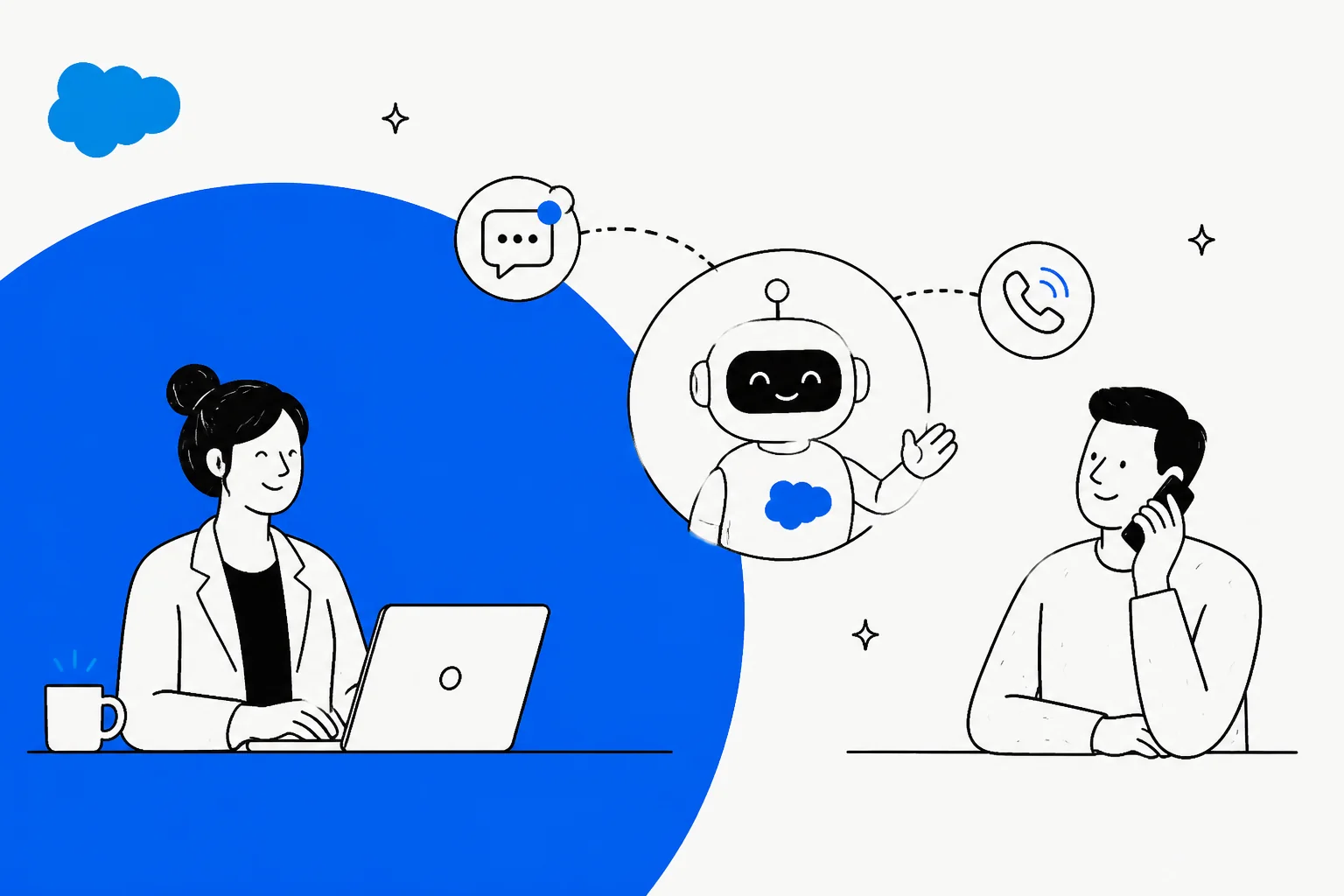
On September 11, 2026, Salesforce launched a portfolio of "job-ready" Agentforce agents, and the customer service one is named Casey. It is a prebuilt help agent that resolves issues across voice, SMS, WhatsApp, and web chat, with out-of-the-box skills for FAQs, returns, account management, and human escalation. It is generally available now, and you can rename it to fit your brand.
The catch is not what Casey does, it is what it sits on. Casey is a persona layered over the existing Agentforce Help Agent, so it inherits Salesforce's stack: a Service Cloud seat, consumption-based Agentforce pricing, and the hard truth that its accuracy is only as good as the knowledge base and CRM data behind it. That last part is exactly where I have watched deployments struggle.
If you are already deep in Salesforce, Casey is the natural path. If you are not, or you want a flat per-ticket price and the ability to test on your own historical tickets first, an AI helpdesk teammate that plugs into the tools you already run is worth a look before you commit.
What is Agentforce Casey?
Casey is Salesforce's prebuilt customer service agent, introduced in the September 11 wave of named Agentforce agents just days before Dreamforce 2026. Salesforce describes it plainly: Casey "resolves customer service issues" across voice, SMS, WhatsApp, and web chat, with pre-built support for FAQs, returns, account management, human escalation, and more.
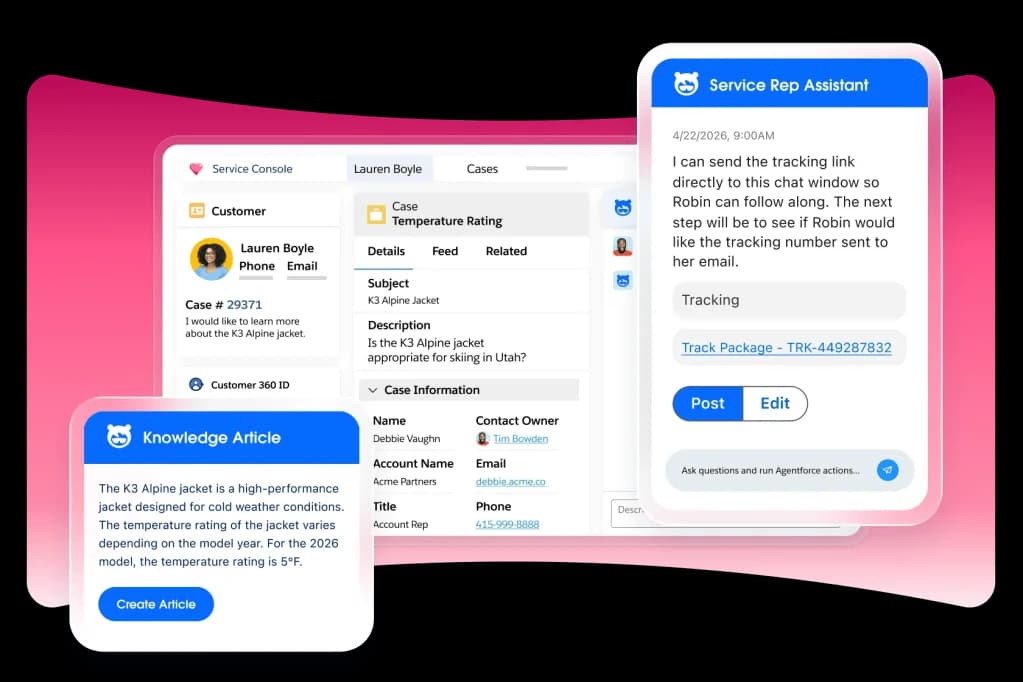
Here is the part worth understanding up front: "Casey" is a persona name, not a brand-new engine. On Salesforce's own product pages, the thing doing the work is still called the Agentforce Help Agent (or Service Agent). What changed on September 11 is packaging. Instead of asking you to build a service agent from a blank canvas, Salesforce now hands you one that arrives pre-shaped for the job, with a friendly name you can swap for your own so it "becomes an extension of their brand and workforce."
So the honest framing is: Casey is the Agentforce customer service agent with a name badge and a head start. That is genuinely useful, and it is also less novel than the launch buzz suggests.
Casey is one of six job-ready agents
Casey did not launch alone. Salesforce shipped a whole roster of named agents, each pre-built around a specific job and connected to Customer 360 so it works against the data companies already hold.
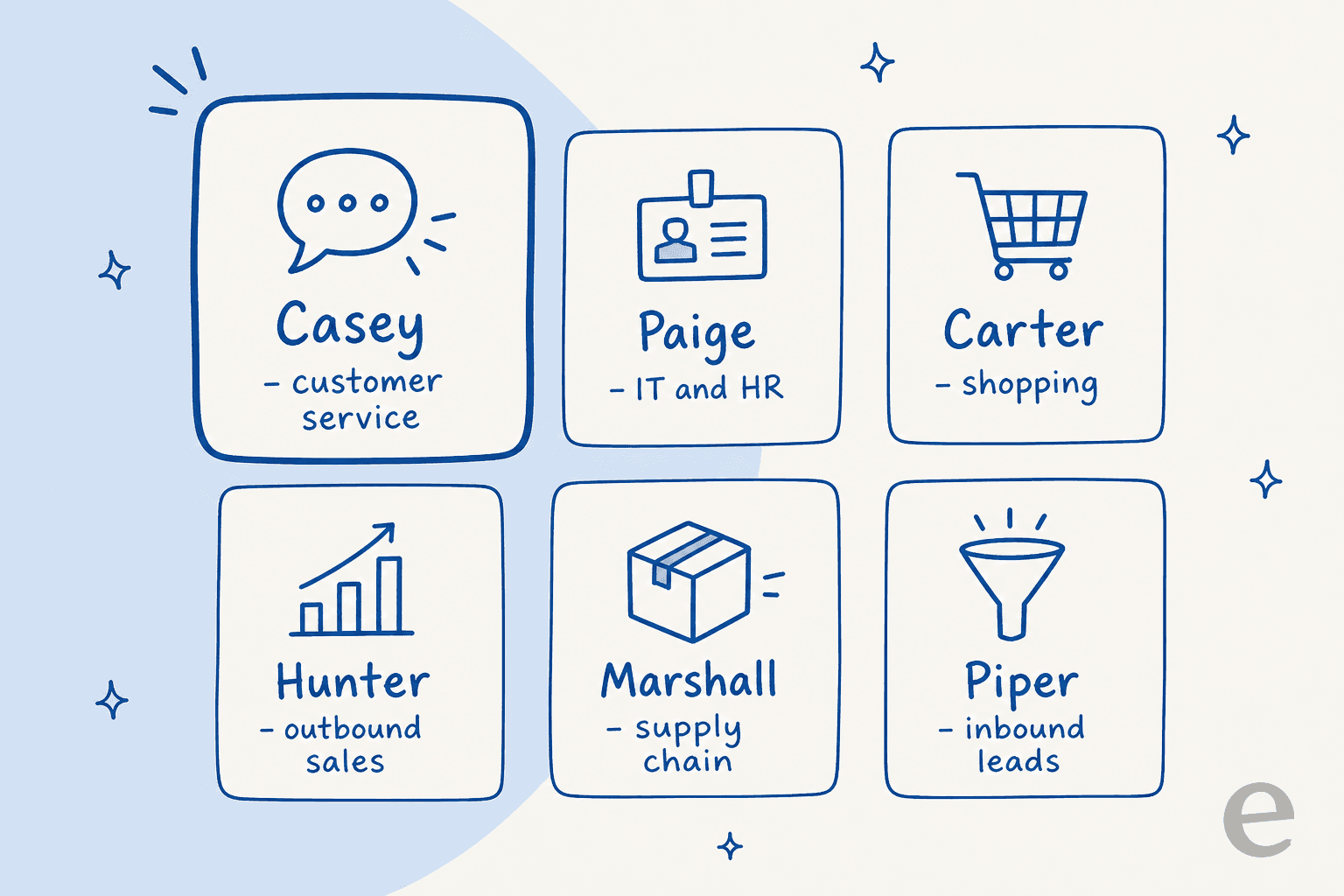
Here is the lineup, and where Casey sits in it:
| Agent | Job | Availability |
|---|---|---|
| Casey | Customer service / help | GA now |
| Paige | IT and HR service (Slack, portals) | GA now |
| Carter | Shopper / in-chat checkout | GA now |
| Marshall | Supply chain, back-office automation | GA now |
| Piper | Inbound lead qualification | GA now |
| Hunter | Outbound sales | Pilot now, GA November 2026 |
The genuinely new piece is underneath Hunter: a long-horizon runtime that lets an agent "pursue goals across days and weeks instead of completing only a task or interaction." It rests on three ideas, Memory (context that survives across sessions), Durable execution (plans that keep running and course-correct), and Dynamic steering (behavior that adapts to a user's feedback). Hunter is the first agent to run on it. Casey, for now, does not, it lives on the existing Atlas Reasoning Engine, which breaks a request into steps and plans an action for each one.
How Casey actually works
Under the persona, Casey is configured the same way any Agentforce service agent is: through a low-code tool called Agent Builder. You define topics (the kinds of things it handles), write natural-language instructions for each topic, and give it a library of actions it can choose from. Those actions can reuse your existing Salesforce Flows, Apex, prompt templates from Prompt Builder, and APIs.
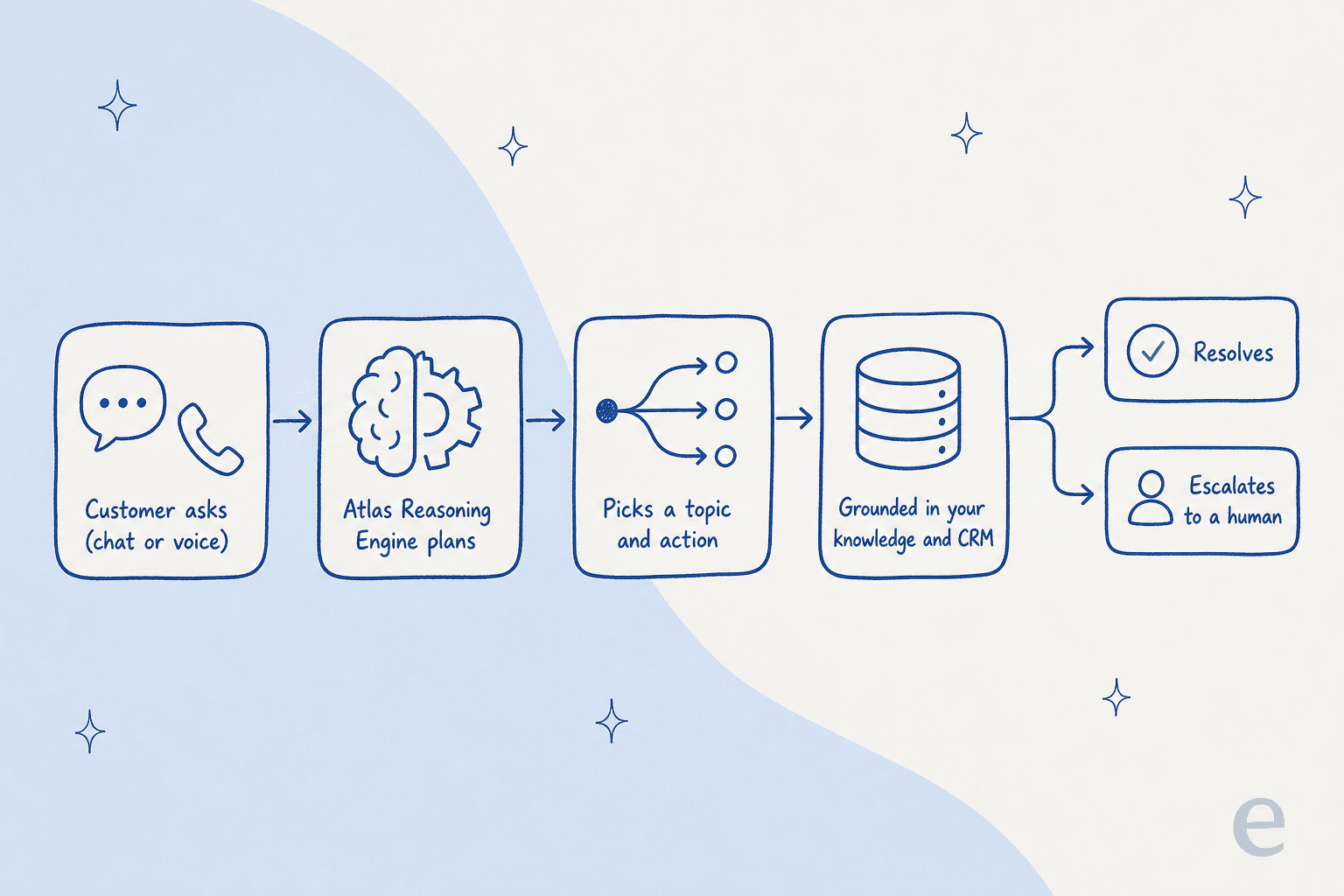
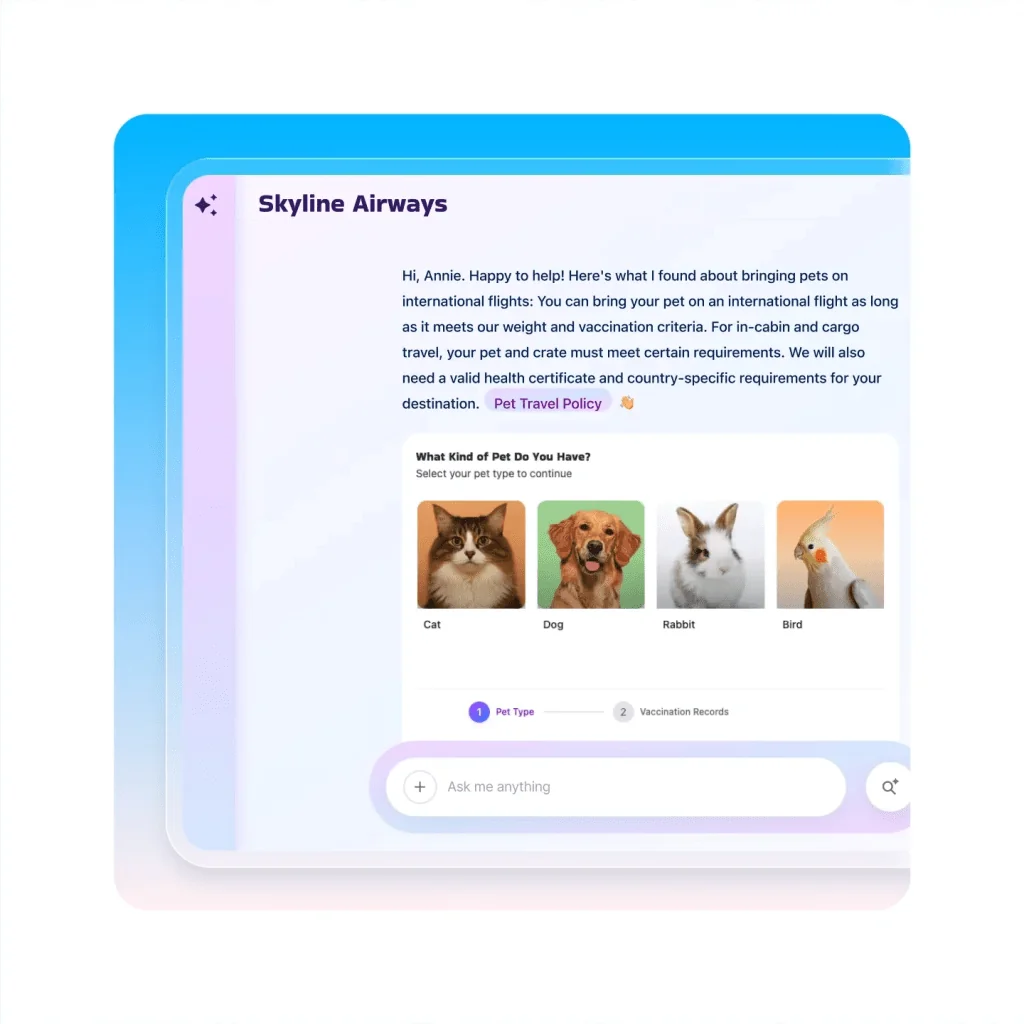
Grounding is where the real work happens. Casey pulls answers from your knowledge base, help center, and customer history, and can bring in third-party sources through Enterprise Knowledge powered by Data 360. Because Service Cloud is native to the platform, the agent can also read and update CRM records directly. That native access is Casey's biggest advantage and its biggest dependency, which I will come back to.
For actions, the autonomous list is real and broad: process refunds and returns, reset passwords, update shipping details, check order status, change account and payment info, resolve billing questions, and schedule appointments. When something is beyond its scope, it escalates to a human and passes the full case context along, which is the handoff step most chatbots get wrong.
Testing lives inside Agent Builder too, you can monitor the agent's plan of action and test its responses before it goes live. Salesforce's own guidance is telling here: limit responses to approved knowledge sources, set workflow guardrails, and pilot before you scale. That is sensible advice, and it is also a quiet admission that "job-ready" still means "do the setup work first."
What Casey really costs
This is where the "prebuilt agent" story meets the Salesforce pricing model, and it is worth slowing down. There is no single price for Casey. It is a stack of bills.
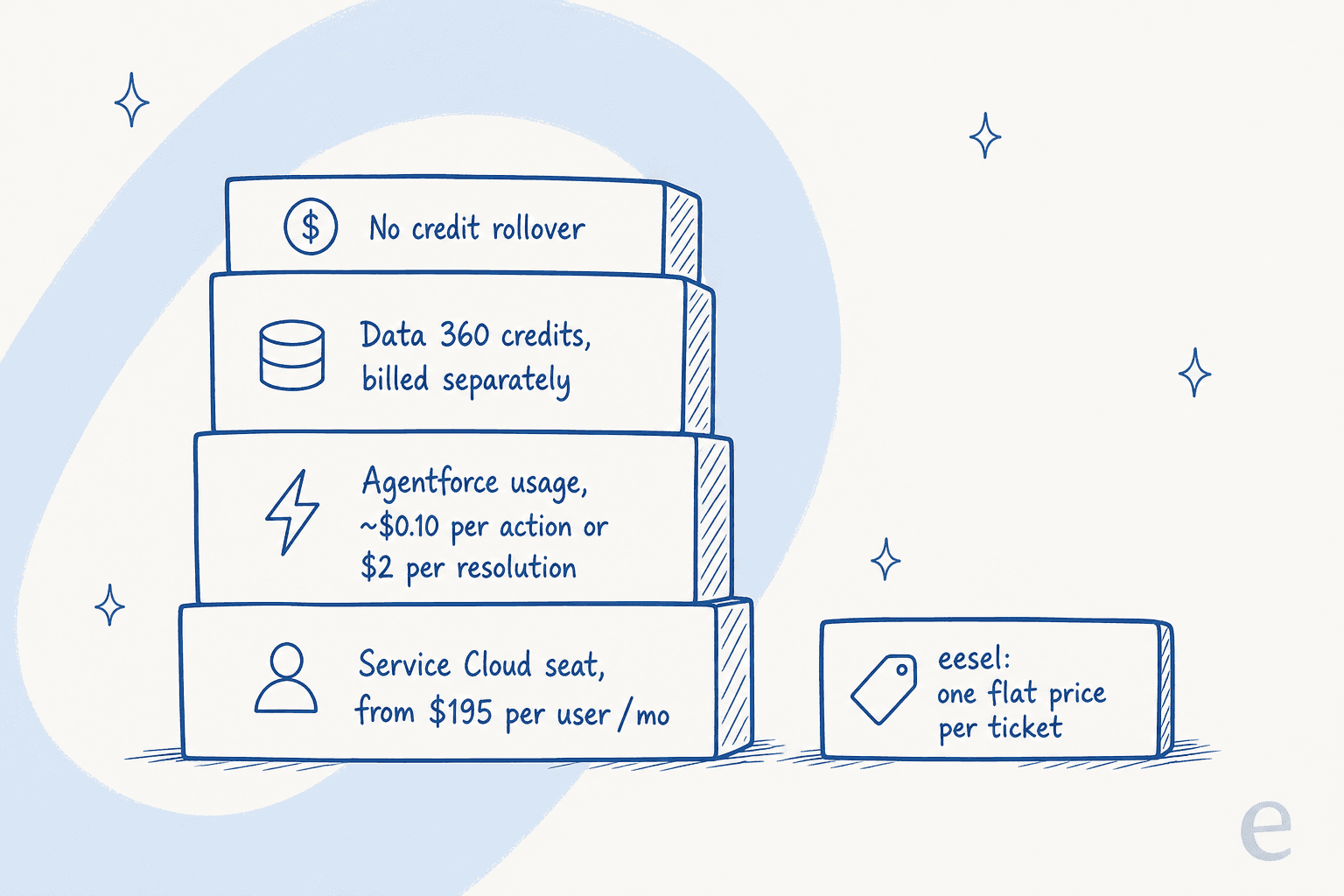
First, Casey rides on a Service Cloud seat. Agentforce for Service becomes available at the Core edition ($195/user/mo) and up. Then, on top of that seat, you pay for the agent's usage, and Salesforce sells that several different ways:
| Buying model | Price (USD) | Unit | Notes |
|---|---|---|---|
| Salesforce Foundations | $0 | free starter | Builder, Prompt Builder, Agent Script |
| Flex Credits | $500 per 100,000 credits ($0.005 each) | consumption | ~20 credits per action, so roughly $0.10/action |
| Conversations | $2 | per conversation | Flat; cannot coexist with Flex Credits in one org |
| Help Agent Resolutions | $2 | per resolution | Pay only when an issue is resolved |
| Agentforce User License | $5 / user / mo | per user | Still requires Flex Credits on top |
| Agentforce add-on | $125 / user / mo | per user, flat | Unmetered employee usage |
| Agentforce 1 Editions | from $550 / user / mo | per user | Includes 2.5M Flex Credits/org/year |
To Salesforce's credit, the Help Agent uses a pay-per-resolution model, which is a fair way to price outcomes, "you only pay for the agent interaction when the customer issue is resolved." But the gotchas around it are where budgets wobble. Unused Flex Credits do not roll over. You cannot run Flex Credits and Conversations in the same org. Data 360 credits are excluded from every pricing example. And overages are billed in arrears at your contracted rate.
A worked example from Salesforce's own page: a service agent answering a question with knowledge uses 2 actions (40 credits, about $0.20 per use). At 20 requests a day across a month, that is $120/mo in usage, on top of the seat. That is not scary on its own, it is the layering, and the forecasting it demands, that catches teams out.
The part the launch buzz skips: accuracy is downstream of your data
Casey's pitch is "prebuilt, out of the box, resolves issues." The reviews of the actual product it is built on tell a more grounded story. Agentforce Service holds a 4.3 out of 5 across 1,225 reviews on G2, and the praise is real, ecosystem fit, native CRM access, breadth of actions. But the criticism clusters on one theme, and it lands directly on the "out of the box" claim.
"When we first implemented it, our knowledge base had outdated and incomplete articles, and Agentforce surfaced them with the same confidence as accurate ones, which led to a few instances of incorrect troubleshooting guidance being suggested during live customer calls. Cleaning up our knowledge base took our team approximately three weeks before the AI recommendations became consistently trustworthy."

That is the whole game with any grounded agent, and it is the single most important thing to internalize before you buy: a prebuilt agent does not fix a messy knowledge base, it amplifies it. Another reviewer put the "connect it to anything" promise under the same light:
"The 'connect it to anything' story falls apart pretty fast once real data governance enters the picture... you're not actually getting the plug-and-play experience Salesforce sells you on. If your data is messy or sensitive (and whose isn't), budget for middleware anyway."
None of this makes Casey a bad product. It makes it a normal one, wearing a launch-day headline that implies more instant magic than any grounded agent can deliver. The broader skepticism has been around a while, a Hacker News thread on Agentforce captured the standing mood bluntly, one commenter calling it "another GPT wrapper with a lot more buzzwords." That is unfair as a blanket verdict, but the reason it sticks is that Salesforce keeps changing how Agentforce is priced, and reviewers report needing "ongoing attention to Flex Credit consumption, so you can avoid surprise budget overages."
How I would think about Casey versus a helpdesk teammate
I build AI agents for support for a living, and the pattern I trust most is boring: you do not find out if an agent is good by launching it, you find out by running it against tickets you have already answered. Salesforce's own advice, pilot first, clean your data, set guardrails, is the same instinct. The question is how much scaffolding you have to stand up to get there.
Casey's answer is "everything Salesforce." That is a strength if you already live in Service Cloud and your CRM data is clean. It is a lot of surface area if you do not.
This is where eesel takes a different route. eesel is an AI teammate platform, and the one relevant here is the AI helpdesk teammate, a support agent you hire for a defined job. Instead of asking you to move onto a new platform, it joins the helpdesk you already run, whether that is Zendesk, Freshdesk, Help Scout, or a shared inbox, looks up your orders and records, and drafts or sends replies inside the queue your team already uses.
Two differences matter most for the exact worries the G2 reviewers raised:
- You test on your own history first. eesel can simulate the agent against your real past tickets before it replies to a single customer, so you see its resolution rate and its answers on your actual data, not a demo. That is the "three weeks of cleanup before we trusted it" problem, moved to before go-live instead of after.
- The price is one number. Rather than a seat plus Flex Credits plus resolutions plus Data 360 credits, eesel charges a flat price per ticket, with no per-resolution surprises and no consumption forecasting to babysit.
And if your team wants programmatic control, eesel exposes the same teammate through a public CLI, MCP server, and API, so a person can drive it from a terminal, scripts can automate it, and coding agents like Claude Code or Cursor can operate it directly, the same agent, without the dashboard.
None of that makes Casey wrong for a committed Salesforce shop. It just means "the AI is built into my CRM" and "the AI is easy to trust and predict" are two different questions, and Casey mostly answers the first.
Try eesel for your helpdesk
If Casey has you thinking about an AI agent for support but the Salesforce lock-in and the layered pricing give you pause, eesel is built for exactly that reader. It drops an AI helpdesk teammate into the tools you already use, learns from your past tickets and help center, and lets you simulate it on real historical tickets so you know its resolution rate before it goes live, at one flat price per ticket.

You can try eesel free and have it answering tickets in your own helpdesk in minutes, no platform migration required.