

What Flowith actually is
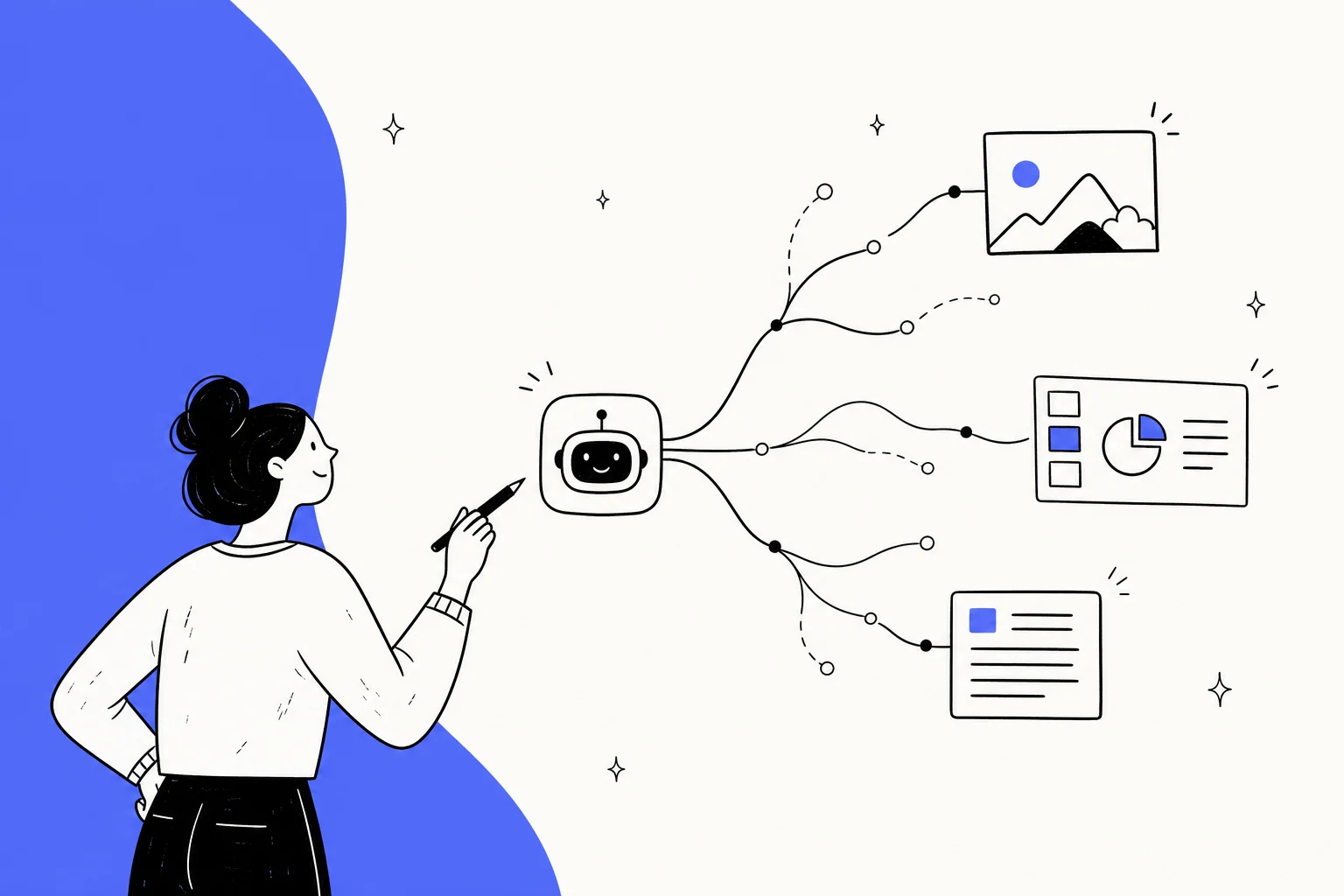
Most AI tools give you a chat box. You type, it answers, you scroll, and the whole conversation is one long straight line. Flowith's core bet is that real creative and research work does not happen in a straight line, so it throws out the chat window and gives you a canvas instead.
On that canvas, every prompt, response, image, or idea is a node you can edit, expand, and branch. Want to try the same prompt three ways? Fork it into three branches and compare the outputs side by side, in one view, without losing the original. That branching structure is the thing Flowith is actually selling, and it is the part users consistently point to as the reason to bother.
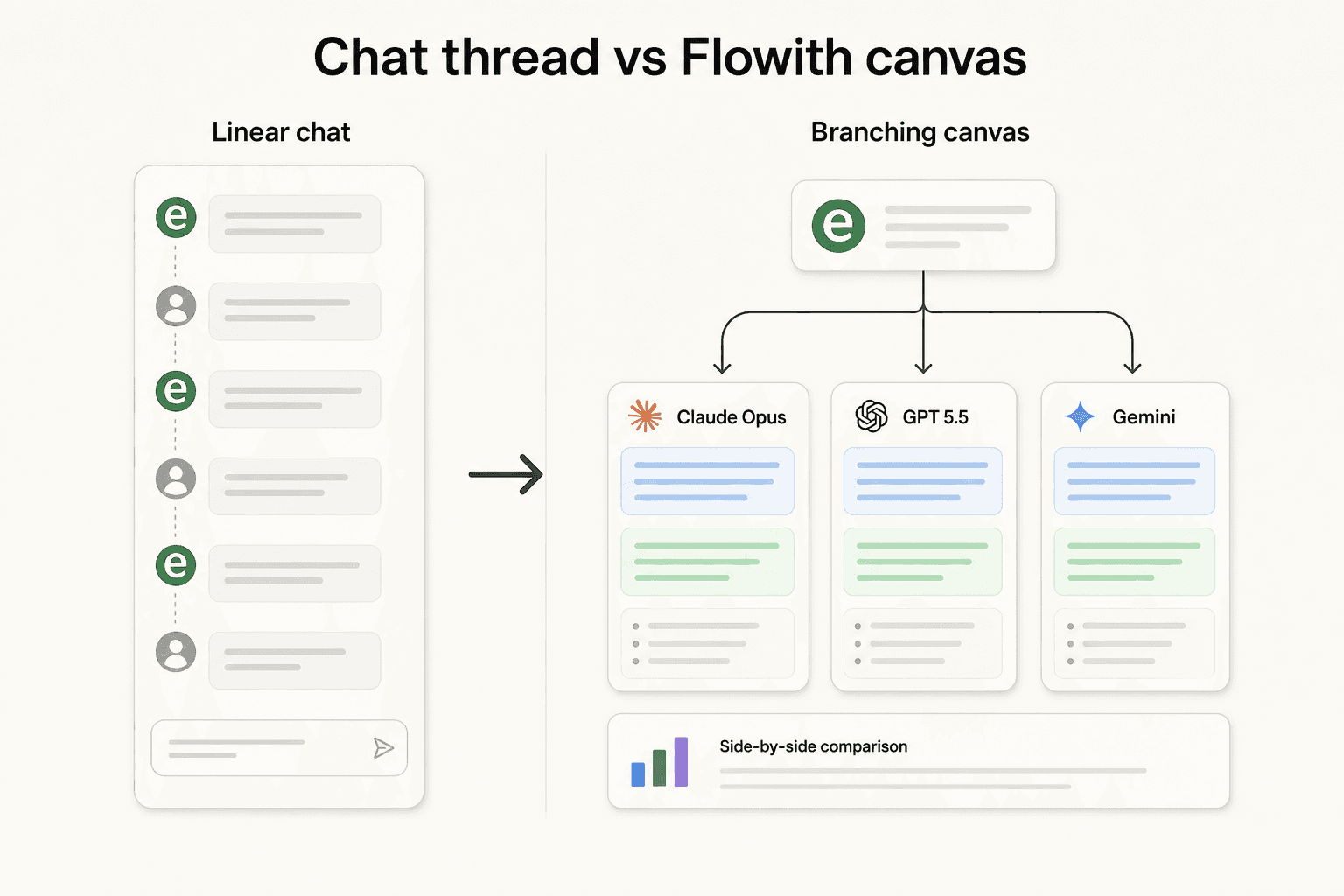
Sitting inside that canvas are a handful of modes in the top nav (Chat, Image, Video, Slides, Website, and Neo Agent), a personal memory system called the Knowledge Garden, and a model marketplace so you can route each task to whichever model handles it best. It is a lot of surface area for one product, and that breadth is both the appeal and the catch, which I will come back to.
I build AI agents for a living, so my instinct with any "does everything" tool is to poke at where the depth actually is. With Flowith, the depth is in two places: the canvas UX, and the autonomous agent. Everything else is table stakes wrapped in a nice interface.
The branching canvas is the real draw
If you strip away the marketing, the branching canvas is Flowith's one clear, defensible edge over a normal chatbot. The two G2 reviewers who bothered to write it up both landed on the same point, from different angles.
"Unlike a traditional chat, it features a unique layout that allows for several branching threads, making it easier to manage different tasks at once."

"This tool offers a simple and straightforward approach to image editing... using an interface that resembles inverted tree branches. Since working with AI often involves making multiple attempts, it's helpful to view the entire tree of edits and easily step back to previous versions."
That second quote nails why the canvas matters for image work specifically. AI image generation is a slot machine: you pull, you tweak the prompt, you pull again. In a chat, those attempts scroll away into history. On a tree, every attempt stays visible, so you can wander back to the version you liked three tries ago and branch from there. For iterative image editing, that is a real workflow upgrade, not a gimmick.
It is not flawless. The same reviewers flagged that Flowith does not save your position in the canvas, so with a lot of branches you land somewhere and have to hunt for where you left off. Small thing, but it is the kind of paper cut you feel every session.
Agent Neo and Oracle: the autonomous engine
The headline feature is Agent Neo, which Flowith launched as "the world's first AI agent that supports infinite steps, infinite context, and infinite tools." That is a big swing of a claim, so let me translate it into what it actually means, and flag what is a vendor number versus a verified one.
Under the hood, Neo runs on a planning framework called Oracle. You give it a goal in plain language, Oracle breaks that goal into subtasks, hands them to a task allocator, and then calls whatever tools it needs (web search, image generation, and so on) without you toggling anything. It keeps going until the job is done.
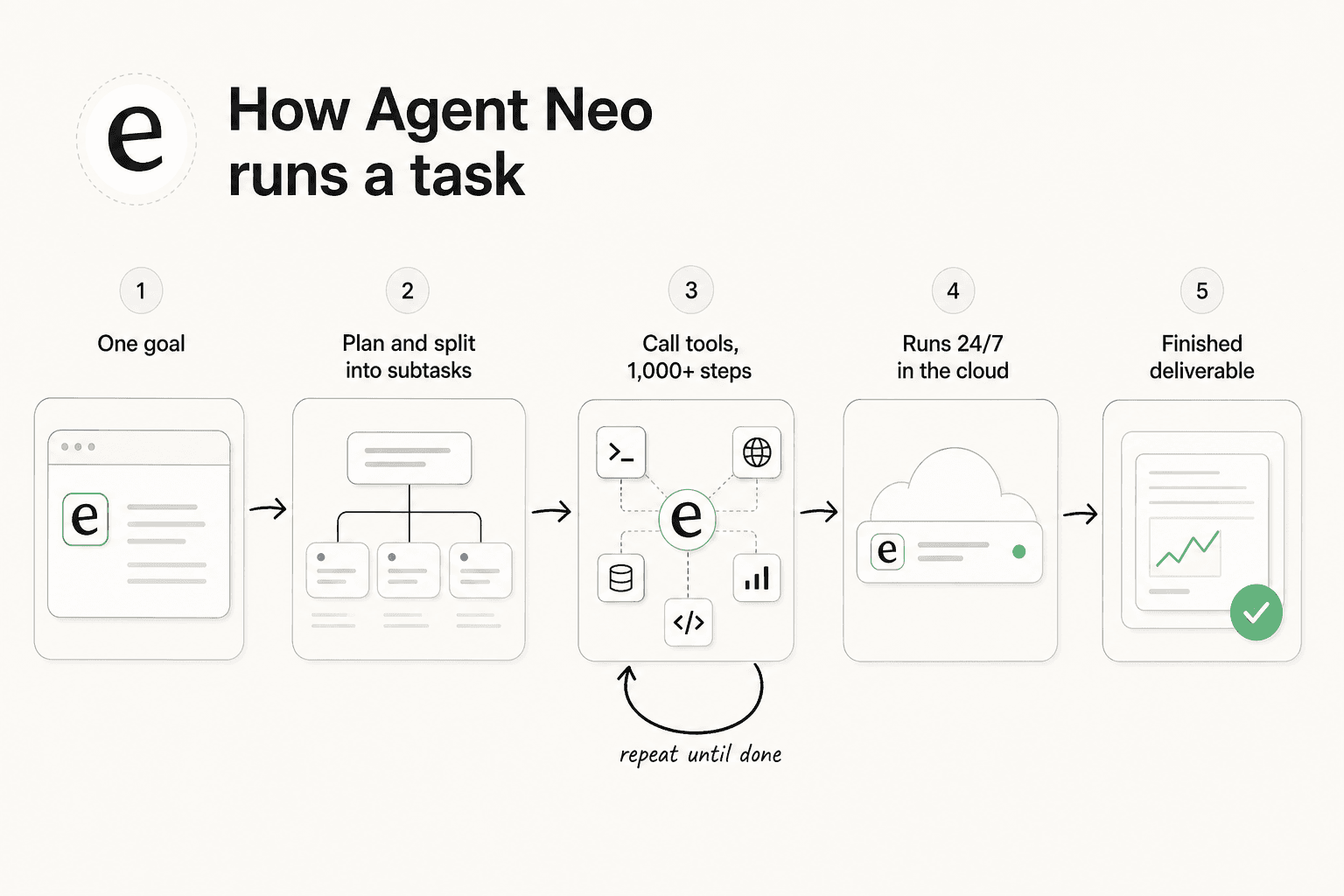
The specifics Flowith publishes: Neo officially supports over 1,000 inference steps in a single workflow, a memory of up to 10 million tokens, and 24/7 cloud execution so tasks keep running when you are offline. It also claims 90% accuracy on GAIA Level 3 (a hard agent benchmark). Treat the benchmark and the "world's first" line as vendor self-claims, because there is no independent verification of either, and the concurrent-task tiers floating around are community-reported rather than confirmed on a primary page.
What is real and testable is the output quality. A named operator, Mariusz Kurman, ran Neo on a genuinely hard research task (a full report on attention-mechanism variants, formatted like an academic PDF) and came away impressed:
"Excellent and comprehensive research with appealing visuals; model selection includes both open-source and closed-source options."

But the same post lands the sharpest criticism I found anywhere, and it is one power users should read before subscribing:
"It lacks a terminal and file access, making Manus AI a superior choice."
That is the honest boundary of Neo. It is excellent at producing a polished artifact (a report, a deck, a site) and weaker at the developer-flavored work (running commands, touching files) that a coding-focused agent handles natively. If you want the conceptual difference between this kind of autonomous agent and a scripted bot, our piece on AI agents vs chatbots walks through it.
What it actually generates
Where Flowith earns its keep for most people is the creative output, and here the credit-based model marketplace pays off. You are not locked to one vendor's image model; you pick from Seedream, Nano Banana, GPT Image, Flux, and others per task, all inside the same canvas. The Image Agent goes a step further and uses web search to enrich references before it generates, which cuts down on the "that is not what I meant" retries.
The results are legitimately good. Here is a real batch of portraits generated in Flowith, straight from the product gallery:

And this is the kind of e-commerce product poster it can turn out, which is squarely aimed at the marketers and online sellers Flowith is courting:

The one repeated product gripe across every source I checked is limited file-type support: users keep asking for more input formats across the agents. It has not stopped anyone from recommending the tool, but it is the rough edge to know about if your workflow leans on unusual file types.
Flowith pricing: what you actually pay
Flowith runs on credits, not seats. Every plan grants a pool of credits, and generations draw against that pool at rates that vary a lot by model and action. Here is the full breakdown from the pricing page.
| Plan | Monthly | Yearly (effective/mo) | Credits | Model access | Concurrent tasks | Unlimited Pack |
|---|---|---|---|---|---|---|
| Starter | $0 | $0 | 300 (one-time) | Standard only | 5 | ❌ |
| Pro | $19.90 | $17.91 (10% off) | 20,000/mo | 40+ models | 50 | ❌ |
| Ultimate | $49.90 | $44.91 (10% off) | 50,000/mo | 40+ premium | 100 | ✅ |
| Infinite | $499.90 | $399.92 (20% off) | 500,000/mo | 40+ models | Unlimited | ✅ |
A few things the sticker price does not tell you:
- Credits do not roll over. Paid credits refresh each cycle and any unused balance expires at the end of it, so you are effectively paying for a monthly allowance you either use or lose. Starter's 300 credits are a one-time grant, not a monthly refill.
- Video is a credit sink. Text and light image work sip credits; video generation gulps them. A big monthly pool can evaporate faster than you would expect if you lean into video.
- The "Unlimited Pack" is Ultimate and up. On Ultimate and Infinite, a set of designated models stop consuming credits, but it is fair-use gated: those runs go through a lower-priority queue and get throttled under load, so "unlimited" means unmetered, not unlimited-speed.
- Watch the plan card math. Flowith's own Pro card says 20,000 credits while its compare table says 22,000. Minor, but a good reminder to check your actual balance rather than trust the marketing number.
There is also a real transparency risk worth naming. Refunds are only available within 48 hours of payment and under 200 consumed credits, and there is at least one public complaint about per-image credit costs jumping sharply at renewal with a refund then refused. I could not fully verify that specific account, so I will not quote it as fact, but combined with the no-rollover rule, the honest advice is to start on a small plan and watch your burn rate before committing to a big annual commitment.
What people actually think
Here is the part most reviews of small tools quietly skip: there is not much real-world sentiment on Flowith yet. It is a young product, so the verifiable footprint is small. Being straight about that is more useful than pretending a thousand users have weighed in.
On G2, Flowith sits at 4.0/5 from just two reviews (both four-star, both incentivized). The reviews are positive about the canvas and honest about the paper cuts, like generation slowing down when a free-model promo drove up load:
"Branch like interface not perfect for some usecases, like chat. And after they allowed nano banana for free for a limited time the generation became very slow."
The one Hacker News comment on Flowith is not a review at all, but it is a fair first-impression warning about the marketing site:
"Why did the author of this site feel compelled to hijack the browser's back button? That's an immediate turn-off. The site also has no explanation or rationale for use."

Net read: what exists is genuinely positive on the canvas UX and the image-editing tree, consistent on the one product gap (file-type support and, for power users, no terminal or file access), and too thin to call a broad consensus. Treat it as encouraging early signal, not a settled verdict.
Who Flowith is for (and who should skip it)
Flowith is easy to recommend to a specific person and easy to steer away from another. The deciding factor is whether you want a creative generalist or a specialist.
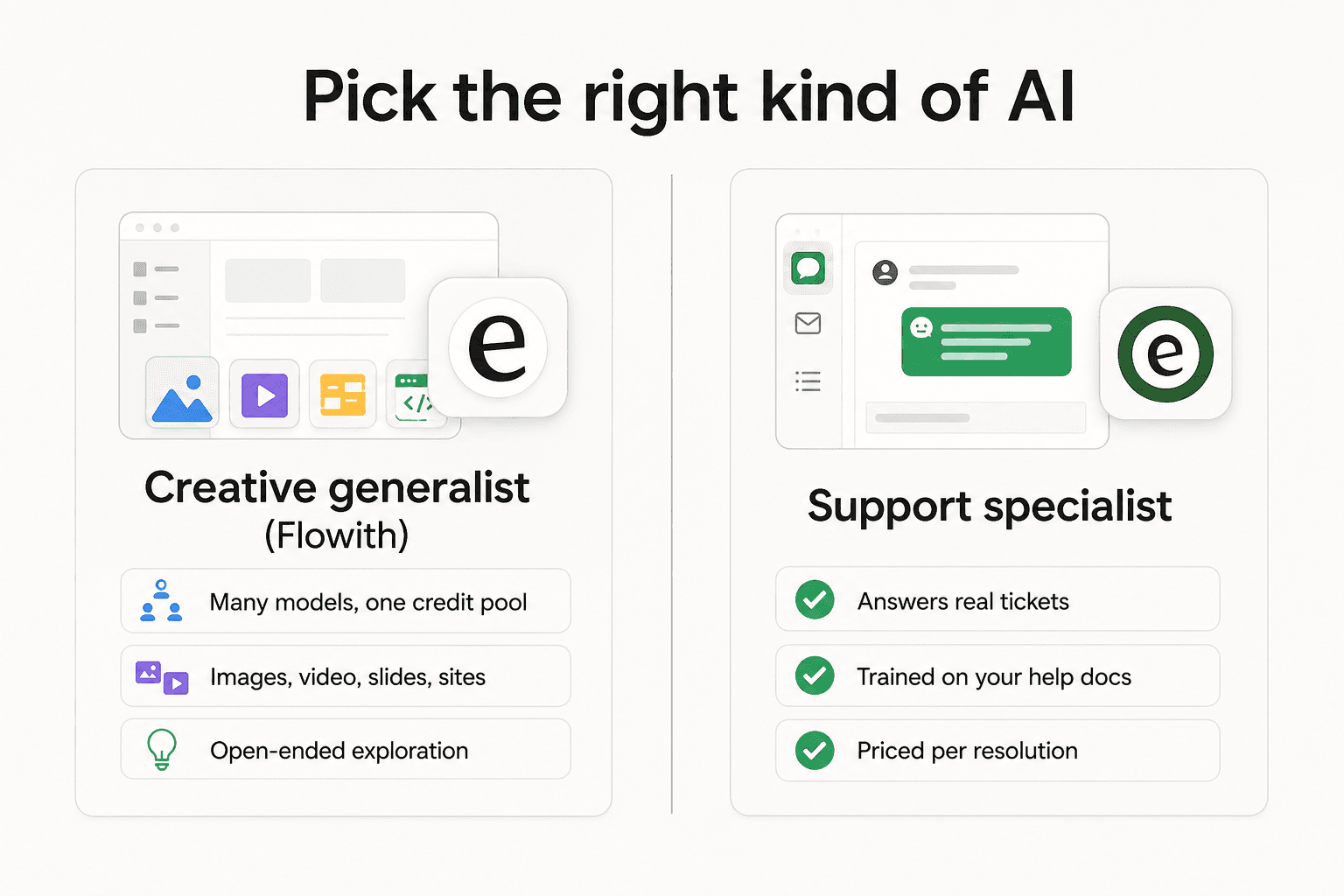
Pick Flowith if you are a creator, designer, marketer, or e-commerce seller who generates a lot of images and wants to iterate visually, compare models without switching tabs, and occasionally hand a long research or deck-building job to an autonomous agent. The canvas genuinely makes that work nicer.
Skip it if you need developer-grade agent work (Manus and coding agents are a better fit given the missing terminal and file access), if predictable flat-rate billing matters more to you than a credit meter, or if your real problem is a business workflow like customer support. That last one is worth its own section, because a lot of people land on "AI agent" reviews looking for exactly that.
When you need a specialist, not a canvas
Here is the thing my day job makes me say out loud. A general-purpose agent that can do a bit of everything is a fantastic creative toy and a genuinely useful research tool. It is not the thing you point at your support queue.
I build AI agents at eesel, and the reason support is a different problem is that it is not open-ended. It is thousands of near-identical questions that need the right answer, pulled from your actual help docs and past tickets, delivered inside the helpdesk your team already lives in. That calls for an agent trained on your knowledge, that you can safely test against historical tickets before it ever talks to a customer, and that is priced per resolution rather than per credit you might waste on a retry.

That is what eesel does: it plugs into your existing helpdesk, trains on your knowledge base in minutes, and drafts or fully resolves tickets, with a simulation mode so you see the resolution rate on your own past tickets before going live. If you came here weighing an "AI agent for work" and support is actually the work, try eesel instead. And if you are just here to make beautiful images on a branching canvas, Flowith is a fair pick, go enjoy it.