


Claude Slides is a genuinely good starting point, but it is not a dedicated presentation app, and that is exactly why people look for alternatives. The named Claude Slides canvas tool is in beta and paid-only, it leans on your usage limit, and the honest verdict from daily users is that it gives you a strong draft to fix up rather than a finished deck.
If you want a real free tier and a proper deck editor, Gamma is the one I reach for first. If you never want to leave the app you already use, Plus AI works right inside Google Slides and PowerPoint. If you already pay for Canva, Microsoft 365, or Google Workspace, you may already own an AI slide maker and not know it.
I build AI tools for a living and write a lot, so I went through eight of these properly. Below is who each one is actually for, what it costs, and where it falls down. And a quick honesty note up front: none of these, eesel included, is a magic "finished deck" button. The good ones just get you to the 80% draft faster.
Why people look past Claude Slides
Let me be fair to Claude first, because the alternatives only make sense once you see what Claude Slides is and isn't.
"Claude Slides" is really three different things. There's the named canvas tool that builds an editable deck you can present and export, there's the file creation feature that writes a real .pptx you download, and there's the Claude for PowerPoint add-in. Under the hood Claude writes and runs real code in a sandbox to build the file, which is clever and produces surprisingly solid output.
So why switch? A few concrete reasons keep coming up:
- It costs before you start. The named Claude Slides tool is beta and paid-only, on by default for Pro, Max, and Team. There's no free lane to just try it the way Gamma or Canva offer.
- It spends your usage. The file route uses more of your usage limit than a normal chat, so heavy deck-building eats into everything else you do in Claude.
- It's a draft engine, not a design system. Dedicated tools give you themes, a brand kit, reusable templates, and viewer analytics. Claude gives you a smart first pass and leaves the polish to you.
- The security caveat is real. Anthropic itself flags a prompt-injection data-exfiltration risk on file creation and suggests monitoring Claude while it works.
None of that makes Claude Slides bad. It makes it a general assistant that happens to make slides, rather than a tool built from the ground up for decks. If you want the second thing, here are the eight I'd look at.
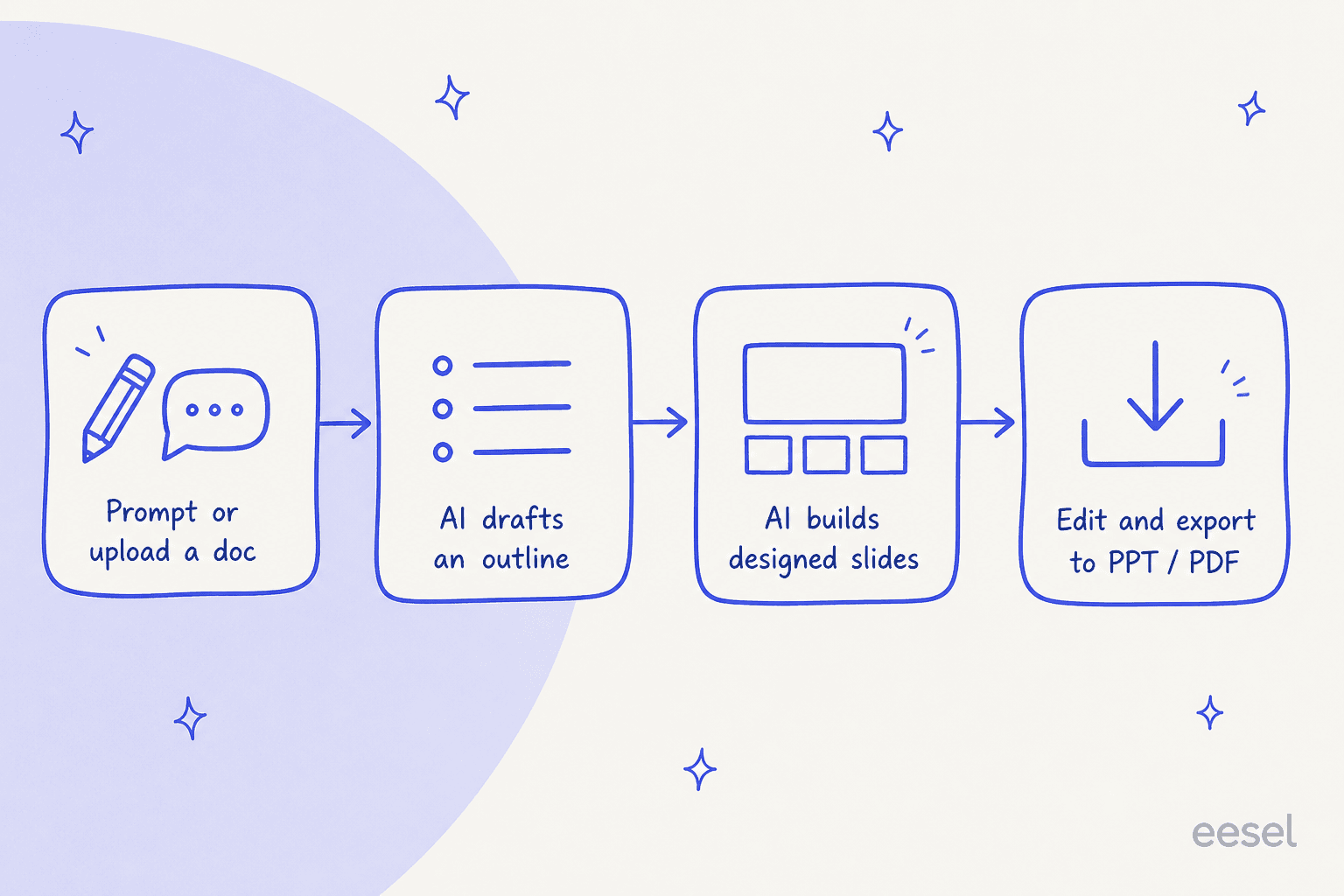
How I picked, and the one choice that matters most
I judged each tool on the things that actually decide whether you keep using it: how good the first draft is, whether you own the output as a real editable file, how much control you get over brand and layout, and what it costs at the tier a normal person would buy.
The single biggest fork in the road is this: do you want a standalone AI deck app, or AI inside the tool you already use? Standalone apps (Gamma, Beautiful.ai, Presentations.AI, Decktopus) give you the slickest generation but a new editor to learn and, sometimes, a deck that lives in their web app. The "inside your tool" options (Plus AI, Microsoft Copilot, Gemini) keep you in Google Slides or PowerPoint, so the output is just a normal file your whole team can already open.
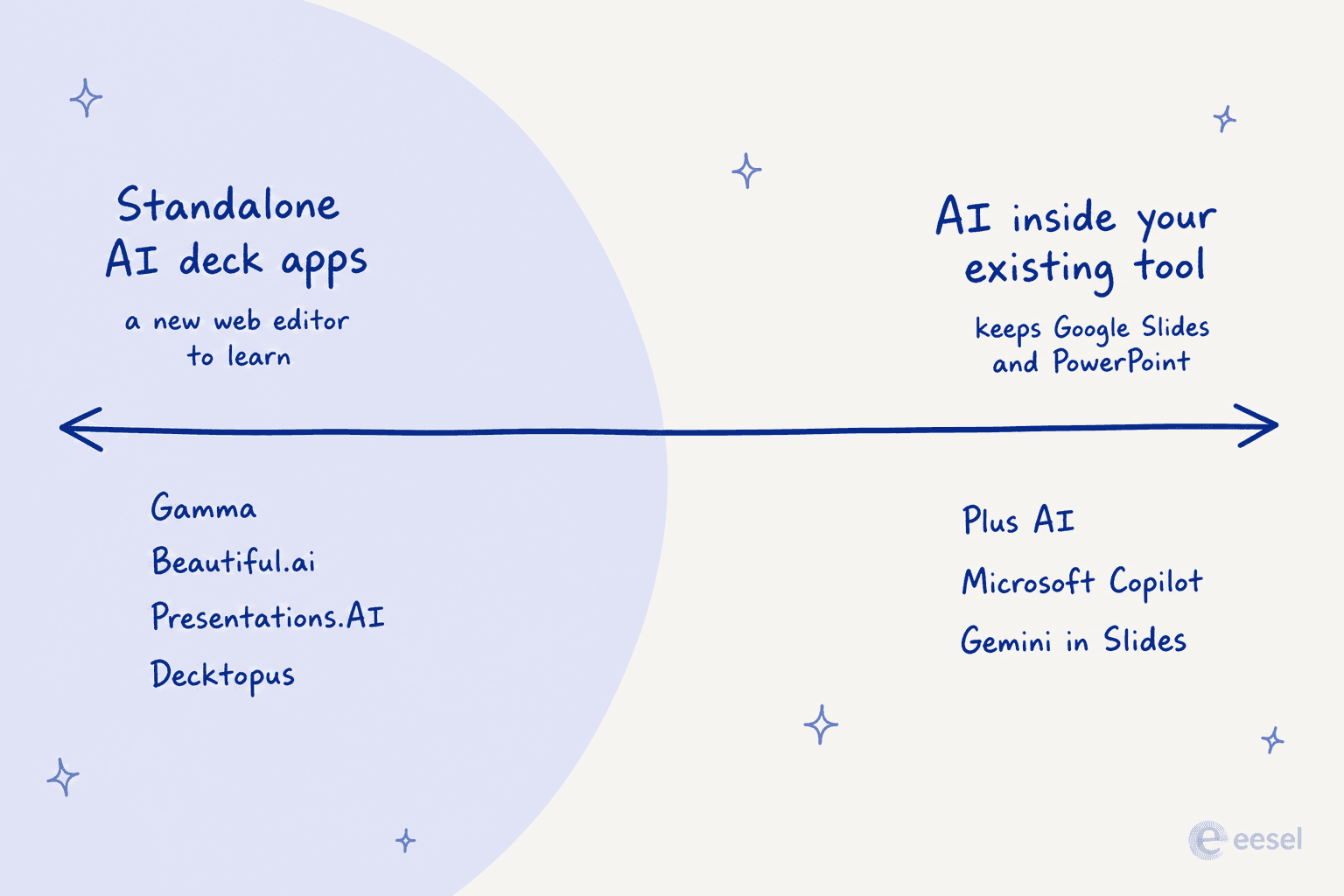
Here's the whole field at a glance before we go deep on each one.
| Tool | Best for | Cheapest paid AI tier | Free tier | Output | Rating |
|---|---|---|---|---|---|
| Gamma | All-round AI decks | $9/user/mo | Yes (400 credits) | Web app + export | 100M+ users |
| Plus AI | Staying in Slides/PPT | $10/user/mo | Trial only | Native Slides/PPT | 4.6 on Workspace |
| Canva | Design-led teams | ~$12/user/mo | Yes (capped AI) | Web app + export | 4.7 on G2 |
| Beautiful.ai | On-brand consistency | $14.50/user/mo | Trial only | Web app + export | 4.6 on G2 |
| Microsoft Copilot | PowerPoint shops | $30/user/mo add-on | No | Native PowerPoint | Bundled |
| Gemini in Slides | Google Workspace teams | $14/user/mo | No | Native Google Slides | Bundled |
| Presentations.AI | Prompt-first drafts | $20/user/mo | Yes (100 credits) | Web app + export | 3.8 on G2 |
| Decktopus | Solo + delivery coaching | $9.99/user/mo | Trial only | Web app + export | 5M+ users |
1. Gamma
Best for: anyone who wants the most polished all-round AI deck with a real free tier.

Gamma is the tool most people mean when they say "AI presentation maker," and the scale backs it up: the company reports 100+ million users and over 250 million artifacts generated. You start from a prompt, a pasted outline, or an imported Word doc or PDF, and Gamma builds a first-draft deck in under a minute. It's not just slides either, it does websites, docs, and social posts from the same engine, and it routes across Claude, ChatGPT, Gemini, and several image models under the hood.
What makes it stick is the editing loop. You get 100+ themes, one-click AI edits, brand import, and export to PowerPoint, PDF, PNG, or Google Slides, so the deck isn't trapped in Gamma if you need to hand it off.
Pros:
- Genuinely fast prompt-to-deck, and the free plan is real (400 credits, 10 slides per prompt).
- Multi-format output and clean exports.
- SOC 2 Type II compliant.
Cons:
- Reviewers note the output can read generic and needs manual refinement, and fine control is weaker than a real design tool.
- Credit-based pricing means heavy use adds up.
Pricing: Free ($0), Plus at $9/seat/mo ($108/yr, 1,000 credits), Pro at $18/seat/mo (4,000 credits, API access), and Ultra at $90/seat/mo (20,000 credits). Annual billing saves up to 28%.
My take: if you don't already own an AI slide maker through another subscription, start here. It's the best balance of speed, output quality, and a free tier that actually lets you test it. Just plan to spend ten minutes tightening the copy after.
2. Plus AI
Best for: teams that live in Google Slides or PowerPoint and don't want a new app.
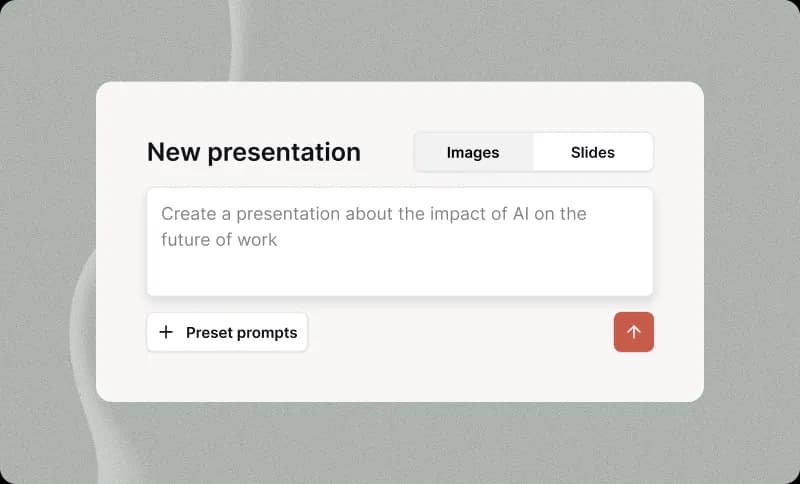
Plus AI makes a smart bet: you don't need another app. It installs as an add-on inside Google Slides and PowerPoint, and its own homepage leads with "you don't need another app" and "everything you generate with Plus is yours forever." That's the whole pitch, and it's a good one. The output is a native Slides or PowerPoint file, not a deck locked in a proprietary web editor, which matters the moment you have to hand the file to a colleague who's never heard of the tool.
It has real traction too, with 1M+ installs and a 4.6 rating on Google Workspace. You start from a prompt, an uploaded file, or by remixing existing slides, and the Insert, Rewrite, Remix verbs let you reshape any slide in a click. There's even a Plus AI API and MCP server if you want to generate decks programmatically.
Users like the speed and how it fits their existing workflow:
"instantly creates Google Slides presentations, which makes it way faster to go from idea to implementation"

Pros:
- Native output in the tools you already use, yours forever.
- SOC 2 Type II compliant, with a developer API.
Cons:
- No free-forever plan, only a 7-day trial that needs a credit card.
- G2's cons surface gripes about support and reformatting existing slides.
Pricing: Basic $10, Pro $20, Team $30, and Max $200 per user/mo billed annually, with credit allowances scaling from 1,500/mo to unlimited. Enterprise is quote-only.
My take: if your company runs on Google Workspace or Microsoft 365, this is the lowest-friction option on the list. Nobody has to learn a new editor, and the file behaves like any other slide deck.
3. Canva
Best for: design-led teams who want slides to match everything else they make.

You probably already know Canva, and its AI has quietly become one of the better slide generators. Magic Design for Presentations turns a one-line idea into a fully designed multi-page draft with an outline and sample content in seconds, and the newer Canva AI 2.0 assistant plus a one-click Brand Kit keep everything on-brand. The reason to pick Canva over a pure deck tool is the surrounding ecosystem: the same draft can borrow from Canva's enormous stock library and sit next to your social graphics and docs.
It's well-liked, sitting at 4.7/5 on G2, especially among non-designers who value how fast it gets them to something presentable.
Pros:
- Huge template and asset library, strong brand controls.
- A free plan with a capped AI allowance to test it.
Cons:
- The AI allowance is metered, and heavier use pushes you to a paid tier or an AI Pass add-on.
- The presentation editor can feel cramped next to PowerPoint, and Magic Design is English-only.
Pricing: Free ($0, up to 20 AI uses), Pro at $144/yr per person, Business at $250/yr per person, and custom Enterprise. An AI Pass adds capacity on top.
My take: if you or your team already pay for Canva, you already have a capable AI slide maker, so try it before buying anything new. If you don't, the pull is really the whole design suite, not the slide AI alone.
4. Beautiful.ai
Best for: teams that care most about staying visually consistent and on-brand.

Beautiful.ai builds its whole product around Smart Slides, templated layouts that automatically format, align, and animate content as you add it. Its AI generation flow, now branded "Create with AI," walks you from a prompt or outline through theme and brand setup to a generated deck, and it makes a point of offering "uninterrupted AI creation, not one-shot generation capped by credit limits," a clear jab at the credit-metered crowd. It rates well, 4.6/5 across 197 reviews on G2.
The catch is the honest tension at the center of the product, and reviewers name it directly:
"The best thing about Beautiful.ai is also the worst part. The 'Smart Slides' are so rigid you can't freely adjust layout elements or tweak things outs[ide]..."
Pros:
- Auto-design keeps every slide aligned and consistent with zero fiddling.
- Real-time collaboration, brand controls, and viewer analytics on team plans.
Cons:
- The same auto-design limits fine control; "limited customization" is the top complaint.
- No free tier, only a 14-day trial, and PowerPoint export can be flaky.
Pricing: Pro at $14.50/mo billed annually (or $45/mo month-to-month), Team at $40/mo annually (3 users, scales to 20), and custom Enterprise.
My take: pick Beautiful.ai when consistency matters more than control, like a sales team that needs every deck to look identical. If you're the type who wants to nudge a box three pixels left, the rigidity will frustrate you.
5. Microsoft Copilot in PowerPoint
Best for: organizations already paying for Microsoft 365 across the company.
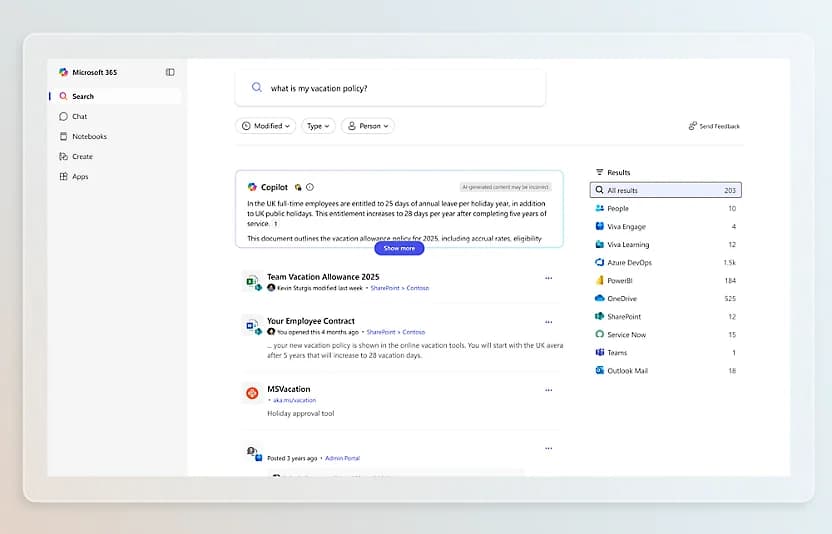
If your world is PowerPoint, Copilot lives right inside it. You can build a full deck from a plain prompt, or turn an existing Word document into a presentation complete with images and speaker notes, then edit by chatting instead of clicking. Microsoft's core pitch is the native workflow: no importing or exporting, and your themes, templates, and slide standards stay intact.
The honest read from users is that Copilot is stronger at editing and restructuring an existing deck than at building a great one from scratch, and the real debate is whether it earns its price on top of a Microsoft bill you're already paying.
Pros:
- Fully native PowerPoint, so the output is just a normal
.pptx. - Word-to-deck conversion and inherited enterprise security and permissions.
Cons:
- No standalone SKU: it only works on top of a qualifying Microsoft 365 subscription.
- Reviewers rate it weakest at cold generation, and it's the priciest entry here per seat.
Pricing: no separate plan. For individuals, Microsoft 365 Premium at $19.99/user/mo carries Copilot in the apps; the enterprise add-on is $30/user/mo paid yearly on top of a base license, and Business Premium with Copilot is $32/user/mo.
My take: if your company already standardizes on Microsoft 365, Copilot is the obvious low-friction choice for polishing decks, just don't expect it to out-create a dedicated tool from a blank slide.
6. Gemini in Google Slides
Best for: teams on Google Workspace who want AI without leaving Slides.
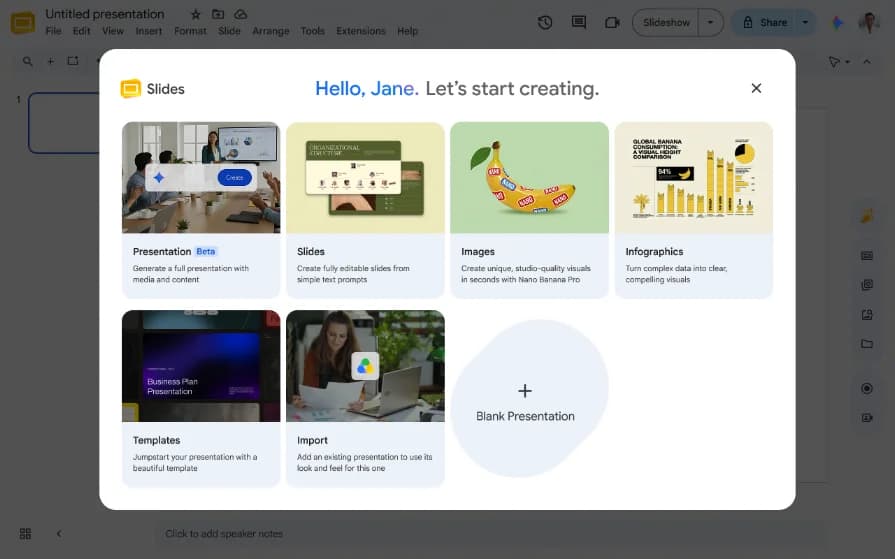
The Google mirror image of Copilot. Gemini in Slides shows up as an "Ask Gemini" side panel: you describe the deck, it asks a couple of clarifying questions, produces an editable outline, and then builds the slides, text and images included. Because everything lands as native Slides objects, you keep editing it like any normal deck. It can also generate and edit images with Gemini's image model right from the Insert menu, and match the style of a deck you upload.
Two things to know: it's bundled into Workspace rather than sold separately, and full-deck generation is still rolling out behind Google's Workspace Experiments program, desktop and English only, so you might not see it on your account yet.
Pros:
- Native, fully editable Google Slides output.
- Strong in-Slides image generation, and no separate bill if you already have Workspace.
Cons:
- The best features are gated behind an experiments program and a Standard-tier plan.
- Like the others, it's a first-draft accelerator that still needs cleanup.
Pricing: bundled with Google Workspace: Business Starter $7/user/mo (Gemini in Gmail and the app only), Business Standard $14/user/mo (where in-Slides Gemini starts), Business Plus $22/user/mo, and custom Enterprise.
My take: if you're on Google Workspace, this is your default, same logic as Copilot for Microsoft shops. Check your plan tier first, since the good stuff starts at Standard.
7. Presentations.AI
Best for: people who want a fast, prompt-first draft and native PowerPoint export.
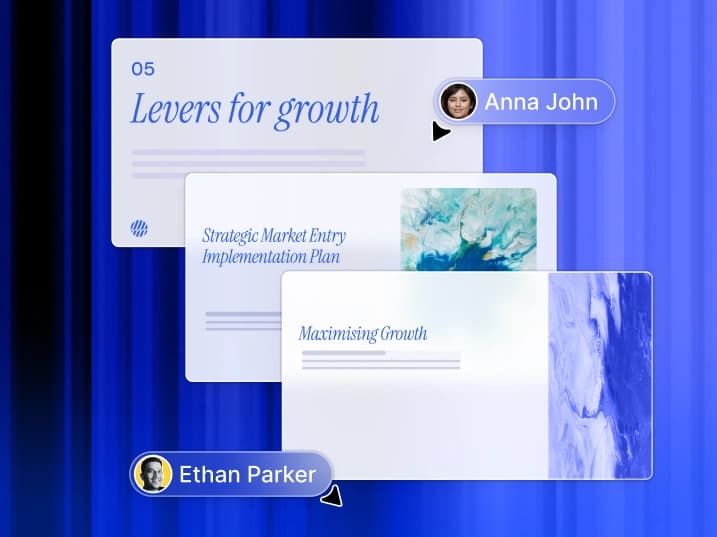
Presentations.AI pitches itself as "ChatGPT for presentations," turning prompts, docs, and URLs into on-brand decks with native PowerPoint export, and it claims 12M+ users. Its more interesting ideas are the "anti-fragile" templates that auto-adapt so layouts don't break when you edit them, and a Presentation Refresh agent that can connect a deck to sources like Salesforce or Sheets and update it on a schedule. It's SOC 2 Type II and GDPR compliant and backed by Accel.
Be aware the community signal is thin: it sits around 3.8/5 on G2 across only a handful of reviews, so there's less independent track record than Gamma or Canva. One more thing to verify at signup: the Gold plan is listed at $50/mo on the pricing page but shows differently on the homepage, so check the live number before you buy.
Pros:
- Fast, good-looking drafts with real editing control and clean PPT export.
- Free Starter tier and scheduled auto-refresh from live data sources.
Cons:
- Sparse, unmanaged review presence, and at least one report of a double-charge with slow support.
- A pricing inconsistency between the homepage and pricing page.
Pricing: Starter $0 (100 credits, up to 20 slides), Pro $20/mo ($240/yr, 5,000 credits), and Gold listed at $50/mo (25,000 credits) on the pricing page.
My take: worth a look for the free tier and the auto-refresh idea, but I'd treat it as the newcomer here and lean on the free plan before committing money, given how thin the independent reviews are.
8. Decktopus
Best for: solo users and anyone who also wants help rehearsing the talk.

Decktopus builds a complete deck, structure, content, and design together, from a topic prompt or an uploaded file, and claims 5M+ users. Its real differentiator isn't the generation, which is fine, but a delivery-coaching mode called Loop that runs a rehearsal, simulates audience questions, and gives feedback on your pacing and clarity. If your bottleneck is presenting rather than designing, that's a genuinely different value prop. A Brand Kit auto-pulled from your website URL rounds it out.
The gripes are worth knowing: some Capterra and G2 reviewers call the editor buggy, note clunky tables, and find the price steep for solo use.
Pros:
- Cheapest annual paid tier here, and the Loop rehearsal feature is unique.
- Credit top-ups never expire, and your data is excluded from AI training by default.
Cons:
- Reviewers report a buggy editor and limited customization.
- The Business plan price isn't shown on the page, so team pricing means talking to sales.
Pricing: Pro at $9.99/mo billed annually ($119.88/yr, 750 credits, roughly 150 slides), a Business tier (1,000 credits/seat, price not published), and quote-only Enterprise. Students get 50% off.
My take: the AI deck part is middle-of-the-pack, but the delivery coaching is the reason to pick it, especially if you're a solo founder or student who presents more than you design.
What these actually cost
Sticker prices lie a little, because "cheapest paid tier" and "what you'll really pay" aren't the same thing. Here's the entry-level AI tier for each, side by side.
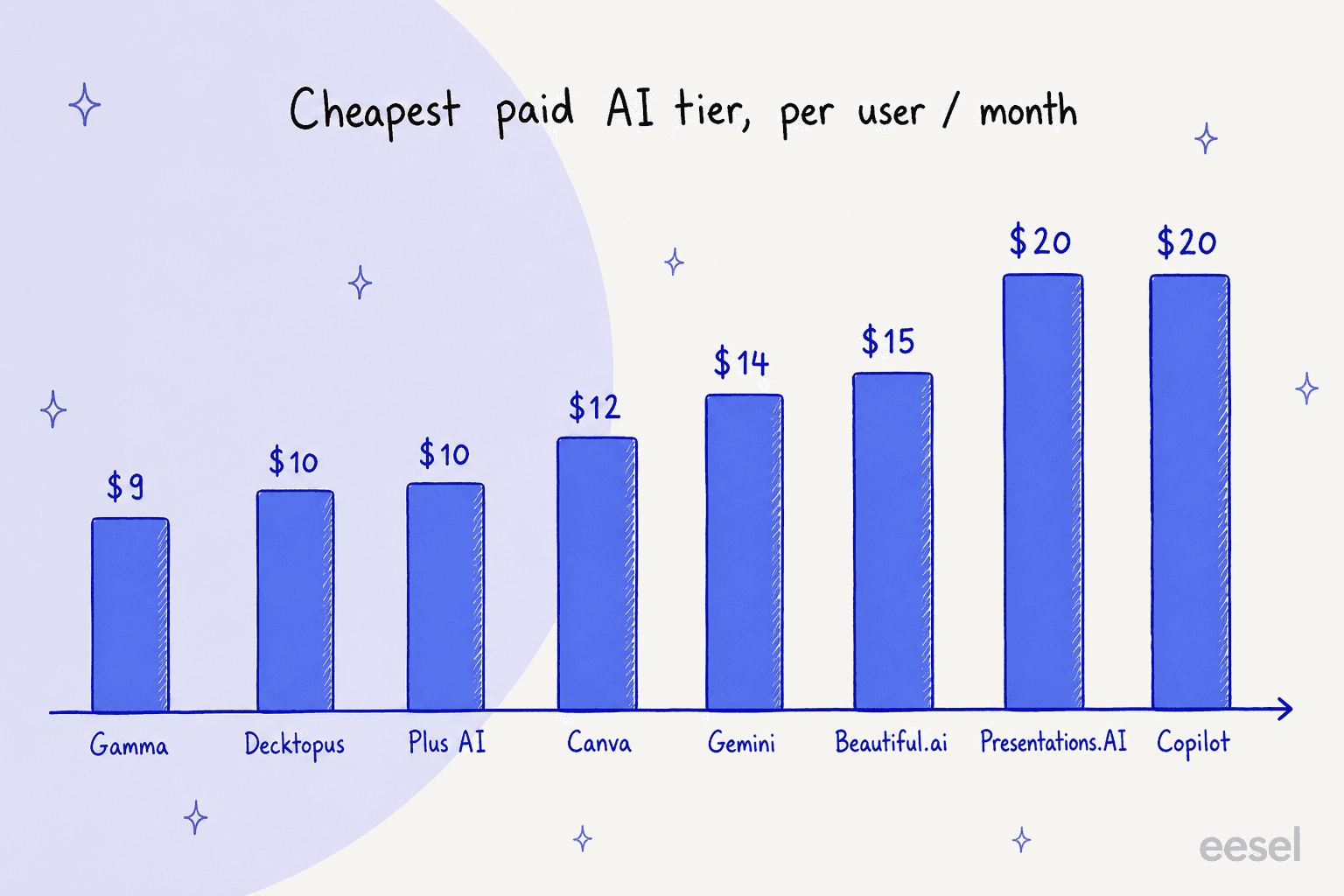
A worked example makes the trade-off clearer. Say you're a five-person team that needs to make decks regularly:
- Gamma Plus: 5 × $9 = $45/mo, with a shared credit pool. Cheapest dedicated option.
- Plus AI Pro: 5 × $20 = $100/mo, but the decks are native Google Slides or PowerPoint files, so nobody's locked in.
- Copilot enterprise add-on: 5 × $30 = $150/mo on top of whatever Microsoft 365 you already pay, so the true cost is higher.
- Gemini via Workspace Standard: if you're already on Workspace, the AI is bundled, so the marginal cost of the slide feature is effectively $0.
That last line is the one people miss. If you already pay for Google Workspace or Microsoft 365, your cheapest good option might be the one you already own. Buy a standalone tool when its generation quality or free tier genuinely beats what's bundled, not by default.
Try eesel for the content Claude and slide tools don't make
Quick, honest placement: eesel does not make slide decks, so it isn't a like-for-like Claude Slides swap. It's worth knowing about for a different reason.
eesel is an AI teammate platform, where you hire ready-to-work teammates for specific jobs rather than a general assistant you have to steer. One of those is the eesel AI blog writer, and it exists because the same instinct that sends people to Claude Slides, "just make me the thing," applies double to written content. A lot of the "I need a deck" jobs I see are really "I need to turn this research into something readable," and when the something is a long-form article, help center page, or blog rather than a deck, a purpose-built writer beats a general assistant that writes decent prose on the side.

So the honest recommendation: use one of the eight tools above for slides, and if your real bottleneck is written content at volume, try eesel for that. It's free to start, and it's built for the finished draft, not just the first pass.