How I reviewed Claude Motion
I build AI agents for a living at eesel, and the first thing I check with any new AI tool is what it is actually doing underneath the demo. For this review I went through every primary page Anthropic has published on Motion: the launch announcement, the Motion help article, the artifacts admin guide, the pricing page, and the beta and usage articles they link to. Then I read every early user reaction I could find on X, Reddit and Hacker News.
What I haven't done is run Motion for months on a live team. It launched on October 8, 2026, so nobody has. Where this review leans on a judgement call, I say so and point to the doc that grounds it.
If you want the plain explainer of what Motion is, my colleague's Claude Motion overview covers it, and the Claude Motion pricing breakdown has the full cost math. This post is the verdict.
Claude Motion at a glance
Here's the scorecard I landed on, with the one fact behind each score.
| What I checked | Score | Why |
|---|---|---|
| Editing and revisions | 5/5 | Change "a word, a number, or the timing, and the rest stays as it was," per the help article |
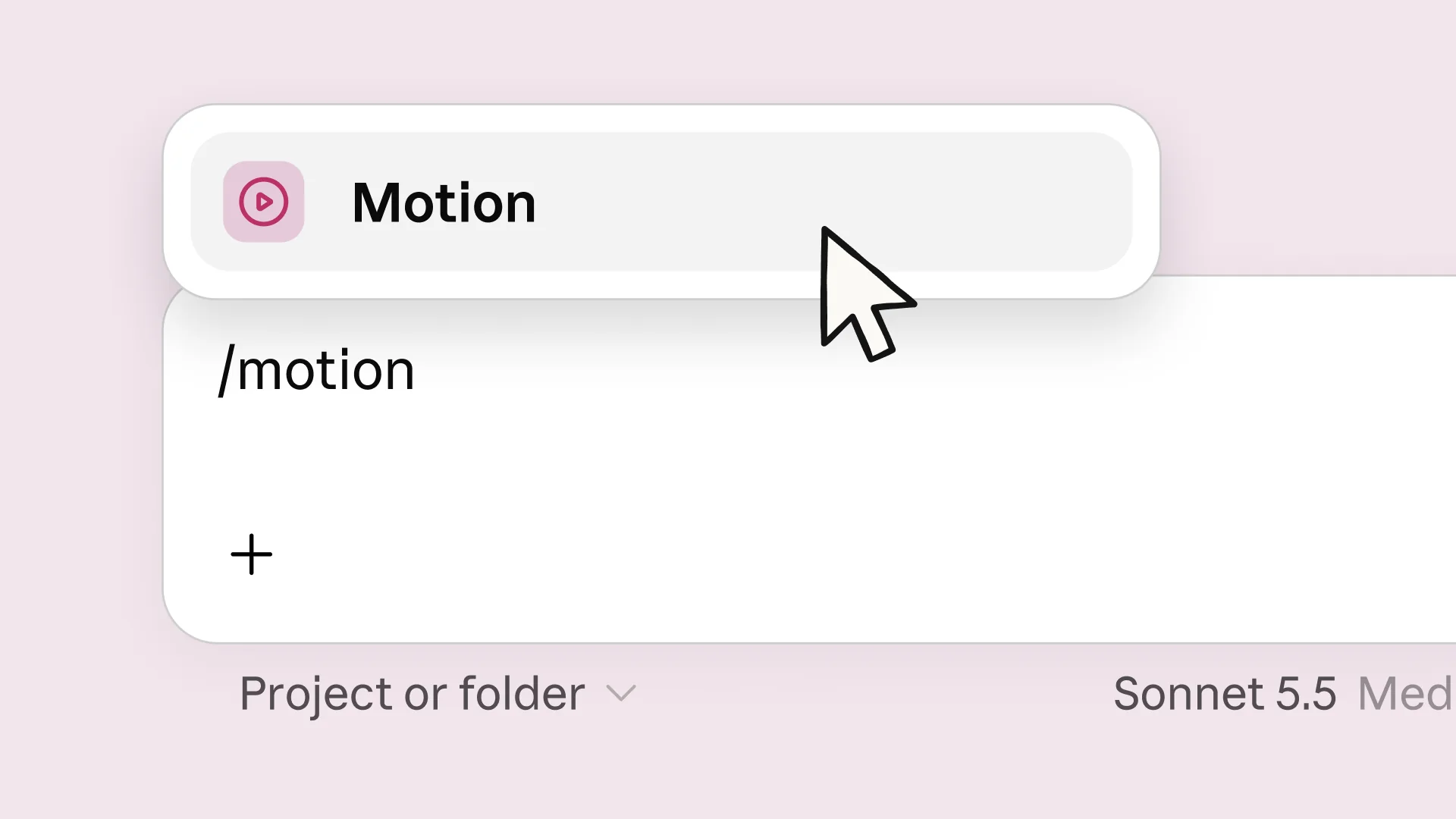
| Getting started | 4/5 | Type /motion in any chat or pick it from the Artifacts tab |
| Output range | 2/5 | No video model, so no footage, no realistic people |
| Access | 2/5 | Team and Enterprise only, off by default on Enterprise |
| Cost clarity | 3/5 | No extra fee, but no published per-animation cost either |
| Export and handoff | 4/5 | MP4 export, plus seven named editing partners |
| Admin controls | 4/5 | Org toggle, plus group limits on Enterprise |
Overall: a strong 3.5 out of 5 for a first beta. The core idea is right. The fences around it are what hold the score down.
What Claude Motion does well
Most of what Motion gets right comes from one design decision, and it's worth understanding before anything else.
Edits that don't break the rest of the clip
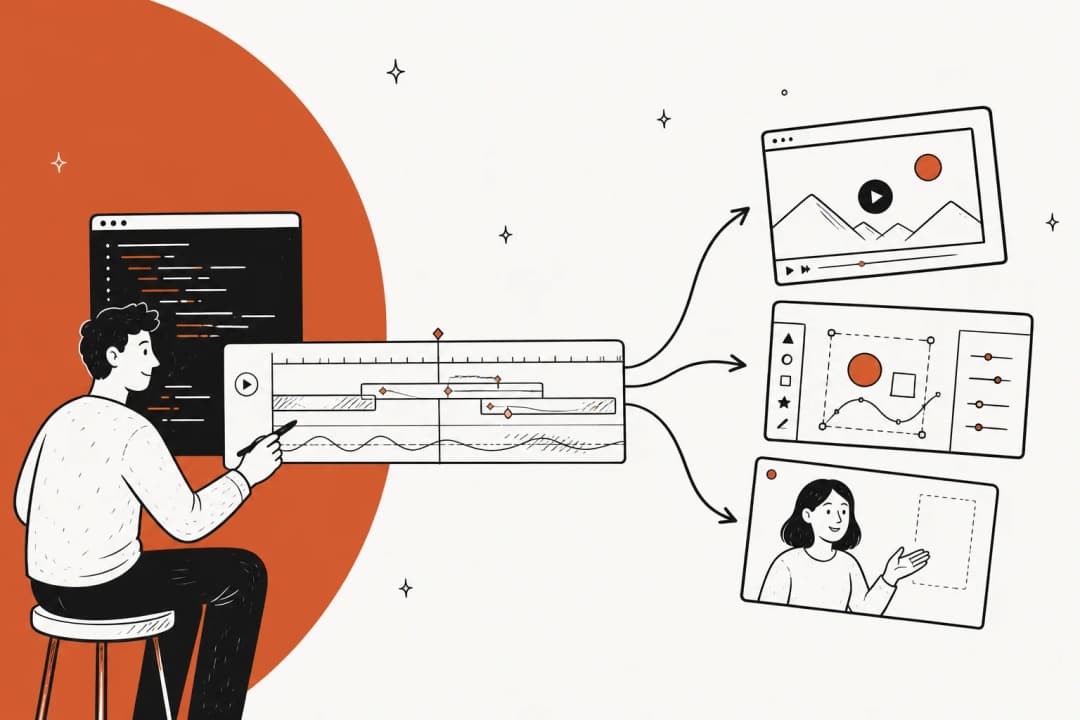
Anthropic's docs are blunt: "Claude Motion doesn't use a video generation model." Claude writes code that animates your text, charts, shapes and images, and the result plays like a short video. You can ask for a change in chat ("Slow down the second scene," "Change the Q3 number to 18%") or edit it yourself in the editor.
This is the single best thing about Motion. With a generated video, a wrong label means regenerating the clip and hoping the new take keeps everything else you liked. With code, the number is a value. I run into the pixel version of this problem constantly in the blog pipeline I help build, where our generated infographics need a redo roughly 1 in 3 times because a label came out wrong. A tool where the label can't drift is a real step up for anything with numbers in it.
It starts from your content, not a blank timeline
Motion is built to animate material you attach. Anthropic's tips say to name "who will watch it, where it will play, and roughly how long it should be," and to attach "the report, data, or images" so the animation is built from your own content. The example prompts are telling: a quarterly report turned into a 30-second all-hands explainer, a pricing comparison for a sales kickoff, a setup walkthrough for new customers.
That matters more than it sounds. If you already use Claude for team work, the chat that drafted the report from your files already has the context. You don't re-explain the numbers to a separate video app.
No extra fee on plans that have it
There's no separate Motion charge. The help article says it "counts toward your plan's usage limits, like the rest of your work with Claude." On a Team plan, that means the cost of trying it is a prompt and some usage, not a purchase order. Anthropic also ran an artifact usage promotion from October 1 to 15, 2026, where the next 10 messages after creating or editing an artifact use 50% less of the five-hour limit on Team plans (Enterprise isn't included).
A long list of places to finish the job
Motion doesn't pretend to be a full video editor. The launch post names Adobe, Descript, HeyGen, Higgsfield, invideo, Luma AI and Runway as places you can open an animation to take it further, with Canva and Captions coming soon. I read that as Anthropic being realistic about scope, and it's the right call.
Where Claude Motion falls short
None of these limits are hidden. They're in Anthropic's own docs, which I appreciate, but they still shape who should bother.
The plan gate is the biggest problem
The pricing page lists Motion as not included on Free, Pro or Max. Here's what that means in dollars:
| Plan | Price | Claude Motion |
|---|---|---|
| Free | $0 | Not included |
| Pro | $17/month billed annually, $20 monthly | Not included |
| Max | From $100/month | Not included |
| Team, Standard seat | $20/seat/month billed annually, $25 monthly | Included (beta), on by default |
| Team, Premium seat | $100/seat/month billed annually, $125 monthly | Included (beta), on by default |
| Enterprise | $20/seat/month billed annually, plus usage at API rates | Included (beta), off until an owner turns it on |
A solo creator on Max can't use it; a two-person Team can. That's backwards for the people most likely to want quick explainers: freelancers, consultants and one-person marketing teams. My Claude pricing and Claude Pro pricing guides cover what the individual tiers do include.
No footage, no people, no voice
Because there's no video model, Motion "doesn't create realistic footage or people." For board charts and onboarding steps that's a feature: no generated faces means no bias or brand risk from AI people. But if your clip needs a product demo recording, a presenter, or generated B-roll, you'll finish it in another tool. Every example Anthropic gives is a short clip, so don't plan a 10-minute training video around it either.
You can't predict what an animation costs
The help article says "longer or more complex animations use more of your limit than a typical message," and that's all it says. There's no per-animation figure. On Team, a heavy animation week eats into the same five-hour and weekly limits as everything else. On Enterprise, every token bills at API rates. The pricing breakdown walks through why a clean per-clip price doesn't exist yet; the short version is you learn your ceiling by hitting it.
It's a beta, with a compliance carve-out
Anthropic's beta features page says "performance and reliability may vary" and that "not every feature graduates." On HIPAA-ready configurations, owners can turn Motion on after accepting terms, but these artifacts "aren't covered under your Business Associate Agreement." So keep protected health information out of it, and don't build a compliance-critical process on it yet.
Who should turn on Claude Motion
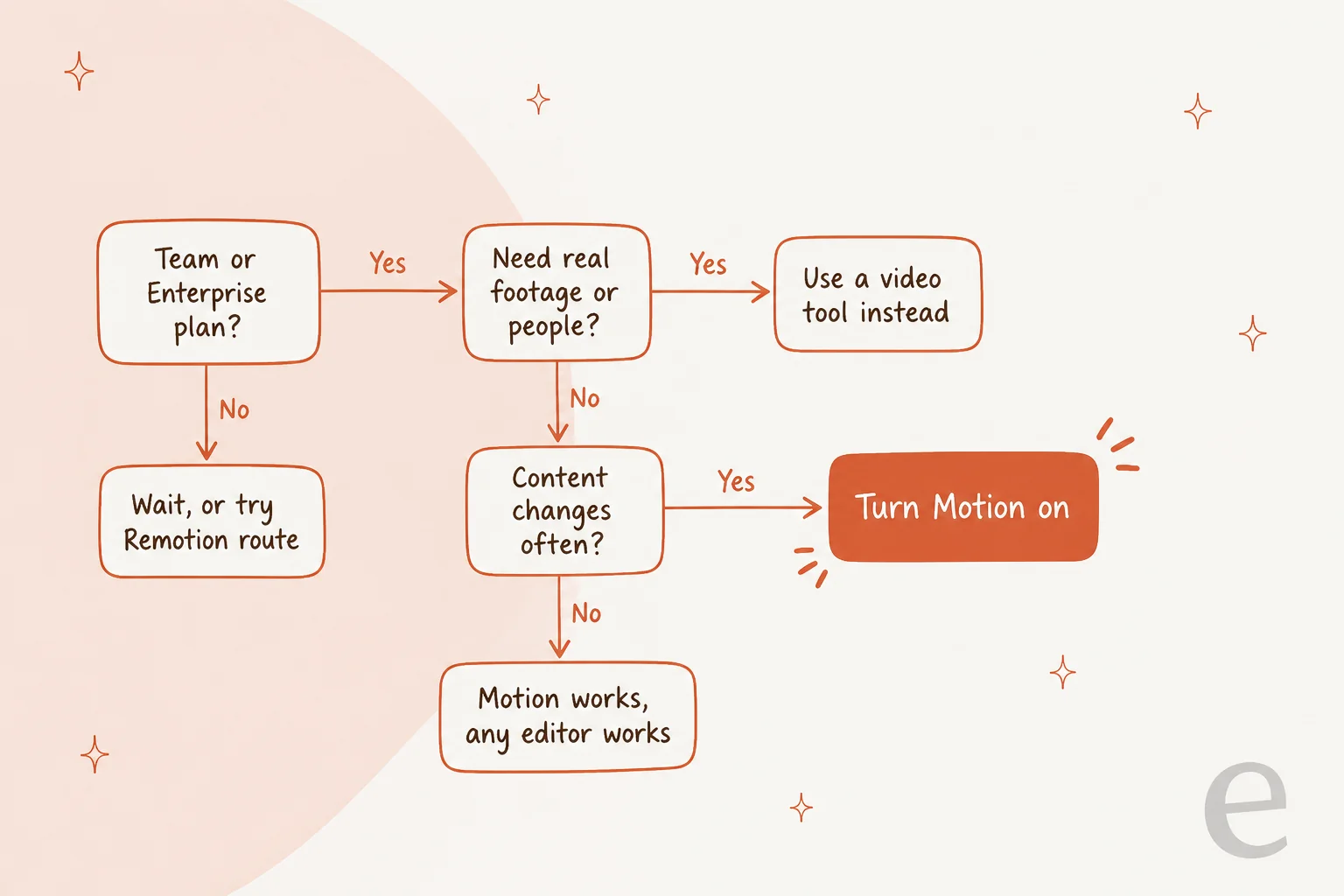
The decision comes down to three questions: are you on the right plan, does the clip need real footage, and will the content change?
Good fit: a Team or Enterprise workspace where someone makes the same kind of chart or explainer every month. Finance recaps, sales kickoff pricing slides, customer onboarding steps, the board deck. The more often the numbers change, the more Motion's edit model pays off.
Poor fit: anyone on an individual plan, anyone who needs people or footage, and anyone who expects Motion to come up with the creative idea. It animates a clear brief well; it doesn't invent the story.
For admins, setup is three switches, all in Organization settings per the admin guide:
- Turn on "Cloud code execution and file creation" under Capabilities. Artifacts don't work without it.
- Turn on Artifacts, then the Motion template. It's on by default for Team, off for Enterprise.
- On Enterprise, limit Motion to specific groups with custom roles if you want a pilot first.
Animations start private. Sharing outside the company depends on two admin settings, and the sharing article caps outside invitations at 50 people per artifact. My Claude Code admin controls guide covers the wider admin picture.
How Claude Motion compares
Motion sits in a corner that few AI video tools target: your own charts and text, revised often. Generative tools sit on the other side of the map.
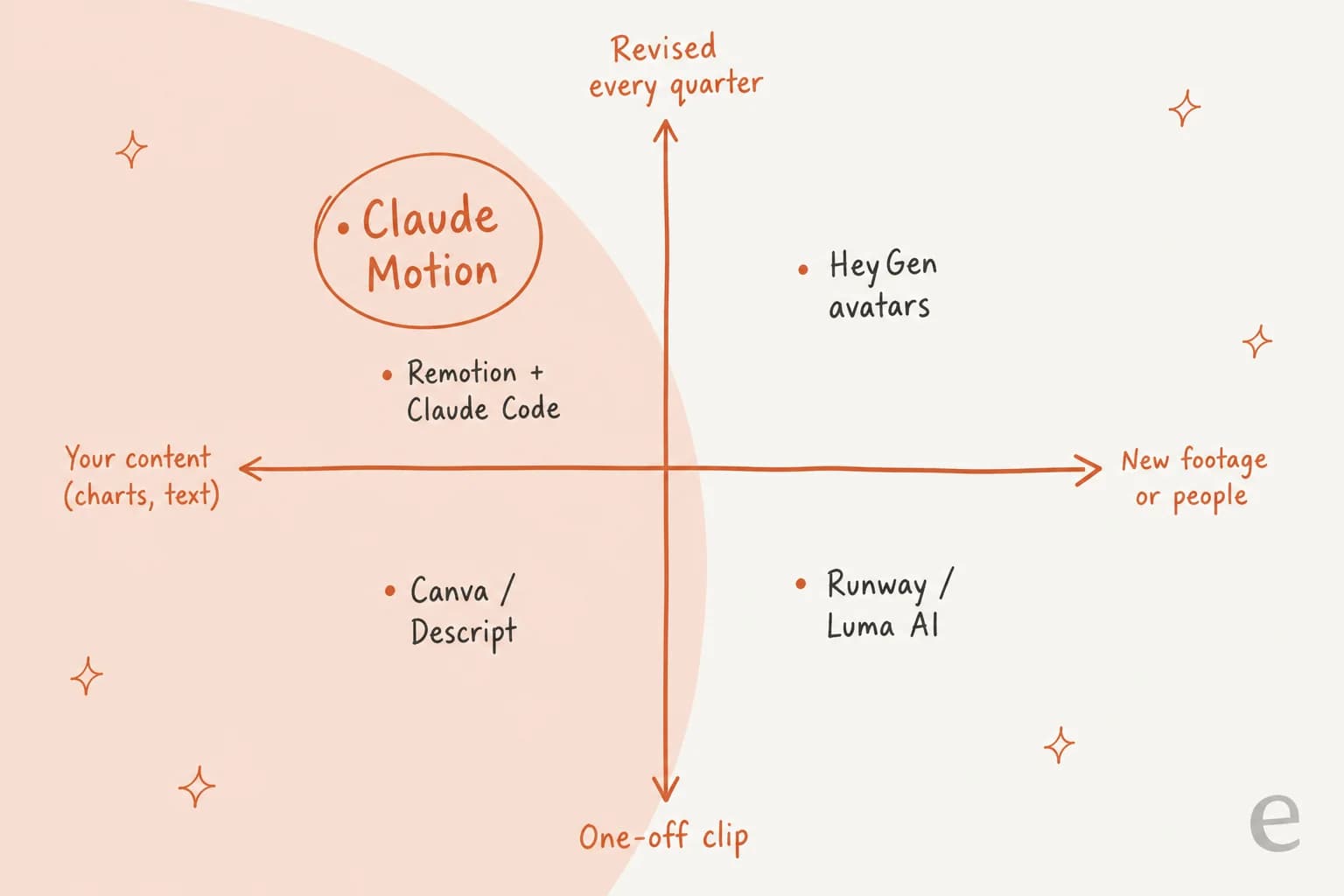
| Claude Motion | Remotion + Claude Code | Runway / Luma AI | HeyGen | Descript / Canva | |
|---|---|---|---|---|---|
| Makes | Animated text, charts, images | Animated React video | New footage | Avatar presenter | Edits of your footage and designs |
| Fix one number | Change the value | Edit the code | Regenerate | Edit script, re-render | Edit the layer |
| Setup | None on Team | Node.js, terminal | Separate app | Separate app | Separate app |
| Plan you need | Claude Team or Enterprise | Any plan with Claude Code | Their own plan | Their own plan | Their own plan |
The closest cousin is Remotion, the open-source React video framework that publishes a guide for prompting videos with coding agents like Claude Code. It's the same idea, animation as editable code, with more setup and more control, and it works on Pro and Max. Remotion has its own license terms for companies. No Anthropic source says Motion is built on Remotion, so I wouldn't assume it.
For the generative side, my reviews of Runway and Synthesia cover the footage and avatar tools.
If you'd rather browse options, the Runway alternatives and HeyGen alternatives roundups list the rest.
And if you're weighing Motion's sibling launch, my notes on Claude Dashboards and the Dashboards alternatives apply the same lens to data.
What early users are saying
Motion is barely a day old, so nobody has posted a real hands-on verdict yet. What has shown up already lines up with the scorecard above. The loudest theme is access. The top reply under Anthropic's Motion post on X is a request for the individual plan:
"any chance to have this on the Max Plan? 😍"
It isn't the only one; another X reply asked the same thing within two hours of launch. The second theme is that people understood the "it's code" pitch and saw both sides of it:
"wait so the animation is just code? ppl are gonna ship pitch decks that are 90% easing curves lol"
"Editable output is an important distinction here. Generating something quickly is useful, but being able to refine it, verify the data, and adapt it for different audiences makes it much more practical for real business use."

Both are fair. Cheap animation gets overused, so animate the one chart that tells the story, not every bullet. And "verify the data" is the real win: a number in code can be checked.
For how working motion designers see Claude-made animation in general, a thread in r/motiongraphics from the day before launch is useful. It's about Claude driving After Effects through a custom setup, not Motion itself, but it maps closely onto Motion's strengths and gaps:
"I made a MCP for AE where I can automate annoying and repetitive stuff. Changed the whole font in a old video was never faster. But it absolutely sucks when it needs to "come up with its own ideas" because AI is a tool not a brain. So every struggle you have comes from you not knowing what you want and Claude just not capable of making up stuff."

That's my read of Motion too: bring the story, let Claude do the keyframes.
Claude Motion pros and cons
| Pros | Cons |
|---|---|
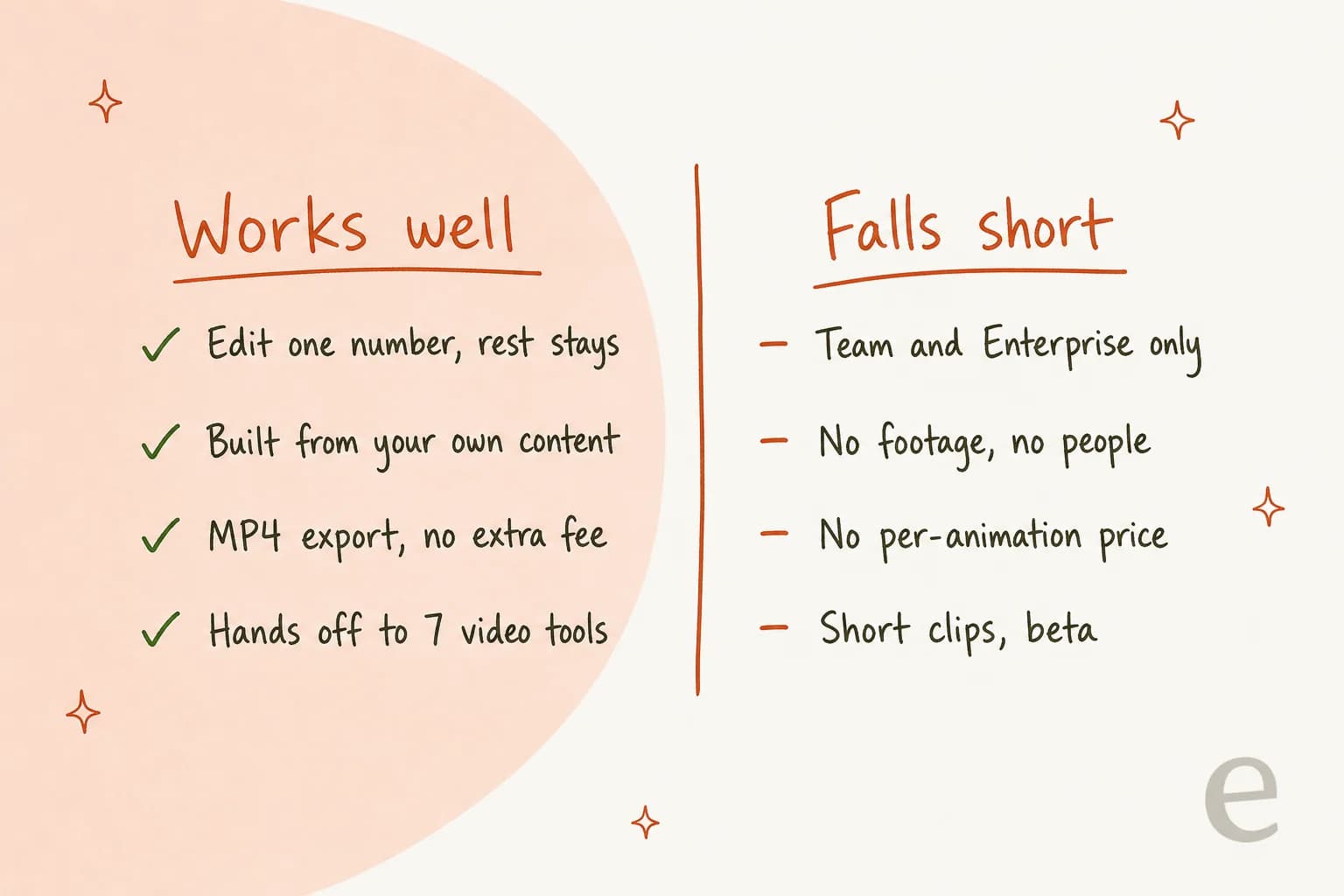
| Edit one number or word without breaking the rest | Not on Free, Pro or Max |
| Builds from your own reports, data and images | No footage, people or voice |
| No separate fee on Team and Enterprise | No published per-animation cost |
| MP4 export and seven named editing partners | Short clips only, still in beta |
| Admin toggle and group limits on Enterprise | Not covered under a HIPAA BAA |
My verdict on Claude Motion
Claude Motion is the most sensible take on "AI video" I've seen from a model company, because it doesn't try to be video generation at all. It treats animation as an editable document, which is exactly what a quarterly chart or an onboarding walkthrough needs.
If your workspace is on Team, it's already on: make next week's board chart move and see if anyone notices. On Enterprise, a pilot with one group is cheap and low risk. If you're on Pro or Max, don't upgrade for Motion while it's in beta; try the Remotion route if you're comfortable in a terminal, or wait for wider access. And if your clip needs people or footage, Motion was never the tool.
For the rest of Anthropic's artifact family, my reviews of Claude Slides, Claude Docs and Claude Design use the same yardstick.
If you're deciding whether Claude is the right home for this work at all, my Claude Cowork review and the Claude alternatives roundup cover the wider market.
Try eesel for the post your animation lives in
Motion gives you a 30-second clip. It doesn't give you the article that clip sits in, and that's the part that has to happen every week. One eesel user summed up what people want once a content workflow finally works:
"This is perfect. How do I make this repeatable every week?"
That's the job of the eesel AI blog writer. Give it a keyword and your site, and it researches primary sources, writes in your brand voice, makes the hero banner and infographics, adds internal links and FAQs, and hands you a post ready to publish. Export your Motion clip as an MP4, drop it into a post the blog writer drafted around the same numbers (my guide on adding videos to blogs covers the embed), and the explainer finally has a home.

It's free to start, no credit card needed. Try eesel on your next post and see how much of the afternoon it gives back.
Frequently Asked Questions
Is Claude Motion worth it?
If your workspace is already on a Claude Team or Enterprise plan, yes: Claude Motion costs nothing extra and is strongest for charts and explainers you revise often. If you are on Pro or Max, it is not worth upgrading for while it is in beta. My Claude pricing guide covers what each tier includes.
What is Claude Motion good at?
Claude Motion is best at turning your own reports, charts and images into short animated explainers you can edit one detail at a time. Because each animation is code, changing a number or a word leaves the rest of the clip as it was. It fits the same workflow as Claude Slides and Claude Docs.
Can I use Claude Motion on the Pro or Max plan?
No. Anthropic's pricing page lists Claude Motion as not included on Free, Pro or Max. The nearest option on those plans is building animation as code with Claude Code and the open-source Remotion framework, which takes more setup. See my Claude Pro pricing breakdown for what Pro does include.
How much does Claude Motion cost?
There is no separate Claude Motion fee. It comes with a Team seat (from $20 per seat per month billed annually) or an Enterprise seat ($20 per seat per month plus usage at API rates), and each animation draws on your plan's usage limits. The full math is in my Claude Motion pricing guide.
How does Claude Motion compare to Claude Dashboards?
Both launched together in beta on Team and Enterprise plans. Claude Motion animates content you give it into a short video, while Claude Dashboards builds live charts from your connected data. My Claude Dashboards review uses the same verdict format as this Claude Motion review.
Can I put a Claude Motion animation in a blog post?
Yes. Export the animation as an MP4 and embed it like any other video; my guide to adding videos to blogs walks through it. The eesel AI blog writer can research, write and publish the article around it.


Article by
Kira
Kira is a writer at eesel AI with a Computer Science background and over a year of hands-on experience evaluating AI-powered customer service tools. She focuses on breaking down how helpdesk platforms and AI agents actually work so that support teams can make better buying decisions.