

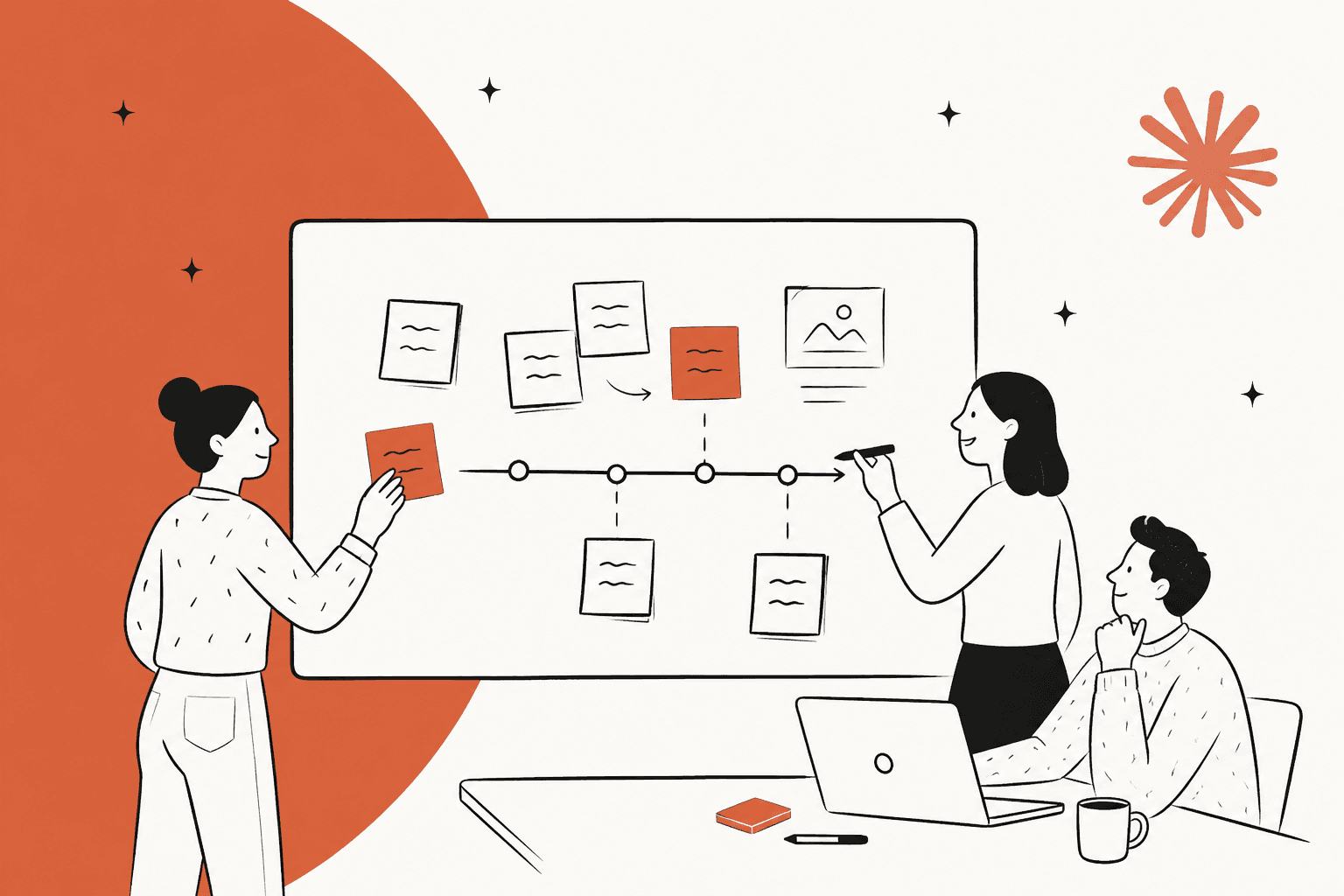
Claude Whiteboards is a beta shared board on every paid Claude plan (Pro is $20 a month): you dictate or type a messy plan, Claude sorts it into groups and a timeline, and your team edits it live. Treat it as the place where the first, messy 30 minutes of a plan happens, not a Miro replacement. Boards export out (to a doc, a deck, Miro, Lucid or Zoho Vani) but can't be imported, and Claude only sees what's on the board, not your connected apps. If your retro board fills up with support action items, eesel is the teammate that does the ticket work afterwards, and its CLI lets a coding agent load the agreed policies and test answers first.
What is Claude Whiteboards?
Claude Whiteboards is a shared board where you, your team and Claude work on the same canvas. Anthropic launched it in beta on November 10, 2026, alongside Claude Sheets and the general release of Claude Data (the product formerly called Claude Dashboards).
The pitch is simple. Anthropic says brainstorming with Claude "typically meant copy-pasting the results elsewhere" before your coworkers could join in. Now you talk through a plan out loud, and Claude turns it into a board with a timeline, owners and dates that everyone edits in real time.
I'm on eesel's support team, and the example in the launch post that made me sit up was the retro. In Anthropic's words, everyone adds their notes, and Claude can "group them by theme and draft the action items for each person." Anyone who has spent the last 15 minutes of a retro dragging sticky notes into clusters knows why that lands.
Whiteboards is one of a growing set of artifact types in Claude. It sits next to Claude Docs, Claude Slides, Claude Design and Claude Motion. Every board you make is saved in the Artifacts tab, same as the others.
How does Claude Whiteboards work?
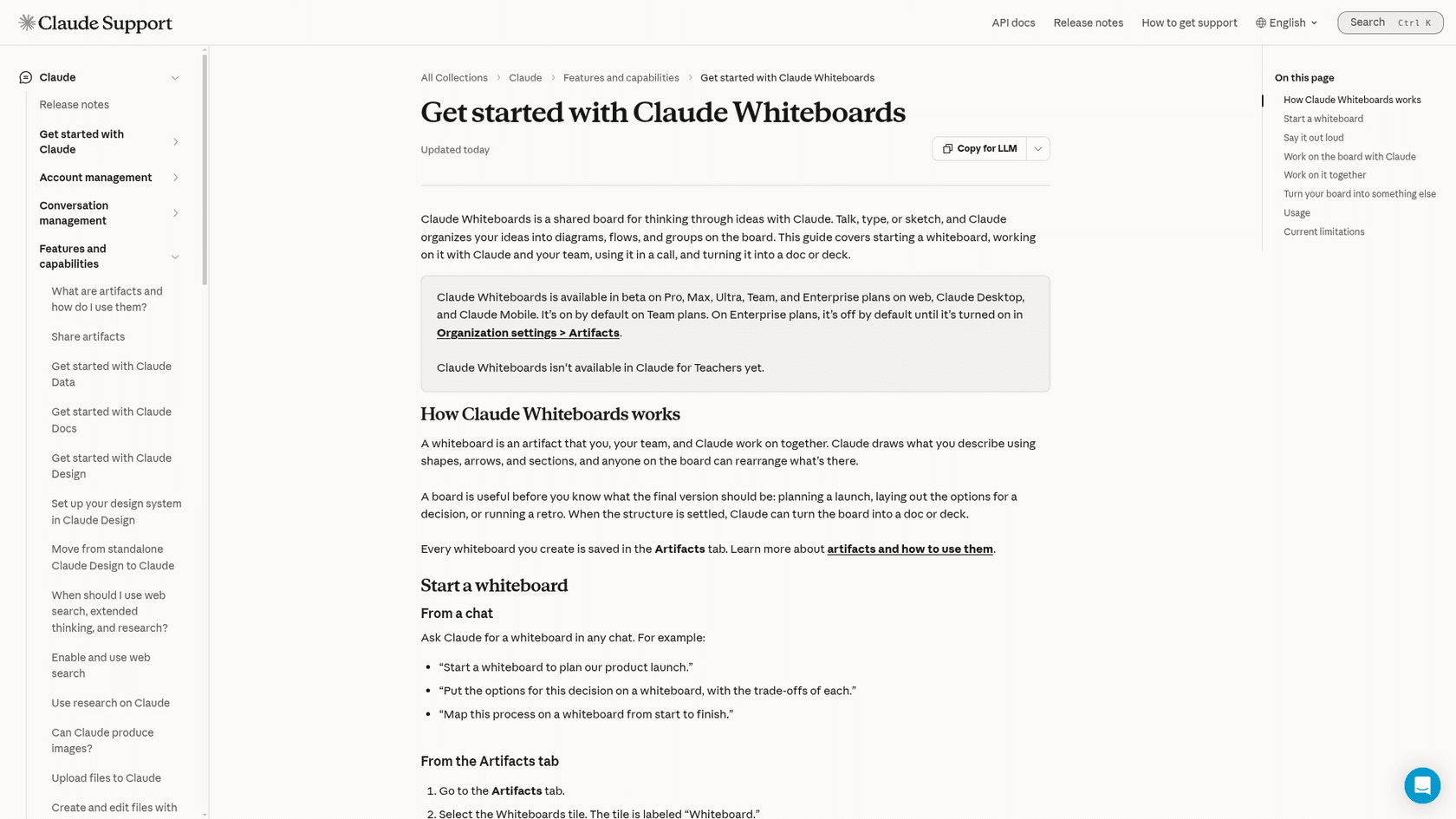
A whiteboard is an artifact that Claude draws with shapes, arrows and sections, per the help center, and anyone on the board can rearrange it. You can start one two ways:
- From a chat. Ask for it in plain words, for example "Start a whiteboard to plan our product launch" or "Put the options for this decision on a whiteboard, with the trade-offs of each."
- From the Artifacts tab. Pick the tile labelled "Whiteboard", then describe what you want to work through.
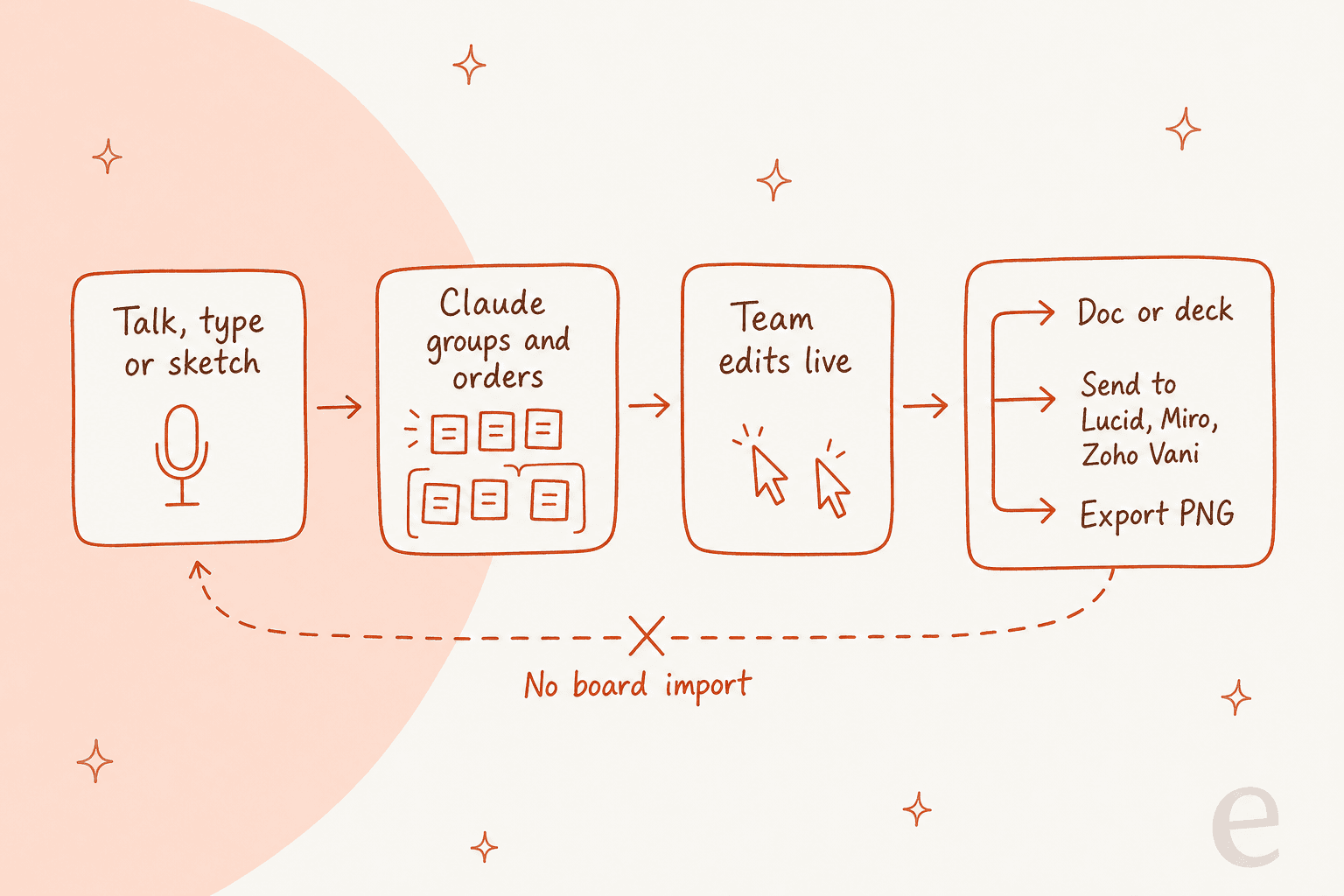
The part that changes how a meeting feels is dictation. Select the microphone next to the send button, ramble, and Claude groups related ideas, puts steps in order and connects the ones that depend on each other. Per the help center, dictation follows your browser's language and works in 25 languages, from Amharic to Ukrainian.
Once the board exists, three moves do most of the work:
- Reorganize. Ask Claude to regroup by theme or turn the board into a timeline.
- Find the gaps. Ask what's missing between two steps. Claude adds suggestions to the board for you to check, rather than quietly rewriting your plan.
- Focus on one area. Drag a box around part of the board and ask about just that part. This is the feature I'd use most: on a busy retro board, "what's the real blocker in this cluster?" is a better question than "summarize everything."
Collaboration is live. Everyone can rearrange the board, and you can follow a teammate around it to see what they're looking at. To bring people in, open the board and click Share. People outside your organization can join by email invite, but on Team and Enterprise that needs Email invitations outside your organization switched on in Organization settings.
Where does a board go when you're done?
This is the design choice I think most launch coverage skipped. When the thinking is settled, Anthropic gives you four exits, and no entrance:
| Exit | What you get | Good for |
|---|---|---|
| Ask Claude for a doc | A Claude Docs page, e.g. "Turn this board into a project plan" | Written plans and specs |
| Ask Claude for a deck | A Claude Slides presentation | Readouts to leadership |
| Send to | The board in Lucid, Miro or Zoho Vani, with more tools "over time" | Teams already living in a whiteboard tool |
| Share, then Export | A PNG file | Dropping a snapshot into Slack or a ticket |
The help center is explicit on the other direction: you can add pictures and videos to a board, but you can't import a board from a file. So your existing Miro boards stay in Miro.
That one-way flow tells you what Anthropic is building. Whiteboards is the front of a pipeline that ends in a doc, a deck or someone else's canvas. It isn't trying to be the place where a board lives for six months. Not everyone loves that halfway position. One Hacker News commenter on the launch thread put it bluntly:
"either fully commit to disrupting your customers and keep a walled garden or stop building in the space, this incremental approach will only ship confusion"

I read it the other way. For a team that already pays for Miro, the Send to button means Claude Whiteboards can be the brainstorm step without forcing a migration. That's a fair deal for a beta.
Who can use Claude Whiteboards, and what does it cost?
Claude Whiteboards is in beta on Pro, Max, Ultra, Team and Enterprise paid plans, on the web, Claude Desktop and Claude Mobile. It isn't on the Free plan, and it isn't in Claude for Teachers yet.
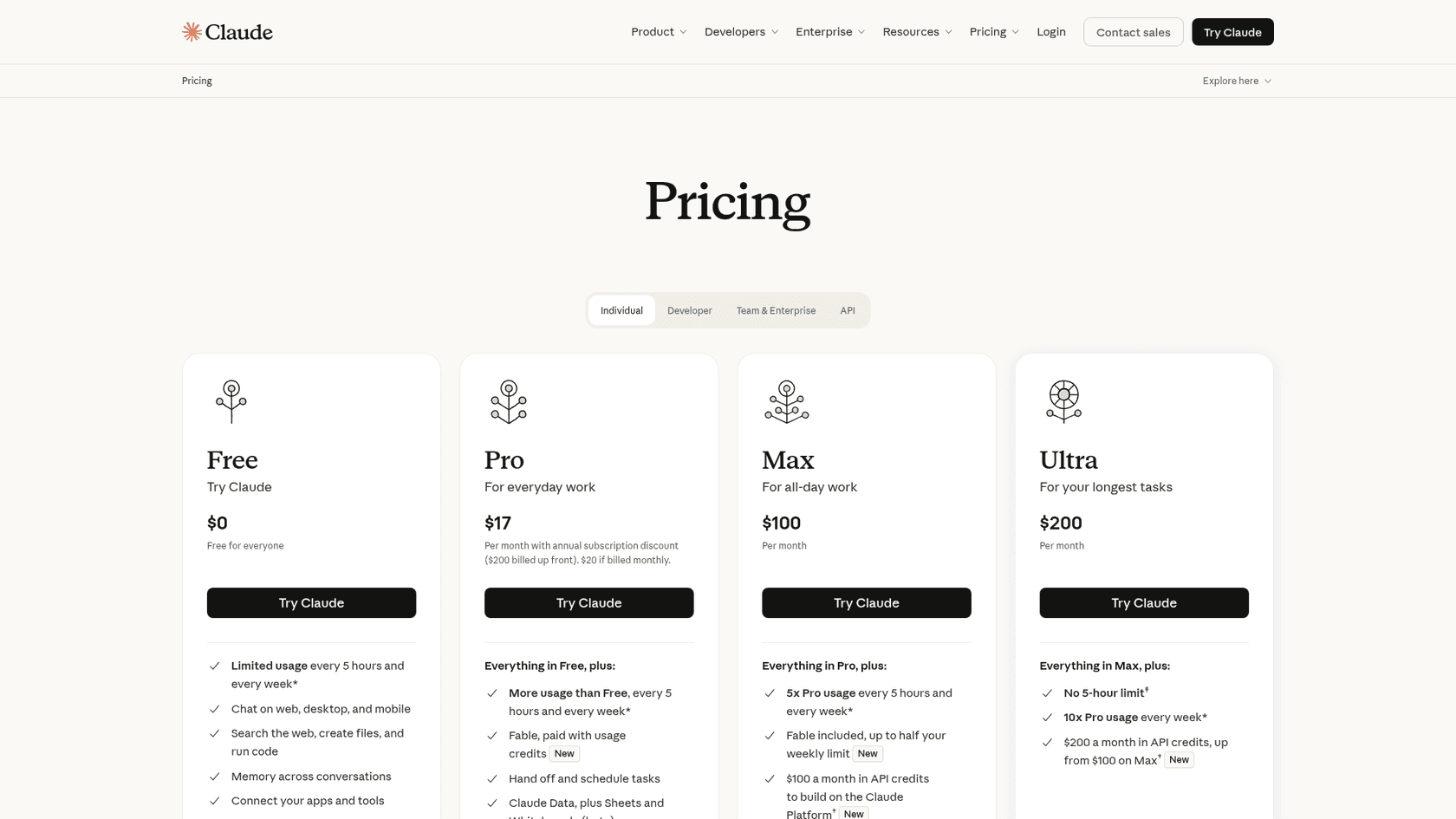
There's no separate price. Whiteboards counts toward your plan's usage limits like the rest of your Claude work. Here's what each plan costs on Claude's pricing page today:
| Plan | Price | Whiteboards | Default state |
|---|---|---|---|
| Free | $0 | No | n/a |
| Pro | $17/month billed annually ($200 up front), $20 monthly | Yes (beta) | On |
| Max | $100/month, 5x Pro usage | Yes (beta) | On |
| Ultra | $200/month, 10x Pro weekly usage | Yes (beta) | On |
| Team, Standard seat | $20/seat/month annually, $25 monthly | Yes (beta) | On by default |
| Team, Premium seat | $100/seat/month annually, $125 monthly | Yes (beta) | On by default |
| Enterprise | $20/seat/month annually plus usage at API rates, 20-seat minimum | Yes (beta) | Off until an owner turns it on |
The Enterprise default is the line to remember if you run IT. Owners switch it on under Organization settings > Artifacts. Claude Data, by contrast, turns on by default for Enterprise on November 19, 2026, so don't assume the three launch products follow the same rule.
On usage: the launch didn't publish a per-board cost. A long dictated retro with lots of regrouping is more Claude work than a quick five-box diagram, so heavy whiteboard days on Pro can push you toward a limit. If that's your team's pattern, my Claude Pro pricing and Claude Cowork pricing breakdowns cover how usage limits and credits work in practice.
What can't Claude Whiteboards do yet?
Anthropic lists the beta limits plainly, which I appreciate. Here's the full picture next to what does work today:
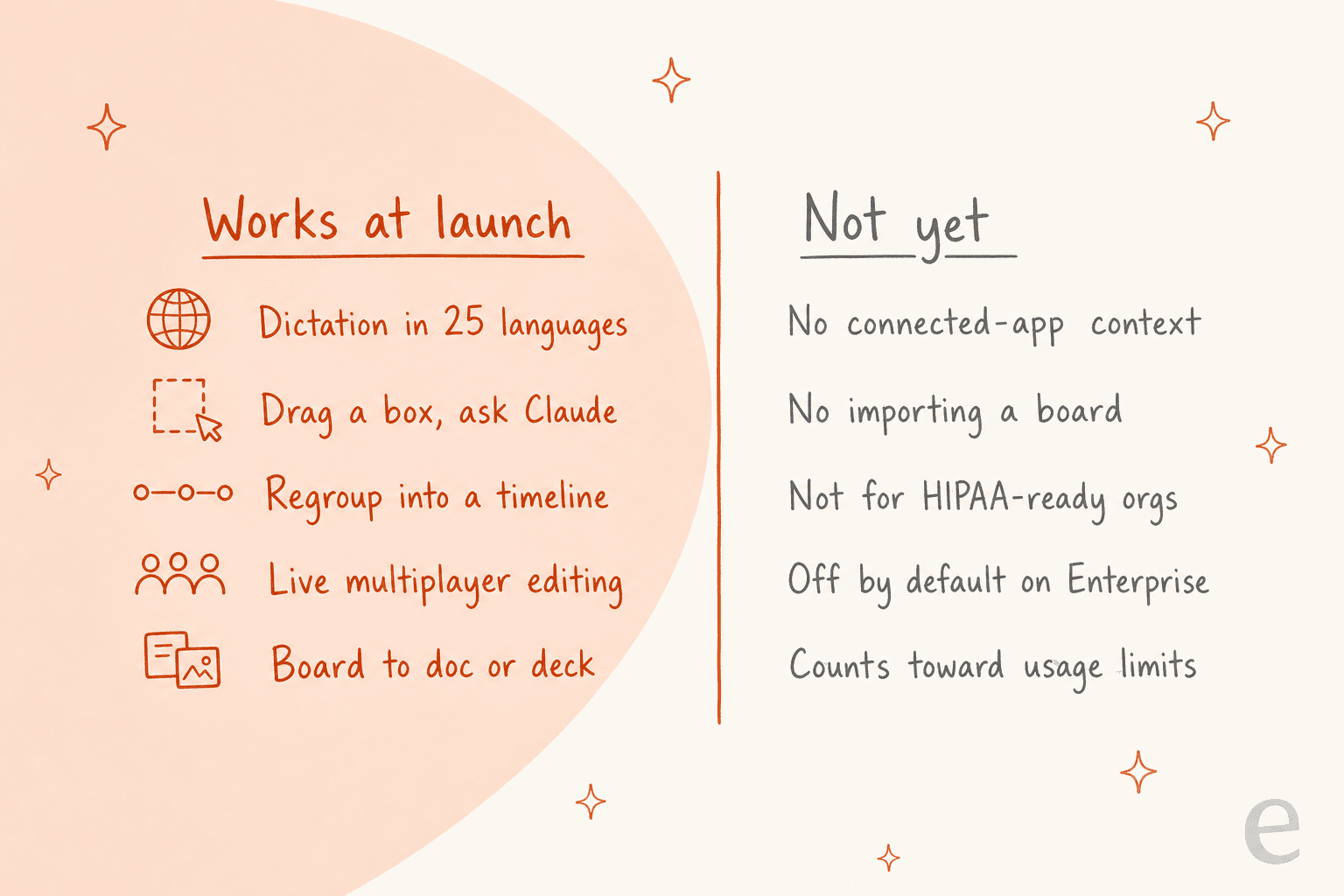
The three that will shape real use:
- No connected-app context. The help center says Claude "works from what's on the board" and doesn't use context from your connected apps. So if you want the board seeded with last month's ticket themes from your helpdesk, you paste them in yourself, or gather them first in a chat or Claude Cowork session.
- Data controls. Whiteboards isn't available to organizations with HIPAA-ready configurations. In organizations with zero data retention for Claude Code, it works in chat and Cowork, isn't covered by zero data retention, and isn't available in Claude Code.
- No board import. Covered above, but worth repeating for anyone hoping to consolidate tools.
Anthropic hasn't published a size limit or an end date for the beta. One more thing on the roadmap: Claude Meetings is "coming soon" and will let Claude join a call to take notes and update the documents your team is working on. The help center already mentions using a whiteboard in a call, so expect the two to meet.
Is Claude Whiteboards a Miro or FigJam replacement?
Not yet, and I don't think it's trying to be. The more useful question is which job each tool does. A quick way to decide:
| Your situation | Where I'd put the board |
|---|---|
| You're in Claude anyway and need a plan out of a messy conversation | Claude Whiteboards |
| A 30-minute retro or launch kickoff where nobody wants to sort sticky notes | Claude Whiteboards, then export a doc |
| A board the whole company references for months | Miro or Lucid (use Send to) |
| You need the board to pull from Slack, Drive or your helpdesk | Gather it in chat first, then whiteboard |
| HIPAA-ready organization | Not Claude Whiteboards, for now |
The HN thread had a useful skeptic here too, comparing it to how Claude Design settled in:
"I have a feeling that Whiteboards, Sheets, Docs and so on will be the same - it's a nicer way to present artefacts, discuss them and maybe make notes, but for the proper editor experience you'll go to the tools which were designed for these things."
And the counterpoint, from someone whose workflow it fits:
"Whiteboarding is the main thing I do in my AI build processes outside of Claude - if they can do it native + multiplayer, it's going to be a huge UX improvement for a lot of users."
Both are right for different people. If your team's brainstorming already starts as a conversation with Claude, Whiteboards removes a copy-paste step. If your boards are long-lived shared references, a dedicated tool still earns its seat. For the bigger picture of Claude as a team workspace, see my Claude collaboration tools roundup.
If you're weighing other vendors, the Claude vs ChatGPT comparison and my Notion AI brainstorming guide cover the closest alternatives.
What's the gap between a good board and finished work?
Here's the bit I care about from the support side. A retro board with "action items for each person" is a plan. Somebody still has to answer the 400 tickets that inspired half of those sticky notes.
That's where a board stops and a teammate starts. At eesel, I've watched the same pattern play out with customers: the team decides what good looks like (tone, refund rules, when to hand off to a person), and an AI teammate does the repetitive work inside the helpdesk. MentorShow, an online masterclass company, has eesel read every HubSpot conversation and ticket: about 1,200 in a month, with 432 reply drafts written in French, English or Spanish to match the member. SE Ranking runs three products through one support team on Zendesk, with one eesel agent per product handling about 4,650 conversations a month.
Neither of those started on a whiteboard, but both started with a team agreeing on rules. A Claude whiteboard is a decent place to have that conversation. It just isn't the thing that then sits in the queue at 2am. If you're curious how that split works, my posts on AI teammates and the best AI teammates go deeper.
For what Claude alone can and can't do inside a helpdesk, see Claude for Zendesk and Claude for HubSpot.
Try eesel for the work that comes off the board
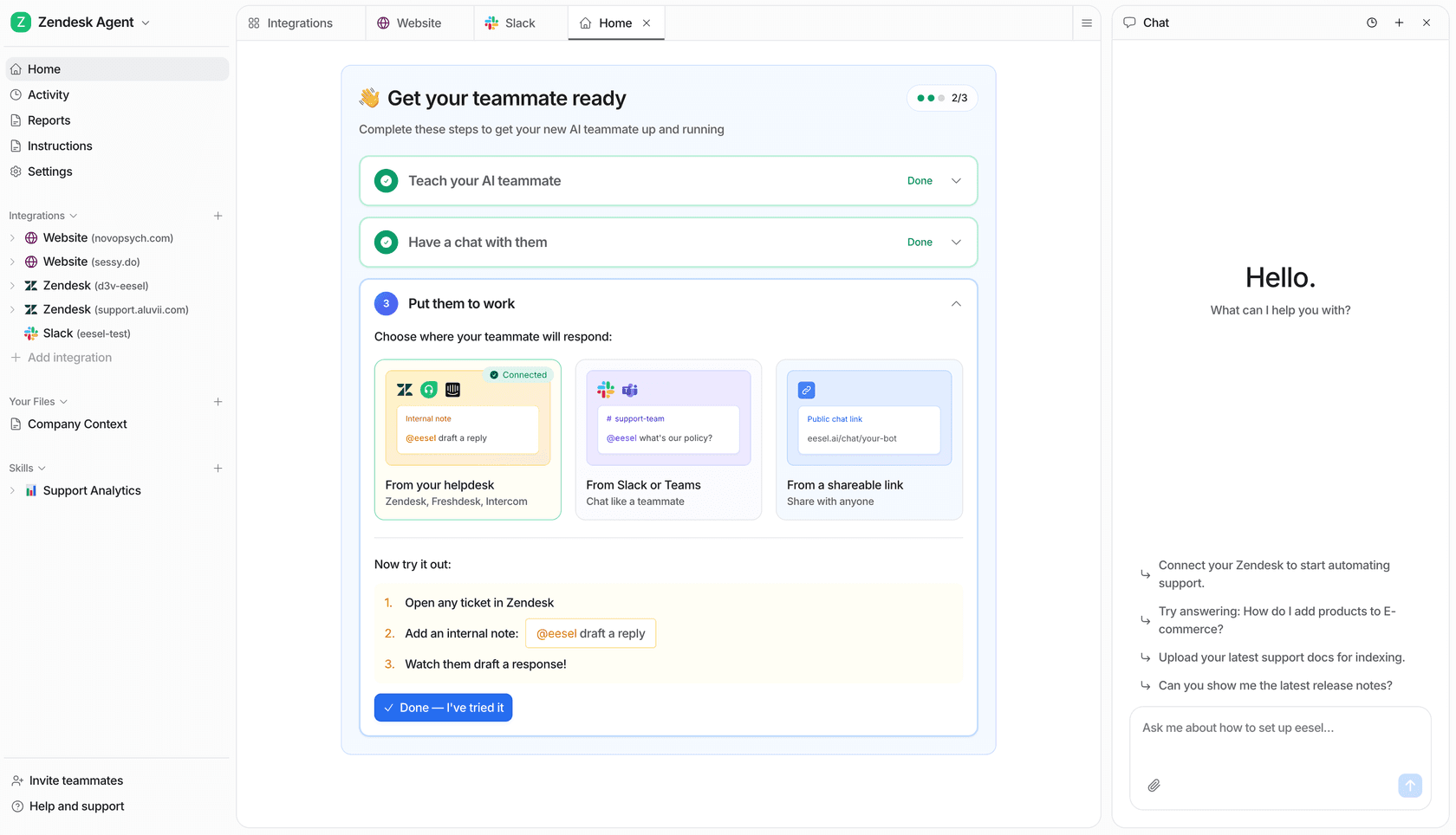
When your Claude whiteboard ends with a column of support action items, eesel's AI helpdesk teammate is the one that does them. It plugs into Zendesk, HubSpot, Freshdesk and other helpdesks, learns from your past tickets and help center, and gets tested against historical tickets before it answers a real customer.
If the board you just ran was a content plan instead, eesel's AI blog writer is the other teammate on the roster. Check eesel pricing, or try eesel free.