

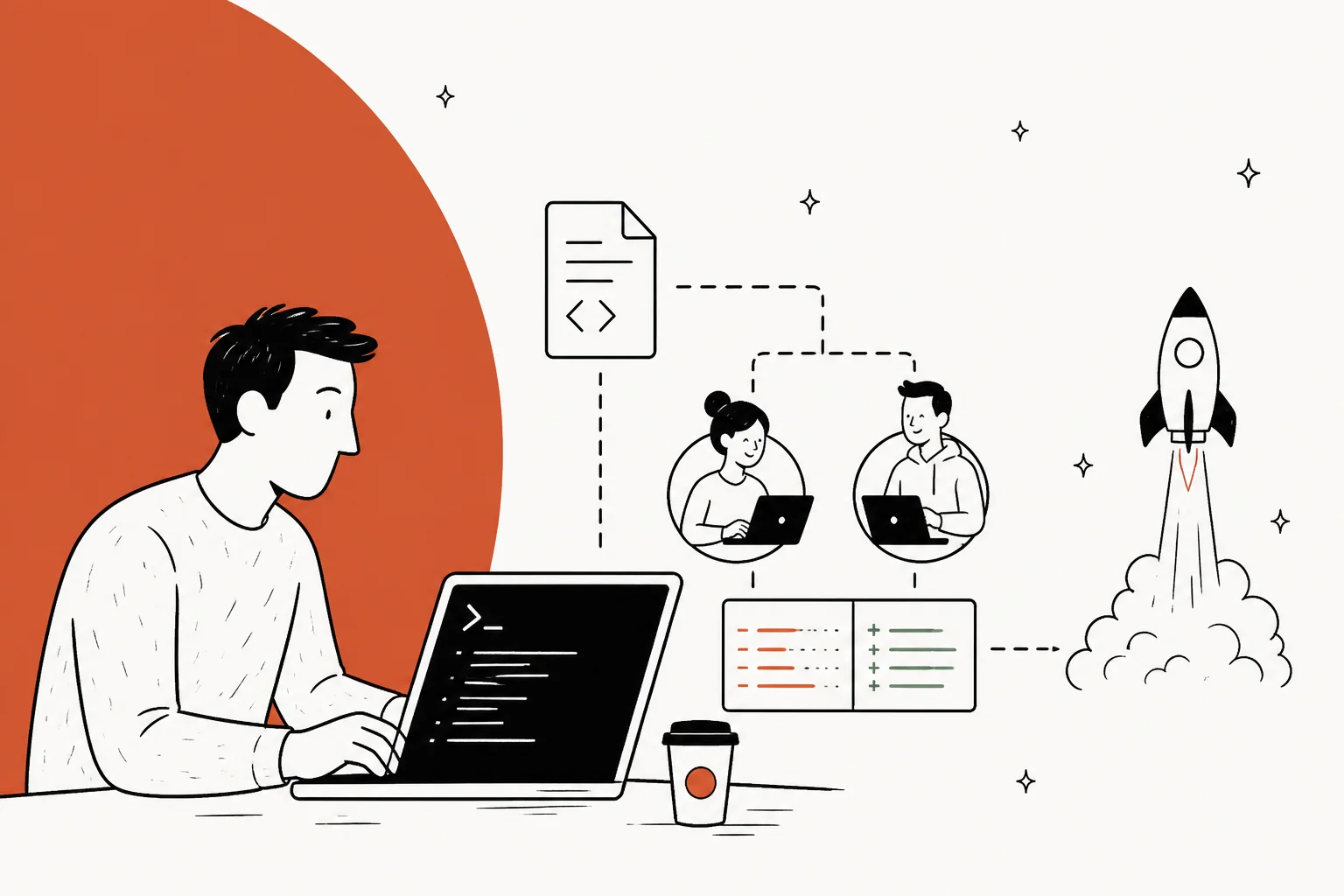
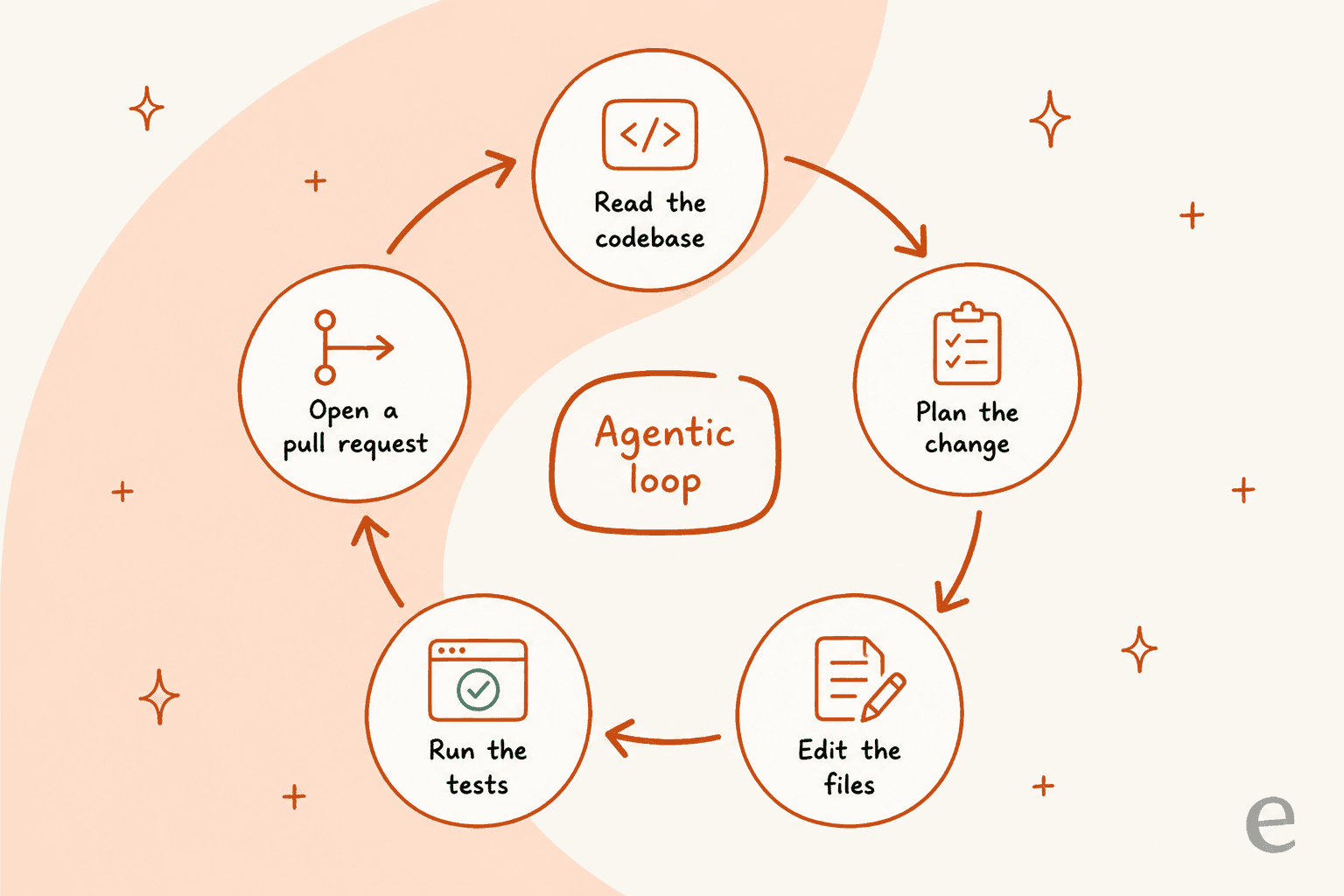
Claude Code is Anthropic's agentic coding tool that lives in your terminal, reads your whole repo, and edits files, runs tests, and opens pull requests on its own. "Claude Code projects" now means two things: the brand-new Projects feature that landed on September 17, 2026 (group related sessions, supervise several agents at once), and the older, looser sense of "a codebase you point Claude Code at." The thing that separates a frustrating project from a smooth one is the setup layer around it: a CLAUDE.md file, subagents, MCP servers, and skills. It is included in every paid Claude plan, so most people already have it.
One honest boundary worth saying up front: Claude Code is infrastructure you drive, not an employee that shows up trained. It is superb at writing software. If your "project" is actually a support queue or a content pipeline, you want a job-ready teammate instead. That is the gap eesel fills, and, because eesel ships its own CLI and MCP server, you can even drive that teammate from the same terminal Claude Code runs in.
What "Claude Code projects" actually means
I build integrations and APIs for a living, so I spend a lot of my day inside Claude Code, and the phrase "Claude Code projects" trips people up because it points at two different things.
The first is the literal, four-day-old Projects feature. Anthropic describes it plainly: "Group related coding sessions so you can run and easily supervise multiple Claude agents at once." It shipped on the Claude Code Desktop app on September 17, 2026, and it exists because power users were already running several agents in parallel and needed somewhere to keep them organized.
The second is the everyday meaning: a project is just a repository you open Claude Code inside. You cd into your codebase, run claude, and it reads the project, understands the dependencies between files, and starts working. Most of this guide is about that second sense, because getting it right is what makes the shiny new feature worth using.
It is worth grounding this in scale, because it changes how seriously you should take the setup. Anthropic's Series G announcement (February 12, 2026) put Claude Code's run-rate at "over $2.5 billion," said weekly active users had doubled since the start of the year, and cited an estimate that 4% of all public GitHub commits were being authored by Claude Code. This is not a toy. It is a tool that big engineering orgs (Netflix, Spotify, KPMG, and Salesforce among the named users) run against production repos every day.
How Claude Code works inside a project
The mental model that helped me most: Claude Code is not autocomplete, it is a loop. You describe an outcome, and the agent reads, plans, edits, tests, and reports back, over and over, until the task is done or it needs you.
In practice that looks like asking it to "add tests for this file" and watching it open the file, read it, write a new test file, and pause for your go-ahead before touching anything. The agentic vs copilot distinction that developer Santiago Valdarrama drew is the clearest framing I have seen:
"Mode 1: AI writes the code, and the human copilots. Mode 2: The human writes the code, and AI copilots. These two are very different. One doesn't replace the other. Professional developers use both."
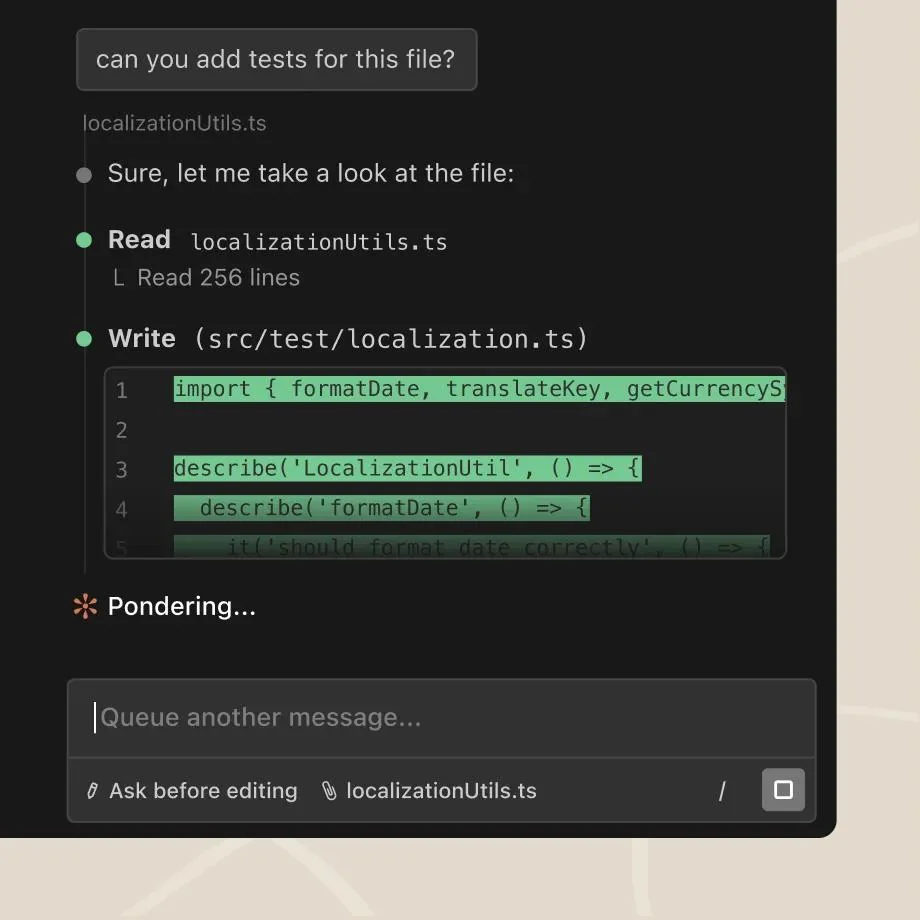
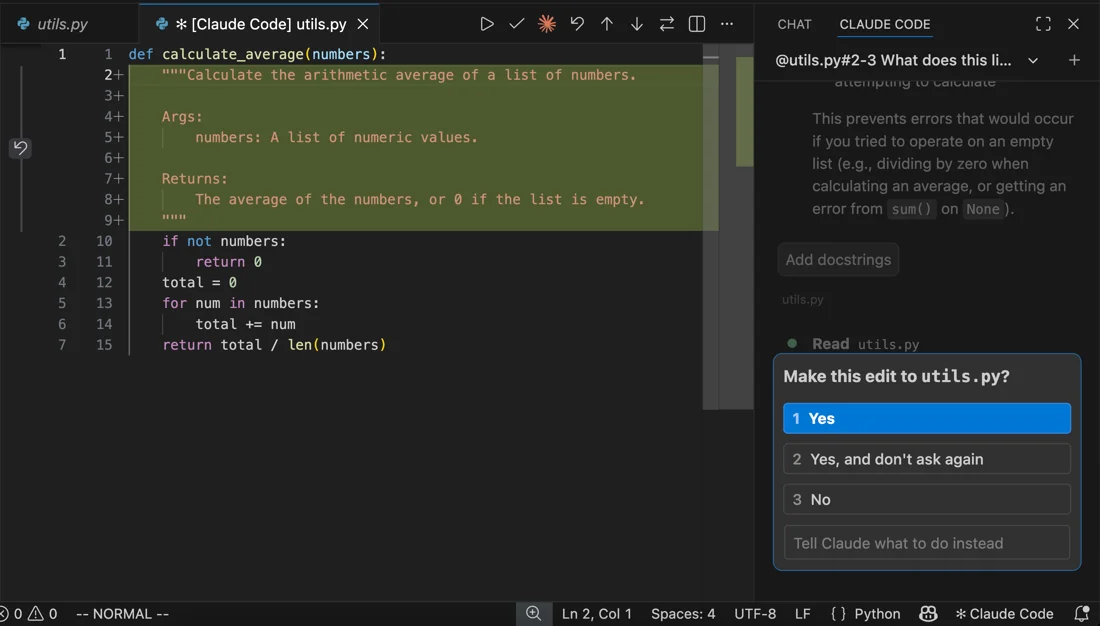
That pause matters. By default Claude Code asks before it edits a file or runs a command, and you can approve once, approve-and-stop-asking, or redirect it. Since the August 7, 2026 update it runs in "auto mode" by default on Pro, Max, and Team plans, which lets it work longer while still catching risky commands. The point is that you stay in control of the loop, you are not handing over the keys and hoping.
The project setup layer that makes it repeatable
Here is the thing most people miss, and it is the single biggest predictor of whether Claude Code feels magical or messy: a raw session is only as good as the context you give it. The setup layer is what turns a lucky one-off into a repeatable project.
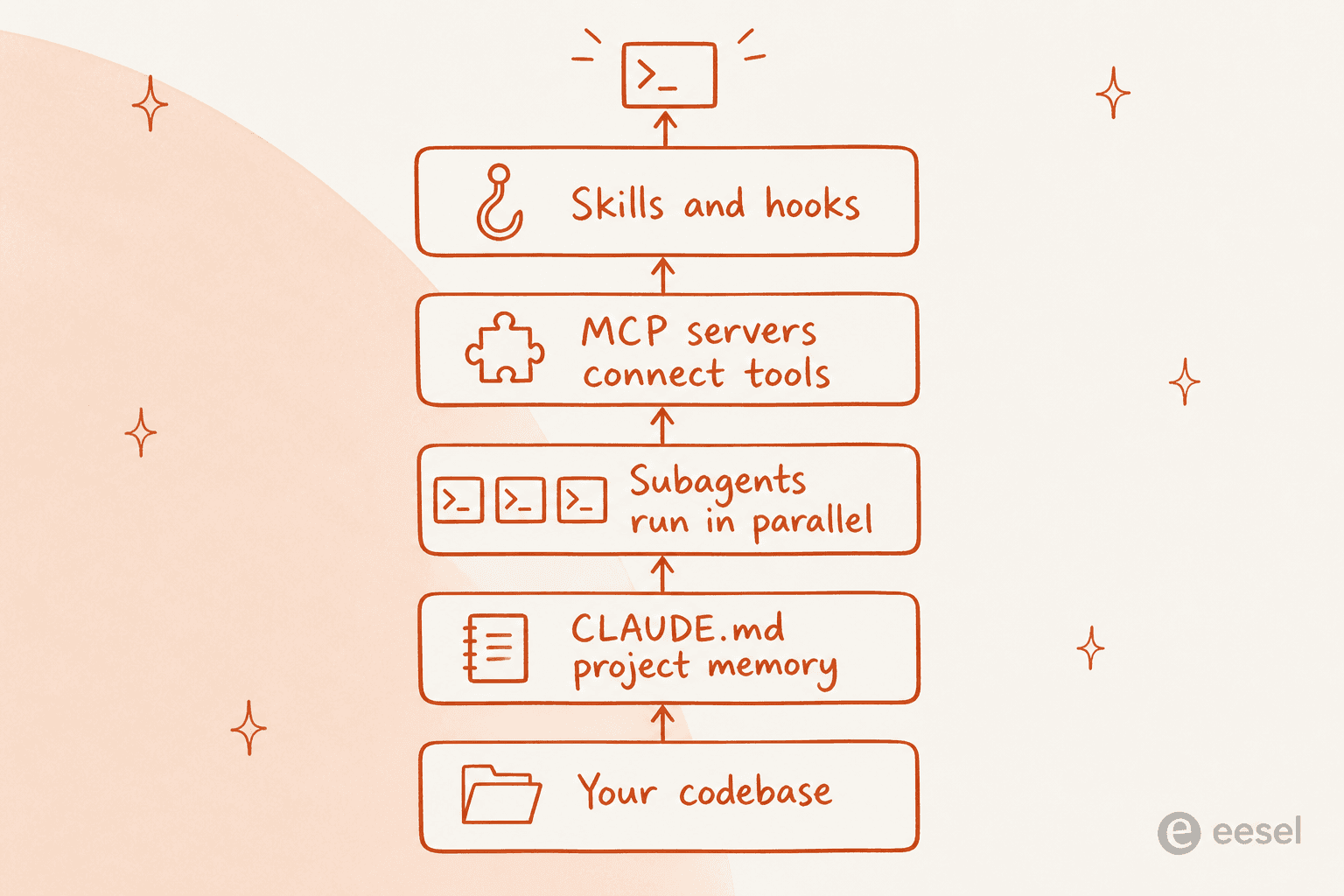
The load-bearing piece is CLAUDE.md, a markdown file at your project root that Claude Code reads at the start of every session. It holds your coding standards, architecture decisions, preferred libraries, and the no-touch zones you never want the agent to refactor. Claude Code also reads an AGENTS.md if you already keep one for other agents, and it builds its own auto memory across sessions. One Reddit power user summed up the discipline well:
"I maintain a CLAUDE.md file which i update after each session. I periodically use /compact to keep the context window smaller. I start a new session for a new feature."

On top of that sit four more layers:
- Subagents: specialized assistants, each with its own context window, tools, and permissions. Built-in ones like Explore (fast, read-only search) and Plan handle the grunt work, and you can route custom subagents to a cheaper model like Haiku to keep costs down.
- MCP servers: the open standard for wiring Claude Code into external systems, so it can read a Jira ticket, pull Slack context, or query a database mid-task.
- Skills: packaged, shareable workflows your team invokes as slash commands like
/review-pror/deploy-staging. - Hooks: shell commands that fire before or after an action, for auto-formatting after every edit or blocking a commit that fails lint.
A viral X post from Suryansh (4.5K likes, 1.5M views) captured why this layer is the real unlock:
"Most people are using Claude Code completely vanilla… which is why their experience feels messy. The real power comes from the ecosystem around it."
If there is a real complaint to flag, it is setup effort. The most upvoted "here's my workflow" threads openly admit it took two to three weeks to dial in, and that it is "not beginner friendly at all." That is a fair trade for a codebase you live in daily, but it is a genuine cost, and worth knowing before you start.
Running Claude Code projects beyond the terminal
Claude Code started as a CLI, but a project can now follow you across surfaces, and they all share the same engine, so your CLAUDE.md, settings, and MCP servers work everywhere.
The surfaces worth knowing:
- Terminal CLI: the original, still the most feature-complete, and composable with Unix pipes (
git diff | claude -p "review this"). - IDE extensions: the VS Code and JetBrains plugins add inline diffs, @-mentions, and plan review.
- Desktop app: bundles Claude Code with no separate install, and is where the new Projects feature lives.
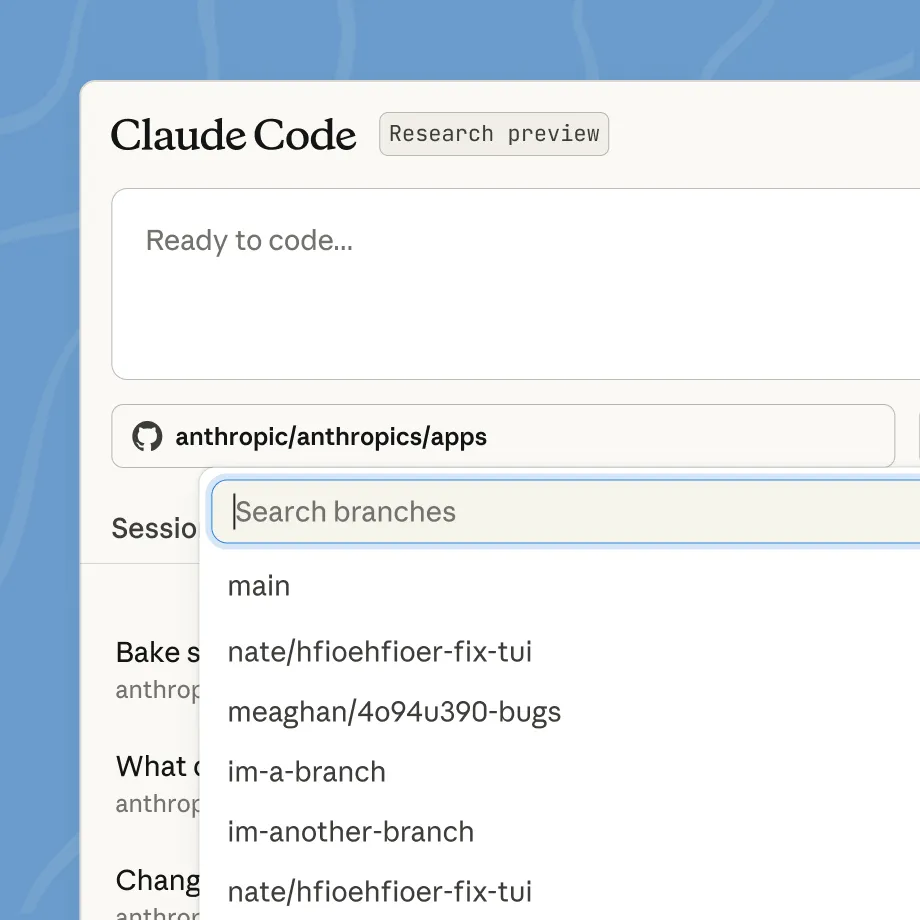
- Claude Code on the web: runs in the browser at claude.ai/code against repos you do not have locally, plus iOS and Android.
- Routines: cloud-run scheduled tasks that keep running when your computer is off, and can trigger on a GitHub event.
That last category is where "projects" stops meaning "a folder I sit in" and starts meaning "work that runs whether I am there or not." It is also the bridge to the point I keep coming back to: once your agent is scheduling itself and calling out to other systems, the question becomes what other systems it should be talking to.
What Claude Code costs to run a project
The good news for pricing is that Claude Code is included in every paid Claude plan, not sold separately. Your terminal work and your chats draw from one usage pool that resets on a rolling five-hour window, with weekly limits on top. Here is the current plan lineup from the Claude pricing page:
| Plan | Price | Claude Code | Best for |
|---|---|---|---|
| Free | $0 | No | Trying Claude chat only |
| Pro | $20/mo ($17 billed annually) | Yes | Solo devs, light to moderate use |
| Max 5x | $100/mo | Yes | Daily agentic work |
| Max 20x | $200/mo | Yes | Heavy, all-day sessions |
| Team | $20–$100/seat/mo | Yes | Shared team usage |
| Enterprise | $20/seat/mo + API usage | Yes | SSO, audit logs, HIPAA-ready |
If you need to go past your plan's limits, you can switch to pay-as-you-go API credits through a Console account, billed at standard model rates:
| Model | Input /MTok | Output /MTok | Positioning |
|---|---|---|---|
| Fable 5.1 | $10 | $50 | Long-running agents |
| Opus 5 | $5 | $25 | Complex agentic coding |
| Sonnet 5 | $2 | $10 | High-performance default |
| Haiku 4.5 | $1 | $5 | Fastest, cheapest |
The one thing to plan around is limits, not price. The loudest recurring complaint across Reddit is that the $20 Pro plan throttles fast under heavy use. The consistent advice from people doing full-time dev work: budget for Max if Claude Code is doing your heavy lifting, and lean on cheaper subagent models for the routine passes.
What people actually build with Claude Code projects
Once the setup is dialled in, the range of projects is wide. From what I see in the community and use myself, the patterns cluster like this:
| Project type | What Claude Code does well | Watch out for |
|---|---|---|
| Feature builds | Ships a working slice fast, from spec to PR | Can duplicate code instead of refactoring |
| Bug fixes | Traces issues through commit history quickly | Sometimes declares "done" prematurely |
| Refactors | Coordinates edits across many files | Review the diff, do not merge blind |
| Test coverage | Writes thorough test suites | Verify the tests actually assert something |
| One-off scripts | Great for glue code and automation | Throwaway quality unless you ask for more |
The most honest take on the trade-off came from a practitioner on LinkedIn who had shipped features 5x faster and then found the catch:
"Claude had created 5 nearly identical methods instead of refactoring into reusable functions. The AI optimizes for 'make it work' not 'make it maintainable.'… What's working: Treating AI as a junior developer who needs review."

That framing, a fast junior who needs review, is the one I would tattoo on a new user's monitor. A developer with a decade of experience put the same point more sharply: "Claude Code isn't a shortcut. It's a multiplier, but only if you bring the fundamentals to the table."
Where a coding agent stops and a teammate begins
Here is the reframe that changes how you should think about all of this. Claude Code is astonishingly good at software projects. But a lot of the "projects" people actually want to automate are not software at all: answering support tickets, writing blog posts, keeping a knowledge base current. And for those, a coding agent is the wrong shape of tool.
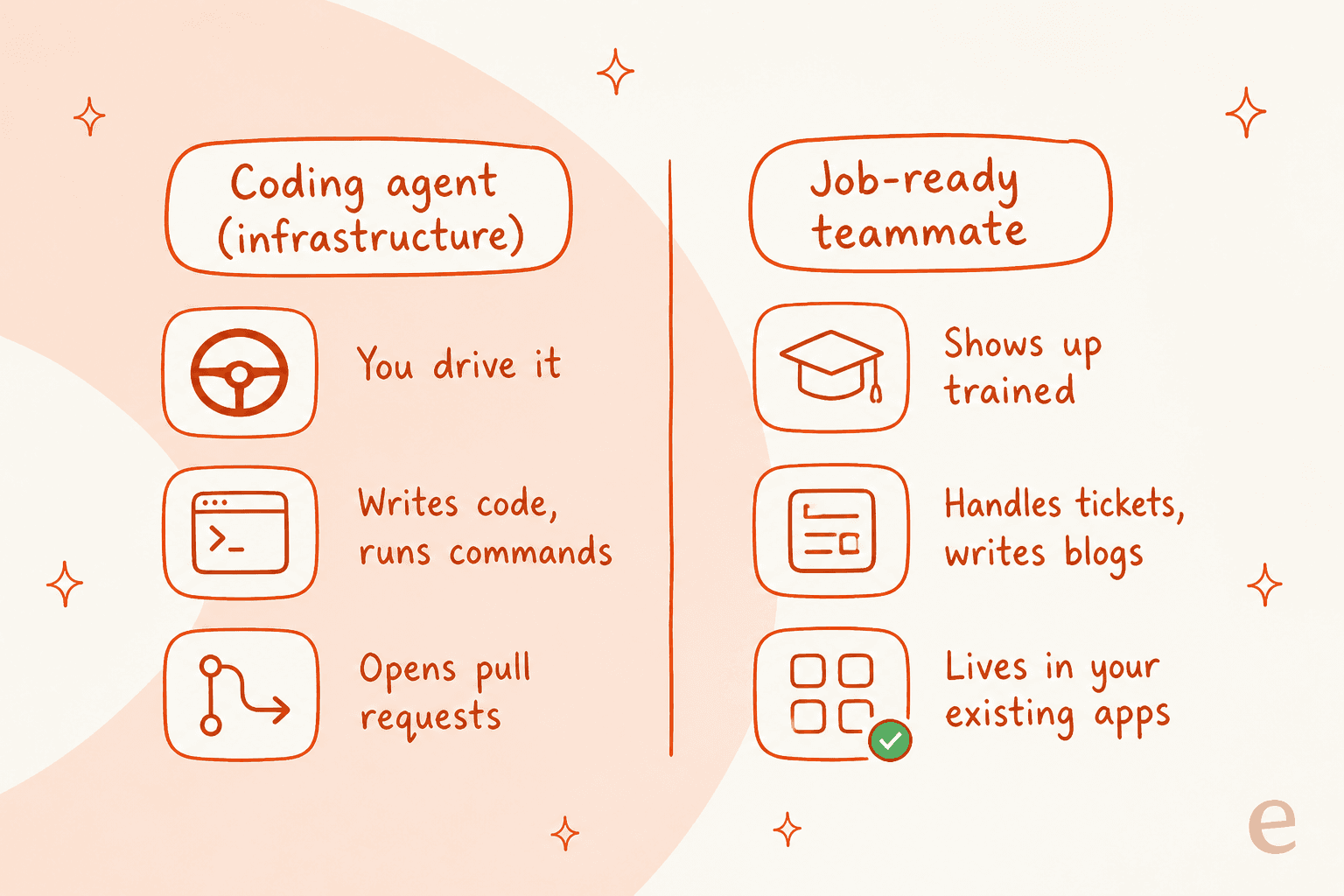
Think of it as infrastructure versus employee. Claude Code is infrastructure you operate: you drive it, it writes code and runs commands, and it opens pull requests for your review. eesel is the other half: a platform where you hire ready-to-work AI teammates for specific jobs. The current roster is an AI helpdesk teammate that joins your support queue and an AI blog writer that researches and drafts long-form posts. Each one arrives already carrying the skills, integrations, and company context for its role, and goes live in minutes rather than needing two to three weeks of setup.
What makes this concrete for a Claude Code user is that eesel is not a walled-off dashboard. It ships a real programmable surface, so the same person, script, or coding agent that drives Claude Code can drive an eesel teammate too. The @eesel/cli is an npm binary whose docs literally say "everything on this site can be done from the terminal." A few commands worth knowing:
eesel integrations connect <platform>wires the teammate into your Zendesk, Freshdesk, or Gorgias helpdesk.eesel instructionsreads and edits the standing rules that shape its answers, the support equivalent of aCLAUDE.md.eesel activitylists runs newest-first so you can inspect exactly what the teammate did, andeesel approvalskeeps a human in the loop.- Every command prints JSON, and
--dry-runshows the exact server call a write would make before it sends, which is what makes it safe to script.
There is also an MCP server for every workspace, so you can run npx @eesel/cli mcp token, paste the printed claude mcp add command, and let Claude Code operate your support teammate as a set of tools mid-session. One senior engineer described exactly this shift toward running everything from the terminal:
"I'm spending significantly less time in my IDE and web browser. I'm doing most things, including accessing other systems using MCP, all from Terminal."
The honest caveat, so I am not overselling it: eesel does not publish a separately-documented public REST API product. The programmable surface is the CLI, the MCP server, webhooks, and network access, which is plenty for driving a teammate from an agent, but say it that way rather than imagining a full CRUD API.
Try eesel
If the project you actually want to automate is customer support or content rather than shipping code, that is exactly the job eesel was built for. The AI helpdesk teammate trains on your past tickets, help center, and docs, joins the helpdesk you already run, and can be simulated against your historical tickets before it ever answers a live customer. Global Pay's Chief Innovation Officer reported "up to 80% time savings" after rolling it out.

Best of all for the Claude Code crowd: you can operate that whole teammate from the terminal you already live in. Start free with 100 credits and no credit card, then plans start at $299/month for 500 credits (1 credit per ticket or chat), with no per-seat fees. Try eesel and see what a job-ready teammate feels like next to a coding agent you have to drive.
Frequently Asked Questions
What are Claude Code projects?
There are two things people mean. The literal Projects feature (launched September 17, 2026) groups related coding sessions on Claude Code Desktop so you can run and supervise several agents at once. More broadly, a Claude Code project is any repository you point the tool at, configured with a CLAUDE.md file so the agent knows your standards. For running a customer-facing job rather than shipping code, a job-ready teammate like eesel is the better fit.
How much does Claude Code cost to run a project?
Claude Code is included in every paid Claude plan: Pro at $20/month, Max at $100 or $200/month, and Team from $20/seat. Your terminal work and chats draw from one usage pool, and you can switch to pay-as-you-go API credits for heavy sessions. See the Claude pricing page for current rates.
Do I need to know how to code to use Claude Code projects?
Mostly yes. Claude Code is a developer tool that lives in your terminal and edits real repositories. If your project is a support or content workflow rather than software, you want a teammate that already knows the job. eesel's AI helpdesk teammate and AI blog writer go live in minutes without any code.
What is a CLAUDE.md file and do I need one for every project?
CLAUDE.md is a markdown file at your project root that Claude Code reads at the start of every session, holding your coding standards, architecture notes, and no-touch zones. You do not strictly need one, but projects with a good CLAUDE.md behave far more predictably. eesel has the same idea for support: standing instructions that shape how the teammate answers.
Can Claude Code work on more than one project at the same time?
Yes. Background agents run multiple full sessions in parallel, and the new Projects feature exists specifically to group and supervise them. You can also drive other agents, like an eesel teammate over MCP, from the same Claude Code session.