What is DeepSeek Harness?
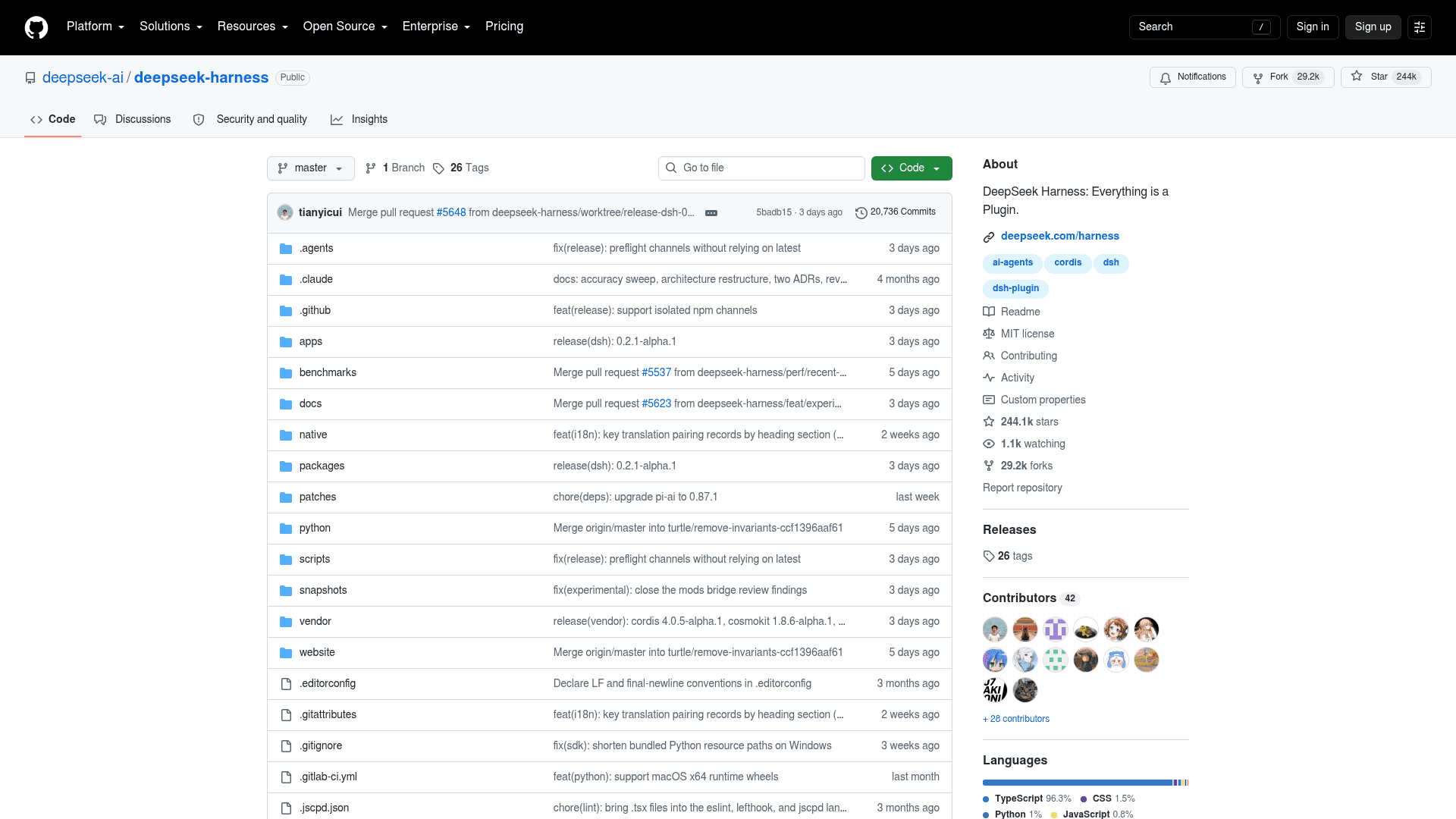
DeepSeek Harness is an open-source agent harness developed by DeepSeek AI and built on a plugin framework called Cordis. The repo went up on 13 August 2026, and the launch thread on Hacker News hit 747 points and 314 comments. The command-line name is dsh, the npm package is @deepseek-ai/dsh, and it pulled 451,964 npm downloads in the week to 4 October.
DeepSeek's own product page pitches it far wider than coding: "Everyday tasks, coding, or your own harness." The built-in demo lists five jobs it handles, from organizing files and drafting slides to fixing bugs, researching with citations, and running background scripts.
The status of the project matters as much as the pitch. The README labels it a developer preview and warns, in capital letters, that there will be compatibility-breaking changes. Every release so far is a pre-release, and the latest tag at the time of writing is dsh-v0.2.1-alpha.1, from 3 October.
What is an agent harness, anyway?
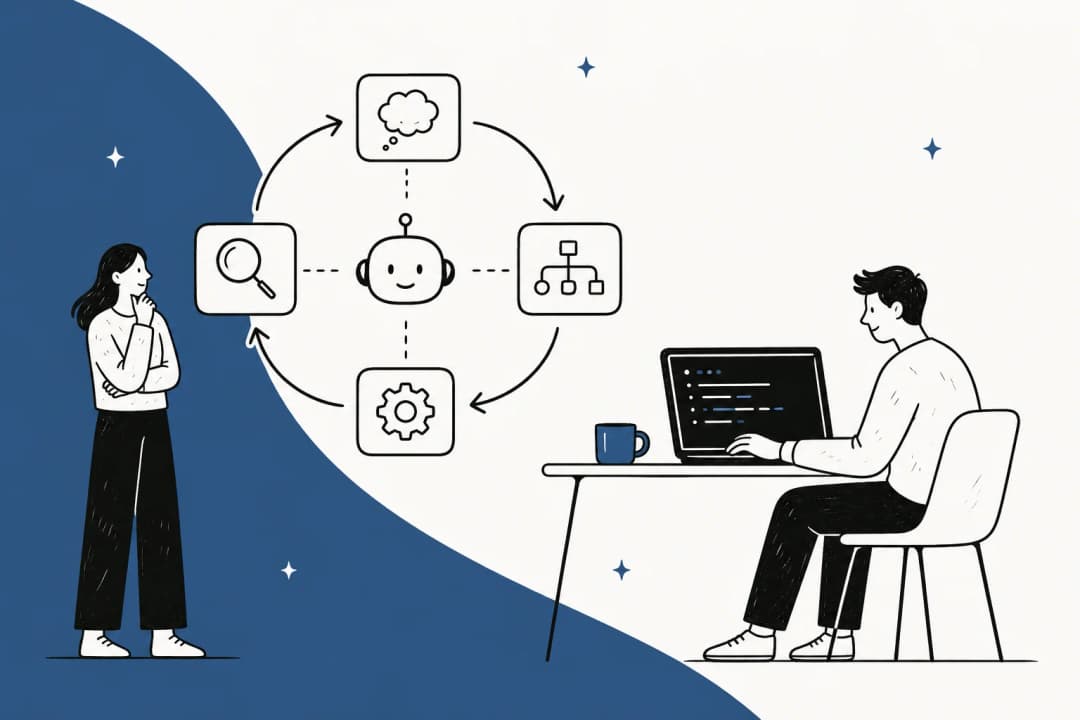
A model on its own only predicts text, and a harness is everything around it that turns those predictions into actions: the loop that sends a prompt, reads a tool call, runs the tool, feeds the result back and decides when to stop. It also owns the sandbox, the permissions, the session history and the interface you type into.
Claude Code, Codex and AWS's Strands harness are all harnesses. So is the agent that answers tickets inside eesel. The model gets the headlines, but most of the day-to-day difference you feel (how it manages context and how it recovers from a failed command, and also what it is allowed to touch) lives in the harness.
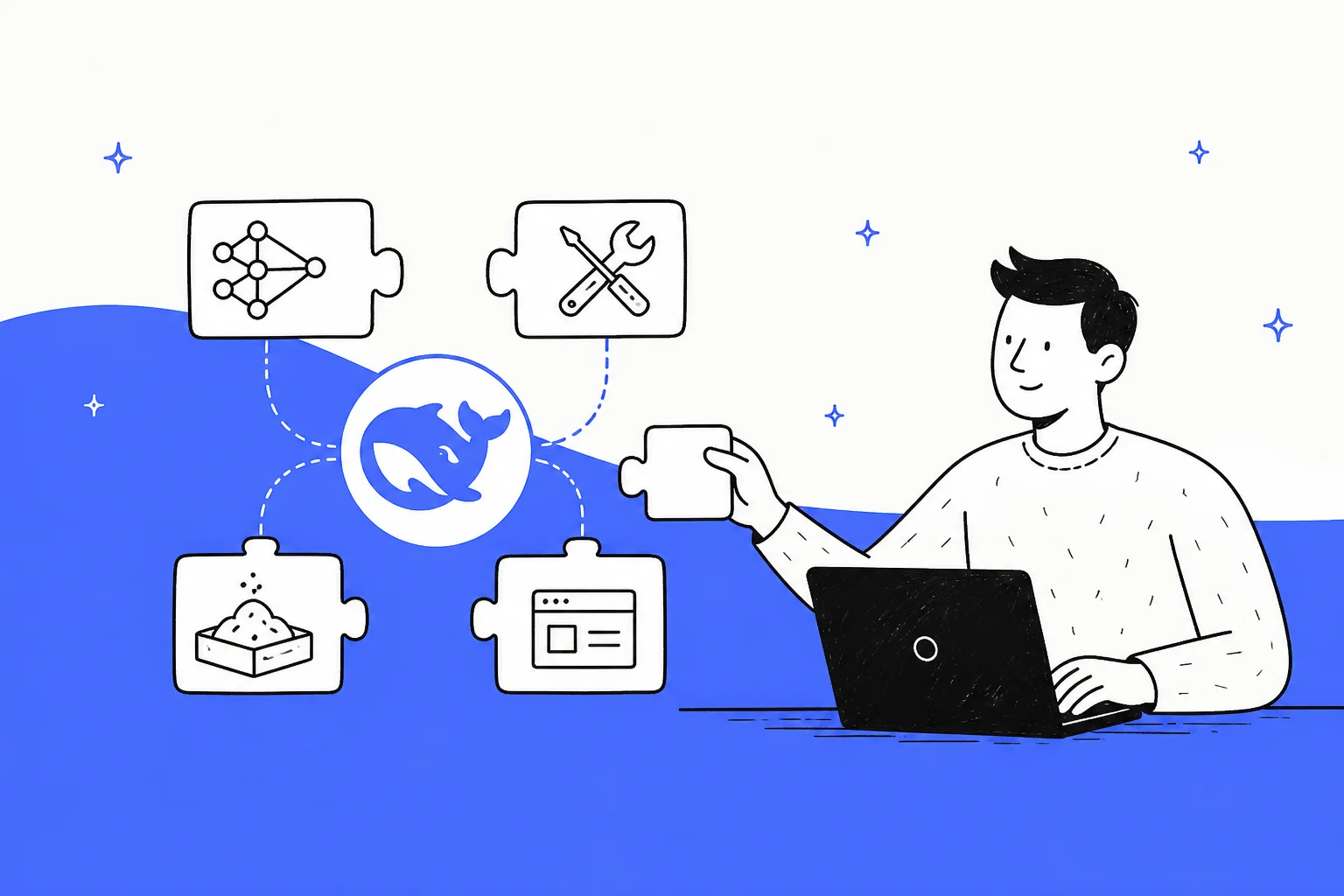
What makes DeepSeek's version different is not that it is a harness. It is that there is no fixed core. DeepSeek's architecture doc puts it bluntly: there is "no privileged core to patch."
How "everything is a plugin" actually works
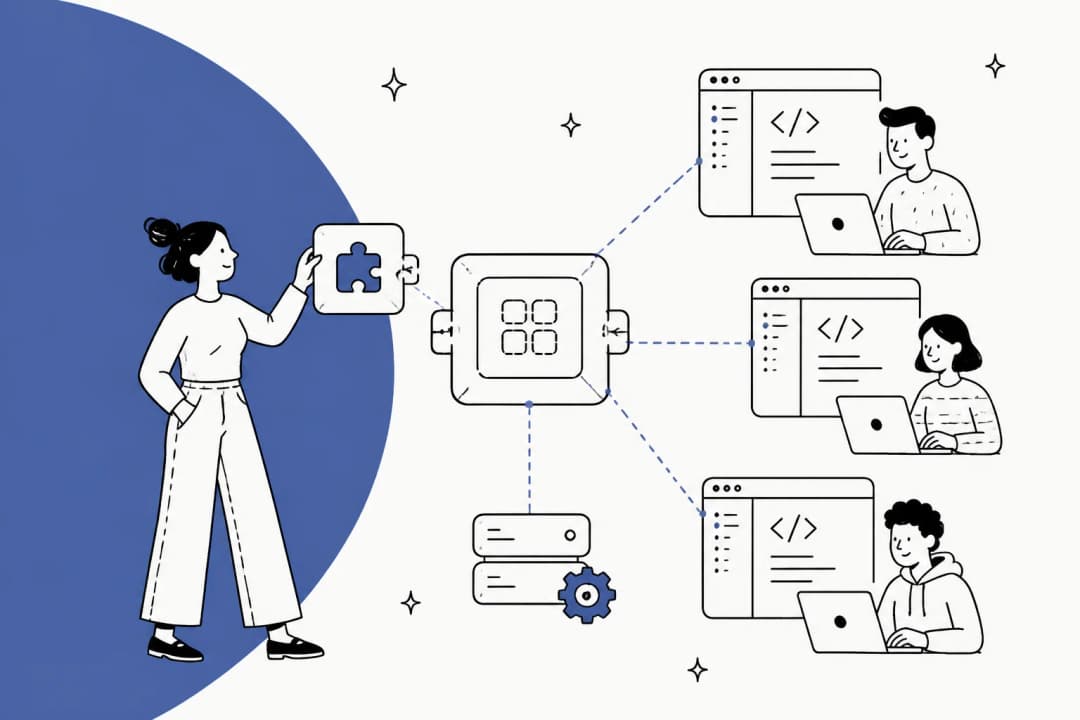
Under the hood, dsh is a set of Cordis plugins. In Cordis, plugins contribute services, typed events and "reversible effects" to a shared context, so a plugin can be loaded, swapped or unloaded while the app is running. DeepSeek applies that to every layer: the model adapter, tool registry, session log and agent loop are each just plugins you can replace from configuration, per the architecture doc.
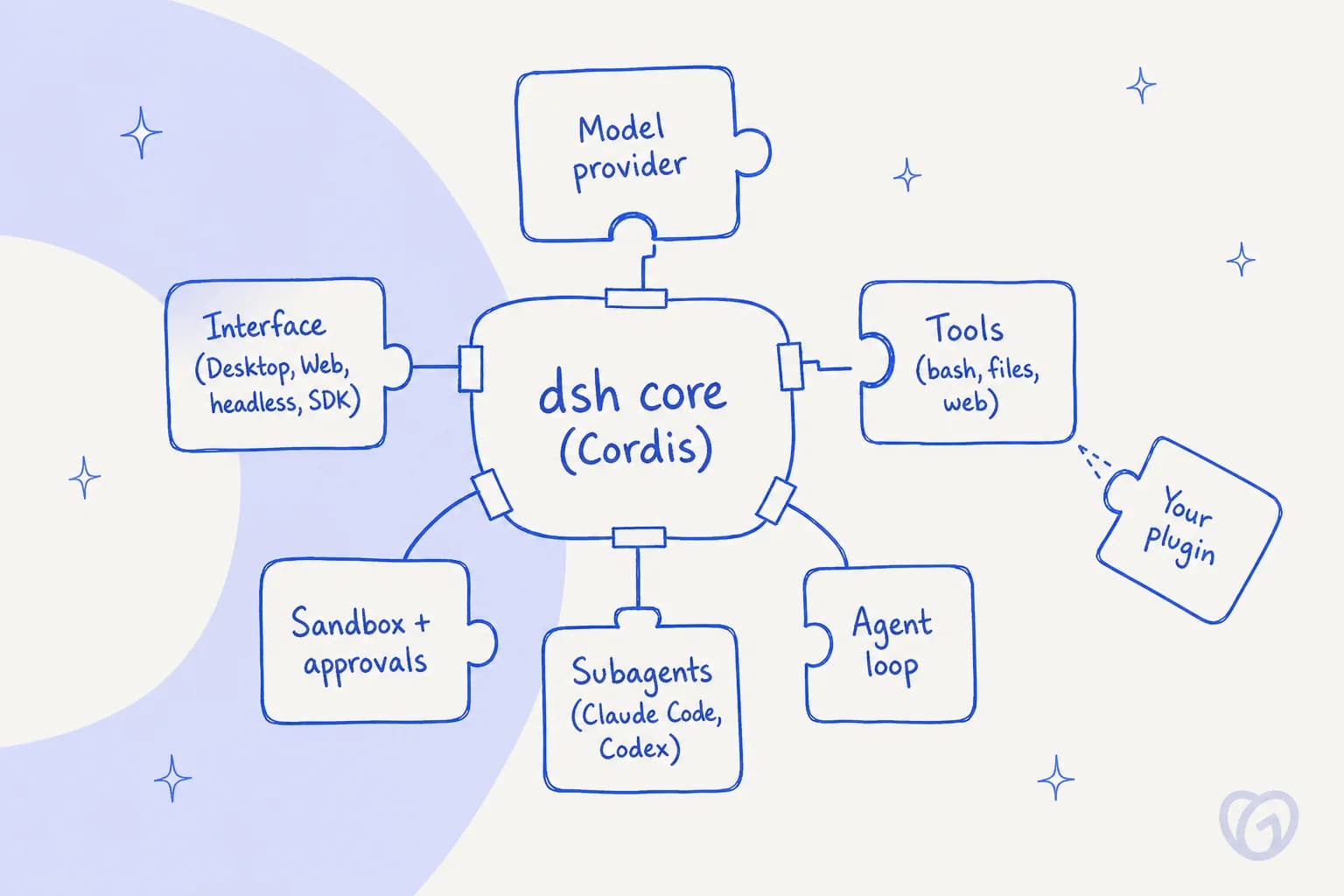
Plugins are grouped into bundles, and bundles are stacked into profiles. The CLI reference spells out the order the layers compose in:
- Each bundle's patch, in the order the profile lists them.
- The profile's own
cordis.patch.yml. - The home-level
$DSH_HOME/cordis.patch.yml, shared by every profile. - Any
--patchfile you pass on the command line.
Later layers win, and a patch replaces the targeted row's whole config rather than deep-merging it. If you ever fought with a config file that silently merged in a value you forgot about, that rule is quite refreshing. You can print the composed result with dsh --profile web --dump-config, which annotates every row with the file that supplied it.
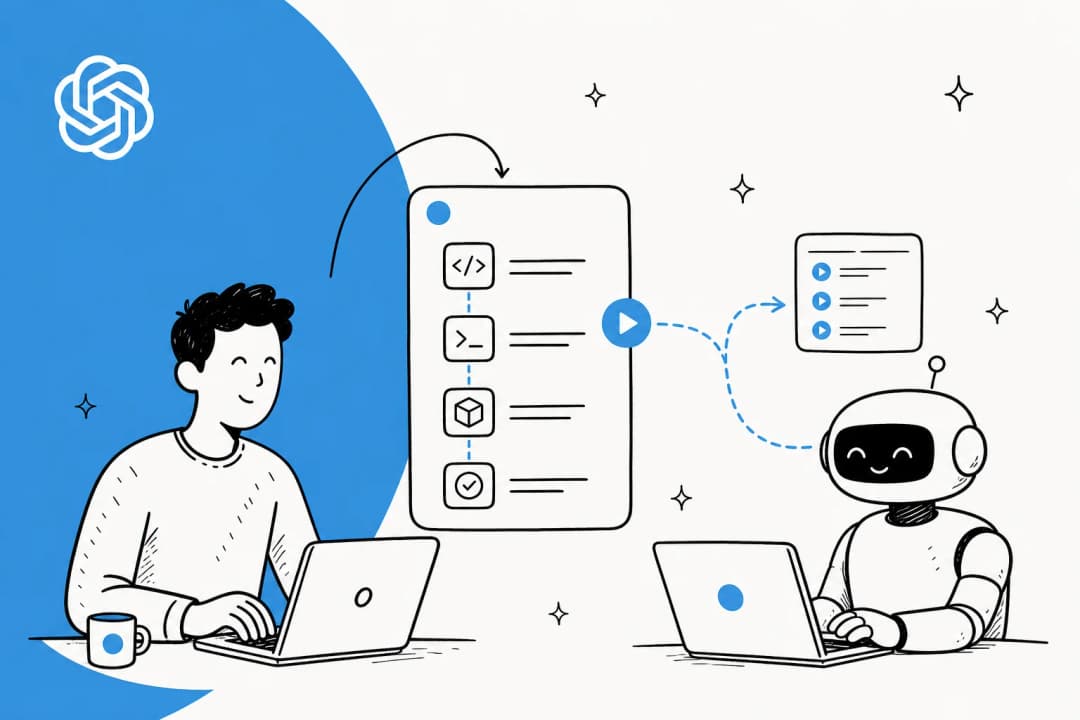
The part that got people most excited is Creator mode. You describe a plugin in chat and the agent writes, installs and verifies it. DeepSeek's demo builds a floating Pomodoro timer: the agent loads a cordis-plugin-development skill, writes a 638-line client.js, installs it through the plugin manager and confirms it works, in 5 minutes 24 seconds.
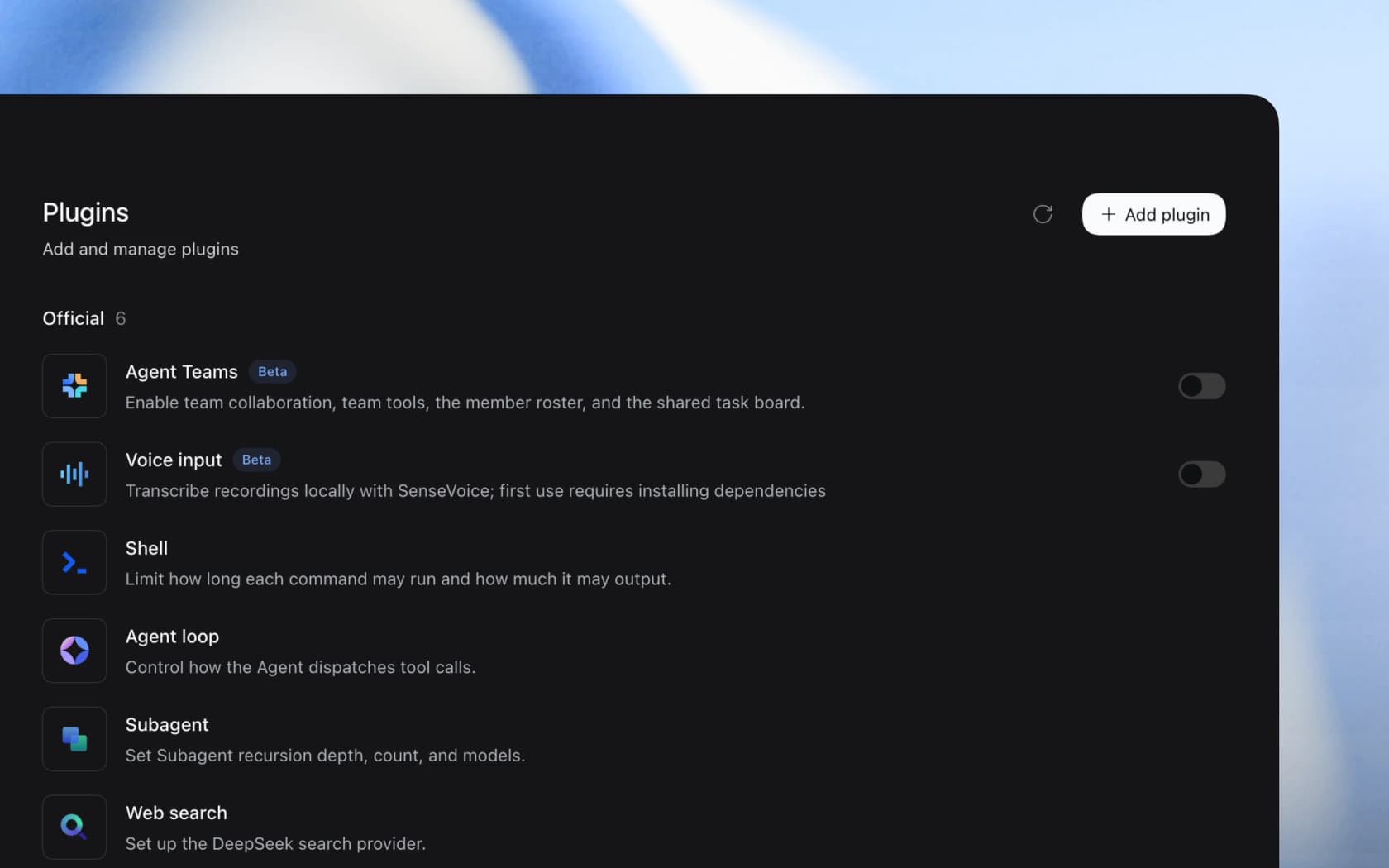
The trade-off is real, which a heavy user named well on Hacker News, because being able to replace a core plugin is not the same as being able to tweak it:
"the problem with "Everything Is A Plugin" is that when this includes core functionality, you still have to maintain downstream patches for those core plugins if you want to tweak existing behaviour. I currently have ~25 downstream commits and 0 new plugins."

Five ways to run it
Everything starts from one launcher, dsh, which boots a named profile. Five profiles ship out of the box, and the Desktop app wraps the web one. Here is how they differ, per the CLI README and the Desktop README:
| Mode | Command | What it is for |
|---|---|---|
| Desktop app | Download for macOS (Apple Silicon or Intel) or Windows x64 | The full web app inside an Electron shell, with bundled Node, Python and pnpm. No Linux build |
| Web UI | npx @deepseek-ai/dsh web | Local web app at http://127.0.0.1:3080. Works over SSH if you forward the port |
| Headless | dsh --profile headless "run the tests" | Runs one job, prints only the final answer, exits 0 on success and 1 otherwise. Opens no port |
| SDK | dsh --profile sdk | JSON-RPC over stdio, also wrapped by a Python SDK |
| ACP | dsh --profile acp | Serves editors and automation clients over the Agent Client Protocol |
For CI, the headless mode is the one I would reach for first. It streams the model's reasoning to stderr under a dsh: reasoning: heading and keeps stdout clean for the answer, which makes it easy to pipe into the next step. Since v0.1.7 it also reads tasks from stdin, resumes with --session-id, and emits newline-delimited JSON events with --json. If you script agents from a terminal already, my guide to controlling AI agents from the CLI covers the same pattern with other tools.
One small detail I liked: the web profile rejects --host 0.0.0.0 with a usage error. Exposing an agent with shell access to your whole network is something you have to do on purpose, through --public-url and --trusted-host.
What you get out of the box
The default install is deliberately lean, and most of the interesting parts are official plugins you switch on. The highlights from the docs and release notes:
- Subagents, including other harnesses. Optional plugins let dsh call Claude Code and Codex as subagents (
@deepseek-ai/dsh-subagent-claude-codeand@deepseek-ai/dsh-subagent-codex). Subagent chains default to 8 live children with a delegation depth of 1, per the v0.1.6 notes. - Agent teams. An experimental team mode with a shared task board, where the default teammate limit went from 8 to 16 in September.
- Scheduled tasks. Recurring jobs like "every Friday at 17:00, summarize this week's notes." It is off by default on Desktop.
- Office files. Desktop registers
office-docx,office-pptxandoffice-xlsxskills and previews Word, Excel and PowerPoint files in the app. - Browser and computer use. Experimental backends through Playwright MCP, Chrome DevTools MCP, Stagehand and a Cua driver.
- MCP client. MCP support ships as a dependency, but no server is enabled by default (more on why below).
- A Claude Code mods bridge. The newest release adds an experimental compatibility layer to test whether Claude Code mod capabilities are "broadly a subset" of dsh's plugin system.
The feature users talk about most is the trajectory view, a developer panel that shows every turn, tool call, payload, result and timing as a timeline, so you can see exactly where an agent went sideways instead of guessing from the final answer.
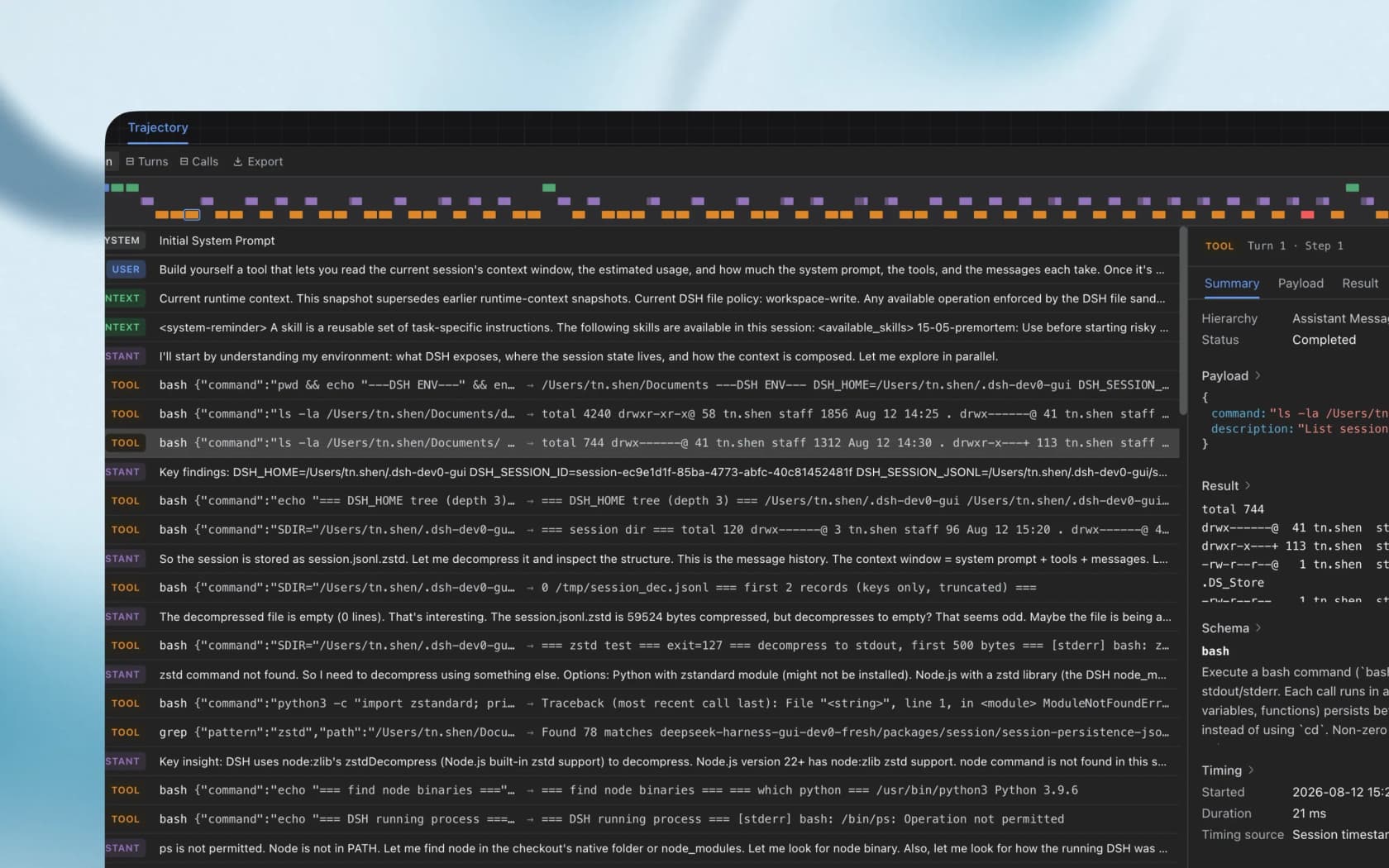
"Trajectory view is the underrated bit. If the agent searches the web or edits files, people need to see the trail, not just trust the final answer."
I agree with that more than with the star count. On eesel's helpdesk teammate, the debugging surface I lean on most is the per-run activity log that shows what the agent read and which tool it called. An agent you cannot trace is an agent you cannot trust with anything real.
The defaults worth checking before you run it
This is the section most launch coverage skips, and it is the one I would read first. None of these are hidden, they are all in DeepSeek's own docs, but they are easy to miss when the install is only one npx command.
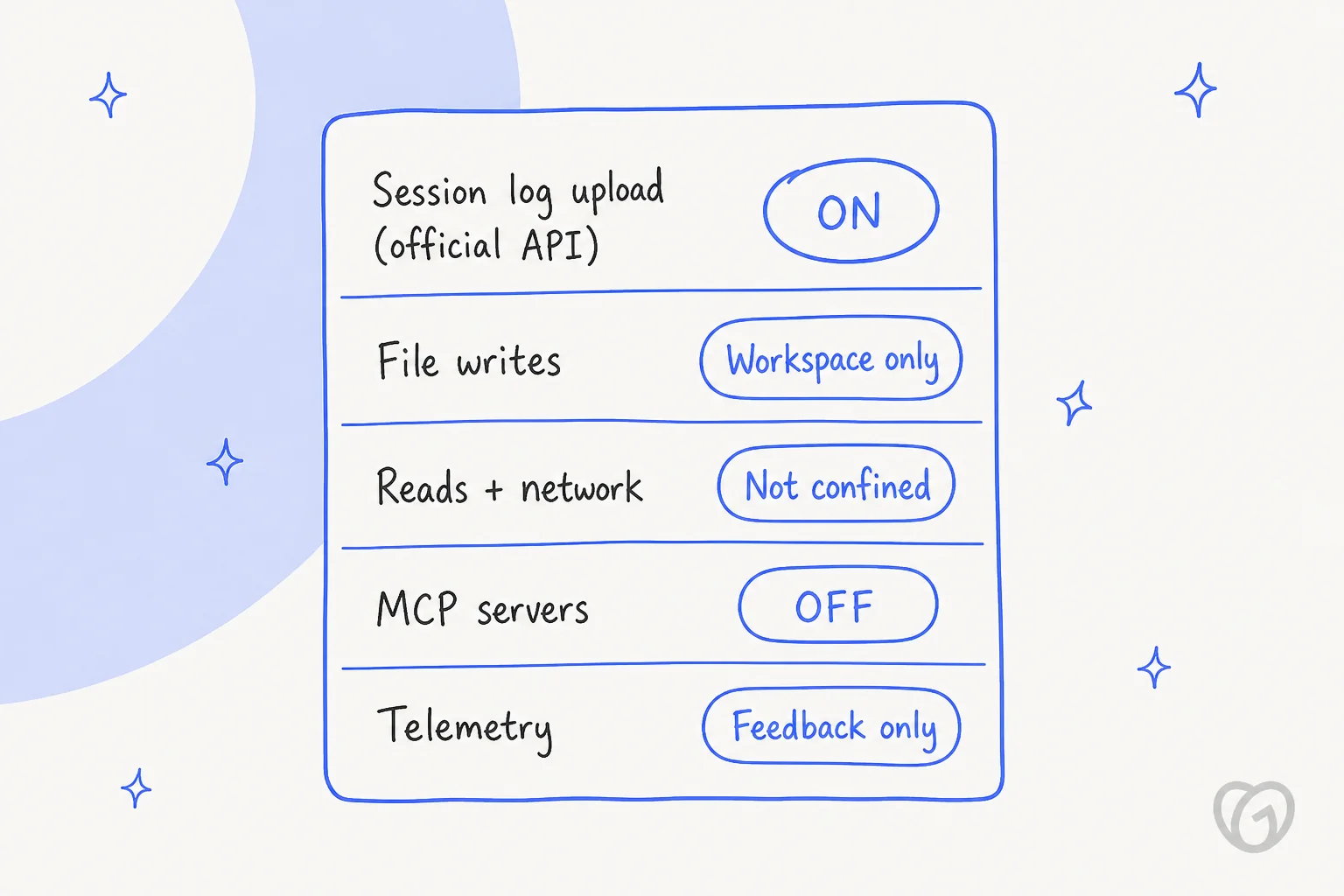
Session logs go to DeepSeek on the official API. The base bundle mounts a DeepSeek session-log contributor that is on by default. It sends your session logs along with later requests to the DeepSeek API, including through configured gateways. You can turn it off under Settings, General, Upload Session Log when using the official model API, or set the plugin's enabled config to false. A Hacker News commenter who dug into it added the useful flip side: if you run dsh web against a local model, nothing goes to DeepSeek by default except the web search tool, which uses DeepSeek's API.
Writes are sandboxed; reads and network are not. New sessions use the workspace-write preset, so Bash and file changes are restricted to the workspace and temp folders. Reads and network access are not confined, so the agent can read your home folder and call the internet. How strongly processes are isolated depends on the backend: bwrap on Linux hides host processes, while Landlock and macOS Seatbelt do not. The sdk-minimal profile goes the other way and pins danger-full-access with no approval service at all.
MCP servers are off until you add them. DeepSeek's reasoning is worth quoting: each MCP server command is "trusted executable code outside the agent sandbox," so none is enabled by default. That is the right call, and it is the same reason I would audit any MCP server for support work before connecting it to customer data.
Telemetry is feedback-only on the web build. The base default for DSH_TELEMETRY_MODE is FEEDBACK_ONLY, and DISABLED switches it off. One Hacker News user reported that the Desktop build seems to enable telemetry by default, and the Desktop README confirms its analytics follow a separate product collection policy with a live setting, so check that toggle if you use the app.
None of this makes dsh unusual, as most hosted coding agents send your prompts and code to their vendor too, which is just how a hosted model works. The difference is that dsh is open source and runs locally, which leads a lot of people to assume nothing leaves the machine. With the official API, that assumption is wrong until you flip the setting.
What does DeepSeek Harness cost?
The harness is free. The MIT license covers the code, and the product page lists no plans or fees. What you pay for is model usage, and on DeepSeek's own API that is unusually cheap. Here is the current price card, per million tokens:
| Token type | V4.1 Flash, off-peak | V4.1 Flash, peak | V4 Pro, off-peak | V4 Pro, peak |
|---|---|---|---|---|
| Input, cache hit | $0.003 | $0.006 | $0.022 | $0.044 |
| Input, cache miss | $0.15 | $0.30 | $0.66 | $1.32 |
| Output | $0.60 | $1.20 | $1.98 | $3.96 |
| Context window | 1M | 1M | 1M | 1M |
| Max output | 384K | 384K | 384K | 384K |
Two details change the math. First, off-peak is half price, and peak hours are only 01:00 to 04:00 and 06:00 to 10:00 UTC on weekdays, excluding Chinese public holidays, per the pricing docs. Weekends are off-peak all day. Second, the model name is now deepseek-flash; the older deepseek-v4-flash names still work but are served by V4.1 Flash and billed at the Flash price. My V4.1 Flash pricing post goes deeper on the cache math.
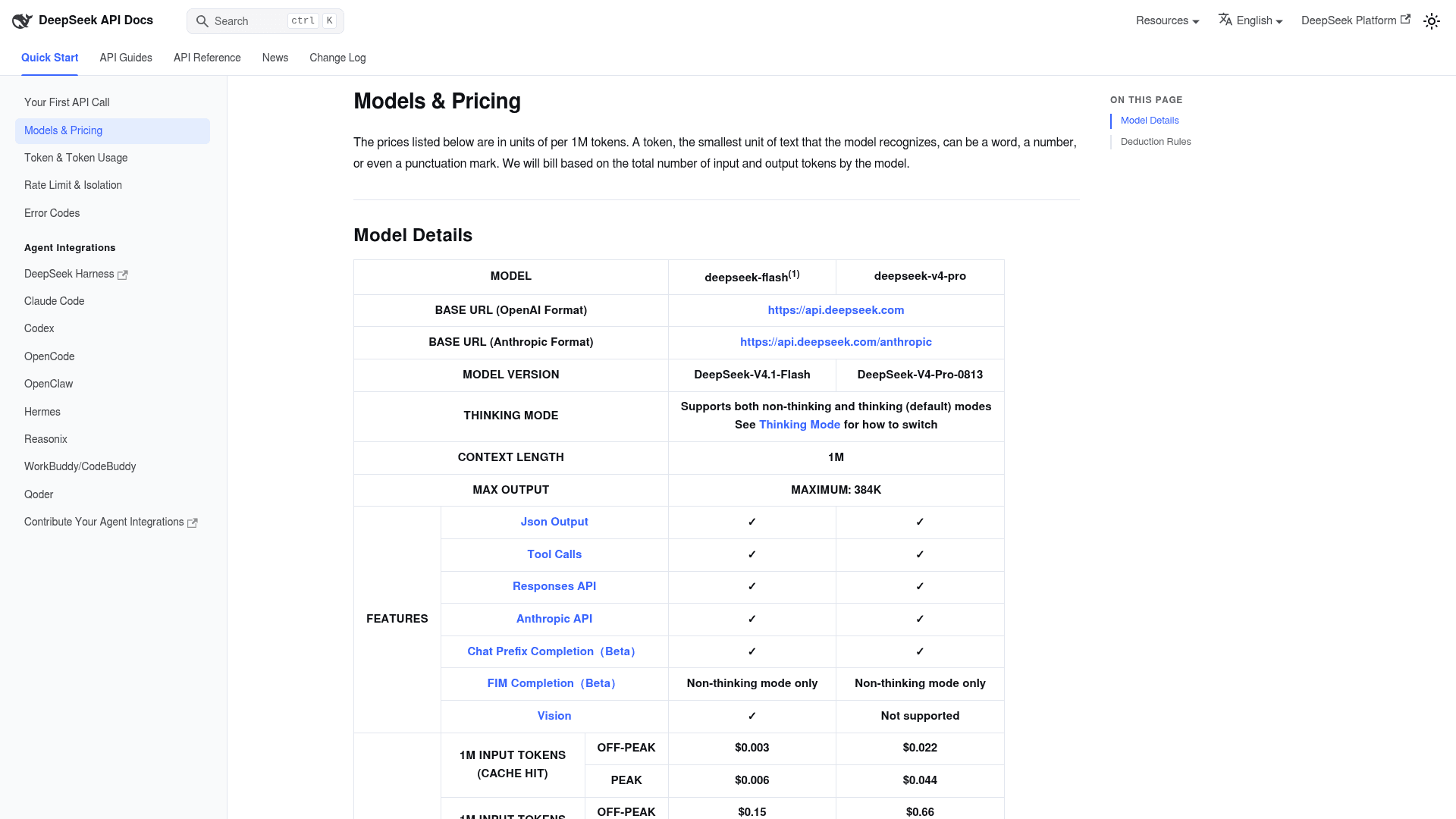
A quick worked example. Say a long coding session sends 5 million uncached input tokens and gets back 500,000 output tokens on V4.1 Flash. Off-peak, that is 5 x $0.15 plus 0.5 x $0.60, or $1.05. The same session at peak costs $2.10. Agent loops resend a lot of context, so in practice much of that input would hit the cache at $0.003, and the real bill would be lower still.
That is the honest reason dsh is getting so much attention, and one commenter summed up the trade most people are weighing:
"At least DeepSeek provides 95% of the performance for 10% of the cost."
Treat the "95%" as one person's impression, not a benchmark. For a fuller side-by-side, my posts on V4 Flash vs V4 Pro and Claude Code pricing cover the model and subscription sides.
What are developers saying?
The reaction split into camps, with people who love the architecture and people who love the price, and also people who want to see it survive contact with production.
On the architecture, the praise is specific. Hesam (@Hesamation) listed the reactions he saw in the first days:
"unusually well designed architecture with tools, session log, agent loop, subagents, all being replaceable plugins"
Hands-on users point at how it feels day to day. One developer compared it directly to OpenCode and singled out two-way subagent messaging:
"Good things about it are that it is extremely lightweight and fast. The communication between sub agents is two way in that a sub agent can midway send a message to parent and the parent can send a message midway to change the course of action of a sub agent and while this is happening, you can sitll continue talking to the model on the main thread."
The skeptics are not wrong either. Stars measure attention, and a fast-growing repo with an issue tracker turned off is hard to judge from the outside:
"The repo was created on 13 August, so that is about 202K stars in 15 days, and the issue tracker is turned off. Stars at that rate measure attention, not deployment. Is there a published number on agents actually running on it?"
The DeepSeek authors have been upfront about it. One of them posted on launch day that it is "an early developer preview" and to "expect lots of rough edges and compatibility-breaking changes." The changelog backs that up: the v0.2.1-alpha.1 release alone removed the runtime invariant plugins and renamed the composer statistics entries, both breaking for plugin authors.
Running it with non-DeepSeek models works too. Ollama, which makes a popular local model runner, announced support on day two:
"Ollama now supports the DeepSeek Harness. ollama launch dsh. Run it completely in your own environment."
How it compares to Claude Code, Codex and Strands
All four are harnesses, and the honest answer is that they are converging. The differences that matter today are openness and model lock-in, and also maturity.
| DeepSeek Harness | Claude Code | Codex | Strands harness | |
|---|---|---|---|---|
| Made by | DeepSeek | Anthropic | OpenAI | AWS |
| Open source | Yes, MIT | No | Yes, CLI is open source | Yes, Apache 2.0 |
| Models | Any, via plugin adapter | Claude models | OpenAI models | Any (Bedrock, Anthropic, OpenAI, Ollama and more) |
| Interfaces | Desktop, web UI, headless, SDK, ACP | Terminal, IDE, desktop, SDK | Terminal, IDE, cloud | Code library (SDK) |
| Extension model | Everything is a replaceable plugin | Plugins, hooks, MCP, subagents | MCP, config | Code-level hooks and tools |
| Maturity | Developer preview, breaking changes expected | Stable | Stable | New (September 2026) |
My take: if you want to tinker with how an agent works, or you want to run a capable coding agent for a few dollars a day on DeepSeek V4.1 Flash, dsh is the most interesting open harness right now. If you need something your whole team can rely on next quarter without re-reading the changelog every week, the settled tools are still the safer bet. For a broader view, my roundup of AI coding assistant tools and the Strands harness alternatives list cover more options.
Should you build a support agent on it?
Someone already asked. A small Ask HN thread titled "Anyone using DeepSeek Harness (dsh) as part of a customer-facing agent?" is a sign of where people's heads go once the token price drops this low: if the agent is free and the model is cheap, why not build my own support bot?
I get the pull, because I see it from the other side. A handful of eesel customers have left to build directly on the Claude API themselves, and one cosmetics brand on a $799/month plan told eesel's support team they would "build their own solution" unless the price came down. Cheap models make that conversation more common, not less.
The catch is that the harness is the smaller part of the job. Here is the split as I see it after building one:
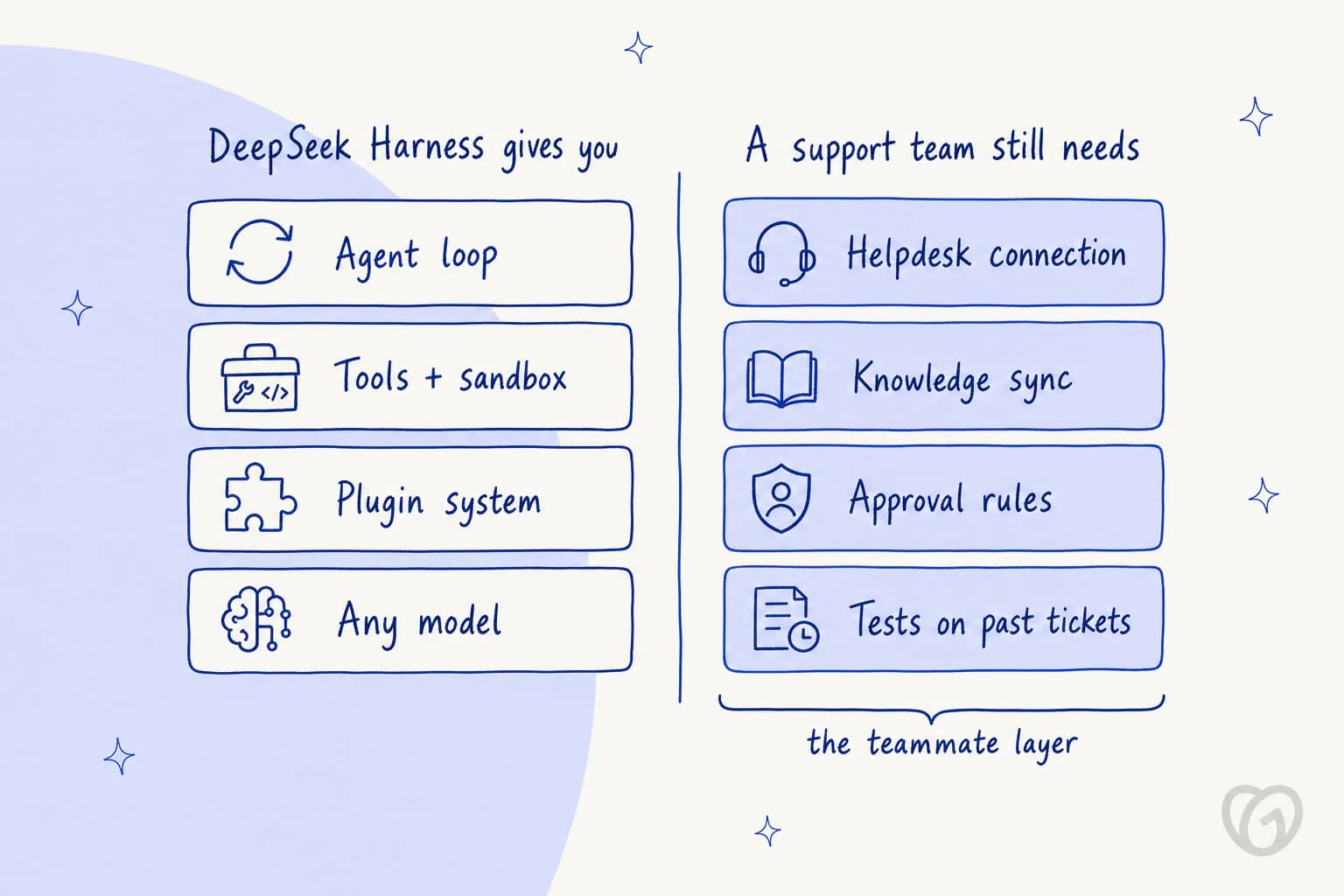
dsh gives you a good loop and sandboxing, plus a plugin system. A support agent also needs a two-way connection to your helpdesk (read the ticket, tag it, reply, escalate), a way to keep your help center, macros and past tickets in sync as they change, rules about what it can do without a human, and a way to test it on real past tickets before it talks to a customer. That last one is the step I would never skip. I've watched a confident-sounding bot give wrong answers for days before anyone noticed, which is why every eesel rollout is now simulated against historical tickets first.
So my answer: build on dsh if your team enjoys owning that stack and has the time to keep up with a preview that changes weekly. If your goal is tickets answered rather than a framework to maintain, hire the teammate instead. And reread the defaults section above before any customer data goes through the official API.
Try eesel
The clean way to put it: DeepSeek Harness is infrastructure, and eesel is the employee. eesel is an AI teammate platform where you hire ready-to-work teammates for specific jobs. For support, that is the AI helpdesk teammate: it plugs into Zendesk, Freshdesk, Gorgias and other helpdesks in minutes, learns from your past tickets and help center, and you can simulate it against your own ticket history before it answers anyone.

If dsh caught your eye because you like driving agents from a terminal, eesel has that too. The eesel CLI operates the same teammate and workspace as the dashboard, not a separate product. npx @eesel/cli init sets up an agent, eesel integrations connect hooks up your helpdesk, eesel approvals list shows actions waiting for a human, and eesel activity lets you read each run in detail, much like dsh's trajectory view. Every command prints JSON and supports --dry-run, so a coding agent like Claude Code, Codex or even dsh itself can set up and test a workspace for you. My post on managing AI agents from the terminal walks through it.
You can start on the free plan with 100 credits and no card; paid teammate plans start at $299/month for 500 credits, where one ticket or chat is one credit. That is the shorter path if what you want is resolved tickets, not a harness to maintain.
Frequently Asked Questions
What is DeepSeek Harness?
DeepSeek Harness (the dsh command) is DeepSeek's open-source, MIT-licensed agent harness. It wraps a language model with an agent loop, tools, a sandbox and an interface, and every one of those parts is a plugin you can swap from configuration. It is a close cousin of Claude Code and the Strands harness, but fully open and model-agnostic.
Is DeepSeek Harness free?
Yes, the harness itself is free under the MIT license. You pay for the model you point it at. On the DeepSeek API, V4.1 Flash costs $0.15 per million uncached input tokens and $0.60 per million output tokens off-peak, and twice that at peak hours.
How do I install DeepSeek Harness?
The fastest route is npx @deepseek-ai/dsh web, which starts a local web UI at 127.0.0.1:3080. There is also a Desktop app for macOS and Windows, a headless mode for one-shot jobs, and SDK and ACP modes for driving it from other programs. If you prefer driving agents from a terminal, my guide to managing AI agents from the terminal covers the wider pattern.
Does DeepSeek Harness only work with DeepSeek models?
No. The model adapter is a plugin, and dsh ships a third-party model catalog alongside the native DeepSeek adapter, so you can point it at other providers or a local model through Ollama. It can even run Claude Code and Codex as subagents.
Is DeepSeek Harness safe to use with private code?
Check the defaults first. On the official DeepSeek API, a session-log plugin uploads your session logs with later requests by default (you can switch it off in Settings). New sessions can only write inside the workspace, but reads and network access are not confined, and MCP servers are off until you enable them. Compare that with how Claude Code permissions work before you decide.
DeepSeek Harness vs Claude Code: which should I use?
DeepSeek Harness is free, open source and lets you replace any part, which suits tinkerers and teams that want low DeepSeek V4.1 Flash token prices. Claude Code is the more settled product with a stable plugin and hooks model. dsh is still a developer preview, so expect breaking changes. My Claude Code pricing breakdown helps with the cost side.
Can I build a customer support agent on DeepSeek Harness?
You can, but the harness only gives you the loop, tools and sandbox. You still need the helpdesk connection, knowledge sync, approval rules and testing on past tickets. An AI helpdesk teammate like eesel ships those parts ready to work, and my MCP for customer support guide covers the DIY route.



Article by
Kira
Kira is a writer at eesel AI with a Computer Science background and over a year of hands-on experience evaluating AI-powered customer service tools. She focuses on breaking down how helpdesk platforms and AI agents actually work so that support teams can make better buying decisions.