The pressure to ship clean, quality code faster than ever is a constant in software development. Between juggling complex codebases, addressing urgent issues, and tackling a backlog of repetitive tasks, it’s easy for developers to experience context-switching, which can disrupt workflow.
To address this, a new class of AI coding assistants has emerged. They can act as a pair programmer, helping to improve efficiency and streamline the coding process. With many options available, choosing the right one can be challenging.
This guide provides a practical comparison of the top 5 AI coding assistants for 2025, based on extensive testing of over a dozen tools.
What are AI coding assistant tools?
AI coding assistants use large language models (LLMs) to help you write, analyze, and refactor code, right inside your development environment. They function as an advanced form of autocomplete.
Their main job is to handle repetitive work so you can focus on higher-level problem-solving. This includes tasks such as:
-
Completing single lines or entire functions as you type.
-
Translating code snippets from one language to another (reducing the need to search on platforms like Stack Overflow).
-
Generating unit tests to improve code coverage.
-
Writing documentation and comments automatically.
-
Assisting in tracking down and fixing bugs.
It's important to note that they are assistants, not replacements for developers. Their purpose is to augment skills and handle repetitive tasks, acting as a supportive tool.
How I evaluated these tools
This list was compiled based on real-world performance, focusing on the following criteria:
-
Integration and compatibility: How smoothly does it plug into existing tools? This includes first-class support for VS Code, JetBrains, and other popular IDEs.
-
Context awareness: Does the tool understand the broader context? A great assistant understands your entire codebase, not just the file you have open. This capability distinguishes helpful suggestions from less relevant ones.
-
Code quality and reliability: The evaluation focused on code that follows best practices, is secure, and is reliable.
-
Ease of use: Is it intuitive? A good tool should feel like a natural extension of your workflow, whether you’re a senior dev or just starting out.
-
Security and privacy: This was a key factor. The evaluation considered how each tool handles code, with preference given to those with clear data policies. Some, like Tabnine, which offers self-hosted options, while others like Cursor, which has a dedicated privacy mode for sensitive projects.
Quick comparison of AI coding assistant tools
Before we dive deep, here’s a quick summary to help you get a feel for the options.
| Tool | Best For | Pricing Model | Standout Feature |
|---|---|---|---|
| GitHub Copilot | General-purpose pair programming | Subscription (Free & Paid Tiers) | Deep integration with the GitHub ecosystem |
| Amazon Q Developer | AWS-centric development | Subscription (Free & Pro Tiers) | Strong integration with AWS services & IAM roles |
| Gemini Code Assist | Google Cloud & large-context tasks | Subscription (Free & Paid Tiers) | Massive 1M token context window and agentic capabilities |
| Cursor | An AI-native IDE experience | Subscription (Free & Paid Tiers) | A complete, AI-first IDE forked from VS Code |
| Tabnine | Teams focused on privacy & personalization | Subscription (Free & Enterprise Tiers) | On-prem/VPC deployment options and custom models |
Top 5 AI coding assistant tools in 2025
Alright, let's get into the details. Here’s my hands-on breakdown of each tool.
1. GitHub Copilot
GitHub Copilot is a well-known tool in AI pair programming. Developed by GitHub and OpenAI, it is tightly integrated into the developer ecosystem and works seamlessly inside editors like VS Code and on the command line. It is a common choice for many developers.
Get copilot on VScode, it has an AI chat with claude and Gpt5 that integrates with VScode. Get a copilot pro subscription (10$) and use agent mode on the copilot chat. You'll be amazed.

Its primary strength is its reliability and comprehensive features. The code suggestions are consistently good across many languages, and features like the integrated chat, pull request summaries, and the new Copilot coding agent for autonomous tasks make it versatile. It’s more than just an autocomplete tool; it’s a comprehensive assistant.
The free plan is limited, capping users at 50 agent requests and 2,000 completions a month. To access its full capabilities, a paid plan is required for unlimited completions and access to the best models.
Who it's for: GitHub Copilot is a solid choice for individual developers and teams integrated into the GitHub ecosystem due to its reliability and comprehensive features.
Pricing:
-
Free: Limited completions and agent requests for individuals.
-
Pro ($10/user/month): Unlimited core features for individuals.
-
Business ($19/user/month): Adds organizational policy management and IP indemnity.
-
Enterprise ($39/user/month): Adds deeper customization and personalization.
2. Amazon Q Developer

Amazon Q Developer is designed for development within the AWS ecosystem. It is AWS's own AI coding assistant and is designed to assist with building on AWS services. It has powerful agent-like capabilities and integrates directly into your IDE and CLI.
Its key feature is its deep understanding of the AWS ecosystem. It can give hyper-relevant suggestions for AWS services, and it respects your IAM roles, which is beneficial for security. It’s also proficient at handling changes across multiple files and can help investigate operational incidents through the AWS DevOps Agent.
However, its focus is primarily on AWS. For development outside of AWS, other tools may be more suitable.
Who it's for: This tool is most beneficial for teams heavily invested in the AWS ecosystem. Others may find more general-purpose tools to be a better fit.
Pricing:
-
Free Tier: Includes 50 agentic requests per month.
-
Pro Tier ($19/user/month): Offers increased limits, admin controls, and IP indemnity.
3. Gemini Code Assist
Gemini Code Assist is Google's AI coding tool, powered by its Gemini models. Its key feature is a 1 million token context window, allowing it to understand large and complex codebases. It's available across IDEs, the terminal, and Google Cloud platforms.
The large context window is an advantage for working on large projects. It can reason about an entire codebase, providing suggestions that are more relevant and insightful. The availability of a no-cost tier for individuals is a notable benefit, and its integrations with other Google services like Firebase and BigQuery are helpful for users of those tools.
Some advanced features, like the ability to customize the model on private code, are available only in the Enterprise plan. This may be a consideration for smaller teams that need that level of personalization.
Who it's for: Gemini Code Assist is a strong option for those in the Google Cloud ecosystem or developers who require a tool that can manage a large amount of context.
Pricing:
-
Individuals: No-cost tier with high usage limits.
-
Standard ($19/user/month annually): For business use with standard features.
-
Enterprise ($45/user/month annually): For customized suggestions based on private repos.
4. Cursor
Cursor is an AI-first code editor forked from VS Code. It’s built with AI as a core component of the development experience. Its "Agent" feature is designed to tackle high-level tasks.
Still sticking to just Cursor because I love (and often _need_) complete control over what's going on.
The AI experience in Cursor is deeply integrated. It is particularly useful when making complex, multi-file changes. A notable feature is the ability to select preferred models from providers like OpenAI, Anthropic, Gemini, and xAI, providing flexibility. It also indexes your codebase to provide deep contextual understanding.
However, this agent-first approach requires an adjustment in workflow compared to simpler autocomplete tools. The free "Hobby" tier is also limited in the number of agent requests and completions, which may lead developers to consider a paid plan for more extensive use.
Who it's for: Cursor is suitable for developers ready to adopt a fully AI-centric workflow. It is a powerful tool for those willing to adapt to this coding approach.
Pricing:
-
Hobby (Free): Limited completions and agent requests.
-
Pro ($20/month): Extended agent limits and unlimited Tab completions.
-
Teams ($40/user/month): Centralized billing, SSO, and privacy controls.
5. Tabnine
Tabnine is known as a privacy-focused AI assistant. Its main feature is the ability to train a private model on a team's specific codebase without sending that code to an external server. You can deploy it on-premises, in your own VPC, or in a fully air-gapped environment.
This security-first approach is valuable for enterprises. Tabnine is SOC 2 compliant and has a policy to never train on your code. It offers powerful personalization by connecting directly to your repositories, and Enterprise users get IP indemnification, which is important for legal and compliance teams.
Its public models are trained on open-source code with permissive licenses, which may result in suggestions that are different from those of competitors for new or unusual projects. Also, its full feature set is available in its enterprise plan.
Who it's for: Tabnine is a suitable choice for companies with strict security requirements, large proprietary codebases, or those in regulated industries. It is an assistant designed for high-security environments.
Pricing:
-
Free: Basic AI code completions are available.
-
The Tabnine Agentic Platform ($59/user/month annually): The complete platform with all features, including personalized agents, advanced security, and flexible deployment.
Beyond code creation: Expanding AI's role
AI coding assistants are effective tools for the creation phase of software development. Modern development involves more than just writing code.
That code powers products that customers use, employees rely on, and IT teams have to manage. All of that activity generates a massive stream of conversations: customer support tickets, IT help desk requests, bug reports flooding in from users, and internal questions from the sales team in Slack.
Coding assistants are specialized for code-related tasks and are not designed for other business functions, such as customer support or HR inquiries. Different business functions can benefit from specialized AI tools.
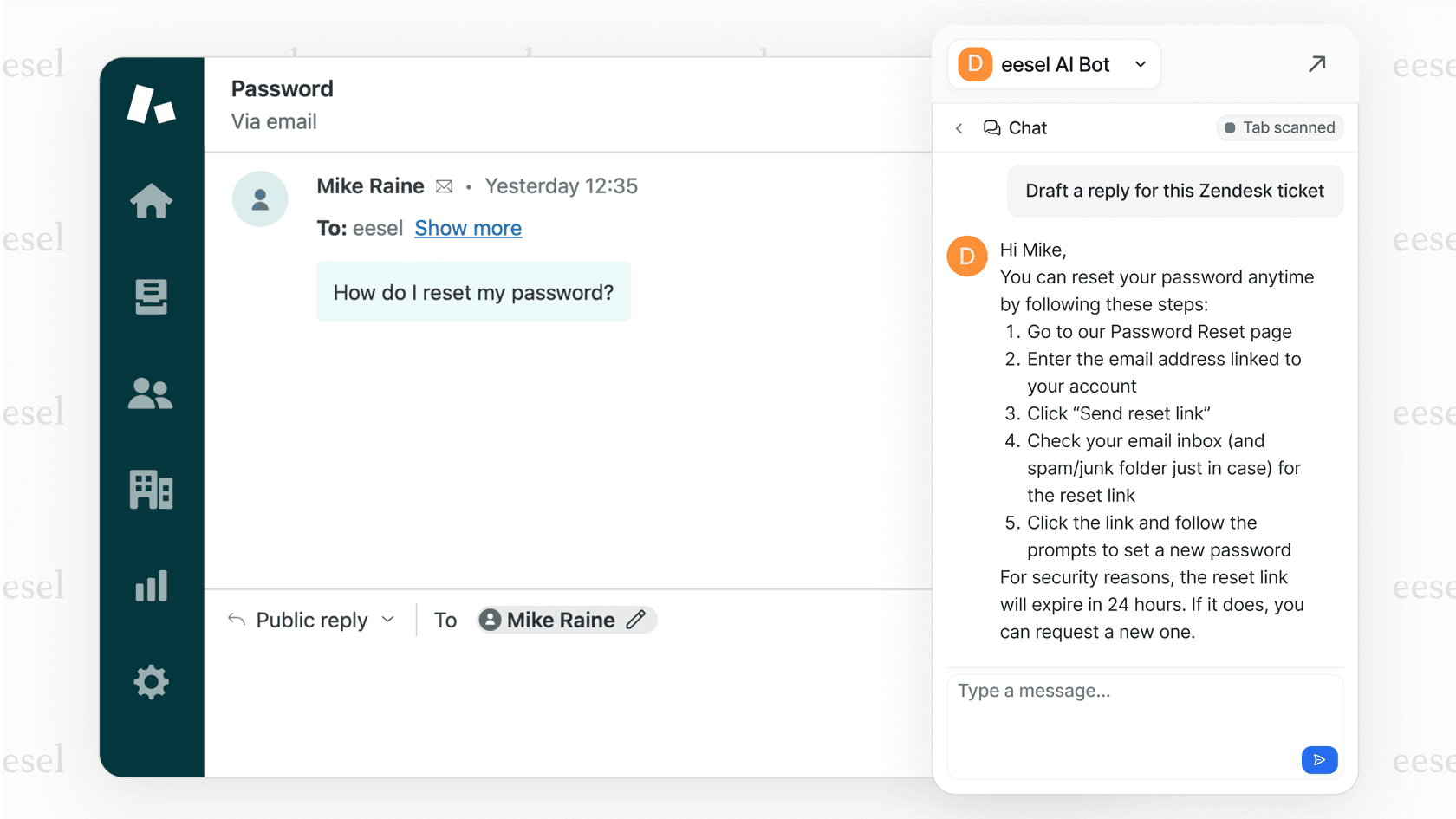
This has led to the development of AI teammate platforms. These platforms provide specialized agents for different business functions. For example, a platform like eesel AI can integrate with tools like Zendesk or Slack to assist customer service, ITSM, and internal support teams by handling conversational tasks.
For a visual breakdown and live testing of some of these tools, the following video offers a tier-ranked comparison of popular AI coding assistants, providing another perspective on how they perform in real-world scenarios.
Finding the right AI coding assistant
The field of AI coding assistants is expanding, with many options available for different developers and teams. Whether a team needs a general-purpose tool like GitHub Copilot or a security-focused assistant like Tabnine, the right tool can significantly impact workflows. The best choice depends on a team's specific workflow, tech stack, and security requirements.
The broader trend suggests a move toward specialized AIs that work alongside humans. Just as developers have coding assistants, other departments can have their own specialized AI tools.
Support, IT, and sales teams can also benefit from dedicated AI teammates. Platforms like eesel AI are built for this purpose, designed to learn business-specific information and handle customer and employee conversations. This approach allows for the creation of a comprehensive AI support structure across a company.
Frequently asked questions
What are the best AI coding assistant tools for a beginner developer?
For beginners, GitHub Copilot is often recommended. It is a well-rounded tool, integrates with editors like VS Code, and provides reliable suggestions that can help in learning best practices.
How do the best AI coding assistant tools handle code privacy and security?
It varies. Most tools process your code on their servers, but some, like Tabnine, are built for privacy. Tabnine offers options for on-premise or private cloud deployment, ensuring your proprietary code never leaves your environment. Always check the privacy policy of any tool you consider.
Can the best AI coding assistant tools work with any programming language?
Most top-tier tools support a wide array of popular languages like Python, JavaScript, Java, C++, and more. However, their performance can vary. GitHub Copilot and Gemini Code Assist are known for their broad language support, but if you work with a niche language, it's a good idea to check for specific support.
What's the main difference between free and paid versions of the best AI coding assistant tools?
Free tiers are useful for evaluation but typically have usage limitations, such as a cap on code completions or agent requests. Paid plans generally offer unlimited use, access to more powerful AI models, and enterprise features like enhanced security and team management.
Are the best AI coding assistant tools worth the monthly subscription cost for an individual developer?
Many developers find the subscription cost to be justified. The time saved on tasks like writing boilerplate code, debugging, and generating tests can lead to increased productivity, providing a return on the investment.