


Cursor Projects, which launched on September 10, 2026, is Cursor's answer to a real problem: a normal AI chat forgets everything the moment you close it. A Project keeps one coordinator agent running over weeks, and that coordinator doesn't write code itself. It plans the work, delegates it to a fleet of cloud subagents, and brings back pull requests for you to review. It can also run on its own, watching a Slack channel or your open PRs.
Having built AI agents that do real work for a living, my honest read: the coordinator model is the right idea, and the "shared context that grows" is the part that actually matters. The cost model is the catch. You pay API rates for every subagent, and a coordinator spinning up many of them in parallel is a metering question, not free productivity. Best for migrations and long-lived maintenance; overkill for a quick fix.
One framing worth keeping straight before you read on: Cursor is infrastructure for building software, not a teammate that does a job. If you want an AI that actually handles a role out of the box (support, content), that's a different category, and I'll get to where the two meet.
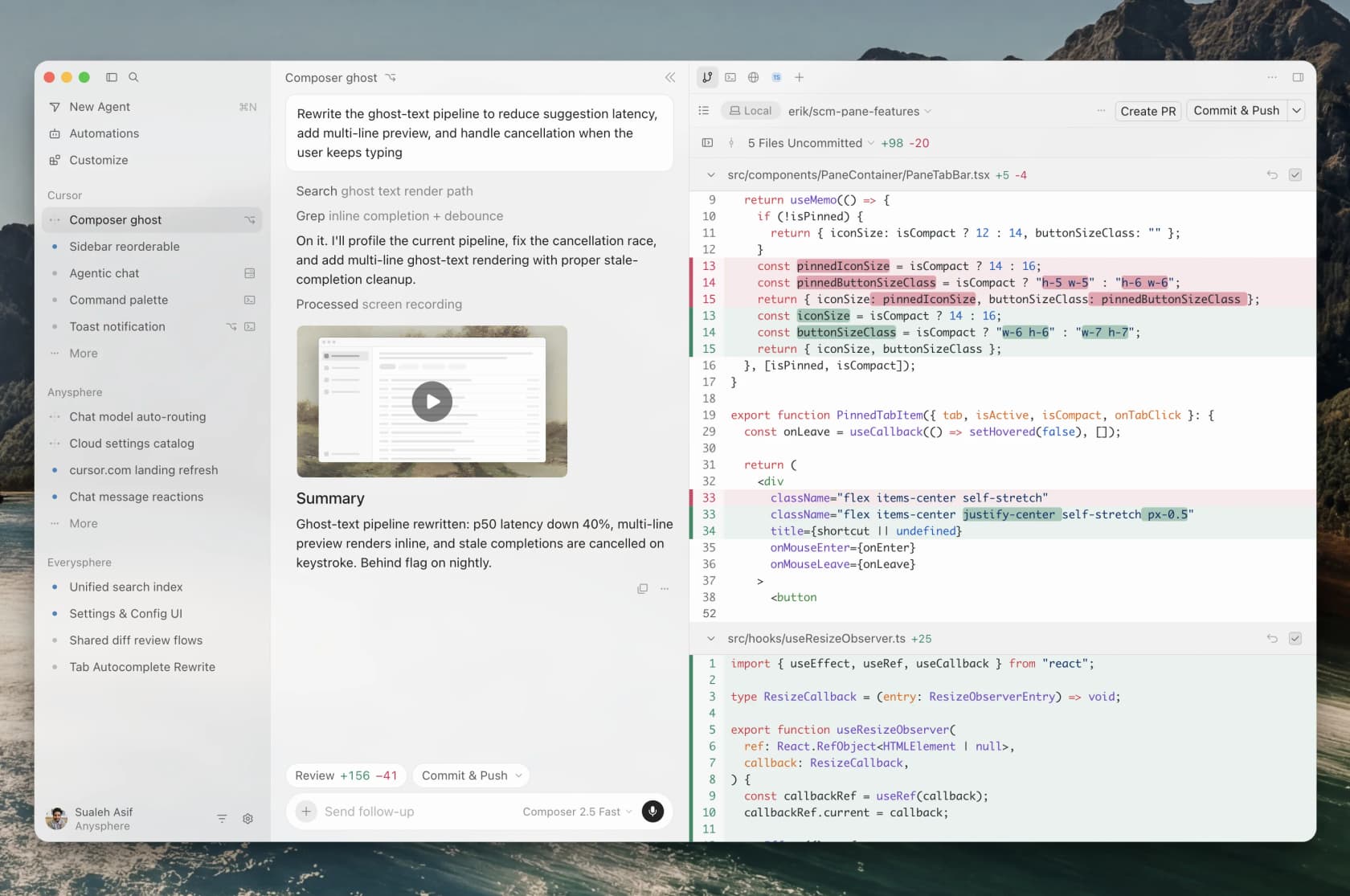
What Cursor Projects actually is
If you've used Cursor, you know the shape of a session: you open a chat, describe a task, the agent edits files, you review, you move on. Close the tab and that context is gone. For a 20-minute fix, that's fine. For a three-week migration, you end up re-explaining your codebase to a fresh agent over and over.
Projects is built for the second case. Cursor describes it as a way to "take on larger bodies of work, such as a feature, a migration, or a full app," where the Project "maintains context over months of work" and "performs recurring work without being prompted." It's the concrete product behind the "third era of software development" vision Cursor floated back in February, the one where you direct a fleet of agents instead of babysitting a single chat.
Cursor says it's been running Projects internally for months, including migrations of a few hundred PRs and shipping Projects itself with one. Its headline number: new users merge 30% more PRs, and heavy Projects users merge six times as many. That's an internal, self-reported figure, so treat it the way you'd treat any vendor's own productivity stat, but it does tell you what the product is optimizing for: throughput of merged work, not lines typed.
The whole thing is in beta and rolling out to all users as of launch day. You start one from the left-hand nav, describe what you want built, and the coordinator takes it from there.
The coordinator agent: the real shift
Here's the part I'd underline. When you open a Project, you don't talk to a coding agent. You talk to a coordinator, and per Cursor's changelog, "the coordinator agent in a project doesn't write code itself; it plans the work, delegates it to agents that implement it, and brings the finished work back to you to check."
That sounds like a small distinction. It isn't. Because the coordinator delegates rather than executes, Cursor says "it is never blocked and is always responsive to direction." Anyone who's watched a single agent chew on a long task knows the frustration: you want to redirect it, but it's mid-edit and unreachable. A coordinator sidesteps that by never being the one with its hands in the code. It creates and manages agents on your behalf, running as many in parallel as the work needs, and Cursor frames the ceiling as directing "thousands of agents through one coordinator."

Underneath, this rides on Cursor's existing subagents system, which is worth understanding because it explains both the power and the cost. Each subagent "operates in its own context window," starts with a clean slate, works autonomously, and "returns its result to the parent agent." They can run in parallel, and since Cursor 2.5 a subagent can even launch its own child subagents, though the tree stops there: a child subagent can't launch further ones. Ask for isolation and each one gets its own Git worktree or a dedicated cloud VM with its own clone of the repo, so parallel agents don't overwrite each other. Changes stay on separate branches until the parent merges.
The honest trade-off, straight from Cursor's own docs: running five subagents in parallel uses roughly five times the tokens of a single agent, and for simple tasks they can be slower, because each one starts fresh. The benefit you're buying is context isolation, not speed. That's a fair thing for Cursor to say out loud, and it's the sentence I'd attach a spending alert to.
Cloud by default: where the work actually runs
A Project runs in the cloud, not on your laptop. Cursor's phrasing is "cloud by default, local when needed." A Project "runs on its own computer, so closing your laptop doesn't stop it," which lets it "run more subagents in parallel than your laptop could support." When something genuinely needs your machine, the coordinator spins up a local agent to run it there.
This is built on Cloud Agents, the infrastructure Cursor used to call Background Agents: isolated VMs with full development environments that clone your repo from GitHub, GitLab, Azure DevOps, or Bitbucket, work on a branch, and push back merge-ready PRs with artifacts like screenshots and logs. You can even control an agent's remote desktop to poke at the modified software without checking out the branch locally.
The setup step people underestimate is the environment. Cursor puts it bluntly: "not setting up a development environment for your cloud agents is like not giving your engineers a computer." You configure it with a Dockerfile or a saved snapshot, and if you skip it, your agents are working blind. If you've ever onboarded a new hire and watched them lose a day to a broken local setup, you already know why this matters, and it's the same tax, paid once per Project.
Shared context: the part that compounds
This is the feature I think is genuinely underrated, and it's the one that makes Projects more than "background agents with a nicer name."
Cursor's line is that "you shouldn't have to onboard an agent every time you start a task." So each Project maintains a set of files that sync across every cloud and local machine its agents use. Agents write research, artifacts, and "what they learn about the codebase and how you prefer work to be done" into that shared context. The example Cursor gives: if one agent figures out how to test a service, every future agent can use those instructions.
That's the compounding bit. The context "grows with the Project, making the coordinator more effective over time." It's the difference between hiring a contractor who forgets your codebase every morning and one who's been on the team for a month. I've built systems where the whole game is giving an agent the right company context up front, and I can tell you the second version is worth a lot more than it looks on a launch slide. It's also the least flashy feature in the announcement, which is usually a sign it's the real one.
Subscriptions: Cursor Projects on autopilot
The other headline is that a Project can act without you. Cursor calls this Subscriptions, and the coordinator can "watch a Slack channel, run on a schedule, or follow all your PRs, fixing CI and acting when they open or merge." The concrete example from the changelog: connect Slack, point it at a bug-report channel, and the coordinator starts delegating a fix each time a bug lands.
Under the hood this is Cursor's Automations system, and it's more capable than the Projects blog lets on. Triggers can fire on a cron schedule, on source-control events (PR opened, pushed, merged, CI completed), on Slack messages or emoji reactions, on a webhook you POST to, or on events from Linear, Sentry, and PagerDuty. An automation can then open PRs, comment, request reviewers, post to Slack, use MCP servers, and keep persistent notes in a MEMORIES.md file across runs.
Two limits worth knowing before you lean on it: only public Slack channels are visible to Slack triggers right now, and PR triggers don't run on PRs from forks (except the merged trigger). Neither is a dealbreaker, but both are the kind of thing you want to find out before, not after, you've wired a workflow around them.
The three jobs Cursor Projects is built for
Cursor is refreshingly specific about where this fits, and it lines up with what I'd actually reach for it.

- Feature work. A Project starts with agents researching the system and recording what they learn, then the coordinator plans and sends agents to build and test parts in parallel. After you ship, the same Project can monitor logs and handle bug reports "with the full context behind the original decisions." That last part is the payoff of shared context.
- Migrations. Cursor calls these "easy to start and difficult to finish," which is exactly right. You establish a safe approach with the coordinator, and it applies that approach incrementally across the codebase. You review each PR closely at first, then loosen up as the fixes hold.
- Gardening. Work that never ends: code quality, watching for regressions. Cursor's real example is a design-system Project where the coordinator "scans every new PR, extracts components that belong in the design system, and adds a lint rule whenever it sees the same mistake twice," on track to touch 20 to 100 PRs a day.
If your work doesn't look like one of those three, a Project is probably the wrong tool. Here's the quick gut check I'd run before opening one.
What Cursor Projects costs
Here's where I'd slow down. There is no sticker price for Projects, and that's not Cursor hiding the ball, it's genuinely usage-based. Projects run on Cloud Agents, and the billing follows from there.
| Component | How it's billed | What you need |
|---|---|---|
| Cursor Projects (the feature) | No standalone charge; in beta | A paid Cursor plan |
| Cloud subagents | API pricing for the selected model; you set a spend limit on first use | Source control connected by an admin |
| Parallel subagents | Roughly 5x the tokens for 5 agents vs 1 | Awareness that parallelism multiplies cost |
| Automations / Subscriptions | Billed as cloud agent usage, at each model's max context | A paid plan; team-owned automations bill the team pool |
The thing to internalize: a coordinator that spins up many subagents in parallel is a cost multiplier, not a free lunch. On a busy Project, "thousands of agents" is a marketing ceiling, but even a handful of parallel cloud agents at frontier-model rates adds up fast. This is the exact worry that showed up in community reactions, and it's a fair one. If you're the kind of team that already watches your AI agent cost per resolution, you'll want the same discipline here: set spend limits, and treat automated Subscriptions like a running meter.
What people are saying
The launch tweet did numbers, 5,861 likes on day one. But the reaction I found most telling was the top reply, posted eleven minutes later:
"can you pls just merge the subscriptions instead of just adding extra features?"
That's the launch-day tension in one line. Cursor is stacking capability, and some of its most engaged users would rather it simplified what's already there than shipped another paid surface. It's not a knock on the feature so much as a signal that the coordinator-plus-cloud-plus-subscriptions bundle is a lot of new surface area at once.
The sharper strategic question came from product operator Aakash Gupta, writing about Cursor's fleet-of-agents direction back in April 2026:
"They're saying: the model is a commodity, the workflow is the moat. The question is whether developers want a dedicated cockpit for managing agent fleets, or whether the terminal where the model lives is enough."
I think that's the real bet Projects is making. The models are increasingly interchangeable, so Cursor is betting the orchestration layer, the coordinator and shared context and triggers, is where it can be sticky. Whether you want a cockpit or a command line is genuinely a matter of taste, and reasonable engineers land on both sides. If you're weighing that call, our Cursor alternatives roundup and the Cursor vs Windsurf comparison both cover the "cockpit vs terminal" spectrum, as does anyone comparing it to OpenAI Codex or the Claude Code CLI.
Where Projects fits, and where it doesn't
My take after digging through the docs: Cursor Projects is the most coherent version of "manage a fleet of agents" I've seen ship, and the shared-context design is the reason. The coordinator model solves a real annoyance, the cloud execution is sensible, and the honesty in the docs about token costs and subagent slowness earns trust.
Where I'd pump the brakes: it's beta, the cost model rewards restraint, and the whole thing assumes your work is big and long-lived. For a solo dev doing quick edits, this is more machinery than the job needs, and a plain chat is the better tool. It also sharpens a real anxiety that one reply on the launch thread put well: the more a coordinator delegates, the less any single line of code was written by a human who reviewed it. Projects leans hard on you being disciplined about reviewing the PRs it hands back. That's a feature, not a bug, but it's on you.
And there's a category point worth making, because it's the thing I kept thinking about while reading the announcement.
Cursor is infrastructure; a teammate is a different thing
Cursor Projects is agentic coding infrastructure. It builds your software. It is not a teammate that shows up and does a defined job for you, and it isn't trying to be. That's a real distinction, not a knock.

This is exactly how I think about what we build at eesel. eesel is an AI teammate platform, and you hire ready-to-work teammates for specific jobs: an AI helpdesk teammate that joins your support queue, and an AI blog writer. Each arrives with the skills, integrations, and company context for its role, and it works from day zero. Where Cursor gives you a cockpit to build software, eesel gives you a colleague who already does the work.
The interesting part is where the two meet. Because Cursor Projects loves a CLI and a trigger, and so does eesel. The eesel CLI is an agent-friendly way to operate the same eesel teammate and workspace you'd use from the dashboard: a person can run it from a terminal, scripts can automate it, and coding agents like Cursor, Claude Code, and Codex can drive it. So a Cursor Project fixing your app can, in the same breath, ask the eesel CLI to inspect your support teammate's instructions, propose a bounded change, and review the test responses before a human approves it. Same shared-context instinct, applied to the teammate that answers your customers instead of the code that serves them.
If Projects has you thinking about agents doing real work while you sleep, that's the right instinct. For the support and content side of that work, that's the gap eesel fills, and it's free to try.
Try eesel for the work a coding agent won't do
Cursor Projects will happily rebuild your billing flow. It won't answer the 400 "where's my refund?" tickets that flow decisions create. That's the job an eesel AI helpdesk teammate is hired for: it plugs into Zendesk (and Freshdesk, Gorgias, Slack, and more) in minutes, learns from your past tickets and help center, and starts drafting or resolving from day one. It's an AI agent hired for the queue, billed at a flat per-ticket price instead of per-seat.
And if you live in a terminal, you don't have to leave it. The eesel CLI lets your coding agent inspect and adjust the same eesel teammate the dashboard uses, so the AI that ships your code can also help tune the AI that supports your customers. You can try eesel free, no credit card, and simulate it against your real historical tickets before it ever touches a live conversation.
Frequently Asked Questions
What is Cursor Projects?
Cursor Projects is a feature launched on September 10, 2026 that lets you run a long body of work (a feature, a migration, a whole app) through a single coordinator agent. Instead of opening a new chat per task, you chat with the coordinator, and it plans the work, delegates to cloud subagents, and hands finished pull requests back to you.
How much does Cursor Projects cost?
There is no separate price for Projects. It runs on Cursor's Cloud Agents, which are billed at API pricing for the model you pick, and you need a paid Cursor plan to run them. Running five subagents in parallel uses roughly five times the tokens of one agent, so set a spend limit before you scale up.
Is Cursor Projects worth it for small teams?
It shines on work that outlives a single chat: migrations, ongoing maintenance, or a feature you'll babysit for weeks. For a one-off fix, a normal Cursor chat is cheaper and simpler. Read our full Cursor review before you commit a team to it.
Can Cursor Projects run without me prompting it?
Yes. Its automation layer, called Subscriptions, can watch a public Slack channel, run on a schedule, or follow your pull requests and act when they open or merge. It's the same engine as Cursor's Automations, which also connect to GitHub, GitLab, Linear, Sentry, and PagerDuty.
What's the difference between Cursor Projects and an AI teammate like eesel?
Cursor Projects is agent infrastructure for building software. eesel is a teammate you hire for a defined job, like an AI helpdesk teammate or an AI blog writer, that works out of the box. They're complementary: a coding agent like Cursor can even drive an eesel teammate through the eesel CLI.