


Claude Sheets is a beta spreadsheet on every paid Claude plan (Pro is $20 a month): ask for a tracker or budget and Claude builds tabs, formulas and charts that your team edits in the same cells. Use it for a light, shared sheet; skip it for workbooks that need pivot tables, macros or live data from your other apps. It imports Excel, CSV and Google Sheets files and exports .xlsx. If your sheet is a support tracker, eesel works the tickets behind the numbers, and its CLI lets a coding agent load your approved macros and test answers before go-live.
What is Claude Sheets?
Claude Sheets is a spreadsheet built into Claude. Anthropic launched it in beta on November 10, 2026, alongside Claude Whiteboards and the general release of Claude Data (the product formerly called Claude Dashboards).
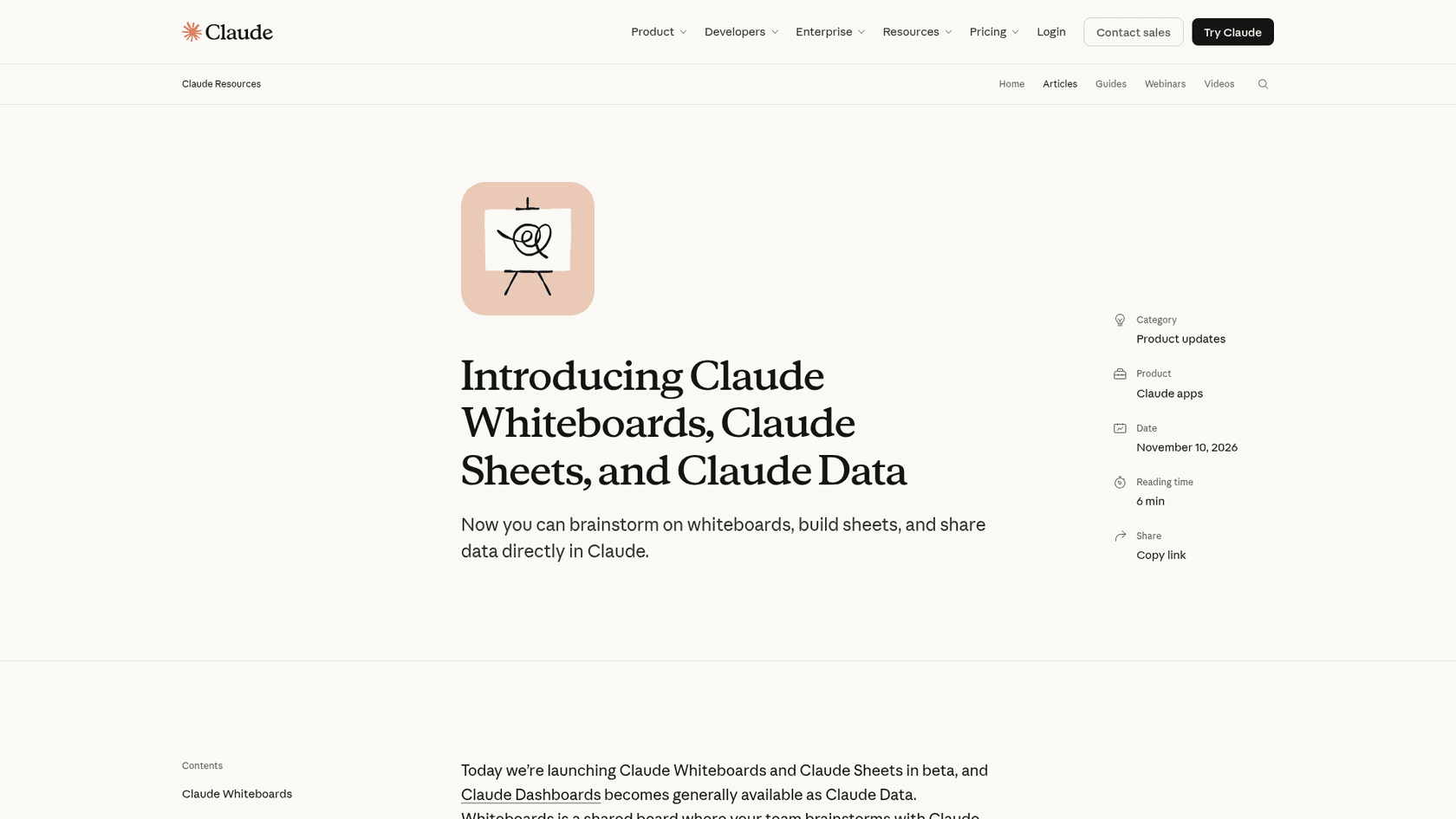
The launch post sums up the idea in one line: Claude "can now generate spreadsheets with tabs, formulas, formatting, and drop-downs, often from just a prompt." You ask for a campaign tracker or a hiring budget, and you get a working sheet, not a table pasted into the chat that you then copy into Excel by hand.
I build integrations at eesel, so the part I care about is plumbing: what goes in, what comes out, and what the sheet can and can't talk to. That's where this product gets interesting, and where most of its beta limits sit.
Sheets is one more artifact type in Claude. It sits next to Claude Docs, Claude Slides, Claude Motion and Claude Design, and every sheet you make is saved in the Artifacts tab.
How does Claude Sheets work?
Per the help center, a sheet is an artifact that you and Claude edit in the same cells. Claude can add tabs, write formulas that work across tabs, apply formatting and conditional formatting, and add dropdowns, checkboxes and charts.
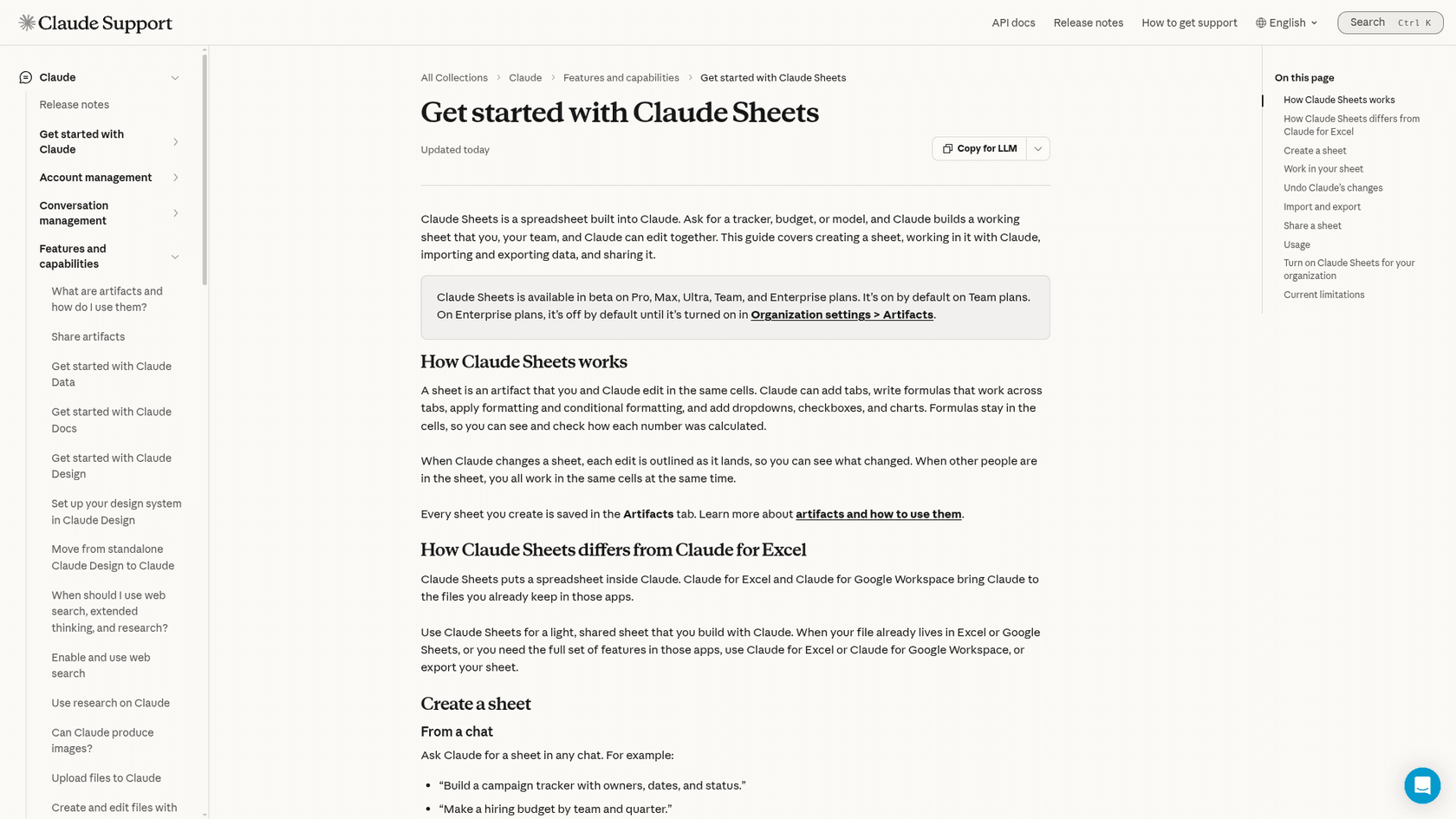
The design choice I like most: formulas stay in the cells. Claude doesn't hand you a column of finished numbers and ask you to trust them. You can click any total and see how it was calculated, which is the difference between a sheet you can check and a chat answer you can't.
You start a sheet two ways:
- From a chat. Ask in plain words, for example "Build a campaign tracker with owners, dates, and status" or "Forecast next quarter from these deals and flag what's at risk."
- From the Artifacts tab. Pick the "Sheets" tile, then describe the sheet or start blank.
Once it exists, you work four ways:
- Ask Claude for changes, like "Add a column for budget remaining" or "Highlight anything that's overdue."
- Ask about a range. Select cells and ask, "Why is this total higher than last month?" This is the feature I'd use most.
- Edit directly. Type in cells and write your own formulas. Claude Sheets includes 144 functions.
- Comment on cells for your team.
When Claude changes a sheet, each edit is outlined as it lands, so you can see exactly which cells moved. When other people are in the sheet, everyone works in the same cells at the same time. If Claude gets something wrong, version history restores an earlier version, which also removes every edit made after it. That last part matters: restoring is a rollback, not a per-cell undo.
Anthropic's tip for better results is the same one I'd give: say what the sheet is for, and if you already have the numbers, hand them over so the sheet is built from your data instead of placeholders.
What goes in and what comes out?
This is the part that separates Sheets from its launch sibling. Claude Whiteboards has exits but no entrance: you can't import a board. Sheets has both.
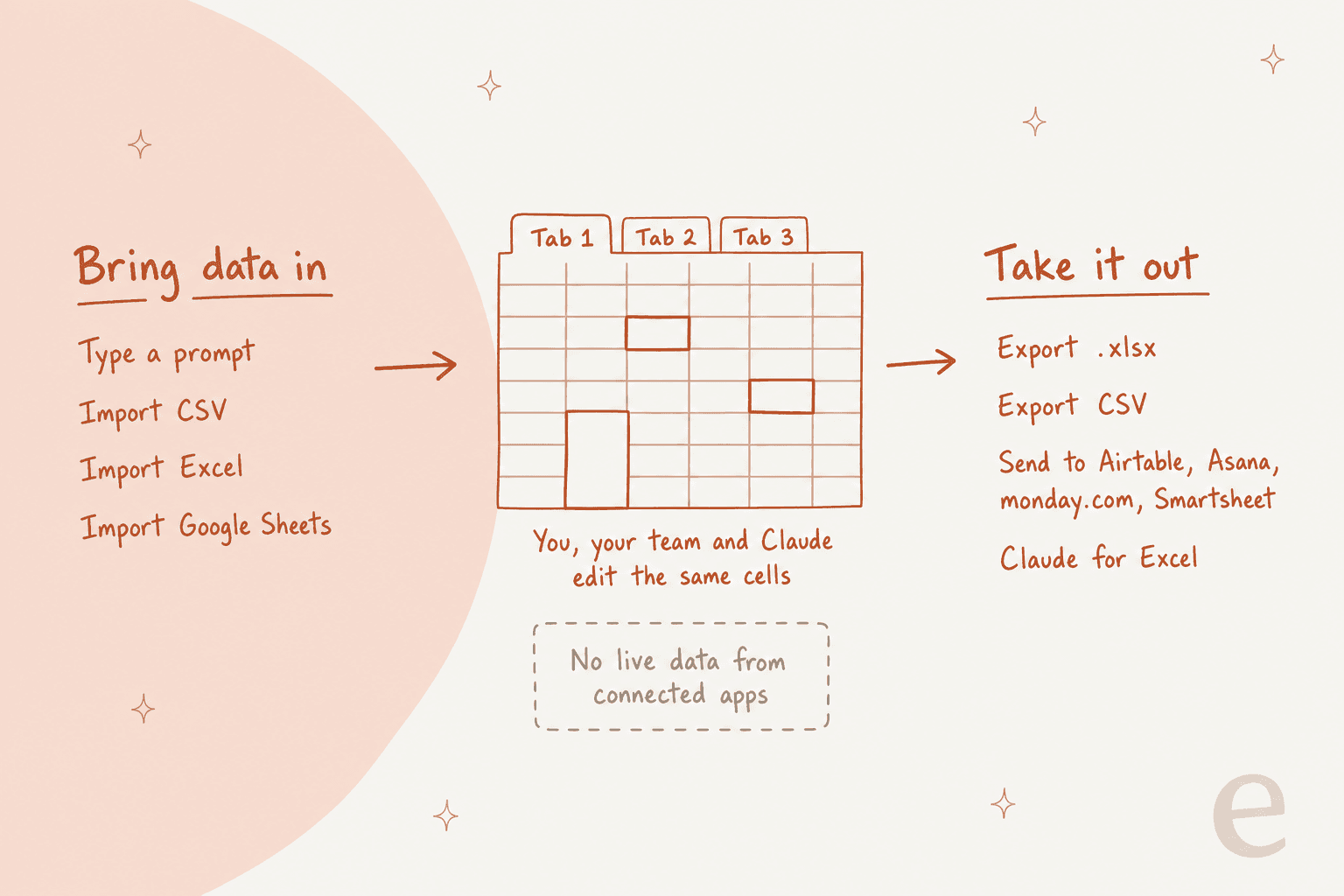
| Direction | Options | Good for |
|---|---|---|
| In | Import a CSV, an Excel file or a Google Sheet, or paste cells from either app | Starting from a report you already have |
| In | A prompt, or a blank sheet | New trackers and budgets |
| Out | Export as .xlsx or CSV | Handing off to finance, or anyone on Copilot in Excel |
| Out | Send to Airtable, Asana, monday.com or Smartsheet | Teams already running work in those tools |
| Out | Claude for Excel | When you need the full Excel feature set with Claude still helping |
The one arrow missing is the one I'd want most as an integrations person: sheets can't pull live data from connected apps, and docs, decks and dashboards can't use a sheet as a data source. So a sheet is a snapshot. If you want this week's ticket volume in it, you export a CSV from your helpdesk and import it, the same as you would with a Zendesk to Google Sheets setup or a Freshdesk to Google Sheets export.
For live numbers, Anthropic points you at Claude Data instead. It connects to warehouses like BigQuery and CRMs, and adds certified queries and live sharing. Think of Sheets as the place you shape and argue about numbers, and Claude Data as the place that keeps them current.
The Send to partners are worth a note too. If your team already plans in Airtable, Asana or monday.com, Sheets can be the quick-draft step without asking anyone to move.
Who can use Claude Sheets, and what does it cost?
Claude Sheets is in beta on Pro, Max, Ultra, Team and Enterprise plans. It isn't on the Free plan. It works on the web and Claude Desktop, with basic read-only access on mobile.
There's no separate price. Sheets counts toward your plan's usage limits like the rest of your Claude work. Here's what each plan costs on Claude's pricing page today:
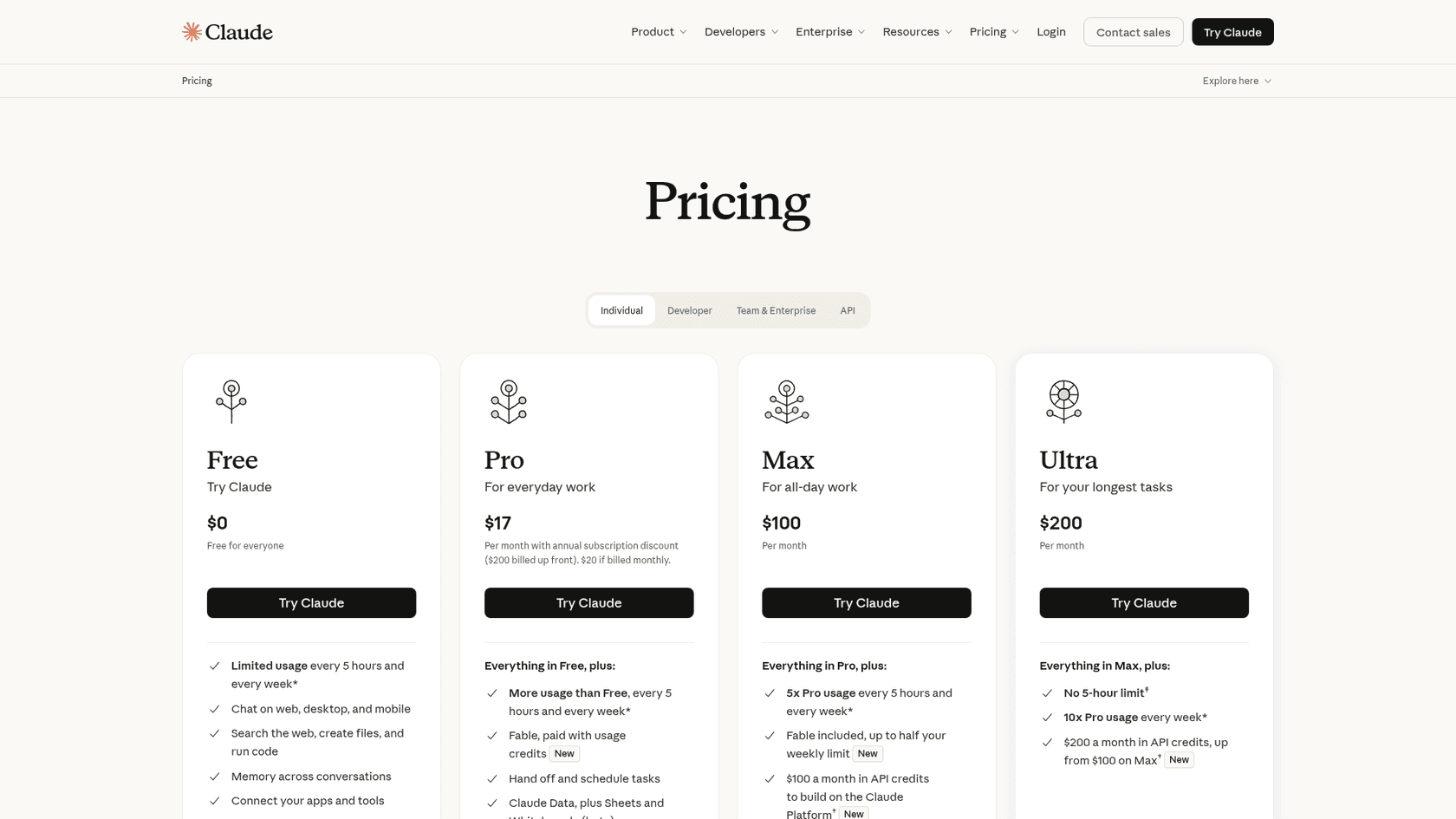
| Plan | Price | Sheets | Default state |
|---|---|---|---|
| Free | $0 | No | n/a |
| Pro | $17/month billed annually ($200 up front), $20 monthly | Yes (beta) | On |
| Max | $100/month, 5x Pro usage | Yes (beta) | On |
| Ultra | $200/month, 10x Pro weekly usage | Yes (beta) | On |
| Team, Standard seat | $20/seat/month annually, $25 monthly | Yes (beta) | On by default |
| Team, Premium seat | $100/seat/month annually, $125 monthly | Yes (beta) | On by default |
| Enterprise | $20/seat/month annually plus usage at API rates, 20-seat minimum | Yes (beta) | Off until an owner turns it on |
If you run IT, the Enterprise line is the one to remember. Owners and Primary Owners switch Sheets on under Organization settings > Artifacts, in the Artifact templates section, and Artifacts must be on for the organization too. Custom roles let you turn it on for a pilot group first, which is how I'd do it. Claude Data, by contrast, turns on by default for Enterprise on November 19, 2026.
Anthropic hasn't published a per-sheet cost. A sheet built from a long prompt with lots of back-and-forth edits is more Claude work than a quick five-column tracker, so heavy spreadsheet days on Pro can push you toward a limit. My Claude Pro pricing and Claude Cowork pricing breakdowns cover how those limits work in practice.
What can't Claude Sheets do yet?
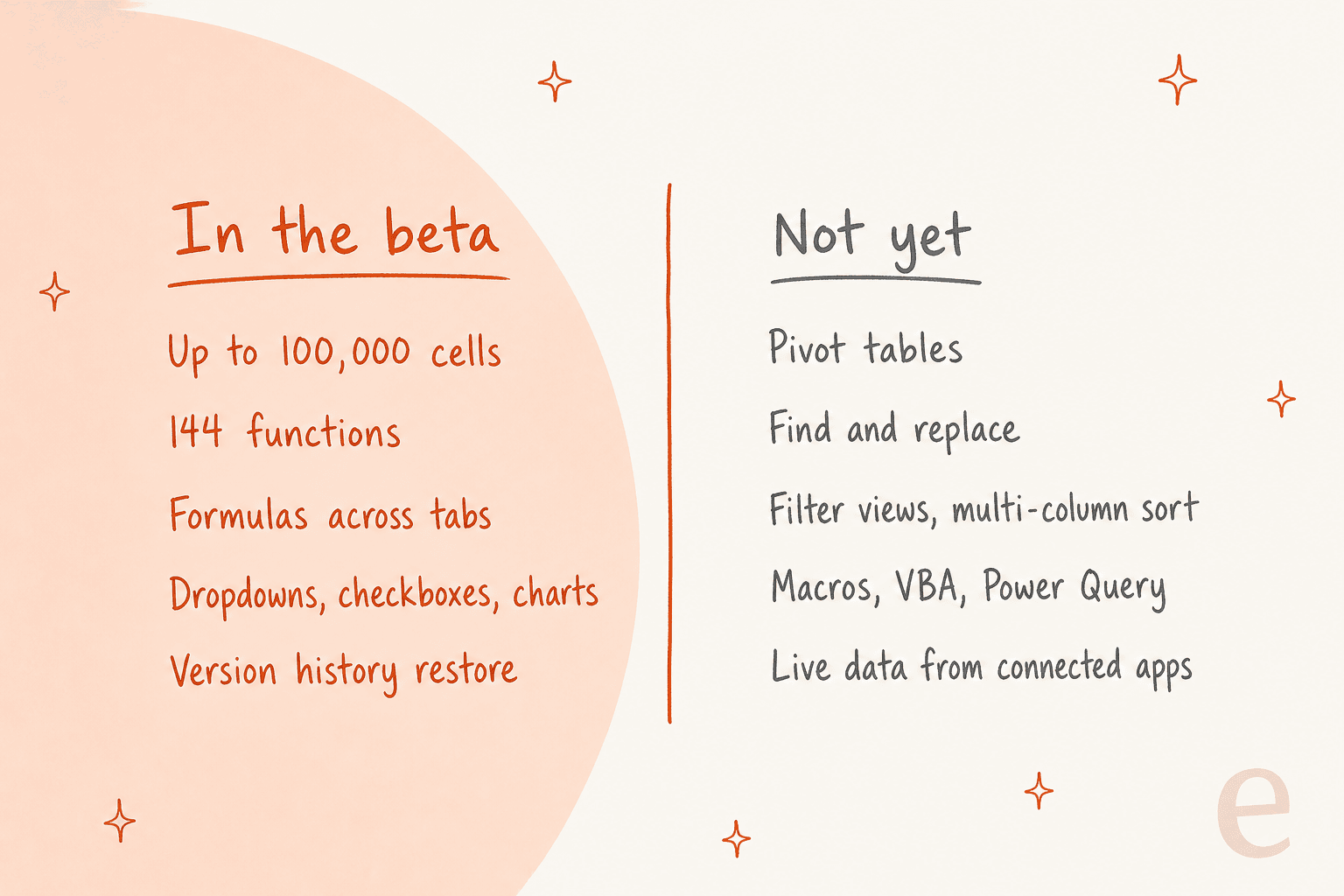
Anthropic is upfront that the beta "covers common spreadsheet work." Here's the full list of what works next to what doesn't, straight from the help center:
The details:
- Size. A sheet holds up to 100,000 cells. That's 2,000 rows by 50 columns. A year of daily ticket counts fits easily; a raw export of every ticket with every field probably doesn't.
- Missing features. Pivot tables, protected ranges, find and replace, multi-column sort, filter views, multi-select dropdowns and PDF export aren't available yet.
- Excel-only features. Macros, VBA, Power Query, DAX and print layout aren't supported, and Anthropic doesn't list them as coming.
- Live data. Covered above: no pulling from connected apps.
- Data controls. Because it's a beta, HIPAA, CMEK and zero data retention aren't supported yet.
Charts are better than the list makes them sound: bar, line and pie are built in, and Claude can generate "a wide range of other chart types" on top.
Want a quick answer for your own spreadsheet? Tick anything it needs:
My spreadsheet needs...
Is Claude Sheets an Excel or Google Sheets replacement?
Not yet, and Anthropic says so in its own docs: when your file already lives in Excel or Google Sheets, or you need the full feature set, use Claude for Excel, Claude for Google Workspace, or export. The useful question is which job each tool does:
| Your situation | Where I'd build it |
|---|---|
| You're in a Claude chat and need a tracker or budget out of it | Claude Sheets |
| A shared planning sheet a few people edit for a few weeks | Claude Sheets |
| A finance model with pivot tables, macros or Power Query | Excel, with Claude for Excel |
| A sheet that must stay current from your helpdesk or CRM | Claude Data, or your existing BI tool |
| A HIPAA-covered organization | Not Claude Sheets, for now |
The launch thread on Hacker News split along exactly this line. One commenter described the enterprise reality:
"I've seen large enterprise customers who adopt GSuite but still have a few thousand Excel licenses because the people who need certain Excel features, just need them. Average user might find Claude Sheets is enough, but it won't replace Excel everywhere anytime soon."

Another described the workflow I think most teams will land on:
"show me the work quickly here first, then port it to the final state inside Excel, Powerpoing, Figma, whatever."
Both are right. If your spreadsheet work already starts as a conversation with Claude, Sheets removes a copy-paste step and gives you formulas you can check. If your workbook is a long-lived system with macros, it stays where it is. For the wider comparison, see Claude vs Gemini (Gemini lives inside Google Sheets) and ChatGPT vs Claude. My Claude collaboration tools roundup puts all the new artifact types side by side.
How would a support team use Claude Sheets?
Support teams live in spreadsheets more than anyone admits. Here's where I'd reach for Sheets, and where it stops.
Good fits, all built from an export rather than live data:
- Staffing plan. Import a CSV of tickets by hour, ask Claude to build a coverage tab against agent shifts, and flag the gaps. My support workforce forecasting guide covers the math behind it.
- QA scorecard. A dropdown per criterion, a weighted score per ticket, and a summary tab by agent. The Zendesk QA scorecard criteria are a decent starting list.
- Macro audit. Paste your macro list and usage counts, then ask "which of these haven't been used in 90 days?"
Where it stops is the queue itself. A sheet can tell you that Monday mornings are under-staffed by three agents. It can't answer the 200 tickets that pile up while you're short. That's the split I see with eesel customers every week: the team decides the rules in a doc or a sheet, and an AI teammate does the repetitive work inside the helpdesk.
Qontro, which makes ERP software for small and mid-sized businesses, runs eesel on Freshdesk: in one month the agent drafted replies on 190 tickets, running about 400 knowledge searches across 9,800 past tickets and help articles. MentorShow, an online masterclass company on HubSpot, has eesel read about 1,200 conversations and tickets a month and write reply drafts in French, English or Spanish to match the member.
Neither of those numbers lives in a spreadsheet Claude can see live. You'd export them and import a CSV, which is fine for a monthly review and a reason not to build your daily dashboard in Sheets. For what Claude alone can do in a helpdesk, see Claude for Zendesk, Claude for Freshdesk and connecting Claude to a helpdesk. My posts on AI teammates and the best AI teammates cover the bigger split between tools and teammates.
Try eesel for the tickets behind your tracker
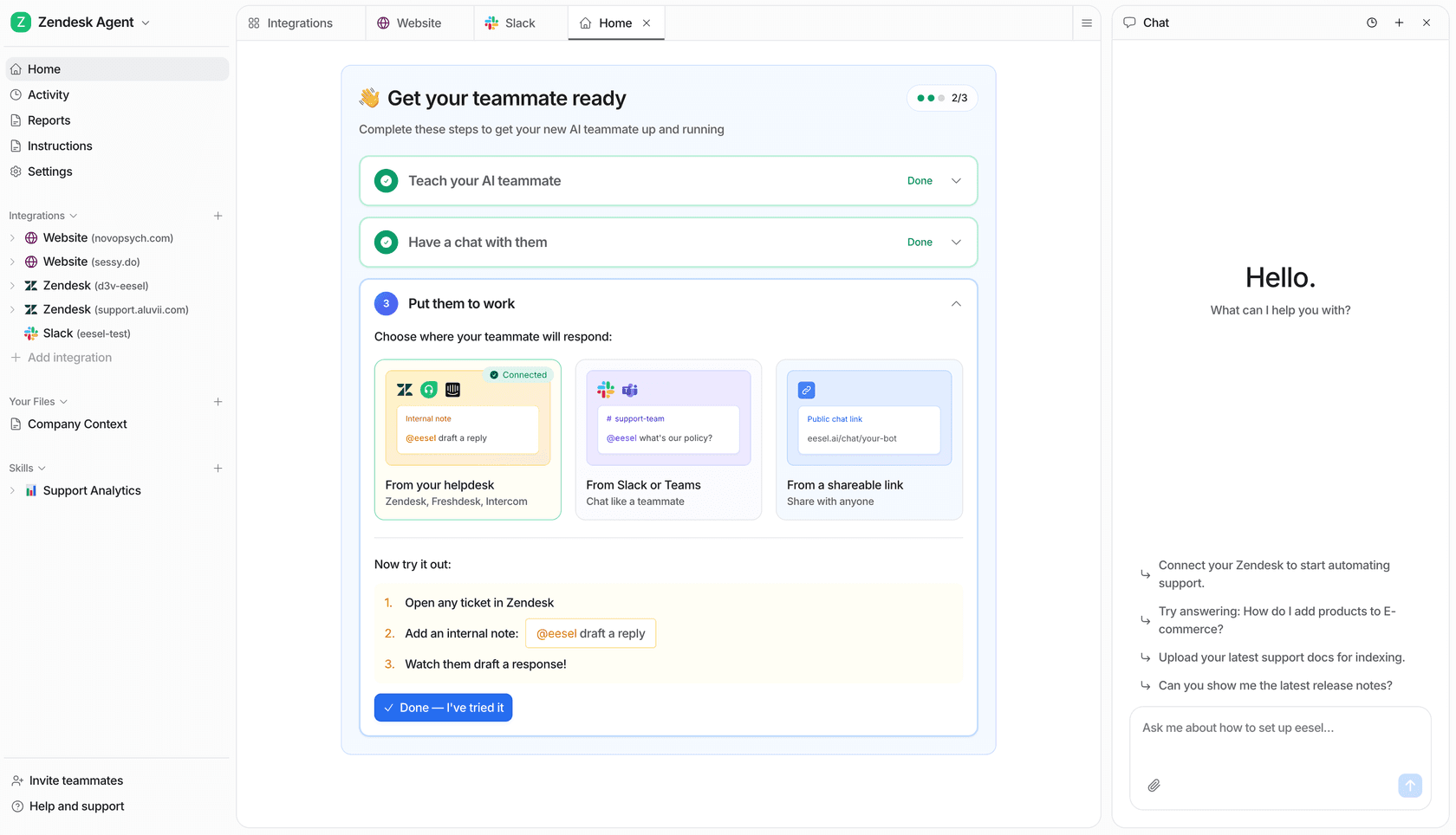
If your Claude sheet is a support tracker, eesel's AI helpdesk teammate is the one that moves the numbers in it. It plugs into Zendesk, Freshdesk, HubSpot and other helpdesks, learns from your past tickets and help center, and gets tested against historical tickets before it answers a real customer.
If the sheet you just built was a content calendar instead, eesel's AI blog writer is the other teammate on the roster. Check eesel pricing, or try eesel free.