Let's be honest, project management tools can be both a lifesaver and a total headache. monday.com has become a go-to Work OS for countless teams trying to turn daily chaos into clear, automated workflows. And like pretty much every other software out there, monday.com has jumped into the artificial intelligence game by building AI features right into its platform.
But what does monday.com AI actually do? And is it the right tool for every single job? While it promises to make work easier, its powers are mostly stuck within its own system, which can be a real problem. This guide will give you a full tour of monday.com AI, breaking down its main features, how you can use it, and where it falls short, especially for teams with specific needs like customer support or IT service management (ITSM).
What is monday.com AI?
monday.com AI isn't some separate product you need to buy. It’s a collection of smart features woven directly into the monday.com platform. Its main goal is to automate the tedious, manual tasks that slow teams down, pull insights from your project data, and generally make your life within monday.com a little easier. You can think of it as an intelligent helper that works with their other products like monday work management, CRM, dev and service.
According to their press release, their AI strategy was built on three main ideas, and monday's support docs now list a few more pieces, including monday sidekick, AI workflows and monday vibe:
- AI Blocks: These are the simple, no-code building blocks you can use to create your own AI-powered automations.
- Product Power-ups: These are AI features built directly into their products to help with specific problems.
- Digital Workforce: This is their team of AI agents that handle work on their own. It has shipped as Agent Factory and monday agents.
Essentially, monday.com AI is built to improve project and work management. This focus is its biggest strength but also its most telling weakness, creating some real boundaries for other parts of the business that don't operate solely on monday.com boards.
Core features and capabilities of monday.com AI
To really wrap your head around what monday.com AI can do, you have to look at its three main parts. They all work together to bring automation and intelligence to your day-to-day tasks, but each plays a different role.
The building blocks of automation
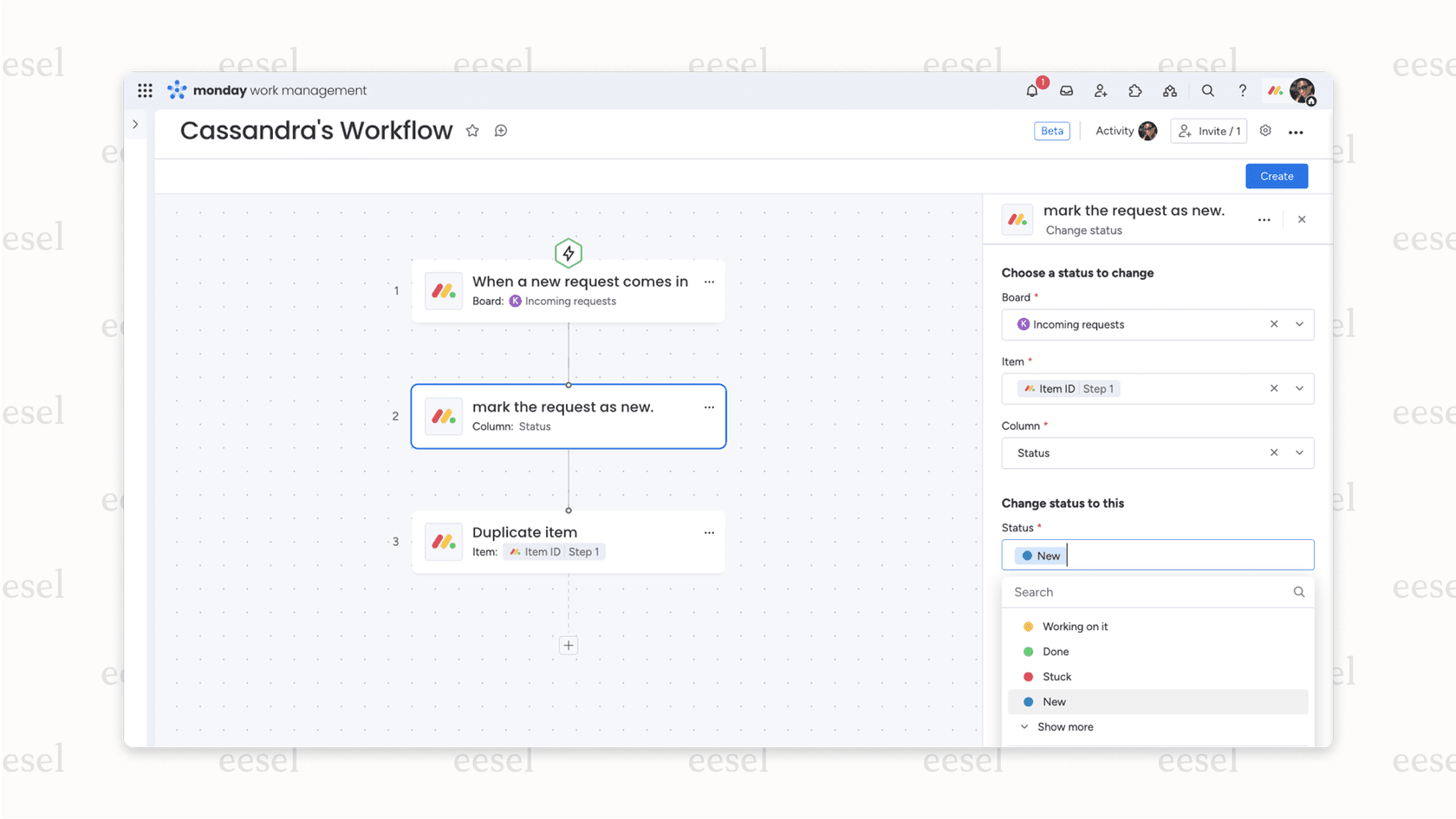
AI Blocks are the easiest part of the monday.com AI suite to get started with. They're simple, customizable AI actions that you can drag and drop into your automation recipes without writing any code. They’re designed to take care of the specific, repetitive tasks that eat up your team's day.
Here are the key things you can do with AI Blocks:
- Summarize: Have a long thread of updates or a dense document? This block can boil it down to the main points, saving you a lot of reading time.
- Categorize: monday's docs call this assigning labels with AI. You can use it to automatically organize data as it comes in. It can sort tasks by how urgent they are, tag items based on sentiment (positive, negative, or neutral), or label things by type.
- Extract info from files: This block can scan documents, text columns, and PDFs to find specific details you need, like customer names or order numbers, and drop them right into your board.
- Translate: For teams spread across the globe, this is a useful feature that translates text from one language to another, helping to clear up communication hurdles.
- Improve and write: Blocks for rewriting text and drafting new text from a prompt.
- Custom Block: This is where you get more freedom. You can write a prompt in plain English to create a unique automation that fits your exact workflow.
Built-in intelligence for tougher challenges
Product Power-ups are a level up from AI Blocks. These are more advanced, pre-built AI capabilities that are part of monday.com's products and designed to solve specific, high-value problems. They’re less about small, repeated tasks and more about helping with bigger business challenges.
Some examples of power-ups include:
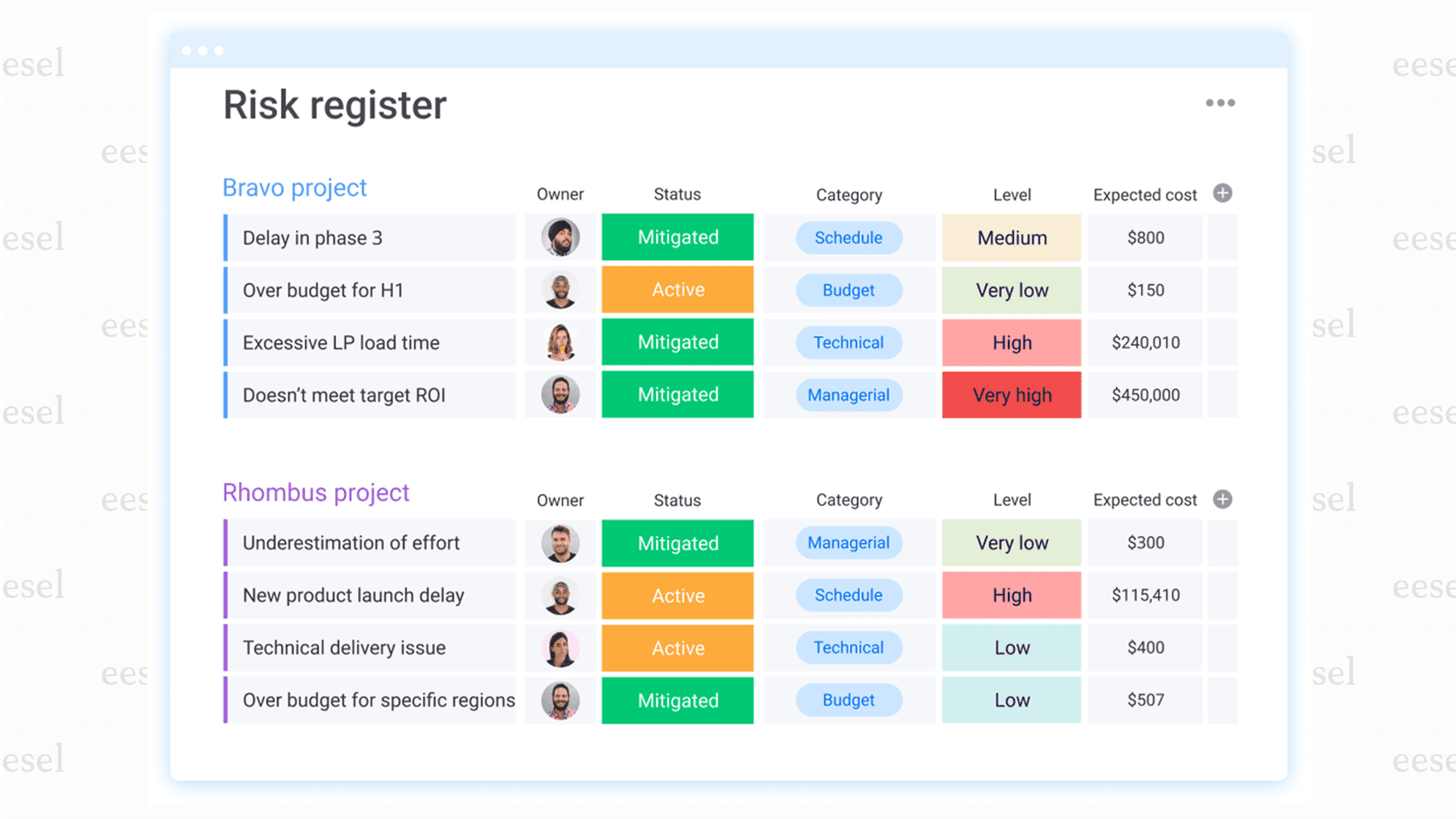
- Risk Management: This feature tries to spot potential delays in your projects before they happen. It looks at your project data to flag tasks that are at risk of falling behind schedule.
- Resource Management: This Power-up helps you put the right people on the right projects. It can suggest who to assign tasks to by looking at your team's skills, availability, and past work.
- CRM Data Automation: For sales teams, this automates the job of adding to and updating customer data within monday sales CRM, which keeps records accurate and saves reps a ton of time.
monday's own docs list power-ups for monday service, monday dev and monday CRM, so which ones you get depends on the product and plan you run.
Digital workforce: An AI team on standby
The Digital Workforce is monday.com's agent layer. The idea is a team of specialized "digital workers" that can handle complicated tasks independently, 24/7. monday's docs now describe Agent Factory as a standalone product, where you start from a pre-made agent or describe one in chat, then give it skills such as monday.com, Gmail, Google Calendar and Slack.
Agents and assistants that monday.com highlights include:
- monday sidekick: An assistant that works in context on your boards, takes actions such as updating work or sending Slack messages, and can be messaged from Telegram or WhatsApp.
- monday agents: Agents for jobs like risk analysis, vendor research and proposals, shown on monday's AI page.
- monday magic and monday vibe: Tools that turn a prompt into a ready-to-use work solution or a custom app.
These agents are billed on the same AI credit system as everything else, and monday's docs put a simple agent run at roughly 10 to 50 credits and a complex one at 150 to 250 or more. That makes the cost depend on how complex each task is.
Use cases and limitations
While monday.com AI has some nice automation features for project management, it's important to know where it works well and where it doesn't. The tool is great for its main purpose, but you'll quickly see its limits if you try to use it for things outside the monday.com world.
How teams can use monday.com AI for project management
For teams that do all their daily work inside monday.com, the AI features can make a real difference. Here are a few practical examples:
- Automating status reports: A project manager can use the "Summarize" AI Block to automatically create weekly progress reports by condensing all the task updates from their team. No more manual copy-pasting.
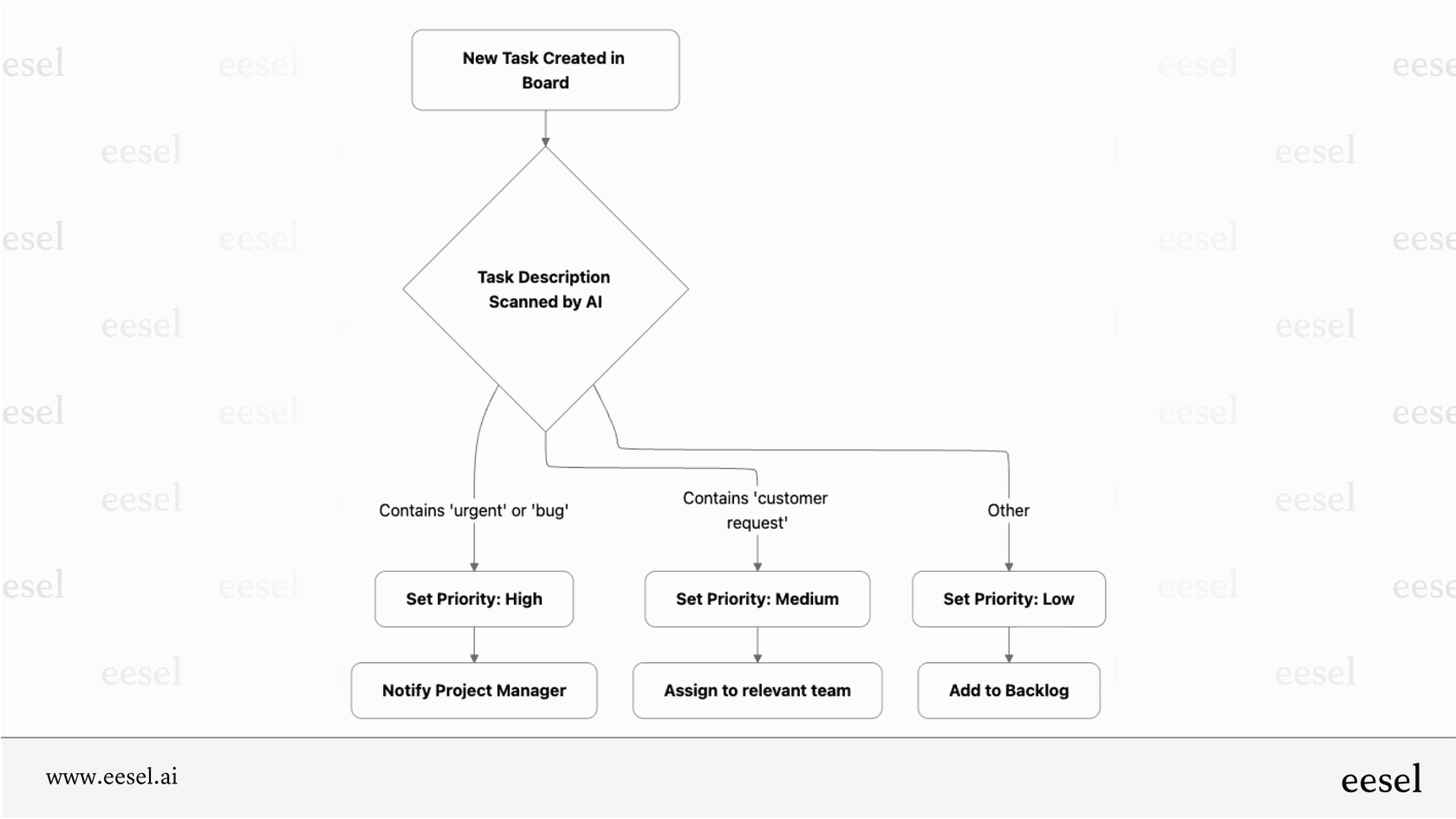
- Intelligent task triage: When new tasks are added to a board, the "Categorize" block can be set up to automatically assign priority levels based on words in the task description (like "urgent," "bug," or "customer request").
- Proactive risk spotting: The Risk Management Power-up can watch project timelines and dependencies, automatically flagging tasks that are slipping behind or might cause a delay down the line.
These are all helpful use cases that can smooth out internal work and let teams focus on bigger things.
Why monday.com AI isn't a complete solution
Even with its strengths in project automation, monday.com AI has some limits worth knowing about before you treat it as an AI layer for your whole company.
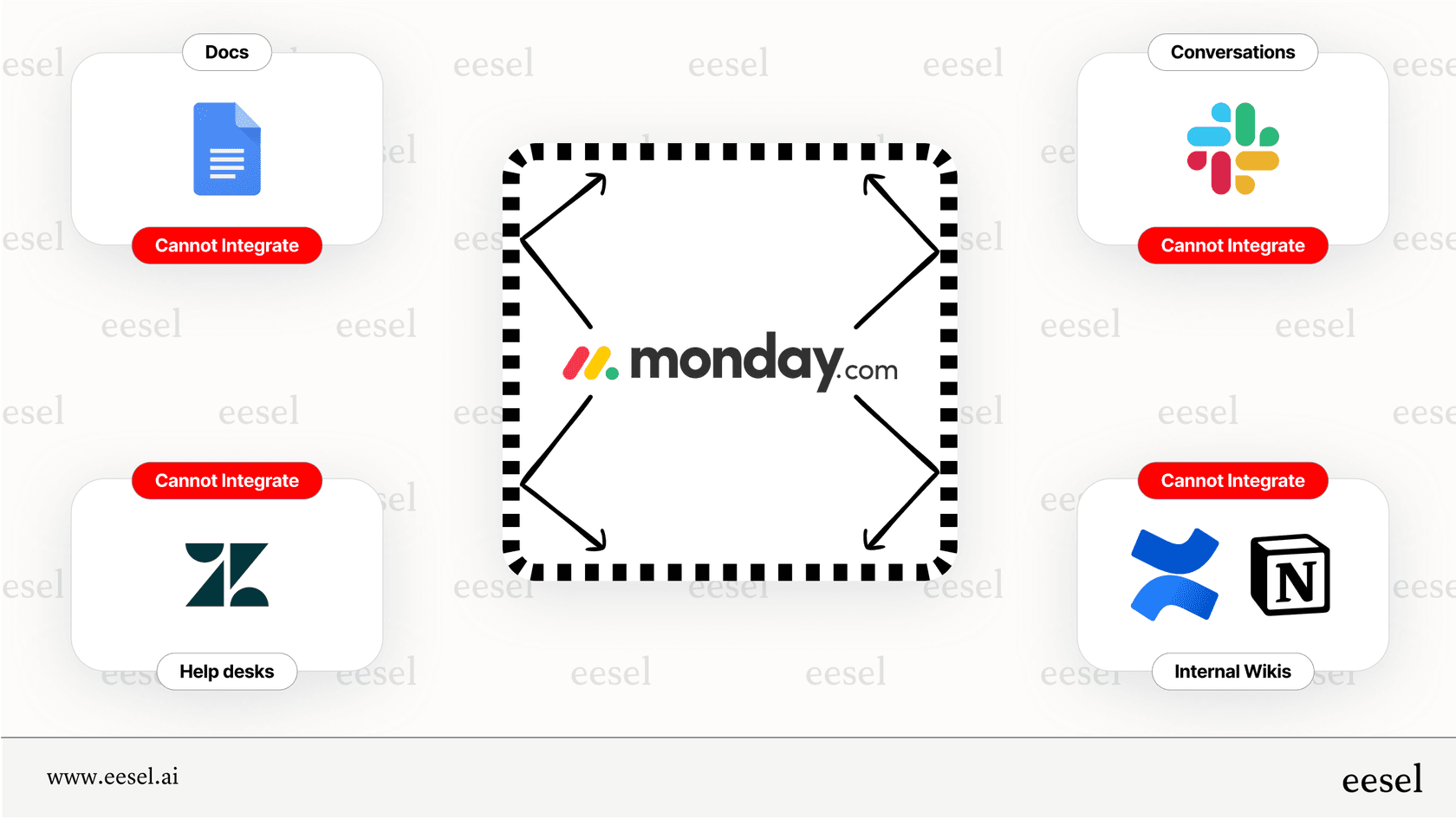
- Ecosystem focus: The AI works best with data that's already inside monday.com, and it reaches outside apps mainly through sidekick Skills (Gmail, Slack, Outlook, Google Calendar) and MCP. That can leave a knowledge silo. Most of a company's useful information is in other places: customer support tickets in Zendesk, internal guides in Confluence or Google Docs, and daily chatter in Slack. monday's docs don't list a way to train it on a help desk's ticket history or a Confluence space, so for support questions its answers draw on your boards and docs.
- Generalist vs. specialist: It's a general-purpose AI designed for project management. monday.com does sell monday service for tickets, where sidekick summarizes a ticket, drafts replies and links the knowledge sources it used. Its docs don't describe learning from years of past tickets in another help desk, which is the job a dedicated support AI is built around.
- Credit-based pricing: monday.com's pricing for AI is based on a credit system. AI blocks cost 8 credits per action and sidekick messages range from about 10 to 150+ credits, against 1,000 to 3,000 monthly credits on Basic to Pro. Admins get alerts at 80% and 100% of the limit, but for a support team handling thousands of questions a day, a credit model is harder to forecast than a flat plan.
- Plan gating: AI features start on the Basic plan, and workflow limits grow by tier, with up to 3 active AI workflows on Standard, 20 on Pro and 250 on Enterprise.
The alternative: Specialized, layered AI for your entire workflow
The limits of an AI that’s locked into one system, like monday.com's, show why a different approach is needed, especially for teams that use a mix of different tools to get their jobs done.
Why a layered AI approach is better than monday.com AI for customer support and ITSM
Instead of being stuck in a single platform, a "layered" AI works on top of the tools you already use. This is the whole idea behind eesel AI. Rather than making you move all your data and workflows, eesel connects to all the places your company knowledge already is, whether that's your help desk, your internal wiki, your chat tools, or somewhere else.
This method breaks down the data silos that hold generalist AIs back. It creates a single, smart brain for your AI that's trained on your actual company knowledge, no matter where it is. This means the AI can give answers and automate tasks using the full context of how your business really runs.
A direct comparison: monday.com AI vs. eesel AI
Putting them side-by-side makes the difference pretty obvious.
| Feature | monday.com AI | eesel AI |
|---|---|---|
| Primary Use Case | Internal project & workflow automation | Customer service, ITSM, and internal support automation |
| Integration Philosophy | Deeply embedded within the monday.com ecosystem | A flexible layer that connects to your existing help desk, wiki, and chat tools |
| Training Data | Data within monday.com boards, docs, and updates | Help center articles, past tickets, Confluence, Google Docs, Slack, etc. |
| Key Strength | Seamless automation for tasks inside monday.com | Unifying scattered knowledge to provide accurate, contextual answers anywhere |
| Key Limitation | Centers on monday boards and docs; outside apps via Skills and MCP | Requires integration with existing platforms (which is its core strength) |
How eesel AI powers your support and operations teams
eesel AI is built specifically to solve the problems that a generalist tool like monday.com AI can't. Here’s how its products help support and operations teams directly:
- AI Agent: This is a ready-to-use teammate for the support queue. It independently handles frontline support tickets in platforms like Zendesk or Freshdesk by learning from your past ticket history and knowledge base articles.
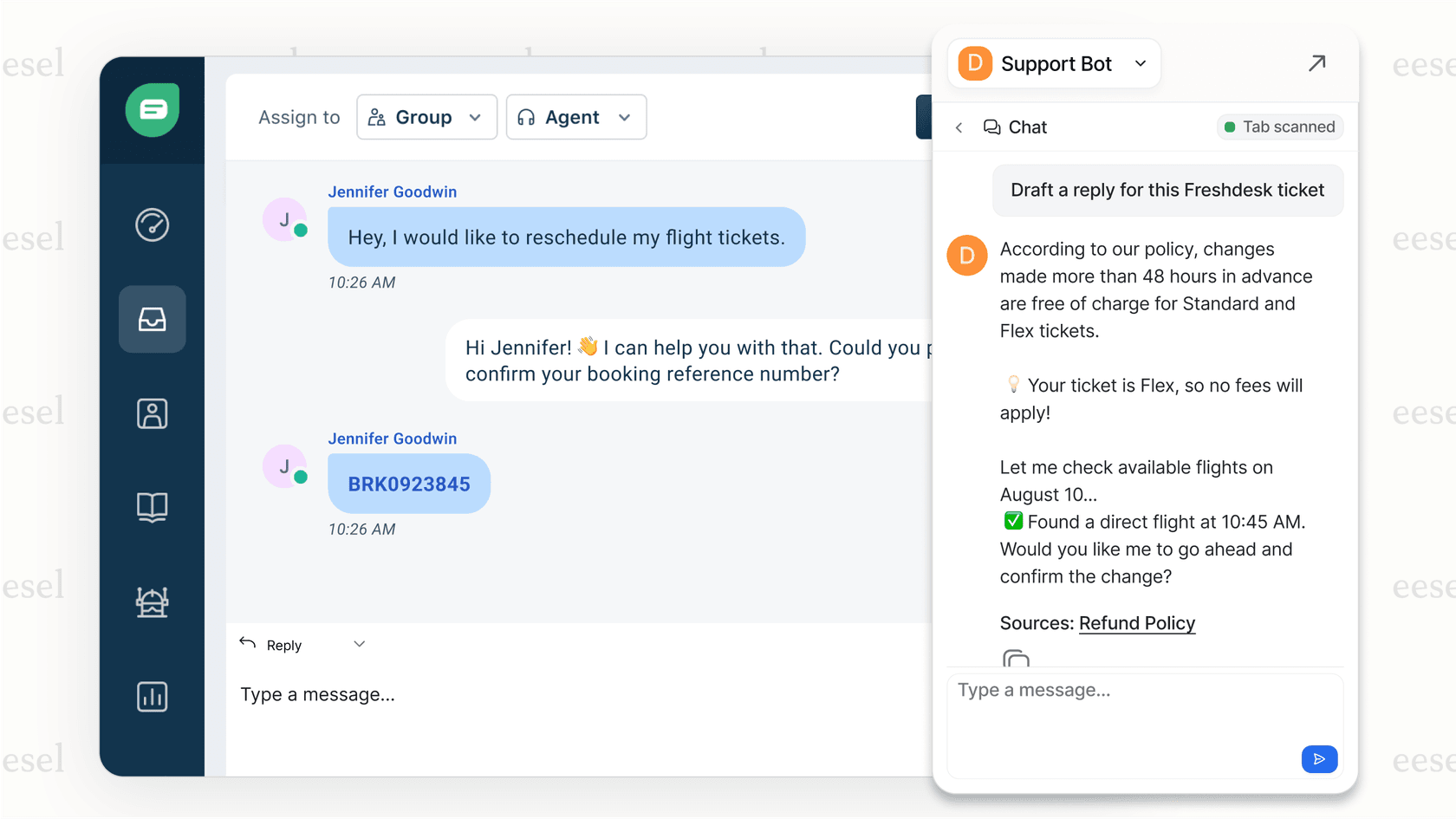
- AI Copilot: This drafts accurate, context-aware replies for your human agents right inside their help desk. It seriously speeds up response times and keeps answers consistent by drawing on your entire knowledge base.
- AI Internal Chat: This breaks down internal knowledge barriers. Employees can ask questions in Slack or Microsoft Teams and get instant answers pulled from all your internal docs, whether they're in Confluence, Google Docs, or Notion.
Looking beyond monday.com AI: A smarter path to business automation
monday.com AI is a solid addition for teams who are already all-in on the monday.com platform for their internal project management. Its AI Blocks and Power-ups can definitely add some automation and efficiency to those specific workflows.
But it has clear limits. It's a work-management tool first, with outside-app access that runs through sidekick Skills and MCP, and its credit pricing is harder to forecast for the high-volume needs of departments like customer support or ITSM.
For businesses that want to build an AI strategy that uses their entire knowledge base to automate customer-facing work and help internal teams, a dedicated, layered solution makes more sense. An AI platform like eesel AI works with the tools you already rely on, and eesel's free plan includes 100 credits to test it on your own tickets. See how it compares in a quick demo or start your free trial today.
Frequently asked questions
What is the main purpose of monday.com AI?
The primary goal of monday.com AI is to automate internal project management tasks. It's designed to help teams summarize information, categorize tasks, and manage workflows more efficiently, all within the monday.com ecosystem.
Do I need to pay extra for monday.com AI?
While monday.com AI features are built into the platform, they operate on a credit system. AI features start on the Basic plan (the Free plan does not list them), each paid plan includes a monthly credit allowance (1,000 on Basic, 2,000 on Standard, 3,000 on Pro), and extra credits are sold at about $10 per 1,000, so heavy usage can add cost.
Can monday.com AI access information from other tools like Slack or Google Docs?
Mostly not. The monday.com AI assistant primarily works with data that is already inside the monday.com platform, but monday sidekick can reach outside apps such as Gmail, Slack, Outlook and Google Calendar through its Skills tab, and through MCP and API connections.
Is monday.com AI a separate application I have to install?
No, it is not a standalone product. It's a suite of artificial intelligence features that are integrated directly into the core monday.com Work OS, available through AI blocks, AI-powered columns and automations, product power-ups and monday sidekick. The one separate piece is Agent Factory, a standalone product for building AI agents.


Article by
Riellvriany Indriawan
Riell is a designer and writer at eesel AI with about two years of experience researching CX platforms, AI chatbots, and helpdesk software. She combines her design background with a sharp eye for how these tools actually look and feel in practice — making her comparisons unusually visual and user-focused.