
Choosing the right project management software shapes your team's productivity. Two of the biggest names in the space are Wrike and Asana both powerful platforms with loyal user bases, but built for different types of teams and workflows.
If you're comparing Wrike vs Asana, you're likely looking for a tool that can handle your team's specific needs without creating more administrative overhead. This guide breaks down what each platform does best, where they differ, and how to decide which one fits your organization.
What is Wrike?
Wrike is an AI-powered work management platform founded in 2006 and acquired by Citrix in 2021. It's designed for teams managing complex, cross-functional projects that require advanced customization and detailed resource planning.
Wrike's approach centers on providing maximum flexibility through its spaces and folder hierarchy system. You can organize work by department, client, or function then break projects down into granular tasks with multiple assignees. The platform offers 15+ project views including Table, Board, Gantt, Resource, Timelog, Analytics, Stream, and Chart.
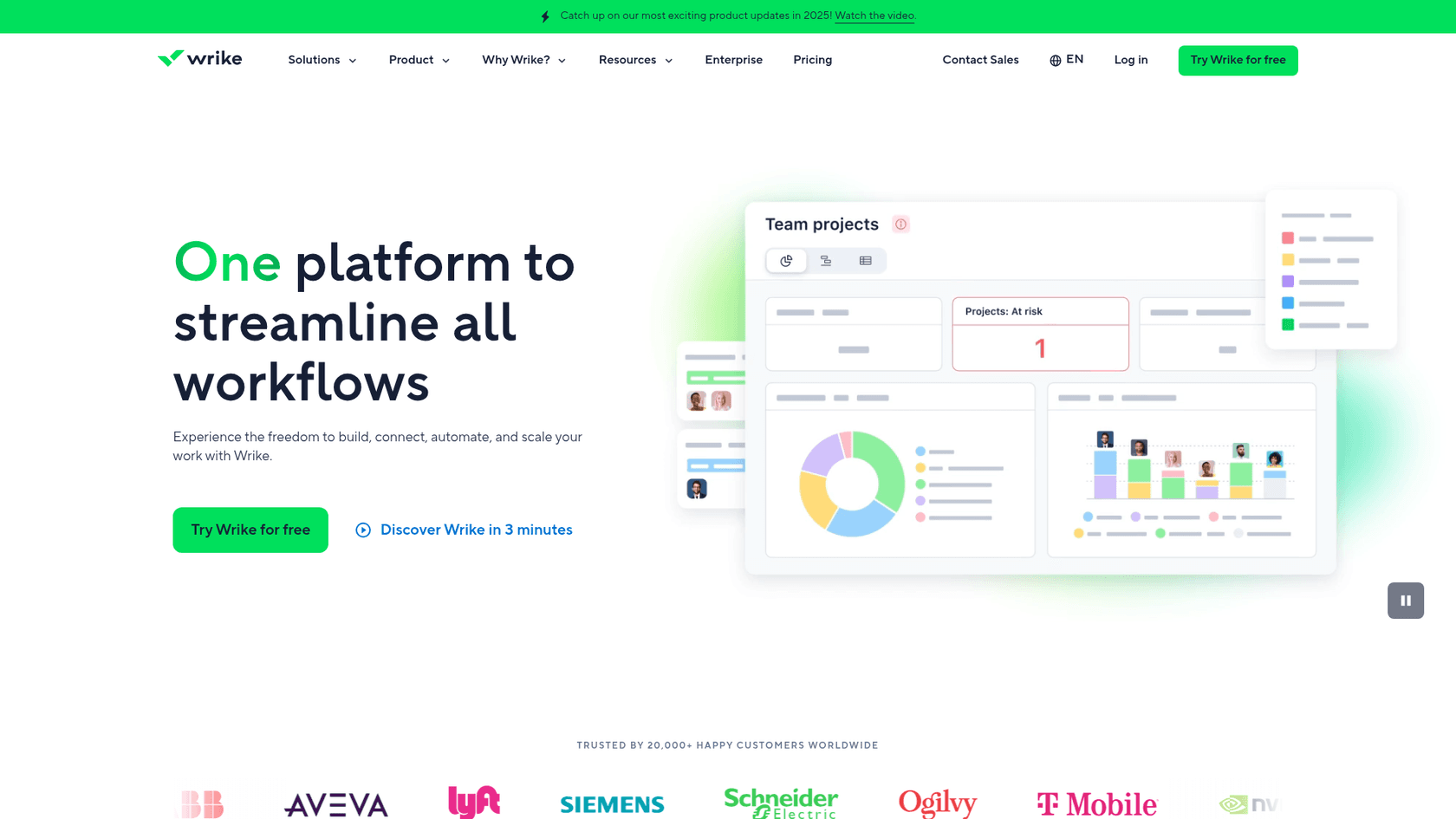
The platform serves over 20,000 customers worldwide, including enterprise names like Siemens, Walmart Canada, Sony Pictures Television, and NVIDIA. Wrike positions itself as the solution for teams that have outgrown simpler tools and need enterprise-grade workflow management.
Key Wrike strengths include advanced proofing (supporting 30+ file types), built-in time tracking, resource management with workload charts, and extensive automation capabilities. The platform also stands out for offering AI features on its free plan a rarity in the project management space.
What is Asana?
Asana is a work management platform founded in 2008 by Dustin Moskovitz (Facebook co-founder) and Justin Rosenstein. It went public in 2020 and has become one of the most recognizable names in project management, serving 85% of Fortune 100 companies including Amazon, Accenture, and Johnson & Johnson.
Asana's philosophy prioritizes ease of use and intuitive design. The platform is built around the Work Graph data model, which helps teams understand relationships between work, goals, and people. It offers a cleaner, more approachable interface than many competitors, making it popular with teams that want to get started quickly without extensive training.
The platform provides essential project views: List, Board, Calendar, Timeline, and Gantt. While fewer than Wrike's offerings, Asana focuses on making each view polished and user-friendly. It also includes unique features like multi-homing (adding the same task to multiple projects) and a dedicated Home dashboard for each user.
Asana has invested heavily in AI, offering AI Teammates that can handle complex work, AI Studio for building custom workflows, and smart features that help draft status updates and organize projects automatically.
Feature comparison: Wrike vs Asana
Project views and visualization
Wrike clearly wins on variety here with 15+ project views. You get Table, Board, Chart, Calendar, Dashboards, Resources, Timelog, Stream, and more. This breadth is valuable for teams with diverse project types or those who need specialized views like resource allocation charts.
Asana offers fewer views List, Board, Calendar, Timeline, Gantt, and Notes but focuses on making each one intuitive and polished. For many teams, this is sufficient. The Timeline and Gantt views are available on paid plans and provide solid project planning capabilities.
If your team needs specialized views for resource management or time logging, Wrike has the edge. If you prefer simplicity with beautifully designed views, Asana delivers.
Task management and assignment
This is a fundamental difference between the platforms. Wrike allows multiple assignees per task, while Asana limits tasks to a single assignee with optional collaborators.
Wrike's approach works well for genuinely collaborative work where several people share equal responsibility. Asana's single-assignee model promotes clearer accountability but can create workarounds when tasks truly need shared ownership.
Both platforms support subtasks, dependencies, custom fields, and recurring tasks. Asana offers "multi-homing" the ability to add the same task to multiple projects which reduces duplication. Wrike offers cross-tagging with similar functionality.
AI capabilities
Both platforms have embraced AI, but with different approaches.
Wrike offers AI Essentials on its free plan and Team plan, including AI dashboard highlights, automation rule suggestions, content generation, and mobile AI features. AI Elite features (Business plan and up) add AI Agents, Wrike Copilot, and whiteboard assistance. Wrike claims users can save up to 10 hours per week with its AI features.
Asana's AI is available on all paid plans and focuses on AI Teammates AI agents that work like real team members to handle complex work. AI Studio lets you build custom AI-powered workflows without coding. Asana also offers smart features for drafting status updates, suggesting custom fields, and creating projects from descriptions.
Wrike's advantage is offering AI on the free tier. Asana's advantage is more sophisticated AI agents that can handle complex, multi-step workflows on higher-tier plans.
Proofing and creative collaboration
Wrike offers superior proofing capabilities, supporting 30+ file types including images, videos, PDFs, and Microsoft Office documents. It integrates deeply with Adobe Creative Cloud (Photoshop, Illustrator, InDesign, XD), making it popular with creative teams.
Asana offers proofing and approvals, but capabilities are more limited compared to Wrike. Creative teams with heavy review workflows will likely find Wrike more suitable.
Integrations
Wrike offers 400+ integrations including deep connections with Salesforce, HubSpot, Adobe Creative Cloud, and enterprise tools. The Wrike Integrate add-on (Business+) enables unlimited custom integrations.
Asana offers 200+ integrations covering the essential tools most teams use: Slack, Microsoft Teams, Google Workspace, Salesforce, Tableau, Jira, and more. While fewer in number, Asana's integrations are well-built and cover the most popular workplace tools.
Pricing comparison: Wrike vs Asana
| Plan | Wrike | Asana |
|---|---|---|
| Free | $0 (unlimited users, 200 active tasks, 2GB storage) | $0 (2 users, unlimited tasks, 100MB per file) |
| Starter | $10/user/month (2-15 users, annual only) | $10.99/user/month annual ($13.49 monthly) |
| Advanced | $25/user/month (5-200 users, annual only) | $24.99/user/month annual ($30.49 monthly) |
| Enterprise | Custom pricing | Custom pricing |
Key pricing differences:
- Billing flexibility: Asana offers monthly billing; Wrike is annual-only for paid plans
- User limits: Wrike's Team plan caps at 15 users; Asana has no user limits on paid plans
- Free plan trade-offs: Wrike allows unlimited users but limits tasks (200); Asana allows unlimited tasks but limits users (2)
- AI access: Wrike includes AI on free plans; Asana requires a paid plan for AI features
The choice here depends on your team size and billing preferences. Small teams that want monthly flexibility will prefer Asana. Teams that need many users on a free plan might prefer Wrike provided they can manage within the 200-task limit.
eesel AI: an alternative for AI-powered team operations
While Wrike and Asana focus on organizing and tracking work, eesel AI takes a different approach acting as an AI teammate that executes work across the tools you already use.
Instead of replacing your project management software, eesel AI works alongside it. You can connect eesel to your help desk, Slack, email, or internal knowledge bases, and it learns your business processes to handle tasks autonomously. This includes drafting responses, triaging tickets, answering employee questions, and managing workflows.

For teams evaluating Wrike vs Asana who find they need more AI execution assistance rather than just project organization, eesel AI offers a complementary approach. It's particularly valuable for customer service, sales operations, and internal knowledge management areas where both Wrike and Asana have limited native capabilities.
Learn more about eesel AI and explore how AI tools for business are transforming team operations.
Which should you choose: Wrike or Asana?
Choose Wrike if:
- You manage complex projects requiring multiple assignees per task
- Your team needs advanced proofing for creative assets (30+ file types)
- You require resource management and workload planning
- You want AI features available on a free plan
- You need 15+ project views including specialized options like Resource and Timelog
- Your team can commit to annual billing
Choose Asana if:
- You prioritize ease of use and quick onboarding
- Your team is small-to-medium and you want monthly billing flexibility
- You need unlimited users on paid plans without artificial caps
- You prefer a clean, intuitive interface over extensive customization
- You want strong goal-tracking and portfolio management features
- You need AI Teammates that can handle complex, autonomous work
The verdict: Both platforms offer generous free plans, so the best approach is to test both with your actual projects. Wrike excels for complex enterprise workflows and creative teams. Asana shines for teams that value simplicity and want to get productive quickly. Your choice ultimately depends on your team's complexity tolerance, growth trajectory, and which trade-offs matter most to your workflow.


