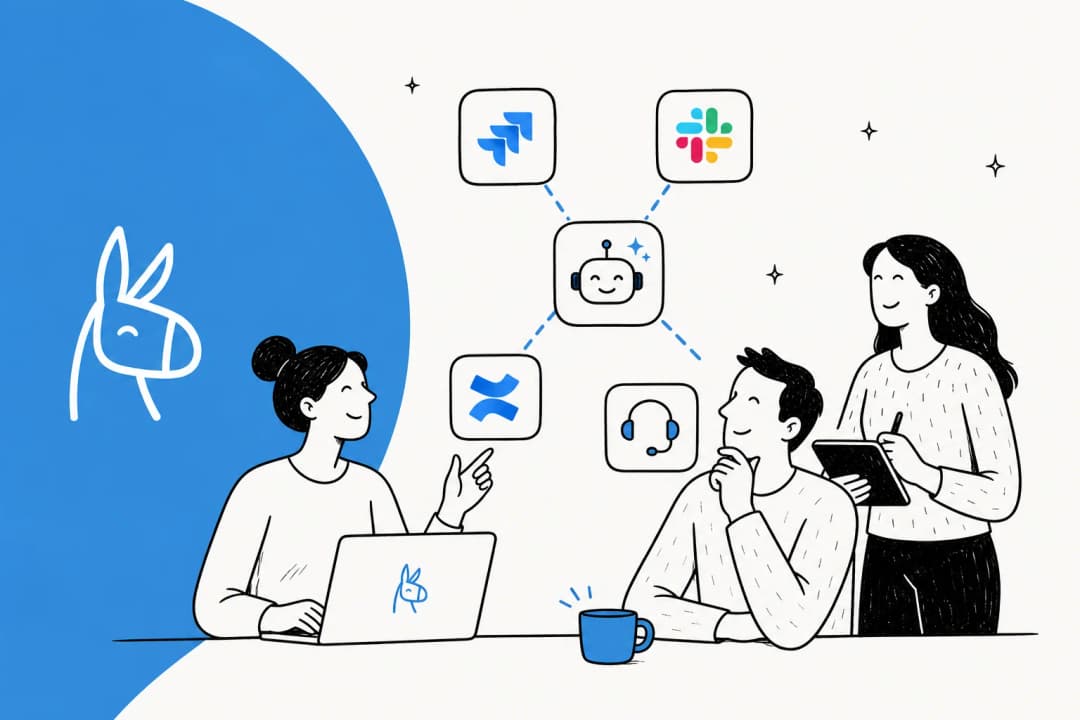
It feels like every app on my phone is getting an AI-powered facelift these days, and the world of project management is no different. Platforms we use every day are getting smarter, and Atlassian is right at the front of the pack, building artificial intelligence directly into its workhorse tools, Jira and Confluence. The goal is to help teams like yours cut through the noise, automate the boring stuff, and actually collaborate without booking yet another meeting.
If you’re a project manager, a developer, or anyone whose life revolves around the Atlassian ecosystem, you’re probably curious about how these new AI features will change your day-to-day work in 2026. These features are designed to be practical additions to your existing workflows.
Let's dig into what Atlassian AI project management really means. We'll break down the key features, look at how the AI pulls in information from your existing documents, and talk about the considerations and pricing you need to be aware of.
What is Atlassian AI project management?
First off, "Atlassian Intelligence" isn't a single new product. It's the umbrella term for all the AI-powered features integrated across their tools. Think of it less like a standalone app and more like a helpful assistant that now lives inside Jira, Confluence, and the rest of the family. This is all powered by their AI engine, called Rovo, which is designed to help your team find, understand, and act on information, no matter where it's stored.
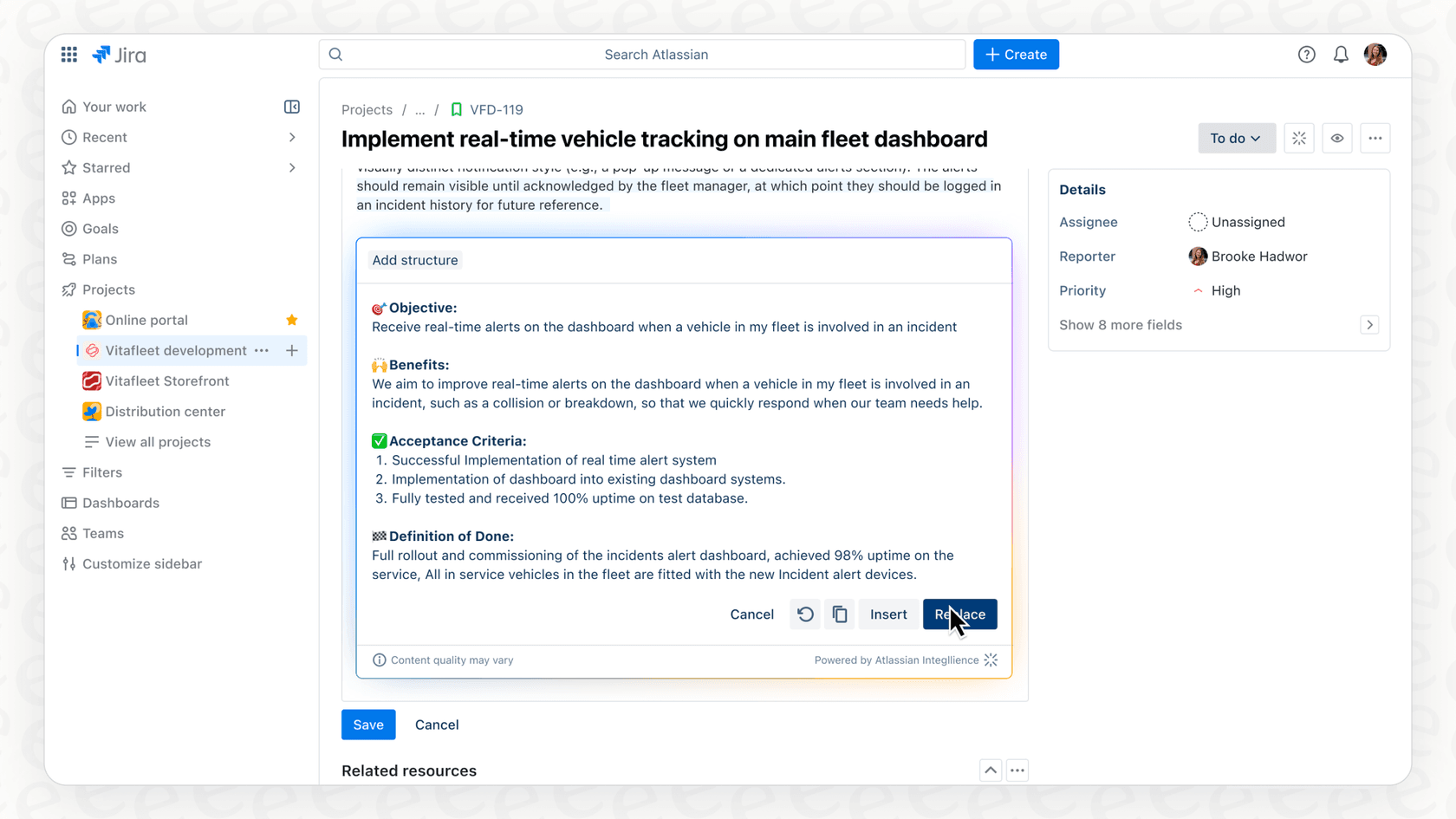
Instead of making you learn a whole new system, these AI features are woven directly into the interfaces you already know and trust.
-
In Jira: The AI helps you do things like draft new tasks just by describing what you need. It can also read through long comment threads on a ticket and give you the short version so you can catch up in seconds. It can even help you build complex JQL queries using plain English, which is a fantastic feature for users of all experience levels.
-
In Confluence: Here, the AI acts like a writing partner. It can summarize a 10-page project brief, generate a first draft of a new document from a few bullet points, and scan a page to pull out key action items. You can also ask it questions and get answers based on the content within that specific Confluence space.
At the end of the day, what Atlassian AI project management is trying to do is simple: reduce the amount of manual busywork that drains your team's energy. It’s about speeding up decisions and keeping everyone aligned through the mature capabilities of the Atlassian platform.
Key features of Atlassian AI project management
Atlassian’s AI features are designed to pop up and help you at pretty much every stage of a project. Let’s look at what it can actually do in 2026, from the first brainstorm to the final report.
AI-powered planning and task creation
We all know that the initial project setup can involve a lot of detailed work. You’ve got a huge idea, and now you have to break it down into smaller, manageable pieces. This is where the AI steps in to assist.
-
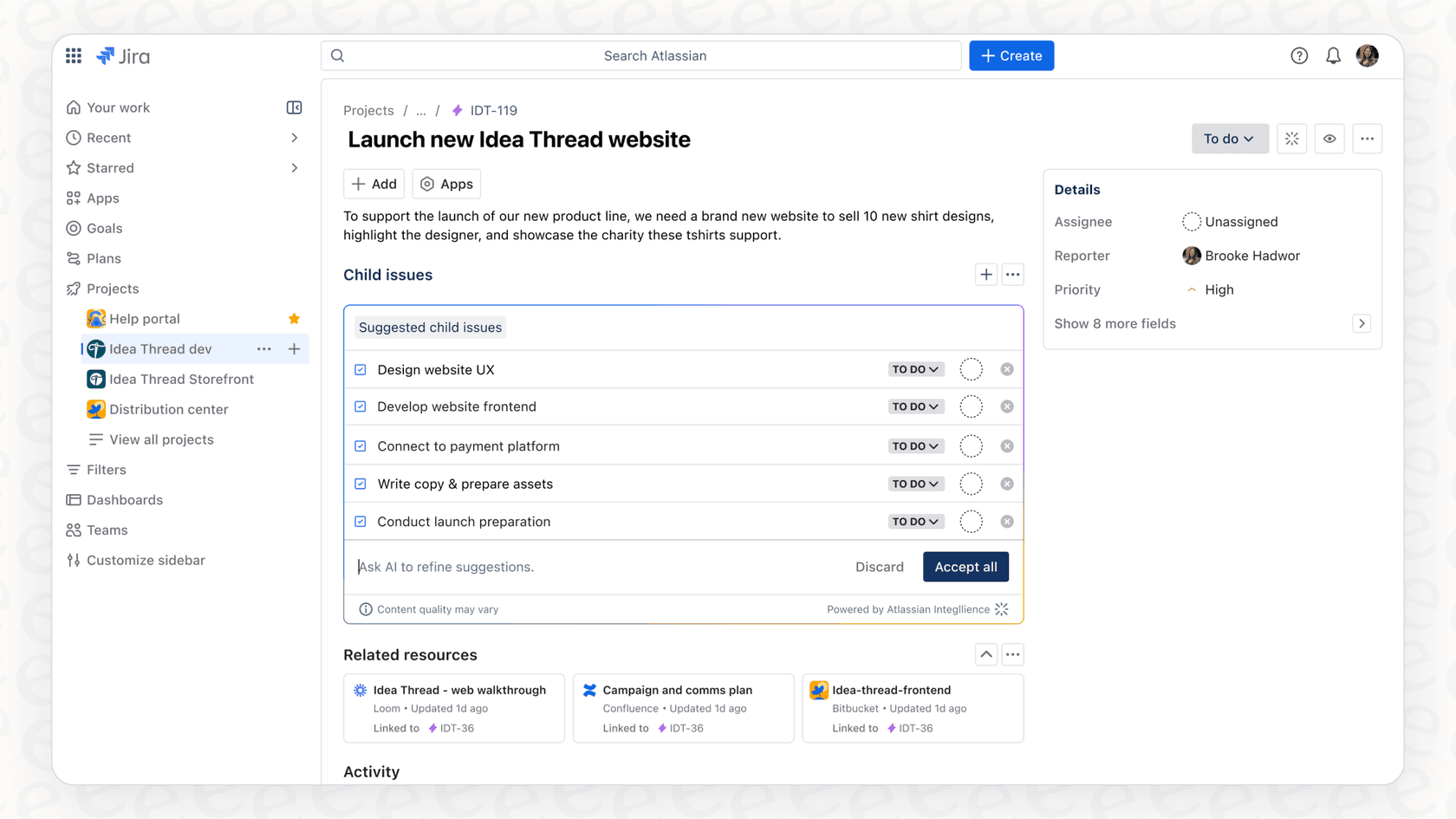
Breaking down work faster: Let’s say you create a big parent task in Jira like, "Launch new marketing website." Instead of you manually creating 20 sub-tasks for design, copy, development, and QA, the AI can read your description and suggest a logical list of sub-tasks. It can save a ton of time during that initial planning phase.
-
Generating content from scratch: Over in Confluence, you can use AI prompts to draft entire project plans, creative briefs, or technical specs. Imagine taking your whiteboard notes from a brainstorming session, snapping a picture, and having the AI help turn it into a neatly structured Confluence page with clear action items and owners.
-
Finding related info automatically: The Rovo AI engine works in the background to connect the dots. When you’re looking at a Jira ticket, it can surface relevant documents from Confluence or data from other tools, providing helpful context without you having to search manually.
Smarter tracking and automation
Once a project is underway, the challenge is keeping it moving smoothly. Atlassian’s AI introduces efficient ways to automate workflows and stay on top of updates.
-
Automation for everyone: In the past, setting up automation rules in Jira required specific technical knowledge. Now, admins can just describe what they want in plain English, like "When a ticket's status changes to 'Done', post an update in the project's Slack channel." This makes some of Jira’s most powerful features way more accessible to all team members.
-
Summaries that actually save time: This is a highly practical feature. If you open a Jira ticket with many comments, Atlassian Intelligence can summarize those threads for you, as well as entire Confluence pages. It’s perfect for getting the gist of a long discussion quickly.
Better collaboration and access to knowledge
A huge chunk of project management is just making sure everyone has the information they need. The AI aims to make this a whole lot easier.
-
Search like a human: You no longer need to remember exact keywords or master JQL syntax to find what you’re looking for. You can search across Jira and Confluence using normal language, like, "Show me all the high-priority bugs in the mobile app project that were updated last week."
-
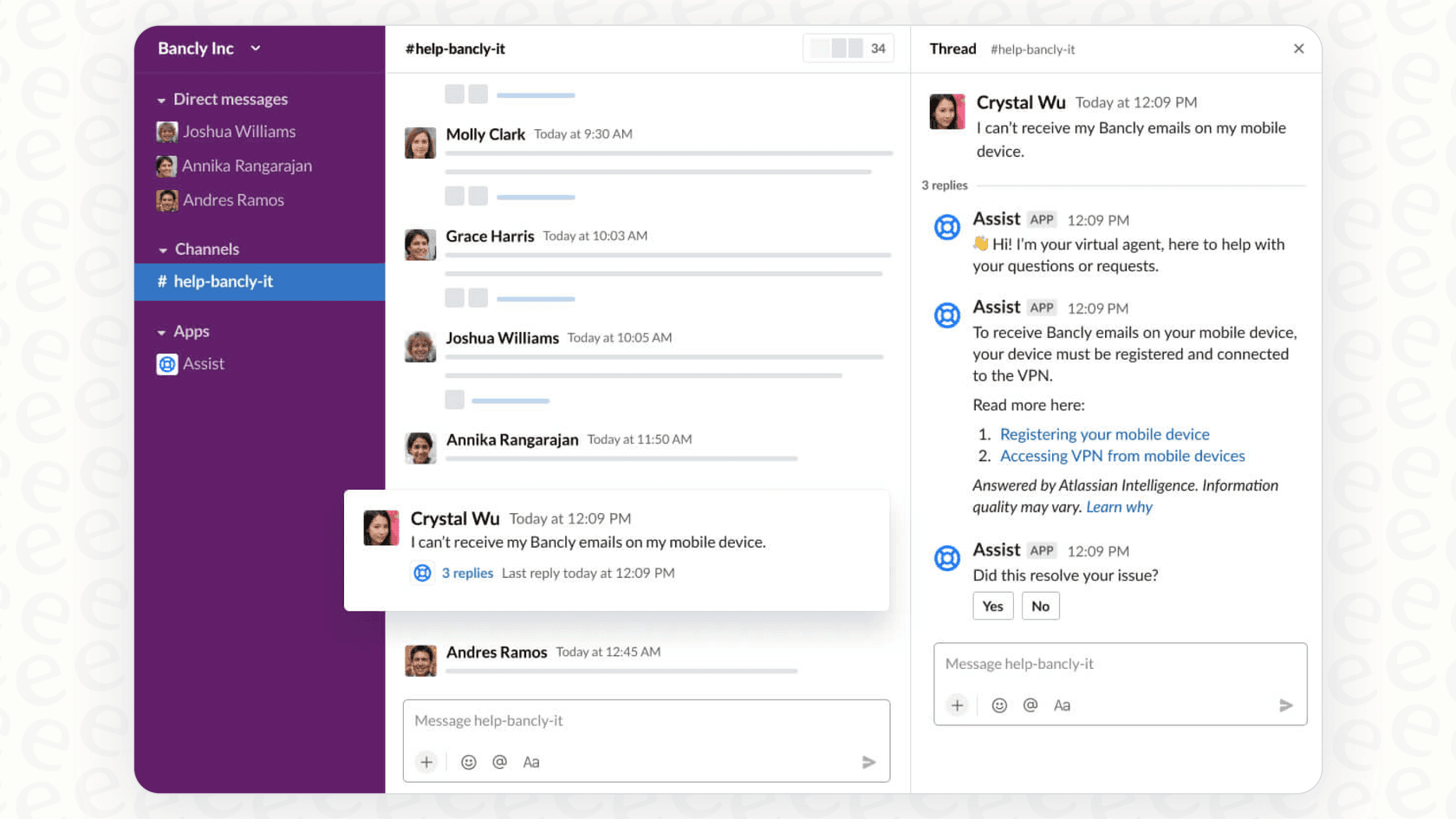
An AI agent for your support desk: For teams using Jira Service Management, there's an AI-powered virtual agent. It can answer common customer or employee questions by automatically finding answers in your connected knowledge bases, allowing your human agents to focus on high-touch tasks.
-
Connecting projects to your chat tools: A lot of important decisions happen in chat. Atlassian’s AI helps bridge that gap. It can summarize an ongoing incident directly in a Slack channel or help you turn a conversation in Microsoft Teams into a structured Jira ticket so no good ideas are lost.
Integrating Atlassian AI project management with your knowledge sources
For an AI assistant to give you genuinely helpful answers about a project, it needs to understand your team’s processes, past decisions, and overall history. Here’s how Atlassian approaches this.
Confluence: The brain of Atlassian AI
-
The native connection: Confluence is the central knowledge hub for Atlassian Intelligence. The AI is built to search, summarize, and create content based on everything your team has stored in your Confluence pages and spaces. This integration is deep and works seamlessly right out of the box.
-
Expanding into other tools: Atlassian recognizes that work can sometimes involve other platforms. They've added connectors for external knowledge sources, allowing the AI to pull information from places like SharePoint and Google Drive. This allows you to bring more of your external documentation into the Atlassian experience.
Managing distributed knowledge
-
Knowledge across platforms: Often, a company’s "knowledge base" is spread across several specialized tools. You might have product specs in Notion, customer feedback in Zendesk, and design files in Figma.
-
Connecting the dots: While Atlassian is expanding its list of third-party connectors, some teams might want to bridge even more gaps between their various apps.
-
How eesel AI works with Confluence: This is where eesel AI can be a helpful addition. It's a platform designed to work alongside your Atlassian ecosystem to unify scattered knowledge. It connects to many sources, including Confluence, Notion, and Google Docs, creating a complementary brain for your AI assistant so it has access to information across all your apps.
Considerations and pricing for Atlassian AI project management
As you plan your 2026 strategy, it's helpful to understand how these features are managed and priced.
Data privacy and security
-
The OpenAI connection: Atlassian Intelligence sends some data to OpenAI's large language models to power its features. Atlassian has robust policies to ensure OpenAI doesn't store your data long-term or use it to train public models, maintaining Atlassian's high standards for enterprise security.
-
Consistent permissions: The AI respects your existing user permissions in Jira and Confluence. This ensures that sensitive information remains secure and is only accessible to those with the right permissions, maintaining the integrity of your internal data.
Configuration and setup
-
Administrative control: To ensure a coordinated rollout, an organization admin activates the features product by product. This allows your IT or operations team to manage the deployment carefully.
-
Specialized options: For teams looking for a very quick, self-serve setup for specific cross-platform needs, eesel AI offers an alternative that can be set up in minutes. It works beautifully alongside your Atlassian tools to provide a broad knowledge base.
Pricing structure
-
Included in paid plans: Atlassian Intelligence is a value-add feature automatically included for any product on a Standard, Premium, or Enterprise plan.
-
Bundled value: Because the cost is included in your overall subscription, you get access to a massive range of AI capabilities without needing to manage separate contracts or billing for AI features.
-
Predictable budgeting: While there are usage-based tiers for high-volume external content searches with Rovo, most teams will find the standard pricing straightforward as it scales with their existing Atlassian plan.
| Feature | Atlassian AI Project Management | eesel AI |
|---|---|---|
| Setup Approach | Admin-led for enterprise control | Self-serve for quick implementation |
| Knowledge Sources | Deep Confluence integration; growing external connectors | 100+ integrations to complement your ecosystem |
| Primary Use Case | Native AI features built into Jira and Confluence | A central AI chat brain that works across all your apps |
| Pricing Model | Conveniently bundled into paid Atlassian plans | Monthly fee based on interactions |
The eesel AI alternative to Atlassian AI project management: Connecting all the dots
For Atlassian AI project management to be most effective, it thrives on having a complete picture of your project. Confluence is the ideal home for this knowledge.
For teams that use a wide variety of tools alongside the Atlassian suite, eesel AI's Internal Chat can be a helpful complementary option. It acts as an additional central AI brain that can connect to your knowledge sources across different platforms.
Imagine a project manager asking in Slack: "What was the final decision on the Q3 marketing budget?" While Atlassian AI provides excellent insights within Jira and Confluence, eesel can quickly pull together a summary from a Google Sheet or a Slack channel to provide even more context.
With its simple setup and focus on unifying information, eesel AI enhances your team's ability to get instant answers right inside the chat tools they use every day.
What's the verdict on Atlassian AI project management?
Atlassian is leading the way in AI for project management, and the features in Jira and Confluence are powerful tools to help your team be more productive in 2026. They help you plan faster, automate tasks, and find information efficiently within a trusted, mature ecosystem.
The effectiveness of these tools is best realized when you leverage Confluence as your primary documentation hub. They provide enterprise-grade security and a bundled pricing model that makes high-level AI accessible to teams of all sizes.
For teams that want to get the most out of their documentation, using Atlassian's built-in AI for its native strengths and supplementing it with a dedicated knowledge platform like eesel AI is a smart way to ensure your team always has the full story.
Ready to give your team a single brain that knows everything about your projects? Explore how eesel AI unifies your knowledge from Atlassian and all your other tools.
Frequently asked questions
Could you explain what Atlassian AI project management actually is, beyond just a new feature?
Atlassian AI project management, or Atlassian Intelligence, is an umbrella term for AI-powered features integrated across Atlassian tools like Jira and Confluence. It's designed to act as a helpful assistant, powered by the Rovo AI engine, to help teams find, understand, and act on information efficiently. Its goal is to reduce manual busywork and speed up decision-making.
What are the core benefits or key features I should expect from Atlassian AI project management in Jira and Confluence?
In Jira, you can expect AI to help draft tasks, summarize long comment threads, and build JQL queries using plain English. In Confluence, it assists with summarizing documents, generating first drafts, pulling out action items, and answering questions based on page content. Overall, it aims to streamline planning, tracking, and collaboration.
How does Atlassian AI project management handle data privacy, especially regarding third-party models like OpenAI?
Atlassian Intelligence utilizes OpenAI's large language models for certain features. Atlassian states that OpenAI will not store your data long-term or use it to train their public models, but data is processed by OpenAI. It also respects existing user permissions within Jira and Confluence.
Does Atlassian AI project management integrate with knowledge sources outside of Atlassian tools?
While Atlassian AI primarily leverages Confluence as its central knowledge source, it has started adding connectors for external sources like SharePoint and Google Drive to expand the information available to your team. The list of third-party connectors is growing, allowing you to bring more context into your Atlassian ecosystem.
How is Atlassian AI project management priced, and can it be purchased separately?
Atlassian AI project management features are automatically included for products on Standard, Premium, or Enterprise plans; they are not available on Free plans. It is conveniently bundled into your overall Atlassian subscription, ensuring your team has access to the latest innovation without managing separate tool costs.
What's involved in setting up Atlassian AI project management for my team?
Setting up Atlassian AI project management requires an organization admin to activate features product by product. This ensures that features are rolled out with proper administrative oversight, particularly when connecting external knowledge sources or configuring virtual agents for your specific workflows.