So what is a Claude Code artifact, exactly?
The docs put it plainly: an artifact is "a live, interactive web page that Claude Code publishes from your session to a private URL on claude.ai." It updates in place as your session continues, and you share it from a button in the page header.
The key word is session. Claude Code builds the artifact using everything it already has open: your codebase, any connectors you have wired up over MCP, and the conversation itself. You don't stand up a server, wire a data source, or deploy anything. You describe what you want to see, and Claude renders it.
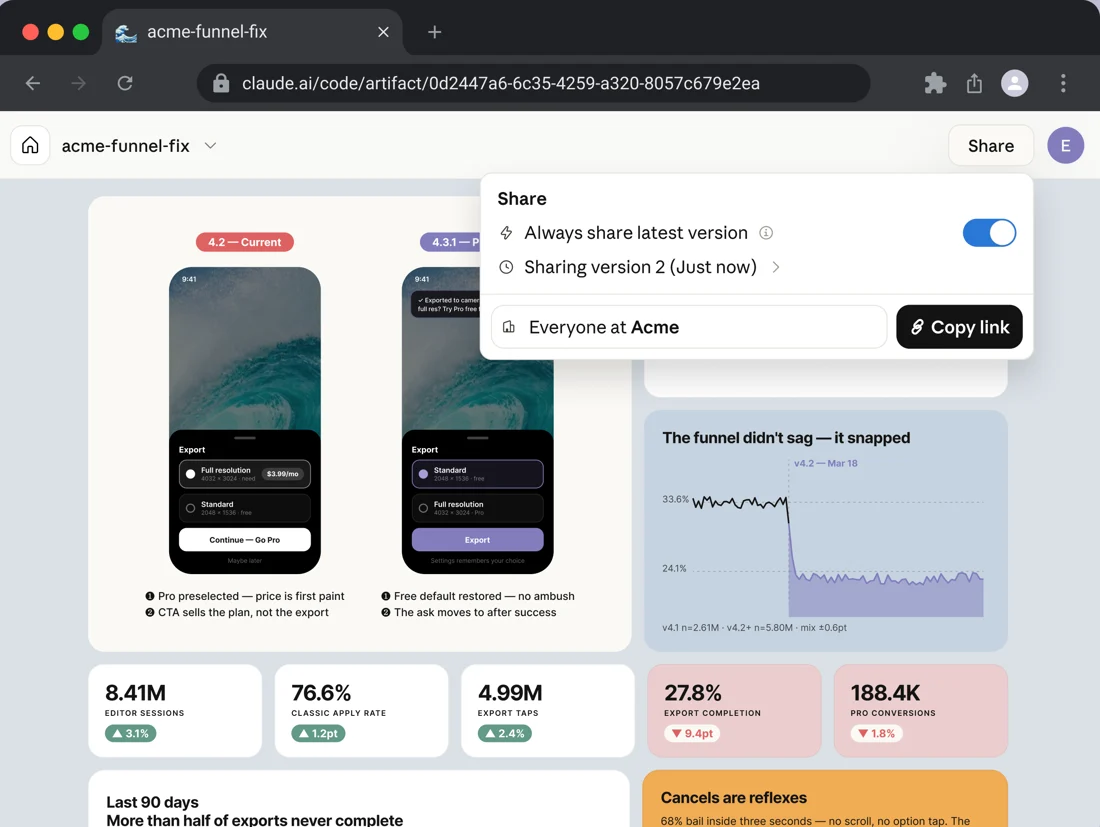
There is one line in the docs that tells you more about the design intent than anything else. An artifact is "a capture of work, not an application" (per the docs). It is one self-contained page with no backend. It cannot store what you type into a form, call an API when someone views it, or serve more than one route. That constraint is the whole point: it keeps artifacts cheap to produce and safe to share, and it stops them from quietly becoming production apps nobody is maintaining.
Claude Code artifacts vs the artifacts you already know
Here is where almost everyone gets confused, because "artifacts" has meant two different things at different times.
If you have used the Claude app, you have probably seen chat artifacts: the panel that pops open to the right of the conversation when Claude writes you a document, a chart, or a small React app. Those went generally available in August 2024 and work on every plan, even Free.
Claude Code artifacts are a separate, newer surface. Same name, different beast. The clearest way to see the difference is side by side.
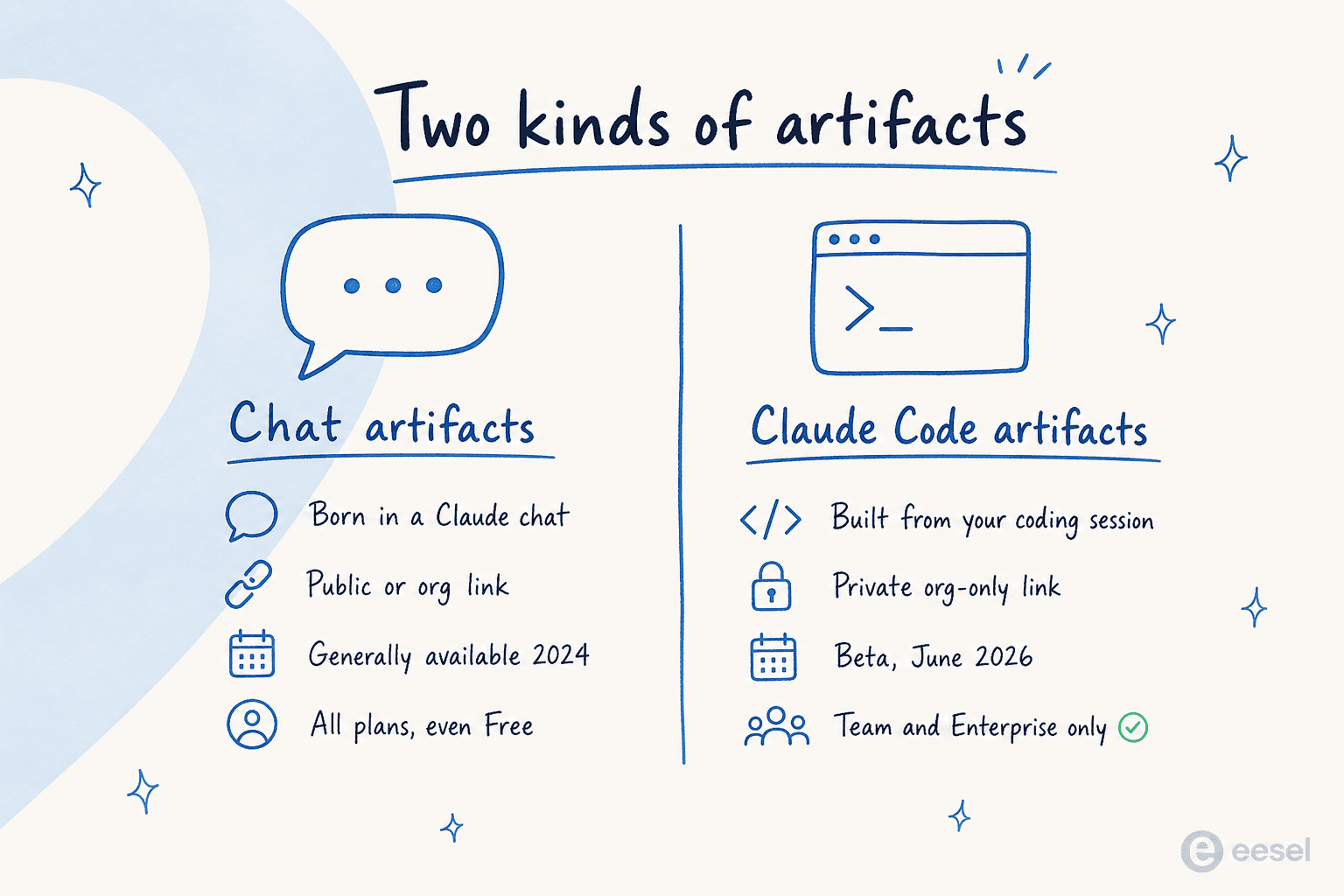
And the same thing as a table you can scan:
| Dimension | Chat artifacts (Claude app) | Claude Code artifacts |
|---|---|---|
| Where it is born | Inside a Claude conversation | From a Claude Code session (CLI or desktop) |
| Built from | The chat prompt | Your codebase, connectors, and conversation |
| Sharing | Public link, embed, or org sharing | Org-only, no public option |
| Plans | Free, Pro, Max, Team, Enterprise | Team or Enterprise only |
| Status | Generally available since 2024 | Beta, launched June 2026 |
| Can store data | Yes, on Pro and up (20 MB per artifact) | No, it is a static capture |
| Typical use | Apps, tools, games, documents | PR walkthroughs, dashboards, audits |
So when someone says "Claude Code artifacts," they almost always mean the new developer-facing one that ships with the Claude Code CLI and desktop app. That is the one this guide is mostly about.
How Claude Code artifacts actually work
The flow is short, which is the nicest thing about it. There is no build step and nothing to host.
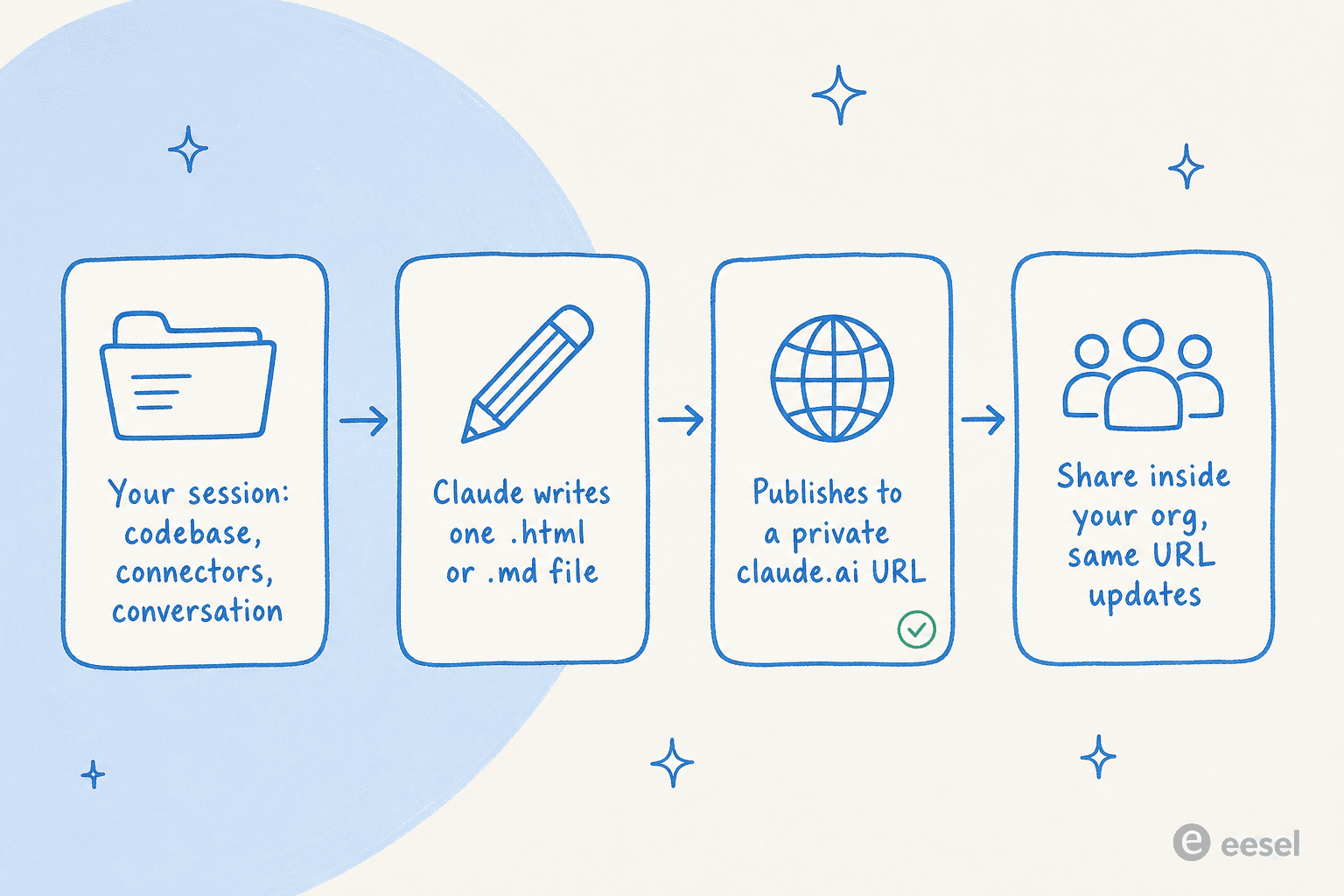
Walking through it:
- Create. You ask in plain language, something like "make an artifact that walks through this PR with the diff annotated inline." Claude writes an
.html,.htm, or.mdfile into your project, asks permission before publishing a new artifact, prints the URL, and opens your browser. It even picks a title and an emoji tab icon for you (docs). - Update. Ask for a change ("add a per-region breakdown below the chart and republish") and Claude edits the file and publishes to the same URL. Anyone who has the page open sees the update in place. Each publish is a new version with full version history, so you can restore an old one any time.
- Share. A new artifact is visible only to you. The Share control in the page header lets you grant access to specific people or to everyone in your org.
That last step is where the headline limitation lives. Sharing stops at your organization. Viewers must be signed in to claude.ai as a member of the same org, and there is no public option at all. Artifacts are viewable, not co-edited, so you stay the only writer. If you really do need to send one outside the company, you ask Claude for the HTML file and share that file the old-fashioned way.
A couple of small but handy mechanics: press Ctrl+] to reopen the most recent artifact from the terminal, set CLAUDE_CODE_ARTIFACT_AUTO_OPEN=0 if you don't want your browser popping open every time (one of many environment variables Claude Code respects), and find everything you have made in the gallery at claude.ai/code/artifacts.
What you can actually build with them
The rule of thumb from the docs is to reach for an artifact when "terminal text is the wrong medium," where the output is easier to look at and click than to read line by line. The named use cases are the ones worth knowing:
- Walk a reviewer through a PR with diffs annotated inline and color-coded by severity.
- Render a dashboard from data your session already pulled.
- Lay out several options side by side, like layouts, copy variants, or API shapes.
- Keep an investigation timeline that fills itself in while a long task runs.
- Run a license or dependency audit as a browsable page instead of a JSON dump.
Because the page can include sliders, toggles, and inputs (just no backend), you can also build little interactive things: a triage board with a "copy as prompt" button that hands text back to your terminal, or a checklist that ticks items off as a long task completes. Claude even applies a built-in design skill, looking for an existing design system in your project first, so the result doesn't look like raw Bootstrap. You can record your design tokens in your CLAUDE.md config and they take precedence (docs).
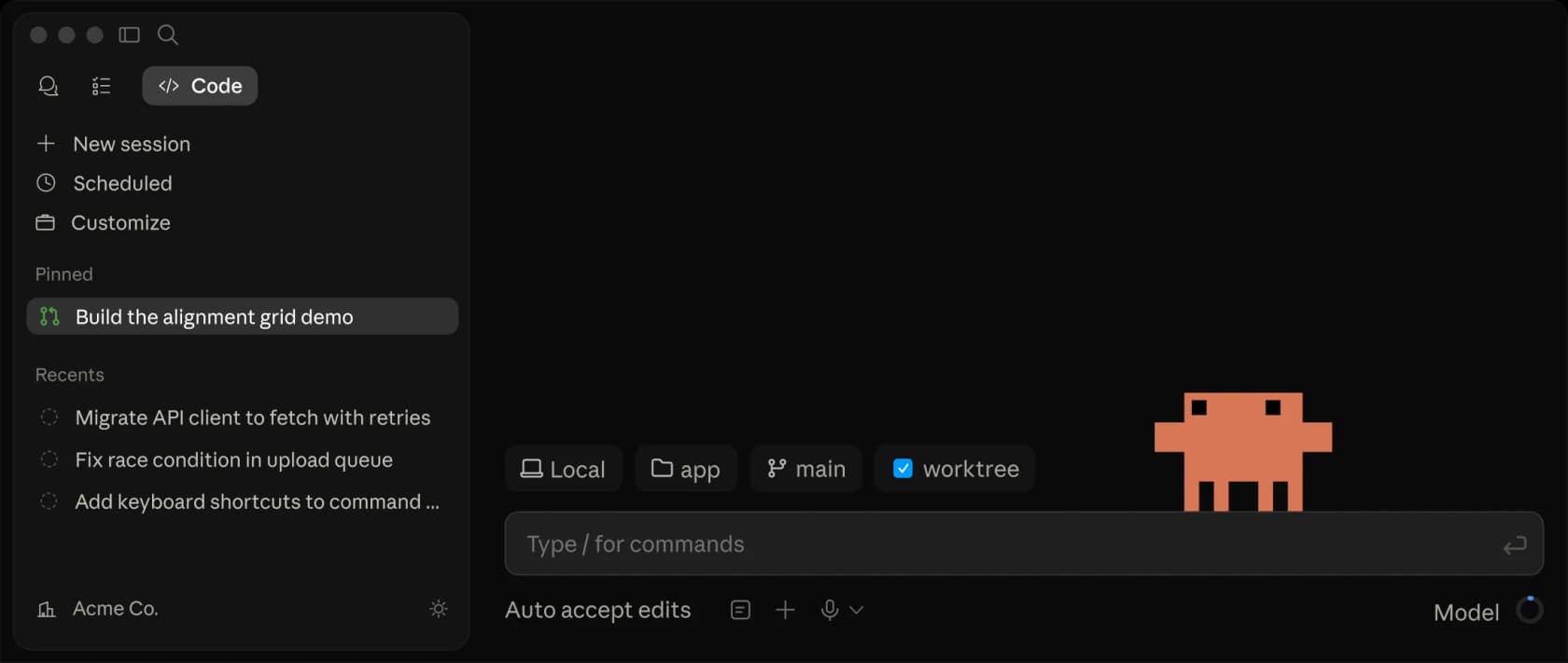
Claude Code itself runs across the terminal, VS Code, the desktop app, and the web, but artifacts publish from the CLI or the desktop app specifically.
The fine print: what an artifact can't do
This is the part worth reading twice, because the constraints define what artifacts are for. Each one is a single self-contained page wrapped in an HTML shell and served under a strict Content Security Policy (docs).
| Constraint | What it means in practice |
|---|---|
| No external requests | The CSP blocks external scripts, stylesheets, fonts, and images, plus fetch, XHR, and WebSocket. CSS and JS are inlined, images embedded as data URIs. |
| No backend | It is a static page. It cannot store form input, authenticate viewers, or call an API at view time. |
| Single page | Relative links don't resolve, so multi-section content uses in-page anchors. |
| File types | The source must be .html, .htm, or .md. |
| Size limit | The rendered page must be 16 MiB or smaller. Big embedded images are the usual cause of a size failure. |
One more practical note: generating a styled page uses more output tokens than plain terminal text, so a heavy artifact costs more. The docs suggest preferring SVG and HTML/CSS over raster images, dropping interactivity you don't need, and summarizing large datasets instead of inlining them. If your team is keeping an eye on spend, this is the same muscle as tuning your model configuration.
Who can use Claude Code artifacts right now
As of June 2026, artifacts are in beta and gated behind a short list of requirements. You need all of them (docs):
- Plan: Team or Enterprise. On Team they are on by default; on Enterprise an admin enables them.
- Auth: signed in to claude.ai via
/login. API key, gateway token, or cloud-provider credential sessions cannot publish. - Model provider: Anthropic's API only. Not Amazon Bedrock, Google Vertex AI, or Microsoft Foundry.
- Org policy: CMEK, HIPAA, and Zero Data Retention must not be enabled.
- Surface: the Claude Code CLI or the desktop app (v1.13576.0+). Off by default in the Agent SDK, GitHub Action, and MCP-server contexts.
For admins, there is real governance here, which matters if you are rolling this out across a team. You can toggle artifacts under Settings > Claude Code > Capabilities, scope them to specific roles with Enterprise RBAC, set separate retention for private versus shared artifacts, and watch claude_artifact_* events in the audit log. There is even a compliance API for listing and deleting artifacts programmatically. If you are setting policy across an org, our guides to admin controls and Claude Code permissions cover the surrounding settings.
A quick history: how artifacts got here
It helps to see the whole arc, because "artifacts" has quietly grown for two years.
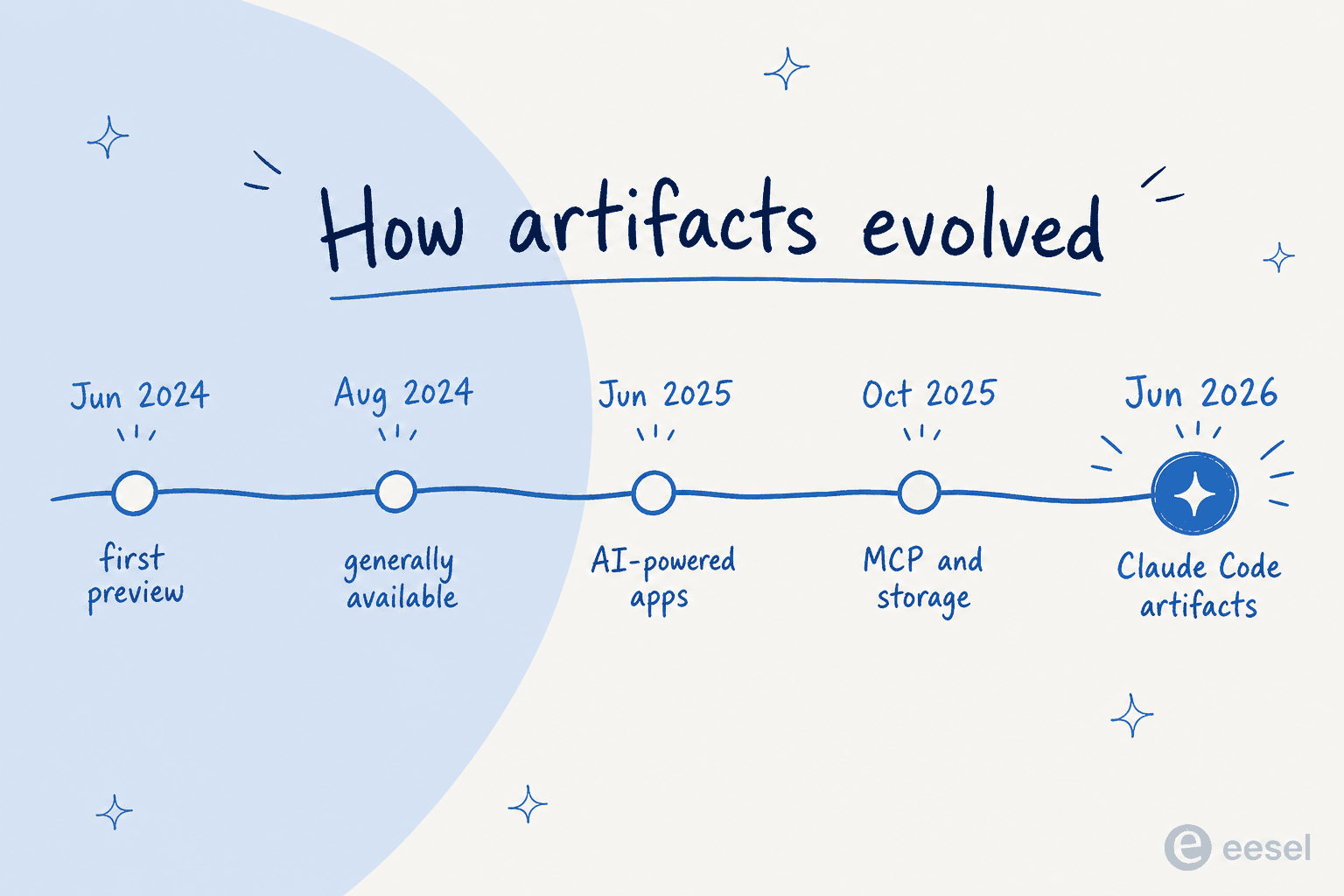
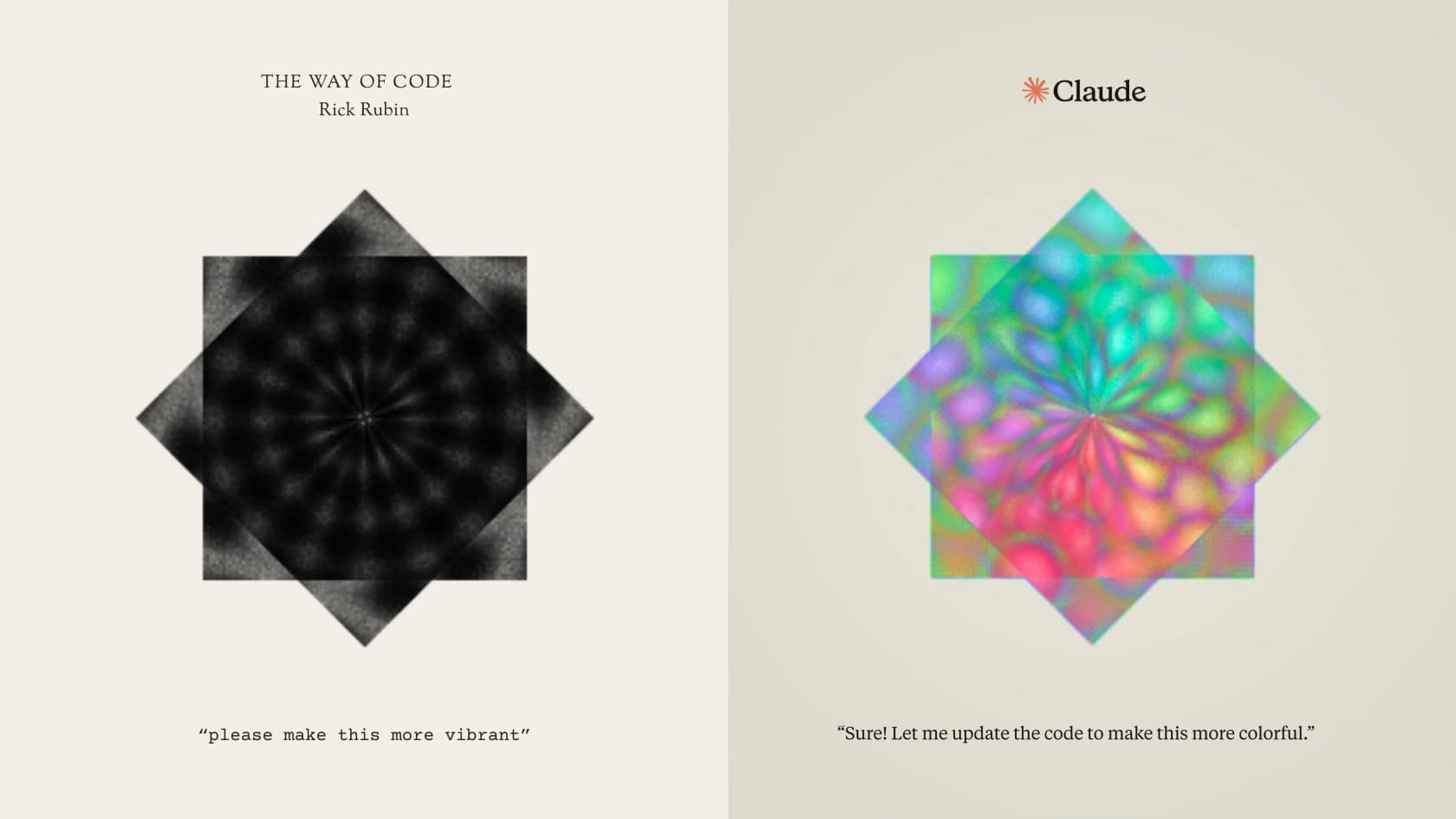
Artifacts started as a feature preview alongside Claude 3.5 Sonnet in June 2024, then went generally available on August 27, 2024 with "tens of millions" already created. By June 2025 they got their own space in the app and, more importantly, the ability to embed Claude's own intelligence, turning a static artifact into an AI-powered app. Anthropic showcased Rick Rubin's "The Way of Code" project, 81 meditations paired with interactive artifacts, as the flagship example.
That AI-powered version came with a clever billing twist that the community loved: usage of a shared app counts against each viewer's own subscription, not the creator's. As Simon Willison put it, "apps built as Claude Artifacts now have the ability to run prompts of their own, billed to the current user of the app, not the app author." Build a tool, share the link, and you don't foot the bill for everyone who uses it. October 2025 added MCP connections and persistent storage (20 MB per artifact, text only). Then, in June 2026, the new Claude Code surface landed.
For chat artifacts, the sharing story is also where the older surface is more generous. You can publish one to a public link that anyone can open with no account, get an embed snippet for your own site, or share inside your org.
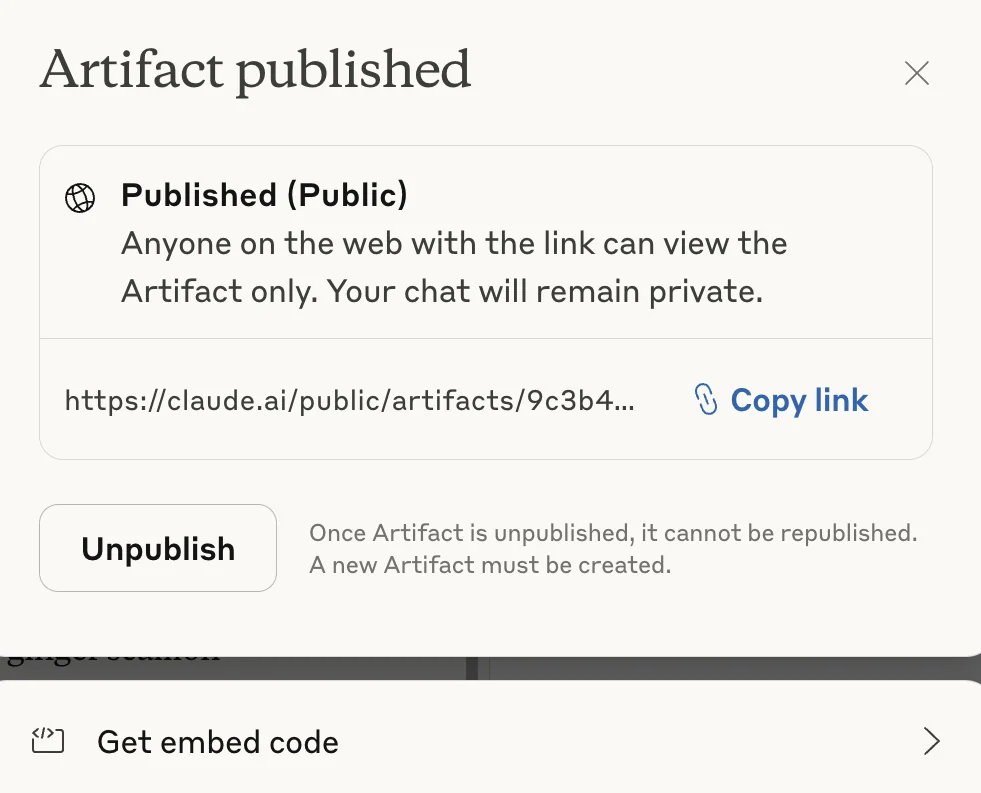
There is one sharp edge worth flagging on the chat side: once you unpublish an artifact, the same artifact cannot be published again. You have to create a new one. Worth knowing before you click unpublish on something you have already shared widely.
What people actually make of them
The community reaction has been warm, with a consistent set of gripes. On the love side, the loudest theme is non-web-developers shipping working things from a prompt.
"Claude Artifacts are mind-blowing to me. I'm a C/Python programmer, though my web development skills are very limited. So the fact that it just busts out these web apps is so much fun."
u/Longjumping-Gap-3254, r/ClaudeAI

The other recurring win is using artifacts to communicate, replacing slides, wireframes, and Miro boards for getting an idea across:
"Mock-ups, data stories, wireframes, calculators, site maps, research. Normally use for temporary communication with a client. I use it a lot for lo-fi wireframes to ensure client and I are on the same page... Used to do this step in Miro."
u/GullibleSavings3621, r/ClaudeAI
The frustrations are just as consistent, and they map almost exactly onto the constraints above. The biggest one, especially for teams, is the lack of granular sharing controls:
"Right now, when you share an artifact specifically, it's accessible to anyone internally who has an account and the link. From what I can tell, there's no way to limit access to a specific person or group."
u/Either-Difference839, r/ClaudeAI
And power users hit a ceiling on how much one artifact can do in a single shot, which is exactly why the Claude Code surface exists for bigger work. Simon Willison, who built a tool a day with artifacts for a week, was clear-eyed about the limit on Hacker News: "for one-shot apps like these there's a strict limit to how much you can get done purely through prompting in a single session." That gap is the honest one to keep in mind. Artifacts are for capturing and communicating work, not for shipping your next production service.
Where this leaves you, and where eesel fits
Claude Code artifacts are a smart addition: a low-ceremony way to turn a coding session into something a colleague can click. If your team is on Team or Enterprise and lives in Claude Code, try them on your next PR review or postmortem. Just go in knowing they are a capture of work, deliberately static and org-bound, not an app platform.
That last distinction is the one I care about most, because it is exactly the line between a page that shows you something and an agent that does something. An artifact renders a dashboard. It can't pick up a customer ticket, look up an order, and resolve it.
That action-taking layer is what we build at eesel. If you like the "describe what you want and get a working thing" feeling of artifacts, eesel applies the same idea to customer support: you connect your helpdesk and docs, set up an AI agent in plain language, and it drafts and resolves real tickets. The part artifacts can't offer (because they are static by design) is the part we lean on hardest: you simulate the agent against thousands of your past tickets before it goes live, so you see exactly what it would have done. One eesel customer, a mobility startup, had us resolving 73% of their tier-1 requests in the first month. It connects over MCP and 100+ integrations the same way Claude Code talks to your tools, and you can try it free.

Frequently Asked Questions
What are Claude Code artifacts in simple terms?
Are Claude Code artifacts free?
How are Claude Code artifacts different from chat artifacts?
What can you actually build with Claude Code artifacts?


Article by
Alicia Kirana Utomo
Kira is a writer at eesel AI with a Computer Science background and over a year of hands-on experience evaluating AI-powered customer service tools. She focuses on breaking down how helpdesk platforms and AI agents actually work so that support teams can make better buying decisions.