


What Claude AI coding software does
Claude Code is Anthropic’s agentic coding software. It can work in the terminal, supported IDEs, the desktop app, and the web. Across those surfaces it can explore a codebase, change multiple files, run commands, work with git, and use connected tools.
This is different from a code-completion feature. Code completion works beside the file you have open. Claude Code can trace a request through a repository, find related tests, propose a plan, and apply a sequence of edits. That makes it useful for a bug investigation, a dependency update, an unfamiliar service, or a release task where the behavior is spread across code, configuration, and documentation.
It does not make the result automatically correct. A model can misunderstand the product requirement, a command can have side effects, and a green test can cover the wrong case. Treat it as a capable engineering tool whose work must be inspected, not as an authority that can ship a fix alone.
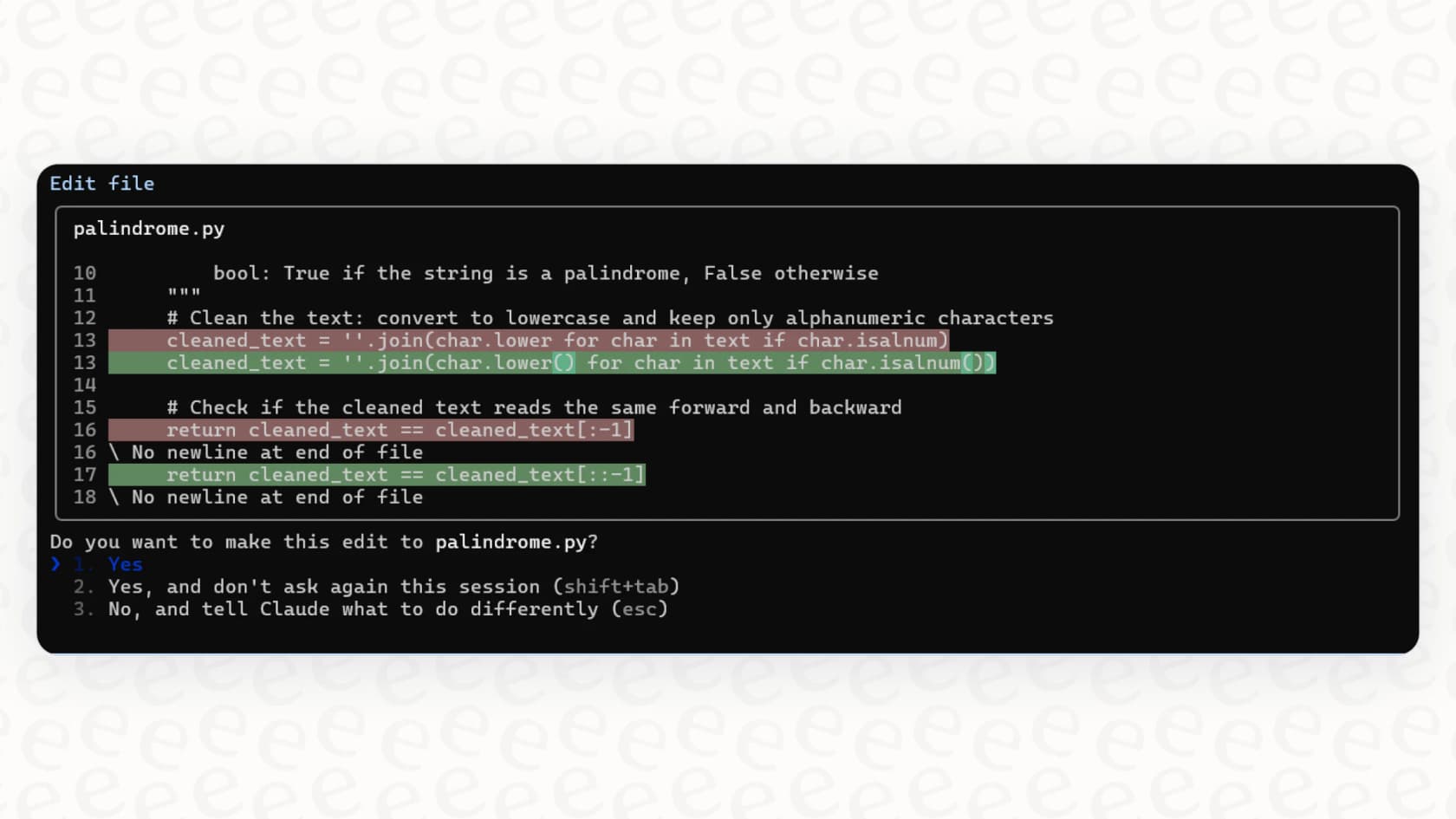
Claude Code in a terminal, from eesel’s terminal tool guide.
Install Claude Code without assuming Node.js
Older guides often say that Claude Code requires an npm install. Anthropic’s current installation guide recommends a native install for macOS, Linux, and WSL. Homebrew and WinGet are supported alternatives, and Anthropic documents package-manager options for several Linux distributions. The native installation updates automatically; Homebrew and WinGet installations use their own update commands.
That matters for teams that standardize developer machines. Node.js may be present in a repository, but it is not a prerequisite for the current native Claude Code installation. Choose the official route that fits the operating system and your team’s software-management policy, then confirm the installed version and login method before using it on a real project.
Once installed, open only the project that belongs to the task. Claude Code can read project instructions in CLAUDE.md, so put stable coding conventions, test commands, and review requirements there. Do not turn that file into a vague wish list; a useful instruction states what the agent may change, what it must preserve, and how success is checked.
Choose a workflow that is easy to review
For a bug or a feature, start with an investigation rather than an edit. Anthropic’s common workflows recommend exploring a codebase, making a plan before editing, and verifying with tests.
- Ask for the relevant files, request flow, known failure, and existing tests.
- Ask for a plan that names the behavior to preserve, expected risks, and exact test command.
- Review the plan, then authorize one small implementation slice.
- Inspect the diff and run the targeted tests, including a case that would hurt a user if it failed.
- Review the pull request and deployment separately from the coding session.
This sequence keeps the useful parts of agentic software while preserving decision points. It also gives a reviewer something concrete to challenge: a file list, a plan, a diff, test output, and a defined failure case.
Permissions and MCP change the risk
Claude Code’s power comes from operating where engineering work happens: repositories, shells, git, and connected tools. It should therefore receive the least access that lets it complete the current job. Start in a planning or manual-approval workflow for unfamiliar code and production-adjacent projects. Avoid bypassing permissions just to remove prompts.
MCP adds another boundary. The Model Context Protocol can connect Claude Code to tools such as an issue tracker, design documents, chat, or a custom service. That can ground a fix in the approved ticket or product decision. It can also expose data or permit an external write. Review the server, authentication, available tools, and destination permissions before connecting it. A prompt that says “do not change anything” is useful guidance, not access control.
Pricing: separate product access from API use
Claude Code access is not a separate one-price product. Anthropic documents access through Claude subscriptions, Anthropic Console accounts, and supported third-party providers. Claude Pro is $20 per month in the US, before applicable tax. Claude Max provides higher-capacity product options. Usage limits and availability change by plan, surface, region, and rollout, so check the live plan page before buying for a team.
API use is separate. A Claude subscription does not provide a general API budget, and an API or third-party provider has its own credentials, usage policy, and billing. Compare the actual route your developers will use instead of treating a monthly chat subscription as a universal cost ceiling.
Use eesel CLI for a known-bug support triage
Here is a concrete job beyond code generation. An engineer reproduces a CSV-export bug and confirms a workaround. Before the support owner adds that workaround to a ticket macro or help article, Claude Code can inspect the eesel teammate’s setup and request sample answers based on an approved bug record.
The eesel CLI operates the same teammate and workspace that the support owner uses in the dashboard. A person, script, or coding agent such as Claude Code, Codex, or Cursor can run it. With Node.js 18.17 or newer, npx @eesel/cli returns JSON that the coding agent can compare with the repository’s reproduction steps and test evidence.
Sign into the existing workspace with npx @eesel/cli login. Check npx @eesel/cli whoami and list npx @eesel/cli agents, then replace BUG_TRIAGE_REVIEWER with an existing non-production teammate’s actual name or ID. In its dashboard Actions page, the owner sets customer replies and other consequential connected actions to Disabled for this review. These are per-action settings, not a promise that every action always waits for approval. Then inspect the setup:
TARGET_EESEL_AGENT="BUG_TRIAGE_REVIEWER"
npx @eesel/cli status --agent "$TARGET_EESEL_AGENT"
npx @eesel/cli instructions --agent "$TARGET_EESEL_AGENT"
npx @eesel/cli integrations --agent "$TARGET_EESEL_AGENT"
npx @eesel/cli automations --agent "$TARGET_EESEL_AGENT"
npx @eesel/cli activity --agent "$TARGET_EESEL_AGENT"
npx @eesel/cli billing --agent "$TARGET_EESEL_AGENT"
Prepare approved-known-bug-record.md from evidence the support owner has reviewed. As an illustrative, non-customer example, it could say: “Version 2.4: CSV export hangs when the date filter is empty. Verified workaround: select an explicit date range and export again. If it still fails, escalate; do not promise a fix date.” Include expected answers for three cases: version 2.4 with an empty filter, a different version, and a report with no version. Only the first case supports that workaround without more investigation. Replace this example with your own approved record before uploading anything.
The owner approves the file upload separately from the paid chat. Previewing the upload with --dry-run prevents that write from being sent; prerequisite reads still run, and the earlier inspection commands were real reads, not a simulation.
npx @eesel/cli files upload ./approved-known-bug-record.md --agent "$TARGET_EESEL_AGENT" --dry-run

# Only after the owner approves the real upload:
npx @eesel/cli files upload ./approved-known-bug-record.md --agent "$TARGET_EESEL_AGENT"
npx @eesel/cli files ls --agent "$TARGET_EESEL_AGENT"
# Start paid chat only after the owner authorizes it:
npx @eesel/cli chat "Review the uploaded approved-known-bug-record.md. For each dry case, return a draft-only reply, the evidence used, missing information, and an escalation recommendation. Do not send, edit, tag, close, refund, contact anyone, or take external actions." --agent "$TARGET_EESEL_AGENT"
files ls confirms file presence, not that an answer used it. Naming the file in the prompt is a request, not a special attachment selector. Chat is billed work and can use enabled capabilities; the no-action request does not replace the owner’s settings. The support owner checks each sample answer against the approved record and separately authorizes production knowledge changes or customer communication. Neither a draft nor a passing repository test proves that the bug is fixed for customers.

The eesel helpdesk workspace is the same teammate setup that eesel CLI exposes for this scoped review.
When Claude Code is not the whole solution
Claude Code is the right software when an engineer owns a bounded development task and can evaluate the result. It is not a replacement for a helpdesk operating model, a support policy owner, or a production release process.
Claude Code helps engineers investigate and change software. eesel provides teammates for focused jobs such as helpdesk and blog writing. The CLI connects those workflows: the engineer can inspect the existing support setup while the support owner retains its knowledge, action settings, and release decisions.
Sources
Use eesel CLI before releasing a known-bug workaround
When a bug changes what support should tell customers, connect the engineering evidence to the support review instead of hoping a ticket macro stayed current. eesel’s AI helpdesk teammate gives the owner a ready-to-work support surface, while eesel CLI lets the engineer inspect that same setup from a coding workflow. Try eesel.
Frequently asked questions
What is Claude AI coding software?
Claude Code is Anthropic’s agentic coding software. It can read a codebase, edit files, run commands, use git, and work with connected development tools across several supported surfaces.
Does Claude Code require Node.js?
No. Anthropic’s current recommended installation is native. Homebrew, WinGet, and Linux package-manager routes are also available. Node.js is not required for the native Claude Code install.
Can Claude Code access local files?
Claude Code can work with a selected project and its files when you grant that access. Keep the directory scoped to the task and review commands, diffs, and results before accepting a change.
How much does Claude Code cost?
Claude Code access depends on the plan or provider you use. Claude Pro is $20 per month in the US, while Max has higher-capacity options. API and third-party-provider billing are separate.
Can Claude Code use MCP?
Yes. MCP connects Claude Code to external tools and data. Review each server’s authentication, tools, and permissions because an MCP connection can expand what the software can read or change.