
What Claude Motion actually is
Anthropic launched Claude Motion in October 2026 alongside Claude Dashboards, and in the same post took the beta label off Claude Docs, Claude Slides and Claude Design. Anthropic says people have made more than 45 million docs, decks and designs in Claude since those tools arrived. Motion is the newest member of that family, and the one aimed at moving pictures.
The official description in the Claude Motion help article is short: it "turns your content into short animations, like an explainer for an all-hands, an animated chart for a board deck, or a product walkthrough for customer onboarding." Under the hood, every animation is an artifact made from the Motion template, saved in your Artifacts tab next to your decks and docs.
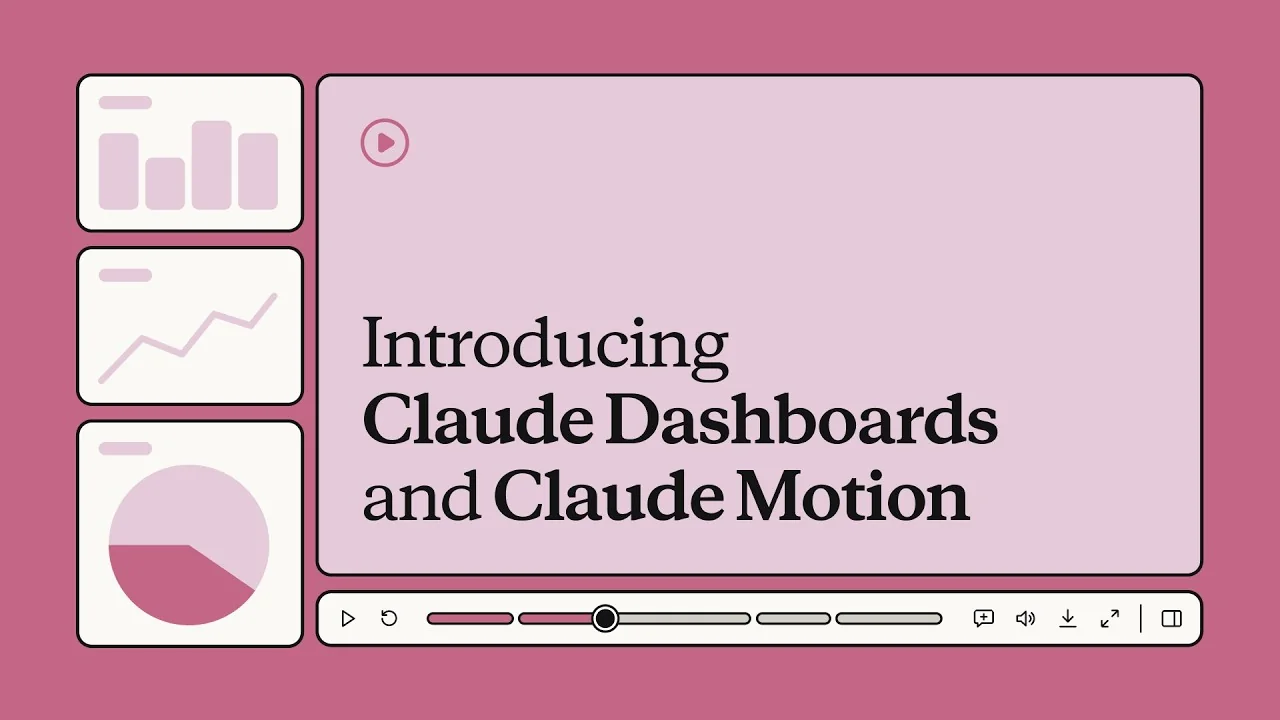
Anthropic's framing of the problem is honest: ideas that would land better in motion usually "end up as another static slide." Most people never learn After Effects, so the animated version of the quarterly chart simply never gets made. Google has been circling the same gap with NotebookLM video overviews, but those summarize sources rather than animate your own chart. Motion's pitch is that you ask for it in plain English and get a first draft you can actually edit.
How it works: code, not footage
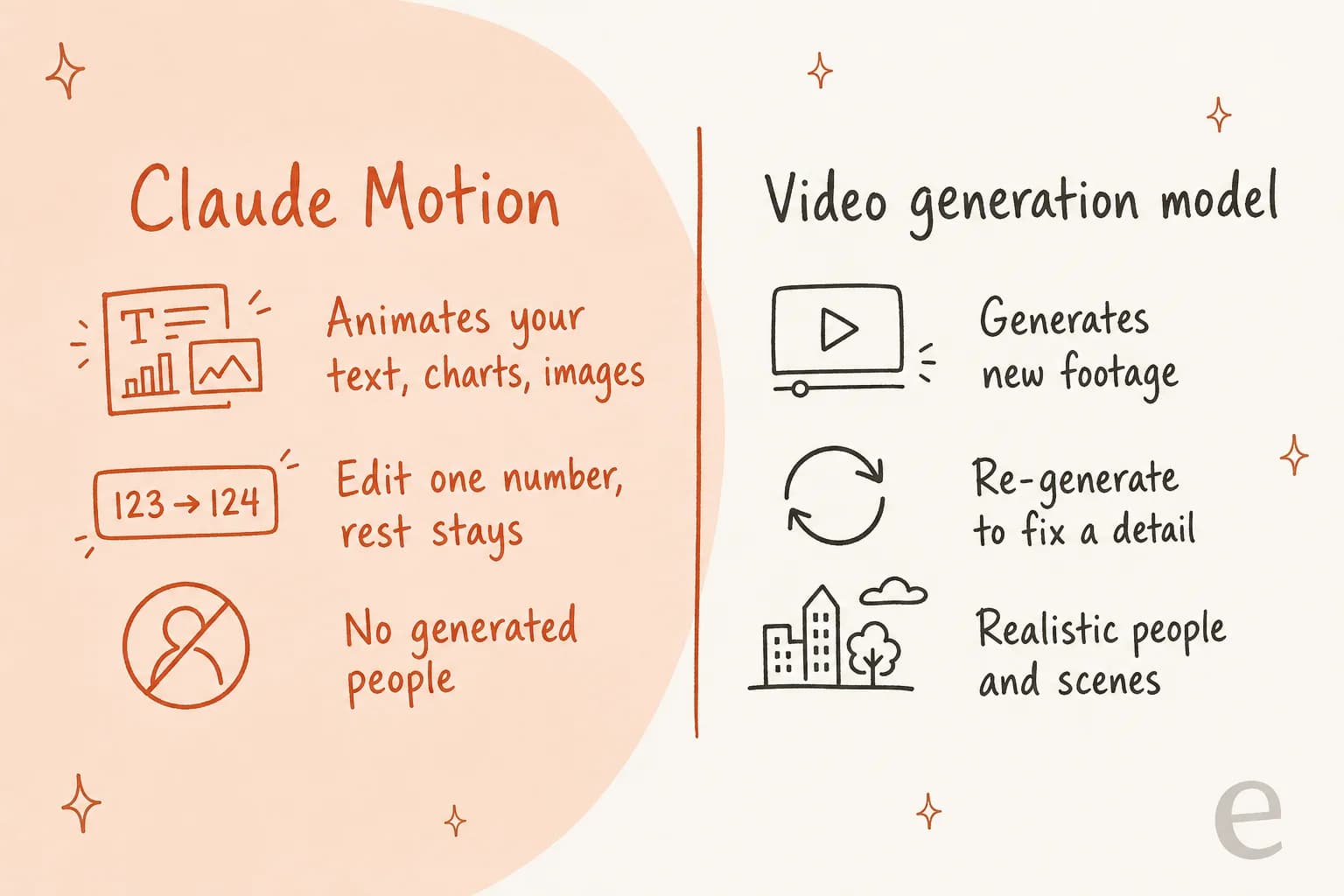
I build AI agents for a living, and the most important sentence in Anthropic's docs is easy to skim past: "Claude Motion doesn't use a video generation model." Instead, Claude writes code that animates the text, charts, shapes and images you give it, and the result plays like a short video.
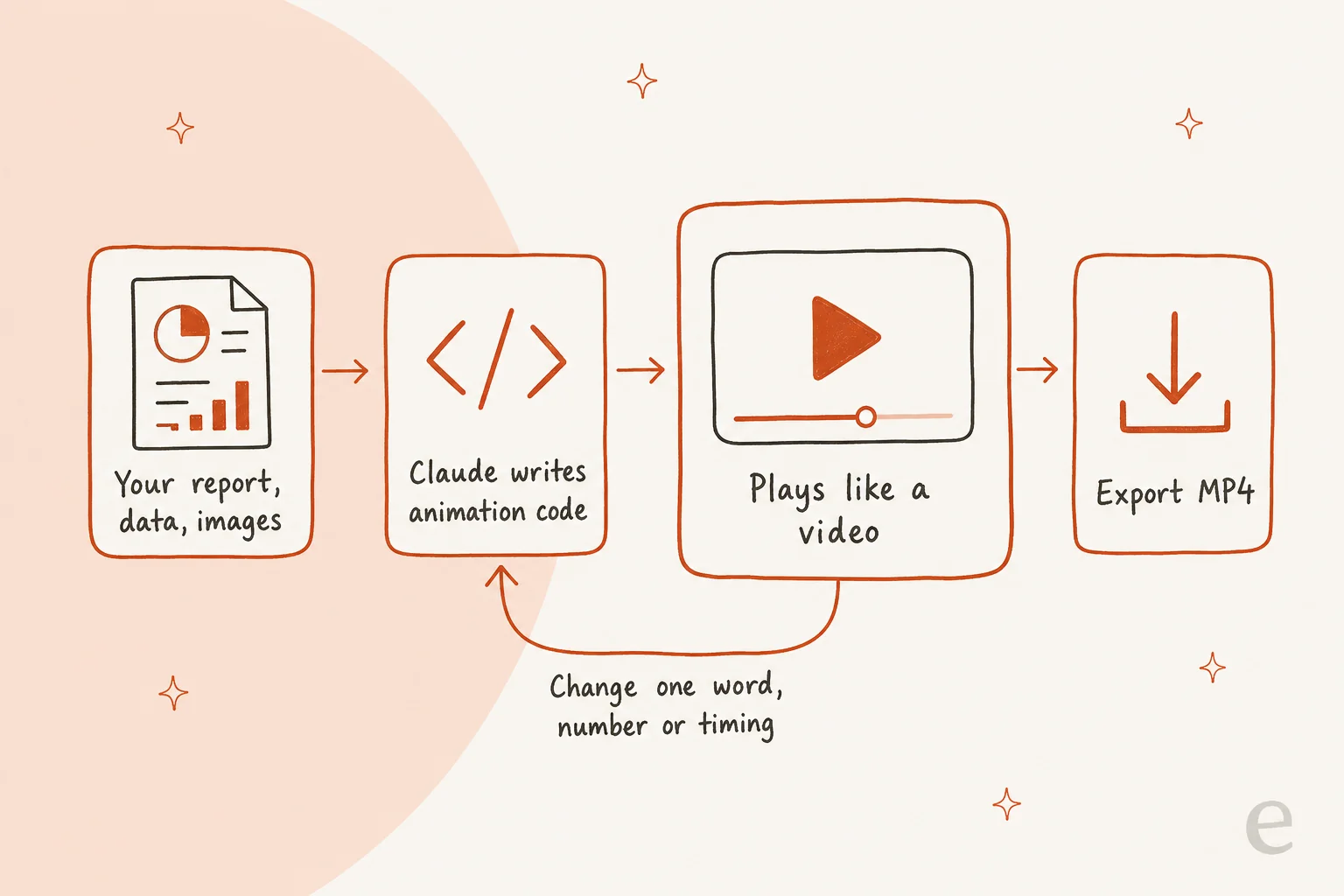
That design choice decides almost everything about what Motion is good for. Because each animation is code, the help article notes you "can change one detail, like a word, a number, or the timing, and the rest stays as it was." A generated video does not work that way. If a video model gets one label wrong, you regenerate and hope the next take keeps everything else you liked.
I see the same trade-off every day in the blog pipeline I help run. We generate infographics for every post, and roughly 1 in 3 renders needs a redo, usually because a label or a number came out slightly wrong. A pixel generator has no idea which pixels are "the Q3 number." Code does. So when the content is a chart where the number matters, Motion's approach is the safer one.
Two more things follow from the code approach:
- It only animates what you give it. Motion works best when you attach the report, data or images. Like Claude Skills, it rewards specific instructions. Anthropic's tips say to name who will watch, where it will play, and roughly how long it should be.
- It hands off cleanly. Anthropic lists Adobe, Descript, HeyGen, Higgsfield, invideo, Luma AI and Runway as places you can open a Motion animation to take it further, with Canva and Captions listed as coming soon.
How to make your first Claude Motion animation
The workflow is simple once the feature is switched on for your workspace. Here is the path from the help article:
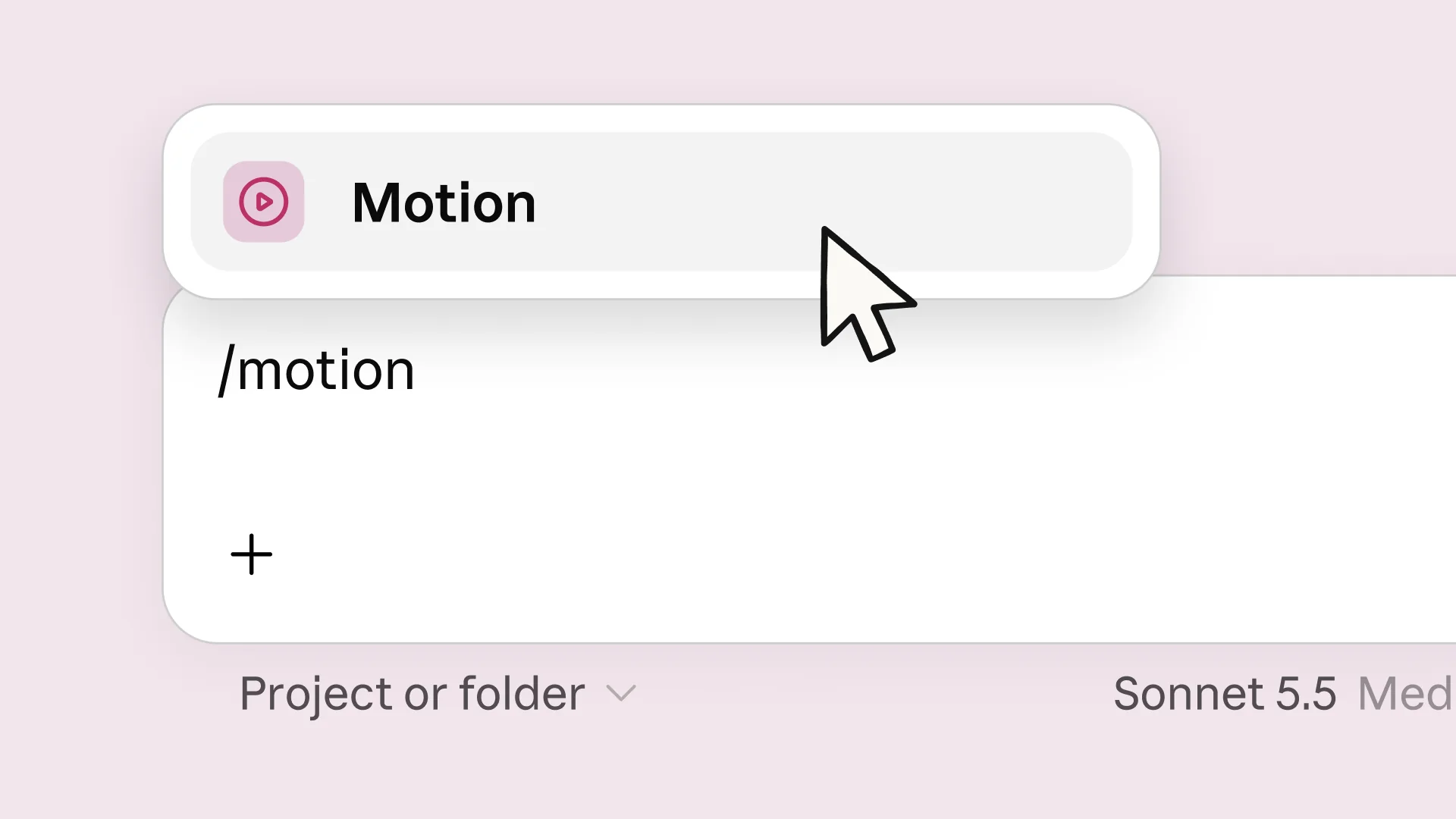
- Start from a chat or the Artifacts tab. In any chat, ask for an animation, type
/motion, or pick "Output" in the message box and choose "Motion." From the Artifacts tab, select a Motion template and describe what you want. - Attach your own material. Drop in the report, spreadsheet or images. Anthropic's example prompts include "Turn this quarterly report into a 30-second explainer for our all-hands" and "Make a short walkthrough of the setup steps for new customers."
- Say who it is for. The audience, the venue (all-hands screen, board deck, onboarding email) and a rough length give Claude the constraints it needs. If you are not sure what the clip should say, an AI video script generator can draft the beats first.
- Edit by asking or by hand. Ask for changes like "Slow down the second scene" or "Change the Q3 number to 18%," or adjust it yourself in the editor.
- Export or share. Click "Export" and choose MP4, or click "Share." Animations start private to you.
One practical tip from building with agents: write the brief like you would for a junior designer. "Animate our pricing" gets you a generic sequence. "A 20-second clip for the sales kickoff that reveals our three plans left to right, then highlights the annual discount" gets you something you can ship after one or two edits.
What Claude Motion is good at
The strongest use cases are the ones Anthropic leads with, and they share a pattern: the content already exists, and it changes.
- Animated charts for decks. A board chart that builds bar by bar holds attention better than a static one, and when the number moves next quarter, you change one value.
- All-hands explainers. A 30-second recap of a quarterly report is exactly the length Motion is built for.
- Customer onboarding walkthroughs. Short, step-by-step clips of a setup flow, made from your own screenshots and copy, are a good fit for help centers and welcome emails.
- Revisions without a designer. Because it is code, "update the date and swap the logo" is a two-minute ask, not a re-export from someone else's project file.
If you already use Claude for team work, the fit is natural. The same chat that wrote the report from your connected files can turn it into the deck and the animation without you re-explaining the context. That is the real advantage over a standalone video tool: Claude already has the content.
Claude Motion vs AI video generators
This is where most early coverage gets muddled, so here is the clean version. Motion competes with motion-graphics tools and the "make my chart move" step of video editing. It does not compete with generative video.
| Claude Motion | Generative video (Runway, Luma AI) | Avatar video (HeyGen, Synthesia) | Editors (Descript, Canva) | |
|---|---|---|---|---|
| What it makes | Animated text, charts, shapes, images | New footage from a prompt | A presenter reading a script | Edits of footage you already have |
| Source of truth | Editable code | Generated pixels | Script plus avatar | Your timeline |
| Fixing one number | Change the value, rest stays | Regenerate the clip | Edit script, re-render | Edit the layer |
| Realistic people | No | Yes | Yes, avatars | Only if you filmed them |
| Output | MP4 export, share link | Video file | Video file | Video file |
| Where it lives | Inside Claude | Separate app | Separate app | Separate app |
The handoff list is the tell that Anthropic sees these as complements. You can build the animated chart in Motion, then open it in Runway to add generated B-roll, or in HeyGen to put a presenter in front of it. If you are weighing the generative side, my roundups of Runway alternatives, Synthesia alternatives and Descript alternatives cover the field.
There is a real reason to prefer the no-people approach for business content, too. In eesel's own AI writer, generated imagery is one of the first things customers push back on. One customer, a therapist publishing to her practice blog, told our writer:
"Going forward, stop giving only Caucasian images. I work with diverse races and ethnicities."
Generated people carry bias and brand risk that a moving bar chart simply does not. For a board deck or an onboarding clip, Motion avoids that whole problem by design.
Who can use Claude Motion and what it costs
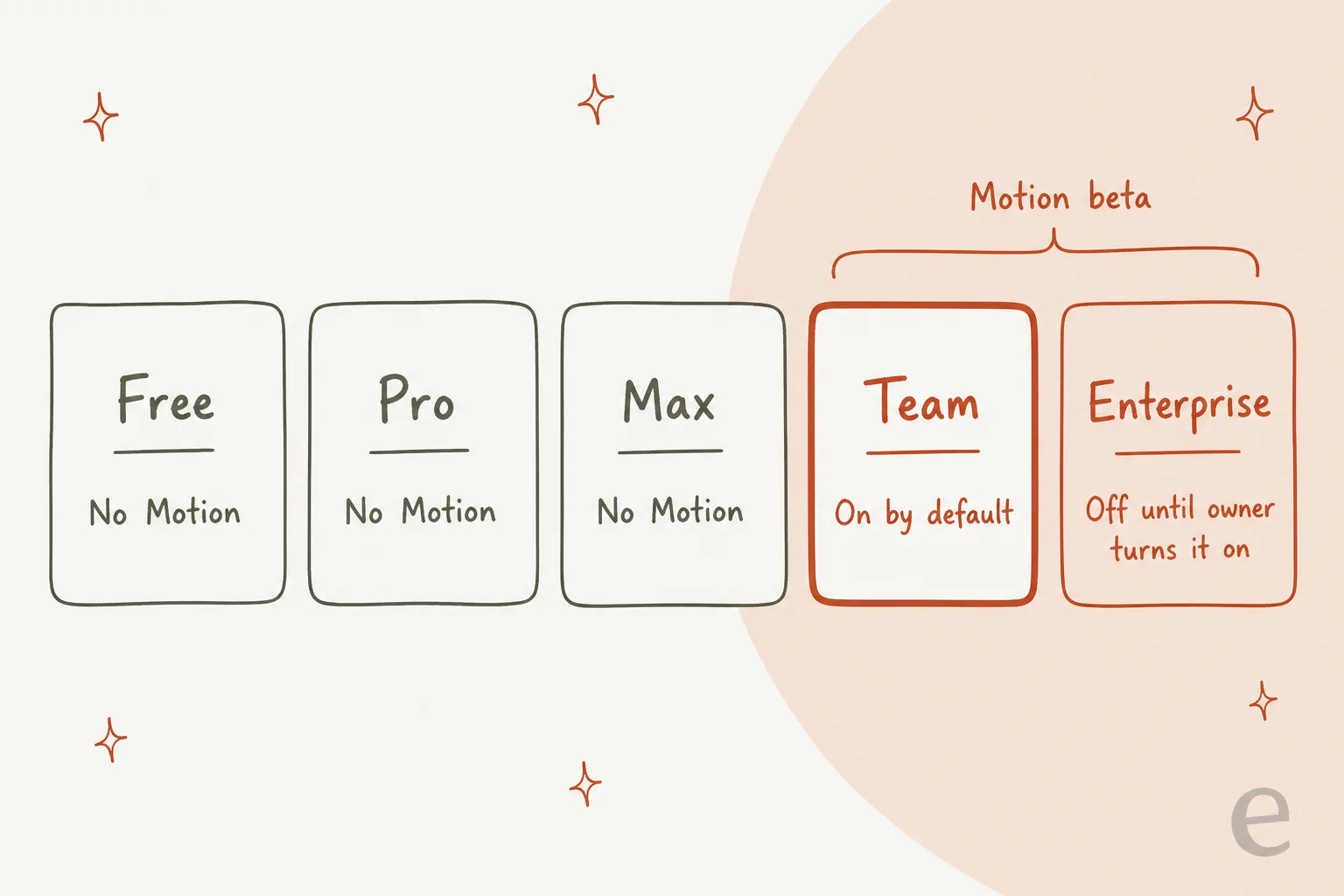
Here is the part that will surprise individual subscribers. Anthropic's pricing page lists Claude Motion (beta) as not included on Free, Pro or Max, and included on Team and both Enterprise options.
| Plan | Price | Claude Motion | Default state |
|---|---|---|---|
| Free | $0 | Not included | n/a |
| Pro | $17/month billed annually, $20 monthly | Not included | n/a |
| Max | From $100/month | Not included | n/a |
| Team, Standard seat | $20/seat/month billed annually, $25 monthly | Included (beta) | On by default |
| Team, Premium seat | $100/seat/month billed annually, $125 monthly, 5x the usage of Standard | Included (beta) | On by default |
| Enterprise | $20/seat/month billed annually, plus usage at API rates | Included (beta) | Off until an owner turns it on |
There is no separate Motion fee. The help article says Motion "counts toward your plan's usage limits," and that longer or more complex animations use more of your limit than a typical message. On Team, that means a heavy animation week eats into the same five-hour and weekly limits as your other Claude work. If your team animates daily, a Premium seat's 5x usage is the lever, not a Motion add-on. My Claude pricing guide covers how the seat types and usage limits fit together.
One short-term bonus: Anthropic's artifact usage promotion runs October 1 to 15, 2026. When Claude creates or edits an artifact, the next 10 messages in that chat use 50% less of your five-hour limit. It covers Team plans but not Enterprise.
Setting it up for a Team or Enterprise workspace
Admins have three switches to check, all in Organization settings, per the artifacts admin guide:
- Turn on "Cloud code execution and file creation" under Capabilities. Artifacts will not work without it.
- Turn on Artifacts, then the Motion template under Organization settings > Artifacts. Motion is on by default for Team, off by default for Enterprise.
- Decide who gets it. Enterprise owners can limit the Motion template to specific groups using custom roles. People outside those groups can still open and comment on Motion artifacts shared with them.
Sharing outside the company has its own two settings: external link sharing and email invitations to outside people. The sharing article caps outside invitations at 50 people per artifact, and pending invites expire after 30 days. Anthropic's launch post confirms animations can be shared outside your organization, or with anyone who has the link, if your admin allows it.
Two compliance notes worth flagging to your security team. First, on HIPAA-ready configurations, owners can turn on Motion after accepting the terms, but these artifacts "aren't covered under your Business Associate Agreement," so keep protected health information out. Second, Motion is a beta feature, and Anthropic's beta label page says plainly that "not every feature graduates." Build habits around it, but do not build a compliance-critical process on it yet. My Claude Code admin controls guide covers the wider admin picture.
Where Claude Motion falls short
Motion is a good first version, and it has clear edges. None of these are hidden; they are in Anthropic's own docs.
- Plan gating. No access on Free, Pro or Max. Solo creators and freelancers, the people most likely to want quick explainers, are locked out unless they join a Team workspace.
- No footage, no people. If your video needs a real product demo recording with a human voice, or generated scenes, you will finish it somewhere else.
- Usage, not unlimited. Long or complex animations cost more of your limit. There is no published per-animation cost, so heavy users will learn their ceiling by hitting it.
- Short-form by design. Every example Anthropic gives is a short clip: a 30-second explainer, an animated chart, a walkthrough. It is not built for a 10-minute training video.
- Beta behavior. Anthropic's beta page warns that "performance and reliability may vary" while features are refined.
Before Motion: the Claude Code and Remotion route
If you are on Pro or Max and want this today, there is an older path that works on the same principle. Remotion, an open-source framework for making videos with React, publishes a guide to prompting videos with coding agents, naming Claude Code first. You create a project with npx create-video, add Remotion's agent skills with npx remotion skills add, start a preview, and then prompt Claude Code in a second terminal.
It is more setup: you need Node.js, a terminal, and a plan that includes Claude Code, and Remotion has its own license terms for companies. But the output is the same kind of thing Motion makes: animation as code you can edit line by line. Motion's real contribution is taking that developer workflow and putting it behind a chat box with an editor and an Export button. For anyone who already lives in Claude Code, the Remotion path still offers more control.
What people are saying
Motion is only days old, so the early reactions are short, but they already land on the two themes I would expect. The first is that people got the "it's code" message, and some worry about what that does to decks:
"wait so the animation is just code? ppl are gonna ship pitch decks that are 90% easing curves lol"
Fair. Motion makes animation cheap, and cheap things get overused. The fix is the same as with slide transitions: animate the one chart that tells the story, not every bullet.
The second theme is plan access, which came up within hours of launch:
"why is motion not in max already?"
For a sense of how working motion designers see AI-written animation in general, a thread in r/motiongraphics from the day before launch is useful. This one is about Claude driving After Effects through a custom setup, not about Motion itself, but it maps closely onto Motion's strengths and gaps:
"I made a MCP for AE where I can automate annoying and repetitive stuff. Changed the whole font in a old video was never faster. But it absolutely sucks when it needs to "come up with its own ideas" because AI is a tool not a brain. So every struggle you have comes from you not knowing what you want and Claude just not capable of making up stuff."

That matches my read of Motion. It is fast at turning a clear brief and existing content into motion, and at making precise edits. It will not supply the creative idea for you, so bring the story, let Claude do the keyframes.
Is Claude Motion worth trying?
If you are on a Team or Enterprise plan, yes, and the bar is low: it is already included, and the first animation costs you a prompt and some usage. Start with the chart you would otherwise paste as a static image into next week's deck.
If you are on Pro or Max, do not upgrade to Team just for Motion while it is in beta. Try the Remotion route if you are comfortable in a terminal, or wait to see whether Anthropic widens access. And if what you need is footage or a presenter, Motion was never the right tool; look at the generative and avatar tools in the table above.
For teams choosing between Claude's artifact tools more broadly, my reviews of Claude Slides, Claude Docs and Claude Cowork cover the rest of the family, and the Claude alternatives roundup covers what else is out there. For the model doing the work underneath, the Claude Sonnet 5.5 review is the place to start.
Try eesel for the article around your animation
Claude Motion makes the 30-second explainer. Someone still has to write the post it lives in, research it, link it into the rest of your site, and publish it, every week. That is a different job, one I compared across the AI blog writing tools, and it is the one the eesel AI blog writer is built for: give it a keyword and your domain, and it researches primary sources, writes in your brand voice, makes the hero banner and infographics, adds internal links and FAQs, and hands you a post ready to publish.
The pairing works well in practice: make the animated chart in Motion, export the MP4, and drop it into an article the blog writer already drafted around the same data. It is free to try, with no credit card, so you can try eesel on your next post and see whether it saves you the afternoon.
Frequently Asked Questions
What is Claude Motion?
Claude Motion is a beta artifact template in Claude that turns your text, charts, shapes and images into a short animation. Claude writes the animation as code, it plays like a video, and you can export it as an MP4. It sits alongside Claude Slides and Claude Docs in the Artifacts tab.
Is Claude Motion available on the Pro or Max plan?
No. Claude Motion is in beta on Team and Enterprise plans only. Anthropic's pricing page marks it as not included on Free, Pro or Max. If you are on an individual plan, see my Claude pricing breakdown for what each tier includes.
How much does Claude Motion cost?
Claude Motion has no separate price. It comes with a Team seat (from $20 per seat per month billed annually) or an Enterprise seat ($20 per seat per month plus usage at API rates), and each animation draws from your plan's normal usage limits. Longer or more complex animations use more of that limit. My Claude Cowork pricing guide covers how those limits work.
How do I turn on Claude Motion for my organization?
Owners go to Organization settings, then Artifacts, and turn on the Motion template. It is on by default on Team plans and off by default on Enterprise plans, and Cloud code execution and file creation must be on first. Enterprise owners can limit it to groups with custom roles. My enterprise Claude guide covers related admin settings.
Can I use Claude Motion animations in a blog post or help article?
Yes. Export the animation as an MP4 and embed it like any other video, which my guide on adding videos to blogs walks through. If you want the article around the video written and published for you, the eesel AI blog writer handles the research, writing and visuals.
What is the difference between Claude Motion and Claude Code with Remotion?
Both produce animation from code. Claude Motion does it inside the Claude app with a built-in editor and MP4 export on Team and Enterprise plans. The Remotion route runs a local project that Claude Code edits from the terminal, which works on any plan that includes Claude Code but needs Node.js and some setup.


Article by
Kira
Kira is a writer at eesel AI with a Computer Science background and over a year of hands-on experience evaluating AI-powered customer service tools. She focuses on breaking down how helpdesk platforms and AI agents actually work so that support teams can make better buying decisions.