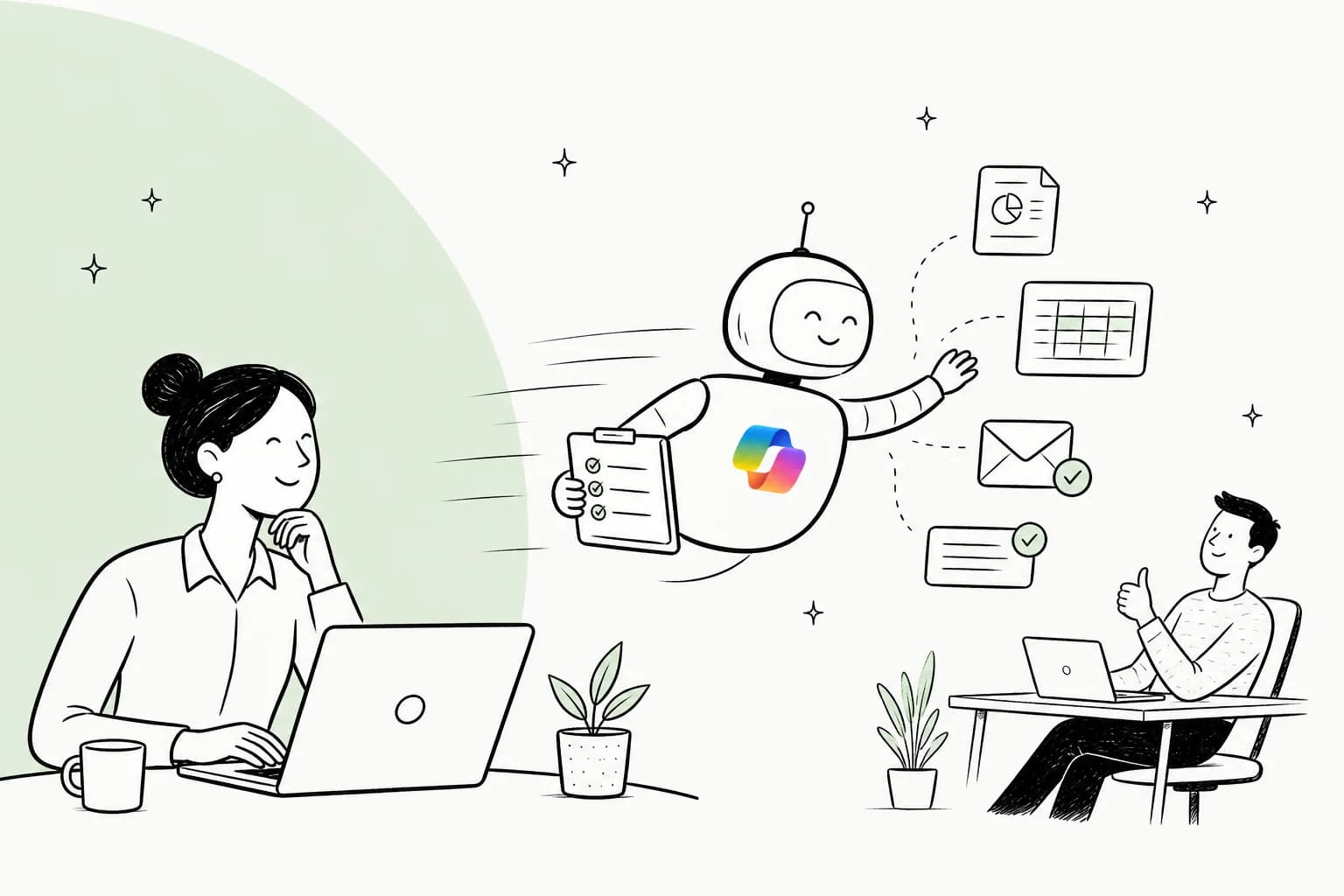
So what is Microsoft Copilot Autopilot?
Autopilot is Microsoft's name for an always-on personal agent. Microsoft's own line is blunt: "Autopilot, previously called Scout, is your digital teammate." You configure it once, and from then on it acts without waiting for a fresh prompt each time.
The concrete example Microsoft gives is a supplier review. Autopilot can "set up and manage a full supplier review process: building the schedule and workback plan, then handling prep, meetings and follow-ups on its own, right down to reaching out to stakeholders for updates." That is the whole pitch in one sentence: not a chatbot you poke, but a coworker you delegate to.
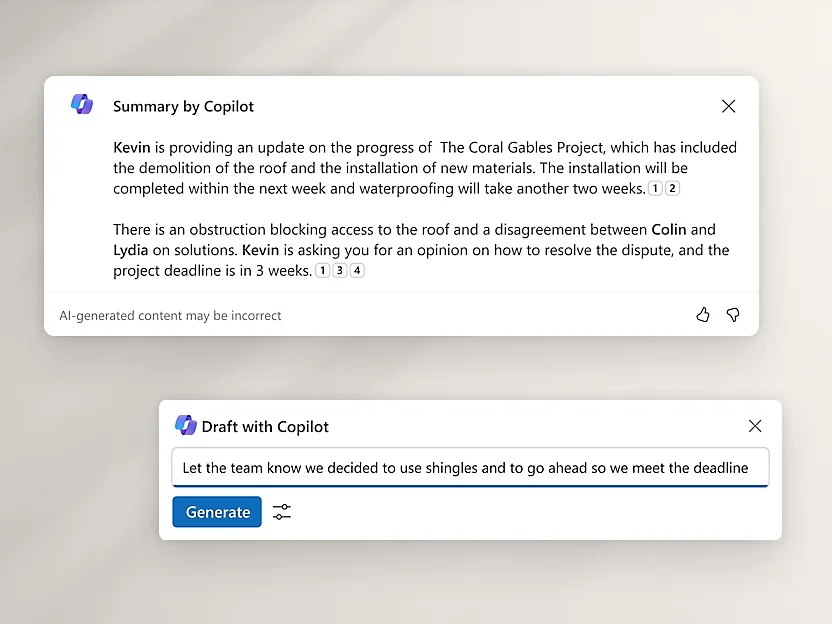
If you have used Copilot before, you already know the reactive half of this: "Summary by Copilot," "Draft with Copilot," the little panels that answer when asked. Autopilot is what happens when you take that intelligence and let it run on a schedule instead of on a prompt. It is the difference between a smart AI assistant and something closer to an employee.
One more disambiguation, because it trips people up constantly. Microsoft has used "Autopilot" for years to mean Windows Autopilot, the zero-touch way to provision new Windows PCs. That is a device-deployment product for IT. The Autopilot in this post is the AI agent inside the Copilot app. If a colleague sends you a link about "Autopilot," check which one they mean before you get excited or confused.
From assistant to autopilot: what actually changed
The reframe worth carrying out of this launch is that Copilot moved along a spectrum, not into a new universe. The underlying models are much the same. What changed is how much you have to babysit.
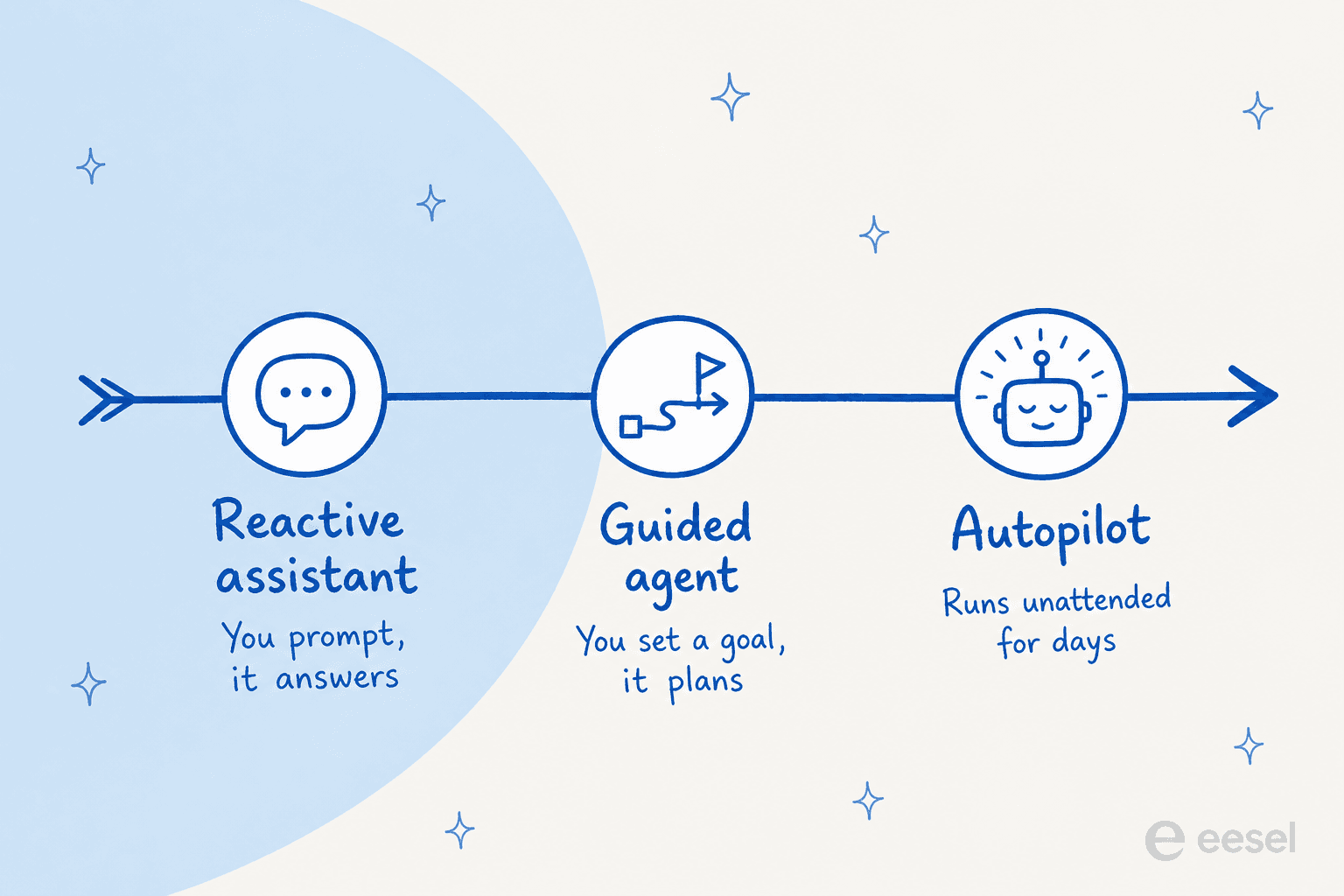
On the left is the classic reactive assistant: you prompt, it answers, and nothing happens until you type again. In the middle is a guided agent: you set a goal and it plans a few steps toward it, still mostly in one session. On the right is Autopilot: you set the objective and the boundaries once, and it keeps going for days, picking a project back up without you re-opening the conversation.
This is the same shift that has been reshaping AI agents across the industry, and it is why the old mental model of "type a question, read an answer" undersells what is being sold here. The value is not smarter answers. The value is not having to ask.
How Autopilot works under the hood
Here is the part I find most interesting as someone who builds these systems. Microsoft did more than add a "keep going" toggle. Autopilot gets its own footprint inside your tenant.
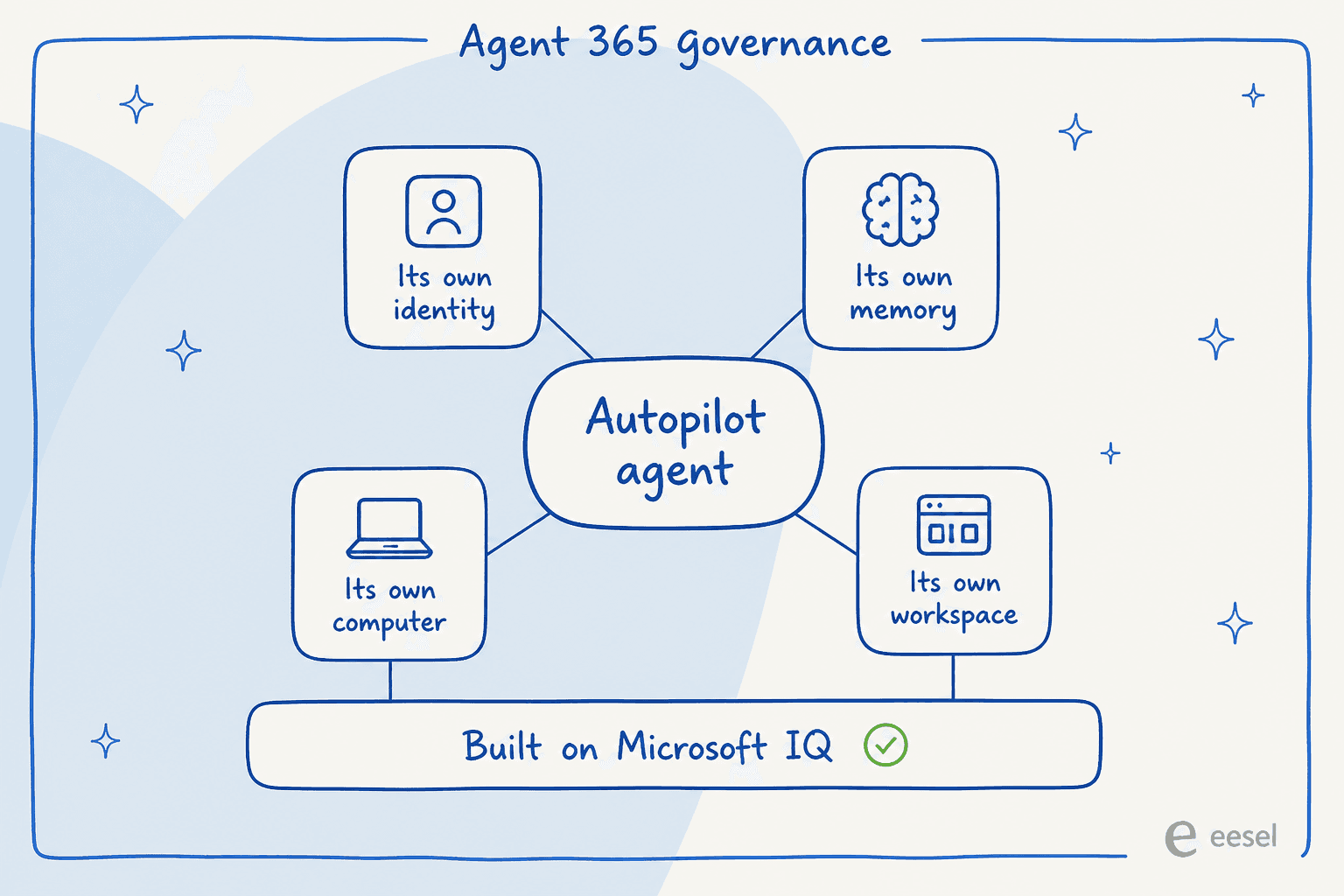
Per the announcement, Autopilot "lives in your tenant with its own identity, memory, computer and workspace, and it's built on Microsoft IQ so it understands how your organization actually works." Each of those four pieces is doing real work:
- Its own identity means the agent shows up in your directory like a user, so its actions can be attributed and audited rather than hiding behind whoever pressed go.
- Its own memory is what lets it resume a multi-day project instead of starting cold each morning.
- Its own computer and workspace give it somewhere to actually do the work, rather than only chat about it.
Because it runs unattended, Microsoft leans hard on control. Autopilot is "cloud-hosted, so it keeps working while you sleep or your attention is elsewhere," but "you set the objective and boundaries; Autopilot handles the rest while keeping you informed and in control." Governance, permissions, and audit come from Microsoft's Agent 365 layer. So it is autonomous in execution, but bounded and supervised, not a free agent let loose on your business data.
That governance model is the honest strength here. An always-on agent that can email your suppliers is a scary idea until each agent has an identity you can watch. Microsoft clearly knows that trust, not raw capability, is the thing that stops these projects. It is a lesson we learned the hard way too.
Where you'll meet it: the new Copilot
Autopilot does not live off on its own. It is a mode inside the redesigned Copilot app, next to the two other new pillars:
- Home is where Chat and Cowork come together, with "Office in Copilot" pulling Word, Excel, and PowerPoint into the app itself.
- Code is a natural-language builder for apps, dashboards, and automations, "powered by the same underlying technology as GitHub Copilot."
- Autopilot is the always-on agent this post is about.
In day-to-day use, Autopilot surfaces where people already work: Teams, Outlook, chats, channels, and documents, where you can "@mention it like a colleague." If you want to build custom agents rather than use the built-in one, that happens in Copilot Studio, which already offers "create autonomous agent" and "computer-using agent" as starting points.
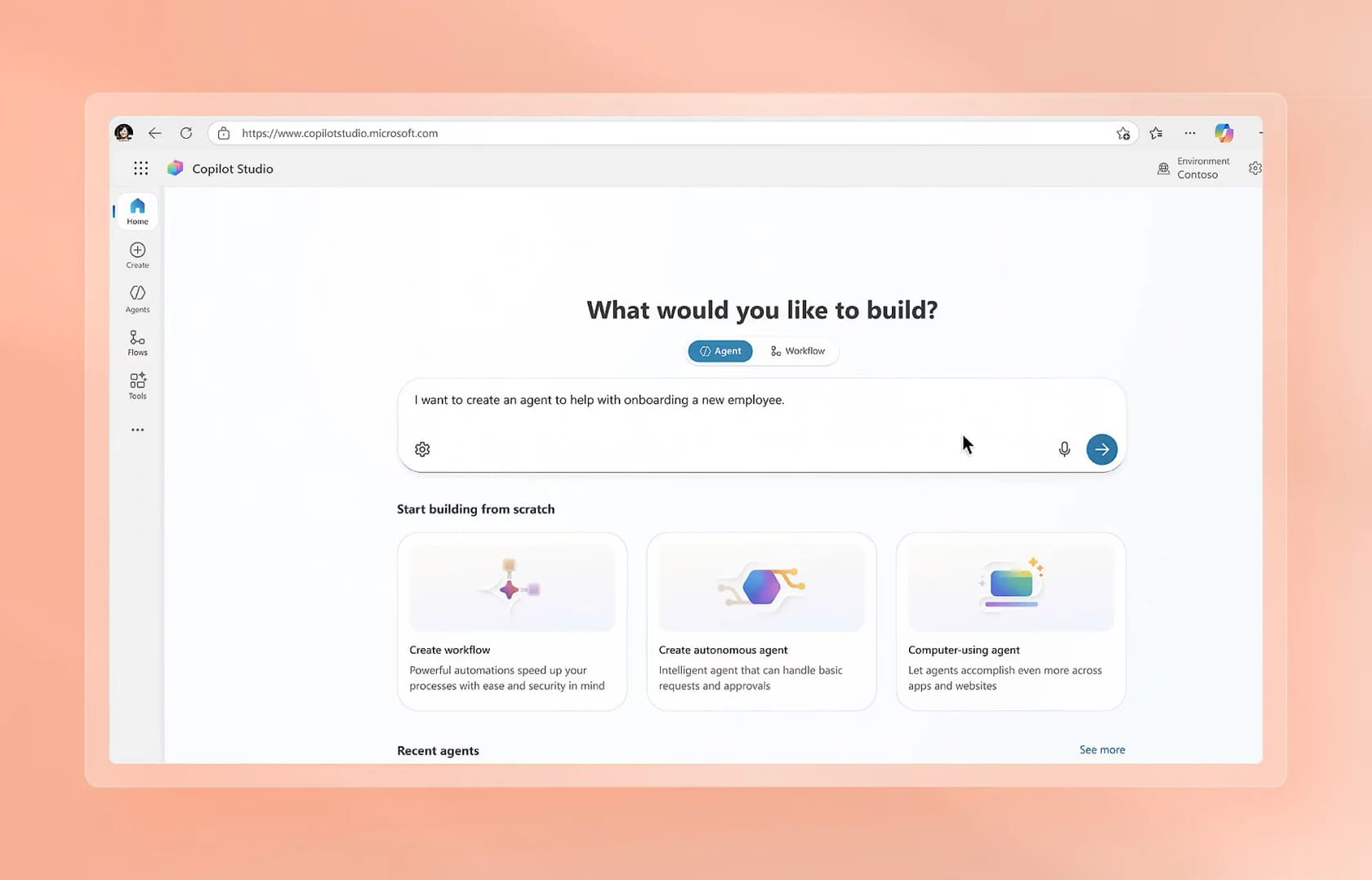
This is worth noticing if you are comparing options: Microsoft is shipping both a ready-made agent (Autopilot) and a full build-your-own platform (Copilot Studio). The built-in agent is the fast path; Studio is where you go when you need something specific, and where the conversational AI platform work actually happens.
Can you actually use it yet?
Mostly no, and this is the detail the headlines skip. Autopilot "is expanding to private preview at the end of the month," per Microsoft. Private preview means invited testers, not a switch in your admin center.
The broader "new Copilot" rolls out in stages through Microsoft's Frontier program "in the coming weeks," with Code reaching preview "for Microsoft 365 Premium and Pro subscribers later this year." Microsoft has said it will share more at Ignite in November 2026, so treat anything you read this week as a preview of a preview.
If you cannot wait for access, plenty of the Copilot alternatives are already shipping autonomous agents you can turn on today, and it is a reasonable time to weigh them.
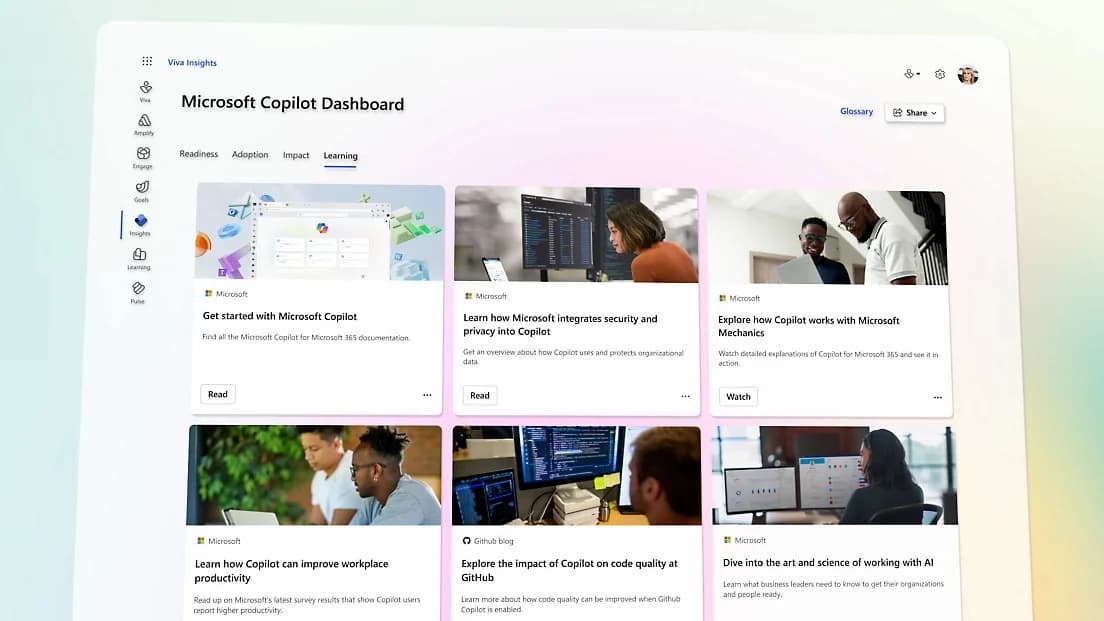
For consumers, agentic access is gated by plan. The individual pricing page reserves "agentic AI that gets things done for you" for Microsoft 365 Premium (limited usage) and Microsoft 365 Pro (highest usage). If you are on Personal or Family, the autonomous stuff is not included.
What Autopilot costs
This is the section I would read first, because Microsoft changed the pricing model on the same day it launched Autopilot. The new structure splits Copilot into two tracks.
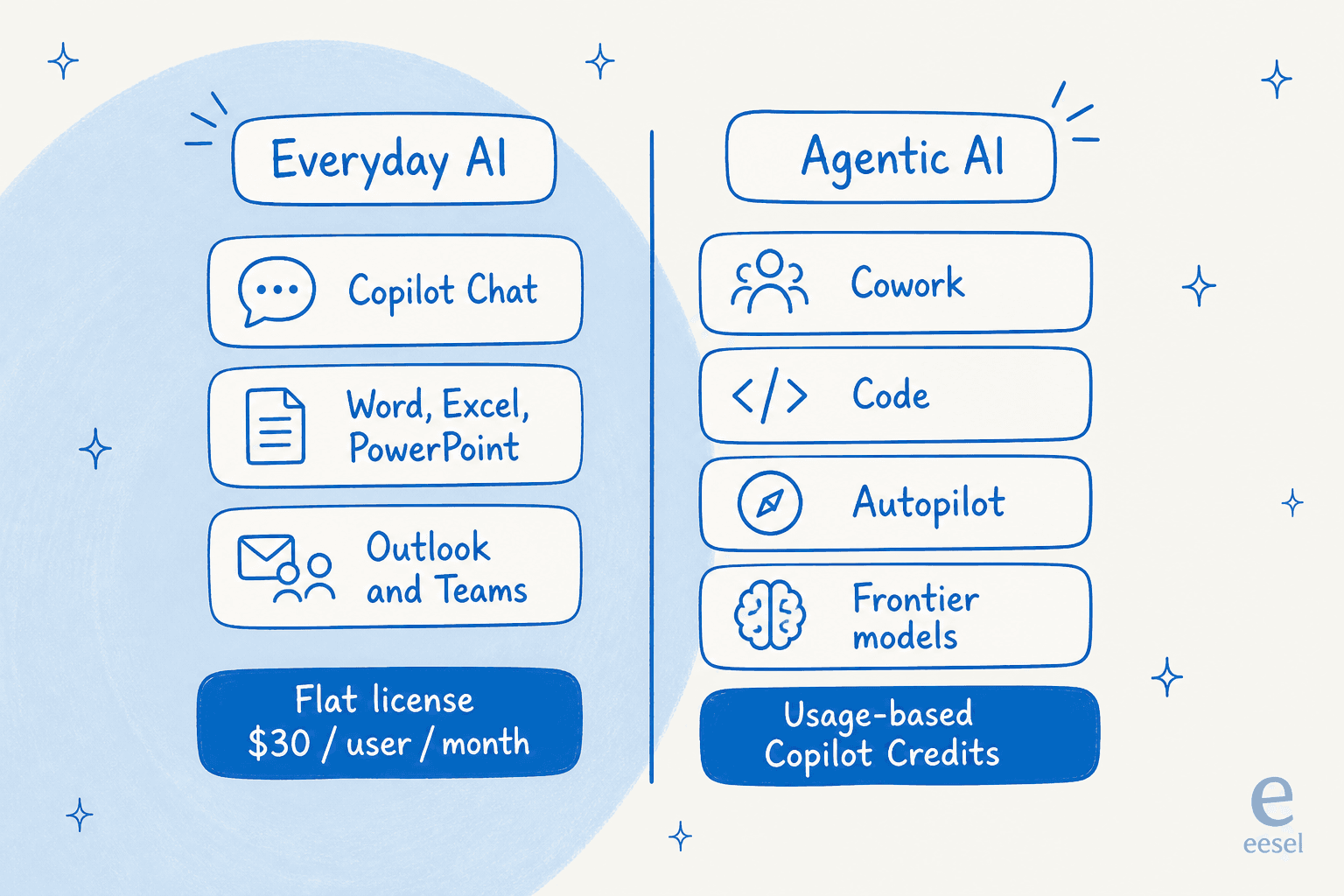
Everyday AI, meaning Copilot Chat and Copilot inside Word, Excel, PowerPoint, Outlook, and Teams, stays on a flat per-user license. Microsoft's stance is quotable: "Some vendors put everyday AI work on a meter. We think that's the wrong deal." Agentic AI is the other track: "Cowork, Code, and Autopilot, new long-running agentic capabilities, and frontier models like Astra and Fable all run on UBB [usage-based billing]."
So Autopilot is a metered capability layered on top of a license, not a flat add-on. Here is where the plans land:
| Plan | Monthly | Agentic AI (Autopilot access) |
|---|---|---|
| Free Copilot | $0 | None |
| Microsoft 365 Personal | $9.99 | None |
| Microsoft 365 Family | $12.99 | None |
| Microsoft 365 Premium | $19.99 | Limited usage |
| Microsoft 365 Pro | $99.99 | Highest usage |
| Microsoft 365 Copilot (enterprise) | $30 / user | Everyday AI on the license; agents metered in credits |
The metering itself runs in Copilot Credits. The clearest published rate comes from Copilot Studio: a prepaid pack is $200 per month for 25,000 credits, which works out to about $0.008 per credit, and pay-as-you-go is reported at roughly $0.01 per credit on the Azure meter. The catch is that a single agent response can burn anywhere from 1 credit to over 100, depending on whether it is a scripted answer or tenant-grounded reasoning, so your bill depends heavily on how the agent is designed and grounded, not on a flat per-message price.
The one reassuring detail for enterprise admins: usage-based billing stays off "until an admin creates a spending policy in the Microsoft 365 admin center, and nothing is billed before that." You have to deliberately opt in and set budgets before Autopilot can cost you anything. Use the estimator below to sanity-check what a small deployment might run.
What people are making of it
The Autopilot announcement is only days old, so verifiable community reaction to the feature itself is still thin. The louder, and more telling, signal is how practitioners feel about the billing model Autopilot now uses. When Copilot's usage-based metering rolled out earlier in 2026, the reaction on Hacker News was not gentle:
"Burned through 50+% of my monthly quota today using Sonnet 4.6, after starting the day at 0%."

"It's like 80-100X more expensive if my calculations are correct."
To be fair, those quotes are about Copilot's metered billing generally, not Autopilot specifically, and Microsoft's off-by-default spending policies are a direct answer to exactly this anxiety. But the worry is the right one to hold onto: an always-on agent that runs frontier models on multi-day tasks is, by design, the kind of thing that can run up credits while you sleep. The market, for what it is worth, liked the news, with Microsoft shares rising on announcement day. Buyers and users are reacting to two different things.
Where Autopilot fits, and where a ready-to-work teammate fits better
I want to be fair to Autopilot, because it is a strong piece of engineering. If your work lives inside Microsoft 365, and you want a general agent that can chase a supplier review or keep a recurring report moving, a first-party agent with a directory identity and admin-grade governance is a real advantage. Nobody else can wire an agent that deeply into Teams and Outlook.
But "a general autonomous agent" and "the agent I need for one job" are not the same purchase, and this is where I get to speak from experience rather than a press release. We have spent years putting AI agents on live customer service queues, and the single most common thing I hear is a version of this: a team comes in looking for a copilot, then realizes what they actually need is an autonomous agent that can clear half of their inbound tickets on its own. (That was almost word for word how one ops lead at a busy e-commerce brand, handling thousands of tickets a month, put it to us.) The word "autopilot" is exciting; the job underneath it is specific.
The tickets that actually pile up are repetitive, like refund requests and order tracking, and clearing them well needs support-shaped tooling.
The same logic holds for IT teams weighing Autopilot against a dedicated AI service desk or a broader ITSM tool.
A general office autopilot gives you the autonomy but none of the support scaffolding. There is no ticket queue, no way to simulate it against your past tickets before it goes live, no resolution-rate reporting, and no built-in escalation path for the moment it should hand a case to a person. Those are not nice-to-haves in support; they are the whole job. The same is true in reverse: you would not want your support AI trying to run a supplier review.
That is the split worth keeping in mind as the "autopilot" label spreads. Autonomy is now table stakes, whether you are shopping for customer service software or agent-assist tools. The real question is whether the agent arrives knowing your job, or whether you have to teach it one from a blank canvas.
Try eesel
If the job you actually have is support, eesel is worth a look next to a general autopilot. eesel is an AI teammate platform, and instead of one all-purpose agent you hire a ready-to-work teammate for a specific role, like the AI helpdesk teammate or the AI blog writer for SEO content. Each one arrives with the skills, integrations, and company context for its job from day zero.
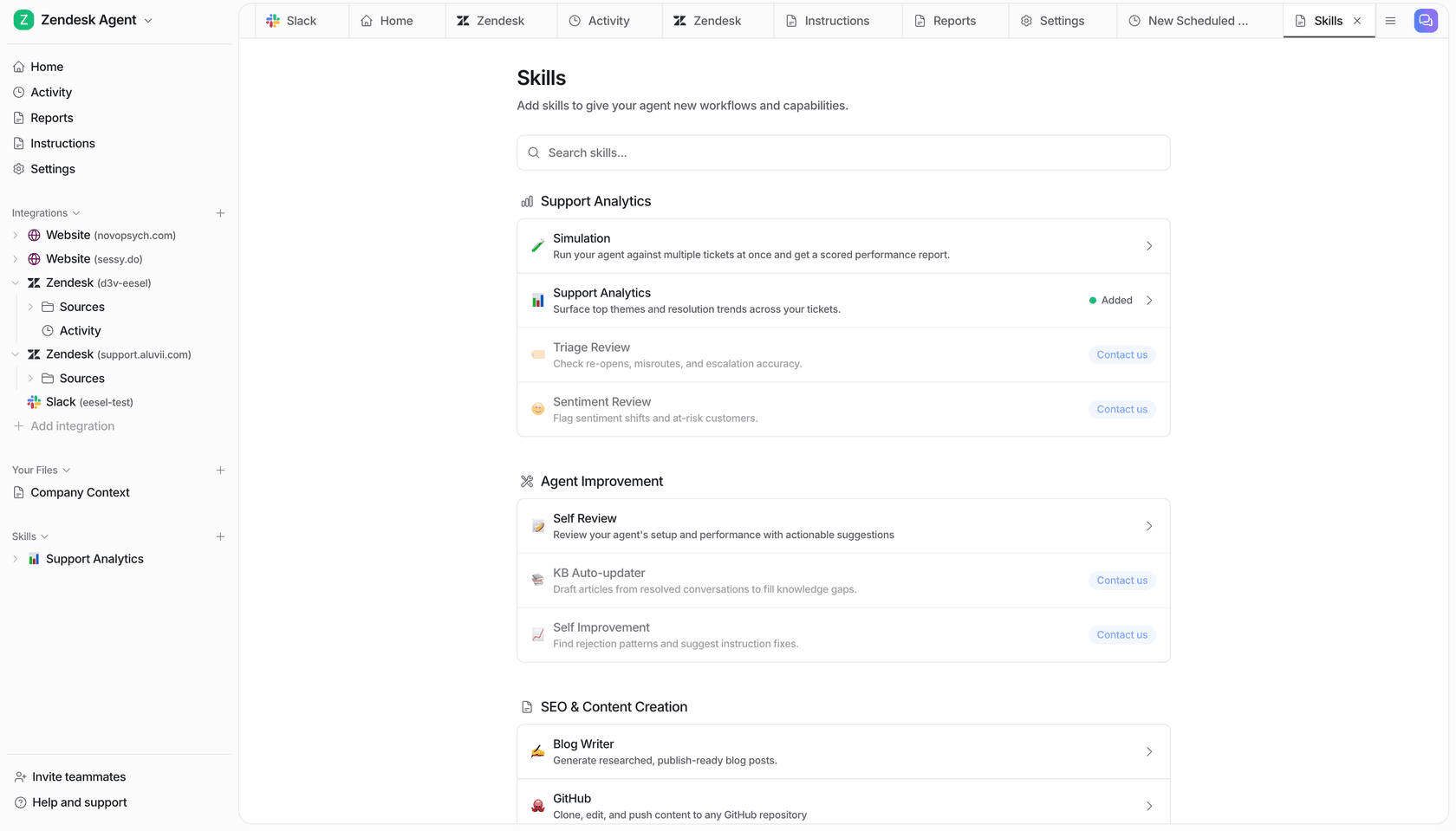
The concrete difference from a blank-canvas autopilot is what happens before go-live. The helpdesk teammate plugs into your existing helpdesk, learns from your past tickets and knowledge, and, critically, lets you simulate it against your real ticket history so you can see its resolution rate before it ever answers a live customer. That is the "watch a confident bot give a wrong answer" problem solved up front, rather than discovered in production. You can try eesel free.
Frequently Asked Questions
What is Microsoft Copilot Autopilot?
Autopilot is a persistent, proactive agent inside the new Microsoft Copilot that keeps working when you are not. You give it a name, role, and goal, and it runs recurring work on its own. It was previously called Scout, and it is not the same thing as Windows Autopilot device setup. If you want an agent scoped to support, an AI copilot for the helpdesk is a narrower fit.
Is Copilot Autopilot available now?
Not generally. Microsoft said Autopilot expands to private preview at the end of September 2026, with wider access through the Frontier program. Most organizations cannot switch it on yet, so it is worth scanning the Copilot alternatives already live.
How much does Microsoft Copilot cost with Autopilot?
Everyday Copilot stays on the flat Copilot pricing license ($30 per user per month for enterprise). Autopilot itself runs on usage-based Copilot Credits on top of that, so the agent bill is variable, not a fixed seat.
Can Copilot Autopilot handle customer support tickets?
Autopilot is a general office agent, not a support product, so it has no built-in helpdesk queue, simulation, or resolution reporting. For customer support, a purpose-built customer service AI that plugs into your helpdesk is a closer fit.


Article by
Alicia Kirana Utomo
Kira is a writer at eesel AI with a Computer Science background and over a year of hands-on experience evaluating AI-powered customer service tools. She focuses on breaking down how helpdesk platforms and AI agents actually work so that support teams can make better buying decisions.