
What does Meta Muse do for an operations manager?
I build AI agents at eesel, and the first thing I look at on any new agent is where it's allowed to act and who checks it before it does. For Meta Muse, that question tells you almost everything about where it fits in operations.
Muse is Meta's personal AI agent, launched on September 8, 2026. It runs on its own cloud computer with a browser, keeps working after you close the app, and you talk to it in the Muse app, on the web, on Mac or in WhatsApp. On September 29, Muse for Small Business added business connectors, including Intuit QuickBooks, Stripe and Shopify. It's aimed at the owner who does everything, which is why it shows up in roundups of AI for small businesses.
Meta pitches it straight at the back office. The Muse business page promises to "let cash flow and inventory management run in the background, so you spend less time on the books and more time on the business." Its own example goals read like an ops manager's to-do list:
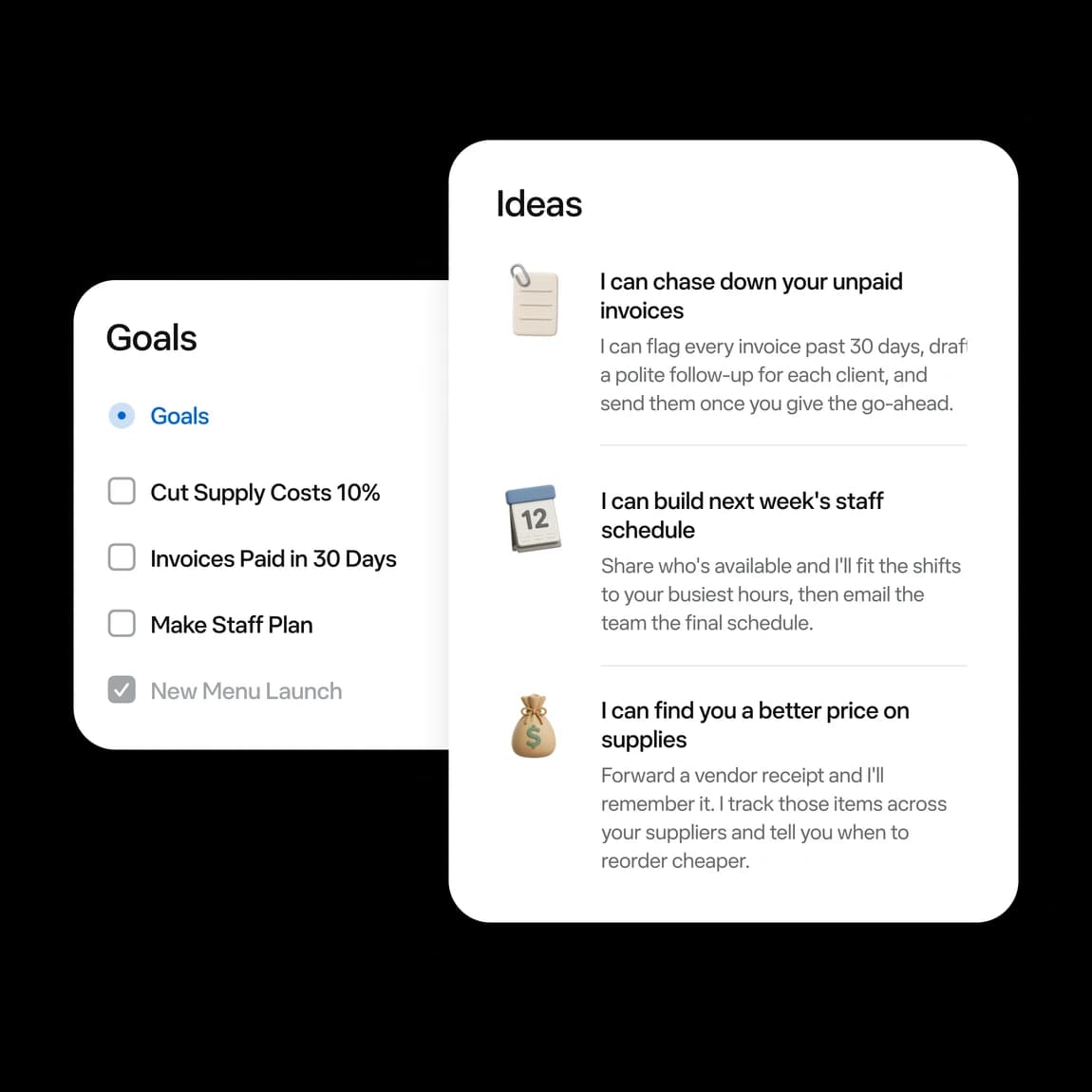
The three ideas in that panel are the clearest map of what Meta thinks Muse is for. "I can flag every invoice past 30 days, draft a polite follow-up for each client, and send them once you give the go-ahead." "Share who's available and I'll fit the shifts to your busiest hours, then email the team the final schedule." "Forward a vendor receipt and I'll remember it. I track those items across your suppliers and tell you when to reorder cheaper."
Notice the shape. Each one reads from your tools, drafts something, and waits for you before it sends or spends. That's the frame for the rest of this post: Muse as the ops assistant for one person, not as an operations system. If you're weighing other personal agents, I've also covered Instinct AI vs Meta Muse, Instinct AI for operations and ChatGPT dots for operations.
One thing from eesel's customer calls is worth keeping in mind before you start. An ops lead at a DTC supplements brand I spoke with was running about 30,000 orders a month, and 25 to 30% of those orders turned into a support ticket. For a lot of operations teams, the biggest back-office queue isn't the books. It's the customers asking where their order is.
Which operations tools does Meta Muse connect to?
Connectors decide what Muse can see and touch. Meta's business page names 15: "Asana, Box, Canva, Dropbox, Figma, Granola, HighLevel, Intuit QuickBooks, Klaviyo, Lovable, Notion, Shopify, Slack, Stripe, Zoom and more." Google Workspace covers Gmail, Calendar, Drive and Docs.
Here's how that lines up against a typical ops stack:
| Ops job | Tool | Muse status |
|---|---|---|
| Books, invoices, cash flow | Intuit QuickBooks | Official connector |
| Payments, invoices, payment links | Stripe | Official connector (also in ChatGPT) |
| Store, inventory, orders | Shopify | Official connector (orders read-only) |
| Files, contracts, receipts | Box, Dropbox, Google Drive | Official connectors |
| Team messages, SOPs | Slack, Notion | Official connectors |
| Buying supplies | Link by Stripe in Muse's browser | Built in, approval every time |
| Xero, FreshBooks, Bill.com | Accounting and bill pay | Not named on any Meta page |
| Gusto, ADP | Payroll | Not named on any Meta page |
| Ramp, Brex, Expensify | Spend and expenses | Not named on any Meta page |
| Square, Toast, Clover | Point of sale | Not named on any Meta page |
| 7shifts, Homebase, Deputy | Staff scheduling | Not named on any Meta page |
So payroll, spend management, point of sale and scheduling apps all sit outside the named list. Muse can still reach them two ways: a custom connector to anything with an API (often an MCP server), which Meta's connectors help page says it "doesn't review," or its own browser logged in as you. For a payroll or bank login, I'd use neither.
What the QuickBooks connector actually does
Intuit is a launch partner, and its own blog post is the most specific description of any Muse connector I found. Through it, Muse can "review profit and loss as well as cash flow for any period," "see which customers and products drive the most revenue," "create and send payment-enabled invoices directly to customers" and "track overdue invoices and send payment reminders."
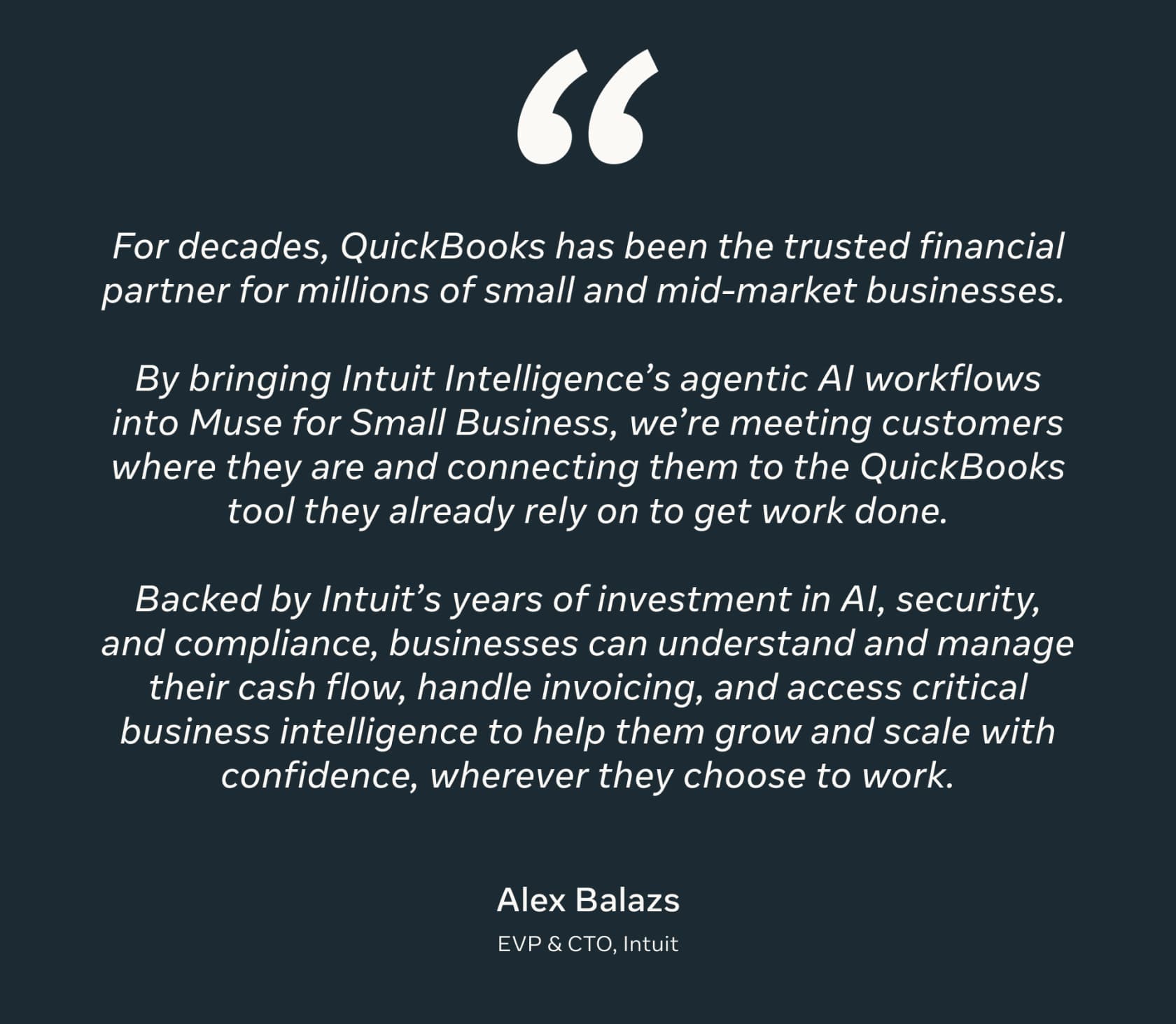
Intuit is just as clear about the edge. "Intuit defines exactly which QuickBooks capabilities are available," the post says, and customers "go directly to the QuickBooks experience for more complex, compliance-heavy parts of running a business like payroll, closing books, filing taxes, and complex cash flow scenario planning." I like that line. It's the vendor telling you where the agent stops.
What the Shopify connector can and can't do
Shopify has a dedicated Muse connector article, and it's the most useful page in this whole post for a store operator. Muse can create and update products, change inventory counts, build collections and make percentage-off discount codes. It reads orders, customers and analytics without changing them.
Then the hard blocks: the connector "can't issue refunds, cancel or capture orders, mark orders as paid, process returns, or create and adjust gift cards. These actions are blocked even when you approve write access." It can't touch "your plan, payments, taxes, or domains" either. And Shopify adds that it "doesn't replace Sidekick, the AI assistant inside your Shopify admin."
Two details I'd flag for inventory work. The connector "reads the current quantity first, so an update stops safely if the count changed," which is a good guard. But it "changes items one at a time, so a large batch can stop partway," so after any bulk update, check the last item changed. If you sell on Shopify and want a wider view of its AI, see my Shopify AI assistant guide.
Muse or the agent already inside your back-office tool?
Here's the shift most coverage misses. Muse isn't competing with a bare QuickBooks file or an empty Shopify admin. Every one of these tools now ships its own agent, and each one already works inside the tool under the team's permissions.
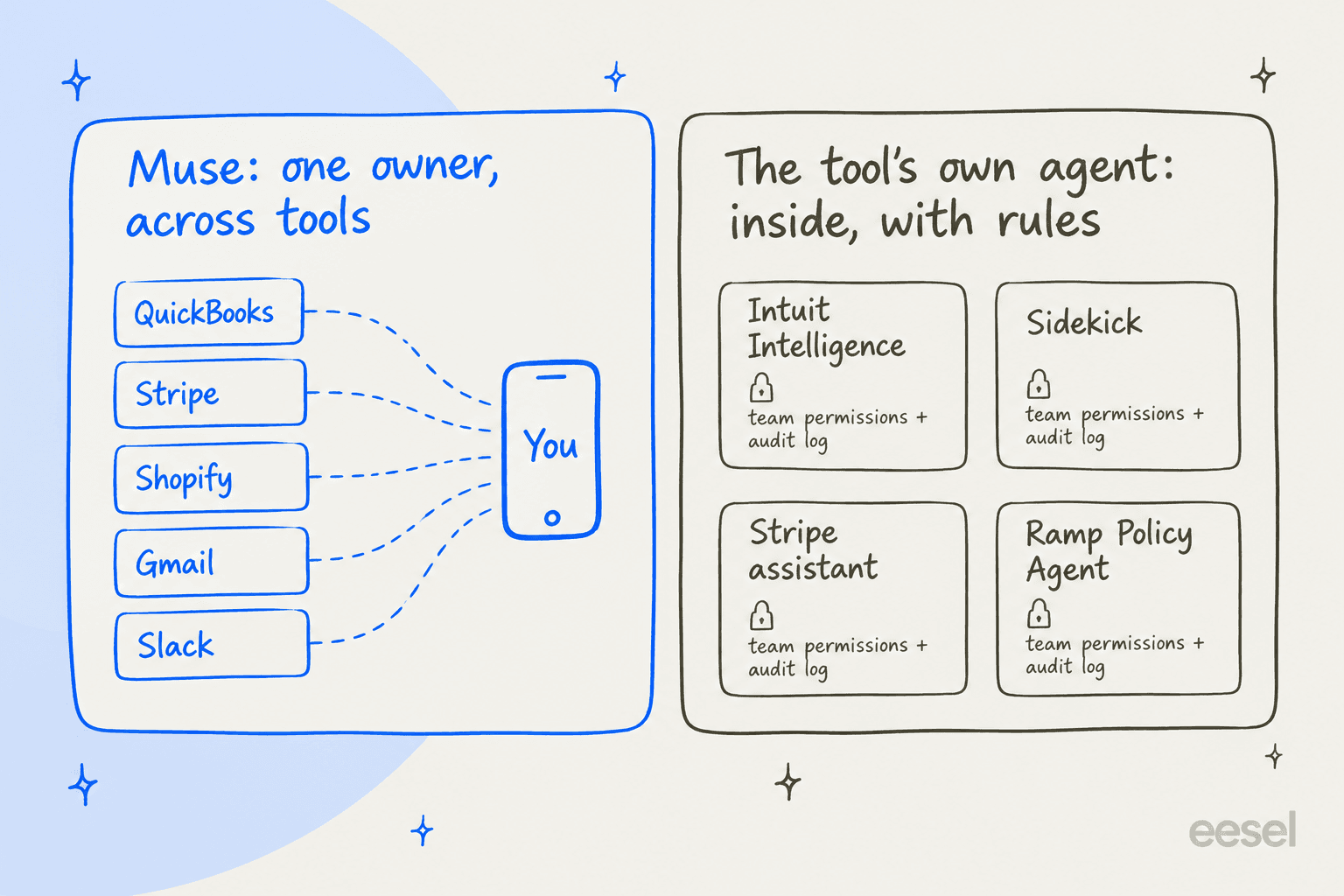
The two overlap less than you'd think. Intuit Intelligence can't read the supplier email in your Gmail. Muse can't see your whole team's expense queue under Ramp's approval rules. Here's what the tool side looks like today:
| Tool | Its own AI | Plan that unlocks it | Outside agents (MCP or connector) | Approval and audit |
|---|---|---|---|---|
| QuickBooks Online | Intuit Intelligence: Accounting, Payments, Finance, Customer AI | Essentials $85/mo for Accounting and Payments AI; Advanced $340/mo for Finance AI | Muse, Claude connector, open-source MCP server | "Review and edit AI-drafted messages, estimates, reminders, or bills" |
| Stripe | Dashboard assistant, Sigma AI | Assistant in the Dashboard; Sigma from $15/mo | Stripe MCP (public preview) | Refunds and outbound payments need human confirmation |
| Shopify | Sidekick | "Included with your Shopify plan," from $29/mo | Muse, ChatGPT, Claude, Perplexity connectors | Order edits save only after you click Update order |
| Gusto | Gus, Cofounder (early access) | Cofounder free during early access, invite only | Gusto MCP, Claude and ChatGPT connectors | Cofounder pauses for approval before submitting payroll |
| Ramp | Policy Agent, AP agents | Ramp Plus, $15/user/mo plus a platform fee | Ramp MCP for Claude, ChatGPT, Notion | "Reviewers always retain final authority," audit log per expense |
Three things in that table change the Muse math. First, Shopify Sidekick costs nothing extra and can edit orders, which the Muse connector can't. Second, Intuit's own agents run the month-end close that Intuit deliberately keeps out of Muse. Third, the spend-side tools, Gusto and Ramp, have no Muse connector at all, and both already have their own approval rules.
Ramp's Policy Agent is a good picture of what "inside the tool, with rules" looks like:

Each verdict cites your written policy, and Ramp says early customers cut manual reviews by about 85% "while maintaining 99%+ accuracy" (Ramp support). Muse can't do that job. It doesn't see the company card feed, and there's no team policy for it to read.
Pick your tool: where Muse fits
Which tool runs this part of your back office?
QuickBooks Online
- Muse connector
- Official. P&L, cash flow, balance sheet, payment-enabled invoices, overdue tracking and reminders.
- Stays in QuickBooks
- Payroll, closing the books, filing taxes, complex cash flow planning, per Intuit.
- Tool's own AI
- Accounting AI and Payments AI from Essentials ($85/mo), Finance AI on Advanced ($340/mo).
Stripe
- Muse connector
- Named by Meta. Stripe says Muse can send invoices and payment links, manage products and prices, and analyze revenue.
- Tool's own AI
- Dashboard assistant creates payment links and products after you confirm. Sigma AI reports from $15/mo.
- Outside agents
- Stripe MCP asks for human confirmation on refunds and outbound payments. Admins can turn it off team-wide.
Shopify
- Muse connector
- Products, collections, inventory counts, percentage discounts. Orders, customers and analytics are read-only.
- Blocked for Muse
- Refunds, cancellations, marking orders paid, returns, gift cards, plan, payments, taxes and domains.
- Tool's own AI
- Sidekick, included on every plan. Edits orders after you click Update order.
Gusto
- Muse connector
- None named. Custom connector only, which Meta doesn't review.
- Tool's own AI
- Gus answers help questions. Cofounder runs payroll and contractor payments, free in invite-only early access.
- Outside agents
- Gusto MCP. Gusto warns not to connect other MCP servers in the same session.
Ramp
- Muse connector
- None named. Custom connector only.
- Tool's own AI
- Policy Agent and AP agents on Ramp Plus, $15/user/mo plus a platform fee.
- Outside agents
- Ramp MCP credits every call to the signed-in user. Bill approvals aren't available through it.
Which operations jobs should you hand to Muse?
The jobs that suit Muse share one trait: they pull from several of your tools and end in something you read before anyone else sees it. Here's the week I'd set up:
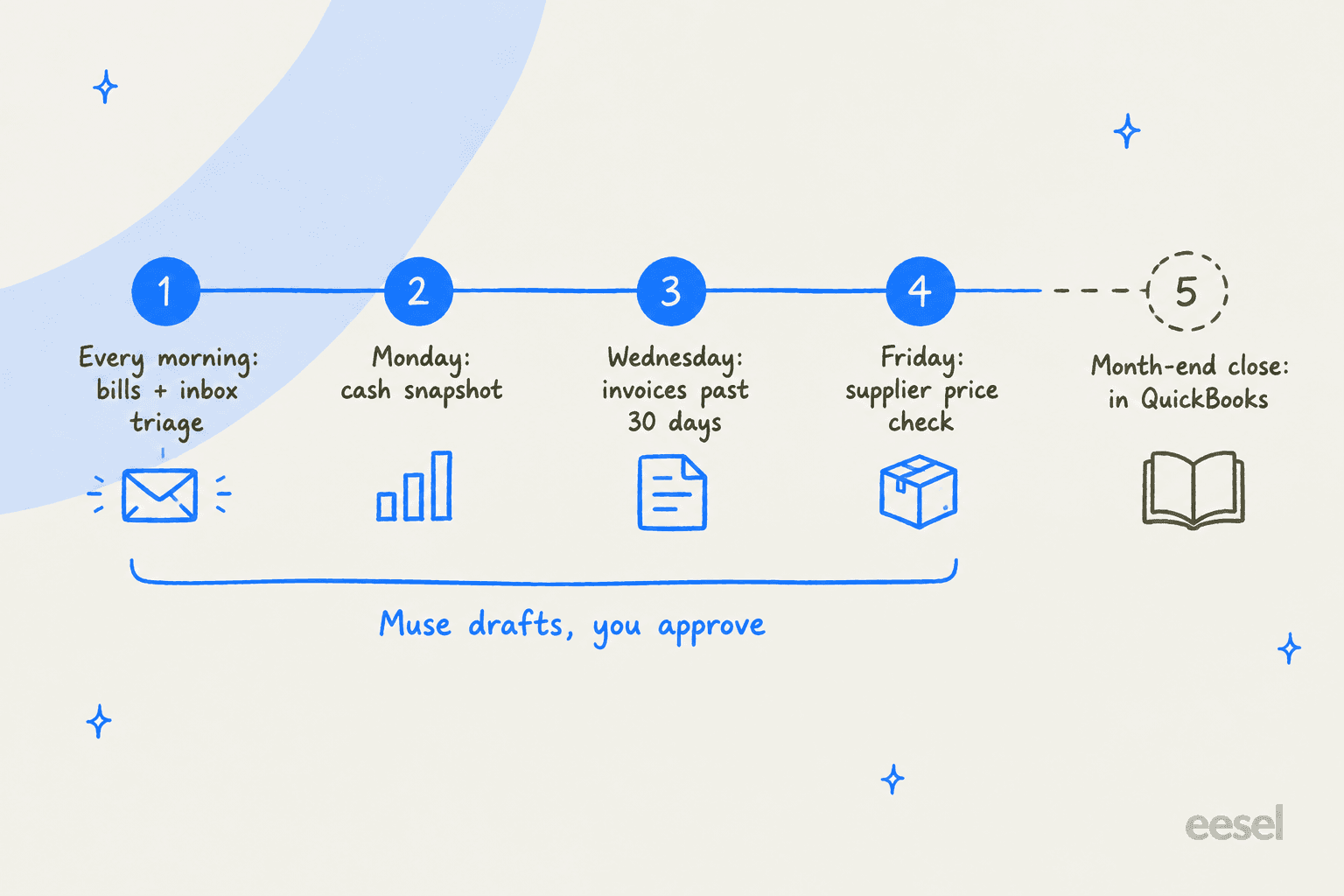
1. A morning sweep of bills and order emails. Muse runs recurring tasks "daily, weekly, or on a custom interval," per its scheduled tasks page. One owner on Meta's launch post uses exactly this:
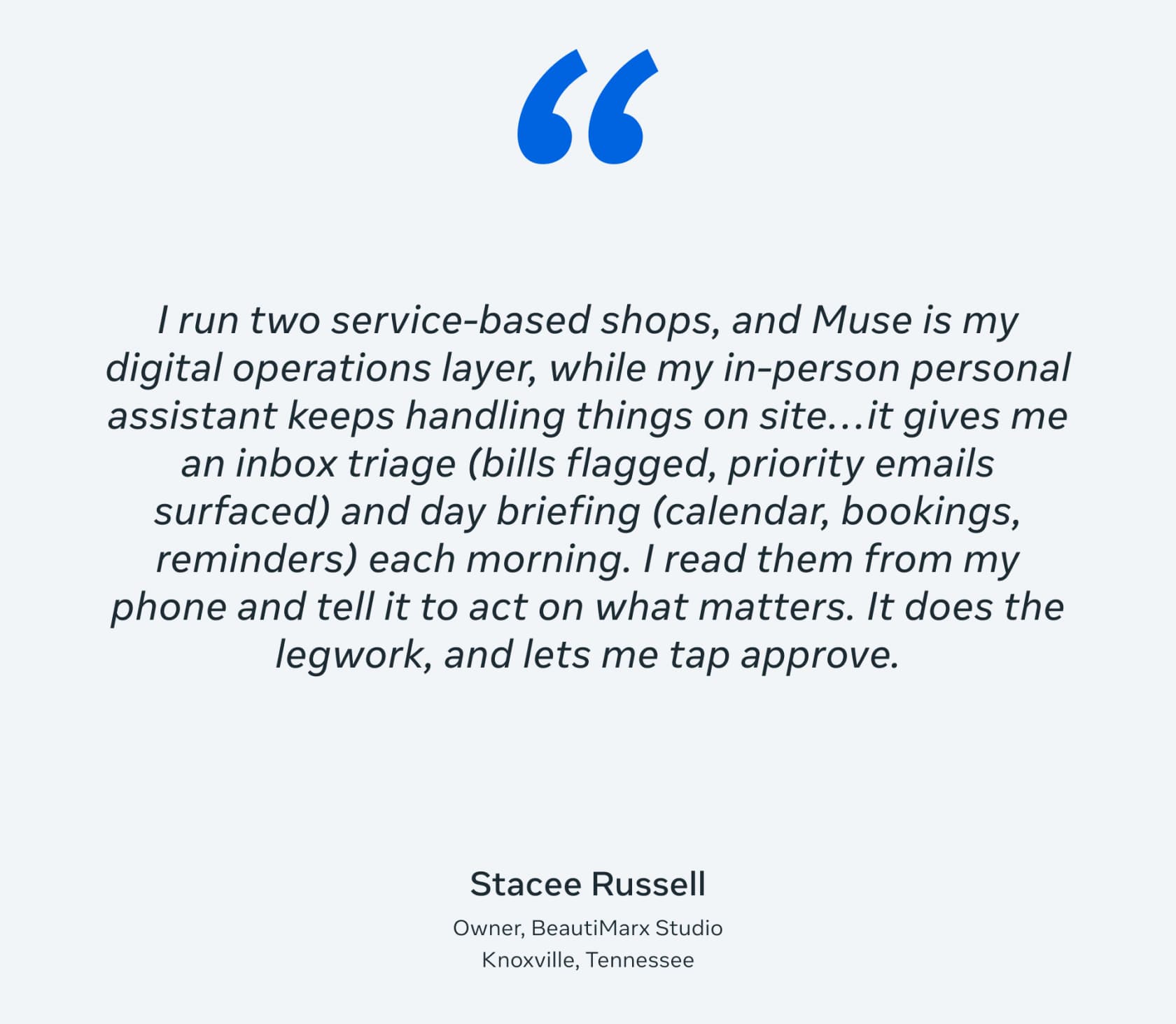
Another, Jerina Julius of JNJ Gifts and More, says on the same post that Muse "watches my inbox for client and order messages every 15 minutes."
2. Chasing invoices past 30 days. This is Meta's own example, and the QuickBooks connector supports it: track overdue invoices, draft reminders, send after you approve. I'd set it weekly, not daily. A client who gets a reminder every morning stops reading them. QuickBooks' own Payments AI also proposes "personalized invoice reminders" on the Essentials plan, so if you already pay for it, compare the two before doubling up. It's also the job most owners keep once they try it:
"Across service shops, the first automation that usually sticks is invoicing and payment reminders because it saves time without touching judgment. The thing that most often gets rolled back is AI answering everything end to end; too many edge cases, and missed nuance gets expensive fast."

3. Payroll prep, not payroll. Muse can read photos and spreadsheets, which makes it good at the dull counting before a pay run:
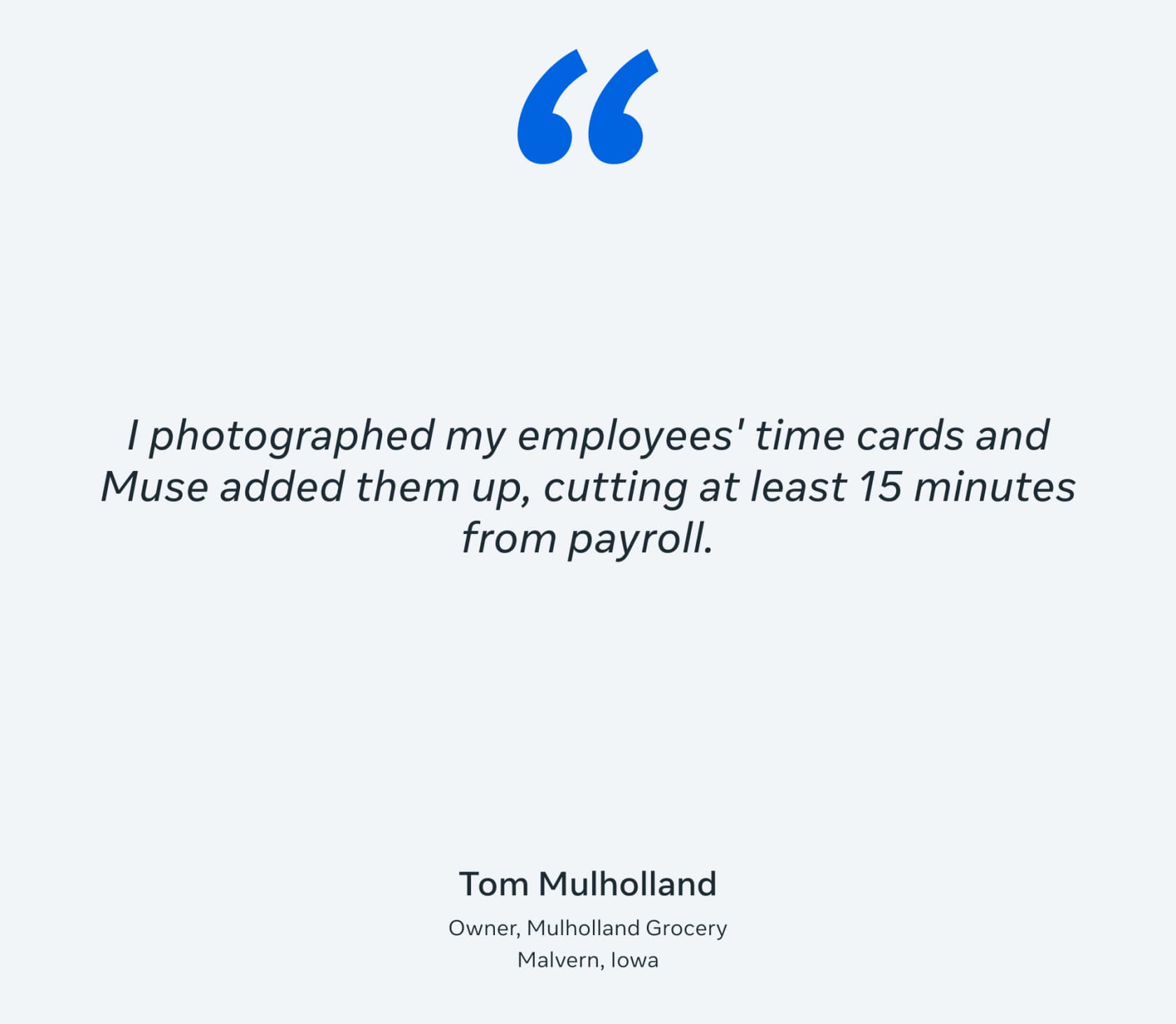
That's the right split. Muse adds the hours; a person enters them in the payroll tool and checks the totals against last period.
4. Supplier price tracking and reorder lists. Forward receipts, and Muse remembers the items and prices. Its browser can watch for "price drops," per the web browsing help page. Ask for a Friday reorder list as a spreadsheet: item, last price, best price found, link. Muse makes XLSX and CSV files and edits them in place, per its artifacts page. One caveat from a restaurant owner's thread on supplier ordering applies here: "Software won't fix unclear ownership or inconsistent counting" (/u/MarkLF13). If nobody counts stock the same way twice, Muse's list will be wrong too.
5. A cash and expense snapshot. Meta's own suggested prompt is "How was my business's financial performance this month? Find any expenses that look off" (newsroom). Through QuickBooks, that pulls the real P&L. I'd ask for the numbers in a table with the source report named at the top, so you can check anything that looks wrong.
Staff schedules are a quieter sixth, and closer to an AI scheduling assistant job. Meta's idea is to "fit the shifts to your busiest hours, then email the team the final schedule." There's no scheduling-app connector, so this works from your calendar and email. Read the schedule before it goes out. Muse is a scheduler here, not a manager, and Meta's terms bar using it to decide "without meaningful human review" whether someone "receives or keeps employment."
Where money moves: the part to slow down
This is where operations differs from every other Muse use case. A wrong status report is embarrassing. A wrong supply order or a duplicate payment is money.
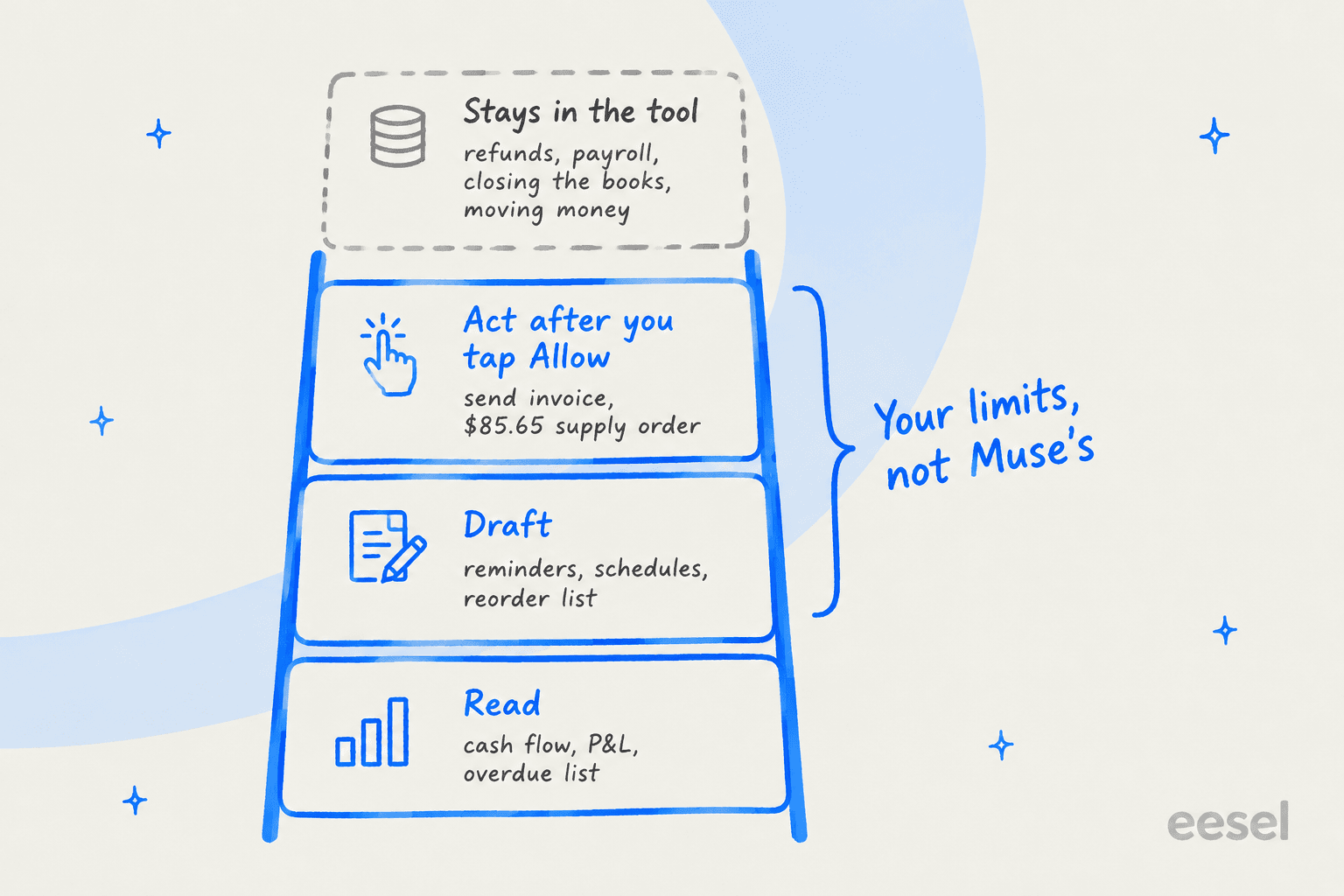
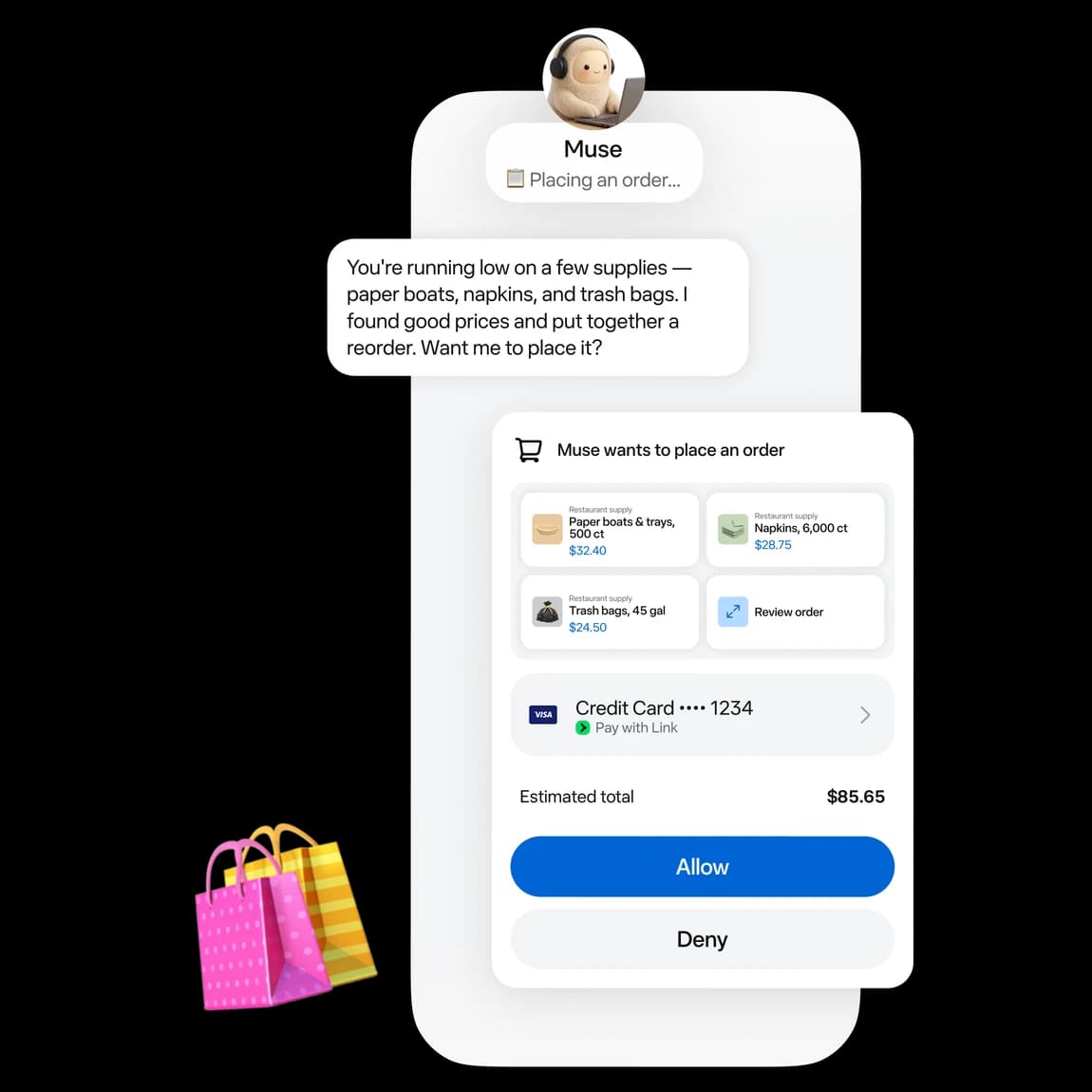
Here's what Muse does to protect you. Meta's Connector Platform docs class a purchase as a "sensitive write," and "Sensitive writes cannot be set to Always allow." Each one gets Allow once or Deny (my Meta Muse review covers the full permission model), and "if any details (e.g. the price, recipient, scope) change after a write is approved," Muse has to ask again. When Muse buys something, Link by Stripe issues "a one-time card number for each purchase," per Meta's payments page.
Meta also isn't letting connectors move money. The same docs say Meta is "not currently approving new financial money movement tools, such as transfers between financial accounts."
Here's what Muse doesn't do. There's no per-purchase cap, no monthly budget and no category block anywhere in Muse's settings or help pages. Section 7.7 of the Muse terms hands that job to you: you "bear all risk of financial loss," and you're "solely responsible for setting appropriate limits and safeguards (including transaction limits and category restrictions), monitoring your accounts, and timely disputing errors." Meta's liability is capped at the greater of $250 or what you paid Meta in the last 12 months.
So set the limits where they actually exist: on the card. Put a low limit on whatever card you connect to Link, or use a separate card just for Muse orders. A Hacker News commenter made the same point in a thread about Muse:
"I keep wondering why people don't jump to the obvious solution of simply only giving it a single purpose or limited fund credit card number from privacy.com or something."

Approval taps are a good guard until the fortieth one in a week, when you start tapping without reading. Some users already find the taps tiring:
"asked it to cancel a day of meetings and I need to click approve manually for each one. what even is the point of using AI at that point. no bypass permissions mode available."
For money, I'd keep that friction. Also be careful with browser logins. One Muse user reported that someone else's email autofilled when he went to pay with PayPal in Muse's browser, and Muse couldn't find the session that caused it. Prefer the official connectors and Link over a saved bank or PayPal login.
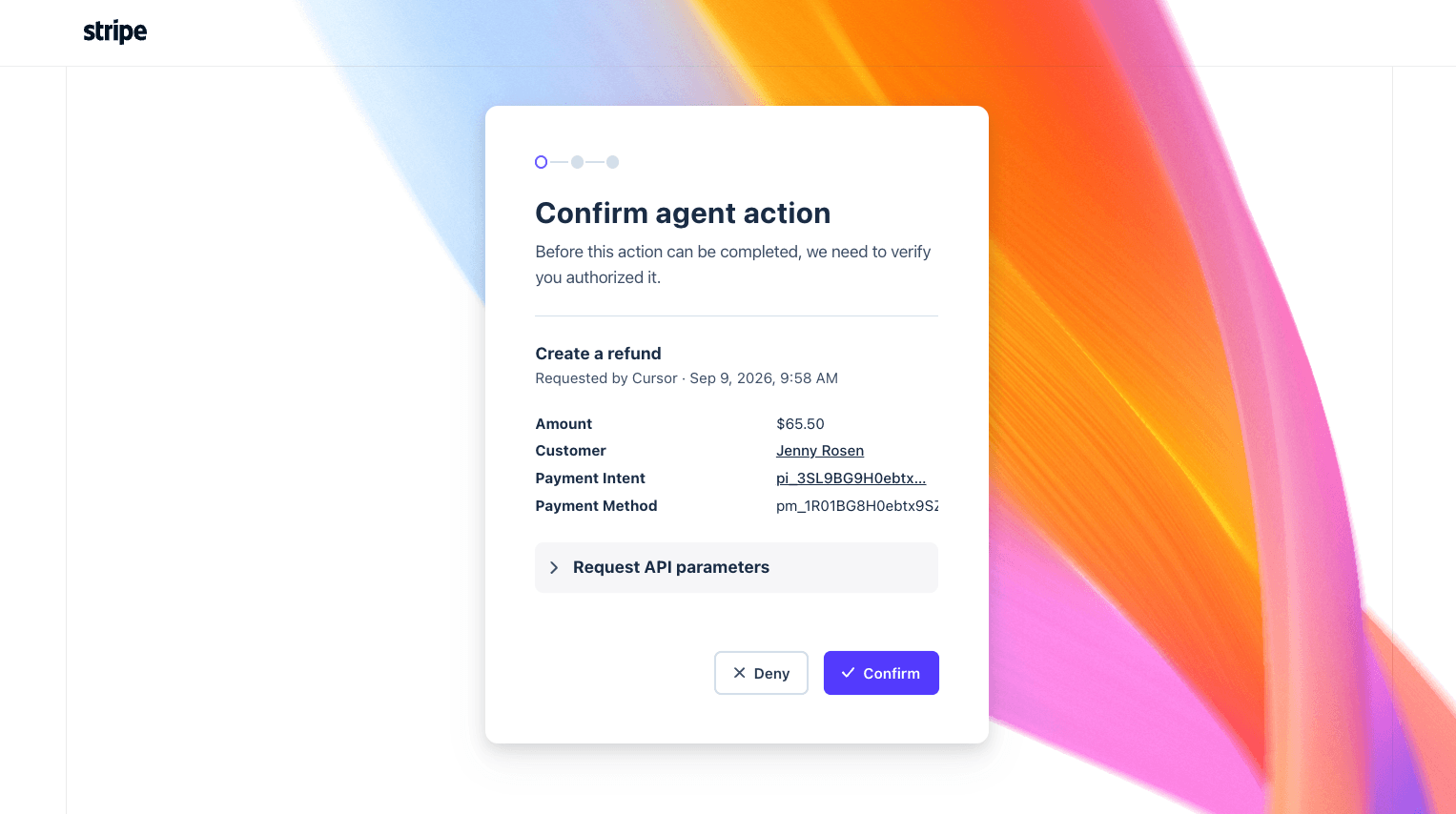
The tools themselves follow the same pattern. Stripe's own agent access asks a human before refunds and payouts, and the approval expires after 24 hours:
What should stay off Muse's plate?
Five jobs I'd keep away from a personal agent, however good the demo looks.
Running payroll and closing the books. Intuit keeps them out of the Muse connector on purpose, and Gusto's Cofounder pauses for approval "before submitting payroll or making contractor payments" even inside its own automations. If the vendor that built the agent won't let it skip a human, a personal agent working through a browser login shouldn't either.
Refunds, returns and order fixes. Shopify blocks these for Muse outright. They belong in Sidekick, the Stripe Dashboard or your helpdesk, where the team can see who did what.
Messaging your customers. Meta itself gives customer messaging to a different product. Its comparison table says Business Agent will "Message customers, capture leads, book appointments and support sales," while Muse "checks with you before you publish, send, spend or share." Muse drafting a reply for you is fine, and my Muse for Shopify customer support post covers where that works. Muse as your customer support desk isn't what it's built for. I covered that split in Meta Muse for customer support.
Logging into your bank or card processor. A custom connector or a saved browser login to a banking console puts an unreviewed path between an agent and your money. One owner who runs QuickBooks and a card-processing console put the worry plainly:
"I use a combination of Quickbooks, Acrobat, Drive and email as well as my CC billing console. I would love to enact AI to cut down on all the heavy process oriented type work I do, but the idea of an AI company having access to my customers' data, my email inbox, banking apps/websites, etc. just makes me maaaaad nervous."
That's a fair instinct. Stick to the reviewed connectors for money tools.
Being the only record. Muse's files and memory live in one person's account, and disconnecting a connector doesn't wipe what it learned: data "might still remain in Muse's memories and your conversation history," per the connectors page. Keep the reorder sheet and the cash snapshot in a shared drive, not only in Muse's Library.
Is Muse a team operations tool?
No. Every Muse user gets their own isolated cloud computer, and Meta's privacy page says "no one else's agent can access it." There's no shared workspace, team plan, seats or admin console. Meta named Muse in its Enterprise Platform on September 28, without admin controls, pricing or dates.
That matters more in operations than in most jobs. Ops work is shared by nature: the bookkeeper, the store manager and the owner all touch the same invoices. Ramp credits every agent action "to the signed-in user," and Shopify's Sidekick "respects access controls" for every staff member. Muse has one user, and that user is accountable for everything it does. I walked through the IT side of this in Meta Muse for work.
How I'd set up Muse for operations in 30 minutes
- Switch off training first. In Settings, then Data controls, turn off "Help improve our AI models." It's on by default, per Meta's data page.
- Connect read-first. Add Gmail and Calendar, then QuickBooks, Stripe or Shopify. Where a connector offers read-only, take it. Shopify notes you "can't lower a data access level that you already approved," so start low and reinstall to raise it.
- Set permissions to "Ask for some actions." Muse then asks "before every write action and important read actions," per the approval page. Never "Always allow" on a money tool.
- Put a limit on the card. Connect a card to Link with a low limit, or a separate card used only for Muse orders. This is the spend limit Muse doesn't have.
- Schedule two tasks. "Every weekday at 7am, list new bills and order emails from Gmail with amount, due date and sender." "Every Wednesday, list QuickBooks invoices more than 30 days overdue and draft a reminder for each. Don't send."
Check the Activity log once a week. It keeps "a chronological record of actions your Muse has taken and permissions you've given it."
How much does Meta Muse cost for operations?
Muse has no team plan, so each person pays on their own Meta account. Plans, per Meta's subscriptions page:
| Plan | Price | Weekly usage |
|---|---|---|
| Free | $0 | Usage limit (no number on Meta's help page) |
| Power | $20/month | 500M Muse tokens per week |
| Maximum | $100/month | 3B Muse tokens per week |
Muse is available to people 18 and over in the US and Canada. The connectors don't add a fee on the vendor side: Shopify says there's "no extra Shopify fee for using the connector." You still pay for the tools themselves, and transaction fees still apply, like Stripe Invoicing's 0.4% per paid invoice on Starter (Stripe).
If you're still choosing an agent, my list of the best AI agents for small business is a wider starting point. For one owner running a morning sweep and a weekly invoice chase, I'd start on Free and upgrade when the limit bites. My Meta Muse pricing post explains the token limits, and Muse Small Business pricing covers the business skills.
Try eesel for the queue your ops team shares
Muse is one person's back-office assistant. For a lot of operations teams, the biggest time sink is a queue the whole team shares: customers asking where their order is, refund requests, address changes. That's the 25 to 30% ticket-to-order ratio from earlier, landing in Gorgias, Zendesk or Freshdesk every day.
eesel is an AI teammate platform, and you hire teammates for specific jobs. The AI helpdesk teammate joins your existing helpdesk, connects to Shopify for live order data, learns from the tickets your team already answered, and runs against your past tickets in a simulation before it replies to anyone. Every reply lands in an activity log your whole team can review.

Plans start at $299 a month for 500 credits, and the free plan gives you 100 credits to test on real tickets. Try eesel free, or see how it compares in the best AI teammates roundup.
Frequently Asked Questions
Can Meta Muse be used for business operations?
Does Meta Muse connect to QuickBooks, Stripe and Shopify?
Can Meta Muse spend money without asking me?
Can Meta Muse run payroll or close the books?
Is Meta Muse better than Shopify Sidekick or QuickBooks AI for operations?
How much does Meta Muse cost for operations?
Can Meta Muse answer my customers about orders and refunds?


Article by
Kira
Kira is a writer at eesel AI with a Computer Science background and over a year of hands-on experience evaluating AI-powered customer service tools. She focuses on breaking down how helpdesk platforms and AI agents actually work so that support teams can make better buying decisions.